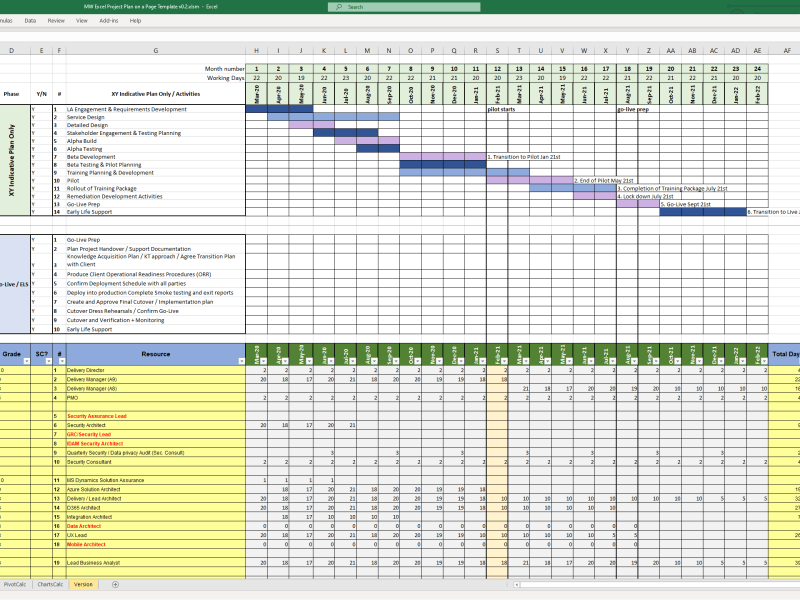
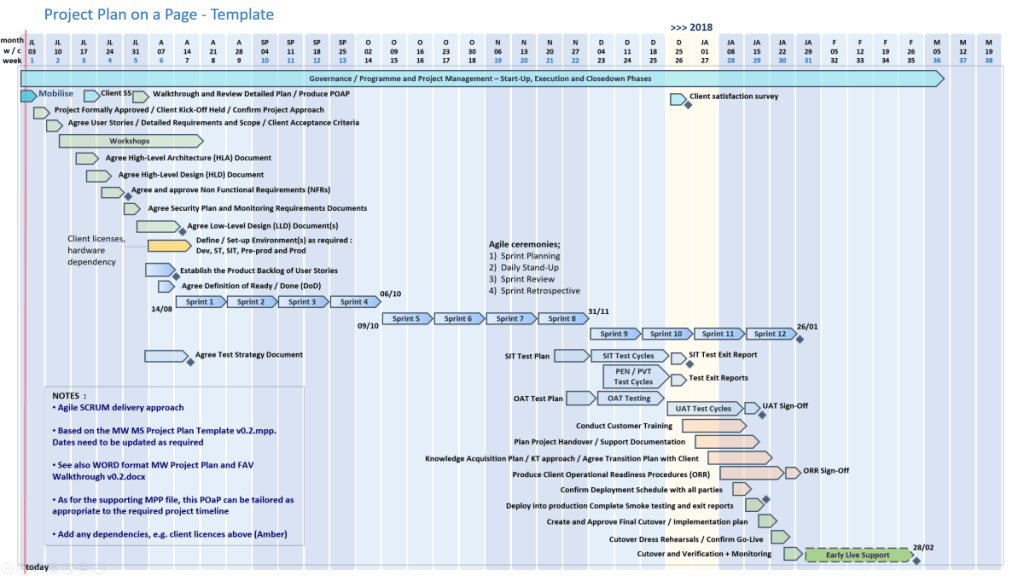
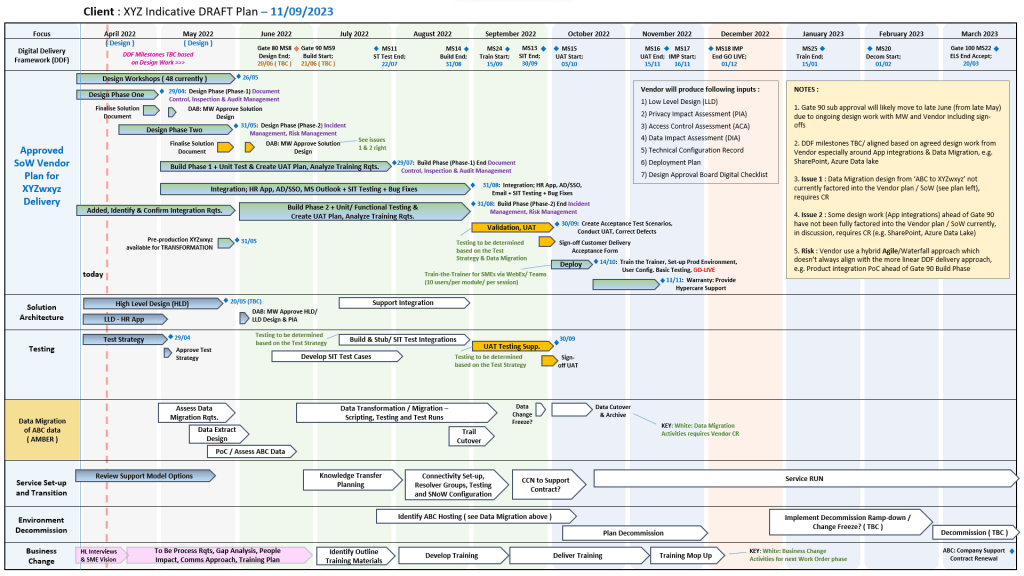
Project Management, the Delivery Paradox

Project Management, the Delivery Paradox

Servant Leadership on a page overview

Servant Leadership on a page overview

Business Analyst BA Essential Requirements Practices

Business Analyst BA Essential Requirements Practices

Project Management Methodologies, historical timeline by era and year

This is a detailed, comprehensive historical timeline of project management methodologies, tracing the evolution from ancient practices to modern adaptive frameworks.

I. Pre-Modern Era (Before 1900): Foundation of Task Coordination

  • 2570 BC (Great Pyramid of Giza): Completion of the pyramids, demonstrating early project organization with managers for each of the four faces, planning, and logistics.
  • 208 BC (Great Wall of China): Construction of the Great Wall, involving massive workforce organization divided into soldiers, citizens, and criminals.
  • 1850s (Transcontinental Railroad): US railroad projects requiring large-scale resource and schedule management.
  • 1896 (Harmonogram): Karol Adamiecki developed the harmonogram, a predecessor to the Gantt chart (published in 1931). 

II. Early Modern Era (1910s–1950s): The Scientific Management Era 

This era brought “scientific management” to project control, focusing on efficiency and visualization. 

  • 1910s (Gantt Chart): Henry Gantt developed the Gantt chart, a visual tool for scheduling tasks over time.
  • 1911 (Scientific Management): Frederick Taylor published The Principles of Scientific Management, focusing on efficiency and time-saving.
  • 1931–1936 (Hoover Dam): One of the first large-scale applications of Gantt charts for complex scheduling.
  • 1942–1945 (Manhattan Project): Development of the atomic bomb, creating a need for rapid, complex planning and large-scale team coordination. 

III. The “Golden Age” of Project Management (1950s–1960s): Formal Methodologies 

This era introduced mathematical models for managing complex, interdependent tasks. 

  • 1956 (AACE Formed): The American Association of Cost Engineers (now AACE International) was formed, specializing in cost control and scheduling.
  • 1957 (Critical Path Method – CPM): Developed by Dupont Corporation to manage chemical plant maintenance shutdowns.
  • 1958 (Program Evaluation and Review Technique – PERT): Created by the US Navy Special Projects Office for the Polaris missile submarine project to manage task time and risk.
  • 1962 (Work Breakdown Structure – WBS): The US Department of Defense mandated the use of WBS for large, complex projects.
  • 1965 (IPMA Founded): The International Project Management Association (IPMA) was launched, the world’s first project management association.
  • 1969 (PMI Founded): The Project Management Institute (PMI) was launched to promote the profession, later developing the PMP certification. 

IV. The “Silver Age” (1970s–1980s): Systems and Controls 

  • 1970s (Waterfall Introduction): While used informally earlier, the Waterfall methodology was formalized for software development in the 1970s, emphasizing sequential phases.
  • 1975 (PROMPTII): Simpact Systems Ltd created PROMPTII, a methodology to handle cost overruns in computer projects, which later formed the basis of PRINCE.
  • 1975 (Mythical Man-Month): Fred Brooks published his seminal work on software engineering project management.
  • 1978 (Toyota Production System): Lean production and Kanban techniques, used in manufacturing, began to influence project workflow.
  • 1984 (Theory of Constraints – TOC): Dr. Eliyahu Goldratt published The Goal, introducing the Theory of Constraints for managing constraints (bottlenecks).
  • 1986 (Scrum): Takeuchi and Nonaka defined Scrum as a project management style for fast-paced development.
  • 1987 (PMBOK Guide): The Project Management Institute published the first Project Management Body of Knowledge (PMBOK) white paper.
  • 1989 (PRINCE): The UK government launched PRojects IN Controlled Environments (PRINCE), the standard for information systems projects. 

V. Rebirth and Modern Era (1990s–2000s): Agile and Adaptive Methods 

  • 1994 (CHAOS Report): The Standish Group published the first report documenting high IT project failure rates.
  • 1995 (Scrum Formalization): Jeff Sutherland and Ken Schwaber formally defined the Scrum framework.
  • 1996 (PRINCE2): PRINCE was updated to PRINCE2 to become a generic, more flexible methodology applicable to all project types.
  • 1997 (Critical Chain Project Management – CCPM): Eliyahu Goldratt invented CCPM, based on the Theory of Constraints.
  • 1998 (PMBOK Standard): The American National Standards Institute (ANSI) recognized PMBOK as a standard.
  • 2001 (Agile Manifesto): 17 software developers met to publish the Manifesto for Agile Software Development, prioritizing collaboration and adaptability over rigid plans.
  • 2007 (Kanban for Software): David Anderson adopted Kanban for software development, focusing on visualizing work and limiting work-in-progress. 

VI. The Contemporary Era (2010s–Present): Hybrid, AI, and Speed 

  • 2012 (ISO 21500): The International Organization for Standardization published ISO 21500:2012, “Guidance on Project Management”.
  • 2017 (PMBOK 6th Ed & PRINCE2 Update): PMI introduced Agile/adaptive practices into PMBOK, while AXELOS released a more flexible PRINCE2.
  • 2018 (PRINCE2 Agile): PRINCE2 Agile was launched to combine the governance of PRINCE2 with the flexibility of Agile.
  • 2021 (PMBOK 7th Ed): A major shift in PMI standards, moving from process-based to principle-based, focusing on project outcomes.
  • 2020s–Present (AI/Hybrid): Rise of AI-driven project management, automated reporting, and hybrid methodologies combining Waterfall stability with Agile speed. 

Project Management Methodologies, historical timeline by era and year

Mark Whitfield, Senior IT Project Manager

Mark Whitfield is a highly experienced IT Senior Project Manager and Engagement Manager based in Manchester, UK, specializing in Agile Scrum, PRINCE2, and Waterfall methodologies. He holds a degree in Computing (1990) and has extensive experience in IT hardware solutions, financial services, and Aerospace & Defence. 

Here is a comprehensive summary of his profile, with links based on the provided search data:

Professional Profile

  • Name: Mark Whitfield
  • Role: IT Senior Project Manager / Engagement Manager (SC Cleared)
  • Key Skills: Agile Scrum, PRINCE2, ITIL, Financial Forecasting, Stakeholder Management, Technical Initiative Leadership.
  • Education: Computing (Graduated 1990). 

Comprehensive Career History

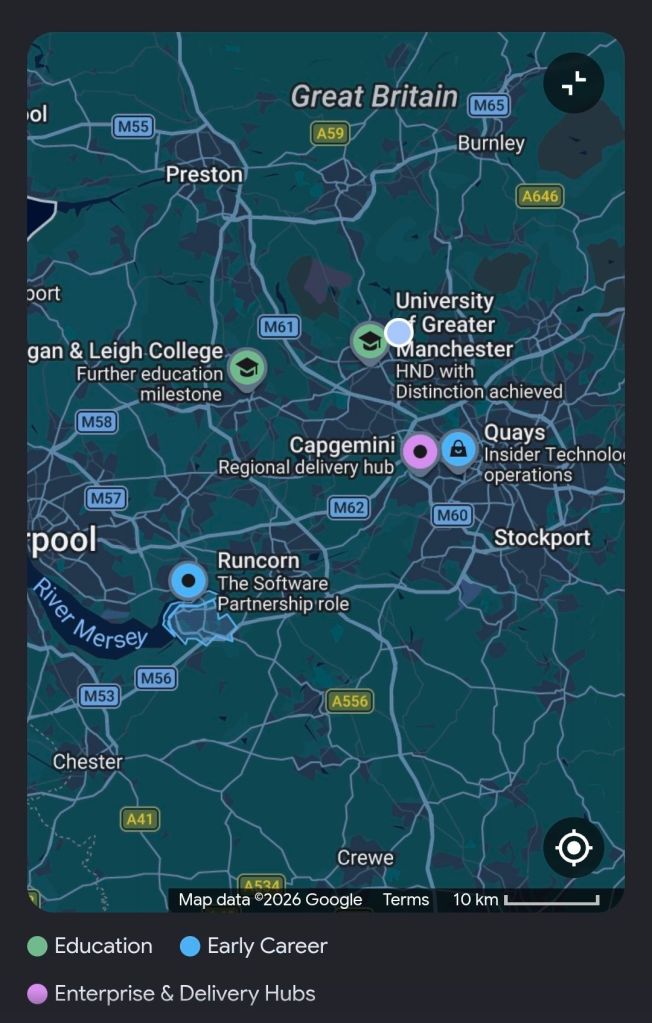
  • Capgemini UK (Jan 2016 – Present): SC Cleared Engagement Manager (A8) in Custom Bespoke Solutions.
    • Recent Experience: Project Manager for a UK-wide Air Traffic organisation, delivering new Apple iOS Apps for military and public use.
  • Betfred Limited (Dec 2014 – Jan 2016): IT Senior Digital Project Manager, Online and Mobile Division.
  • Wincor Nixdorf Limited (Sep 2013 – Dec 2014): Project Manager, Professional Services – Banking Division.
    • Key Project: Managed a £5+ million project replacing legacy HP NonStop software systems with AIX-based J2EE/Oracle technologies for a major UK bank.
  • Reflex / Insider Technologies (Aug 1995 – Sep 2013): Project Manager – Strategic Technical Initiatives.
  • eFunds (1994 – 1995): Lead Analyst. 

Certifications & Training

  • Cloud & Project Management: AZ-900 Microsoft Certified Azure Fundamentals (2022), Advanced Engagement Management (2017), Registered PRINCE2 Practitioner (2011).
  • Agile: Agile SCRUM Training (2011).
  • Technical: TANDEM Performance Analysis (1995), C++ for Non-C Programmers (1997), Querying MS SQL 2000 (2009). 

Awards

  • C&CA UK’s Communications & Engagement Award Winner – Cloud & Custom Applications (Capgemini UK, Dec 2022).
  • Project Recognition Award – Wincor Nixdorf (Retail Banking Project). 

Web Presence & Documents

Mark Whitfield, Senior IT Project Manager

By era;

Mark Whitfield is a highly experienced IT Project Manager, Senior Developer, and SC-cleared consultant with over 30 years of experience, specializing in HP NonStop (Tandem) systems, banking software, and digital transformation projects. He is currently an Engagement Project Manager at Capgemini. 

Career Overview

  • Specialism: HP NonStop (Tandem) mainframes, BASE24, transaction monitoring, Agile/Waterfall methodologies.
  • Key Industries: Financial services, electronic banking, government, automotive, aerospace.
  • Core Competencies: Software development (C, C++, COBOL, TAL), Project Management (PRINCE2 Practitioner, Scrum), Pre-sales technical consultancy. 

Career Timeline by Era and Year

1. The Foundation & Tandem Era (1990–1995)

  • 1990: Graduated in Computing and started as a Programmer for The Software Partnership in Runcorn, specializing in sp/ARCHITECT-BANK on Tandem Computers.
  • 1990-1994: Developed banking code for TSB, Bank of Scotland, Rabobank, and Girofon (Denmark).
  • 1992: Worked on the Barclays Business Master II (BBM II) project in Knutsford.
  • 1994: Company taken over by Deluxe Data (later FIS). 

2. Insider Technologies & Monitoring Era (1995–2013)

  • 1995–2013: Joined Insider Technologies Ltd as a Senior Development Engineer and Project Manager.
  • 1995-2004: Developed monitoring/diagnostic software (Reflex 80:20, Reflex ONE24) for HP NonStop payment systems.
  • 1997: Worked on projects for CRESTCo.
  • Early 2000s: Focused on HP NonStop transaction/payment monitoring for ATM/POS devices using ACI’s XPNET.
  • 2005-2013: Managed first HP OpenView Operations Smart Plug-In certification for NonStop; designed XPERT24.
  • 2011: Certified as a PRINCE2 Practitioner. 

3. Banking Transformation & Consultancy Era (2013–2016)

  • 2013–2014: Wincor Nixdorf UK – Worked as a Project Manager in Professional Services for the Banking Division.
  • 2013-2014: Assigned to Lloyds Banking Group (LBG) for the Self-Service Software Replacement (SSSR) program (ATM estate upgrade).
  • 2014–2016: Joined Betfred as an IT Project Manager in the gambling/casinos industry, delivering mobile/online payment gateways (iOS, Android). 

4. Digital Transformation & Capgemini Era (2016–Present) 

  • 2016: Joined Capgemini UK as a client-facing Engagement Manager.
  • 2016-2017: Led digital projects for automotive, local government, and aerospace sectors.
  • 2017: Obtained Microsoft Excel Expert skills and Advanced Engagement Management certifications.
  • 2018–2019: Augmented into MuleSoft as a Delivery Manager for the Anypoint Platform.
  • 2022: Completed Microsoft Azure Fundamentals (AZ-900) certification.
  • 2023–2024: Assigned to a UK Government account for a cloud migration of 130+ applications and the Fish Export Service (FES) project. 

Key Qualifications

  • PRINCE2 Practitioner & Agile Scrum
  • ITIL Certified
  • SC Cleared (UK Government)
  • Technical Skills: C, C++, MS SQL, COBOL, TAL, Java, ASP.NET, HP NonStop

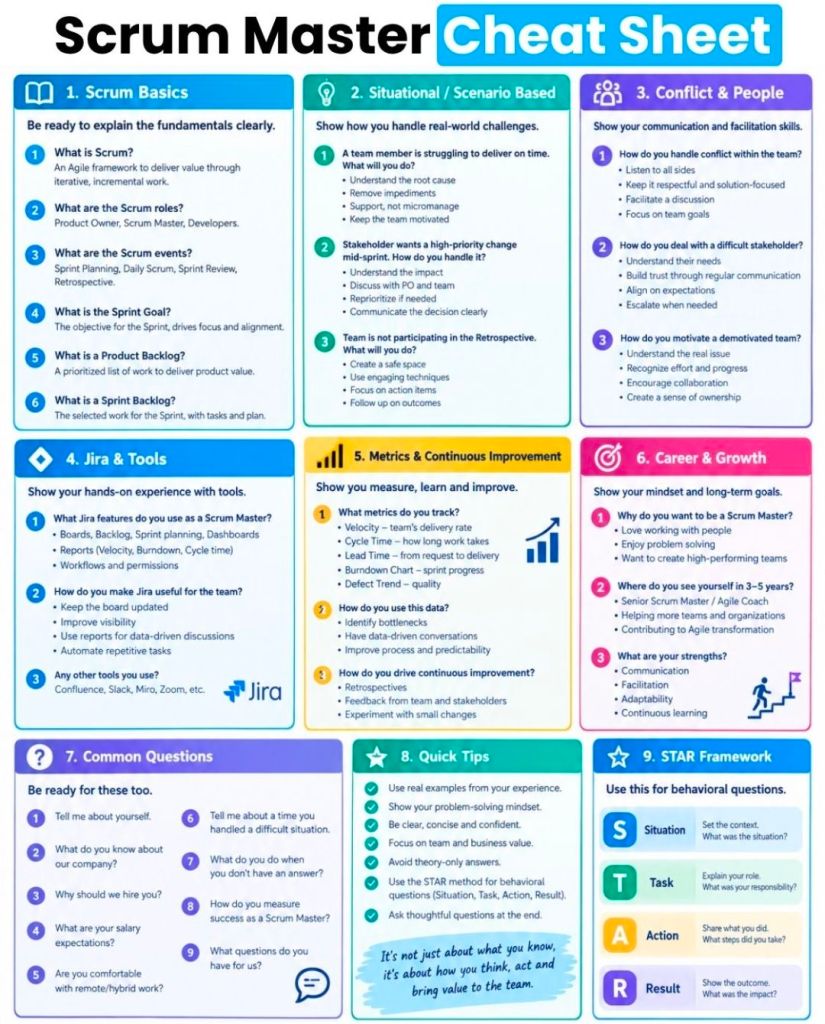
Agile Scrum on a page, summary of core focus areas

Agile Scrum on a page, summary of core focus areas

Agile Scrum Backlog Grooming & Sprint Planning

Agile Scrum Backlog Grooming & Sprint Planning

Scrumban project management summary and detailed historical timeline by era and year

Scrumban is a hybrid Agile project management framework that blends the structured planning and roles of Scrum with the continuous flow and visualization of Kanban. Originally designed as a transition method for teams moving from Scrum to Kanban, it has evolved into a popular, distinct approach for teams needing to manage unpredictable work (e.g., support, maintenance) while maintaining prioritized planning. It focuses on pull-based workflows, limiting Work-in-Progress (WIP), and continuous improvement. 

Scrumban Summary

  • Best Used For: Teams needing more flexibility than Scrum (no rigid sprints) but more structure than Kanban (needs planning cycles).
  • Key Features: Visual board (Kanban), Work-in-Progress (WIP) limits, on-demand or iterative planning, and a pull-based workflow.
  • Differences from Parent Frameworks:
    • vs. Scrum: No set sprint length or rigid roles; work is pulled continuously rather than planned in batches.
    • vs. Kanban: Uses planning meetings and team retrospectives, whereas classic Kanban is purely continuous. 

Detailed Historical Timeline of Scrumban

1. The Pre-Scrumban Era (Pre-2008)

  • 1950s (Kanban Origin): Toyota develops Kanban to optimize manufacturing production processes, focusing on Just-in-Time (JIT) production.
  • 1986 (Scrum Concept): Takeuchi and Nonaka introduce the “rugby” approach to product development in the Harvard Business Review, fostering flexible, team-based development.
  • 1995 (Scrum Introduced): Ken Schwaber and Jeff Sutherland formalize the Scrum framework for software development.
  • 2001 (Agile Manifesto): Release of the Agile Manifesto, establishing core agile principles.
  • 2004 (Kanban in Software): David J. Anderson suggests applying Kanban practices to software development to improve workflow.
  • 2000-2007 (Evolution): Microsoft teams begin experimenting with “feature crews” that mix structured planning with continuous delivery, planting the seeds for hybrid approaches. 

2. Conception and Definition (2008–2010)

  • 2008: Corey Ladas coins the term “Scrumban” and introduces the concept in his work, proposing it as a mechanism for teams to transition from Scrum to Kanban, or as a sustainable hybrid for maintaining focus while reducing iteration overhead.
  • 2008: Ajay Reddy discusses the “Scrumban (R)evolution,” emphasizing that Scrumban is a distinct, powerful approach, not merely a blend.
  • 2009: Ladas publishes “Scrumban: Essays on Kanban Systems for Lean Software Development,” providing the definitive framework for the approach. 

3. Formalization and Adoption (2011–2019)

  • Early 2010s: The methodology gains popularity in specialized software areas, such as maintenance and support teams, where unpredictable bugs demand faster flexibility than two-week sprints.
  • 2016: Ajay Reddy releases “The Scrumban [R]Evolution: Getting the Most Out of Agile, Scrum, and Lean Kanban,” providing practical guidelines for applying the methodology.
  • 2018-2019: Adoption expands beyond software development into agile marketing and HR, looking for reduced bureaucracy. 

4. Mature Hybrid & Continued Growth (2020s–Present)

  • 2020s: Scrumban is recognized as a standard agile framework within major project management tools (e.g., Jira, Miro, Monday).
  • 2025-2026: Further refinement as teams integrate AI-driven task management with visual Kanban workflows to increase throughput and automate WIP tracking. 

Core Principles of Modern Scrumban (2026 Perspective)

  1. Pull System: Work is pulled by team members when capacity allows, rather than pushed into the team.
  2. Visual Board: All tasks are visualized to show bottlenecks.
  3. WIP Limits: Restricting the number of active tasks at any stage to improve efficiency.
  4. No Required Roles: Teams can keep Scrum roles (Product Owner, Scrum Master) or remove them, depending on their needs.
  5. Adaptive Planning: Planning occurs on-demand or at short intervals, not just in strict timeboxed sprints.

Scrumban project management summary and detailed historical timeline by era and year

CPM Critical Path Method project management and detailed historical timeline by era and year

The Critical Path Method (CPM) is a foundational project management technique developed in the late 1950s to identify the longest sequence of dependent tasks (the “critical path”) that determines the minimum time needed to complete a project. By focusing on these critical tasks, managers can identify which activities have flexibility (float) and which will delay the entire project if they slip. 

Detailed Historical Timeline of CPM

Pre-Development Era (1940-1955): The Need for Speed 

  • 1940–1943: DuPont develops precursor techniques to manage scheduling challenges during the Manhattan Project.
  • Early 1950s: The U.S. Navy recognizes the need for better planning systems for complex, high-stakes defense projects. 

Development Era (1956-1959): The Birth of CPM 

  • 1956: Morgan R. Walker (DuPont) and James E. Kelley Jr. (Remington Rand) begin collaborating to create a new method for managing industrial plant maintenance shutdowns.
  • 1957: Walker and Kelley formalize the Critical Path Method (CPM). The technique is first applied to DuPont’s chemical plant projects, saving $1 million in its first year.
  • 1958: Simultaneously, the U.S. Navy and Booz Allen Hamilton develop the Program Evaluation and Review Technique (PERT) for the Polaris missile program. The term “critical path” is coined by the PERT team.
  • 1959: First paper on the critical path, “Critical-Path Planning and Scheduling,” is published by Kelley and Walker. First computer-based CPM is implemented on UNIVAC computers. 

Expansion Era (1960-1979): Industrial Adoption

  • 1961: Dr. John Fondahl develops the Precedence Diagramming Method (PDM), a manual “non-computer” alternative to early computer-heavy CPM.
  • 1962: The U.S. Department of Defense (DoD) mandates the use of Work Breakdown Structures (WBS) along with network scheduling (PERT/CPM) for projects.
  • 1966: CPM is used for the first time in the construction of the World Trade Center Twin Towers in New York City.
  • 1970s: CPM moves from chemical and defense sectors to widespread use in construction, engineering, and infrastructure projects. 

Computerization Era (1980-1999): The PC Revolution

  • 1980s: Advent of personal computers (PCs) allows project management software (like Primavera) to make CPM accessible, removing the need for expensive mainframes.
  • 1987: The Project Management Institute (PMI) publishes the first Project Management Body of Knowledge (PMBOK Guide), standardizing CPM as a best practice.
  • 1997: Eliyahu M. Goldratt introduces Critical Chain Project Management (CCPM), a new method that builds on CPM by focusing on resource limitations rather than just activity sequence. 

Digital/Agile Era (2000-Present): Modern Integration 

  • 2001: The Agile Manifesto is written, introducing iterative, non-critical-path methods for software development.
  • 2010s: Hybrid project management becomes popular, combining CPM (for predictable, sequential work) with Agile methods (for unpredictable work).
  • Today: CPM algorithms are embedded in modern scheduling software (Microsoft Project, Oracle Primavera, ClickUp), enabling real-time recalculation of the critical path. 

Key Components of CPM

  • Network Diagram: A visual representation of activities (nodes) connected by dependencies.
  • Forward Pass: Calculates the earliest start (ES) and finish (EF) times for tasks.
  • Backward Pass: Calculates the latest start (LS) and finish (LF) times for tasks.
  • Float Calculation: Determines how long a task can be delayed without affecting the project completion date (Float = LS – ES).
  • Critical Path: The path with zero float; any delay in these tasks delays the project. 

CPM Critical Path Method project management and detailed historical timeline by era and year

ISO 21500 high-level guidance on project, program, and portfolio management

ISO 21500 is a set of international standards providing high-level guidance on project, program, and portfolio management. Initially published in 2012 as a guidance document for project management, it was updated in 2021 to serve as the foundational, high-level “Context and Concepts” document for a broader suite of ISO project management standards (ISO 21500–21505). 

ISO 21500 Development Timeline

  • 2007: The ISO Technical Committee ISO/TC 258 (Project, programme and portfolio management) began working on a global project management standard.
  • September 2012: ISO 21500:2012 (Guidance on Project Management) was officially published, providing a generic framework for project management and a common language for professionals.
  • 2017: Work intensified on updating the standard to reflect new best practices and to transition into a family of standards (21500-21505).
  • 2020: ISO 21502:2020 was published, taking over the detailed guidance on project management formerly covered by ISO 21500:2012.
  • March 2021: ISO 21500:2021 (Project, programme and portfolio management – Context and concepts) was released, replacing the 2012 edition, with a focus on defining the overarching environment for project management rather than specific processes. 

Detailed Historical Timeline of Project Management

The following timeline details the evolution of project management leading up to the ISO standards. 

1. Ancient Era – Pre-1900: Foundation & Construction

  • Ancient Times: The pyramids of Giza, the Great Wall of China, and Roman infrastructure demonstrated early, sophisticated, large-scale project management.
  • 1896: Carol Adami developed the harmonogram, a precursor to visualization tools. 

2. Early Modern Era (1900–1950): Scheduling Techniques 

  • 1910-1915: Henry Gantt developed the Gantt Chart, revolutionizing scheduling by tracking project progress visually.
  • 1940s: Large-scale projects, such as the Manhattan Project, pioneered modern, integrated project teams. 

3. The Golden Age (1950–1980): Formalization

  • 1957: DuPont introduced the Critical Path Method (CPM) for chemical plant construction.
  • 1958: The U.S. Navy developed PERT (Program Evaluation and Review Technique) for the Polaris missile project.
  • 1962: U.S. Department of Defense mandated Work Breakdown Structures (WBS).
  • 1965: Founding of the International Project Management Association (IPMA).
  • 1969: Founding of the Project Management Institute (PMI). 

4. The Silver Age (1980–2000): Methodologies & Technology

  • 1984: Eliyahu Goldratt published “The Goal,” introducing the Theory of Constraints (TOC).
  • 1986: Takeuchi and Nonaka defined Scrum as a flexible, holistic product development strategy.
  • 1987: PMI published the first Project Management Body of Knowledge (PMBOK) guide.
  • 1989: The UK government developed PRINCE (Projects in Controlled Environments), later evolving into PRINCE2.
  • 1995: Scrum was formalized for software development by Jeff Sutherland and Ken Schwaber.
  • 1996: PMI published the first official edition of the PMBOK Guide. 

5. Modern Era (2000–Present): Agile & Global Standardization 

  • 2001: Publication of the Agile Manifesto, highlighting flexible and user-focused development.
  • 2007: ISO began developing international project management standards.
  • 2012: ISO 21500:2012 published, providing a global, standard-agnostic guide for project management.
  • 2017: The Association for Project Management (APM) received a Royal Charter.
  • 2020-2021: Shift towards Agile and hybrid methodologies; PMI released PMBOK 7th Edition, focusing on principles over processes.
  • 2021: ISO 21500:2021 (updated) and ISO 21502:2020 (detailed guidance) were established as the new global standard for project management.

ISO 21500 high-level guidance on project, program, and portfolio management

PERT Program Evaluation & Review Technique summary & detailed historical timeline by era & year

The Program Evaluation and Review Technique (PERT) is a project management tool developed in the late 1950s to analyze and represent the tasks involved in completing a complex project. It is designed to handle uncertainty in project scheduling by using three time estimates (optimistic, pessimistic, and most likely) to calculate the expected duration of tasks. 

Summary of PERT Project Management

  • Origin: Developed in 1958 by the U.S. Navy Special Projects Office to manage the Polaris missile submarine program, which involved thousands of contractors.
  • Purpose: To schedule, organize, and coordinate tasks within complex, non-repetitive projects, allowing for the identification of the critical path.
  • Key Feature (Three-Time Estimate): Unlike traditional methods, PERT uses a probabilistic approach.
  • Visual Structure: A PERT chart acts as a network diagram, using nodes (circles/rectangles) for events and arrows for tasks and dependencies.
  • Impact: Credited with shortening the Polaris project timeline by two years.

Detailed Historical Timeline of PERT (1950s–Present)

The Era of Development (1950s)

  • 1957: The groundwork for network scheduling began in the US, with DuPont developing the Critical Path Method (CPM) and preliminary research into PERT concepts beginning.
  • 1958: Birth of PERT. The U.S. Navy Special Projects Office officially develops PERT for the Polaris missile project to manage high uncertainty in R&D.
  • 1958: The first two publications, Program Evaluation Research Task, Summary Report, Phase 1 and 2, are written (primarily by Charles F. Clark) to document the technique.
  • 1959: Willard Fazar of the Navy officially introduces PERT to the public in The American Statistician, detailing the use of three time estimates. 

The Expansion and Mainframe Era (1960s–1970s) 

  • 1960s: PERT is widely adopted by NASA and the U.S. Department of Defense for large, schedule-driven projects.
  • 1962: The US Department of Defense mandates the use of Work Breakdown Structures (WBS) for projects, reinforcing PERT application.
  • 1965: PERT is applied to the planning and organization of the 1968 Winter Olympics in Grenoble.
  • 1970s: PERT/CPM software packages begin to be used on mainframe and minicomputers. 

The PC and Software Era (1980s–1990s)

  • 1980s: With the advent of personal computers, PERT software becomes accessible, leading to adoption in software development and manufacturing.
  • 1984: The Theory of Constraints (TOC) is introduced, which later influences critical chain methodologies, adding to network scheduling techniques.
  • 1987: The Project Management Institute (PMI) publishes the first white paper on the Project Management Body of Knowledge (PMBOK), including network techniques.
  • 1997: Critical Chain Project Management (CCPM) is introduced as a new approach to managing resources and task uncertainty, building on PERT/CPM principles. 

The Digital and Agile Era (2000s–Present)

  • 2000s: PERT charts become a standard feature in project management software (MS Project, Primavera), automating the calculation of critical paths.
  • 2012: ISO 21500:2012 provides guidance on project management, incorporating network analysis techniques.
  • 2017/2021: PMBOK releases 6th and 7th editions, integrating PERT and network scheduling with agile and adaptive environments.
  • Present: While overshadowed by Agile (Scrum/Kanban) in software, PERT remains crucial for complex construction, R&D, and defense projects, often used in hybrid approaches. 

Key Components of a PERT Chart

  1. Event (Node): A milestone representing the start or completion of a task.
  2. Activity (Arrow): The actual task required to move from one event to another.
  3. Critical Path: The longest sequence of dependent tasks, determining the minimum project duration.
  4. Float (Slack): The amount of time a task can be delayed without delaying the overall project. 

Adaptive Project Framework (APF) Adaptive Project Management (APM)

The Adaptive Project Framework (APF), often called Adaptive Project Management (APM), is a flexible, client-driven methodology designed to handle high-complexity, high-uncertainty projects where goals are clear but the methods to achieve them are not. Unlike traditional “Waterfall” approaches that follow rigid, linear plans, APF embraces change, utilizing iterative cycles to learn from previous results and improve future project practices. 

Summary of Adaptive Project Framework (APF)

  • Core Philosophy: “Think like a chef, not a cook.” APF adapts to the situation rather than strictly following a pre-written recipe.
  • Key Principles:
    • Client-driven: The client is a co-manager, determining next steps and adjusting scope.
    • Thrive on change: Change is expected and embraced, not resisted.
    • Iterative Cycles: Work is done in short cycles (“iterations”), with deliverable reviews at the end of each.
    • Learn by doing: The project strategy evolves based on learning from the outcomes of previous cycles.
    • Maximize Business Value: Focuses only on tasks that add value, reducing non-value-added work.
  • Core Characteristics:
    • Adaptive Scope: Scope is not fixed; it is continuously adjusted.
    • Just-in-Time Planning: Plans are made in detail only when needed, not months in advance.
    • Continuous Feedback: Regular checkpoint reviews with the customer.
  • The 5 Step APF Process:
    1. Project Scope: Defining the “Conditions of Satisfaction” (CoS).
    2. Cycle Schedule: Planning the iterative work.
    3. Cycle Build: Carrying out the work.
    4. Client Checkpoint: Reviewing deliverables and revising the plan.
    5. Final Report: Evaluating success and gathering lessons.

Historical Timeline of Adaptive Project Management

Adaptive project management evolved to address the limitations of traditional, rigid project management when faced with the rapid change and high uncertainty of the 21st-century IT landscape. 

Pre-Adaptive Era (Pre-1950s)

  • 1917: Henry Gantt develops the Gantt chart, pioneering rigid scheduling.
  • Pre-1950s: Project management is informal, experience-driven, and relies heavily on one-time planning. 

Early Evolution of Iterative Methods (1950s–1980s)

  • 1957: Critical Path Method (CPM) invented by Dupont.
  • 1958: Program Evaluation Review Technique (PERT) developed for complex US Navy projects.
  • 1975: First inklings of iterative techniques appear (e.g., iterative and evolutionary development).
  • 1986: Scrum is named and described as a new style of managing projects. 

Rise of Agile and Pre-APF Adaptive Models (1990s)

  • 1991: Rapid Application Development (RAD) is described, linking timeboxing with iterations.
  • 1994: The CHAOS Report is first published, highlighting the high failure rate of traditional projects, driving the need for better methods.
  • 1995: Scrum is introduced formally by Jeff Sutherland and Ken Schwaber.
  • 1997: Extreme Programming (XP) and Critical Chain Project Management (CCPM) emerge. 

Formalization of Agile and Adaptive Concepts (2000s) 

  • 2001: The Agile Manifesto is signed, formalizing iterative, client-focused development.
  • 2002–2004: A surge of adaptive techniques, including Radical Project Management, Extreme Project Management, and Agile Project Management. 

The Development of APF (2010s-Present)

  • 2010: Robert K. Wysocki publishes Adaptive Project Framework: Managing Complexity in the Face of Uncertainty, formally defining the APF methodology.
  • 2010s-2020s: Shift toward “adaptive project management” in HR and business transformation to thrive in high-uncertainty environments.
  • 2022-2025: Increased emphasis on automated data-driven decision-making within APF to maximize efficiency.

Six Sigma project management summary and detailed historical timeline by era and year

Six Sigma is a disciplined, data-driven methodology and project management strategy designed to improve process performance, eliminate defects, and minimize variation. Pioneered at Motorola in the 1980s, it aims for a near-perfection standard of no more than 3.4 defects per million opportunities (DPMO). It is often used in combination with Lean principles (Lean Six Sigma) to simultaneously eliminate waste and reduce variation. 

Six Sigma Project Management Summary

Six Sigma project management relies on a structured, five-phase framework known as DMAIC (pronounced “duh-may-ick”) for improving existing processes: 

  • Define: Identify the project goals and customer deliverables (Critical to Quality – CTQ).
  • Measure: Quantify the current process performance and gather baseline data.
  • Analyze: Determine the root causes of defects and variation.
  • Improve: Implement and verify solutions that eliminate the root causes.
  • Control: Standardize the new process and implement monitoring to ensure long-term sustainability. 

Key Project Roles (The Belt System):

  • White/Yellow Belt: Basic awareness and team members.
  • Green Belt: Leads projects, assists Black Belts.
  • Black Belt: Leads complex projects, acts as change agent.
  • Master Black Belt: Coaches Black/Green Belts, oversees strategy.

Detailed Historical Timeline by Era and Year

Pre-1980s: Foundational Quality Efforts 

  • 1799: Eli Whitney introduces the concept of interchangeable parts (standardization) to produce muskets, reducing variation.
  • 1920s: Walter Shewhart at Bell Laboratories shows that 3-sigma process control is necessary to reduce variation.
  • 1950s: Toyota Production System (TPS) develops to create efficiency and quality. 

1980s: Origin and Development (The Motorola Era) 

  • 1981: Motorola leadership (Bob Galvin) initiates a push for increased quality, arguing that traditional 3-sigma defects (thousands) were insufficient, prompting a push for DPMO.
  • 1985: Engineer Bill Smith pens a paper proposing the term and methodology of Six Sigma.
  • 1986: Bill Smith officially introduces Six Sigma at Motorola, with Mikel Harry and Bob Galvin as co-contributors.
  • 1987: Motorola formally founds the Six Sigma improvement program, targeting a 10-fold reduction in defects.
  • 1988: Motorola receives the first Malcolm Baldrige National Quality Award.
  • 1989: Motorola establishes the Six Sigma Research Institute. 

1990s: Expansion and Standardization (The GE/Allied Signal Era) 

  • 1990: Motorola introduces the concept of Black Belts to formally lead improvement projects.
  • 1993: Motorola registers Six Sigma as a trademark.
  • 1994: AlliedSignal adopts Six Sigma, with CEO Larry Bossidy leading the effort.
  • 1995: Jack Welch adopts Six Sigma at General Electric (GE), optimizing the DMAIC approach and boosting its popularity.
  • Late 1990s: Over 2/3 of Fortune 500 companies start Six Sigma initiatives. 

2000s: Integration with Lean (The Lean Six Sigma Era) 

  • 2000s: Global adoption of Six Sigma by companies like Sony, Jaguar, Samsung, and Adidas.
  • 2002: Michael George publishes “Lean Six Sigma,” combining the speed of Lean (waste reduction) with the quality of Six Sigma (variation reduction).
  • Mid-2000s: Six Sigma expands beyond manufacturing into services, healthcare, and finance. 

2010s – Present: Digitalization and Advanced Analytics

  • 2010s: Integration of data-driven Six Sigma with technology, including real-time monitoring and advanced data analytics.
  • Present: Incorporation of Big Data, Machine Learning, and AI to enhance analytical capabilities and predictive maintenance within the DMAIC framework. 

Key Contributors to Six Sigma

  • Bill Smith: “Father of Six Sigma,” developed the concept at Motorola.
  • Bob Galvin: CEO of Motorola, supported and pushed the adoption of the methodology.
  • Mikel Harry: Co-developed the methodology and helped establish the Six Sigma Institute.
  • Jack Welch: Former CEO of GE, championed the strategy, proving its power outside of manufacturing.
  • Larry Bossidy: CEO of Allied Signal, instrumental in early adoption.

Six Sigma project management summary and detailed historical timeline by era and year

Scrum Agile Framework summary and detailed historical timeline by era and year

Scrum is an Agile framework for managing complex, innovative product development through small, cross-functional teams working iteratively in short time-boxes called Sprints. Inspired by a 1986 “rugby” approach to product development, it was formalized in the early 1990s by Jeff Sutherland and Ken Schwaber to improve team productivity and deliver value quickly.

Scrum is based on empiricism—transparency, inspection, and adaptation—and is defined by specific roles (Product Owner, Scrum Master, Developers), events (Sprint Planning, Daily Scrum, Sprint Review, Retrospective), and artifacts (Product Backlog, Sprint Backlog, Increment). 

Detailed Historical Timeline

The Conceptual Era (Pre-1990s)

  • 1986: Takeuchi and Nonaka publish “The New New Product Development Game” in Harvard Business Review. They introduce the “rugby” approach—a team working together, passing the ball back and forth, to increase speed and flexibility. 

Scrum Takes Shape (1990–1999) 

  • 1993: First Scrum implementation: Jeff Sutherland, John Scumniotales, and Jeff McKenna at Easel Corporation apply these concepts to software development.
  • 1995: Ken Schwaber and Jeff Sutherland present a paper, “The SCRUM Development Process,” at the Object-Oriented Programming, Systems, Languages & Applications (OOPSLA) conference in Austin, Texas, formally introducing the framework.
  • 1996: Ken Schwaber and Mike Beedle refine the process, focusing on software development.
  • 1999: Mike Beedle, Martine Devos, Yonat Sharon, Ken Schwaber, and Jeff Sutherland publish “SCRUM: An extension pattern language for hyperproductive software development”. 

Agile and Formalization (2000–2009) 

  • 2001: Ken Schwaber, Jeff Sutherland, and 15 others create the “Agile Manifesto” in Snowbird, Utah. Schwaber and Beedle publish the first book on Scrum: Agile Software Development with Scrum.
  • 2002: Ken Schwaber, Mike Cohn, and Esther Derby found the Scrum Alliance to provide certifications.
  • 2004: Ken Schwaber publishes Agile Project Management with Scrum.
  • 2006: Jeff Sutherland founds Scrum Inc..
  • 2009: Ken Schwaber leaves the Scrum Alliance and founds Scrum.org to provide Professional Scrum accreditation. 

The Scrum Guide Era (2010–Present) 

  • 2010: First “Scrum Guide” is published by Ken Schwaber and Jeff Sutherland to define the framework, often revised in subsequent years (2011, 2013, 2016, 2017).
  • 2017: PRINCE2 Agile is published, adding governance layers for organizations using Scrum.
  • 2020: The latest Scrum Guide (November 2020) is released, focusing on a more minimal, less prescriptive definition, introducing the “Product Goal” and changing “Development Team” to “Developers”. 

Key Components of Scrum

  • Roles: Scrum Master (servant leader), Product Owner (backlog owner), Developers (build the product).
  • Events: Sprint (1–4 weeks), Sprint Planning, Daily Scrum, Sprint Review, Sprint Retrospective.
  • Artifacts: Product Backlog, Sprint Backlog, Increment. 

Scrum Agile Framework summary and detailed historical timeline by era and year

SAFe Scaled Agile Framework summary and detailed historical timeline by era and year

The Scaled Agile Framework (SAFe) is a set of organization and workflow patterns intended to guide enterprises in scaling lean and agile practices across large-scale software and systems development. Created by Dean Leffingwell in 2011, it combines Agile development, Lean product development, and systems thinking to enable alignment, collaboration, and delivery across hundreds or thousands of practitioners. 

SAFe Project Management Summary

SAFe structures project management across multiple levels to bring agility to the enterprise: 

  • Team Level: Scrum or Kanban teams operate in 2-week iterations (sprints) to deliver working software.
  • Program Level (Agile Release Train – ART): A “team of teams” (typically 50-125+ people) aligns to a common mission, planning, and releasing together on a fixed cadence, usually via Program Increments (PIs) lasting 8–12 weeks.
  • Portfolio Level: Aligns strategy to execution, managing investment themes (Epics) through Lean Portfolio Management.
  • Core Values & Principles: SAFe is grounded in 10 principles (e.g., “Take an economic view,” “Apply systems thinking”) and four core values: Alignment, Built-in Quality, Transparency, and Program Execution. 

Historical Timeline by Era and Version

The evolution of SAFe tracks the growing need for business agility and faster delivery in complex organizations. 

1. Foundation & Initial Concept (2007–2010)

  • 2007–2008: Dean Leffingwell publishes Scaling Software Agility, laying the foundation for enterprise agile patterns.
  • 2010: Agile Software Requirements is published, bridging Agile with enterprise needs. 

2. The Early Years: SAFe 1.0 – 2.0 (2011–2013) 

  • 2011: SAFe 1.0 released, initially termed “Agile Enterprise Big Picture,” focusing on applying Scrum/XP at scale.
  • 2012: SAFe 2.0 (October) released to restructure portfolio and program levels.
  • 2013: Initial refinements to the “Big Picture” to better integrate lean principles. 

3. Expansion: SAFe 3.0 – 4.0 (2014–2016) 

  • 2014: SAFe 3.0 introduced, introducing more emphasis on DevOps and faster, value-driven delivery.
  • 2016: SAFe 4.0 launched, introducing a dedicated “Value Stream” level for larger, complex systems and enhancing Kanban adoption. 

4. The Enterprise & DevOps Era: SAFe 4.5 – 4.6 (2017–2018) 

  • 2017: SAFe 4.5 released, emphasizing Lean Startup techniques, Lean UX, and faster, more flexible “Essential SAFe” configuration.
  • 2018: SAFe 4.6 updated to further incorporate the “Five Core Competencies of the Lean Enterprise”. 

5. Business Agility Era: SAFe 5.0 – 5.1 (2020–2021)

  • 2020: SAFe 5.0 (January) released, focusing on “Business Agility,” expanding agile principles beyond IT to the entire business (Human Resources, Finance, etc.).
  • 2021: SAFe 5.1 introduced, with enhanced focus on distributed teams, DevOps, and Accelerate metrics. 

6. AI & Continuous Learning Era: SAFe 6.0 (2023–Present) 

  • 2023: SAFe 6.0 (March) released, providing updated guidance on AI, Big Data, and Cloud technologies, while enhancing flow-based planning and accelerating value delivery.
  • 2024/2025: Focus on “AI-Empowered” SAFe, integrating artificial intelligence into the framework’s roles and ceremonies. 

SAFe Scaled Agile Framework summary and detailed historical timeline by era and year

PRINCE2 (PRojects IN Controlled Environments) Overview and Timeline by Year

PRINCE2 (PRojects IN Controlled Environments) is a structured, process-based project management methodology focusing on organization, control, and business justification. Originating from UK government IT standards in the 1970s, it has evolved into a globally recognized, tailorable standard used in over 150 countries for projects across various industries. 

PRINCE2 Project Management Summary

  • Core Philosophy: Continued Business Justification (projects must make sense financially), Manage by Exception (delegating authority within limits), and Product-Based Planning.
  • Seven Principles: Projects must have continued business justification, learn from experience, define roles and responsibilities, manage by stages, manage by exception, focus on products, and tailor to suit the project.
  • Seven Processes: Starting a Project, Directing a Project, Initiating a Project, Controlling a Stage, Managing Product Delivery, Managing a Stage Boundary, and Closing a Project.
  • Key Themes: Business Case, Organization, Quality, Plans, Risk, Change, and Progress.
  • Main Benefits: Provides a common language, clear accountability, defined roles, and tailored, consistent documentation. 

Detailed Historical Timeline (1975–2023+)

Era 1: The PROMPT Origins (1975–1988) 

  • 1975: Simpact Systems Ltd develops PROMPT (Project Resource Organisation Management and Planning Techniques) in response to IT projects running over time and budget. PROMPT II introduces a phased approach (Initiation, Specification, Design, Development, Installation, Operation). 

Era 2: The PRINCE Birth (1989–1995)

  • April 1989: The UK Central Computer and Telecommunications Agency (CCTA) adopts PROMPT II as the standard for IT projects, renaming it PRINCE (initially “PROMPT II IN the CCTA Environment”).
  • 1990: PRINCE is released into the public domain and widely adopted by the private sector for non-IT projects, although it is perceived as too rigid for small projects. 

Era 3: The Birth of PRINCE2 (1996–2008) 

  • 1996: PRINCE2 is published by the CCTA. It is rewritten for broader use (not just IT), removing jargon to become a generic project management framework.
  • 1998: PRINCE2 begins undergoing revisions based on user feedback.
  • 2000: The Office of Government Commerce (OGC) becomes the owner of PRINCE2.
  • 2002: The international user community begins consultative updates to the method. 

Era 4: The Modern Revision Era (2009–2022) 

  • 2009: PRINCE2: 2009 Refresh is released by the OGC. This major revision simplifies the method, makes it more customizable, and introduces the seven core principles.
  • 2013: Ownership transfers from the UK Cabinet Office to AXELOS Ltd, a joint venture between the UK Government and Capita.
  • 2017: PRINCE2 2017 Update is published, focusing on increased flexibility, scalability, and better tailoring guidance.
  • 2018: PRINCE2 Agile is launched, bringing a governance layer to agile delivery methods like Scrum and Kanban.
  • 2020: PRINCE2 2017 is renamed “PRINCE2 6th Edition”.
  • 2021: PeopleCert becomes the sole owner of AXELOS and PRINCE2. 

Era 5: The Current Era (2023–Present) 

  • September 2023: PRINCE2 7th Edition is released. The update introduces a “People” element, focusing on change management and team leadership, along with new guidance on Sustainability, Commercial, and Digital & Data management. 
PRINCE2 Key Evolution Summary
May 2011 – Registered PRINCE2 Practitioner with ILX, Mark Whitfield

PRINCE2 (PRojects IN Controlled Environments) Overview and Timeline by Year

PMP Project Management Professional summary and detailed historical timeline by era and year

Project Management Professional (PMP) history, as guided by the Project Management Institute (PMI), tracks the evolution from ancient craft systems to a modern, standardized profession combining predictive, agile, and hybrid approaches. Modern project management as a formal discipline emerged in the 1950s, with PMP certification officially launching in 1984. 

Summary of Project Management Eras

  • Pre-1950s (Craft Era): Large-scale construction (Pyramids, Great Wall) relied on master builders, intuitive planning, and heavy labor.
  • 1950s-1960s (Birth of Modern PM): Scheduling tools (CPM, PERT) and the Work Breakdown Structure (WBS) were developed for defense and construction.
  • 1969-1980s (Standardization Era): PMI was founded, and the PMP certification was introduced to create a shared professional language.
  • 1990s-2000s (Digital & Agile Era): Project software matured, the PMBOK Guide was published, and Agile techniques began reshaping software development.
  • 2010s-Present (Hybrid & AI Era): Focus on flexibility, stakeholder management, hybrid approaches, and AI integration. 

Detailed Historical Timeline

Ancient to Early 20th Century: Foundations

  • 2570 BC: Completion of the Great Pyramid of Giza, showing advanced resource planning.
  • 208 BC: Construction of the Great Wall of China, demonstrating large-scale logistical management.
  • 1917: Henry Gantt develops the Gantt Chart, a cornerstone of project scheduling. 

1950s-1960s: Birth of Modern Project Management 

  • 1957-1958: Development of key scheduling tools, Critical Path Method (CPM) and Program Evaluation Review Technique (PERT).
  • 1962: WBS approach mandated by the U.S. Department of Defense.
  • 1969: Project Management Institute (PMI) founded in Pennsylvania to standardize the profession. 

1970s-1980s: Professionalization and Certification 

  • 1975: Publication of The Mythical Man-Month by Fred Brooks, identifying software project risks.
  • 1984: First PMP certification exam administered by PMI.
  • 1986: Takeuchi and Nonaka introduce “Scrum” as a project management style.
  • 1987: First PMBOK Guide published as a white paper. 

1990s: PMBOK and Formalization 

2000s-2010s: Agile and Global Expansion 

  • 2001: Agile Manifesto written, emphasizing flexibility.
  • 2003: PMP exam revised to incorporate Agile techniques.
  • 2017: PMBOK 6th Edition released, integrating Agile and adaptive environments. 

2020s-Present: Modernization and AI

  • 2021: PMBOK 7th Edition released, shifting from process-based to principle-based standards.
  • 2024: PMI launches initiatives to incorporate Generative AI (PMIxAI) into project management. 

Key Evolution Trends

  1. From Craft to Science: Moving from intuitive, “master builder” approaches to structured, data-driven methodologies (PERT/CPM).
  2. From Fixed to Adaptive: Transitioning from rigid “waterfall” plans to iterative Agile and Hybrid approaches.
  3. Standardization: The PMP credential has shifted from solely construction/engineering focus to a global, cross-industry benchmark.
  4. Technology Integration: The rise of Artificial Intelligence (AI) and automated tools for risk management and scheduling.

PMP Project Management Professional summary and detailed historical timeline by era and year

PMBOK Project Management Body of Knowledge summary and detailed historical timeline by era and year

The PMBOK (Project Management Body of Knowledge) Guide, published by the Project Management Institute (PMI), is the globally recognized standard for project management best practices. Its evolution reflects the shift from rigid, industrial-era scheduling to flexible, value-driven, and hybrid methodologies. 

Summary of PMBOK Evolution

  • 1980s (Origins): PMI sought to standardize knowledge, starting with a white paper in 1983 and the first “Body of Knowledge” document in 1987.
  • 1996 (1st Edition): The first official PMBOK Guide was published, introducing a foundational process framework.
  • 2000s (Expansion): The 2nd (2000) and 3rd (2004) editions expanded on integration and finalized the standard for project management.
  • 2010s (Integration): The 4th (2008) and 5th (2012) editions added stakeholder management and aligned with enterprise needs. The 6th Edition (2017) formally bridged predictive (waterfall) and agile practices.
  • 2020s (Transformation): The 7th Edition (2021) marked a massive shift from process-based to principle-based, focusing on project outcomes rather than just outputs. The 8th Edition (2025) reintroduces practical, tailored process guidance alongside principles. 

Detailed Historical Timeline by Era and Year

Ancient Era to Pre-Modern (Before 1950s)

  • 2570 BC: Completion of the Great Pyramid of Giza, requiring complex organization, planning, and control.
  • 208 BC: Construction of the Great Wall of China, demonstrating massive, orchestrated labour management.
  • 1917: Henry Gantt developed the Gantt chart, a foundational scheduling tool still used today.

The Foundation Era (1950s – 1960s) 

  • 1956: American Association of Cost Engineers (now AACE International) formed.
  • 1957: Critical Path Method (CPM) invented by Dupont.
  • 1958: Program Evaluation and Review Technique (PERT) developed by the U.S. Navy for the Polaris missile program.
  • 1962: U.S. Dept of Defense mandated the Work Breakdown Structure (WBS) approach.
  • 1969: Project Management Institute (PMI) founded to promote the profession and set standards. 

The Formalization Era (1970s – 1980s) 

  • 1975: PROMPTII method created (later becoming PRINCE).
  • 1984: Dr. Eliyahu M. Goldratt introduced the Theory of Constraints (TOC) in his book “The Goal”.
  • 1986: Scrum named as a project management style.
  • 1987: First PMBOK Guide published by PMI as a white paper, attempting to standardize practices. 

The Standardization Era (1990s – 2000s)

  • 1991: Navy A-12 Avenger II Program cancelled due to poor performance detected by EVM.
  • 1996: 1st Edition of the PMBOK Guide released, establishing it as the foundational standard.
  • 1997: Critical Chain Project Management (CCPM) invented.
  • 1998: PMBOK recognized as a standard by ANSI (American National Standards Institute) and IEEE.
  • 2000: 2nd Edition of the PMBOK Guide released, adding more practical, in-depth material.
  • 2001: Agile Manifesto written, focusing on adaptability in software development.
  • 2004: 3rd Edition of the PMBOK Guide released, changing focus from “generally accepted” to “good practice”. 

The Modern Age & Agility Era (2010s – Present)

  • 2008: 4th Edition of the PMBOK Guide released, improving consistency and introducing new processes.
  • 2012: 5th Edition of the PMBOK Guide released, introducing the 10th Knowledge Area: Project Stakeholder Management.
  • 2017: 6th Edition of the PMBOK Guide released, incorporating Agile, Iterative, and Adaptive methodologies into every knowledge area.
  • 2021: 7th Edition of the PMBOK Guide released, a major shift towards a principle-based, value-delivery approach.
  • 2025: 8th Edition of the PMBOK Guide released, reintroducing tailored, practical processes along with principles.

PMBOK Project Management Body of Knowledge summary and detailed historical timeline by era and year

LeSS Large-Scale Scrum project management summary and detailed historical timeline by era and year

Large-Scale Scrum (LeSS) is a product management framework designed to scale the principles and purpose of Scrum across multiple teams working on a single product. Unlike other scaling frameworks that add complex layers of management, LeSS focuses on “descaling” organisational complexity by maintaining a single Product Owner and one unified Product Backlog for up to eight teams (Basic LeSS) or thousands of people (LeSS Huge). 

Historical Timeline of LeSS

The development of LeSS followed the maturation of Scrum and the need for a simplified way to apply it to large-scale, multi-site environments.

Era 1: Pre-Framework Foundation (1986–2004)

  • 1986: The term “Scrum” is first used in a management context by Hirotaka Takeuchi and Ikujiro Nonaka in their Harvard Business Review article, “The New New Product Development Game”.
  • 1993–1995: Jeff Sutherland and Ken Schwaber formalise Scrum as a practical software development framework.
  • 2001: The Agile Manifesto is authored, setting the cultural stage for lightweight scaling methods.
  • 2002: The Scrum Alliance is founded to promote and standardise Scrum training.

Era 2: Conception and Early Implementation (2005–2007)

  • 2005Craig Larman and Bas Vodde begin collaborating at Nokia Siemens Networks. They start combining their experiences to address the challenges of multi-site, large-scale agile development, laying the groundwork for what would become the LeSS framework.
  • 2005–2007: The principles are tested and refined in large-scale environments at companies like Nokia, Xerox, and Siemens. 

Era 3: Formalisation and Publication (2008–2015)

  • 2008: The first major book detailing these practices, Scaling Lean & Agile Development: Thinking and Organizational Tools for Large-Scale Scrum, is published by Larman and Vodde.
  • 2010Practices for Scaling Lean & Agile Development is released, providing concrete experiments and guides for practitioners.
  • 2014: The official LeSS.works website is launched to provide a centralized hub for LeSS rules, principles, and guides.
  • 2015: LeSS is increasingly recognized as a major scaling framework alongside others like SAFe and Nexus. 

Era 4: Consolidation and Modern Scaling (2016–Present)

  • 2016: The third book, Large-Scale Scrum: More with LeSS, is published, distilling the framework into its most essential rules and guides.
  • 2017–Present: LeSS adoption expands globally into diverse sectors including finance (JP Morgan), telecom, and large-scale hardware-software systems.
  • 2020s: Continuous evolution of “LeSS Huge” cases, showing the framework’s ability to support up to 2,500 people working on a single integrated product. 

Core Principles Summary

LeSS is guided by 10 core principles that differentiate it from other frameworks: 

  • Large-Scale Scrum is Scrum: It is not a “new” version but Scrum applied to many teams.
  • Empirical Process Control: Reliance on transparency, inspection, and adaptation.
  • More with LeSS: Scaling by removing roles and artifacts rather than adding them.
  • Whole-Product Focus: One Product Backlog and one Product Owner regardless of team count.
  • Systems Thinking: Optimising the whole system rather than individual team performance.

LeSS Large-Scale Scrum project management summary and detailed historical timeline by era and year

Lean project management summary and detailed historical timeline by era and year

Lean Project Management is a strategic methodology aimed at maximizing customer value while minimizing waste, derived primarily from the Toyota Production System (TPS). It focuses on efficient workflows, continuous improvement (Kaizen), and delivering high-quality results in smaller, faster increments. 

Summary of Core Principles

  1. Define Value: Identify what the customer is willing to pay for.
  2. Map the Value Stream: Analyze all steps required to produce the product/service and eliminate non-value-added steps (waste).
  3. Create Flow: Ensure tasks move smoothly without bottlenecks or interruptions.
  4. Establish Pull: Produce only what is needed, when it is needed, based on customer demand.
  5. Seek Perfection (Kaizen): Continuously improve processes to reduce waste further. 

Detailed Historical Timeline: The Evolution of Lean

The origins of Lean span from early American mass production to post-war Japanese necessity, maturing into a global management philosophy. 

Era 1: Pre-Lean & Industrial Foundations (1890s–1920s)

  • Early 1900s: Frank and Lillian Gilbreth develop motion studies to reduce wasted movement, laying the groundwork for waste elimination.
  • 1913: Henry Ford pioneers “Flow Production” at his Highland Park factory, combining standardized interchangeable parts with the moving assembly line to create continuous flow. 

Era 2: The Birth of Toyota Production System (1920s–1945) 

  • 1924: Sakichi Toyoda invents an automatic loom (Jidoka) that stops when a thread breaks, introducing the concept of autonomation (automation with a human touch).
  • 1937: Kiichiro Toyoda creates the automotive division of Toyota Loom Works, adopting Ford’s flow techniques while focusing on adapting to a small-demand market.
  • 1939-1945: Wartime shortages force Japanese industry to focus on resourceful, fast production. 

Era 3: Development of TPS (1945–1970s)

  • 1948–1975: Toyota engineers Taiichi Ohno and Eiji Toyoda develop the Toyota Production System (TPS).
  • 1950: Eiji Toyoda visits US factories but realizes they must adapt to a low-volume, high-variety environment, leading to the “supermarket” system.
  • 1954: Just-in-Time (JIT) production is implemented, shifting production scheduling from forecasts to real demand.
  • 1962: The TPS system is deployed across all Toyota plants. 

Era 4: International Adoption & “Lean” Coined (1970s–1990s)

  • 1973: Oil shock highlights Toyota’s efficiency compared to competitors, causing worldwide interest.
  • 1978: Taiichi Ohno publishes “Toyota Production System – Aiming at an Off-Scale Management”.
  • 1988: John Krafcik coins the term “Lean Production” in his MIT thesis “Triumph of the Lean Production System”.
  • 1990: James P. Womack, Daniel Roos, and Daniel T. Jones publish “The Machine That Changed the World,” popularizing TPS worldwide. 

Era 5: Modern Lean Management (1990s–Present) 

  • 1992: Professor Lauri Koskela formally introduces Lean construction, arguing for the transformation of production systems.
  • 1996: Womack and Jones publish “Lean Thinking,” further distilling the five principles.
  • 2001-2011: “The Toyota Way” is published by Jeffrey Liker, detailing the culture and continuous improvement aspects of the philosophy.
  • 2020s: Lean is widely applied beyond manufacturing to services, healthcare, and software development (Agile/Lean mix).

Lean project management summary and detailed historical timeline by era and year