Mark Whitfield’s Project Management templates are a comprehensive, editable suite of over 200 documents designed for Agile, Waterfall, and PRINCE2 methodologies, based on over 30 years of project delivery experience. Available through his website (click banner link above), Etsy, Flevy and Eloquens, these templates are designed to be used across the project lifecycle—from initiation to closure—and include lifetime free updates and additions.
Many POaP Plan On a Page examples
Full Overview of Mark Whitfield Template Bundle
The bundle, priced at around £38.00 (as of April 2026), provides tools for MS Excel, Word, PowerPoint, and MS Project (.mpp).
1. Planning & Scheduling
MS Project (MPP / MSP): Includes full PRINCE2 7th Edition, Agile Scrum, and SDLC (Software Development Life-cycle) plans.
Excel Detailed Plans: Includes Gantt chart tracking for users without MS Project.
Plan on a Page (POaP): Over 30 PowerPoint examples for executive summaries.
Example Plan On a Page POaP
2. PRINCE2 & Governance
Full set of over 200 documents including Project Initiation Document (PID), Business Case, Work Packages, Risk Management Strategy, and Configuration Item Records.
Reporting: Highlight reports, exception reports, and end-stage reports.
PRINCE2 Delivery Plan in MS Excel Example
3. Tracking & Risk Management
RAID Logs: Comprehensive trackers for Risks, Assumptions, Issues, and Dependencies (includes simple and detailed versions).
Finance Trackers: Simple and full project finance trackers (forecasting, actuals, variance, rate lookups).
SDLC: Detailed Software Development Life-cycle plans.
Deployment/Runbook: Execution and release planning documents.
Agile: Burn down and burn up charts.
Example Agile Scrum Burn Down Chart
Detailed Timeline by Project Life Cycle
Templates provide detailed MS Project (.mpp) and Excel schedules that map out the standard project life cycle over time. The plans include notes and color-coded tasks (black: standard task, blue: artifact creation, brown: decision/event, purple: artifact update).
Tandem Computers, founded in 1974 by James (Jimmy) Treybig, revolutionized the computing industry by pioneering fault-tolerant computer systems. Designed specifically for online transaction processing (OLTP) in banking, stock exchanges, and telephone switching, Tandem’s “NonStop” systems provided near-zero downtime by utilizing redundant, modular processors and a “shared-nothing” architecture.
Tandem remained an independent, rapidly growing company until it was acquired by Compaq in 1997, later becoming part of Hewlett Packard Enterprise (HPE).
Overview of Key Technologies
NonStop Architecture: The core design featured multiple independent processors, each with its own memory and I/O bus, interconnected by a redundant inter-CPU bus called the Dynabus.
Guardian OS: A message-based operating system designed to detect faults immediately (“fail-fast”) and mirror process states to a backup processor, allowing seamless failover.
NonStop SQL (1986): The first fault-tolerant SQL database, known for linear scalability.
ServerNet (1995): A high-speed, scalable, point-to-point network system that replaced the Dynabus and influenced modern InfiniBand standards.
Detailed Historic Timeline by Era and Year
The Founding Era (1974–1979)
1974: Tandem Computers is founded in Cupertino, California, by Jimmy Treybig, formerly of HP. Initial venture capital investment comes from Kleiner & Perkins.
1975: Design of the Tandem/16 (T/16) is completed.
1976: The first T/16 NonStop system is shipped to Citibank.
1977: Tandem goes public; sales begin rapid, exponential growth.
1978: Introduction of the ENCOMPASS database management system.
The Growth and Competition Era (1980–1989)
1980:Inc. magazine ranks Tandem as the fastest-growing public company in America.
1981:NonStop II is introduced, supporting 32-bit addressing to allow for larger applications.
1982: Competition intensifies as Stratus Technologies enters the fault-tolerant market. Tandem faces its first quarter of declining growth.
1983: Introduction of the NonStop TXP, the first entirely new implementation of the TNS architecture with cache memory.
1985: Attempted entry into the PC market with the MS-DOS-based Dynamite PC, which fails commercially and is withdrawn.
1986: Introduction of the NonStop VLX (32-bit datapath) and the revolutionary NonStop SQL database.
1987: Introduction of the low-cost NonStop CLX for small office environments.
1988: Tandem acquires Ungermann-Bass, Inc. to strengthen networking capabilities.
1989: Introduction of the NonStop Cyclone, a high-end ECL-based processor aimed at mainframe markets.
The Open Standards & MIPS Transition Era (1990–1996)
1990: Tandem introduces the Integrity line of fault-tolerant Unix systems.
1991:Cyclone/R (CLX/R) is released, marking the start of the migration from proprietary stack machines to MIPS R3000 RISC microprocessors.
1993: Introduction of the NonStop Himalaya K-series using faster MIPS R4400 processors.
1994: NonStop Kernel (NSK) is extended with Open System Services (OSS), a POSIX-compliant Unix environment.
1995: Introduction of ServerNet, designed for extremely low-latency inter-processor communication.
1995–1997: Partnered with Microsoft on the “Wolfpack” project, which becomes Microsoft Cluster Server.
Acquisition and Integration Era (1997–Present)
1997:Compaq acquires Tandem Computers for roughly $3 billion. The Himalaya S-Series is introduced.
1998: Compaq acquires DEC, leading to a shift in engineering strategy towards Alpha/Itanium instead of MIPS.
2002:Hewlett-Packard acquires Compaq. Tandem becomes the core of the HP Integrity NonStop Server division.
2005: The first HP Integrity NonStop servers (TNS/E) based on Itanium processors are released.
2014: Completion of the migration to Intel x86 architecture (NonStop X).
Note: Following the split of HP into Hewlett Packard Enterprise (HPE) and HP Inc., the NonStop product line continues to be developed and supported by HPE.
ViewSys is a legacy, interactive system monitoring utility for HPE NonStop servers that provides real-time visibility into system resource utilization. Similar to PEEK and Measure, it allows system operators to view resource consumption as it happens, allowing for immediate analysis of the impacts of process relocations or controller path changes.
HPE NonStop ViewSys Overview
Purpose: Monitors system resources, including processor utilization, I/O performance, and memory usage, on NonStop systems.
Key Features: Provides online viewing of system resources, allowing for quick recognition of performance bottlenecks, which helps in performance tuning.
Functionality: Unlike Measure, which is typically analyzed offline, ViewSys offers an interactive, live, and graphical view of system performance.
Operation Requirement: Runs from HPE block mode terminals or non-Stop terminal emulators, presenting average resource usage for each polling interval.
The history of ViewSys is deeply intertwined with the development of the HPE NonStop OS and its monitoring toolkit.
Era 1: Tandem Era (The Early Days)
1976: Initial Tandem NonStop System introduced; basic system monitoring is manual and console-based.
1980s (Mid-late): As Transaction Monitoring Facility (TMF) and Pathway are introduced, the need for interactive monitoring grows.
1990s:ViewSys becomes a key utility for operators managing massive OLTP (Online Transaction Processing) workloads.
Era 2: Compaq/Early HP Era (The Transition)
1997: Compaq Acquires Tandem.
2003: HP Acquires Compaq. The monitoring focus begins to merge with Integrity-based architecture.
2004: The ViewSys User’s Guide highlights ViewSys alongside PEEK and Measure, standardizing its use for interactive monitoring.
2005: Introduction of HP Integrity “NonStop i” (TNS/E) servers using Intel Itanium processors. ViewSys adapted to monitor Itanium systems.
Era 3: Modern HPE Era (The Modernization)
2014: First NonStop X (TNS/X) systems on x86-64 are introduced. ViewSys remains a available tool, but modernization efforts begin.
2015: Hewlett Packard Enterprise (HPE) is formed.
2016-2020: Shift towards Web ViewPoint Enterprise (by Idelji Corporation), which provides web-based dashboards for monitoring EMS events and system metrics.
2020: Sales of Itanium-based systems end. Modern monitoring focuses heavily on NonStop X systems and virtualized environments.
Present: While legacy ViewSys may exist in older environments, it is largely superseded by modern GUI-based, browser-independent monitoring solutions like Web ViewPoint and Remote Analyst.
Mark Whitfield’s project management templates are a comprehensive collection of over 200 editable Microsoft Office resources designed for Agile, Waterfall, and PRINCE2 7th Edition delivery. Built from over 30 years of project delivery experience at blue-chip companies like Capgemini, Barclays, and HSBC, these tools focus on practical, functional utility rather than “flashy” design.
Core Template Categories
The bundle is primarily provided in MS Excel, MS Project (.mpp), MS PowerPoint, and MS Word formats.
Planning & Scheduling:
Detailed Project Plans: Pre-configured MS Project (MPP) and Excel templates for SDLC, PRINCE2, and Agile Scrum.
Plan on a Page (POaP): Over 35 PowerPoint and Excel slide examples for high-level executive summaries.
Gantt Charts: Built-in tracking views for both MS Project and Excel.
Tracking & Control:
RAID Logs: Comprehensive registers for tracking Risks, Actions, Issues, and Dependencies, often including charts and automated dashboards.
RACI Matrix: Templates to define team roles and responsibilities (Responsible, Accountable, Consulted, Informed).
Finance Trackers: Detailed spreadsheets for monitoring forecasts vs. actuals, margins, variances, and expenses.
Reporting & Governance:
Status Reports: Weekly and monthly templates in Word and PowerPoint for internal and client health reporting.
Agile Specifics: Burn Down and Burn Up charts in Excel for teams without access to tools like Jira.
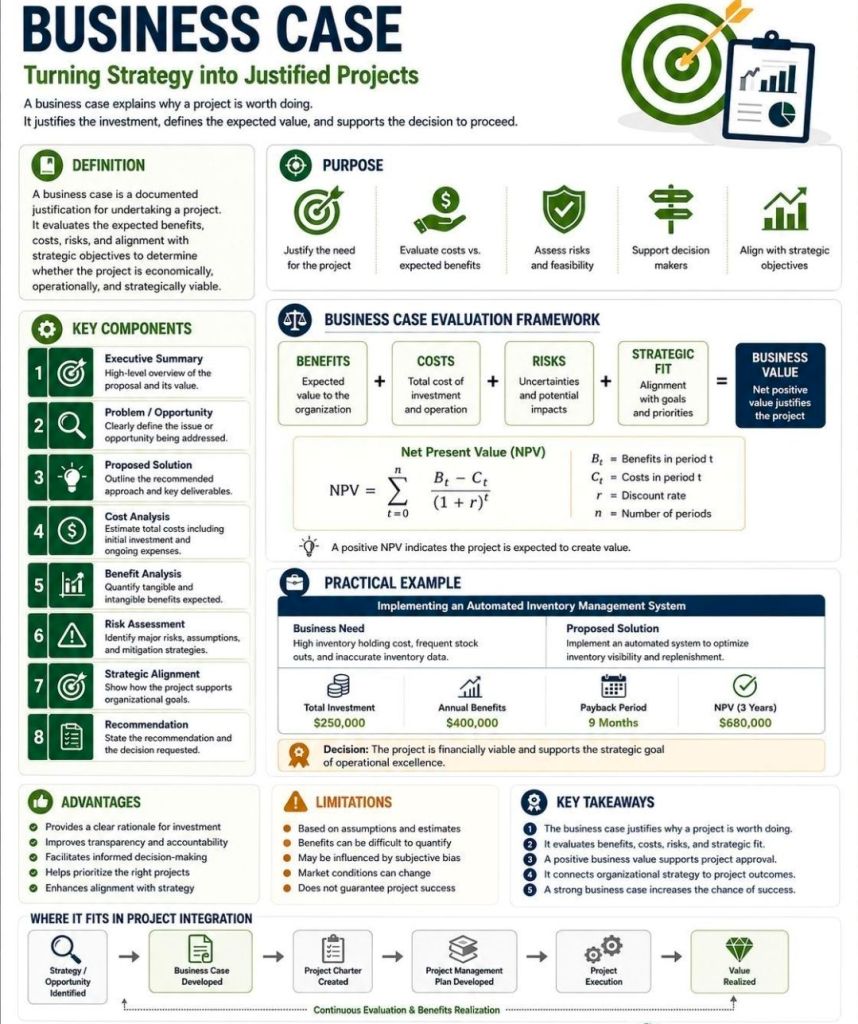
PRINCE2 Management Products: Standard documents including Project Briefs, PIDs, Business Cases, and Lesson Logs.
Key Features and Insight
Lifelong Support: A one-time purchase includes free upgrades and additions for life.
Full Customisation: All files are fully editable, allowing project managers to tailor them to specific project sizes and methodologies.
Methodology Neutral: Templates are designed to work for traditional Waterfall (PRINCE2) or modern Agile Scrum environments, with specific notes on how to transition between them.
Visual Dashboards: Many Excel templates include built-in charts and pivot tables to provide instant visual readouts of project health, such as financial variance or RAID status.
HPE NonStop EMSDIST (Event Management Service Distributor) is a critical component within the HPE NonStop operating system responsible for distributing and managing event messages (logs) generated by the system, subsystems, or applications. It is part of the Event Management Service (EMS), which is essential for fault-tolerant monitoring.
EMS events (via EMSDIST) seen in the Reflex 80:20 application ( now Sentinel (Nonstop Monitoring) by ETI-NET)
EMSDist Overview
Purpose: EMSDIST reads events from an EMS collector process ($0, $ZLOG, etc.) or a collector logfile, filters them based on user criteria, and sends them to a user-specified destination (such as a terminal, printer, or another file).
Key Functionality: It enables both real-time monitoring and historical analysis of events.
Event Handling: It handles EMS messages, including those generated by the EMS subsystem itself (messages 513-999) and those from EMS distributors (messages > 1000).
Integration: Often used in conjunction with TACL (Tandem Advanced Command Language) for automated event management scripts.
Detailed Historic Timeline and Evolution
EMSDIST has evolved alongside Tandem / Compaq / HPE NonStop systems, transitioning from basic console management to complex distributed management systems.
1. The Tandem Guardian Era (Late 1970s – 1980s)
Context: The emergence of Tandem NonStop systems focused on continuous availability.
EMS Origins: Initial event handling was largely via console messages. As systems grew, the need to manage logs across multiple processors led to early Event Management Service components.
Role of EMSDist: Early distributors primarily moved messages from local collectors to a central console or tape log.
2. The D-Series & TMF Era (1990s)
Context: Introduction of sophisticated transaction monitoring and distributed databases.
1996: A significant EMS Reference Summary was released (PN 114754), formalizing the structure of EMS collectors and distributors.
Capabilities: EMSDIST became capable of filtering high-volume events, separating critical errors from warning messages (513-1019).
Evolution: Began integrating with the Distributed Systems Management (DSM) suite for better network-wide event visibility.
3. The Compaq & Integrity (J-Series/H-Series) Era (2000s – 2010s)
Context: Shift from MIPS-based processors to Intel Itanium (Integrity) servers.
2003-2005: Integration with Windows-based management systems (DSM/NOW) and improvements to the Multi Event Viewer (MEV).
2014: HP Integrity NonStop Operations Guides emphasized using EMSDIST alongside modern tools like OSM (Open System Management) Event Viewer, especially for H-Series and J-Series systems.
Key Capability: Improved handling of large logs, with better time-based querying (TIME and STOP options) for auditing and troubleshooting.
4. The HPE NonStop X & Modern Era (2015 – Present)
Context: Adoption of x86 architecture and cloud-ready systems (L-Series).
2015: HPE takes over the portfolio, accelerating integration with HPE InfoSight for AI-driven log analysis.
Modernization: While EMSDIST remains, modern environments heavily leverage NS Software Essentials and third-party tools for advanced analytics.
Continued Importance: EMSDIST remains essential for analyzing historical logs via the LOGFILE option, especially when dealing with cold-standby or restored logs from tape/disk.
Key Functional Milestones
Message Categorization: Formalization of messages 513-999 (collectors) and >1000 (distributors) for structured analysis.
Filtering Efficiency: Implementation of complex FILTER parameters allowed operators to filter events by process, user, or time.
Logfile Access: The ability for EMSDIST to process archived or older LOGFILE entries independently of the live $0 collector.
Template Support: Ability to use specific =_EMS_TEMPLATES for customizable output formatting.
HPE NonStop EMSDIST, Event Management Service Distributor Timeline by year
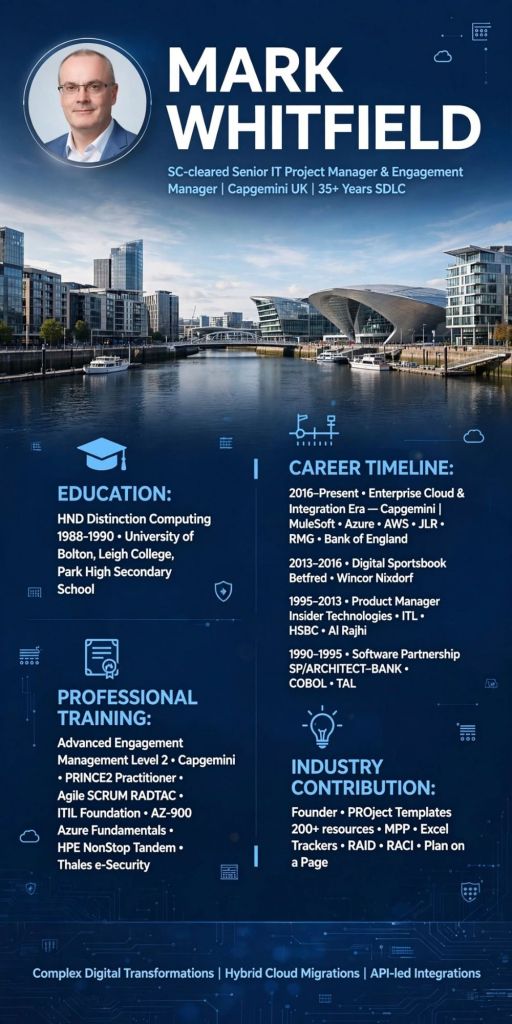
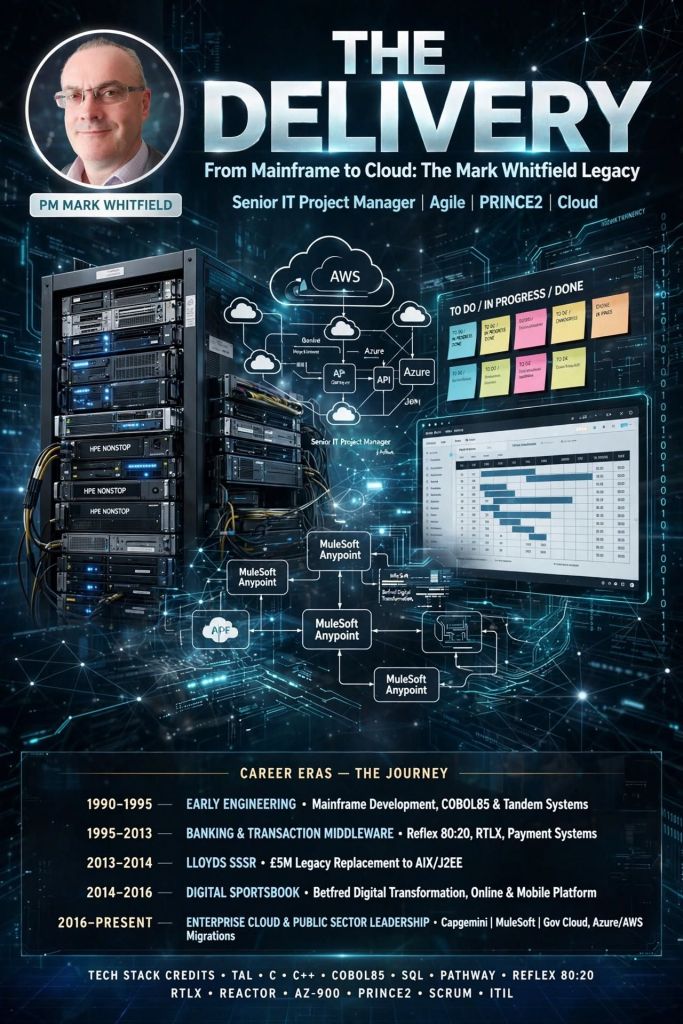
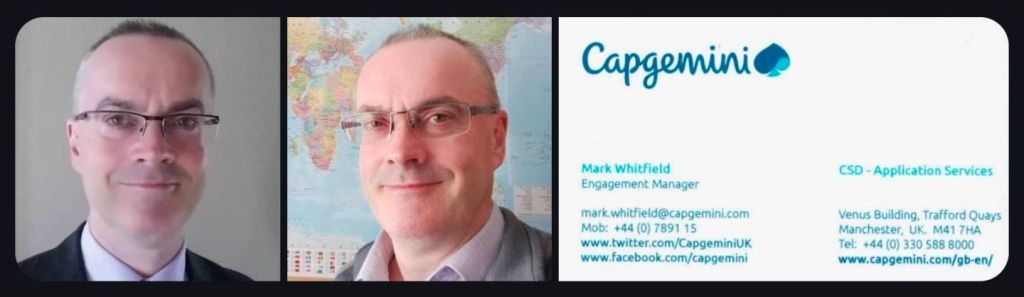
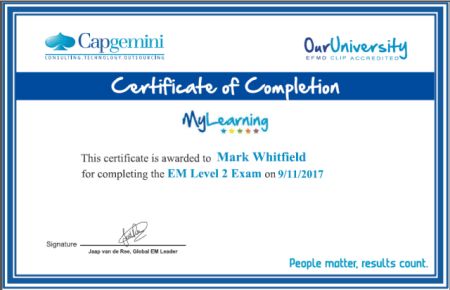
Mark Whitfield is a highly experienced SC cleared Senior IT Project Manager and Engagement Manager with over 30 years in the IT industry, specializing in both Agile and Waterfall delivery for large-scale blue-chip companies, digital projects, and payment systems. After starting as a programmer, he transitioned into project management, eventually working with Capgemini and establishing a professional templates resource site.
SC cleared Senior IT Project Manager and Engagement Manager
IT Project Management Overview
Key Expertise: Senior IT Project Management (Agile / Scrum / Waterfall / PRINCE2), Delivery Management, Business Transformation, and SC clearance.
Sector Focus: Banking, Finance, Transportation (Heathrow, NATS), Retail, Government (Local Regional Government – LRG), Aerospace & Defence, and Gambling.
Technical Background: Programming in COBOL85, Tandem TAL, SQL, C, C++, Java, and experience with HPE NonStop (BASE24) systems.
Tandem TAL Programming certificate, 1995
Tools & Methodologies: PRINCE2, Agile SCRUM, Microsoft Project (MPP), Excel RAID logs, and Jira.
Value Proposition: Focuses on improving revenue, cost, and Customer Satisfaction (CSAT) through structured SDLC methodologies.
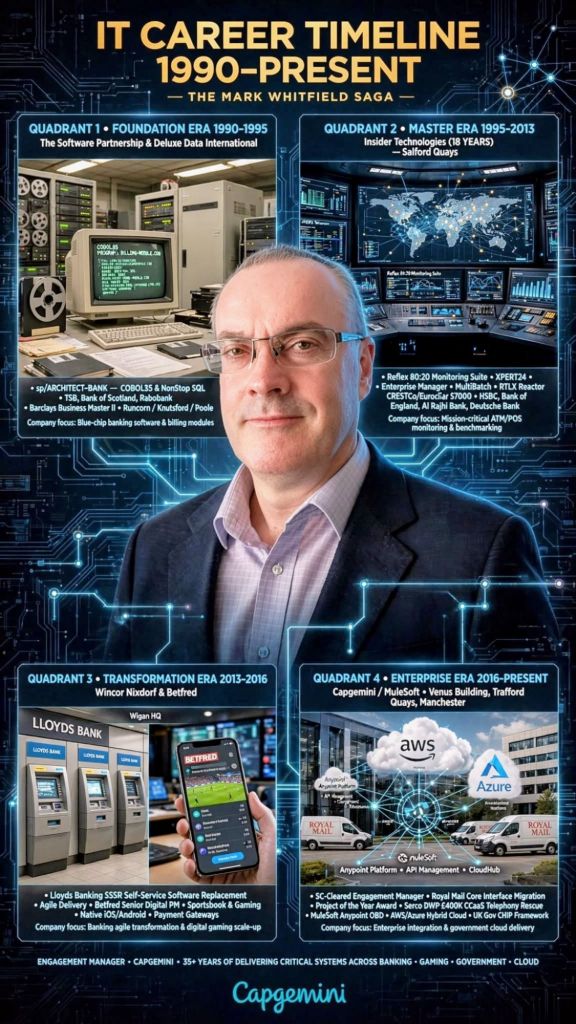
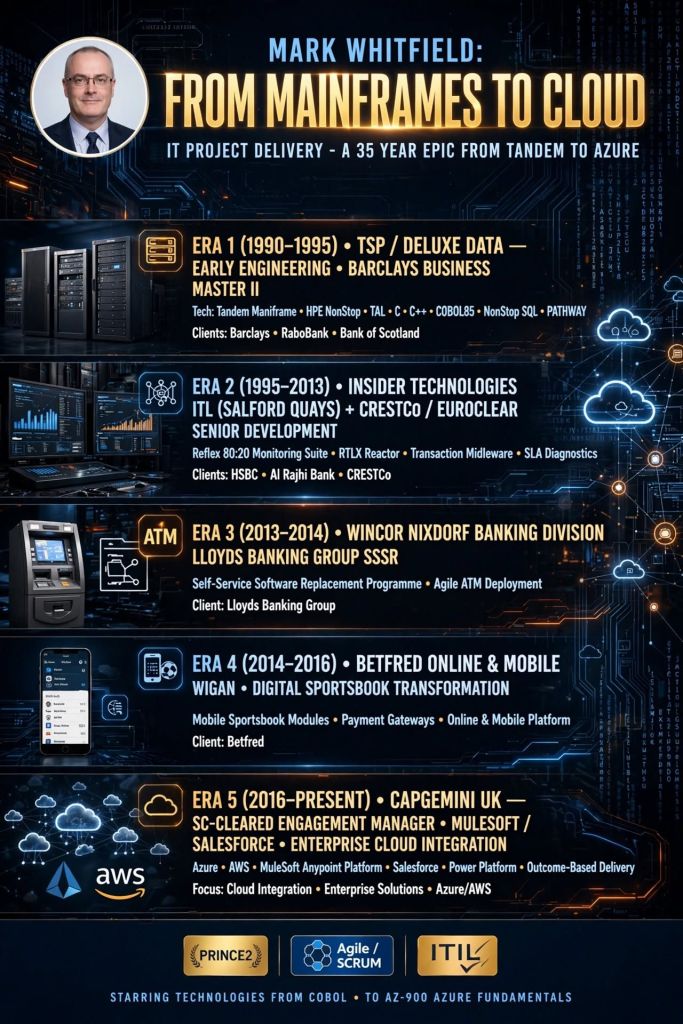
Detailed Historical Timeline
Era 1: Programming & Technical Development (1990–1995)
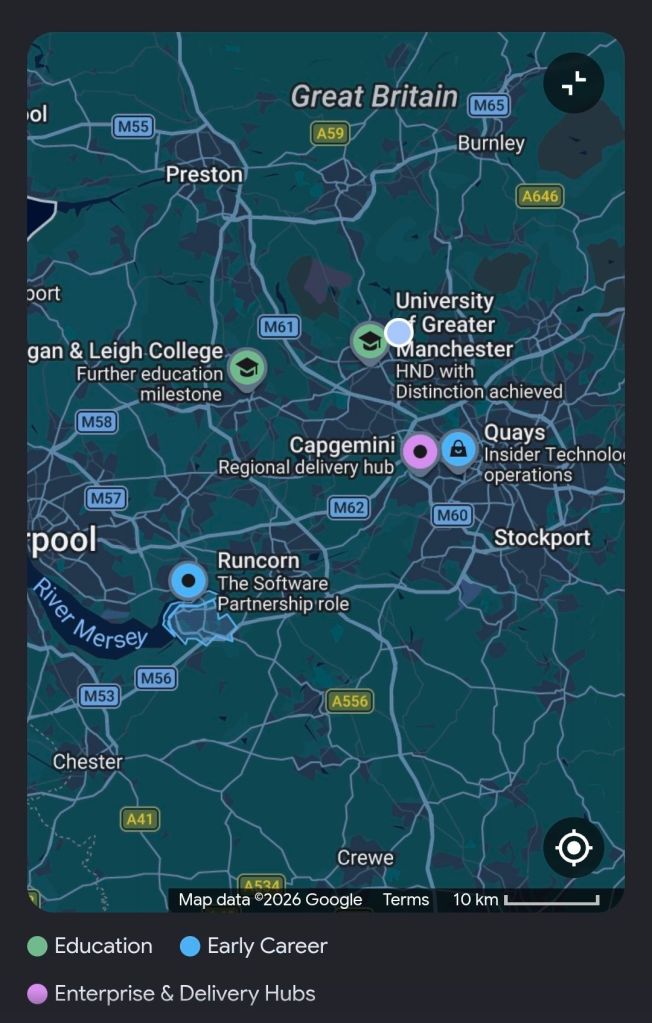
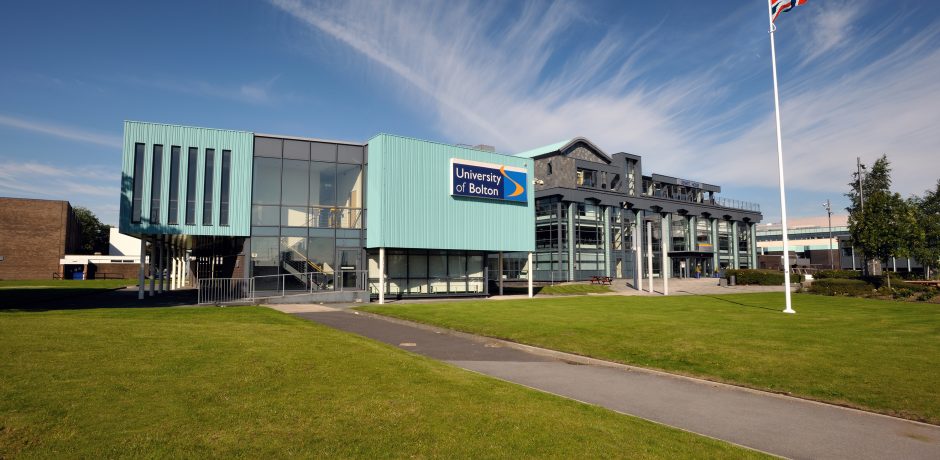
1990: Graduated in Computing and joined The Software Partnership (later Deluxe Data) in Runcorn as a programmer specializing in electronic banking software (sp/ARCHITECT) on Tandem Computers (now HPE NonStop).
1990-1995: Developed code (COBOL85/NonStop SQL) for major banks, including TSB, Bank of Scotland, Rabobank, and Girofon.
1993 (May): Completed Tandem Guardian Principles Course.
Tandem Guardian Principles Course, 1993
1994: Deluxe Electronic Payment Systems acquired The Software Partnership.
1995 (June): Completed HP NonStop Performance Analysis and Tuning.
Deluxe Electronic Payment Systems acquired The Software Partnership in 1994HP NonStop Performance Analysis and Tuning, 1995
Era 2: Specialized Software & Product Management (1995–2013)
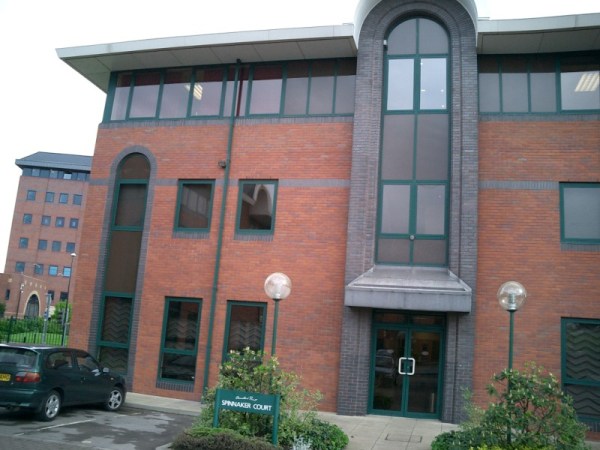
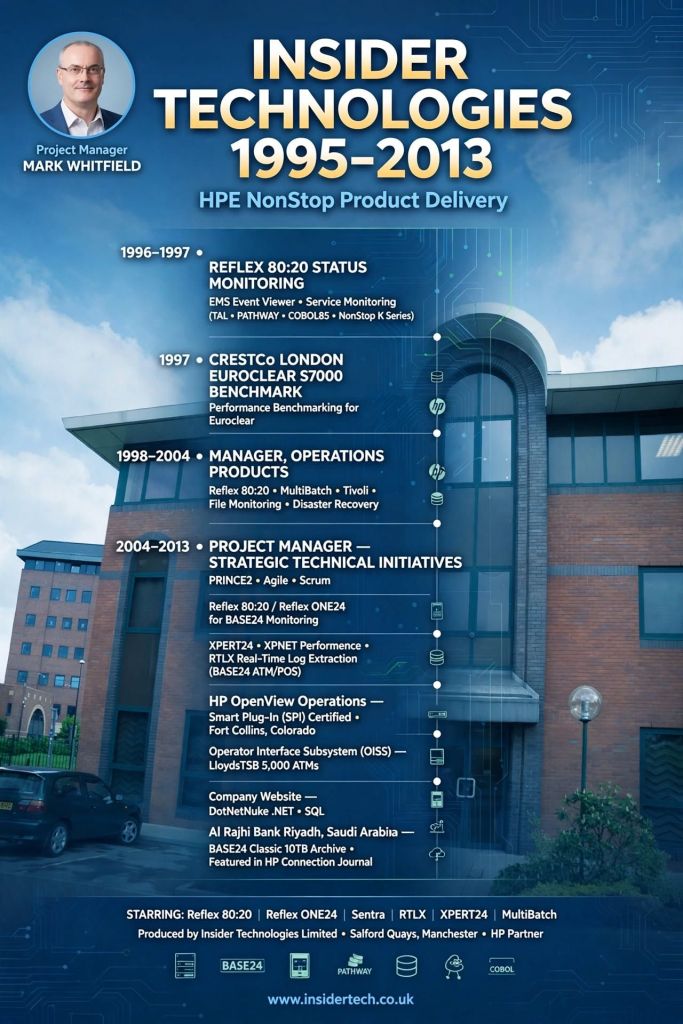
Insider Technologies Limited (ITL) in Salford Quays
1995 (August): Joined Insider Technologies Limited (ITL) in Salford Quays as a senior programmer, later moving into product / project management.
1995-2013: Focused on monitoring (Reflex) and batch scheduling (MultiBatch) software for HPE NonStop systems, serving clients like Barclays and Alliance & Leicester.
2000 (May): Completed Microsoft Project ’98 Certification and began training other ITL project managers on scheduling best practices.
2007: Insider Technologies products (Reflex) integrated into FIS solutions.
2013: Published work in the HP NonStop journal “The Connection”.
HPE NonStop journal “The Connection” – article for the Insider Technologies product, RTLX
Era 3: Senior IT Project Management (2013–2016)
2013-2014: Worked at Wincor Nixdorf as an IT Project Manager (PRINCE2 / Agile Scrum) on a £5m+ LBG Self-Service Software Replacement (SSSR) program for Lloyds Banking Group, migrating ATM systems from HP NonStop to AIX.
2014-2016: Joined Betfred as a Senior Project Manager, delivering payment gateways, sportsbook, and virtual gaming projects in Agile SCRUM for mobile and online platforms.
Era 4: Engagement Management & Public Sector (2016–Present)
2016 (January): Joined Capgemini UK as a client-facing Engagement Manager (SC cleared).
2016 (August): Founded Mark Whitfield Consultancy Ltd, managing independent IT, network, and improvement projects.
2016-2018: Led Waterfall / Agile projects for automotive, local government, and postal services.
2018-2019: Augmented into MuleSoft as a Delivery Manager for the Anypoint Platform.
2023-2024 (Nov-Feb): Served as Technical Delivery Manager for a UK Government account, overseeing a £1m+ Fish Export Service (FES) to Common Entry Health Document (CHED) Inspection Portal (CHIP) project.
2026: Continued to provide project management thought leadership and template resources for Agile/Scrum/PRINCE2.
Agile Scrum Burn down Chart template in Microsoft Excel Microsoft Project MPP MSP Project Plan Template examplesPlan On a Page POaP templates plus MPP MS Project and MS Excel Project Plan templates
Key Projects & Clients
UK Gov / Capgemini: Fish Export Service (FES) Cloud Migration.
Claude is a family of large language models (LLMs) developed by Anthropic, a company founded in 2021 by former OpenAI executives Daniela and Dario Amodei with a core focus on AI safety and “Constitutional AI”. Known for its high-quality writing, advanced reasoning, massive context windows, and “Artifacts” interface, Claude has rapidly evolved from a safe conversational chatbot into an agentic tool capable of coding, computer use, and complex data analysis.
Overview of Claude AI
Constitutional AI (CAI): Anthropic trains Claude using a set of principles (“constitution”) rather than relying only on human feedback. This makes Claude generally more cautious, more likely to refuse harmful requests, and transparent in its reasoning.
Model Family (Haiku, Sonnet, Opus): Claude models are released in three tiers:
Haiku: Fastest and most cost-effective.
Sonnet: Balanced for speed and intelligence (general-purpose).
Opus: Most intelligent, designed for complex tasks.
Key Features:
Context Window: Early adoption of long-context, moving from 100k to 200k tokens (roughly 500 pages of text).
Artifacts: A dedicated UI window that displays rendered code, websites, and documents in real-time.
Computer Use: A specialized capability allowing Claude 3.5 Sonnet to control a computer’s desktop environment—moving the cursor, clicking, and typing.
Claude Code: Agentic coding tool introduced in 2025/2026 for automated software engineering.
Historic Timeline by Era and Year
Era 1: Foundation and Early Models (2021–2022)
2021: Anthropic is founded by Dario and Daniela Amodei, focusing on AI safety and “Constitutional AI”.
Late 2022: Initial versions of Claude are released to select research partners for safety testing.
Era 2: Public Launch and Rapid Scaling (2023)
March 2023:Claude 1 and Claude Instant are released for testing.
July 2023:Claude 2 is released to the general public, featuring improvements in reasoning and coding.
November 2023:Claude 2.1 is launched, doubling the context window to 200,000 tokens.
Era 3: The Claude 3 Family and Agentic AI (2024)
March 2024:Claude 3 Family (Haiku, Sonnet, Opus) is launched, showcasing near-human intelligence, advanced vision capabilities, and high-speed processing.
June 2024:Claude 3.5 Sonnet is released, outperforming the larger 3 Opus model and introducing the Artifacts feature for UI rendering.
October 2024:Claude 3.5 Haiku and an upgraded 3.5 Sonnet are released. Anthropic launches the “computer use” public beta, allowing the AI to interact with software and browsers.
Era 4: Claude 4 and Agentic Workflows (2025–2026)
February 2025:Claude Code is introduced as an agentic tool for developers.
May 2025:Claude 4 Family (Opus 4 & Sonnet 4) is launched, featuring improved multi-modal reasoning and deep context processing.
August 2025:Opus 4.1 is released with tighter safety controls for abusive conversations.
November 2025:Opus 4.5 is released, focusing on enhanced coding and workplace tasks, alongside “Infinite Chats”.
February 2026:Claude Opus 4.6 and Sonnet 4.6 are released, adding native “Agent Team” collaboration and 1M-token context.
April 2026:Claude Mythos Preview is announced, designed for high-level cybersecurity vulnerability detection.
Key Differentiators
As of early 2026, Claude is considered a market leader in agentic AI development, particularly through its “Computer Use” feature, which allows it to act as an Autonomous agent rather than just a chatbot. While competitors like OpenAI focus on multimodal LLMs, Anthropic’s Claude continues to differentiate by prioritizing safety, long-context understanding, and specialized agentic coding tools.
Claude AI Overview and Detailed Historic Timeline by Era and Year
How Project Managers use Claude AI to run projectsHow PMs use Claude AI to run projects
Claude Artificial Intelligence AI technologyinsight
Claude is a family of large language models (LLMs) developed by Anthropic, an AI safety and research company. As of early 2026, the technology has evolved from a conversational chatbot into a suite of “agentic” tools capable of performing complex software engineering, cybersecurity, and workplace automation tasks.
Core Technology & Architecture
Constitutional AI: Claude’s unique training method, which uses a set of principles (a “constitution”) to guide the model’s self-critique and alignment. This is intended to make Claude more ethical, harmless, and less prone to bias.
Model Tiers: Claude is typically released in three sizes—Haiku (fastest/cheapest), Sonnet (balanced), and Opus (most powerful for deep reasoning).
Context Window: Recent models like Claude 4.6 and Sonnet 4.5 support massive context windows of up to 1 million tokens, allowing them to process entire codebases or long legal documents in a single prompt.
Extended Thinking: A feature that allows the model to “think” longer on complex problems before responding, using advanced step-by-step reasoning.
Key Features & Innovations
Artifacts: A dedicated UI feature that lets users view and interact with generated code, websites, and diagrams in real-time.
Claude Code: A command-line interface (CLI) that functions as an agentic software engineer, capable of searching your system, editing files, running tests, and fixing bugs autonomously.
Claude Code Security: A specialized tool released in early 2026 for scanning codebases to identify and fix high-severity vulnerabilities.
Computer Use: A beta capability allowing Claude to interpret screen content and simulate mouse and keyboard actions to perform tasks across multiple apps.
Integrations: Claude now connects directly to enterprise tools like Microsoft Word, Excel, PowerPoint, and Zoom to automate report generation and meeting follow-ups.
Impact & Performance
Coding Excellence: Claude is widely regarded as one of the best models for programming, often used to build entire applications through “vibe coding” (conversational development).
Productivity Gains: Internal and external studies suggest Claude can reduce task completion time by up to 80% for complex tasks like legal research and software engineering.
Cybersecurity Breakthroughs: The Claude Mythos model (currently in limited release) has reportedly discovered thousands of zero-day vulnerabilities in major operating systems like Linux and OpenBSD.