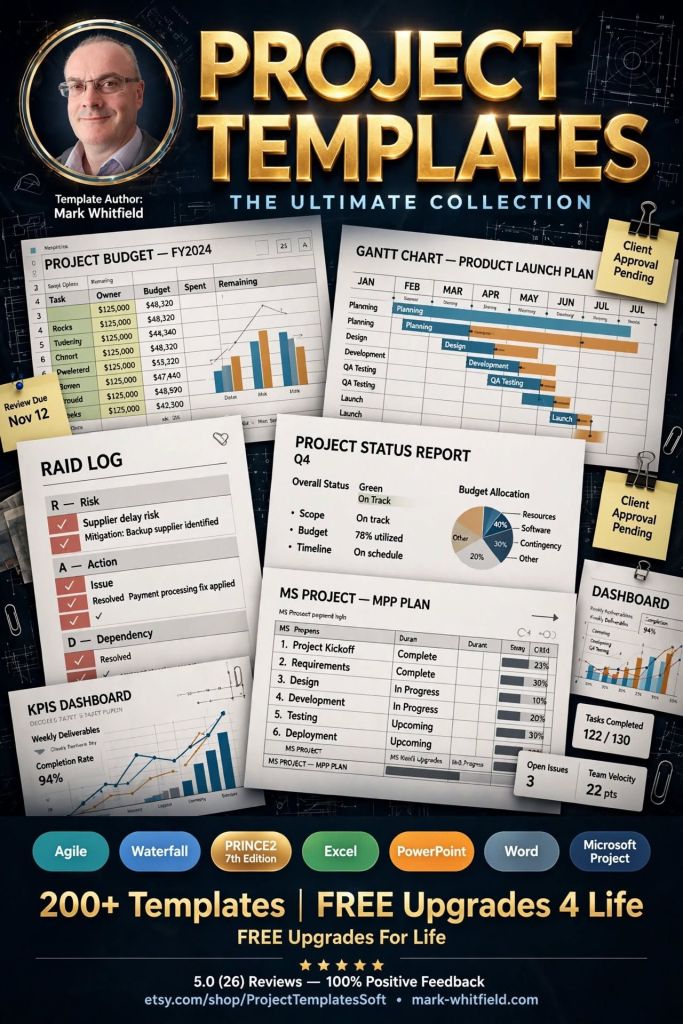
Mark Whitfield’s PROject Templates consist of a comprehensive bundle of over 200 fully editable delivery templates. Designed specifically to bridge the gap between structured Waterfall frameworks (like PRINCE2) and iterative Agile Scrum execution, the inventory covers real-world artifacts across Microsoft Project (.mpp), Excel, PowerPoint, and Word formats.
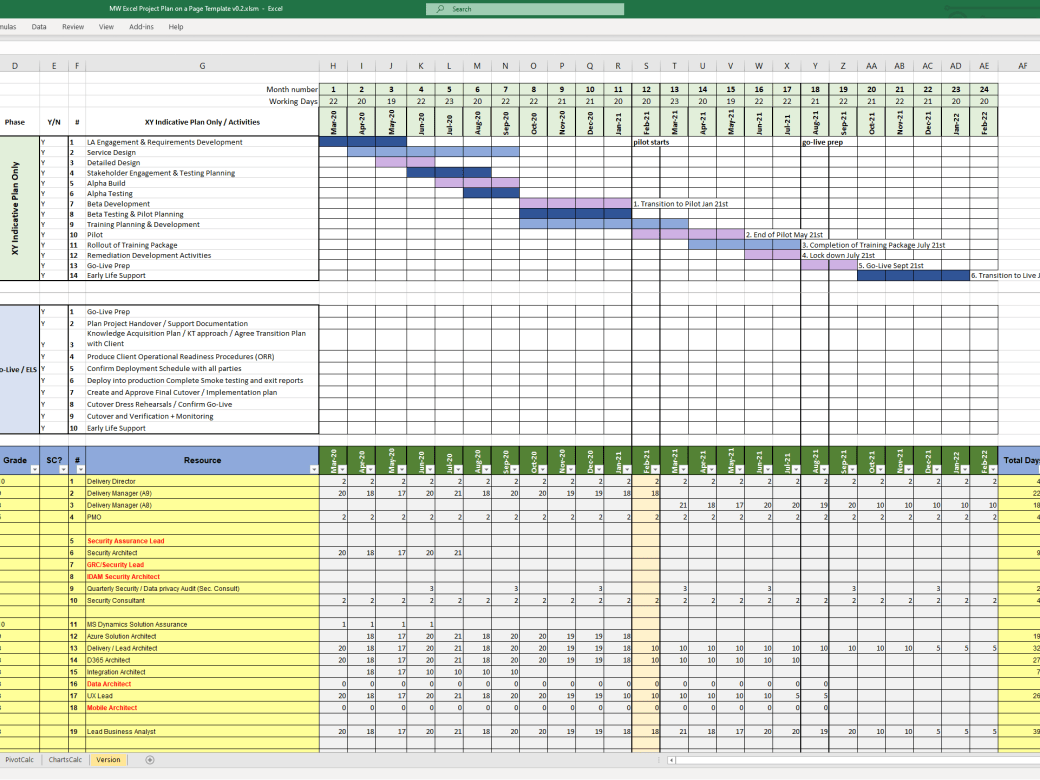
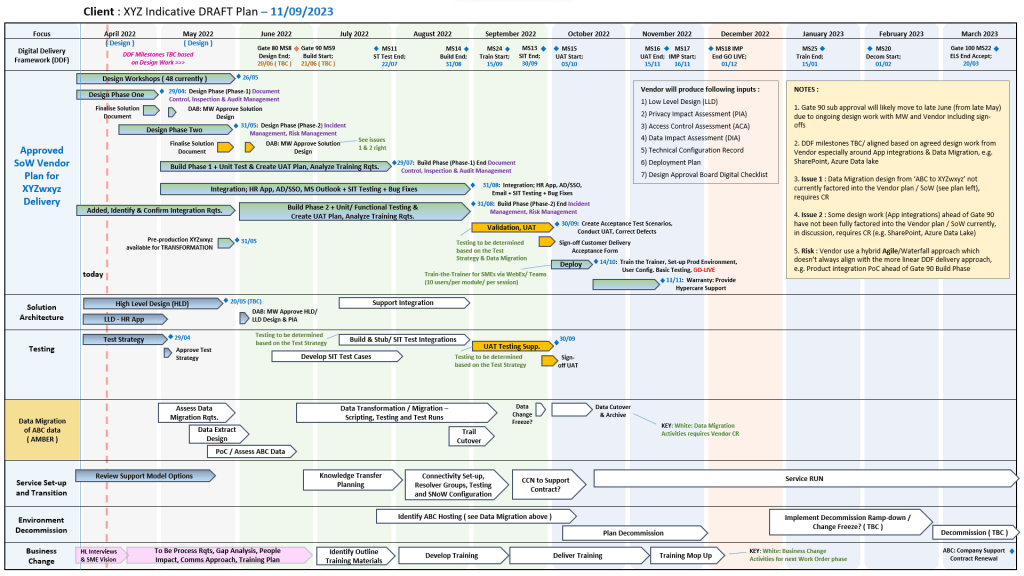
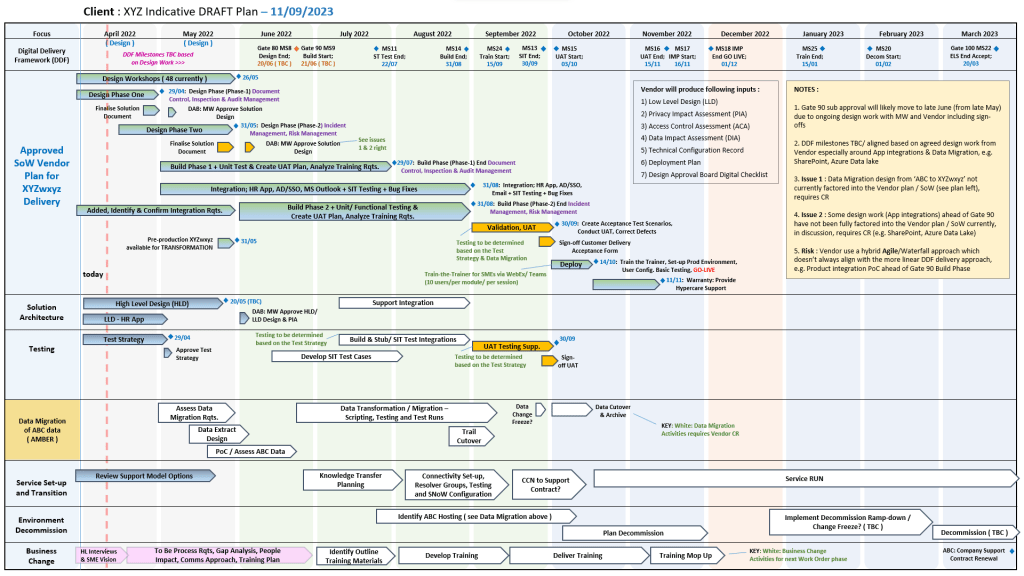
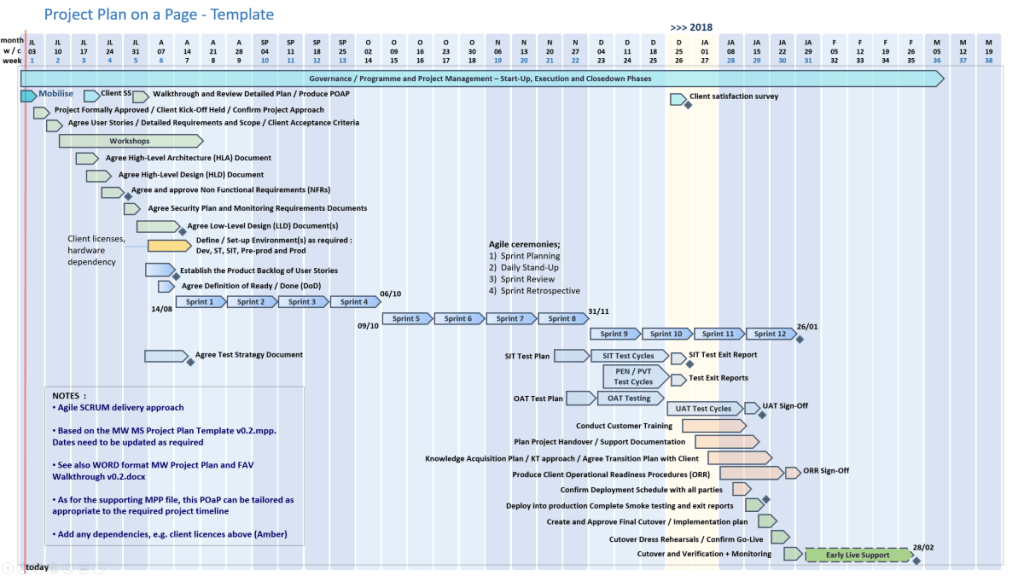
Plan on a Page example, 30+ in Zip pack
The detailed breakdown of Mark Whitfield’s template inventory by core management category includes:
1. Project Planning & Timelines
These templates provide multi-layered scheduling depending on whether you require micro-level tracking or high-level stakeholder summaries.
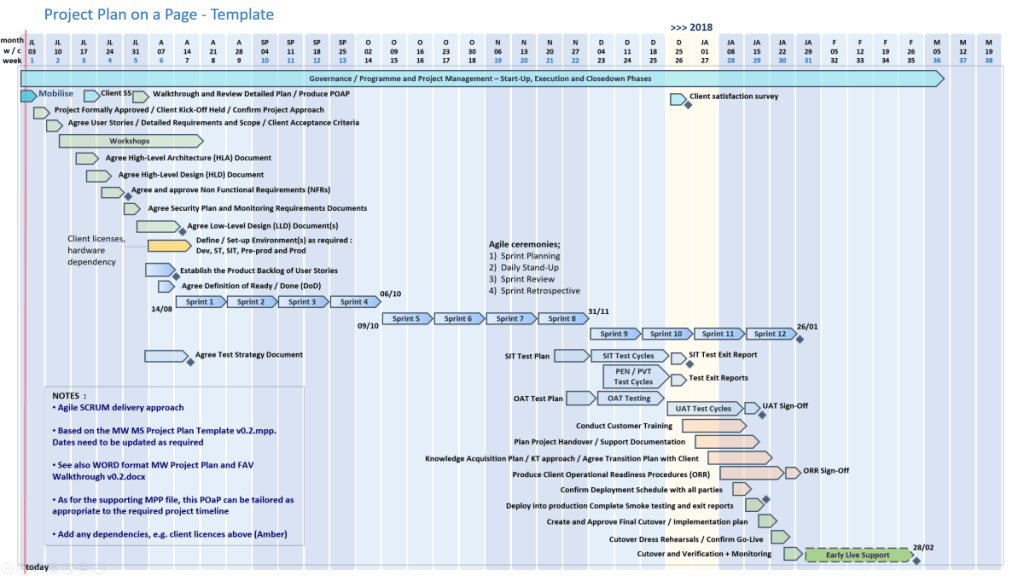
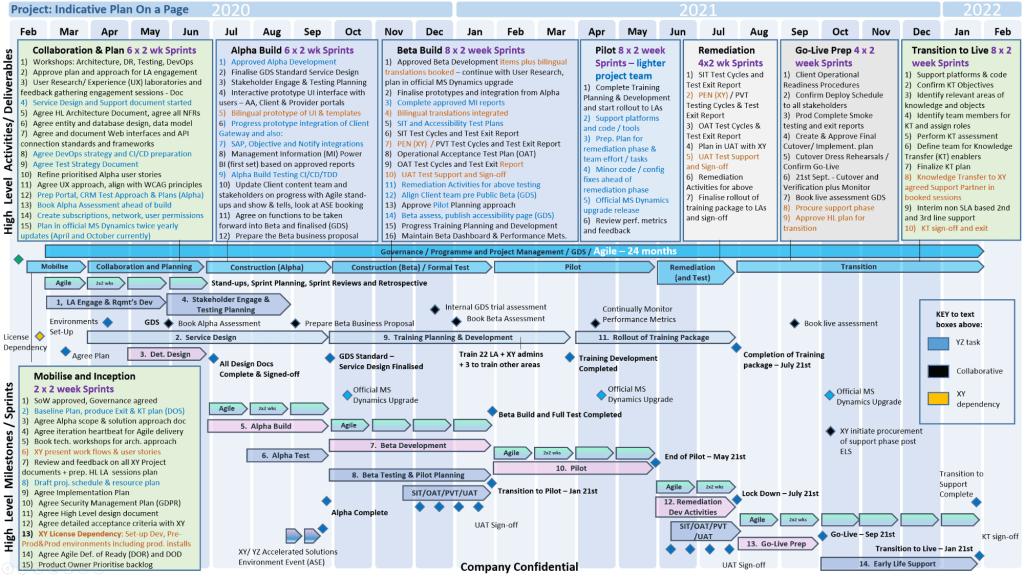
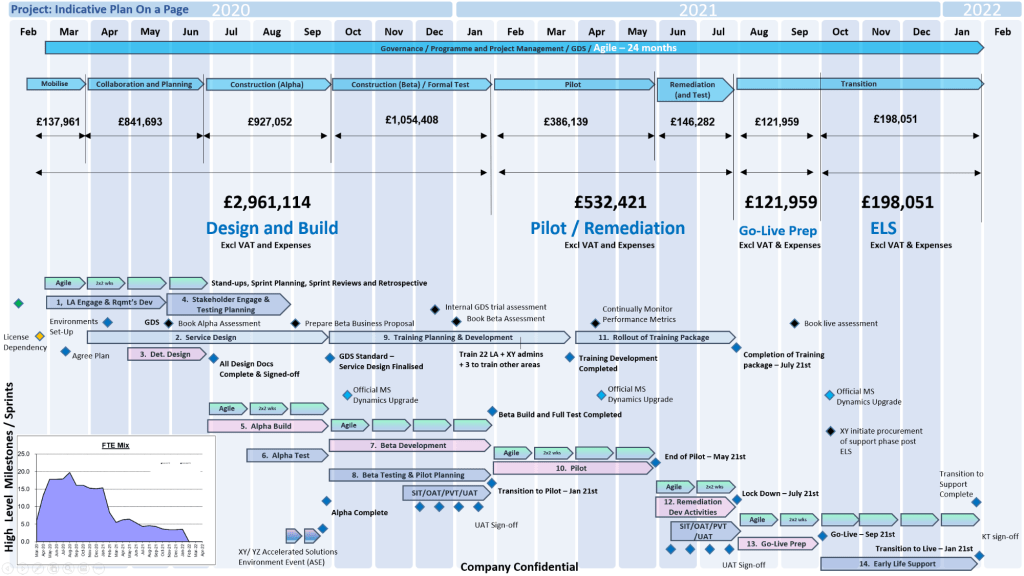
Another POaP example in MS PowerPoint
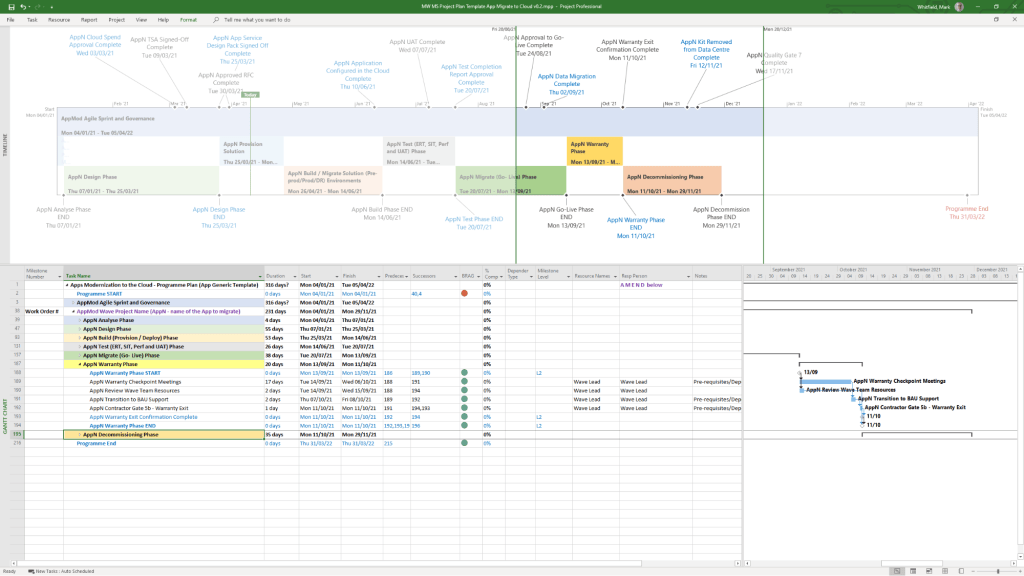
Detailed Project Plans: Comprehensive Systems Development Life Cycle (SDLC) templates available in Microsoft Project (MSP .mpp) format as well as standalone MS Excel detailed plans for environments without dedicated project software.
Microsoft MPP Project Plan example
Plan on a Page (POaP): High-level, visual Gantt chart timeline templates in Excel and PowerPoint used to present milestones and core roadmaps to executives.
Critical Path Analysis (CPA): Structural templates mapping out sequential, dependent tasks to isolate the project’s critical path.
2. Risk, Governance & Issue Tracking
Built to operationalise PMO toolkits, these documents streamline governance and day-to-day item control.
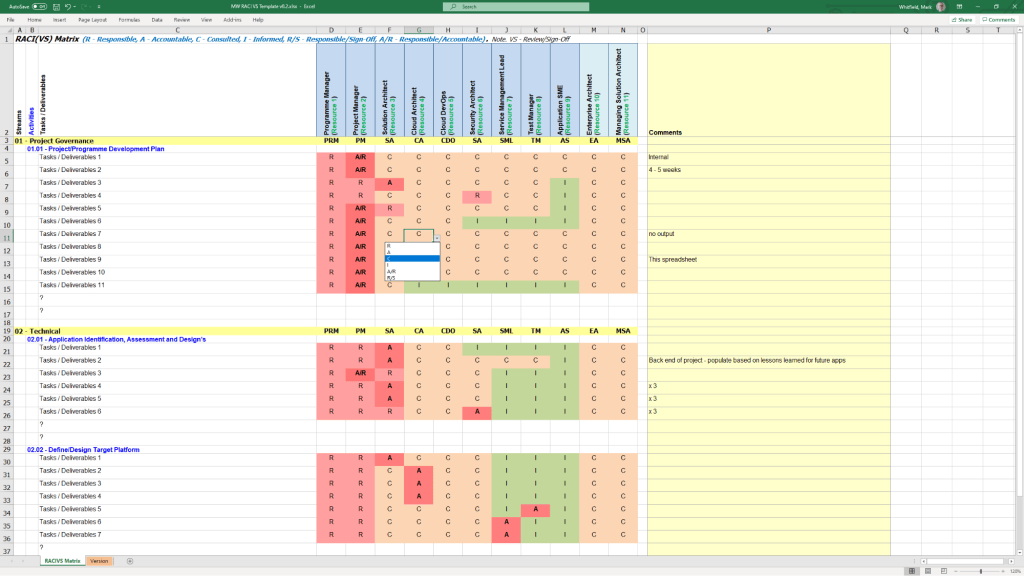
RACI template example in MS Excel
Comprehensive RAIDs Logs: Extensive MS Excel workbooks equipped with built-in charts featuring dedicated tracking tabs for Risks, Actions, Issues, Opportunities, Lessons Learned, and Dependencies.
Change Requests & Variations: Specific registers within the RAIDs ecosystem to log scope creep, contract management deviations, and formal modifications.
RACI Matrices: Role assignment trackers specifying who is Responsible, Accountable, Consulted, and Informed across project milestones.
3. Financial & Resource Management
These templates bypass complex corporate accounting tools to provide lightweight, transparent budgeting directly inside spreadsheet architectures.
Project Budget tracker in Microsoft Excel
Project Financial Trackers: Multi-currency ledgers charting forecasts vs. actual costs, profit margins, variation overheads, and project revenues.
Client Cost Summaries: Simplified external expense templates meant to be packaged and securely shared directly with clients.
Resource and Leave Trackers: Resource allocation grids accounting for internal/external team capacity, annual leave, and resource hierarchy organization charts.
4. Agile & Iterative Delivery Worksheets
For hybrid or purely iterative structures, the package includes functional Excel equivalents to modern project tracking tools.
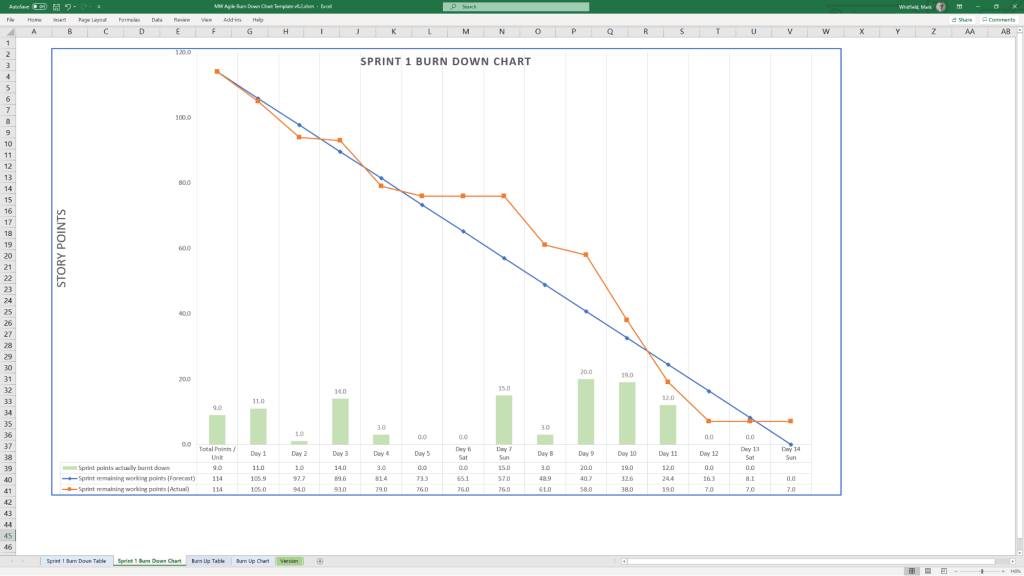
MS Excel template for an Agile Scrum Burndown chart
Velocity Tracking: Standalone, manually updatable Agile Burn Down and Burn Up charts.
Sprint Dynamics: Templates designed for managing Scrum backlogs and release cycles.
Team Performance: Includes functional icebreakers like the Project Team Quiz template to introduce light relief into daily stand-ups.
5. Communications, Onboarding & Reporting
Designed to cover critical communication pathways, from inception contracts to routine progress updates.
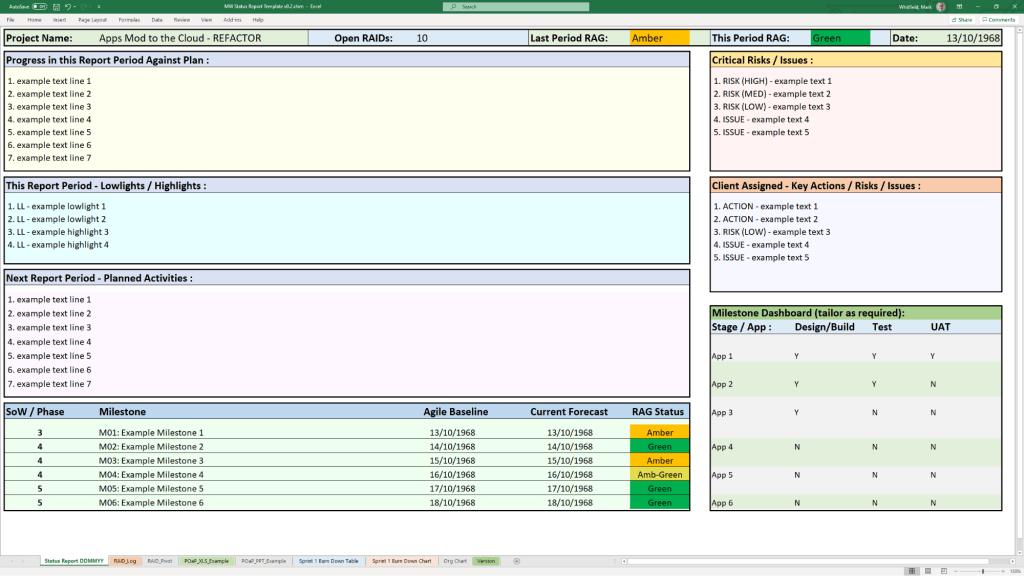
Microsoft Excel Template project status report
Status Reports: Standardized weekly and monthly reporting templates distributed across one Word variation and two tailored PowerPoint styles.
Mobilisation Kits: Comprehensive PowerPoint decks built as a unified Programme Mobilise / Team On-boarding Kit.
Stakeholder Analysis Plans: Impact mapping grids that chart Stakeholder Influence vs. Impact to categorize communication strategies into Involve, Inform, Consult, or Monitor.
Core Governance Files: Standard administrative files including formal Meeting Minutes, Statement of Work (SOW) guidelines, and Benefits Realisation plans.
The complete toolkit is available directly via the official PROject Templates platform or via his authorized marketplace storefront, ProjectTemplatesSoft on Etsy. Both options include a lifetime guarantee of free additions and package upgrades.
The IT Project Management (PM) toolkits created by Mark Whitfieldprovide a comprehensive digitized repository of over 200 tailored, editable Microsoft Office templates designed to structure, track, and report on software delivery lifecycles (SDLC).
Hosted on his platform PROject Templates, these artifacts bridge the gap between fast-paced Agile sprint execution and structured governance frameworks like PRINCE2 and Waterfall.
Here is an overview of the core template categories and artifacts included in the toolkit:
📅 Schedule, Planning & Timelines
Detailed SDLC / PRINCE2 Project Plans: Native Microsoft Project (.mpp) and Excel (.xlsx) files featuring stage-gate structures, resource sheets, and milestone tracking.
Plan on a Page (POaP): Over 35 PowerPoint variations and simplified Excel dashboards used to present high-level, visual timelines to executives and senior stakeholders.
Agile Scrum Sprint Planner & Delivery Plan: Templates constructed in Excel to track sprint velocity, capacity planning, and product backlogs.
⚠️ Risk, Governance & Tracking
Comprehensive RAID Logs: Centralized trackers mapping Risks, Actions, Issues, and Dependencies, including secondary tabs for opportunities, lessons learned, and change requests.
RACI Matrices: Responsibility assignment matrices used to formally define team roles (Responsible, Accountable, Consulted, Informed) across delivery workstreams.
Project Charter Blueprint: A foundational setup template used to establish formal authorization, align stakeholders, and outline scope boundaries.
📊 Performance & Financial Tracking
Project Financial Tracker: Metric dashboards containing charts for measuring internal and external forecast versus actual costs, profit margins, and expense variances.
Agile Burn Down & Burn Up Charts: Standalone spreadsheet alternatives built specifically for environments where dedicated Agile software like Jira or Azure DevOps is unavailable.
📢 Status Reporting & Communication
Weekly/Monthly Status Reports: Formatted templates available in Word and PowerPoint summarizing project health, milestone progress, and immediate priorities for internal and client updates.
Project Kick-Off Slide Decks: Presentation baselines to align teams, outline deliverables, and walk members through execution workflows at launch.
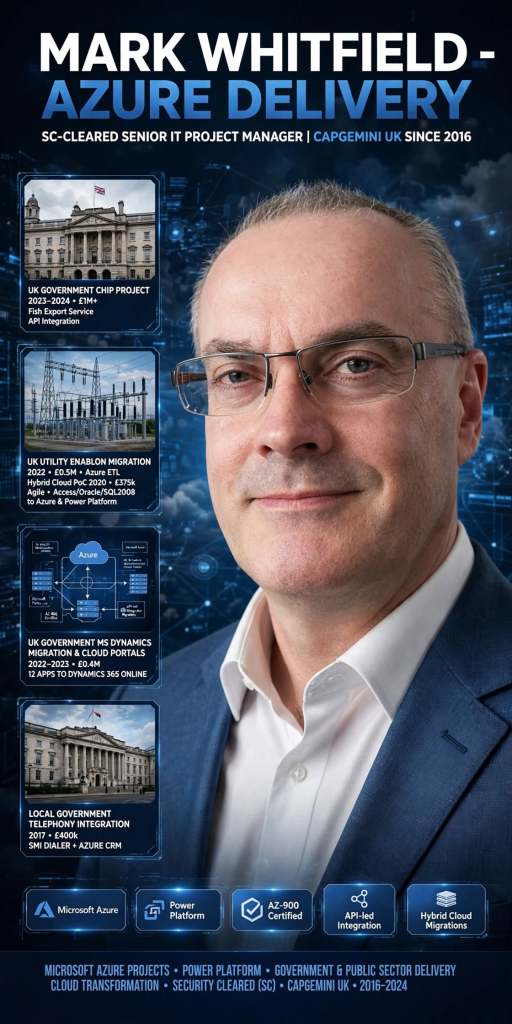
Mark Whitfield is an SC-cleared Senior IT Project Manager and Engagement Manager based in Greater Manchester, UK.
Since joining Capgemini UK in 2016, he has specialized in complex, public-sector hybrid cloud migrations and API-led integration programs utilizing Microsoft Azure and associated Microsoft Power Platform capabilities. He holds the AZ-900 Microsoft Certified Azure Fundamentals credential.
Mark Whitfield | Senior IT Project Manager
His primary Azure-focused projects and delivery milestones include the following:
UK Government CHIP Project (2023–2024): Served as a Technical Delivery Manager on a £1M+ project to integrate the Fish Export Service (FES) into the Common Entry Health Document Inspection Portal (CHIP). This build used the Azure Cloud to extend live API components to support cross-border health verification systems.
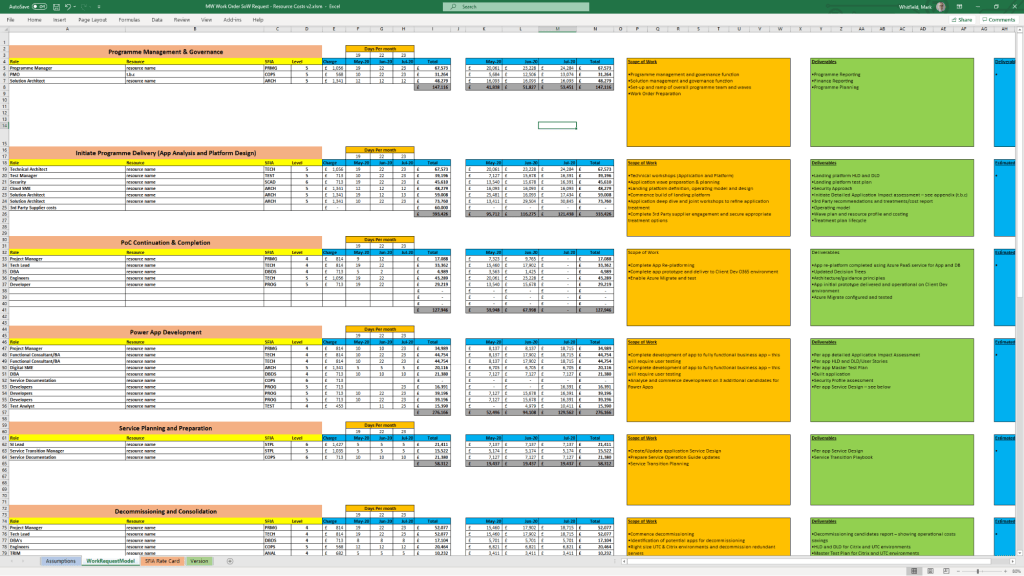
UK Government MS Dynamics Migration & Cloud Portals (2022–2023): Managed Azure Cloud resources to migrate 12 Microsoft Dynamics 2016 applications onto the Microsoft Dynamics 365 Online platform. This included leading discovery workshops, creating statements of work (SoW), and managing project plans for a contract value of approximately £0.4M.
UK Utility Industry Enablon Migration (2022): Led a £0.5M project moving a client from a legacy document management system to an Azure-based Enablon product. This required extensive extract-transform-load (ETL) processing for categorized living documents.
UK Government Hybrid Cloud Proof of Concept (2020): Directed a £375k Agile proof-of-concept project moving three client legacy databases (MS Access, Oracle, and SQL 2008) onto Microsoft Azure and the Dynamics 365 Power Platform using Azure-aligned refactoring patterns.
Local Regional Government Telephony Integration (2017): Managed a £400k deployment for a new Support for Mortgage Interest (SMI) call center campaign. This involved integrating a programmatic dialler solution with an Azure-deployed CRM application.
A Plan on a Page (POAP) is a concise, visual summary of a project’s core elements. It distills complex, granular project details into a highly accessible, single-page format.
It acts as an executive summary rather than a replacement for comprehensive, detailed project plans. Example, tailorable Agile and Waterfall MS PowerPoint POaP project templates can be purchased at this link.
Plan On a Page also known as a POAP
🎯 Primary Purpose
Executive Communication: Provides busy stakeholders and C-level management with rapid visibility into a project’s status without overwhelming them with data.
Alignment: Ensures teams, sponsors, and stakeholders share a unified understanding of project goals and direction.
Focus & Risk Management: Keeps the strategic vision front-and-center, prevents teams from getting “lost in the weeds,” and allows leaders to spot high-level risks early.
Decision Support: Serves as a quick reference guide during steering committee and status meetings.
A Plan on a Page (POAP) is a concise, visual summary of a project’s core elements
📝 Content Summary
To fit on a single page, a POAP strips away tactical daily tasks and focuses only on the most critical strategic and timeline components:
Project Vision & Scope: A concise statement of what the project aims to deliver.
Objectives & KPIs: Specific, measurable targets and Key Performance Indicators to measure success.
Visual Timeline: A high-level roadmap, Gantt chart, or phase-based breakdown (e.g., Discovery, Execution, Launch) displaying major milestones.
Project Health/Status: Current RAG (Red/Amber/Green) status or progress tracking.
Resource & Budget Allocation: High-level overview of assigned budget and key personnel.
Risk & Dependencies: Notable blockers, constraints, or critical assumptions.
Governance & Contacts: The project sponsors, managers, and the best way to get support.
All POAP templates can be purchased by clicking on the link on the website banner
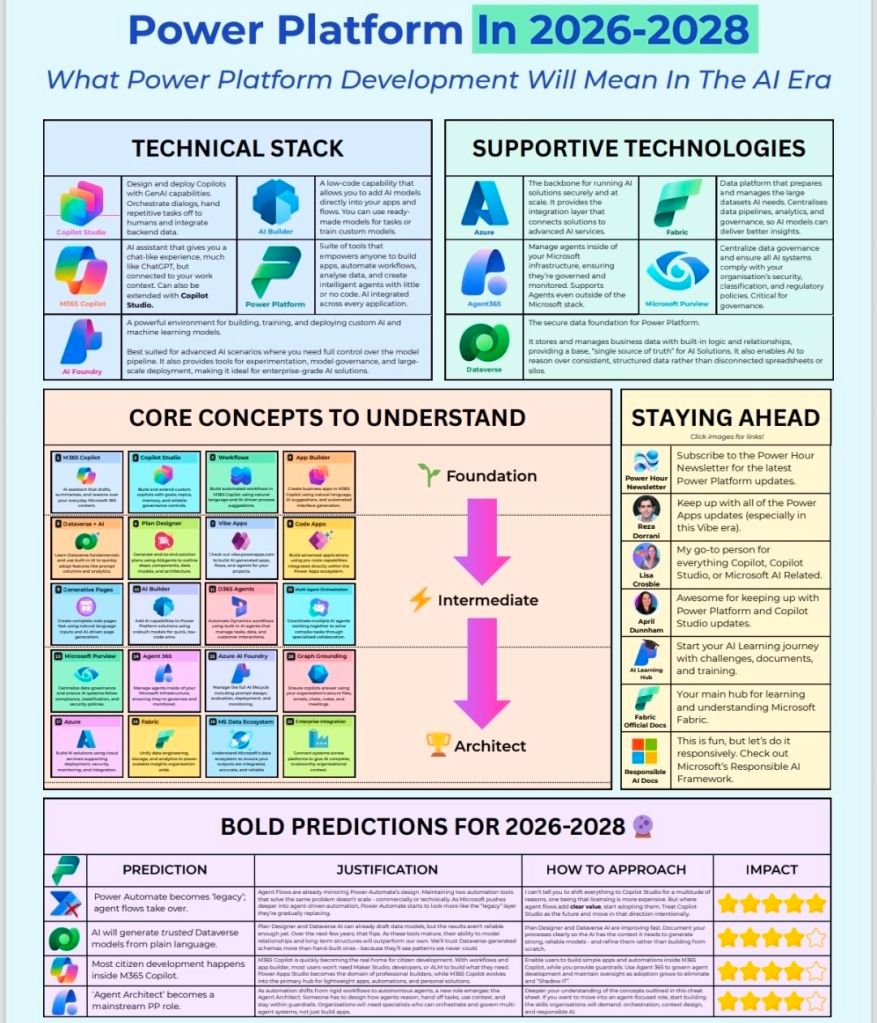
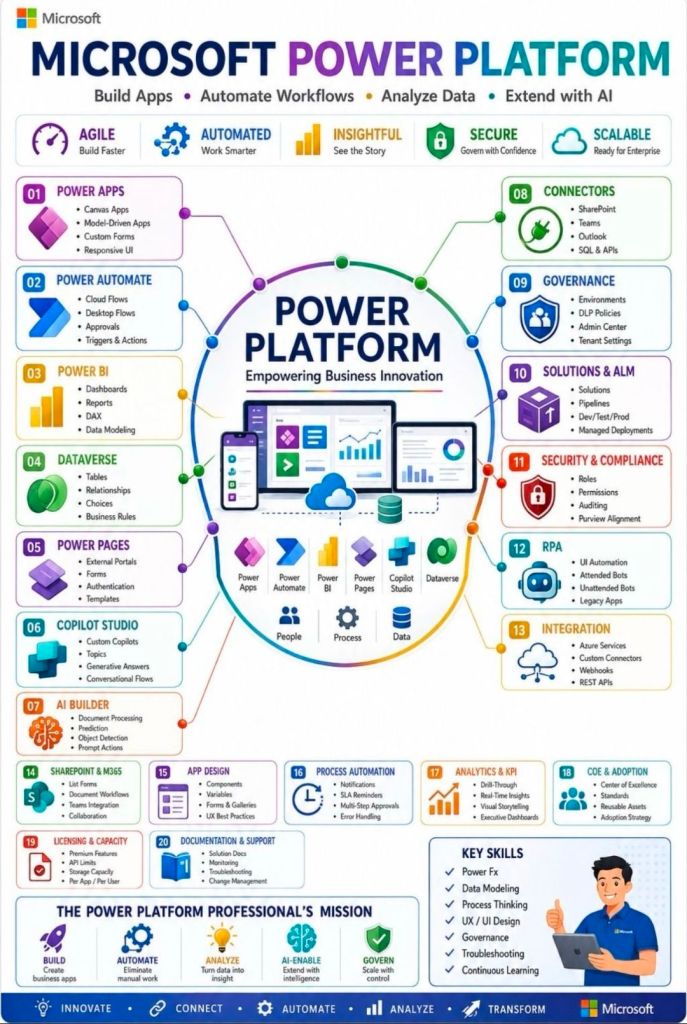
Microsoft Power Platform is an enterprise-grade, low-code platform that allows organizations to build applications, automate workflows, analyze data, and create AI-powered virtual agents. It natively connects to Microsoft 365, Azure, and Dynamics 365, serving as a core pillar of modern digital transformation.
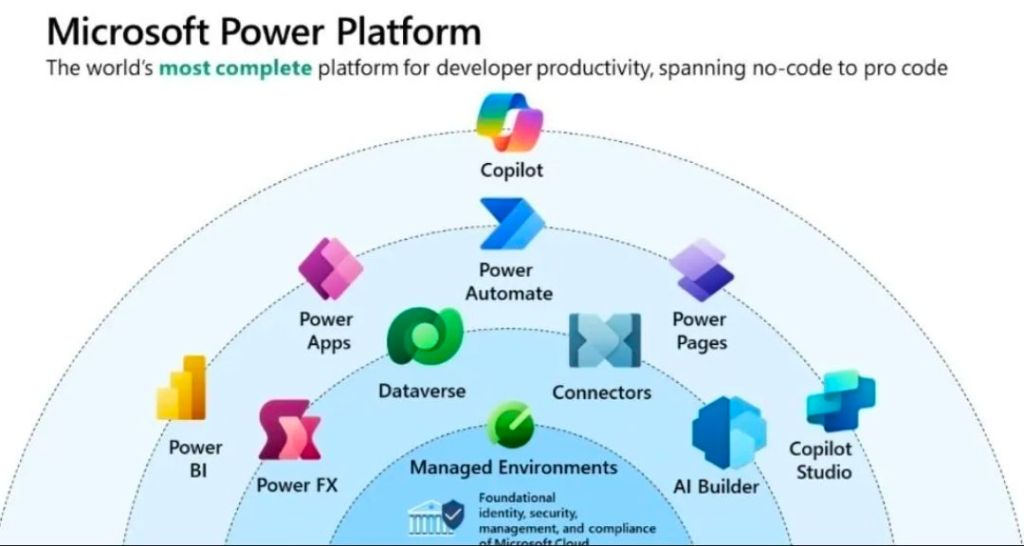
Microsoft Power Platform Overview
Core Pillars
Power Apps: A low-code development environment for building custom, cross-platform business applications (Canvas or Model-driven) without writing traditional code.
Power Automate: An automation service enabling the creation of workflows, API-based integrations, and Robotic Process Automation (RPA) for legacy systems.
Power BI: A business analytics service that provides interactive visualizations and business intelligence capabilities with an interface simple enough for end users to create their own reports and dashboards.
Power Pages: A secure, enterprise-grade low-code software-as-a-service (SaaS) platform for designing, configuring, and publishing external-facing websites.
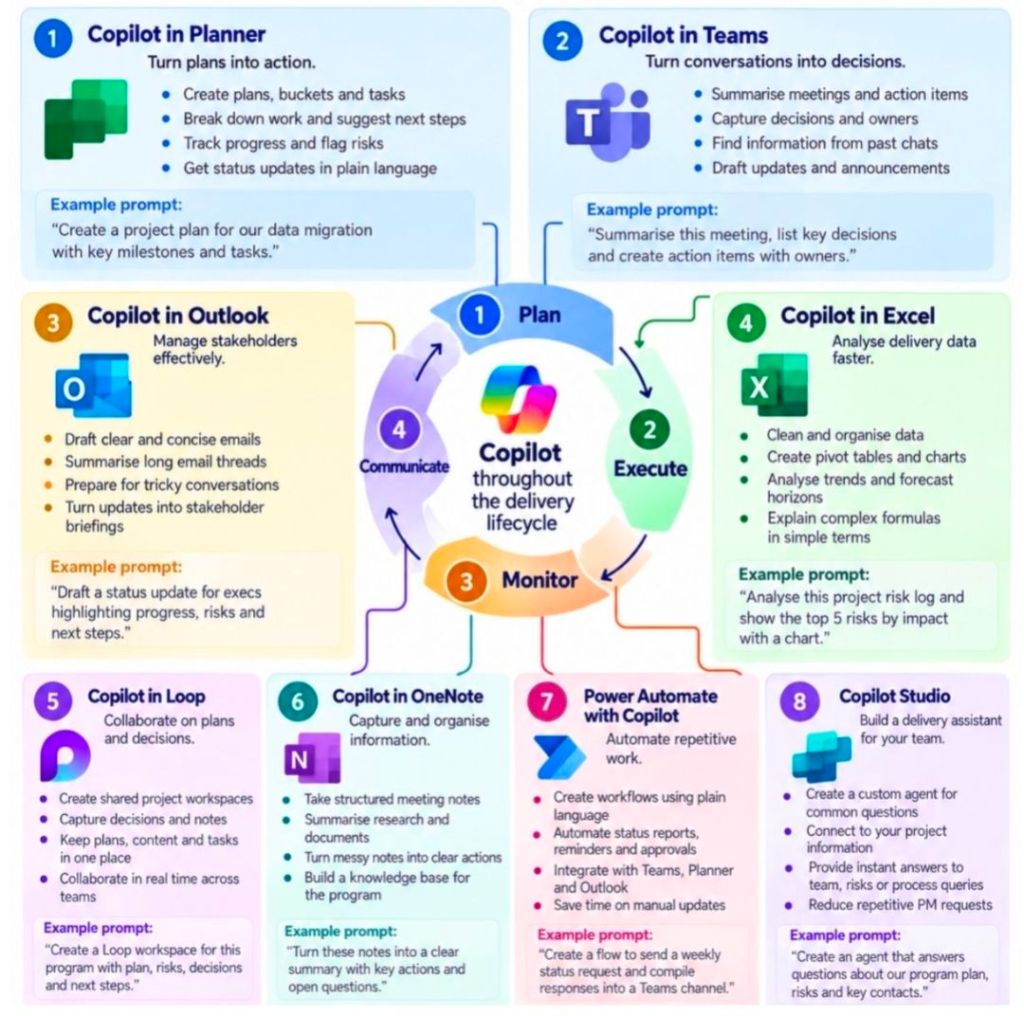
Microsoft Copilot: AI-assisted generative capabilities natively built across the platform, allowing users to build apps, write flows, or generate reports using natural language.
Foundational Technologies
Dataverse: A secure, cloud-based data storage and management layer featuring a standardized common data model, allowing disparate Microsoft tools to seamlessly share information.
Connectors: Over 1,000 pre-built wrappers that facilitate communication between the Power Platform and external services (like Salesforce, SQL databases, or REST APIs).
Power Fx: A low-code, strongly-typed functional programming language based on Excel formulas that serves as the logic layer across the platform.
Technical Evolution by Year
The Power Platform did not launch overnight; it evolved through the gradual introduction of several standalone tools before Microsoft formally unified them under one umbrella.
2013–2015: The Origins of Data Analysis & Logic
2013: Power BI is initially released as an add-in for Microsoft Excel, allowing users to build pivot tables and light analytics.
2015: Power BI transitions into a standalone cloud service. Concurrently, Power Apps enters public preview, introducing the low-code app paradigm.
2016–2017: Workflow Automation
2016: Microsoft Flow (the predecessor to Power Automate) is launched to handle cloud-based workflow automation.
2017: Common Data Service (now Dataverse) is introduced to provide a standardized, secure data layer.
2018–2019: The “Power Platform” Unification
2018: Microsoft officially unifies Power BI, Power Apps, and Microsoft Flow under the official name “Microsoft Power Platform”, introducing the formal concept of a connected, low-code business ecosystem.
2019: The Common Data Service gets deeper integration across Dynamics 365 and Microsoft 365, accelerating citizen development across large enterprises.
2020: AI and Robotic Process Automation (RPA)
2020: Microsoft launches AI Builder, allowing users to integrate pre-trained AI models (like form processing and object detection) directly into their apps and workflows.
2020: Softomotive is acquired, bringing RPA (desktop flows) into Power Automate.
2021–2022: New Additions and Expanded Web Presence
2021: The Common Data Service is officially rebranded as Microsoft Dataverse.
2021: Power Fx is introduced as the standard, open-source low-code language.
2022: Power Apps Portals is rebranded and expanded into Power Pages, creating a dedicated, robust tool for building external-facing websites.
2023–2024: The Generative AI Wave
2023: Microsoft embeds generative AI across the suite through Copilot. Users begin building data tables, applications, and automation flows entirely through conversational prompts.
2024: Power Platform deepens its integration with Microsoft Fabric and brings further enterprise-grade management, data governance, and AI agent orchestration features directly into Dataverse.
2025–2026: Agentic Computing and Modern Controls
2025: Power Platform evolves beyond standard applications and automations into “agentic computing.” Makers can build autonomous, AI-driven data agents directly within Dataverse using the Python SDK.
2026: Power Apps rolls out massive updates to its interface, deploying responsive layouts and modern controls as default settings. Advanced lifecycle management and process-mining features cement the platform’s role in modern fusion development.
My Recent MS Power Platform Involvement :
UK Gov : Cloud Migration (Hybrid) – In 2020, working as a Senior Project Manager on a client sponsored Agile proof-of-concept (POC) project to move 3 Client elected Apps (with MS Access, Oracle and SQL 2008 DBs), to the Cloud (Microsoft Azure and Dynamics365 Power Platform). The migration to the cloud was based on 3 primary app patterns namely; re-host, re-platform and re-factor. This project spanned approximately 3 months and started in early February 2020 with a budget of £375k.
The project was a pre-cursor and effort indicator for the larger piece of migration work to move 130 client estate apps to the cloud. This is a very complex app estate with many touch points and different technology stacks.
As the Capgemini Senior PM, responsible for the project planning, control, organisation, stakeholder communication, aligning with current GDPR directives and status reporting against delivery of Capgemini services to the client. As the PM, also the first escalation point for the project team and the client.
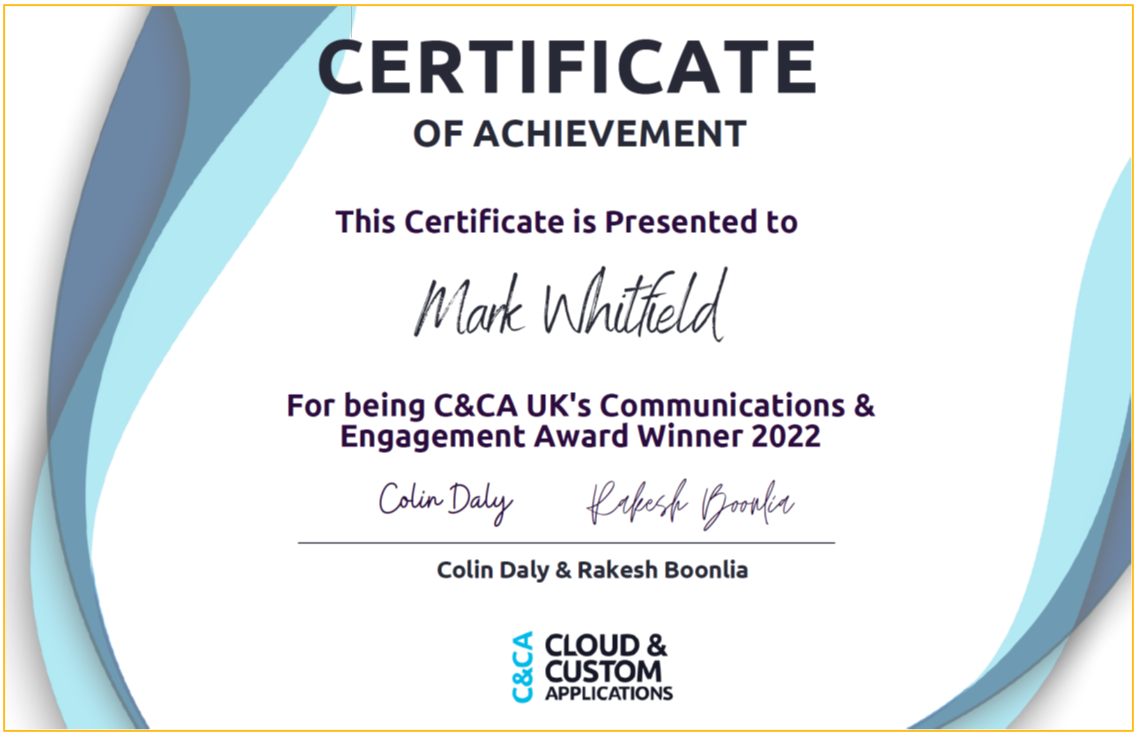
December 2022 – C&CA UK’s Communications & Engagement Award Winner – Cloud & Custom Applications – Capgemini UK