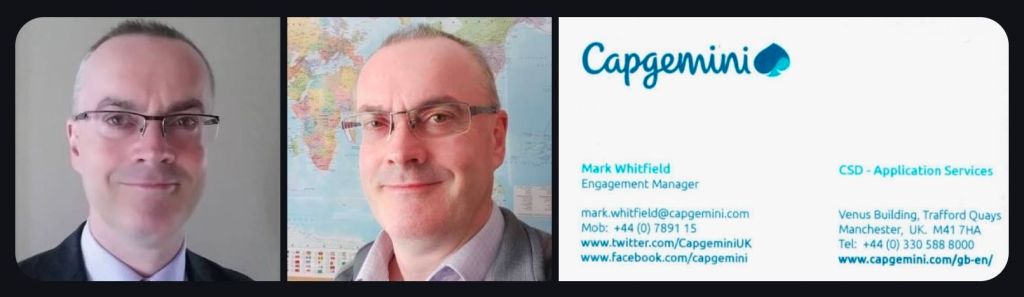
Senior IT Project Manager Mark Whitfield sells his extensive, battle-tested framework toolkits on Etsy via his official shop, ProjectTemplatesSoft and also on this website.
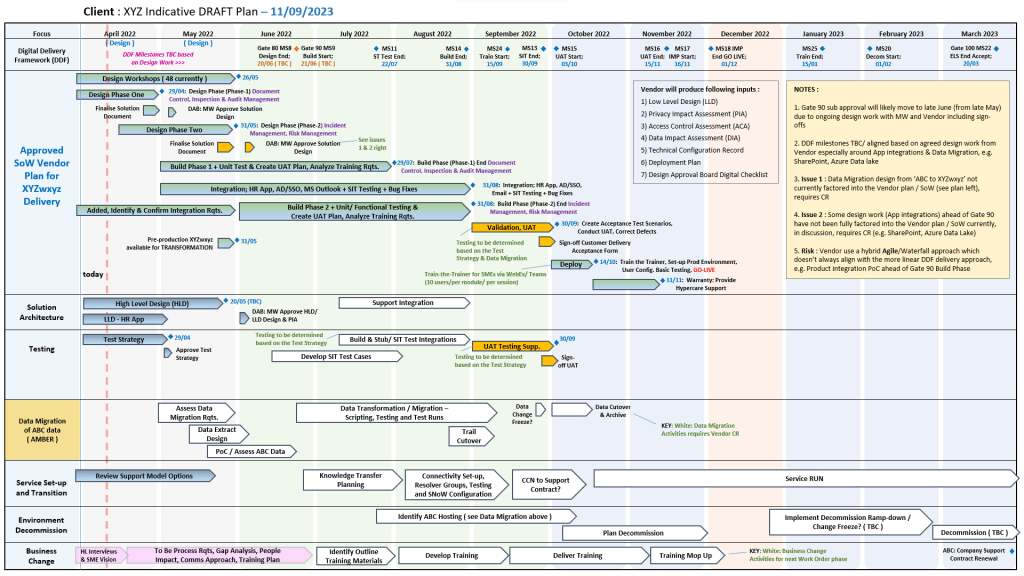
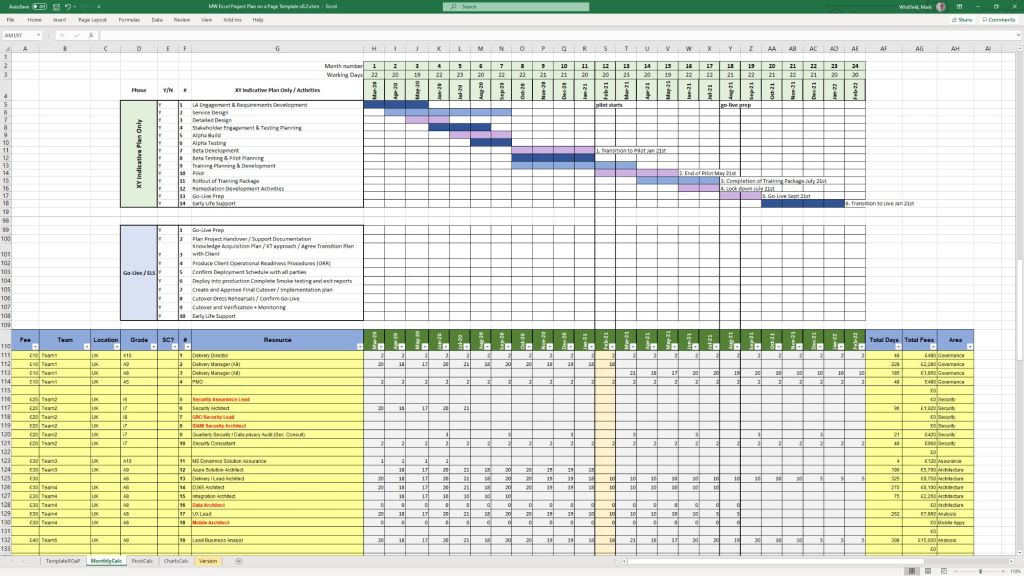
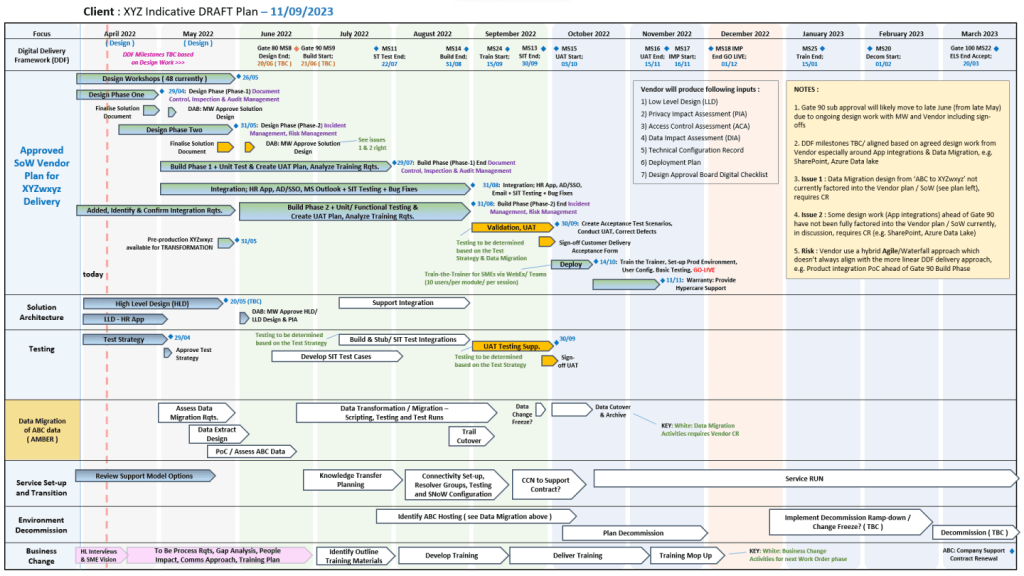
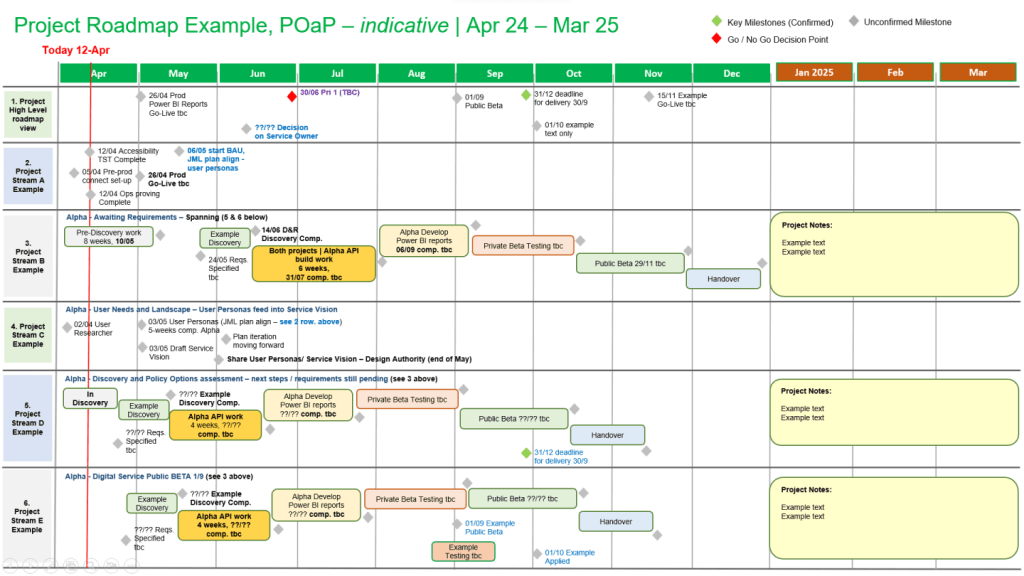
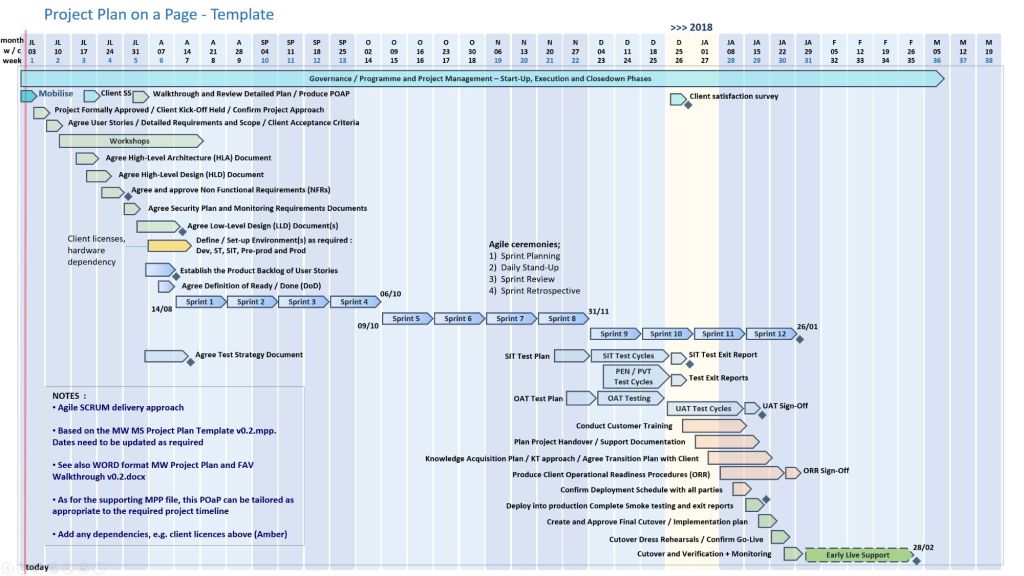
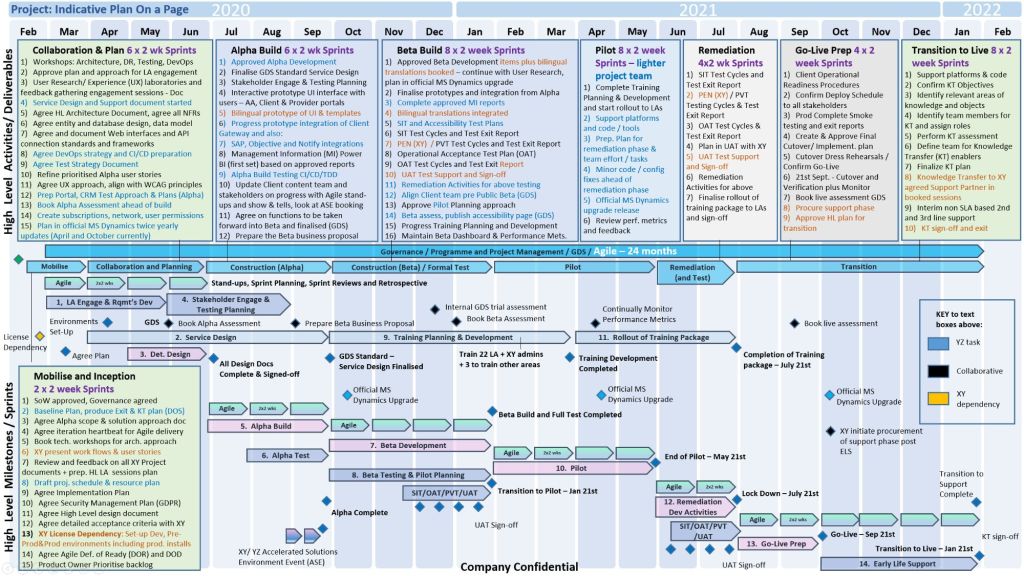
Plan On a Page POAP example
With over 30 years of Software Development Lifecycle (SDLC) experience, his kits are explicitly broken down across Agile (Scrum), Waterfall (PRINCE2), and hybrid project delivery frameworks.
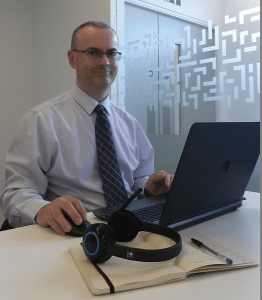
Mark Whitfield | Senior Project Manager
🏃♂️ Agile & Scrum SDLC Templates
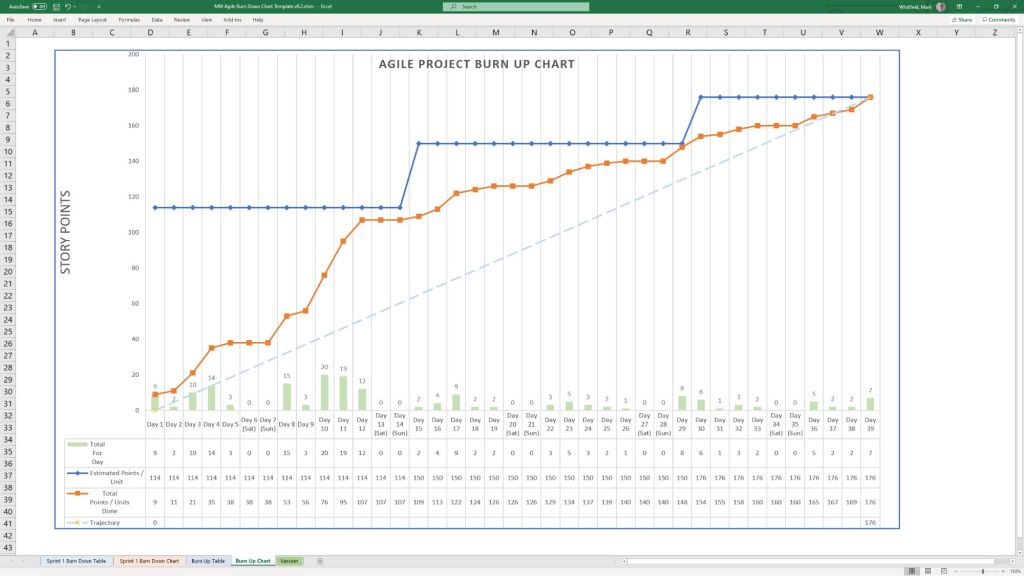
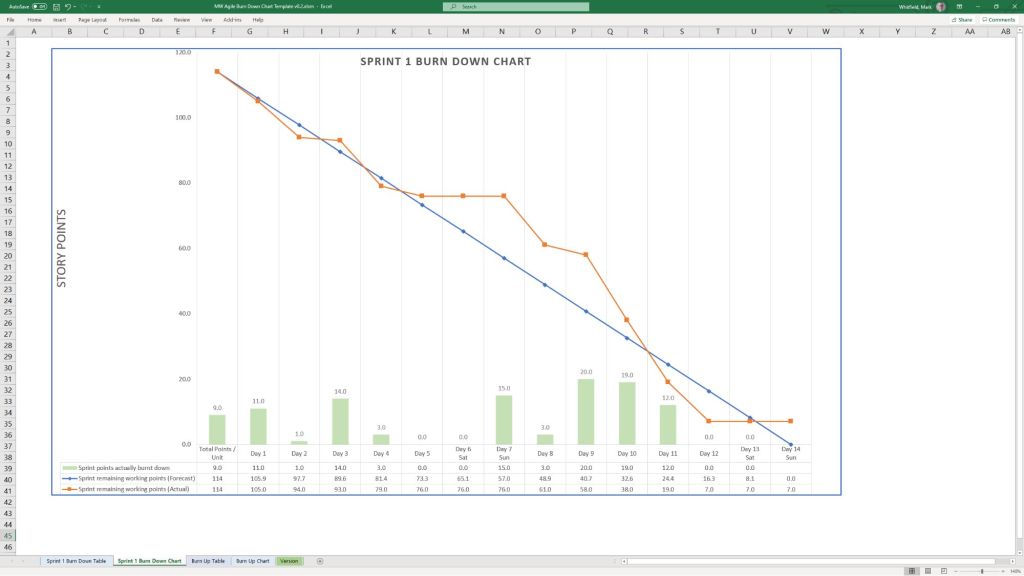
Designed specifically for iterative software delivery, these tools focus on short execution cycles, continuous feedback, and visual tracking:
Requirements gathering is the foundational process of identifying, documenting, and managing what a project must achieve to deliver maximum business value. According to the Project Management Institute (PMI), nearly 70% of project failures are directly attributed to poor requirements collection, highlighting its role as the ultimate “scope anchor” for project managers.
Below is an overview of the core steps, techniques, classification categories, and tracking methods needed to establish an airtight requirement framework.
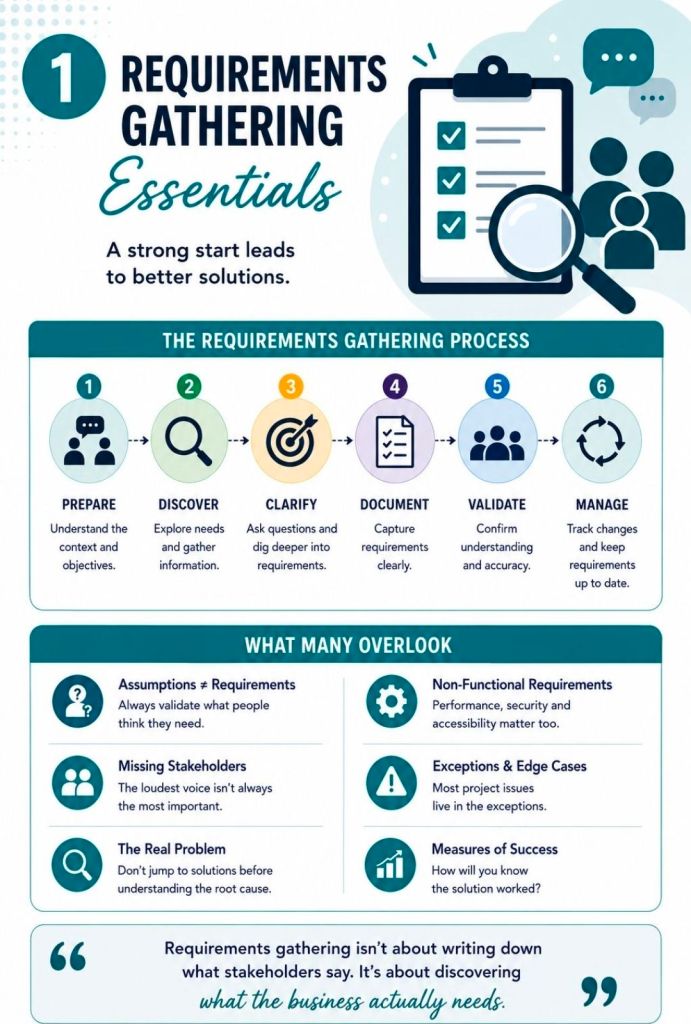
The 6-Step Requirements Gathering Process
Executing a structured lifecycle ensures that raw client requests are transformed into precise, measurable technical blueprints.
Identify and Analyze Stakeholders
Map out every individual invested in the project baseline.
Separate them into internal (executives, developers) and external entities (vendors, customers).
Utilize a stakeholder register to analyze their influence and prioritize conflicting needs early.
Establish Goals and Alignment
Define overarching high-level business milestones before hunting for product features.
Separate broad targets (goals) from specific deliverables or tasks (objectives).
Filter out scope proposals that fail to directly support these core goals.
Elicit Stakeholder Requirements
Conduct interactive discovery sessions tailored to user availability and project context.
Use direct one-on-one sessions for specific detail validation.
Use data gathering structures for broader user bases.
Document and Categorize
Translate conversational feedback into clear, unambiguous definitions.
Store information inside a centralized, accessible collaborative hub.
Record relevant project assumptions and hard technical boundaries.
Prioritize and Validate
Organize requests into strict low, mid, or high urgency classifications.
Apply prioritization frameworks like MoSCoW (Must-have, Should-have, Could-have, Won’t-have).
Conduct structured internal reviews to confirm value connection back to the business.
Baseline Sign-off and Change Control
Request formal verification from the main project sponsors.
Set a fixed baseline to prevent unauthorized project feature updates.
funnels all future adaptations through a strict change control system.
Core Categories of Requirements
To prevent scope gaps, information must be analyzed from a 360-degree technical and strategic perspective.
Business Requirements: Define the ultimate overarching problem or strategic objective the business needs to resolve.
Stakeholder Requirements: Capture the specific desires, expectations, and operational pain points of the end users.
Functional Requirements: Spell out exactly what the target solution must execute or how a user interacts with it.
Non-Functional Requirements: Specify system traits such as performance, data security parameters, and growth scalability.
Technical Requirements: Detail the internal IT setups, environments, and languages the project must operate inside.
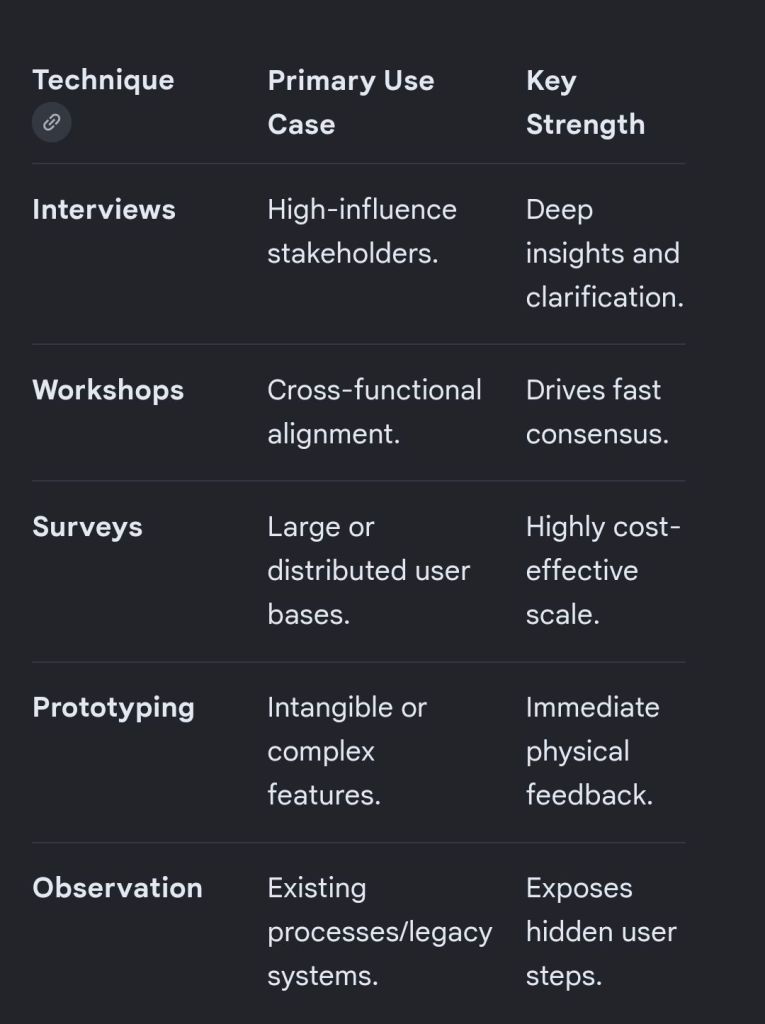
Essential Gathering Techniques
Choosing the right collection methodology depends on the size of your audience and the technical complexity of the work.
Project Requirements Gathering Essentials
Scope Governance: The Traceability Matrix
Once requirements are baselined, they are tracked using a Requirements Traceability Matrix (RTM). This tool links every approved feature back to its source stakeholder and forward into production and testing.
Bi-Directional Tracking: Traces forward from need to test case, and backward from code to initial business authorization.
Eliminates Scope Creep: Ensures that development engineering teams only spend resources on validated features.
Prevents Orphaned Elements: Flags code built without initial business justification, or targets missing a test plan.
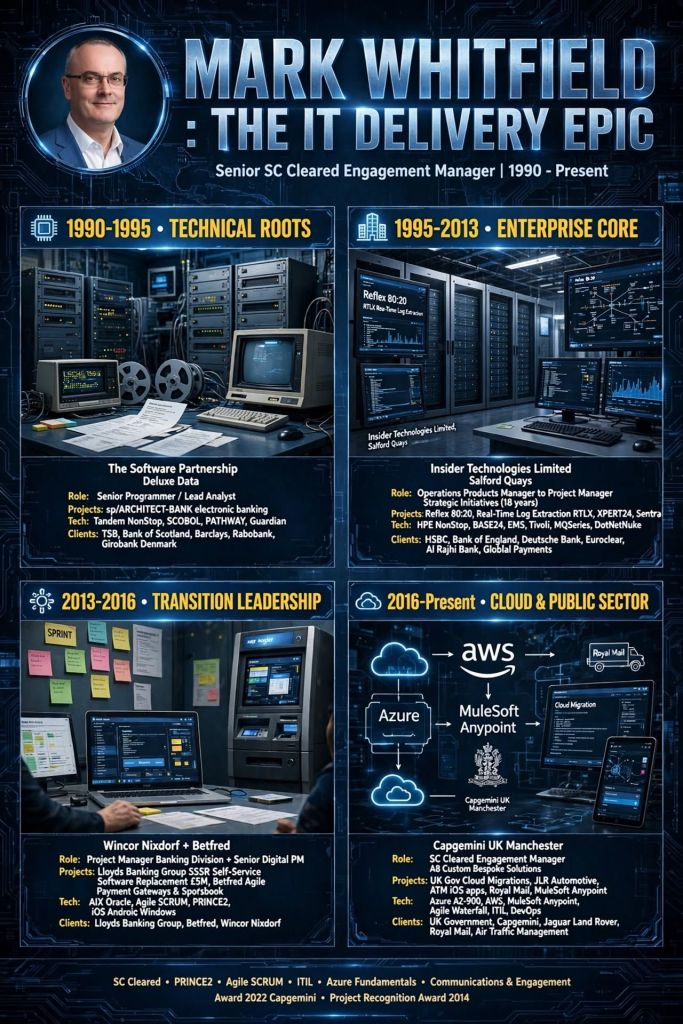
Mark Whitfield’s IT project management and software engineering career spans over three decades, progressing from early electronic banking programming on Tandem Mainframes (now known as HPE NonStop) to senior delivery of enterprise-scale middleware, cloud, and digital transformation initiatives.
Mark Whitfield | Career Summary Timeline from Mainframes to Cloud
The high-level chronological timeline (with links) of his professional eras and key project history is broken down below.
💻 1990–1995: Early Programming & Lead Analysis Era
During this foundational era, Whitfield operated as a Programmer and Lead Analyst specializing in core electronic banking software frameworks.
The Software Partnership / Deluxe Data (1990–1995): Developed and enhanced the sp/ARCHITECT-BANK platform. His technical responsibilities focused heavily on coding within Tandem Mainframe environments (now HPE NonStop) using C, C++, TAL, COBOL, and PATHWAY architectures.
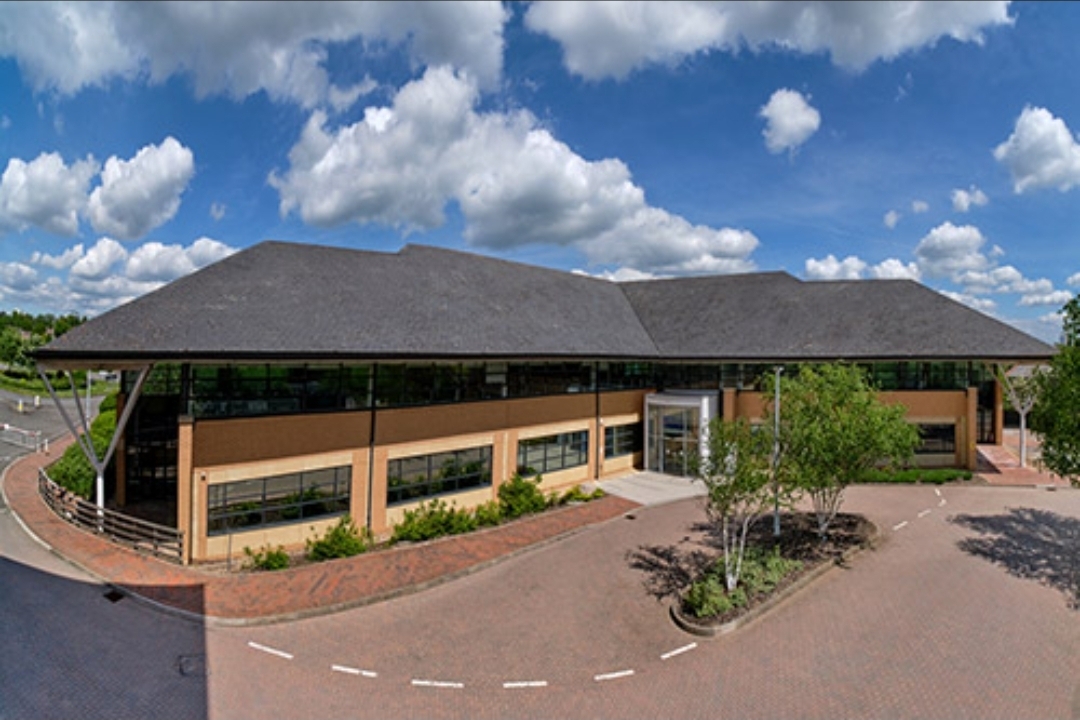
Deluxe Data International Operations, Wingate House, Northway, Runcorn
Barclays On-Site Delivery (Early 1990s): Deployed on-site at the Barclays facility in Knutsford, Cheshire. He was responsible for core code development and system architecture design on the Barclays Business Master II (BBM II) electronic banking initiative and subsequent billing modules developed in Poole, Dorset.
Barclays, Wimborne Road, Poole, Dorset
🛠️ 1995–2013: Senior Development & Strategic Project Management Era
Transitioning to Insider Technologies Limited at Salford Quays, Manchester, Whitfield progressed into high-level technical project delivery and strategic product management.
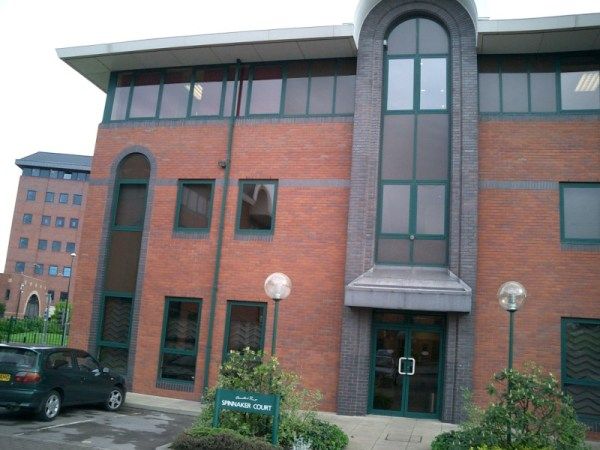
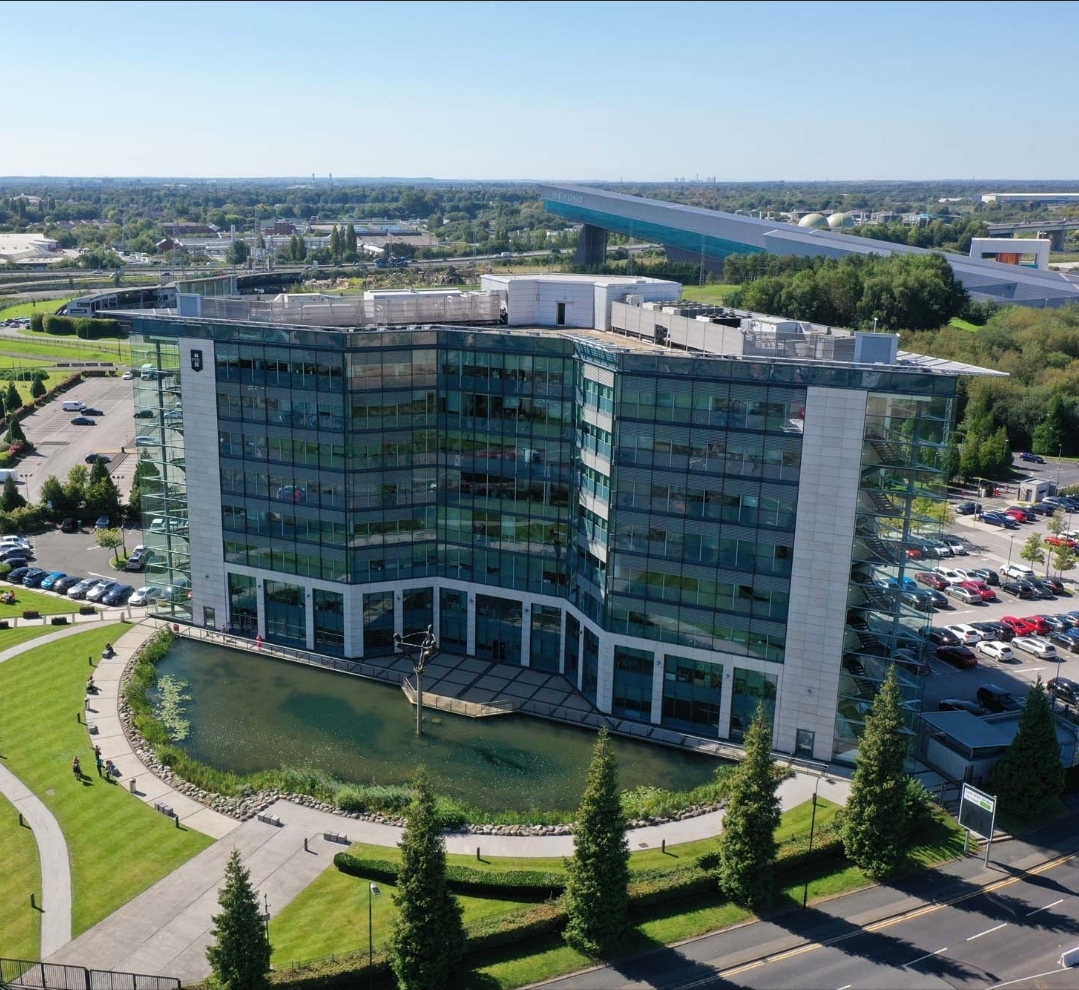
Insider Technologies Limited (ITL) in 2001, Salford Quays, Chandlers Point
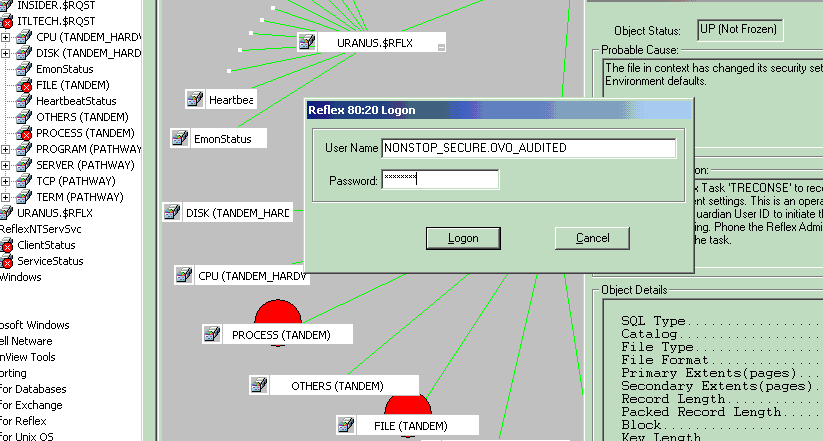
Reflex Monitoring Suite R&D (1995–1996): Appointed as a core developer to design platform health and diagnostic plug-in modules for the flagship Reflex 80:20 tracking console.
CRESTCo Infrastructure Integration (1997–1998): Acted as a technical infrastructure consultant for CRESTCo (now Euroclear). Managed hardware benchmark coding and testing for newly deployed Tandem S7000 processing nodes.
CRESTCo in 1997 on St. Katherine’s Dock near Tower Hill tube station
Real-Time Tracking Protocols (1999–2001): Oversaw multi-organizational telemetry deployments for the Bank of England and Deutsche Bank, leveraging specialized MultiBatch scheduling utilities and automated file monitors.
Hewlett-Packard (HP) Certification Initiative (2002–2003): Successfully drove the rigid compliance and verification process to secure official certification for the first HP OpenView Operations (OVO) Smart Plug-In built for NonStop mainframe environments.
First HP OpenView Operations Smart Plug-In for HPE NonStop environments
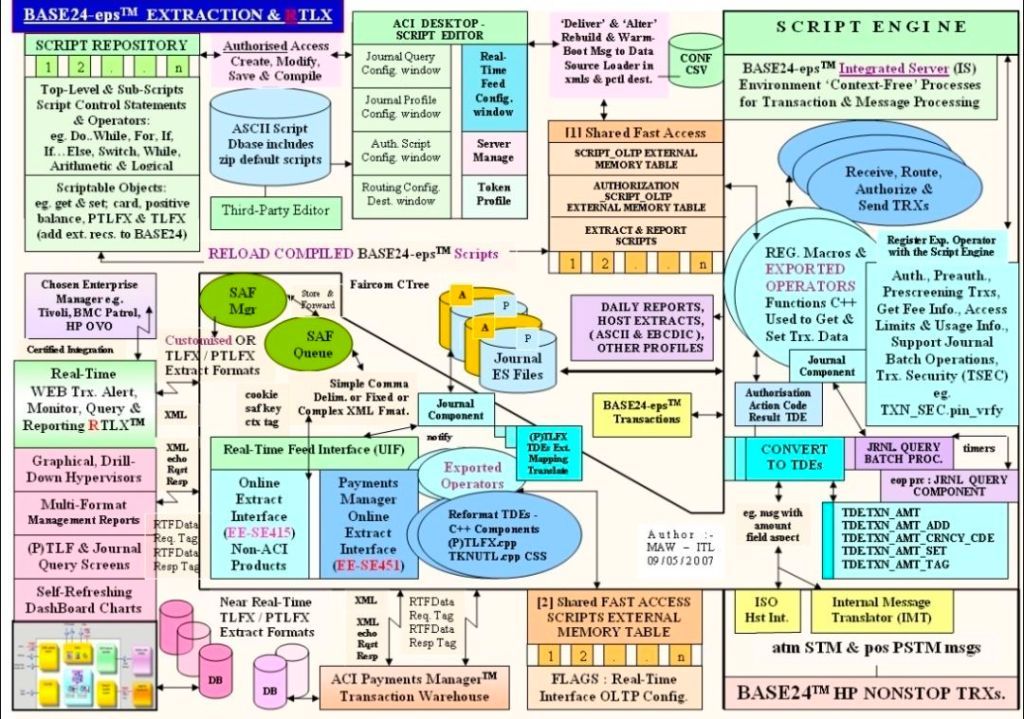
ATM Log Extraction Deployments (2004–2007): Led technical delivery teams implementing automated transaction log extraction layers (RTLX and Sentra) to audit ATM networks for major retail financial brands like Alliance & Leicester (now Santander) and HSBC.
Cross-Border Retail Banking Rollout (2008–2010): Served as Project Manager overseeing a high-volume, cross-border ATM and Point-of-Sale (POS) environment monitoring expansion for a prominent Saudi Arabian Retail Bank.
Cross-border ATM and Point-of-Sale (POS) environment monitoring expansion
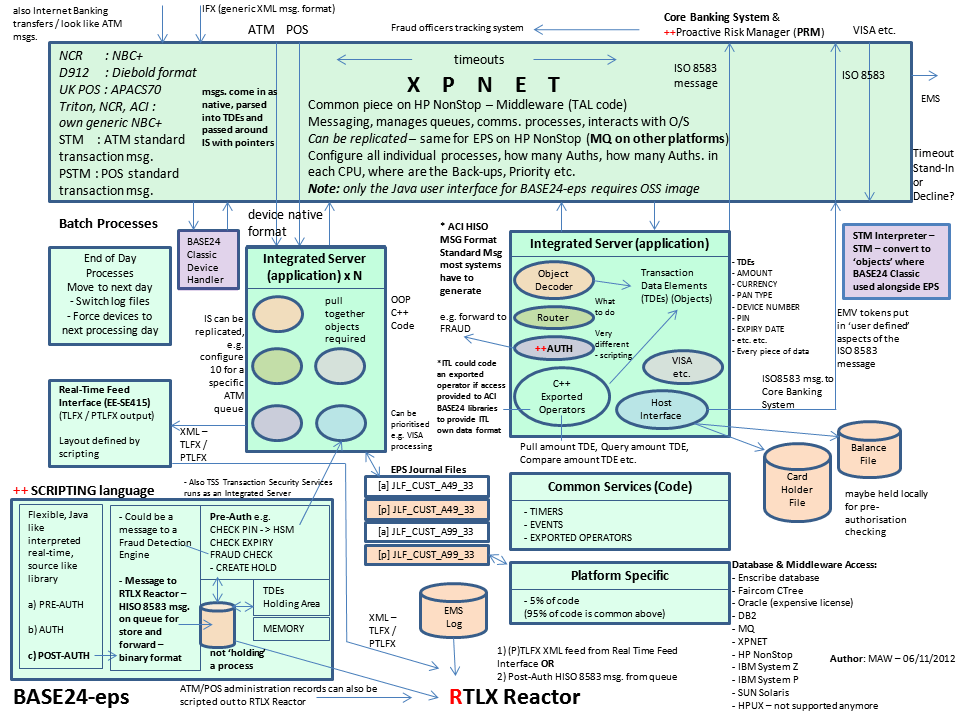
Enterprise Transaction Monitoring (2011–2013): Functioned as Project Lead to bridge retail banking transaction networks with corporate governance architectures. Integrated critical pathways for Standard Chartered and Global Payments into TIVOLI and XPERT24 using ACI’s XPNET infrastructure.
Wincor Nixdorf Banking Division (2013–2014): Retained as Project Manager for Professional Services. He directed a massive hardware and software transition stream for Lloyds Banking Group’s Self-Service Software Replacement (SSSR) programme whilst also providing a qualified management link with Wincor Nixdorf, Paderborn (Germany) for subject matter expertise, as part of the transition.
🎮 2014–2016: Digital Infrastructure & Enterprise Betting Era
Whitfield shifted his delivery domain focus from banking mainframes into real-time high-transaction digital platforms.
Betfred Project Delivery (2014–2016): Managed IT infrastructure and digital systems alignment projects, supporting high-throughput retail and digital consumer gaming workflows.
☁️ 2016–Present: Cloud Integration, Middleware, & Public Sector Era
In this current era, Whitfield acts as a senior, SC-cleared Senior IT Project Manager specializing in hybrid cloud migrations and API-led integration.
Capgemini UK Consultancy (2016–Present): Leading massive corporate and public sector agile/waterfall delivery initiatives. His technical program management footprint expands across a vast roster of tier-one enterprise environments:
MuleSoft Ecosystem Deployments: Directing system integration projects utilising the Salesforce MuleSoft suite, spanning API lifecycle design, Anypoint Code Builder configurations, and hyper-automation flows.
Multi-Sector Enterprise Clients: Orchestrating cloud migrations, middleware application refactoring, and data pipelines for Jaguar Land Rover (JLR), Heathrow Airport, Royal Mail Group (RMG), NATS (National Air Traffic Services), Welsh Water, Rabobank, Barclays, and UK Export Finance (UKEF).
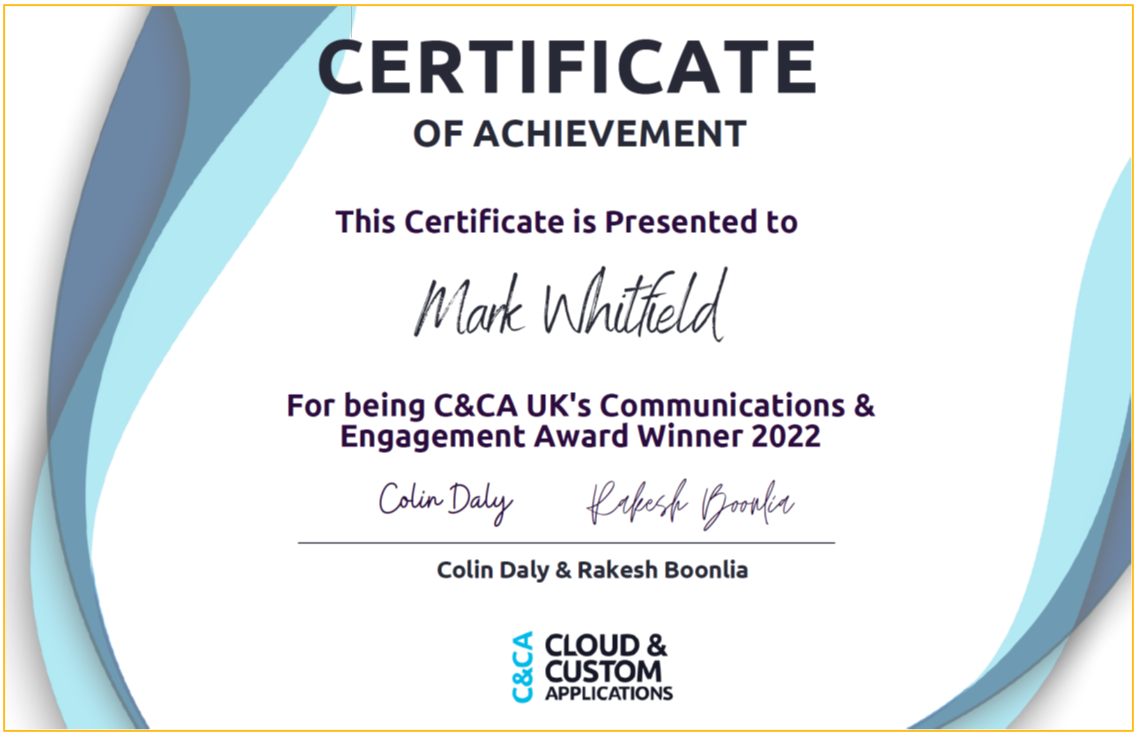
C&CA UK’s Communications & Engagement Award Winner 2022 – Cloud & Custom Applications – Capgemini UK
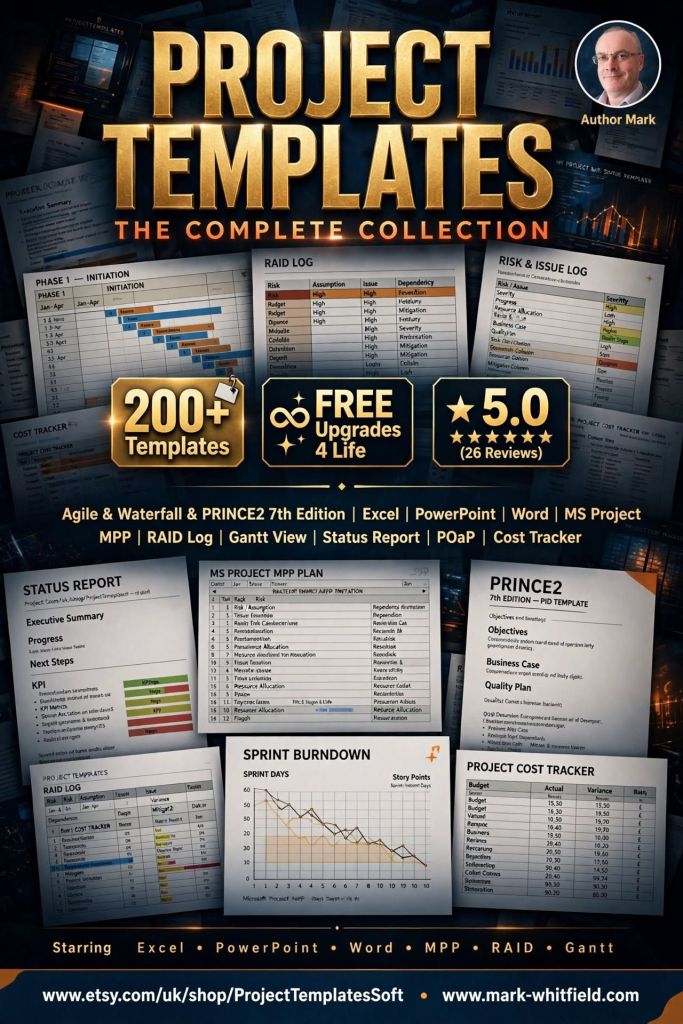
ProjectTemplatesSoft on Etsy is a highly rated, UK-based digital storefront specializing in professional-grade project management spreadsheets and presentation documents. Founded by Mark Whitfield, a veteran Senior Project Manager with over 30 years of delivery experience in IT and the Software Development Lifecycle (SDLC), the shop bridge the gap between heavy enterprise software and simple, flexible spreadsheets.
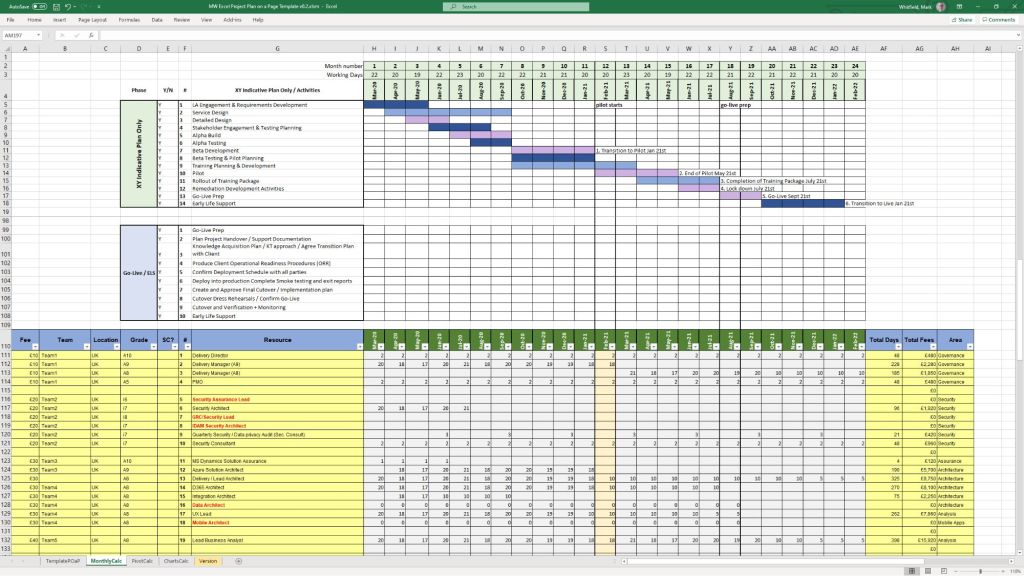
Example POaP PPT and XLS plan project templates (200+ in all)
The products are distinctively built around core professional methodologies including PRINCE2 Waterfall and Agile Scrum frameworks. A key differentiator for this storefront is its customer lifetime model: all template upgrades and functional versions are 100% free after a single purchase by contacting the seller directly. The tools are fully unlocked, editable, and act as a portable alternative for teams or clients without expensive Microsoft Project licensing.
Product Breakdown by Category Focus
📊 1. Schedule Planning & Waterfall Templates
These tools target timeline generation, resource distribution, and critical path management for traditional structured delivery.
Waterfall Project Planner & Cost Tracker: An advanced interactive timeline engine that acts as a localized alternative to MS Project. It allows teams to map out milestones while calculating live run-rate expenditures.
Plan on a Page (POaP) Blueprint: A high-level stakeholder alignment presentation tool crafted in Microsoft Excel and PowerPoint designed to condense multi-layered delivery milestones into one scannable executive slide.
Work Breakdown Structure (WBS) Matrix: Structural templates built to parse complex client scopes into manageable, sequential project tasks.
🔄 2. Agile & Scrum Framework Toolkits
Tailored for modern software development environments executing iterative design, rapid deployments, and sprint-based task management.
Agile Scrum Master Pack: Complete tracking logs optimizing sprint velocities, backlog grooming sessions, and team capacity limits.
Built for Programme Management Offices requiring cross-project transparency, strict risk mitigation, and central staff scheduling.
Central RAID Log: A classic, comprehensive spreadsheet designed to track project Risks, Assumptions, Issues, and Dependencies under strict corporate governance standards.
Resource Absence & Sickness Tracker: A centralized planner for operations managers to log annual leave, sickness intervals, and alternative project allocations.
Project Team Kick-Off Decks: Professionally designed slide blueprints that outline scope definitions, stakeholder communication channels, and milestone objectives during initiation phases.
Essential Shop & Resource Hyperlinks
To explore the complete range of toolkits, check out the official ProjectTemplatesSoft Etsy Shop Page.
To access detailed execution frameworks, read customer documentation, or seek professional delivery guidance, visit the developer’s hub at Mark Whitfield’s Project Management Blog.
A Project Plan on a Page (POAP) is a concise, visual summary of a project’s objectives, timeline, milestones, and risks. Its primary purpose is to provide an instant, high-level overview for stakeholders and executives, ensuring alignment without overwhelming them with low-level details.
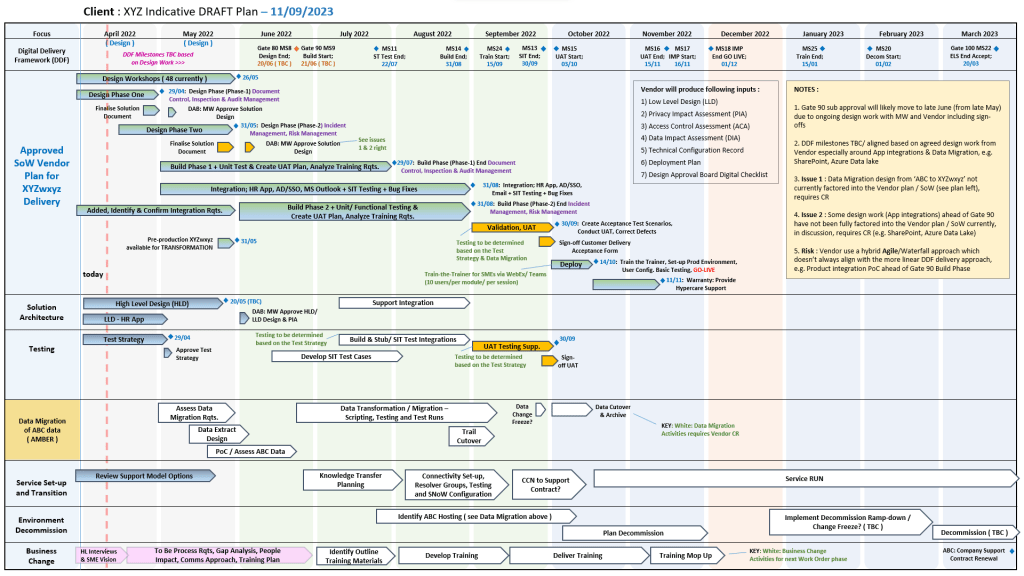
Mark Whitfield POAP examples, 35+ in all
Best Structure for a POAP
An effective POAP eliminates excessive task lists in favor of a clean, scannable layout organized into these key sections:
Project Overview: Title, Project Manager, and the overarching “Why” or business objective.
Timeline & Milestones: A horizontal, time-phased bar chart mapping the project’s key phases (e.g., Initiation, Beta Launch, Go-Live).
Key Deliverables: 4 to 6 major outputs or goals required to consider the project a success.
Risks & Dependencies: Critical blockers or assumptions that require management attention.
Examples & Templates for Download
Because POAPs are highly visual, they are most effectively built in Excel (for data and dates) or PowerPoint (for visual presentation).
Word/Spreadsheet Variations: For simpler initiatives, you can access the 1-page summary templates available through Smartsheet’s Project Plan Templates.
Automated Software: If you already track complex projects in MS Project, Excel, or Primavera, automation tools like SummaryPro can automatically ingest your detailed schedule and spit out an accurate POAP.
You can review or download the targeted, one-page CV for Mark Whitfield (Senior Project Manager specializing in HPE NonStop systems) via the Mark Whitfield CV PDF link.
Mark Whitfield, High-Level Project Management Summary
The high-level, scannable overview of his professional profile is outlined below:
Executive Profile
Role: IT Senior Project Manager / Delivery Lead
Background:30+ years of experience delivering highly complex technology, business transformation, and infrastructure projects.
Core Skills: Cloud migration (hybrid), legacy ATM software modernisation, Point of Sale (POS) implementations, and software development lifecycles (SDLC).
Methodologies: Agile, Waterfall, PRINCE2 Practitioner, and ITIL certified.
Core Expertise & Competencies
HP NonStop & Legacy Integration: Deep technical roots in Tandem Computers/ HPE NonStop development, TAL programming, and high-volume transaction environments.
Global Delivery: Managed large-scale IT and system monitoring rollouts across the UK and international markets (e.g., Saudi Arabia).
Stakeholder Management: Experienced in bridging the gap between highly technical development teams and high-level business stakeholders.
For direct access to his official templates, articles, and full professional journey, you can visit the PROject Templates Website.
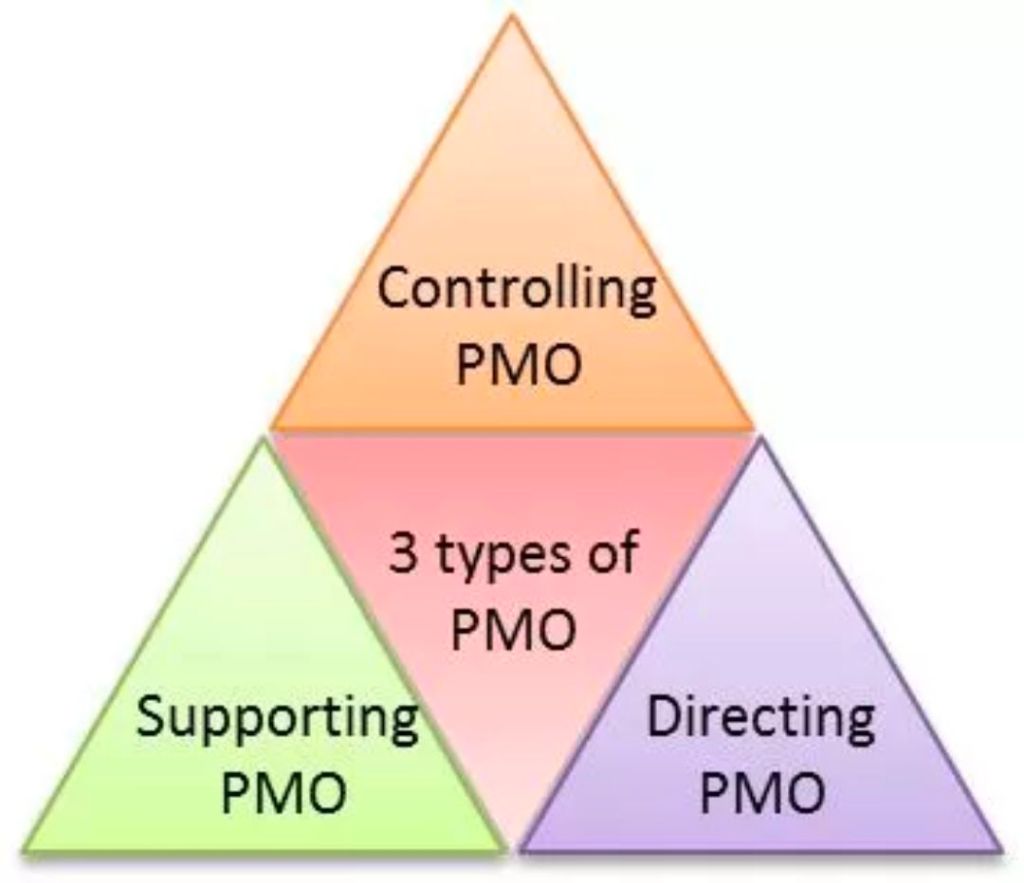
Project Management Office (PMO) models dictate the structure, control level, and strategic focus of a PMO within an organization. The most common frameworks break down into three primary operational types, alongside broader structural and strategic classifications that define how governance is applied.
Project Management Office (PMO) models overview
1. Operational Models (By Control Level)
These models define how the PMO interacts with project teams and enforces standards.
Supportive PMO: Acts as an advisory entity. It provides templates, best practices, training, and tools on demand, but has no direct control or authority over project execution. Best for: Organizations with a decentralized, highly autonomous culture.
Controlling PMO: Enforces strict governance, standardizes methodologies, and ensures compliance across all initiatives. It provides more than advice and actively verifies adherence, but typically relies on established escalation paths rather than direct authority. Best for: Organizations that need consistency and reduced risk.
Directive PMO: Assumes full control and direct ownership of projects. The PMO assigns project managers, directs resources, and takes total responsibility for execution, timelines, and outcomes. Best for: Complex or mission-critical projects requiring rigid governance.
2. Structural Models (By Scope & Placement)
These classifications indicate where the PMO sits and its organizational reach.
Enterprise PMO (EPMO): Operates at the highest organizational level, overseeing the entire project portfolio. It ensures all programs directly align with overarching corporate business objectives and strategy.
Departmental/Divisional PMO: Supports specific business units (such as IT, Marketing, or Engineering). It is highly tailored to the specialized needs of that function, though it runs the risk of creating siloed practices.
Embedded or Project-Specific PMO: A temporary model dedicated to one large, highly complex, or mission-critical project or program. It lasts for the duration of the project and then disbands or reallocates.
3. Advanced / Strategic Models (By Focus)
Modern organizations often adapt the PMO to focus on high-level value rather than just tracking timelines.
Center of Excellence (CoE): Focuses heavily on continuously elevating the organization’s project management maturity. It acts as an innovation hub for methodologies, technology evaluation, and skill-building.
Value Management Office (VMO): Focuses entirely on benefits realization and return on investment (ROI). Rather than just asking “are we on time?”, it asks “is this project generating the business value we wanted?”