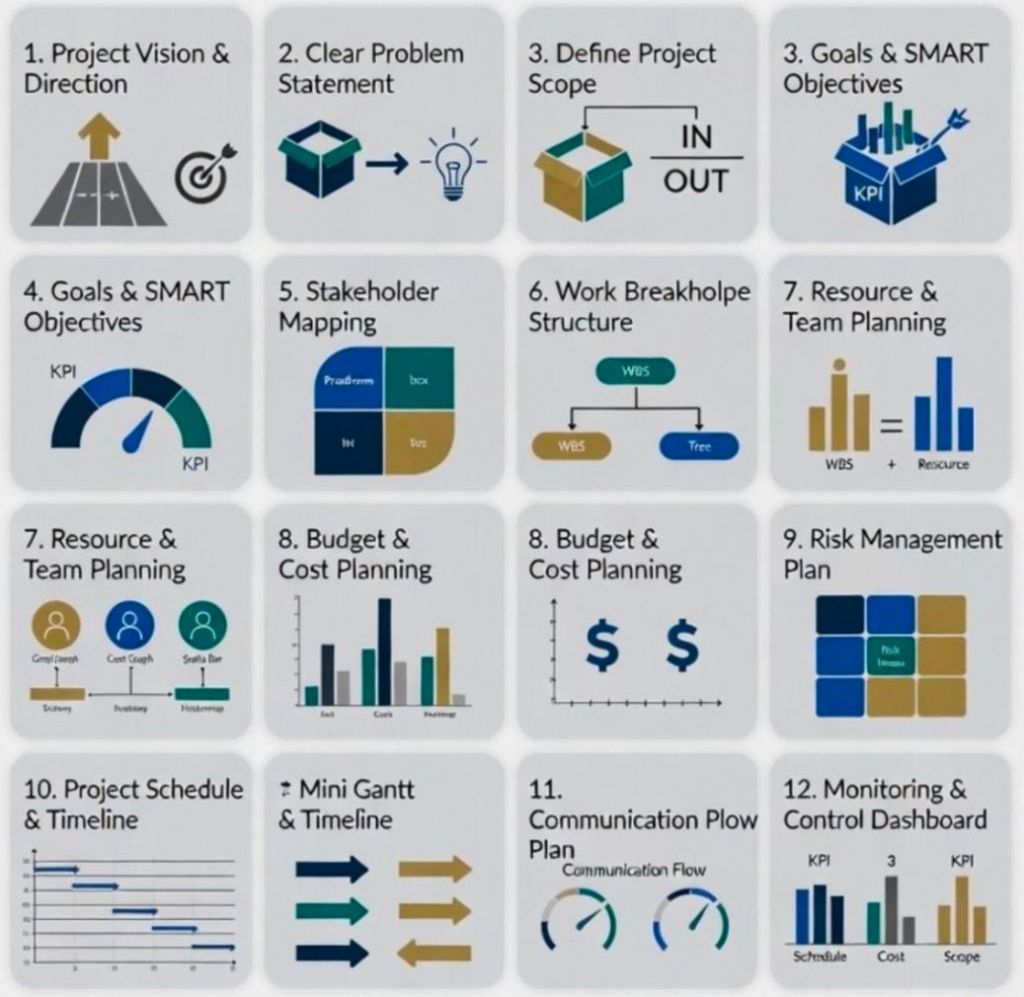
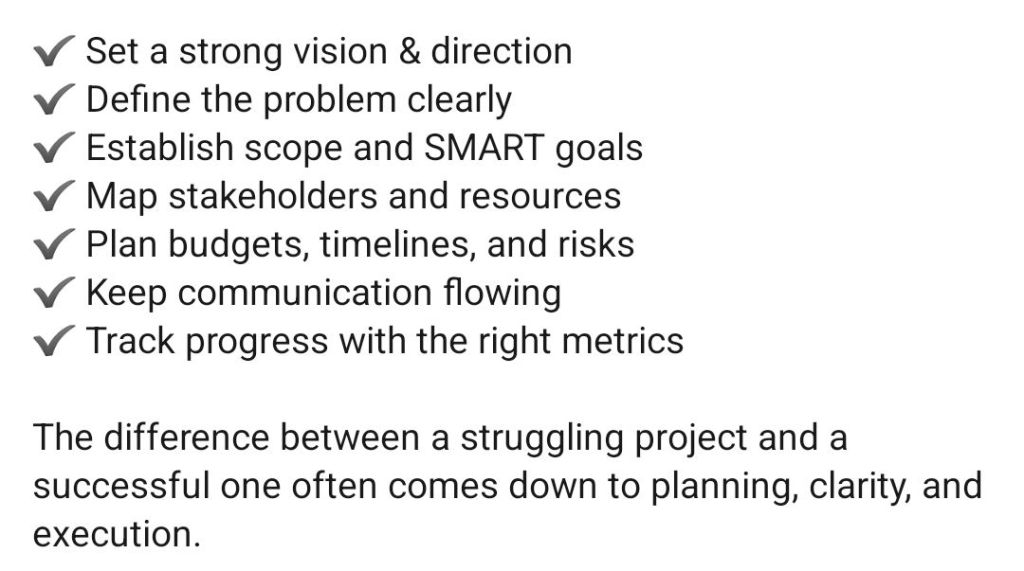
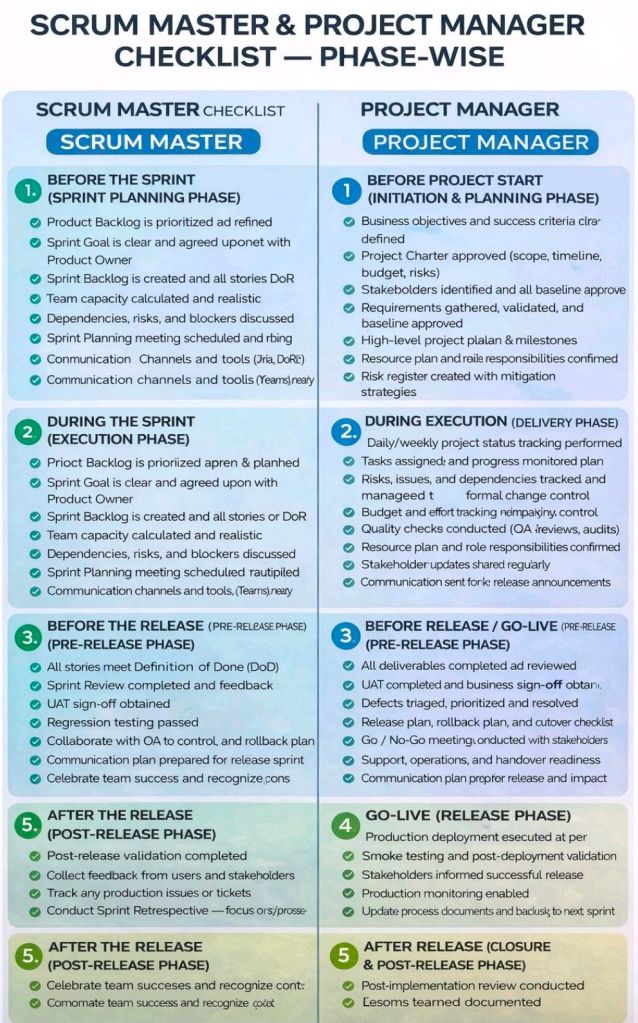
Putting Together a Project Plan Overview

Putting Together a Project Plan Overview

Agile Team Techniques Overview

Agile Team Techniques Overview

WordPress Content Management System (CMS) Timeline Overview
WordPress has evolved from a basic blogging tool in 2003 into a dominant Content Management System (CMS) that powers over 43% of the internet including this https://mark-whitfield.com website. Its history is defined by major version releases, often named after jazz musicians, and shifts toward “Full Site Editing”. 

This WordPress website started around 2021

The Early Years (2001–2005)

  • 2001: French developer Michel Valdrighi launches b2/cafelog, the PHP/MySQL-based blogging software that served as the foundation for WordPress.
  • 2003 (May 27): Matt Mullenweg and Mike Little release WordPress Version 0.7, a fork of b2/cafelog.
  • 2004: Version 1.0 (“Miles Davis”) introduces SEO-friendly permalinks and comment moderation. Version 1.2 (“Mingus”) debuts the plugin architecture, allowing for external extensibility.
  • 2005: Version 1.5 (“Strayhorn”) introduces the Themes system and static Pages, moving WordPress beyond just chronological blog posts. Automattic is founded by Matt Mullenweg in August. 

Expansion and Ecosystem Growth (2006–2010)

  • 2006: The first WordCamp is held in San Francisco. Automattic registers the WordPress trademark.
  • 2007: Version 2.1 (“Ella”) adds autosave and spell-check. Version 2.2 (“Getz”) introduces Widgets.
  • 2008: Version 2.7 (“Coltrane”) revamps the dashboard, moving the menu to the sidebar where it remains today.
  • 2010: Version 3.0 (“Thelonious”) is a major milestone, introducing Custom Post Types and Multisite capabilities. The WordPress trademark is transferred to the non-profit WordPress Foundation

The “Modern” Dashboard & Visual Improvements (2011–2017)

  • 2011: WooCommerce is released (later acquired by Automattic in 2015), revolutionising WordPress e-commerce.
  • 2013: Version 3.7 (“Basie”) introduces automatic background updates for security patches. Version 3.8 (“Parker”) gives the admin dashboard the modern, flat design used today.
  • 2014: Version 4.0 (“Benny”) focuses on media management with a new grid view.
  • 2016: The REST API is integrated into core (v4.4), allowing WordPress to interact with other web applications. 

The Gutenberg & Site Editing Era (2018–Present)

  • 2018 (Dec 6): Version 5.0 (“Bebo”) launches the Gutenberg block-based editor, fundamentally changing content creation from text-heavy to visual blocks.
  • 2022: Version 6.0 introduces Full Site Editing (FSE), enabling users to edit headers, footers, and templates visually without code.
  • 2024: WordPress continues to refine the site editing experience with Version 6.7 (“Rollins”). In late 2024, a public legal conflict began between Automattic and WP Engine over trademark usage and contributions.
  • 2025–2026: Version 6.8 (April 2025) and future Version 7.0 roadmap focus on real-time collaboration (Phase 3 of Gutenberg) and AI integration.

WordPress Content Management System (CMS) Timeline Overview

This WordPress website selling Project Management templates – see banner above

RACI and DACI in Project Management

RACI and DACI in Project Management

Microsoft Word Development Timeline History

Microsoft Word has evolved from a niche tool for Xerox programmers into the world’s most dominant word processor. Below is the comprehensive history of its development and key milestones

Templates available for download at website banner

The Early Years (1980s)

  • 1981: Microsoft hires Charles Simonyi and Richard Brodie, former Xerox PARC developers, to create a word processor.
  • 1983 (October): The first version, Multi-Tool Word, is released for Xenix and MS-DOS.
  • 1985: Word for Macintosh is released, introducing the GUI (Graphical User Interface) that would define its future.
  • 1989: The first version of Word for Windows debuts, setting the stage for its commercial dominance. 

The Rise to Dominance (1990s)

Templates available for download at website banner
  • 1990: With the release of Windows 3.0, Word becomes a massive commercial success.
  • 1993: Word 6.0 is released, skipping versions 3, 4, and 5 to synchronise version numbers across platforms.
  • 1995: Word 95 launches as part of the first Microsoft Office suite, moving to a year-based naming convention.
  • 1997: Word 97 introduces the infamous “Clippy” assistant and the standard .doc format that would last for a decade. 

Modernisation & The Ribbon (2000s) 

  • 2003: Word 2003 introduces XML-based formats and better collaboration tools.
  • 2007: A massive overhaul introduces the Fluent User Interface (the Ribbon) and the new .docx (Office Open XML) file format.
  • 2010: Word 2010 adds more customisation to the Ribbon and introduces the Backstage view for file management. 

Cloud & AI Era (2011–Present)

  • 2011: Office 365 is launched, shifting Word toward a subscription-based, cloud-first model.
  • 2013: Introduces better PDF editing and Read Mode.
  • 2014-2016: Real-time collaboration and Smart Lookup are added, allowing users to research directly within the document.
  • 2021: AI-powered writing suggestions and better dark mode are introduced.
  • 2024: Integration with Microsoft Copilot allows for AI-generated drafts, summaries, and advanced editing.

Microsoft Word Development Timeline History

Microsoft PowerPoint Development Timeline History

Microsoft PowerPoint was originally developed as “Presenter” by Forethought, Inc. in 1987 for the Apple Macintosh. Microsoft acquired it just three months later for $14 million, marking their first major acquisition. 

MS PowerPoint Plan On a Page POaP templates downloaded at website banner

Foundational Years (1984–1990) 

  • 1984: The idea for a presentation program is conceived by Robert Gaskins.
  • 1987 (April): PowerPoint 1.0 launches for Macintosh, supporting only black and white slides.
  • 1987 (July): Microsoft acquires Forethought.
  • 1990 (May): The first Windows version (PowerPoint 2.0) is released, coinciding with Windows 3.0. 

Office Integration (1992–2003) 

MS PowerPoint Plan On a Page POaP templates downloaded at website banner
  • 1992: PowerPoint 3.0 introduces video transitions and sound.
  • 1994: PowerPoint 4.0 begins deep integration with the Microsoft Office suite, sharing interface components with Word and Excel.
  • 1997: PowerPoint 97 brings significant upgrades like “Custom Animation” and the “Office Assistant” (Clippy).
  • 2003: PowerPoint 2003 focuses on collaboration and improved “Package for CD” features. 

Modernization & Cloud (2007–Present)

MS PowerPoint Plan On a Page POaP templates downloaded at website banner
  • 2007: Introduces the Ribbon interface and the XML-based .pptx file format.
  • 2010: Adds video export, section organization, and co-authoring capabilities.
  • 2013: PowerPoint for Web is released, alongside the first dedicated mobile apps for iOS and Android.
  • 2016–2021: Features focus on AI-driven design (PowerPoint Designer), Morph transitions, and real-time collaboration via Microsoft 365.
  • 2023+: Integration of AI tools like Copilot for automated slide generation and DALL-E 2 for image creation. 

Microsoft PowerPoint Development Timeline History

MS PowerPoint Plan On a Page POaP templates downloaded at website banner

Microsoft Excel Development Timeline History

Microsoft Excel has evolved from a niche Apple Macintosh tool into the world’s most dominant spreadsheet software. Its history is marked by strategic shifts, such as jumping from the MS-DOS era to graphical interfaces to outmanoeuvre then-leader Lotus 1-2-3

Timeline of Major Excel Milestones

Agile Templates available at download link at website banner
  • 1982: Multiplan (The Predecessor) – Microsoft’s first spreadsheet program. While popular on CP/M systems, it struggled against Lotus 1-2-3 on MS-DOS.
  • 1985: Excel 1.0 (Macintosh Exclusive) – Realising they couldn’t beat Lotus on DOS, Microsoft built a graphical spreadsheet for the new Mac. It introduced the ability to adjust cell heights, widths, and fonts.
  • 1987: Excel 2.0 (First Windows Version) – Launched alongside the first Windows environments, it introduced color support (like red for negative numbers) and was significantly faster than competitors.
  • 1990: Excel 3.0 – Added 3D charts, toolbars, and drawing tools, helping Excel finally overtake Lotus 1-2-3 as the market leader.
  • 1993: Excel 5.0 – A major turning point that introduced Visual Basic for Applications (VBA), allowing users to automate tasks with macros.
  • 1997: Excel 8.0 (Office 97) – Introduced the Paperclip Assistant (“Clippy”) and the first version of the modern VBA environment.
  • 2007: Excel 12.0 (The Ribbon Era) – Replaced menus with the Ribbon interface and dramatically increased grid capacity to 1,048,576 rows by 16,384 columns.
  • 2010: Excel 14.0 – Introduced Slicers for PivotTables and Sparklines (mini charts inside cells).
  • 2013-2016: Data Intelligence – Added Power Query, Power Pivot, and new chart types like Waterfall, Pareto, and Treemap to support advanced data modeling.
  • 2019-Present: AI & Cloud Integration – Modern versions focus on seamless collaboration, dynamic arrays (like XLOOKUP), and AI-powered insights that can extract data directly from images. 

Technological Evolution Highlights

MS Excel templates available on bundle download at website banner
  • Architecture: Shifted from 16-bit to 32-bit with Excel 95, greatly improving stability.
  • Collaborative Features: Modern Version History and “Show Changes” now allow teams to track every edit in real-time.
  • Visualisation: Excel now supports complex timelines via SmartArt or custom Scatter charts with error bars for professional project tracking.

Microsoft Excel Development Timeline History

Microsoft Excel templates available at banner above, FREE upgrades

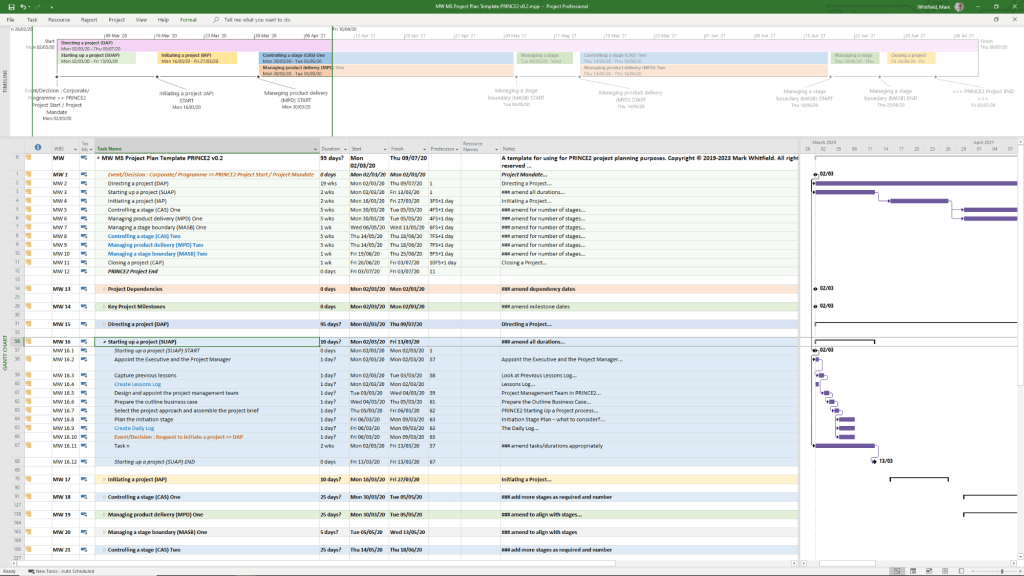
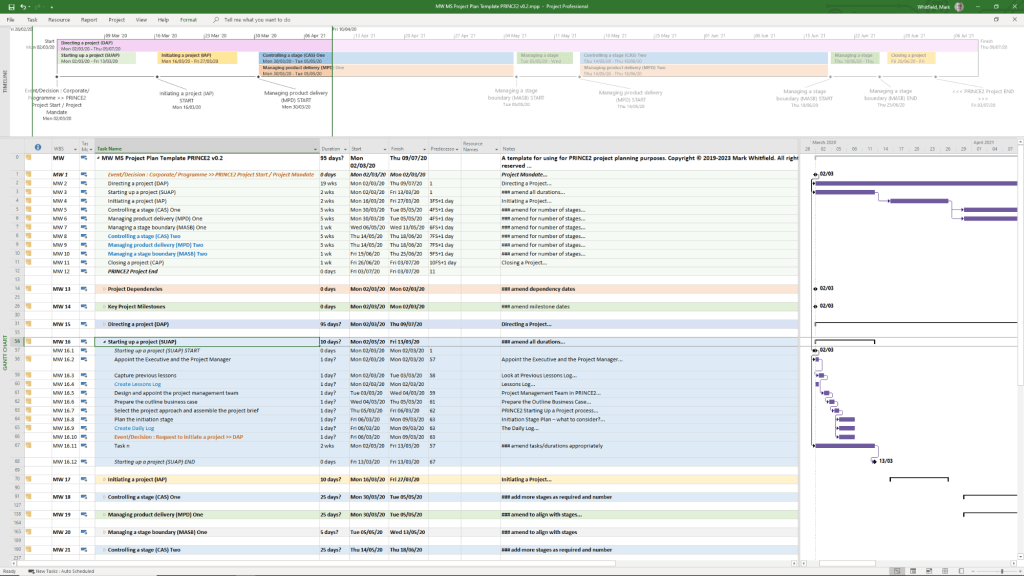
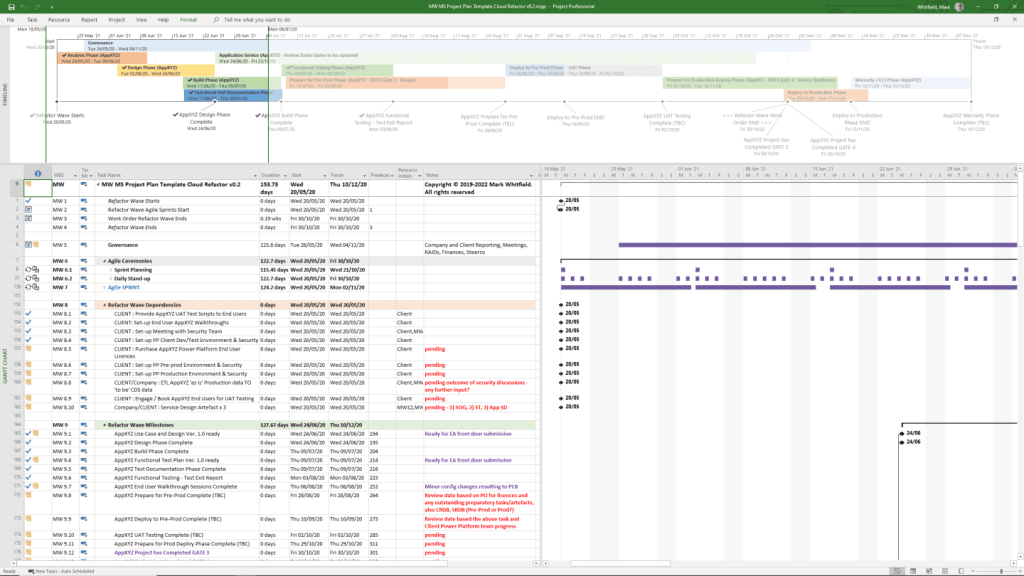
Microsoft Project Timeline, Development History Overview

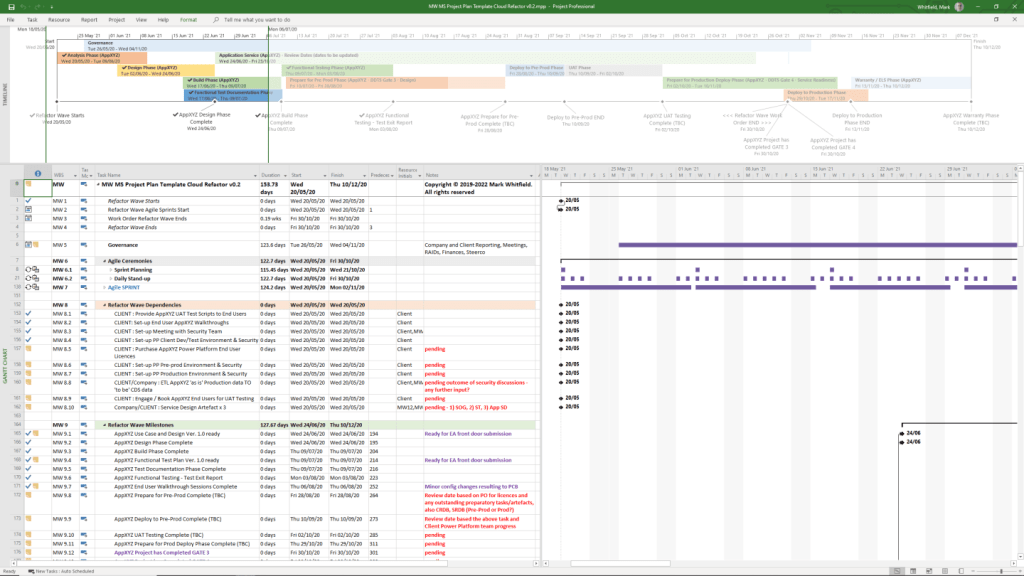
Microsoft Project has evolved from a DOS-based tool in the 1980s into a cloud-integrated platform. Its “Timeline” feature specifically has transitioned from a simple static view to a multi-layered, interactive reporting tool. 

Template included in package – see website banner

Timeline Feature Development History

  • Early Era (1984–2007): For decades, the “timeline” was synonymous with the Gantt Chart. Users had to rely on complex print-outs or third-party tools to create high-level summaries for executives.
  • The dedicated Timeline View (2010): Microsoft introduced a native Timeline view in Project 2010, allowing users to cherry-pick specific tasks and milestones to display on a single horizontal bar.
  • Multi-Timeline Support (2016): Project 2016 expanded this by allowing multiple timeline bars in a single view. This enabled managers to represent different project phases or workstreams with independent start and end dates.
  • Cloud & Web Integration (2019–Present): With the launch of Project for the web, timelines became more interactive, supporting drag-and-drop adjustments and real-time co-authoring.
  • Task History Tracking (2023): Microsoft added a Task History pane to the web version, allowing users to see a chronological log of changes to specific timeline items. 

Key Components of a Modern MS Project Timeline

Templates included in download bundle – see website banner
  • Gantt-Style Visualization: Displays tasks as horizontal bars against a calendar timescale.
  • Milestones & Callouts: Important dates appear as diamonds or labels that can be dragged above or below the main bar to avoid clutter.
  • Dependencies: Visual links between tasks that illustrate the sequence of work and the Critical Path.
  • Copy for Presentation: A dedicated formatting tool that allows users to export the timeline directly to Microsoft PowerPoint or email at various sizes (Small, Medium, Full Size). 

Future Outlook

Template included in download bundle – see website banner

Microsoft has announced that Project Online will be officially retired on 30 September 2026, with development focus shifting entirely to the new Microsoft Planner and Project for the web ecosystem.

Microsoft Project Timeline, Development History Overview

ITSM IT Service Management Framework Overview

ITSM IT Service Management Framework Overview

Mark Whitfield, Senior IT Project Manager – Training Timeline

Mark Whitfield, a Senior Project Manager currently at Capgemini UK, has documented a detailed IT and Management training timeline spanning over three decades: 

Technical Training Timeline

  • July 2024: Microsoft Excel Refresher 2024 (Udemy)
  • July 2014: Advanced Microsoft Excel 2013
  • July 2011: Google Android programming (Eclipse IDE)
  • June 2011: Java programming (Eclipse IDE)
  • November 2009: HP NonStop Security (SRM) & PayShield 9000
  • July 2009: Business Intelligence Reporting Tools (BIRT)
  • March 2009: Querying MS SQL 2000 with Transact SQL
  • January 2007: Developing Web Apps using Visual Studio .NET
  • March 1997: C / C++ Programming (Comtec)
  • June – Nov 1995: HP NonStop Performance, Analysis, Tuning & TAL Programming

Management & Methodology Training

  • February 2022: AZ-900 Microsoft Certified Azure Fundamentals
  • November 2019: Resilience and Peak Performance (Capgemini)
  • November 2017: Advanced Engagement Management Certification Level 2
  • January 2012: ITIL Foundation Course
  • May 2011: PRINCE2 Practitioner, Foundation, and Agile Scrum Course (RADTAC)
  • January 2006: PRINCE2 Project Management Foundation
  • February 2000: Successful Project Management (SkillPath)
  • October 1999: Managing Multiple Projects, Objectives and Deadlines 

Foundational Education

  • 1988 – 1990: BTEC HND Computing (Distinction) at Bolton Institute of Higher Education.
  • 1985 – 1988: A-Levels in English, Biology, and Computing at Leigh College. 

Mark Whitfield, Senior IT Project Manager – Training Timeline

Project Management Templates Bundle FREE Upgrades

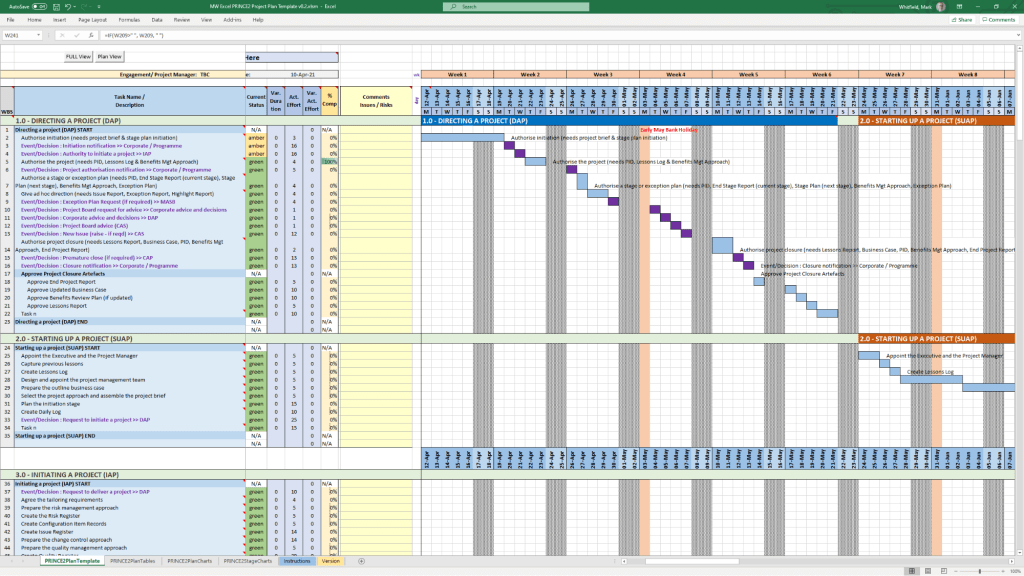
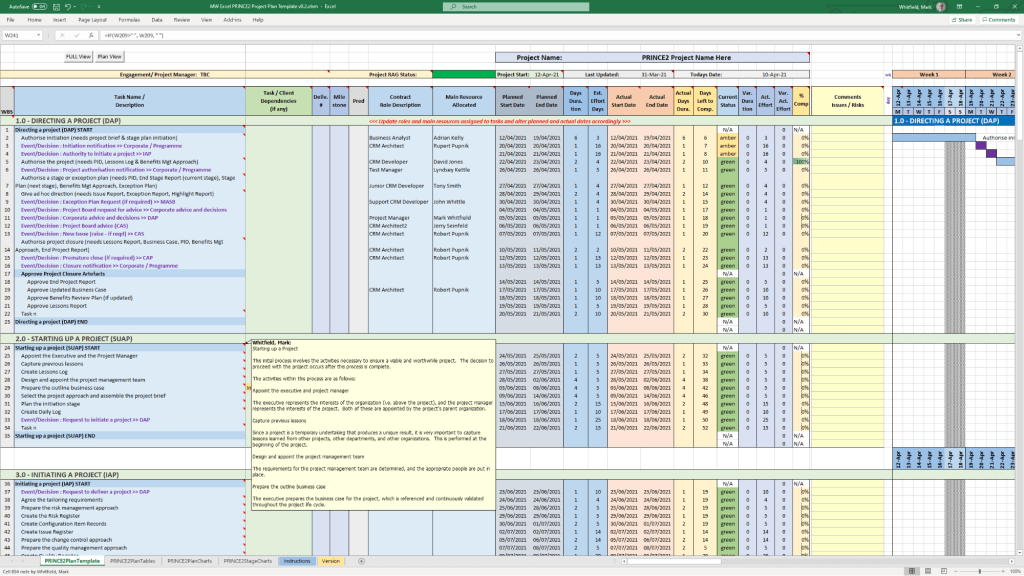
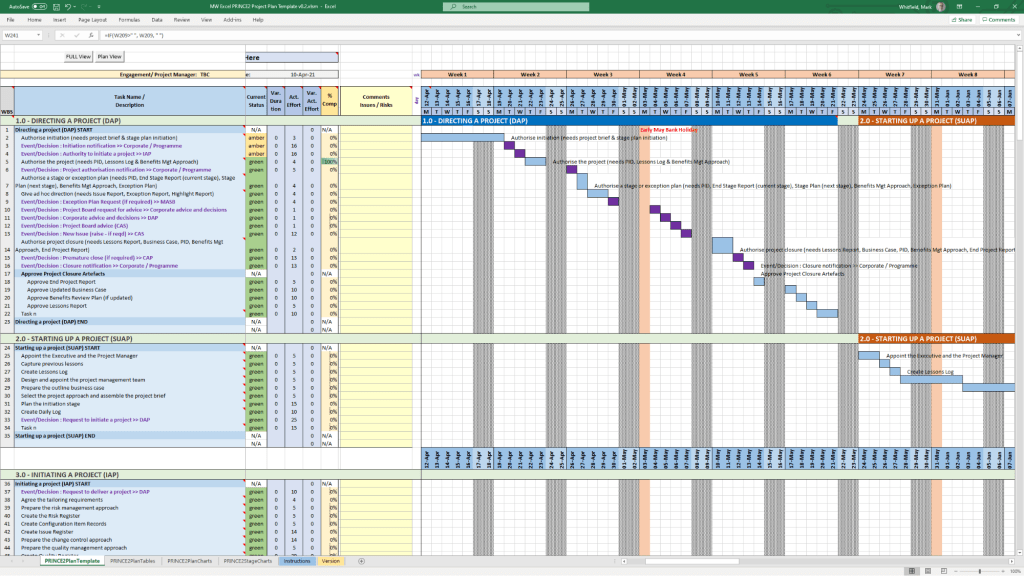
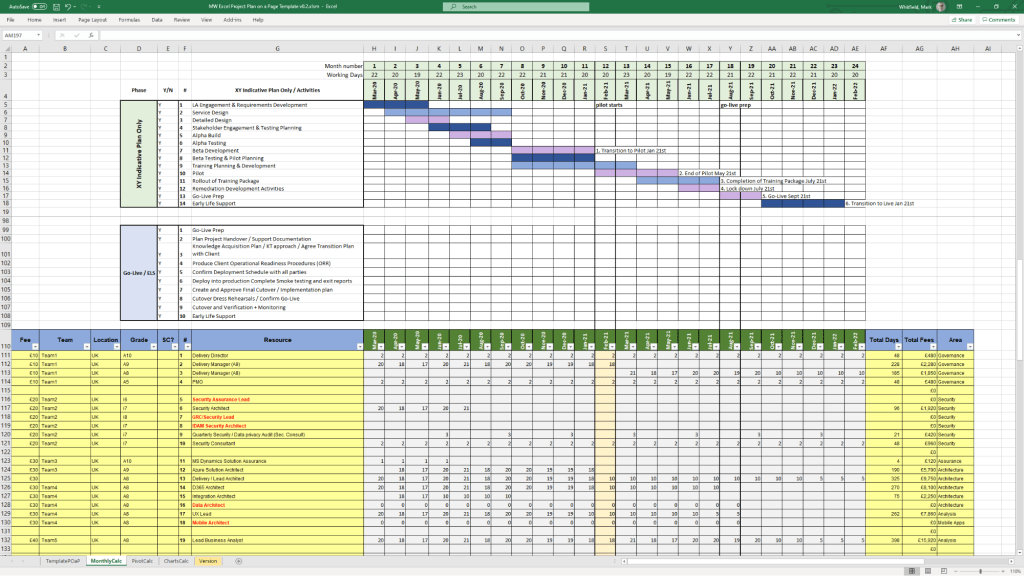
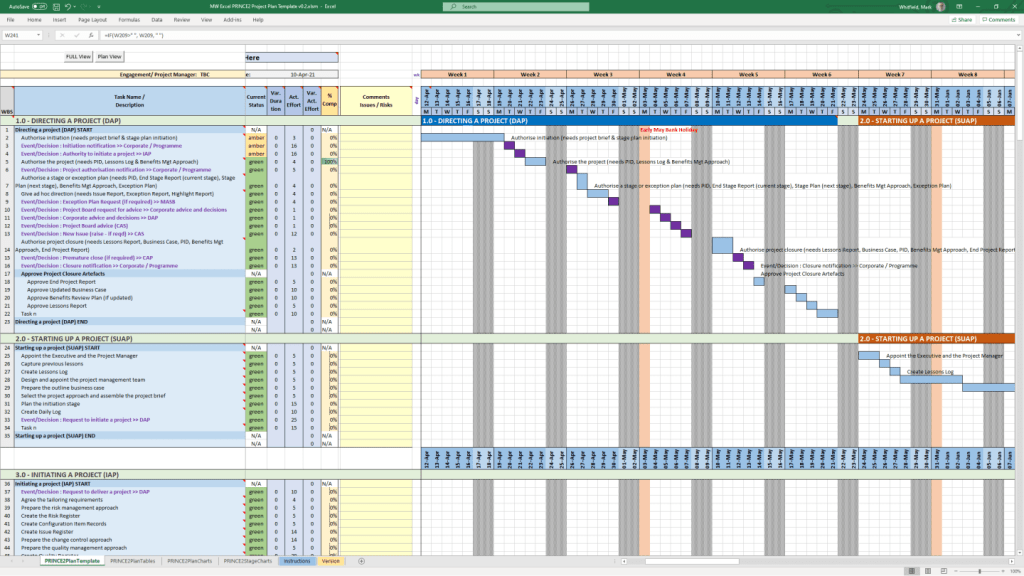
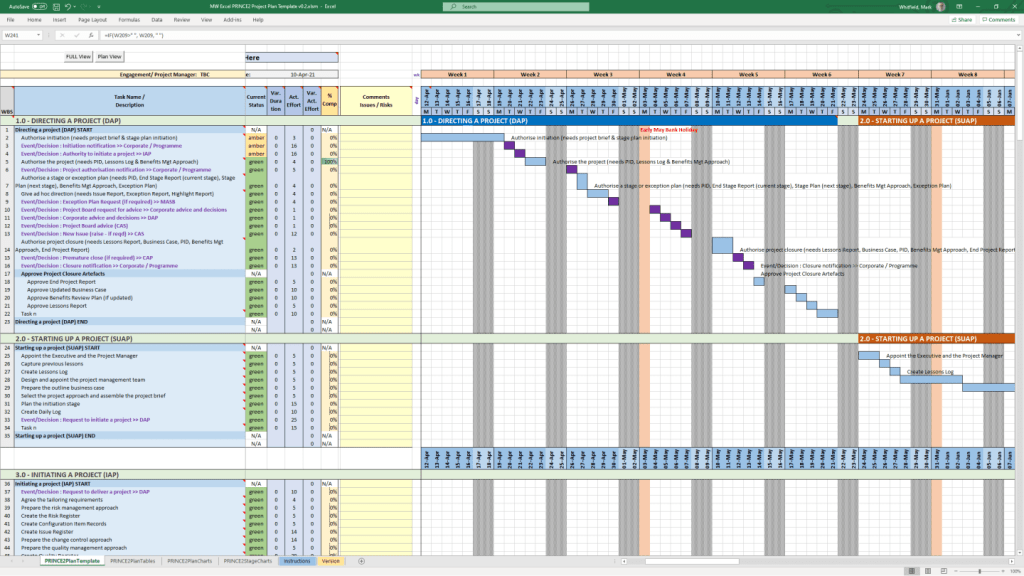
Mark Whitfield’s project management templates offer a range of timeline and planning views designed for Agile, Waterfall, and PRINCE2 delivery. These templates typically include a high-level Plan on a Page (POaP) and detailed Microsoft Project (MPP) or Excel schedules. 

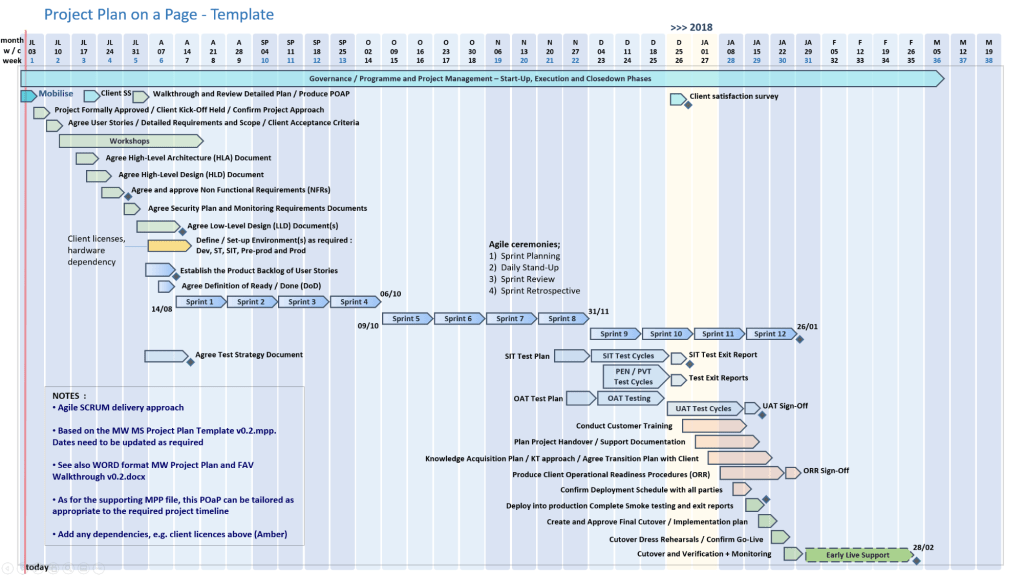
Example Plan on a Page POaP

Timeline & Planning Views

  • Plan on a Page (POaP): A high-level summary view (often in PowerPoint or Excel) used to communicate key phases and milestones to stakeholders without the clutter of a full Gantt chart.
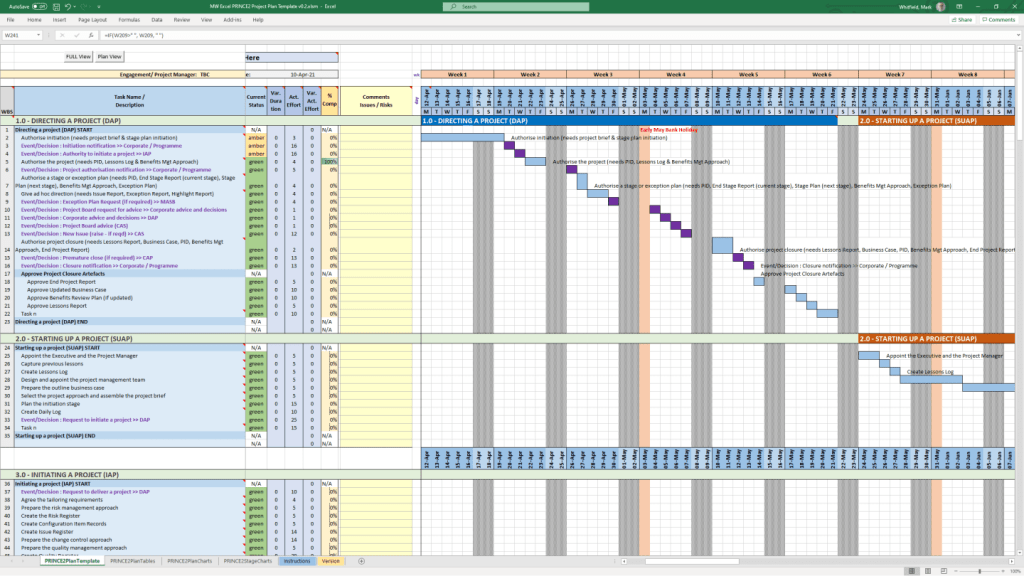
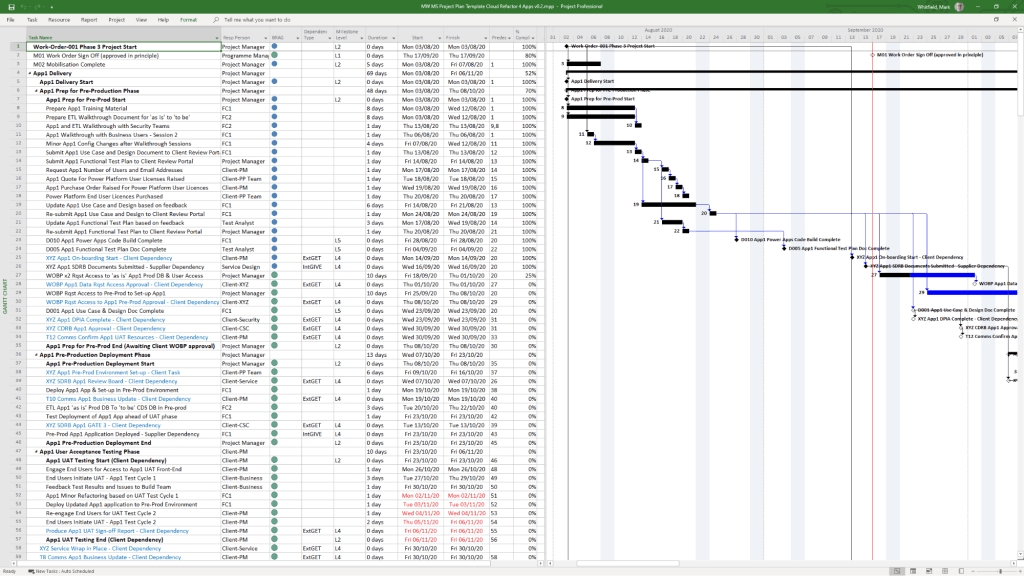
  • Detailed Gantt Charts: Provided in both Microsoft Project (MPP) and Excel, these timelines include task dependencies, resource allocations, and critical path tracking.
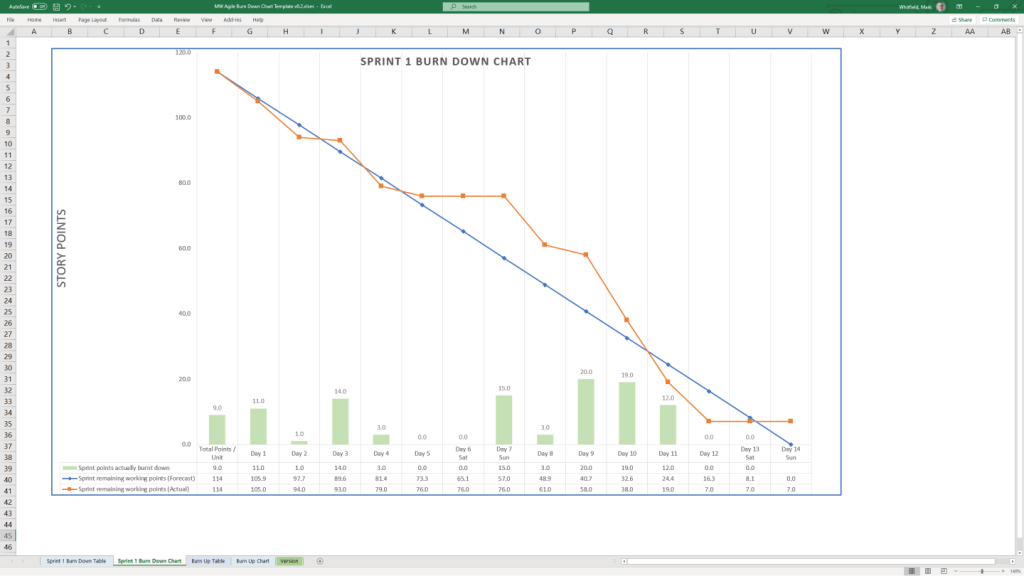
  • Agile Sprint Timelines: Specialized views for tracking 2–4 week sprints, daily stand-ups, and sprint retrospectives within a broader project framework.
  • SDLC Progression: The templates are often structured around a typical Software Development Life-cycle (SDLC), moving from Inception to Transition and Early Live Support (ELS). 

Key Timeline Components

The templates are pre-configured with several essential timeline elements: 

  1. Project Start & End Dates: Easily adjustable fields that automatically update durations and downstream tasks.
  2. Milestones & Gateways: Visual markers for critical sign-off points and delivery stages.
  3. Task Dependencies: Pre-built links that show how delays in one area (e.g., hardware delivery) impact the overall project finish date.
  4. Resource View: Timelines integrated with resource calendars to account for holidays and leave. 

You can find the full package of over 200 editable templates, which include these timeline views and RAID logs, on Mark Whitfield’s official website or via his Etsy store

Project Management Templates Bundle FREE Upgrades

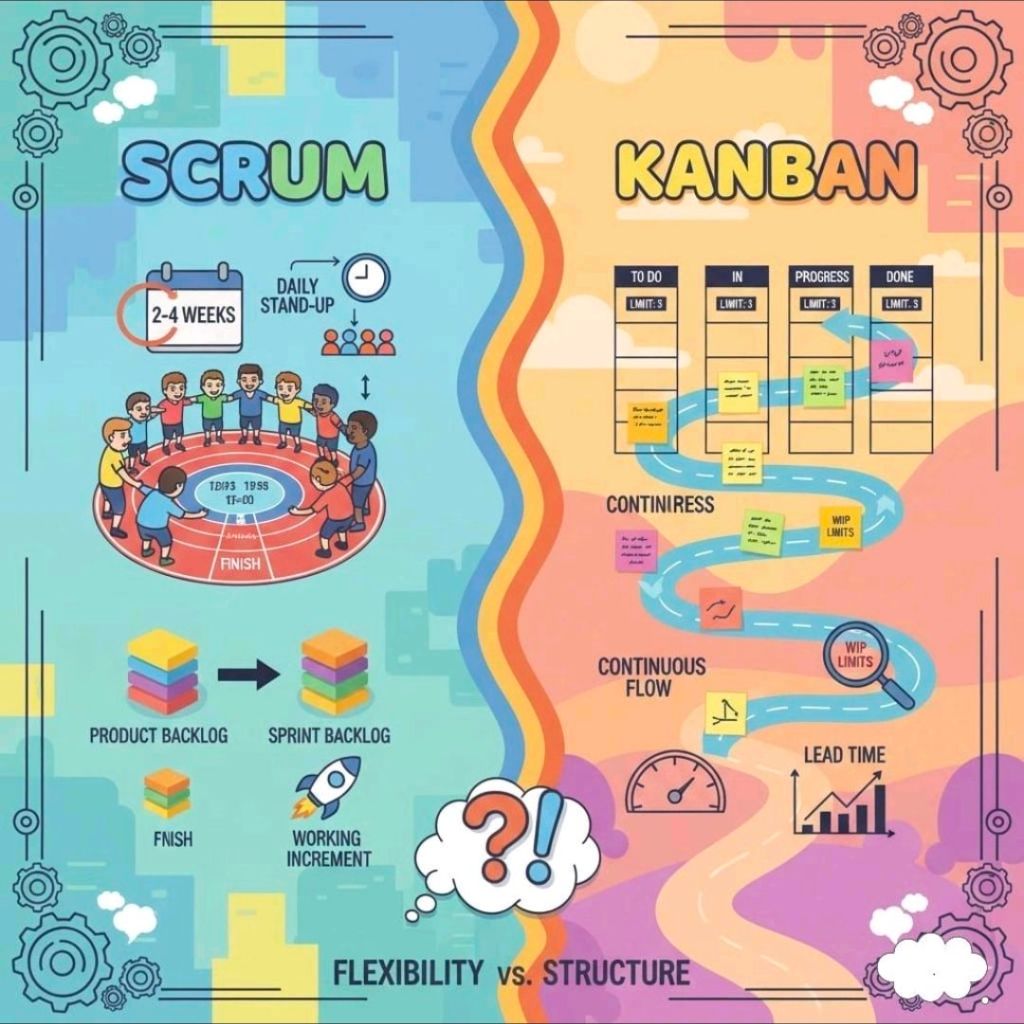
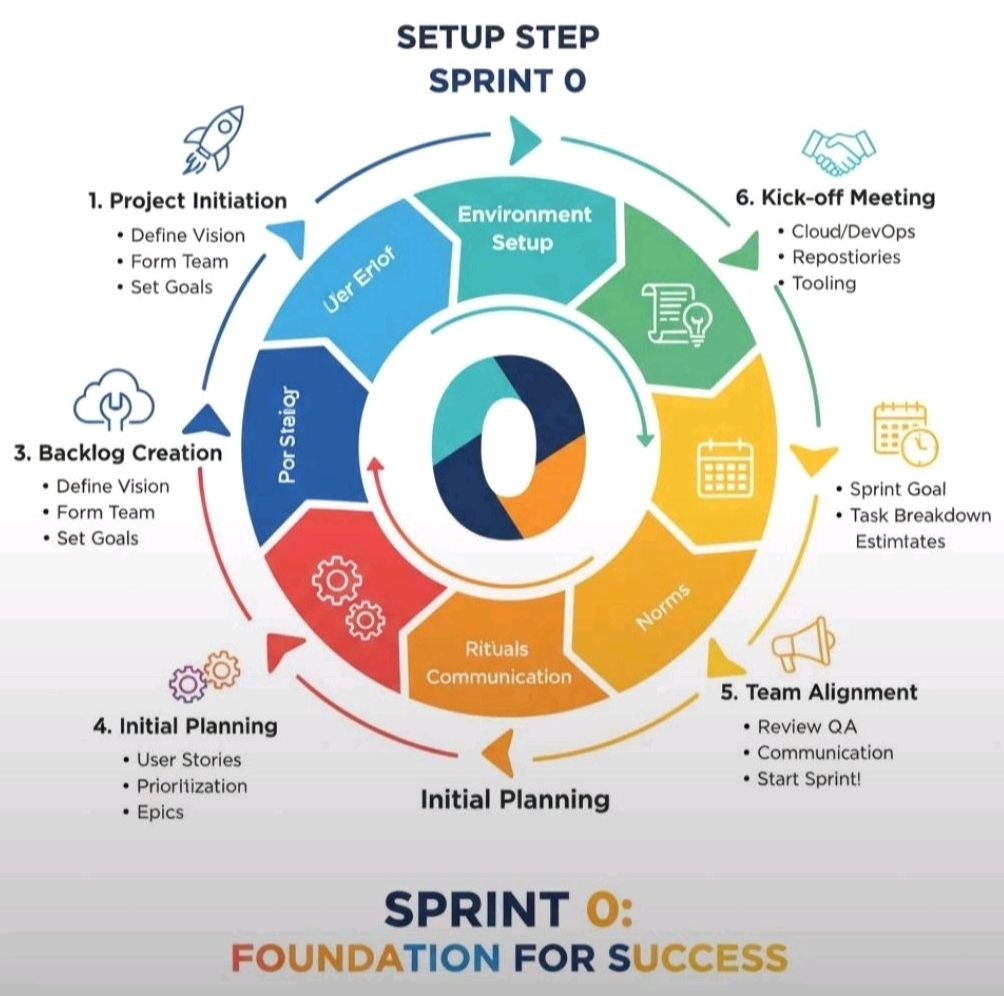
Agile Scrum Timeline and Overview

In Scrum, the “timeline” is typically structured as a repeatable, time-boxed cycle known as a Sprint, which usually lasts between one and four weeks. Each sprint follows a strict sequence of “ceremonies” designed to ensure constant delivery and feedback. 

The Standard Sprint Timeline (2-Week Example)

The following is a common chronological breakdown of a typical 10-day (two-week) sprint:

  1. Day 1: Sprint Planning
    • Goal: Define what will be delivered and how.
    • Activity: The Product Owner presents prioritized items from the Product Backlog. The team selects items to move into the Sprint Backlog.
  2. Days 2–9: Development & Daily Scrum
    • Development: The team works in parallel on design, coding, and testing.
    • Daily Scrum: A 15-minute “stand-up” held every morning. Team members sync on progress and identify blockers.
  3. Ongoing: Backlog Refinement
    • Goal: Prepare for future sprints.
    • Activity: The team reviews upcoming backlog items to ensure they are “ready” for the next planning session.
  4. Day 10: Sprint Review & Retrospective
    • Sprint Review: A demo for stakeholders to show the Product Increment (completed work) and gather feedback.
    • Sprint Retrospective: An internal meeting where the team reflects on their process to improve for the next cycle. 

Strategic Project Phases

While the sprint is the heart of execution, a broader Agile project often follows these foundational stages: 

  • Concept/Ideation: Defining project vision, high-level requirements, and initial scope.
  • Inception: Building the team, setting up architecture, and creating a mock-up.
  • Construction (Iterative Sprints): The primary execution phase consisting of multiple back-to-back sprints.
  • Release/Deployment: Final testing, security checks, and launching the product increment to production.
  • Maintenance & Operations: Ongoing support, bug fixes, and incorporating user feedback into new sprints. 

Time Allocation (The 15/10/5 Rule)

For a standard sprint, many teams use a percentage-based guide to manage ceremony time: 

  • 15% for Sprint Planning.
  • 10% for Sprint Review.
  • 5% for Sprint Retrospective. 

For more hands-on planning, tools like the Wrike Sprint Template or Jira Timelines can help visualize these cycles across a long-term roadmap.

Agile Scrum Timeline and Overview

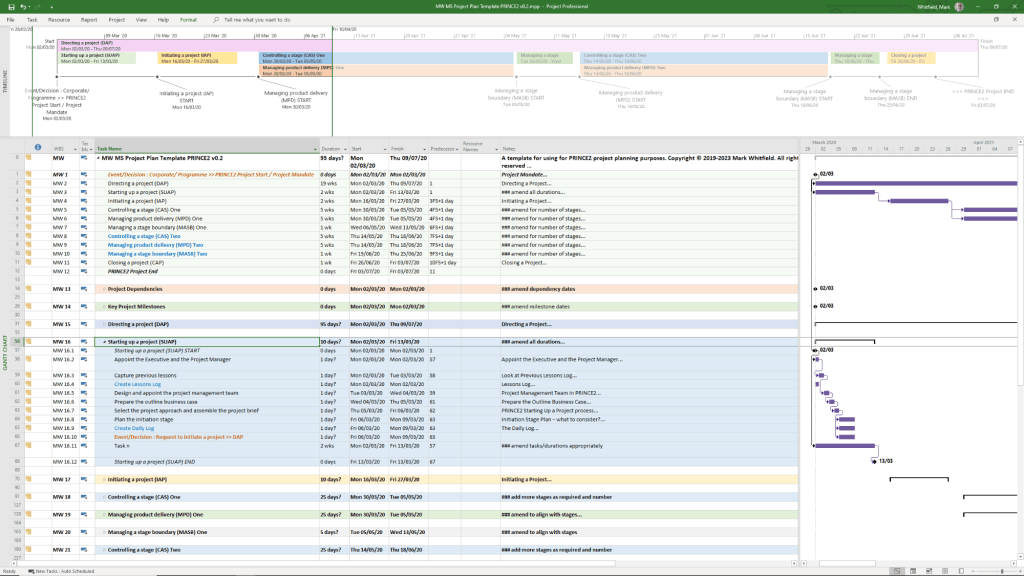
PRINCE2 – PRojects IN Controlled Environments – Timeline

PRINCE2 (PRojects IN Controlled Environments) has evolved from a rigid, IT-specific framework into a globally recognised, flexible project management standard. 

Historical Evolution Timeline

  • 1975: PROMPT Origins – Simpact Systems Ltd developed PROMPT (Project Resource Organisation Management and Planning Techniques) to address IT project overruns.
  • 1989: The Birth of PRINCE – The UK’s Central Computer and Telecommunications Agency (CCTA) licensed PROMPT, renaming it PRINCE (originally “PROMPT II IN the CCTA Environment”).
  • 1996: PRINCE2 Launch – Developed with input from 150 European organisations, PRINCE2 was released as a generic, scalable framework suitable for any industry.
  • 2000–2013: Ownership Shifts – Ownership moved from the CCTA to the Office of Government Commerce (OGC) in 2000, then to AXELOS Ltd (a joint venture) in 2013.
  • 2009: Major “Refresh” – Introduced the seven core principles and made the method more customisable.
  • 2017: 6th Edition Update – Formerly known as the “2017 Update,” this version focused heavily on scalability and tailoring to specific project needs.
  • 2021–Present: PeopleCert Era – PeopleCert acquired AXELOS in 2021. In 2023, PRINCE2 7 was launched, introducing a greater emphasis on people management and sustainability. 

Comprehensive Project Timeline Breakdown

A standard PRINCE2 project follows a lifecycle defined by seven processes

  1. Pre-Project: Starting up a Project (SU)
    • Ensures the project is viable and worthwhile.
    • Key Output: Project Brief.
  2. Initiation: Initiating a Project (IP)
  3. High-Level Oversight: Directing a Project (DP)
    • An ongoing process where the Project Board provides guidance and makes key decisions without managing day-to-day tasks.
  4. Day-to-Day Management: Controlling a Stage (CS)
    • The Project Manager monitors work, manages risks, and reports progress for each individual stage.
  5. Technical Delivery: Managing Product Delivery (MP)
    • The Team Manager ensures products (deliverables) are created, tested, and handed over according to specifications.
  6. Transition: Managing a Stage Boundary (SB)
  7. Finalisation: Closing a Project (CP)
    • The formal decommissioning of the project, ensuring all products are accepted and lessons are documented. 

PRINCE2 – PRojects IN Controlled Environments

Mark Whitfield IT Career Timeline, AI generated from Google

The technical timeline for 

Mark Whitfield, an SC cleared, Senior IT Project Manager and Engagement Manager, spans over 30 years and transitions from specialized banking software development to high-level project leadership and cloud migrations. 

Professional Career Timeline

  • 1990 – 1994: Programmer at The Software Partnership (later Deluxe Data). Developed electronic banking software (sp/ARCHITECT-BANK) on Tandem Computers (now HPE NonStop) for major banks like TSB and Bank of Scotland.
  • 1994 – 1995: Lead Analyst at Deluxe Data International, continuing support and development for banking customer systems.
  • 1995 – 2013: Project Manager of Strategic Technical Initiatives at Insider Technologies Limited. Oversaw projects involving Reflex 80:20, Sentra development, and corporate website authoring.
  • 2013 – 2014: Project Manager (Banking Division) at Wincor Nixdorf Limited, focusing on professional services for the banking sector.
  • 2014 – 2016: Senior Digital Project Manager at Betfred Limited, managing the Online and Mobile Division.
  • 2016 – Present:Engagement Manager / Senior PM at Capgemini UK.
    • 2016: Led a £4.3M data centre migration for Royal Mail (RMG) involving 1,100+ interfaces.
    • 2018 – 2019: Augmented into MuleSoft as a Delivery Manager for the Anypoint Platform.
    • 2020 – Present: Leading a £13.5M cloud migration program moving 130 UK government apps to Azure and AWS. 

Technical Training & Education

Whitfield maintains an active Professional Training timeline to adapt to changing technologies:

  • 1990: Graduated in Computing.
  • 1995: HP NonStop TAL Programming and Performance Tuning.
  • 1997: C/C++ Programming at Comtec.
  • 2006 – 2009: Deep dive into security and databases, including Cryptography, Thales e-Security, and Microsoft SQL 2000.
  • 2011: Java and Google Android programming using Eclipse IDE.
  • 2014 – 2024: Advanced Microsoft Excel and AI-focused refreshers. 

He is also a Certified Engagement Manager and a registered PRINCE2 Practitioner proficient in both Agile Scrum and Waterfall methodologies.

The Strategy Loop

The Strategy Loop

Betfred Historical timeline

Betfred’s journey from a single shop in Salford to a global betting powerhouse is marked by bold innovations and high-profile acquisitions. 

Historical Timeline

  • 1967: Brothers Fred and Peter Done open their first betting shop in Salford, Greater Manchester, using winnings from a bet on England to win the 1966 World Cup.
  • 1984: Launch of the Lucky 15 bet, a major industry innovation that remains popular today.
  • 1997: The company expands to over 100 shops.
  • 1998: Fred Done becomes the first bookmaker to pay out early, paying on Manchester United to win the Premier League (only for Arsenal to win the title instead).
  • 1999: First major acquisition, purchasing 40 shops from the Demmy Racing Group.
  • 2004: The business is officially rebranded to Betfred. The company also launches its online betting site this year.
  • 2006: Betfred launches one of the industry’s first mobile betting platforms.
  • 2011: Wins the auction to buy The Tote from the UK government for £265 million.
  • 2016: Acquires 322 shops from Ladbrokes and Coral following their merger.
  • 2021: Fred Done steps down as CEO to become Chairman, with Joanne Whittaker taking over the CEO role.
  • 2024–2026: Significant global expansion, establishing a presence in South Africa and the United States, though later scaling back some US online operations in late 2025.

Operational Timelines (Payment & Payouts)

If you are looking for current service timelines for transactions, here are the standard processing windows as of February 2026:

  • Withdrawal Processing: Betfred aims to approve requests within 48 hours.
  • Fastest Methods: Visa Direct and certain E-wallets (PayPal, Skrill) often arrive within 4 to 6 hours.
  • Standard Methods: Bank transfers typically take 2 to 5 working days.
  • Free Bet Credit: Usually credited within 10 hours of a qualifying bet being settled.
My time at Betfred, Wigan

Betfred Historical timeline

Capgemini’s evolution from a small French startup to a global IT leader

Capgemini’s evolution from a small French startup to a global IT leader is marked by strategic mergers and a shift toward high-growth technologies like AI. 

Corporate History Timeline

  • 1967: Serge Kampf founded Sogeti in Grenoble, France, focusing on enterprise management and data processing.
  • 1973–1975: Through hostile takeovers and mergers with CAP and Gemini Computer Systems, the group became CAP Gemini Sogeti.
  • 1985–1988: The company was listed on the Paris Stock Exchange (1985) and entered the CAC 40 index (1988).
  • 1996: The name was simplified to Cap Gemini, and a new logo was launched.
  • 2000: Acquired Ernst & Young Consulting for $11 billion, expanding its global reach, especially in North America.
  • 2004: The brand officially became Capgemini to reflect a unified global identity.
  • 2015: Acquired iGate for $4 billion, making North America its largest market.
  • 2019–2021: Acquired Altran (2019), later rebranded as Capgemini Engineering (2021), to dominate the engineering and R&D services sector.
  • 2024–2025: The strategic focus shifted to AI. In July 2025, Capgemini announced a €3.3 billion deal to acquire WNS Global Services to bolster its agentic AI and intelligent operations. 

Recruitment & Career Timelines

The hiring process typically follows this path:

  • Hiring Process: Usually takes a few weeks, involving application screening, multiple interview rounds (technical and HR), and background verification.
  • Graduate/Mass Hiring: Often conducted via the Superset platform, where status updates like “offered” appear roughly a week after interviews.
  • Graduate Programme: The Accelerate Programme (UK) spans approximately 21 months, starting with a 3-month business overview followed by 18 months in a specific pathway academy.
My own Capgemini career path 2016 – 2025
C&CA UK’s Communications & Engagement Award Winner 2022 – Cloud & Custom Applications – Capgemini UK
Campus – Serge Kampf Les Fontaines, Chantilly, France – Advanced EM Course – November 2017 Class – 2nd from left
November 2017 – Advanced Engagement Management Course – Level 2 Exam

Capgemini’s evolution from a small French startup to a global IT leader

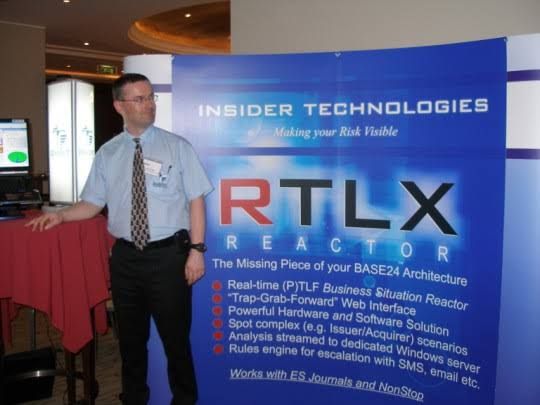
Insider Technologies Limited, Manchester – from Google AI

Insider Technologies Limited is a UK-based software and services company founded in 1989 that specialises in 24×7 mission-critical systems, primarily for the financial, government, and defence sectors. 

Key Historical Timeline

  • 1989: Foundation. The company was incorporated on 27 February 1989. It was established in Manchester, England, by IT industry veterans.
  • 1995–2013: Growth & Partnerships.
    • Became a significant HP Partner, developing solutions for the HP NonStop platform (formerly Tandem Computers).
    • Expanded its client base to include major institutions such as the Bank of EnglandRoyal Bank of Scotland, and Euroclear.
  • 2002: Training Platform Launch. Founded its interactive systems training platform, which eventually utilised its patented Cloning Technology.
  • 2015: Leadership Transition. In October 2015, there was a major change in the board with the termination of appointments for directors Paul Cashmore, Richard Launder, and Anthony Mowatt, and the appointment of Andrew Donald Hall as a director.
  • 2016–2017: Relocation. The company moved its registered office to 4th Floor, 2 City Approach in Eccles, Manchester, where it remains today.
  • 2019: 30th Anniversary. Celebrated 30 years of operations, highlighting its long-term stability in the NonStop business technology community.
  • 2020–2021: Recent Restructuring. Transitioned its ownership structure under Insider Technologies (Holdings) Limited.
  • 2025: Current Status.
    • Now operates as part of the PartnerOne group, a global family of mission-critical software companies.
    • Continues as a Microsoft Gold Partner for Application Development.
    • Recent board changes include the appointment of Andrew Donald Hall and Jonathan Dionne as directors in late 2025. 

Core Product Evolution

  • Reflex & MultiBatch: Software for business-critical 24×7 systems.
  • Sentra & RTLX Reactor: Monitoring and tracking products for Windows, Linux, and Unix platforms.
  • Mission-Critical Support: Provides 24×7 technical support for high-stakes payment and messaging systems.

Capgemini C&CA UKs Communications and Engagement Award Winner – Cloud and Custom Applications

Capgemini C&CA UKs Communications and Engagement Award Winner – Cloud and Custom Applications

Project Management Terms Explained Overview

Project Management Terms Explained Overview