European BASE24 User Group (EBUG) dedicated to the BASE24 payment processing system

The European BASE24 User Group (EBUG) was a prominent, community-led organization dedicated to the BASE24 payment processing system. It served as a vital hub for financial institutions and vendors to exchange technical knowledge, discuss platform migrations, and influence the development of ACI Worldwide products. 

Group Overview

  • Primary Purpose: EBUG facilitated networking and technical collaboration among users of the BASE24 ecosystem, including the BASE24 Classic and BASE24-eps platforms.
  • Evolution of Scope: While it began with a strict focus on BASE24, it eventually expanded to include other ACI products like Postilion.
  • Independence: The group shifted from being an ACI-sponsored event to a supplier-agnostic forum known as “The Payments Knowledge Forum” after ACI ended its direct involvement.
  • Legacy Transformation: In its later years, it was affectionately referred to as the “Everybody Belongs User’s Group”, reflecting its inclusive stance as “The Independent Group for All Payments System Users”. 

Detailed Timeline

The history of EBUG is marked by its annual conferences held in major European cities and its eventual transition to an independent entity: 

  • 1980s: EBUG is established as a regional group for the growing BASE24 community in Europe.
  • Early 2000s: EBUG events gain prestige, featuring technical tracks on HPE NonStop transaction monitoring and payment security.
  • 2006–2008: High-profile meetings held in cities such as Istanbul (2007) and Vienna (2008). The 2008 Vienna event was notable for discussing ACI’s strategic shift toward IBM platforms.
  • 2009: The conference takes place in Prague, continuing strong support for BASE24 on NonStop despite broader industry shifts.
  • 2012: The Technical Focus Group (TFG) is held in London at Trinity House. This marks a turning point as the event moved off ACI’s premises, signaling a shift in sponsorship dynamics.
  • 2013: EBUG holds a major forum in Westminster, London, at the Institution of Civil Engineers. By this time, it is officially rebranding toward the broader “Payments Knowledge Forum”.
  • 2015: EBUG fully transitions into the Payments Knowledge Forum, an annual gathering in London that continues the 30-year legacy as an independent, supplier-agnostic body.

……….

The Payments Knowledge Forum (PKF) is an independent, user-led resource dedicated to the exchange of information regarding payment systems. It operates without vendor affiliation, bringing together financial institutions, retailers, processors, and consultants to share practical expertise and shape the future of payment activities. 

Overview of the Payments Knowledge Forum

  • Purpose: PKF serves as a collaborative hub for payment system users to discuss industry challenges, regulatory changes, and technical innovations.
  • Composition: The forum is open to a wide range of industry stakeholders, including:
    • Financial Institutions: Banks and building societies.
    • Retailers: Businesses focusing on consumer point-of-sale and e-commerce.
    • Payments Processors: Entities managing the technical execution of transactions.
    • Consultants: Experts providing strategic and technical guidance.
  • Governance: It is uniquely “run by users for the benefit of users,” ensuring that the information shared is neutral and prioritises the operational needs of the participants over commercial vendor interests.
  • Activities: PKF hosts regular events and an annual conference to address evolving topics such as ISO 20022 migration, central bank digital currencies (CBDC), and security frameworks like PSD2.

Detailed Timeline of Major Payment Milestones

The following timeline tracks critical industry milestones often discussed and addressed within the forum’s scope:

  • 2015: The Payments Strategy Forum was established by the UK Payment Systems Regulator (PSR) to create a long-term roadmap for UK payments.
  • November 2016: Publication of the “Payments Strategy for the 21st Century,” introducing concepts like Request to Pay and enhanced data standards.
  • March 2018: Regulatory Technical Standards (RTS) for PSD2 were published, initiating the transition to Strong Customer Authentication (SCA).
  • November 2018: Launch of TARGET Instant Payment Settlement (TIPS), enabling real-time fund transfers across Europe.
  • September 2019: Full implementation of PSD2 security measures, including the requirement for standardised API interfaces for third-party access.
  • 2020–2024: Acceleration of digital payment adoption following the COVID-19 pandemic, with a notable decline in cash usage at points of sale.
  • October 2021: The Financial Stability Board (FSB) published global targets for cost, speed, and transparency in cross-border payments.
  • February 2024: Swedish krona successfully onboarded to the TIPS platform.
  • April 2025: Danish kroner scheduled for onboarding to the TIPS system.
  • September 2025: Publication of the Digital Euro innovation platform outcome report, detailing findings for future development.
  • April 2026: Review of the Senior Managers and Certification Regime (SM&CR) to enhance accountability in financial services.
  • June 2026: Deadline for firms to demonstrate credible timetables for addressing climate-related financial risks.
  • 2026 (Targeted): Anticipated go-live dates for enhanced access to the CHAPS high-value payment system.

Annual Conference & Resources

The PKF holds an annual conference that serves as its primary knowledge-sharing event.

  • Recent/Upcoming: The 2026 Conference continues the forum’s tradition of deep-diving into operational resilience and the digital transformation of finance.
  • Direct Access: For the latest news and detailed membership information, visit the The Payments Knowledge Forum Official Site. 

……….

Some HPE NonStop BASE24 related User groups on LinkedIn :

BASE24 BASE24-eps User Group Forum | HP NonStop Tandem NSK IBM SUN Windows – News Events Discussion
https://www.linkedin.com/groups/51296/

PCI DSS Compliant Payments Transactions Compliance Monitoring Alerting Querying Archiving Reporting
https://www.linkedin.com/groups/146595/

HPE NonStop Tandem | Guardian OSS Performance Monitoring Management Integrity Blade Itanium ServerNet
https://www.linkedin.com/groups/165816/

BASE24 BASE24-eps – HP NonStop Tandem IBM SUN – Open System Services OSS RealTime – Experts Users
https://www.linkedin.com/groups/150095/

SATUG Southern African HP NonStop Tandem NSK Server User Group – SATUG
https://www.linkedin.com/groups/81881/

Payment Engine Applications Forum | Retail and Wholesale | HP NonStop NSK Tandem SUN IBM Windows
https://www.linkedin.com/groups/80773/

HPE NonStop Tandem NSK OSS Open System Services Monitoring – Users, Experts and Technical Authorities 
https://www.linkedin.com/groups/80740/

Job Batch Scheduling | HP NonStop Tandem Guardian Open System Services OSS Servernet Integrity Blade  
https://www.linkedin.com/groups/78111/

AI Made Websites, Advantages & Disadvantages

AI Made Websites, Advantages & Disadvantages

Mark Whitfield is a highly experienced, SC-cleared Senior Engagement Project Manager

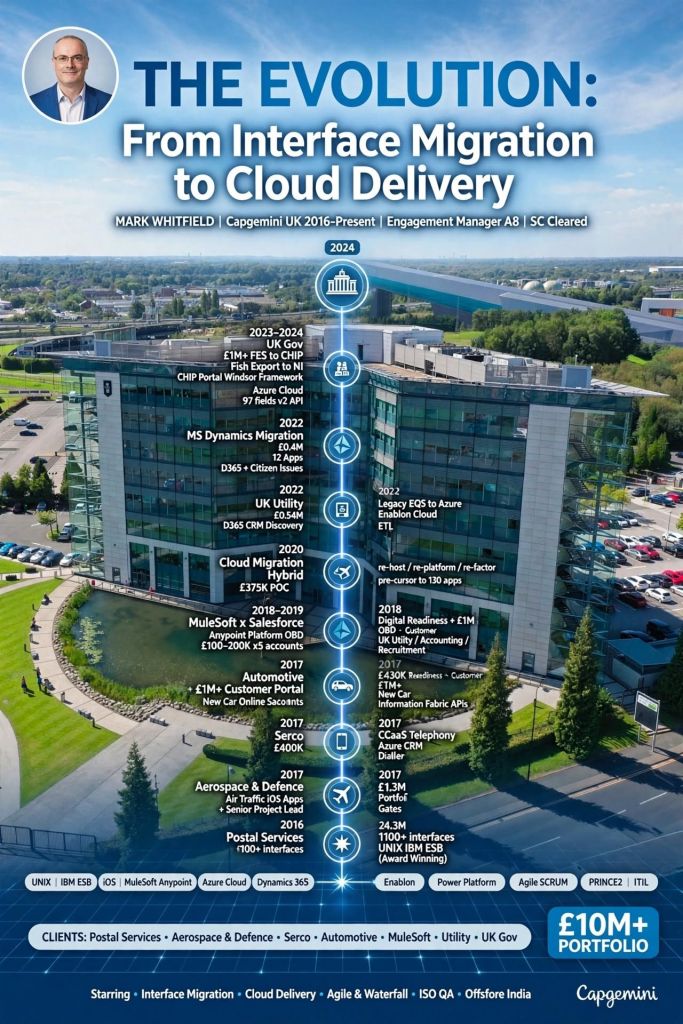
Mark Whitfield is a highly experienced, SC-cleared Senior Engagement Project Manager at Capgemini UK (2016–present), specialising in complex Agile and Waterfall digital transformations, cloud migrations (Azure/AWS), and application modernisation.

Based in Manchester, he has delivered high-value projects for government, automotive, and aerospace sectors, often acting as a key client-side technical lead. 

Key Capgemini Projects and Account Experience (2016–Present)

  • UK Government – Fish Export Service (£1m+): Served as Technical Delivery Manager (Nov 2023–Feb 2024), leading two Agile Scrum teams to build a CHIP inspection portal, extending APIs in MS Azure cloud.
  • UK Government – MS Dynamics Cloud Migration (£1m+): Managed start-up and delivery of Azure Cloud projects (Nov 2022), including migrating 12 Dynamics 2016 apps to Dynamics 365 Online.
  • UK Utility Industry – Cloud Migration (£0.5m+): Led the transition from a legacy document management system (EQS) to Microsoft Azure product Enablon.
  • Automotive – Digital Transformation (£1m+): As Engagement Manager (Oct 2017), managed a £670K Customer Portal/New Car Online Sales project and a £430K Digital Readiness project at the Aston Agile Delivery Centre.
  • Postal Services – Migration Project (£4.3m): Acted as PM for a major migration of 1100+ interfaces between data centres in 2016.
  • Aerospace & Defence – iOS App Delivery: Led Agile delivery of new Apple iOS apps for a UK-wide air traffic organisation, handling sensitive military and public-facing data. 

Specialised Skills and Roles

  • Roles: Engagement Manager (A8), Senior Project Manager, Technical Delivery Manager, Delivery Manager.
  • Certifications: Registered PRINCE2 Practitioner, Certified Engagement Manager (Capgemini Advanced EM Course), Agile SCRUM, ITIL, and AZ-900 Azure Fundamentals.
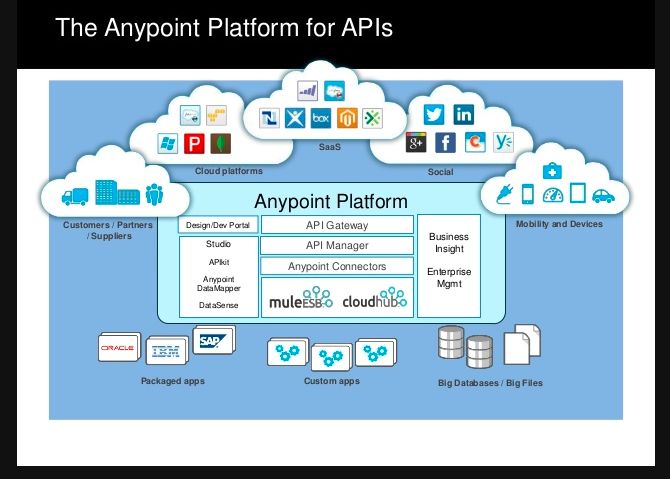
  • Expertise: Software Development Lifecycle (SDLC), Cloud Migrations (Azure/AWS), MuleSoft Anypoint Platform, Refactor/Re-host/Re-platform patterns.
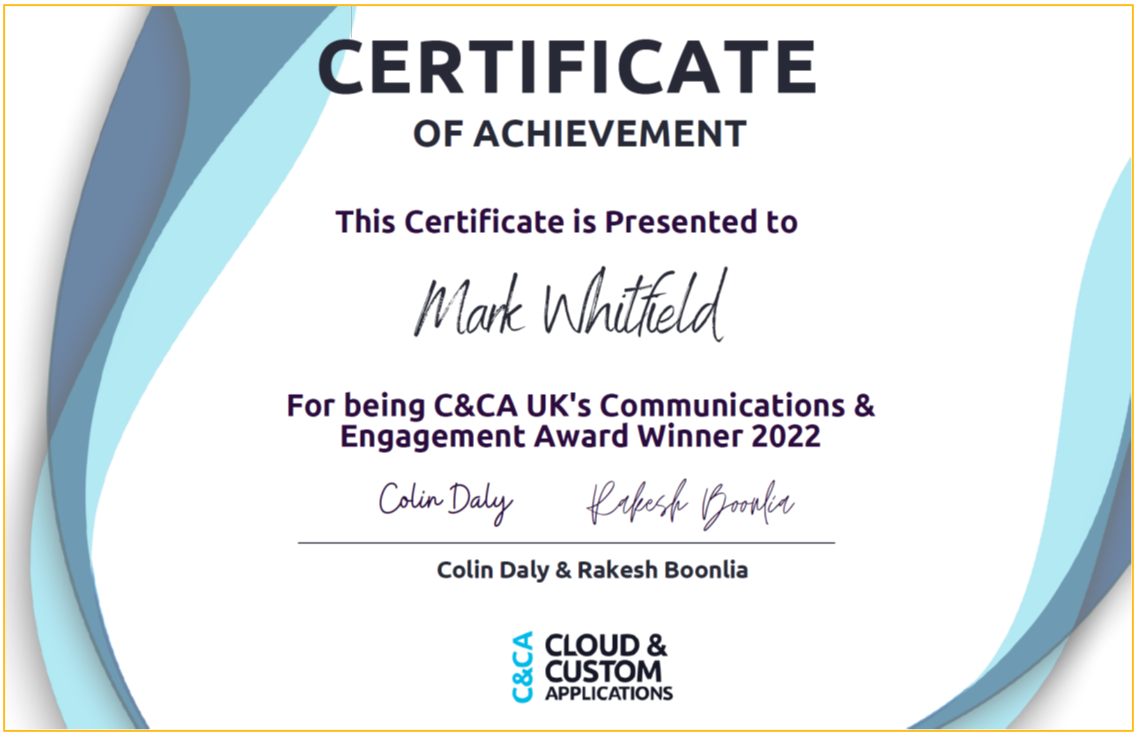
  • Recognition: C&CA UK’s Communications & Engagement Award Winner 2022 for Cloud & Custom Applications. 

Previous Experience

  • MuleSoft (Oct 2018–June 2019): Augmented as a Delivery Manager, managing up to 5 UK accounts using Outcome Based Delivery (OBD) for API-led projects.
  • Betfred (2014–2016): Senior Digital Project Manager for online/mobile gambling platforms.
  • Wincor Nixdorf / Insider Technologies (1995–2013, see below also): Focused on HPE NonStop/BASE24 banking software and legacy ATM software replacement, including projects for Lloyds Banking Group and in Saudi Arabia. 

Mark is recognized for being a “no-ego” leader, proactive with detail, and highly effective at managing complex stakeholder environments, often providing a “barrier” for developers against challenging clients, according to colleague feedback. 

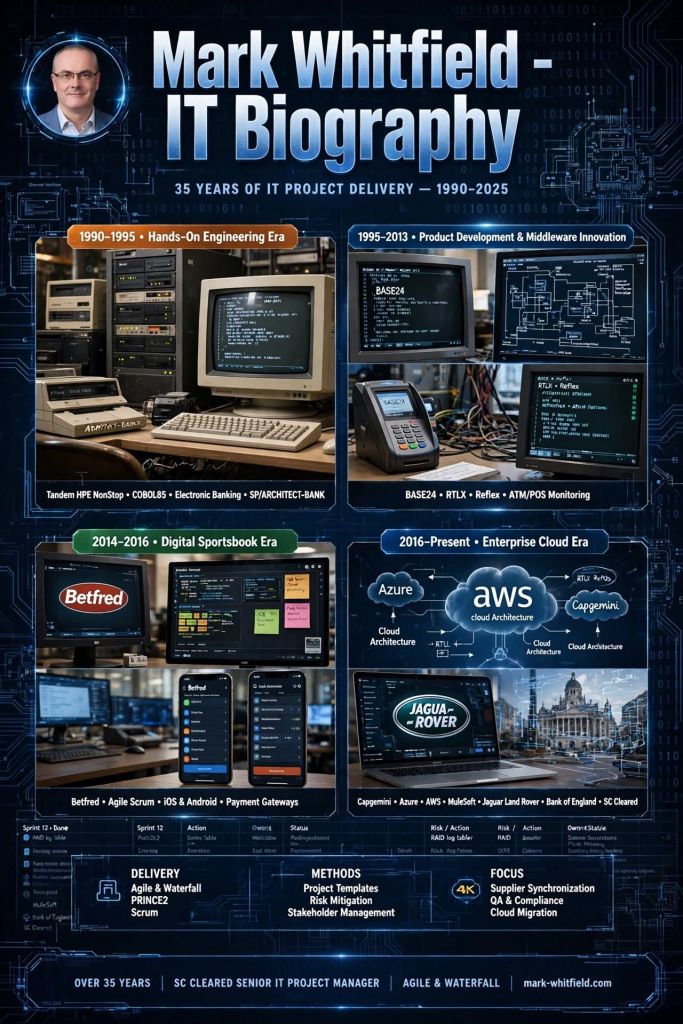
Mark Whitfield worked at Insider Technologies Limited (ITL) for 18 years, from 1995 to 2013. During his tenure, he progressed from technical roles to Manager of Strategic Technical Initiatives, serving as a Project Manager, Pre-sales Technical Consultant, and Team Lead. 

Below is his work focus broken down by era and project type for Insider Technologies Limited, Salford Quays:

Early Era: Technical Foundations & Product Support (1995 – Early 2000s)

Whitfield’s initial focus was heavily technical, providing hands-on support and development specifications for the company’s core HP NonStop (Tandem) banking products. 

  • Core Technical Support: Provided 24×7 technical support for major financial institutions including the Bank of EnglandRoyal Bank of Scotland, and Euroclear (formerly CRESTCo).
  • Security & Cryptography: Supported Thales e-SECURITY products (Security Resource Manager and SafeSign) running on NSK, Windows, and Unix platforms, focusing on cryptographic functions like MACcing and PKI verification for banking applications.
  • Developer Management: Acted as a manager for developers, providing technical details and specifications for implementation on NonStop development projects. 

Middle Era: Product Development & Design (Mid-2000s – 2008)

During this period, his role expanded into technical design and product management for new software solutions. 

  • XPERT24 Product Launch: Produced the technical design documents and program specifications for XPERT24 (XPNET Performance Monitoring and Tracking).
    • Designed it to monitor the XPNET layer of BASE24, specifically tracking ATM/POS transaction interchange counters.
    • Authored the supporting marketing literature and technical user manuals.
  • R&D Initiatives: Led research and development for BASE24 (P)TLF log file analysis, integrating the Windows-based product Sentra to provide graphical front-end interfaces.
  • HSBC Implementation (2008): Headed the team that successfully delivered mainframe ATM and POS monitoring software to HSBC bank

Late Era: Strategic Initiatives & Major Bids (2008 – 2013)

In his final years at ITL, he focused on large-scale business transformation and high-value project management. 

  • Strategic Technical Initiatives: Served as the Manager of Strategic Technical Initiatives, bridging the gap between sales and technical delivery.
  • LloydsTSB ‘OISS’ Replacement: Managed a major bid to replace the legacy “OISS” operations tool at LloydsTSB (which monitored 5,000 ATMs) with ITL’s Reflex ONE24 product.
    • Responsible for gap analysis, technical assessment, and project costing.
  • Architecture & Design Partnerships: Worked closely with joint architects at Alliance & Leicester (now Santander) on the design and development of what would become a primary product set.
  • Product Portfolio Oversight: Managed the lifecycle of primary products including Reflex 80:20Reflex ONE24, and the more recently introduced MultiBatch.

Mark Whitfield is a Senior IT Project Manager

Mark Whitfield is a Senior IT Project Manager and Engagement Manager with over 30 years of experience in the software development lifecycle (SDLC), specializing in digital transformation, payment systems, and HPE NonStop (Tandem) technology.

He is SC cleared (valid until 2031) and currently works at Capgemini UK, having transitioned from a technical programming background to senior project leadership roles. 

He is also the creator of PROject Templates, providing a comprehensive, editable suite of over 200 project management tools built over 24+ years of experience. 

Comprehensive Career Timeline by Era

1. Technical Foundations & Mainframe Development (1990–1995) 

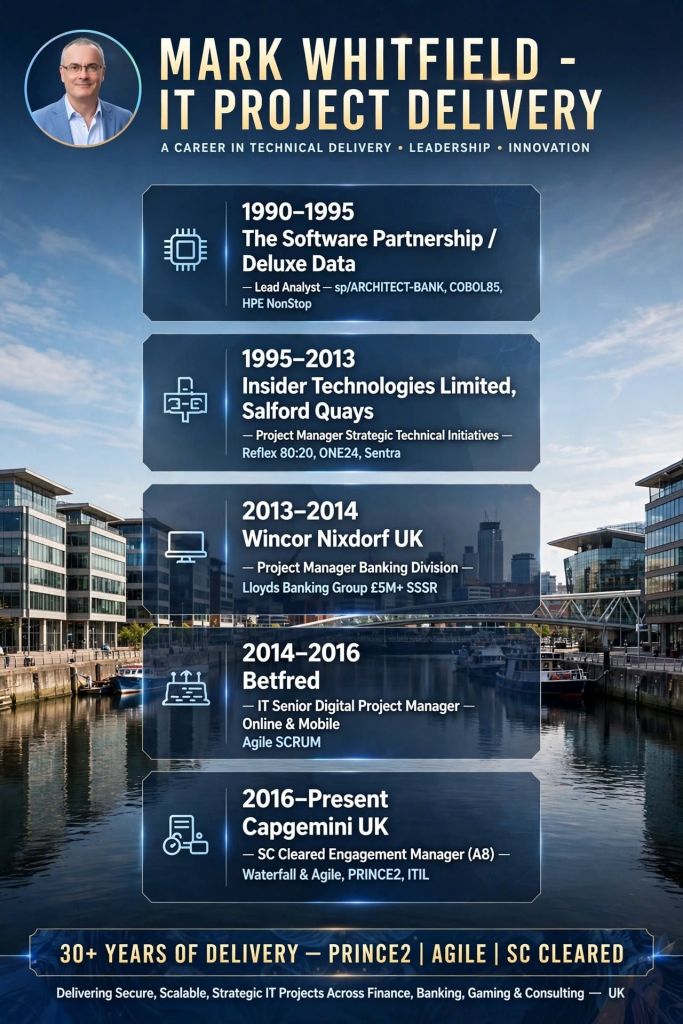
  • 1990: Graduated in Computing at University of Bolton; started as a programmer at The Software Partnership (later Deluxe Data), Runcorn.
  • 1990–1994: Specialised in electronic banking software (sp/ARCHITECT-BANK) on Tandem Mainframe Computers (HPE NonStop), developing in COBOL85 and NonStop SQL for major banks.
  • 1994: Developed batch billing modules for Barclays Business Master II (BBM II) on-site in Knutsford and Poole.

2. Advanced Technical Management & Product Focus (1995–2013) 

  • 1995–2013: Worked at Insider Technologies Limited as Senior Development Engineer/ Project Manager.
  • 1997: Conducted volume testing/benchmark software for CRESTCo (now Euroclear) on new S7000 hp NonStop nodes.
  • 2002: Managed and attained the first HP OpenView Operations 2-way Smart Plug-In (SPI) certification for the HPE NonStop platform.
  • 2000s (Early): Developed RTLX (Real-Time Log Extraction) for BASE24 POS and ATM transaction monitoring, collaborating with banking clients like HSBC and Global Payments.
  • 2013: Delivered a large BASE24 transaction tracking project at Al Rajhi Bank in Riyadh, Saudi Arabia. 

3. Senior Project Management & Banking Upgrades (2013–2016) 

  • 2013–2014: Senior Project Manager at Wincor Nixdorf UK, managing a £5M+ ATM/POS software replacement programme (Self-Service Software Replacement) for Lloyds Banking Group (LBG).
  • 2014–2016: Senior IT Digital Project Manager at Betfred, delivering online and mobile platform projects (iOS/Android) using Agile SCRUM. 

4. Digital Engagement & Cloud Transformation (2016–Present)

  • 2016: Joined Capgemini UK as a client-facing Engagement Manager (SC Cleared).
  • 2016–2017 (Aerospace): Managed Agile delivery for air traffic control iOS apps.
  • 2016–2017 (Postal): Project Manager for a £4.3M migration of 1100+ interfaces for a major postal client.
  • 2017–2018 (Automotive): Managed a £670K Customer Portal/ New Car Online Sales project and Digital Readiness project.
  • 2018–2019 (MuleSoft): Augmented as Delivery Manager for MuleSoft Professional Services, managing API-led projects.
  • 2020–Present (UK Government): Led various MS Azure and Cloud migration projects, including a £13.5m programme to migrate 130 UK government apps. 

Key Areas of Expertise

  • Methodologies: Agile (SCRUM), Waterfall, PRINCE2 Practitioner, ITIL.
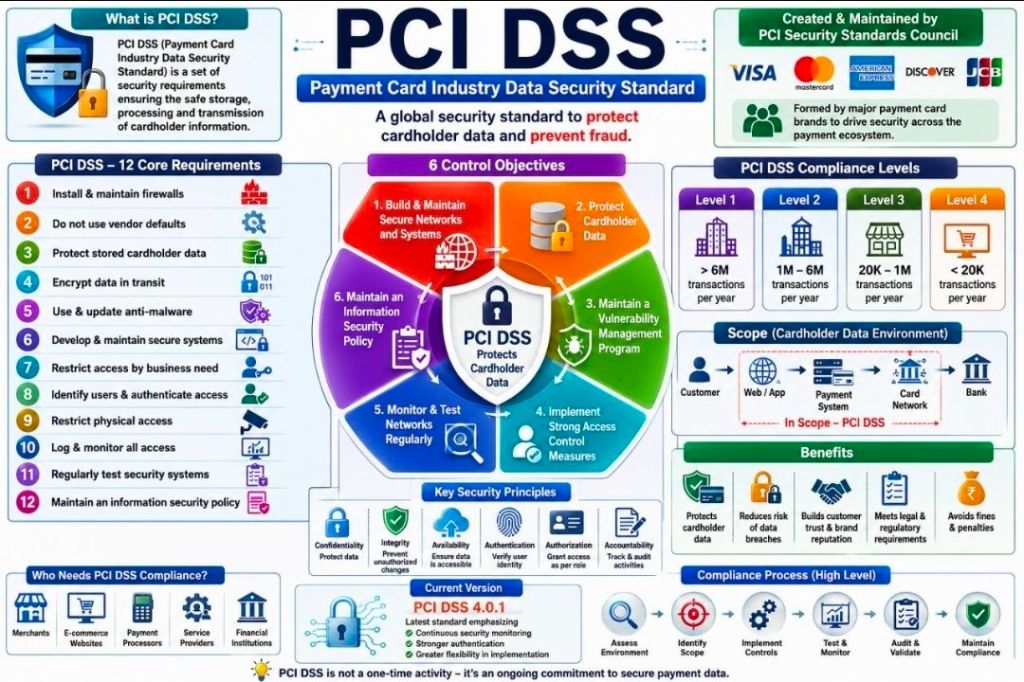
  • Technical Knowledge: HPE NonStop (Tandem), BASE24, Middleware, Cloud (AWS/Azure), PCI DSS Compliance.
  • Sector Experience: Retail Banking, Public Sector, Aerospace & Defence, Automotive, Gambling & Casino. 

PROject Templates Resource Overview

Mark Whitfield provides an extensive and fully editable project management template bundle (200+) developed from his 30+ year career. 

  • Format: Excel, PowerPoint (PPT), Word (DOC), and MS Project (.mpp msp mpt).
  • Key Templates:
    • Planning: Plan on a Page (POaP), Detailed Project Plans (Waterfall/Agile).
    • Tracking: RAID logs (Risk, Action, Issue, Dependency/Decision), Budget & Burn Tracking (Actuals vs Forecasts).
    • Governance: Status Reports, RACI, Stakeholder Analysis, Project Delivery Checklists.
  • Key Features: Designed for immediate use, fully customizable, and offers free lifelong upgrades and additions. 

Games Consoles Overview and Timeline by Era

This overview outlines the evolution of home video game consoles, structured by generational eras and key release years, covering major platforms from the 1970s to the 2020s. 

Overview of Console Eras (Generations)

  • First Generation (1972–1980): Birth of home gaming (dedicated, pre-built games).
  • Second Generation (1976–1984): Cartridge-based systems and the first “killer apps”.
  • Third Generation (1983–1990): 8-bit era, rescuing the industry from the 1983 crash.
  • Fourth Generation (1987–1996): 16-bit era, “console wars” (Sega vs. Nintendo).
  • Fifth Generation (1993–2001): 32/64-bit era, transition to 3D and CD-ROMs.
  • Sixth Generation (1998–2006): Online gaming, DVD support, and 3D perfection.
  • Seventh Generation (2005–2013): HD era and motion controls.
  • Eighth Generation (2012–2020): High-definition, integrated streaming, and hybrid gaming.
  • Ninth Generation (2020–Present): SSD, 4K resolution, and high framerates.

Detailed Historic Timeline (1972–2025)

Era 1: The Birth of Home Gaming (1970s) 

  • 1972: Magnavox Odyssey – The first home console. Lacked sound, color, and cartridges, relying on screen overlays.
  • 1975: Atari Home Pong – Dedicated console that brought arcade success to the home.
  • 1976: Fairchild Channel F – First programmable cartridge system, allowing new games without new hardware.
  • 1977: Atari 2600 (VCS) – Revolutionized gaming with popular cartridges (Space Invaders) and popularizing joysticks. 

Era 2: The Golden Age & The Crash (Early 1980s) 

  • 1979: Intellivision – Competed with Atari 2600 with better audio and graphics.
  • 1982: ColecoVision & Atari 5200 – Focused on superior graphics, leading to market saturation.
  • 1983: North American Video Game Crash – Caused by poor quality games (e.g., E.T.), low-cost home computers, and oversaturation.
  • 1983: Nintendo Famicom (Japan) – Revitalized the market in Japan. 

Era 3: 8-Bit Revolution (Mid-1980s) 

  • 1985: Nintendo Entertainment System (NES) – North American launch; saved the home industry with strict licensing and quality control.
  • 1986: Sega Master System – Competed with the NES but failed to gain top market share. 

Era 4: 16-Bit War (Late 1980s–Early 1990s) 

  • 1987: TurboGrafx-16 (PC Engine) – First “fourth gen” console, pushing 16-bit graphics.
  • 1988: Sega Genesis (Mega Drive) – Brought arcade hits and faster gameplay, challenging Nintendo.
  • 1990: Super Nintendo Entertainment System (SNES) – Nintendo’s 16-bit response, setting new standards for visuals and audio.
  • 1989: Nintendo Game Boy – Dominated the portable market with Tetris.

Era 5: The 3D & CD Revolution (Mid-1990s) 

  • 1993: 3DO & Atari Jaguar – Early, unsuccessful 32/64-bit entries.
  • 1994: Sony PlayStation – Entered the market, dominating with 3D polygon graphics and CD storage.
  • 1995: Sega Saturn – Focused on 2D and early 3D; suffered from a surprise, high-priced launch.
  • 1996: Nintendo 64 – Retained cartridges for fast loading, but lost market share to CDs. 

Era 6: Modern 3D & Online (Late 1990s–2000s)

  • 1998: Sega Dreamcast – First with built-in modem for online play; “the console without a generation”.
  • 2000: Sony PlayStation 2 – The best-selling console of all time; added DVD player capabilities.
  • 2001: Microsoft Xbox – Brought PC-like architecture and online gaming (Halo) to the living room.
  • 2001: Nintendo GameCube – Nintendo’s shift to mini-DVDs. 

Era 7: HD Era & Motion Controls (Mid-2000s–2010s)

  • 2005: Microsoft Xbox 360 – Perfected online multiplayer (Xbox Live) and high-definition gaming.
  • 2006: Sony PlayStation 3 – Introduced Blu-ray and cell processors.
  • 2006: Nintendo Wii – Revolutionized the industry with motion controls and the “casual” gamer market. 

Era 8: The Modern Powerhouses (2010s) 

  • 2012: Nintendo Wii U – Unsuccessful bridge console between 7th and 8th generation.
  • 2013: PlayStation 4 & Xbox One – Focused on social sharing, HD gaming, and app integration.
  • 2017: Nintendo Switch – A hybrid console designed to be both portable and home-based. 

Era 9: The Ninth Generation (2020s) 

  • 2020: PlayStation 5 & Xbox Series X/S – Focused on SSD storage for instant loading, ray tracing, and 4K graphics.
  • 2025: Nintendo Switch 2 (Scheduled) – Upcoming successor to the popular hybrid platform. 

Detailed Resources & Timeline Links

For a more detailed, visually-oriented timeline of consoles, you can refer to the following:

Games Consoles Overview and Timeline by Era

Agile Large Scale Scrum or LeSS, Cross Team Collaboration

Agile Large Scale Scrum or LeSS, Cross Team Collaboration

Top 10 Conditional Calculations in Microsoft Excel

Top 10 Conditional Calculations in Microsoft Excel

Agile Product Backlog Refinement before Sprint Planning

Agile Product Backlog Refinement before Sprint Planning

ProjectTemplatesSoft for Project Management Templates & free upgrades

ProjectTemplatesSoft is an established Etsy shop specializing in professional-grade project management tools and documentation templates. Based in the UK, the shop focuses on providing structured frameworks for methodologies like PRINCE2 and Agile, catering to project managers, consultants, and business owners who need “ready-to-use” industry-standard assets. 

Plan On a Page POaP example template in Microsoft PowerPoint (35+)

You can view the full current inventory and read customer reviews directly on the ProjectTemplatesSoft Etsy Shop Page

Example of many POaP Plan On a Page templates for tailoring in MS PPT

Full Overview

The shop’s primary value proposition is bridging the gap between complex theoretical frameworks (like PRINCE2) and practical, everyday project execution. Their products are designed to be fully editable and professionally formatted to save users hundreds of hours of manual document creation. 

Example Agile Sprint Burn Down Chart template in MS Excel
  • Platform Focus: Primarily Microsoft Excel and Microsoft Word.
  • Target Audience: Project managers (PMs), PMO leads, small business owners, and consultants.
  • Key Methodology Support: PRINCE2 (Project in Controlled Environments) and Agile Project Management.
  • Unique Selling Point: Includes annotated walkthrough guides and practical examples within the templates to help users “tailor” tools to their specific projects. 
Example of many MS Excel Budget Finance tracker templates to tailor

Detailed Breakdown of Template Offerings

The shop provides a wide range of assets, typically categorized by project phase or methodology: 

1. Waterfall & PRINCE2 Specifics

These templates focus on structured, sequential project delivery.

  • PRINCE2 MS Excel Plans: Fully annotated and editable project plans that follow the PRINCE2 methodology.
  • Waterfall Project Planners: Comprehensive tools that often include Gantt charts and resource cost trackers.
  • Document Bundles: Frequently includes “FREE Upgrades and additions” and a variety of MS Word templates for formal reporting and governance. 
Example template charts for the MS Excel Budget / Cost trackers

2. Project Control & Tracking Tools

Highly functional spreadsheets for day-to-day oversight:

  • Gantt Chart & Timeline Trackers: Automated trackers for visualizing project schedules.
  • Resource & Cost Trackers: Specialized Excel sheets for monitoring budget vs. actual spend and personnel allocation.
  • Action & Task Trackers: Simple but effective tools for logging team responsibilities and deadlines. 
Example of many MSP MPP Microsoft Project Plan templates to tailor

3. Agile & Lean Assets

For teams operating in iterative environments:

  • Agile Project Templates: Specific documents for sprint planning and backlog management.
  • Kanban Boards: Visual task management layouts within Excel or Google Sheets environments. 
Example Agile Burn Up Chart template in MS Excel

Why Users Choose ProjectTemplatesSoft?

  • Expert Craftsmanship: Reviews highlight that the seller is knowledgeable and provides active support for project management questions.
  • Comprehensive Documentation: Unlike basic planners, these often come with Word walkthrough guides, ensuring the buyer knows how to actually use the tool in a professional setting.
  • Cost Efficiency: Buying a pre-built, professional bundle is significantly cheaper than hiring a consultant to build a PMO toolkit from scratch. 
Documentation Templates Walk-through provided

You can view the full current inventory and read customer reviews directly on the ProjectTemplatesSoft Etsy Shop Page

Agile Scrum Epic vs Feature vs User Story

Agile Scrum Epic vs Feature vs User Story

Frameworks for making better decisions, setting priorities

Frameworks for making better decisions, setting priorities

Project Management Templates bundle with free upgrades

Mark Whitfield’s Project Management templates are a comprehensive, editable suite of over 200 documents designed for Agile, Waterfall, and PRINCE2 methodologies, based on over 30 years of project delivery experience. Available through his website (click banner link above), Etsy, Flevy and Eloquens, these templates are designed to be used across the project lifecycle—from initiation to closure—and include lifetime free updates and additions. 

Many POaP Plan On a Page examples

Full Overview of Mark Whitfield Template Bundle

The bundle, priced at around £38.00 (as of April 2026), provides tools for MS Excel, Word, PowerPoint, and MS Project (.mpp). 

1. Planning & Scheduling

  • MS Project (MPP / MSP): Includes full PRINCE2 7th Edition, Agile Scrum, and SDLC (Software Development Life-cycle) plans.
  • Excel Detailed Plans: Includes Gantt chart tracking for users without MS Project.
  • Plan on a Page (POaP): Over 30 PowerPoint examples for executive summaries. 
Example Plan On a Page POaP

2. PRINCE2 & Governance

  • Full set of over 200 documents including Project Initiation Document (PID), Business Case, Work Packages, Risk Management Strategy, and Configuration Item Records.
  • Reporting: Highlight reports, exception reports, and end-stage reports. 
PRINCE2 Delivery Plan in MS Excel Example

3. Tracking & Risk Management

  • RAID Logs: Comprehensive trackers for Risks, Assumptions, Issues, and Dependencies (includes simple and detailed versions).
  • Finance Trackers: Simple and full project finance trackers (forecasting, actuals, variance, rate lookups).
  • RACI Matrix: Resource Responsibility Assignment Matrix. 
Many Project Budget / Financial Tracker examples

4. Execution & Delivery

  • SDLC: Detailed Software Development Life-cycle plans.
  • Deployment/Runbook: Execution and release planning documents.
  • Agile: Burn down and burn up charts. 
Example Agile Scrum Burn Down Chart

Detailed Timeline by Project Life Cycle

Templates provide detailed MS Project (.mpp) and Excel schedules that map out the standard project life cycle over time. The plans include notes and color-coded tasks (black: standard task, blue: artifact creation, brown: decision/event, purple: artifact update). 

Example MS Excel Delivery Plan

1. Project Startup / Initiation Phase 

  • Tasks: Project Mandate, Project Brief preparation, Appoint Project Board, Define Project Approach.
  • Key Templates: Project Brief, PID, Business Case, Project Board Structure. 

2. Planning Phase

  • Tasks: Develop the PID, Create Detailed Gantt Plans, Create Budgeting/RAID Logs, Setup Communication Strategies.
  • Key Templates: Detailed MS Project Plans (Waterfall/Agile), RACI Tracker, RAID Log. 

3. Project Execution / Control Phase

  • Tasks: Weekly Status Reporting, Risk Management, Managing Product Delivery, Stage Assessments.
  • Key Templates: Highlight Report, Issue Register, Daily Log, Financial Tracker. 

4. Project Close Phase

  • Tasks: Handover, Project Evaluation, Lessons Learned, Finalize Costs, Close Project.
  • Key Templates: End Project Report, Lessons Log, Benefits Realization Plan. 

Summary of Key Features

  • Fully Editable: Designed to be tailored to specific project needs (PRINCE2 Principle 7).
  • Access: Compatible with Desktop, Tablet, Smartphone, and Cloud (Microsoft Teams/SharePoint).
  • Support: Free lifetime upgrades (and additions) to the latest template package after purchase. 
  • Click on link in website banner above to purchase full templates bundle

Project Management Templates bundle with free upgrades.

Tandem Computers ( HPE NonStop ) Overview & Detailed Timeline

Tandem Computers, founded in 1974 by James (Jimmy) Treybig, revolutionized the computing industry by pioneering fault-tolerant computer systems. Designed specifically for online transaction processing (OLTP) in banking, stock exchanges, and telephone switching, Tandem’s “NonStop” systems provided near-zero downtime by utilizing redundant, modular processors and a “shared-nothing” architecture. 

Tandem remained an independent, rapidly growing company until it was acquired by Compaq in 1997, later becoming part of Hewlett Packard Enterprise (HPE). 

Overview of Key Technologies

  • NonStop Architecture: The core design featured multiple independent processors, each with its own memory and I/O bus, interconnected by a redundant inter-CPU bus called the Dynabus.
  • Guardian OS: A message-based operating system designed to detect faults immediately (“fail-fast”) and mirror process states to a backup processor, allowing seamless failover.
  • NonStop SQL (1986): The first fault-tolerant SQL database, known for linear scalability.
  • ServerNet (1995): A high-speed, scalable, point-to-point network system that replaced the Dynabus and influenced modern InfiniBand standards. 

Detailed Historic Timeline by Era and Year

The Founding Era (1974–1979) 

  • 1974: Tandem Computers is founded in Cupertino, California, by Jimmy Treybig, formerly of HP. Initial venture capital investment comes from Kleiner & Perkins.
  • 1975: Design of the Tandem/16 (T/16) is completed.
  • 1976: The first T/16 NonStop system is shipped to Citibank.
  • 1977: Tandem goes public; sales begin rapid, exponential growth.
  • 1978: Introduction of the ENCOMPASS database management system.

The Growth and Competition Era (1980–1989)

  • 1980: Inc. magazine ranks Tandem as the fastest-growing public company in America.
  • 1981: NonStop II is introduced, supporting 32-bit addressing to allow for larger applications.
  • 1982: Competition intensifies as Stratus Technologies enters the fault-tolerant market. Tandem faces its first quarter of declining growth.
  • 1983: Introduction of the NonStop TXP, the first entirely new implementation of the TNS architecture with cache memory.
  • 1985: Attempted entry into the PC market with the MS-DOS-based Dynamite PC, which fails commercially and is withdrawn.
  • 1986: Introduction of the NonStop VLX (32-bit datapath) and the revolutionary NonStop SQL database.
  • 1987: Introduction of the low-cost NonStop CLX for small office environments.
  • 1988: Tandem acquires Ungermann-Bass, Inc. to strengthen networking capabilities.
  • 1989: Introduction of the NonStop Cyclone, a high-end ECL-based processor aimed at mainframe markets. 

The Open Standards & MIPS Transition Era (1990–1996)

  • 1990: Tandem introduces the Integrity line of fault-tolerant Unix systems.
  • 1991: Cyclone/R (CLX/R) is released, marking the start of the migration from proprietary stack machines to MIPS R3000 RISC microprocessors.
  • 1993: Introduction of the NonStop Himalaya K-series using faster MIPS R4400 processors.
  • 1994: NonStop Kernel (NSK) is extended with Open System Services (OSS), a POSIX-compliant Unix environment.
  • 1995: Introduction of ServerNet, designed for extremely low-latency inter-processor communication.
  • 1995–1997: Partnered with Microsoft on the “Wolfpack” project, which becomes Microsoft Cluster Server. 

Acquisition and Integration Era (1997–Present)

  • 1997: Compaq acquires Tandem Computers for roughly $3 billion. The Himalaya S-Series is introduced.
  • 1998: Compaq acquires DEC, leading to a shift in engineering strategy towards Alpha/Itanium instead of MIPS.
  • 2001: Compaq terminates Alpha engineering, committing to Intel’s Itanium (Merced) processors.
  • 2002: Hewlett-Packard acquires Compaq. Tandem becomes the core of the HP Integrity NonStop Server division.
  • 2005: The first HP Integrity NonStop servers (TNS/E) based on Itanium processors are released.
  • 2014: Completion of the migration to Intel x86 architecture (NonStop X). 

Note: Following the split of HP into Hewlett Packard Enterprise (HPE) and HP Inc., the NonStop product line continues to be developed and supported by HPE.

Tandem Computers Overview and Detailed Timeline

Finance Terms every IT Professional Should Know

Finance Terms every IT Professional Should Know

Lean Six Sigma Global, How to Lead a Project

Lean Six Sigma Global, How to Lead a Project

Every Artificial Intelligence AI Agent Explained

Every Artificial Intelligence AI Agent Explained

Agile Backlog Refinement Activities and Business Analyst BA

Agile Backlog Refinement Activities & Business Analyst

HPE NonStop ViewSys Overview and Timeline by Era

ViewSys is a legacy, interactive system monitoring utility for HPE NonStop servers that provides real-time visibility into system resource utilization. Similar to PEEK and Measure, it allows system operators to view resource consumption as it happens, allowing for immediate analysis of the impacts of process relocations or controller path changes. 

HPE NonStop ViewSys Overview

  • Purpose: Monitors system resources, including processor utilization, I/O performance, and memory usage, on NonStop systems.
  • Key Features: Provides online viewing of system resources, allowing for quick recognition of performance bottlenecks, which helps in performance tuning.
  • Functionality: Unlike Measure, which is typically analyzed offline, ViewSys offers an interactive, live, and graphical view of system performance.
  • Operation Requirement: Runs from HPE block mode terminals or non-Stop terminal emulators, presenting average resource usage for each polling interval. 

Detailed Historic Timeline: ViewSys & NonStop Monitoring Evolution

The history of ViewSys is deeply intertwined with the development of the HPE NonStop OS and its monitoring toolkit.

Era 1: Tandem Era (The Early Days)

  • 1976: Initial Tandem NonStop System introduced; basic system monitoring is manual and console-based.
  • 1980s (Mid-late): As Transaction Monitoring Facility (TMF) and Pathway are introduced, the need for interactive monitoring grows.
  • 1990s: ViewSys becomes a key utility for operators managing massive OLTP (Online Transaction Processing) workloads. 

Era 2: Compaq/Early HP Era (The Transition)

  • 1997: Compaq Acquires Tandem.
  • 2003: HP Acquires Compaq. The monitoring focus begins to merge with Integrity-based architecture.
  • 2004: The ViewSys User’s Guide highlights ViewSys alongside PEEK and Measure, standardizing its use for interactive monitoring.
  • 2005: Introduction of HP Integrity “NonStop i” (TNS/E) servers using Intel Itanium processors. ViewSys adapted to monitor Itanium systems. 

Era 3: Modern HPE Era (The Modernization) 

  • 2014: First NonStop X (TNS/X) systems on x86-64 are introduced. ViewSys remains a available tool, but modernization efforts begin.
  • 2015: Hewlett Packard Enterprise (HPE) is formed.
  • 2016-2020: Shift towards Web ViewPoint Enterprise (by Idelji Corporation), which provides web-based dashboards for monitoring EMS events and system metrics.
  • 2020: Sales of Itanium-based systems end. Modern monitoring focuses heavily on NonStop X systems and virtualized environments.
  • Present: While legacy ViewSys may exist in older environments, it is largely superseded by modern GUI-based, browser-independent monitoring solutions like Web ViewPoint and Remote Analyst. 

HPE NonStop ViewSys Overview and Timeline by Era

Buy Project Management Templates bundle

Mark Whitfield’s project management templates are a comprehensive collection of over 200 editable Microsoft Office resources designed for Agile, Waterfall, and PRINCE2 7th Edition delivery. Built from over 30 years of project delivery experience at blue-chip companies like Capgemini, Barclays, and HSBC, these tools focus on practical, functional utility rather than “flashy” design. 

Core Template Categories

The bundle is primarily provided in MS Excel, MS Project (.mpp), MS PowerPoint, and MS Word formats. 

  • Planning & Scheduling:
    • Detailed Project Plans: Pre-configured MS Project (MPP) and Excel templates for SDLC, PRINCE2, and Agile Scrum.
    • Plan on a Page (POaP): Over 35 PowerPoint and Excel slide examples for high-level executive summaries.
    • Gantt Charts: Built-in tracking views for both MS Project and Excel.
  • Tracking & Control:
    • RAID Logs: Comprehensive registers for tracking Risks, Actions, Issues, and Dependencies, often including charts and automated dashboards.
    • RACI Matrix: Templates to define team roles and responsibilities (Responsible, Accountable, Consulted, Informed).
    • Finance Trackers: Detailed spreadsheets for monitoring forecasts vs. actuals, margins, variances, and expenses.
  • Reporting & Governance:
    • Status Reports: Weekly and monthly templates in Word and PowerPoint for internal and client health reporting.
    • Agile Specifics: Burn Down and Burn Up charts in Excel for teams without access to tools like Jira.
    • PRINCE2 Management Products: Standard documents including Project Briefs, PIDs, Business Cases, and Lesson Logs. 

Key Features and Insight

  • Lifelong Support: A one-time purchase includes free upgrades and additions for life.
  • Full Customisation: All files are fully editable, allowing project managers to tailor them to specific project sizes and methodologies.
  • Methodology Neutral: Templates are designed to work for traditional Waterfall (PRINCE2) or modern Agile Scrum environments, with specific notes on how to transition between them.
  • Visual Dashboards: Many Excel templates include built-in charts and pivot tables to provide instant visual readouts of project health, such as financial variance or RAID status. 

Availability

The full package is available for purchase on Mark-Whitfield.com or through the ProjectTemplatesSoft Etsy shop

Buy Project Management Templates bundle

Over 200 editable Microsoft Office resources designed for Agile, Scrum, Waterfall, and PRINCE2 delivery.

HPE NonStop EMSDIST, Event Management Service EMS Distributor Timeline by Era

HPE NonStop EMSDIST (Event Management Service Distributor) is a critical component within the HPE NonStop operating system responsible for distributing and managing event messages (logs) generated by the system, subsystems, or applications. It is part of the Event Management Service (EMS), which is essential for fault-tolerant monitoring. 

EMS events (via EMSDIST) seen in the Reflex 80:20 application ( now Sentinel (Nonstop Monitoring) by ETI-NET)

EMSDist Overview

  • Purpose: EMSDIST reads events from an EMS collector process ($0, $ZLOG, etc.) or a collector logfile, filters them based on user criteria, and sends them to a user-specified destination (such as a terminal, printer, or another file).
  • Key Functionality: It enables both real-time monitoring and historical analysis of events.
  • Event Handling: It handles EMS messages, including those generated by the EMS subsystem itself (messages 513-999) and those from EMS distributors (messages > 1000).
  • Integration: Often used in conjunction with TACL (Tandem Advanced Command Language) for automated event management scripts. 

Detailed Historic Timeline and Evolution

EMSDIST has evolved alongside Tandem / Compaq / HPE NonStop systems, transitioning from basic console management to complex distributed management systems. 

1. The Tandem Guardian Era (Late 1970s – 1980s)

  • Context: The emergence of Tandem NonStop systems focused on continuous availability.
  • EMS Origins: Initial event handling was largely via console messages. As systems grew, the need to manage logs across multiple processors led to early Event Management Service components.
  • Role of EMSDist: Early distributors primarily moved messages from local collectors to a central console or tape log.

2. The D-Series & TMF Era (1990s)

  • Context: Introduction of sophisticated transaction monitoring and distributed databases.
  • 1996: A significant EMS Reference Summary was released (PN 114754), formalizing the structure of EMS collectors and distributors.
  • Capabilities: EMSDIST became capable of filtering high-volume events, separating critical errors from warning messages (513-1019).
  • Evolution: Began integrating with the Distributed Systems Management (DSM) suite for better network-wide event visibility. 

3. The Compaq & Integrity (J-Series/H-Series) Era (2000s – 2010s)

  • Context: Shift from MIPS-based processors to Intel Itanium (Integrity) servers.
  • 2003-2005: Integration with Windows-based management systems (DSM/NOW) and improvements to the Multi Event Viewer (MEV).
  • 2014: HP Integrity NonStop Operations Guides emphasized using EMSDIST alongside modern tools like OSM (Open System Management) Event Viewer, especially for H-Series and J-Series systems.
  • Key Capability: Improved handling of large logs, with better time-based querying (TIME and STOP options) for auditing and troubleshooting. 

4. The HPE NonStop X & Modern Era (2015 – Present)

  • Context: Adoption of x86 architecture and cloud-ready systems (L-Series).
  • 2015: HPE takes over the portfolio, accelerating integration with HPE InfoSight for AI-driven log analysis.
  • Modernization: While EMSDIST remains, modern environments heavily leverage NS Software Essentials and third-party tools for advanced analytics.
  • Continued Importance: EMSDIST remains essential for analyzing historical logs via the LOGFILE option, especially when dealing with cold-standby or restored logs from tape/disk. 

Key Functional Milestones

  • Message Categorization: Formalization of messages 513-999 (collectors) and >1000 (distributors) for structured analysis.
  • Filtering Efficiency: Implementation of complex FILTER parameters allowed operators to filter events by process, user, or time.
  • Logfile Access: The ability for EMSDIST to process archived or older LOGFILE entries independently of the live $0 collector.
  • Template Support: Ability to use specific =_EMS_TEMPLATES for customizable output formatting. 

HPE NonStop EMSDIST, Event Management Service Distributor Timeline by year