Performing a Root Cause Analysis (RCA) in IT

To perform a Root Cause Analysis (RCA) in IT, you must systematically isolate the underlying technical or process failure that caused an incident, rather than just treating the visible symptoms.

Following a structured IT service management framework ensures you fix the issue permanently and prevent it from happening again.

To perform a Root Cause Analysis (RCA) in IT

1. Define the Incident and Its Impact

Clearly articulate what went wrong using specific, technical terms. Avoid vague descriptions.

  • Draft a precise problem statement: Specify the exact error message, system component, and affected user base.
  • Quantify the impact: Note the financial cost, operational downtime, or number of disrupted transactions.
  • Establish containment: Ensure short-term workarounds are active to protect users while you investigate.

2. Gather Evidence and Timeline

Collect empirical data from your IT environment to reconstruct the exact order of events.

  • Pull system logs: Review application logs, server telemetry, database queries, and network traffic captures.
  • Check the change management registry: Cross-reference the exact time of failure against recent code deployments, infrastructure modifications, or patch updates.
  • Map out the sequence: Build a chronological timeline from the last known stable state to the moment of failure.

3. Identify Potential Causal Factors

Brainstorm all possible technical and human vectors that could have triggered the event.

  • Brainstorm with a cross-functional team: Involve developers, system administrators, and network engineers to get different perspectives.
  • Categorize via Fishbone (Ishikawa) Diagrams: Separate potential culprits into categories like Code, Hardware, Processes, People, and Third-Party Vendors.
Categorize via Fishbone (Ishikawa) Diagram
Categorize via Fishbone (Ishikawa) Diagrams

4. Isolate the Root Cause

Use deep analytical methods to narrow your broad list of potential causes down to the single source failure.

  • Apply the 5 Whys technique: Ask “Why?” repeatedly to drill past surface symptoms. For example:
    1. Why did the application crash? The database ran out of memory.
    2. Why did it run out of memory? A specific query caused a memory leak.
    3. Why did the query leak memory? A recent code change did not close database connections.
    4. Why were connections left open? The developer missed the disposal pattern in the new framework.
    5. Why was it missed? There was no automated code linting or peer review rule for this framework (Root Cause).
  • Utilize Fault Tree Analysis (FTA): Use boolean logic to visually map how combinations of lower-level system faults lead to a high-level systemic failure.

5. Develop and Implement Preventive Solutions

Design a permanent fix targeting the root cause so the issue cannot happen again.

  • Deploy technical remediation: Patch code, reconfigure infrastructure, or scale resources.
  • Fix the process gap: Update documentation, add automated testing pipelines, or adjust alert thresholds.
  • Assign clear ownership: Appoint explicit owners and deadlines for each action item.

6. Document and Practice Blameless Reviews

Foster transparency to improve future infrastructure resilience.

  • Conduct a blameless post-mortem: Focus entirely on how the system allowed the failure to occur, not who made the mistake.
  • Publish an internal RCA report: Document the timeline, data points, root cause, and remediation steps in a searchable knowledge base.

For a visual breakdown of how to execute these problem-solving techniques in practice, watch this tutorial on conducting a root cause analysis:

How to Do Root Cause Analysis (RCA) the Right Way | Lean Six Sigma ToolsYouTube · InfiniLean

Performing a Root Cause Analysis (RCA) in IT

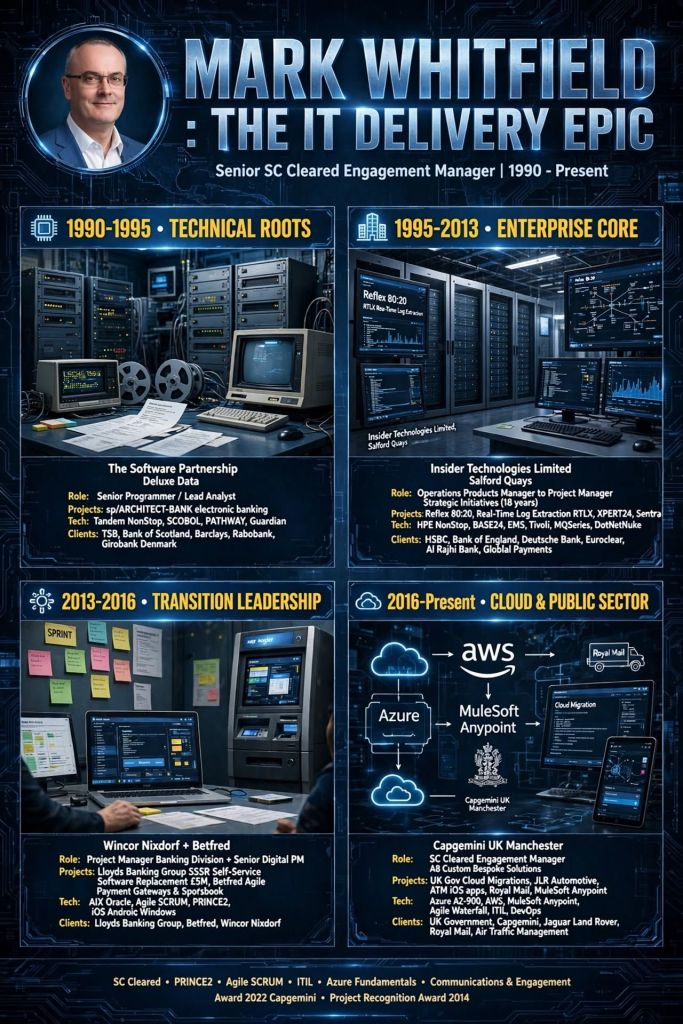
Mark Whitfield PM – Website & Blog focus areas
The blog posts by Mark Whitfield, a Senior IT Project and Engagement Manager, primarily focus on practical project management (PM) frameworks, methodology implementation, and digital delivery execution.

Mark Whitfield PM - Website and Blog focus areas
Hosted on his platform, PROject Templates, the blog acts as an extension of his 30+ year career transitioning from mainframe engineering to leading large-scale Agile and Waterfall digital transformations.

Blog Overview and Key Topics

The core purpose of the blog is to guide project professionals through real-world deployment challenges while showcasing an ecosystem of over 200 editable Microsoft Office templates.

The main content focus areas include:

  • Framework Implementation: In-depth overviews on aligning project lifecycles with PRINCE2 (7th Edition), Agile Scrum, and Kanban methodologies.
  • Detailed Project Planning: Actionable steps for setting up Software Development Life Cycles (SDLC), defining dependencies, establishing milestones, and handling project baselines.
  • Operational Checklists: Daily, highly practical guides tailored for specific team roles, such as his “Daily Checklist for Scrum Masters”.
  • Risk and Governance Control: Best practices on organizing and managing RAIDs logs (Risks, Actions, Issues, Dependencies), change requests, and corporate project governance.
  • High-Level Reporting: Frameworks for structural communication with stakeholders, utilizing Plan on a Page (POaP) examples, dashboard designs, and financial budget tracking templates.
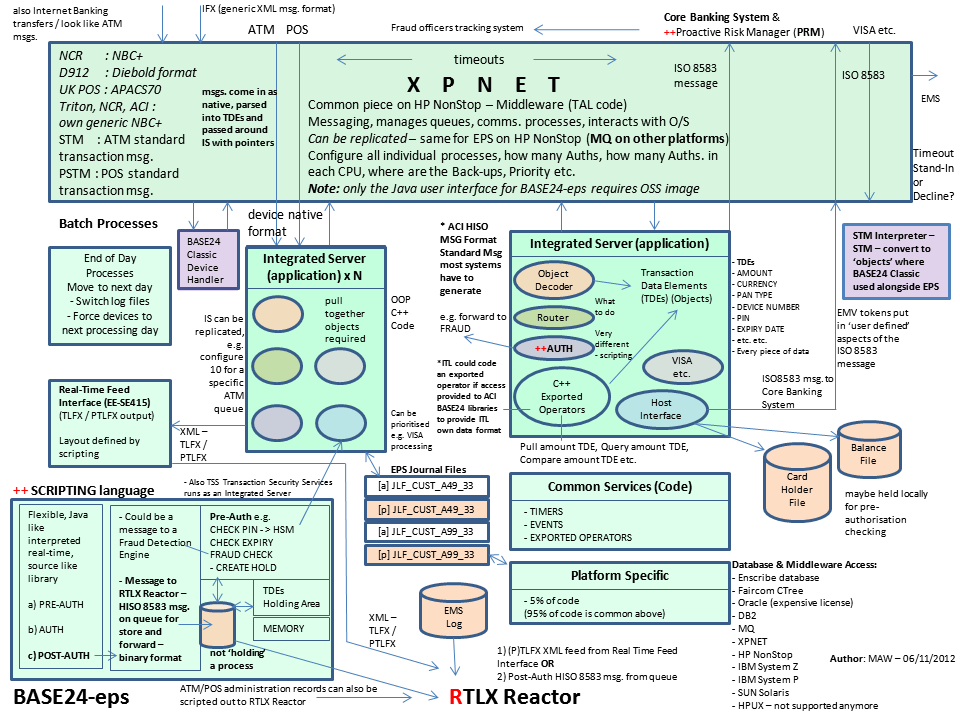
  • Digital & Cloud Delivery Lessons: Real-world insights drawn from his corporate and public sector experiences, covering topics like middleware architecture deployments and hybrid cloud application refactoring.

Salesforce MuleSoft Overview & Development Timeline

Salesforce MuleSoft is an industry-leading Integration Platform as a Service (iPaaS) and automation solution that enables organizations to securely connect data, applications, and devices across hybrid cloud and on-premises environments. Instead of relying on rigid, custom-coded point-to-point connections, MuleSoft uses an API-led connectivity approach. This methodology treats every system connection as a modular, reusable building block (System, Process, and Experience APIs).

From October 2018 – June 2019, I was assigned as a Delivery Manager at MuleSoft (augmented) to deliver the Anypoint Platform.

From October 2018 – June 2019, I was assigned as a Delivery Manager at MuleSoft (augmented) to deliver the Anypoint Platform.
October 2018 – June 2019, was assigned as a Delivery Manager at MuleSoft

Core Capabilities

  • Anypoint Platform: The flagship product covering the entire lifecycle of API design, testing, deployment, governance, and monitoring.
  • MuleSoft Automation: A suite combining Composer (no-code integration for business teams) and Robotic Process Automation (RPA) to automate workflows across legacy and modern platforms.
  • Salesforce Ecosystem Synergy: Acts as the data integration engine for Salesforce Customer 360, bringing siloed third-party systems together to establish a single customer view.
Outcome Based Delivery (OBD) Model, C4E, Center for Excellence

Detailed Timeline Breakdown

The evolution of MuleSoft spans four distinct eras, progressing from a niche open-source project to an enterprise integration powerhouse, culminating in its massive acquisition and expansion under Salesforce.

Era 1: The Open-Source Roots (2003 – 2008)

This era focused on addressing the tedious “donkey work” of custom data integration through open-source software.

  • 2003: Developer Ross Mason creates the Mule open-source project. He writes an architecture framework to move away from rigid, proprietary integration infrastructure. The project name stems from the literal “mule work” or drudgery of writing point-to-point connections.
  • 2006: Ross Mason and Dave Rosenberg co-found MuleSource in San Francisco. The company is built to commercialize the open-source Mule Enterprise Service Bus (ESB) project.
  • 2007: Lightspeed Venture Partners leads a Series A funding round to back the growing open-source platform.
  • 2008: The company expands its product landscape by focusing on developer adoption and expanding core enterprise middleware features.

Era 2: Cloud Transition and iPaaS Transformation (2009 – 2016)

During this era, the company pivoted to a subscription-based software-as-a-service model, targeting cloud applications and APIs.

  • 2009: The company officially changes its name from MuleSource to MuleSoft. Greg Schott is hired as CEO to restructure the business, transitioning from a pure open-source model to a hybrid commercial enterprise subscription model.
  • 2010: The development of dedicated cloud tools kicks off, responding to a massive industry shift from on-premises systems toward software-as-a-service (SaaS) applications.
  • 2012: MuleSoft launches CloudHub, the industry’s first true multi-tenant Integration Platform as a Service (iPaaS).
  • 2013: MuleSoft acquires ProgrammableWeb, the leading repository for web application programming interfaces (APIs), positioning itself as the voice of the emerging API economy.
  • 2014: The company officially rolls out the Anypoint Platform, a unified product suite designed to dismantle the barriers between data applications, SaaS platforms, and APIs.
  • 2015: MuleSoft secures a $128 million funding round led by New Enterprise Associates, with Salesforce Ventures participating as a strategic investor. Revenue breaks past the $100 million mark.
  • 2016: The enterprise focus shifts entirely toward championing API-led connectivity over standard enterprise service bus middleware architectures.

Era 3: IPO and the Salesforce Acquisition (2017 – 2018)

The era defined by rapid financial maturation and a landmark enterprise SaaS consolidation.

  • 2017: MuleSoft launches its Initial Public Offering (IPO) on the New York Stock Exchange under the ticker symbol MULE, valuing the business at over $1.5 billion on its first day of trading.
  • 2018 (March): Salesforce announces a definitive agreement to acquire MuleSoft for an enterprise value of approximately $6.5 billion, making it Salesforce’s largest acquisition up to that point.
  • 2018 (May): Salesforce completes the acquisition. MuleSoft is positioned to power the new Salesforce Integration Cloud to unlock legacy and external database silos for CRM clients.

Era 4: Modern Era—Automation and Unified Customer 360 (2019 – Present)

This era represents the deep technological coupling of MuleSoft with cloud architecture, AI, and low-code applications.

  • 2019: Salesforce shifts strategy, abandoning the “Integration Cloud” branding to lean heavily on the trusted MuleSoft brand. The technology is deeply embedded directly into core platforms like Sales and Service Clouds.
  • 2020: MuleSoft updates its core data engine engine with Mule 4, optimizing performance, reducing custom script overhead, and easing API lifecycle management workflows.
  • 2021: The brand releases MuleSoft Composer, a click-based, no-code application integrated directly inside the Salesforce user interface, enabling business users to connect systems without relying on IT engineers.
  • 2022: Salesforce expands MuleSoft’s reach beyond APIs by acquiring Servicetrace and launching MuleSoft RPA, building a comprehensive hyper-automation ecosystem alongside Composer.
  • 2023–2024: MuleSoft adapts to the AI revolution by releasing Anypoint Code Builder and embedding Einstein AI into the workflow. Developers use natural language prompts to automatically generate integration flows and API designs.
  • 2025–2026: MuleSoft is fully integrated as a core architectural foundation for Salesforce Data Cloud and Agentforce. It serves as the primary system of connectivity to securely feed legacy, real-time enterprise data into autonomous AI agents.

Salesforce MuleSoft Overview & Development Timeline

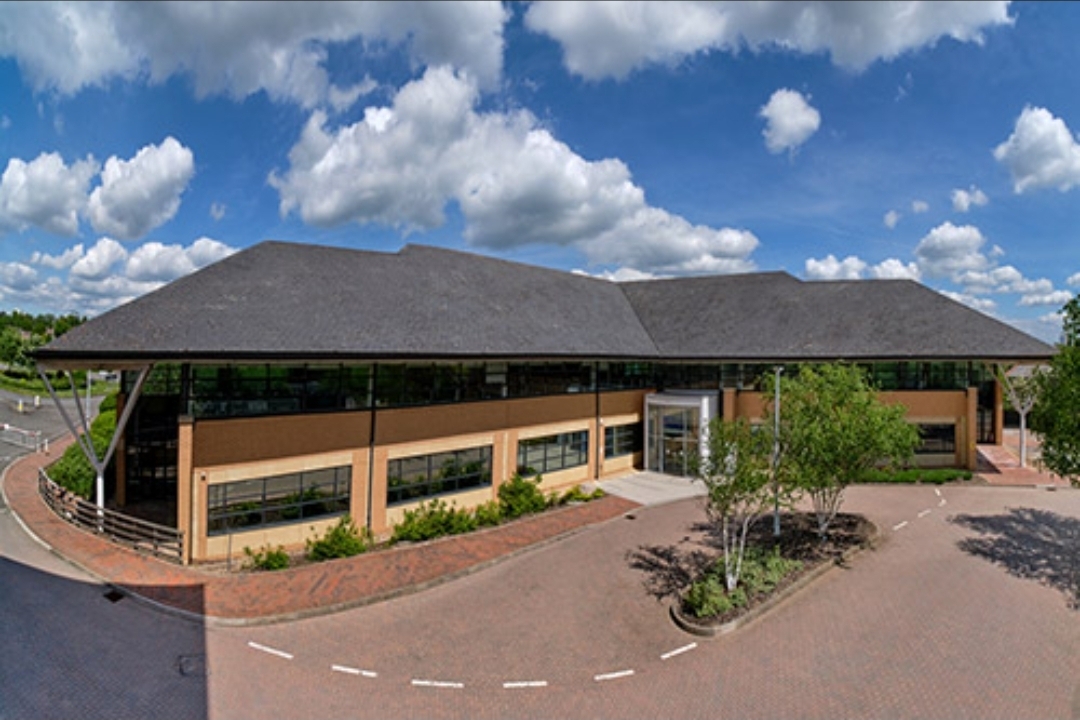
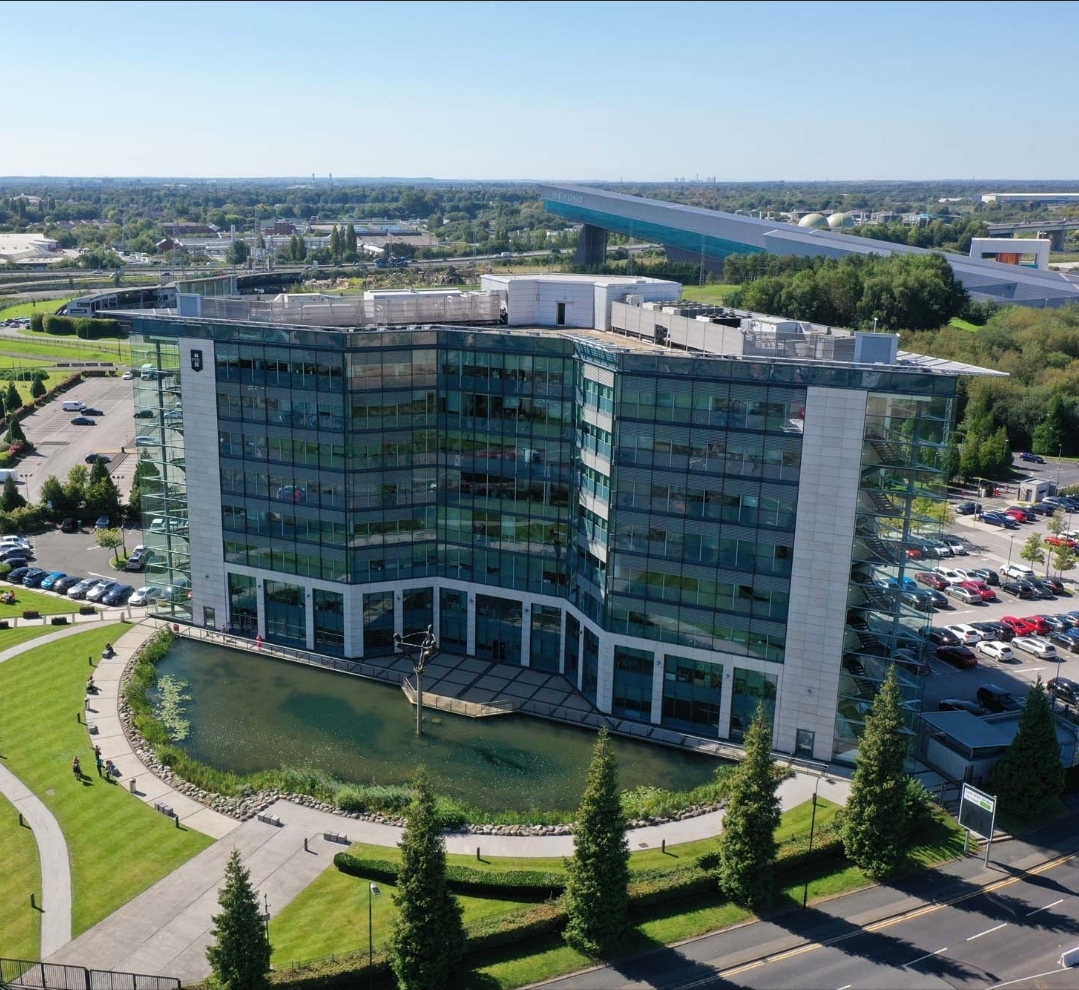
Welcome Salesforce, London Office
1. Welcome Salesforce, London Office
2. Welcome Salesforce, London Office external
2. Welcome Salesforce, London Office (external)

Requirements Traceability Matrix RTM & Business Analyst BA

Requirements Traceability Matrix RTM & Business Analyst BA

A Requirements Traceability Matrix (RTM) is a structured project management document that links user and stakeholder requirements directly to their corresponding design elements, development deliverables, and verification test cases.

Acting as a living checklist throughout the project life cycle, its primary purpose is to ensure 100% test coverage, validate that all client requests are fulfilled, and prevent scope creep by identifying undocumented work.

The visual layout of a typical RTM template maps individual requirement rows against critical validation milestones.

🔄 Three Main Types of Traceability

The configuration of an RTM depends heavily on the direction of tracking needed for the project:

  • Forward Traceability: Tracks requirements forward into design, code, and test cases. It ensures the project executes every requested feature and that nothing gets left behind.
  • Backward (Backward-Looking) Traceability: Traces test cases and final deliverables back to the original requirement. It checks for scope creep, confirming that no extra, unauthorized features were added.
  • Bidirectional Traceability: Combines both approaches. It links requirements from origin to destination and vice versa, providing clear visibility during change management or troubleshooting.

📋 Structured Breakdown of RTM Content

A standard RTM is formatted as a multidimensional table. Below is the foundational structure, broken down into its logical data components:

1. Core Requirement Parameters

  • Requirement ID: A distinct alphanumeric identifier (e.g., REQ-001, BRD-102) for quick cross-referencing.
  • Requirement Type: Classifies the item (e.g., Business, Functional, Technical, UI, Security, or Regulatory Compliance).
  • Requirement Description: A concise textual explanation defining exactly what the feature or system must achieve.
  • Source/Origin: The document, stakeholder, client request, or meeting minutes where the requirement originated.
  • Priority Level: The urgency ranking of the item, usually categorized as High, Medium, or Low (or via MoSCoW ranking).

2. Design and Development Artifacts

  • Functional Specification ID: Links the requirement to the specific section of the functional design document.
  • Technical Design/Architecture Module: Points to the code packages, database tables, or system architectural components implementing the requirement.

3. Verification & Validation (Testing) Data

  • Test Case ID: The unique ID of the specific test cases designed to validate the feature (e.g., TC-101, TC-102).
  • Test Case Description/Objective: A snapshot of what the test case actually checks.
  • User Acceptance Testing (UAT) ID: Specific ID linking to end-user validation scenarios.

4. Execution & Quality Control Tracking

  • Test Execution Status: The real-time health indicator of the testing suite (e.g., Passed, Failed, Blocked, Not Run).
  • Defect/Bug ID: If a test fails, this column logs the active issue tracker ID (e.g., Jira ticket BUG-404) linked to the breakdown.
  • Current Deployment Status: Defines the project readiness stage (e.g., In Progress, Dev, QA, Production).

💡 Core Benefits of Maintaining an RTM

  • Prevents Missed Features: Verifies that every business requirement translates into clean code and valid testing cycles before software deployment.
  • Streamlines Change Management: If a client alters a feature, developers can quickly scan the RTM row to see exactly which code modules and test scripts need updates.
  • Simplifies Compliance Audits: Serves as regulatory proof in safety-critical landscapes (like medical devices or automotive software) that every target function passed validation.

Requirements Traceability Matrix RTM & Business Analyst BA

Bluetooth Overview and Detailed Chronological Timeline

Bluetooth is a universal, short-range wireless communication standard that enables electronic devices to exchange data and audio over ultra-high frequency (UHF) radio waves (operating between 2.402 GHz and 2.480 GHz). It forms localized, temporary networks known as piconets to seamlessly bridge data gaps without the clutter of physical wires or cables.

To combat signal congestion in the crowded 2.4 GHz band—which it shares with Wi-Fi and microwaves—Bluetooth uses a technique called Adaptive Frequency Hopping (AFH), rapidly switching between 79 or 40 channels up to 1,600 times per second to maintain a stable, secure connection.

Named by Intel engineer Jim Kardach after the 10th-century Scandinavian King Harald “Bluetooth” Gormsson—who famously united warring Danish tribes into a single kingdom—the technology was built to similarly unify incompatible PC, cellular, and digital device ecosystems. The iconic Bluetooth logo is a direct nod to this heritage, fusing the ancient Norse runes ᚼ (Hagall) and ᛒ (Bjarkan) representing King Harald’s initials.

Bluetooth Overview and Detailed Chronological Timeline

🏛️ Era 1: Pre-Commercialization & Foundation (1989–1998)

Before becoming an open global standard, Bluetooth began as a proprietary corporate feasibility project aimed at liberating electronics from restrictive RS-232 data cables.

  • 1989: Nils Rydbeck (CTO of Ericsson Mobile) and inventor Johan Ullman initiate a “short-link” radio technology project designed to develop comfortable wireless headsets.
  • 1994: Jaap Haartsen and Sven Mattisson are tasked by Ericsson leadership to formally design the hardware infrastructure in Lund, Sweden. They focus on low-power, low-cost radio architectures.
  • 1997: The engineering team achieves a functional, workable link layer solution. Intel’s Jim Kardach proposes the temporary codename “Bluetooth”.
  • 1998: Recognizing a global framework requires cross-industry alignment, Ericsson joins forces with IBM, Intel, Nokia, and Toshiba to found the Bluetooth Special Interest Group (SIG) to establish an open, license-free standard.

📱 Era 2: The Classic Bluetooth Era (1999–2009)

The first commercial implementation focused heavily on replacing peripheral wires. However, early builds struggled with device-role conflicts, high power consumption, and severe data limitations.

  • 1999 (v1.0 & v1.0b): The Bluetooth SIG publishes the official Bluetooth 1.0 specification. It is heavily plagued by interoperability issues and mandatory hardware address exposure, creating distinct privacy gaps.
  • 2001 (v1.1): Standardized globally under the IEEE 802.15.1 banner. Fixes version 1.0 connection bugs, supports point-to-multipoint slave connections, and introduces unencrypted channel support. The Sony Ericsson T36 debuts as the first commercial phone with integrated Bluetooth.
  • 2003 (v1.2): Introduces Adaptive Frequency Hopping (AFH) to stop Wi-Fi network interference. Adds Extended Synchronous Connections (eSCO) to rescue voice audio quality by allowing packet retransmissions.
  • 2004 (v2.0 + EDR): Unleashes Enhanced Data Rate (EDR). Maximum throughput leaps from a nominal 721 kbps to 3 Mbps, greatly reducing power draw through shorter transmission cycles.
  • 2007 (v2.1 + EDR): Introduces Secure Simple Pairing (SSP). This eliminates complex PIN-code handshakes, improving device security while seamlessly supporting Near Field Communication (NFC) proximity pairings.
  • 2009 (v3.0 + HS): Debuts High Speed (HS) architecture. It uses a clever dual-radio configuration where Bluetooth creates the initial handshake, but offloads large media payloads to an internal 802.11 Wi-Fi link for speeds up to 24 Mbps.

🔋 Era 3: The Bluetooth Low Energy (BLE) & IoT Era (2010–2015)

Prior versions consumed too much power for miniature electronic applications. This era redefined the standard, establishing an entirely separate protocol tier optimized to run on tiny coin-cell batteries for the burgeoning Internet of Things (IoT) market.

  • 2010 (v4.0): The pivotal launch of Bluetooth Low Energy (BLE) (branded initially as Bluetooth Smart). Devices can remain asleep until data bursts happen, drastically dropping baseline energy consumption.
  • 2013 (v4.1): Engineers adjust software layers to prevent direct frequency collision with 4G LTE bands. Devices can now act as both an independent hub and peripheral sensor simultaneously.
  • 2014 (v4.2): Designed entirely for smart home architecture, this update adds support for IPv6 and 6LoWPAN. This allows smart sensors to connect directly to the internet without intermediary mobile gateways.

🌐 Era 4: High-Performance & High-Precision Mesh Era (2016–Present)

Modern iterations have fundamentally transformed the technology from a basic local data-link pipe into a highly robust, secure mesh network and precision spatial positioning framework.

  • 2016 (v5.0): Doubles BLE transmission speeds to 2 Mbps and quadruples operational range up to 240 metres. It optimizes performance for large-scale smart homes and multi-room layouts.
  • 2019 (v5.1): Introduces Direction Finding via Angle of Arrival (AoA) and Angle of Departure (AoD) antennae arrays. Devices achieve hyper-local indoor positioning down to centimeter-level accuracy.
  • 2020 (v5.2): Unveils LE Audio running over the highly efficient LC3 Codec. It introduces Auracast, which enables a single source device to stream high-fidelity audio to an infinite number of nearby headphones or hearing aids.
  • 2021 (v5.3): Adds connection subrating to reduce communication switching latencies. Improves peripheral device power optimization and encryption control keys.
  • 2023 (v5.4): Adds Periodic Advertising with Responses (PAwR) alongside Encrypted Advertising Data (EAD). This allows two-way secure mass communication, tailored specifically for thousands of commercial electronic shelf labels.
  • 2024 (v6.0): Incorporates groundbreaking Channel Sounding technology. It employs phase-based time-of-flight measurements to provide centimeter-level distance awareness, creating incredibly secure digital car and home keys that prevent relay signal tracking attacks.

Bluetooth Overview and Detailed Chronological Timeline

Popular Computing Weekly British Computer Magazine from 1982 thru 1990

Popular Computing Weekly (frequently abbreviated as PCW) was a highly influential British computer magazine published from 23 April 1982 to 14 June 1990.

Popular Computing Weekly British Computer Magazine from 1982 thru 1990

Launched by Sunshine Publications and led by founding editor Duncan Scot, it stood out by providing rapid-fire weekly news, hardware reviews, type-in software programs, and gaming coverage at the height of the UK’s home microcomputer boom.

Over its eight-year lifespan, it produced 415 issues, adapting its identity from a broad hobbyist guide to a gaming-centric publication before closing in the early 1990s.

Magazine Overview & Core Elements

Unlike glossy monthly publications such as Personal Computer World or Your Computer, Popular Computing Weekly acted as a fast-paced “newspaper” for the UK micro community. Because it hit newsagent shelves every seven days, it could report on dramatic price drops, industry buyouts, and hardware delays weeks before monthly rivals.

The magazine catered to a wide array of early systems, including the ZX Spectrum, Commodore 64, BBC Micro, Amstrad CPC, Atari 8-bit, Dragon 32, VIC-20, and later the 16-bit machines. Its format generally consisted of:

  • News Desk: Urgent industry reporting, micro-market trade wars, and launch delays.
  • Hardware and Software Reviews: Critical evaluations of new home computers and software titles.
  • Type-In Listings: Pages of raw BASIC or Machine Code that readers meticulously copied into their systems to run games and utilities.
  • Gaming Coverage & Puzzles: Dedicated spaces for arcade game high scores, maps, and adventure hints.

Detailed Timeline Breakdown (1982–1985)

1982: Launch and the 8-Bit Explosion

  • April: On 23 April 1982, Issue 1 was published by London-based Sunshine Publications. The launch editor, Duncan Scot, managed the first 8 issues before handing the reins over to Brendon Gore.
  • May–June: The magazine’s debut directly coincided with Sir Clive Sinclair’s unveiling of the ZX Spectrum. Popular Computing Weekly quickly positioned itself as a critical hub for Spectrum and BBC Micro setup guides and technical support.
  • System Agnosticism: Early volumes accommodated a highly fractured market, including type-in listings for the ZX81, VIC-20, Acorn Atom, TRS-80, and early Apple II systems.
  • Cover Price: The early issues cost just 30p.

1983: Price Wars and Rising Circulation

  • The Boom Year: Home computing exploded in the UK. PCW capitalised on its fast turnaround to report on brutal, ongoing price slashes initiated by Commodore, Sinclair, and Atari.
  • Market Diversification: Content expanded heavily to track new contenders like the Oric-1, Dragon 32, and the newly launched Commodore 64.
  • Commercialisation: Software companies grew rapidly. Advertising pages surged with multi-page spreads from early publishing giants like Imagine Software, Ocean Software, and Ultimate Play The Game.

1984: Amstrad’s Arrival and Market Shocks

  • April: The magazine closely documented Alan Sugar’s entry into the computer market with the Amstrad CPC 464, which changed the landscape by packaging a computer, keyboard, and monitor into an all-in-one unit.
  • The Crash Warning: PCW reported extensively on the high-profile financial collapse of Imagine Software and structural corrections across the British software industry.
  • The MSX Standard: The magazine devoted substantial print space to tracking the arrival of Japanese MSX standard computers (such as Toshiba’s HX-10) attempting to break into the UK.

1985: Transition to 16-Bit and Gaming Domination

  • January: The magazine followed the rocky release of the business-oriented Sinclair QL and the debut of the dual-mode Commodore 128.
  • May: The news desk shifted focus to the 16-bit horizon, tracking early announcements for the Atari 520ST and Commodore Amiga.
  • Pricing: Driven by inflation and increased page counts, the cover price rose to 40p.
  • Software Pivot: As users grew tired of typing in complex code by hand, the publication reduced its raw code listings and pivoted towards dedicated, full-colour video game previews, software reviews, and maps.

Post-Early Eighties Legacy (1986–1990)

Beyond its golden era, the publication continued to evolve through the late 1980s. By 1989, regular home micro content declined as the industry consolidated around IBM-compatible PCs, the Amiga, and the Atari ST. To compensate for falling sales, PCW incorporated Computer Gamesweek in 1989, morphing almost entirely into a video games magazine.

1. Popular Computing Weekly British Computer Magazine from 1982 thru 1990
Popular Computing Weekly British Computer Magazine
2. Popular Computing Weekly British Computer Magazine

Sunshine Publications eventually closed the magazine on 14 June 1990 with its 415th issue, ending its run as a primary historical record of the 1980s British microcomputing phenomenon.

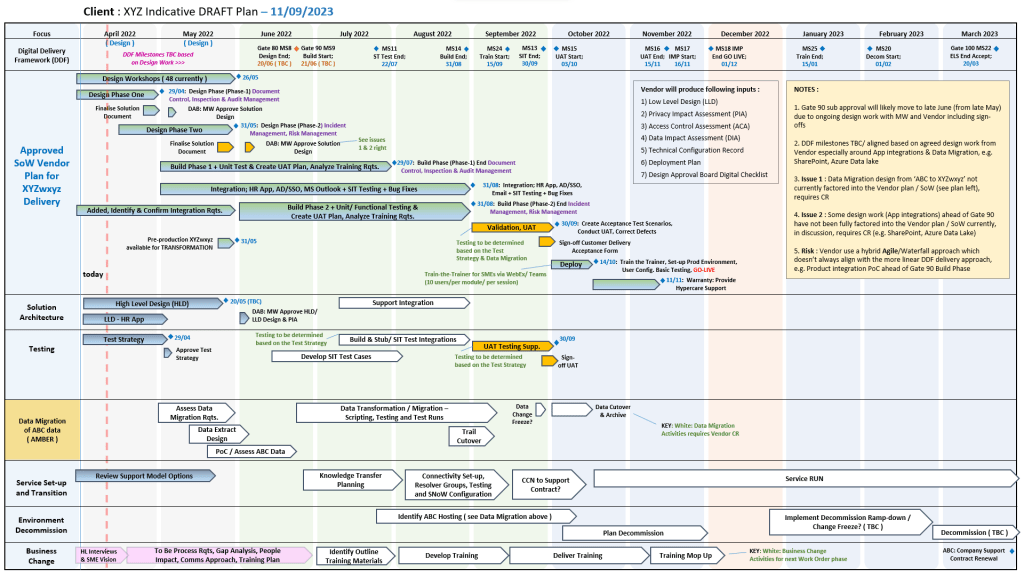
Charts Project Managers should be familiar with

Charts Project Managers should be familiar with

Centiun

Centiun is a UK-based Microsoft AI Cloud Partner and IT consultancy specializing in digital transformation, cloud migration, and AI integration for public and private sector organizations.

Centiun is a UK-based Microsoft AI Cloud Partner and IT consultancy specializing in digital transformation, cloud migration, and AI integration for public and private sector organizations
Centiun is a UK-based Microsoft AI Cloud Partner and IT consultancy

They help businesses modernize operations, leverage low/no-code platforms, and transition legacy infrastructure to secure cloud environments.

Core Services

  • Cloud & App Modernization: Migrating on-premise, legacy applications to secure cloud environments to reduce costs and enhance agility.
  • Microsoft AI & Business Applications: Implementing solutions across the Microsoft stack, including Copilot, Power Platform, and Dynamics 365, to improve process efficiency and data-driven decision-making.
  • Managed Services & Governance: Providing SLA-compliant technical governance, threat monitoring, and support to ensure business continuity.
  • Training & Enablement: Upskilling staff to confidently use Microsoft tools and low-code solutions.

Target Industries

Centiun tailors their technology solutions to several specialized sectors, offering domain expertise in:

  • Healthcare and Non-profits
  • Public Bodies and Central Government
  • Financial Services and Manufacturing
  • Energy and Utilities

Why They Stand Out

  • Microsoft Expertise: Their seasoned experts hold numerous Microsoft certifications and boast a combined 20+ years of experience in Microsoft Business Applications.
  • Tailored Approach: They focus on personal service rather than one-size-fits-all solutions, aiming to help clients scale and modernize while minimizing operational disruption.
  • Security & Trust: The firm operates with strict data security measures, holding accreditations like Cyber Essentials and registration with the Information Commissioner’s Office (ICO).

Explore their complete list of solutions and case studies directly on the Centiun Official Website.

Free Centiun eBooks:

  1. https://centiun.com/wp-content/uploads/2026/04/Centiun_eBook_Unify-your-data-platform_SMB.pdf
  2. https://centiun.com/wp-content/uploads/2026/04/Centiun_e-book_Automate-business-processes-with-agents.pdf
  3. https://centiun.com/wp-content/uploads/2026/01/Ebook-Dynamics-365-Agentic-Sales.pdf
  4. https://centiun.com/wp-content/uploads/2026/01/Service-Transformation-with-AI-and-Dynamics-365.ppsx