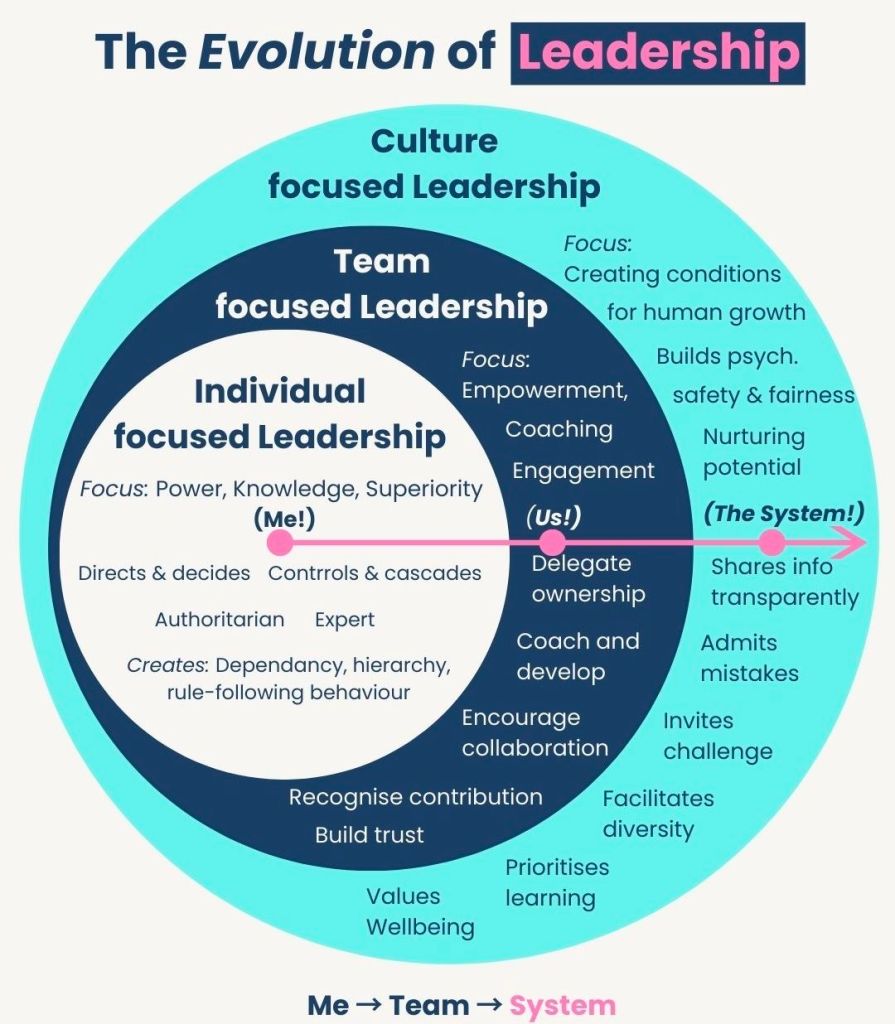
Evolution of Leadership – Culture, Team and Individual Focused

Evolution of Leadership – Culture, Team and Individual Focused

Best way to optimize SEO Search Engine Optimization for your website

To optimize SEO (Search Engine Optimization), you must align your website with search engine requirements across four foundational pillars: technical performanceon-page structurecontent value, and off-page authority

1. Technical SEO (The Foundation)

Technical optimization ensures search engines can find, crawl, and index your pages. 

  • Improve Page Speed: Use Google PageSpeed Insights to identify bottlenecks; compress images and use modern formats like WebP or AVIF.
  • Enable Mobile-First Design: Ensure your site is fully responsive, as Google prioritizes mobile versions for indexing.
  • Secure with HTTPS: Use an SSL certificate to protect user data and gain a minor ranking boost.
  • Use XML Sitemaps: Submit a sitemap via Google Search Console to help bots discover all your URLs. 

2. On-Page SEO (The Structure)

On-page factors help search engines understand what a specific page is about. 

  • Optimize Meta Tags: Include your primary keyword near the beginning of your Title Tag (under 60 characters) and Meta Description (105-160 characters).
  • Use Descriptive Headings: Structure content with a single H1 for the main title and logical H2/H3 tags for subtopics.
  • Clean URL Slugs: Create short, descriptive URLs that include the target keyword (e.g., /how-to-optimize-seo/).
  • Add Image Alt Text: Write descriptive text for all images to assist both accessibility and image search rankings. 

3. Content Strategy (The Value)

High-quality content is the most influential factor for long-term SEO success. 

  • Keyword Research: Use tools like Ahrefs, Semrush, or Google Keyword Planner to find terms with high volume and low difficulty.
  • Match Search Intent: Identify if users want information, a specific product, or a comparison, and tailor your content to fulfill that exact need.
  • Demonstrate E-E-A-T: Show Experience, Expertise, Authoritativeness, and Trustworthiness by citing original research, expert quotes, and unique insights.
  • Optimize for AI Overviews: Use clear “Key Takeaways” boxes and answer common questions directly to increase chances of being cited by AI search features. 

4. Off-Page SEO (The Authority)

Off-page signals prove your site’s credibility to the rest of the web. 

  • Build High-Quality Backlinks: Earn links from reputable websites through guest posting, digital PR, or creating “linkable assets” like infographics.
  • Internal Linking: Connect related pages within your own site to distribute “link equity” and help users navigate.
  • Manage Online Reputation: For local businesses, maintain an updated Google Business Profile and respond promptly to reviews.

Best way to optimize SEO Search Engine Optimization for your website

Techniques for Time Management Overview

Techniques for Time Management Overview

Home Computer historical development timeline by era

The transition from massive, industrial room-sized mainframes to the “home computer” was driven by the invention of the microprocessor in the early 1970s

The Pre-Home Era (1971–1976) 

Before “home computers” existed as off-the-shelf products, they were sold as DIY kits for electronics hobbyists. 

  • 1971Intel releases the 4004, the first commercial single-chip microprocessor.
  • 1974: The MITS Altair 8800 is featured in Popular Electronics; it is widely considered the spark of the personal computer revolution.
  • 1976Apple Computer is founded. The Apple I goes on sale as a hand-soldered board for $666.66.
  • 1976: MOS Technology releases the KIM-1, the first single-board computer kit. 

The “1977 Trinity” & Early Adoption

In 1977, three computers were released that targeted ordinary consumers rather than just hobbyists. 

  • Apple II: Features colour graphics and eight expansion slots, becoming a standard for schools and early home users.
  • Commodore PET 2001: The first “all-in-one” home computer with a built-in monitor and tape drive.
  • TRS-80 Model I: Sold through Radio Shack stores, making computers accessible on the high street for $399. 

The 1980s Boom

This decade saw fierce competition between manufacturers and the rise of gaming and office productivity. 

  • 1980Sinclair ZX80 launches in the UK as a very low-cost entry point into computing.
  • 1981: The IBM PC is released, creating the “PC-compatible” standard that still dominates today.
  • 1981: The Commodore VIC-20 becomes the first computer to sell over one million units.
  • 1982: The Commodore 64 launches and eventually becomes the best-selling single computer model of all time.
  • 1984Apple launches the Macintosh, the first successful mass-market computer with a Graphical User Interface (GUI) and a mouse.
  • 1985: The Amiga 1000 and Atari ST bring advanced multimedia and multitasking to the home. 

Standardisation & The Modern Age (1990s–Present) 

The market shifted away from proprietary “home computers” toward standardized “PCs” and portable devices. 

  • 1990Microsoft Windows 3.0 is released, making GUI computing standard on IBM-compatible PCs.
  • 1995Windows 95 launches, moving the PC away from its MS-DOS roots and integrating internet support.
  • 1998: The Apple iMac revitalizes Apple’s consumer line with an integrated, colourful design and USB ports.
  • 2010: The Apple iPad introduces the “tablet” as a primary home computing device for many users.
  • 2012: The Raspberry Pi launches, bringing home computing back to its DIY and educational roots.

The history of the home computer evolved from large, room-sized mainframes into the diverse, interconnected devices used today. This timeline categorises the evolution by era and key annual milestones

The Pre-Home Era: Mainframes & Minicomputers (1940s–1960s) 

Before computers could fit in a home, they were massive machines used by governments and corporations. 

  • 1945ENIAC (Electronic Numerical Integrator and Computer) is completed as the first general-purpose electronic digital computer.
  • 1951UNIVAC I is delivered to the US Census Bureau, becoming the first commercial computer produced in the US.
  • 1960DEC PDP-1 is introduced, representing the first “minicomputer” that was smaller than its predecessors.
  • 1965: The DEC PDP-8 launches, becoming the first commercially successful minicomputer. 

The Hobbyist Era: The First Personal Computers (1970–1976) 

The invention of the microprocessor allowed computers to become small enough for individuals to own, though they often required manual assembly. 

  • 1971Intel 4004, the first single-chip microprocessor, is released.
  • 1974: The MITS Altair 8800 appears on the cover of Popular Electronics, sparking the hobbyist revolution.
  • 1976: The Apple I, a single-board computer kit designed by Steve Wozniak, is released.

The “1977 Trinity” & The Home Boom (1977–1983) 

This era saw the transition from kits to fully assembled, consumer-ready “home computers”. 

  • 1977: The “1977 Trinity” launches: the Apple II (with colour graphics), the Commodore PET, and the Tandy TRS-80.
  • 1980Sinclair ZX80 is released as one of the first low-cost home computers in the UK.
  • 1981: The IBM PC is released, setting the industry standard for hardware and software compatibility.
  • 1981: The Osborne 1 is released as the first commercially successful portable computer.
  • 1982: The Commodore 64 launches; it eventually becomes the best-selling single computer model of all time.
  • 1982: The ZX Spectrum is released, becoming a cultural icon in Europe. 

The Graphical User Interface (GUI) Era (1984–1994)

Computers moved away from text-based commands toward visual icons and mice. 

  • 1984: The Apple Macintosh launches, popularising the mouse and Graphical User Interface (GUI).
  • 1985: The Commodore Amiga 1000 and Atari ST launch, bringing advanced multimedia and multitasking capabilities.
  • 1990: Tim Berners-Lee creates the World Wide Web, fundamentally changing how home computers would be used.
  • 1994: PowerPC processors are introduced by Apple, significantly increasing processing speed. 

The Internet & Mobility Era (1995–Present)

Home computing shifted focus toward connectivity, portability, and eventually, the cloud. 
  • 1995Windows 95 is released, integrating internet support and making PCs user-friendly for the masses.
  • 1998: The Apple iMac launches, ditching the floppy drive and embracing USB.
  • 2000s: Laptops begin to outsell desktops as portable computing gains momentum.
  • 2010: The Apple iPad pioneers the modern tablet market, creating a new “casual computing” category.
  • 2012: The Raspberry Pi is released, re-engaging a new generation in hobbyist computer building.
  • 2020s: The rise of Cloud Computing and AI Integration (like the Apple M1 chip) shifts the focus from local storage to remote applications and machine learning.
Wimbledon 2007, Roger Federer wins 5 in a row

Roger Federer path to the Wimbledon 2007 title
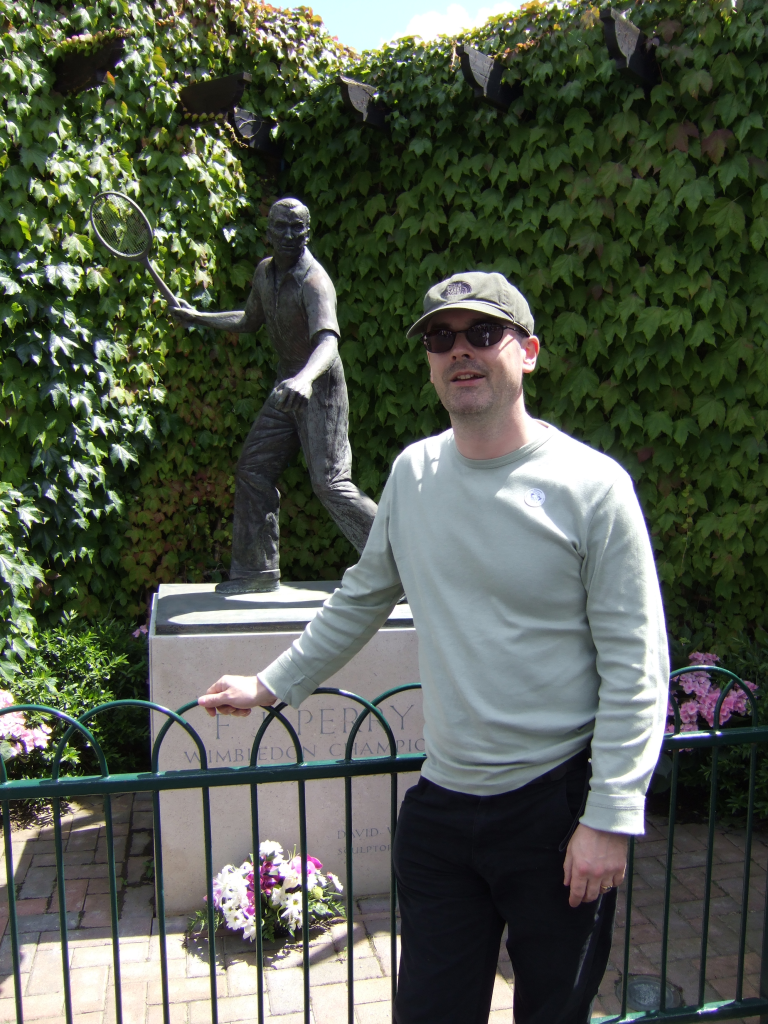
I was at the Wimbledon Championships in 2007 to watch Roger win his fifth title in a row
…at the Fred Perry statue in 2007…

Roger Federer won 20 Grand Slam singles titles during his career, beginning with his first victory at Wimbledon in 2003 and concluding with the 2018 Australian Open. He was the first male player to reach the 20-title milestone. 

Grand Slam Title Timeline

Federer’s most dominant period occurred between 2004 and 2007, a span in which he won 11 of 16 contested majors. 

Key Milestones 

  • First Major: Defeated Mark Philippoussis at Wimbledon 2003 to win his maiden Slam.
  • Career Grand Slam: Completed the set of all four majors by winning the 2009 French Open, defeating Robin Söderling in the final.
  • Wimbledon Record: He holds the Open Era record for the most men’s singles titles at Wimbledon with 8 victories (2003–2007, 2009, 2012, 2017).
  • Consecutive Dominance: He won five consecutive titles at both Wimbledon (2003–2007) and the US Open (2004–2008).
  • Final Major: His 20th and final Grand Slam title came at the 2018 Australian Open after defeating Marin Čilić in five sets. 

Federer officially retired from professional tennis on September 23, 2022, following the Laver Cup. 

Capgemini Serge Kampf Les Fontaines in 2017 on Engagement Management EM Advanced PM Course

Capgemini Serge Kampf Les Fontaines

Capgemini Serge Kampf Les Fontaines in 2017 on Engagement Management Advanced PM Course

Detailed timeline of Mount Kilimanjaro and Map location

Key Geographic Details

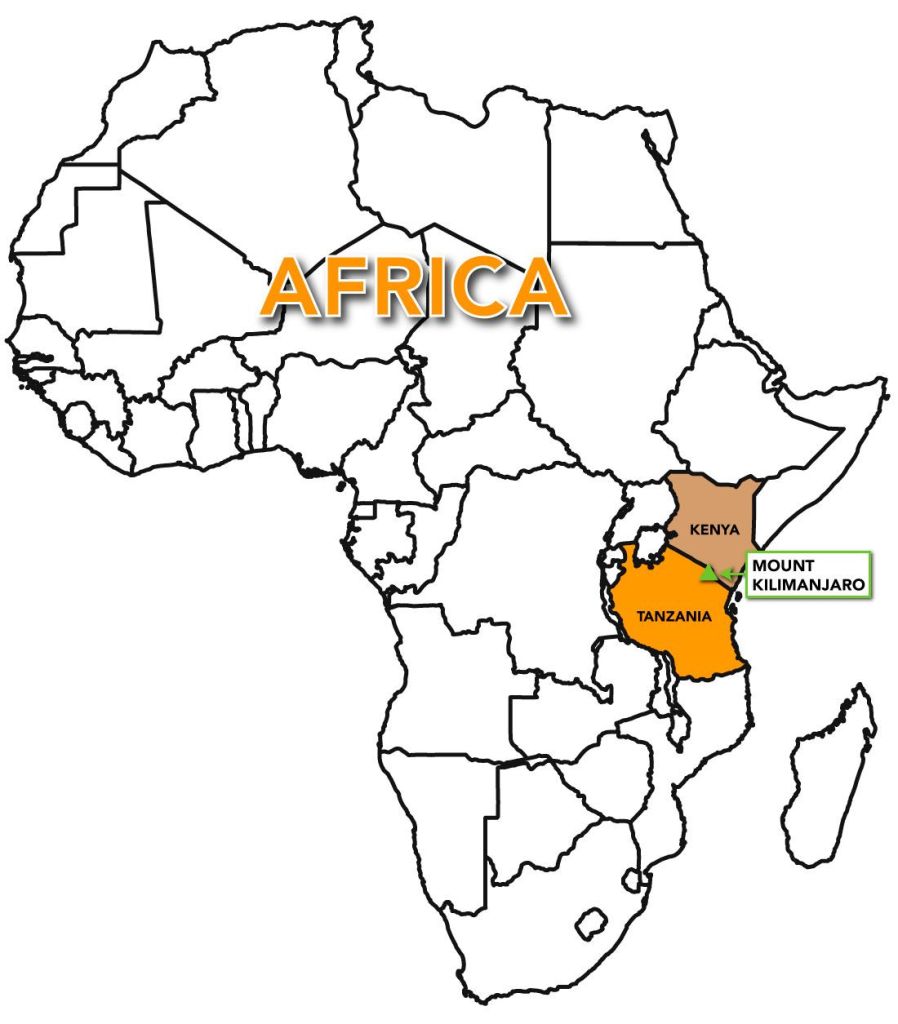
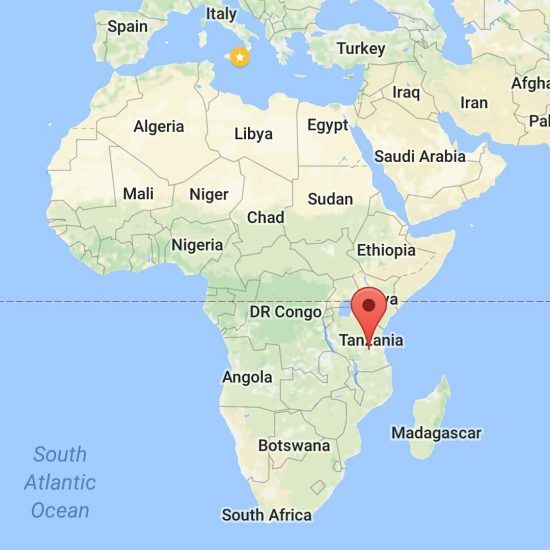
Location of Mount Kilimanjaro

Climbing Mount Kilimanjaro is a journey through five distinct climate zones, and your experience depends heavily on matching your timeline with the mountain’s seasonal rhythms. About 50,000 visitors attempt the summit annually. 

Seasonal Visitor & Weather Timeline

The mountain follows a predictable cycle of dry and rainy seasons. 

  • Long Dry Season (June – October): This is the peak visitor period due to the most stable weather and clear skies. July and August are particularly busy, coinciding with Northern Hemisphere holidays.
  • Short Dry Season (January – March): A popular window with high footfall but slightly quieter than the June–October peak. January and February are often cited as the best months for clear views and warm daytime temperatures.
  • Shoulder Seasons (March, June, October, November): These transition months offer a balance of moderate crowds and manageable weather. November brings the “short rains,” but trails are significantly emptier.
  • Rainy Seasons (April – May): The lowest visitor numbers occur during the “long rains”. Trails can be muddy and treacherous, making this suitable only for experienced trekkers seeking absolute solitude.
Mount Kilimanjaro

Geological and Ancient History

Kilimanjaro was formed by volcanic activity along the East African Rift. 

  • 2.5 Million Years Ago: Volcanic activity begins at the Shira centre.
  • 1 Million Years Ago: Eruptions begin at the Mawenzi and Kibo cones.
  • 360,000 Years Ago: The last major eruption occurred.
  • 150,000–200,000 Years Ago: Final volcanic activity at Kibo created the current summit crater.
  • 1000 BC: Evidence of human cultures on the slopes found via stone tools.
  • 150 AD: Ptolemy of Alexandria makes early references to “lands” near the mountain. 

Exploration and Climbing Milestones

The late 19th century marked the beginning of recorded ascents and scientific study. 

  • 1889: Hans Meyer and Ludwig Purtscheller become the first recorded people to reach the summit (Uhuru Peak) on 6 October.
  • 1909: Gertrude Benham of London reaches the summit alone.
  • 1926: Pastor Richard Reusch discovers a dead leopard on the crater rim, a finding later immortalised in literature.
  • 1957: The volcano is officially declared dormant.
  • 1961: Tanganyika gains independence; a torch is placed on the summit, and the peak is renamed Uhuru (“Freedom”).
  • 2020s: Tourism reaches over 35,000–50,000 climbers per year, with various routes established for different skill levels. 
Kilimanjaro Height

Typical Modern Trekking Timelines

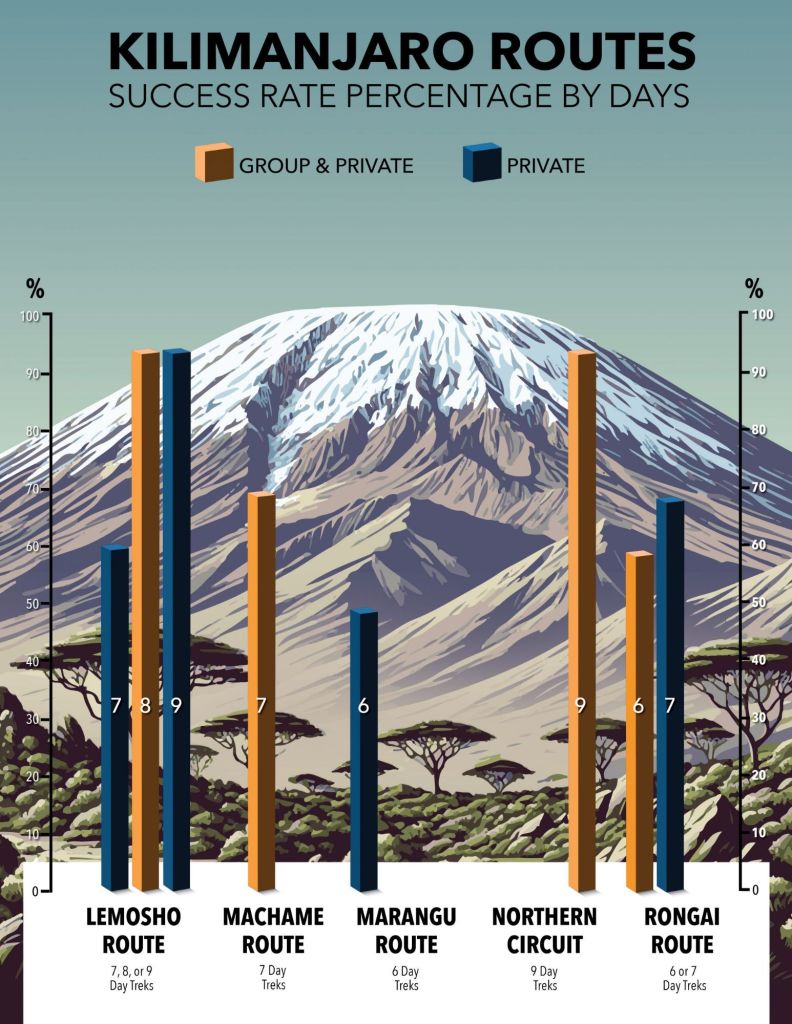
Climbs generally take 5 to 9 days depending on the route chosen to ensure proper acclimatisation.

Route Typical Duration Characteristics

Marangu 5–6 Days The “Coca-Cola” route; sleep in huts.

Machame 6–7 Days Most popular; scenic “Whiskey” route.

Lemosho 7–8 Days High success rate; beautiful scenery.

Northern Circuit 9 Days Longest route; highest summit success rate.

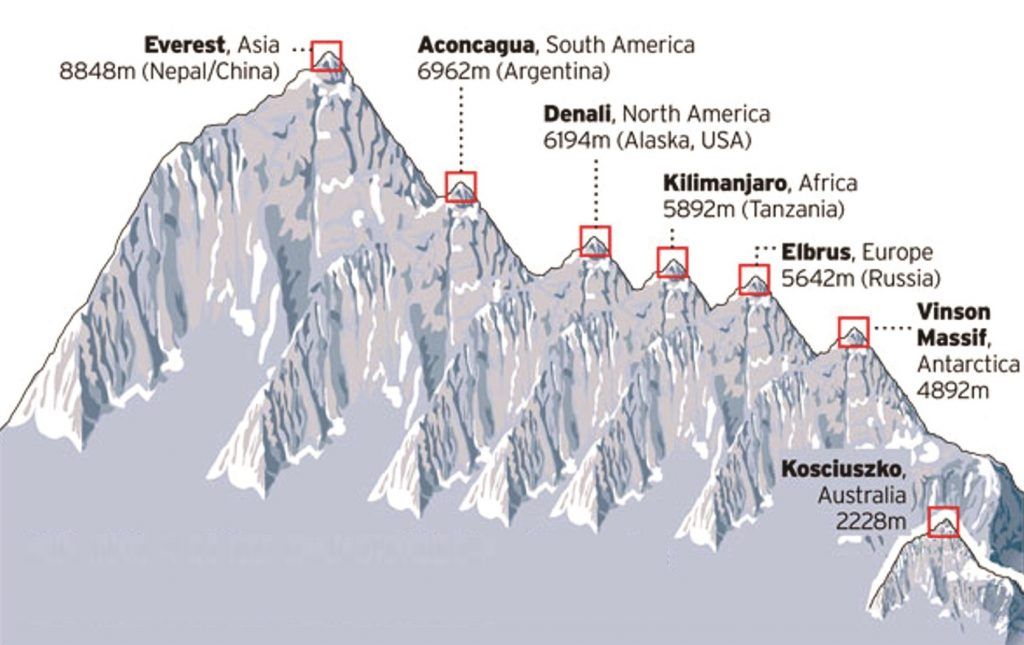
Respective heights for Big 7

Standard Daily Expedition Routine

A typical day on the mountain follows a strict rhythm to manage fatigue and altitude: 

  • 06:00 – 07:00: Wake up and breakfast at camp.
  • 08:00: Begin the day’s trek (typically 4–7 hours of walking).
  • 13:00: Hot lunch followed by further trekking or rest.
  • 17:00: Reach next camp; “hike high, sleep low” acclimatisation walks.
  • 23:00 – 00:00 (Summit Night): Final ascent begins in the dark to reach the peak by sunrise.
Kilimanjaro Routes
Mount Kilimanjaro location on World Map

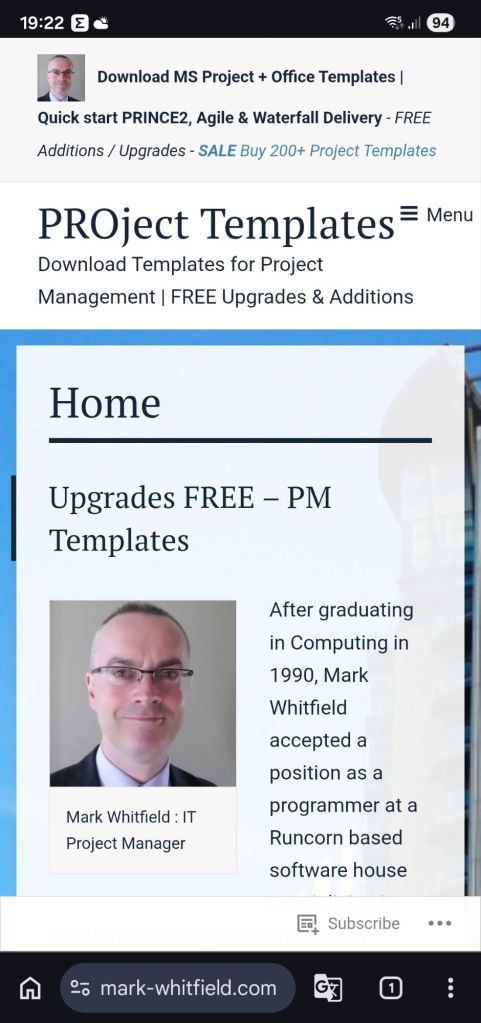
WordPress Content Management System (CMS) Timeline Overview

WordPress has evolved from a basic blogging tool in 2003 into a dominant Content Management System (CMS) that powers over 43% of the internet including this https://mark-whitfield.com website. Its history is defined by major version releases, often named after jazz musicians, and shifts toward “Full Site Editing”. 

This WordPress website started around 2021

The Early Years (2001–2005)

  • 2001: French developer Michel Valdrighi launches b2/cafelog, the PHP/MySQL-based blogging software that served as the foundation for WordPress.
  • 2003 (May 27): Matt Mullenweg and Mike Little release WordPress Version 0.7, a fork of b2/cafelog.
  • 2004: Version 1.0 (“Miles Davis”) introduces SEO-friendly permalinks and comment moderation. Version 1.2 (“Mingus”) debuts the plugin architecture, allowing for external extensibility.
  • 2005: Version 1.5 (“Strayhorn”) introduces the Themes system and static Pages, moving WordPress beyond just chronological blog posts. Automattic is founded by Matt Mullenweg in August. 

Expansion and Ecosystem Growth (2006–2010)

  • 2006: The first WordCamp is held in San Francisco. Automattic registers the WordPress trademark.
  • 2007: Version 2.1 (“Ella”) adds autosave and spell-check. Version 2.2 (“Getz”) introduces Widgets.
  • 2008: Version 2.7 (“Coltrane”) revamps the dashboard, moving the menu to the sidebar where it remains today.
  • 2010: Version 3.0 (“Thelonious”) is a major milestone, introducing Custom Post Types and Multisite capabilities. The WordPress trademark is transferred to the non-profit WordPress Foundation

The “Modern” Dashboard & Visual Improvements (2011–2017)

  • 2011: WooCommerce is released (later acquired by Automattic in 2015), revolutionising WordPress e-commerce.
  • 2013: Version 3.7 (“Basie”) introduces automatic background updates for security patches. Version 3.8 (“Parker”) gives the admin dashboard the modern, flat design used today.
  • 2014: Version 4.0 (“Benny”) focuses on media management with a new grid view.
  • 2016: The REST API is integrated into core (v4.4), allowing WordPress to interact with other web applications. 

The Gutenberg & Site Editing Era (2018–Present)

  • 2018 (Dec 6): Version 5.0 (“Bebo”) launches the Gutenberg block-based editor, fundamentally changing content creation from text-heavy to visual blocks.
  • 2022: Version 6.0 introduces Full Site Editing (FSE), enabling users to edit headers, footers, and templates visually without code.
  • 2024: WordPress continues to refine the site editing experience with Version 6.7 (“Rollins”). In late 2024, a public legal conflict began between Automattic and WP Engine over trademark usage and contributions.
  • 2025–2026: Version 6.8 (April 2025) and future Version 7.0 roadmap focus on real-time collaboration (Phase 3 of Gutenberg) and AI integration.

WordPress Content Management System (CMS) Timeline Overview

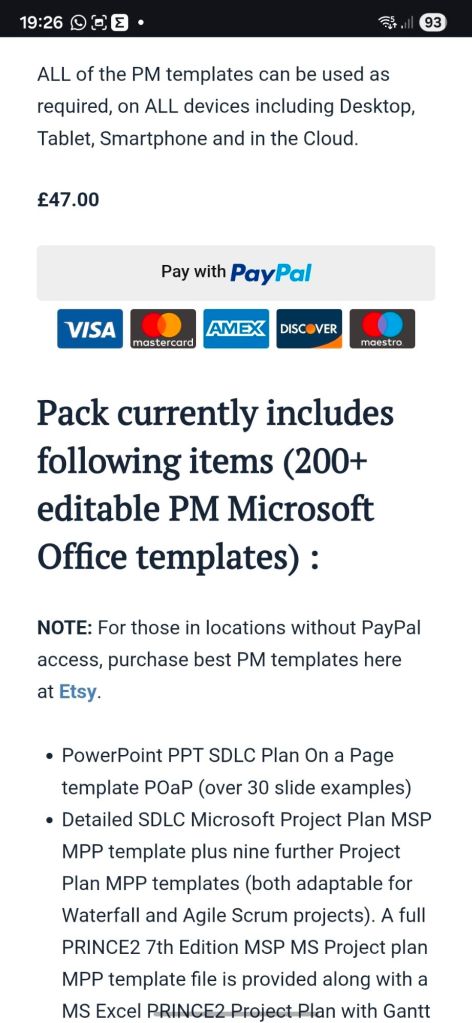
This WordPress website selling Project Management templates – see banner above

Microsoft Word Development Timeline History

Microsoft Word has evolved from a niche tool for Xerox programmers into the world’s most dominant word processor. Below is the comprehensive history of its development and key milestones

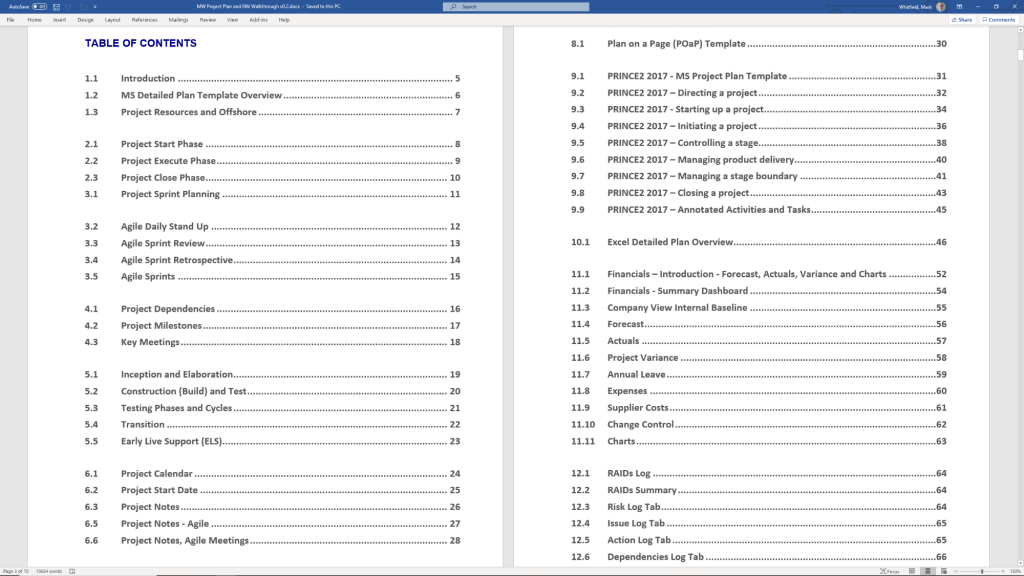
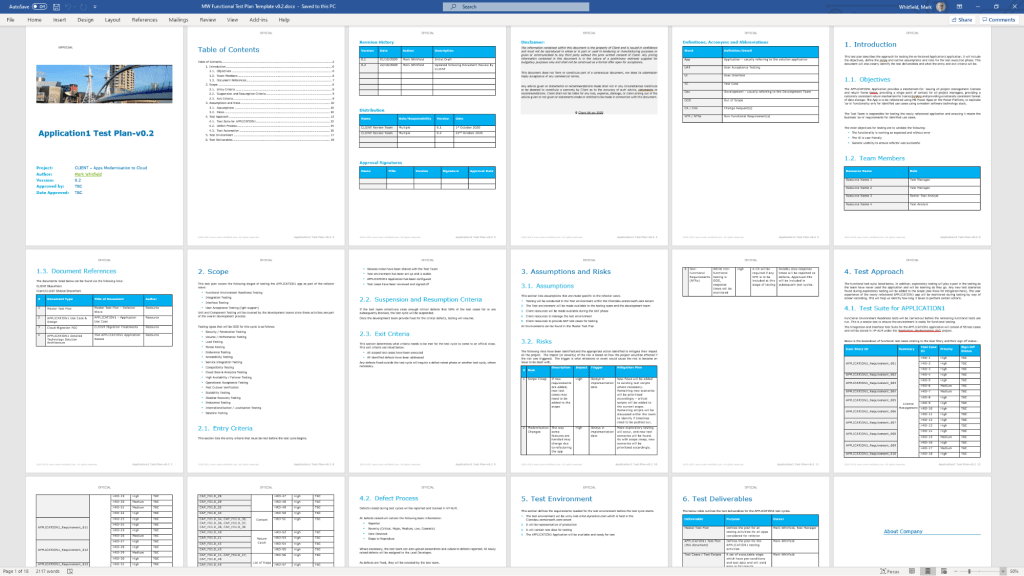
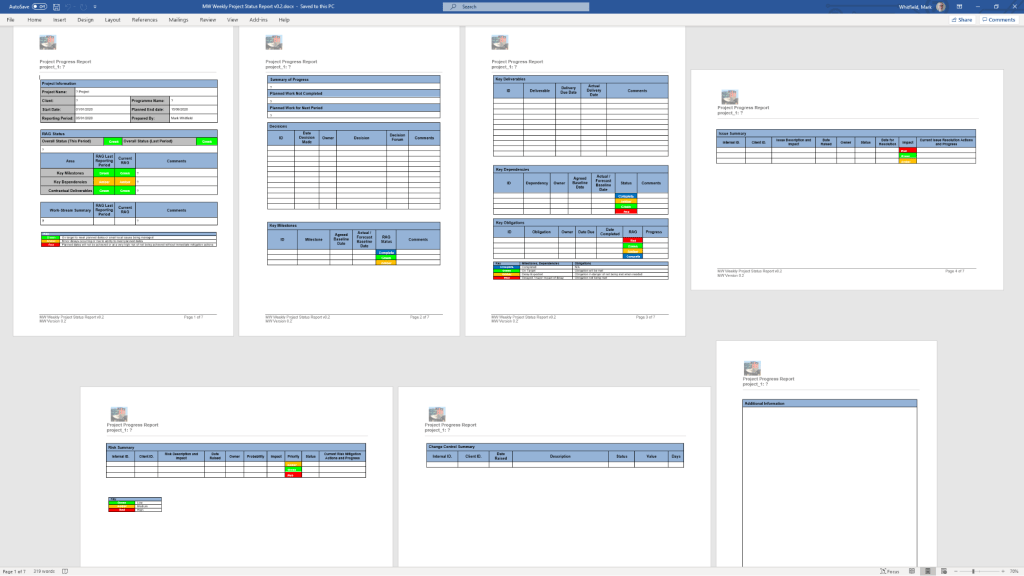
Templates available for download at website banner

The Early Years (1980s)

  • 1981: Microsoft hires Charles Simonyi and Richard Brodie, former Xerox PARC developers, to create a word processor.
  • 1983 (October): The first version, Multi-Tool Word, is released for Xenix and MS-DOS.
  • 1985: Word for Macintosh is released, introducing the GUI (Graphical User Interface) that would define its future.
  • 1989: The first version of Word for Windows debuts, setting the stage for its commercial dominance. 

The Rise to Dominance (1990s)

Templates available for download at website banner
  • 1990: With the release of Windows 3.0, Word becomes a massive commercial success.
  • 1993: Word 6.0 is released, skipping versions 3, 4, and 5 to synchronise version numbers across platforms.
  • 1995: Word 95 launches as part of the first Microsoft Office suite, moving to a year-based naming convention.
  • 1997: Word 97 introduces the infamous “Clippy” assistant and the standard .doc format that would last for a decade. 

Modernisation & The Ribbon (2000s) 

  • 2003: Word 2003 introduces XML-based formats and better collaboration tools.
  • 2007: A massive overhaul introduces the Fluent User Interface (the Ribbon) and the new .docx (Office Open XML) file format.
  • 2010: Word 2010 adds more customisation to the Ribbon and introduces the Backstage view for file management. 

Cloud & AI Era (2011–Present)

  • 2011: Office 365 is launched, shifting Word toward a subscription-based, cloud-first model.
  • 2013: Introduces better PDF editing and Read Mode.
  • 2014-2016: Real-time collaboration and Smart Lookup are added, allowing users to research directly within the document.
  • 2021: AI-powered writing suggestions and better dark mode are introduced.
  • 2024: Integration with Microsoft Copilot allows for AI-generated drafts, summaries, and advanced editing.

Microsoft Word Development Timeline History

Microsoft PowerPoint Development Timeline History

Microsoft PowerPoint was originally developed as “Presenter” by Forethought, Inc. in 1987 for the Apple Macintosh. Microsoft acquired it just three months later for $14 million, marking their first major acquisition. 

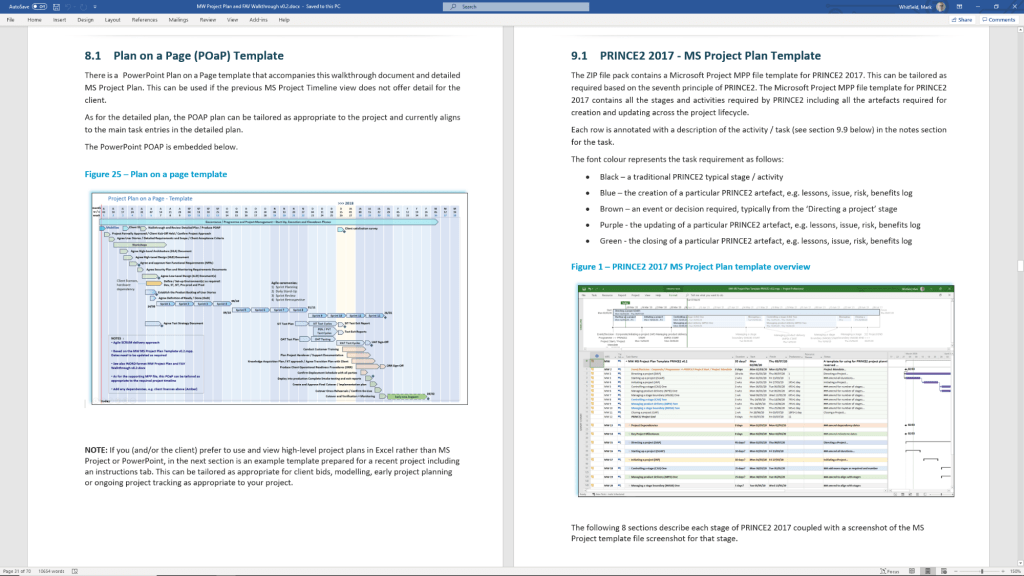
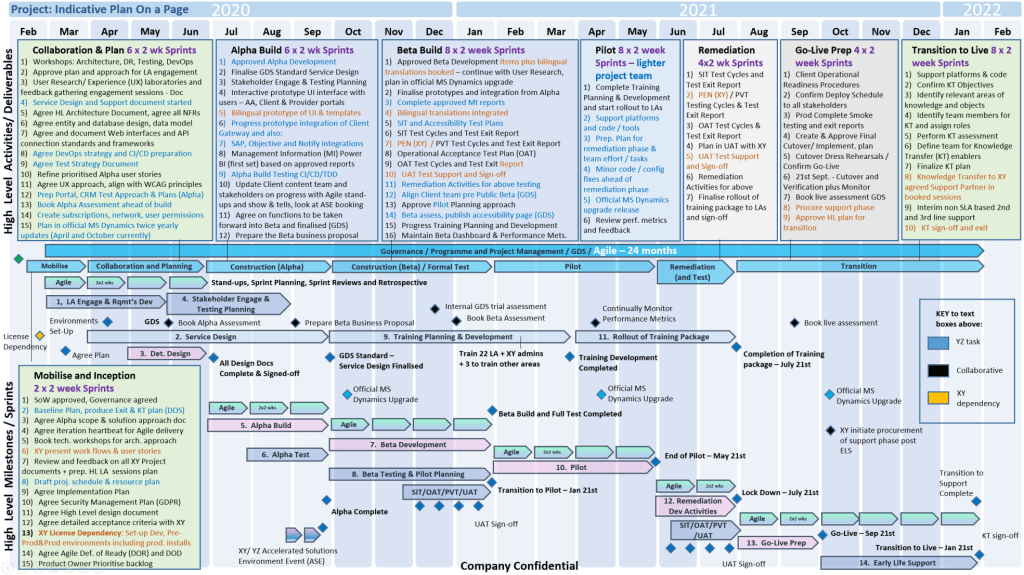
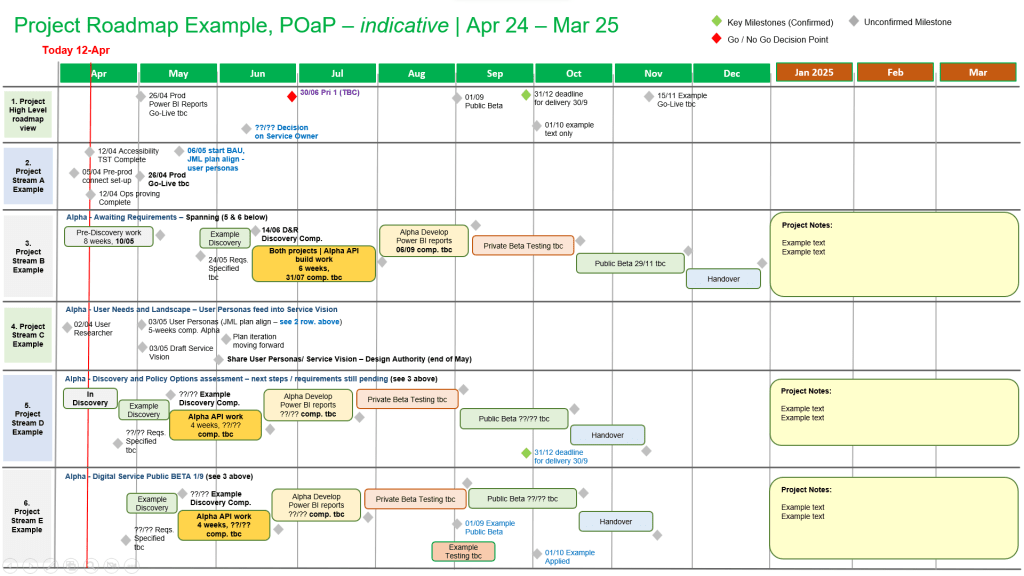
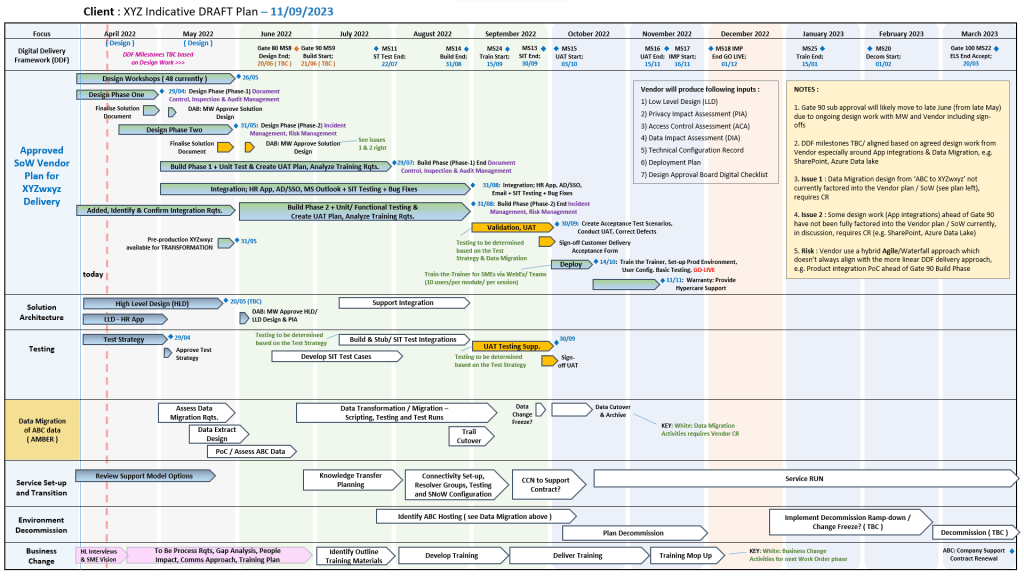
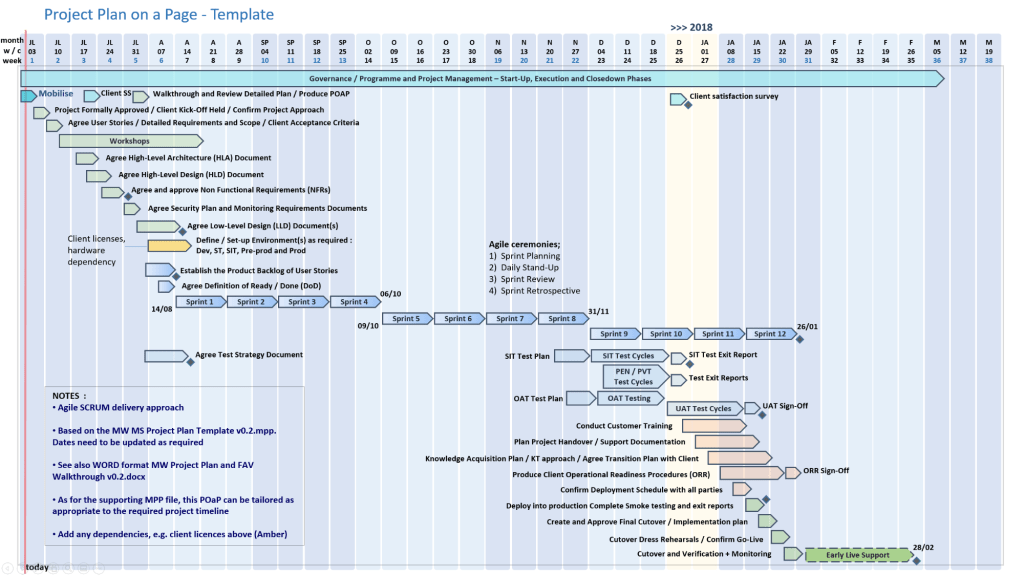
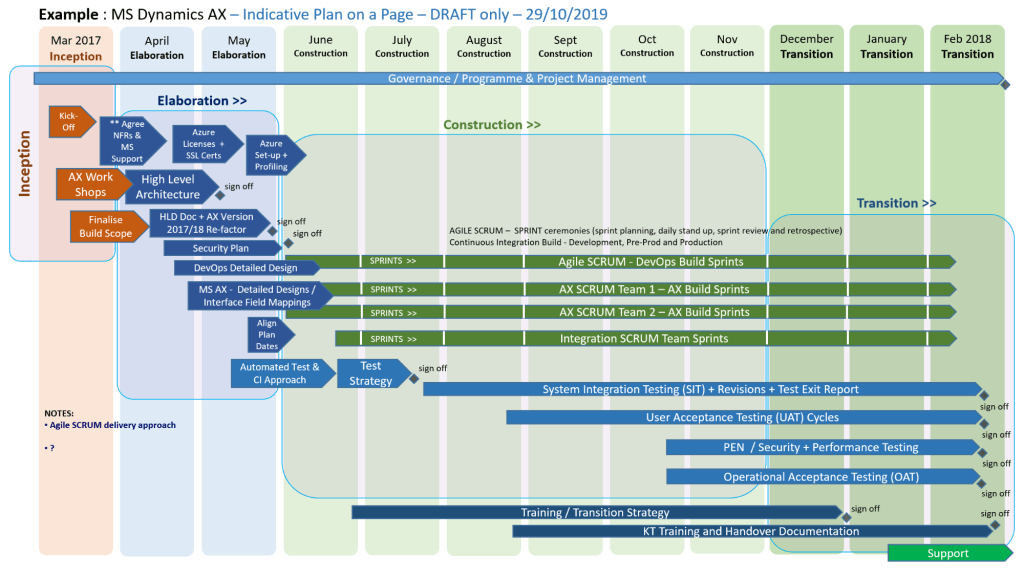
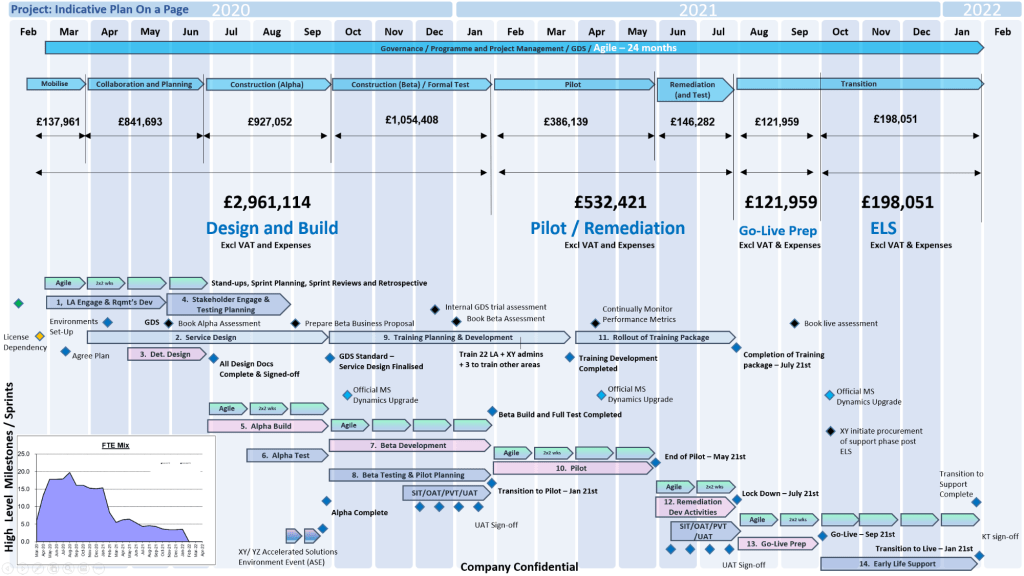
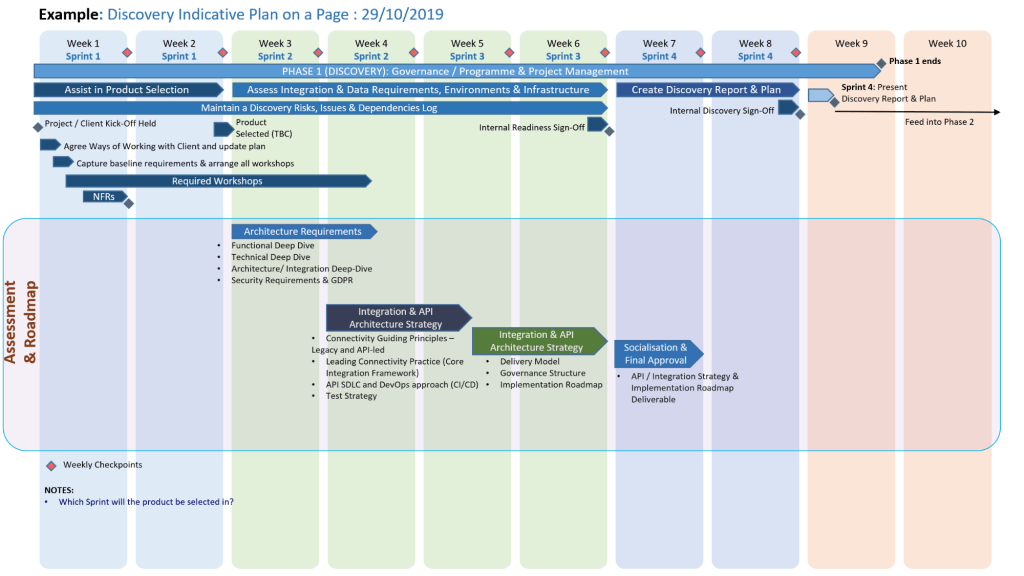
MS PowerPoint Plan On a Page POaP templates downloaded at website banner

Foundational Years (1984–1990) 

  • 1984: The idea for a presentation program is conceived by Robert Gaskins.
  • 1987 (April): PowerPoint 1.0 launches for Macintosh, supporting only black and white slides.
  • 1987 (July): Microsoft acquires Forethought.
  • 1990 (May): The first Windows version (PowerPoint 2.0) is released, coinciding with Windows 3.0. 

Office Integration (1992–2003) 

MS PowerPoint Plan On a Page POaP templates downloaded at website banner
  • 1992: PowerPoint 3.0 introduces video transitions and sound.
  • 1994: PowerPoint 4.0 begins deep integration with the Microsoft Office suite, sharing interface components with Word and Excel.
  • 1997: PowerPoint 97 brings significant upgrades like “Custom Animation” and the “Office Assistant” (Clippy).
  • 2003: PowerPoint 2003 focuses on collaboration and improved “Package for CD” features. 

Modernization & Cloud (2007–Present)

MS PowerPoint Plan On a Page POaP templates downloaded at website banner
  • 2007: Introduces the Ribbon interface and the XML-based .pptx file format.
  • 2010: Adds video export, section organization, and co-authoring capabilities.
  • 2013: PowerPoint for Web is released, alongside the first dedicated mobile apps for iOS and Android.
  • 2016–2021: Features focus on AI-driven design (PowerPoint Designer), Morph transitions, and real-time collaboration via Microsoft 365.
  • 2023+: Integration of AI tools like Copilot for automated slide generation and DALL-E 2 for image creation. 

Microsoft PowerPoint Development Timeline History

MS PowerPoint Plan On a Page POaP templates downloaded at website banner

Microsoft Project Timeline, Development History Overview

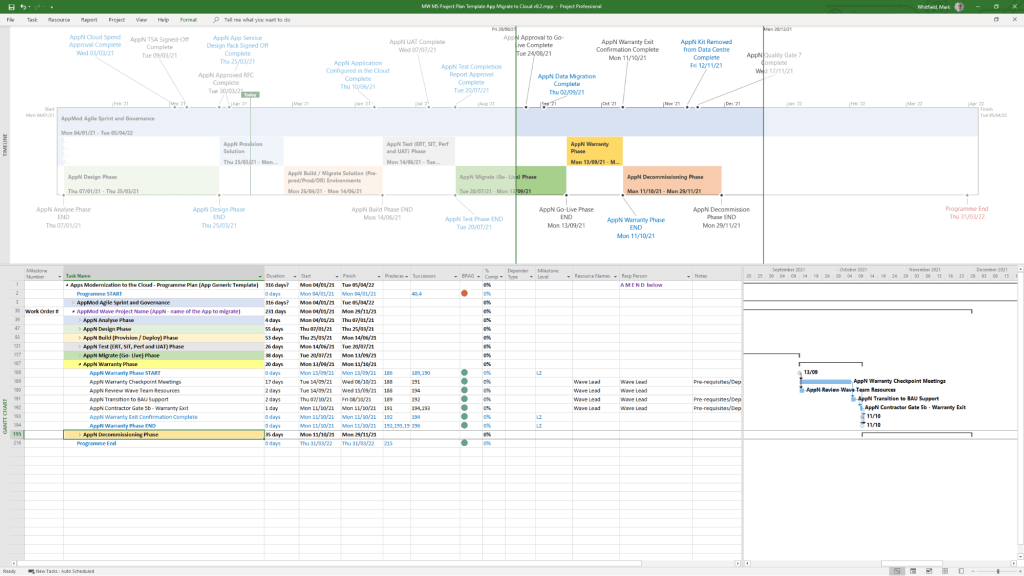
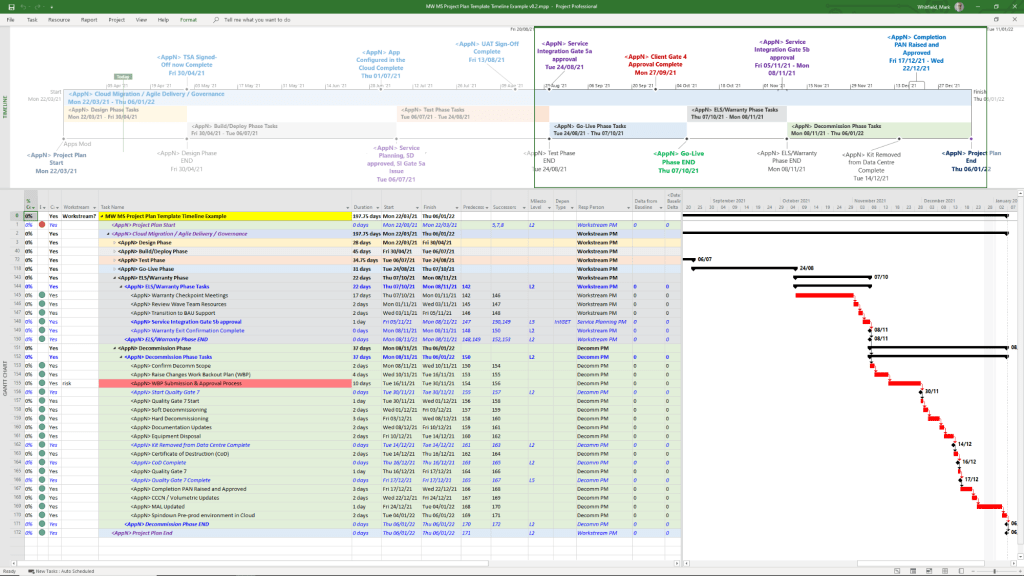
Microsoft Project has evolved from a DOS-based tool in the 1980s into a cloud-integrated platform. Its “Timeline” feature specifically has transitioned from a simple static view to a multi-layered, interactive reporting tool. 

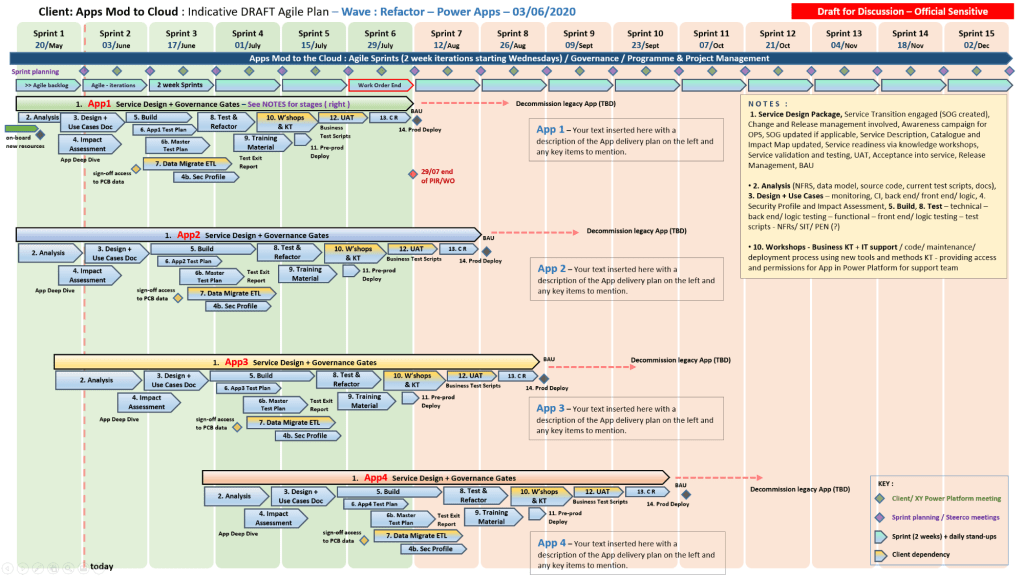
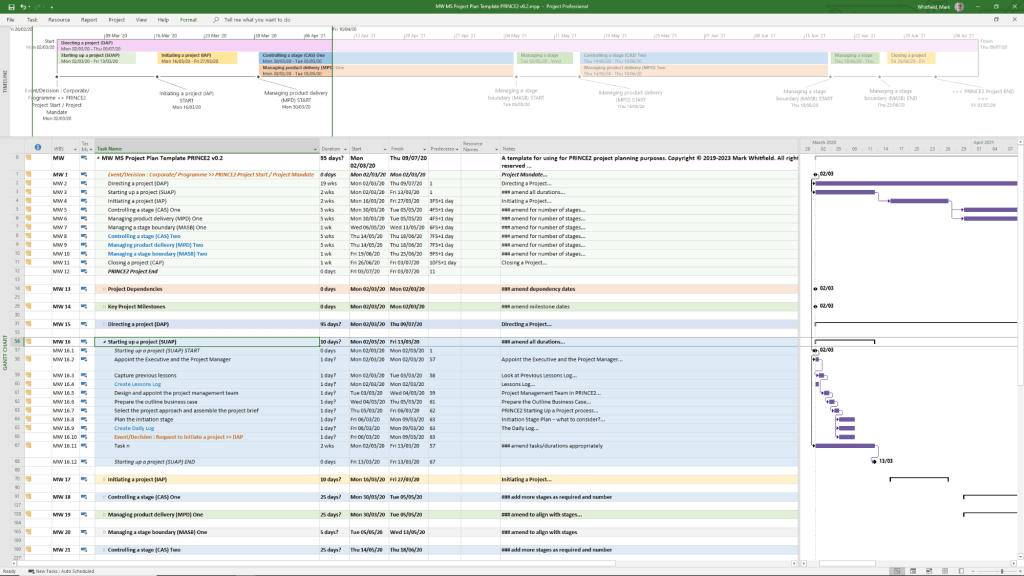
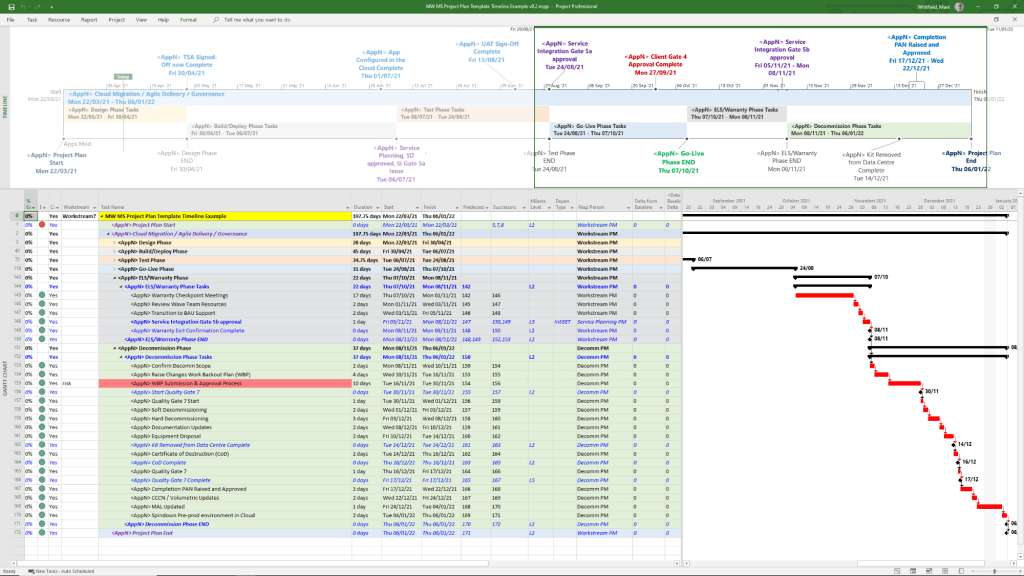
Template included in package – see website banner

Timeline Feature Development History

  • Early Era (1984–2007): For decades, the “timeline” was synonymous with the Gantt Chart. Users had to rely on complex print-outs or third-party tools to create high-level summaries for executives.
  • The dedicated Timeline View (2010): Microsoft introduced a native Timeline view in Project 2010, allowing users to cherry-pick specific tasks and milestones to display on a single horizontal bar.
  • Multi-Timeline Support (2016): Project 2016 expanded this by allowing multiple timeline bars in a single view. This enabled managers to represent different project phases or workstreams with independent start and end dates.
  • Cloud & Web Integration (2019–Present): With the launch of Project for the web, timelines became more interactive, supporting drag-and-drop adjustments and real-time co-authoring.
  • Task History Tracking (2023): Microsoft added a Task History pane to the web version, allowing users to see a chronological log of changes to specific timeline items. 

Key Components of a Modern MS Project Timeline

Templates included in download bundle – see website banner
  • Gantt-Style Visualization: Displays tasks as horizontal bars against a calendar timescale.
  • Milestones & Callouts: Important dates appear as diamonds or labels that can be dragged above or below the main bar to avoid clutter.
  • Dependencies: Visual links between tasks that illustrate the sequence of work and the Critical Path.
  • Copy for Presentation: A dedicated formatting tool that allows users to export the timeline directly to Microsoft PowerPoint or email at various sizes (Small, Medium, Full Size). 

Future Outlook

Template included in download bundle – see website banner

Microsoft has announced that Project Online will be officially retired on 30 September 2026, with development focus shifting entirely to the new Microsoft Planner and Project for the web ecosystem.

Microsoft Project Timeline, Development History Overview

Bolton Town, Greater Manchester, UK – Timeline History

Bolton’s evolution from a small moorland settlement to a world-leading industrial powerhouse and modern metropolitan borough is marked by these key milestones:

Early History & Foundations

Civil War & Growth (17th–18th Century) 

Industrial Revolution (19th Century)

  • 1828: The Bolton and Leigh Railway opens, becoming the oldest in Lancashire.
  • 1838: Bolton is incorporated as a municipal borough.
  • 1839: Chartist riots lead to the reading of the Riot Act.
  • 1873: The current Bolton Town Hall is officially opened.
  • 1889: Bolton is granted County Borough status, making it self-governing and independent of Lancashire County Council. 

Modern Era (20th Century–Present)

Bolton Town, Technical Timeline History

Bolton’s technical and industrial evolution shifted it from a medieval market town to a global leader in cotton spinning and engineering, before transitioning into a modern educational and service hub. 

Industrial Revolution & Engineering (1700s – 1800s)

Bolton’s transformation was driven by local inventors whose technical breakthroughs redefined the textile industry. 

  • 1779: Samuel Crompton invented the Spinning Mule at Hall i’ th’ Wood, combining earlier technologies to produce high-quality yarn.
  • 1780: The town’s first spinning mill opened, marking the start of large-scale mechanised production.
  • 1820: Thomas Bonsor Crompton patented a method for continuously drying paper, a major technical breakthrough for the local paper industry.
  • 1828: One of the world’s first railways, the Bolton and Leigh Railway, opened using George Stephenson’s locomotive “The Witch”.
  • 1873: The Bolton Town Hall opened, a massive Victorian architectural project reflecting the town’s industrial wealth. 

Modern Infrastructure & Power (1880 – 1950)

Technical focus shifted toward municipal services, electricity, and the zenith of the cotton industry. 

  • 1880: Horse-drawn municipal transport began, followed by a telephone connection between Bolton and Manchester.
  • 1894: The first electric power station opened at Spa Road on October 31st.
  • 1899: The town launched its first electric tram service.
  • 1914: The Back o’ th’ Bank electricity generating station began supplying the town.
  • 1929: Bolton reached its industrial peak with 216 cotton mills in operation. 

Education & Re-development (1960s – Present)

As the cotton industry declined, Bolton pivoted toward technical education and retail-led regeneration. 

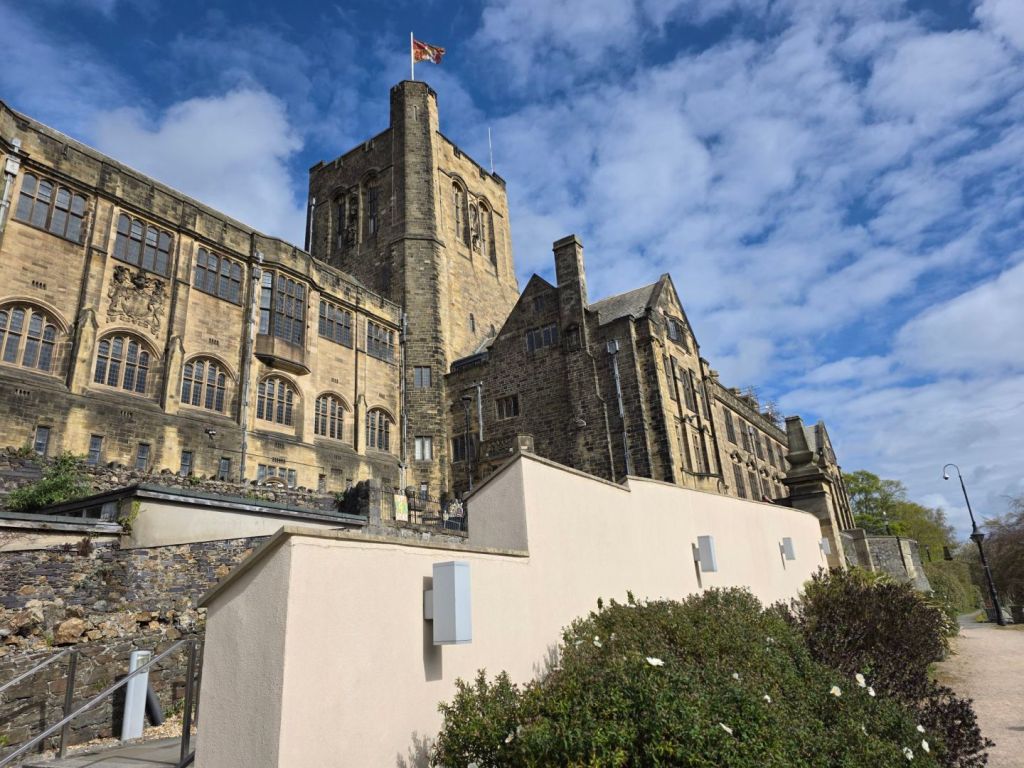
  • 1963: The Bolton Technical College split into Bolton Technical College and the Bolton Institute of Technology (the precursor to the University of Bolton).
  • 1971: The Crompton Place Shopping Centre opened as part of modern town-centre re-development.
  • 1980s: Cotton manufacturing virtually ceased, and the town’s industrial structure diversified into general engineering.
  • 2026: Planning is underway for the demolition of Crompton Place to create a new pedestrian link and modern mixed-use development, scheduled for 2027. 

Bolton Town, Greater Manchester, UK – Timeline History

Leigh Town, Lancashire – Timeline History

Leigh, a historic market town in South Lancashire, evolved from a collection of medieval agricultural townships into a powerhouse of the Industrial Revolution. Below is a timeline of its development. 

Early History & Foundations

  • Ancient Origins: Neolithic stone axes and Bronze Age spearheads suggest activity as early as 1500–1000 BC.
  • Medieval Growth: The name “Leigh” (Saxon for “meadow” or “pasture”) was recorded as Leech in 1264. The town was the centre of an ecclesiastical parish including the townships of Bedford, Pennington, and Westleigh.
  • 1642: During the English Civil War, local “Chowbenters” (men from nearby Atherton) defeated Royalist troops in a battle at Leigh on 2nd December.
  • 1651: The Earl of Derby spent his final night at the King’s Arms in Leigh before his execution in Bolton. 

Industrial Revolution & Expansion

  • 1795: The Bridgewater Canal was extended to Leigh, linking the town to Manchester’s industrial network.
  • 1820: The Leigh Branch Canal opened, connecting the town to the Leeds and Liverpool Canal.
  • 1828: The Bolton and Leigh Railway opened—the first public railway in Lancashire.
  • 1839: The “Leigh Feight” occurred on 14th August, a major Chartist protest and riot involving over 2,000 people.
  • 1850s: The Leigh Union Workhouse was established at Atherleigh.
  • Late 19th Century: Large multi-storey cotton mills like Leigh Spinners (Grade II*) and Mather Lane Mill (Grade II) transformed the skyline. 

Civic Development

  • 1875: The townships of Bedford, Pennington, and Westleigh merged to form the Leigh Local Board.
  • 1894: Leigh became an Urban District.
  • 1899: Leigh was granted a Royal Charter, becoming a Municipal Borough.
  • 1907: The current Leigh Town Hall was completed on Market Street.
  • 1920: Pennington Hall and its grounds were gifted to the people of Leigh, eventually becoming Pennington Park. 

Modern Era

  • 1974: Under the Local Government Act 1972, the Municipal Borough was abolished and Leigh became part of the Metropolitan Borough of Wigan in Greater Manchester.
  • 1992: The last coal mines in the area, Bickershaw and Parsonage Collieries, closed on 13th March.
  • 2008: Leigh Sports Village was officially opened by Queen Elizabeth II.
  • 2016: The Leigh-Salford-Manchester Guided Busway opened to provide rapid transit to Manchester city centre.
  • 2023: The Leigh Leopards rugby league team won the Challenge Cup for the first time in 52 years.

Leigh’s history is a classic Lancashire tale of transition from a rural collection of townships to an industrial powerhouse. Here is a timeline of its most significant milestones: 

Early Origins & Medieval Period

  • Stone Age & Roman Era: Archaeological finds in the area include a Stone Age axe in Pennington and a Roman coin in Bedford.
  • 12th Century: The name “Leigh” (from the Old English leah, meaning a woodland clearing) appears in records. The ancient parish originally consisted of six townships: AstleyAtherton, Bedford, Pennington, Tyldesley cum Shakerley, and Westleigh.
  • 1189–1199: Higher Hall, the manor house of Westleigh, dates back to the reign of Richard I. 

Conflict & Industrial Revolution

  • 1642: During the English Civil War, local Parliamentarians (the “Chowbenters”) defeated Royalist troops in the Battle of Leigh.
  • 1760s: Local legend attributes the invention of the spinning jenny and the water frame to Thomas Highs of Leigh, marking the start of its textile dominance.
  • 1795–1820: The Bridgewater Canal was extended to Leigh (1795), followed by the Leigh branch of the Leeds and Liverpool Canal (1820), making the town a critical hub for coal and textiles.
  • 1828: The Bolton and Leigh Railway opened for freight, becoming the first public railway in Lancashire.
  • 1839: The “Leigth Feight” occurred on 14 August, when a mob of 2,000 Chartist strikers clashed with troops over high unemployment and living costs.

Civic Development & Modern Era

  • 1875: The townships of Bedford, Pennington, and Westleigh merged to form the Leigh Local Board, officially adopting “Leigh” as the town’s name.
  • 1899: Leigh was granted a Royal Charter to become a Municipal Borough.
  • 1907: The current Leigh Town Hall, designed by J.C. Prestwich, was completed.
  • 1911: The textile industry peaked, with over 6,000 people employed in the town’s mills.
  • 1974: Under local government reorganisation, Leigh ceased to be an independent borough and became part of the Metropolitan Borough of Wigan in Greater Manchester.
  • 2008: The Leigh Sports Village opened, providing a modern home for the Leigh Leopards rugby league team.
  • 2016: The Leigh-Salford-Manchester guided busway opened, re-establishing a rapid transport link to Manchester. 

Leigh College, Marshall Street, Leigh, Lancs

Building below demolished 2007 and now rebuilt at the Leigh Sports Village – 1234 article by Julie McKiernan courtesy of PastForward, produced by Wigan Archives & Museums, Issue No. 97, August – November 2024, Marking 50 years of the borough, Wigan and Leigh’s local history magazine – Address: Past Forward, Archives, Wigan & Leigh, Leigh Town Hall, Mark Street, Leigh, WN7 1DY

mark whitfield DSCF0519
Leigh College, Marshall Street, Leigh, Lancs

Mark Whitfield, Senior IT Project Manager – Training Timeline

Mark Whitfield, a Senior Project Manager currently at Capgemini UK, has documented a detailed IT and Management training timeline spanning over three decades: 

Technical Training Timeline

  • July 2024: Microsoft Excel Refresher 2024 (Udemy)
  • July 2014: Advanced Microsoft Excel 2013
  • July 2011: Google Android programming (Eclipse IDE)
  • June 2011: Java programming (Eclipse IDE)
  • November 2009: HP NonStop Security (SRM) & PayShield 9000
  • July 2009: Business Intelligence Reporting Tools (BIRT)
  • March 2009: Querying MS SQL 2000 with Transact SQL
  • January 2007: Developing Web Apps using Visual Studio .NET
  • March 1997: C / C++ Programming (Comtec)
  • June – Nov 1995: HP NonStop Performance, Analysis, Tuning & TAL Programming

Management & Methodology Training

  • February 2022: AZ-900 Microsoft Certified Azure Fundamentals
  • November 2019: Resilience and Peak Performance (Capgemini)
  • November 2017: Advanced Engagement Management Certification Level 2
  • January 2012: ITIL Foundation Course
  • May 2011: PRINCE2 Practitioner, Foundation, and Agile Scrum Course (RADTAC)
  • January 2006: PRINCE2 Project Management Foundation
  • February 2000: Successful Project Management (SkillPath)
  • October 1999: Managing Multiple Projects, Objectives and Deadlines 

Foundational Education

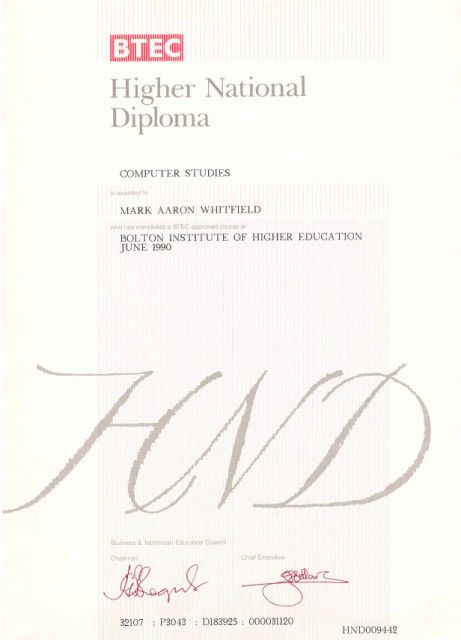
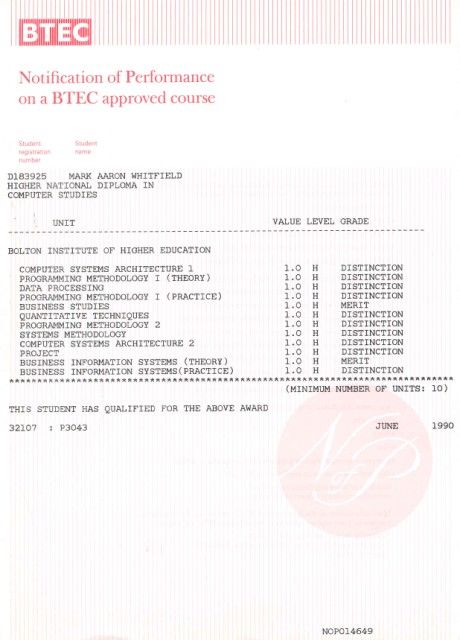
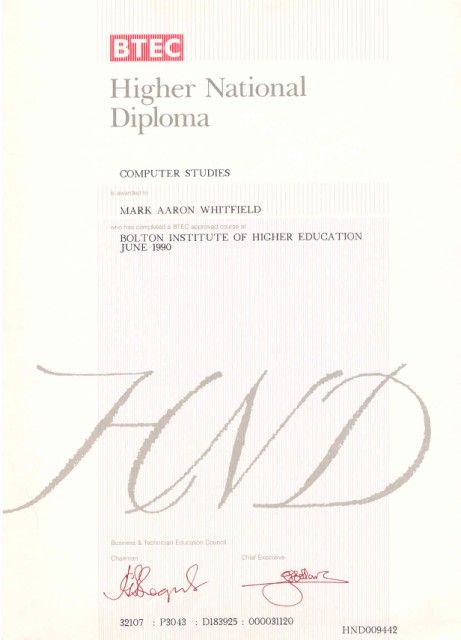
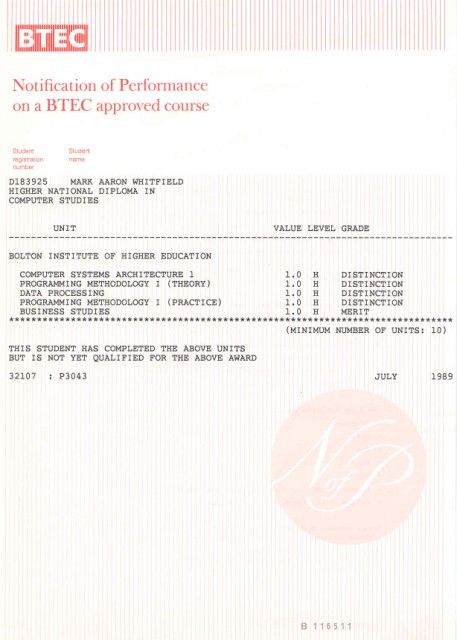
  • 1988 – 1990: BTEC HND Computing (Distinction) at Bolton Institute of Higher Education.
  • 1985 – 1988: A-Levels in English, Biology, and Computing at Leigh College. 

Mark Whitfield, Senior IT Project Manager – Training Timeline

Salford Quays, Salford, Greater Manchester, UK

Salford Quays has evolved from a largely empty landscape of racecourses and medieval halls into one of the UK’s most significant urban regeneration projects.

1. The Industrial Era (1887–1981)

2. Decline and Early Redevelopment (1982–1999) 

3. Cultural and Digital Expansion (2000–Present)

  • 2000: The Lowry arts centre is opened by Queen Elizabeth II.
  • 2001: The Lowry Outlet Mall (now Quayside MediaCity) opens to the public.
  • 2002: The Imperial War Museum North opens its doors across the water from The Lowry.
  • 2007–10: Construction of MediaCityUK takes place; the BBC confirms the relocation of five departments to the site.
  • 2011–12: BBC and University of Salford staff move into MediaCityUK; ITV later moves its Manchester base (including Coronation Street) here in 2013.
  • 2021: Buildings at MediaCityUK achieve net zero carbon status.
  • 2022: The Salford Quays 2030 vision is launched to further enhance the area as a vibrant community hub. 

Salford Quays, Salford, Greater Manchester, UK

My MediaCityUK Salford Quays photo timeline

Salford Quays Technical Timeline

From its engineering origins as the Manchester Docks to its current status as a digital hub, 

Salford Quays has undergone a massive technical and structural transformation. 

Industrial Foundation & Engineering (1887–1982)

  • 1887–1893: Construction of the Manchester Ship Canal, an engineering feat measuring 35.5 miles from Eastham to Manchester.
  • 1894: Official opening of the Manchester Docks by Queen Victoria, establishing Manchester as Britain’s third-largest port.
  • 1905: Opening of No. 9 Dock, the largest in Salford, by King Edward VII.
  • 1970s: Deindustrialisation begins as the rise of containerisation makes the narrow canal obsolete for modern, larger ships.
  • 1982: Final closure of the docks, resulting in 3,000 job losses and leaving the area as a polluted wasteland.

Regeneration & Environmental Recovery (1983–2000) 

  • 1983–1984: Salford City Council acquires the derelict docks.
  • 1985: Launch of the Salford Quays Development Plan, envisioning a new residential and commercial district.
  • 1986–1990: Massive infrastructure programme: polluted dock water is separated by bunds, and a compressed air mixing system (Helixor) is installed to improve water quality.
  • 1987: Introduction of 12,000 coarse fish to the now-cleaned waterways.
  • 1989: Opening of the Mariners Canal to link the Ontario and Erie Basins.
  • 1999: Completion of major bridge works and the Metrolink extension, connecting the Quays to Manchester city centre.

Cultural & Digital Expansion (2000–Present)

  • 2000: The Lowry arts centre officially opens.
  • 2002: Completion of the Imperial War Museum North, designed by architect Daniel Libeskind.
  • 2007: Construction begins on MediaCityUK.
  • 2011: The BBC completes its move to three buildings (Bridge, Dock, and Quay House).
  • 2014: Coronation Street begins filming at its new dedicated production centre in MediaCity.
  • 2021: MediaCityUK buildings become the first in the UK to achieve net zero carbon status.
  • 2025–2030 Vision: Ongoing regeneration frameworks aim to deliver over 3,000 new homes and 75,000 sq metres of commercial space. 

Most Nominated Male Best Actors in Oscars History

Most Nominated Male Best Actors in Oscars History

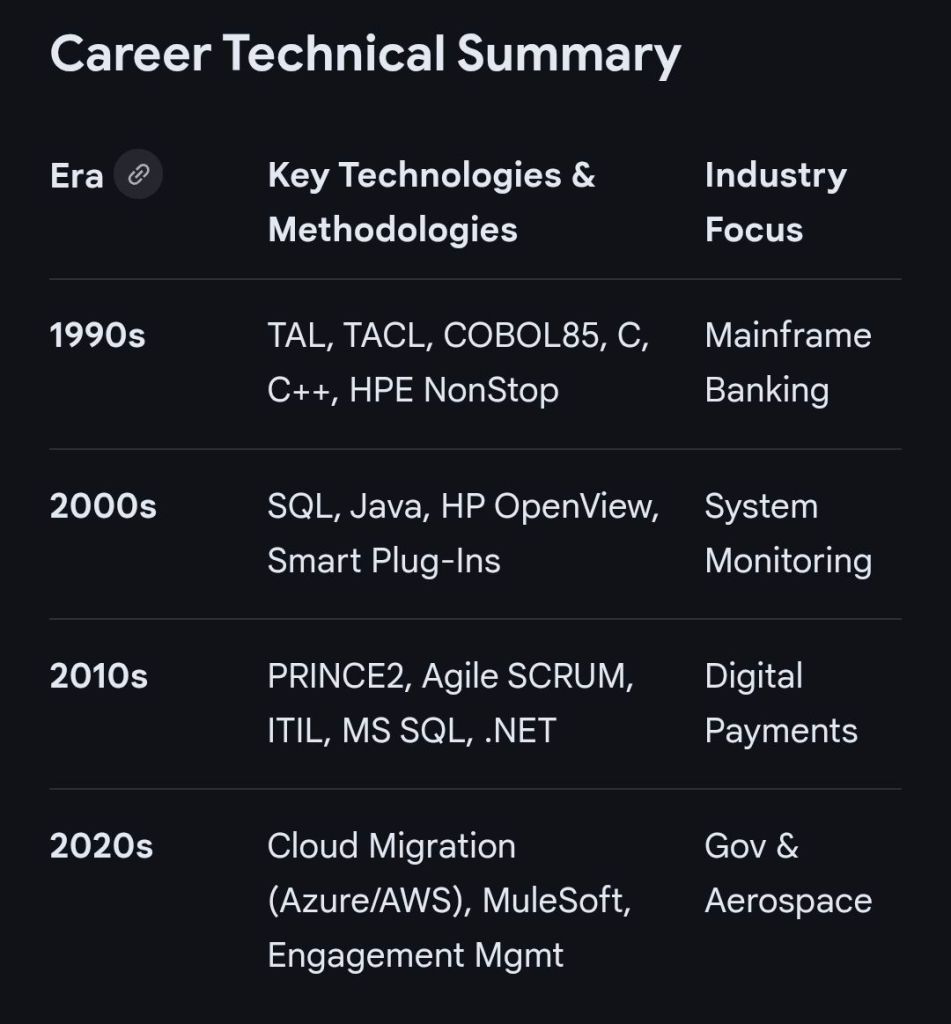
Mark Whitfield IT Career Timeline, AI generated from Google

The technical timeline for 

Mark Whitfield, an SC cleared, Senior IT Project Manager and Engagement Manager, spans over 30 years and transitions from specialized banking software development to high-level project leadership and cloud migrations. 

Professional Career Timeline

  • 1990 – 1994: Programmer at The Software Partnership (later Deluxe Data). Developed electronic banking software (sp/ARCHITECT-BANK) on Tandem Computers (now HPE NonStop) for major banks like TSB and Bank of Scotland.
  • 1994 – 1995: Lead Analyst at Deluxe Data International, continuing support and development for banking customer systems.
  • 1995 – 2013: Project Manager of Strategic Technical Initiatives at Insider Technologies Limited. Oversaw projects involving Reflex 80:20, Sentra development, and corporate website authoring.
  • 2013 – 2014: Project Manager (Banking Division) at Wincor Nixdorf Limited, focusing on professional services for the banking sector.
  • 2014 – 2016: Senior Digital Project Manager at Betfred Limited, managing the Online and Mobile Division.
  • 2016 – Present:Engagement Manager / Senior PM at Capgemini UK.
    • 2016: Led a £4.3M data centre migration for Royal Mail (RMG) involving 1,100+ interfaces.
    • 2018 – 2019: Augmented into MuleSoft as a Delivery Manager for the Anypoint Platform.
    • 2020 – Present: Leading a £13.5M cloud migration program moving 130 UK government apps to Azure and AWS. 

Technical Training & Education

Whitfield maintains an active Professional Training timeline to adapt to changing technologies:

  • 1990: Graduated in Computing.
  • 1995: HP NonStop TAL Programming and Performance Tuning.
  • 1997: C/C++ Programming at Comtec.
  • 2006 – 2009: Deep dive into security and databases, including Cryptography, Thales e-Security, and Microsoft SQL 2000.
  • 2011: Java and Google Android programming using Eclipse IDE.
  • 2014 – 2024: Advanced Microsoft Excel and AI-focused refreshers. 

He is also a Certified Engagement Manager and a registered PRINCE2 Practitioner proficient in both Agile Scrum and Waterfall methodologies.

Betfred Historical timeline

Betfred’s journey from a single shop in Salford to a global betting powerhouse is marked by bold innovations and high-profile acquisitions. 

Historical Timeline

  • 1967: Brothers Fred and Peter Done open their first betting shop in Salford, Greater Manchester, using winnings from a bet on England to win the 1966 World Cup.
  • 1984: Launch of the Lucky 15 bet, a major industry innovation that remains popular today.
  • 1997: The company expands to over 100 shops.
  • 1998: Fred Done becomes the first bookmaker to pay out early, paying on Manchester United to win the Premier League (only for Arsenal to win the title instead).
  • 1999: First major acquisition, purchasing 40 shops from the Demmy Racing Group.
  • 2004: The business is officially rebranded to Betfred. The company also launches its online betting site this year.
  • 2006: Betfred launches one of the industry’s first mobile betting platforms.
  • 2011: Wins the auction to buy The Tote from the UK government for £265 million.
  • 2016: Acquires 322 shops from Ladbrokes and Coral following their merger.
  • 2021: Fred Done steps down as CEO to become Chairman, with Joanne Whittaker taking over the CEO role.
  • 2024–2026: Significant global expansion, establishing a presence in South Africa and the United States, though later scaling back some US online operations in late 2025.

Operational Timelines (Payment & Payouts)

If you are looking for current service timelines for transactions, here are the standard processing windows as of February 2026:

  • Withdrawal Processing: Betfred aims to approve requests within 48 hours.
  • Fastest Methods: Visa Direct and certain E-wallets (PayPal, Skrill) often arrive within 4 to 6 hours.
  • Standard Methods: Bank transfers typically take 2 to 5 working days.
  • Free Bet Credit: Usually credited within 10 hours of a qualifying bet being settled.
My time at Betfred, Wigan

Betfred Historical timeline

Capgemini’s evolution from a small French startup to a global IT leader

Capgemini’s evolution from a small French startup to a global IT leader is marked by strategic mergers and a shift toward high-growth technologies like AI. 

Corporate History Timeline

  • 1967: Serge Kampf founded Sogeti in Grenoble, France, focusing on enterprise management and data processing.
  • 1973–1975: Through hostile takeovers and mergers with CAP and Gemini Computer Systems, the group became CAP Gemini Sogeti.
  • 1985–1988: The company was listed on the Paris Stock Exchange (1985) and entered the CAC 40 index (1988).
  • 1996: The name was simplified to Cap Gemini, and a new logo was launched.
  • 2000: Acquired Ernst & Young Consulting for $11 billion, expanding its global reach, especially in North America.
  • 2004: The brand officially became Capgemini to reflect a unified global identity.
  • 2015: Acquired iGate for $4 billion, making North America its largest market.
  • 2019–2021: Acquired Altran (2019), later rebranded as Capgemini Engineering (2021), to dominate the engineering and R&D services sector.
  • 2024–2025: The strategic focus shifted to AI. In July 2025, Capgemini announced a €3.3 billion deal to acquire WNS Global Services to bolster its agentic AI and intelligent operations. 

Recruitment & Career Timelines

The hiring process typically follows this path:

  • Hiring Process: Usually takes a few weeks, involving application screening, multiple interview rounds (technical and HR), and background verification.
  • Graduate/Mass Hiring: Often conducted via the Superset platform, where status updates like “offered” appear roughly a week after interviews.
  • Graduate Programme: The Accelerate Programme (UK) spans approximately 21 months, starting with a 3-month business overview followed by 18 months in a specific pathway academy.
My own Capgemini career path 2016 – 2025
C&CA UK’s Communications & Engagement Award Winner 2022 – Cloud & Custom Applications – Capgemini UK
Campus – Serge Kampf Les Fontaines, Chantilly, France – Advanced EM Course – November 2017 Class – 2nd from left
November 2017 – Advanced Engagement Management Course – Level 2 Exam

Capgemini’s evolution from a small French startup to a global IT leader

Insider Technologies Limited, Manchester – from Google AI

Insider Technologies Limited is a UK-based software and services company founded in 1989 that specialises in 24×7 mission-critical systems, primarily for the financial, government, and defence sectors. 

Key Historical Timeline

  • 1989: Foundation. The company was incorporated on 27 February 1989. It was established in Manchester, England, by IT industry veterans.
  • 1995–2013: Growth & Partnerships.
    • Became a significant HP Partner, developing solutions for the HP NonStop platform (formerly Tandem Computers).
    • Expanded its client base to include major institutions such as the Bank of EnglandRoyal Bank of Scotland, and Euroclear.
  • 2002: Training Platform Launch. Founded its interactive systems training platform, which eventually utilised its patented Cloning Technology.
  • 2015: Leadership Transition. In October 2015, there was a major change in the board with the termination of appointments for directors Paul Cashmore, Richard Launder, and Anthony Mowatt, and the appointment of Andrew Donald Hall as a director.
  • 2016–2017: Relocation. The company moved its registered office to 4th Floor, 2 City Approach in Eccles, Manchester, where it remains today.
  • 2019: 30th Anniversary. Celebrated 30 years of operations, highlighting its long-term stability in the NonStop business technology community.
  • 2020–2021: Recent Restructuring. Transitioned its ownership structure under Insider Technologies (Holdings) Limited.
  • 2025: Current Status.
    • Now operates as part of the PartnerOne group, a global family of mission-critical software companies.
    • Continues as a Microsoft Gold Partner for Application Development.
    • Recent board changes include the appointment of Andrew Donald Hall and Jonathan Dionne as directors in late 2025. 

Core Product Evolution

  • Reflex & MultiBatch: Software for business-critical 24×7 systems.
  • Sentra & RTLX Reactor: Monitoring and tracking products for Windows, Linux, and Unix platforms.
  • Mission-Critical Support: Provides 24×7 technical support for high-stakes payment and messaging systems.