Plan on a Page (POaP) Microsoft Template Examples for download

Mark Whitfield’s Plan on a Page (POaP) approach provides a high-level, visual timeline designed to compress complex IT project details into a single, executive-ready dashboard. Available through his PROject Templates platform, these artifacts bridge the gap between fast-paced Agile sprint delivery and structured governance frameworks like Waterfall or PRINCE2.

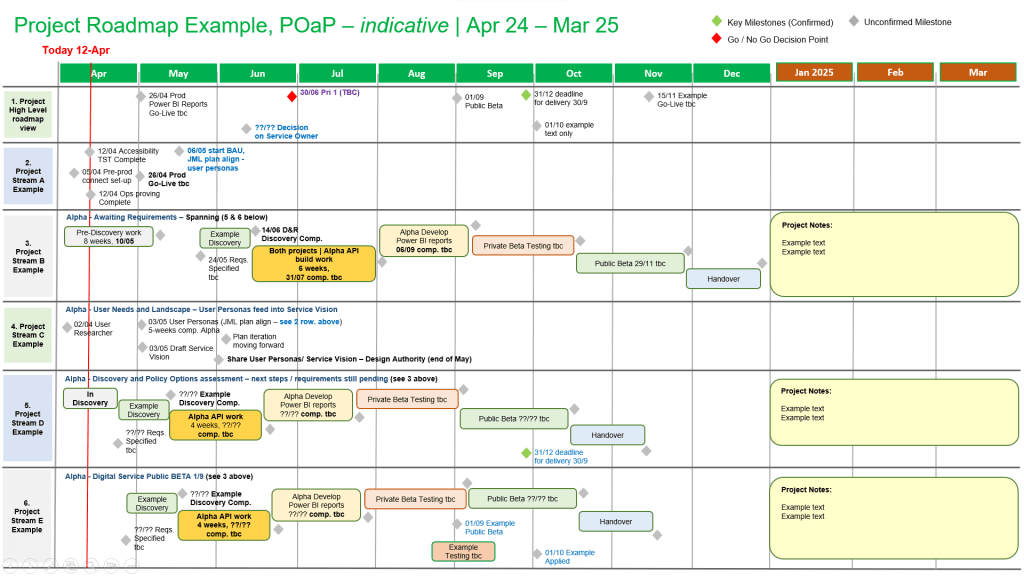
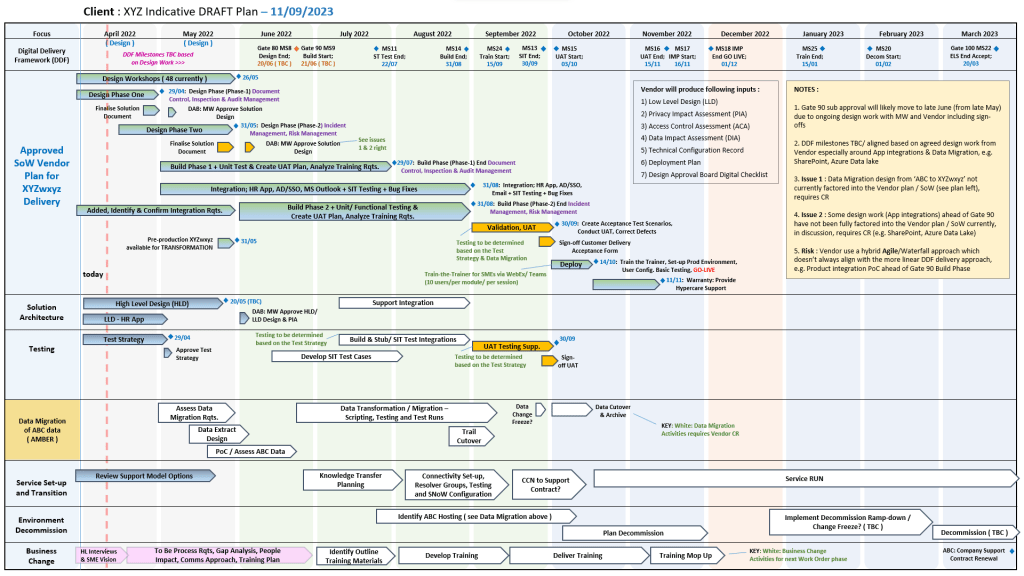
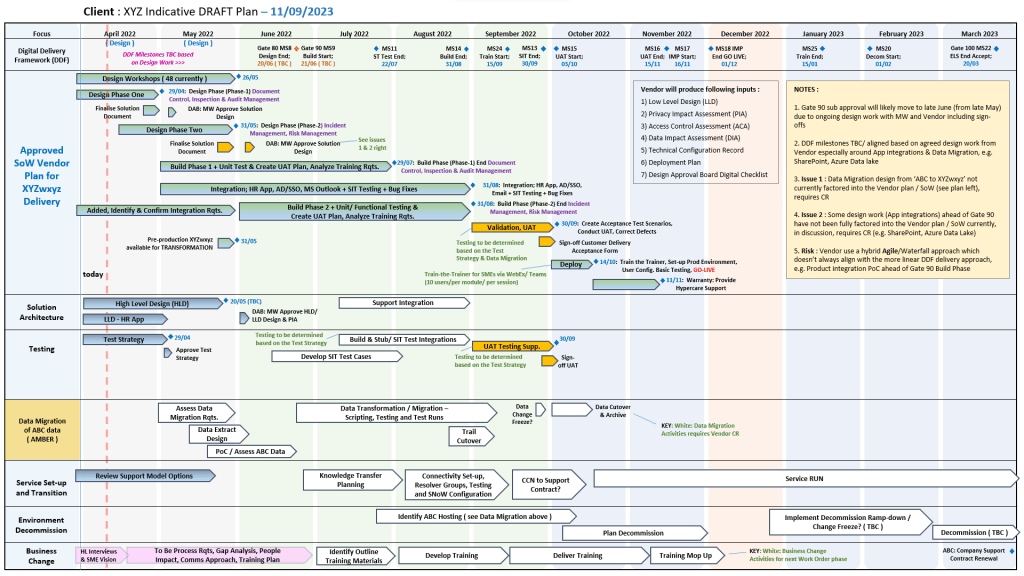
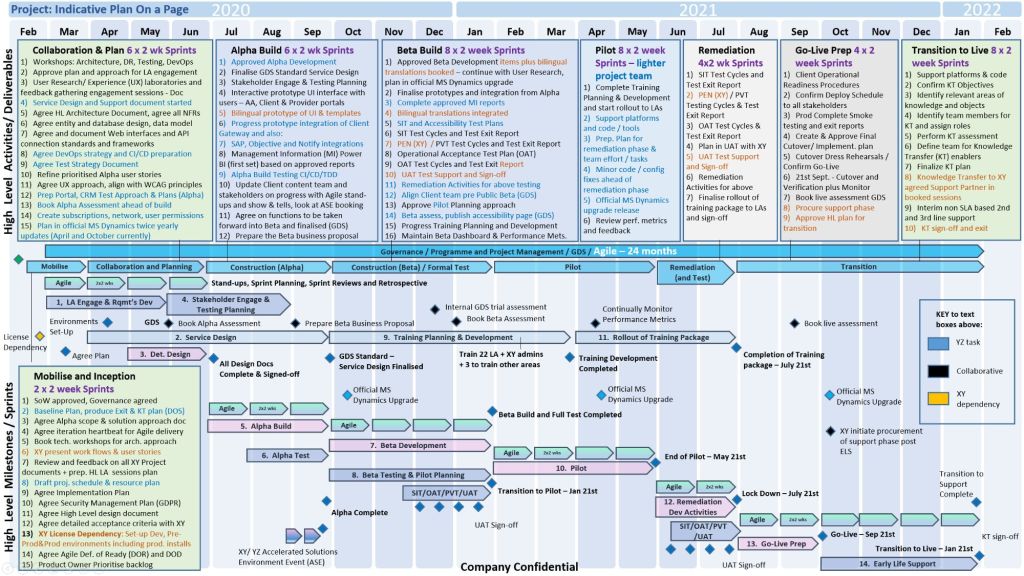
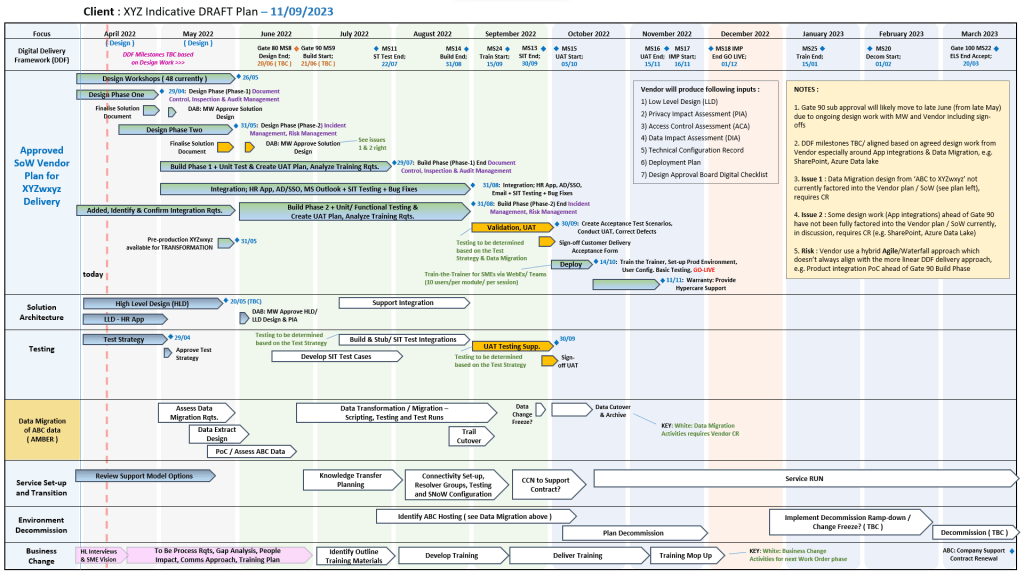
1. Plan on a Page (POaP) Microsoft Template Examples for download
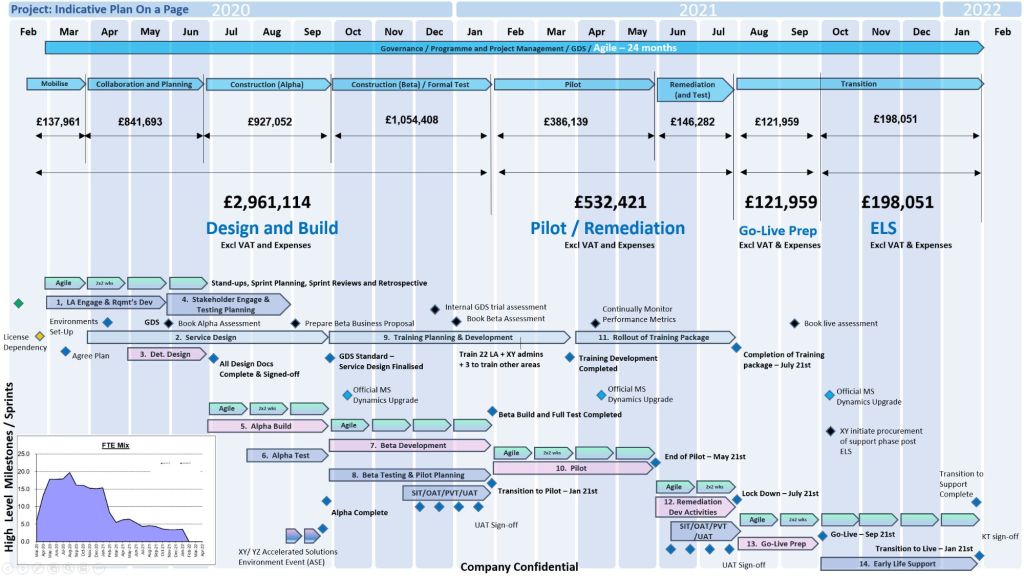
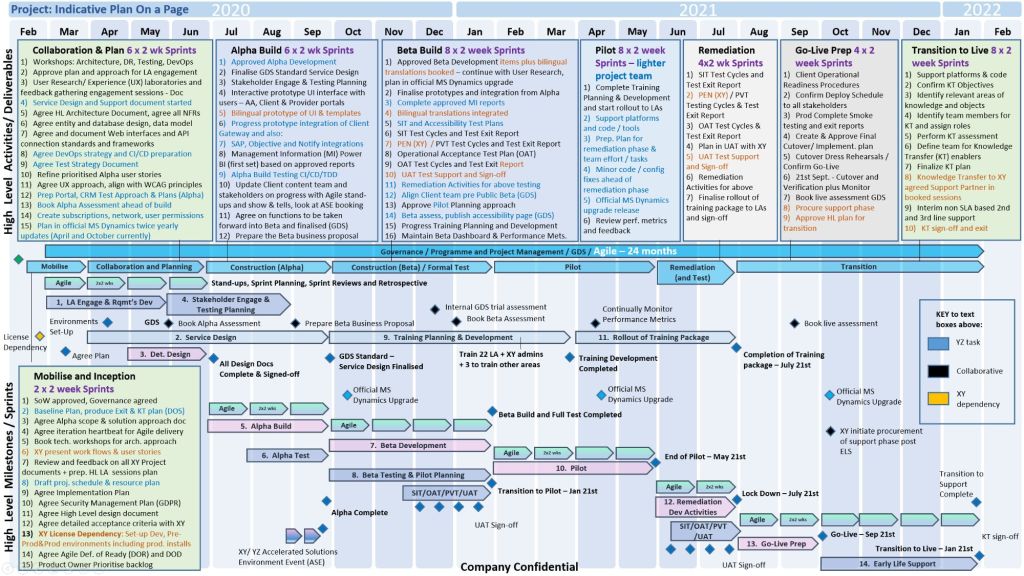
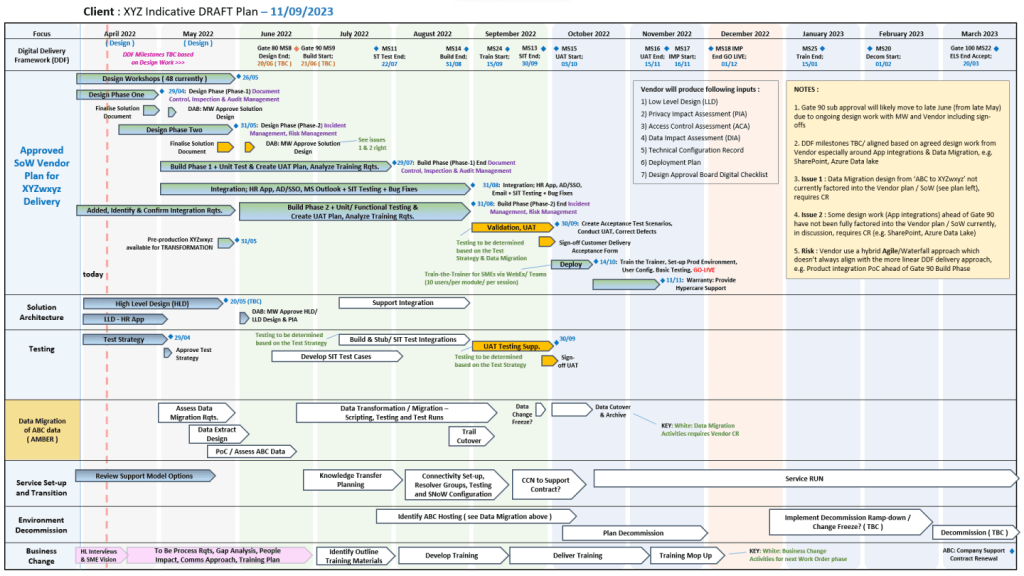
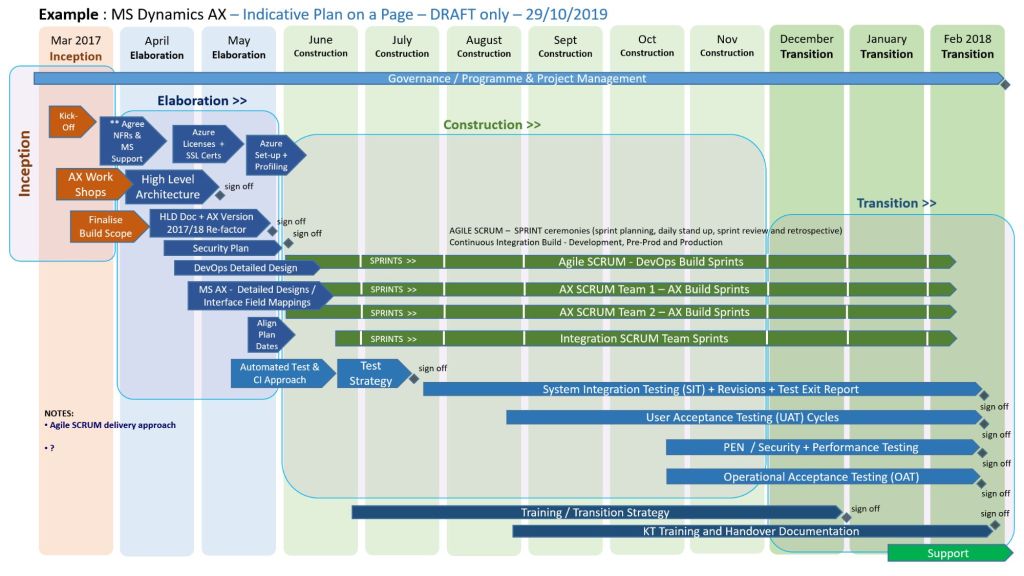
POaP .pptx MS Template Example 1
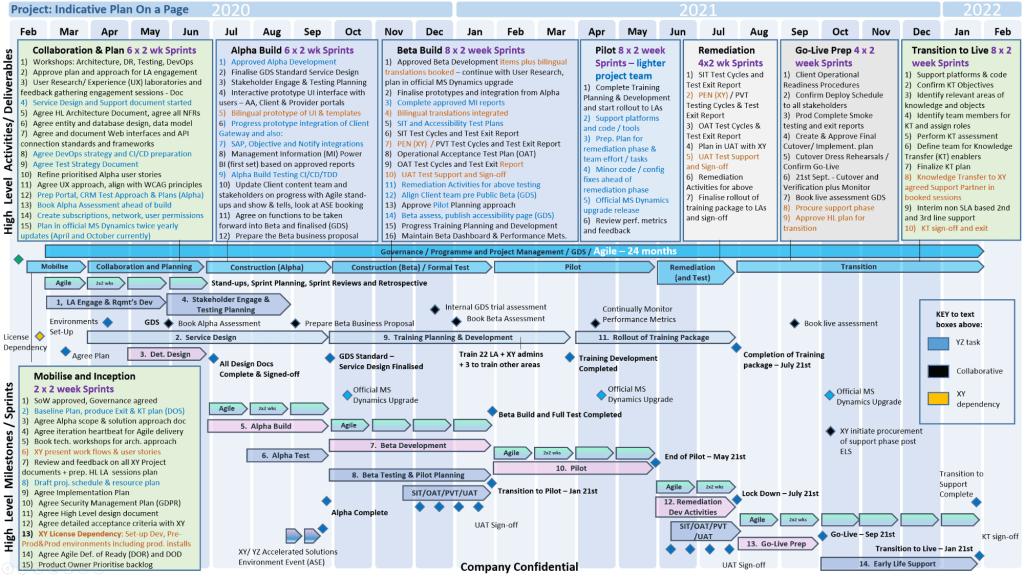
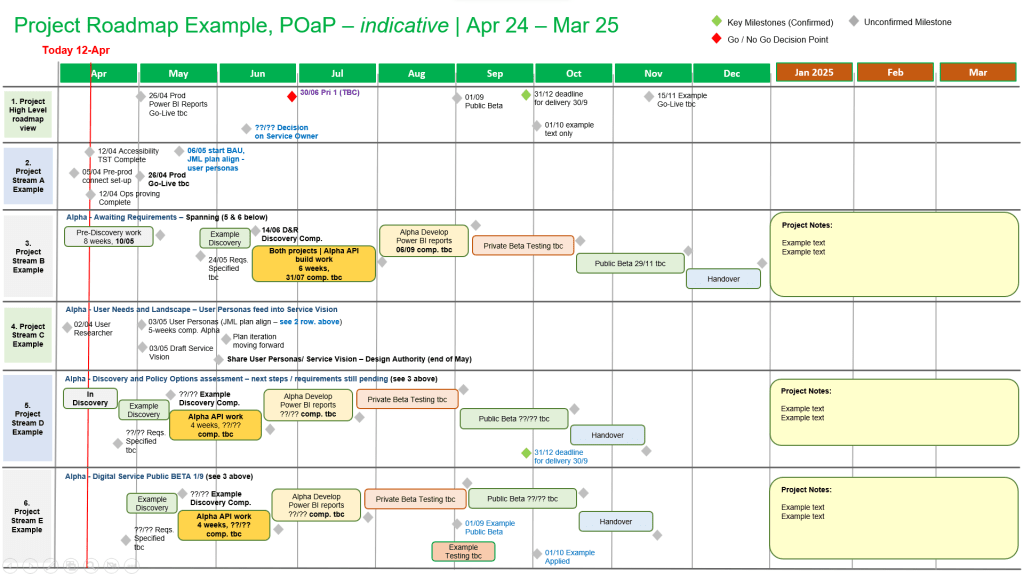
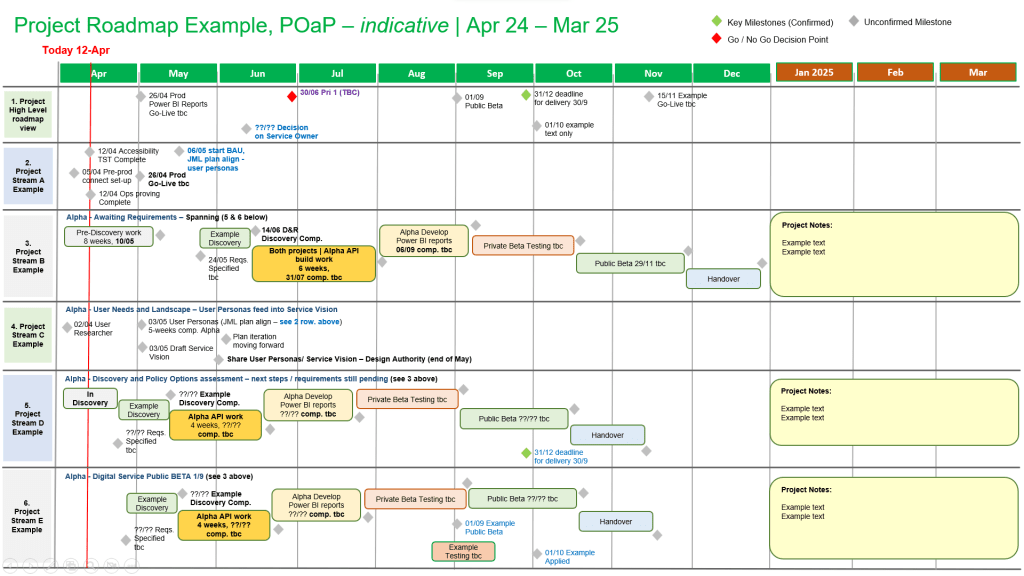
2. Plan on a Page (POaP) Microsoft Template Examples for download
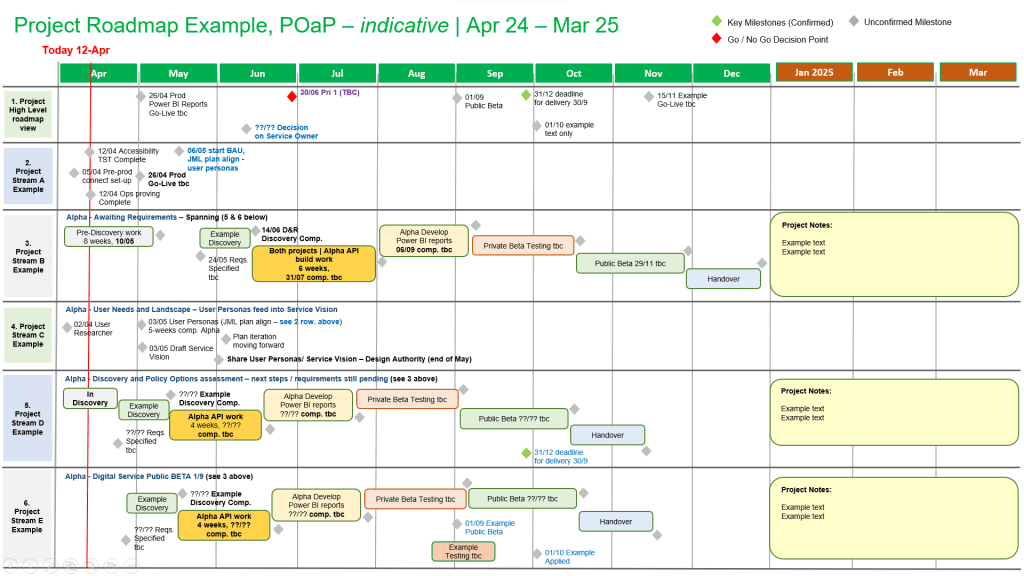
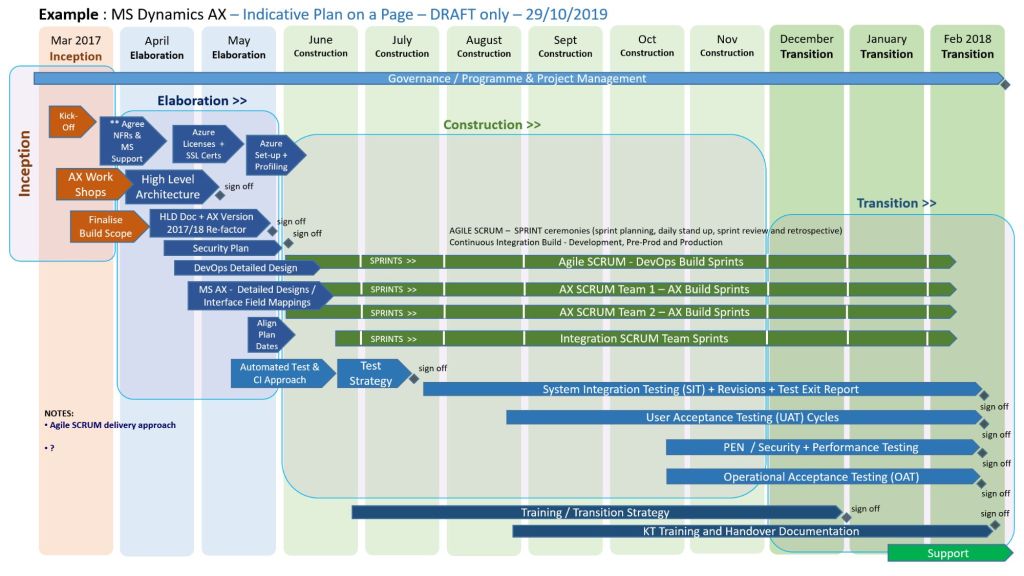
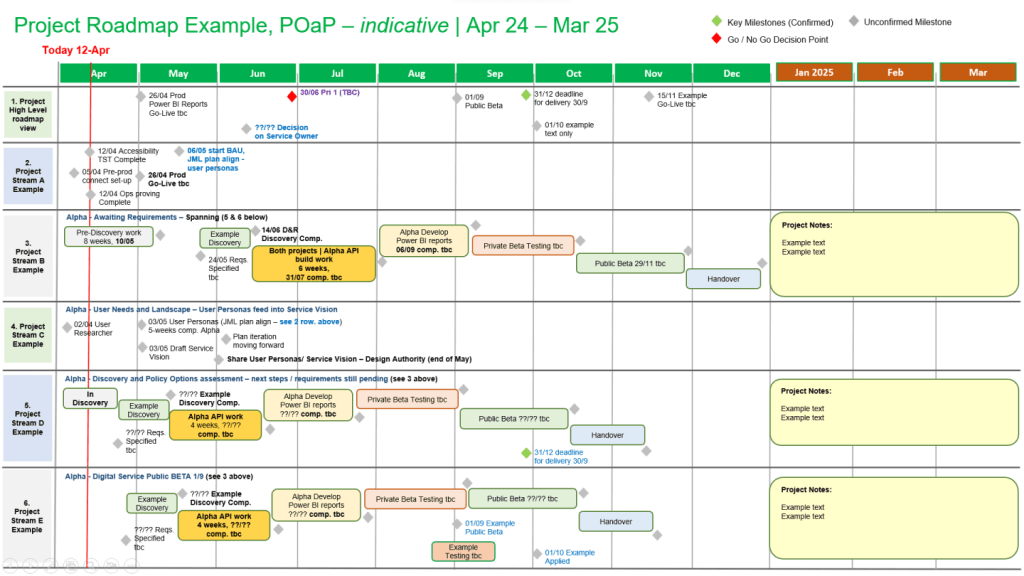
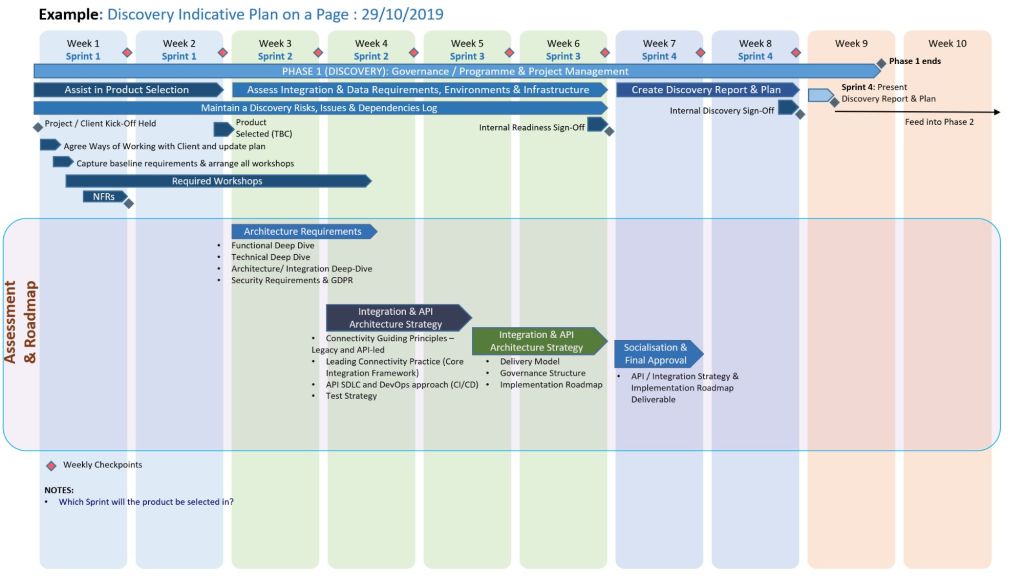
POaP .pptx MS Template Example 2
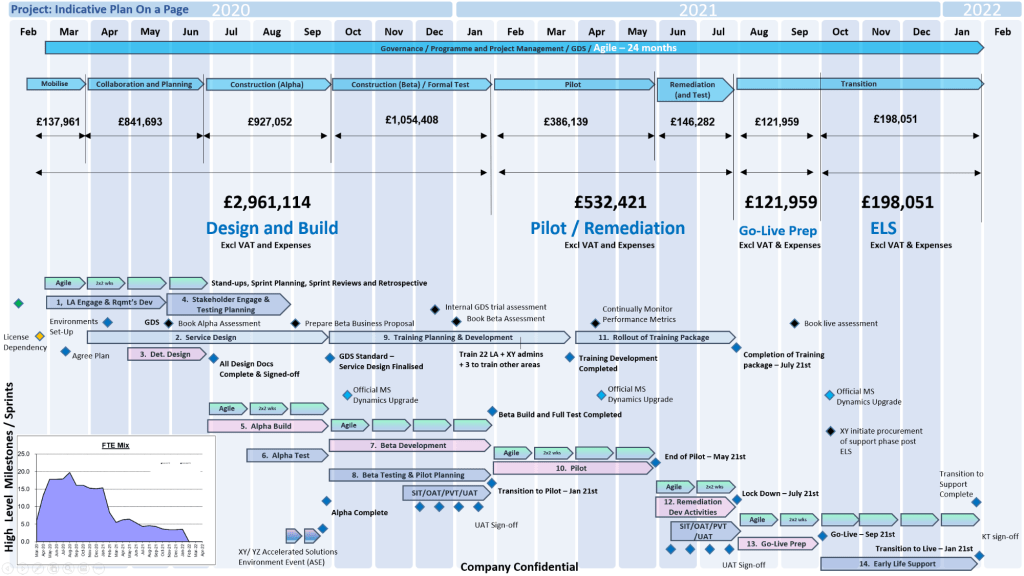
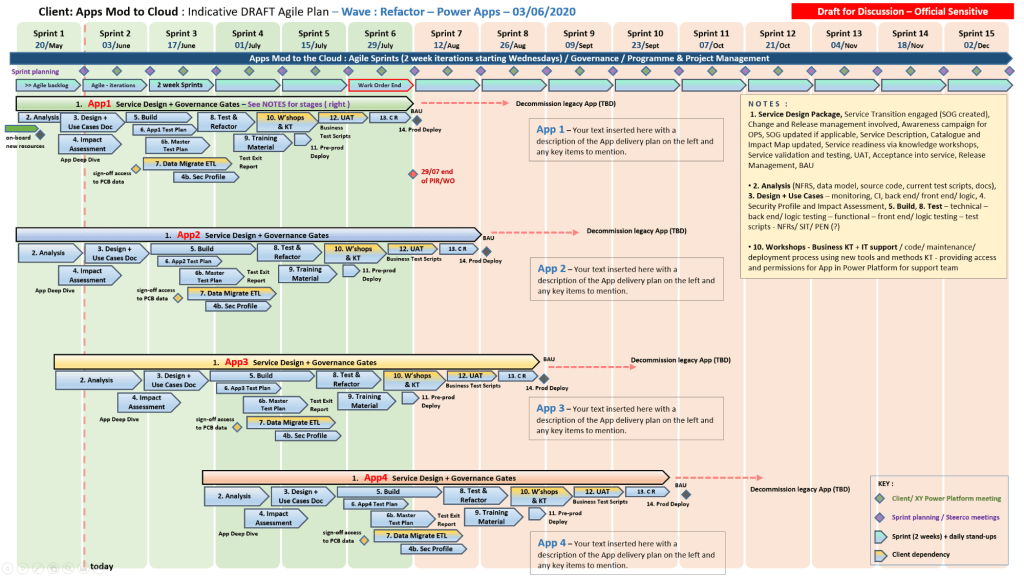
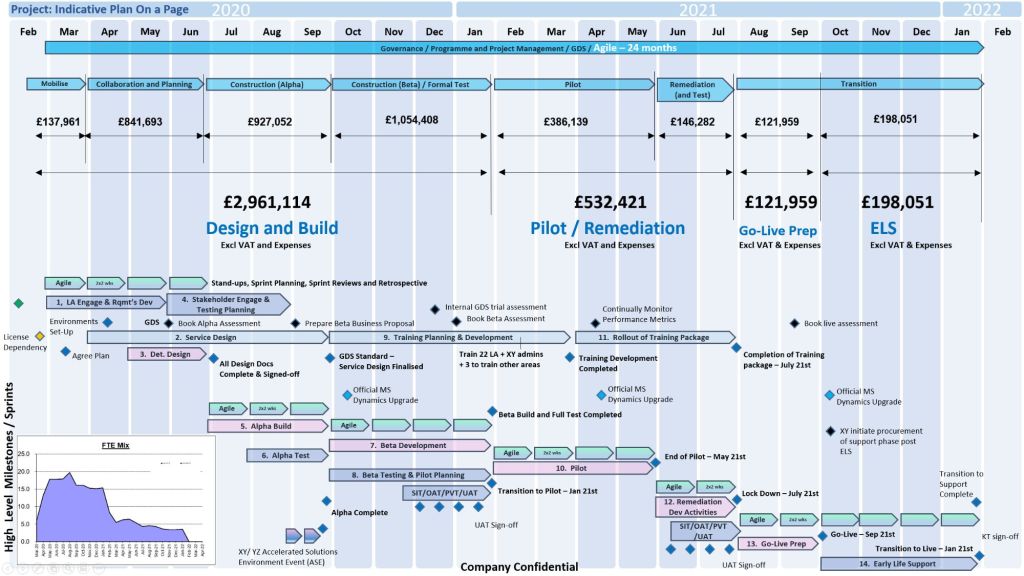
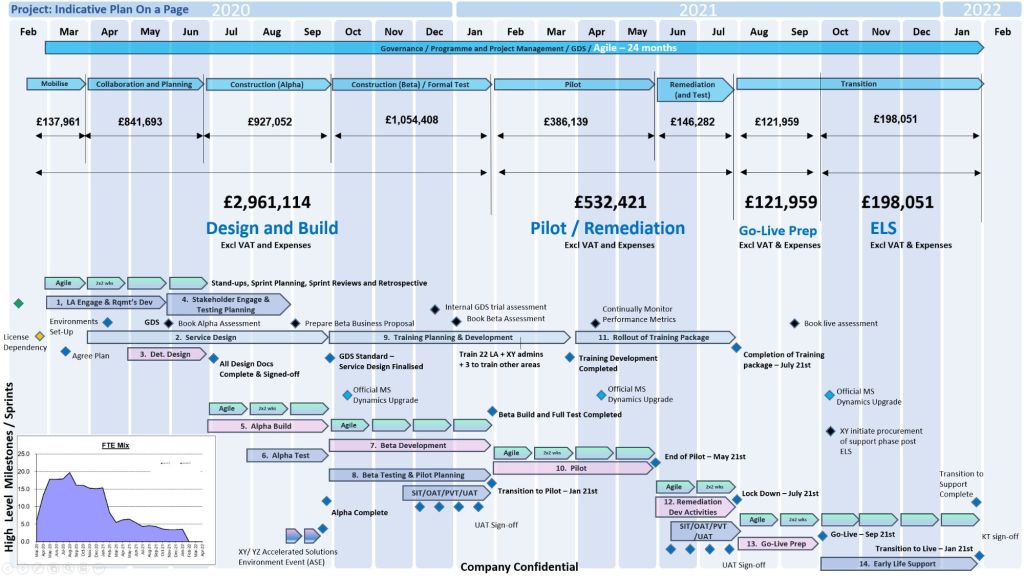
3. Plan on a Page (POaP) Microsoft Template Examples for download
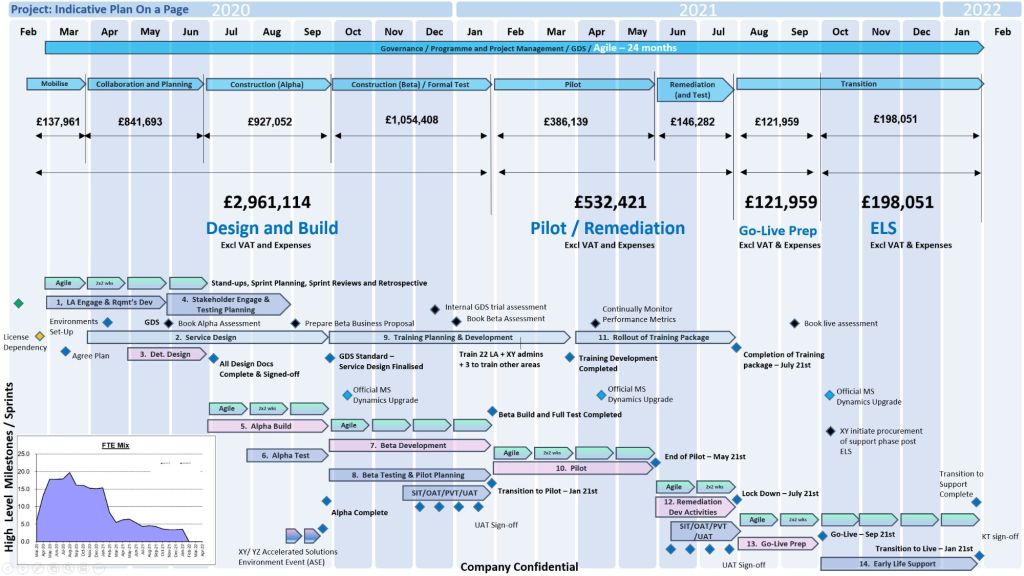
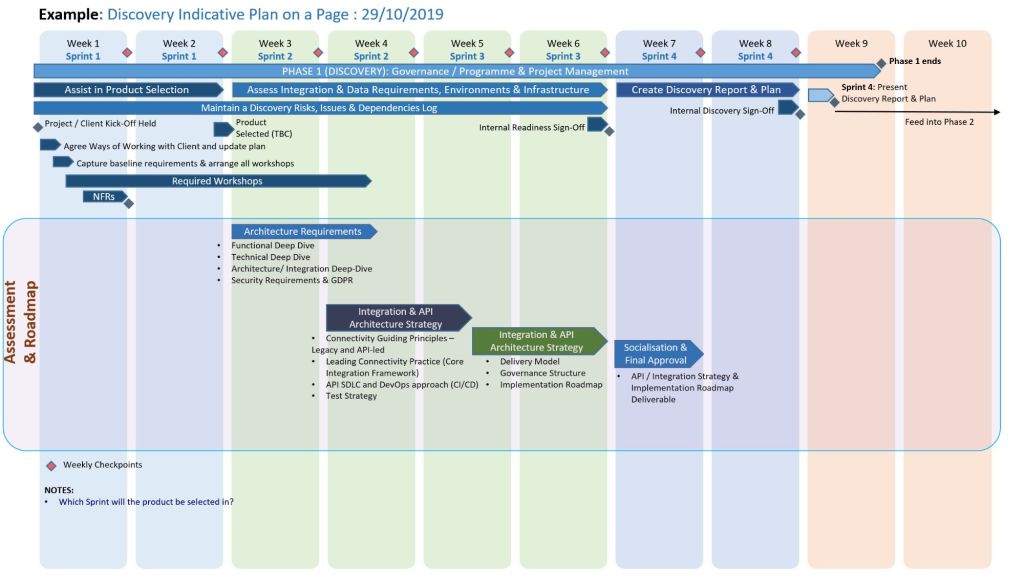
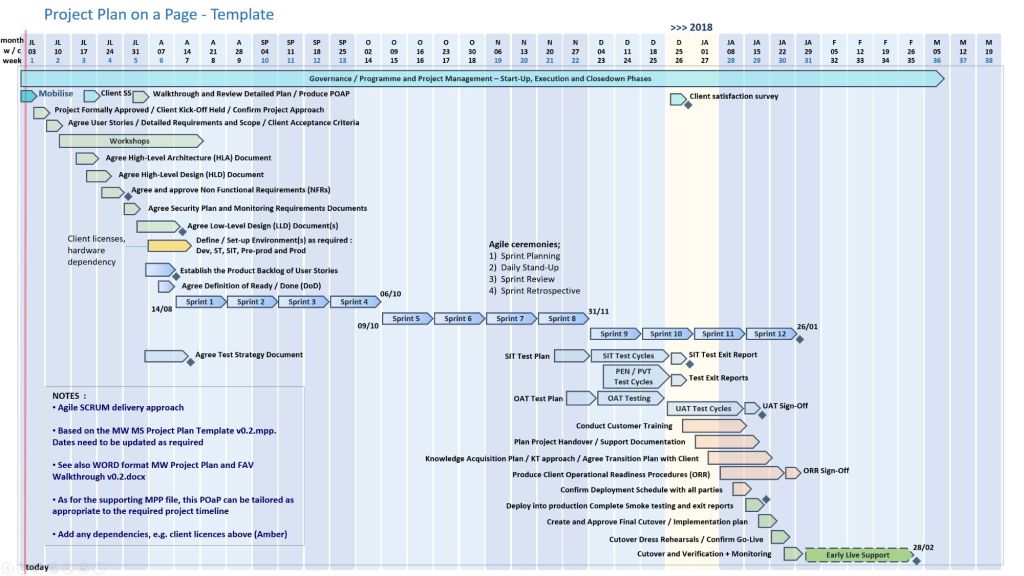
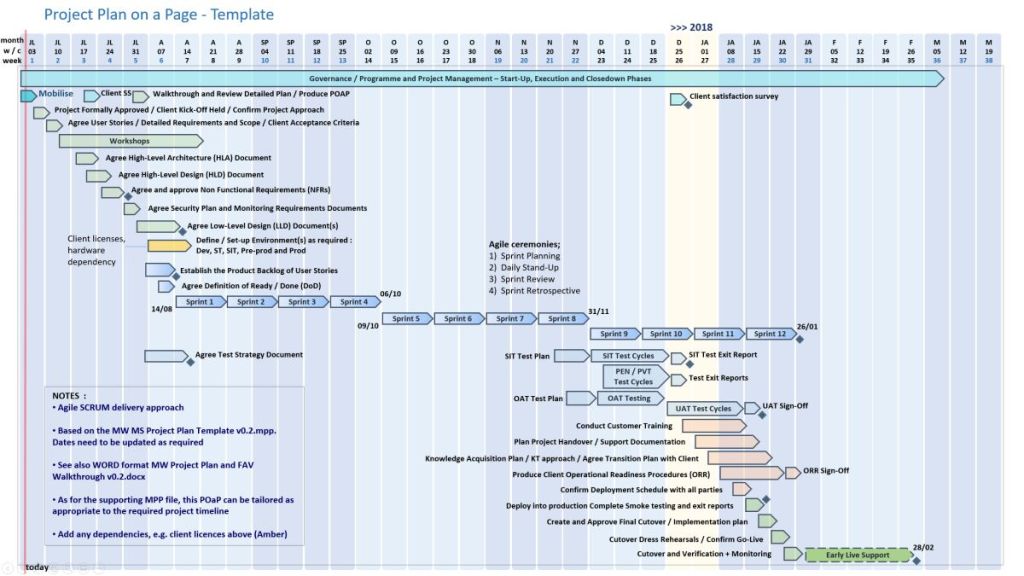
POaP budget .pptx MS Template Example 3
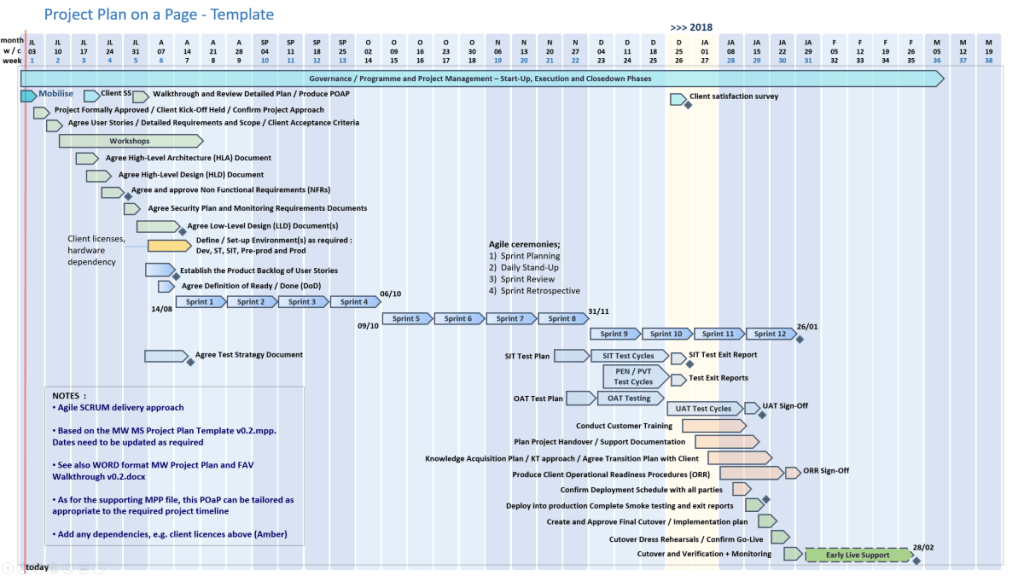
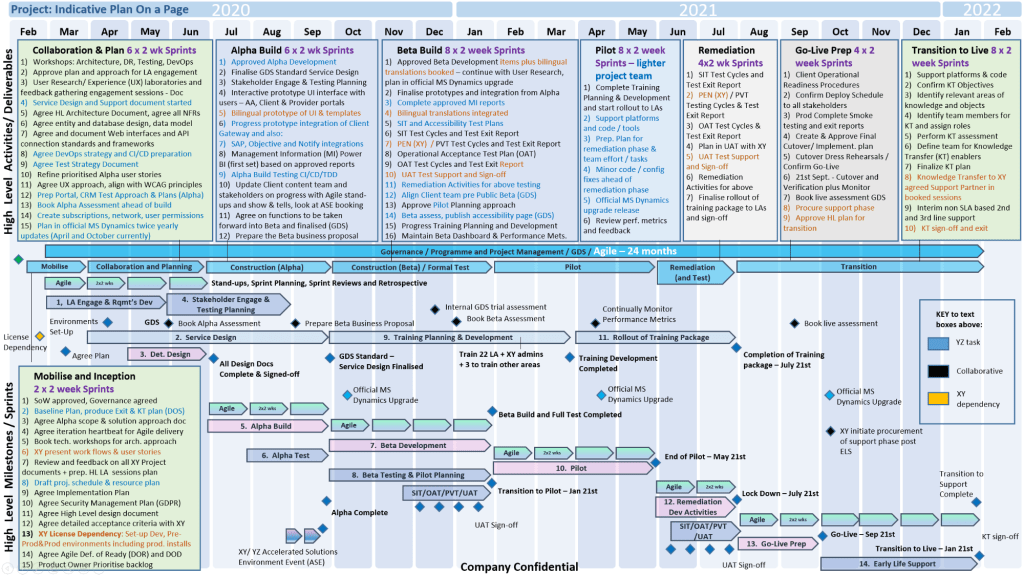
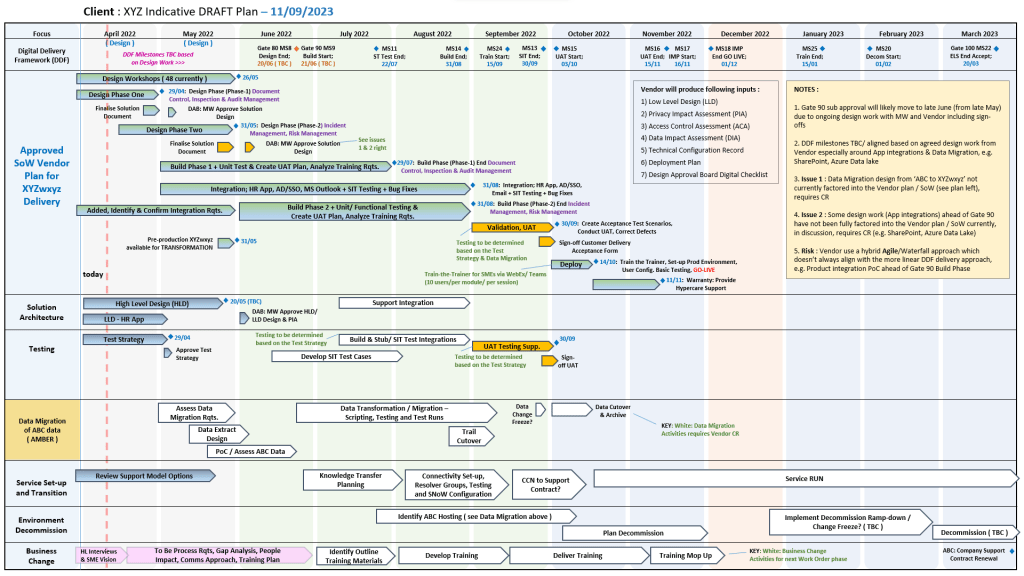
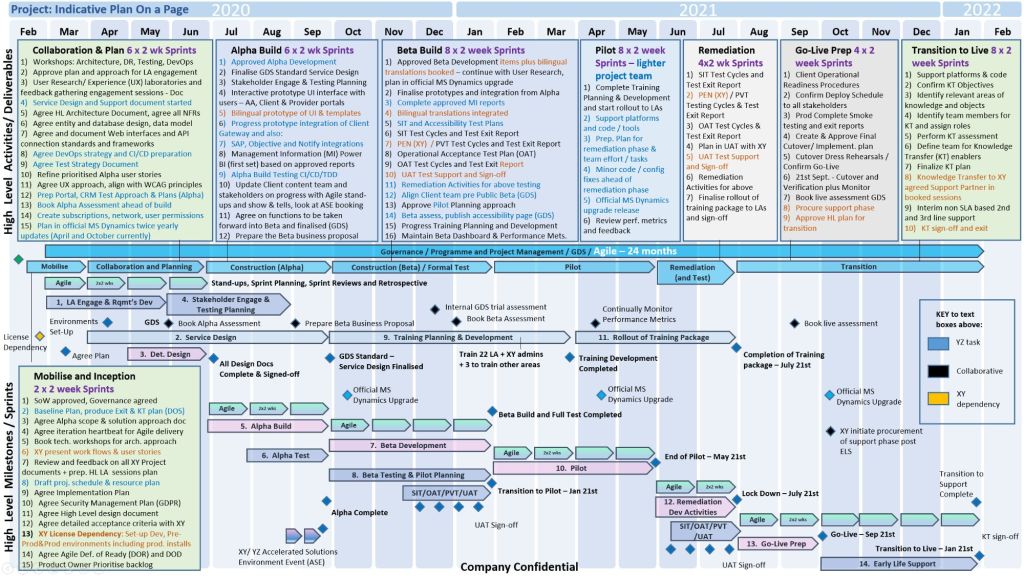
4. Plan on a Page (POaP) Microsoft Template Examples for download
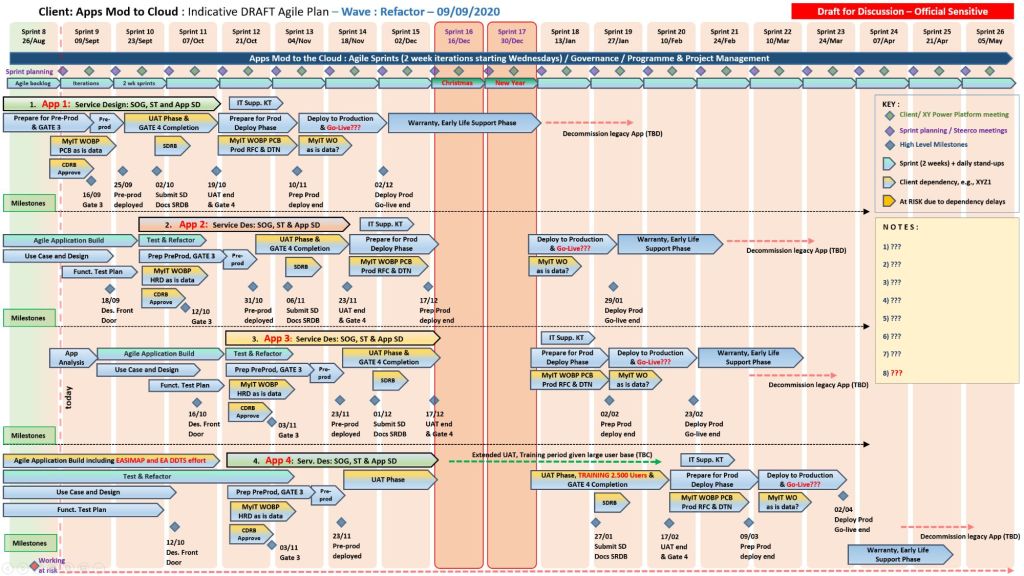
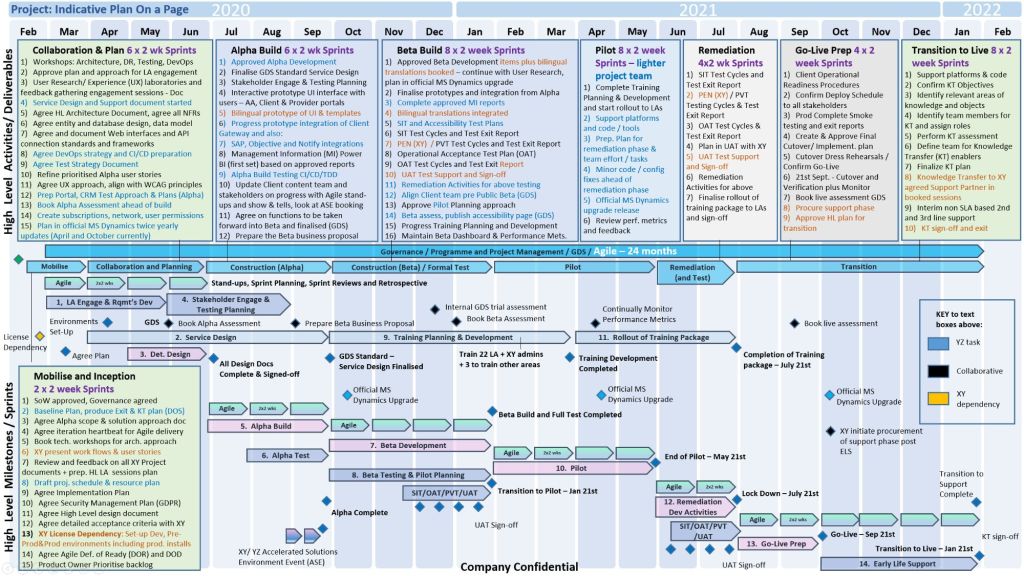
POaP .pptx bid MS Template Example 4
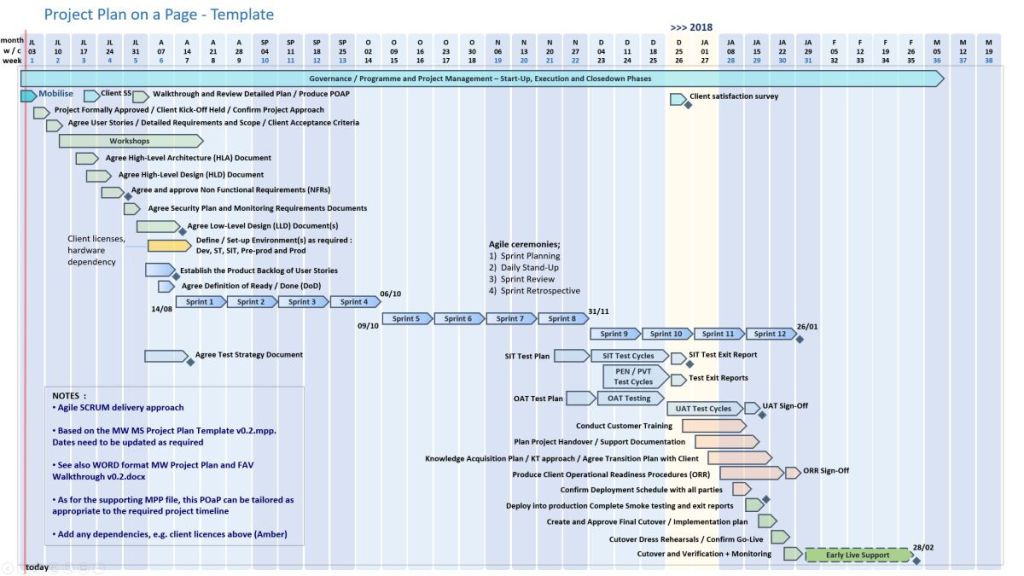
5. Plan on a Page (POaP) Microsoft Template Examples for download
Excel POaP .xls MS Template Example 5

Core POaP Template Examples

The toolkit includes over 35 PowerPoint variations and simplified Excel dashboards to match different stakeholder communication needs:

  • The Executive Roadmap (.pptx): A clean, swimlane-based PowerPoint slide mapping key project phases against a monthly or quarterly calendar grid. It is built to present immediately to steering committees and C-suite executives.
  • The SDLC Phase-Gate Dashboard (.pptx / .xlsx): A template specifically aligned with the Software Delivery Lifecycle (SDLC). It visually segments the project into standard gates: Initiation, Requirements, Design, Build, Test, and Go-Live.
  • The Standalone Excel POaP (.xlsx): A lightweight overview dashboard that creates automatic high-level visual timelines. It serves as a perfect alternative for team members or clients who do not have Microsoft Project installed.
  • Agile Scrum & Hybrid Timelines: Templates structured to overlay traditional high-level milestones across an iterative series of sprint cycles and velocity blocks.

The Tactical Approach

Mark Whitfield’s methodology emphasizes eliminating subjective reporting while maintaining absolute clarity. The approach utilizes a POaP to govern projects through several key mechanisms:

1. Eliminating Granular Noise

A standard Software Development Life Cycle (SDLC) plan built in Microsoft Project (.mpp) can contain hundreds of lines of dependencies. The POaP approach extracts only the critical milestones, cross-project dependencies, and stage-gate approvals so leadership can assess health at a glance.

2. Dual-Layer Tracking

The approach connects the visual summary directly to deeper tracking logs. Changes made within the detailed SDLC Excel Project Plan or the comprehensive RAIDs log (Risks, Actions, Issues, Dependencies) feed directly into the milestone updates highlighted on the single page.

3. RAG Status Alignment

The templates employ strict, objective Red-Amber-Green (RAG) indicators. Instead of generic project updates, the RAG status on the POaP reflects specific baseline slippage, budget variances from the Project Financial Tracker, or critical blockers.


💡 Pro-Tip for IT PMs: When utilizing these templates, treat your POaP as a living communication tool, not a static archive. Update the visual timeline weekly alongside your Project Status Reports to ensure look-aheads and critical decisions remain perfectly aligned across both your technical teams and external clients.
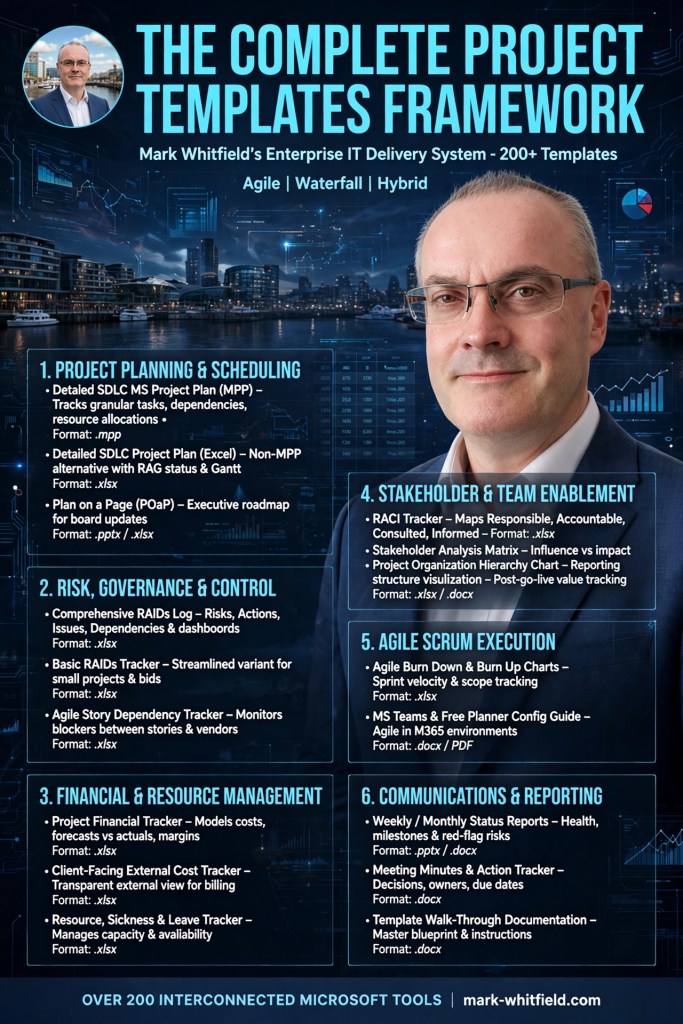
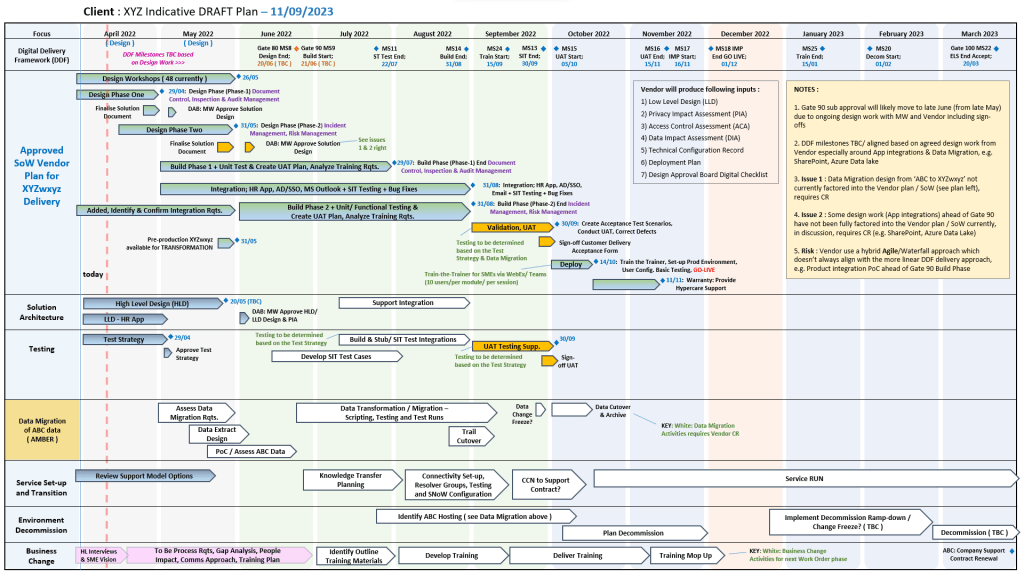
POAP Plan On a Page Example Templates for Download

Available for download here.

Plan on a page POaP example 1
POaP example 1
Plan on a page POaP example 2
POaP example 2
Plan on a page POaP example 3
POaP example 3
Plan on a page POaP example 4
POaP example 4
Plan on a page POaP example 5
POaP example 5
Plan on a page POaP example 6
POaP example 6
Plan on a page POaP example 7
POaP example 7

Many more examples available in download pack.

A Plan on a Page (POaP) is a concise, high-level visual summary of a project used to communicate timelines, milestones, and strategic objectives to stakeholders and executives. It condenses detailed data into an easy-to-digest, single-page format.

Core Components of a POaP

An effective POaP cuts out the noise of day-to-day task lists and focuses purely on headline information. It typically includes:

  • Project Overview: Title, project manager, and the overarching business objective.
  • Timeline & Milestones: A horizontal, time-phased bar chart mapping the project’s key phases.
  • Key Deliverables: 4 to 6 major outputs or goals required for success.
  • Risks & Dependencies: Critical blockers that require executive attention.

Why and When to Use It

  • Steering Committees: Ideal for Steering Committee meetings (Steerco) where executives need to see progress at a glance.
  • Stakeholder Alignment: Keeps teams focused on strategic vision rather than getting “lost in the weeds” of daily operations.
  • Client Updates: Acts as an excellent executive summary for clients without overwhelming them with micro-details

POAP Plan On a Page Example Templates for Download

Project Plan on a Page (POAP) is a Concise, Visual Summary of a Project

A Project Plan on a Page (POAP) is a concise, visual summary of a project’s objectives, timeline, milestones, and risks. Its primary purpose is to provide an instant, high-level overview for stakeholders and executives, ensuring alignment without overwhelming them with low-level details.

3. Project Plan on a Page (POAP) is a Concise, Visual Summary of a Project
4. Project Plan on a Page (POAP) is a Concise, Visual Summary of a Project
1. Project POAP by Mark Whitfield, Plan on a Page
Mark Whitfield POAP examples, 35+ in all

Best Structure for a POAP

An effective POAP eliminates excessive task lists in favor of a clean, scannable layout organized into these key sections:

  • Project Overview: Title, Project Manager, and the overarching “Why” or business objective.
  • Timeline & Milestones: A horizontal, time-phased bar chart mapping the project’s key phases (e.g., Initiation, Beta Launch, Go-Live).
  • Key Deliverables: 4 to 6 major outputs or goals required to consider the project a success.
  • Risks & Dependencies: Critical blockers or assumptions that require management attention.

Examples & Templates for Download

Because POAPs are highly visual, they are most effectively built in Excel (for data and dates) or PowerPoint (for visual presentation).

  • Excel/PowerPoint Templates: You can download ready-made POAP layouts via Titanium Consulting or Mark Whitfield Consulting to generate professional visual graphics.
  • Word/Spreadsheet Variations: For simpler initiatives, you can access the 1-page summary templates available through Smartsheet’s Project Plan Templates.
  • Automated Software: If you already track complex projects in MS Project, Excel, or Primavera, automation tools like SummaryPro can automatically ingest your detailed schedule and spit out an accurate POAP.

Plan on a Page, POAP – is a visual summary of a project’s core elements

A Plan on a Page (POAP) is a concise, visual summary of a project’s core elements. It distills complex, granular project details into a highly accessible, single-page format.

It acts as an executive summary rather than a replacement for comprehensive, detailed project plans. Example, tailorable Agile and Waterfall MS PowerPoint POaP project templates can be purchased at this link.

A Plan on a Page (POAP) is a concise, visual summary of a project's core elements
Plan On a Page also known as a POAP

🎯 Primary Purpose

  • Executive Communication: Provides busy stakeholders and C-level management with rapid visibility into a project’s status without overwhelming them with data.
  • Alignment: Ensures teams, sponsors, and stakeholders share a unified understanding of project goals and direction.
  • Focus & Risk Management: Keeps the strategic vision front-and-center, prevents teams from getting “lost in the weeds,” and allows leaders to spot high-level risks early.
  • Decision Support: Serves as a quick reference guide during steering committee and status meetings.
POAP is a concise, visual summary of a project's core elements
A Plan on a Page (POAP) is a concise, visual summary of a project’s core elements

📝 Content Summary

To fit on a single page, a POAP strips away tactical daily tasks and focuses only on the most critical strategic and timeline components:

  • Project Vision & Scope: A concise statement of what the project aims to deliver.
  • Objectives & KPIs: Specific, measurable targets and Key Performance Indicators to measure success.
  • Visual Timeline: A high-level roadmap, Gantt chart, or phase-based breakdown (e.g., Discovery, Execution, Launch) displaying major milestones.
  • Project Health/Status: Current RAG (Red/Amber/Green) status or progress tracking.
  • Resource & Budget Allocation: High-level overview of assigned budget and key personnel.
  • Risk & Dependencies: Notable blockers, constraints, or critical assumptions.
  • Governance & Contacts: The project sponsors, managers, and the best way to get support.
Plan on a Page concise, visual summary of a project's core elements
All POAP templates can be purchased by clicking on the link on the website banner

PowerPoint Plan On a Page (POaP) templates

Mark Whitfield provides a variety of Plan On a Page (POaP) templates designed to simplify complex project schedules into a single, high-level visual. These templates are typically available through his official website as part of a larger project management toolkit that includes over 200 editable documents.

PowerPoint Plan On a Page (POaP) templates

Mark Whitfield’s POaP Template Formats

Whitfield’s templates are available across multiple platforms to suit different project needs:

PowerPoint POaP Templates

Includes over 35+ slide examples showing different ways to visualise a Software Development Life Cycle (SDLC) plan. These are ideal for client presentations where high-level detail is needed.

Excel POaP & Tracker Templates

Features Gantt views, resource costing grids, and Agile Sprint views. Some Excel versions allow you to align the POaP with resource availability and overall phase costs, useful for project bids.

MS Project (MPP) Templates

Detailed PRINCE2 and Waterfall templates that can be condensed into a “timeline” view to serve as a POaP. These are annotated for tasks like Agile Scrum ceremonies or specific PRINCE2 7th Edition stages.

Key Features of the POaP Templates

  • Adaptability: Templates are designed to be tailored for Waterfall (PRINCE2) or Agile (Scrum/Sprints) methodologies.
  • Integrated Tracking: Often bundled with RAID logs (Risk, Action, Issue, Dependency) and RACI trackers to provide a complete overview beyond just the schedule.
  • Visual Dashboards: Many versions include self-populating charts and summary dashboards for at-a-glance status reporting.
  • Availability: Templates can be purchased individually or as a bulk pack on Mark Whitfield’s Website or through platforms like Etsy and Eloquens.

PowerPoint Plan On a Page (POaP) templates

Plan on a Page POaP example templates (30+) in Microsoft PowerPoint PPT available at website link in banner…

Plan on a Page POaP example templates 30+ in Microsoft PowerPoint PPT available at website link in banner…

Plan on a Page POaP Examples in PowerPoint & Excel for Project Management, click link above banner to purchase

Plan on a Page POaP Examples in Excel & PowerPoint for Project Management – click link above website banner to buy

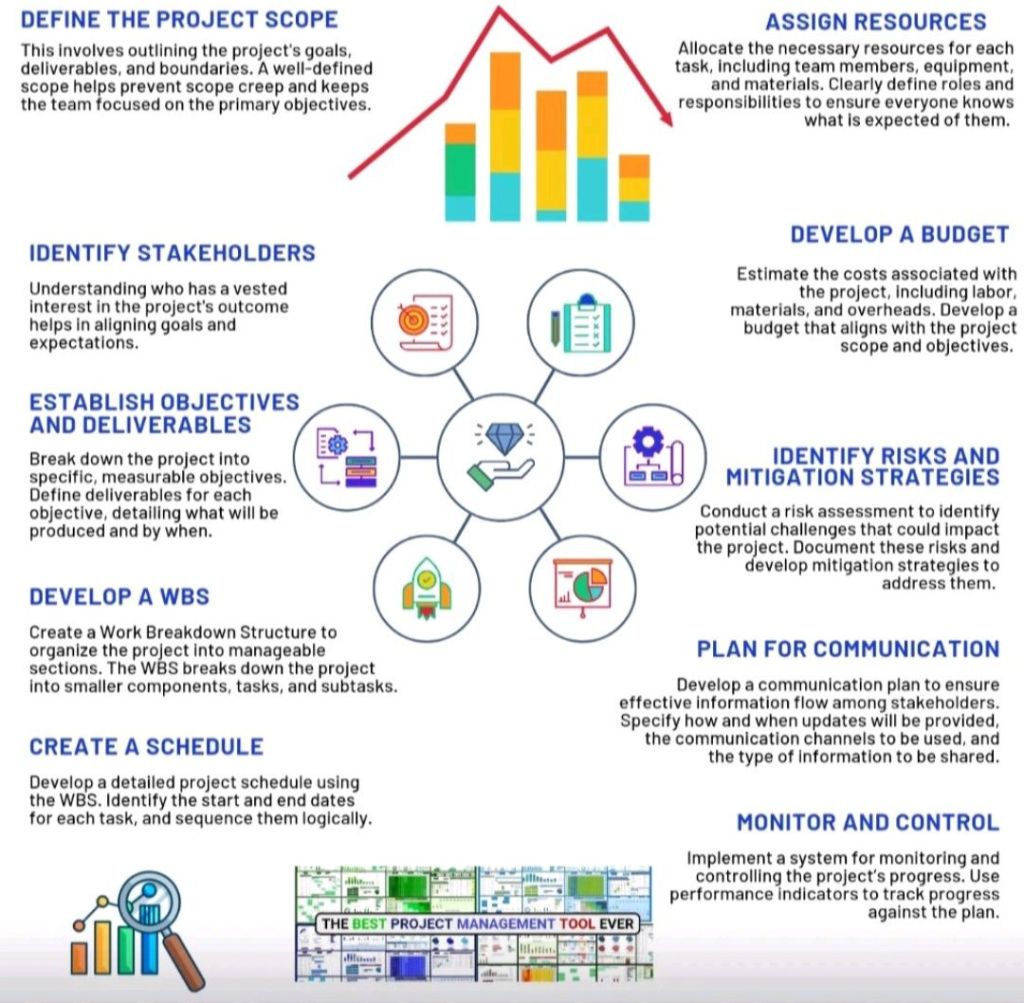
How to Construct a Project Plan

How to Construct a Project Plan