Etsy FREE Upgrade Project Management Templates

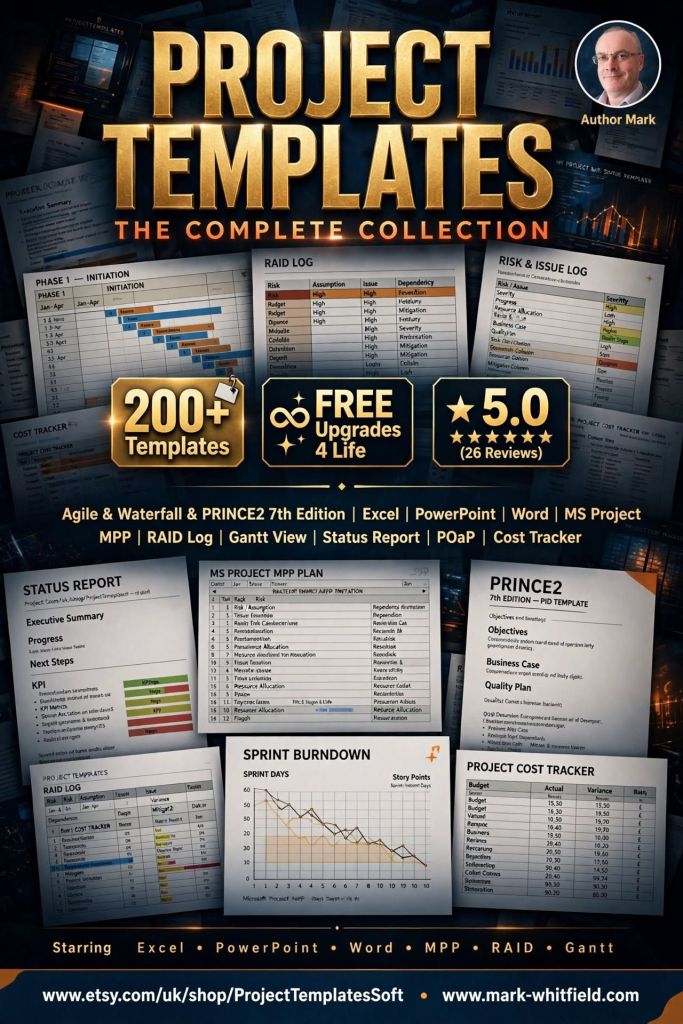
Senior IT Project Manager Mark Whitfield sells his extensive, battle-tested framework toolkits on Etsy via his official shop, ProjectTemplatesSoft and also on this website.
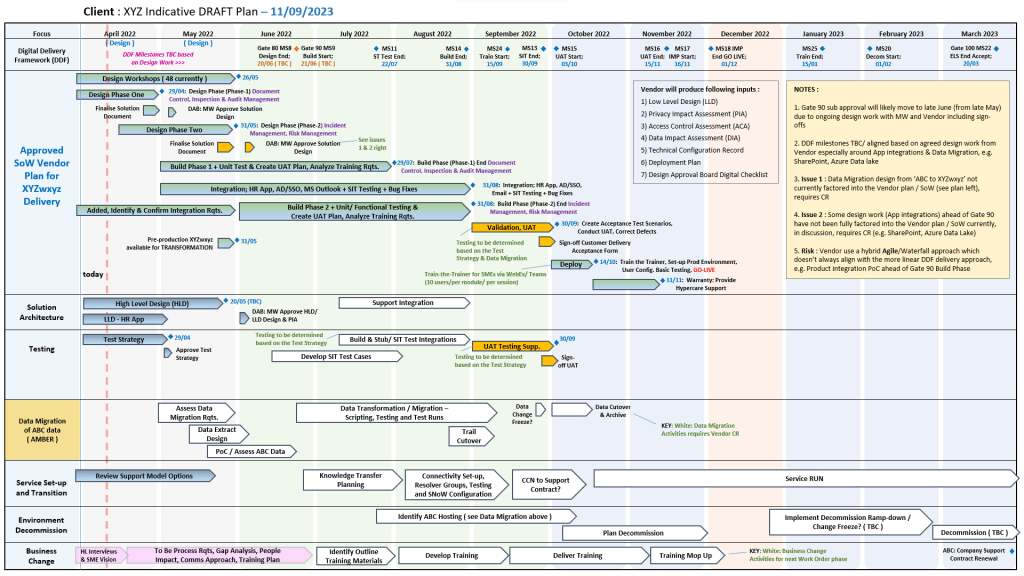
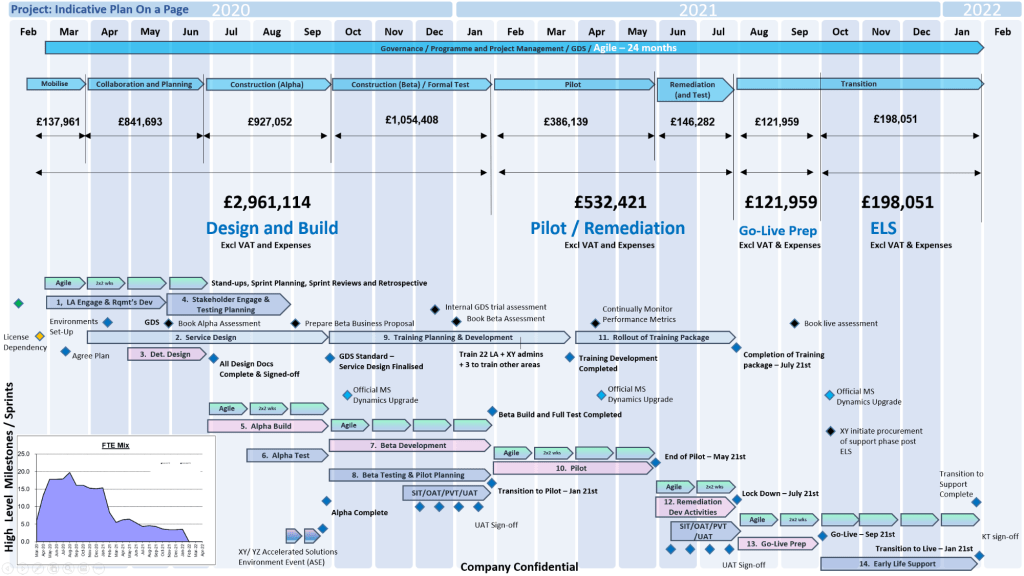
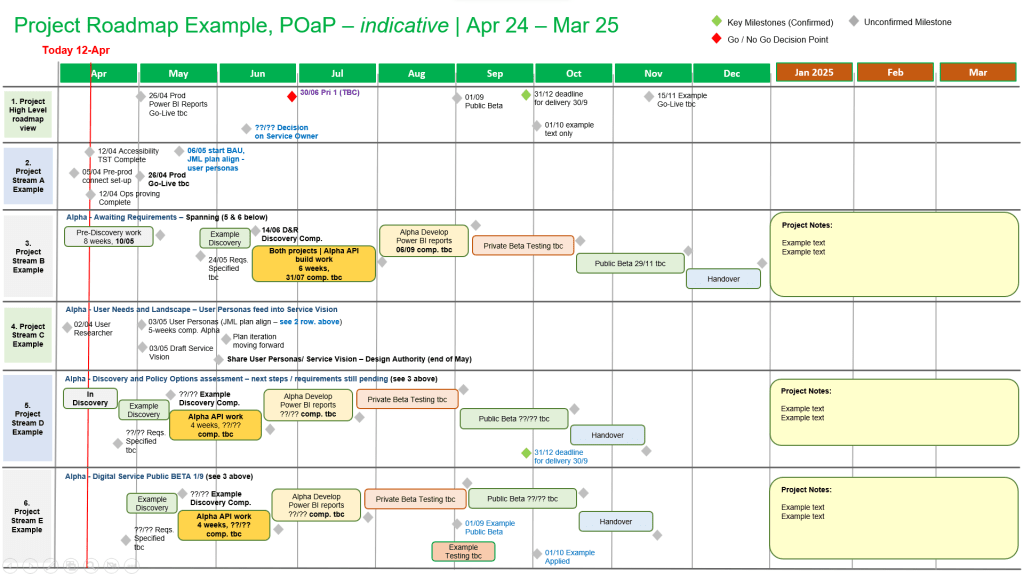
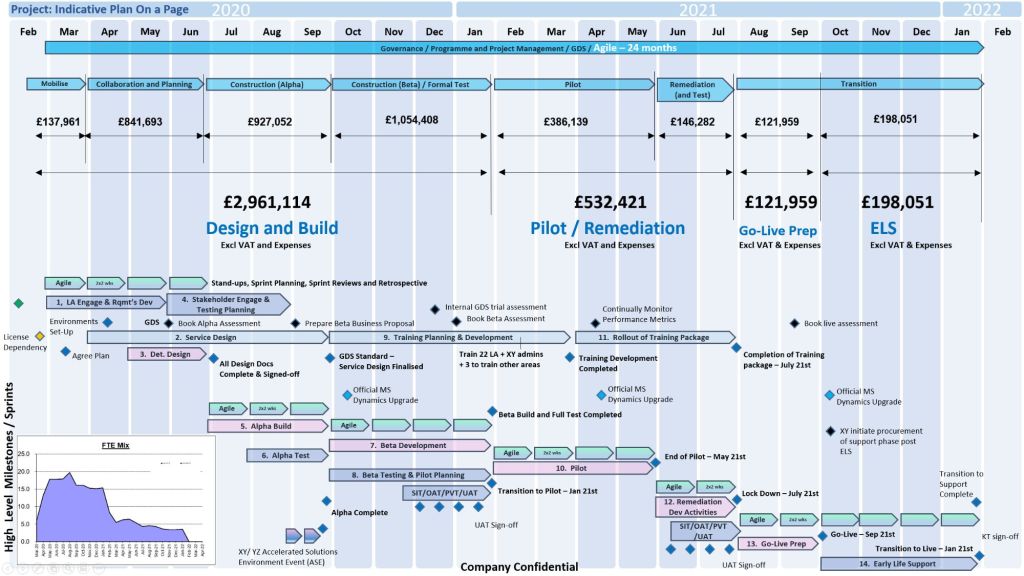
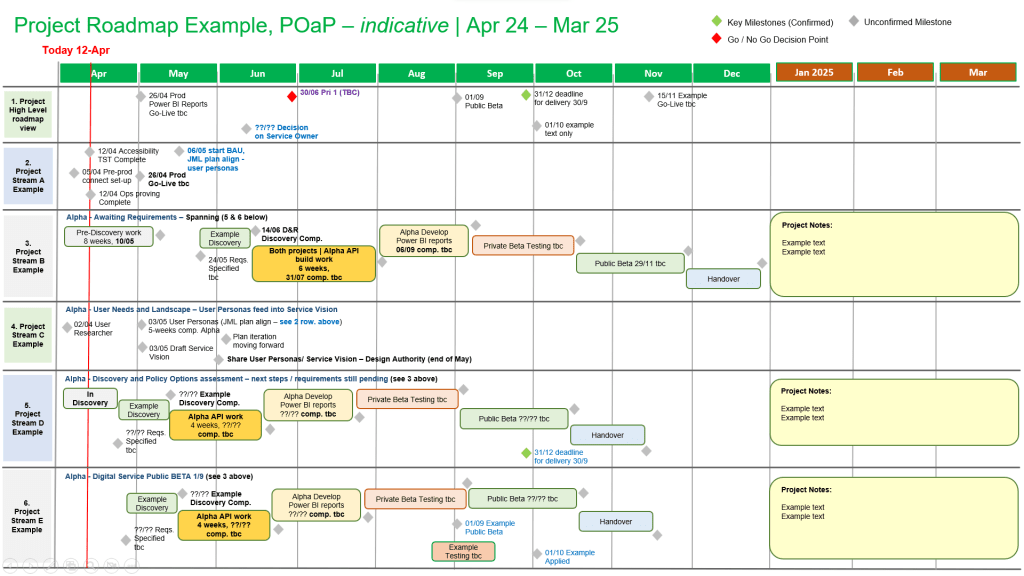
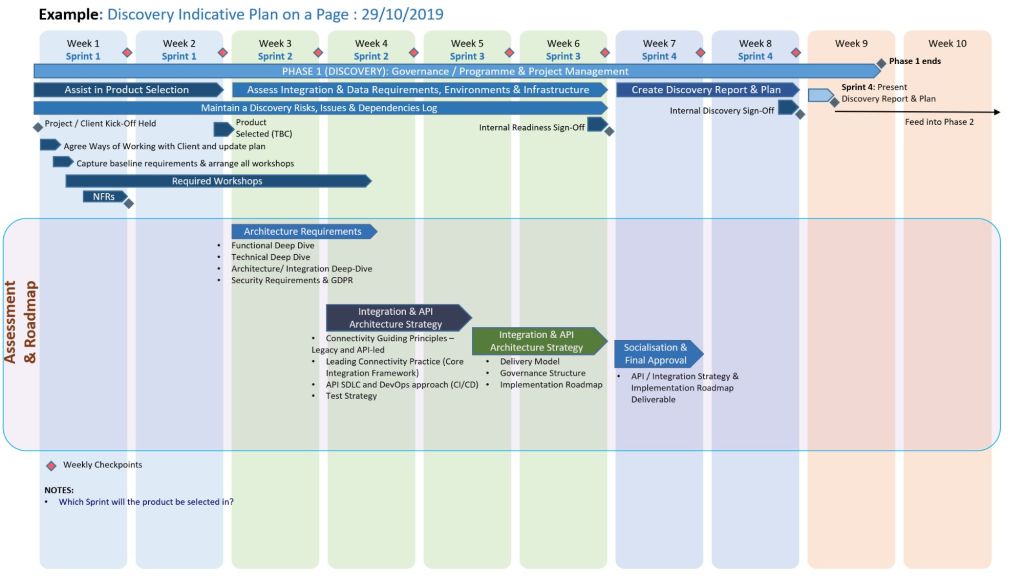
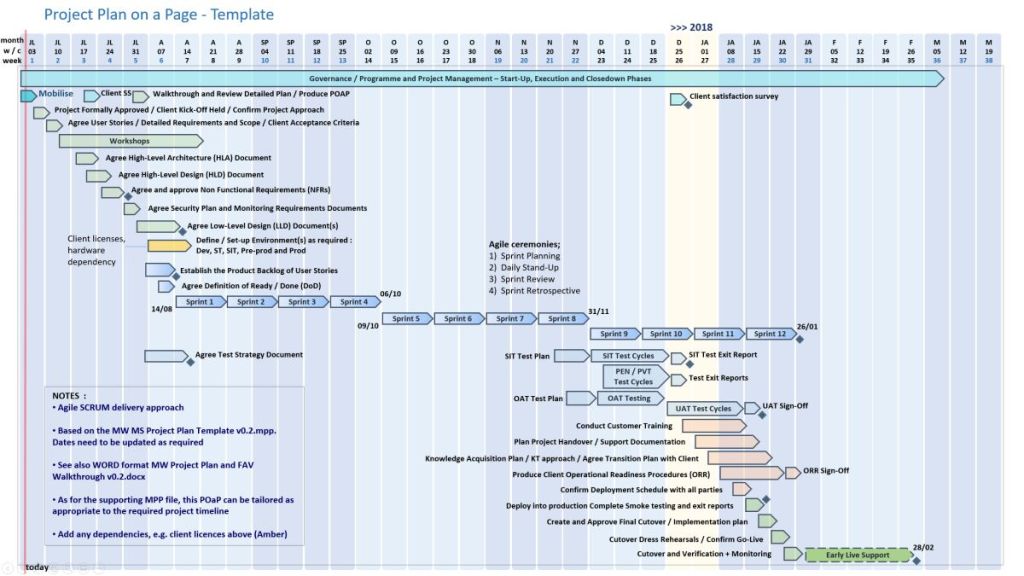
Plan On a Page POAP example

With over 30 years of Software Development Lifecycle (SDLC) experience, his kits are explicitly broken down across Agile (Scrum), Waterfall (PRINCE2), and hybrid project delivery frameworks.
🏃‍♂️ Agile & Scrum SDLC Templates

Designed specifically for iterative software delivery, these tools focus on short execution cycles, continuous feedback, and visual tracking:

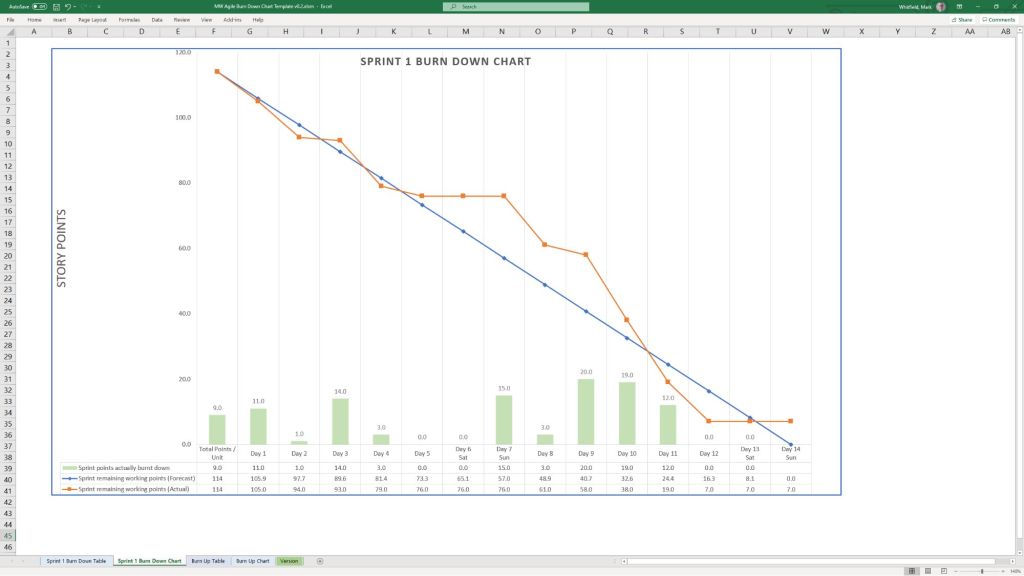
  • Agile Sprint Burndown Charts: Automated Excel dashboards that graphically map remaining sprint efforts.
  • Sprint Burndown Tables: Fully tailored structures to handle dynamic sprint metrics.
  • Weekly Agile Status Reports: Combined internal and external summary views built to capture incremental team velocity.
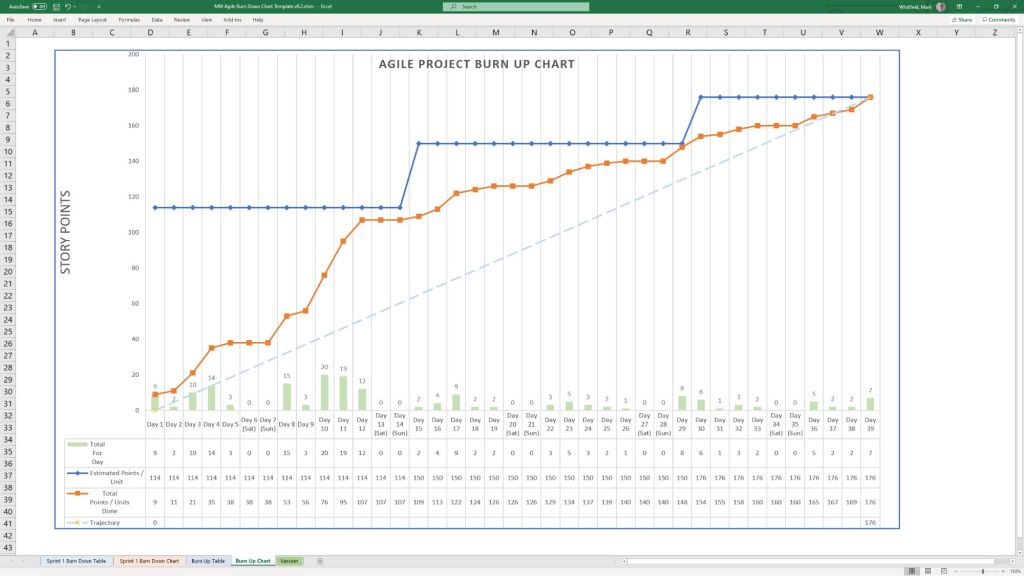
1. Burn Up and Burn Down Chart examples
2. Burn Up and Burn Down Chart examples
Burn Up and Burn Down Chart examples

🌊 Traditional Waterfall & PRINCE2 Templates

Geared toward highly structured environments requiring robust governance, baselines, and clear, chronological stage-gate approvals:

  • Waterfall Project Planners: MS Excel sheets mirroring MS Project functionality for license-free client portability.
  • PRINCE2 7th Edition Toolkits: Dedicated governance frameworks explicitly updated for current PRINCE2 compliance standards.
  • Baseline vs. Forecast Trackers: Columns built for tracking baseline starts/finishes against ongoing project forecasts.
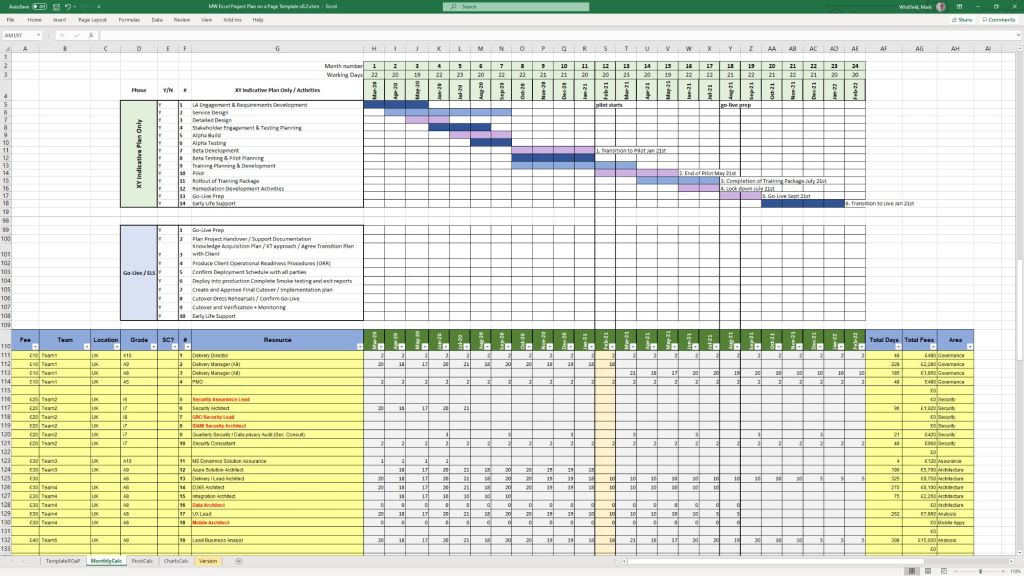
MS Excel Project Forecast Tracker

📊 Cross-Framework & PMO Master Files

Hybrid templates engineered for executive presentation, stakeholder alignment, and risk documentation, irrespective of the delivery method:

  • Plan on a Page (POaP): Over 30 slide variations in PowerPoint and Excel formats to compress multi-phase timelines for C-suite briefings.
  • RAIDs Logs & Pivot Summaries: Consolidated risk, issue, assumption, dependency, and action matrices feeding dynamic summary tables.
  • Statement of Work (SoW) Estimators: Costing planners mapped straight across timelines to help establish quick bid quotes.
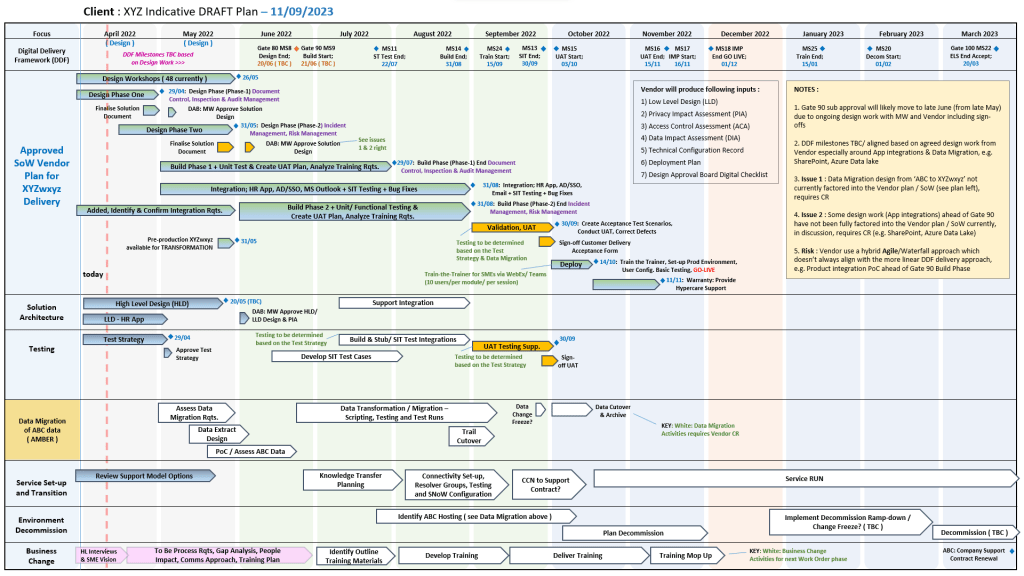
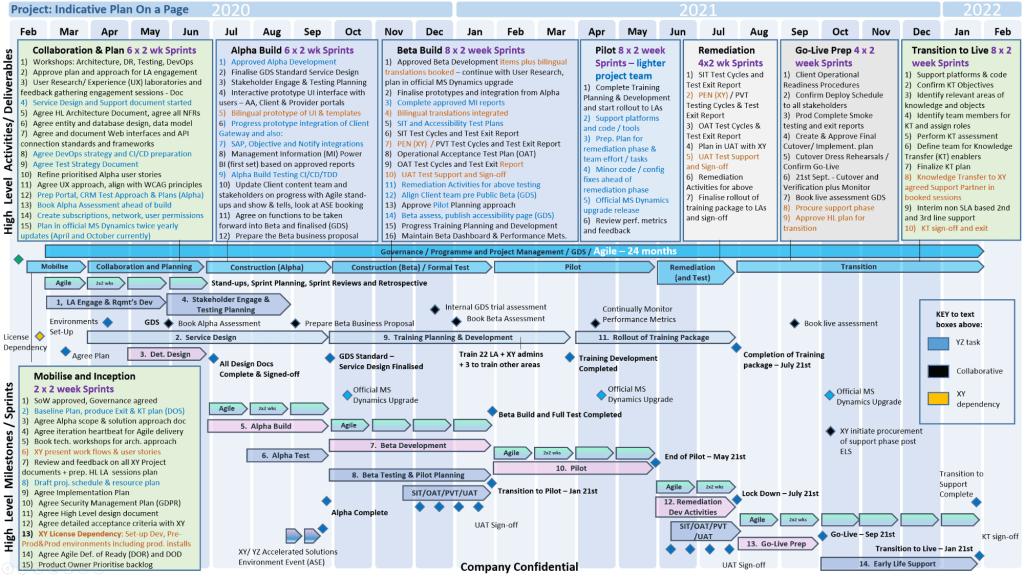
Plan on a Page, POAP – is a visual summary of a project’s core elements

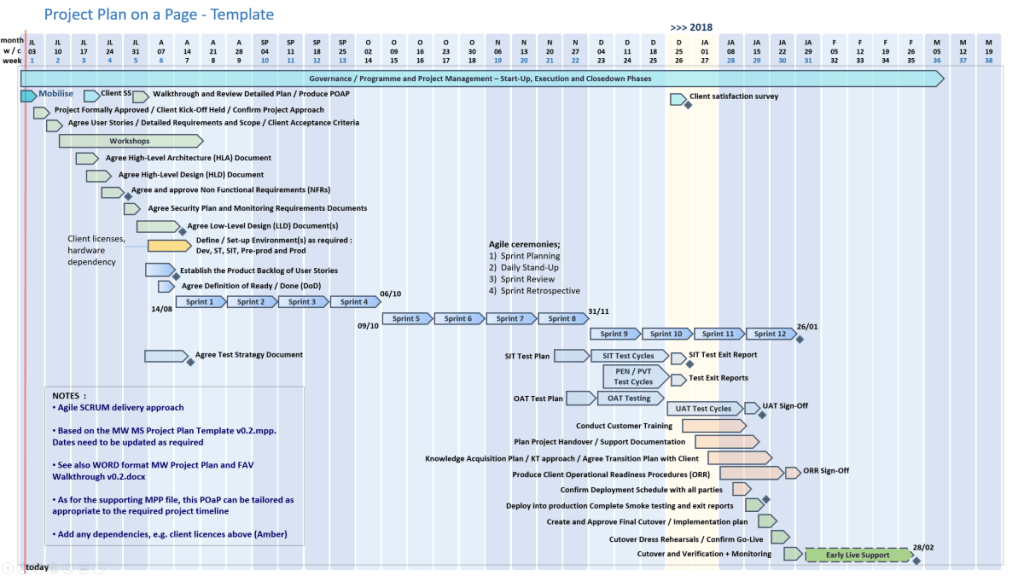
A Plan on a Page (POAP) is a concise, visual summary of a project’s core elements. It distills complex, granular project details into a highly accessible, single-page format.

It acts as an executive summary rather than a replacement for comprehensive, detailed project plans. Example, tailorable Agile and Waterfall MS PowerPoint POaP project templates can be purchased at this link.

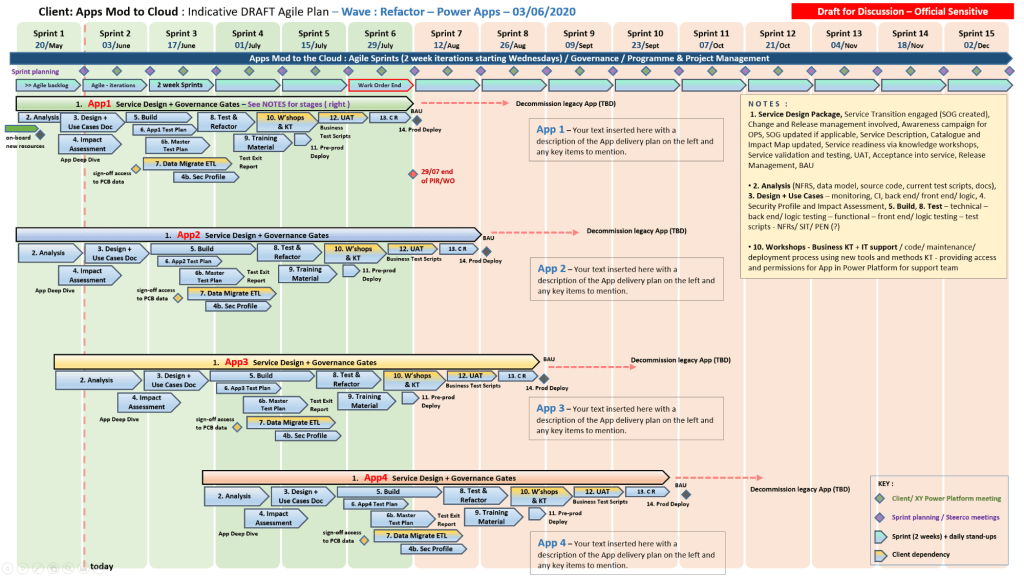
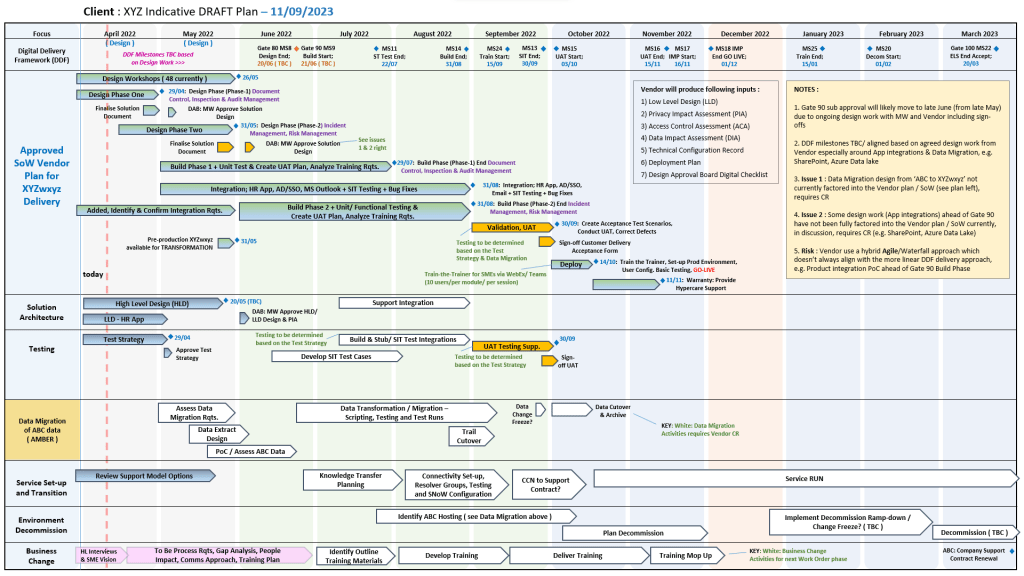
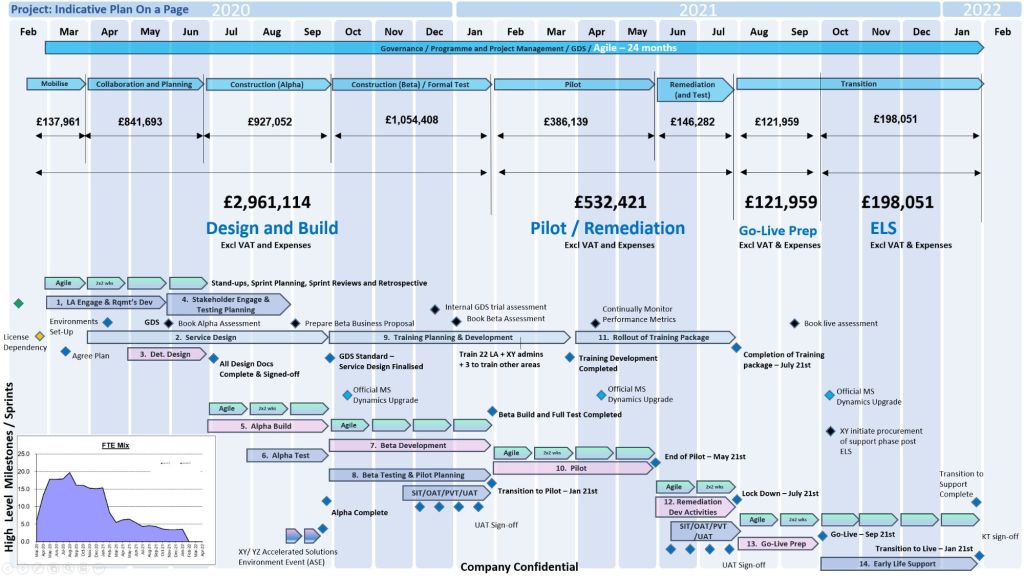
A Plan on a Page (POAP) is a concise, visual summary of a project's core elements
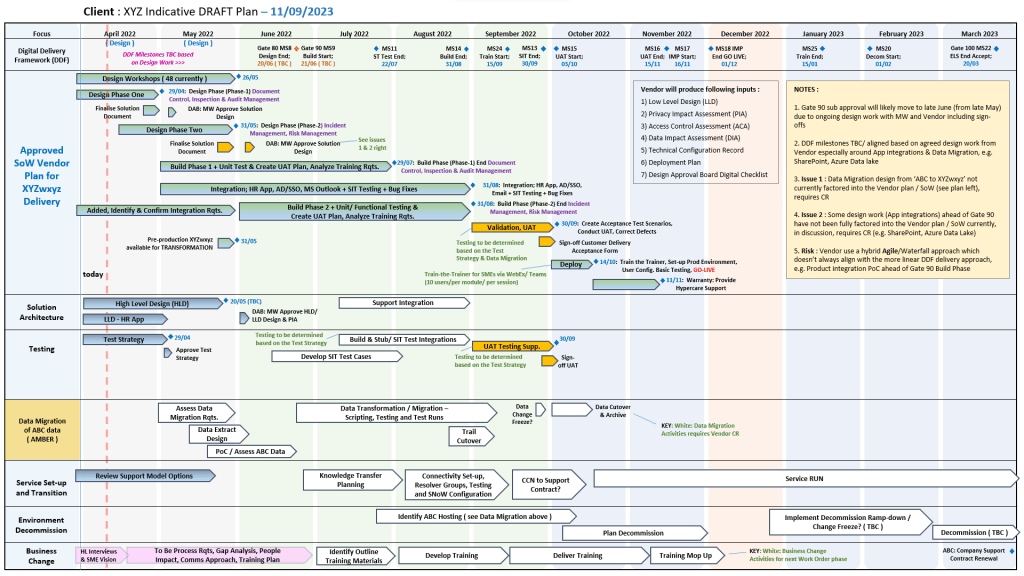
Plan On a Page also known as a POAP

🎯 Primary Purpose

  • Executive Communication: Provides busy stakeholders and C-level management with rapid visibility into a project’s status without overwhelming them with data.
  • Alignment: Ensures teams, sponsors, and stakeholders share a unified understanding of project goals and direction.
  • Focus & Risk Management: Keeps the strategic vision front-and-center, prevents teams from getting “lost in the weeds,” and allows leaders to spot high-level risks early.
  • Decision Support: Serves as a quick reference guide during steering committee and status meetings.
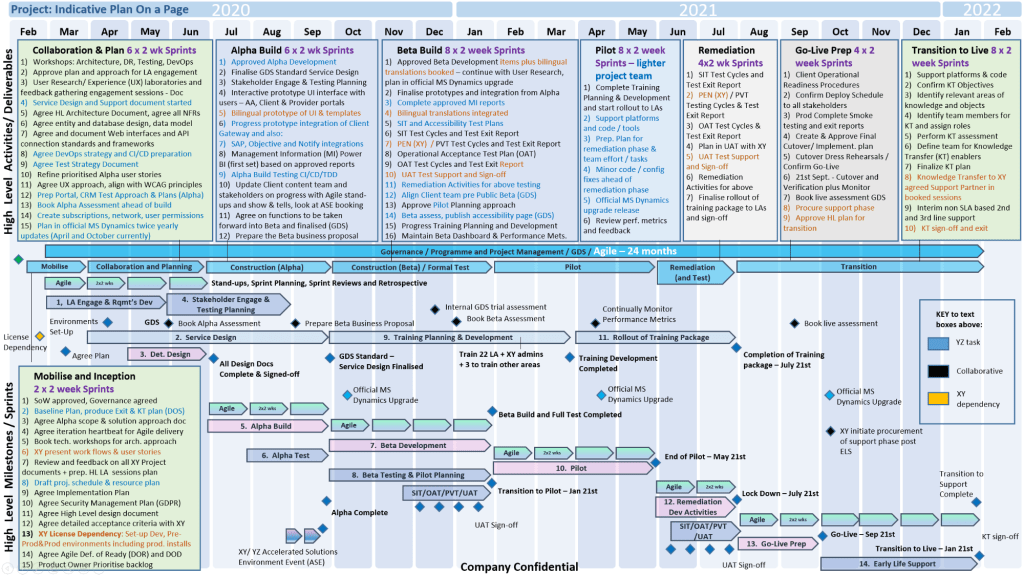
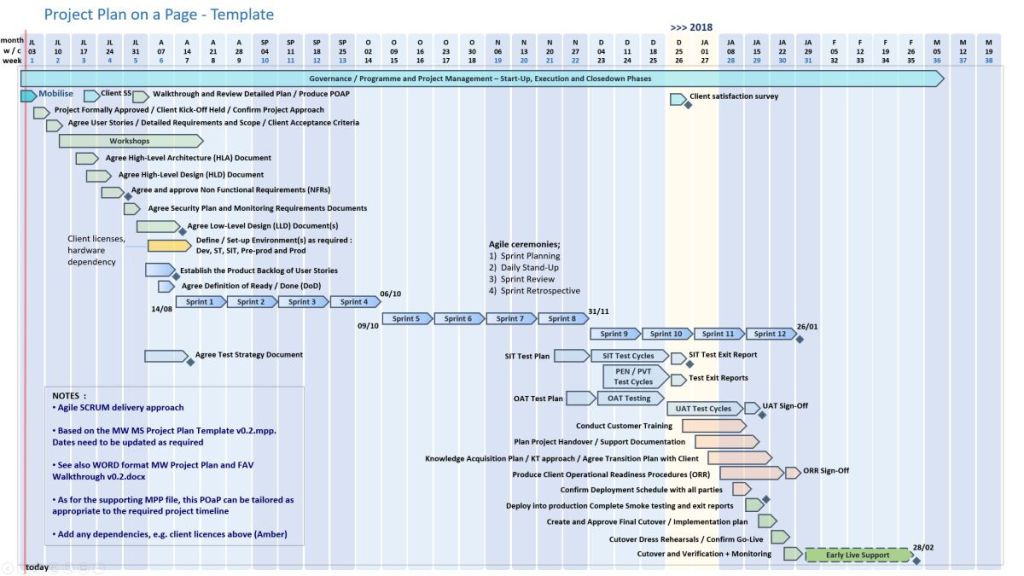
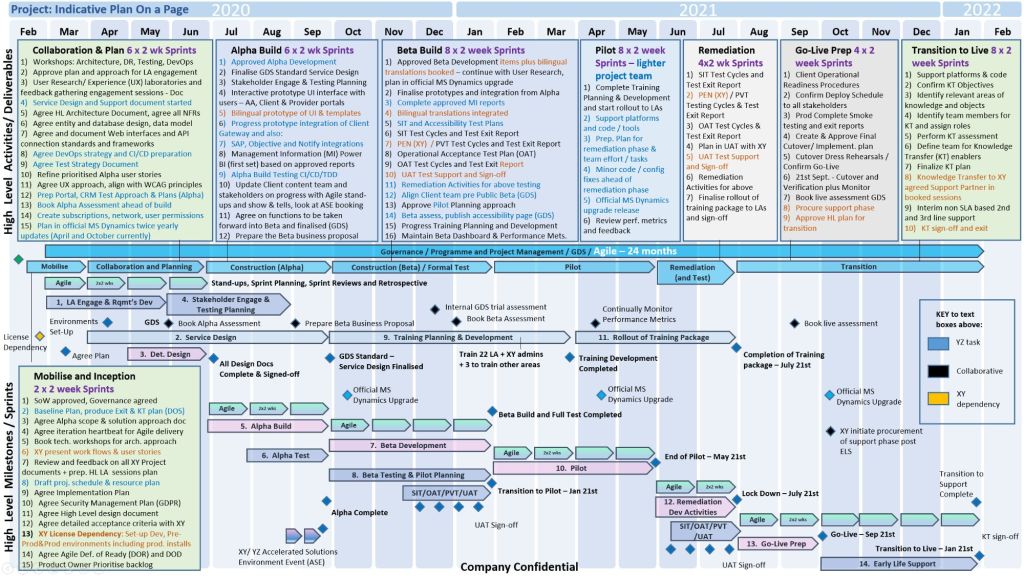
POAP is a concise, visual summary of a project's core elements
A Plan on a Page (POAP) is a concise, visual summary of a project’s core elements

📝 Content Summary

To fit on a single page, a POAP strips away tactical daily tasks and focuses only on the most critical strategic and timeline components:

  • Project Vision & Scope: A concise statement of what the project aims to deliver.
  • Objectives & KPIs: Specific, measurable targets and Key Performance Indicators to measure success.
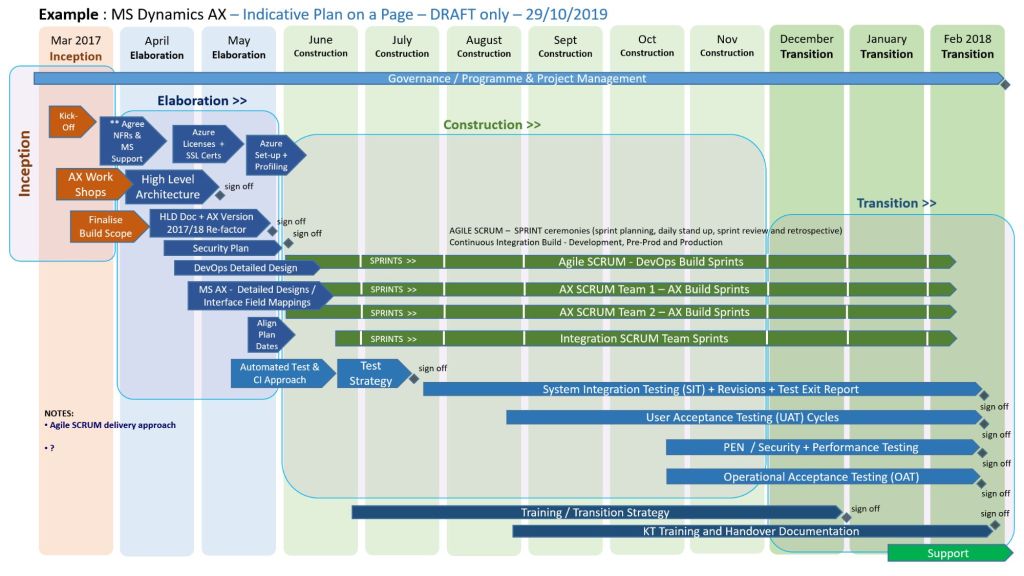
  • Visual Timeline: A high-level roadmap, Gantt chart, or phase-based breakdown (e.g., Discovery, Execution, Launch) displaying major milestones.
  • Project Health/Status: Current RAG (Red/Amber/Green) status or progress tracking.
  • Resource & Budget Allocation: High-level overview of assigned budget and key personnel.
  • Risk & Dependencies: Notable blockers, constraints, or critical assumptions.
  • Governance & Contacts: The project sponsors, managers, and the best way to get support.
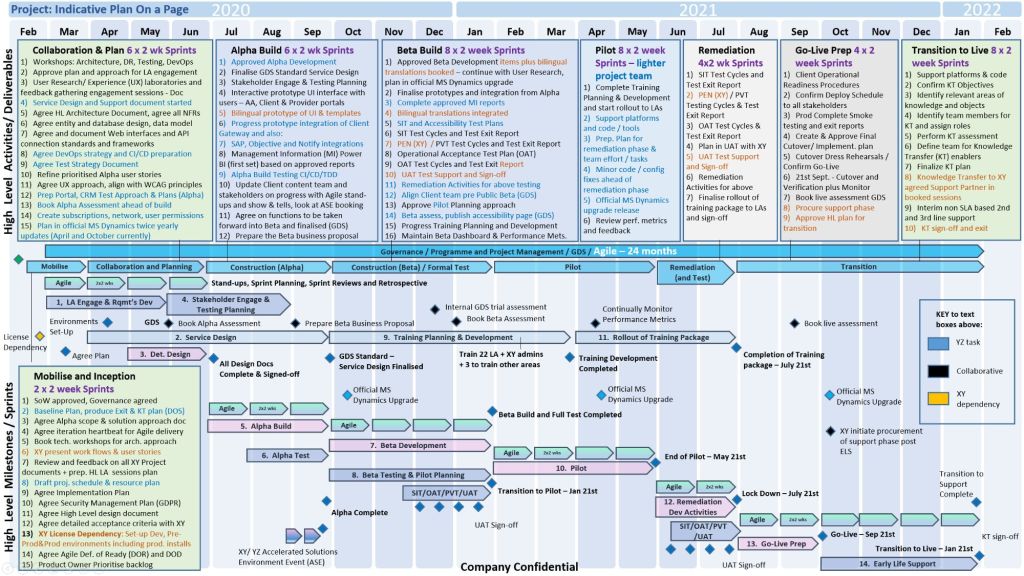
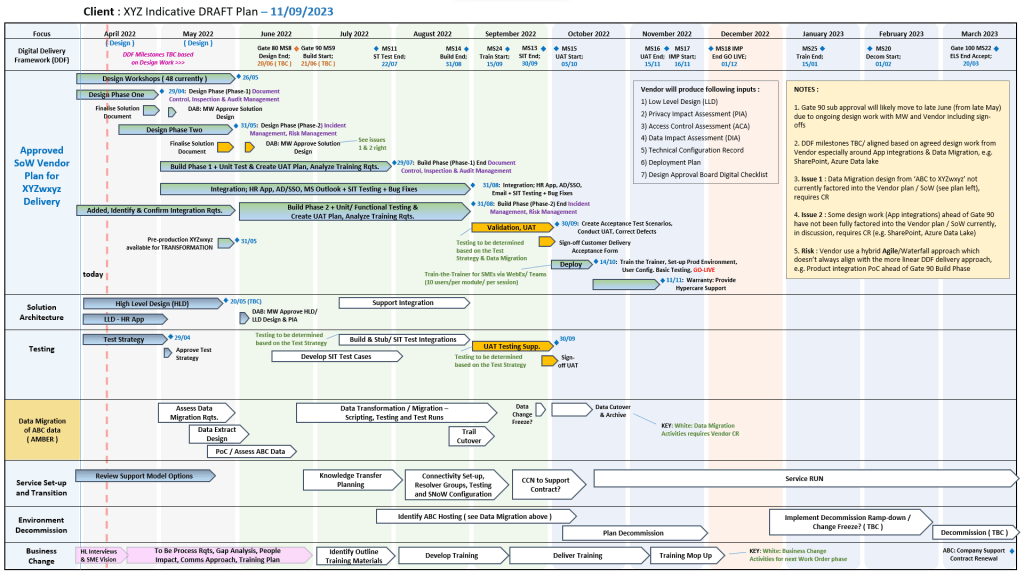
Plan on a Page concise, visual summary of a project's core elements
All POAP templates can be purchased by clicking on the link on the website banner

PowerPoint Plan On a Page (POaP) templates

Mark Whitfield provides a variety of Plan On a Page (POaP) templates designed to simplify complex project schedules into a single, high-level visual. These templates are typically available through his official website as part of a larger project management toolkit that includes over 200 editable documents.

PowerPoint Plan On a Page (POaP) templates

Mark Whitfield’s POaP Template Formats

Whitfield’s templates are available across multiple platforms to suit different project needs:

PowerPoint POaP Templates

Includes over 35+ slide examples showing different ways to visualise a Software Development Life Cycle (SDLC) plan. These are ideal for client presentations where high-level detail is needed.

Excel POaP & Tracker Templates

Features Gantt views, resource costing grids, and Agile Sprint views. Some Excel versions allow you to align the POaP with resource availability and overall phase costs, useful for project bids.

MS Project (MPP) Templates

Detailed PRINCE2 and Waterfall templates that can be condensed into a “timeline” view to serve as a POaP. These are annotated for tasks like Agile Scrum ceremonies or specific PRINCE2 7th Edition stages.

Key Features of the POaP Templates

  • Adaptability: Templates are designed to be tailored for Waterfall (PRINCE2) or Agile (Scrum/Sprints) methodologies.
  • Integrated Tracking: Often bundled with RAID logs (Risk, Action, Issue, Dependency) and RACI trackers to provide a complete overview beyond just the schedule.
  • Visual Dashboards: Many versions include self-populating charts and summary dashboards for at-a-glance status reporting.
  • Availability: Templates can be purchased individually or as a bulk pack on Mark Whitfield’s Website or through platforms like Etsy and Eloquens.

PowerPoint Plan On a Page (POaP) templates

Plan on a Page POaP example templates (30+) in Microsoft PowerPoint PPT available at website link in banner…

Plan on a Page POaP example templates 30+ in Microsoft PowerPoint PPT available at website link in banner…

Plan on a Page POaP Examples in PowerPoint & Excel for Project Management, click link above banner to purchase

Plan on a Page POaP Examples in Excel & PowerPoint for Project Management – click link above website banner to buy