Project Templates Soft Storefront on Etsy

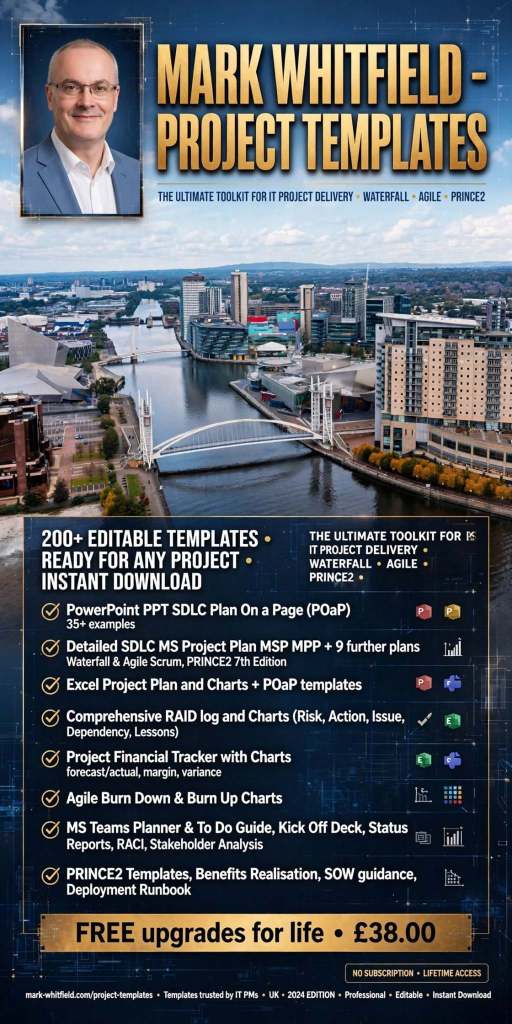
ProjectTemplatesSoft on Etsy is a highly rated, UK-based digital storefront specializing in professional-grade project management spreadsheets and presentation documents. Founded by Mark Whitfield, a veteran Senior Project Manager with over 30 years of delivery experience in IT and the Software Development Lifecycle (SDLC), the shop bridge the gap between heavy enterprise software and simple, flexible spreadsheets.

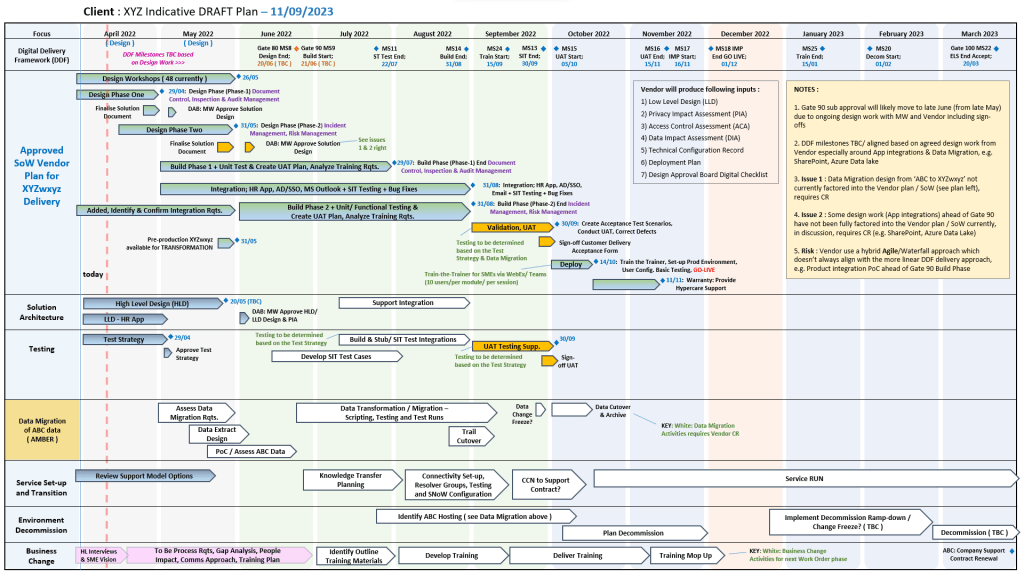
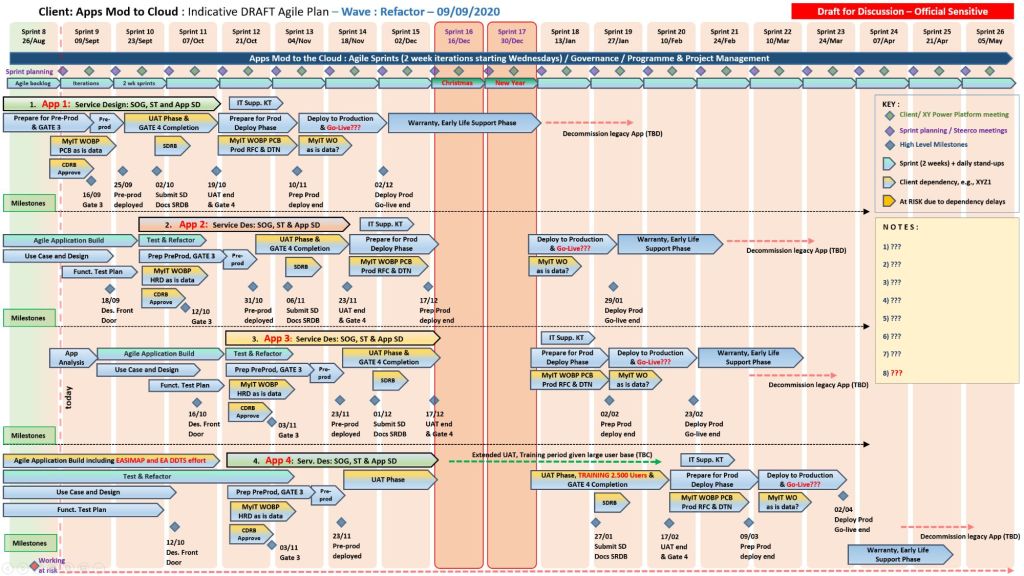
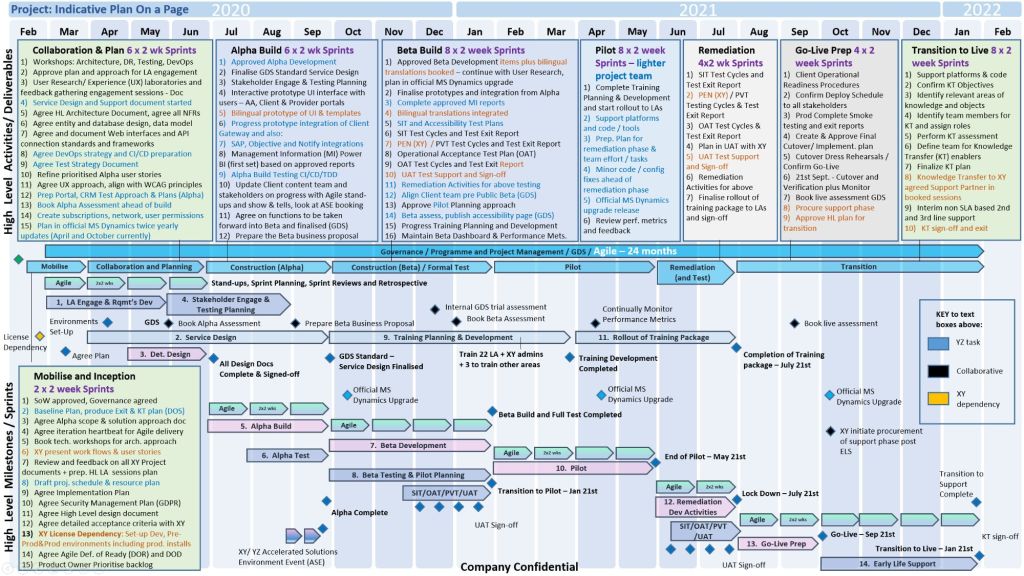
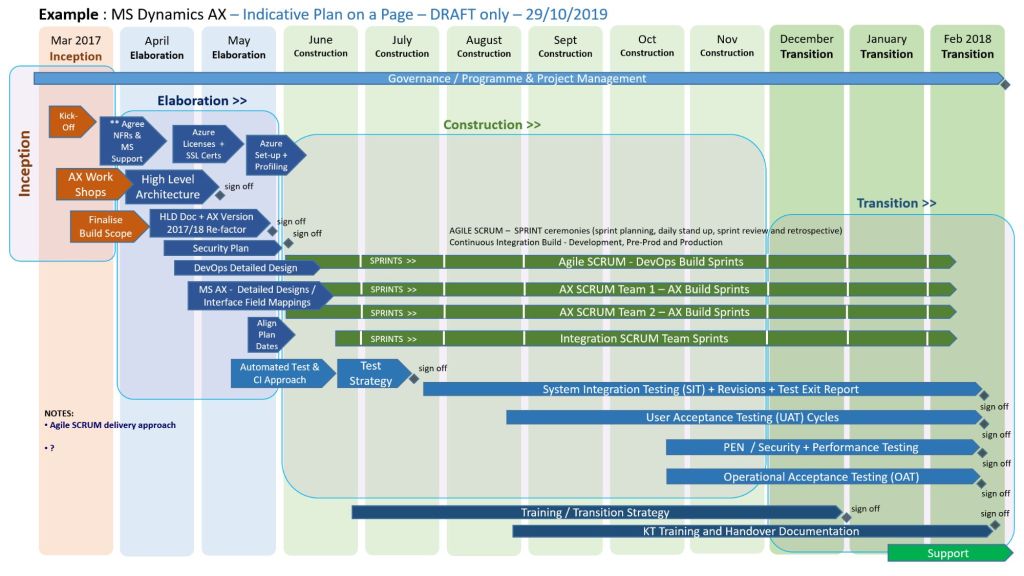
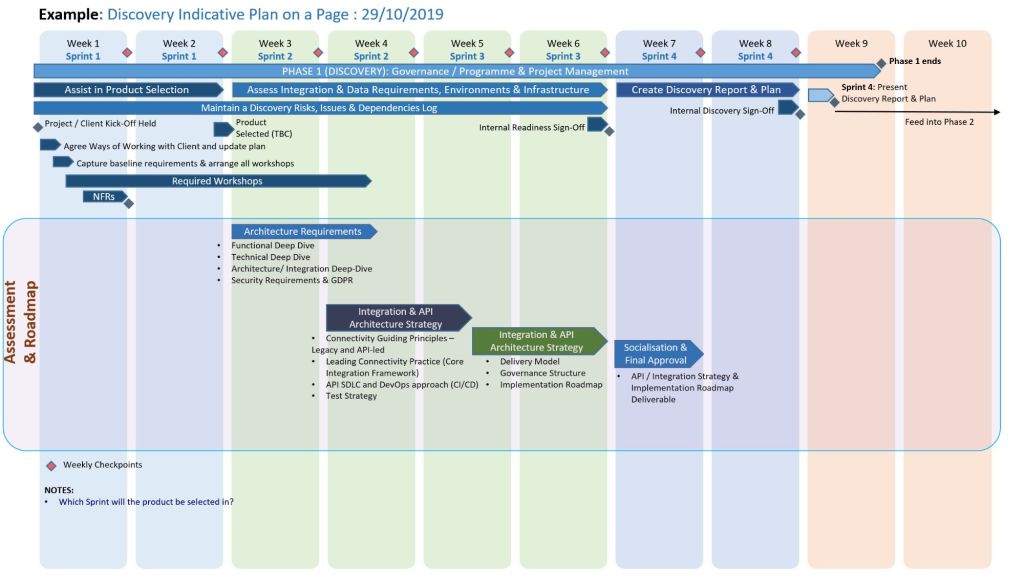
Example POaP PPT and XLS plan 
project templates
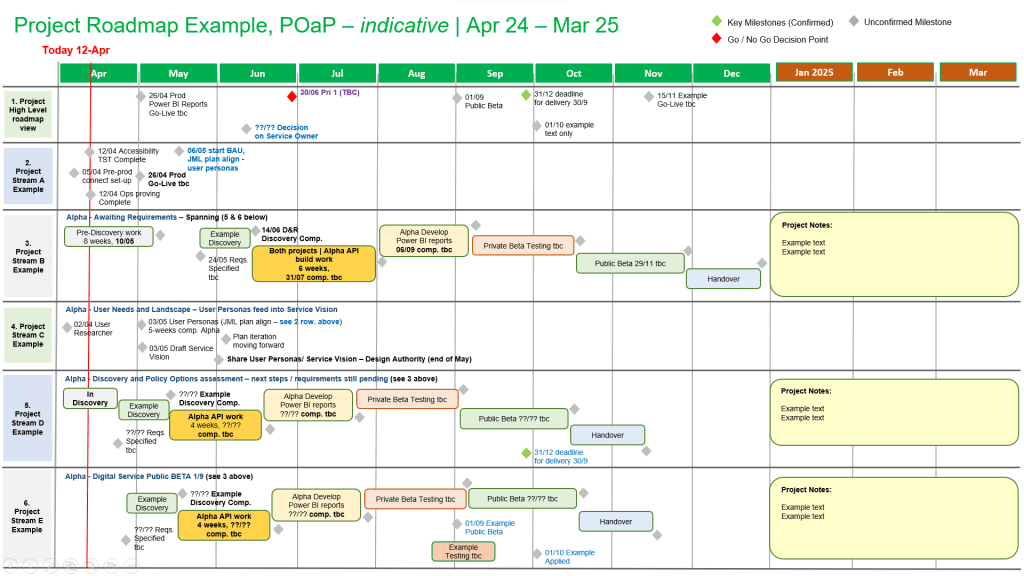
Example POaP PPT and XLS plan
project templates (200+ in all)

The products are distinctively built around core professional methodologies including PRINCE2 Waterfall and Agile Scrum frameworks. A key differentiator for this storefront is its customer lifetime model: all template upgrades and functional versions are 100% free after a single purchase by contacting the seller directly. The tools are fully unlocked, editable, and act as a portable alternative for teams or clients without expensive Microsoft Project licensing.


Product Breakdown by Category Focus

📊 1. Schedule Planning & Waterfall Templates

These tools target timeline generation, resource distribution, and critical path management for traditional structured delivery.

  • Waterfall Project Planner & Cost Tracker: An advanced interactive timeline engine that acts as a localized alternative to MS Project. It allows teams to map out milestones while calculating live run-rate expenditures.
  • Plan on a Page (POaP) Blueprint: A high-level stakeholder alignment presentation tool crafted in Microsoft Excel and PowerPoint designed to condense multi-layered delivery milestones into one scannable executive slide.
  • Work Breakdown Structure (WBS) Matrix: Structural templates built to parse complex client scopes into manageable, sequential project tasks.

🔄 2. Agile & Scrum Framework Toolkits

Tailored for modern software development environments executing iterative design, rapid deployments, and sprint-based task management.

  • Agile Scrum Master Pack: Complete tracking logs optimizing sprint velocities, backlog grooming sessions, and team capacity limits.
  • Sprint Burndown & Velocity Trackers: Automated graphical spreadsheets showing real-time target completions against literal daily sprint efforts.

📈 3. PMO Governance, RAID, & Operational Logs

Built for Programme Management Offices requiring cross-project transparency, strict risk mitigation, and central staff scheduling.

  • Central RAID Log: A classic, comprehensive spreadsheet designed to track project Risks, Assumptions, Issues, and Dependencies under strict corporate governance standards.
  • Resource Absence & Sickness Tracker: A centralized planner for operations managers to log annual leave, sickness intervals, and alternative project allocations.
  • Project Team Kick-Off Decks: Professionally designed slide blueprints that outline scope definitions, stakeholder communication channels, and milestone objectives during initiation phases.

Essential Shop & Resource Hyperlinks

Mark Whitfield – Education and Professional Training Timeline Summary

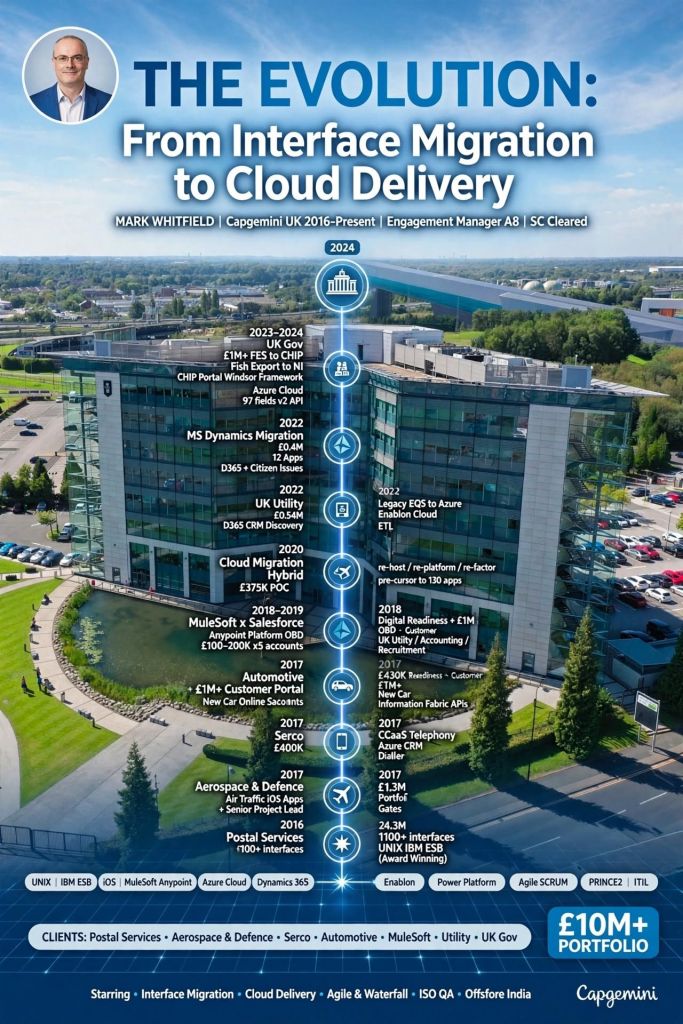
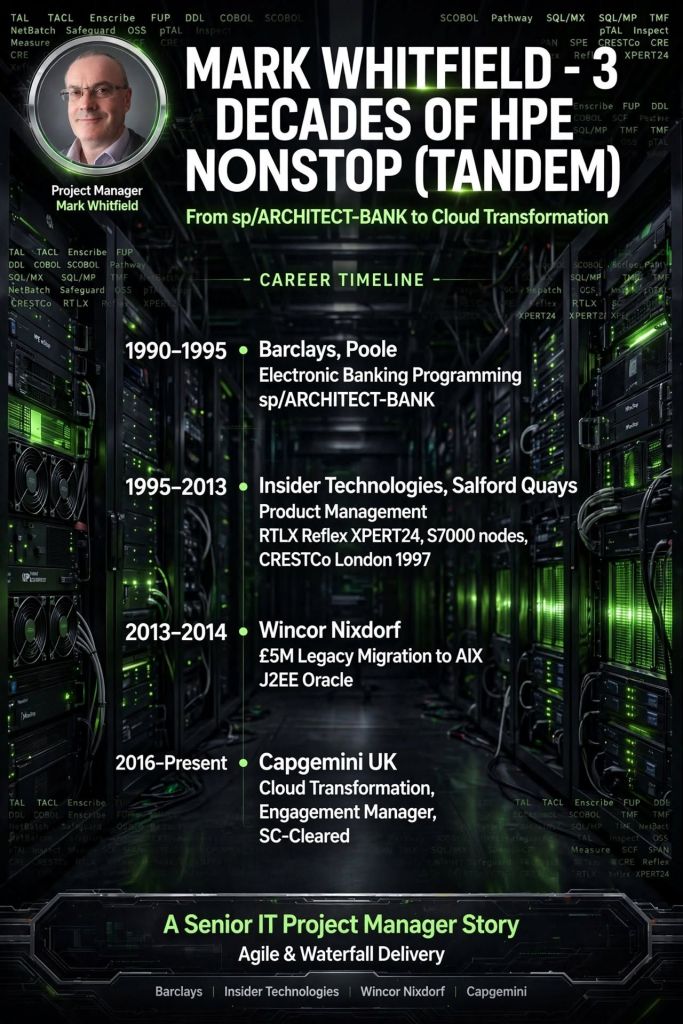
Mark Whitfield is a Greater Manchester-based Senior IT Project and Engagement Manager.

With over 30 years in the IT and software development industry, he has continuously upskilled in project delivery, Agile methodologies, cloud platforms, and cyber security.

Mark Whitfield - Education and Professional Training Timeline Summary

Phase 1: Foundational Education

  • 1985 – 1988: Leigh College, UK
    • Focus: Computer Science and Biology (‘A’ Levels)
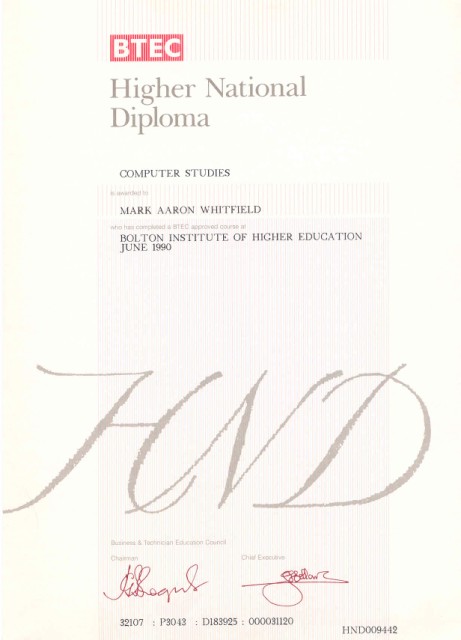
  • 1988 – 1990: University of Greater Manchester (formerly Bolton Institute of Higher Education, BIHE)
    • Focus: Higher National Diploma (HND) in Computer Studies (Graduated with Distinction; First overall in the year)
    • Key Modules: System Analysis, Programming Methodology, Database Architecture, and Business Information Systems

Phase 2: Project Management & Professional Training

  • 2000 – 2006: Industry Integration & Early Methodologies
    • Focus: Service-Oriented Architecture (SOA), Agile, Sales, and early project management
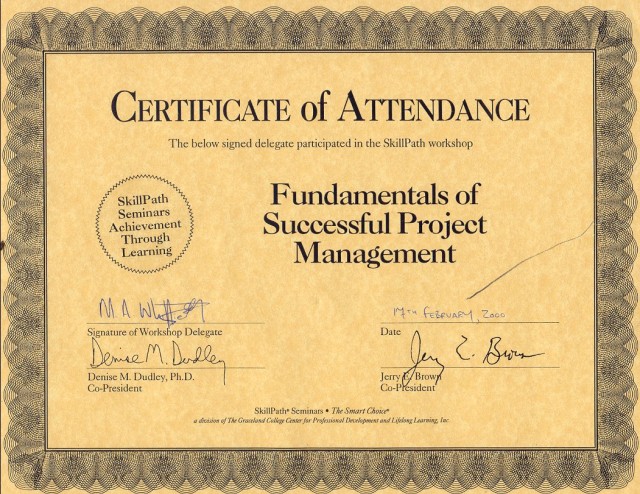
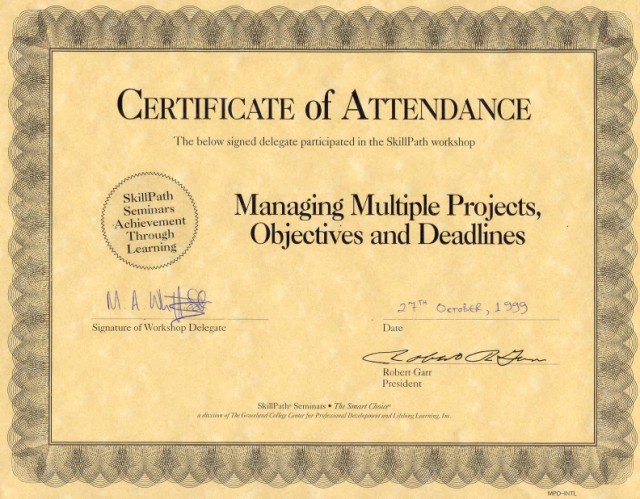
    • Courses/Certifications: Sales and Marketing (In-house Outsource, 2001), Web Services and SOA (Insider Technologies, 2005), PRINCE2 Foundation (2006), Designing Good Marketing Literature (SkillPath Seminars, 2006)
  • 2009: Digital & Communications
    • Focus: Digital marketing and content
    • Courses: Writing for the Web, and Website Promotion and Visibility by Design (iTrain Education)
  • 2011: Structured Frameworks
    • Focus: Formal project frameworks and delivery methodologies
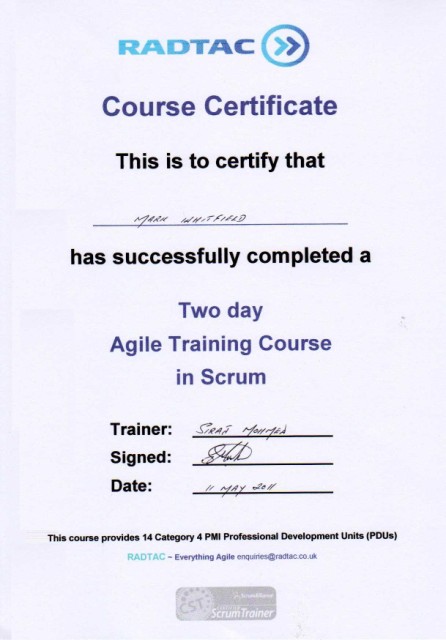
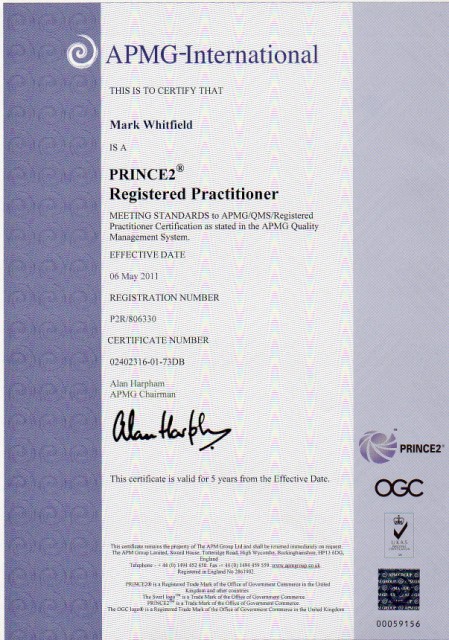
    • Courses/Certifications: PRINCE2 Foundation & Practitioner (ILX Group), Agile Scrum (RADTAC)
  • 2012: Operational Management
    • Focus: Service management best practices
    • Courses/Certifications: ITIL Foundation

Phase 3: Advanced Engagement & Enterprise Training

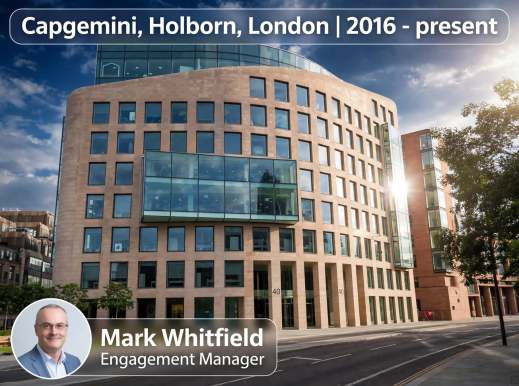
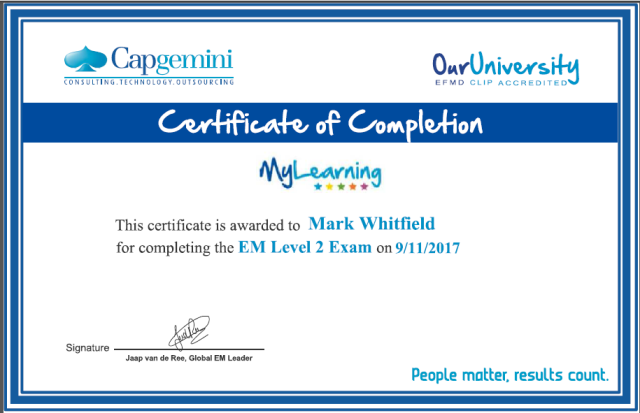
  • 2017 – 2019: Capgemini Engagement & Compliance
    • Focus: High-level engagement management and corporate governance
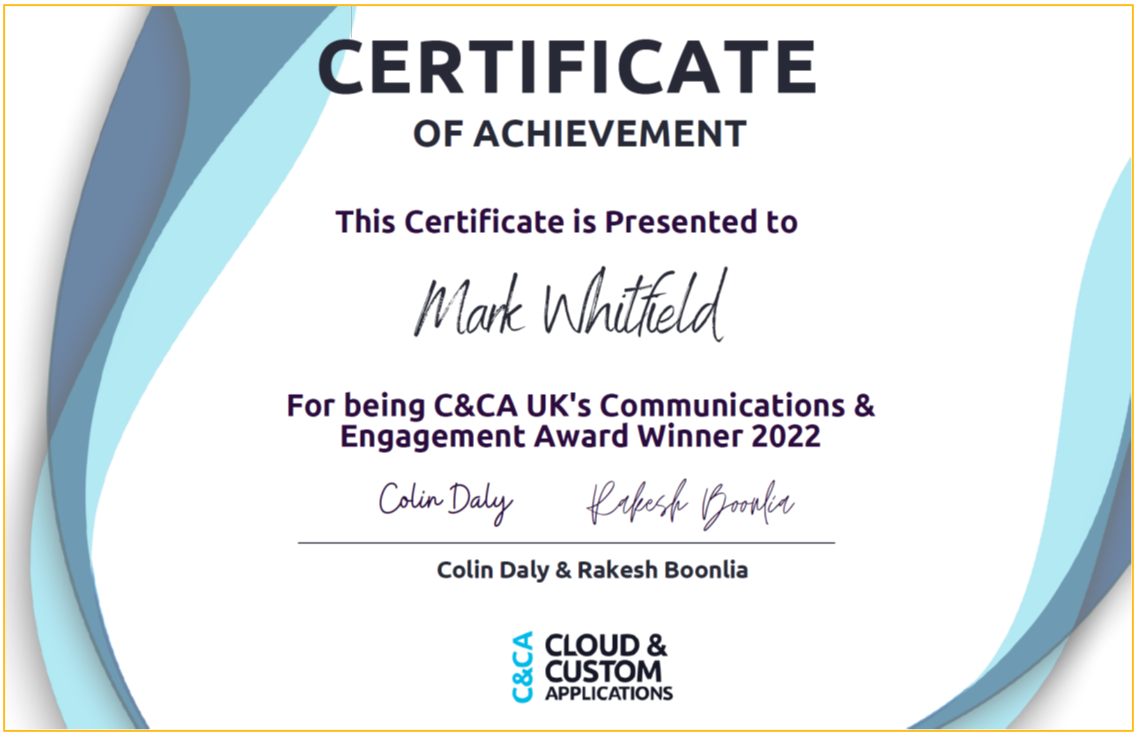
    • Courses/Certifications: Advanced Engagement Management Certification (Level 2), Group Anti-Corruption, and Intellectual Property Rights (IPR) Training
  • 2022: Cloud Modernization
    • Focus: Enterprise cloud computing fundamentals
    • Courses/Certifications: AZ-900 Microsoft Certified Azure Fundamentals

For more granular details on his certifications and career history, you can check Mark Whitfield Professional Training.

Over 200 editable templates for both Agile & Waterfall / PRINCE2 frameworks

Mark Whitfield’s Project Management (PM) methodology relies on over 200 editable templates tailored for both Agile Scrum and Waterfall / PRINCE2 frameworks. Developed over 24 years of IT and digital delivery, the toolkit focuses on high-level reporting, rigorous risk control, and visual tracking to align teams with corporate governance.

Over 200 editable templates for both Agile & Waterfall / PRINCE2 frameworks
An example of many Plan On a Page
(POAP) templates

Templates by Category and Methodology

1. Detailed Planning & Scheduling

  • Methodology: Mapped to the Software Development Life Cycle (SDLC) for both sequential Waterfall phases and iterative Agile sprints.
  • Templates:
    • Microsoft Project (MPP): Fully loaded schedules detailing project inception, elaboration, construction, and transition.
    • Excel Detailed Plans: Work Breakdown Structure (WBS) mapped to sequential and date-driven task management with built-in RAG (Red/Amber/Green) status indicators.

2. Visual Reporting & Execution (Plan on a Page)

  • Methodology: Focuses on structural, executive communication to prevent scope creep and keep stakeholders aligned.
  • Templates:
    • POaP (Plan on a Page): High-level visual summaries designed for client presentations and quick-glance milestone tracking in Excel and PowerPoint.
    • Burn-up / Burn-down Charts: Visual tracking metrics used in Agile Sprints to show progress towards delivery goals.

3. Risk & Governance Control

  • Methodology: Built on strict risk/action tracking and regular lessons learned to manage uncertainty throughout the project lifecycle.
  • Templates:
    • RAID Log: Centralized Excel trackers recording Risks, Actions, Issues, and Dependencies.
    • Change Requests/Decisions Log: Supplementary tabs within the RAID register to strictly manage scope changes and project governance.

4. Financial Trackers

  • Methodology: Ensures project adherence to contracted margins, tracking both internal/external costs and resource efforts.
  • Templates:
    • Budget & Resource Trackers: Spreadsheets for forecasting versus actual expenses, variance calculations, expense reporting, and margin tracking with pivot-table readiness.

5. Team RACI & Status Reporting

  • Methodology: Clearly defines stakeholder roles and communication frequencies (weekly/monthly) to ensure continuous monitoring and control.
  • Templates:
    • RACI Matrix: A mapping tool defining who is Responsible, Accountable, Consulted, and Informed.
    • Weekly Status Reports: Word/Excel templates detailing internal and external project health, current milestones, and upcoming sprints.
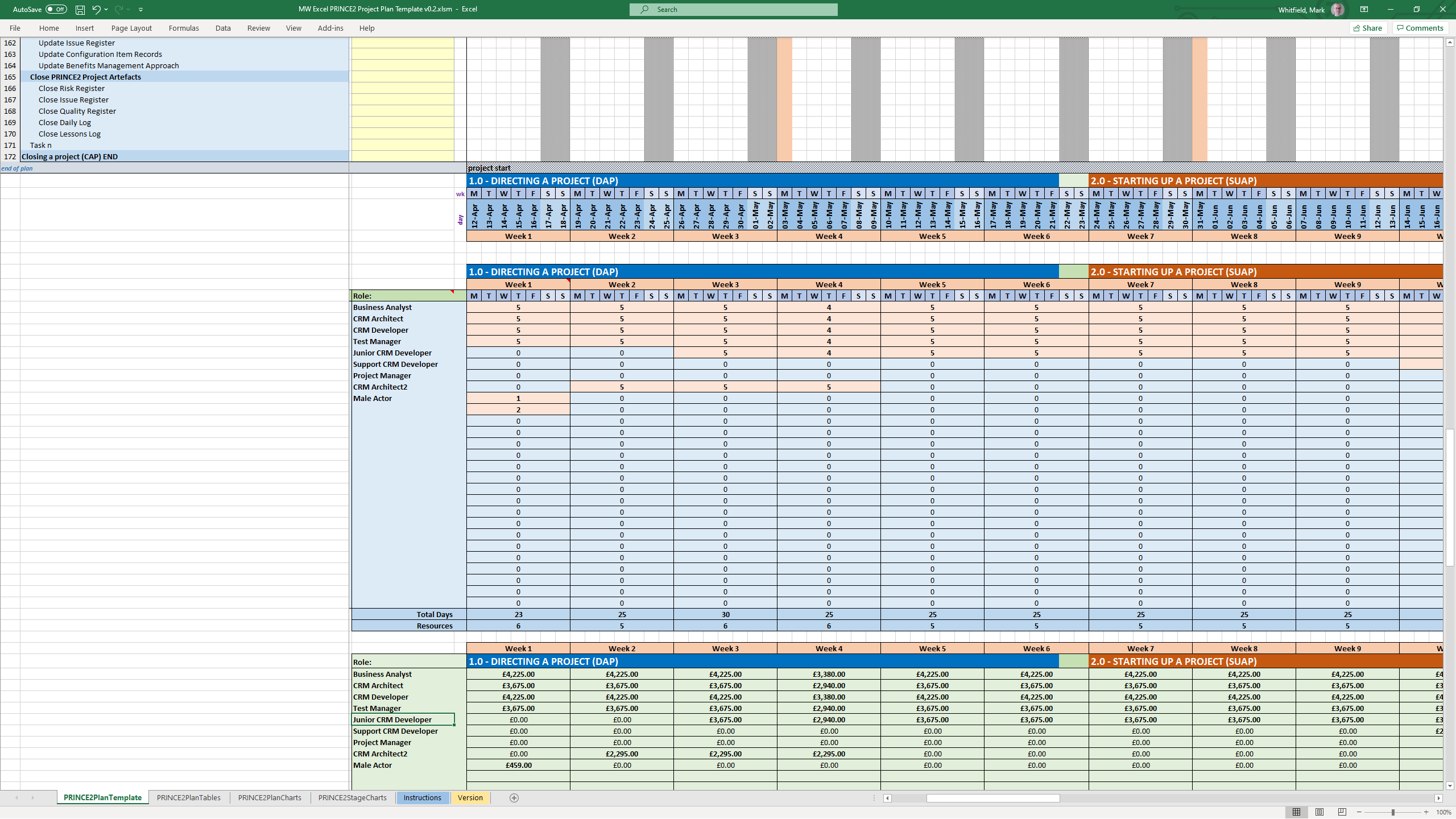
To explore the entire toolkit, you can visit the Mark Whitfield PROject Templates portal.

Project Plan on a Page (POAP) is a Concise, Visual Summary of a Project

A Project Plan on a Page (POAP) is a concise, visual summary of a project’s objectives, timeline, milestones, and risks. Its primary purpose is to provide an instant, high-level overview for stakeholders and executives, ensuring alignment without overwhelming them with low-level details.

3. Project Plan on a Page (POAP) is a Concise, Visual Summary of a Project
4. Project Plan on a Page (POAP) is a Concise, Visual Summary of a Project
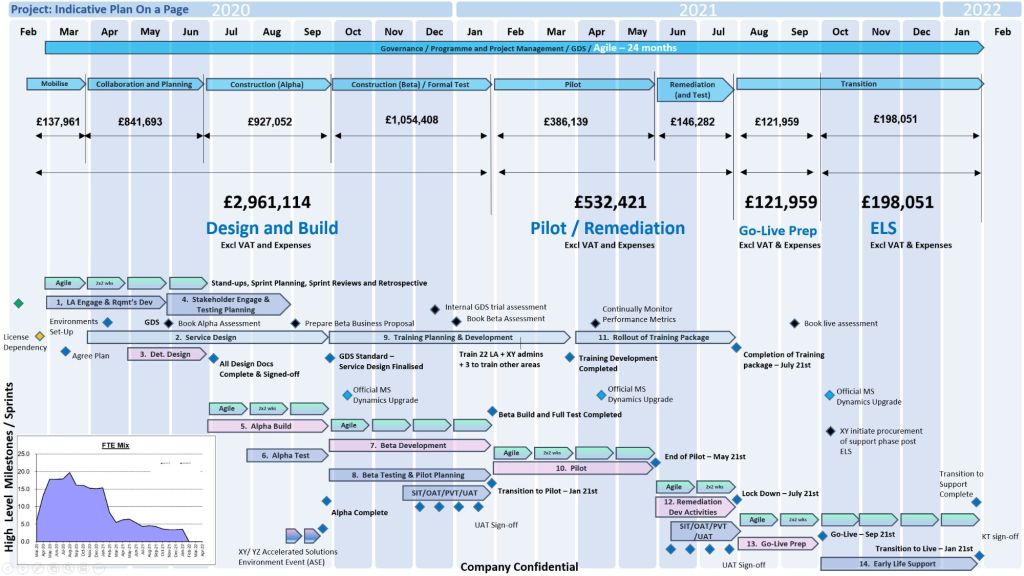
1. Project POAP by Mark Whitfield, Plan on a Page
Mark Whitfield POAP examples, 35+ in all

Best Structure for a POAP

An effective POAP eliminates excessive task lists in favor of a clean, scannable layout organized into these key sections:

  • Project Overview: Title, Project Manager, and the overarching “Why” or business objective.
  • Timeline & Milestones: A horizontal, time-phased bar chart mapping the project’s key phases (e.g., Initiation, Beta Launch, Go-Live).
  • Key Deliverables: 4 to 6 major outputs or goals required to consider the project a success.
  • Risks & Dependencies: Critical blockers or assumptions that require management attention.

Examples & Templates for Download

Because POAPs are highly visual, they are most effectively built in Excel (for data and dates) or PowerPoint (for visual presentation).

  • Excel/PowerPoint Templates: You can download ready-made POAP layouts via Titanium Consulting or Mark Whitfield Consulting to generate professional visual graphics.
  • Word/Spreadsheet Variations: For simpler initiatives, you can access the 1-page summary templates available through Smartsheet’s Project Plan Templates.
  • Automated Software: If you already track complex projects in MS Project, Excel, or Primavera, automation tools like SummaryPro can automatically ingest your detailed schedule and spit out an accurate POAP.

Mark Whitfield PM – Website & Blog focus areas

The blog posts by Mark Whitfield, a Senior IT Project and Engagement Manager, primarily focus on practical project management (PM) frameworks, methodology implementation, and digital delivery execution.

Mark Whitfield PM - Website and Blog focus areas

Hosted on his platform, PROject Templates, the blog acts as an extension of his 30+ year career transitioning from mainframe engineering to leading large-scale Agile and Waterfall digital transformations.

Blog Overview and Key Topics

The core purpose of the blog is to guide project professionals through real-world deployment challenges while showcasing an ecosystem of over 200 editable Microsoft Office templates.

The main content focus areas include:

  • Framework Implementation: In-depth overviews on aligning project lifecycles with PRINCE2 (7th Edition), Agile Scrum, and Kanban methodologies.
  • Detailed Project Planning: Actionable steps for setting up Software Development Life Cycles (SDLC), defining dependencies, establishing milestones, and handling project baselines.
  • Operational Checklists: Daily, highly practical guides tailored for specific team roles, such as his “Daily Checklist for Scrum Masters”.
  • Risk and Governance Control: Best practices on organizing and managing RAIDs logs (Risks, Actions, Issues, Dependencies), change requests, and corporate project governance.
  • High-Level Reporting: Frameworks for structural communication with stakeholders, utilizing Plan on a Page (POaP) examples, dashboard designs, and financial budget tracking templates.
  • Digital & Cloud Delivery Lessons: Real-world insights drawn from his corporate and public sector experiences, covering topics like middleware architecture deployments and hybrid cloud application refactoring.

PRINCE2 and Waterfall, an Overview and Comparison

PRINCE2 is a structured project management framework, whereas Waterfall is a linear-sequential software development lifecycle (SDLC) methodology. While people often compare them, they are not mutually exclusive. PRINCE2 tells you how to manage a project, while Waterfall defines how to build the product.

PRINCE2 & Waterfall Overview and Comparison
PRINCE2 & Waterfall –
Overview and Comparison

Here is a detailed overview and comparison of both.


Overview of PRINCE2

PRINCE2 (PRojects IN Controlled Environments) is a process-based method for effective project management. It provides a highly structured framework that focuses on business justification and clear roles.

  • Core Logic: Divided into 7 Principles, 7 Themes, and 7 Processes.
  • Structure: Focuses on high-level management, governance, and organization.
  • Flexibility: Product-based planning allows it to wrap around any delivery method.
  • Roles: Explicitly defines responsibilities (Project Board, Project Manager, Team Manager).

Overview of Waterfall

Waterfall is a traditional development methodology where a project moves sequentially through distinct phases. Each phase must be completed before the next one begins.

  • Core Logic: Requirements → Design → Implementation → Verification → Maintenance.
  • Structure: Linear, rigid, and heavily reliant on early stage documentation.
  • Flexibility: Extremely low; changes to requirements are costly once development begins.
  • Roles: Focuses on execution roles (Business Analysts, Developers, QA Testers).

Key Structural Differences

PRINCE2 and Waterfall, an Overview and Comparison

How They Work Together

PRINCE2 is frequently used to govern Waterfall projects.

  • The Management Layer: The Project Board uses PRINCE2 to manage budgets, risks, and business justification.
  • The Specialist Layer: The technical team uses Waterfall to execute work packages (e.g., designing, coding, testing).

Which One Should You Choose?

  • Choose PRINCE2 if: You need robust corporate governance, clear stakeholder accountability, and a way to manage high-budget, high-risk projects.
  • Choose Waterfall if: Your product requirements are completely fixed, the technology is well-understood, and the physical architecture cannot be easily changed (e.g., construction).

Free Upgrade MS Project Management Templates for Download

The ⁠Project Management Templates by Mark Whitfield constitute a comprehensive toolkit of over 200 editable resources designed to accelerate project delivery across Agile, Waterfall, and PRINCE2 frameworks.

The structural breakdown of the core templates is organised by functional category, specific template, integrated Microsoft Office tool, and operational description:

1. Project Planning & Scheduling

  • Detailed SDLC Project Plan
    • MS Tool: Microsoft Project (.mpp)
    • Description: A master schedule structured around the Software Development Lifecycle (SDLC) from development through testing, deployment, and Early Live Support (ELS), easily toggled between Agile Scrum and traditional Waterfall.
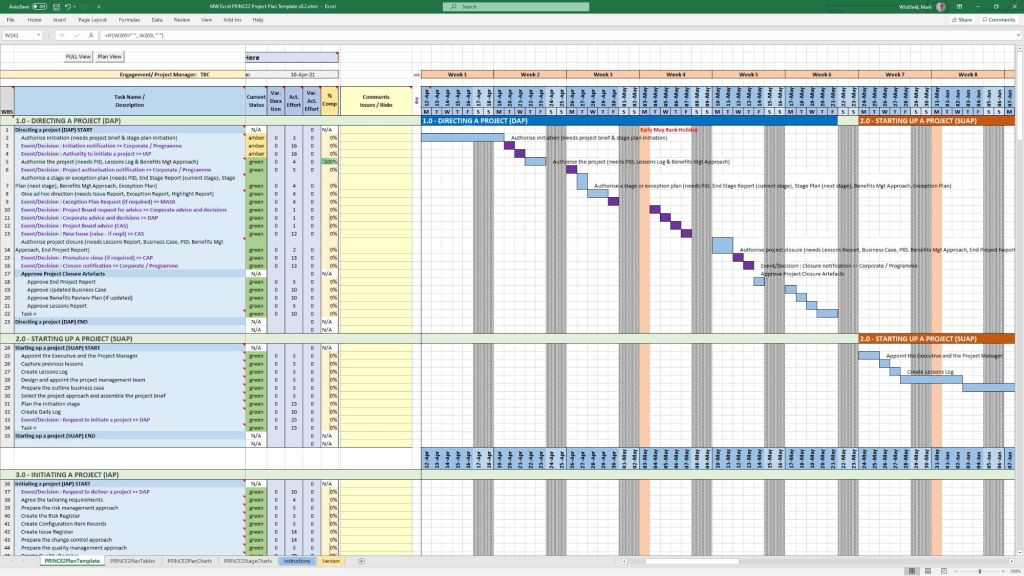
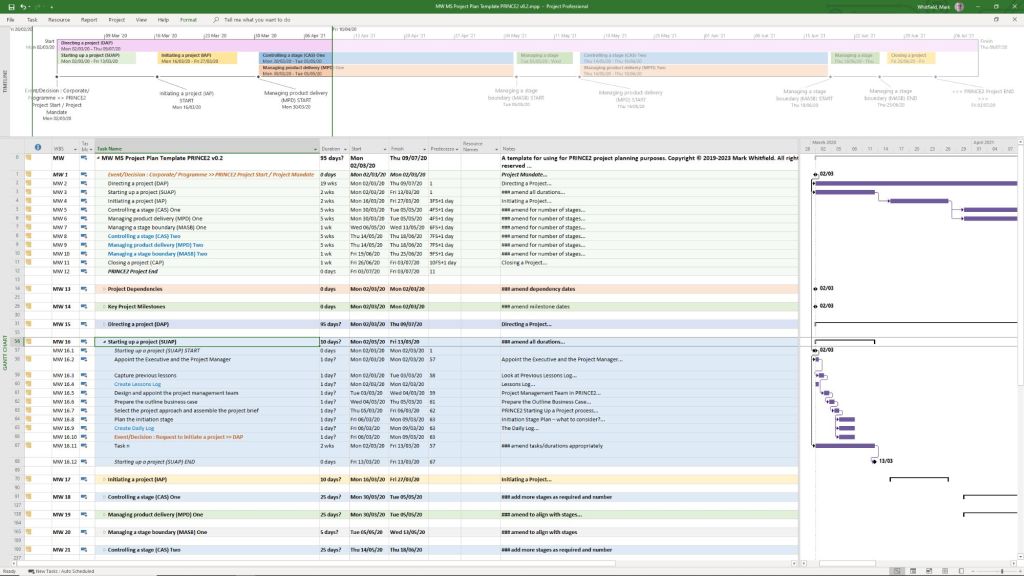
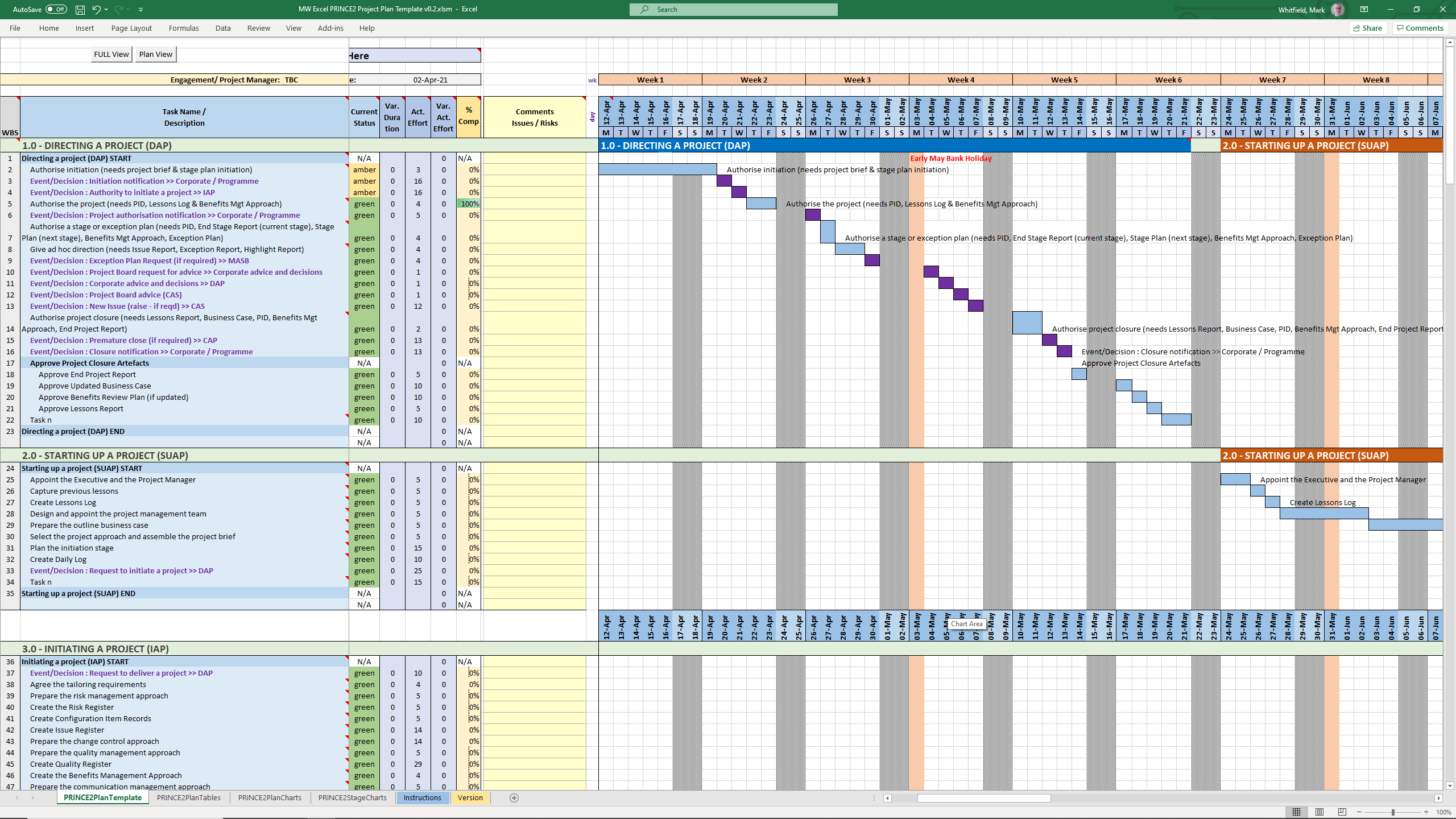
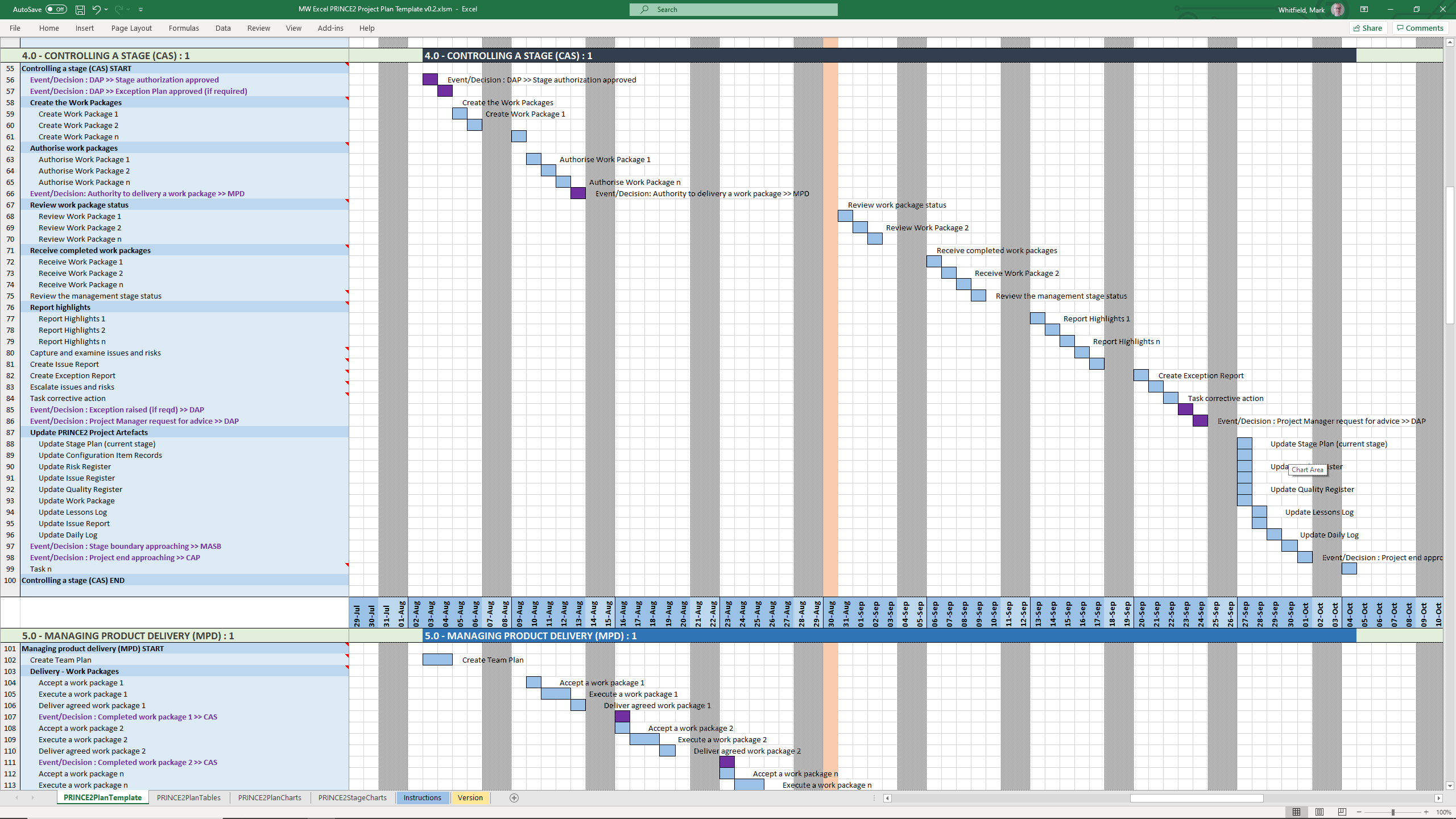
  • PRINCE2 7th Edition Project Plan
    • MS Tool: Microsoft Project (.mpp) & MS Excel (.xlsm)
    • Description: Fully annotated task list aligned with the 7th edition principles, colour-coded by activity type (blue for artifact creation, brown for management decisions, purple for updates).
  • Detailed Waterfall Project Planner
    • MS Tool: MS Excel
    • Description: A portable, license-free alternative to MS Project featuring baseline versus forecast tracking, an integrated Gantt chart view, and automated progress charts.
  • Plan on a Page (POaP)
    • MS Tool: MS PowerPoint & MS Excel
    • Description: High-level, executive-ready roadmaps containing over 30 slide variations used to communicate project timelines, key milestones, and work streams to senior stakeholders.
1. Project Planning & Scheduling POAP MS PowerPoint
1. Project Planning & Scheduling POAP MS PowerPoint Templates
2. Project Planning & Scheduling MS Project Templates
3. Project Planning & Scheduling MS Excel Templates

2. Operational Control & Governance

  • Comprehensive RAID Log & Charts
    • MS Tool: MS Excel
    • Description: A highly detailed central registry featuring distinct tabs to track Risks, Actions, Issues, Opportunities, Dependencies, Lessons Learned, and Change Requests alongside visual metric dashboards.
  • Basic RAIDs Tracker
    • MS Tool: MS Excel
    • Description: A scaled-down, simplified version of the master RAID log optimized for quick turnarounds, minor bids, and low-complexity projects.
  • RACI Matrix
    • MS Tool: MS Excel
    • Description: A governance sheet mapping project deliverables against specific team roles to clarify who is Responsible, Accountable, Consulted, and Informed.
  • Agile Story Dependency Tracker
    • MS Tool: MS Excel
    • Description: A specialised log to document and track blocker stories tied to external suppliers or client-side dependencies that risk driving scope changes.
1. Operational Control & Governance MS Excel RACI Template

3. Financial & Resource Management

  • Project Financial Tracker
    • MS Tool: MS Excel
    • Description: A financial controller mapping internal and external forecast costs against actuals, factoring in margins, variances, supplier fees, and expense categories.
  • Resource, Sickness, & Leave Tracker
    • MS Tool: MS Excel
    • Description: An operational matrix monitoring annual leave, sickness, and training schedules to adjust resource availability and capacity within the master schedule.
1. Financial & Resource Management MS Excel Templates

4. Agile Delivery Metrics

  • Agile Burn Down & Burn Up Charts
    • MS Tool: MS Excel
    • Description: Manual data-table tracking solutions designed to visualise sprint or release velocity for teams operating without access to enterprise tools like Jira.
1. Agile Burn Down Chart in MS Excel
1. Agile Burn Down Chart in MS Excel Template Example
2. Agile Burn Up Chart in MS Excel
2. Agile Burn Up Chart in MS Excel Template Example

5. Communications & Administration

  • PRINCE2 Management Products
    • MS Tool: MS Word (.doc)
    • Description: A full portfolio of standard documentation masters including Project Initiation Documents (PID), Project Briefs, Highlight Reports, and Business Cases.
  • Project Status Report
    • MS Tool: MS Word & MS PowerPoint
    • Description: Weekly and monthly progress reporting templates featuring structured sections for milestones, blockers, financial status, and RAG indicators.
  • Kick-Off Deck & Mobilisation Kit
    • MS Tool: MS PowerPoint
    • Description: Onboarding and alignment slide decks designed to define scope, establish ground rules, and guide teams through project initiation.
  • Meeting Minutes Template
    • MS Tool: MS Word
    • Description: An action-oriented meeting layout tailored for capturing critical decisions, owners, and deadlines uniformly.
1. Communications & Administration MS Excel Status Report Template Example

If you are looking to purchase or deploy these, the complete ecosystem is distributed on marketplaces like the ⁠ProjectTemplatesSoft Etsy Shop or through his official site Mark Whitfield’s Project Management Templates.

Plan on a Page, POAP – is a visual summary of a project’s core elements

A Plan on a Page (POAP) is a concise, visual summary of a project’s core elements. It distills complex, granular project details into a highly accessible, single-page format.

It acts as an executive summary rather than a replacement for comprehensive, detailed project plans. Example, tailorable Agile and Waterfall MS PowerPoint POaP project templates can be purchased at this link.
A Plan on a Page (POAP) is a concise, visual summary of a project's core elements
Plan On a Page also known as a POAP

🎯 Primary Purpose

  • Executive Communication: Provides busy stakeholders and C-level management with rapid visibility into a project’s status without overwhelming them with data.
  • Alignment: Ensures teams, sponsors, and stakeholders share a unified understanding of project goals and direction.
  • Focus & Risk Management: Keeps the strategic vision front-and-center, prevents teams from getting “lost in the weeds,” and allows leaders to spot high-level risks early.
  • Decision Support: Serves as a quick reference guide during steering committee and status meetings.
POAP is a concise, visual summary of a project's core elements
A Plan on a Page (POAP) is a concise, visual summary of a project’s core elements

📝 Content Summary

To fit on a single page, a POAP strips away tactical daily tasks and focuses only on the most critical strategic and timeline components:

  • Project Vision & Scope: A concise statement of what the project aims to deliver.
  • Objectives & KPIs: Specific, measurable targets and Key Performance Indicators to measure success.
  • Visual Timeline: A high-level roadmap, Gantt chart, or phase-based breakdown (e.g., Discovery, Execution, Launch) displaying major milestones.
  • Project Health/Status: Current RAG (Red/Amber/Green) status or progress tracking.
  • Resource & Budget Allocation: High-level overview of assigned budget and key personnel.
  • Risk & Dependencies: Notable blockers, constraints, or critical assumptions.
  • Governance & Contacts: The project sponsors, managers, and the best way to get support.
Plan on a Page concise, visual summary of a project's core elements
All POAP templates can be purchased by clicking on the link on the website banner