

Mark Whitfield’s PM template library features over 200 editable project management and PMO templates. These templates span the entire project lifecycle and are categorized by focus area and framework (e.g., Agile, Waterfall, PRINCE2).
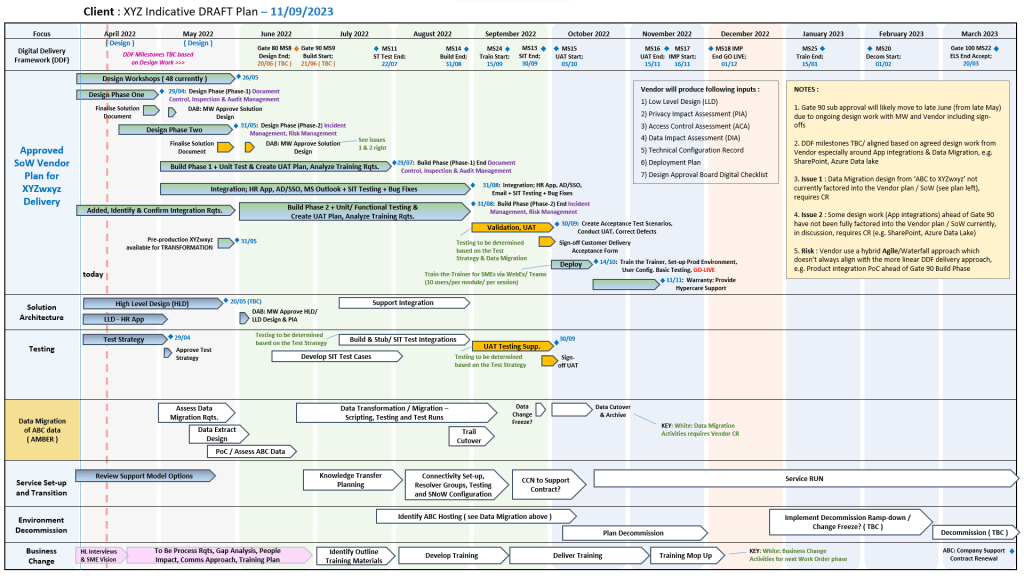
be tailored as required
The resources are formatted natively for the Microsoft Office suite, allowing them to be opened on all devices, including desktops, tablets, and smartphones.
The templates are divided into specific categories based on the standard project delivery phases:
📁 Core Template Categories
- Planning & Execution:
- Detailed MS Project schedules
- Excel and PowerPoint Plan on a Page (POaP) examples (over 35 slide examples) to save time constructing from scratch
- SDLC (Software Development Life-cycle) plans
- Tracking & Control:
- Weekly and monthly Status Reports
- Meeting Minutes
- Governance & Team Management:
- Project Organization charts
- RACI trackers (Responsible, Accountable, Consulted, Informed)
- Stakeholder Analysis (influence vs. impact)
- Team onboarding kits and quizzes
📂 Specialized & Framework-Specific Templates
- Risk & Issue Management: Comprehensive RAIDs log (Risk, Action, Issue, Opportunity, Lessons Learned, Dependencies) with built-in summary charts.
- Financials: Project Financial Trackers for internal/external costs, forecasting vs. actuals, margin/variation, and expenses.
- Agile Frameworks: Agile Story Dependency tracking, Burn Down & Burn Up charts, and Sprint tracking guides.
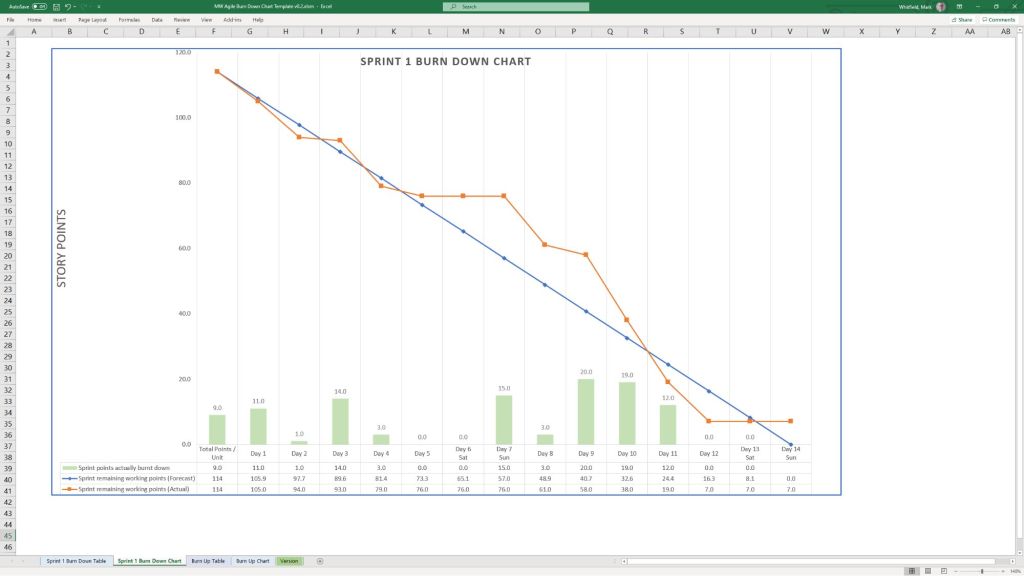
Down and Up Chart Examples
💻 File Formats
All templates are fully editable, and the package provides the following file formats for universal compatibility:
- Microsoft Word (.docx): Used for walkthrough guides, governance documentation, and standard project status reports.
- Microsoft Excel (.xlsx): Utilized for task trackers, financial dashboards, RAID logs, and non-MS Project Gantt charts.
- Microsoft PowerPoint (.pptx): Used for Kick-Off decks, team hierarchy charts, and visual POaP (Plan on a Page) slides.
- Microsoft Project (.mpp): Detailed work breakdown structure (WBS) and scheduling files for traditional and Agile-hybrid projects.
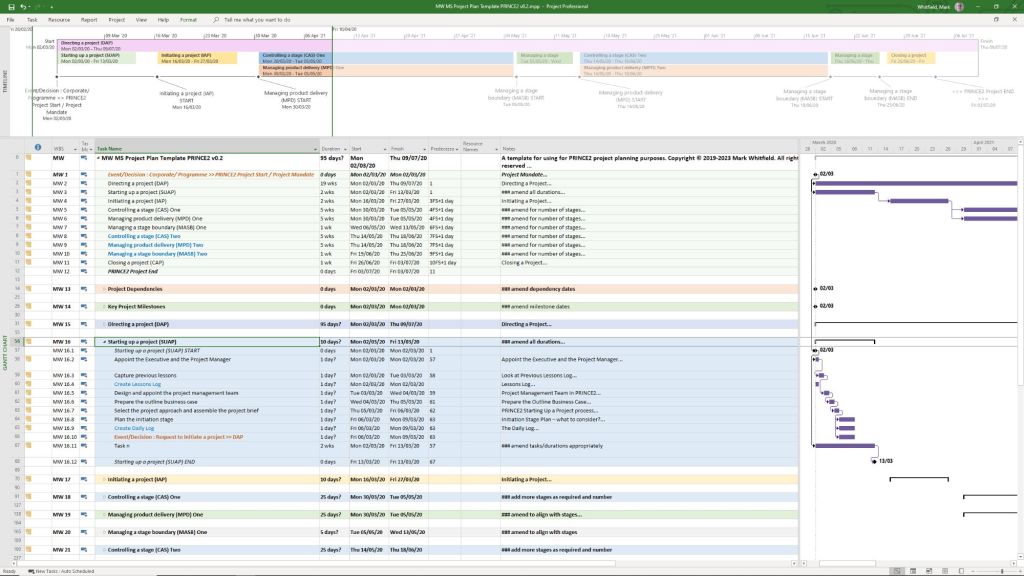
to be tailored as required
You can download or purchase the complete inventory of these editable files at the Mark Whitfield PROject Templates Store (or via the Etsy Storefront if you prefer that platform). Once purchased, you are also entitled to free lifetime upgrades and additions.
Project Management Templates to be tailored as required with FREE upgrades


