Recent Experience:
All Projects Chronologically:
Engineering Background:
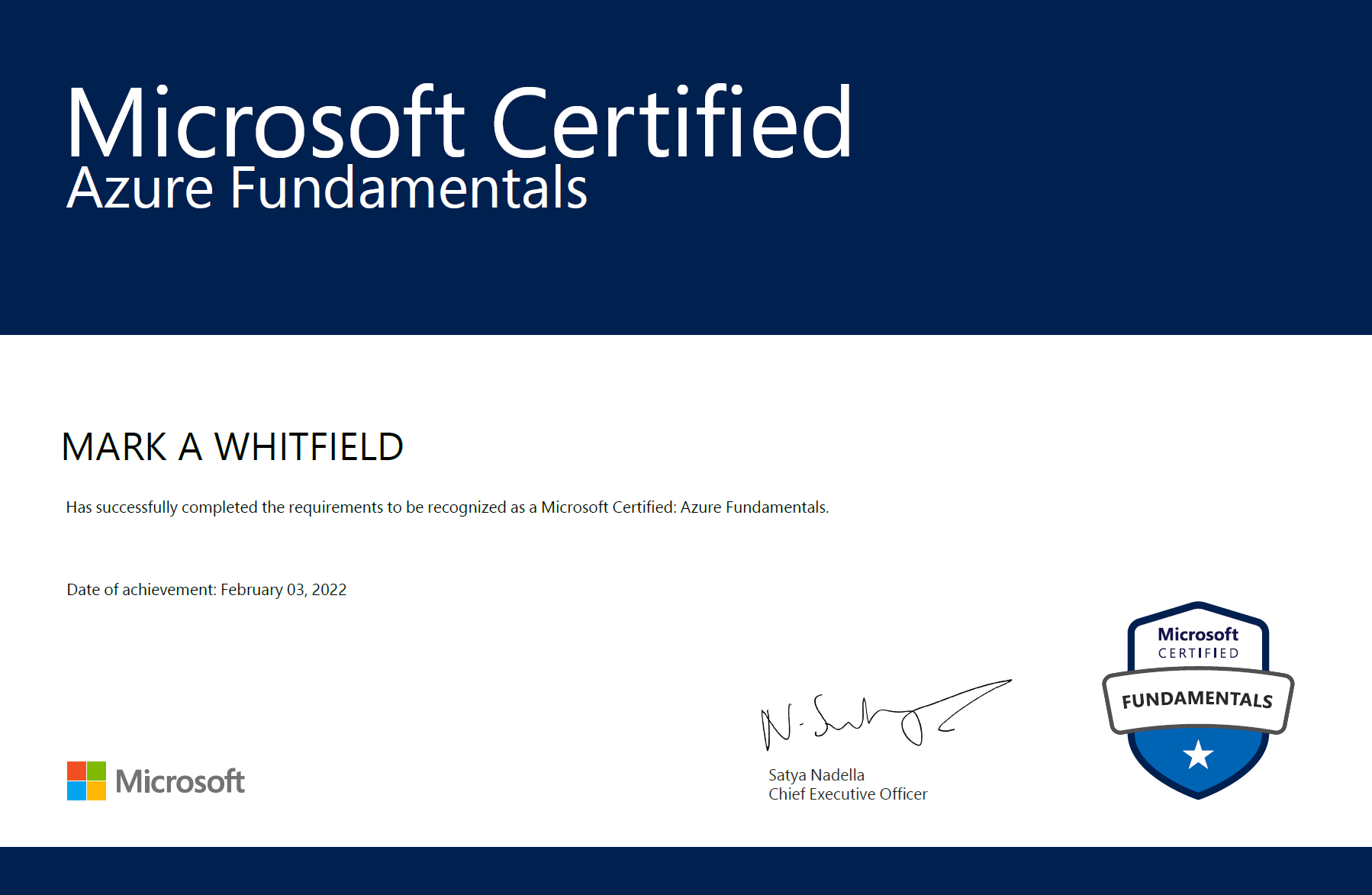
Certificates:
Recommendations:
All Capgemini Projects:
MuleSoft Augmentation:
Awards & Highlights:
Training Summary:
 Download MS Project + Office Templates | Quickstart PRINCE2 Agile SCRUM & Waterfall + FREE Upgrades & Additions, SALE Buy 200+ PROject Templates
Recent Experience:
All Projects Chronologically:
Engineering Background:
Certificates:
Recommendations:
All Capgemini Projects:
MuleSoft Augmentation:
Awards & Highlights:
Training Summary:
Mark Whitfield, a senior, SC-cleared IT Project Manager based in Manchester, UK, holds a robust foundational education in computer studies combined with extensive professional methodologies and technical certifications.
Spanning over three decades, his academic background and formal training bridge deep technical software engineering with enterprise-level project delivery.
The comprehensive breakdown of his higher education and professional training is structured below:
🎓 Higher Education & Academic Foundations
Mark Whitfield established his technical roots between 1988 and 1990 at the Bolton Institute of Higher Education (BIHE) (now the University of Bolton). He achieved a Distinction and was ranked first in his cohort for the BTEC Higher National Diploma (HND) in Computer Studies, completing modules in system analysis, programming methodology, data processing, and business information systems.
💼 Professional Delivery & Methodology Training
As an enterprise delivery lead, Whitfield is certified in key frameworks to manage hybrid cloud migrations and digital transformations.
🛠️ Technical & Software Engineering Training
His background includes early-career training in low-level programming and infrastructure management including:
🛠️ Project Management Toolkit Author
Leveraging this background, he authors PROject Templates, offering over 200 editable resources covering Agile, Waterfall, and PRINCE2 7th Edition methodologies.
During his 18-year tenure (1995–2013) at Insider Technologies Limited (ITL) in Salford Quays, UK, Senior IT Project Manager Mark Whitfield advanced from a core technical engineer into strategic product and project management.
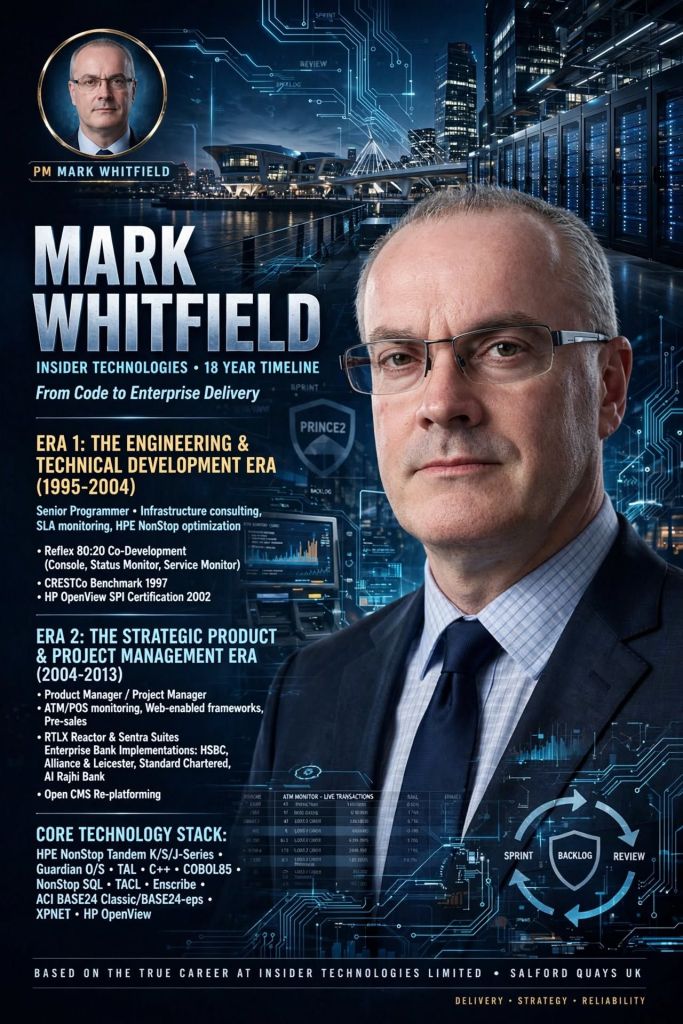
His time at the company is defined by two distinct operational eras, marked by a clear shift from code development to enterprise delivery:
🛠️ 1. The Engineering & Technical Development Era (1995–2004)
During this period, Whitfield operated primarily as a Senior Programmer, focusing on platform health, system diagnostics, and transaction log extraction architectures for highly critical financial systems.
📈 2. The Strategic Product & Project Management Era (2004–2013)
In this phase, Whitfield transitioned into a Product Manager and Project Manager role (Strategic Technical Initiatives), taking charge of complete software development lifecycles (SDLC) using structured PRINCE2 and early Agile Scrum frameworks.
💻 Core Technology Stack (1995–2013)
Across both eras at Insider Technologies, Whitfield’s environment relied on high-availability, fault-tolerant ecosystems:
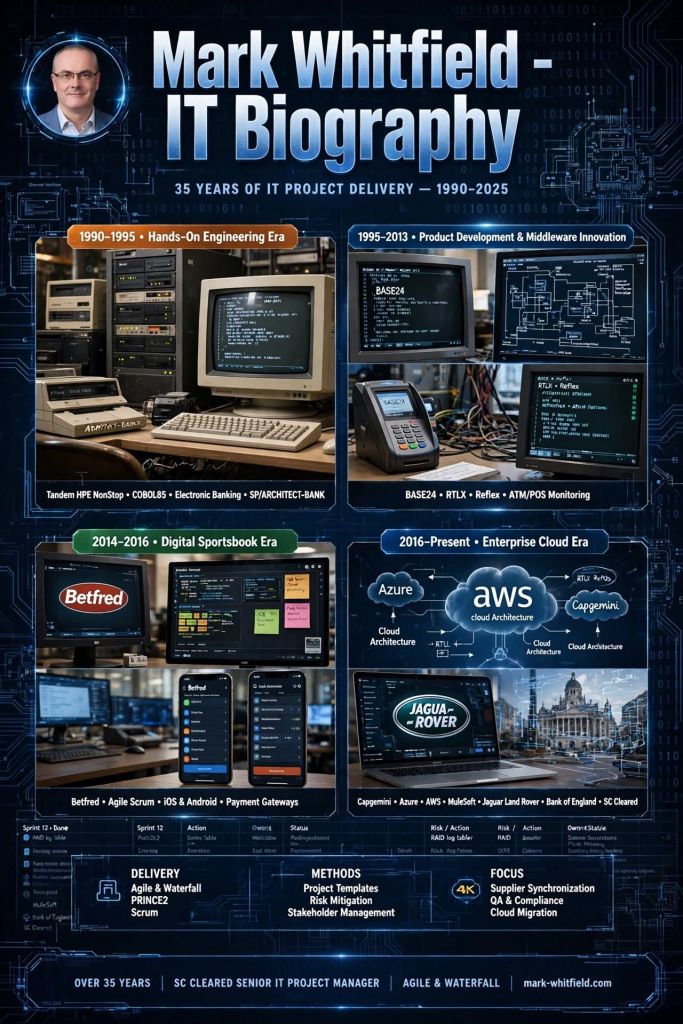
Mark Whitfield is a UK-based, SC-cleared Senior IT Project Manager, Engagement Manager (Capgemini), and technology executive with over 35 years of hands-on and leadership experience across the Software Development Lifecycle (SDLC).
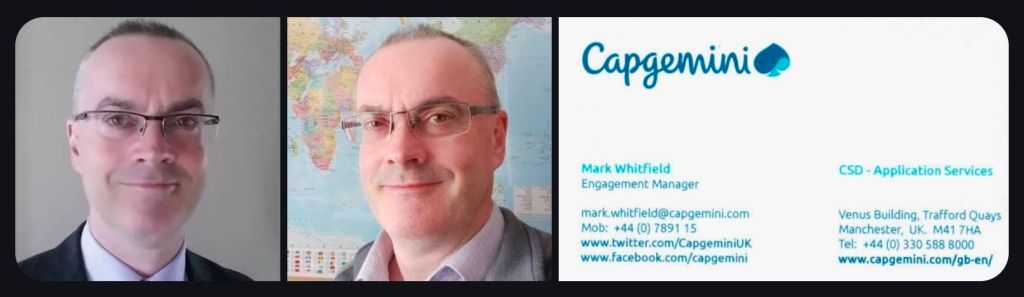
Specialising in complex digital transformation, hybrid cloud migrations, and API-led system integrations, Mark graduated with an HND (Distinction) in Computing in 1990 and has delivered major enterprise solutions for clients such as Barclays Bank, Jaguar Land Rover (JLR), Royal Mail Group (RMG), Lloyds Banking Group, and the Bank of England. He is also the author of the PROject Templates resource platform, which provides project management toolkits.
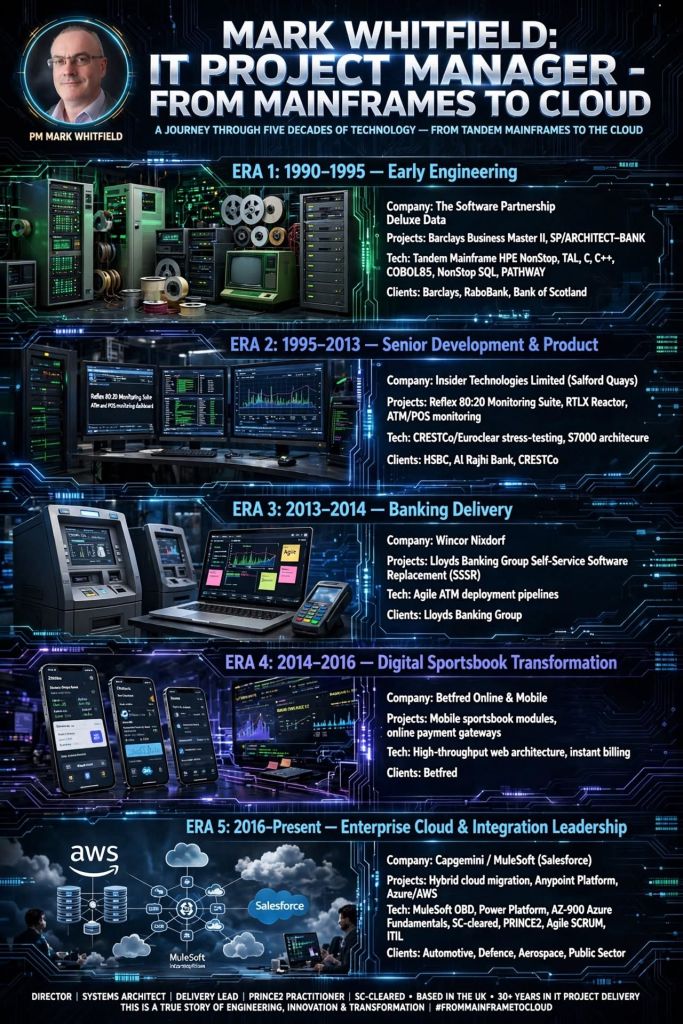
The following comprehensive biography and career timeline breakdown details his professional trajectory by era.
Phase 1: Early Programming & Lead Analysis Era
Era Focus: Electronic banking software development, establishing foundational desktop access to company accounts.

Phase 2: Technical Consultancy & Product Management Era
Era Focus: Transitioning to product management, system and transaction monitoring, and SLA monitoring for critical-path financial hardware/ software.

Phase 3: Professional Services Banking Delivery
Era Focus: IT Project Management and delivery of legacy migrations to primary UK high-street banks.
Phase 4: Digital Sportsbook Transformation
Era Focus: Digital consumer gaming, payment gateway integration, and high-throughput transaction management.

Phase 5: Enterprise Cloud, Integration & Public Sector Delivery
Era Focus: SC-cleared, complex, multi-site cloud migrations, API-led integration, and public sector digital transformation.

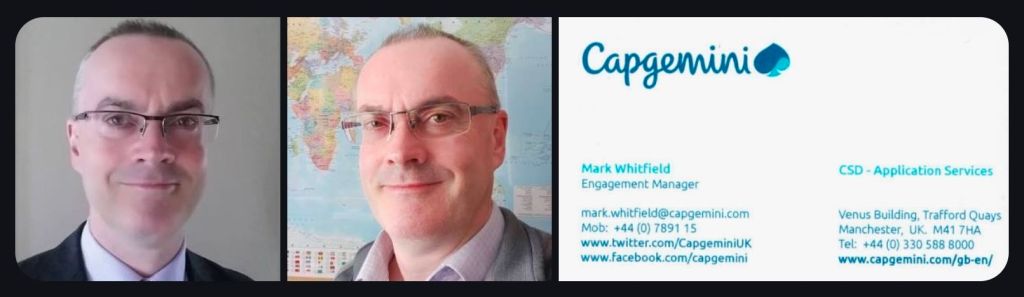
Mark Whitfield is a UK-based, SC-cleared Senior IT Project Manager and Engagement Manager whose career spans over three decades of evolution within the software development lifecycle (SDLC) and project delivery areas.
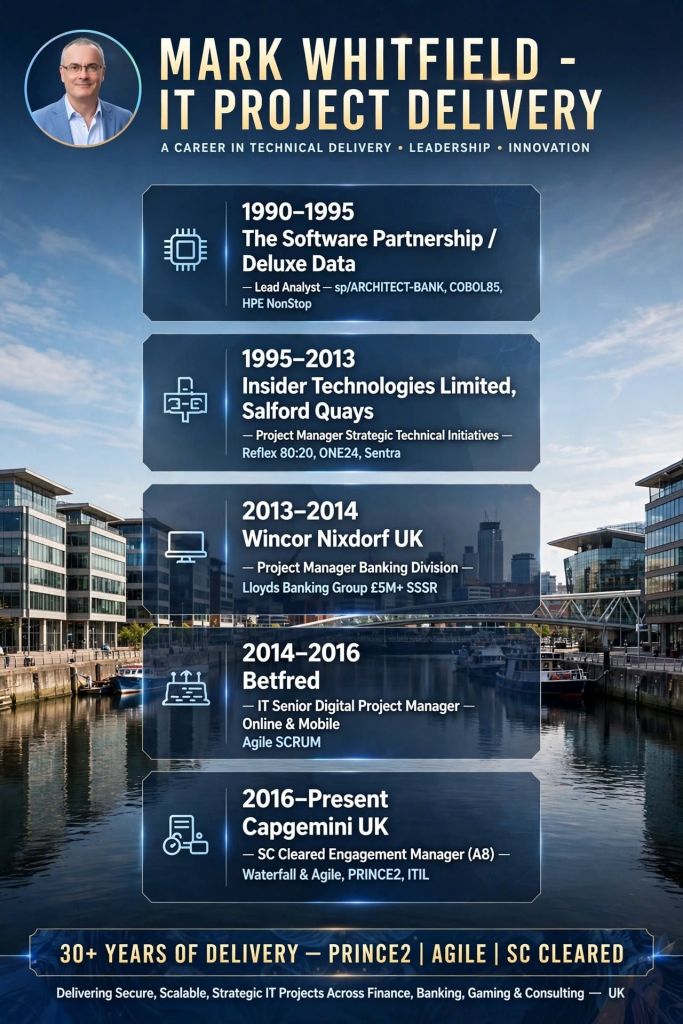
Graduating with a Distinction level Higher National Diploma (HND) in Computing from the University of Bolton (formerly the Bolton Institute of Higher Education, BIHE), his professional journey documents a foundational shift from hands-on mainframe engineering to managing enterprise-scale cloud migrations and API-led integration ecosystems.
His professional transformation reflects broader shifts across four technological eras and political-economic landscapes:
1. Mainframe & Early Electronic Banking (1990–1995)
COBOL, C, C++, TAL, PATHWAY, and Jackson Structured Programming (JSP). sp/ARCHITECT-BANK. He spent significant time on-site at Knutsford and Poole (Dorset) delivering the Barclays Business Master II (BBM II) platform, pushing desktop corporate banking into reality before the commercial internet matured.2. Infrastructure Middleware & System Monitoring (1995–2013)
3. Agile Software Transitions & Consumer Digitalisation (2013–2016)
PC/E Enterprise, Oracle, Windows 7) for Lloyds Banking Group.4. Enterprise Cloud, Security, & API Integration (2016–Present)
Mark Whitfield Biography plus IT Career Timeline after graduation in 1990
Mark Whitfield’s PM template library features over 200 editable project management and PMO templates. These templates span the entire project lifecycle and are categorized by focus area and framework (e.g., Agile, Waterfall, PRINCE2).
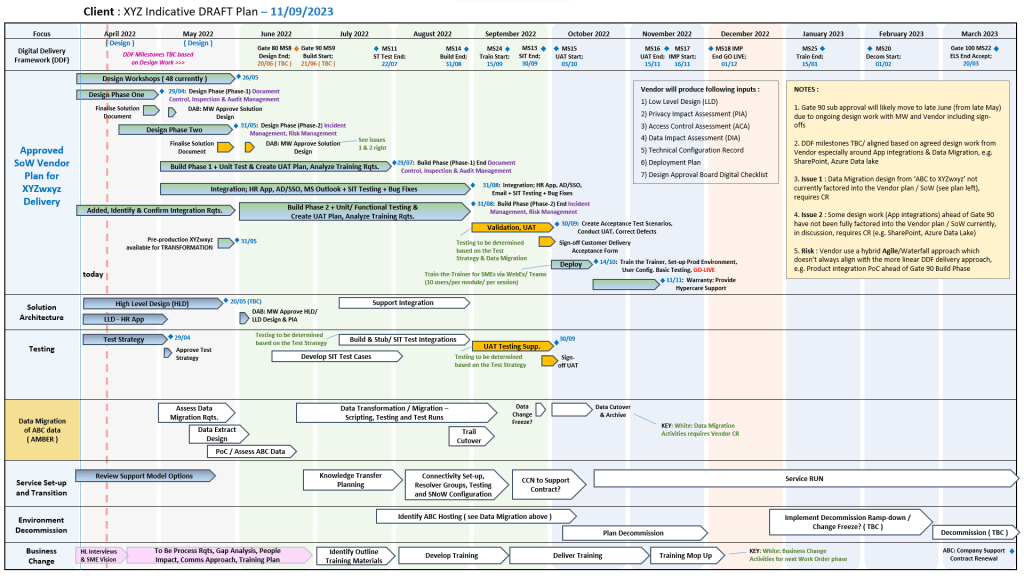
The resources are formatted natively for the Microsoft Office suite, allowing them to be opened on all devices, including desktops, tablets, and smartphones.
The templates are divided into specific categories based on the standard project delivery phases:
📁 Core Template Categories
📂 Specialized & Framework-Specific Templates
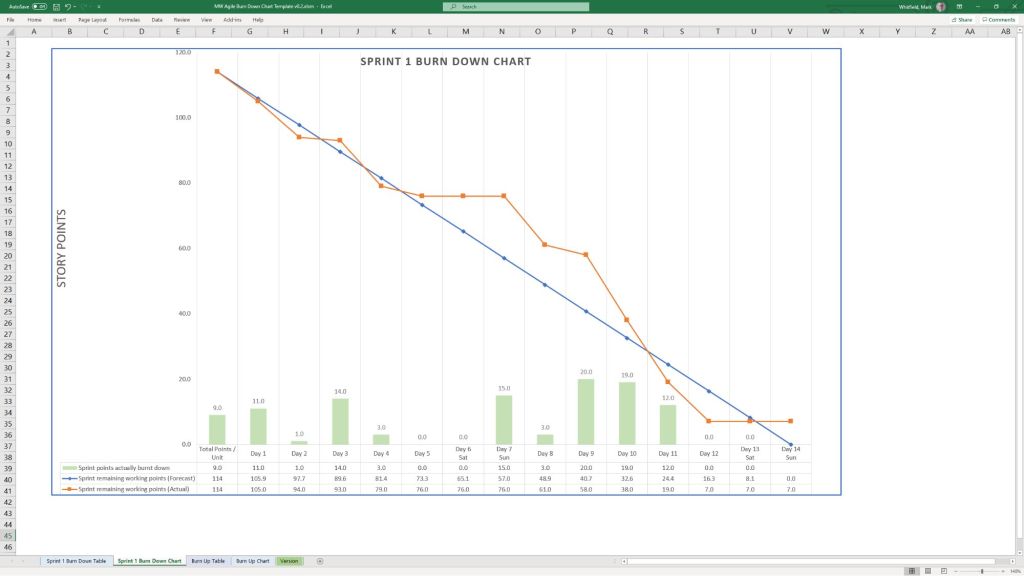
💻 File Formats
All templates are fully editable, and the package provides the following file formats for universal compatibility:
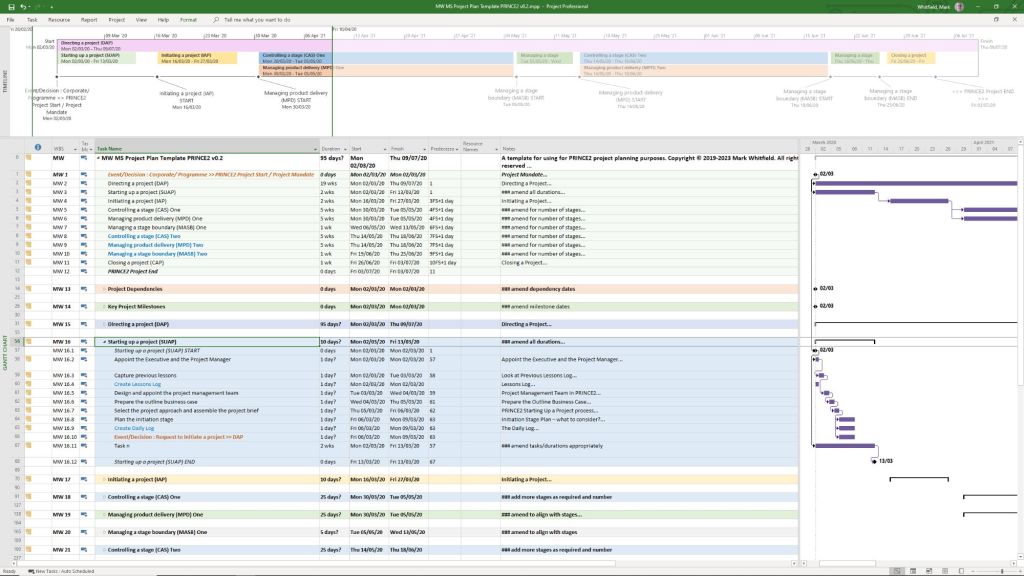
You can download or purchase the complete inventory of these editable files at the Mark Whitfield PROject Templates Store (or via the Etsy Storefront if you prefer that platform). Once purchased, you are also entitled to free lifetime upgrades and additions.
Project Management Templates to be tailored as required with FREE upgrades
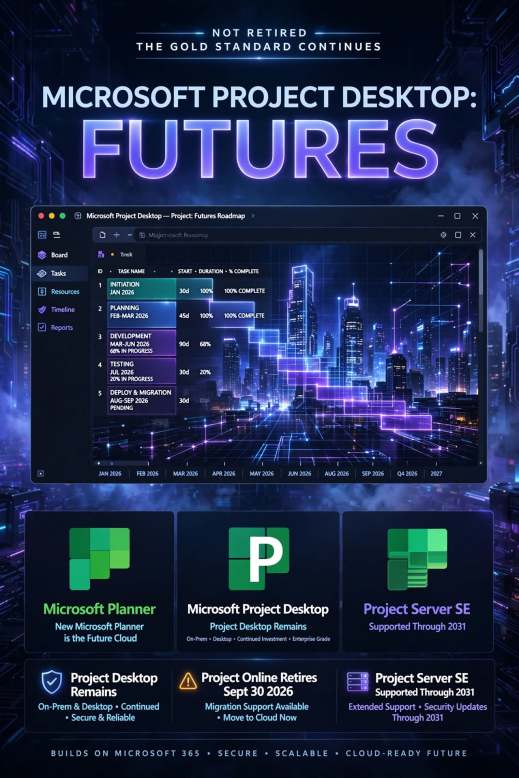
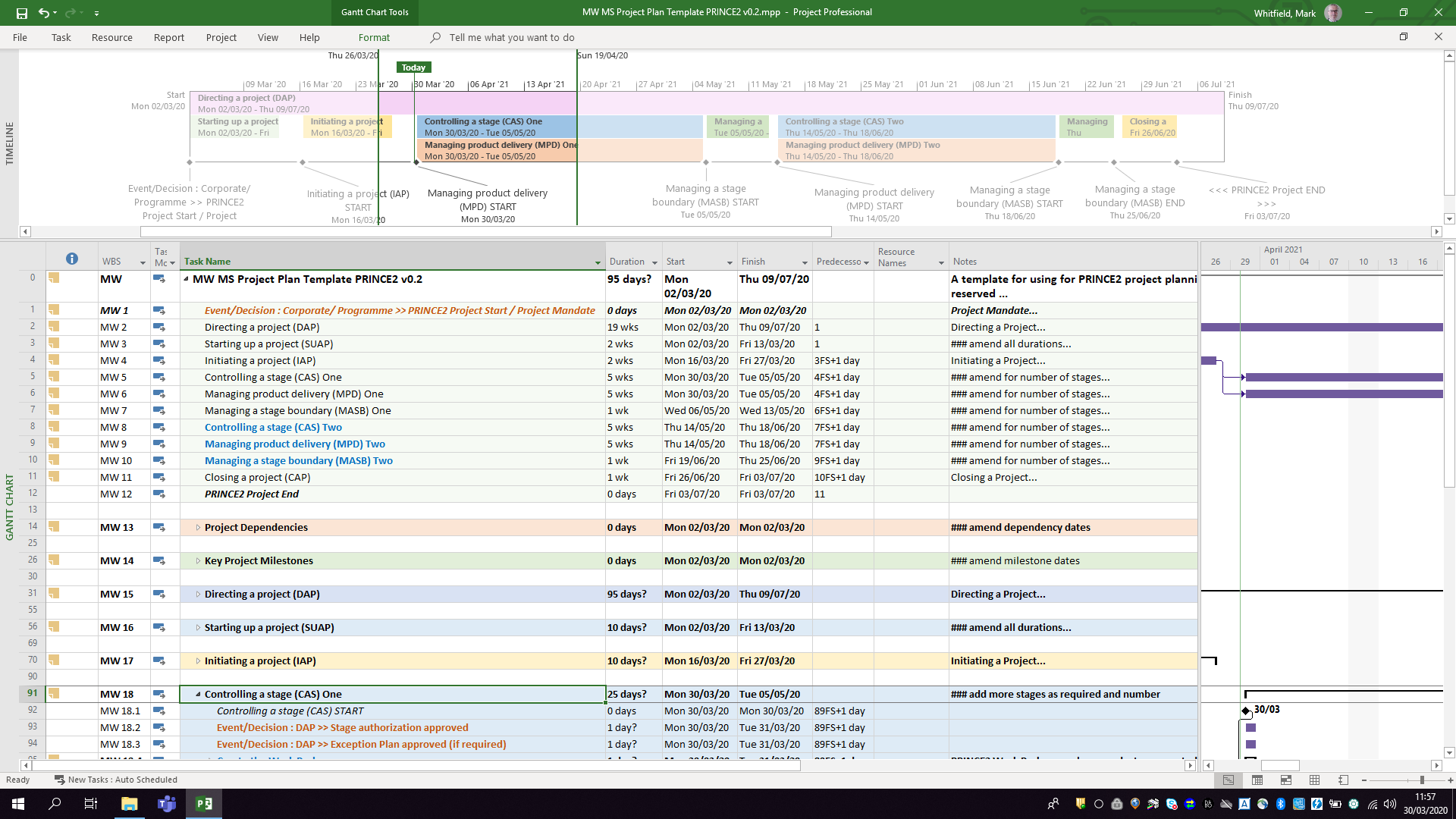
Microsoft Project—whose native file format extension is .mpp—is one of Microsoft’s longest-running products, originally originating from a DOS-based tool acquired in 1984. Over its four-decade lifespan, it has evolved from a basic critical path method (CPM) scheduler into a core enterprise project and portfolio management (PPM) system.
The .mpp format, which is the proprietary binary file structure used to store metadata, task hierarchies, schedules, and resource assignments, has undergone multiple structural changes to support new features like Agile workflows, critical path mapping, and multiple timelines. Buy MPP MS Project templates (like those above) here.
Chronological Timeline of Microsoft Project (1984 to Present)
Future Direction of the .MPP Format and Project Management
As of 2026, Microsoft is executing a major platform restructuring. The .mpp format will remain the standard file extension for the standalone, offline desktop application (e.g., Project Professional 2024/Subscription Edition), serving enterprise users who require complex scheduling, multi-project rollups, and deep resource optimization. Buy MPP MS Project templates here.
However, Microsoft is shifting its cloud and portfolio-level infrastructure entirely away from legacy SharePoint-based architectures. This structural shift impacts the .mpp ecosystem in several key ways:
.mpp file is being replaced by Microsoft’s cloud-native architecture (which can be exported to standard .xml formats for interoperability)..mpp files..mpp files cannot be opened by Microsoft Planner or Excel, Microsoft provides the XML Format Standard (MS-XDI) as the primary avenue for transferring custom scheduling data between desktop platforms and modern cloud APIs.Microsoft Project MPP format, timeline & future direction
Mark Whitfield is a UK-based, SC-cleared Senior IT Project Manager and Engagement Manager with over three decades of experience in software development lifecycle (SDLC) delivery.
Mark Whitfield, High-Level Career
Summary from 1990 thru 2026
Over his career, he has transitioned from deep technical engineering on legacy systems (HPE NonStop formerly Tandem Computers) to enterprise-scale digital transformation, cloud migrations, and API-led integrations. He is also the author of a comprehensive online toolkit for project delivery frameworks.
Click the ‘Company Worked‘ links below for more detail as required.
Project Management Career Breakdown:
1. Early Engineering & Technical Analysis Era (1990–1995)
2. Technical Consultancy & Product Management (1995–2013)
3. Professional Services Banking Delivery (2013–2014)
4. Digital Sportsbook Transformation (2014–2016)
5. Enterprise Cloud & Integration Delivery (2016–Present)
In addition to his consultancy work, Mark Whitfield actively publishes his extensive collection of Project Management Templates, which are actively utilized across the industry for RAID Logs, Agile Burndown Charts, and Plan on a Page (POaP) blueprints.