Microsoft PowerPoint Development Timeline History

Microsoft PowerPoint was originally developed as “Presenter” by Forethought, Inc. in 1987 for the Apple Macintosh. Microsoft acquired it just three months later for $14 million, marking their first major acquisition. 

MS PowerPoint Plan On a Page POaP templates downloaded at website banner

Foundational Years (1984–1990) 

  • 1984: The idea for a presentation program is conceived by Robert Gaskins.
  • 1987 (April): PowerPoint 1.0 launches for Macintosh, supporting only black and white slides.
  • 1987 (July): Microsoft acquires Forethought.
  • 1990 (May): The first Windows version (PowerPoint 2.0) is released, coinciding with Windows 3.0. 

Office Integration (1992–2003) 

MS PowerPoint Plan On a Page POaP templates downloaded at website banner
  • 1992: PowerPoint 3.0 introduces video transitions and sound.
  • 1994: PowerPoint 4.0 begins deep integration with the Microsoft Office suite, sharing interface components with Word and Excel.
  • 1997: PowerPoint 97 brings significant upgrades like “Custom Animation” and the “Office Assistant” (Clippy).
  • 2003: PowerPoint 2003 focuses on collaboration and improved “Package for CD” features. 

Modernization & Cloud (2007–Present)

MS PowerPoint Plan On a Page POaP templates downloaded at website banner
  • 2007: Introduces the Ribbon interface and the XML-based .pptx file format.
  • 2010: Adds video export, section organization, and co-authoring capabilities.
  • 2013: PowerPoint for Web is released, alongside the first dedicated mobile apps for iOS and Android.
  • 2016–2021: Features focus on AI-driven design (PowerPoint Designer), Morph transitions, and real-time collaboration via Microsoft 365.
  • 2023+: Integration of AI tools like Copilot for automated slide generation and DALL-E 2 for image creation. 

Microsoft PowerPoint Development Timeline History

MS PowerPoint Plan On a Page POaP templates downloaded at website banner

Microsoft Excel Development Timeline History

Microsoft Excel has evolved from a niche Apple Macintosh tool into the world’s most dominant spreadsheet software. Its history is marked by strategic shifts, such as jumping from the MS-DOS era to graphical interfaces to outmanoeuvre then-leader Lotus 1-2-3

Timeline of Major Excel Milestones

Agile Templates available at download link at website banner
  • 1982: Multiplan (The Predecessor) – Microsoft’s first spreadsheet program. While popular on CP/M systems, it struggled against Lotus 1-2-3 on MS-DOS.
  • 1985: Excel 1.0 (Macintosh Exclusive) – Realising they couldn’t beat Lotus on DOS, Microsoft built a graphical spreadsheet for the new Mac. It introduced the ability to adjust cell heights, widths, and fonts.
  • 1987: Excel 2.0 (First Windows Version) – Launched alongside the first Windows environments, it introduced color support (like red for negative numbers) and was significantly faster than competitors.
  • 1990: Excel 3.0 – Added 3D charts, toolbars, and drawing tools, helping Excel finally overtake Lotus 1-2-3 as the market leader.
  • 1993: Excel 5.0 – A major turning point that introduced Visual Basic for Applications (VBA), allowing users to automate tasks with macros.
  • 1997: Excel 8.0 (Office 97) – Introduced the Paperclip Assistant (“Clippy”) and the first version of the modern VBA environment.
  • 2007: Excel 12.0 (The Ribbon Era) – Replaced menus with the Ribbon interface and dramatically increased grid capacity to 1,048,576 rows by 16,384 columns.
  • 2010: Excel 14.0 – Introduced Slicers for PivotTables and Sparklines (mini charts inside cells).
  • 2013-2016: Data Intelligence – Added Power Query, Power Pivot, and new chart types like Waterfall, Pareto, and Treemap to support advanced data modeling.
  • 2019-Present: AI & Cloud Integration – Modern versions focus on seamless collaboration, dynamic arrays (like XLOOKUP), and AI-powered insights that can extract data directly from images. 

Technological Evolution Highlights

MS Excel templates available on bundle download at website banner
  • Architecture: Shifted from 16-bit to 32-bit with Excel 95, greatly improving stability.
  • Collaborative Features: Modern Version History and “Show Changes” now allow teams to track every edit in real-time.
  • Visualisation: Excel now supports complex timelines via SmartArt or custom Scatter charts with error bars for professional project tracking.

Microsoft Excel Development Timeline History

Microsoft Excel templates available at banner above, FREE upgrades

Project Management Templates Bundle FREE Upgrades

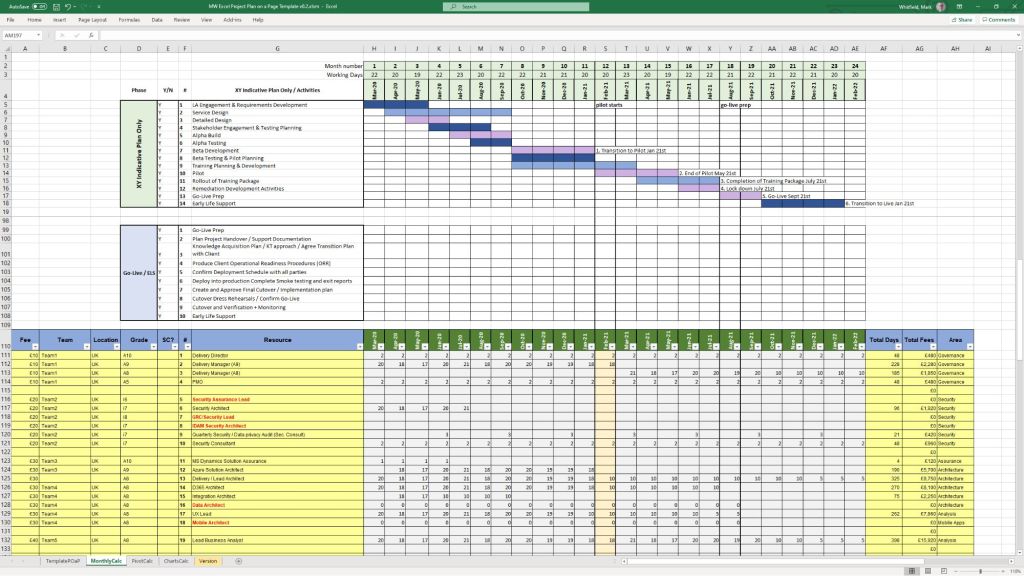
Mark Whitfield’s project management templates offer a range of timeline and planning views designed for Agile, Waterfall, and PRINCE2 delivery. These templates typically include a high-level Plan on a Page (POaP) and detailed Microsoft Project (MPP) or Excel schedules. 

Example Plan on a Page POaP

Timeline & Planning Views

  • Plan on a Page (POaP): A high-level summary view (often in PowerPoint or Excel) used to communicate key phases and milestones to stakeholders without the clutter of a full Gantt chart.
  • Detailed Gantt Charts: Provided in both Microsoft Project (MPP) and Excel, these timelines include task dependencies, resource allocations, and critical path tracking.
  • Agile Sprint Timelines: Specialized views for tracking 2–4 week sprints, daily stand-ups, and sprint retrospectives within a broader project framework.
  • SDLC Progression: The templates are often structured around a typical Software Development Life-cycle (SDLC), moving from Inception to Transition and Early Live Support (ELS). 

Key Timeline Components

The templates are pre-configured with several essential timeline elements: 

  1. Project Start & End Dates: Easily adjustable fields that automatically update durations and downstream tasks.
  2. Milestones & Gateways: Visual markers for critical sign-off points and delivery stages.
  3. Task Dependencies: Pre-built links that show how delays in one area (e.g., hardware delivery) impact the overall project finish date.
  4. Resource View: Timelines integrated with resource calendars to account for holidays and leave. 

You can find the full package of over 200 editable templates, which include these timeline views and RAID logs, on Mark Whitfield’s official website or via his Etsy store

Project Management Templates Bundle FREE Upgrades

PRINCE2 – PRojects IN Controlled Environments – Timeline

PRINCE2 (PRojects IN Controlled Environments) has evolved from a rigid, IT-specific framework into a globally recognised, flexible project management standard. 

Historical Evolution Timeline

  • 1975: PROMPT Origins – Simpact Systems Ltd developed PROMPT (Project Resource Organisation Management and Planning Techniques) to address IT project overruns.
  • 1989: The Birth of PRINCE – The UK’s Central Computer and Telecommunications Agency (CCTA) licensed PROMPT, renaming it PRINCE (originally “PROMPT II IN the CCTA Environment”).
  • 1996: PRINCE2 Launch – Developed with input from 150 European organisations, PRINCE2 was released as a generic, scalable framework suitable for any industry.
  • 2000–2013: Ownership Shifts – Ownership moved from the CCTA to the Office of Government Commerce (OGC) in 2000, then to AXELOS Ltd (a joint venture) in 2013.
  • 2009: Major “Refresh” – Introduced the seven core principles and made the method more customisable.
  • 2017: 6th Edition Update – Formerly known as the “2017 Update,” this version focused heavily on scalability and tailoring to specific project needs.
  • 2021–Present: PeopleCert Era – PeopleCert acquired AXELOS in 2021. In 2023, PRINCE2 7 was launched, introducing a greater emphasis on people management and sustainability. 

Comprehensive Project Timeline Breakdown

A standard PRINCE2 project follows a lifecycle defined by seven processes

  1. Pre-Project: Starting up a Project (SU)
    • Ensures the project is viable and worthwhile.
    • Key Output: Project Brief.
  2. Initiation: Initiating a Project (IP)
  3. High-Level Oversight: Directing a Project (DP)
    • An ongoing process where the Project Board provides guidance and makes key decisions without managing day-to-day tasks.
  4. Day-to-Day Management: Controlling a Stage (CS)
    • The Project Manager monitors work, manages risks, and reports progress for each individual stage.
  5. Technical Delivery: Managing Product Delivery (MP)
    • The Team Manager ensures products (deliverables) are created, tested, and handed over according to specifications.
  6. Transition: Managing a Stage Boundary (SB)
  7. Finalisation: Closing a Project (CP)
    • The formal decommissioning of the project, ensuring all products are accepted and lessons are documented. 

PRINCE2 – PRojects IN Controlled Environments

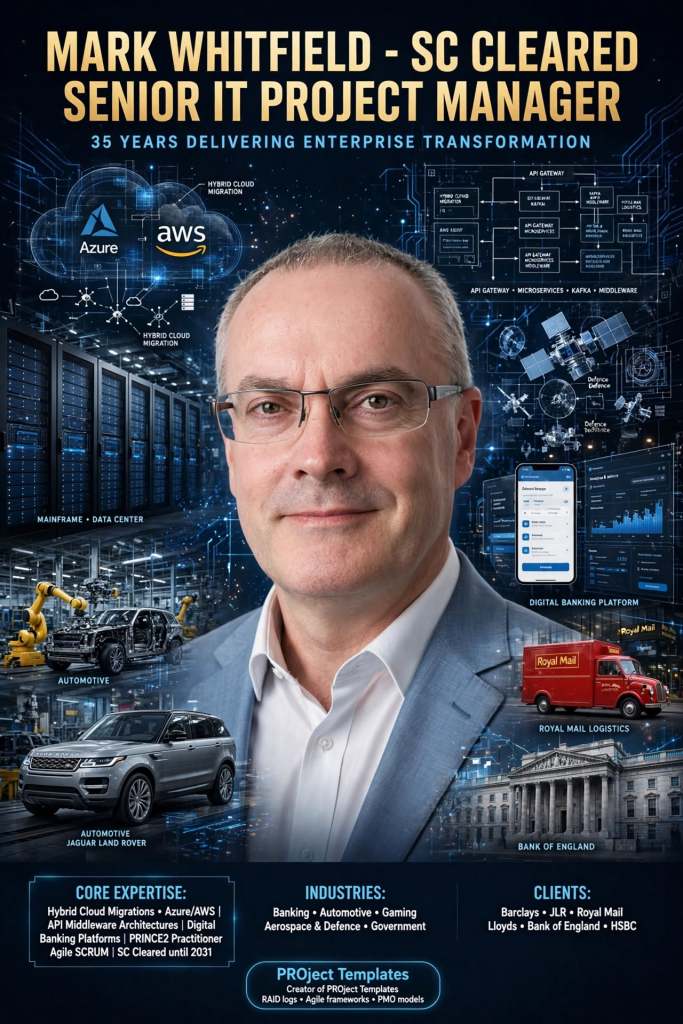
Mark Whitfield IT Career Timeline, AI generated from Google

The technical timeline for 

Mark Whitfield, an SC cleared, Senior IT Project Manager and Engagement Manager, spans over 30 years and transitions from specialized banking software development to high-level project leadership and cloud migrations. 

Professional Career Timeline

  • 1990 – 1994: Programmer at The Software Partnership (later Deluxe Data). Developed electronic banking software (sp/ARCHITECT-BANK) on Tandem Computers (now HPE NonStop) for major banks like TSB and Bank of Scotland.
  • 1994 – 1995: Lead Analyst at Deluxe Data International, continuing support and development for banking customer systems.
  • 1995 – 2013: Project Manager of Strategic Technical Initiatives at Insider Technologies Limited. Oversaw projects involving Reflex 80:20, Sentra development, and corporate website authoring.
  • 2013 – 2014: Project Manager (Banking Division) at Wincor Nixdorf Limited, focusing on professional services for the banking sector.
  • 2014 – 2016: Senior Digital Project Manager at Betfred Limited, managing the Online and Mobile Division.
  • 2016 – Present:Engagement Manager / Senior PM at Capgemini UK.
    • 2016: Led a £4.3M data centre migration for Royal Mail (RMG) involving 1,100+ interfaces.
    • 2018 – 2019: Augmented into MuleSoft as a Delivery Manager for the Anypoint Platform.
    • 2020 – Present: Leading a £13.5M cloud migration program moving 130 UK government apps to Azure and AWS. 

Technical Training & Education

Whitfield maintains an active Professional Training timeline to adapt to changing technologies:

  • 1990: Graduated in Computing.
  • 1995: HP NonStop TAL Programming and Performance Tuning.
  • 1997: C/C++ Programming at Comtec.
  • 2006 – 2009: Deep dive into security and databases, including Cryptography, Thales e-Security, and Microsoft SQL 2000.
  • 2011: Java and Google Android programming using Eclipse IDE.
  • 2014 – 2024: Advanced Microsoft Excel and AI-focused refreshers. 

He is also a Certified Engagement Manager and a registered PRINCE2 Practitioner proficient in both Agile Scrum and Waterfall methodologies.

Project Management Terms Explained Overview

Project Management Terms Explained Overview

Web Development Stack from Browser to Database

Web Development Stack from Browser to Database

Why Projects Fail

Why Projects Fail

A Successful Project Plan Approach includes

A Successful Project Plan Approach includes

Agile Development – Continuous Integration CI, Continuous Delivery/Deployment CD

Agile Development – Continuous Integration CI, Continuous Delivery/Deployment CD

Project Management Soft Skills Overview

Project Management Soft Skills Overview

PRINCE2 7 Process Model, 2026 – 7th Edition

In 2026, the PRINCE2 7 (7th Edition) remains the current global standard for the methodology. The core diagram, known as the PRINCE2 Process Modelillustrates how the 7 processes interact across the four management levels: Corporate, Direction, Management, and Delivery

The PRINCE2 7 Process Model

The diagram typically visualises the project lifecycle from a “Project Mandate” to “Project Closure” through these processes: 

  • Starting Up a Project (SU): The pre-project process where a mandate is converted into a project brief.
  • Directing a Project (DP): The Project Board’s high-level oversight, running from project start to finish.
  • Initiating a Project (IP): Establishing firm foundations, including the Project Initiation Documentation (PID) and the Business Case.
  • Controlling a Stage (CS): The daily management of a stage by the Project Manager.
  • Managing Product Delivery (MP): The link between the Project Manager and Team Managers to ensure products are built.
  • Managing a Stage Boundary (SB): Occurs at the end of each management stage to plan the next one and review the current.
  • Closing a Project (CP): The final process for a formal decommissioning of the project. 
PRINCE2 7 Process Model, 2026 – 7th Edition

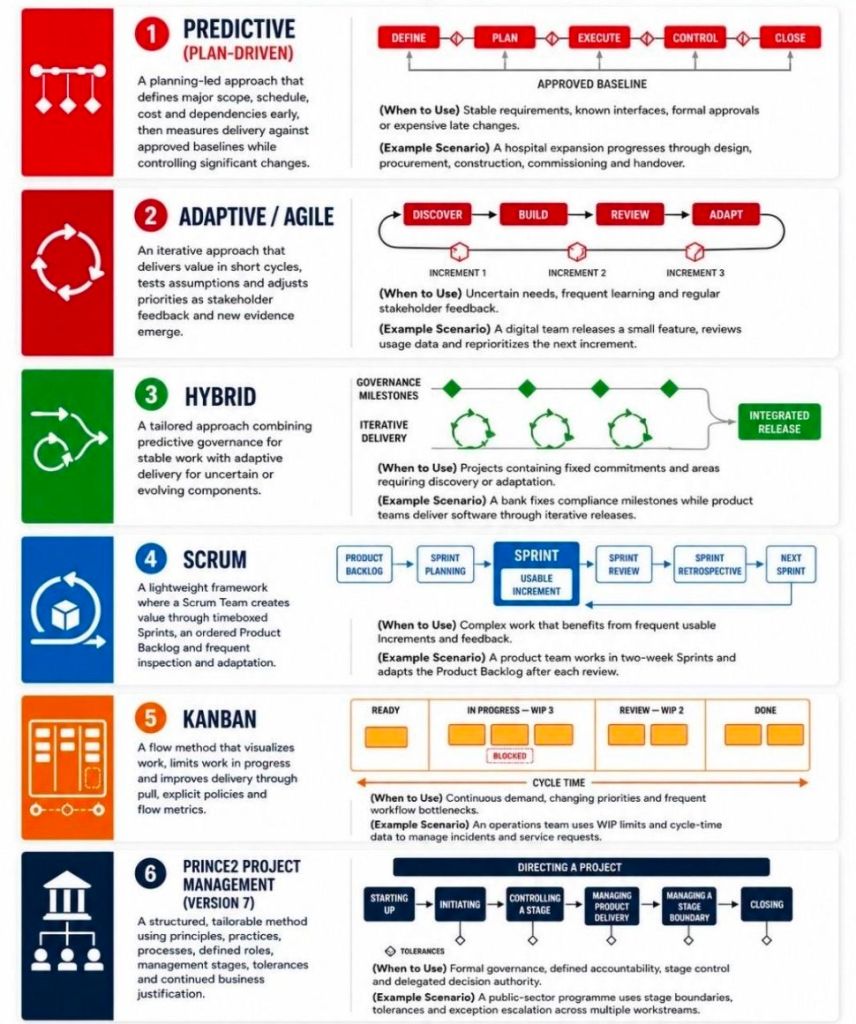
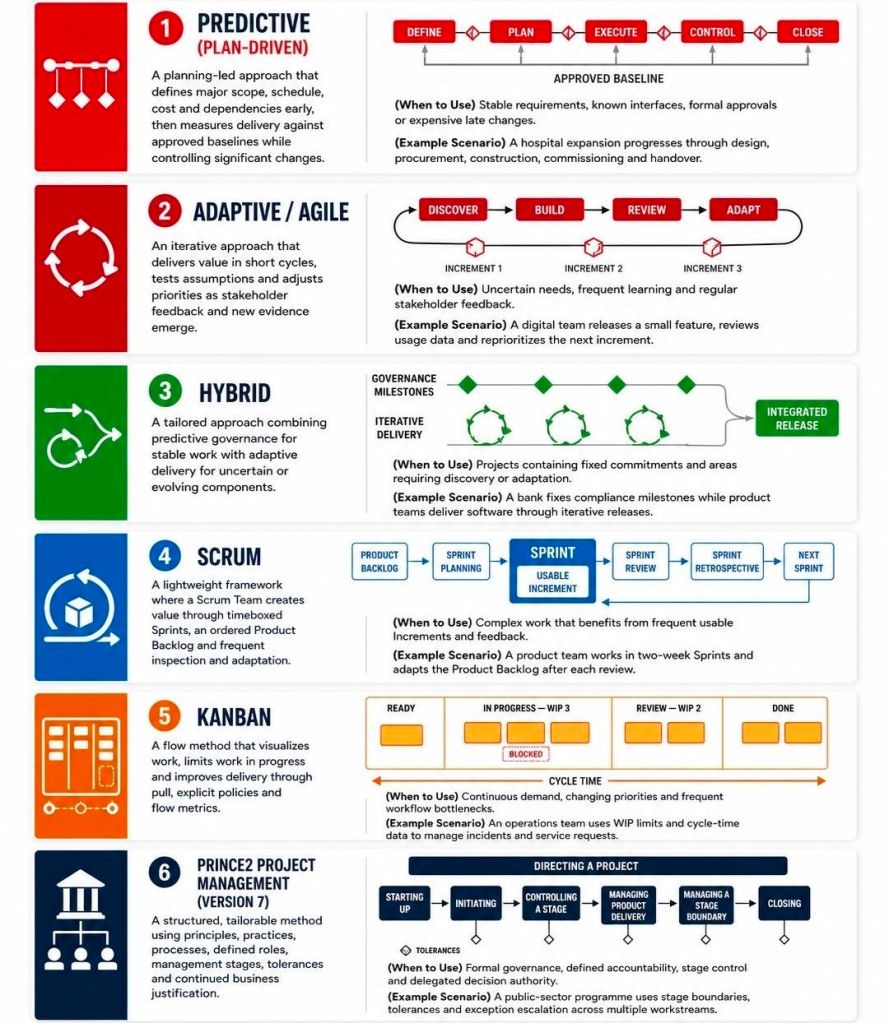
Project Management Types Summarised, Overview

Project Management Types Summarised, Overview

Project Management videos

Project Management videos

PRINCE2 (PRojects IN Controlled Environments) is a structured, process-based project management methodology

PRINCE2 (PRojects IN Controlled Environments) is a structured, process-based project management methodology used globally to manage projects of any size and complexity. It focuses on dividing projects into manageable stages, ensuring accountability, and maintaining a clear business justification from start to finish. 

Core Framework (PRINCE2 7)

The latest version, PRINCE2 7th Edition (2023), centers on five integrated elements: 

  • 7 Principles: The “guiding obligations” that must be followed for a project to be considered PRINCE2 (e.g., Continued Business JustificationLearn from Experience, and Manage by Exception).
  • 7 Practices: Essential aspects of management (formerly “Themes”) applied throughout the lifecycle: Business Case, Organizing, Plans, Quality, Risk, Issues, and Progress.
  • 7 Processes: A step-by-step guide from Starting up a Project to Closing a Project.
  • People: A major addition in Version 7, focusing on the human side of change and team dynamics.
  • Project Context: Emphasises the need to tailor the methodology to suit the specific project environment. 

Certification Levels:

Qualifications are typically sought through PeopleCert Accredited Training Organisations (ATOs)

  1. Foundation: Introduces basic concepts and terminology; no prerequisites required.
  2. Practitioner: Focuses on applying and tailoring the method to real-world scenarios. Requires a valid Foundation-level certificate or an equivalent (like PMP or CAPM).
  3. PRINCE2 Agile: A specialised version that blends the structure of PRINCE2 with agile delivery frameworks like Scrum and Kanban. 

Comparison and Value

  • Geographic Dominance: PRINCE2 is the de facto standard in the UK public sector and is widely used across Europe and Australia. In contrast, the PMP (from PMI) is more prevalent in the USA and Canada.
  • Cost: In the UK, Foundation courses typically range from £549 to £1,000, while Practitioner courses cost between £599 and £1,100.
  • Renewal: All current PRINCE2 certifications must be renewed every three years

PRINCE2 (PRojects IN Controlled Environments) is a structured, process-based project management methodology.

May 2011 – Registered PRINCE2 Practitioner with ILX

mark whitfield mark_whitfield_prince2_registered_practitioner
PRINCE2 (PRojects IN Controlled Environments) is a structured, process-based project management methodology

Project Management Templates with FREE Upgrades and Additions

Free Upgrade and Additions – 200+ Project Management & Planning Template Examples:

Contents of ZIP file (purchase templates here):

Gallery of ALL Project Management templates…

(also download the Template Inventory PDF file – 15MB)

Join the FREE PM templates related Facebook Group (LIKE Facebook page) and LinkedIn Group.

Eloquens Project Management Templates with FREE upgrades, additions

https://www.eloquens.com/channel/mark-whitfield

Etsy Buy Project Management Templates

Etsy Buy Project Management Templates

https://www.etsy.com/uk/shop/ProjectTemplatesSoft

Project Lifecycle and Processes

Project Lifecycle and Processes

Project Management Methodologies

Project Management Methodologies