

Mark Whitfield’s Plan on a Page (POaP) approach provides a high-level, visual timeline designed to compress complex IT project details into a single, executive-ready dashboard. Available through his PROject Templates platform, these artifacts bridge the gap between fast-paced Agile sprint delivery and structured governance frameworks like Waterfall or PRINCE2.

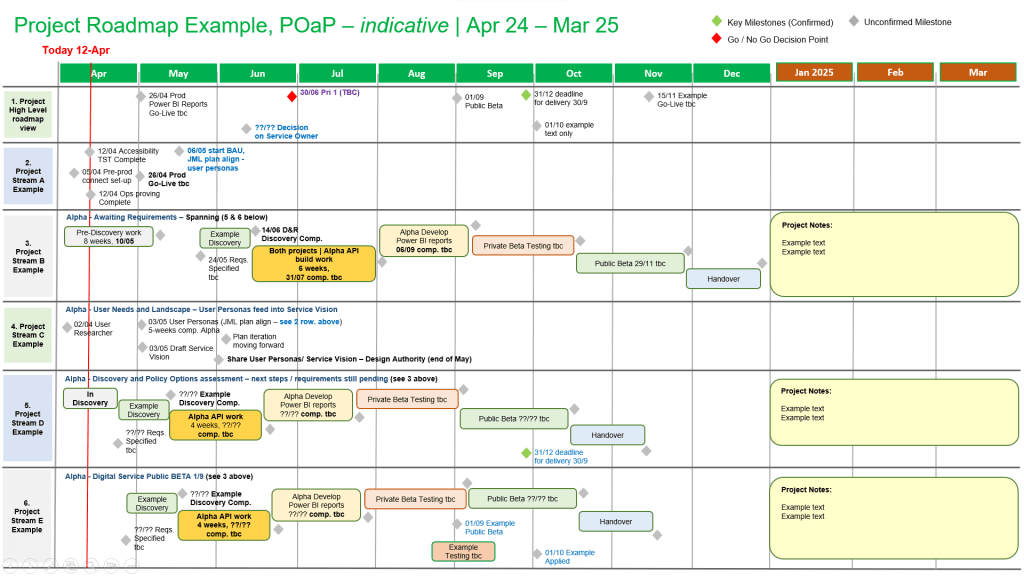
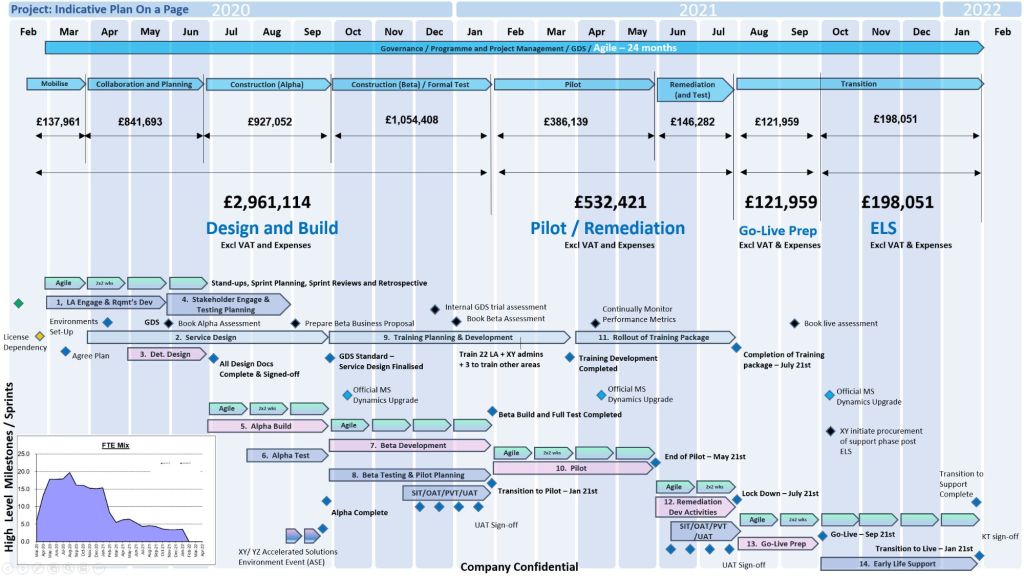


Core POaP Template Examples
The toolkit includes over 35 PowerPoint variations and simplified Excel dashboards to match different stakeholder communication needs:
- The Executive Roadmap (.pptx): A clean, swimlane-based PowerPoint slide mapping key project phases against a monthly or quarterly calendar grid. It is built to present immediately to steering committees and C-suite executives.
- The SDLC Phase-Gate Dashboard (.pptx / .xlsx): A template specifically aligned with the Software Delivery Lifecycle (SDLC). It visually segments the project into standard gates: Initiation, Requirements, Design, Build, Test, and Go-Live.
- The Standalone Excel POaP (.xlsx): A lightweight overview dashboard that creates automatic high-level visual timelines. It serves as a perfect alternative for team members or clients who do not have Microsoft Project installed.
- Agile Scrum & Hybrid Timelines: Templates structured to overlay traditional high-level milestones across an iterative series of sprint cycles and velocity blocks.
The Tactical Approach
Mark Whitfield’s methodology emphasizes eliminating subjective reporting while maintaining absolute clarity. The approach utilizes a POaP to govern projects through several key mechanisms:
1. Eliminating Granular Noise
A standard Software Development Life Cycle (SDLC) plan built in Microsoft Project (.mpp) can contain hundreds of lines of dependencies. The POaP approach extracts only the critical milestones, cross-project dependencies, and stage-gate approvals so leadership can assess health at a glance.
2. Dual-Layer Tracking
The approach connects the visual summary directly to deeper tracking logs. Changes made within the detailed SDLC Excel Project Plan or the comprehensive RAIDs log (Risks, Actions, Issues, Dependencies) feed directly into the milestone updates highlighted on the single page.
3. RAG Status Alignment
The templates employ strict, objective Red-Amber-Green (RAG) indicators. Instead of generic project updates, the RAG status on the POaP reflects specific baseline slippage, budget variances from the Project Financial Tracker, or critical blockers.
💡 Pro-Tip for IT PMs: When utilizing these templates, treat your POaP as a living communication tool, not a static archive. Update the visual timeline weekly alongside your Project Status Reports to ensure look-aheads and critical decisions remain perfectly aligned across both your technical teams and external clients.

