IT Project Management toolkits feature over 200 tailored, editable Microsoft Office templates

The IT Project Management (PM) toolkits created by Mark Whitfield feature over 200 tailored, editable Microsoft Office templates designed to structure, track, and report on software delivery lifecycles (SDLC), bridging Agile sprint execution and structured governance frameworks like PRINCE2 and Waterfall.
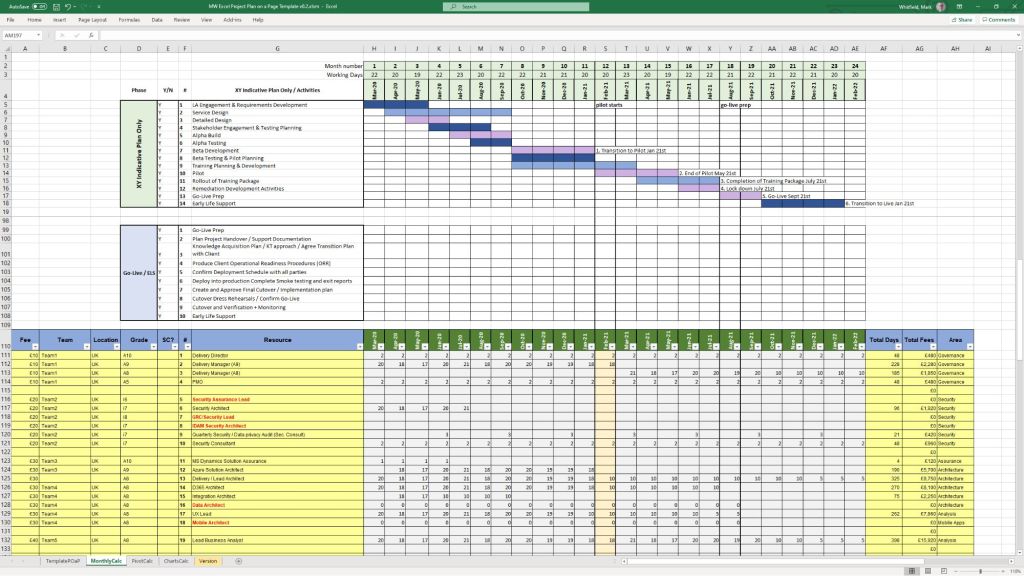
Project Management toolkits feature over 200 tailored, editable MS Office templates
MS Excel Project & Budget Tracker Example

Below is the structured breakdown of the primary templates categorized by their project purpose, function, and file format.


📅 Project Planning & Scheduling

  • Category: Project Planning | Templates: Detailed SDLC Project Plan (.mpp/.xlsx) & Plan on a Page (POaP) (.pptx/.xlsx) | Description: These tools cover stage-gate structures, resource scheduling, and visual executive updates for software projects.

⚠️ Risk, Governance & Tracking

  • Category: Risk & Issue Management | Template: Comprehensive RAIDs Log (.xlsx) | Description: A multi-tab workbook to track Risks, Actions, Issues, Opportunities, Dependencies, and Lessons Learned.
  • Category: Governance | Templates: RACI Tracker & Change Request Log (.xlsx) | Description: Tools to define roles/responsibilities and manage project scope modifications.

💰 Financial & Resource Management

  • Category: Project Finances | Template: Project Financial Tracker (.xlsx) | Description: Monitors forecasted vs. actual costs, variances, and expenses.
  • Category: Resource Management | Template: Resource & Leave Tracker (.xlsx) | Description: Tracks team availability, capacity, and absences.

🏃 Agile Delivery

  • Category: Agile Scrum | Templates: Burn Down/Up Charts & Story Dependency Tracker (.xlsx) | Description: Provides metric-driven velocity tracking and dependency mapping between stories or external suppliers.

📊 Communications & Stakeholders

  • Category: Stakeholder Management | Template: Stakeholder Analysis Plan (.xlsx) | Description: Maps influence vs. impact to plan communication needs.
  • Category: Project Communications | Templates: Status Report & Kick-Off Deck (.docx/.pptx) | Description: Standardized templates for project updates and project launches.

IT PM toolkits feature over 200 tailored, editable Microsoft Office templates
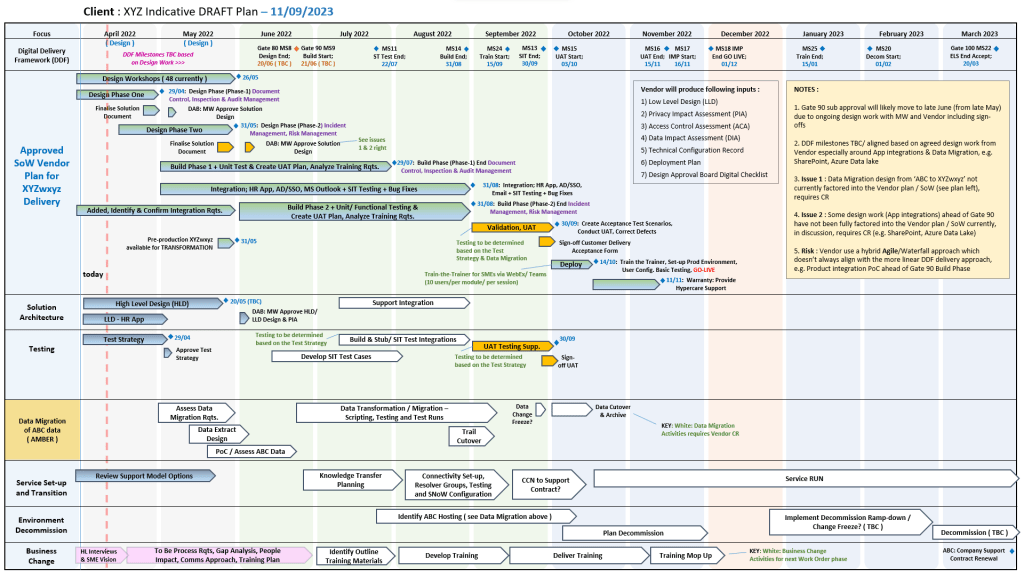
Over 200 editable templates for both Agile & Waterfall / PRINCE2 frameworks

Mark Whitfield’s Project Management (PM) methodology relies on over 200 editable templates tailored for both Agile Scrum and Waterfall / PRINCE2 frameworks. Developed over 24 years of IT and digital delivery, the toolkit focuses on high-level reporting, rigorous risk control, and visual tracking to align teams with corporate governance.

Over 200 editable templates for both Agile & Waterfall / PRINCE2 frameworks
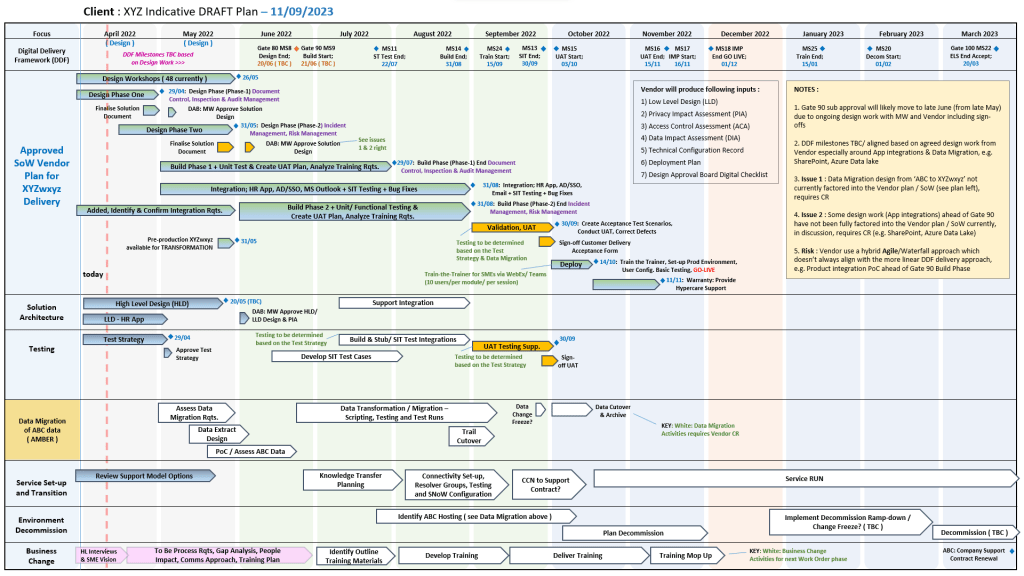
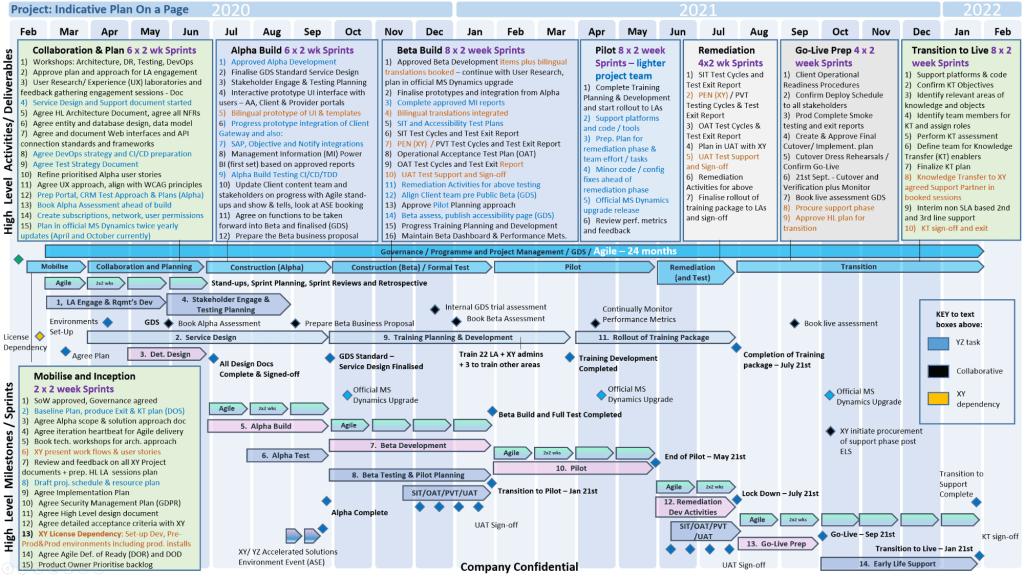
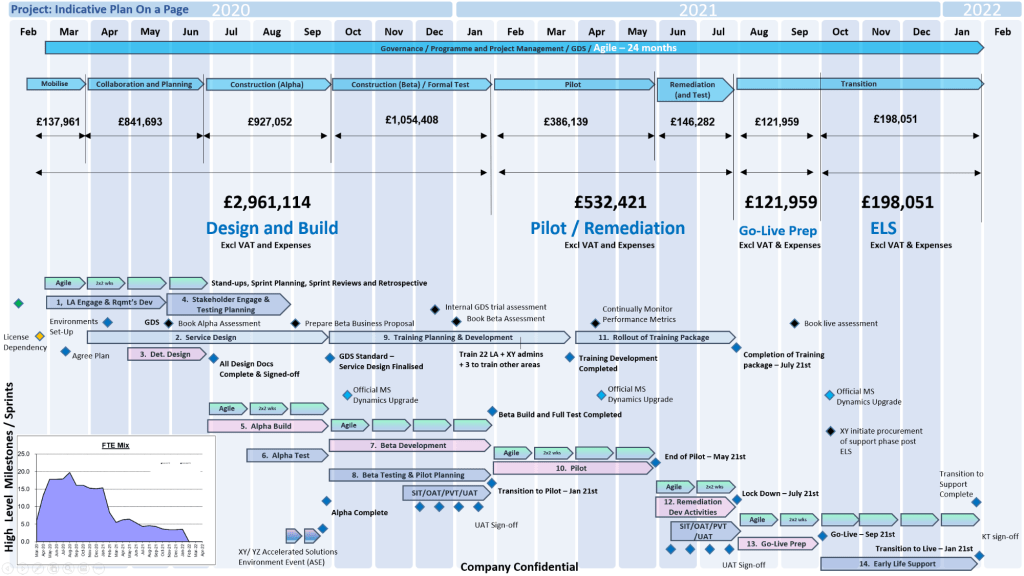
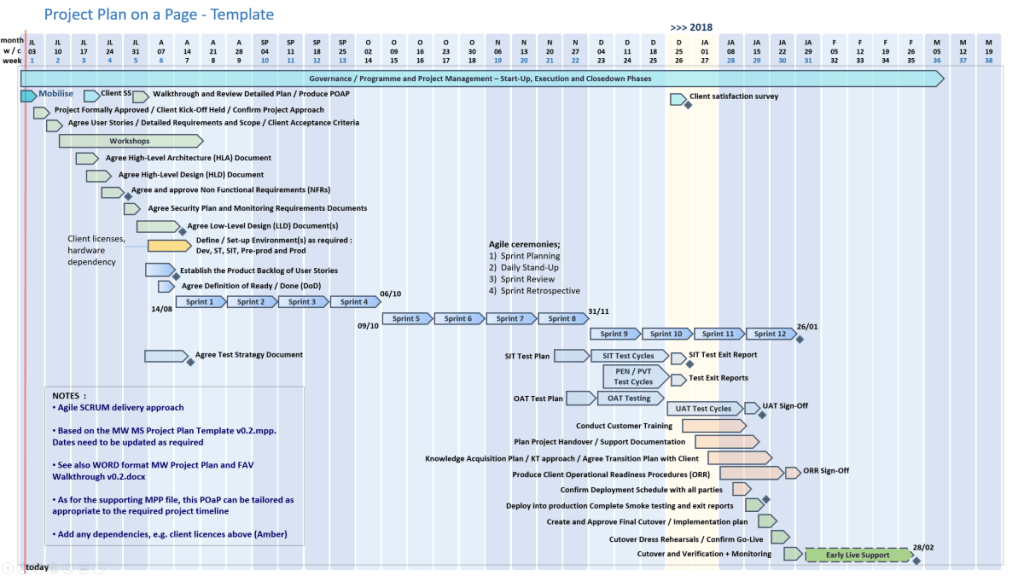
An example of many Plan On a Page
(POAP) templates

Templates by Category and Methodology

1. Detailed Planning & Scheduling

  • Methodology: Mapped to the Software Development Life Cycle (SDLC) for both sequential Waterfall phases and iterative Agile sprints.
  • Templates:
    • Microsoft Project (MPP): Fully loaded schedules detailing project inception, elaboration, construction, and transition.
    • Excel Detailed Plans: Work Breakdown Structure (WBS) mapped to sequential and date-driven task management with built-in RAG (Red/Amber/Green) status indicators.

2. Visual Reporting & Execution (Plan on a Page)

  • Methodology: Focuses on structural, executive communication to prevent scope creep and keep stakeholders aligned.
  • Templates:
    • POaP (Plan on a Page): High-level visual summaries designed for client presentations and quick-glance milestone tracking in Excel and PowerPoint.
    • Burn-up / Burn-down Charts: Visual tracking metrics used in Agile Sprints to show progress towards delivery goals.

3. Risk & Governance Control

  • Methodology: Built on strict risk/action tracking and regular lessons learned to manage uncertainty throughout the project lifecycle.
  • Templates:
    • RAID Log: Centralized Excel trackers recording Risks, Actions, Issues, and Dependencies.
    • Change Requests/Decisions Log: Supplementary tabs within the RAID register to strictly manage scope changes and project governance.

4. Financial Trackers

  • Methodology: Ensures project adherence to contracted margins, tracking both internal/external costs and resource efforts.
  • Templates:
    • Budget & Resource Trackers: Spreadsheets for forecasting versus actual expenses, variance calculations, expense reporting, and margin tracking with pivot-table readiness.

5. Team RACI & Status Reporting

  • Methodology: Clearly defines stakeholder roles and communication frequencies (weekly/monthly) to ensure continuous monitoring and control.
  • Templates:
    • RACI Matrix: A mapping tool defining who is Responsible, Accountable, Consulted, and Informed.
    • Weekly Status Reports: Word/Excel templates detailing internal and external project health, current milestones, and upcoming sprints.

To explore the entire toolkit, you can visit the Mark Whitfield PROject Templates portal.

Plan on a Page, POAP – is a visual summary of a project’s core elements

A Plan on a Page (POAP) is a concise, visual summary of a project’s core elements. It distills complex, granular project details into a highly accessible, single-page format.

It acts as an executive summary rather than a replacement for comprehensive, detailed project plans. Example, tailorable Agile and Waterfall MS PowerPoint POaP project templates can be purchased at this link.

A Plan on a Page (POAP) is a concise, visual summary of a project's core elements
Plan On a Page also known as a POAP

🎯 Primary Purpose

  • Executive Communication: Provides busy stakeholders and C-level management with rapid visibility into a project’s status without overwhelming them with data.
  • Alignment: Ensures teams, sponsors, and stakeholders share a unified understanding of project goals and direction.
  • Focus & Risk Management: Keeps the strategic vision front-and-center, prevents teams from getting “lost in the weeds,” and allows leaders to spot high-level risks early.
  • Decision Support: Serves as a quick reference guide during steering committee and status meetings.
POAP is a concise, visual summary of a project's core elements
A Plan on a Page (POAP) is a concise, visual summary of a project’s core elements

📝 Content Summary

To fit on a single page, a POAP strips away tactical daily tasks and focuses only on the most critical strategic and timeline components:

  • Project Vision & Scope: A concise statement of what the project aims to deliver.
  • Objectives & KPIs: Specific, measurable targets and Key Performance Indicators to measure success.
  • Visual Timeline: A high-level roadmap, Gantt chart, or phase-based breakdown (e.g., Discovery, Execution, Launch) displaying major milestones.
  • Project Health/Status: Current RAG (Red/Amber/Green) status or progress tracking.
  • Resource & Budget Allocation: High-level overview of assigned budget and key personnel.
  • Risk & Dependencies: Notable blockers, constraints, or critical assumptions.
  • Governance & Contacts: The project sponsors, managers, and the best way to get support.
Plan on a Page concise, visual summary of a project's core elements
All POAP templates can be purchased by clicking on the link on the website banner

Buy Editable Project Program Management Template Examples, FREE upgrades and Additions

https://www.eloquens.com/channel/mark-whitfield

https://officedocdepot.com/channel/i_pro_pm_templates/

https://ebay.us/m/Japc7k

https://flevy.com/author/ipropmtemplates

https://www.depop.com/products/nonstopmark-free-upgrades-4-life-50/

Buy Editable Project Program Management Template Examples, FREE upgrades and Additions