

A Project Plan on a Page (POAP) is a concise, visual summary of a project’s objectives, timeline, milestones, and risks. Its primary purpose is to provide an instant, high-level overview for stakeholders and executives, ensuring alignment without overwhelming them with low-level details.
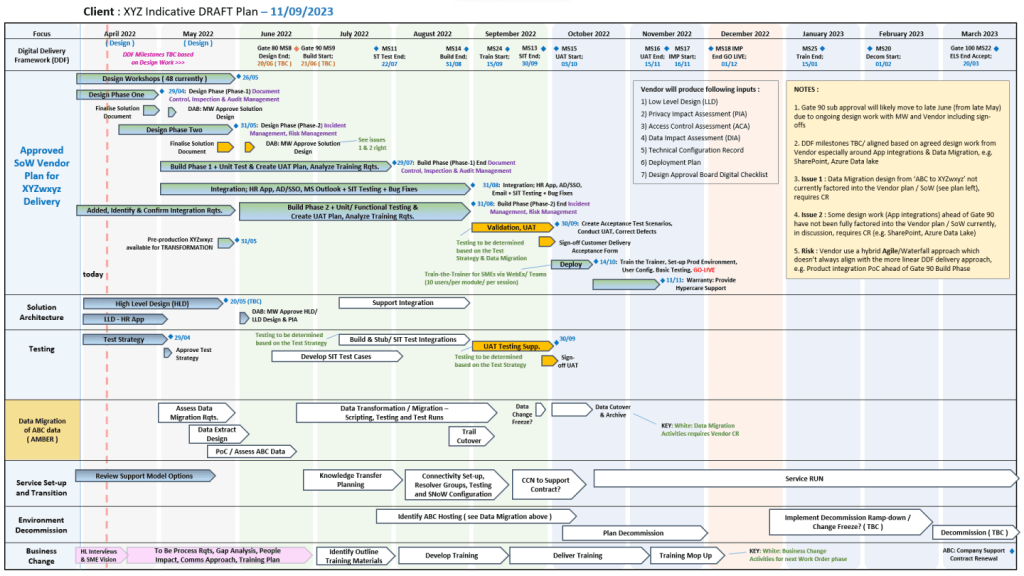
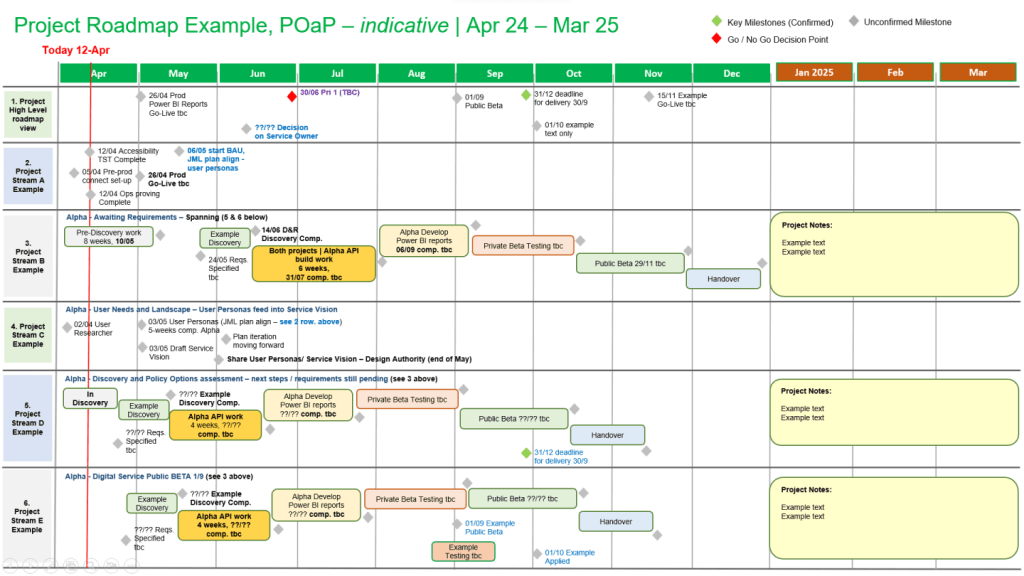
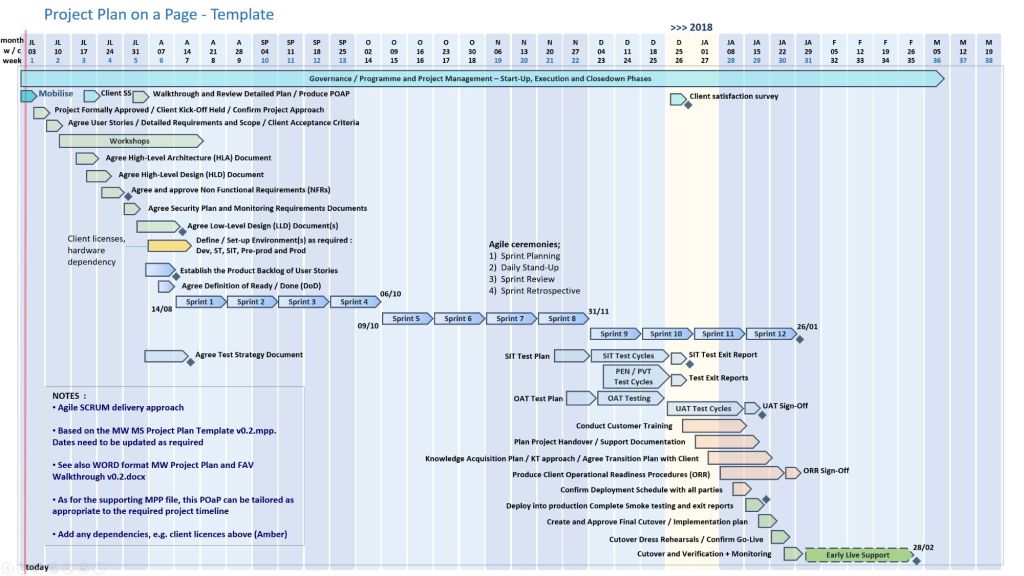
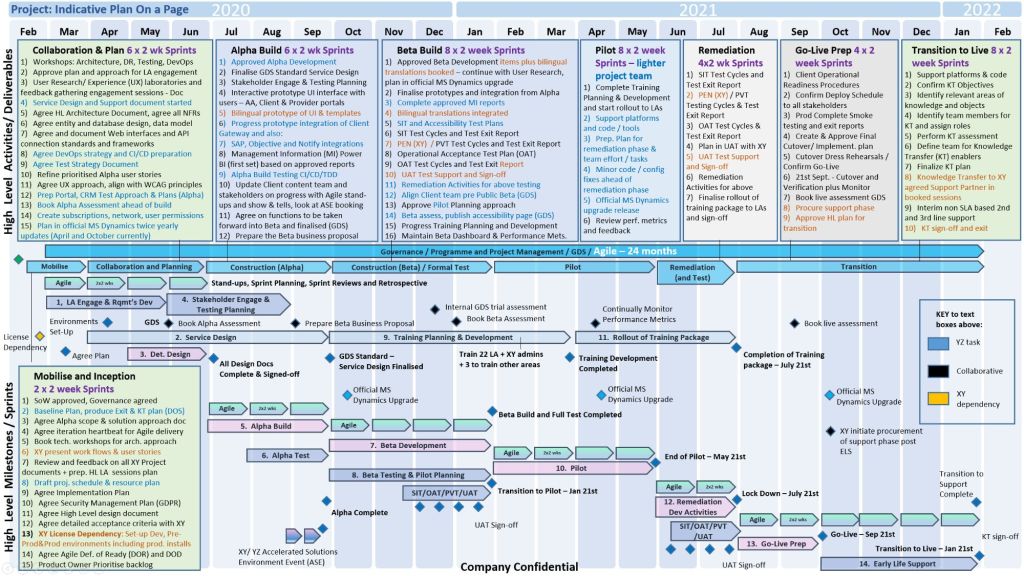
Best Structure for a POAP
An effective POAP eliminates excessive task lists in favor of a clean, scannable layout organized into these key sections:
- Project Overview: Title, Project Manager, and the overarching “Why” or business objective.
- Timeline & Milestones: A horizontal, time-phased bar chart mapping the project’s key phases (e.g., Initiation, Beta Launch, Go-Live).
- Key Deliverables: 4 to 6 major outputs or goals required to consider the project a success.
- Risks & Dependencies: Critical blockers or assumptions that require management attention.
Examples & Templates for Download
Because POAPs are highly visual, they are most effectively built in Excel (for data and dates) or PowerPoint (for visual presentation).
- Excel/PowerPoint Templates: You can download ready-made POAP layouts via Titanium Consulting or Mark Whitfield Consulting to generate professional visual graphics.
- Word/Spreadsheet Variations: For simpler initiatives, you can access the 1-page summary templates available through Smartsheet’s Project Plan Templates.
- Automated Software: If you already track complex projects in MS Project, Excel, or Primavera, automation tools like SummaryPro can automatically ingest your detailed schedule and spit out an accurate POAP.


