PASCAL Programming Language Overview, Timeline and Technical Insight

Pascal is a historically significant imperative and procedural programming language designed by Niklaus Wirth between 1968 and 1969. It was created to encourage structured programming and efficient data structuring, serving as a clean, disciplined alternative to more complex languages of the time like ALGOL 60 and FORTRAN. 

Key Features and Overview

  • Strong Typing: Every variable must have a defined type (e.g., Integer, Real, Boolean, Char), and the compiler strictly enforces these to prevent errors during execution.
  • Rich Data Structures: Pascal introduced built-in support for complex types including records, sets, enumerations, subranges, and pointers.
  • Structured Control: It uses clear, English-like keywords such as beginendif-then-else, and while to organize program logic into manageable blocks.
  • Educational Focus: Originally intended as a teaching tool, it became the global standard for introductory computer science courses for nearly two decades. 

Historical Timeline of Pascal

The Foundation Era (1960s)

  • 1964–1966: Niklaus Wirth joins the IFIP Working Group to design a successor to ALGOL 60. His “pragmatic” proposal is rejected in favour of the more complex ALGOL 68.
  • 1966: Wirth implements his proposal at Stanford as ALGOL W, which introduces many concepts later found in Pascal.
  • 1968: Wirth begins designing a new language at ETH Zurich, naming it Pascal after the 17th-century mathematician Blaise Pascal. 

The Emergence Era (1970–1979)

  • 1970: The first Pascal compiler becomes operational on the CDC 6000 mainframe, and the official language definition is published.
  • 1971: Formal announcement of Pascal appears in Communications of the ACM.
  • 1972: The first successful port to another system (ICL 1900) is completed by Welsh and Quinn.
  • 1973: The Pascal-P kit (P-code) is released, providing a portable intermediate code that allows Pascal to be easily ported to different hardware.
  • 1975: The UCSD Pascal system is developed at the University of California, San Diego, eventually bringing the language to microcomputers like the Apple II.
  • 1979: Apple releases Apple Pascal, licensing the UCSD p-System for its platforms. 

The Dominance Era (1980–1989)

  • 1983ISO 7185:1983 is published, establishing the first international standard for Pascal.
  • 1983: Borland International releases Turbo Pascal 1.0. Priced at $49.95, its extreme speed and integrated environment revolutionize PC programming.
  • 1984: The Educational Testing Service (ETS) adopts Pascal as the official language for the AP Computer Science exam in the U.S..
  • 1985: Apple introduces Object Pascal on the Macintosh to support object-oriented programming.
  • 1989: Borland adds object-oriented features to Turbo Pascal 5.5, adopting the Apple Object Pascal extensions. 

The Transition and Legacy Era (1990–Present)

  • 1990: The Extended Pascal standard (ISO/IEC 10206) is released, adding modularity and separate compilation.
  • 1995: Borland releases Delphi, a Rapid Application Development (RAD) tool based on Object Pascal, designed for the Windows graphical interface.
  • 1997: The open-source Free Pascal compiler (originally FPK Pascal) emerges to provide a cross-platform alternative to commercial tools.
  • 1999: Pascal is replaced by C++ as the official language for the AP Computer Science exam, marking the end of its educational dominance.
  • Present: Pascal remains active through projects like Lazarus (an open-source IDE for Free Pascal) and continued updates to Embarcadero Delphi for Windows, macOS, Android, and iOS development. 

Pascal is a historically significant, high-level, and statically typed programming language designed in the late 1960s by Niklaus Wirth. Its primary technical goal was to encourage structured programming—a disciplined approach that uses clear, logical sequences and data structuring to make code more readable and reliable. 

Technical Insights

The technical architecture of Pascal is built on a few core pillars that distinguish it from its contemporaries like C or FORTRAN: 

  • Strong Typing: Unlike many early languages, Pascal is strongly typed, meaning data types cannot be mixed or converted without explicit instruction. This reduces runtime errors by catching type mismatches during compilation.
  • Block-Structured Design: Programs are organized into clear blocks (using BEGIN and END), including nested procedures and functions. This hierarchical structure allows for precise control over variable scope.
  • Unique Data Structures: Pascal introduced native support for sets (representing mathematical sets as bit vectors) and variant records, which allow different fields to overlap in memory to save space.
  • One-Pass Compilation: The strict ordering of declarations (constants, then types, then variables, then procedures) was originally designed to allow the compiler to process the entire program in a single pass. 

General Programming Approach

Pascal enforces a “think before you code” philosophy through its rigid syntax and organizational requirements: 

  1. Top-Down Design: The language encourages breaking complex problems into smaller, manageable sub-tasks (procedures and functions).
  2. Explicit Declarations: Every variable must be declared in a specific VAR section before the executable code begins. This prevents the “spaghetti code” common in earlier languages.
  3. Algorithmic Focus: Because the syntax is so close to pseudo-code, the approach focuses heavily on the logic of the algorithm rather than language-specific “tricks”.
  4. Parameter Passing Control: Developers have explicit control over how data moves; using the VAR keyword allows passing by reference (modifying the original variable), while omitting it passes by value (working on a copy). 

Modern Relevance

While its peak in education was the 1980s and 90s, Pascal evolved into Object Pascal, which powers modern tools: 

  • Delphi: A popular IDE by Embarcadero Technologies used for rapid application development (RAD) on Windows, macOS, and mobile.
  • Free Pascal (FPC) & Lazarus: Open-source alternatives that bring modern features like generics and anonymous methods to the language. 
BASIC programming insight and detailed historical timeline by era and year

BASIC (Beginner’s All-purpose Symbolic Instruction Code) was designed to make computers accessible to non-technical users, revolutionising personal computing and software development. 

BASIC Historical Timeline

The Dartmouth Era (1964–1970s)

  • 1964: BASIC was created at Dartmouth College by John G. Kemeny and Thomas E. Kurtz. It first ran on 1 May 1964 on a GE-225 mainframe.
  • 1964: The Dartmouth Time-Sharing System (DTSS) was launched alongside BASIC, allowing multiple users to program simultaneously.
  • 1965: Added character string functionality and simplified mathematical support.
  • 1967: Approximately 2,000 Dartmouth students had learned to code in BASIC by this year.
  • Late 1960s: Hewlett-Packard launched the HP 2000 series, which ran a version of BASIC and brought the language to minicomputers. 

The Microcomputer Revolution (1975–1980s) 

  • 1975Bill Gates and Paul Allen developed a BASIC interpreter for the MITS Altair 8800, leading to the founding of Microsoft.
  • 1976: Steve Wozniak wrote Integer BASIC for the Apple I, which later became a staple of the Apple II.
  • 1977: BASIC became the de facto standard for the “1977 Trinity” of home computers: the Apple IICommodore PET, and TRS-80.
  • 1979Atari BASIC was released for Atari 8-bit computers.
  • 1981IBM PC launched with a BASIC interpreter in its firmware (ROM BASIC) and GW-BASIC for disk-based systems.
  • 1982: The BBC Micro launched with BBC BASIC, which introduced structured programming features like procedures and local variables to home users.
  • 1982: The Commodore 64 (and Sinclair ZX Spectrum) was released, eventually becoming the best-selling computer model, with BASIC as its primary user interface. 

Modern and Visual Era (1990s–Present)

  • 1991: Microsoft released Visual Basic, which introduced a graphical “drag-and-drop” interface for building Windows applications, revitalising the language for professional use.
  • 2001Visual Basic .NET was released, fully integrating BASIC into the modern object-oriented .NET framework.
  • Modern Day: Various modern dialects exist, such as XojoFreeBASIC, and QB64, while legacy-style BASIC remains popular in the hobbyist “retro-computing” community. 

Key Insights into BASIC

  • Democratisation of Coding: Before BASIC, programming required knowledge of complex assembly or scientific languages like FORTRAN. BASIC used simple English commands like PRINTGOTO, and IF...THEN to make coding accessible to everyone.
  • Immediate Feedback: Unlike “batch processing” where users waited hours for results, BASIC was designed for interactive use, providing immediate error messages and results.
  • Hardware Efficiency: Early BASIC versions were highly optimised to fit into the tiny memories (often as little as 4 KB) of 1970s microcomputers.
  • Cultural Impact: An entire generation of software engineers began by typing BASIC code into their home computers from hobbyist magazines.

BASIC (Beginners’ All-purpose Symbolic Instruction Code), first released in 1964, was designed to make computing accessible to non-scientists. While modern programming has evolved, the core technical insights and approaches remain the foundation for all software development. 

Technical Insights: The Building Blocks

Programs are constructed using universal building blocks that dictate how a machine processes data: 

  • Variables & Data Types: Containers that store values (e.g., integers, strings).
  • Control Flow (The Logic):
    • Sequence: The specific order in which instructions are executed.
    • Selection: Conditional “if-else” statements that determine the program’s path based on criteria.
    • Iteration (Loops): Repeating a section of code (e.g., FOR or WHILE loops) until a condition is met.
  • Functions & Subroutines: Blocks of reusable code designed to perform specific tasks, improving organization and readability.
  • Syntax: The “grammar” of a language (keywords, operators, punctuation) that must be followed for the machine to understand instructions. 

General Programming Approach

Mastering programming requires a systematic method for solving problems rather than just memorizing code. 

  1. Understand the Problem: Identify the necessary inputs, desired outputs, and any constraints before writing a single line of code.
  2. Design the Algorithm: Break the problem into smaller, manageable steps. Using flowcharts or pseudocode helps map out the logic without getting bogged down in syntax.
  3. Implementation: Translate your plan into the chosen language (e.g., Python, C++, or JavaScript).
  4. Test & Debug: Execute the code with sample data to ensure accuracy. Debugging is the process of identifying and fixing errors when the output doesn’t match expectations.
  5. Refine & Optimize: Improve the performance and maintainability of your code by reducing steps or using more efficient data structures.

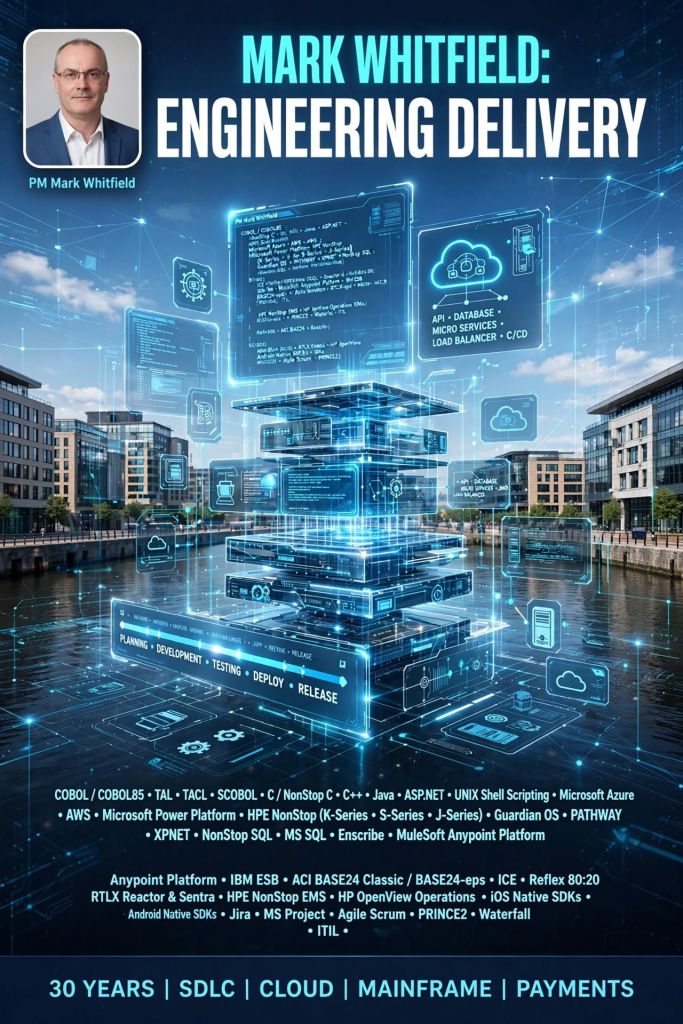
Mark Whitfield, Website Author – Background and Career Timline

Mark Whitfield is a Senior IT Project Manager and Engagement Manager with over 30 years of experience in the software development lifecycle (SDLC). He is currently a SC-cleared Engagement Manager at Capgemini UK. 

Professional Background by Era

  • 1990–1995: Early Programming (The Software Partnership/Deluxe Data)
    • Role: Programmer/Lead Analyst.
    • Focus: Developed electronic banking software (sp/ARCHITECT-BANK) on Tandem Mainframe Computers (now HPE NonStop).
  • 1995–2013: Senior Development & Product Management (Insider Technologies)
    • Role: Progressed from Senior Programmer to Project Manager for Strategic Technical Initiatives.
    • Focus: Developed platform health and diagnostic modules for the “Reflex” monitoring product.
  • 2013–2014: Project Management (Wincor Nixdorf)
    • Role: Project Manager, Professional Services – Banking Division.
    • Focus: Managed the Wincor Nixdorf workstream for Lloyds Banking Group’s Self-Service Software Replacement (SSSR) programme.
  • 2014–2016: Digital Project Management (Betfred)
    • Role: Senior Digital Project Manager, Online and Mobile Division.
    • Focus: Delivered payment gateways, sportsbooks, and virtual gaming components for iOS, Android, and Windows.
  • 2016–Present: Senior Engagement Management (Capgemini)
    • Role: Engagement Manager (A8), Custom Bespoke Solutions.
    • Focus: Leading digital transformation and cloud migration projects for public and private sector clients. 

Technologies & Frameworks

  • Project Methodologies: Agile SCRUM, PRINCE2 (Practitioner), Waterfall, ITIL, and ISO QA.
  • Mainframe & Infrastructure: HPE NonStop (Tandem), IBM ESB, UNIX shell scripting, and Cloud (MS Azure/AWS).
  • Programming & Databases: C/C++, MS SQL, Java, COBOL85, TAL, TACL, and SCOBOL.
  • Tools: MS Project, MS Excel/Office, MuleSoft Anypoint Platform, and Jira. 

Major Projects & Customers

  • UK Government: Managed a £13.5m cloud migration of 130 applications and the £1m+ Fish Export Service (FES) to CHIP portal.
  • Royal Mail Group (RMG): Managed a £4.3m data centre migration project involving over 1,100 interfaces.
  • Lloyds Banking Group (LBG): Led a £5m+ self-service software replacement project.
  • Other Notable Clients: Jaguar Land Rover (JLR), Heathrow, NATS (Air Traffic Control), Barclays, HSBC, Deutsche Bank, and Euroclear. 

Awards & Education

  • Awards:
    • C&CA UK’s Communications & Engagement Award (2022) at Capgemini UK.
    • Project Recognition Award from Wincor Nixdorf for achievements on the LBG SSSR project.
  • Education:
    • HND in Computer Studies (Distinction) from the University of Greater Manchester (formerly BIHE), 1988–1990.
    • A-Levels in Computer Science and Biology from Leigh College. 

Project Management Templates

Whitfield provides a library of over 200 editable resources through his site, PROject Templates, designed for Agile, Waterfall, and PRINCE2 7th Edition delivery. Key items include: 

  • Plan on a Page (POaP): Over 35+ executive-level summary slides.
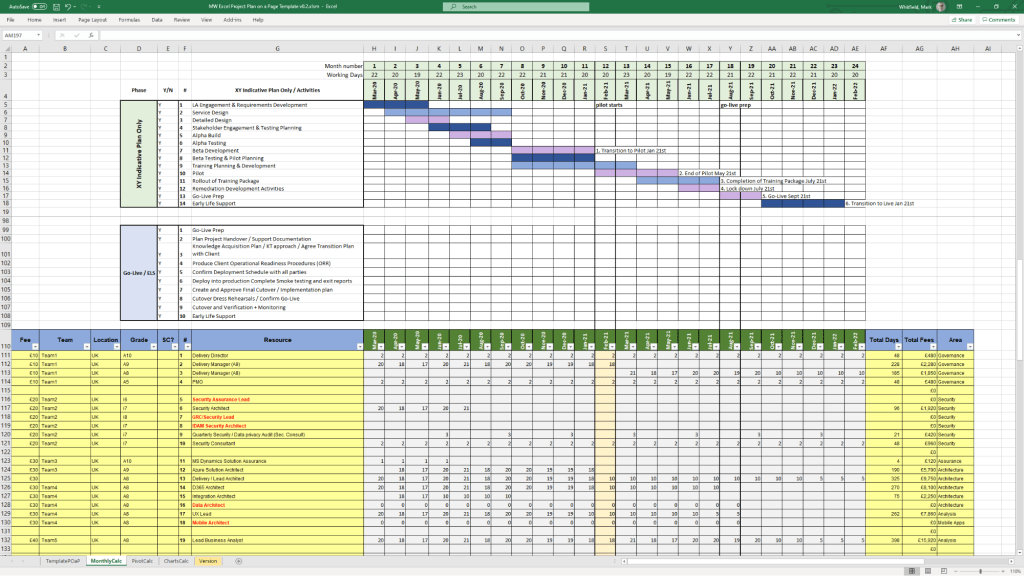
  • Detailed Project Plans: Templates in MS Project (MPP) and Excel for SDLC tracking.
  • RAID Logs: Comprehensive registers for risks, actions, issues, and dependencies. 

Mark Whitfield Background and Career Timline

PRINCE2 Management Products Templates Overview and Historical Timeline

PRINCE2 management products are the 26 standard documents (templates) used to manage a project throughout its lifecycle. They are categorised into Baselines (plans and definitions), Records (registers and logs), and Reports (periodic updates). 

PRINCE2 Microsoft Project & Excel templates

Management Products Overview

The core templates provided in the methodology ensure consistent project control. Official templates are often available through accredited providers, this website or the official AXELOS website. 

  • Baselines: Used to define the project foundation (e.g., Business Case, Project Initiation Document, Plan).
  • Records: Dynamic logs to track day-to-day data (e.g., Risk Register, Issue Register, Lessons Log).
  • Reports: Snapshots of progress or specific events (e.g., Highlight Report, Checkpoint Report, Exception Report). 

Historical Timeline of Templates & Methodology

The evolution of these products reflects a shift from rigid, IT-specific documents to flexible, industry-agnostic templates. 

The Pre-PRINCE Era (1975 – 1988) 

  • 1975PROMPT II (Project Resource Organisation Management and Planning Techniques) was developed by Simpact Systems Ltd.
  • Key Focus: Introduced the concept of project phases (Initiation, Specification, Design) but was strictly for IT. 

The PRINCE Era (1989 – 1995) 

  • 1989PRINCE (PROMPT II in the CCTA Environment) launched by the UK Government’s CCTA.
  • Key Focus: Added Critical Path Analysis and formal management roles, but remained IT-heavy and rigid. 

The PRINCE2 Emergence (1996 – 2008)

  • 1996PRINCE2 (1st Edition) was released as a generic framework.
  • Key Change: IT-specific jargon was removed to make templates applicable to any industry.
  • 2002/2005: Minor updates (3rd and 4th Editions) focused on minor refinements based on user feedback. 

The Revision Era (2009 – 2022)

  • 2009PRINCE2:2009 Refresh (5th Edition) introduced the seven core principles.
  • Key Change: Templates were simplified and made more customisable to reduce “prowess-driven” bureaucracy.
  • 2017PRINCE2 6th Edition (formerly the 2017 Update) launched.
  • Key Change: Emphasis on Tailoring and scalability for different project sizes. 

The Modern Era (2023 – Present)

  • 2023PRINCE2 7th Edition was released.
  • Key Change: Added a “People” element and introduced three new management approaches: SustainabilityCommercial, and Digital & Data

Template Kits & Resources

For those seeking pre-formatted digital versions:

  • PRINCE2 7th Edition Template Bundle: Comprehensive sets including MS Project MPP, Excel Gantt charts, and Word artifacts are available at Etsy and eBay.
  • Specialised Packs: Focused collections like the PRINCE2 Control & Monitoring Pack can be found at WorkFlo Design.
  • Individual Documents: Individual templates like the Project Initiation Document (PID) are often sold separately for specific project needs. 
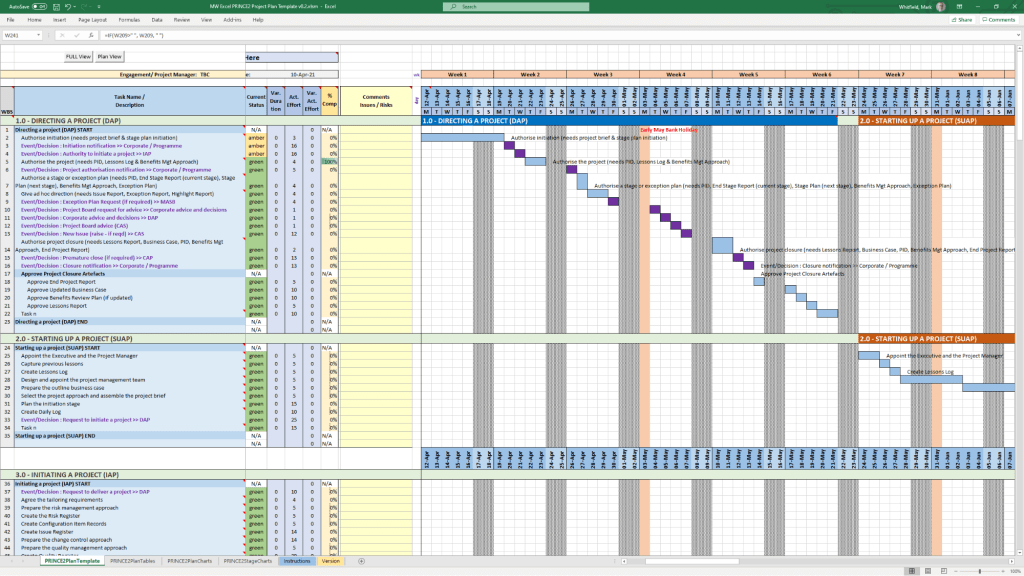
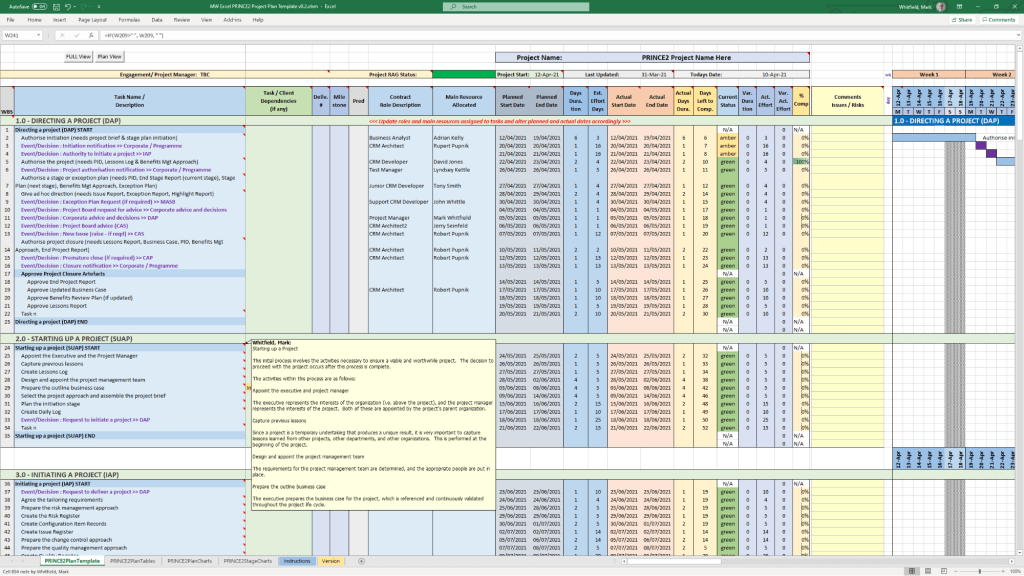
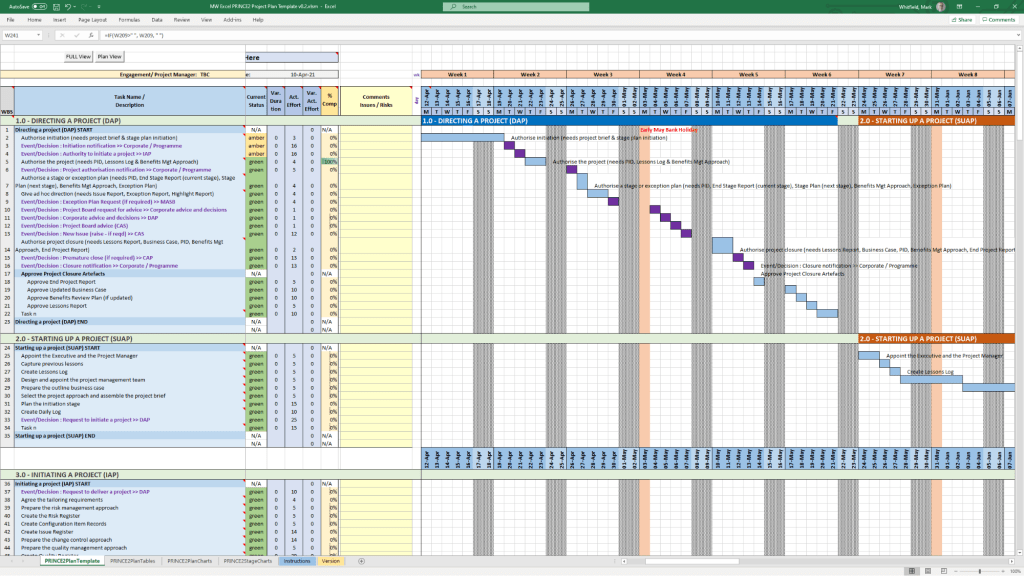
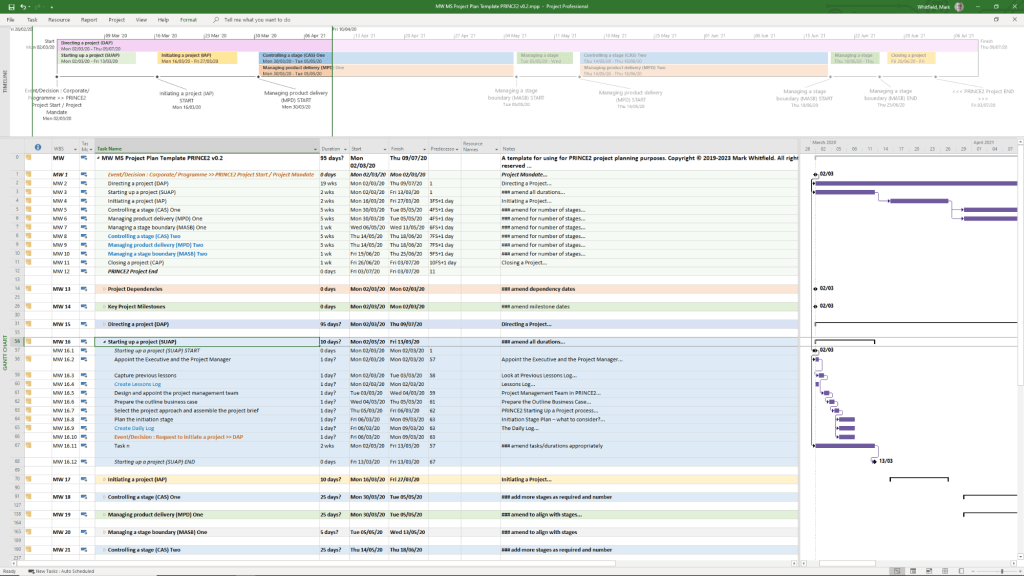
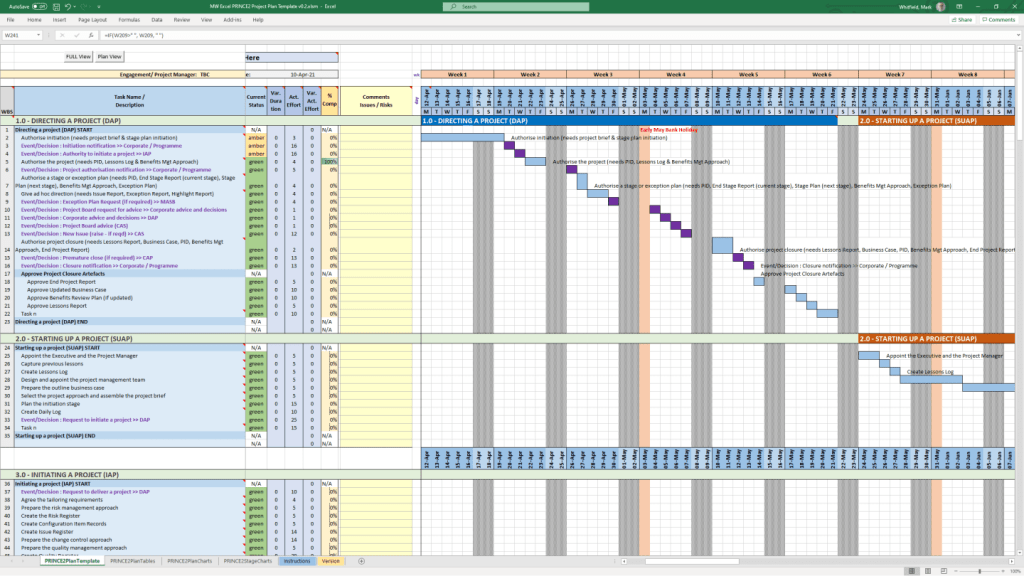
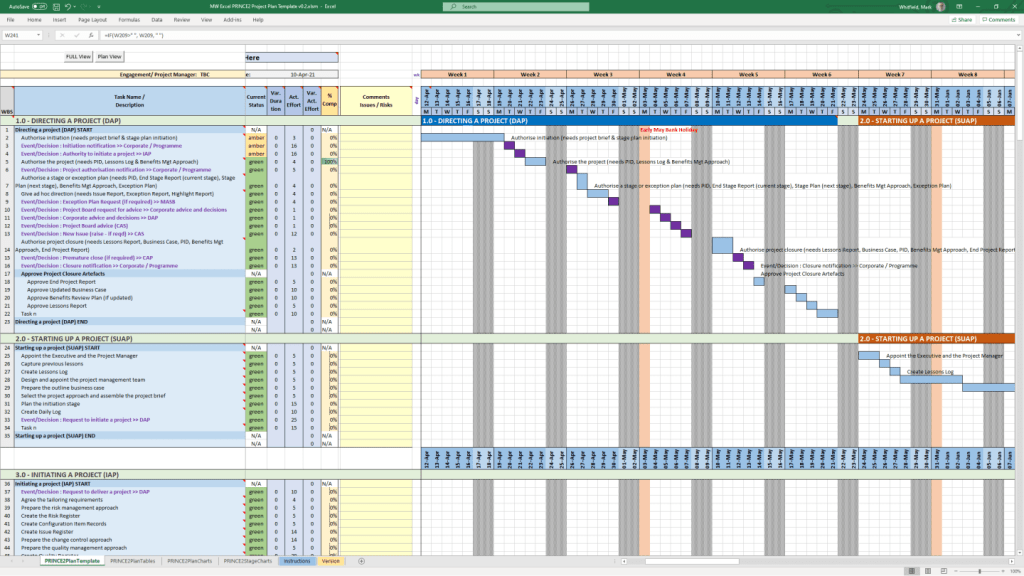
  • PRINCE2 Templates can be purchased directly from this website including a Microsoft Project Plan in MPP format and also a Microsoft Excel Project Plan in XLS format, see below and website link.

PRINCE2 Management Products Templates Overview and Historical Timeline

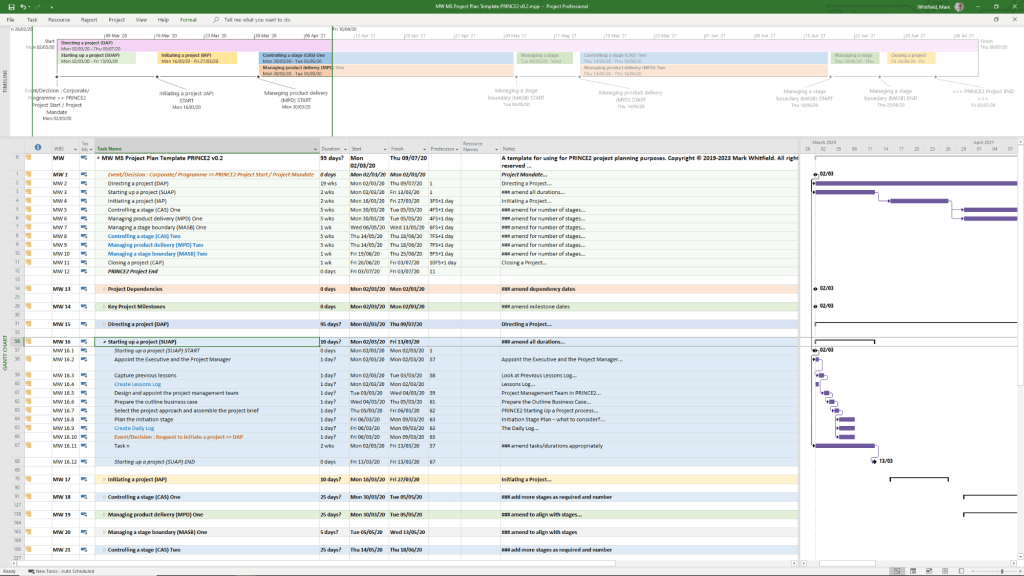
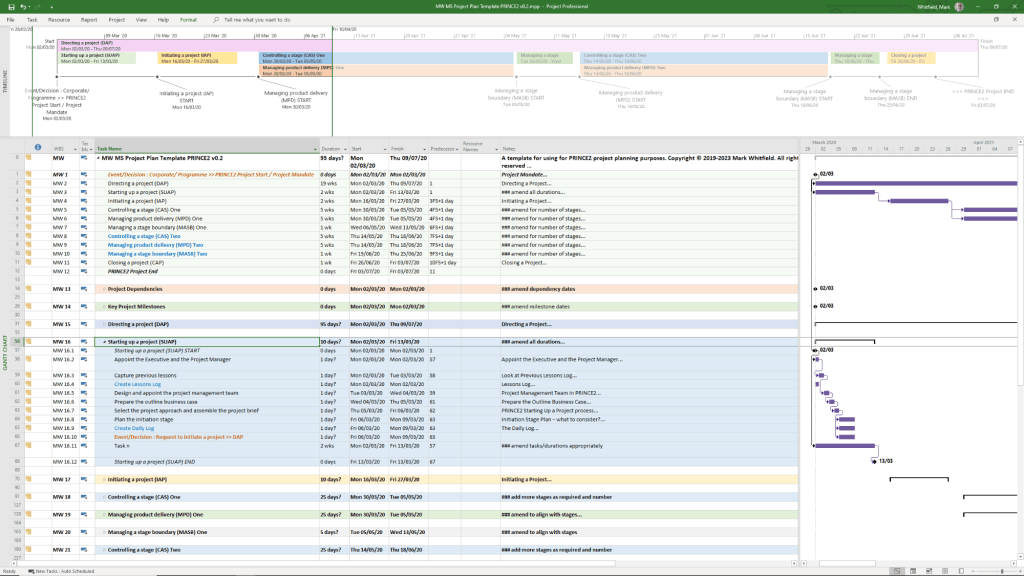
PRINCE2 Microsoft Project MPP file template
PRINCE2 Microsoft Excel XLS template 1
PRINCE2 Microsoft Excel XLS template 2

PRINCE2 Templates FREE Upgrades

Mark Whitfield’s PRINCE2 template collection is a comprehensive set of over 200 editable Microsoft Office documents designed to support both waterfall and agile project delivery. These templates are classified into several key categories, ranging from core PRINCE2 management products to advanced planning and tracking tools. 

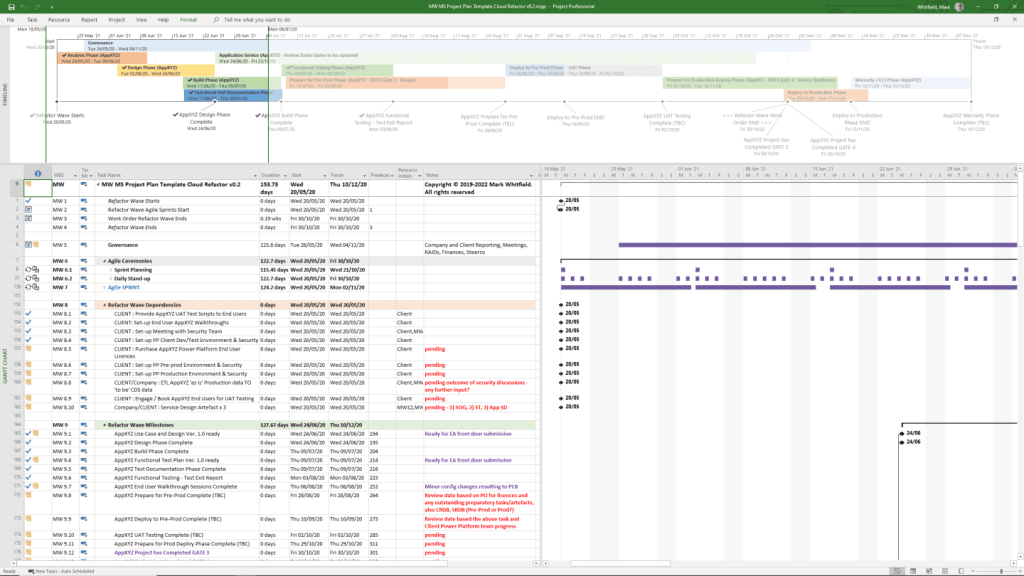
Example Microsoft Project MPP file template

Core PRINCE2 Management Product Templates

This category includes the standard documentation required by the PRINCE2 methodology, often provided in MS Word (.doc) format. 

  • Project Initiation & Definition:
    • Project Brief: Initial summary used to gain approval for the initiation stage.
    • Project Initiation Document (PID): A comprehensive document containing the project definition, approach, business case, and management strategies.
    • Business Case: The primary justification for the project’s existence.
  • Registers and Logs:
    • Risk Register: For identifying and managing project risks.
    • Issue Register & Issue Report: For tracking and detailing specific project problems.
    • Lessons Log & Lessons Report: To capture and share knowledge gained throughout the project.
    • Daily Log: For the Project Manager to record informal issues or activities.
  • Reporting and Progress:
    • Highlight Report: Periodic progress updates for the Project Board.
    • Checkpoint Report: Updates from the Team Manager to the Project Manager.
    • End Stage & End Project Reports: Summaries of performance at key project milestones.
    • Exception Report: Used when a project is forecast to exceed its tolerances.
  • Quality and Configuration:
    • Product Description: Detailed specifications for each project deliverable.
    • Quality Register: Records all planned and completed quality activities.
    • Configuration Item Record: Tracks the status and version of project products. 

Advanced Planning and Tracking Templates 

Whitfield provides specialized tools for visual scheduling and financial management, primarily in MS Excel and MS Project (.mpp) formats. 

  • Project Planners:
    • PRINCE2 Waterfall Project Planner: A detailed Gantt-view planner in Excel for those without MS Project licenses.
    • MS Project (MPP) Templates: Pre-configured plans for PRINCE2 7th Edition, including end-to-end tasks and lifecycle stages.
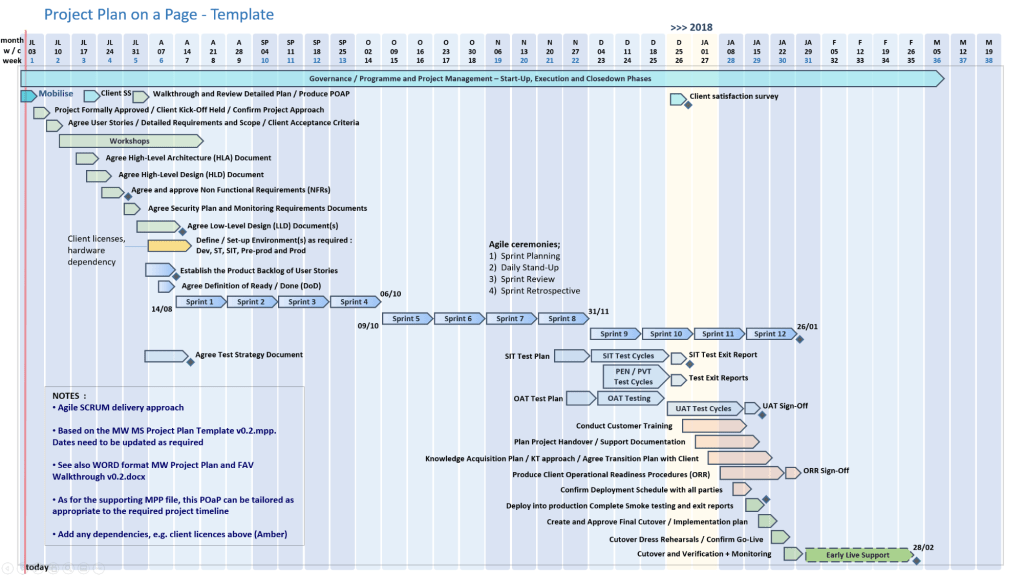
    • Plan on a Page (POaP): High-level visual summaries of project timelines.
  • Resource and Financial Management:
    • Project Financial Tracker: Monitors forecast vs. actual costs, including margins and expenses.
    • Resource Costing Grid: Detailed grids for calculating costs per project phase.
    • RACI Tracker: Defines Roles and Responsibilities (Responsible, Accountable, Consulted, Informed). 

Operational and Agile Support

These supplemental templates assist with daily project operations and hybrid agile environments. 

  • RAID Log: A centralized tracker for Risks, Actions, Issues, and Dependencies.
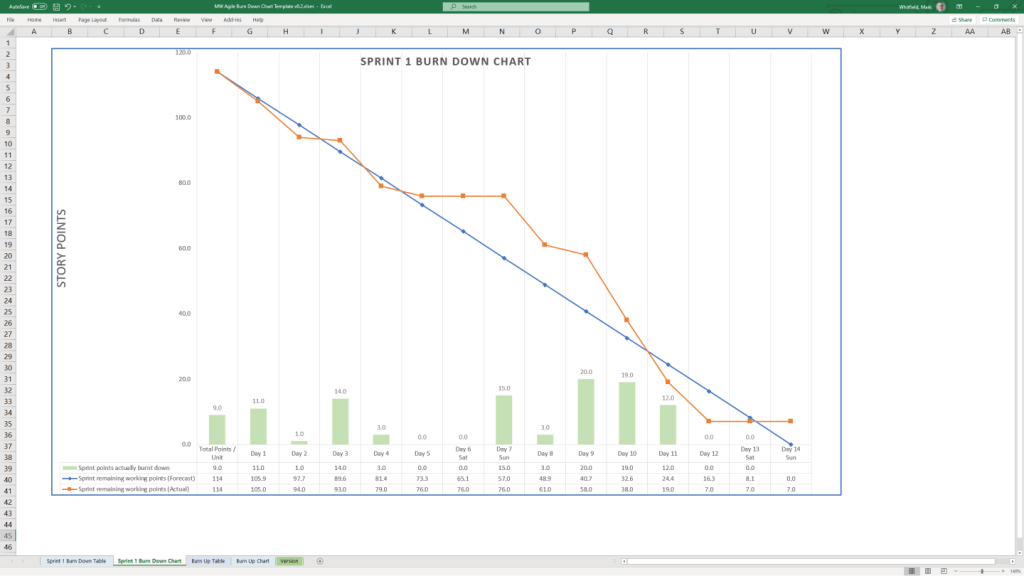
  • Agile Specifics: Burn-down/up charts and sprint-view Gantt charts for scrum-based delivery.
  • Stakeholder Analysis Plan: Tools to map stakeholder influence versus impact.
  • Mobilisation/On-boarding Kit: PowerPoint templates for team kick-offs and onboarding. 

Visual Classification (Font Coding) 

In many of Whitfield’s automated plans, tasks are color-coded for quick visual breakdown: 

  • Black: Traditional PRINCE2 stage or activity.
  • Blue: Creation of a PRINCE2 artefact (e.g., creating a log).
  • Purple: Updating an existing artefact.
  • Green: Formal closing of an artefact. 

The full bundle is available for purchase on Mark Whitfield’s Official Website or through his Etsy Store

PRINCE2 Templates FREE Upgrades

Waterfall Methodology in Project Management, a Timeline History

The Waterfall methodology is a linear, sequential project management approach where progress flows steadily downward through defined phases, such as requirements, design, implementation, and testing. Each stage must be completed and approved before the next begins, making it highly structured but often inflexible to changes. 

Waterfall template available on this website

Historical Timeline by Era and Year

The history of the Waterfall model spans from early post-WWII engineering to its formalisation in software and eventual institutionalisation in government standards. 

The Pre-Formal Era (1950s – 1969)

During this period, software development borrowed heavily from established engineering and manufacturing processes. 

  • 1956: Herbert D. Benington presents a paper on the Semi-Automatic Ground Environment (SAGE) project, describing a structured process that many consider the true technical origin of the sequential approach.
  • Late 1960s: Major NASA projects and government software systems for rockets (e.g., Apollo missions) utilise rigid specifications and linear development due to the high cost of changes.
  • 1968: The NATO Software Engineering Conference identifies the “software crisis”—projects consistently running over budget and time—leading to a push for more disciplined models. 

The Formalisation Era (1970 – 1979)

The methodology was formally described, ironically as a cautionary tale, and finally given its name. 

  • 1970: Dr. Winston W. Royce publishes “Managing the Development of Large Software Systems”. He presents the sequential diagram but explicitly critiques it as “risky and invites failure,” suggesting a more iterative approach instead.
  • 1976: The term “Waterfall” is officially coined in a paper by Bell and Thayer, “Software Requirements: Are They a Problem?”. 

The Institutional Era (1980 – 1999)

Waterfall becomes the global standard for large-scale and regulated industries. 

  • 1985: The U.S. Department of Defense (DoD) adopts DOD-STD-2167, which mandates the use of the Waterfall model for all software development contractors. This cements Waterfall as the “one true way” for government and aerospace projects.
  • 1989: The UK Government creates PRINCE2, a process-based method largely rooted in Waterfall principles, still widely used in the public sector today.
  • 1991: In response to Waterfall’s rigidity, James Martin introduces Rapid Application Development (RAD), one of the first major departures from the linear model. 

The Modern & Hybrid Era (2000 – Present)

As Agile became dominant, Waterfall shifted from the default choice to a specialised or hybrid tool. 

  • 2001: The Agile Manifesto is published, marking a significant industry-wide shift away from traditional Waterfall toward iterative development.
  • 2009: Major institutions like George Washington University and others begin documenting their Project Management Lifecycle (PMLC) to standardise Waterfall and hybrid models for better oversight.
  • 2020s: Waterfall persists in regulated domains like healthcare, aerospace, and construction. It is increasingly integrated into hybrid methodologies that use Waterfall for high-level planning and Agile for execution. 

Waterfall Methodology in Project Management, a Timeline History

Waterfall template available on this website

BASE24 by ACI Worldwide timeline by era and year

BASE24 is the world’s most widely used payment processing platform, developed by ACI Worldwide. Originally designed for ATM networks, it evolved into a comprehensive system for acquiring, authenticating, and routing card-based and digital transactions across various channels. It is known for its high-performance, fault-tolerant architecture, processing nearly 50% of the world’s electronic transactions at its peak. 

Comprehensive Timeline by Era

Era 1: Foundations & The Rise of BASE24 Classic (1975–1990s)

This era focused on high-availability software for the emerging automated banking industry, specifically for Tandem NonStop servers. 

  • 1975: ACI founded in Omaha, Nebraska, to develop software for the new “NonStop” server computers used by banks and stock exchanges.
  • 1981: Secured its first international client, an Australian bank, marking the start of global expansion.
  • 1982: Launch of BASE24, the first global product designed for 24-hour system operations, originally focused on ATM networks.
  • 1986: Rapid growth led to 131 customers across 14 different countries. 

Era 2: Expansion & Public Transition (1995–2000s) 

The platform expanded into Point of Sale (POS) and branch systems while the company underwent major structural changes. 

  • 1995: The company went public on NASDAQ as Transaction Systems Architects (TSA).
  • 1997: Officially adopted the name ACI Worldwide.
  • Early 2000s: Introduction of BASE24-es (later renamed BASE24-eps), a next-generation platform using C++ and object-based architecture to replace the legacy monolithic design. 

Era 3: Modernisation & The “eps” Shift (2005–2015)

ACI shifted focus toward BASE24-eps, a more flexible, open-architecture version designed for multi-channel transaction processing. 

  • 2005: ACI launches BASE24-eps, featuring a modular engine capable of processing approximately 2,000 transactions per second (TPS) with extremely low latency.
  • 2007: TSA officially rebranded all operations under the ACI Worldwide, Inc. (ACIW) name.
  • 2008: Announced that BASE24 Classic would begin maturing in 2011, urging customers to migrate to the eps platform for better integration with modern systems like IBM System z.
  • 2011–2012: Release of BASE24-eps 11.1, adding support for DB2 on IBM System p, enhanced EMV acquiring, and tools for easier migration from legacy BASE24. 

Era 4: Cloud & Universal Payments (2015–Present)

The platform moved toward cloud-native capabilities and broader ecosystem integration. 

  • 2015: ACI celebrated its 40th anniversary, continuing to power electronic payments for over 6,000 organisations worldwide.
  • 2018: Introduction of UP BASE24-eps on Linux in the Cloud, demonstrating significantly reduced Total Cost of Ownership (TCO) through public and private cloud deployment.
  • Present: BASE24 remains a core pillar of ACI’s portfolio, supporting traditional card, ATM, mobile commerce, and internet banking transactions.

BASE24-eps by ACI Worldwide timeline by era and year

BASE24-eps is a modular, high-availability payment processing engine developed by ACI Worldwide. It evolved from the original “BASE24 Classic” to provide a more flexible, open-system architecture for acquiring, authenticating, routing, and authorizing electronic transactions

Base24-eps Overview

  • Architecture: Unlike the TAL-based Classic version, BASE24-eps uses an object-oriented design written primarily in C++ and Java.
  • Key Features:

Detailed Timeline

The Foundation Era (1970s – 1990s)

  • 1975: ACI is founded in Omaha, Nebraska, initially developing software for NonStop server computers.
  • Late 1970s: Development of the original BASE24 (now known as “Classic”), focused on high-uptime ATM processing.
  • 1981: First international customer (an Australian bank) signs on, starting the global expansion of BASE24. 

Transition & Development Era (2000 – 2005)

  • Early 2000s: ACI begins developing the “next generation” platform, initially called BASE24-es (extended systems), which later becomes BASE24-eps (enterprise payment system).
  • 2003 – 2004: The product begins migrating to open architectures, moving away from platform-specific languages. 

Mainstream Adoption Era (2006 – 2013)

  • 2007: ACI highlights BASE24-eps as its strategic future platform in investor overviews.
  • 2008: ACI announces the maturation of BASE24 Classic (ending standard maintenance in 2011), urging customers to migrate to BASE24-eps.
  • 2009: IBM Redbooks releases technical guides for BASE24-eps 08.2 on z/OS, solidifying its place in enterprise banking.
  • 2013: Release of BASE24-eps 2.0, introducing the “customer component” and enhanced service-enabling wrappers. 

Modernization & Cloud Era (2014 – Present)

Free Upgrade Project Management Templates Download by focus area

Mark Whitfield provides a comprehensive suite of over 200 editable project management templates designed for both Agile and Waterfall delivery. These tools are built based on 21+ years of IT project delivery experience and are formatted for Microsoft Office (Excel, Word, PowerPoint) and Microsoft Project (MPP).


Core Planning & Tracking Templates

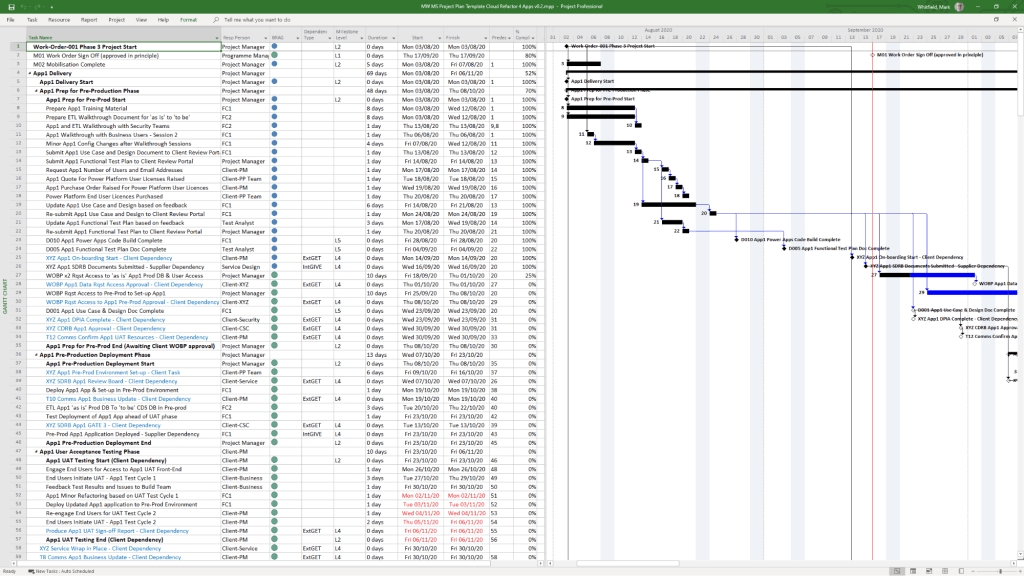
  • Detailed Project Plans: Comprehensive MPP and Excel files covering the full Software Development Life-cycle (SDLC), including Waterfall and Agile Scrum sprints.
  • Plan on a Page (POaP): High-level visual summaries in PowerPoint or Excel for client reporting and executive snapshots.
  • RAID Log: A central tracker for Risks, Actions, Issues, and Dependencies, often including tabs for Decisions, Opportunities, and Lessons Learned.
  • RACI Matrix: A tracker to define roles and responsibilities (Responsible, Accountable, Consulted, Informed). 

Financial & Resource Management

  • Project Finance Tracker: Tools for managing project budgets, including forecasts vs. actuals, margin analysis, and variation tracking.
  • Resource Planning: Grid templates for costing project resources per phase and tracking team allocations.
  • Benefits Realisation: A spreadsheet to compare initial project goals against actual business outcomes and costs. 

Reporting & Communication

  • Status Reports: Weekly and monthly templates in Word and PowerPoint that include milestone dashboards, project health indicators, and “next steps”.
  • Organisation Charts: Templates for visualising the project hierarchy and stakeholder contacts.
  • Agile Dashboards: Excel-based Burn Down and Burn Up charts for teams that do not have access to tools like Jira. 

Methodology Support

  • PRINCE2 7th Edition: Specific MPP and Excel templates aligned with the latest PRINCE2 standards.
  • Agile Frameworks: Templates for Sprint Planning, Daily Stand-ups, and Sprint Retrospectives. 

These templates are available for purchase on Mark Whitfield’s official site and typically include free lifetime upgrades. 

Free Upgrade Project Management Templates Download by focus area