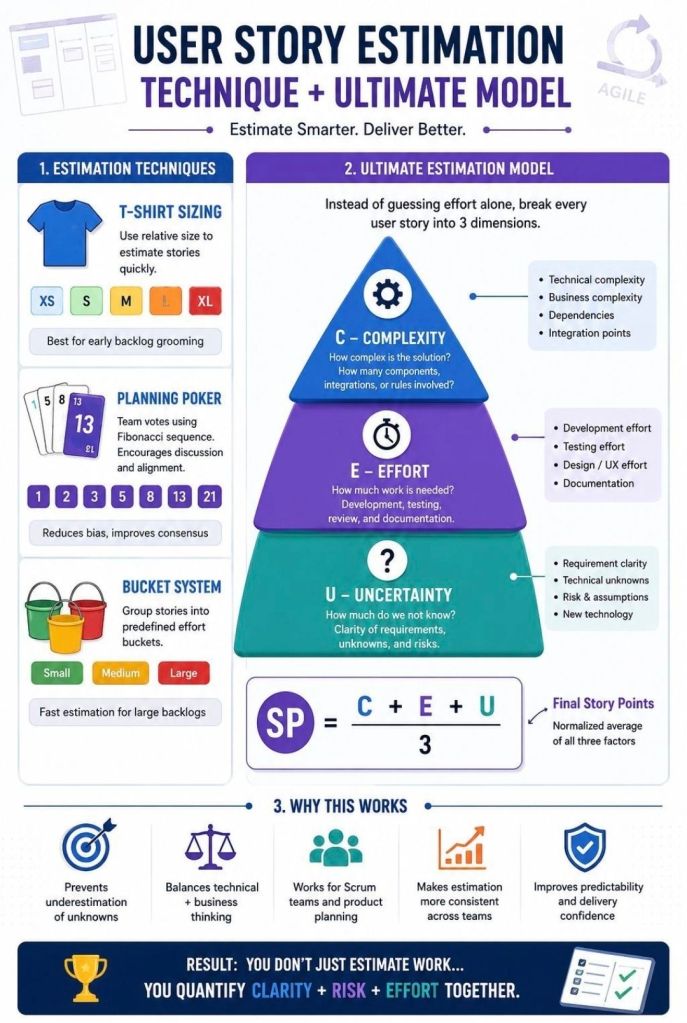
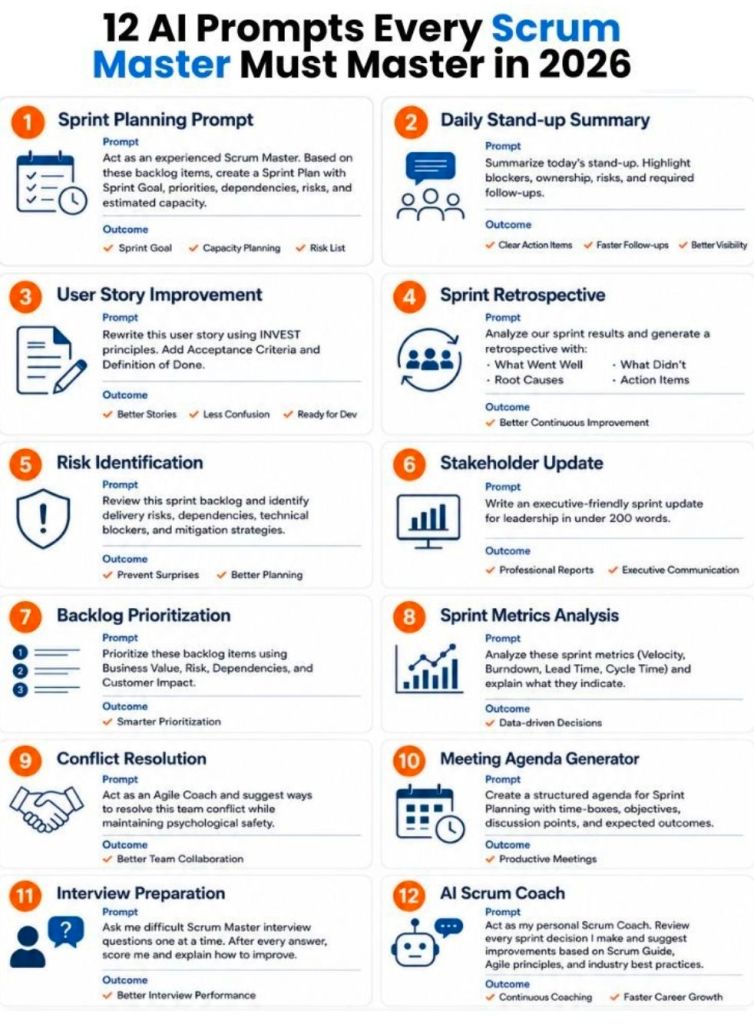
The three pillars of Scrum are Transparency, Inspection, and Adaptation. Together, they form the foundation of empirical process control—a methodology where decisions are based on observation and experience rather than unverified plans.
1. Transparency
Transparency ensures that all aspects of the process and progress are visible to both the team performing the work and the stakeholders. This requires a common, shared understanding of what constitutes “done” and maintaining open, honest communication. Key Scrum artifacts like the Product Backlog and Sprint Backlog are tools used to maintain this visibility.
2. Inspection
Scrum teams must regularly inspect their artifacts (like the product increment) and their overall progress toward the Sprint Goal to detect any unwanted variances or problems. This is achieved through established Scrum events such as the Daily Scrum, Sprint Review, and Sprint Retrospective.
3. Adaptation
If an inspection reveals that aspects of a process or the product are deviating outside acceptable limits, the team must adjust the process or the material being worked on. Adaptation involves making necessary changes as soon as possible to minimize further deviations and continuously improve the end product.
A Sprint Retrospective is a structured, time-boxed meeting held at the end of an Agile or Scrum sprint. Its primary purpose is to allow the core team (Developers, Scrum Master, and Product Owner) to reflect on the recently completed sprint and agree on actionable process improvements for future sprints.
For a quick visual breakdown of the Sprint Retrospective’s purpose and its role in team improvement, watch this short video:
While the Sprint Review looks outward at what the team built (the product), the Retrospective looks inward at how the team worked (the processes, tools, and team dynamics). It follows the rule of inspect and adapt to prevent repeating the same mistakes and to continuously improve engineering productivity and team morale.
The 5 Standard Phases
Experienced facilitators (like Scrum Masters) usually structure the meeting into five key steps to ensure it remains a productive working session rather than a complaint session:
Set the Stage: Create a psychologically safe and blameless environment. Ground rules are established so the focus remains on process, not people.
Gather Data: Collaboratively pool observations, facts, and experiences from the previous sprint.
Generate Insights: Look for underlying patterns or root causes of why things happened, rather than just listing symptoms.
Decide What to Do: Select the most critical 1 to 2 high-priority improvements and commit to actionable next steps.
Close the Retrospective: Summarize the action items, confirm individual ownership (assign specific names), and end on time.
Common Frameworks
Teams often use specific templates to keep the conversation fresh and engaging. Some of the most popular include:
Start, Stop, Continue: Identify what actions to begin doing, stop doing, and continue doing in the next sprint.
Mad, Sad, Glad: Focuses on how team members felt during the sprint, helping to surface frustrations and team morale issues.
The 4 Ls: Asks team members to discuss what they Loved, Loathed, Learned, and Longed for.
Sailboat Exercise: A visual metaphor where the team maps out their goals (the island), the wind in their sails (what helped them), and the anchors (what slowed them down).
Best Practices for Success
Keep it strictly team-only: To encourage candour and psychological safety, stakeholders should generally not be present.
Make action items accountable: Action items should be assigned to specific individuals and prioritized for the very next sprint’s backlog.
Timebox appropriately: The meeting’s duration scales with the sprint length. A 1-week sprint might warrant a 45-minute retro, while a month-long sprint might need up to 3 hours.
The full toolkit of Mark Whitfield’s Project Management (PM) templates is structured below according to structural focus areas, overview of utility, and native file formats. Free upgrades and additions after purchase.
📅 Project Planning & Roadmapping
Focus: Schedule design and milestone visualization for SDLC, PRINCE2, and Agile.
Overview: Builds work breakdown structures (WBS), tracks timelines, and presents milestones to stakeholders.
Format: Microsoft Project (.mpp), Excel (.xlsx), and PowerPoint (.pptx).
Included: Detailed plans, Excel Gantt trackers, over 35 Plan on a Page (POaP) slides, and spreadsheet-based timelines.
⚠️ Risk, Governance & Operational Control
Focus: Threat tracking, dependency mitigation, and accountability.
Overview: Ensures structural control and compliance, managing risks, issues, and resource ownership.
Acceptance criteria are a set of predefined conditions that define the exact boundaries of a user story. They dictate what must be built for the story to be considered complete and ready for release.
Effective acceptance criteria serve to align the vision of the client and the development team, ensuring everyone knows exactly what behavior the feature must demonstrate. A good set of criteria must be:
Verifiable & Testable: Each criterion should yield a binary (pass/fail) result, often allowing for automated or manual testing.
Concise & Unambiguous: Written in plain language that avoids subjective terms like “fast” or “user-friendly” in favor of quantifiable metrics.
User-Centric: Focus on the outcome delivered to the user rather than the internal technical process to get there.
Common Formats
Criteria are typically documented using standard Agile formats:
Given-When-Then (BDD Format): A structured approach often used for functional scenarios.
Given some precondition.
When an action occurs.
Then the expected outcome happens.
Rule-Oriented List: A simple checklist of constraints, rules, or system reactions.
“It’s done when…”: A declarative list of the specific conditions met once functionality is delivered.
Best Practices
Keep it to 3–5 items: If a user story requires more than 8 criteria, it is often too complex and should be split into smaller, more manageable stories.
Define positive and negative paths: Ensure criteria cover both successful scenarios and edge cases (e.g., what happens when a user enters invalid data).
Include Non-Functional Requirements: Account for aspects like security, accessibility, and performance.