Mark Whitfield is a Senior, SC cleared IT Project and Engagement Manager with over 30 years of experience, specializing in the software development lifecycle (SDLC) for large-scale digital and financial payment systems.
Mark Whitfield is a Senior, SC cleared IT Project and Engagement Manager
Key Projects: Leading high-value digital transformations and cloud migrations for UK Government applications, automotive (Jaguar Land Rover), and aerospace (Air Traffic Management iOS apps).
2014–2016: Betfred Limited (UK)
Role: IT Senior Digital Project Manager, Online and Mobile Division.
Key Projects: Managed multiple Agile SCRUM projects for payment gateways, sportsbooks, and virtual gaming components across iOS, Android, and Windows platforms.
2013–2014: Wincor Nixdorf Limited (UK)
Role: Project Manager, Professional Services – Banking Division.
Key Projects: Managed a £5M+ workstream for Lloyds Banking Group’s Self-Service Software Replacement (SSSR) program, migrating legacy HP NonStop systems to AIX-based Oracle technologies.
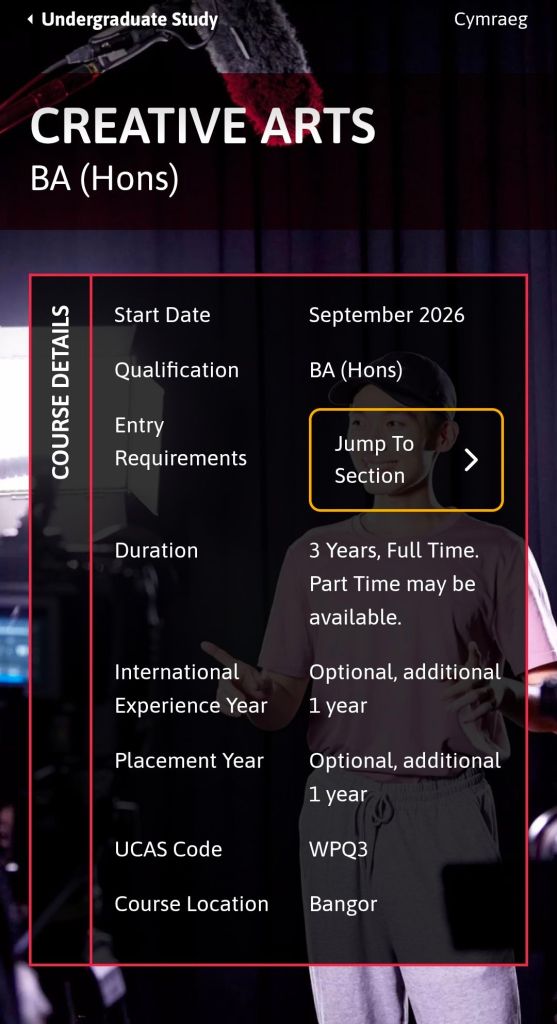
The Creative Arts BA (Hons) at Bangor University is a three-year, full-time course (UCAS code: WPQ3) that integrates film, media, journalism, and creative writing. It is designed to balance theoretical study with practical, hands-on production.
Creative Arts BA (Hons) at Bangor University is a full-time course that integrates film, media, journalism, and creative writing
Year 1: Foundations
In the first year, students must complete 120 credits to build a base in both creative practice and academic theory.
Compulsory Modules: A primary core module is Adventures in the Creative Arts (20 credits), which introduces multidisciplinary approaches to the field.
Core Skills: You will begin developing production techniques in areas such as audio and visual production, print journalism, and digital media.
Theoretical Grounding: Introductory modules cover film theory and cultural studies to enrich your research and analytical skills.
Year 2: Specialisation & Development
The second year allows for deeper engagement with specific creative industries.
Elective Choice: Students can tailor their studies to their interests, choosing between practice-based modules (e.g., screenwriting, documentary filmmaking, journalism practice) or academic-focused modules (e.g., media regulation, history of film).
Professional Engagement: You are encouraged to build professional networks through regular visits from filmmakers, journalists, and designers.
Optional Years: After Year 2, you may opt to take an International Experience Year or a Placement Year to work with a professional organisation.
Year 3: Synthesis & Final Project
The final year focuses on high-level production and a significant independent project.
Final Year Project: Instead of a traditional long-form essay, you can demonstrate your progress through creative outputs such as a fictionalised response, an online exhibition, a vlog, or a professional portfolio.
Advanced Practice: Modules continue to cover specialized topics like digital journalism, visual culture, and global media.
Professional Showcase: Students often participate in the annual media showcase held at the Pontio Arts and Innovation Centre, providing exposure for their work.
Teaching & Facilities
Learning Methods: Instruction is delivered through lectures, small seminar groups, interactive workshops, and one-to-one supervision.
Facilities: Students have access to industry-standard equipment via an extensive loan service (video/stills cameras, digital recorders) and dedicated creative spaces.
Assessment: Progress is measured via coursework, presentations, essays, and practical submissions (e.g., short films, scripts, or digital media pieces).
Creative Arts BA (Hons) at Bangor University is a full-time course that integrates film, media, journalism, and creative writing
Bangor University History Timeline by Era and Year
Bangor University (Welsh: Prifysgol Bangor) is a public research university in North Wales, originally founded as the University College of North Wales (UCNW) on 18 October 1884. Established through a historic public campaign, its foundation was uniquely funded by local quarrymen and farmers who contributed their own wages to ensure access to higher education for the people of North Wales.
Today, it is a prominent institution with over 10,000 students and 2,000 staff members, recognised for its research excellence and strong Welsh cultural identity.
Comprehensive Timeline of Bangor University
Era 1: Foundation & Early Years (1881–1899)
1881: The Aberdare Report recommends creating two university colleges in Wales, one for the south and one for the north.
1883: A committee selects Bangor over 12 other towns (including Wrexham and Rhyl) to host the new college.
1884 (18 October): The University College of North Wales officially opens in the Penrhyn Arms, an old coaching inn, with 58 students and 10 staff members.
1884: Mary Ellen Williams becomes the first student to enrol; female students notably make up one-third of the initial population.
1885: The institution receives its Royal Charter.
1893: Bangor becomes a founding constituent college of the federal University of Wales, ending its initial practice of conferring degrees through the University of London.
Era 2: The College on the Hill (1900–1939)
1903: The city of Bangor donates a 10-acre site at Penrallt for a new building.
1907: King Edward VII lays the foundation stone for the “Main Arts” building.
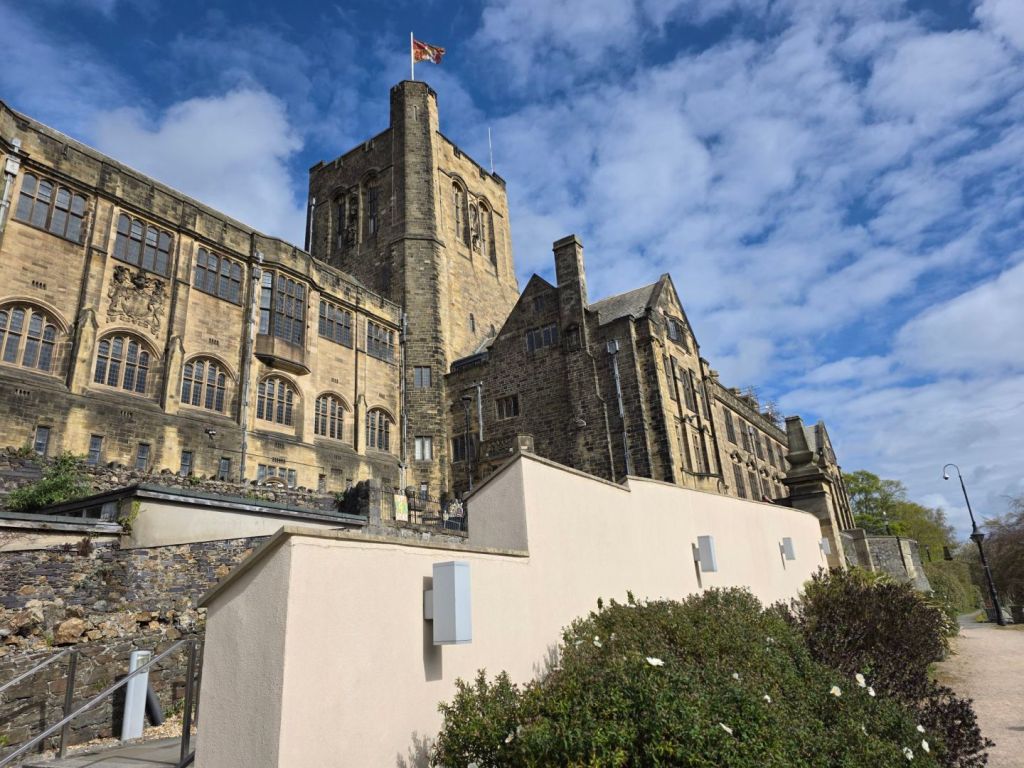
1911: The iconic Main Arts Building (the “College on the Hill”) is officially opened by King George V.
1926: The Science Departments, which had remained at the old Penrhyn Arms, move to new purpose-built facilities funded by the North Wales Heroes Memorial.
Era 3: Wartime & Mid-Century Expansion (1940–1999)
1940s (WWII): The university’s Prichard-Jones Hall is used to safeguard national art gallery paintings from enemy bombing.
1942: Neuadd Reichel, a hostel for male students designed by Percy Thomas, opens on the Ffriddoedd site.
1960s: Rapid expansion follows the Robbins Report, including the completion of the “New Arts” wing (1968) and the establishment of new departments like Social Theory (1966).
1967: The Bangor Normal College hosts lectures by the Maharishi Mahesh Yogi, attended by The Beatles.
1977: St Mary’s College, a women’s teacher training college, merges with the university.
1996: The Normal College (founded 1858) officially merges with the university, which is renamed University of Wales, Bangor.
Era 4: Independence & Modern Era (2000–Present)
2003: Storm FM, the official student radio station, begins broadcasting.
2007: The institution gains independent university status and adopts its current name, Bangor University.
2009: The university celebrates its 125th anniversary and begins awarding its own degrees independently of the University of Wales.
2015: The Pontio Arts and Innovation Centre and St Mary’s Student Village open.
2018: The M-SParc science park on Anglesey is completed.
2024: The university celebrates its 140th anniversary and opens its independent North Wales Medical School with its first intake of 80 students.
2025: A £10.5 million donation leads to the redevelopment and renaming of the Albert Guday Business School.
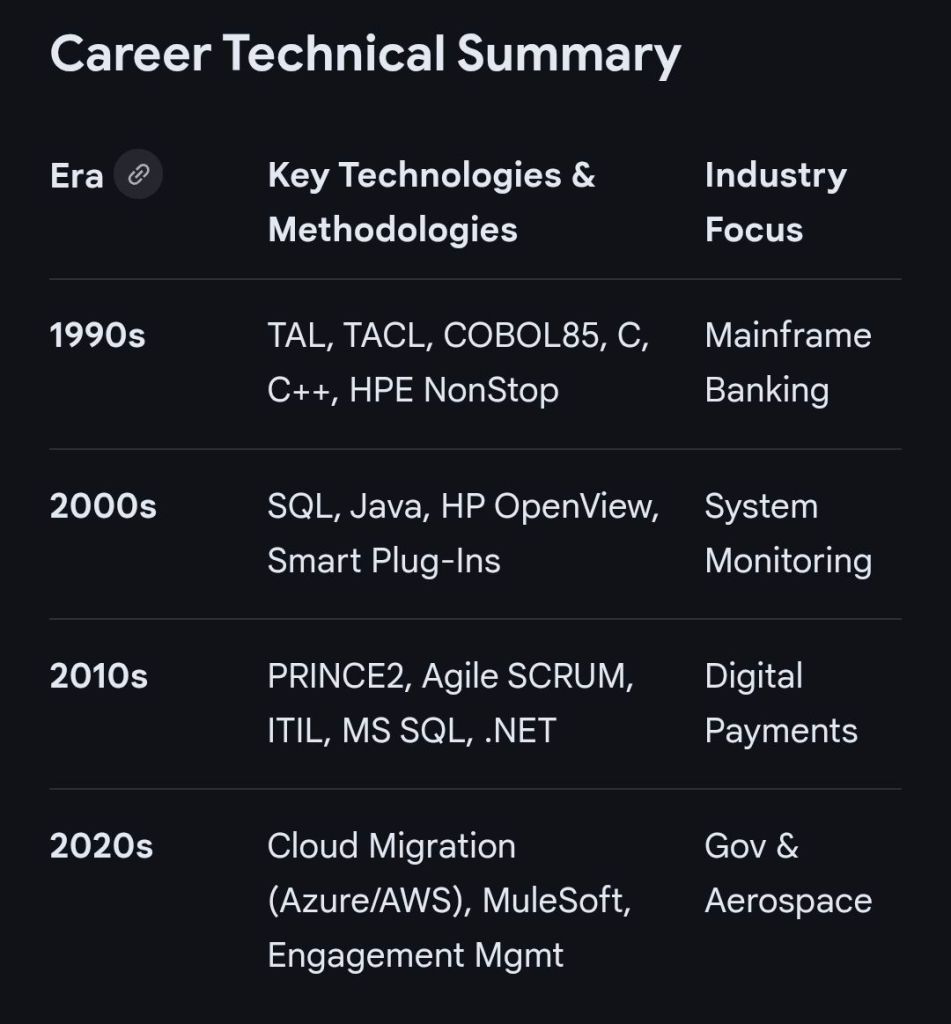
Mark Whitfield is a highly experienced IT professional with a career spanning over 30 years, transitioning from a technical programmer to a senior digital engagement and project manager. His expertise is rooted in HPE NonStop (Tandem) systems and has evolved to encompass complex Agile and Cloud delivery across diverse industries.
Early Technical Era (1990–1995)
Following his graduation in Computing in 1990, Whitfield began his career as a Programmer at The Software Partnership (later Deluxe Data).
Focus: Electronic banking software, specifically sp/ARCHITECT-BANK on Tandem Mainframe Computers.
Key Work: Developed code for major banks including TSB, Barclays, and Rabobank. This included early digital innovations like voice-driven phone banking and inter-account transfers before the internet was widespread.
Growth and Product Management Era (1995–2004)
Whitfield joined Insider Technologies Limited (ITL) in 1995 as a Senior Programmer.
Focus: Platform health and diagnostic software for HPE NonStop systems.
Key Projects:
Co-developed diagnostic plug-ins for the Reflex monitoring suite.
Managed the first HP OpenView Operations (OVO) Smart Plug-In certification for the NonStop platform in 2002.
Consulted for CRESTCo (Euroclear) in 1997, conducting benchmark testing on new S7000 nodes.
Strategic Leadership and Project Management Era (2005–2014)
During this decade, he transitioned into IT Project Management, focusing on high-value financial transaction tracking.
Focus: Waterfall and Agile project delivery for payment systems and banking infrastructure.
Key Milestones:
2011: Led a massive transaction tracking project at Al Rajhi Bank (Saudi Arabia), parsing terabytes of tape-archived data into a normalised SQL database.
2013–2014: At Wincor Nixdorf, managed a £5+ million project for Lloyds Banking Group to migrate ATM driving responsibilities from legacy systems to AIX-based Oracle technologies.
Senior Digital Engagement Era (2014–Present)
Since 2014, Whitfield has focused on senior-level digital transformation and engagement management.
Betfred (2014–2016): Served as Senior Digital Project Manager for online and mobile platforms (iOS/Android), managing fraud detection and payment gateway integrations.
Capgemini (2016–Present): Joined as an Engagement Manager (SC cleared).
Focus: Managing large-scale Agile and Waterfall digital projects across aerospace, defence, and government sectors.
Notable Projects: Leading a £13.5m programme to migrate 130 UK government applications to the cloud (AWS/Azure) and delivering real-time airspace monitoring apps for air traffic organisations.
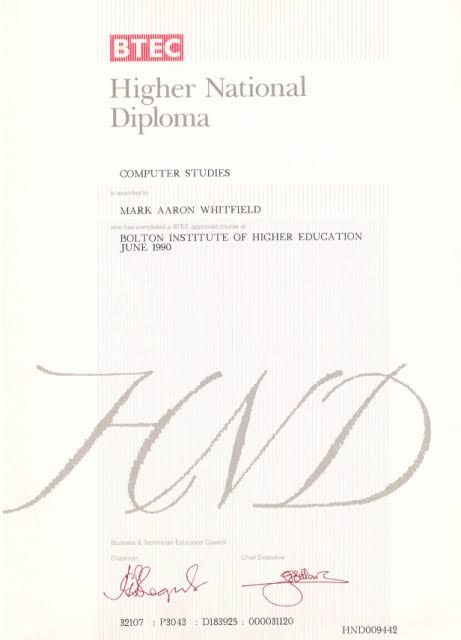
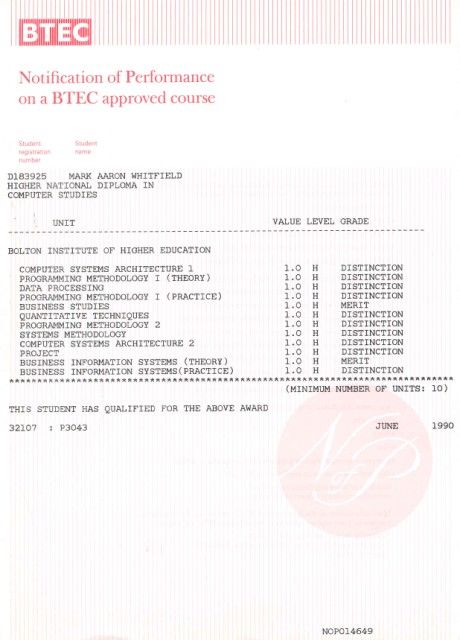
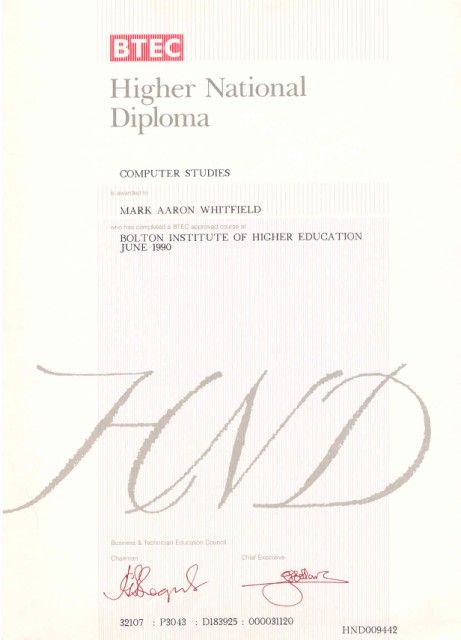
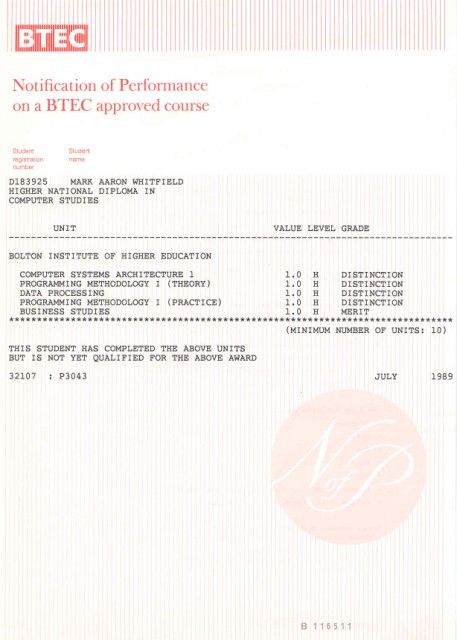
A Higher National Diploma (HND) is a Level 5 vocational qualification in the UK, equivalent to the first two years of a university bachelor’s degree. Designed to provide industry-specific practical skills, it typically takes two years of full-time study or three to four years part-time.
Higher National Diploma HND in Computer Studies (3)
Historical Timeline of the HND
The HND has evolved from a niche engineering credential into a globally recognised vocational standard.
The Early Era: Origins and Industrial Focus (1920s–1950s)
1920: The Higher National Diploma was first introduced in England and Wales alongside the Ordinary National Diploma (OND) and Higher National Certificate (HNC).
1921–1923: Initial subject frameworks were established, starting with Mechanical Engineering (1921) and Electrical Engineering (1923).
1930s: The qualification expanded into Building (1929) and Commerce (1939) to support a growing industrial economy.
Post-WWII: The 1944 Butler Act reorganised secondary education, but HNDs remained the primary route for advanced technical training in colleges.
The Expansion Era: Growth and New Governance (1960s–1970s)
1960s: HNDs gained prominence in polytechnics, addressing critical skills gaps through a practical approach to higher education.
1968–1969: Awards for HNDs saw a massive 665% increase compared to a decade prior, beginning to rival university “ordinary degrees” in popularity.
1972–1974: Under Margaret Thatcher (then Education Secretary), the Haselgrave Report recommendations led to moving qualifications from the City and Guilds to two new bodies: the Business Education Council (BEC) and the Technician Education Council (TEC).
The BTEC and Modernisation Era (1980s–2000s)
1983: BEC and TEC merged to form the Business and Technician Education Council (BTEC), which became the primary awarding body for HNDs.
1990s: BTEC merged with the University of London Examinations Board to form Edexcel (now part of Pearson).
1980s–90s: The curriculum diversified rapidly into modern sectors such as computing, business, catering, and performing arts.
2000s: Global expansion accelerated; for instance, the HND was formally introduced in Cameroon in 2002.
Higher National Diploma HND in Computer Studies (1)
The Contemporary Era: Frameworks and Global Standard (2010s–Present)
2013–2014: Despite a decline in public sector colleges due to the rise of Foundation Degrees, HND student numbers at private providers grew from 13,000 to 30,000 in just one year.
2018: Major global curriculum updates were implemented to integrate digital literacy, sustainability, and entrepreneurship into traditional vocational subjects.
Mark Whitfield is an experienced IT Project Manager and software developer who has spent over 22 years specialising in HP NonStop (formerly Tandem) systems. He is currently an Engagement Project Manager at Capgemini.
Career & Expertise
Whitfield’s career in HP NonStop began in 1990 and includes significant technical and leadership roles across the financial and technology sectors:
Software Development: Early in his career, he worked as a programmer for The Software Partnership (later Deluxe Data/FIS), focusing on electronic banking software like sp/ARCHITECT on Tandem mainframes.
Insider Technologies (1995–2013): He spent 18 years at Insider Technologies as a Senior Development Engineer and Project Manager. His work involved:
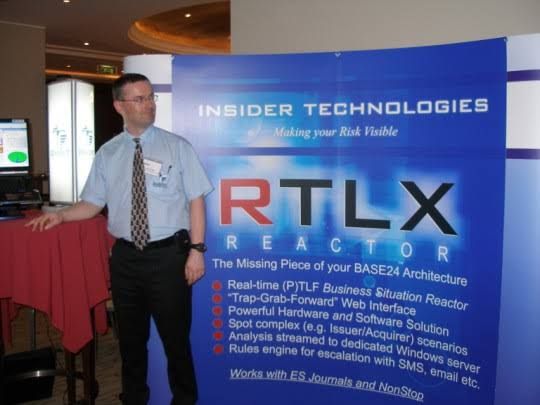
Developing monitoring and diagnostic software such as Reflex 80:20, Reflex ONE24, and RTLX (Real-Time Log Extraction) for payment systems.
Managing the first HP OpenView Operations Smart Plug-In certification for the NonStop platform.
Designing XPERT24, a performance tracking product for ACI’s XPNET layer.
Capgemini (2016–Present): As an Engagement Project Manager, he has led digital projects for major clients in the automotive, government, and aerospace sectors, including a cloud migration for UK Government applications.
Technical Contributions
Publications: He has authored articles for globally published journals like The Connection (2013), discussing topics such as querying terabytes of legacy transaction log data from NonStop mainframes.
Project History: He has managed high-value projects, including a £5 million initiative to migrate legacy HP NonStop software to AIX-based technologies for a large UK retail bank.
Training: He is trained in various NonStop-specific technologies, including TAL (Transaction Application Language), COBOL85, PATHWAY, and NonStop SQL.
Whitfield also maintains a professional website, mark-whitfield.com, where he provides project management templates and resources related to HP NonStop and Tandem systems.
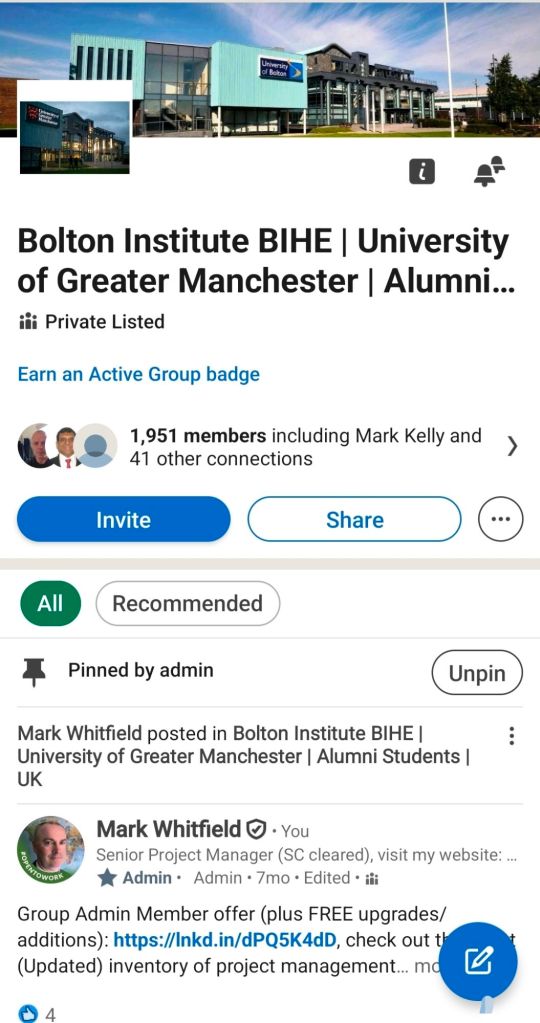
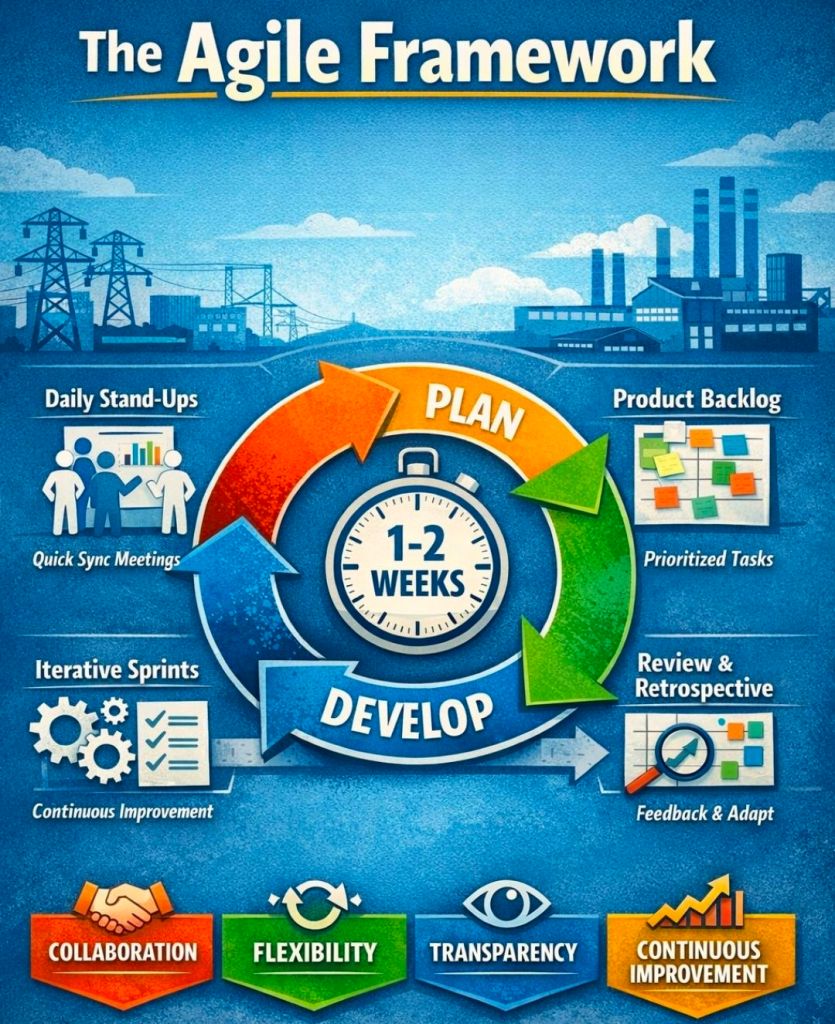
Mark Whitfield provides a comprehensive bundle of over 200 editable project management templates designed for Agile, Waterfall, and PRINCE2 methodologies. These templates are based on over 30 years of project delivery experience and are available for purchase via his official website or Etsy shop.
Key Template Categories
The bundle includes a wide variety of tools across different formats (Excel, PowerPoint, Word, and MS Project):
Planning & Scheduling:
Plan on a Page (POaP): Over 30 PowerPoint slide examples for executive-level summaries.
Detailed Project Plans: MS Project (MPP) and Excel templates for SDLC, PRINCE2 7th Edition, and Agile Scrum projects.
Gantt Charts: Built-in tracking views for both MS Project and Excel.
Tracking & Control:
RAID Logs: Comprehensive logs for tracking Risks, Actions, Issues, and Dependencies, plus additional tabs for Change Requests and Lessons Learned.
RACI Matrix: Templates to define project roles and responsibilities (Responsible, Accountable, Consulted, Informed).
Finance Trackers: Tools for internal and external forecast vs. actual costs, including margin and variance tracking.
Agile Specific Tools:
Burn Down & Burn Up Charts: Excel-based alternatives when tools like Jira are unavailable.
Agile Story Dependency Tracking: Specifically for managing dependencies between agile stories and external suppliers.
Reporting & Governance:
Status Reports: Weekly and monthly templates in Word and PowerPoint formats.
Stakeholder Analysis: Power/interest mapping and engagement plan templates.
Benefits Realisation: Plans to track project outcomes against initial business goals.
Purchase Benefits
Lifetime Upgrades: Once purchased, all future additions and updates to the template package are provided for free.
Compatibility: Templates are designed for Microsoft Office 365 but also include Excel versions compatible with earlier software.
Support: The package typically includes walkthrough Word documents to guide users on how to use each major template.
Mark Whitfield HP NonStop Tandem experience & Project Management Templates
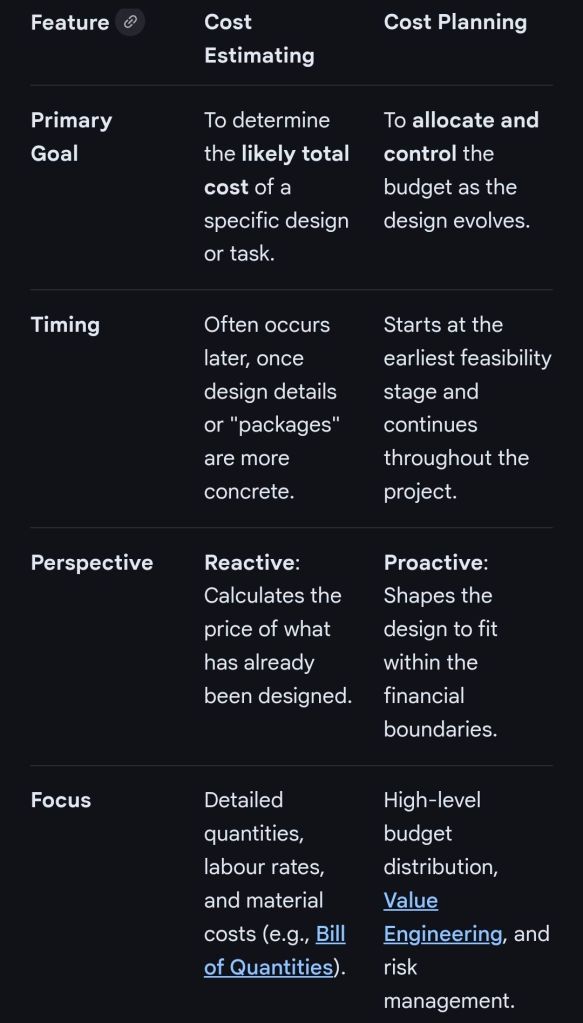
In professional project management and construction, cost estimating and cost planning are complementary processes that occur at different stages to ensure a project remains financially viable.
1. Cost Estimating: “What will it cost?”
Cost estimating is a technical assessment used to predict the expenditures for a project.
Early Stages: Estimates might be “rough orders of magnitude” based on square footage or historical data (e.g., cost per hotel room).
Later Stages: Estimates become precise “tender figures” used by contractors to bid on work, factoring in current market rates for labour and materials.
Function: It answers the question: “Is this specific plan affordable?”.
2. Cost Planning: “How do we stay on budget?”
Cost planning is a strategic framework that manages a project’s financial health from start to finish.
Iterative Process: It is a “living document” that is updated as the project moves from concept to detailed design.
Allocation: It breaks down the total budget into “elemental” targets (e.g., spending £X on the foundation and £Y on finishes).
Control: If an estimate for one part of the project exceeds its target, the cost plan guides the team to adjust the design or find savings elsewhere to keep the overall project on track.
Standard Professional Guidance
The Royal Institution of Chartered Surveyors (RICS) provides the New Rules of Measurement (NRM 1), which standardises how these processes work together:
Order of Cost Estimate: Establishing the initial viability of a project.
Elemental Cost Plan: Breaking the estimate down into functional parts.
Cost Checking: Continually comparing design changes against the cost plan to prevent overspending.