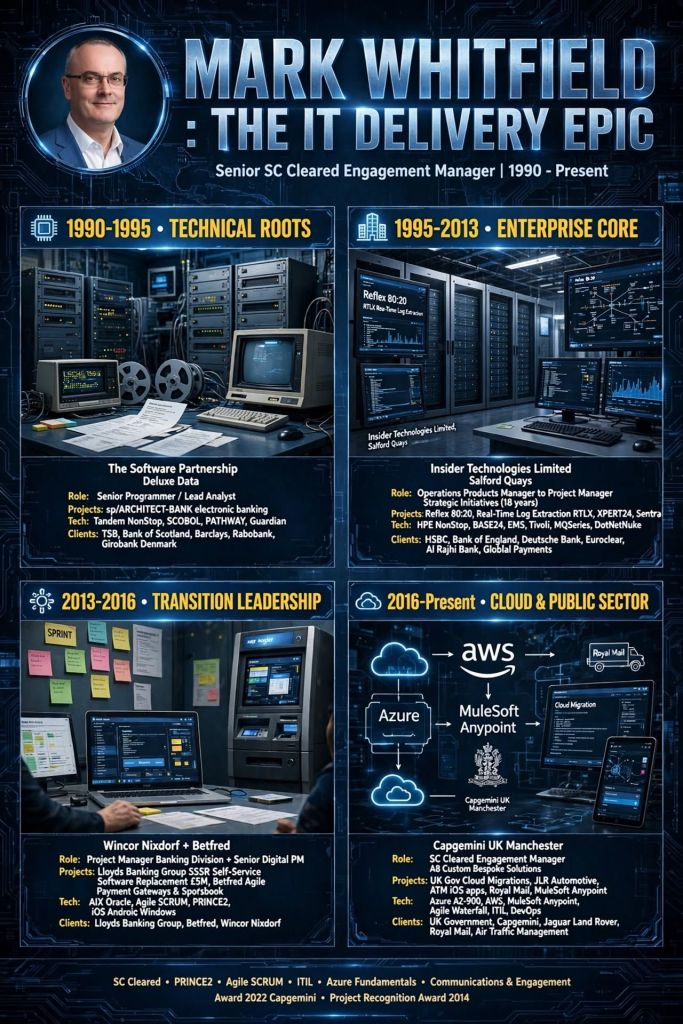
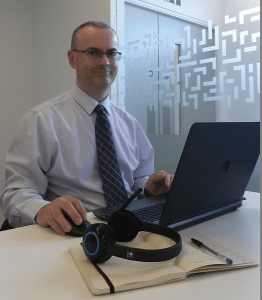
Mark Whitfield’s IT project management and software engineering career spans over three decades, progressing from early electronic banking programming on Tandem Mainframes (now known as HPE NonStop) to senior delivery of enterprise-scale middleware, cloud, and digital transformation initiatives.
Mark Whitfield | Career Summary Timeline from Mainframes to Cloud
The high-level chronological timeline (with links) of his professional eras and key project history is broken down below.
💻 1990–1995: Early Programming & Lead Analysis Era
During this foundational era, Whitfield operated as a Programmer and Lead Analyst specializing in core electronic banking software frameworks.
The Software Partnership / Deluxe Data (1990–1995): Developed and enhanced the sp/ARCHITECT-BANK platform. His technical responsibilities focused heavily on coding within Tandem Mainframe environments (now HPE NonStop) using C, C++, TAL, COBOL, and PATHWAY architectures.
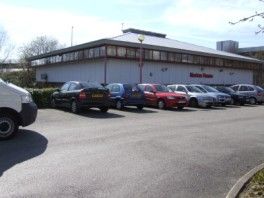
Deluxe Data International Operations, Wingate House, Northway, Runcorn
Barclays On-Site Delivery (Early 1990s): Deployed on-site at the Barclays facility in Knutsford, Cheshire. He was responsible for core code development and system architecture design on the Barclays Business Master II (BBM II) electronic banking initiative and subsequent billing modules developed in Poole, Dorset.
Barclays, Wimborne Road, Poole, Dorset
🛠️ 1995–2013: Senior Development & Strategic Project Management Era
Transitioning to Insider Technologies Limited at Salford Quays, Manchester, Whitfield progressed into high-level technical project delivery and strategic product management.
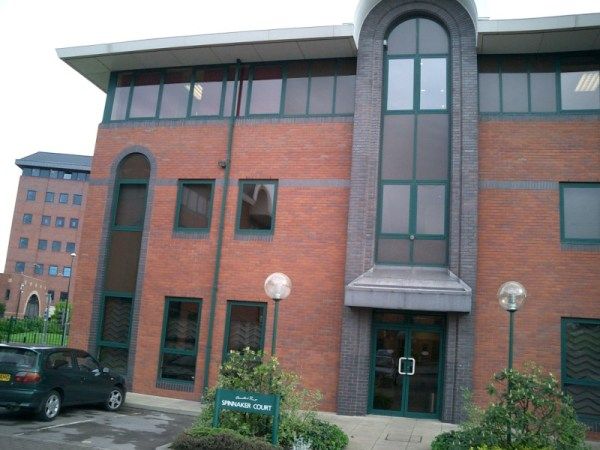
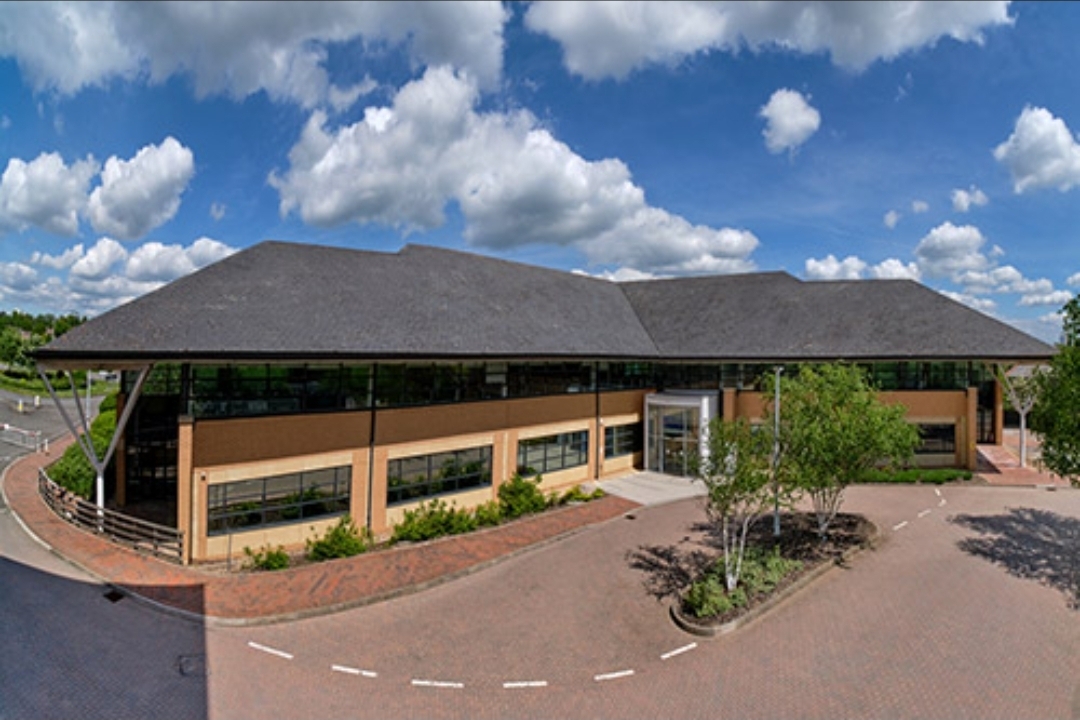
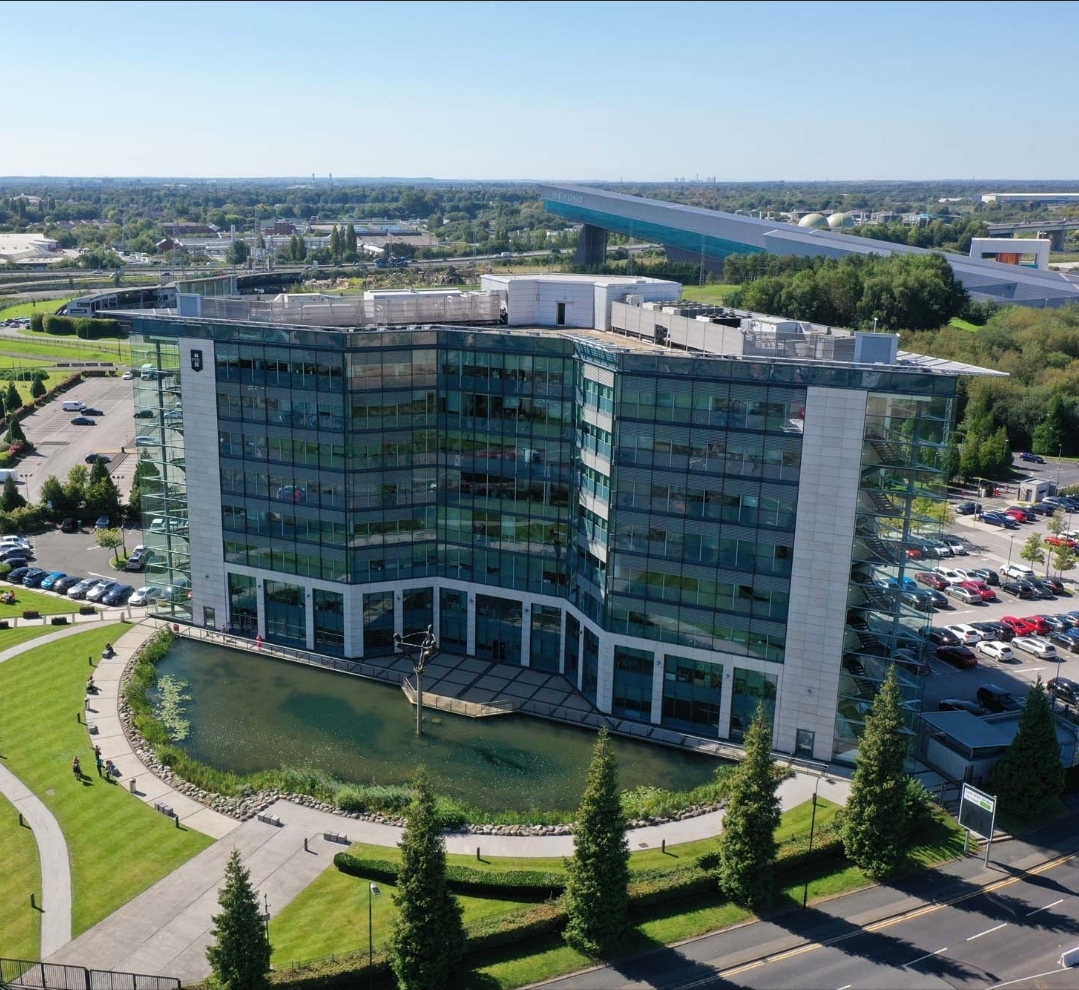
Insider Technologies Limited (ITL) in 2001, Salford Quays, Chandlers Point
Reflex Monitoring Suite R&D (1995–1996): Appointed as a core developer to design platform health and diagnostic plug-in modules for the flagship Reflex 80:20 tracking console.
CRESTCo Infrastructure Integration (1997–1998): Acted as a technical infrastructure consultant for CRESTCo (now Euroclear). Managed hardware benchmark coding and testing for newly deployed Tandem S7000 processing nodes.
CRESTCo in 1997 on St. Katherine’s Dock near Tower Hill tube station
Real-Time Tracking Protocols (1999–2001): Oversaw multi-organizational telemetry deployments for the Bank of England and Deutsche Bank, leveraging specialized MultiBatch scheduling utilities and automated file monitors.
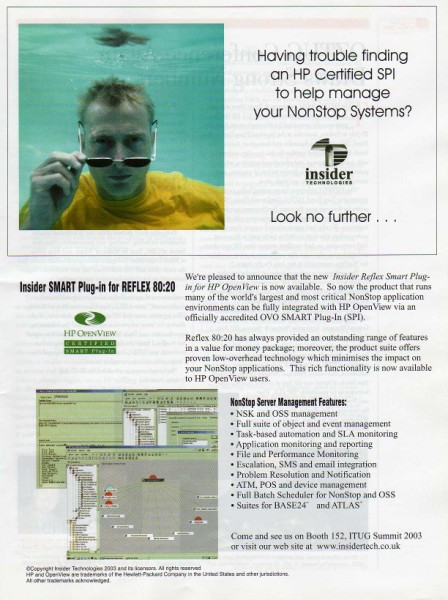
Hewlett-Packard (HP) Certification Initiative (2002–2003): Successfully drove the rigid compliance and verification process to secure official certification for the first HP OpenView Operations (OVO) Smart Plug-In built for NonStop mainframe environments.
First HP OpenView Operations Smart Plug-In for HPE NonStop environments
ATM Log Extraction Deployments (2004–2007): Led technical delivery teams implementing automated transaction log extraction layers (RTLX and Sentra) to audit ATM networks for major retail financial brands like Alliance & Leicester (now Santander) and HSBC.
Cross-Border Retail Banking Rollout (2008–2010): Served as Project Manager overseeing a high-volume, cross-border ATM and Point-of-Sale (POS) environment monitoring expansion for a prominent Saudi Arabian Retail Bank.
Cross-border ATM and Point-of-Sale (POS) environment monitoring expansion
Enterprise Transaction Monitoring (2011–2013): Functioned as Project Lead to bridge retail banking transaction networks with corporate governance architectures. Integrated critical pathways for Standard Chartered and Global Payments into TIVOLI and XPERT24 using ACI’s XPNET infrastructure.
Wincor Nixdorf Banking Division (2013–2014): Retained as Project Manager for Professional Services. He directed a massive hardware and software transition stream for Lloyds Banking Group’s Self-Service Software Replacement (SSSR) programme whilst also providing a qualified management link with Wincor Nixdorf, Paderborn (Germany) for subject matter expertise, as part of the transition.
🎮 2014–2016: Digital Infrastructure & Enterprise Betting Era
Whitfield shifted his delivery domain focus from banking mainframes into real-time high-transaction digital platforms.
Betfred Project Delivery (2014–2016): Managed IT infrastructure and digital systems alignment projects, supporting high-throughput retail and digital consumer gaming workflows.
☁️ 2016–Present: Cloud Integration, Middleware, & Public Sector Era
In this current era, Whitfield acts as a senior, SC-cleared Senior IT Project Manager specializing in hybrid cloud migrations and API-led integration.
Capgemini UK Consultancy (2016–Present): Leading massive corporate and public sector agile/waterfall delivery initiatives. His technical program management footprint expands across a vast roster of tier-one enterprise environments:
MuleSoft Ecosystem Deployments: Directing system integration projects utilising the Salesforce MuleSoft suite, spanning API lifecycle design, Anypoint Code Builder configurations, and hyper-automation flows.
Multi-Sector Enterprise Clients: Orchestrating cloud migrations, middleware application refactoring, and data pipelines for Jaguar Land Rover (JLR), Heathrow Airport, Royal Mail Group (RMG), NATS (National Air Traffic Services), Welsh Water, Rabobank, Barclays, and UK Export Finance (UKEF).
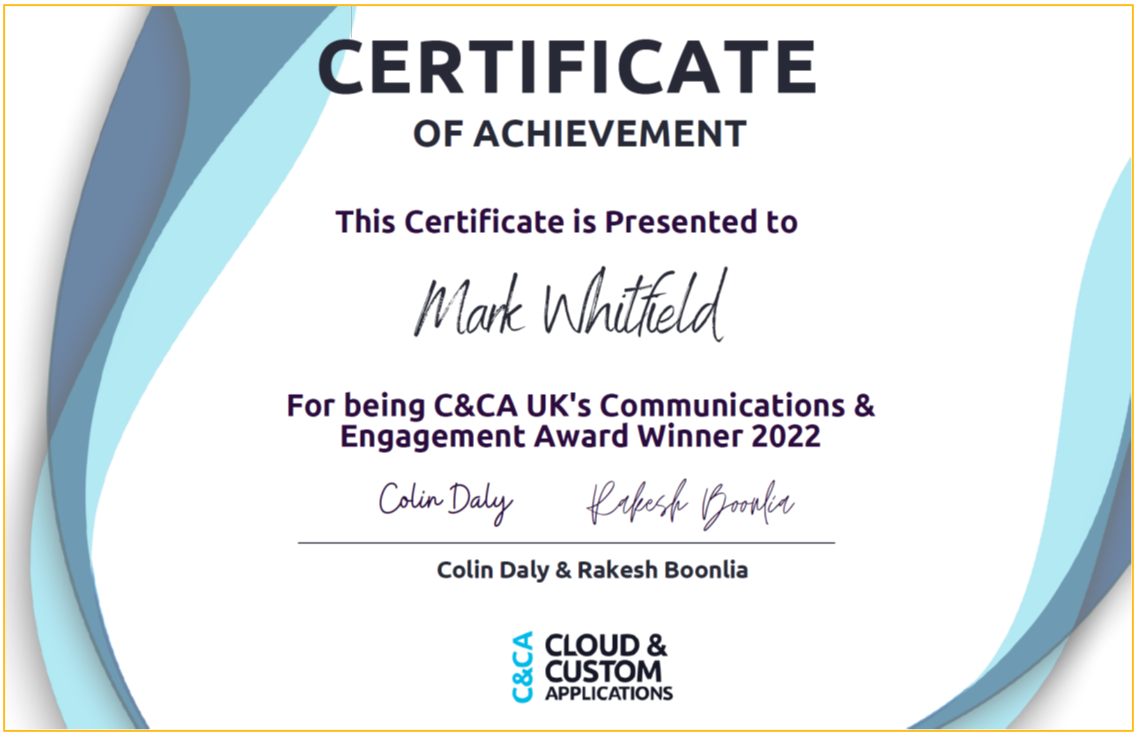
C&CA UK’s Communications & Engagement Award Winner 2022 – Cloud & Custom Applications – Capgemini UK
HP OpenView Operations (OVO) is a foundational enterprise systems management (ESM) platform designed to centrally monitor and manage infrastructure, multi-vendor operating systems, and enterprise applications across distributed IT environments.
The system operates on an Agent-Server Architecture. Core components include:
Management Server: Central hub that aggregates system logs, processes alerts, correlates events, and triggers automated remediation scripts.
Smart Plug-ins (SPIs): Specialized modular add-ons that inject domain-specific monitoring logic for applications like Oracle databases, Microsoft Active Directory, or SAP.
Intelligent Agents: Lightweight background processes deployed on managed nodes to collect log events, metrics, and state data, formatting them into structured OVO messages.
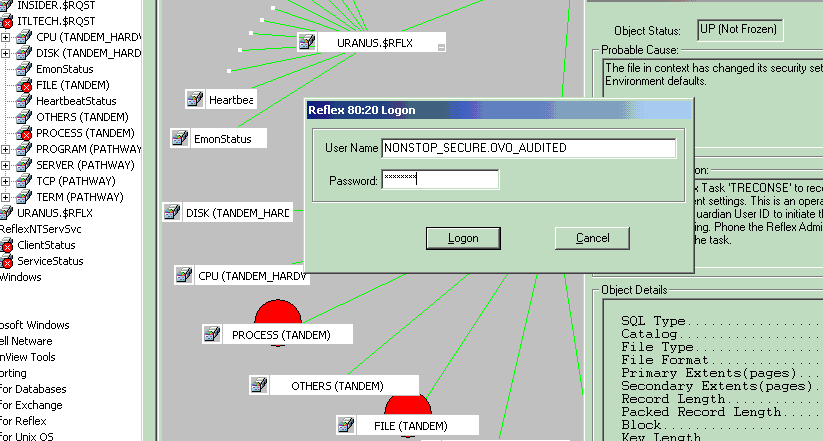
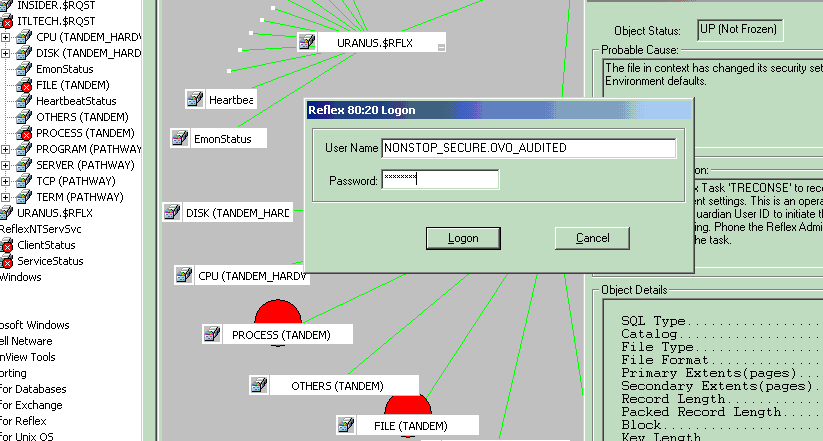
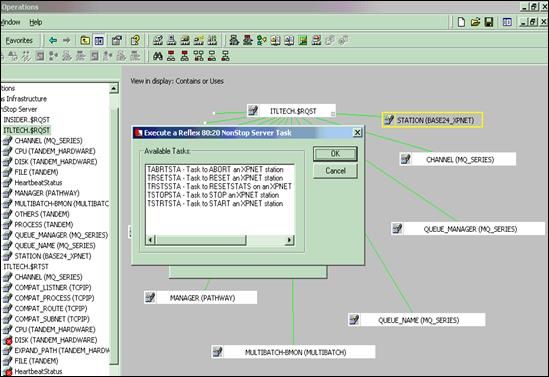
1. HP OVO screenshot in 2002
2. HP OVO screenshot in 2002
See bottom of this post for HPE NonStop (previously Tandem) monitoring in OpenText Operations Bridge Manager. I overlooked an integration with HP OpenView Operations for a HPE NonStop product in 2002, called Reflex 80:20.
Detailed Timeline Breakdown by Era and Year
🌅 Era 1: Origins and The Foundation (Late 1980s – 1994)
This era established HP’s footprints in IT infrastructure management, pivoting from pure SNMP network map discovery toward server telemetry.
Late 1980s: HP releases Operations Center (OpC) as an add-on application for its core Network Node Manager (NNM) platform. It replaces slow SNMP polling with Remote Procedure Calls (RPC) to gather host logs.
1990–1993: HP scales OpC into a robust engine capable of executing basic automation scripts on remote UNIX boxes when specific thresholds break.
🚀 Era 2: The “ITO” and OpenView Operations Boom (1995 – 2000)
The framework shifted from isolated utilities into an integrated, market-dominating enterprise suite.
1995: HP tightly merges NNM and Operations Center into a single product called IT Operations (ITO) Version 3.x.
1996:HP OpenView Service Navigator is embedded into the product line. It provides a graphical hierarchy of business services instead of just a raw list of broken servers.
1999: The suite formally adapts to include broad SNMP traps alongside its core agents and is renamed HP OpenView Operations ITO.
🔄 Era 3: Platform Split and VantagePoint Transition (2001 – 2006)
HP decoupled its codebases to natively handle Windows NT/2000 scaling alongside legacy Unix environments while heavily investing in product renaming.
2001: HP briefy rebrands the suite to HP VantagePoint Operations (VPO). However, customer brand loyalty forces them to quickly pivot back to the popular HP OpenView Operations (OVO) naming convention.
2002: Codebases officially bifurcate into OVOU (OpenView Operations for Unix) and OVOW (OpenView Operations for Windows, built natively on Microsoft WMI frameworks).
2005:OVO Version 8.0 drops. It features heavy integration capabilities for external service desks, advanced HTTP/HTTPS agent communication protocols, and a refreshed Java GUI console.
🏢 Era 4: The Business Technology Optimization (BTO) Era (2007 – 2016)
Massive corporate acquisitions changed the software landscape. OVO ceased to be a standalone system monitoring tool and transformed into an automated operations center.
2007: HP drops the legendary “OpenView” moniker. Following the acquisitions of Mercury Interactive, Peregrine, and Opsware, the suite is rebranded as HP Operations Manager (HPOM) under the HP Business Technology Optimization (BTO) banner.
2009: HP rolls out Operations Manager i (OMi), integrating topology-based event correlation (TBEC) to suppress duplicate alert storms across the data center.
2015: Hewlett-Packard splits into two companies; the portfolio lands under Hewlett Packard Enterprise (HPE). The engine is bundled into the HPE Operations Bridge (OpsBridge) suite.
☁️ Era 5: Divestiture and Modern Legacy (2017 – Present)
2017: HPE spins off its enterprise software division. The entire legacy OpenView/Operations Manager portfolio is sold to Micro Focus.
2023:OpenText completes its acquisition of Micro Focus. The underlying technical heritage of the old OVO agents survives today, evolved into cloud-ready containerized architectures inside the modern OpenText Operations Bridge cloud monitoring portfolio.
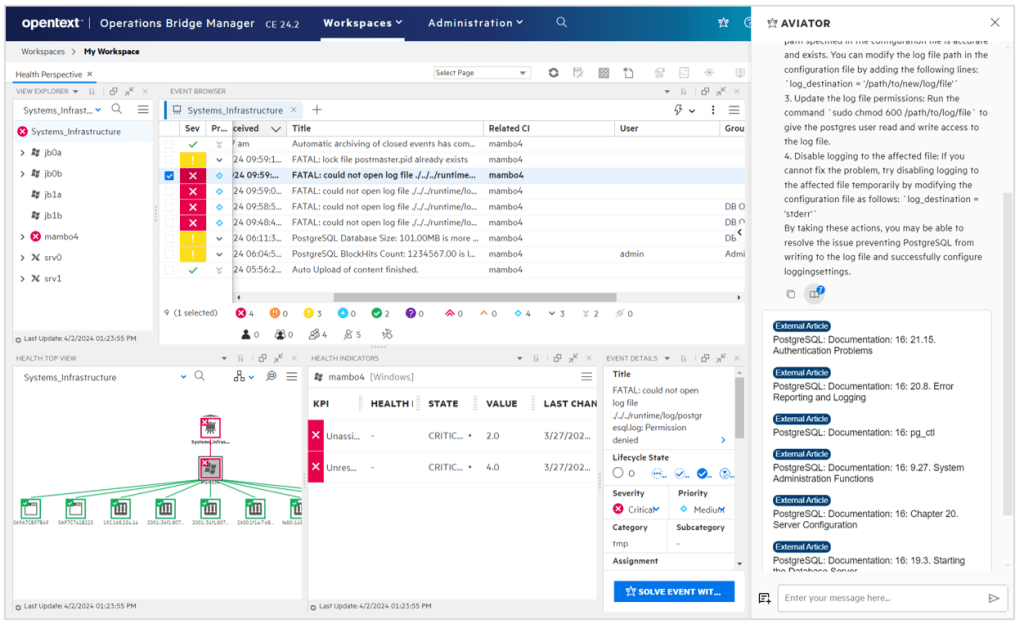
OpenText Operations Bridge Manager Screenshot example
HPE NonStop (previously Tandem) Monitoring
Micro Focus Operations Bridge (now part of OpenText AI Operations Management) provides end-to-end IT monitoring by consolidating data from over 200 sources. For HPE NonStop, it utilizes specialized Management Packs to ingest metrics, system events, and health data for comprehensive, real-time hybrid IT analysis.
To monitor HPE NonStop servers using the modern OpenText Operations Bridge/AIOps platform, the setup revolves around the Operations Bridge Manager (OBM) and targeted management packs:
Management Packs for HPE NonStop: OpenText provides specific management packs and solutions designed for NonStop systems. These capture system health, CPU/disk metrics, pathway status, and system messages.
Operations Agent: A lightweight agent is deployed directly on the NonStop nodes, which securely streams local performance data and events back to the central OBM console.
Centralized Event Consolidation: OBM acts as a “manager of managers”. It ingests the NonStop events and correlates them alongside data from your cloud (AWS/Azure), containers, and network endpoints.
AIOps and Remediation: The platform utilizes built-in machine learning to reduce alert noise and accelerate root cause analysis. You can also use automated Runbooks to automatically remediate known issues on the NonStop platform.
Because the platform has been fully integrated into the OpenText portfolio, these integrations are supported across containerized deployments, on-premise, or SaaS models.
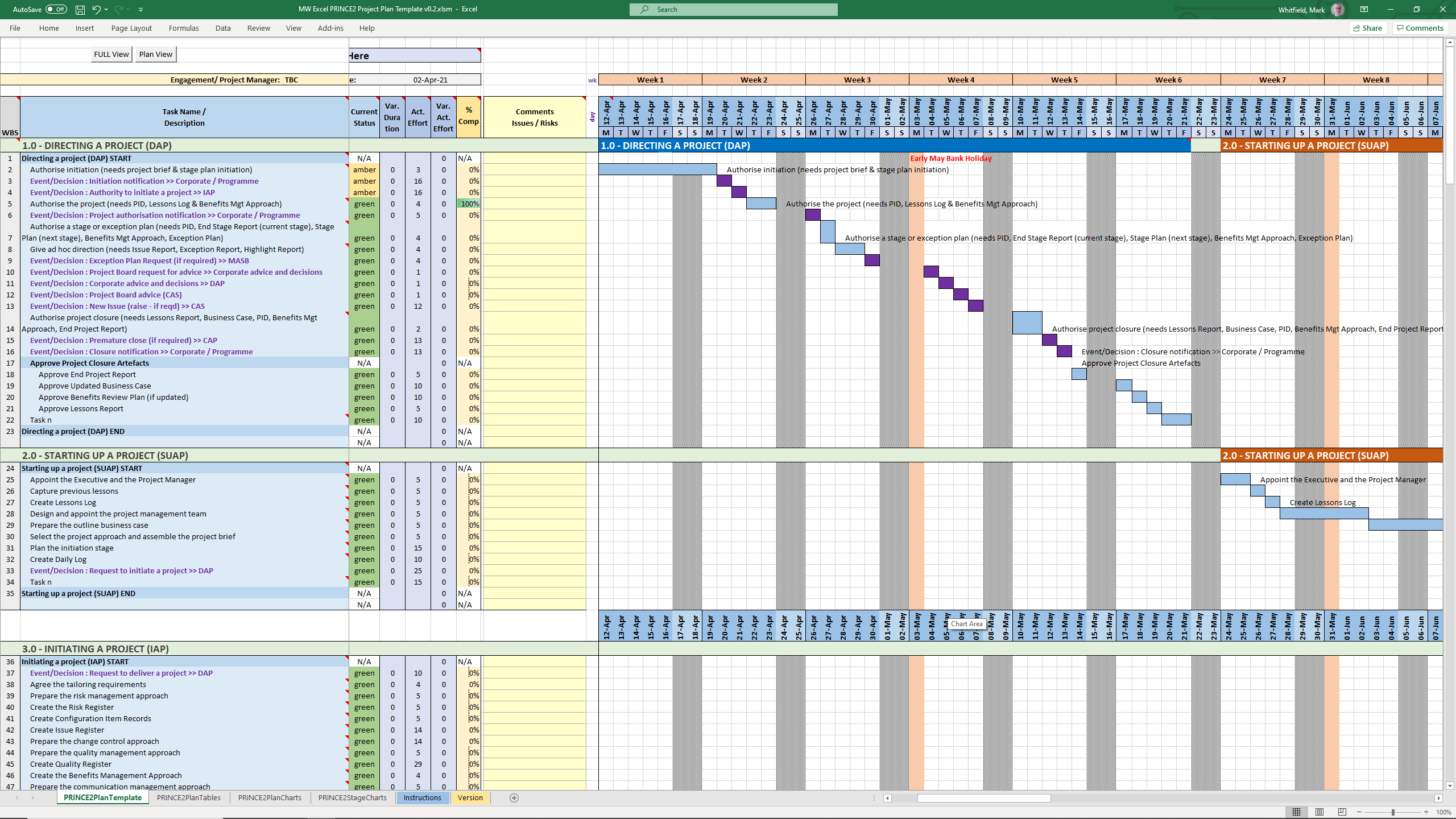
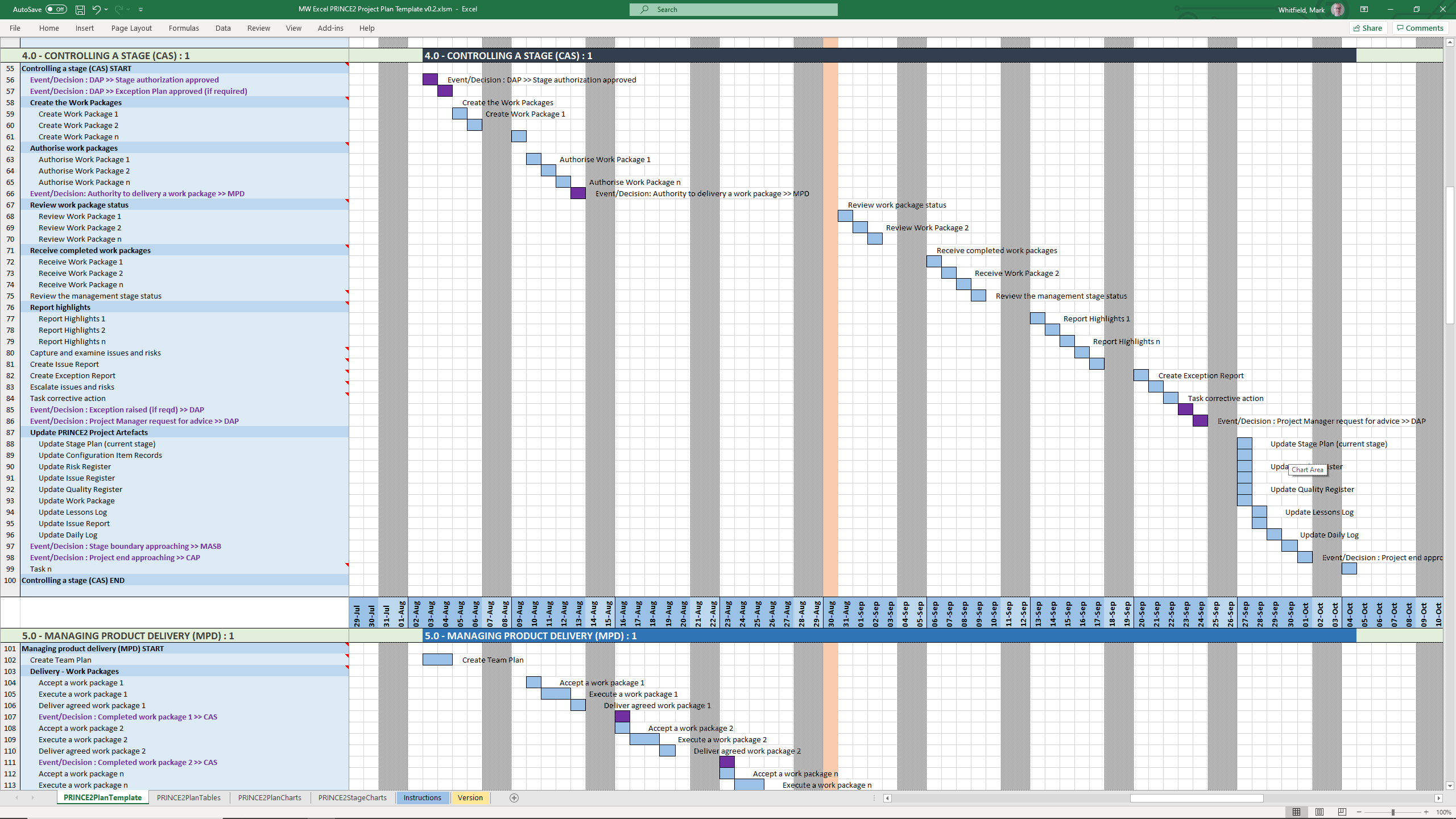
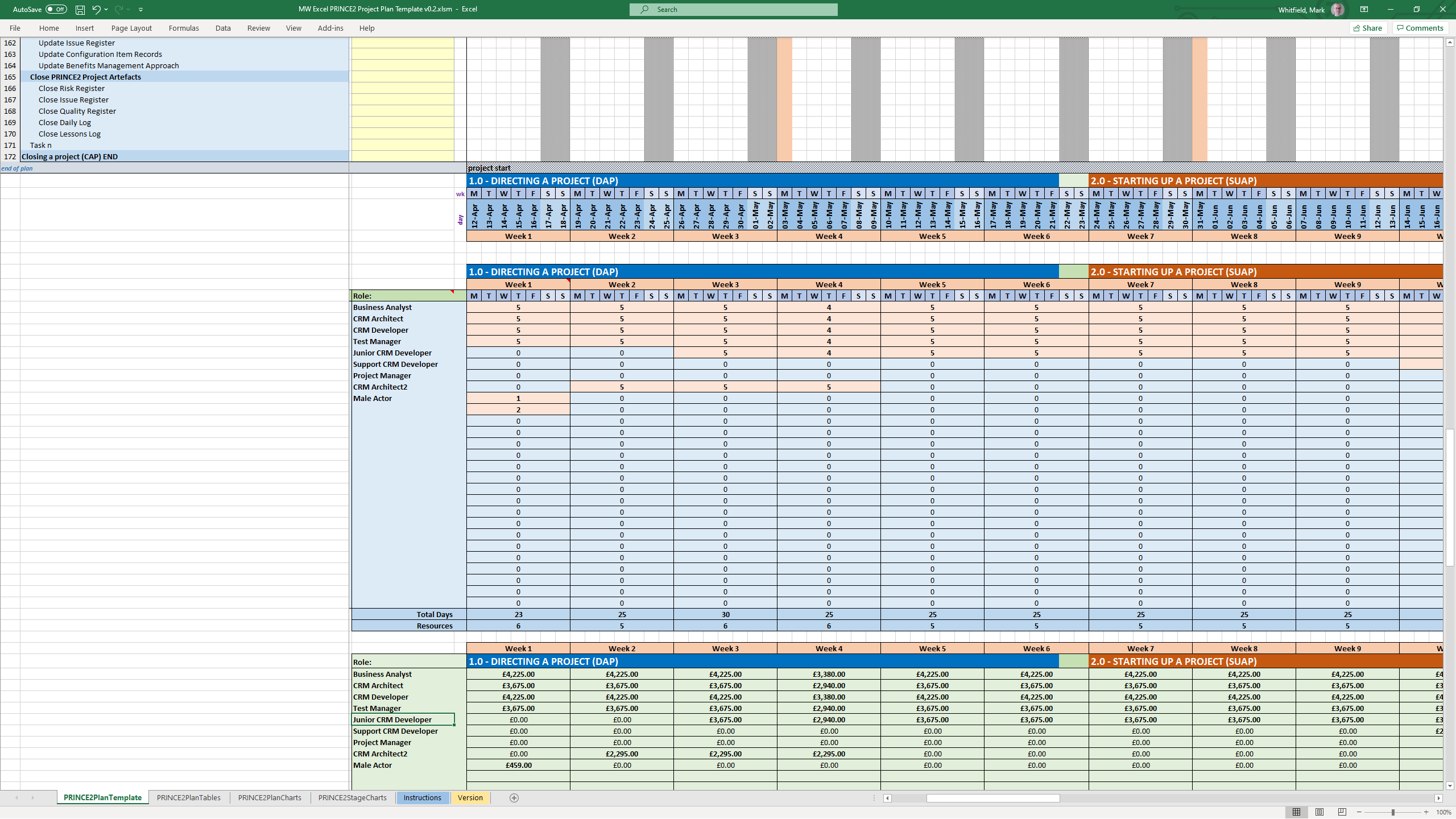
You can find downloadable PRINCE2 project templates in Excel (.xls/.xlsm) and Microsoft Project (.mpp) formats across several specialized platforms. Because PRINCE2 is a highly structured methodology, standard templates usually map its specific processes (like Starting Up, Initiating, and Controlling a Stage) directly onto Gantt charts and tracking sheets.
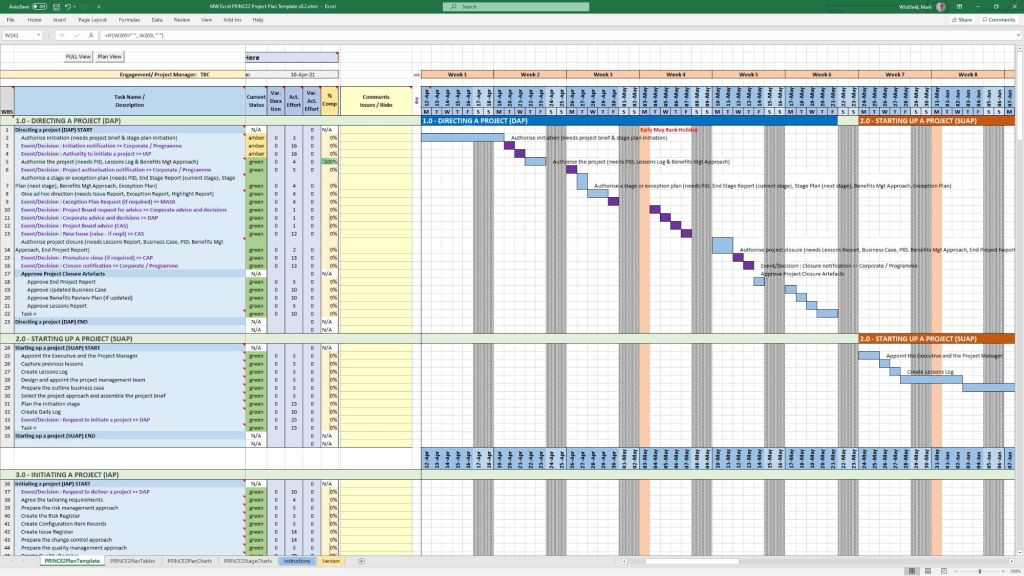
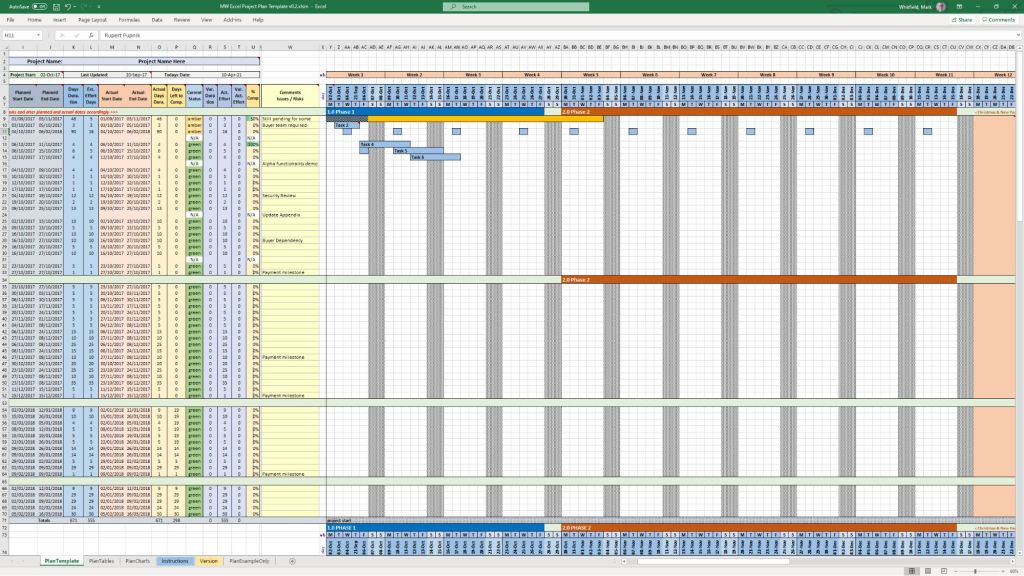
PRINCE2 MS Excel .xls plan in a spreadsheet
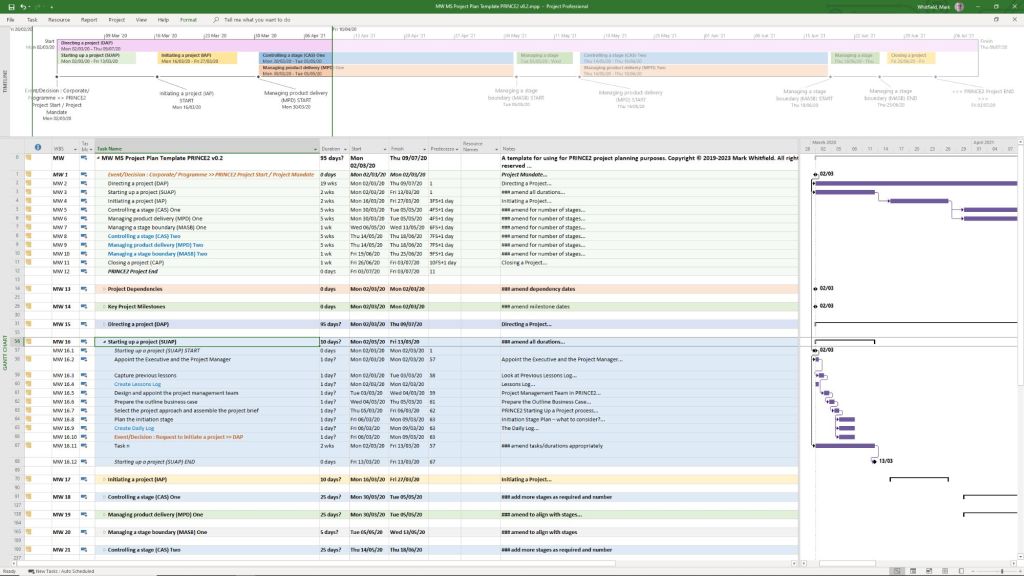
PRINCE2 MS Project .mpp plan in a project file
The primary download options, ranging from premium practitioner bundles to free resource packages, are categorized below:
Comprehensive Premium Bundles (MPP & XLS)
If you require a fully integrated toolkit built specifically for the official PRINCE2 framework, individual project management practitioners offer comprehensive marketplace downloads:
Mark Whitfield PM Templates: Offers a dedicated seventh edition package including MW MS Project Plan Template PRINCE2 v0.2.mpp alongside its exact equivalent spreadsheet MW Excel PRINCE2 Project Plan Template v0.2.xlsm. You can download this Prince2 toolkit package plus others, on the Mark Whitfield Official Site or through the Mark Whitfield Etsy UK Shop.
Flevy Marketplace: Provides highly structured, professional enterprise files. You can purchase and download the PRINCE2 Templates + Microsoft Project MPP & MS Excel Document directly from their platform, which packs the MPP tracking timelines and XLSM / XLS sheets together.
PRINCE2 project templates, Excel (.xls/.xlsm) & MS Project (.mpp) formats
Microsoft Excel XLS PRINCE2 spreadsheet screenshots
Microsoft Excel XLS PRINCE Project Plan with Task Descriptions
Microsoft Excel XLS PRINCE Project Plan with Gantt View 1
Microsoft Excel XLS PRINCE Project Plan with Gantt View 2
Microsoft Excel XLS PRINCE Project Plan with Gantt View 3
Microsoft Excel XLS PRINCE Project Plan with Delivery Costings
Microsoft Excel XLS PRINCE Project Plan with Charts
Microsoft Excel XLS PRINCE Project Plan with PRINCE2 Stage Charts
Standard Artifacts Included in Download Packages
When downloading a comprehensive .zip toolkit, the package typically contains the core structural elements of the framework divided across your scheduling software:
MS Project (.mpp): A pre-constructed Prince2 waterfall delivery layout mapped with the 7 key PRINCE2 stages, built-in dependency workflows, milestone gates, and methodological prompts embedded in the task notes.
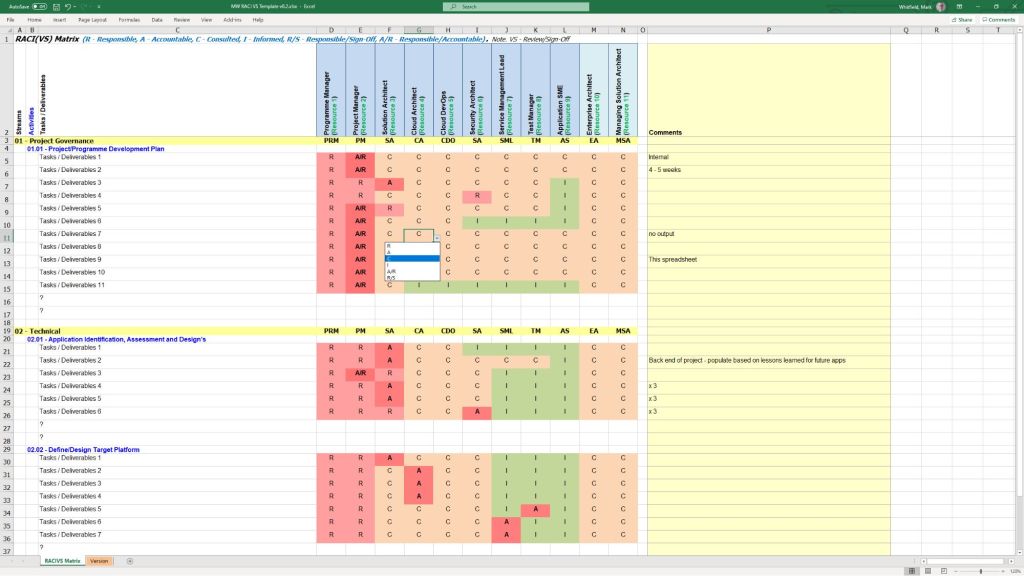
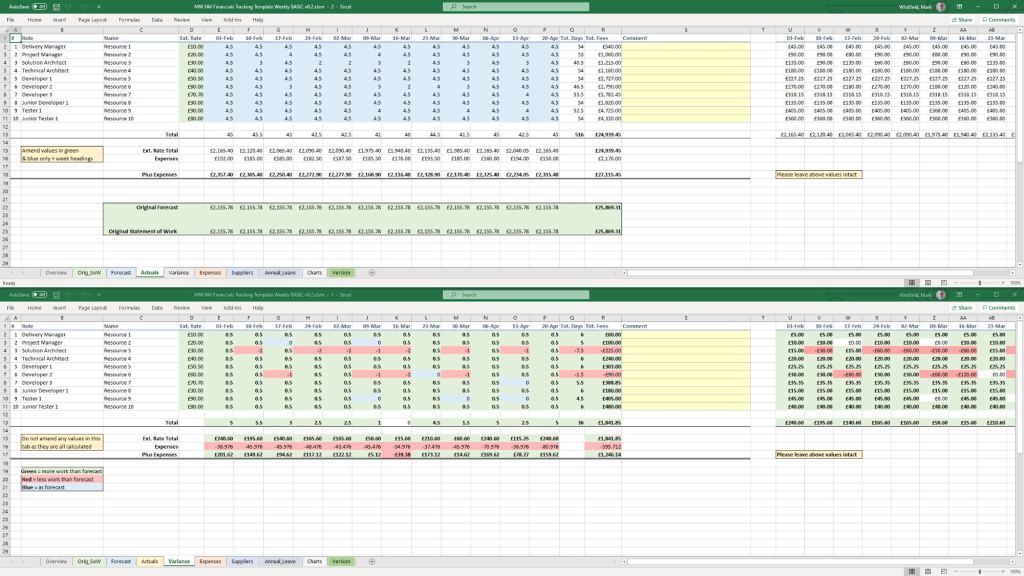
MS Excel (.xls/.xlsm): Mirrored project planning sheets (with costing) utilizing native formulas to auto-populate Gantt charts, alongside targeted operational spreadsheets like RAID logs (Risks, Assumptions, Issues, Dependencies), RACI matrix charts, resource trackers, and project budget tools.
Legacy enterprise managers (often spanning IT Service Management, Network Node Management, and Event Correlation) defined enterprise IT in the 1980s, 1990s, and 2000s. The following are major, pioneering platforms, their primary functions, and their eventual modern replacements:
Legacy IT Operations Management (ITOM)
HP OpenView: A flagship suite that included Network Node Manager (NNM) for topology mapping and Operations Manager (formerly OVO) for centralized event and alert monitoring across Unix, Windows, and mainframes. I overlooked the integration of the HP NonStop product Reflex 80:20 with HP OpenView.
Modern equivalent: Evolved into Micro Focus Operations Bridge, later absorbed by OpenText.
IBM Tivoli: A massive suite born from the acquisition of Candle and Tivoli Systems. The core components included Tivoli Enterprise Console (TEC) for event correlation and Tivoli Netcool/OMNIbus for real-time network and service monitoring. I overlooked the integration of the HP NonStop product Reflex 80:20 with IBM Tivoli.
Modern equivalent: Evolved into IBM Cloud Pak for Watson AIOps.
BMC Patrol: One of the premier tools for deep system, application, and database monitoring (often known for its KM – Knowledge Module – architecture).
Modern equivalent:BMC TrueSight Operations Management and BMC Helix.
CA Unicenter: A comprehensive, all-in-one mainframe and distributed systems management tool for job scheduling, asset management, and event monitoring.
Modern equivalent: Rebranded under Broadcom, largely integrated into their enterprise software division.
Sun Microsystems SunNet Manager / Solstice Enterprise Manager: Early pioneers in Unix-based network management and remote system administration.
Modern equivalent: Discontinued; mostly absorbed by Oracle Enterprise Manager.
Enterprise Event Correlation & Command Centers
Command/Post (Boole & Babbage): One of the earliest automated event correlation engines designed for mainframes, which later expanded into distributed environments. Acquired by BMC.
Micromuse Netcool: Famous for its ultra-fast, rules-based Omnibus, capable of ingesting vast amounts of SNMP traps and Syslog messages across telecommunications and large enterprise networks. Acquired by IBM.
Network and Performance Managers
HP OpenView Performance/SysView: Tools specifically built for historical performance charting, OS native monitoring, and deep metric extraction.
Novell NMS (NetWare Management System): The standard for managing legacy Novell NetWare servers and IPX/SPX network topologies.
Most of these tools were displaced by modern APM (Application Performance Monitoring) and AIOps (Artificial Intelligence for IT Operations) platforms that feature cloud-native architectures, distributed tracing, and out-of-the-box integrations. Common replacements include:
Datadog
Dynatrace
Splunk / Splunk IT Service Intelligence
LogicMonitor
ScienceLogic
HP OpenView Operations
HP OpenView Operations Enterprise Managerintegrationwith Reflex 80:20
First HP NonStop 2-way Smart Plug-In (SPI) for HP OVO
Requested to research and produce a design for integrating the ITL NSK based Reflex 80:20 product with the hp OpenView Operations (hp OVO) enterprise manager. This initially involved a trip to Lisbon to attend the hp OpenView Universe event that represents the technical showcase for this enterprise level product. I then put together a number of design documents and managed a development team tasked with engineering an hp OpenView Smart Plug-in (SPI) to interact with Reflex 80:20 on the hp NonStop platform. This hp SPI approach represents the latest technology for integrating third-party products and provides an unparalleled approach for enabling remote platform control and management under hp OVO.
Once the Reflex SPI development was complete, I overlooked acceptance testing at the hp labs at Fort Collins, Colorado and was instrumental in attaining HP certification for the Reflex 80:20 product. As part of the certification process, I produced a comprehensive Reflex SPI user guide along with supporting marketing literature. More information.
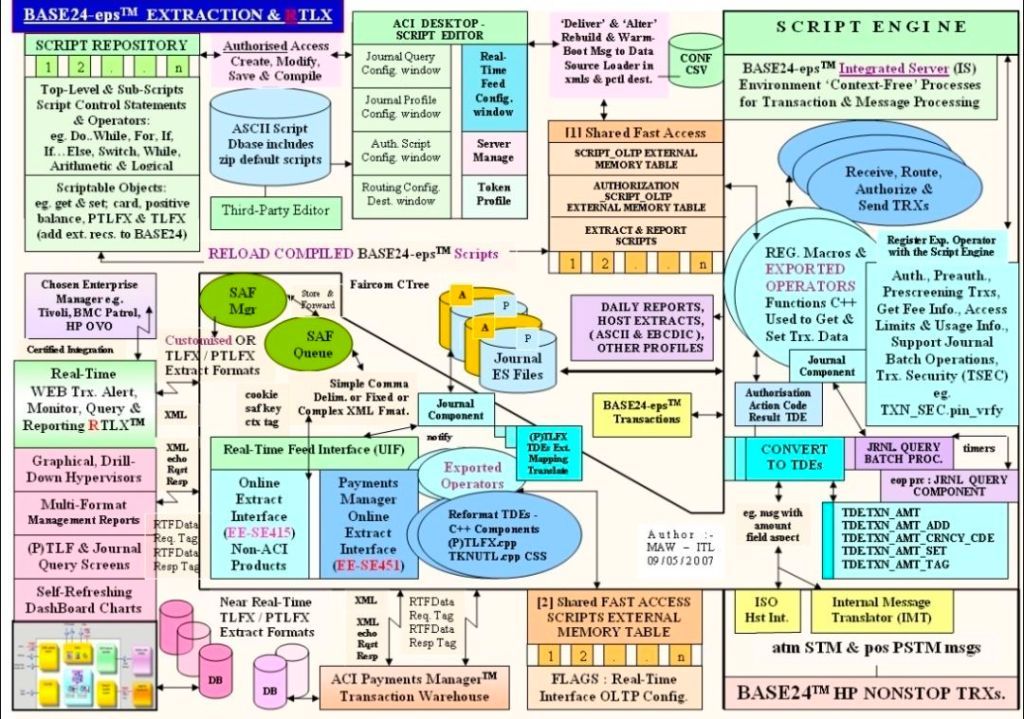
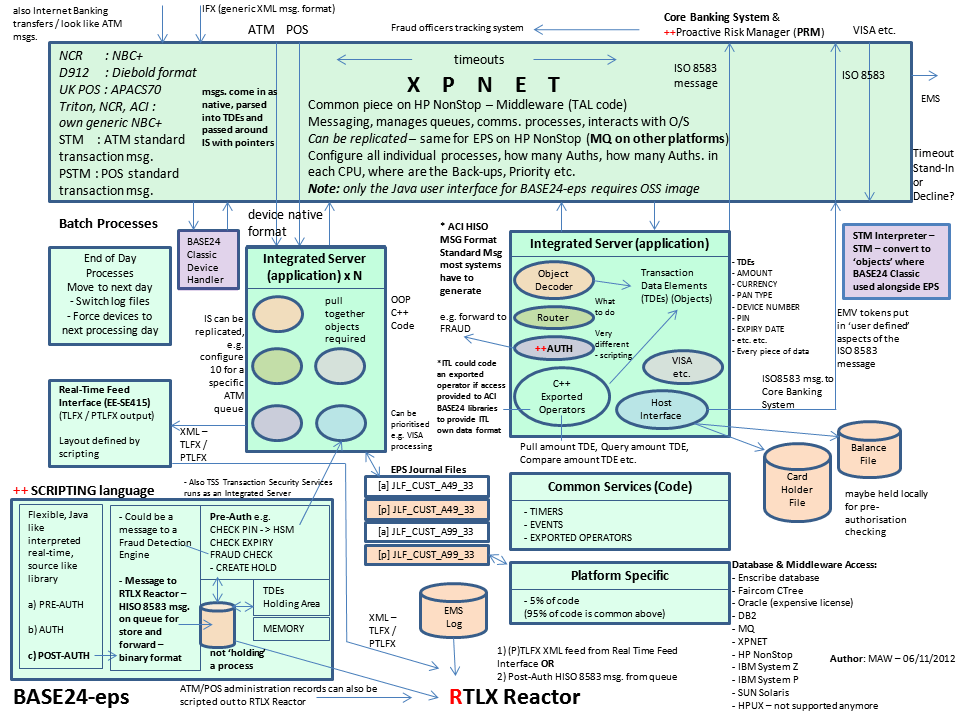
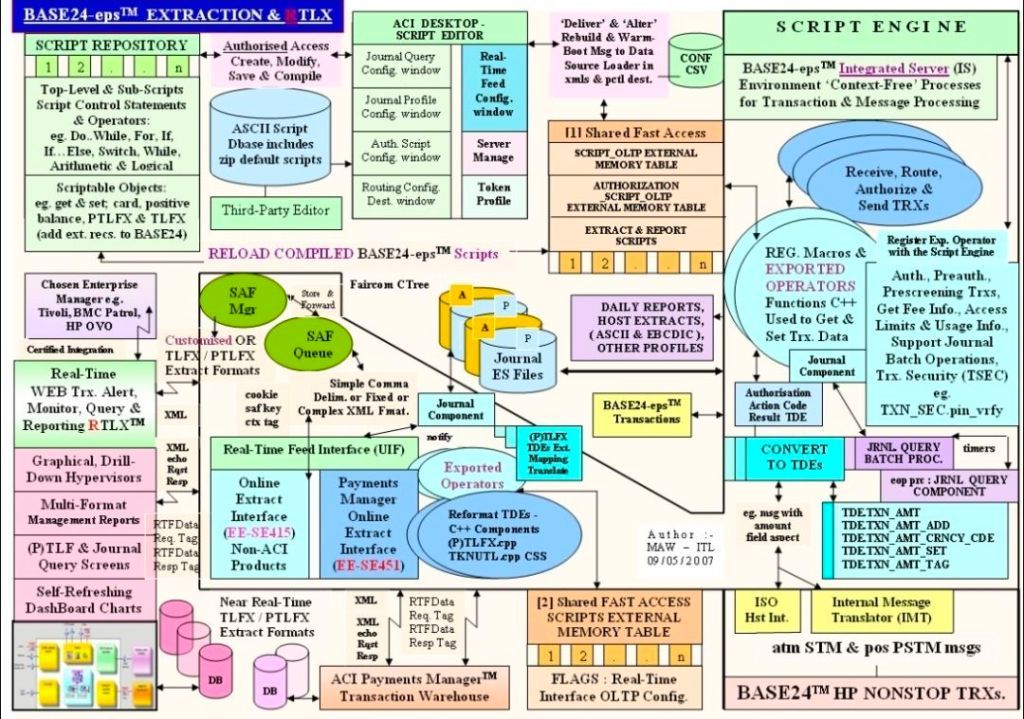
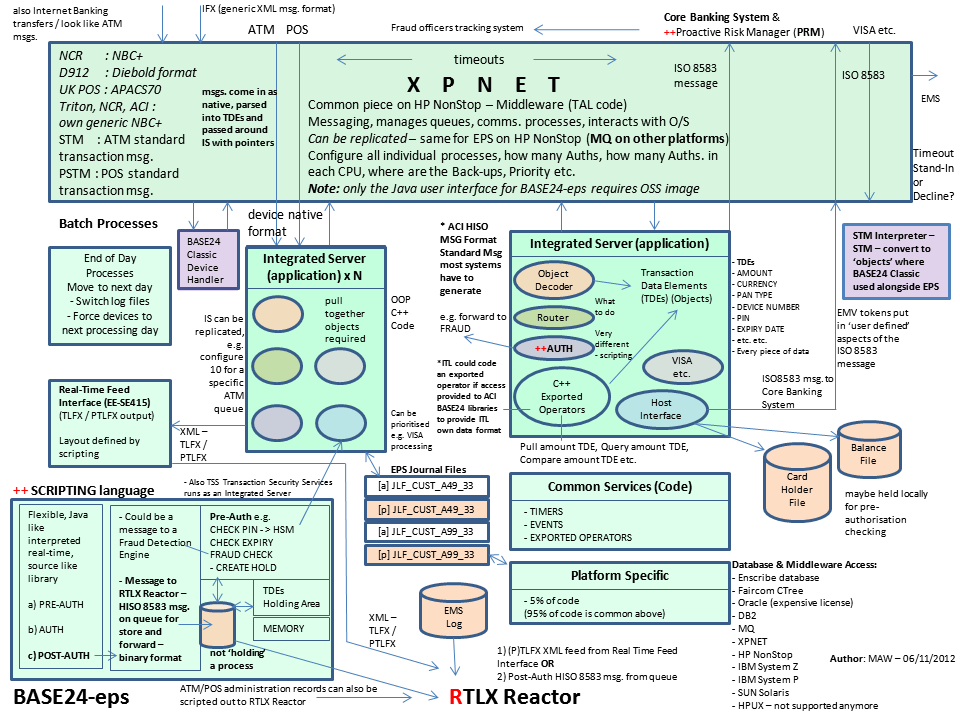
BASE24 is an enterprise-grade electronic funds transfer (EFT) software suite developed by Applied Communications Inc. (now ACI Worldwide). It handles real-time transaction acquiring, authenticating, routing, switching, and authorization across ATMs, Point-of-Sale (POS) networks, and digital payment channels.
XPNET (Exchange Protocol Network) is the fundamental communications middleware layer designed explicitly for BASE24 on fault-tolerant systems. It acts as an abstraction layer managing interprocess communications (IPC), network protocols (e.g., Bisync, X.25, TCP/IP), line management, device messaging, and high-volume transaction routing. Together, they form the transactional backbone for a majority of the world’s top financial institutions.
RTLX Reactor (in 2012) for tracking BASE24-eps & BASE24 XPNET transactions
Deep-Dive Architecture and Technology Stack
1. BASE24 Core Design
Process Pair Architecture: Designed natively around Tandem’s process pairs. A Primary Process performs the active transaction switching while a Backup Process remains synchronized in a standby state. If the hardware or primary process fails, the backup takes over instantly with zero data loss or session drops.
Functional Modules: Divided into specific transactional entities:
ATM (Automated Teller Machine Device Handler): Direct control and state management of physical terminals using custom message streams (e.g., Diebold, NCR).
POS (Point of Sale): Merchant terminal management and merchant accounting integration.
Auth (Authorization Processor): Internal validation scripts against account records or stand-in limits.
2. XPNET Middleware Engine
Line and Station Infrastructure: XPNET maps communication through abstract configurations. A Line represents a physical or logical network pipe, and a Station represents an endpoint (e.g., an interchange gateway or terminal node).
Dynamic Load Buffering: Employs internal memory queue structures to absorb traffic spikes from international card networks (such as Visa and Mastercard) without spilling into disk storage.
Protocol Multi-threading: It decouples low-level link dynamics (e.g., CRC checking, dropouts) from core business logic, converting legacy and modern network formats into standardized internal transaction tokens.
Application Development Timeline & Political Breakdown
The timeline below details how geopolitical, regulatory, and corporate ownership developments directly shaped versioning and core code changes in BASE24 and XPNET.
Era 1: The Tandem & Expansionist Era (1975–1992)
Geopolitical & Industry Context: The rise of consumer credit card networks, personal checking accounts, and the physical expansion of banking via ATMs. Regional networks were fragmented, necessitating specialized software to cross-connect them.
Corporate Dynamics: Applied Communications Inc. (ACI) operated as an independent software house in Omaha, Nebraska, forming a deep partnership with Tandem Computers before being acquired by US West (1988) and later Tandem directly (1991).
Year-by-Year Code & Technical Milestones:
1975–1981: Initial exploration of high-availability banking systems on Tandem NonStop computers. Developers laid the groundwork using Tandem Screen COBOL and low-level communication drivers.
1982:BASE24 v1.0 officially launches. The original codebase was written in TAL (Tandem Application Language), a high-performance, structured system programming language designed specifically for NonStop systems.
1985: A primitive version of XPNET is spun out from early shared-memory messaging code to support multi-protocol lines (Bisync, Async) without forcing restarts of the core application.
1987: Introduction of early ISO 8583 message formatting engines within the core routing code. This allowed the software to natively interpret standard financial messaging frames across distinct interbank networks.
1991: Tandem acquires ACI. Code refactoring focused heavily on optimizing interactions with Tandem’s native file system (Enscribe) and expanding the XPNET process memory layout to take advantage of new Tandem CLX architecture performance.
Era 2: The TSA Corporate & Public Market Era (1993–2000)
Geopolitical & Industry Context: Globalization of financial services, the consolidation of national card switches, and the commercial explosion of internet banking and POS devices.
Corporate Dynamics: Tandem divested ACI to a private holding company, leading to the creation of Transaction Systems Architects (TSA) in late 1993. TSA went public on NASDAQ in 1995, pushing development velocity to meet Wall Street expectations.
Year-by-Year Code & Technical Milestones:
1993–1994: Standardized compilation routines moved to Tandem’s pTAL (portable TAL) to bridge code execution compatibility between older CISC-based architectures and the newly emerging MIPS RISC processors.
1995–1996: BASE24 version 4.x introduces advanced multi-institution handling inside a single logical codebase, allowing multi-tenant processing for third-party credit card consolidators.
1997: Release of BASE24 v5.x, featuring significant expansions in XPNET (v2.x) to accommodate native TCP/IP sockets alongside aging X.25 line infrastructures.
1998–1999: Heavy investment into Y2K compliance remediation. Code changes involved updating binary-coded decimal (BCD) date configurations, expanding date-storage windows across Enscribe files, and deploying the BASE24 Year 2000 System Assessment frameworks globally.
Era 3: Enterprise Platform Shift & Consolidation (2001–2014)
Geopolitical & Industry Context: Post-9/11 regulatory changes (e.g., USA PATRIOT Act), the implementation of modern security standards like Triple DES (TDES), and the birth of the PCI-DSS (Payment Card Industry Data Security Standard). Mainframes and alternative hardware processors (IBM, HP-UX) became fierce competitors to Tandem.
Corporate Dynamics: TSA officially rebranded to ACI Worldwide, Inc. (ACIW) in 2007. A strategic decision was made to rewrite the platform to break vendor lock-in and provide cross-platform flexibility.
Year-by-Year Code & Technical Milestones:
2001–2002: Standard cryptographic layers within BASE24 are systematically modified to enforce Triple DES compliance across automated teller machines.
2003: ACI introduces BASE24-eps (Enterprise Payments System). This marked a foundational architecture shift, moving away from TAL/pTAL entirely to an object-oriented paradigm written in C++ and designed to execute cross-platform (HPE NonStop, IBM z/OS, AIX, Linux).
2005–2006: BASE24-es/eps code integrates with enterprise middleware layers such as IBM WebSphere MQ, using CICS containers on z/OS to deliver modern service-oriented architecture (SOA) web services wrappers.
2008–2010:ACI shocks the banking industry by announcing the sunsetting of standard maintenance for classic Tandem NonStop BASE24 by late 2011. Millions of lines of legacy TAL code are effectively frozen, forcing major migrations toward BASE24-eps.
2011–2013: Code enhancements center around PA-DSS validation and securing encryption pathways to ensure tokenized processing. XPNET 3.x is deployed onto newer HP Integrity Itanium-based J-Series and H-Series blades.
Era 4: Modernization, Cloud-Native, and Open Systems (2015–Present)
Geopolitical & Industry Context: The dominance of Real-Time Payments (RTP, FedNow, ISO 20022 formats), cloud computing mandates, and aggressive cost-reduction pushes away from high-maintenance legacy hardware configurations.
Corporate Dynamics: ACI pivots sharply to open-ecosystem SaaS delivery, cloud partnerships (AWS, Microsoft Azure, Google Cloud), and co-development with IBM to optimize cross-platform throughput.
Year-by-Year Code & Technical Milestones:
2015–2016: BASE24-eps code is successfully ported to Red Hat Enterprise Linux (RHEL) on standard x86 processors. This architectural pivot offered a reduction in total cost of ownership (TCO) compared to legacy hardware by providing massive processing scaling.
2018–2020: The introduction of standard ISO 20022 messaging libraries into the switching matrix to support instant transaction settlement schemes globally.
2021–2024: Legacy middleware systems are phased down. Modern releases feature direct REST API hooks, cloud-adaptor hooks, containerised microservices integration, and extended configuration capabilities via the ACI Desktop GUI.
2025–2026: ACI partners with IBM to launch native 64-bit deployment optimizations for BASE24-eps running on IBM Z mainframes (including z16/z17 configurations), incorporating hardware-driven AI fraud analysis models and full PCI-SSF (PCI 4.0) certification.
Overview of BASE24 and XPNET plus application timeline by era
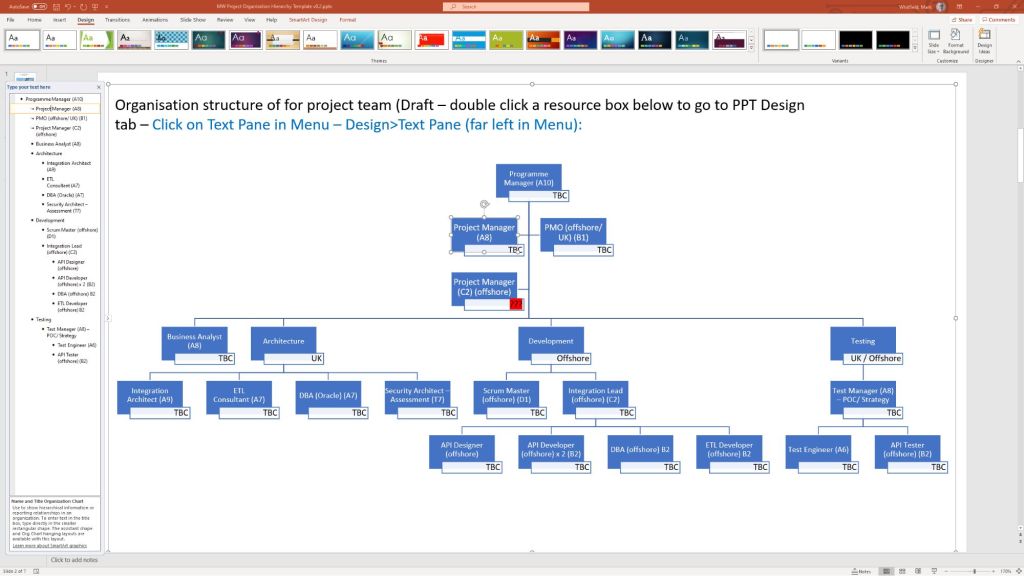
Mark Whitfield’s premium project management toolkit consists of over 200 editable templates tailored for Agile Scrum, Waterfall, and PRINCE2 frameworks. Built across 30+ years of digital and IT delivery, these frameworks prioritize corporate governance, seamless stakeholder reporting, and visual lifecycle control.
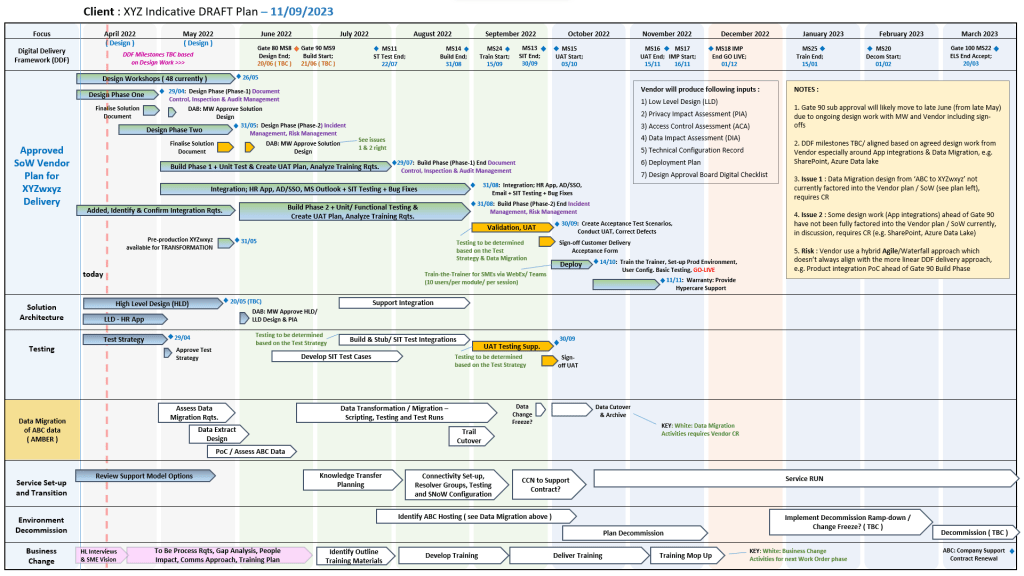
Many POAP, Plan on a Page example templates
Below is the comprehensive, scannable breakdown of the core artifacts categorized by lifecycle focus, purpose, and application format. Purchase project templates here.
📅 1. Master Planning & Visual Roadmapping
These tools serve as the operational foundation for tracking dependencies, defining Work Breakdown Structures (WBS), and establishing executive visibility.
Detailed Software Development Life-Cycle (SDLC) Plan
Focus: End-to-end task tracking from inception and elaboration to construction, testing, and transition.
Format: Microsoft Project (.mpp) & Microsoft Excel (.xlsx).
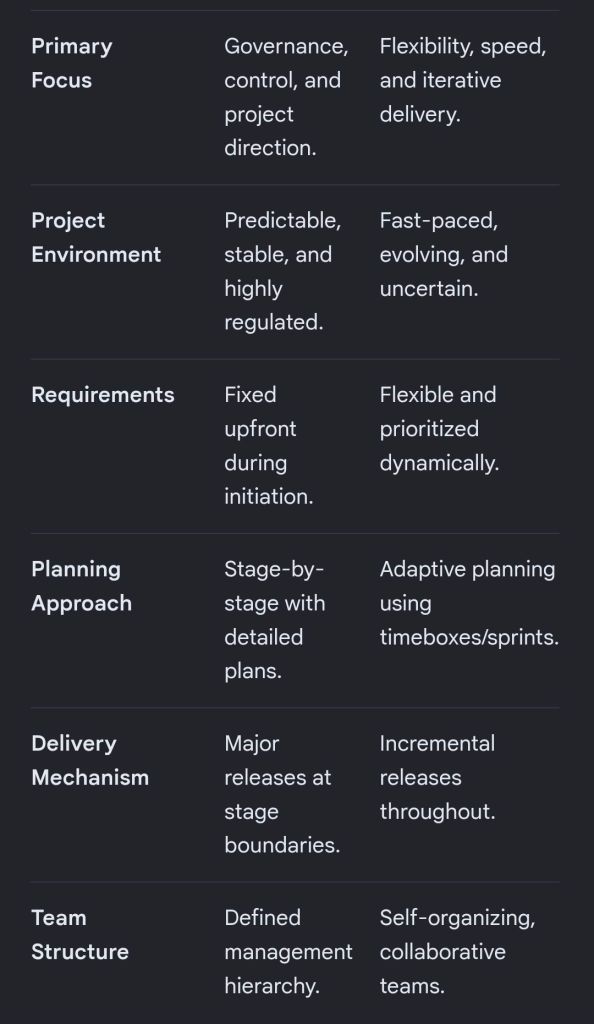
The choice between PRINCE2 and PRINCE2 Agile depends entirely on your project environment: PRINCE2 is best for highly structured, predictable projects with fixed requirements, while PRINCE2 Agile is designed for dynamic environments that require iterative delivery and flexibility.
Both methodologies are owned by PeopleCert and build upon the same core governance framework.
Core Differences
The table below breaks down how these two frameworks compare across key project dimensions:
PRINCE2 and PRINCE2 Agile features
PRINCE2 Breakdown
Traditional PRINCE2 (Projects IN Controlled Environments) is a structured, process-based approach for project management. It provides a clear blueprint for roles, responsibilities, and management stages.
Fixed Targets: It fixes the project scope, time, and cost upfront to minimize risk.
The 7 Principles: It relies on universal principles, such as continued business justification and defined roles.
Management Stages: Projects are broken into distinct sections to review progress before moving forward.
Predictability: Ideal for large infrastructure, construction, or compliance-heavy projects where changes are costly.
PRINCE2 Agile Breakdown
PRINCE2 Agile does not replace traditional PRINCE2; instead, it wraps agile delivery methods around the existing PRINCE2 governance framework. It allows corporate management to maintain control while development teams use frameworks like Scrum or Kanban.
The Hexagon: It fixes time, cost, quality, and benefits, but makes scope and risk flexible.
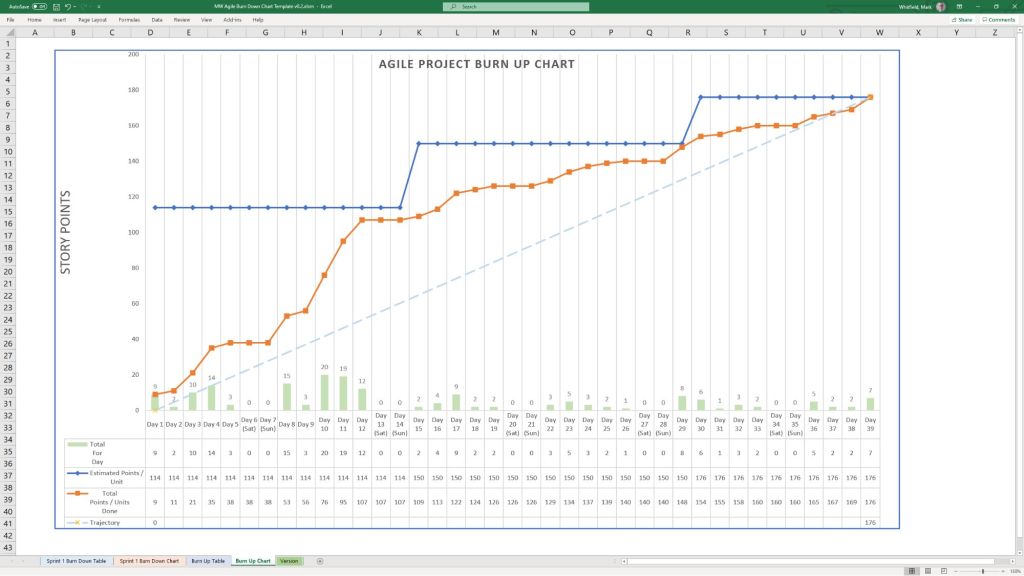
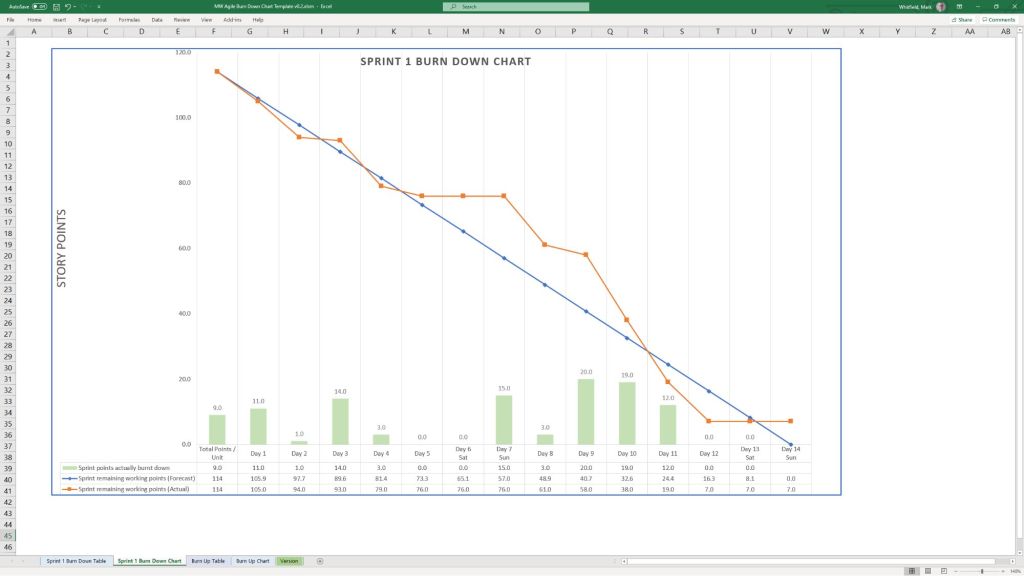
Agile Integration: It introduces agile concepts like daily standups, burn charts, and retrospectives.
Maturity Tool: It uses the “Agilometer” to assess if a project is suitable for agile execution.
Speed to Market: Ideal for software development, creative industries, or any project requiring quick consumer feedback.
Which Certification Should You Choose?
Choose PRINCE2 if you work in a traditional industry, need to establish clear corporate governance, or manage projects with strictly defined outcomes.
Choose PRINCE2 Agile if you already work in an agile environment and need to add corporate structure, or if your organization is transitioning from waterfall to agile.
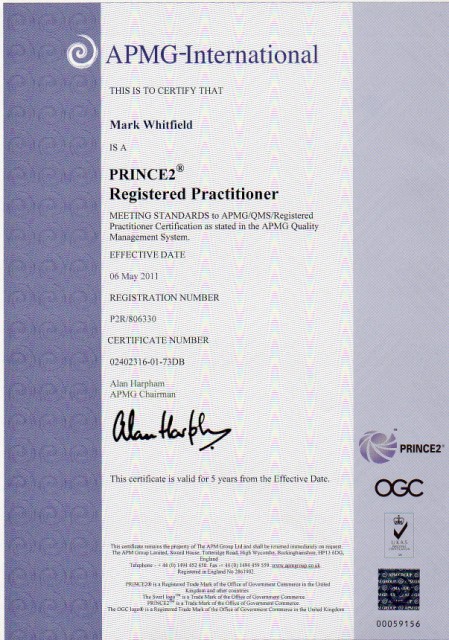
Mark Whitfield, May 2011 – Registered PRINCE2 Practitioner with ILX
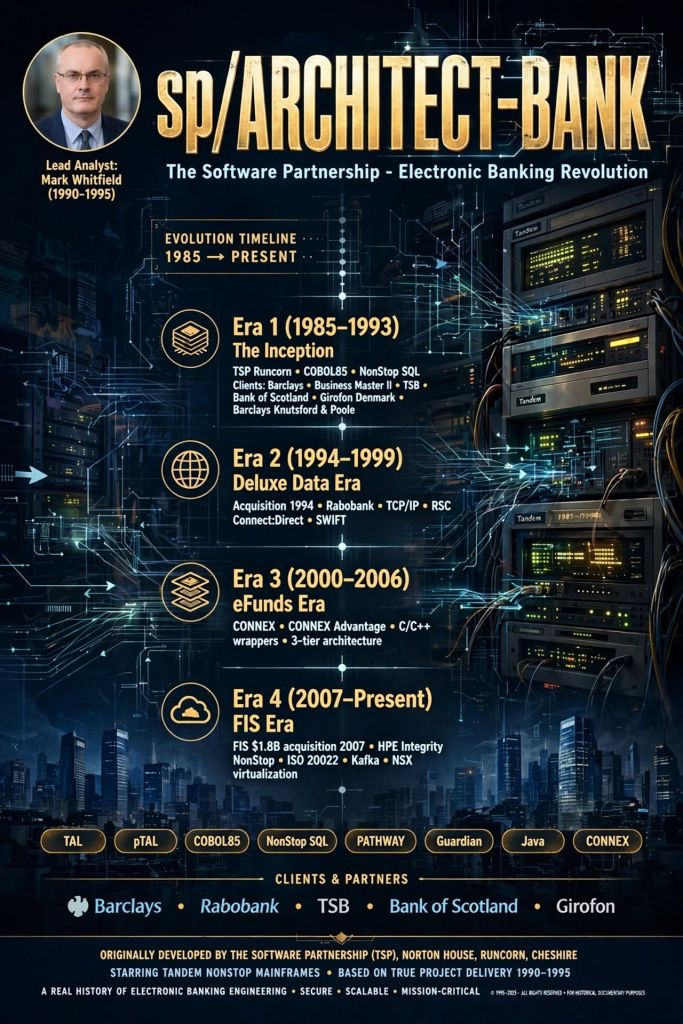
The core electronic banking software product sp/ARCHITECT-BANK was originally developed by The Software Partnership (TSP), a highly specialized British software house co-founded by Nigel Walsh in Runcorn, Cheshire.
Engineered to deliver high-availability, fault-tolerant electronic and desktop home-banking services, it ran natively on Tandem NonStop mainframe computers (now HPE NonStop).
The Software Partnership, Norton House, Crowngate, Runcorn, Cheshire
Over the decades, the product evolved through major corporate acquisitions, eventually being integrated into enterprise-level banking suites like CONNEX Advantage under eFunds and FIS.
🌅 Era 1: The Inception and Independent Software House Era (Mid-1980s–1993)
During this foundational era, The Software Partnership engineered the core product from scratch to meet the emerging demand for “Direct Electronic Banking” before the commercial internet became prevalent.
1985: The Software Partnership (TSP) is co-founded by Nigel Walsh in Runcorn, Cheshire. Development begins on a standard product architecture designed specifically for the transaction processing monitor (PATHWAY) and operating system (Guardian) of Tandem Computers.
1988–1989: The company establishes sp/ARCHITECT (and its core module, sp/ARCHITECT-BANK) as a premier client-server base package for corporate and home-office electronic banking.
1990: The engineering team scales up to build standard product releases written in COBOL85 and utilizing NonStop SQL databases. They develop proprietary testing utilities like sp/TESTBED to simulate PC-to-mainframe interfaces. Mark Whitfield joins the company after graduating in Computing in late 1990.
1991: Major deployment begins for the high-profile Barclays Business Master II (BBM II) desktop corporate banking application, with TSP placing teams (including Mark Whitfield) on-site at Barclays in Knutsford, Cheshire.
Barclays, Radbroke Hall, Knutsford, Cheshire
1992: A batch billing and invoicing suite of modules is engineered over 3-months and appended to the Barclays installation at Poole, Dorset. Mark Whitfield is assigned to this HPE NonStop (Tandem) billing/ invoicing development on the UK south coast. Simultaneously, TSP expands internationally into continental Europe.
Barclays, Wimborne Road, Poole, Dorset
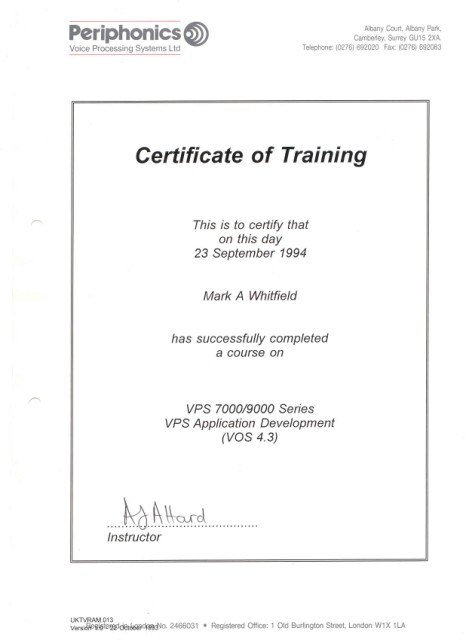
1993: TSP develops an automated, touch-tone voice menu system for Girofon (Denmark). The code interfaces phone lines through Periphonics Interactive Voice Response (IVR) hardware directly into the back-end Tandem banking system. Concurrently, the core application handles desktop money transfers and early logic checking for clearing giants TSB and Bank of Scotland. Mark Whitfield is also involved with supporting this IVR technology.
🤝 Era 2: The Deluxe Data International Era (1994–1999)
Recognizing the massive European banking client footprints of sp/ARCHITECT, US-based electronic funds transfer (EFT) specialist Deluxe Data acquired TSP to merge their direct banking and card processing capabilities.
1994: Deluxe Data Corporation acquires The Software Partnership. The Runcorn offices are reorganised as Deluxe Data International Operations.
Deluxe Data International Operations, Wingate House, Northway
1995: The product undergoes heavy code optimization to satisfy customer acceptance loops for international clearers, notably deploying direct electronic banking solutions for major Dutch institutions like Rabobank. Mark Whitfield moves on from Deluxe Data (after 5 years) to Insider Technologies Limited in Salford Quays in late 1995. This to continue HPE NonStop programming work for both monitoring and diagnostic products like Reflex 80:20.
1996: Development transitions toward hybrid enterprise networking. The sp/ARCHITECT system is updated with custom TCP/IP software interfaces to allow newer mid-range UNIX servers (such as IBM RS/6000) to safely communicate with the core Tandem server environment.
1997: Deluxe Data expands the core platform’s messaging logic using Tandem’s Remote Server Call (RSC) facility. This enables early Windows NT operating systems to request live financial data from the sp/ARCHITECT host.
1998: An automated, multi-process file transfer protocol is integrated natively into the bank database, leveraging Connect:Direct transport layers to securely transfer corporate SWIFT financial data files.
🚀 Era 3: The eFunds & Corporate Consolidation Era (2000–2006)
Deluxe Data’s technologies spun off into a new corporate entity called eFunds Corporation, altering the delivery model of the legacy software.
2000: Deluxe Electronic Payment Systems officially merges with other divisions to form eFunds Corporation (EFD). The sp/ARCHITECT package becomes a core pillar of eFunds’ international banking portfolio.
2002–2004: To modernise the transaction handling backbone, components of the sp/ARCHITECT platform are refactored. The system’s underlying communication routing is systematically aligned with CONNEX, a dominant market-leading Electronic Funds Transfer (EFT) processing engine.
2005–2006: eFunds transitions the direct client-server software layers into highly secure corporate portals, providing the foundational logic for what would eventually be rebranded as the CONNEX Advantage banking solution.
🏢 Era 4: The FIS Integration and Legacy Modernisation Era (2007–Present)
The final stage of the product timeline represents its absorption into global banking infrastructure software, where its high-availability DNA remains active in institutional transaction environments.
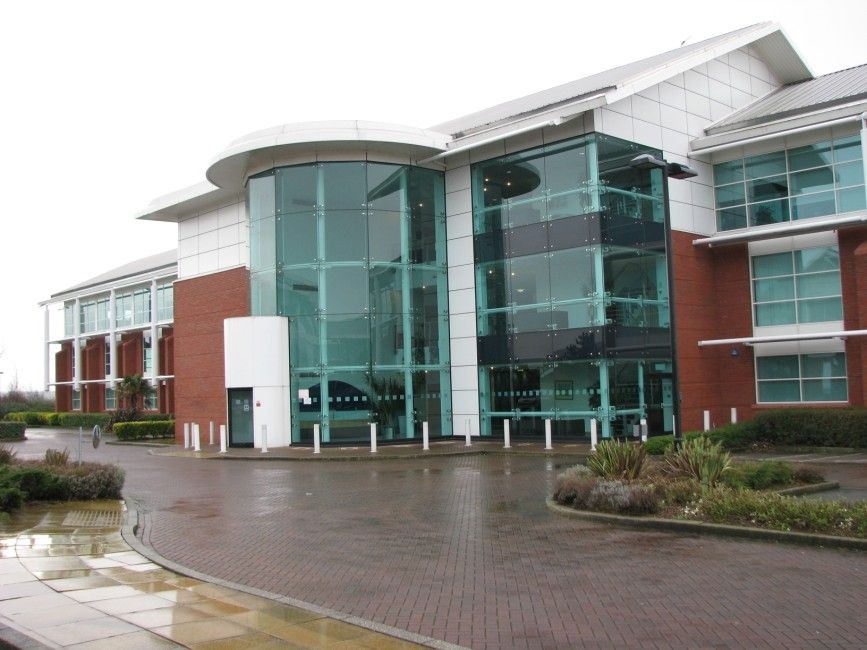
2007: Financial technology behemoth Fidelity National Information Services (FIS) acquires eFunds Corporation for approximately $1.8 billion. Following industry consolidation, the corporate remnants of the original TSP Runcorn operations are absorbed into Fidelity National Information Services (FIS) and relocated to Aegon House in Daresbury, Warrington.
Fidelity National Information Services (FIS) Aegon House, Warrington (in 2007)
2010: FIS fully absorbs the remaining codebase, utilizing its core Tandem architecture algorithms to fortify transaction processing stability.
2015–2020: The architectural concepts pioneered by sp/ARCHITECT-BANK continue to govern high-volume legacy systems. The logic stays preserved in COBOL85 code bases running on modern HPE Integrity NonStop (Intel Xeon-based) fault-tolerant environments.
2020s–Present: Modern banking infrastructures gradually migrate from the classic database frameworks toward microservice configurations and open-banking APIs. However, the core system layout remains a primary point of historical reference for designing high-throughput, 24/7/365 fault-tolerant banking systems.
sp/ARCHITECT-BANK originally developed by The Software Partnership (TSP), Runcorn, Cheshire
sp/ARCHITECT-BANKCode Evolution Timeline
The timeline below details how the code’s core design, language implementations, and application deployment strategies transformed by era and year.
1. The Monolithic & TAL Foundation Era (1980s – Early 1990s)
During this era, the application focus was strictly high-throughput, fault-tolerant electronic funds transfer (EFT) and point-of-sale (POS) switching systems natively built for Tandem Guardian environments.
Late 1980s: The core design of sp/ARCHITECT is established using TAL (Tandem Application Language). Applications are deployed as single-system monoliths. Code optimization focuses heavily on low-level bit manipulation and message structuring to survive CPU or inter-process failures without losing in-flight transactions.
1991–1993: Structuring of modular execution libraries. Early iterations of the codebase segment transaction processing routes from core database logging routines. The introduction of Tandem’s newer NonStop SQL forces early integration layers to transition from standard unstructured unstructured file systems (Enscribe) to early relational tracking.
2. Distributed Client/Server & pTAL Migration Era (Mid 1990s – Early 2000s)
The architectural demands shifted from single-frame monoliths toward distributed banking systems, giving rise to “Distributed Monoliths” and client/server network structures.
1995–1996: Hardware evolutions transition from the older CISC-based Tandem systems to RISC architectures (MIPS processors). sp/ARCHITECT undergoes a massive compilation shift to pTAL (portable TAL) to preserve legacy code performance across new instruction sets.
1998–1999: Tandem’s acquisition by Compaq pushes the software suite to handle open standard protocols. The application code begins abstracting system calls to prepare for broader networking interfaces.
2001–2003: Deluxe Data / eFunds eras. The code sees the introduction of C/C++ wrappers around the legacy pTAL components. Systems are decoupled into a clear 3-Tier architecture: front-end terminal networks, back-end pTAL transactional engines, and standardized clearing houses.
3. Open Systems, Modern Middleware, & Java Integration Era (Mid 2000s – 2010s)
Following HP’s acquisition of Compaq and subsequent software realignments, the sp/ARCHITECT codebase was re-engineered to prevent vendor lock-in and adopt modern enterprise standards.
2005–2007: Java is introduced into the sp/ARCHITECT ecosystem. New application modules, specifically merchant portal interfaces and settlement reporting tools, are written entirely in Java and run via OSS (Open System Services) environments.
2010–2012: FIS acquisition era integration. Legacy pTAL code blocks are systematically refactored or heavily wrapped in C++ using object-oriented principles to ensure long-term maintenance. The transaction routing engine is altered to support early SOA (Service-Oriented Architecture) paradigms via web-services hooks.
2015–2018: Mainstream deployment of COB (Core Banking) standard formats within the application layer. The system moves away from old proprietary network messaging layouts to ISO 20022 compliance frameworks, utilizing dedicated conversion engines native to the sp/ARCHITECT stack.
4. Modern Cloud-Adjacent & Hybrid Infrastructure Era (2020s)
The current evolutionary footprint centers on maintaining the absolute sub-millisecond reliability of the core architecture while exposing capabilities to dynamic cloud endpoints.
2021–2023: Modernization of the application payload. High-performance micro-frontends handle real-time fraud monitoring and data streaming using asynchronous event-driven pipelines (e.g., Kafka event consumers interfacing directly with the NonStop core runtime environments).
2024–2026: Transition to containerized orchestration and cloud-adjacent infrastructure. The sp/ARCHITECT footprint utilizes x86-based virtualized NonStop systems (NSX), enabling legacy core modules (derived from the original TAL logic) to execute seamlessly on modern virtual environments alongside Linux-based multi-tenant applications.