The choice between PRINCE2 and PRINCE2 Agile depends entirely on your project environment: PRINCE2 is best for highly structured, predictable projects with fixed requirements, while PRINCE2 Agile is designed for dynamic environments that require iterative delivery and flexibility.
Both methodologies are owned by PeopleCert and build upon the same core governance framework.
Core Differences
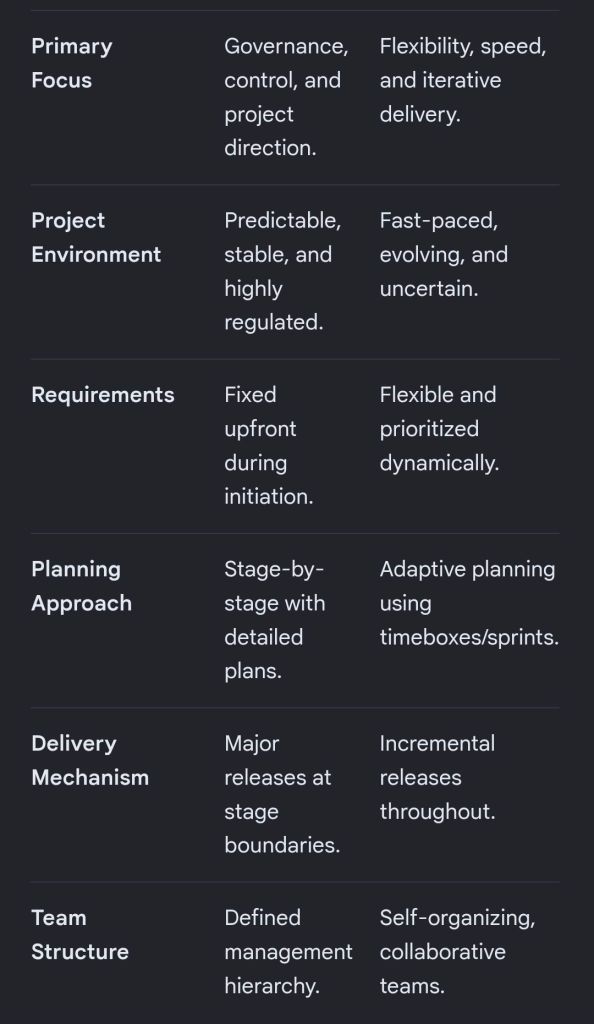
The table below breaks down how these two frameworks compare across key project dimensions:
PRINCE2 and PRINCE2 Agile features
PRINCE2 Breakdown
Traditional PRINCE2 (Projects IN Controlled Environments) is a structured, process-based approach for project management. It provides a clear blueprint for roles, responsibilities, and management stages.
Fixed Targets: It fixes the project scope, time, and cost upfront to minimize risk.
The 7 Principles: It relies on universal principles, such as continued business justification and defined roles.
Management Stages: Projects are broken into distinct sections to review progress before moving forward.
Predictability: Ideal for large infrastructure, construction, or compliance-heavy projects where changes are costly.
PRINCE2 Agile Breakdown
PRINCE2 Agile does not replace traditional PRINCE2; instead, it wraps agile delivery methods around the existing PRINCE2 governance framework. It allows corporate management to maintain control while development teams use frameworks like Scrum or Kanban.
The Hexagon: It fixes time, cost, quality, and benefits, but makes scope and risk flexible.
Agile Integration: It introduces agile concepts like daily standups, burn charts, and retrospectives.
Maturity Tool: It uses the “Agilometer” to assess if a project is suitable for agile execution.
Speed to Market: Ideal for software development, creative industries, or any project requiring quick consumer feedback.
Which Certification Should You Choose?
Choose PRINCE2 if you work in a traditional industry, need to establish clear corporate governance, or manage projects with strictly defined outcomes.
Choose PRINCE2 Agile if you already work in an agile environment and need to add corporate structure, or if your organization is transitioning from waterfall to agile.
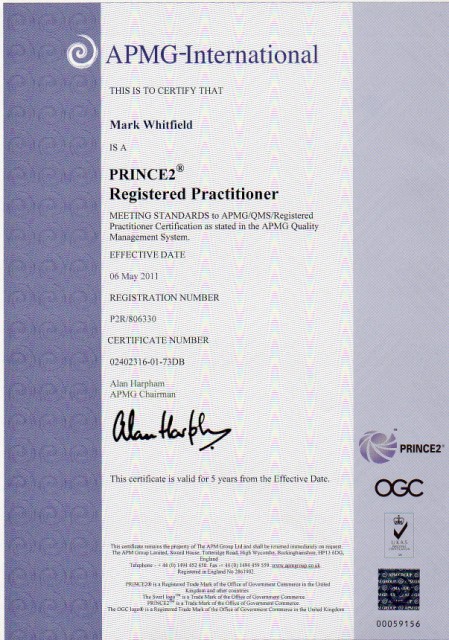
Mark Whitfield, May 2011 – Registered PRINCE2 Practitioner with ILX
Microsoft Project has evolved from a DOS-based scheduling tool in 1984 into a comprehensive project portfolio management (PPM) system and, as of 2024–2026, a cloud-native platform integrating with Microsoft 365 and Planner.
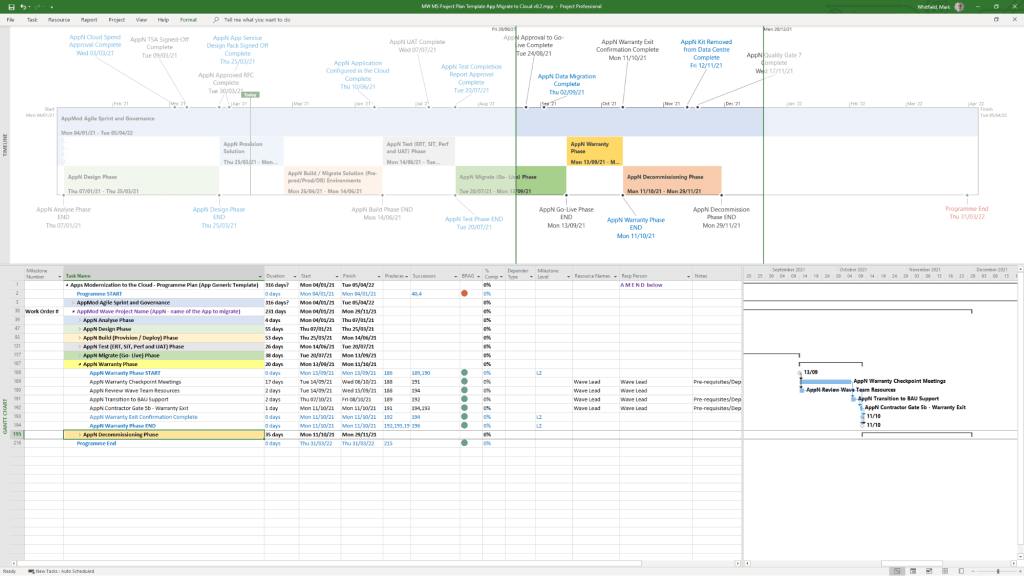
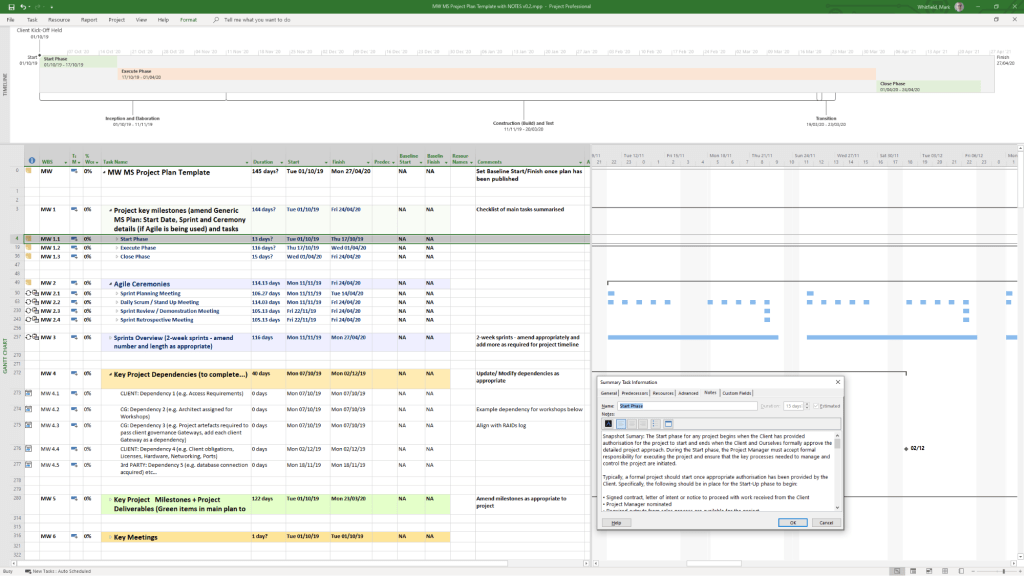
Example MS Template from download bundle
Historical Timeline by Era
1. The DOS Era: Foundations (1984–1989)
1984: Initial release for DOS by a third party, later acquired by Microsoft. Focused on basic Gantt charts and critical path method (CPM).
1985: Microsoft purchases rights; releases Project 2.0.
1986: Project 3.0/4.0 for DOS released.
2. The Windows & Early Office Era: GUI & Integration (1990–1999)
1990: First Microsoft Project for Windows released.
1991: First Macintosh version released.
1993: Project 4.0 for Mac (final Mac version).
1995: Project 95 (v4.1) released: The first 32-bit version, designed to match the Windows 95 interface.
1997/1998: Project 98: Deepened integration with Microsoft Office and introduced improved tracking.
3. The Enterprise & Collaboration Era: Server Integration (2000–2010)
2000: Introduced “Microsoft Project Central” for team collaboration, allowing web-based status reporting.
2002/2003: Released with Server components, allowing enterprise-level resource management.
2007: Introduced Office Fluent Ribbon interface and enhanced reporting capabilities.
2010: Significant update adding the Timeline View (top-down view) and manual scheduling options.
4. The Cloud & Subscription Era: PPM & Modernization (2013–2023)
2013: Launch of Project Online (PPM) to provide full cloud capabilities.
2016/2019: Introduced Resource Engagements and improved visual reporting.
2019/2020: Release of “Project for the web,” a completely new platform based on the Power Platform (Dataverse), separate from the legacy Desktop Client.
5. The Future Era: Unified Planner & Web (2024–2026)
2024: Deepened integration with Microsoft Teams, OneDrive, and SharePoint.
2026: Project Online is scheduled to be discontinued in September 2026.
2026/Future: “Project for the web” is being rebranded and merged into Microsoft Planner.
Detailed Breakdown of Key Features
Scheduling & Gantt Charts: Core functionality for mapping dependencies, critical paths, and durations.
Resource Management: Tools to allocate resources, manage costs, and track workloads, evolving from desktop-based to enterprise-wide resource leveling.
Timeline View: Introduced in 2010, this feature allows creating a “big picture” summary of key tasks and milestones, ideal for stakeholder reporting, customizable by adding tasks directly from the Gantt chart.
Collaboration: Shifted from email-based sharing to Microsoft 365, Teams, and Sharepoint integration.
Project Versions: Available as Standard (desktop), Professional (collaboration features), and cloud-based subscription plans (Plan 1/3/5).
Summary of Major Version Transitions
DOS (1984) ………. Windows (1990) ……….(32-Bit (1995) ………. Server (2000) ………. Online (2013) ……….. Web/Dataverse (2019) ……… Planner (2026).
Microsoft Project Extensions :
Microsoft Project primarily uses .mpp for project plans and .mpt for templates, with specialized extensions like .vsdx for timeline visuals. These files are used to manage project schedules, resources, and budgets, with support for add-ins that integrate with Microsoft Teams, Power BI, and other Office applications.
Core Microsoft Project Extensions
.mpp: The native file format for Microsoft Project, containing all project data, including schedules, tasks, resources, and budgets.
.mpt: Microsoft Project Template files, used to create new projects with predefined structures, settings, and views.
.vsdx: Used to create and save custom timelines, which can be imported into or exported from Project.
File Compatibility & Viewers
Because .mpp files require a Microsoft Project license, alternative tools are used to view them without the desktop application:
Project Plan 365: A widely used viewer and editor compatible with MPP files from 2010 to 2026.
Gantt Pro: An online tool for viewing and sharing MPP file schedules.
Project Viewer 365: A Microsoft Store app designed to open and print .mpp files.
Add-ins and Integrations
Extensions for Microsoft Project can be found via the Office Add-ins store, improving productivity and integration:
Power BI: Creates interactive dashboards from Project data.
Microsoft Teams: Allows teams to collaborate on project plans.
Office Add-ins: Available for various versions of Project Professional and Standard to enhance functionality.
Microsoft Project Timeline by Era, Features and Extensions