Mark Whitfield’s premium project management toolkit consists of over 200 editable templates tailored for Agile Scrum, Waterfall, and PRINCE2 frameworks. Built across 30+ years of digital and IT delivery, these frameworks prioritize corporate governance, seamless stakeholder reporting, and visual lifecycle control.
Below is the comprehensive, scannable breakdown of the core artifacts categorized by lifecycle focus, purpose, and application format. Purchase project templates here.
📅 1. Master Planning & Visual Roadmapping
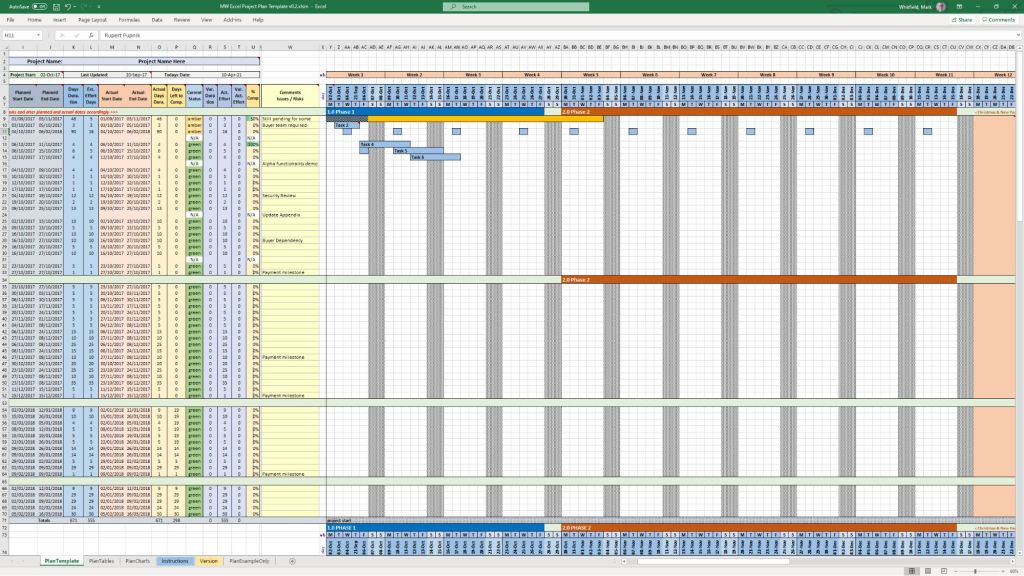
These tools serve as the operational foundation for tracking dependencies, defining Work Breakdown Structures (WBS), and establishing executive visibility.
- Detailed Software Development Life-Cycle (SDLC) Plan
- Focus: End-to-end task tracking from inception and elaboration to construction, testing, and transition.
- Format: Microsoft Project (
.mpp) & Microsoft Excel (.xlsx). - Source Page: Mark Whitfield PMO Toolkit
- PRINCE2 7th Edition Master Project Plan
- Focus: Standardized governance processes structured according to the latest PRINCE2 methodology.
- Format: Microsoft Project (
.mpp) & Microsoft Excel Gantt Tracker. - Source Page: Mark Whitfield PRINCE2 Master Walkthrough
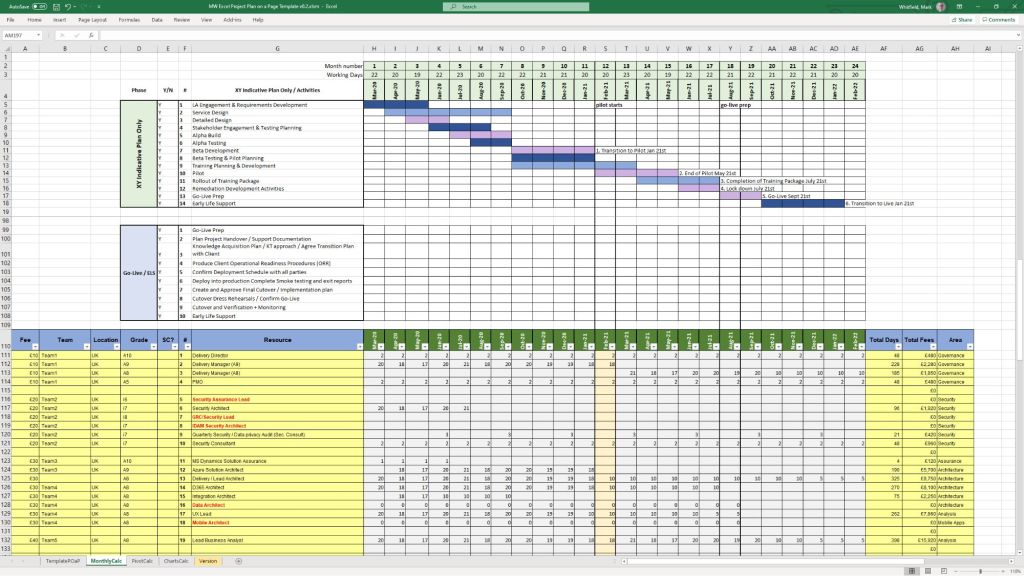
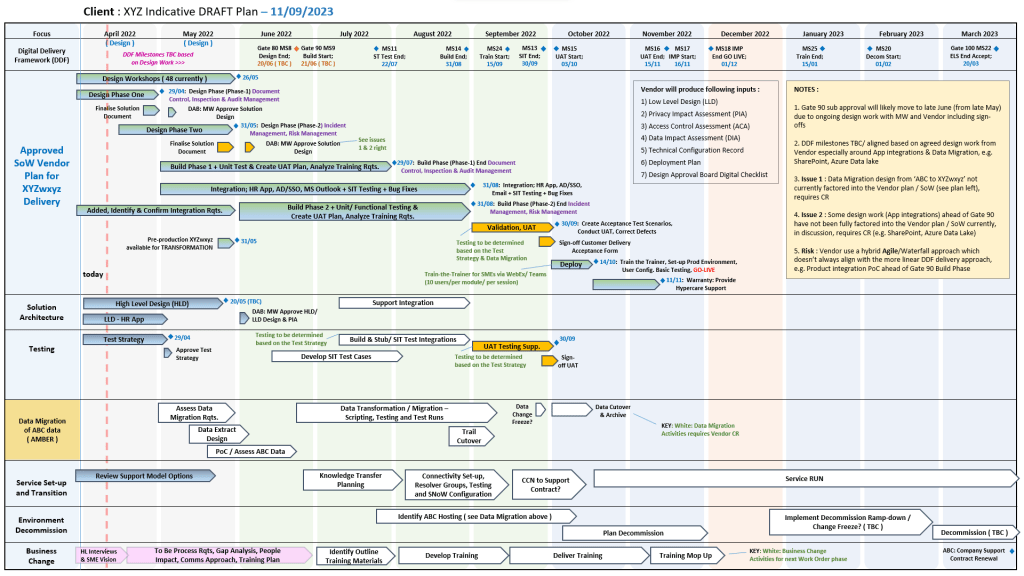
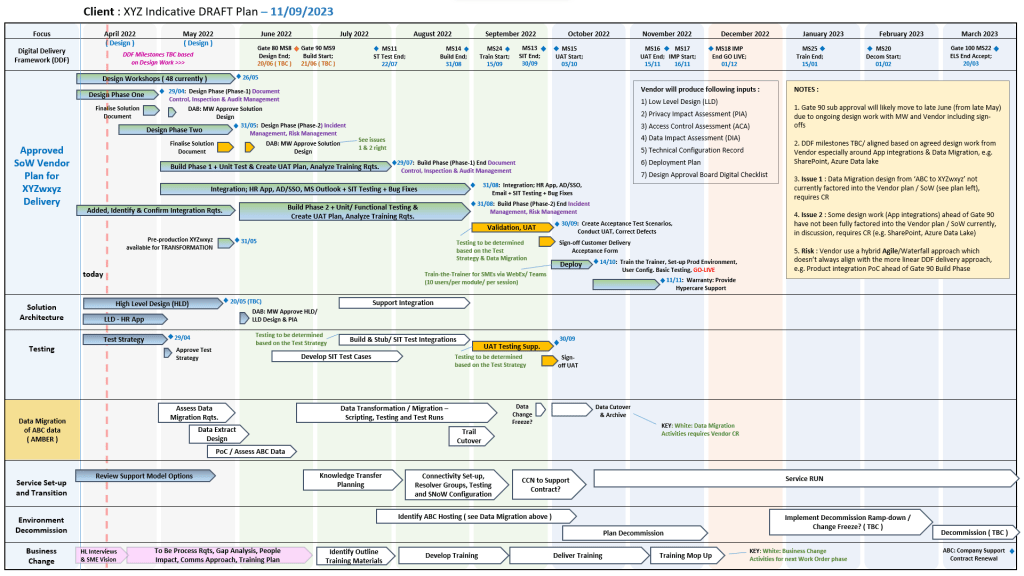
- Plan on a Page (POaP) Blueprint
- Focus: High-level, timeline-focused visual summaries mapping deliverables and milestones to client monthly views.
- Format: Microsoft PowerPoint (
.pptx, 30+ layout variations) & MS Excel. - Source Page: Mark Whitfield POaP Templates
🛡️ 2. Risk, Governance & Operational Control
These registers form the “engine room” of project health management, shifting risk mitigation from reactive to predictive.
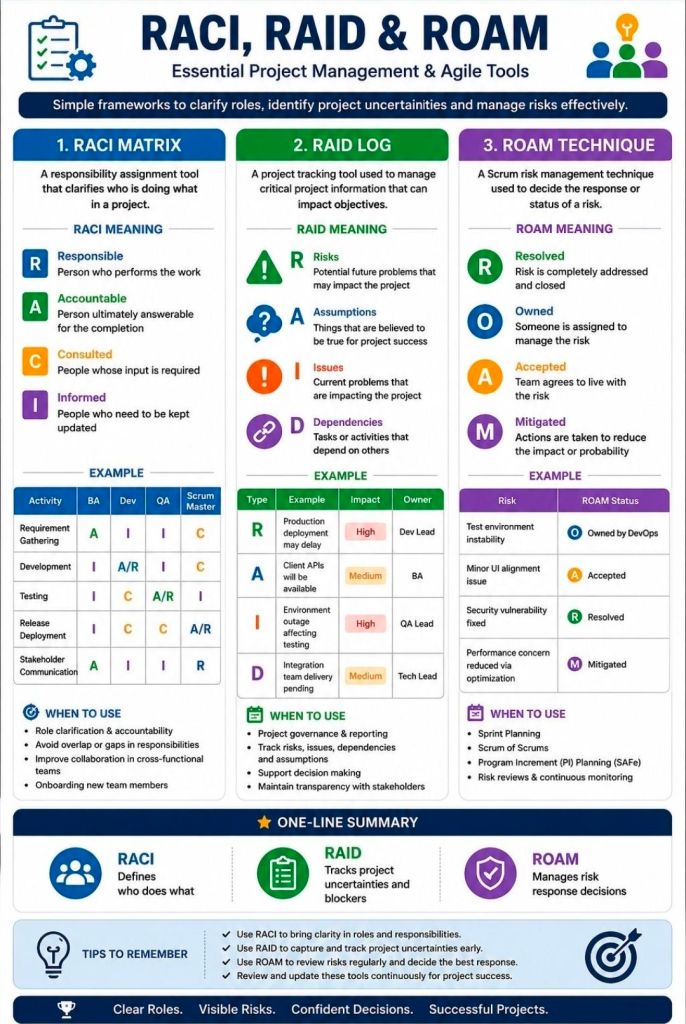
- Comprehensive RAID Log & Tracker
- Focus: Integrated visibility over Risks, Actions, Issues, and Dependencies, alongside change requests and supplier impacts.
- Format: Microsoft Excel (
.xlsxfeaturing self-populating chart dashboards). - Source Page: Mark Whitfield Operational Tracking Tools
- Agile Story Dependency Tracker
- Focus: Tracking external client and third-party vendor blockers causing sprint-level target shifts.
- Format: Microsoft Excel (
.xlsx). - Source Page: Mark Whitfield Project Planning Downloads
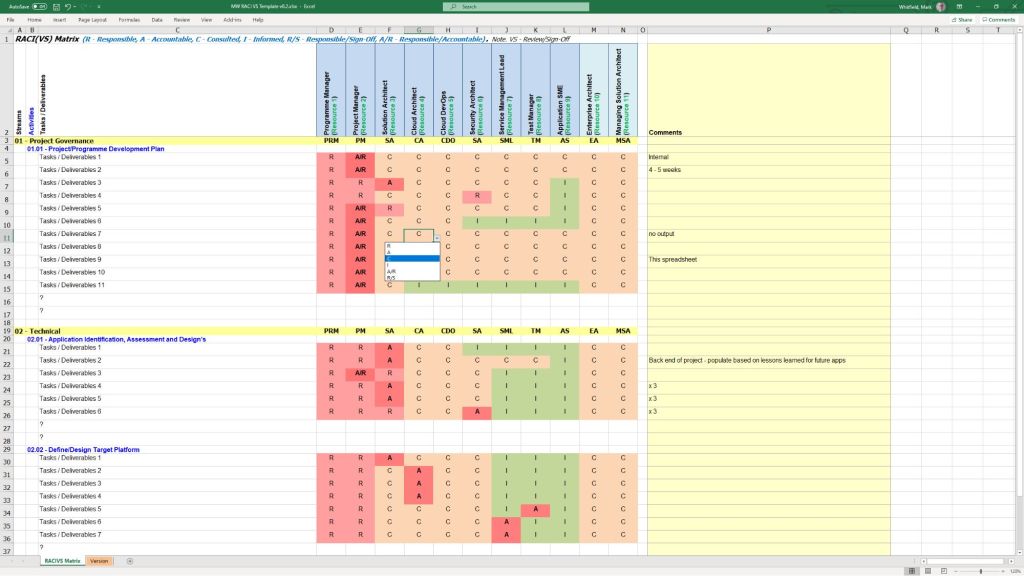
- RACI Matrix
- Focus: Mapping roles and responsibilities across project deliverables (Responsible, Accountable, Consulted, Informed).
- Format: Microsoft Excel (
.xlsx). - Source Page: Mark Whitfield Folder Structure & Guide
📊 3. Performance reporting & Stakeholder Engagement
Designed to eliminate subjective performance analysis and maintain executive-level clarity.
- Weekly / Monthly Project Status Report
- Focus: Summarizing target completion, look-aheads, RAG indicators, and critical decisions for clients.
- Format: Microsoft Word (
.doc) & Microsoft PowerPoint (.pptx). - Source Page: Mark Whitfield Premium Delivery Page
- Stakeholder Analysis & Influence Matrix
- Focus: Mapping stakeholder influence versus organizational impact to tailor communication (Involve, Inform, Consult, Monitor).
- Format: Microsoft Excel (
.xlsx). - Source Page: Mark Whitfield Folder Structure & Guide
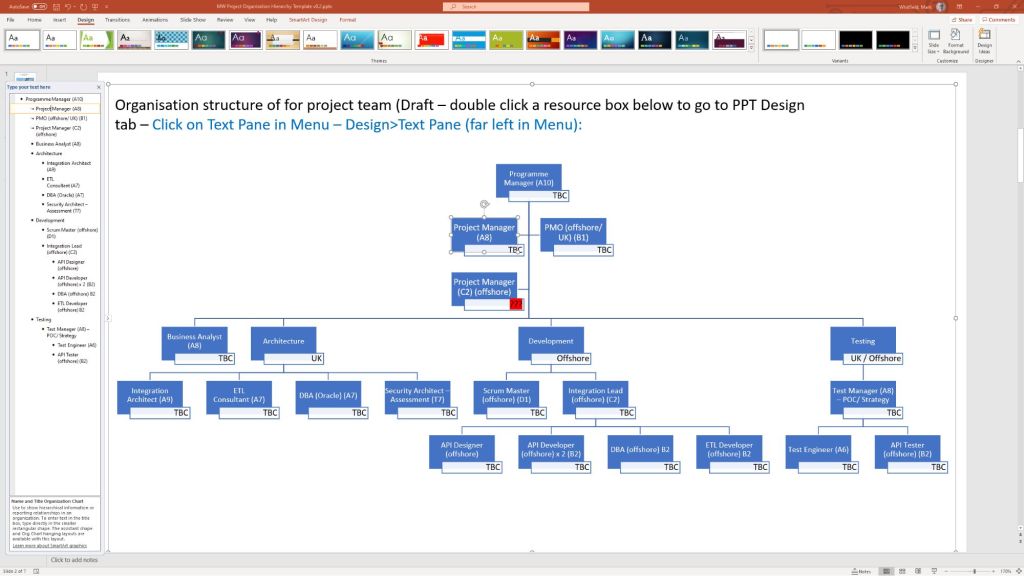
- Project / Programme Kick-Off Deck
- Focus: Initial team mobilization, workspace onboarding, and client approach alignment.
- Format: Microsoft PowerPoint (
.pptx). - Source Page: Mark Whitfield Main Purchase Index
💰 4. Financial Trackers & Value Realization
These artifacts manage fiscal discipline, pricing bids, and mapping long-term outputs to business outcomes.
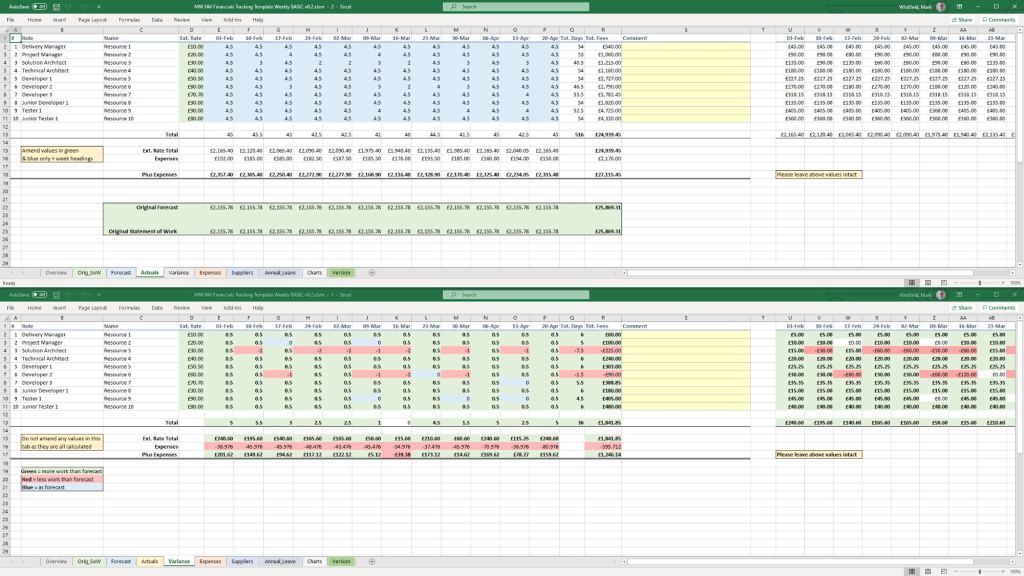
- Full Project Financial Tracker
- Focus: Internal/external cost variance, forecasting models, contractor day rates, margin tracking, and expense visibility.
- Format: Microsoft Excel (
.xlsxwith embedded financial trend charts). - Source Page: Mark Whitfield Premium Delivery Page
- Statement of Work (SOW) Templates
- Focus: Work order structuring and delivery guardrails for both commercial Waterfall and Agile contracts.
- Format: Microsoft Word (
.doc). - Source Page: Mark Whitfield Operational Tracking Tools
- Benefits Realization Analysis Tracker
- Focus: Comparing projected baseline targets with actual organizational outcomes post-deployment.
- Format: Microsoft Excel (
.xlsx). - Source Page: Mark Whitfield Premium Delivery Page
🏃 5. Agile Delivery Tools
Alternative visual logs created for environments where dedicated software like Jira or Azure DevOps is unavailable.
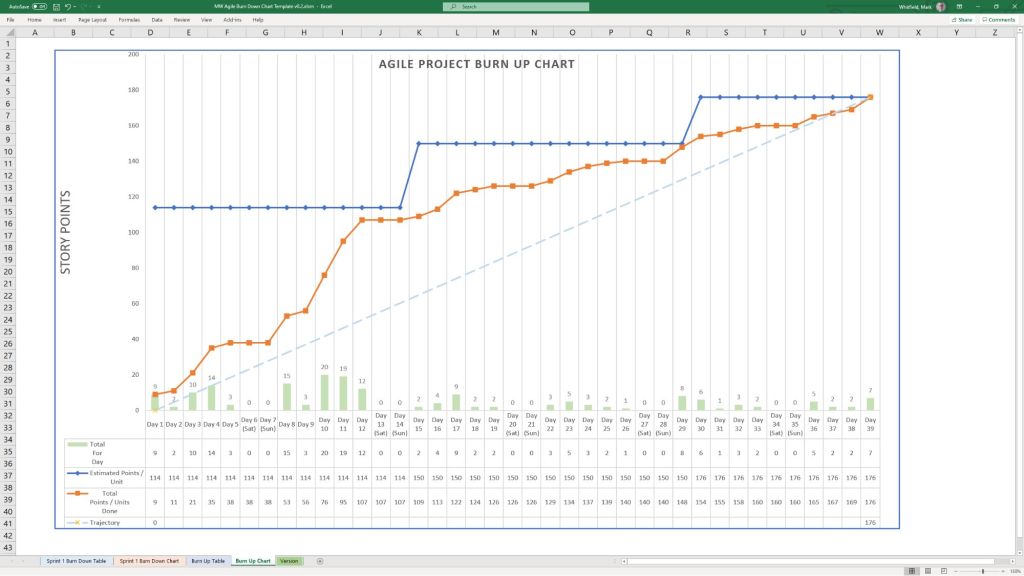
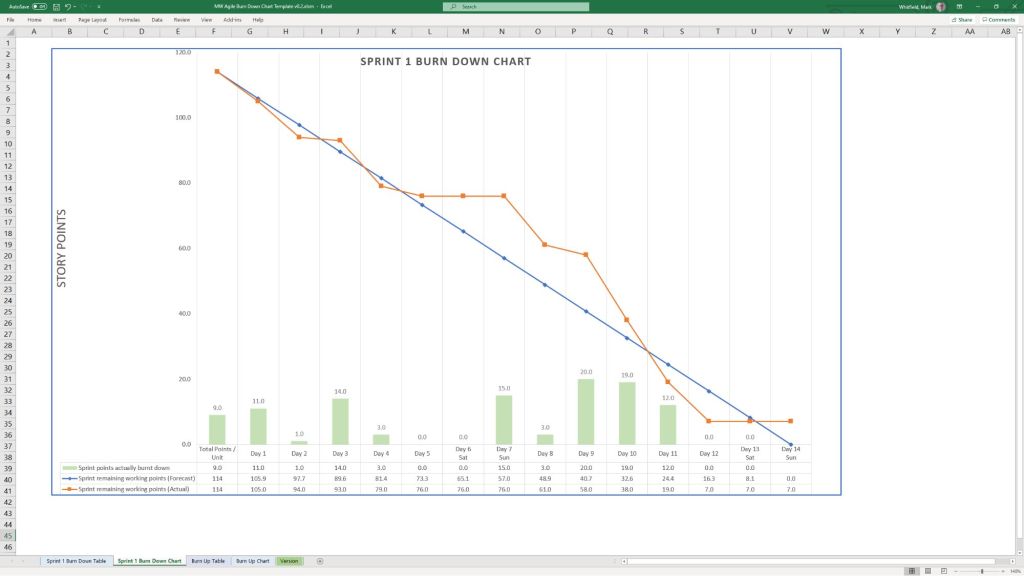
- Agile Burn Down & Burn Up Charts
- Focus: Visualizing sprint velocity, work remaining, and scope creep across iterative delivery cycles.
- Format: Microsoft Excel (
.xlsxwith automatic mathematical plotting). - Source Page: Mark Whitfield Folder Structure & Guide
- MS Teams Planner & To-Do Guide
- Focus: Step-by-step framework configuration for running Kanban-style card streams in the cloud.
- Format: Microsoft Word Walkthrough (
.docx). - Source Page: Mark Whitfield Master Index