Project Management Office (PMO) models overview

Project Management Office (PMO) models dictate the structure, control level, and strategic focus of a PMO within an organization. The most common frameworks break down into three primary operational types, alongside broader structural and strategic classifications that define how governance is applied.

Project Management Office (PMO) models overview

1. Operational Models (By Control Level)

These models define how the PMO interacts with project teams and enforces standards.

  • Supportive PMO: Acts as an advisory entity. It provides templates, best practices, training, and tools on demand, but has no direct control or authority over project execution. Best for: Organizations with a decentralized, highly autonomous culture.
  • Controlling PMO: Enforces strict governance, standardizes methodologies, and ensures compliance across all initiatives. It provides more than advice and actively verifies adherence, but typically relies on established escalation paths rather than direct authority. Best for: Organizations that need consistency and reduced risk.
  • Directive PMO: Assumes full control and direct ownership of projects. The PMO assigns project managers, directs resources, and takes total responsibility for execution, timelines, and outcomes. Best for: Complex or mission-critical projects requiring rigid governance.

2. Structural Models (By Scope & Placement)

These classifications indicate where the PMO sits and its organizational reach.

  • Enterprise PMO (EPMO): Operates at the highest organizational level, overseeing the entire project portfolio. It ensures all programs directly align with overarching corporate business objectives and strategy.
  • Departmental/Divisional PMO: Supports specific business units (such as IT, Marketing, or Engineering). It is highly tailored to the specialized needs of that function, though it runs the risk of creating siloed practices.
  • Embedded or Project-Specific PMO: A temporary model dedicated to one large, highly complex, or mission-critical project or program. It lasts for the duration of the project and then disbands or reallocates.

3. Advanced / Strategic Models (By Focus)

Modern organizations often adapt the PMO to focus on high-level value rather than just tracking timelines.

  • Center of Excellence (CoE): Focuses heavily on continuously elevating the organization’s project management maturity. It acts as an innovation hub for methodologies, technology evaluation, and skill-building.
  • Value Management Office (VMO): Focuses entirely on benefits realization and return on investment (ROI). Rather than just asking “are we on time?”, it asks “is this project generating the business value we wanted?”

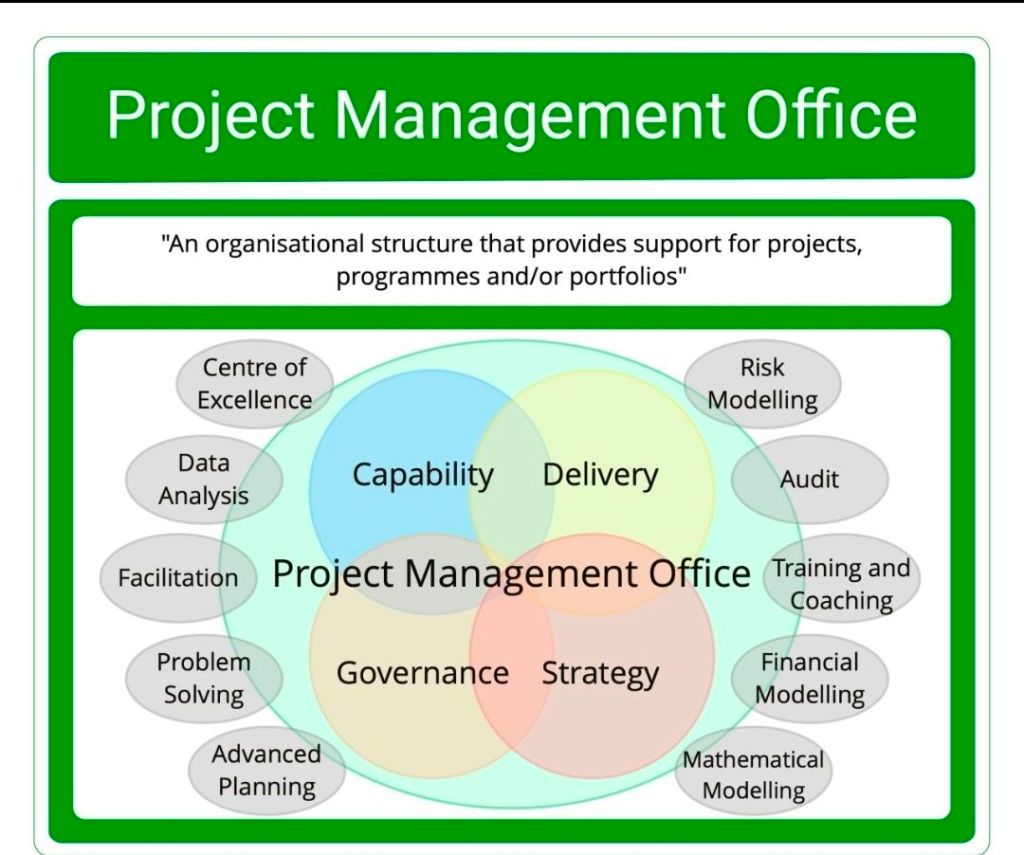
PMO Project Management Office Responsibility

PMO Project Management Office Responsibility

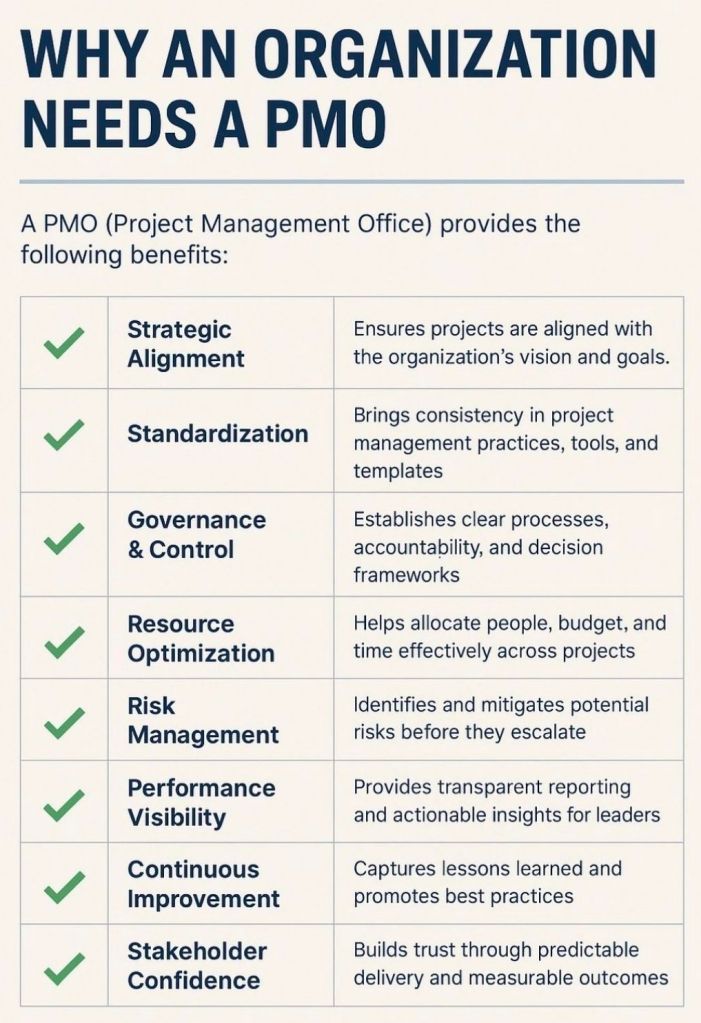
A Project Management Office (PMO) is a centralized department within an organization tasked with standardizing project management processes, enforcing governance, and aligning projects with strategic business goals. Its primary mission is to optimize resource utilization, mitigate risks across the portfolio, and improve the overall success rate of projects.

The core responsibilities of a PMO vary based on its organizational maturity and type (Supportive, Controlling, or Directive), but generally span five major domains:

1. Governance and Standardisation

  • Developing Methodologies: Establishing uniform frameworks, processes, and project management methodologies (such as Agile, Waterfall, or hybrid models) across all departments.
  • Creating Templates: Developing standard documentation, templates, and tools to ensure consistency in project initiation, tracking, and reporting.
  • Conducting Audits: Monitoring compliance with established standards through health checks and project reviews to identify and correct process deviations.

2. Strategic Portfolio Management

  • Strategic Alignment: Ensuring every project investment directly supports the organization’s high-level strategy and long-term business goals.
  • Project Prioritization: Evaluating incoming project proposals and business cases to prioritize high-value initiatives while deferring or canceling low-priority options.
  • Benefits Realization: Tracking and measuring project outcomes to ensure that completed deliverables provide the expected economic or structural value to the company.

3. Monitoring, Tracking, and Reporting

  • Performance Reporting: Collecting and analyzing performance metrics via dashboards to provide regular progress updates to senior executives and stakeholders.
  • Dependency Management: Tracking cross-project dependencies, scheduling overlaps, and potential bottlenecks to prevent organizational conflicts.
  • Risk Management: Identifying systemic risks and early-warning signs of failing projects to trigger timely interventions or escalation protocols.

4. Resource and Capacity Management

  • Resource Optimization: Coordinating the allocation and utilization of personnel, skill sets, and budgets across the entire project portfolio.
  • Capacity Planning: Assisting line managers with strategic capacity planning to identify talent gaps, prevent team burnout, and support hiring decisions.
  • Effort Estimation Support: Providing historical data and expert insights to help project teams produce accurate cost and time estimates.

5. Training and Knowledge Management

  • Mentorship and Coaching: Providing regular guidance, professional coaching, and continuous support to project managers and their delivery teams.
  • Skills Development: Organizing training sessions and educational paths on core project management practices, specialized software, and new industry standards.
  • Lessons Learned Repository: Maintaining a centralized repository of project documentation, historical metrics, and post-project reviews to drive continuous organizational learning.

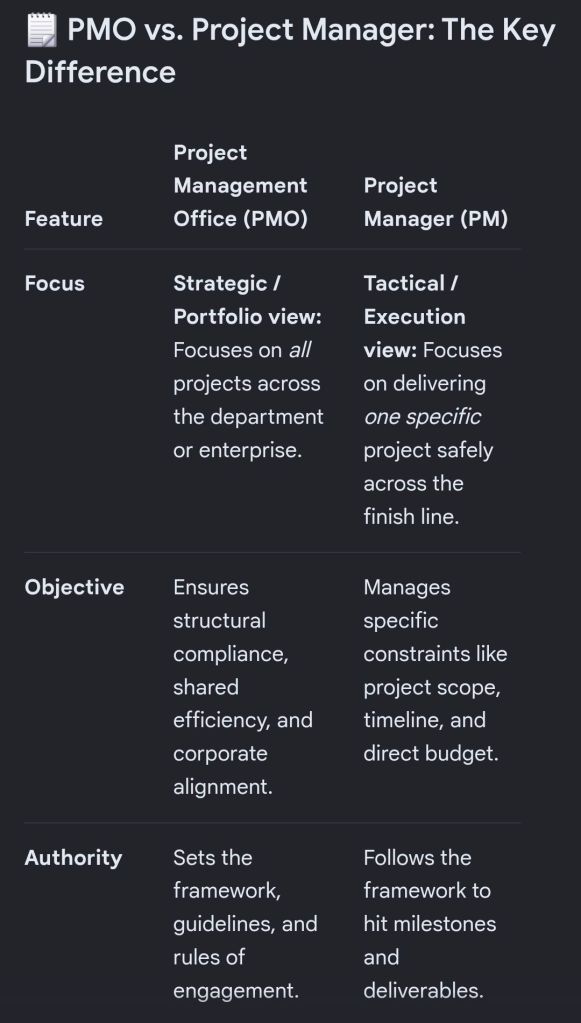
Project Management Office PMO, an Overview

Project Management Office PMO, an Overview

PMO Types, Project Management Office

PMO Types, Project Management Office

Types of Product Managers Overview

Types of Product Managers Overview

Free Upgrade Project Management Templates Download by focus area

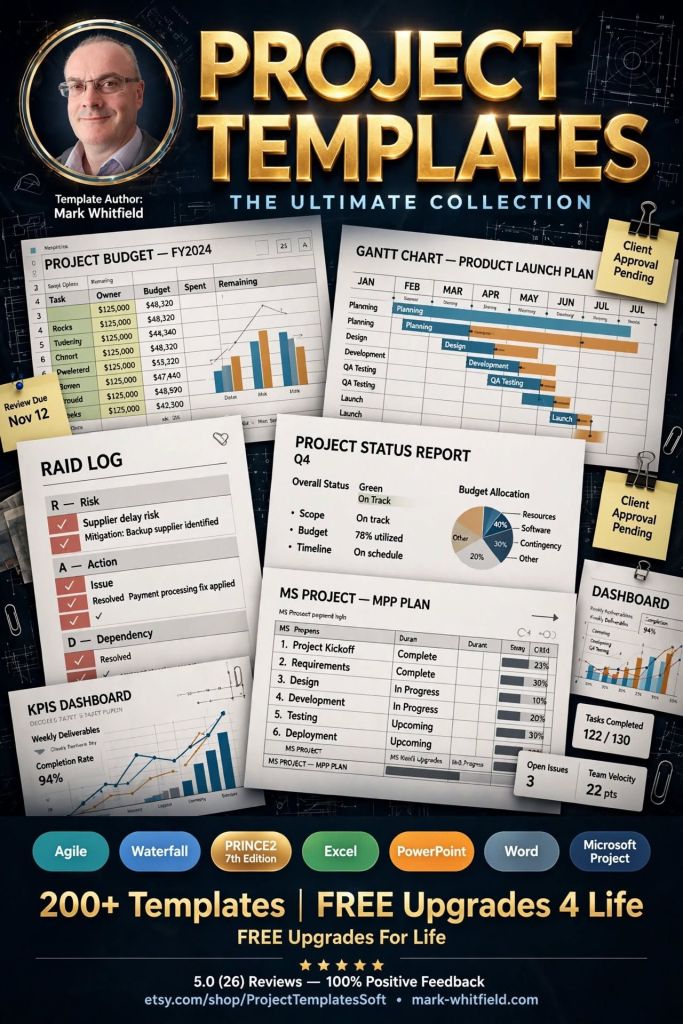
Mark Whitfield provides a comprehensive suite of over 200 editable project management templates designed for both Agile and Waterfall delivery. These tools are built based on 21+ years of IT project delivery experience and are formatted for Microsoft Office (Excel, Word, PowerPoint) and Microsoft Project (MPP).


Core Planning & Tracking Templates

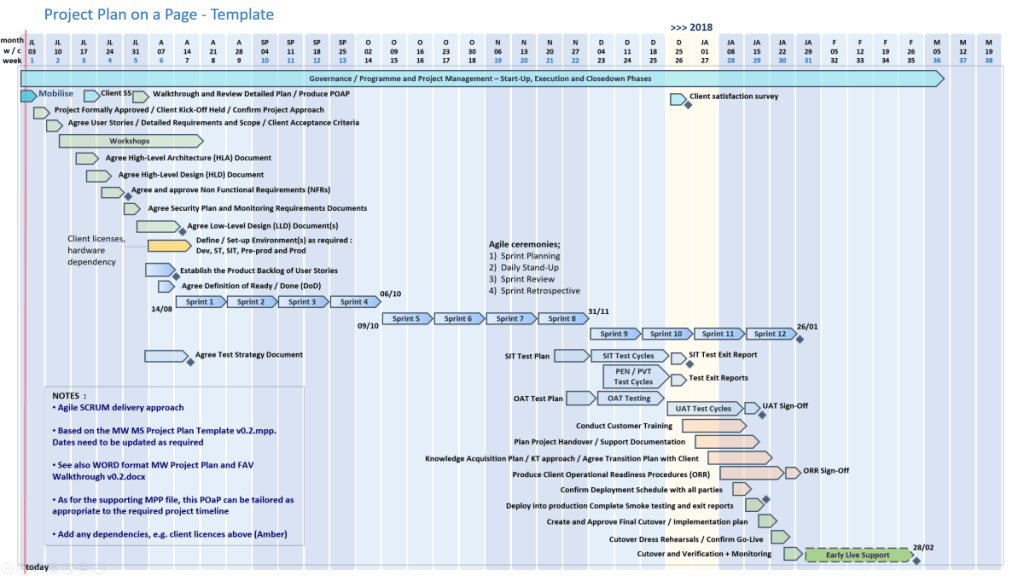
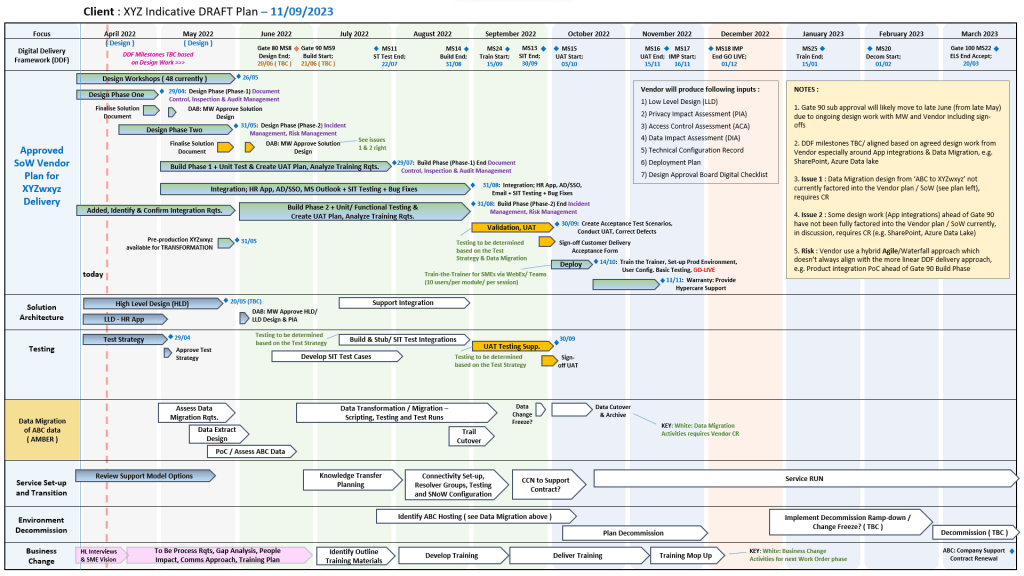
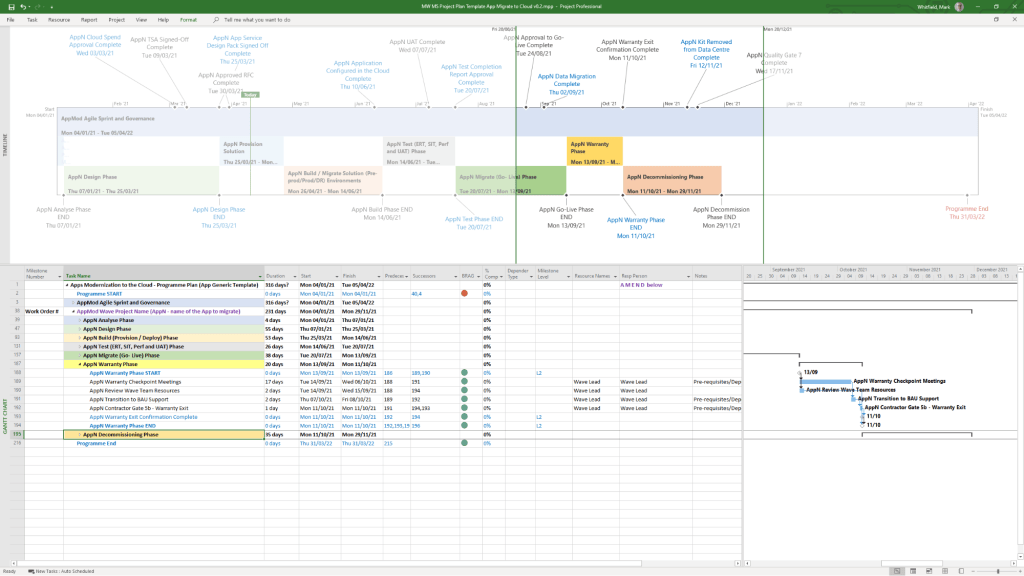
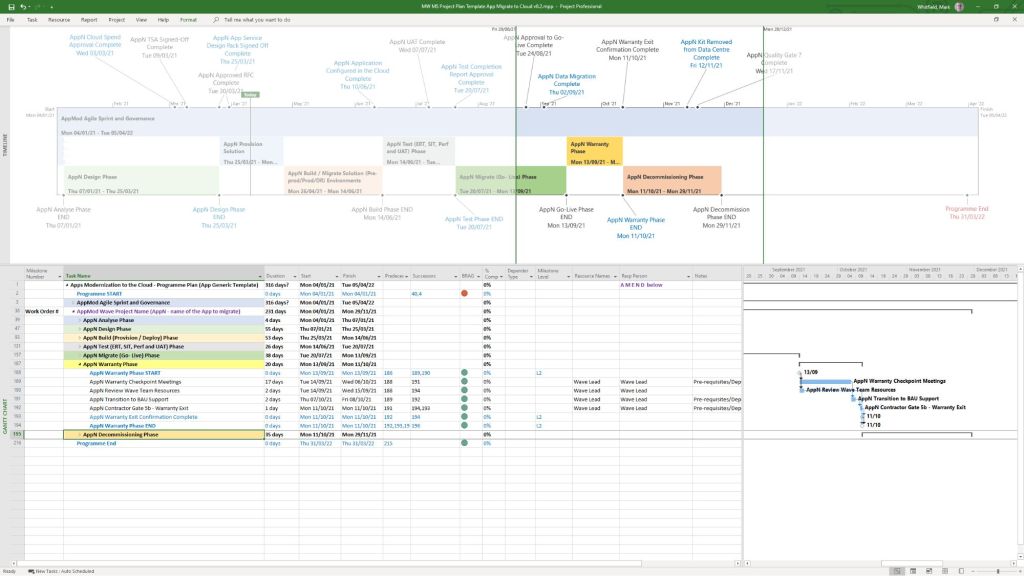
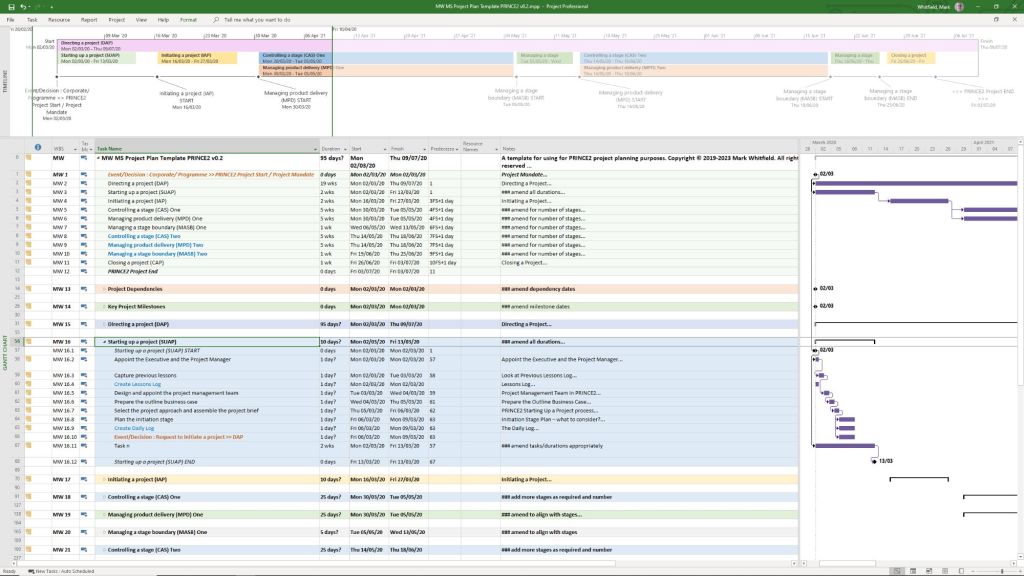
  • Detailed Project Plans: Comprehensive MPP and Excel files covering the full Software Development Life-cycle (SDLC), including Waterfall and Agile Scrum sprints.
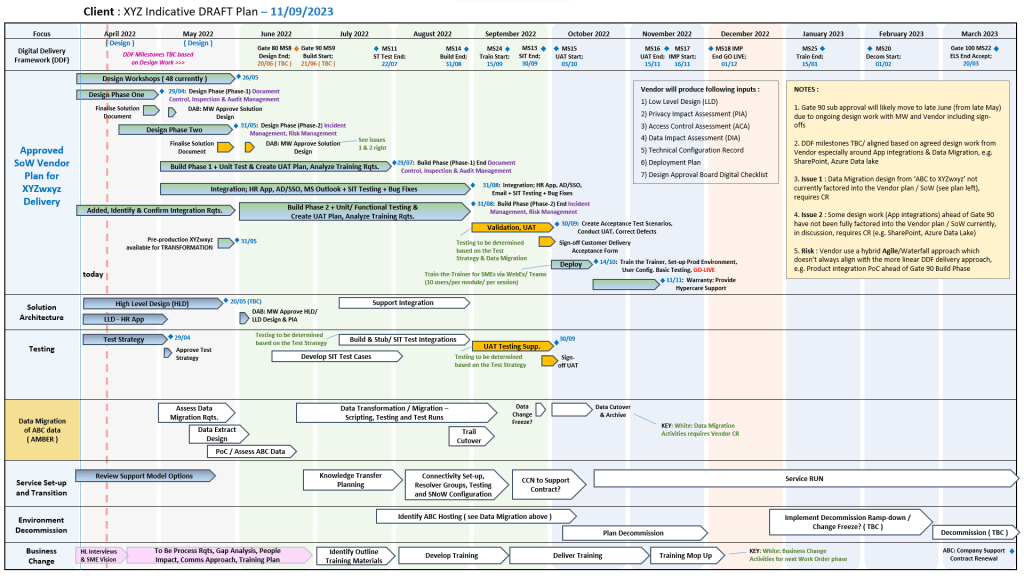
  • Plan on a Page (POaP): High-level visual summaries in PowerPoint or Excel for client reporting and executive snapshots.
  • RAID Log: A central tracker for Risks, Actions, Issues, and Dependencies, often including tabs for Decisions, Opportunities, and Lessons Learned.
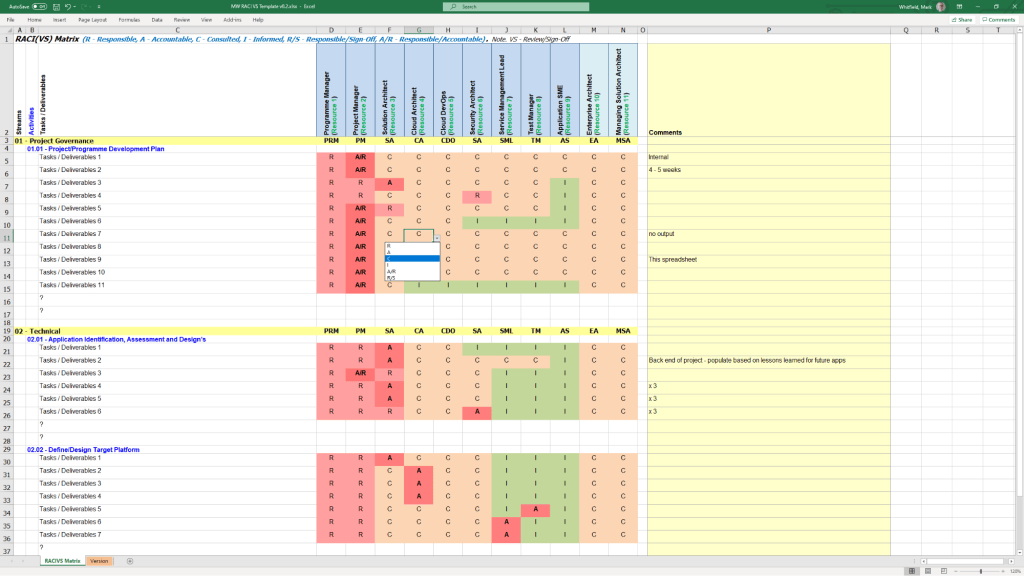
  • RACI Matrix: A tracker to define roles and responsibilities (Responsible, Accountable, Consulted, Informed). 

Financial & Resource Management

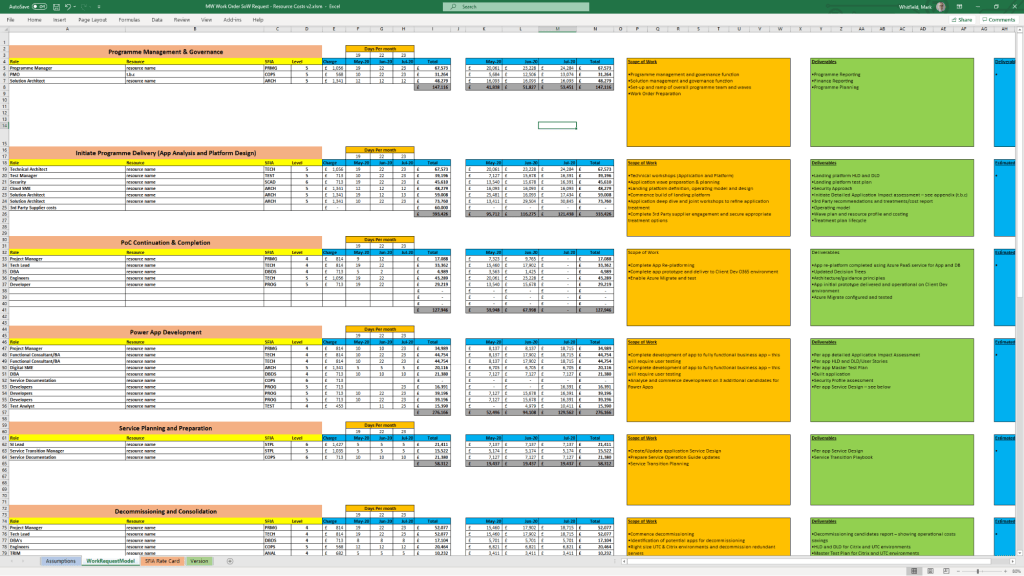
  • Project Finance Tracker: Tools for managing project budgets, including forecasts vs. actuals, margin analysis, and variation tracking.
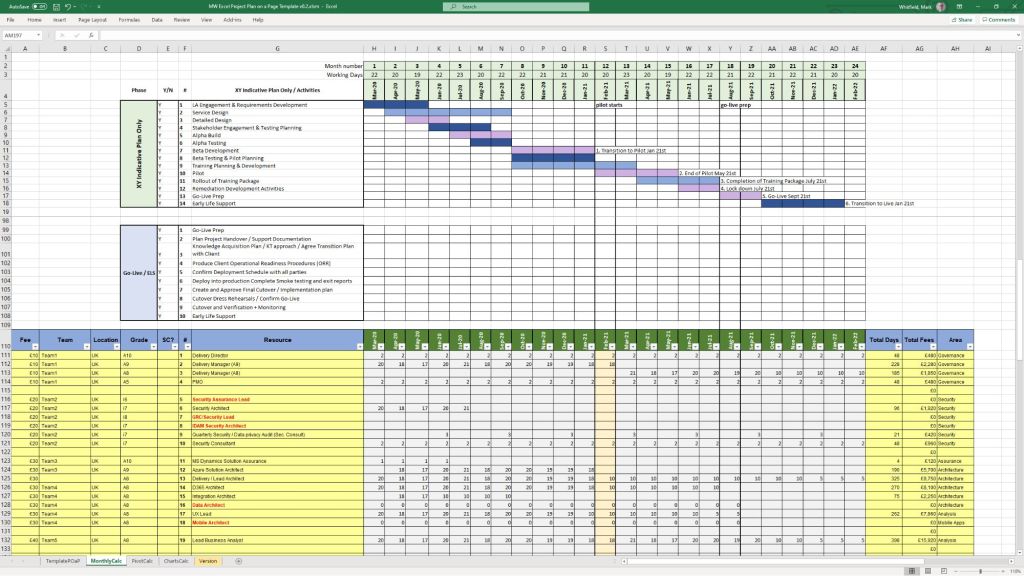
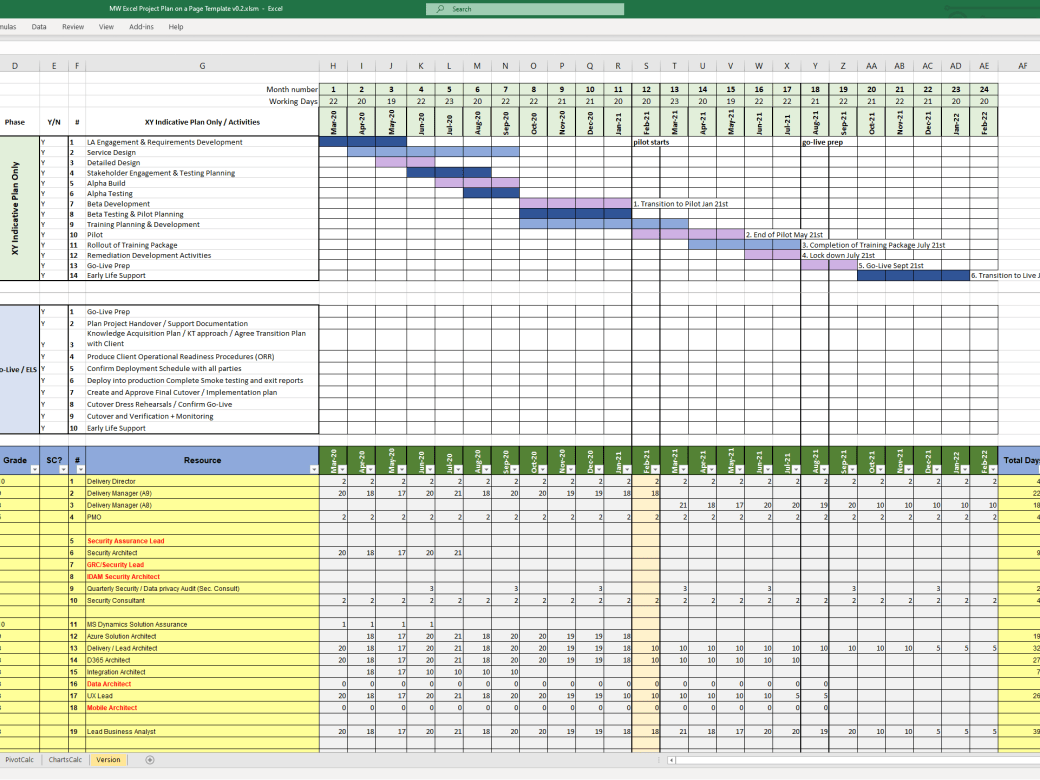
  • Resource Planning: Grid templates for costing project resources per phase and tracking team allocations.
  • Benefits Realisation: A spreadsheet to compare initial project goals against actual business outcomes and costs. 

Reporting & Communication

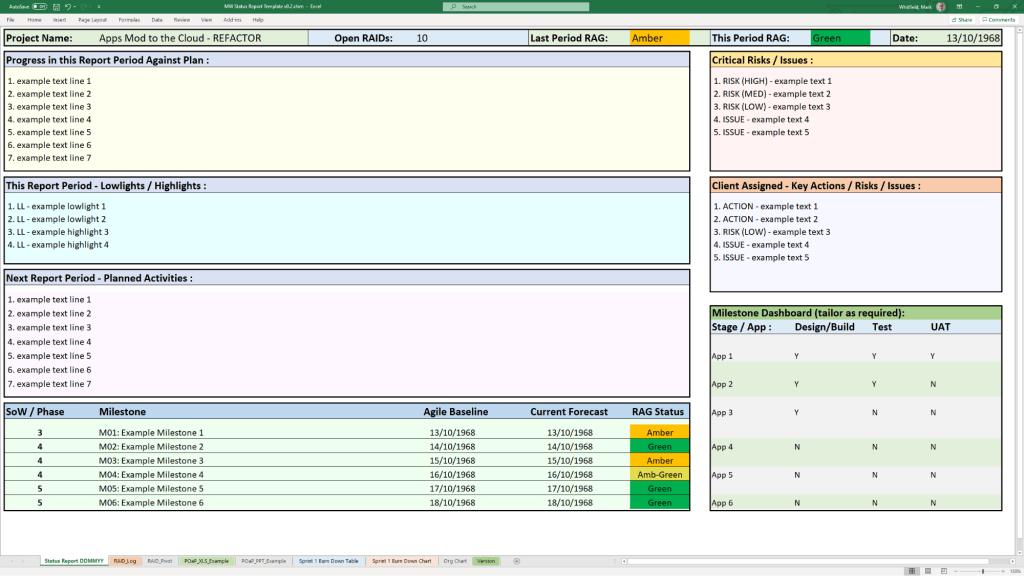
  • Status Reports: Weekly and monthly templates in Word and PowerPoint that include milestone dashboards, project health indicators, and “next steps”.
  • Organisation Charts: Templates for visualising the project hierarchy and stakeholder contacts.
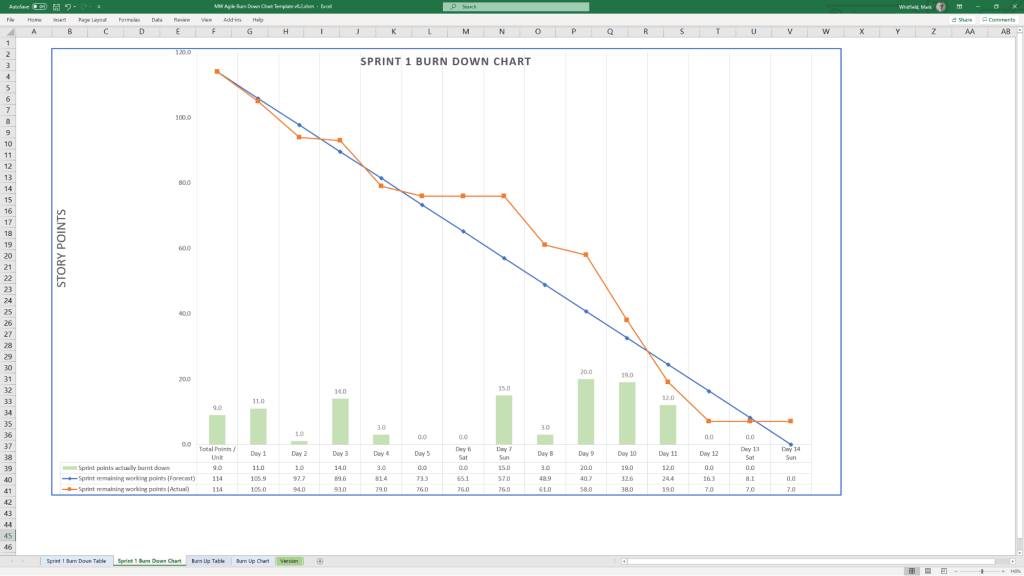
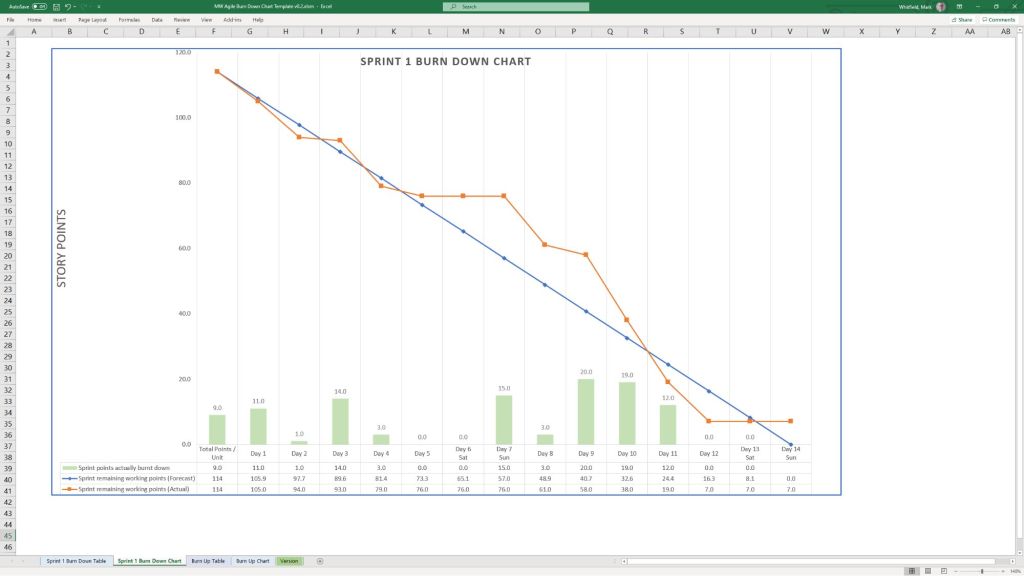
  • Agile Dashboards: Excel-based Burn Down and Burn Up charts for teams that do not have access to tools like Jira. 

Methodology Support

  • PRINCE2 7th Edition: Specific MPP and Excel templates aligned with the latest PRINCE2 standards.
  • Agile Frameworks: Templates for Sprint Planning, Daily Stand-ups, and Sprint Retrospectives. 

These templates are available for purchase on Mark Whitfield’s official site and typically include free lifetime upgrades. 

Free Upgrade Project Management Templates Download by focus area

iProPMTemplates on Etsy for Project Management Templates with FREE Upgrades

Mark Whitfield is a Senior Project Manager with over 30 years of experience in delivering PRINCE2 Waterfall and Agile Scrum projects. Operating the Etsy shop ProjectTemplatesSoft (also known as iProPMTemplates), he provides a comprehensive bundle of over 200 professional project management templates. 

Operating the Etsy shop ProjectTemplatesSoft (also known as iProPMTemplates)

Author Overview: Mark Whitfield

  • Professional Background: Graduated in Computing in 1990 and began his career as a programmer in electronic banking software.
  • Expertise: Senior Project Manager and PRINCE2 Practitioner with extensive experience in the Software Development Lifecycle (SDLC).
  • Value Proposition: His templates are designed to be “imitation-proof” professional toolsets used in real-world project delivery.
  • Support Policy: Offers FREE upgrades and additions for life to anyone who purchases his template bundles; users simply contact him via Etsy or his official website

Detailed Project Templates Inventory

The expanded inventory typically included in his master ZIP file covers the entire project lifecycle across various formats (Excel, Word, PowerPoint, and MS Project). 

1. Planning & Scheduling Templates

  • MS Project (MPP) Plans: Detailed SDLC Microsoft Project plans adaptable for Waterfall and Agile Scrum, including PRINCE2 7th Edition specific plans.
  • Excel Project Planners: Robust Waterfall and PRINCE2 planners with automated Gantt views, designed for users without MS Project licenses.
  • Plan on a Page (POaP): High-level PowerPoint and Excel templates for stakeholder presentations, showing project timelines and key milestones.
  • Agile Frameworks: Templates for Sprint planning, Daily Stand-ups, Sprint Reviews, and Retrospectives. 

2. Tracking & Control (RAID & RACI)

  • Comprehensive RAID Log: An Excel-based master tracker for Risks, Assumptions, Issues, Dependencies, and Decisions.
  • RACI Matrix: For defining roles and responsibilities (Responsible, Accountable, Consulted, Informed).
  • Agile Trackers: Includes Burn Down and Burn Up charts for teams not using Jira or similar tools. 

3. Financial & Resource Management

  • Project Financial Tracker: Detailed spreadsheets for tracking forecasts, actuals, margins, and variance.
  • Resource Costing Grid: Tools for estimating resource costs across project phases, useful for bidding and Statements of Work (SoW).
  • Capacity Planning: Templates for managing team availability and on-boarding mobilization kits

4. Documentation & Reporting

  • Status Reports: Weekly and monthly templates in Word and PowerPoint.
  • Standard PRINCE2 Artifacts: Complete set including Business Cases, Project Briefs, Highlight Reports, and End Stage Reports.
  • Governance Tools: Meeting minutes, stakeholder analysis plans, and Benefits Realisation Plans

iProPMTemplates on Etsy for Project Management Templates with FREE Upgrades

Cost Estimating vs Cost Planning

Cost Estimating vs Cost Planning

In professional project management and construction, cost estimating and cost planning are complementary processes that occur at different stages to ensure a project remains financially viable

1. Cost Estimating: “What will it cost?”

Cost estimating is a technical assessment used to predict the expenditures for a project. 

  • Early Stages: Estimates might be “rough orders of magnitude” based on square footage or historical data (e.g., cost per hotel room).
  • Later Stages: Estimates become precise “tender figures” used by contractors to bid on work, factoring in current market rates for labour and materials.
  • Function: It answers the question: “Is this specific plan affordable?”. 

2. Cost Planning: “How do we stay on budget?”

Cost planning is a strategic framework that manages a project’s financial health from start to finish. 

  • Iterative Process: It is a “living document” that is updated as the project moves from concept to detailed design.
  • Allocation: It breaks down the total budget into “elemental” targets (e.g., spending £X on the foundation and £Y on finishes).
  • Control: If an estimate for one part of the project exceeds its target, the cost plan guides the team to adjust the design or find savings elsewhere to keep the overall project on track. 

Standard Professional Guidance

The Royal Institution of Chartered Surveyors (RICS) provides the New Rules of Measurement (NRM 1), which standardises how these processes work together: 

  1. Order of Cost Estimate: Establishing the initial viability of a project.
  2. Elemental Cost Plan: Breaking the estimate down into functional parts.
  3. Cost Checking: Continually comparing design changes against the cost plan to prevent overspending.
Cost Estimating vs Cost Planning