Mark Whitfield provides a comprehensive suite of over 200 editable project management templates designed for both Agile and Waterfall delivery. These tools are built based on 21+ years of IT project delivery experience and are formatted for Microsoft Office (Excel, Word, PowerPoint) and Microsoft Project (MPP).
Core Planning & Tracking Templates
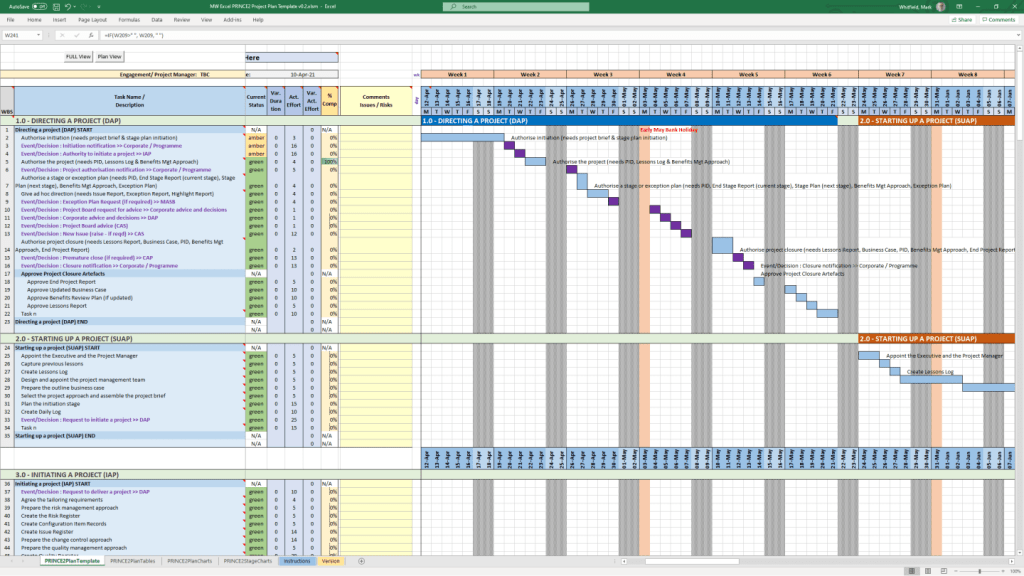
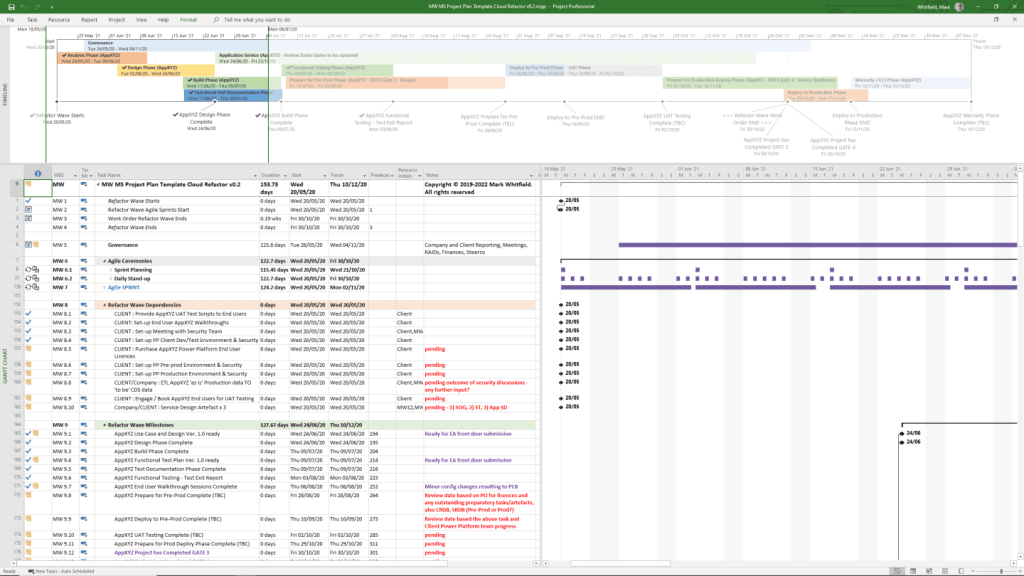
Detailed Project Plans: Comprehensive MPP and Excel files covering the full Software Development Life-cycle (SDLC), including Waterfall and Agile Scrum sprints.
Plan on a Page (POaP): High-level visual summaries in PowerPoint or Excel for client reporting and executive snapshots.
RAID Log: A central tracker for Risks, Actions, Issues, and Dependencies, often including tabs for Decisions, Opportunities, and Lessons Learned.
RACI Matrix: A tracker to define roles and responsibilities (Responsible, Accountable, Consulted, Informed).
Financial & Resource Management
Project Finance Tracker: Tools for managing project budgets, including forecasts vs. actuals, margin analysis, and variation tracking.
Resource Planning: Grid templates for costing project resources per phase and tracking team allocations.
Benefits Realisation: A spreadsheet to compare initial project goals against actual business outcomes and costs.
Reporting & Communication
Status Reports: Weekly and monthly templates in Word and PowerPoint that include milestone dashboards, project health indicators, and “next steps”.
Organisation Charts: Templates for visualising the project hierarchy and stakeholder contacts.
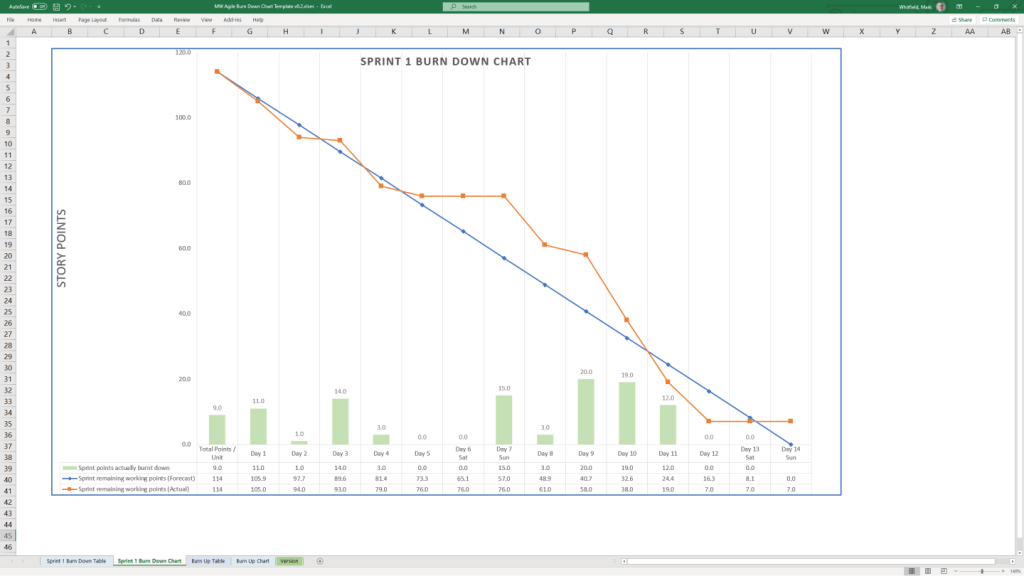
Agile Dashboards: Excel-based Burn Down and Burn Up charts for teams that do not have access to tools like Jira.
Methodology Support
PRINCE2 7th Edition: Specific MPP and Excel templates aligned with the latest PRINCE2 standards.
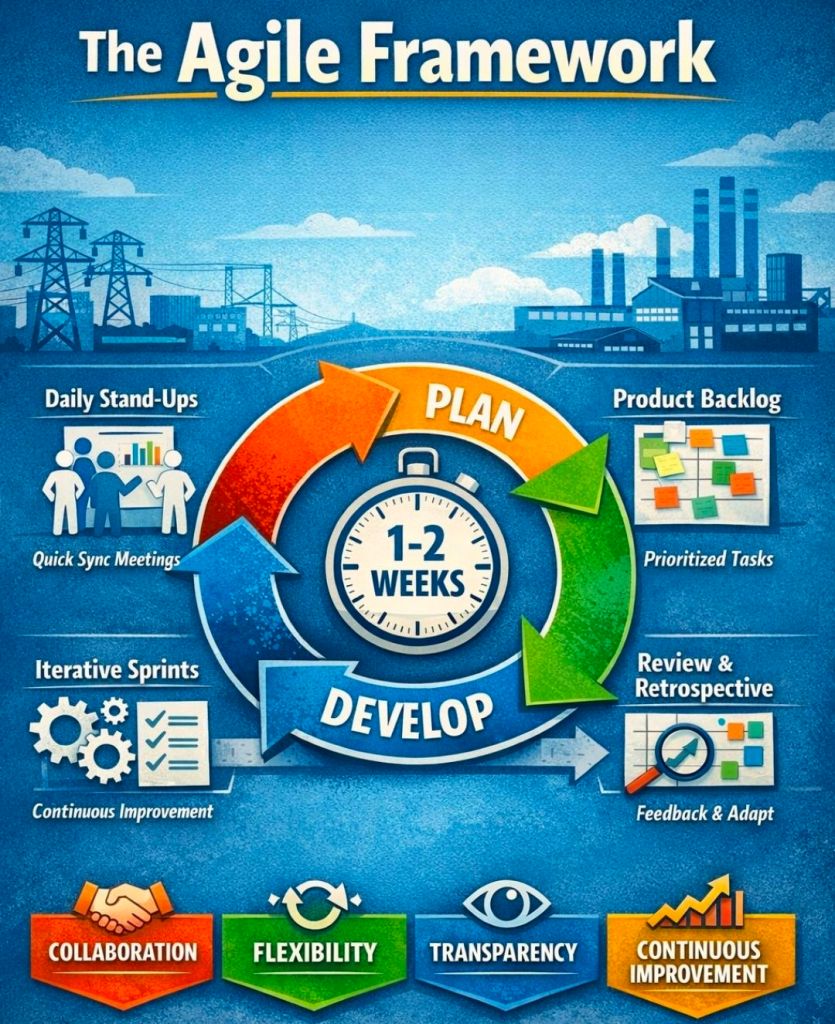
Agile Frameworks: Templates for Sprint Planning, Daily Stand-ups, and Sprint Retrospectives.
These templates are available for purchase on Mark Whitfield’s official site and typically include free lifetime upgrades.
Free Upgrade Project Management Templates Download by focus area
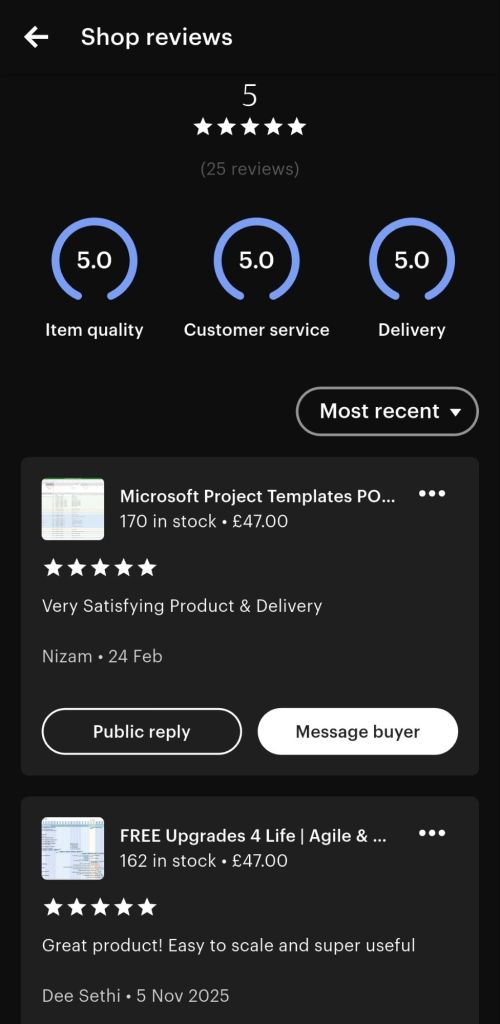
Mark Whitfield is a Senior Project Manager with over 30 years of experience in delivering PRINCE2 Waterfall and Agile Scrum projects. Operating the Etsy shop ProjectTemplatesSoft (also known as iProPMTemplates), he provides a comprehensive bundle of over 200 professional project management templates.
Operating the Etsy shop ProjectTemplatesSoft (also known as iProPMTemplates)
Author Overview: Mark Whitfield
Professional Background: Graduated in Computing in 1990 and began his career as a programmer in electronic banking software.
Expertise: Senior Project Manager and PRINCE2 Practitioner with extensive experience in the Software Development Lifecycle (SDLC).
Value Proposition: His templates are designed to be “imitation-proof” professional toolsets used in real-world project delivery.
Support Policy: Offers FREE upgrades and additions for life to anyone who purchases his template bundles; users simply contact him via Etsy or his official website.
The expanded inventory typically included in his master ZIP file covers the entire project lifecycle across various formats (Excel, Word, PowerPoint, and MS Project).
1. Planning & Scheduling Templates
MS Project (MPP) Plans: Detailed SDLC Microsoft Project plans adaptable for Waterfall and Agile Scrum, including PRINCE2 7th Edition specific plans.
Excel Project Planners: Robust Waterfall and PRINCE2 planners with automated Gantt views, designed for users without MS Project licenses.
Plan on a Page (POaP): High-level PowerPoint and Excel templates for stakeholder presentations, showing project timelines and key milestones.
Agile Frameworks: Templates for Sprint planning, Daily Stand-ups, Sprint Reviews, and Retrospectives.
2. Tracking & Control (RAID & RACI)
Comprehensive RAID Log: An Excel-based master tracker for Risks, Assumptions, Issues, Dependencies, and Decisions.
RACI Matrix: For defining roles and responsibilities (Responsible, Accountable, Consulted, Informed).
Agile Trackers: Includes Burn Down and Burn Up charts for teams not using Jira or similar tools.
3. Financial & Resource Management
Project Financial Tracker: Detailed spreadsheets for tracking forecasts, actuals, margins, and variance.
Resource Costing Grid: Tools for estimating resource costs across project phases, useful for bidding and Statements of Work (SoW).
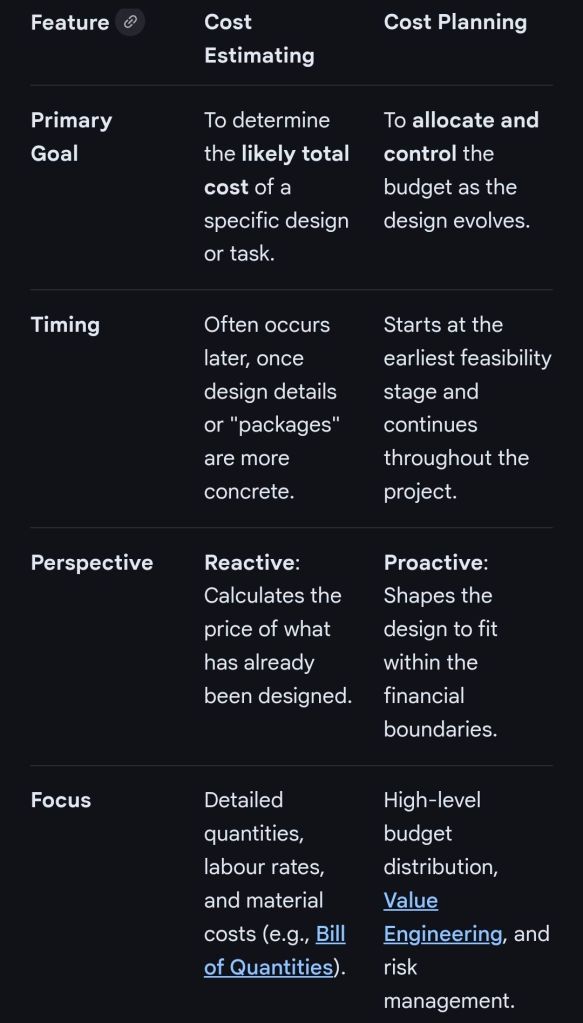
In professional project management and construction, cost estimating and cost planning are complementary processes that occur at different stages to ensure a project remains financially viable.
1. Cost Estimating: “What will it cost?”
Cost estimating is a technical assessment used to predict the expenditures for a project.
Early Stages: Estimates might be “rough orders of magnitude” based on square footage or historical data (e.g., cost per hotel room).
Later Stages: Estimates become precise “tender figures” used by contractors to bid on work, factoring in current market rates for labour and materials.
Function: It answers the question: “Is this specific plan affordable?”.
2. Cost Planning: “How do we stay on budget?”
Cost planning is a strategic framework that manages a project’s financial health from start to finish.
Iterative Process: It is a “living document” that is updated as the project moves from concept to detailed design.
Allocation: It breaks down the total budget into “elemental” targets (e.g., spending £X on the foundation and £Y on finishes).
Control: If an estimate for one part of the project exceeds its target, the cost plan guides the team to adjust the design or find savings elsewhere to keep the overall project on track.
Standard Professional Guidance
The Royal Institution of Chartered Surveyors (RICS) provides the New Rules of Measurement (NRM 1), which standardises how these processes work together:
Order of Cost Estimate: Establishing the initial viability of a project.
Elemental Cost Plan: Breaking the estimate down into functional parts.
Cost Checking: Continually comparing design changes against the cost plan to prevent overspending.