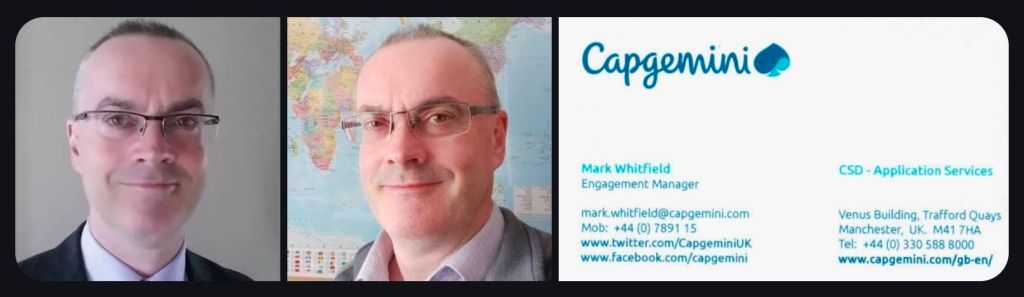
Mark Whitfield | Capgemini Advanced EM Course – November 2017 Class
Key responsibilities for the Engagement Manager (EM) include:
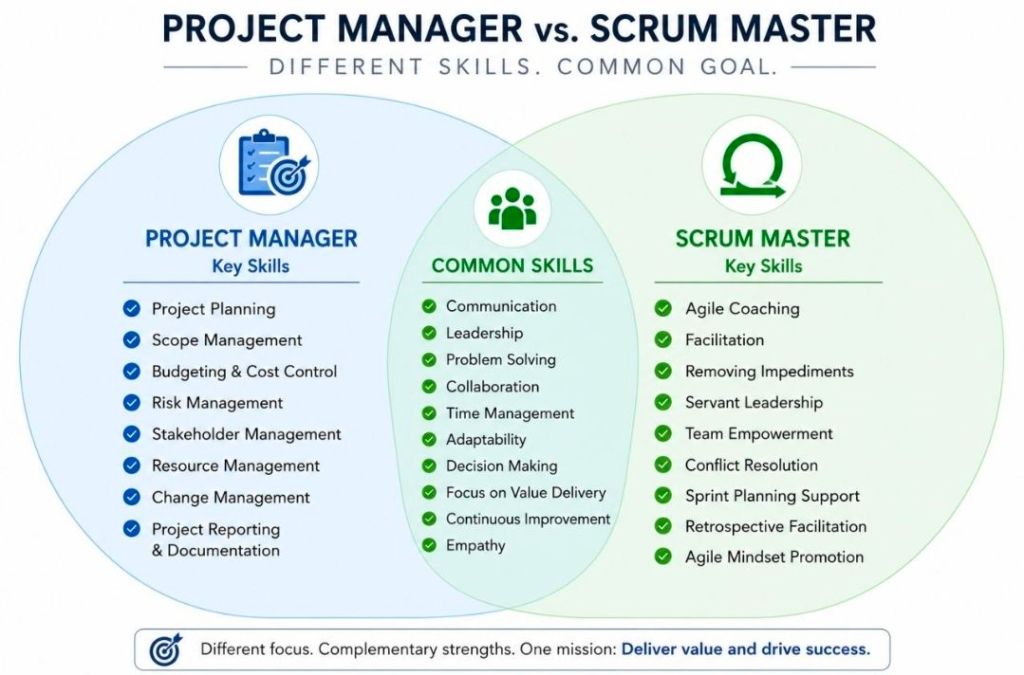
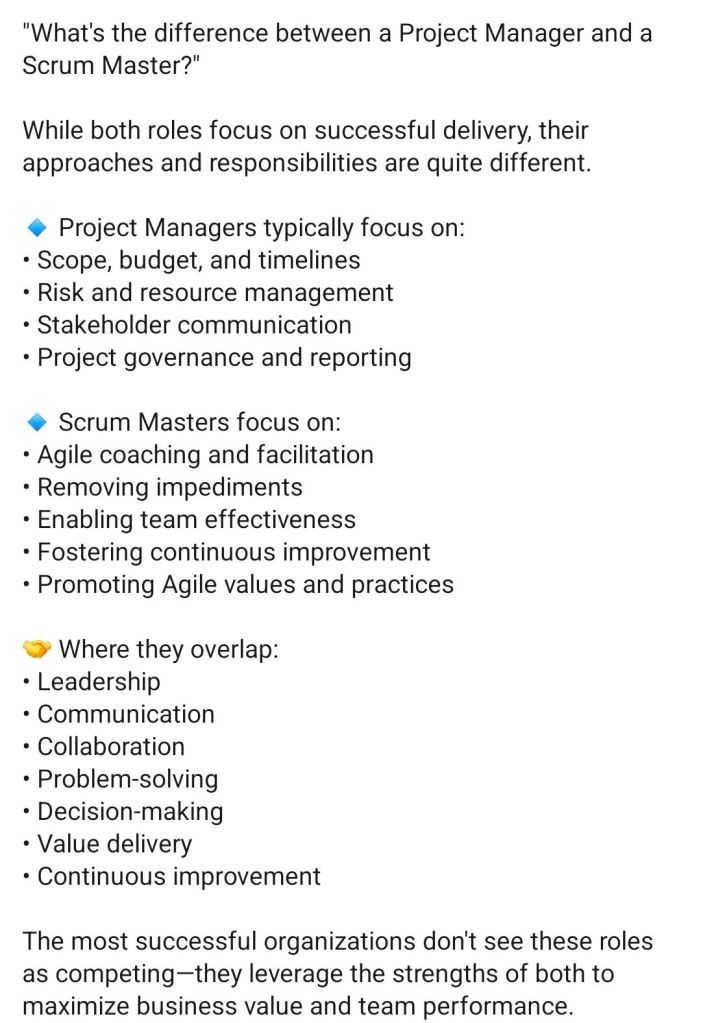
• Deliver against the contract. • Overall responsibility for project success, achieving project targets e.g. margin (as defined in the Internal View) and delivering to agreed timescales. • Management of the project through its complete lifecycle and multiple aspects, as described in the UPM phases and streams. • Author and owner of the Project Governance Plan (PGP) and responsible for compliance to its contents. • Clear and concise status and project reporting, both internal and external, as defined in the PGP. • Management of the monthly financial reporting process. • Work together with the Offshore Project Manager in order to realize the common project targets. • Management and motivation of the project team, including setting of objectives for direct reports and timely completion of their assignment reviews. • Communications to stakeholders and teams about all relevant aspects of the project, in line with contract, project baseline, project status and client feedback. • Ensure compliance with UPM (Group or regional version) and any local quality management system. • Ensure the group mandated tools are utilised. • Meet or exceed client expectations (using client satisfaction process). • Identify and follow-up on opportunities for additional business. • Achieve the Capgemini EM certification level appropriate to level of experience.
The EM should deliver the project against contracts, meet (or exceed) client expectations, achieve project targets, identify and work on opportunities for additional business, and should ensure that these fundamentals are followed on the project.
Usually the EM will report to the Delivery Manager or a Programme Manager if the project is part of a larger programme.
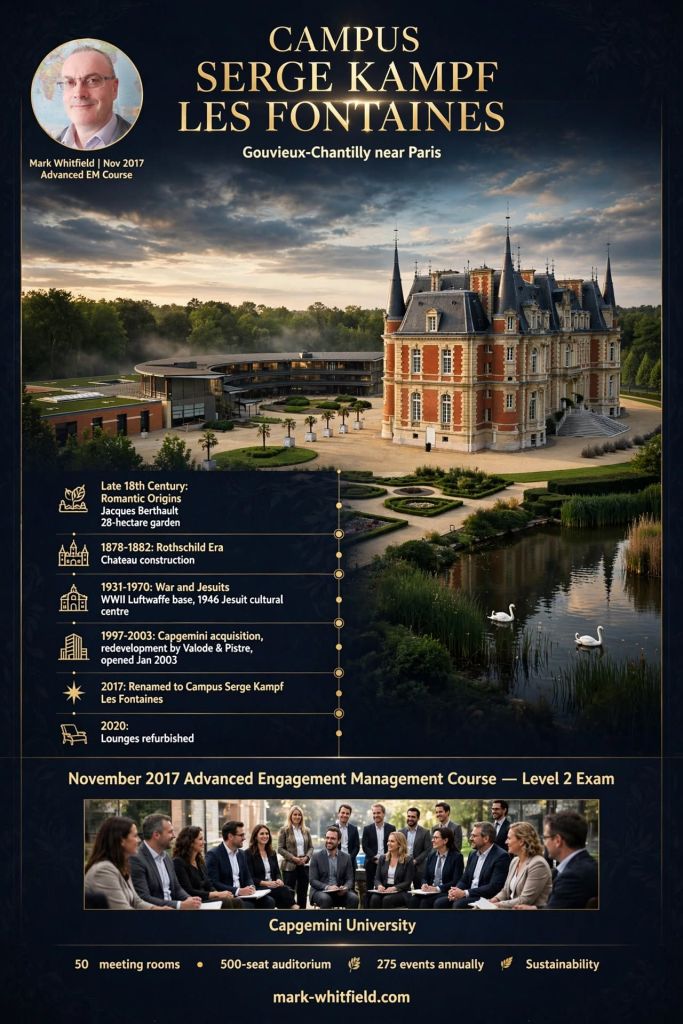
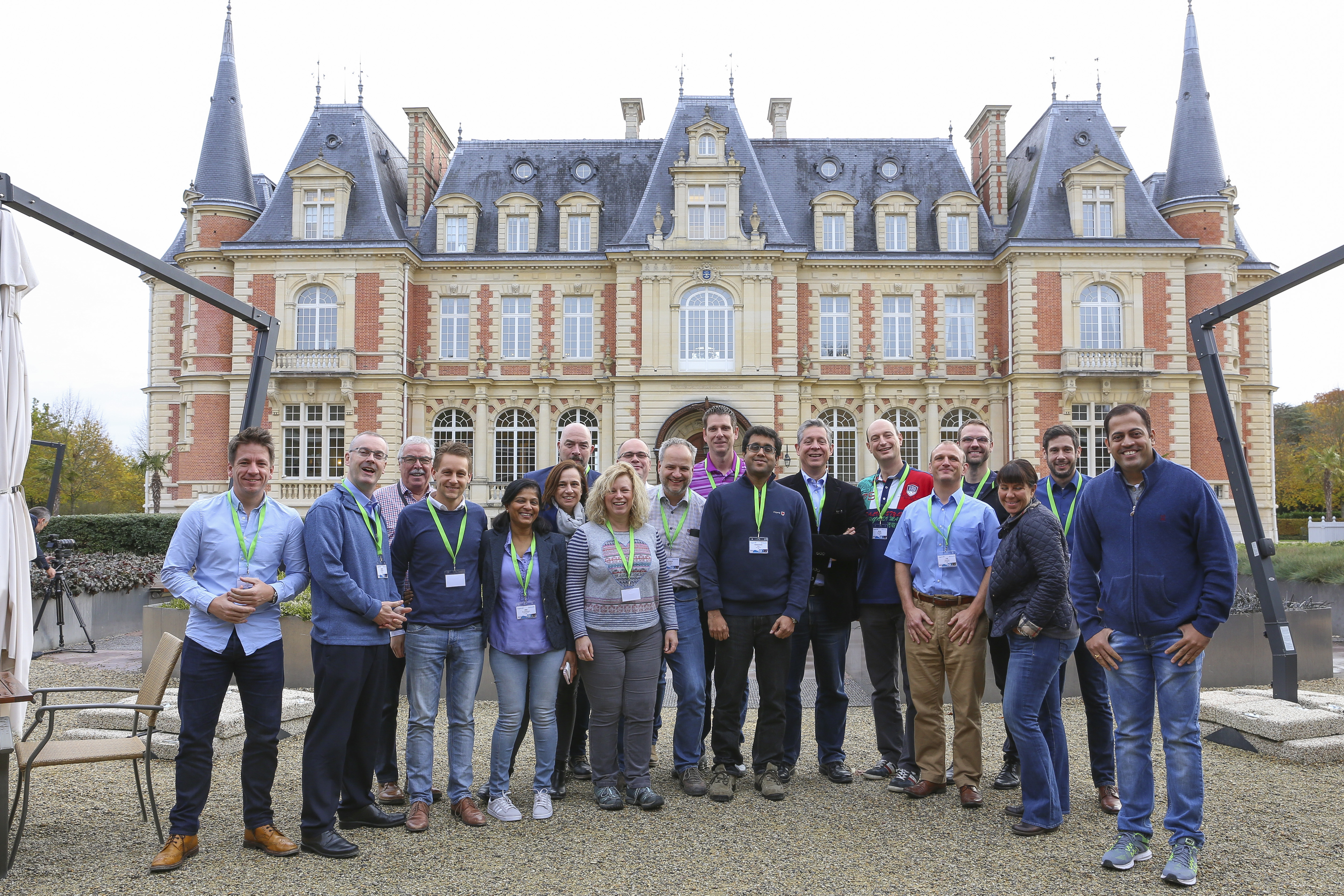
Campus – Serge Kampf Les Fontaines, Chantilly, France – Advanced EM Course – November 2017 Class – 2nd from left
Campus Serge Kampf Les Fontaines, in Gouvieux-Chantilly near Paris
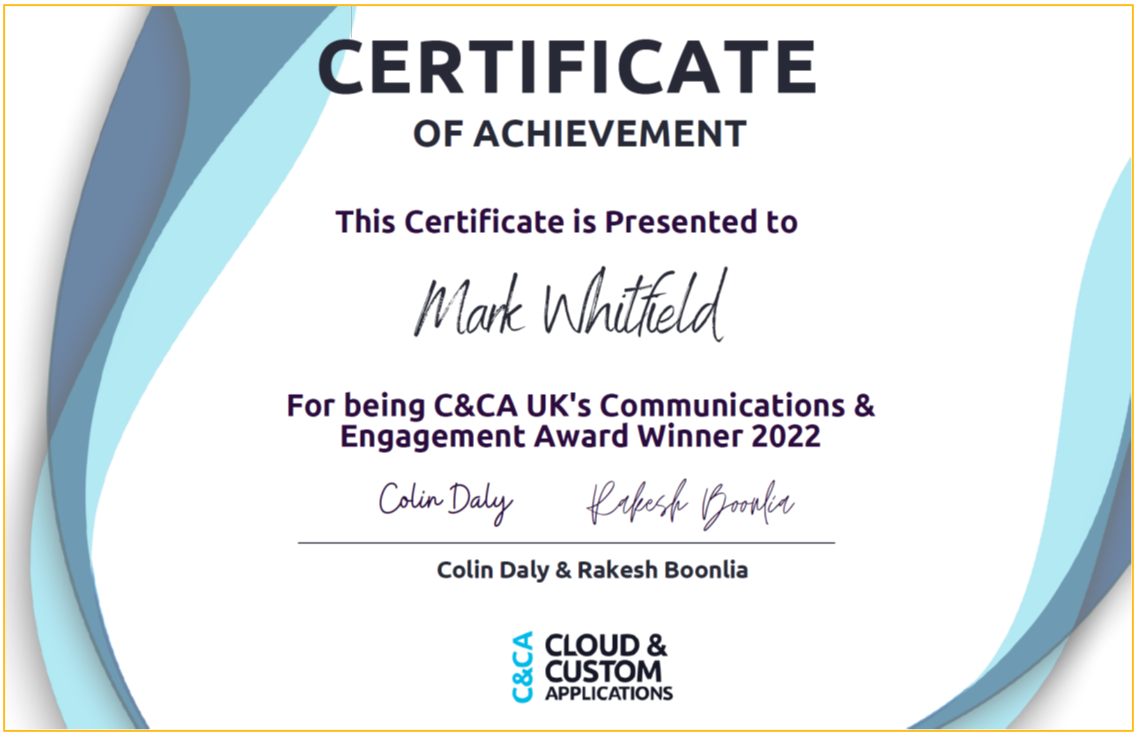
C&CA UK’s Communications & Engagement Award Winner 2022 – Cloud & Custom Applications – Capgemini UK
Serge Kampf Les Fontaines, Chantilly, France – Advanced EM Course
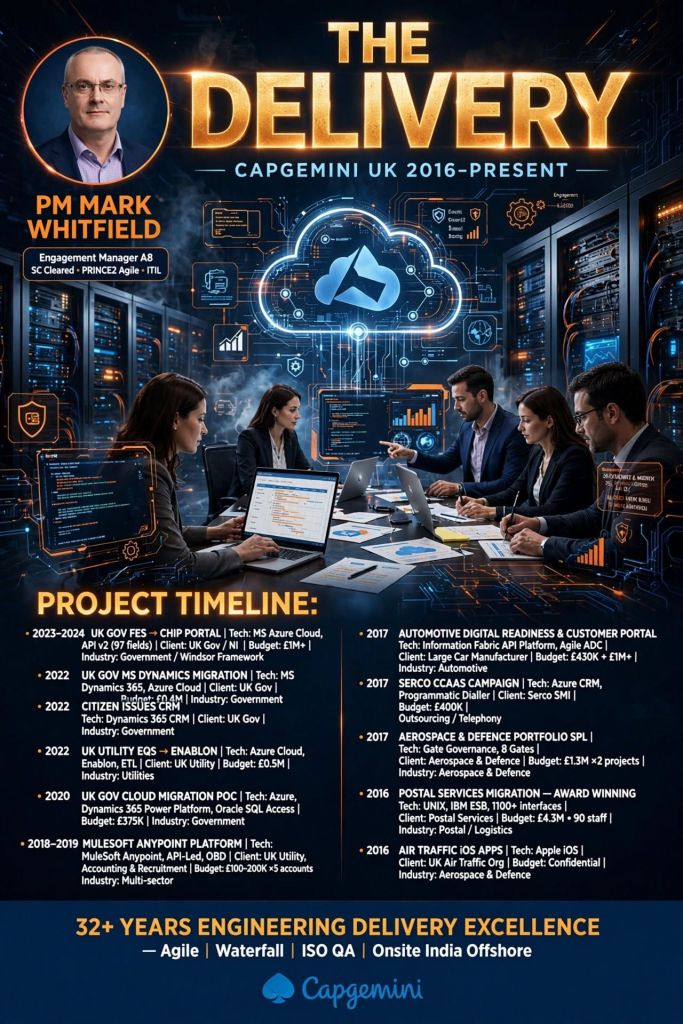
As a client-facing, SC-cleared Engagement Manager and Senior Project Manager for Capgemini UK (2016–Present), Mark Whitfield’s focus areas and project outputs fall into Phase 5 (Enterprise Cloud, Integration & Public Sector Delivery) of his overall professional trajectory.
Mark Whitfield | Engagement Manager
His tenure at Capgemini UK is marked by managing complex hybrid migrations, enterprise system integrations, and multi-million-pound public and private sector contracts using hybrid Agile and PRINCE2 methodologies.
🌐 Era 1: Public Sector & Cloud Migration (2019–Present)
This era aligns with the UK government’s “Digital by Default” mandate and a nationwide public sector transition toward highly secure, cost-optimized, and green cloud platforms.
Re-hosting, re-platforming, and refactoring legacy software architectures.
Cross-functional alignment with rigid government data privacy guidelines (GDPR).
Coordinating large-scale onshore and offshore engineering delivery resources.
Project Outputs:
Directed a massive £13.5 million programme to migrate over 130 public sector legacy applications onto Microsoft Azure and AWS platforms.
Delivered a Proof of Concept (POC) indicator project worth £375k ahead of the wider national public infrastructure cloud framework rollout.
🔌 Era 2: MuleSoft Ecosystem & Enterprise API Integration (2018–2019)
During this phase, Whitfield was augmented as a Delivery Manager into MuleSoft (a Salesforce company) operating out of the London Salesforce Tower.
Focus Areas:
API-led connectivity frameworks and microservices architecture deployment.
Hyper-automation and multi-site enterprise system integrations.
API lifecycle design and Anypoint Code Builder configurations.
Guiding high-influence blue-chip clients through API connectivity governance.
Project Outputs:
Successful deployment of production-ready APIs to unlock siloed, legacy back-end system data.
Delivered complex data pipelines to support modernized, interconnected digital applications for tier-one global brands.
🛫 Era 3: Major Corporate Infrastructure & Sector Delivery (2016–2018)
Upon joining Capgemini in January 2016, Whitfield initially spearheaded highly secure, custom bespoke solutions across critical commercial and defensive sectors.
Focus Areas:
High-security, multi-site project tracking, financial forecasting, and stakeholder governance.
Automated manufacturing, aerospace, defense, and logistics supply chain data tracking.
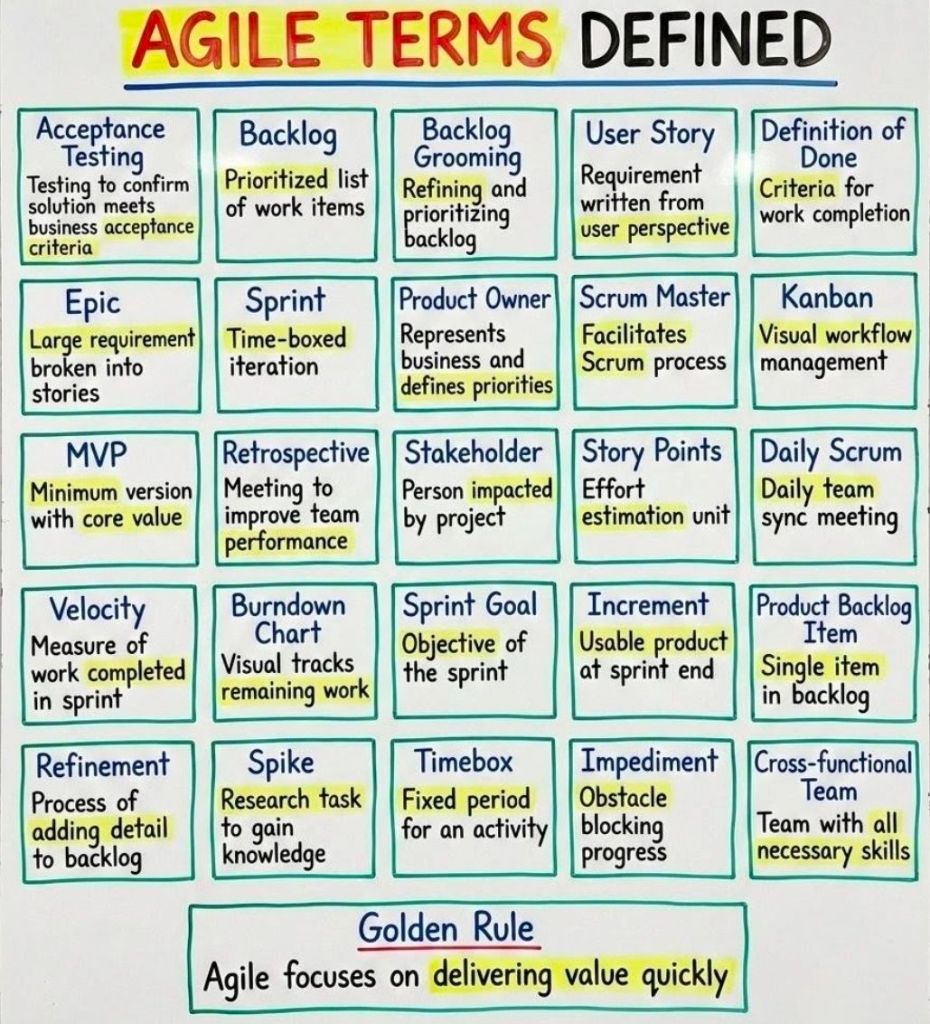
Complex Agile SCRUM sprint ceremonies with heavy cross-team interdependencies.
Project Outputs:
Aerospace & Defence (NATS): Oversaw the secure delivery of custom Apple iOS apps providing real-time, public-facing, and military airspace data.
Postal Services (Royal Mail Group): Managed an award-winning £4.3 million project utilizing 90 Capgemini engineers to safely migrate over 1,100 system interfaces across dual data centers.
Automotive Integration (Jaguar Land Rover): Directed extensive enterprise architecture planning, pipeline resource mapping, and Scrum team management for a major supply chain initiative.
Mark Whitfield is a UK-based, SC-cleared Senior IT Project Manager, Engagement Manager (Capgemini), and technology executive with over 35 years of hands-on and leadership experience across the Software Development Lifecycle (SDLC).
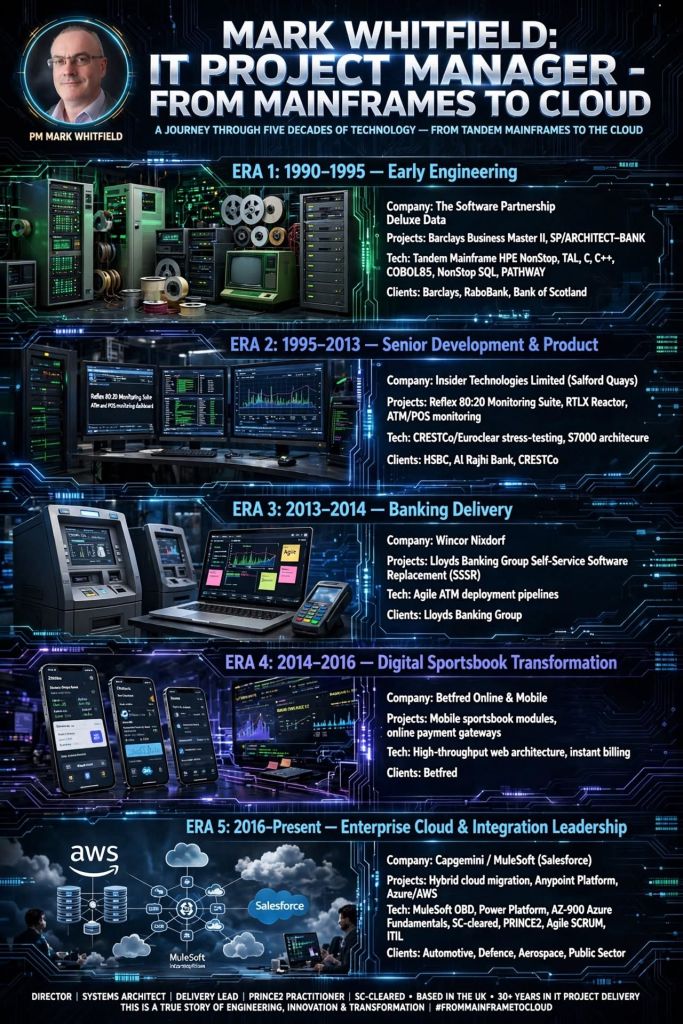
Mark Whitfield, High-Level Career Summary from 1990 thru 2026
Specialising in complex digital transformation, hybrid cloud migrations, and API-led system integrations, Mark graduated with an HND (Distinction) in Computing in 1990 and has delivered major enterprise solutions for clients such as Barclays Bank, Jaguar Land Rover (JLR), Royal Mail Group (RMG), Lloyds Banking Group, and the Bank of England. He is also the author of the PROject Templates resource platform, which provides project management toolkits.
Mark Whitfield | Career Summary Timeline from Mainframes to Cloud
The following comprehensive biography and career timeline breakdown details his professional trajectory by era.
Phase 1: Early Programming & Lead Analysis Era
Era Focus: Electronic banking software development, establishing foundational desktop access to company accounts.
Deluxe Data International, Wingate House, Northway, Runcorn
Main Focus Items: Core software design, coding, and back-end integration for electronic desktop banking.
Project Outputs: Software design, coding, and back-end integration for electronic desktop banking. Developed batch billing suite modules (NonStop SQL embedded COBOL85) to attach to the BBM II application, in Poole, Dorset (1993).
Milestones: Transitioned banking from purely paper-based to electronic systems. Made early remote banking a reality.
Methodology: Early iterative development & structured Waterfall lifecycles.
Highlights: Helped in the design and development of the Barclays Business Master II application while on-site in Knutsford, and later successfully developed and deployed a batch-billing suite for the bank in Poole, Dorset (1993).
Political Landscape: Early post-deregulation European banking markets. The Single European Act drove a need for cross-border electronic financial transparency and transaction systems.
Technology Landscape: Desktop PCs were novel; banking was driven by mainframe computing, specifically Tandem NonStop systems (now HPE NonStop).
Phase 2: Technical Consultancy & Product Management Era
Era Focus: Transitioning to product management, system and transaction monitoring, and SLA monitoring for critical-path financial hardware/ software.
Insider Technologies Limited, Salford Quays, Greater Manchester (UK)
Locations: Salford Quays, UK (head office); London, UK; International client sites
Clients included: Global Payments, Standard Chartered, Girofon, Rabobank, CRESTCo (Euroclear), Alrajhi Bank, LloydsTSB, HSBC, Santander, Bank of Ireland, Bank of Valletta (Malta) and both Commercial and Piraeus Bank (Greece)
Budget: Internal operational budgets and R&D capital expenditure
Main Focus Items: Infrastructure consulting, volume testing, system management & monitoring, and Service Level Agreement (SLA) monitoring for critical path payment applications. Attending related conferences, EBUG, ITUG, BITUG, SATUG
Project Outputs: Developed platform health and diagnostic modules for the Reflex monitoring product. Successfully delivered BASE24 ATM/ POS/ transaction Cross-border monitoring.
Milestones: Achieved the first HP OpenView Operations Enterprise Manager 2-way Smart Plug-In (SPI) certification for HPE NonStop in 2002.
Highlights:Consultant for CRESTCo in 1997, producing volume testing/benchmark software to test Stock Settlement applications on the newly introduced S7000 HPE NonStop systems.
Political Landscape: The late 1990s and 2000s saw the creation of the Eurozone, demanding high-capacity regional clearing and settlement networks that required robust transaction monitoring.
Technology Landscape: Market expansion of ATM and Point-of-Sale (POS) devices; ACI BASE24 Classic payments; move toward centralized, multi-platform GUI monitoring.
Also: Designer and author of a new company website using an Open Content Management framework identified as part of a Research phase. Authored a major technical summary published globally in the recognized HPE NonStop industry journal, The Connection, defining payment software lifecycles.
Phase 3: Professional Services Banking Delivery
Era Focus: IT Project Management and delivery of legacy migrations to primary UK high-street banks.
Project Outputs: Managed the Wincor Nixdorf workstream for Lloyds Banking Group’s Self-Service Software Replacement (SSSR) programme. Modernising legacy ATM software and directing hardware/ software transitions. Implementing ProClassic/Enterprise and PC/E SmartClient (Win 7) to replace the existing ProCash/NDC (Win XP) Stacks on a variety of multivendor devices.
Milestones: Transferred ATM driving responsibility away from BASE24 Classic on HPE NonStop to Wincor’s PC/E product on the AIX platform. Managed international rollout and off-shore resources.
IT Training: Agile, ITIL methodologies.
Methodology: Wincor project management methodology, with regard to planning, control, status reporting, documentation, quality, change control, risk analysis and management.
Highlights: Successfully upgraded LBG ATM hardware estate from Windows XP to Windows 7.
Political Landscape: Post-2008 financial crisis regulations brought stricter compliance and operational risk rules, accelerating the modernisation of core legacy banking systems to prevent service outages.
Technology Landscape: Transition from proprietary mainframe terminal driving to AIX, Oracle, and Windows-based banking environments.
Technology Areas: Multi-vendor hardware & software integration for ATMs.
Supplier Management: for external software suppliers like Degree53, Playtech, Onionsack, Intelligent Payments (Myriad), Inspired, iovation, StreamUK, Finsoft, Ineda, OtherLevels, Appsflyer, Income Access, Activewin, Virgo, Virtue Fusion, In Game Media, Satellite Information Services (SIS) and IGT
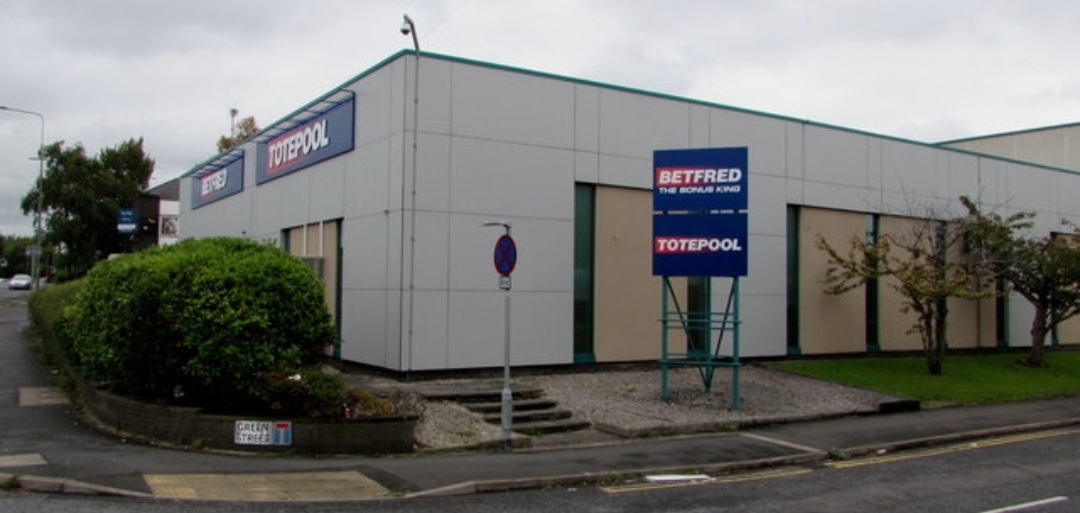
Budget: Managed multiple project budgets for Betfred apps, tracking via weekly effort burn rates
Programming Methodologies: Agile SCRUM in conjunction with Degree53
IT Products: iOS, Android, and Windows native apps, Football/ Horse Racing Sportsbook platforms
Main Focus Items: Taking new sports and virtual gaming components live, integrating payment gateways, managing app release cycles, and handling regulatory compliance.
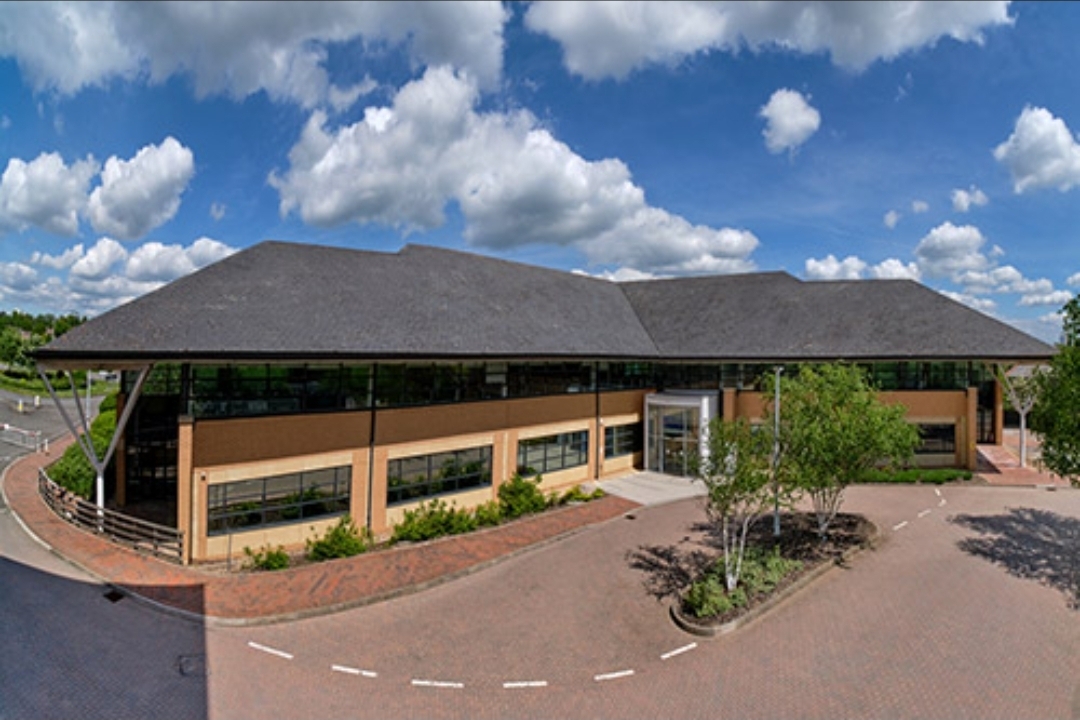
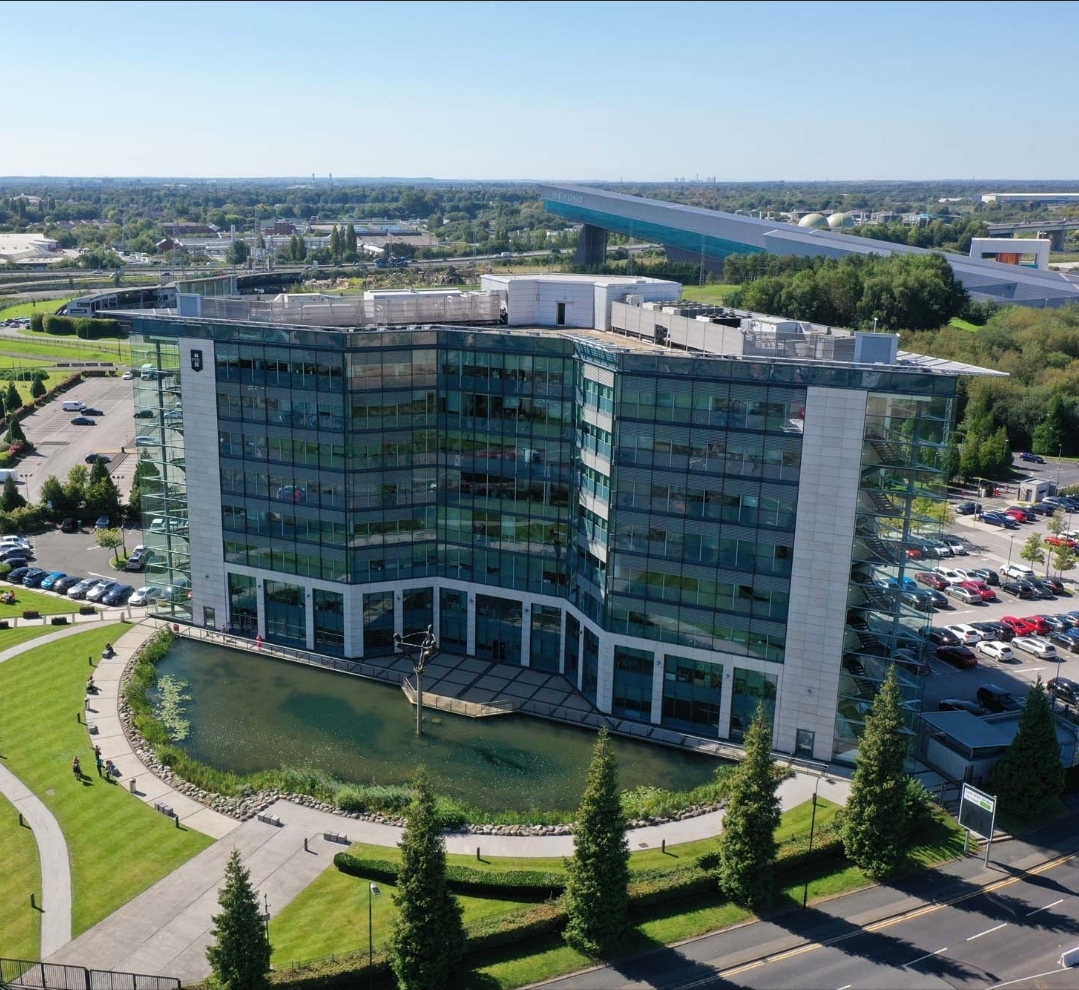
Locations: Manchester (local office above), London, Birmingham, UK
Clients included: Jaguar Land Rover (JLR), Heathrow Airport, Royal Mail Group (RMG), National Air Traffic Services (NATS), UK Export Finance (UKEF), Welsh Water
Budget: Managed multi-million pound digital transformation and cloud refactoring contracts
Highlights: Maintained full SC Clearance. Authored and managed comprehensive Project Governance Plans (PGPs) to realize project targets, streamline margins, and successfully navigate complex off-shore delivery models.
Political Landscape: The government focus on “Digital by Default” for public services, coupled with significant public and corporate drives for green IT and cloud adoption to optimize operating costs.
Mark Whitfield’s PM template library features over 200 editable project management and PMO templates. These templates span the entire project lifecycle and are categorized by focus area and framework (e.g., Agile, Waterfall, PRINCE2).
Many POaP templates to be tailored as required
The resources are formatted natively for the Microsoft Office suite, allowing them to be opened on all devices, including desktops, tablets, and smartphones.
The templates are divided into specific categories based on the standard project delivery phases:
📁 Core Template Categories
Planning & Execution:
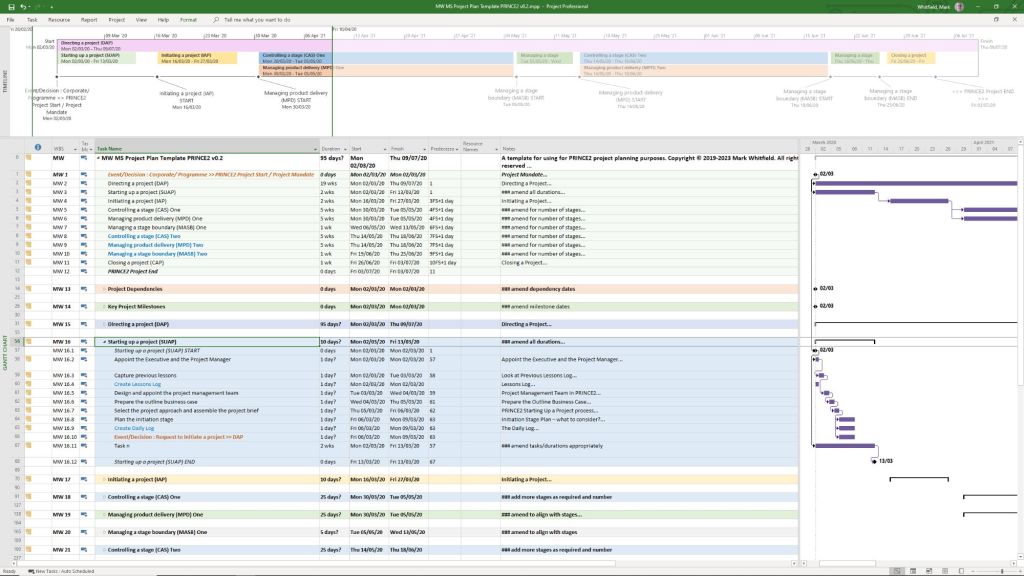
Detailed MS Project schedules
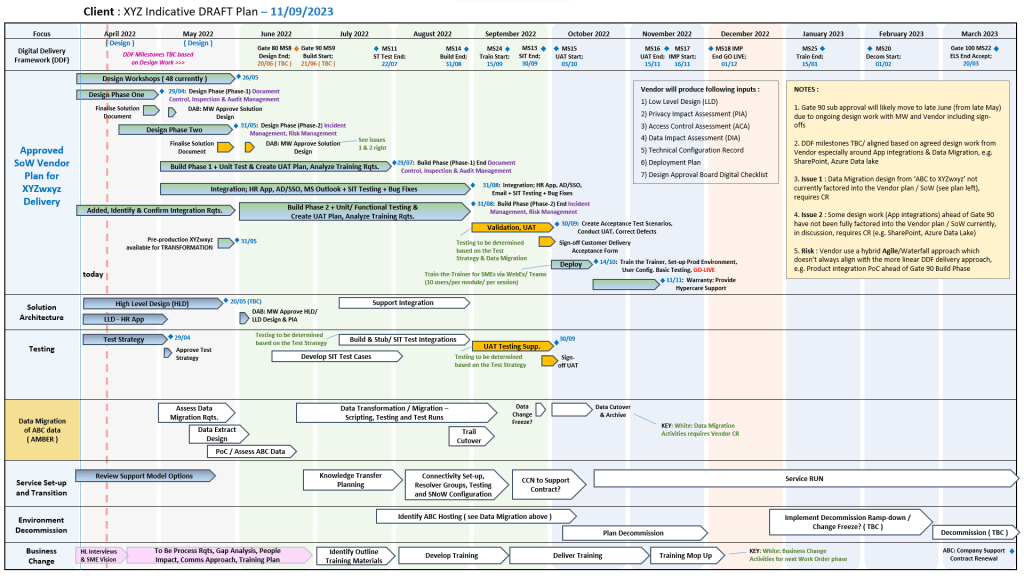
Excel and PowerPoint Plan on a Page (POaP) examples (over 35 slide examples) to save time constructing from scratch
Financials: Project Financial Trackers for internal/external costs, forecasting vs. actuals, margin/variation, and expenses.
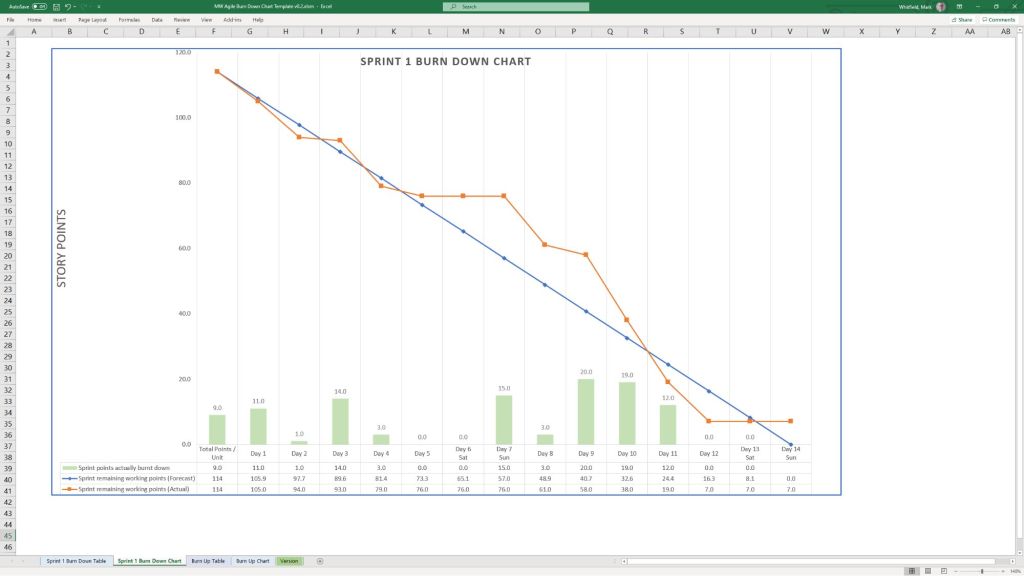
Agile Frameworks: Agile Story Dependency tracking, Burn Down & Burn Up charts, and Sprint tracking guides.
MS Excel XLS Agile Sprint Burn Down and Up Chart Examples
💻 File Formats
All templates are fully editable, and the package provides the following file formats for universal compatibility:
Microsoft Word (.docx): Used for walkthrough guides, governance documentation, and standard project status reports.
Microsoft Excel (.xlsx): Utilized for task trackers, financial dashboards, RAID logs, and non-MS Project Gantt charts.
Microsoft PowerPoint (.pptx): Used for Kick-Off decks, team hierarchy charts, and visual POaP (Plan on a Page) slides.
Microsoft Project (.mpp): Detailed work breakdown structure (WBS) and scheduling files for traditional and Agile-hybrid projects.
MS Project MPP file templates to be tailored as required
You can download or purchase the complete inventory of these editable files at the Mark Whitfield PROject Templates Store (or via the Etsy Storefront if you prefer that platform). Once purchased, you are also entitled to free lifetime upgrades and additions.
Project Management Templates to be tailored as required with FREE upgrades