Download Templates for PROject Management | FREE Upgrades & Additions
Author: Mark Whitfield
Welcome to my site!
After graduating in Computing in 1990, I accepted a position as a programmer at a Runcorn based software house specialising in electronic banking software, namely sp/ARCHITECT-BANK on Tandem Computers (now HPE NonStop). This was before the internet became more prevalent and so the notion of enabling desktop access to company accounts for inter-account transfers and book keeping was still quite a cutting edge idea (and smartphones only ever hinted at in Space 1999). The company was called The Software Partnership (which was taken over by Deluxe Data in 1994).
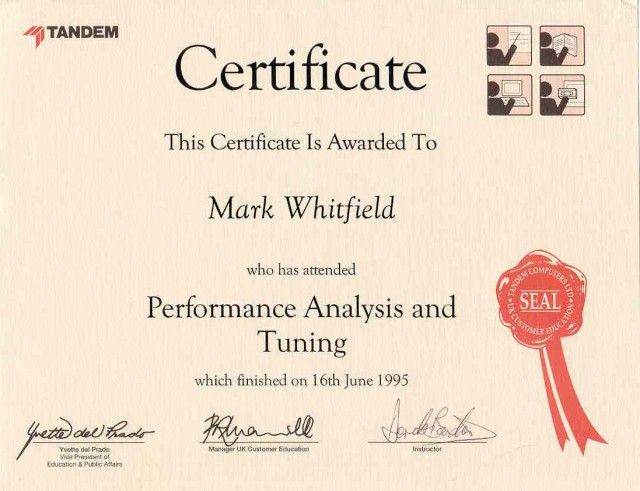
I spent 5 years in Runcorn developing code for SP/ARCHITECT for various banks like TSB, Bank of Scotland, Rabobank and Girofon (Denmark) to name but a few. I then moved onto a software house in Salford Quays for further bank facing projects. After a further 23 years in the IT industry and now a Senior IT Project Manager (both Agile and Waterfall delivery), I thought I would echo out my Career Profile in this corner of the internet for quick and easy access.
sp/ARCHITECT was a pioneering electronic banking and funds-transfer software suite. Originally built by the UK-based Software Partnership (TSP), it ran natively on fault-tolerant Tandem (now HPE NonStop) systems. It provided highly available transaction routing and real-time electronic book-keeping for major international financial institutions.
Detailed Timeline by Era and Year
1. The Genesis & Independent Era (Mid-1980s – 1989)
Mid-1980s: The Software Partnership (TSP) is co-founded in Timperley, UK. Development begins on sp/ARCHITECT, designed with a client-server architecture.
1986: Tandem launches NonStop SQL, providing the underlying high-availability relational database foundation that sp/ARCHITECT relied upon to ensure absolute data integrity for banks.
2. Mainstream Banking Adoption Era (1990 – 1994)
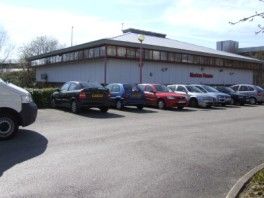
1990: TSP relocates to Norton House in Runcorn, UK. sp/ARCHITECT achieves production deployment and is widely utilized for inter-account transfers and book-keeping by major banks like TSB and Bank of Scotland.
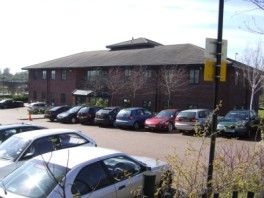
1992: Due to rapid expansion, the Runcorn operations relocate to Wingate House.
1994: Deluxe Electronic Payment Systems (a subsidiary of Deluxe Corporation) acquires TSP to expand its global electronic funds transfer (EFT) footprint. The platform is globally marketed and supported, expanding to clients like Rabobank.
1990: TSP relocates to Norton House in Runcorn
1992: Due to rapid expansion, the Runcorn operations relocate to Wingate House.
3. Global Expansion & Compaq Transition Era (1995 – 2005)
1995 – 1997: The Runcorn-based team (operating as Deluxe Data) codes additional regional adaptations of sp/ARCHITECT for banks worldwide (e.g., Girofon in Denmark).
1997: Compaq acquires Tandem Computers, placing sp/ARCHITECT on Compaq’s enterprise roadmap.
2002: Hewlett-Packard (HP) acquires Compaq, absorbing the Tandem platform into the HP Integrity server line. The application undergoes adaptation to integrate modern Windows-based management systems (like DSM/NOW).
4. The HPE Modernization & Hybrid Era (2014 – 2026)
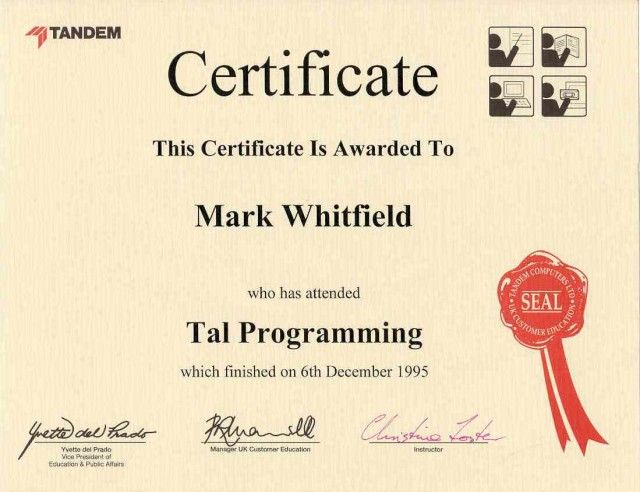
2014: HPE (Hewlett Packard Enterprise) is formed, spinning off from HP. NonStop shifts to Intel x86-64 architecture (NonStop X), requiring sp/ARCHITECT and related Tandem subsystems (like Pathway, COBOL, and TAL) to modernize for TNS/X processing.
2020: Legacy Itanium-based environments are phased out. sp/ARCHITECT systems, if still active, are migrated to virtualized NonStop (vNS) and operated within private cloud infrastructures.
2025/2026: HPE NonStop celebrates its 50th Anniversary. Applications originally designed on the sp/ARCHITECT schema are heavily evaluated for AI integration, continuous cyber resilience, and consumption-based models like HPE GreenLake.
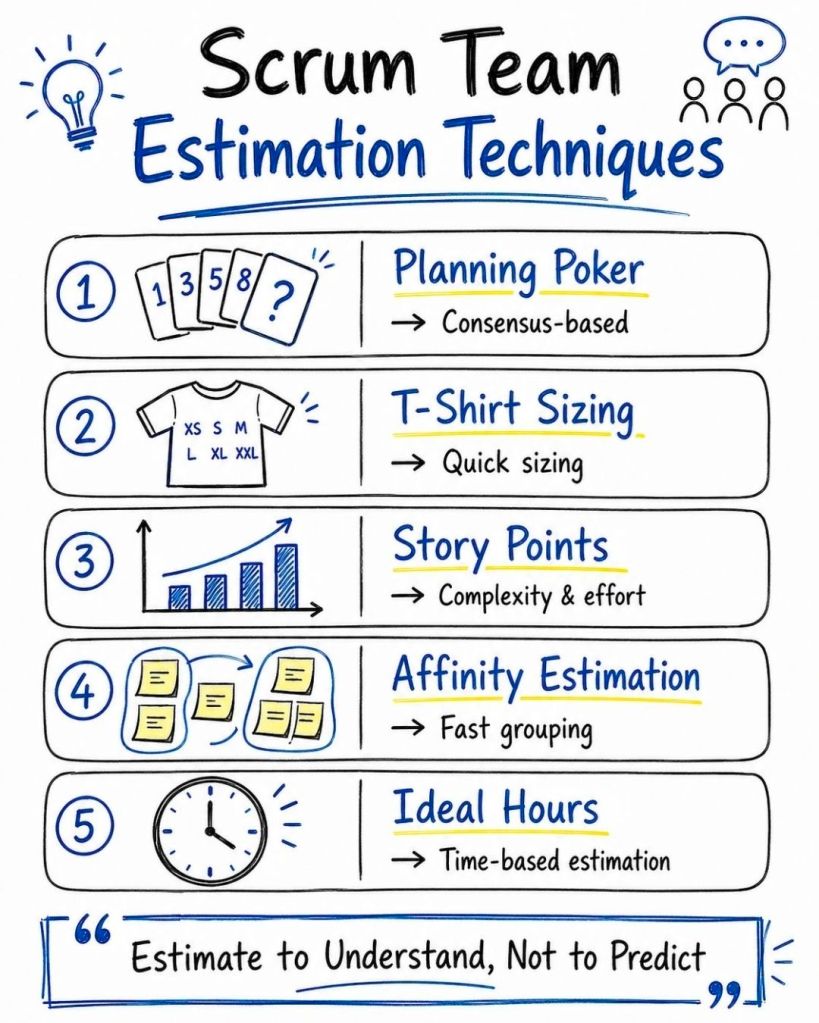
Agile estimation techniques use relative sizing rather than exact time tracking to gauge the effort, complexity, and risk of completing tasks. These collaborative methods help Scrum teams maintain predictable delivery and realistic workloads without relying on rigid, top-down predictions.
Common Agile estimation techniques include:
1. Planning Poker
How it works: Team members use a deck of cards with values from the modified Fibonacci sequence (0, 1, 2, 3, 5, 8, 13, 21, etc.). The Product Owner presents a user story, the team discusses it, and each member privately selects a card representing their effort estimate.
When to use it: Ideal for detailed sprint planning and backlog refinement, especially when you need to encourage team collaboration and reach a consensus.
2. T-Shirt Sizing
How it works: Tasks are assigned sizes (XS, S, M, L, XL) based on high-level complexity rather than precise points.
When to use it: Excellent for rapid, broad-brush estimation during initial release planning or when mapping out large Epics that aren’t yet refined into granular user stories.
3. Affinity Estimation
How it works: The team collaboratively groups user stories on a wall or digital board into columns representing different sizes. Every team member can move a story if they disagree with its current size, creating a consensus through comparative grouping.
When to use it: Best suited for large product backlogs where many items need to be sized quickly in a single session.
4. Dot Voting
How it works: Team members receive a limited number of physical or digital “dots” to place on user stories they believe carry the highest complexity or effort, prioritizing stories based on the concentration of votes.
When to use it: Helpful for quick prioritization and establishing a baseline for relative difficulty among a large list of tasks.
5. The Bucket System
How it works: Similar to Affinity Estimation, various “buckets” (numbered with Fibonacci sequences) are laid out. Stories are placed in the buckets, which helps the team rapidly categorize relative effort.
When to use it: Great for medium-to-large backlogs requiring faster execution than traditional Planning Poker without sacrificing sizing accuracy.
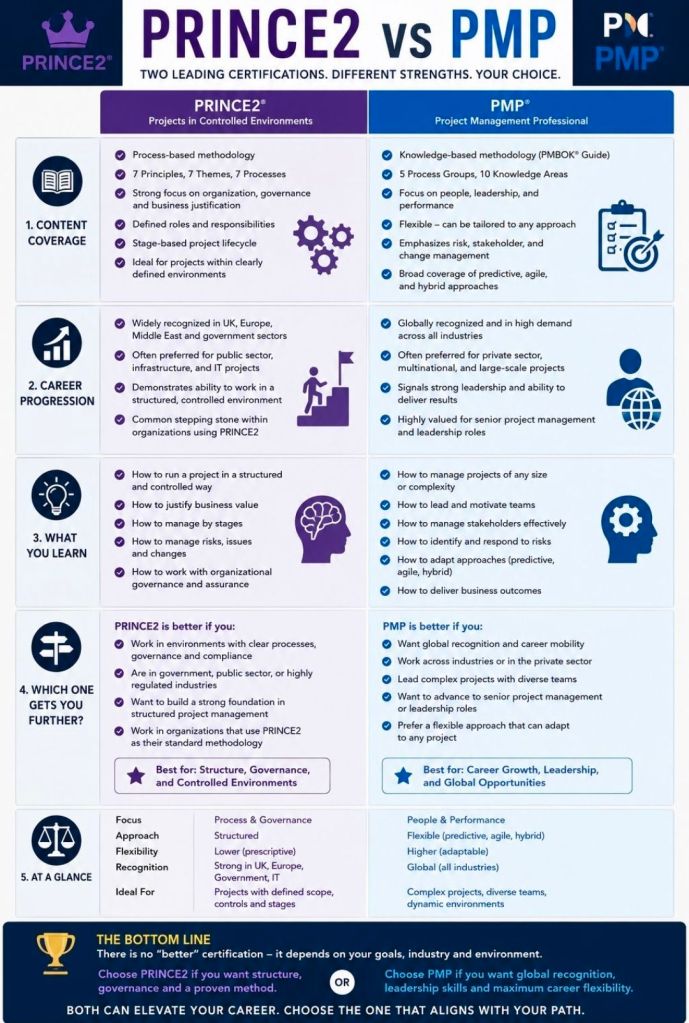
Choosing between PRINCE2 and PMP depends on your career goals and location. PMP is a global, experience-based standard highly valued in the US and multinational corporations. PRINCE2 is a process-based methodology heavily favored in the UK, Europe, and government/public sectors.
A high-level text overview highlights the following core differences:
Project Management Professional (PMP)
What it is: A globally recognized framework and body of knowledge (PMBOK) that certifies a manager’s broad project leadership skills.
Focus: People, processes, and business domains. It is highly flexible and covers predictive (waterfall), agile, and hybrid methodologies.
Requirements: Strict prerequisites. Requires 36–60 months of project management experience and 35 hours of project management education before you can take the 180-question exam.
Best for: Experienced project managers seeking global mobility and opportunities in corporate and private sectors.
What it is: A structured, prescriptive methodology that gives you a step-by-step guide on how to run a project from start to finish.
Focus: Governance, defined roles, continuous business justification, and documentation. It uses a scaleable “Tailoring Approach” so it can be adapted to projects of varying sizes.
Requirements: No mandatory experience needed for the Foundation level, making it accessible to beginners. The Practitioner level tests your ability to apply the framework.
Best for: Early-to-mid career professionals and those targeting government, NHS, or public sector roles within the UK and Europe.
Official Hub: Browse certification pathways via Axelos.
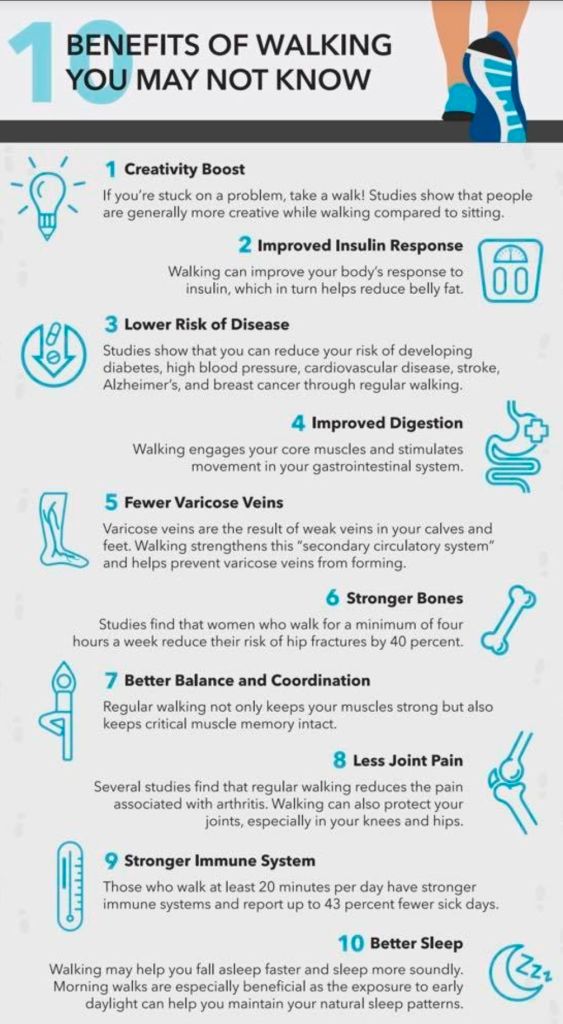
Walking is a highly accessible form of exercise that offers a range of physical, mental, and lifestyle advantages. Just 30 minutes a day can significantly improve overall health, though even a brisk 10-minute walk provides measurable benefits.
Physical Health Benefits
Heart Health: Regular walking strengthens the heart, lowers blood pressure, and reduces the risk of stroke and coronary heart disease.
Disease Prevention: It helps manage or prevent type 2 diabetes by improving insulin sensitivity and controlling blood sugar levels. It is also linked to a lower risk of certain cancers, including breast and colon cancer.
Weight Management: Walking burns calories and boosts metabolism, which aids in losing body fat and maintaining a healthy weight.
Muscles & Bones: As a weight-bearing exercise, it increases bone density (reducing osteoporosis risk) and strengthens leg and core muscles, which improves balance and coordination.
Joint Support: Walking helps lubricate joints and strengthen the muscles that support them, which can alleviate arthritis pain.
Immune System: Daily walks can bolster the immune system, leading to fewer sick days and milder symptoms when you do fall ill.
Mental & Cognitive Benefits
Mood Elevation: Physical activity triggers the release of endorphins, serotonin, and dopamine, which naturally reduce stress, anxiety, and symptoms of depression.
Brain Function: Walking is linked to improved memory, focus, and creative thinking. It may also help prevent the early onset of dementia and Alzheimer’s by protecting brain volume.
Sleep Quality: Regular morning walks in natural light help regulate your circadian rhythm, making it easier to fall asleep and improving the quality of your rest.
Practical & Social Benefits
Accessibility: It is completely free, requires no special equipment (other than supportive shoes), and can be done almost anywhere.
Social Connection: Walking with friends, family, or in community groups helps combat feelings of isolation and improves social well-being.
Energy Levels: A brisk walk increases blood flow and oxygen delivery throughout the body, providing a natural energy boost that is more effective than caffeine for long-term fatigue.
Benefits of Walking Summarised
Summary of “Rules” & Methods
Various structured methods can help you get the most out of walking:
10-Minute Brisk Walk: The NHS recommends this as a baseline for significant health gains.
Japanese Walking Method (3-3-3): Alternating three minutes of fast walking with three minutes of slow walking for 30 minutes to improve cardiovascular fitness.
6-6-6 Rule: A 6-minute warm-up, a 60-minute brisk walk, and a 6-minute cool-down, often performed six days a week for weight loss.
The official HPE Nonstop Technology Architecture is a specialized, 100% fault-tolerant infrastructure built with a tightly integrated hardware and software stack designed to eliminate any single point of failure. Formal instruction and architectural frameworks have been modernized under the newly relaunched HPE Nonstop Compute Training Portfolio curriculum.
Originally developed by Tandem Computers in 1976, the platform eventually became part of Hewlett Packard Enterprise (HPE). Unlike standard servers that can crash due to a single component failure, NonStop uses a tightly integrated, “shared-nothing” architecture to ensure that if a hardware or software component fails, another instantly takes over with zero downtime or data loss.
Core Architectural Features
To understand how HPE NonStop works, you need to understand its unique design principles:
Shared-Nothing Architecture: Every processor has its own dedicated memory, I/O channels, and copy of the operating system. No single component is shared, eliminating any single point of failure.
Process Pairs: Applications run using a primary process and a backup process on a different processor. The primary process constantly copies its state to the backup. If the primary fails, the backup immediately takes over.
Massive Scalability: Systems can scale up seamlessly from small distributed environments to massive clusters containing up to 24,000 processor cores without interrupting running operations.
Hardware Platform: The modern software environment runs on industry-standard x86 architectures, available as physical server racks (like the HPE NonStop NS9 X5) or as virtualized instances in hybrid cloud environments.
Dual Operating Environments
HPE NonStop runs a specialized operating system called NonStop OS. Inside this OS, developers and administrators interact with two distinct environments:
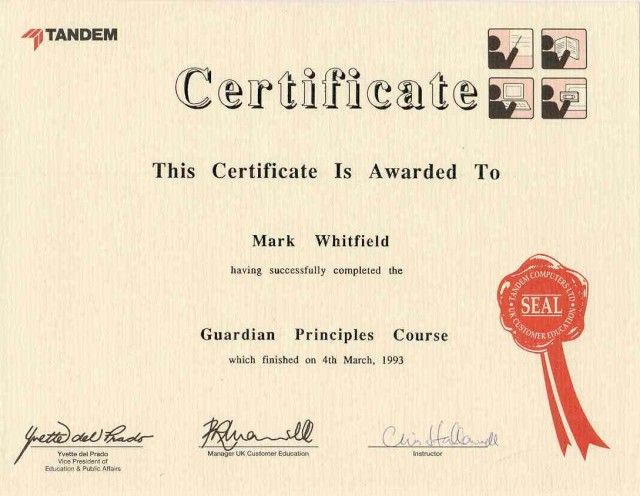
Guardian Environment: The native, proprietary environment optimized for high-volume Online Transaction Processing (OLTP). It handles tasks sequentially through process-oriented manually-started jobs rather than traditional automated queues.
Open System Services (OSS): A UNIX-like, POSIX-compliant environment built on top of the NonStop kernel. This allows organizations to run standard open-source applications, tools, and scripts natively alongside Guardian.
Ecosystem and Use Cases
HPE NonStop is rarely used for standard office automation or basic web hosting. Instead, it serves as the backbone for global industries where an hour of downtime could cost millions of dollars:
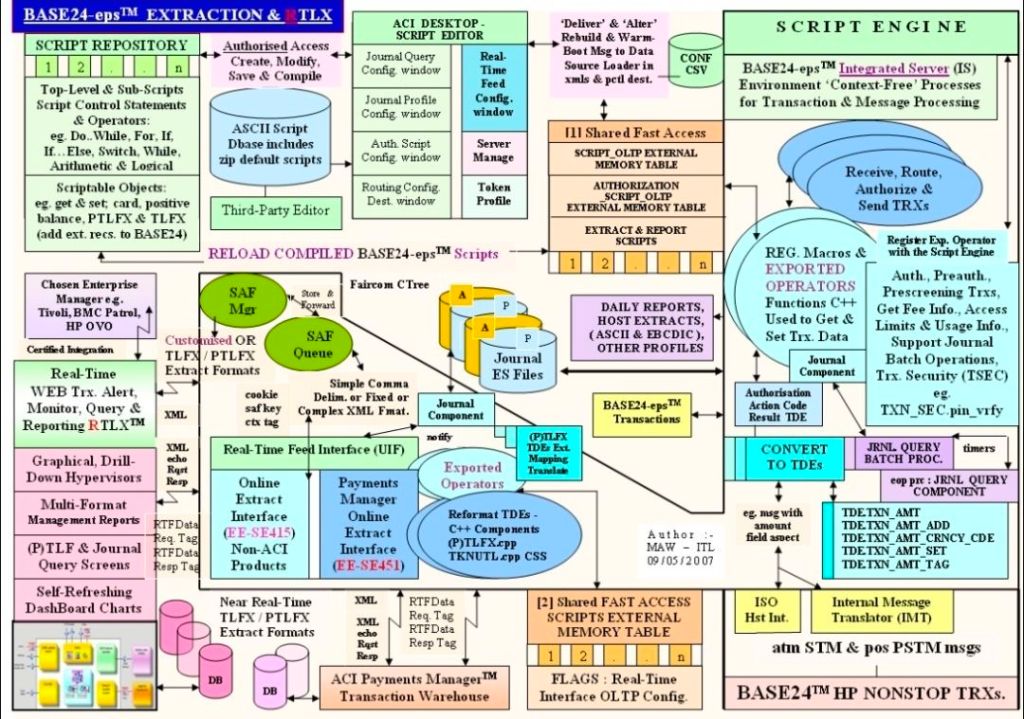
Financial Transactions: Powers global stock exchanges, automated teller machines (ATMs), and retail point-of-sale credit card processing, eg. BASE24.
Travel and Logistics: Runs critical airline reservation systems and real-time cargo routing infrastructure.
Database Management: Features its own highly secure, distributed database engine called NonStop SQL, which guarantees absolute data integrity across all transactions.
Modern Development: Supports traditional languages like COBOL85 and ANSI C, alongside modern DevOps integrations like Git, Ansible, and Eclipse-based IDE environments.
An architectural blueprint of an HPE NonStop environment typically separates the layout into three core interdependent layers:
Hardware & Fabric Layer: Consists of independent, loosely-coupled Processor Nodes (handling up to 24,000 cores globally) connected via an ultra-fast InfiniBand or ServerNet system fabric backbone.
I/O & Subsystem Layer: Utilizes Cluster I/O Protocols (CLIMs), splitting tasks between Storage CLIMs (SCLIMs) and Network CLIMs (NCLIMs) to isolate external communication from main processing.
Operating System & DB Layer: Runs the NonStop OS, which simultaneously manages the traditional Guardian environment, Open System Services (OSS) for UNIX/Linux paradigms, and the NonStop SQL distributed database engine.
Recommended Architecture Training Curriculum
HPE organizes its technical blueprints into structured educational paths for engineers.
1. Foundational Blueprint Concepts
Course Code: U4147S (HPE Nonstop Compute System Fundamentals).
Focus: Delivers a top-down view of system goals, transaction processing, and fundamental architecture.
Key Modules: Explores Guardian vs OSS, Pathway application management, and basic database interaction.
2. System Operations & Administration
Course Code: H1SC3S (HPE Nonstop Compute System Administration I).
Focus: Maps physical and virtual components to real-world deployment.