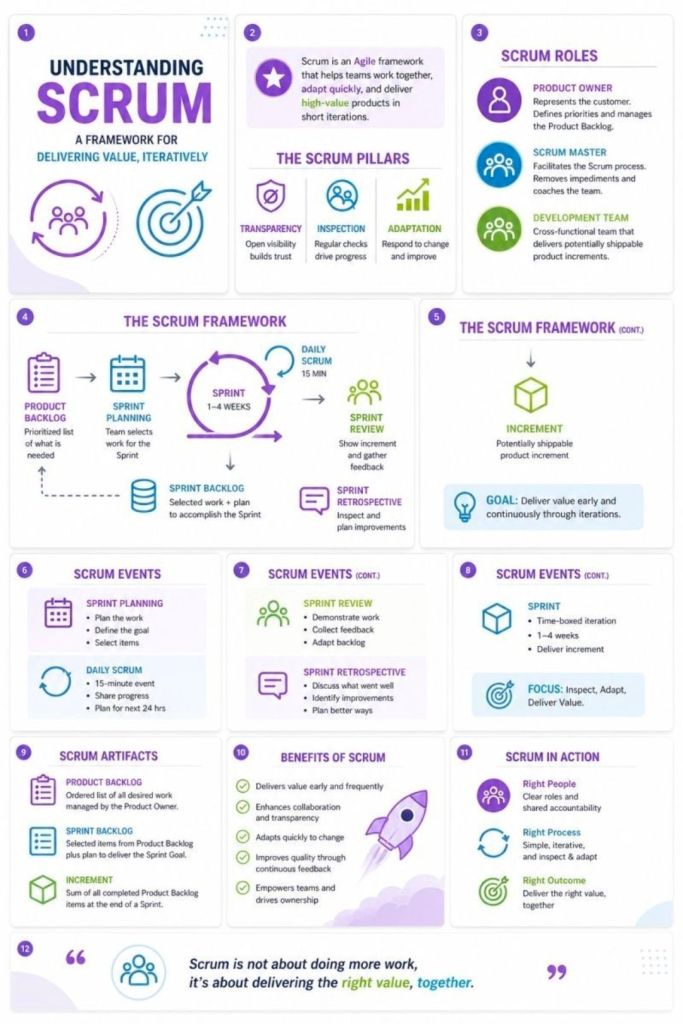
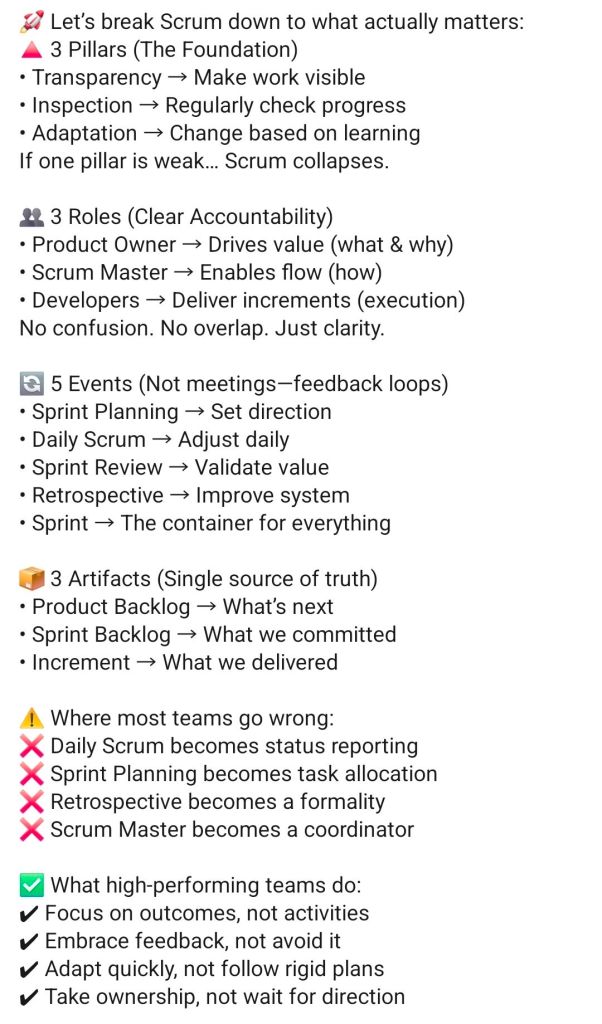
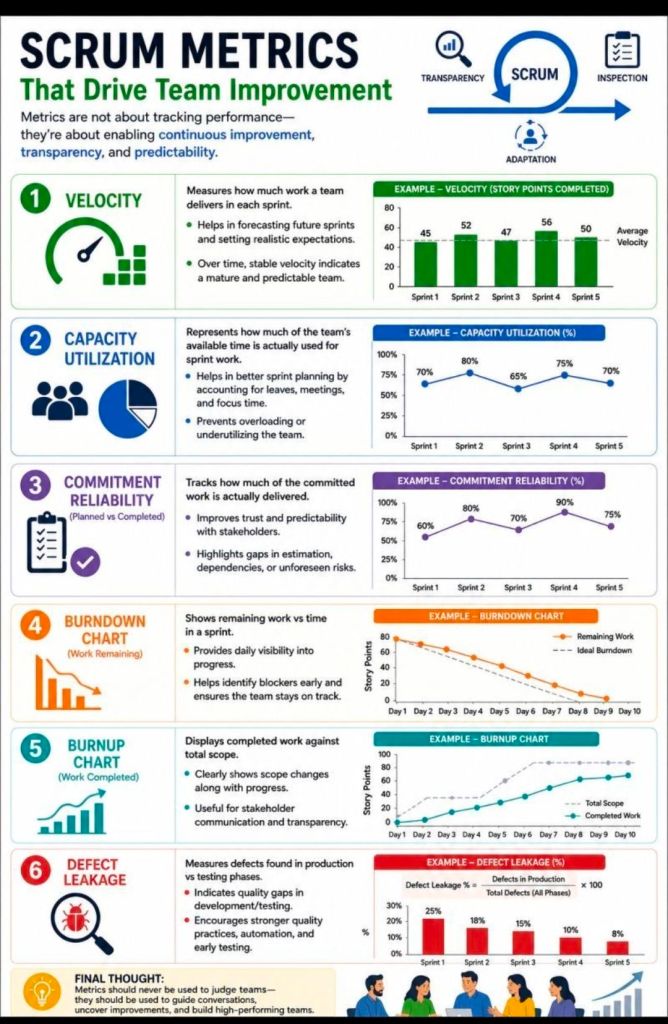
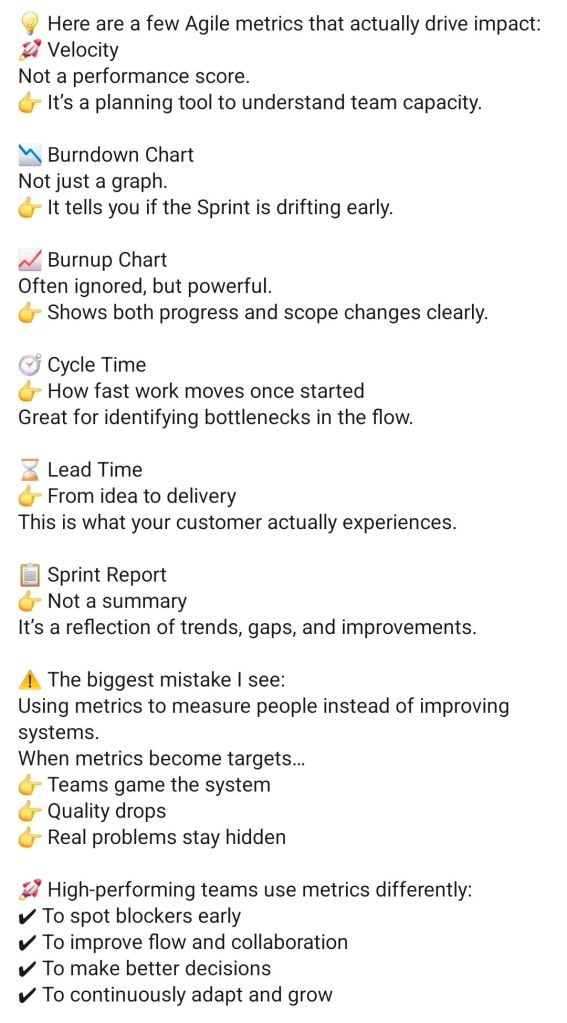
Agile ScrumBan, Structure of Scrum, Flow from Kanban

Agile ScrumBan, Structure of Scrum, Flow from Kanban
ScrumBan Structure of Scrum Flow from Kanban
Agile ScrumBan, Structure of Scrum, Flow from Kanban

AI Courses and Certifications for Project Managers

As of 2026, AI is transforming project management by automating scheduling, risk management, and reporting. The best AI courses for project managers (PMs) focus on practical application, generative AI, and AI governance.

Top AI Courses and Certifications for Project Managers

  1. PMI Certified Professional in Managing AI (PMI-CPMAI) (PMI)
    • Summary: The premier certification for managing AI projects from start to finish, including data prep and model deployment.
    • Best For: Advanced specialists managing AI projects.
  2. AI-Driven Project Manager (AIPM) Certification (APMG/Provek)
    • Summary: Focuses on leveraging AI tools for project efficiency and strategic management.
    • Best For: Global recognition and practical PM application.
  3. Generative AI for Project Managers Specialization (Coursera/Various)
    • Summary: A comprehensive series focusing on using Large Language Models (LLMs) to enhance project documentation, communication, and planning.
    • Best For: Understanding practical GenAI applications.
  4. AI Essentials for Project Managers Learning Path (LinkedIn Learning)
    • Summary: A practical, beginner-friendly path covering prompt engineering, AI productivity tools, and managing AI-driven teams.
    • Best For: Immediate productivity gains.
  5. Mastering AI for Digital Projects (The Digital Project Manager)
    • Summary: Covers AI for risk, stakeholder management, and project planning with real-world scenarios.
    • Best For: Digital and IT project managers.
  6. IBM AI Project Management Certificate (Coursera)
    • Summary: Explores AI foundations, data ethics, and using AI in project lifecycles using IBM frameworks.
    • Best For: Structured learning with strong enterprise focus.
  7. Generative AI Overview for Project Managers (PMI)
    • Summary: A free introduction by PMI covering AI project patterns and practical application.
    • Best For: Quick, foundational understanding.
  8. Artificial Intelligence Strategies for Project Managers (Learning Tree)
    • Summary: Focuses on AI governance, managing AI risks, and implementing AI technologies.
    • Best For: Technical PMs and IT governance.
  9. Google AI Essentials (Coursera)
    • Summary: A flexible, beginner course designed to boost productivity with AI tools.
    • Best For: General AI awareness and everyday productivity.
  10. Certified Generative AI Professional (GSDC)
    • Summary: Focuses on the implementation of Generative AI tools and techniques in project environments.
    • Best For: Budget-conscious learners.

Key Areas of Focus for 2026 PMs

  • AI Governance & Ethics: Ensuring compliance with data privacy, avoiding AI bias, and mitigating risks in project decisions.
  • Prompt Engineering: Learning to interact with Generative AI (like ChatGPT/Copilot) to create schedules, project charters, and risk logs.
  • Automation: Using AI tools to handle administrative tasks, allowing PMs to focus on team collaboration and strategy.

Free AI Courses for Project Managers

Top AI Courses and Certifications for Project Managers
Free AI Courses for Project Managers

Questions to Answer Before Any Project Kickoff

Questions to Answer Before Any Project Kick off
Questions to Answer Before Any Project Kickoff

Before launching any project, answering key questions during the initiation phase ensures alignment, prevents scope creep, and sets the foundation for success. These questions help define the “why,” “what,” and “how” of the project, often formalized in a project charter or statement of work (SOW).

Overview: The 5 Ws of Pre-Kickoff

The most effective pre-kickoff approach centers on the 5 Ws + H:

  • Why: What is the business purpose, problem to solve, or opportunity?
  • What: What are the high-level objectives, scope, and deliverables?
  • Who: Who are the stakeholders, sponsors, and team members?
  • When: What are the milestones, hard deadlines, and time constraints?
  • Where: Where will work take place (e.g., remote, onsite, systems used)?
  • How: How will success be measured and how will communication work?

Detailed Description of Essential Pre-Kickoff Questions

1. Context & Rationale (“Why”)

  • What is the core problem or opportunity? Define the “pain point” triggering this project.
  • How does this align with company strategy? Understand why this project matters now compared to other priorities.
  • What happens if we fail or do nothing? This identifies the true urgency.

2. Objectives & Success Criteria (“What”)

  • What are the measurable goals? Define success (e.g., specific KPIs, revenue increase, time reduction) rather than just stating “improved efficiency”.
  • What is explicitly in-scope? List the key deliverables.
  • What is out of scope? Crucial for preventing scope creep—list items that won’t be delivered.
  • What is the “Minimum Viable Product” (MVP)? What is the absolute bare minimum needed to launch?

3. Stakeholders & Roles (“Who”)

  • Who is the Project Sponsor? Who is championing the project and ultimately accountable?
  • Who has final sign-off authority? Identify the key decision-makers to avoid bottlenecks.
  • Who is the target audience/end-user? Who is this being built for?
  • Do we have the right skills on the team? Assess the need for external resources or specialized training.

4. Constraints & Logistics (“When” & “Where”)

  • Is the deadline fixed or flexible? Are there immovable external dates (e.g., conferences, legal compliance)?
  • What is the rough budget? Have all funds been secured?
  • What are the key milestones? Identify early dependencies.

5. Risks & Dependencies

  • What are the major threats? Identify risks to the schedule, budget, or quality early.
  • What dependencies exist? What outside factors (e.g., vendor delivery, legal approval) must happen first?

6. Operating Model (“How”)

  • How will the team communicate? Define tools (e.g., Slack, email) and meeting cadence (e.g., weekly, daily standups).
  • How will we track progress? Where will documentation and tasks be stored (e.g., Jira, Asana)?

Summary Checklist for Pre-Kickoff Success

  • Business Case Approved: Does a charter exist?
  • Goals Aligned: Do stakeholders agree on what success looks like?
  • Constraints Known: Deadline and budget are understood.
  • Risks Documented: A preliminary risk list is started.
  • Dependencies Identified: Known bottlenecks are mapped.
  • Team Identified: Key players are assigned.

Tip: Before the main kickoff, hold one-on-one “sanity check” conversations with key stakeholders to identify unspoken concerns.

Project Leaders Driving Vision, Alignment and Results

Project Leaders Driving Vision, Alignment and Results

Top FREE AI Courses for Project Managers

Top FREE AI Courses for Project Managers

Data Engineering Summary

Data Engineering Summary
Data Engineering : Step by Step Summary

Extract, Transform, Load (ETL) is a foundational data integration process that consolidates raw data from multiple disparate sources—such as CRM systems, databases, and APIs—into a single, centralized destination, typically a data warehouse or data lake. It is crucial for ensuring that data is clean, consistent, and ready for analytics, BI reporting, and machine learning.

Core ETL Process Steps

  1. Extract: Raw data is pulled from varied sources (structured or unstructured) into an intermediate staging area.
  2. Transform: The staged data is cleaned, formatted, and combined based on business rules to ensure consistency.
  3. Load: The prepared data is moved from the staging area into the final target data warehouse.

Key Benefits

  • Data Quality & Consistency: Standardizes formats (e.g., date formats, currency) and cleans up errors.
  • Historical Context: Combines legacy data with new information for long-term analysis.
  • Automation: Automates recurring data processing tasks, saving time for data engineers.

ETL vs. ELT

  • ETL (Transform before Loading): Transforms data on a separate processing server before loading, ideal for complex, heavy transformations.
  • ELT (Load then Transform): Loads raw data directly into the target warehouse (e.g., Snowflake, BigQuery) and transforms it using the warehouse’s power. This is better for large, unstructured datasets.

Detailed Summary

1. Extract

Extraction is the first phase, where raw data is gathered from various heterogeneous sources.

  • Sources: SQL servers, NoSQL databases, SaaS applications (CRM/ERP), JSON/XML files, and IoT sensors.
  • Methods:
    • Full Extraction: The entire source is copied; best for small tables.
    • Incremental Extraction: Only data modified since the last run is extracted.
    • Update Notification: Source system alerts the ETL tool of a change.
  • Staging Area: Extracted data is temporarily stored in a “staging area” (or landing zone) to avoid placing heavy loads on production systems during transformation.

2. Transform

This is the most compute-intensive phase, where raw data is converted into a usable format.

  • Cleansing: Mapping NULL values to 0, removing duplicates, and fixing errors.
  • Standardization: Converting character sets, date/time formats, or measurement units (e.g., kilograms to pounds).
  • Data Aggregation: Summarizing data (e.g., total sales per store per day).
  • Enrichment/Derivation: Creating new calculated values (e.g., calculating profit from revenue and cost).
  • Encryption/Masking: Anonymizing PII (Personally Identifiable Information) to comply with GDPR/HIPAA regulations.

3. Load

The final phase transfers the cleaned and transformed data into the target destination.

  • Target Systems: Data warehouses (e.g., Amazon Redshift, Snowflake, Google BigQuery) or Data Lakes.
  • Loading Methods:
    • Full Load: Wiping and replacing all data in the target.
    • Incremental Load: Only loading new/updated data (the “delta”) to the target at regular intervals.
  • Automation: The process is typically automated to run during off-hours, ensuring the data is ready for morning reports.

Modern Trends and Tools

  • Cloud-Native ETL: Tools like AWS Glue, Azure Data Factory, and Google Cloud Dataflow allow for serverless, scalable data integration.
  • Reverse ETL: Moving transformed data from the warehouse back to operational systems (like Salesforce) to activate insights.
  • Streaming ETL: Processing data in real-time as it arrives, rather than waiting for batch updates, using tools like Apache Kafka.
  • DataOps: Applying DevOps principles (automation, testing) to data pipelines to ensure reliability and faster deployment.

When to Choose ETL vs. ELT

  • Choose ETL when: You need to comply with strict data security, perform complex transformations before data hits the warehouse, or have limited computing power in your target database.
  • Choose ELT when: You are using a cloud warehouse, dealing with massive unstructured data volume, or need high-speed ingestion.

Steps to Write a Project Plan

Steps to Write a Project Plan

Campus Serge Kampf Les Fontaines, in Gouvieux-Chantilly near Paris

The Campus Serge Kampf Les Fontaines, located in Gouvieux-Chantilly near Paris, is a premier corporate seminar and training center owned by Capgemini. Originally a 19th-century Rothschild estate, it was transformed into a “Campus” for learning, innovation, and reflection, blending historic architecture with modern, sustainable meeting facilities.

Campus Serge Kampf Les Fontaines, in Gouvieux-Chantilly near Paris

Detailed History Timeline

18th Century: Romantic Origins

  • Late 18th Century: Jacques Berthault acquired a 28-hectare plot, developing a romantic-style garden around a lake, featuring small “follies” (decorative buildings).

19th Century: The Rothschild Era

  • 1878: Baron Nathan James Edouard de Rothschild purchased the estate, increasing it to 52 hectares.
  • 1879–1882: Construction of the Château des Fontaines took place, designed by architect Félix Langlais in an eclectic mix of styles (medieval, 17th-century, Louis XIV). It served as a summer residence and venue for lavish receptions.

20th Century: War and the Jesuits

  • 1931: Baroness Thérèse von Rothschild died, after which the property was passed to her son, Henri.
  • World War II (1939–1945): Occupied by the German army; utilized by the Luftwaffe as an observation base with a hidden bunker.
  • 1946: The Jesuits acquired the estate to create a cultural and spiritual center, including a vast private library.
  • 1970: The facility was formally established as the Centre Culturel des Fontaines.

Late 20th Century: Acquisition by Capgemini

  • 1997: Facing high maintenance costs, the Jesuits decided to sell the property.
  • 1998: Capgemini bought the estate to create a dedicated international training and seminar campus.
  • 1999–2002: Major redevelopment took place under architects Valode & Pistre to create the campus facilities.

21st Century: The Campus Serge Kampf Les Fontaines

  • January 2003: Campus Les Fontaines opened its doors.
  • 2003–Present: The campus hosts around 275 events annually, serving as a hub for Capgemini University, international meetings, and corporate training.
  • November 2017: Renamed to “Campus Serge Kampf Les Fontaines” to honor the recently deceased founder of Capgemini.
  • 2020: The lounges of the Château were fully refurbished.

Key Features and Role

  • Architecture: Combines the historic 19th-century Rothschild château with the “Forum,” a modern, circular 300-room campus building.
  • Sustainability: Focused on environmental responsibility with a strong commitment to reducing the carbon footprint of events for over 20 years.
  • Capacity: 50 meeting rooms, including a 500-seat auditorium.

About Serge Kampf

Serge Kampf (1934–2016) was a French entrepreneur who founded Sogeti in 1967, which became Capgemini. He was known for his dedication to client relationships and nurturing entrepreneurial talent.

Campus Serge Kampf Les Fontaines, in Gouvieux-Chantilly near Paris

Capgemini – Campus – Serge Kampf Les Fontaines, Chantilly, France – Advanced EM Course – November 2017 Class

November 2017 – Advanced Engagement Management Course – Level 2 Exam