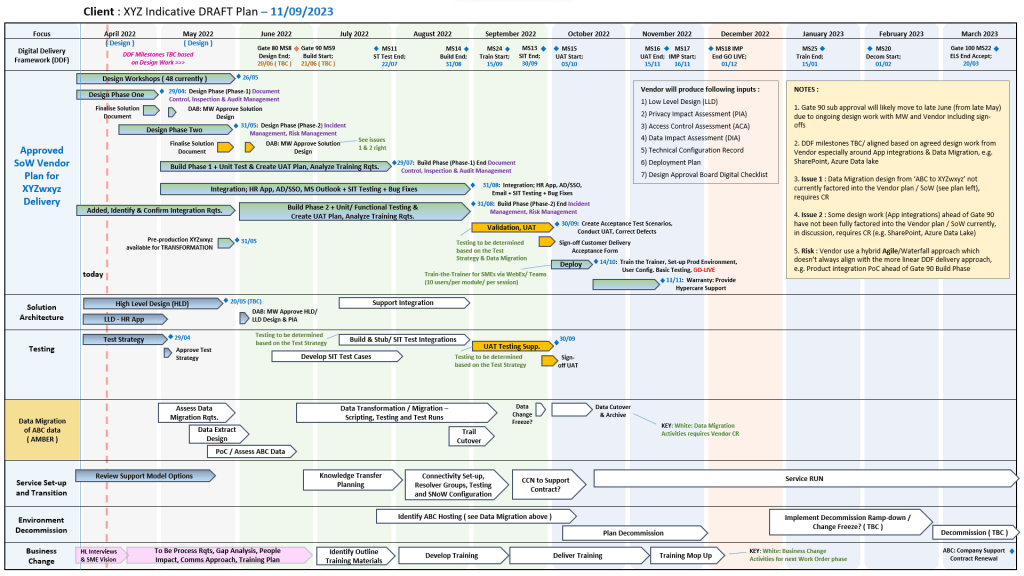
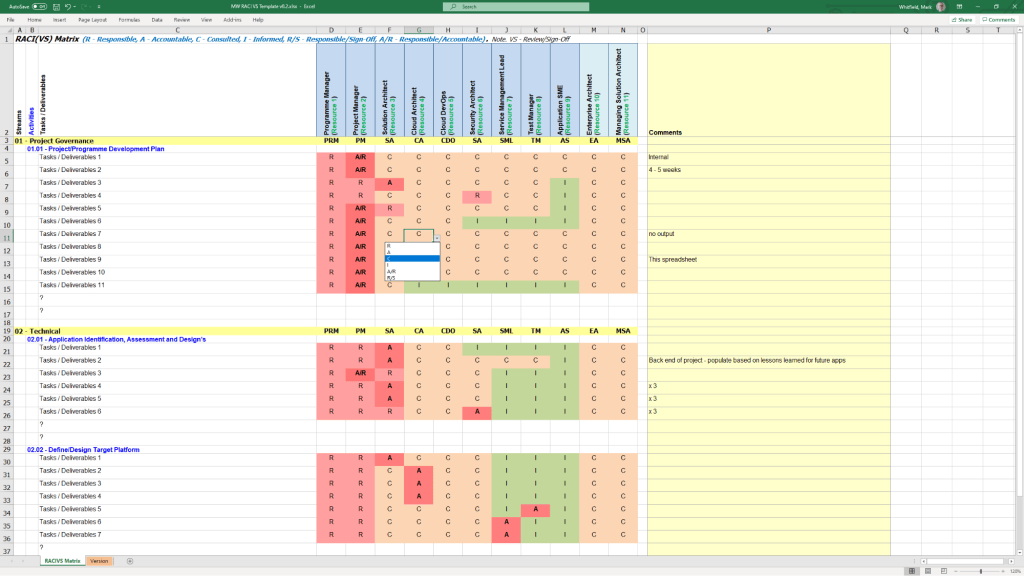
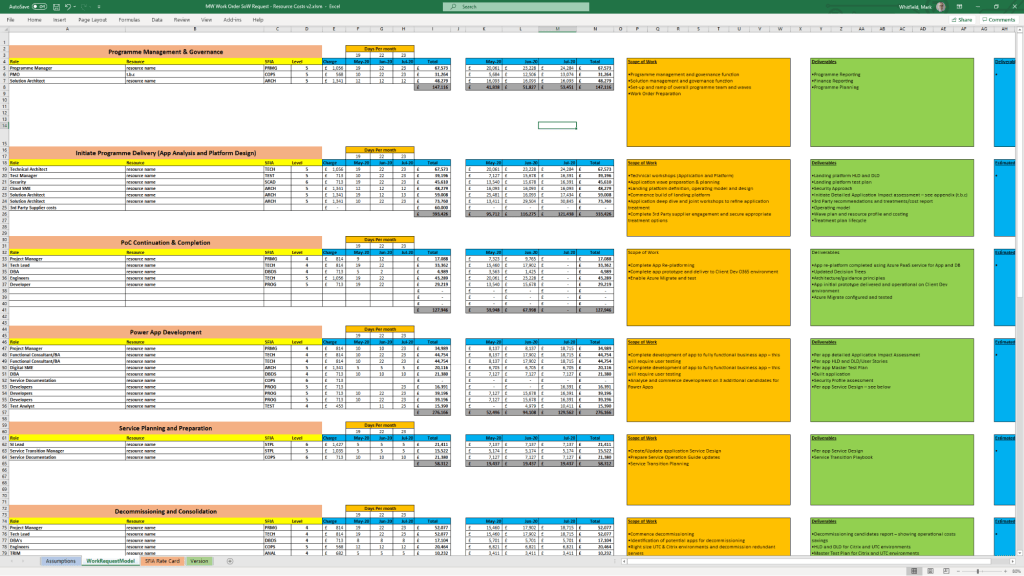
Project management deliverables are the tangible or intangible outputs—products, services, or documents—produced as a result of project activities. They are specific, measurable, and agreed upon by stakeholders to demonstrate progress toward project goals.
Overview of Project Deliverables
Deliverables are essential for breaking down project goals into manageable components, tracking progress, and ensuring stakeholder alignment.
Types of Deliverables:
Internal Deliverables: Created for internal use, such as team charters, project plans, and risk logs.
External Deliverables: Client-facing, such as a finished software product, marketing campaign, or project report.
Process Deliverables: Interim outputs that mark progress, such as prototypes, wireframes, or testing reports.
Product Deliverables: The final, completed goods or services delivered.
Tangible vs. Intangible: Physical/digital items (e.g., machinery) vs. conceptual outcomes (e.g., a new training program).
The project lifecycle defines the stages a project goes through from start to finish. Textual and documentation deliverables are key to managing and controlling these stages.
1. Initiation Phase (Initiating)
Goal: Define the project at a high level and obtain authorization.
Key Deliverables:
Business Case: Why the project is needed.
Feasibility Study: Whether the project is achievable.
Project Charter: A formal document outlining objectives, scope, and key stakeholders.
2. Planning Phase (Planning)
Goal: Develop a roadmap for project execution and define constraints.
Key Deliverables:
Project Management Plan: A comprehensive document (roadmap) detailing tasks, timelines, and resources.
Scope Statement/WBS: Defines boundaries and breaks down work.
Communication Plan: Strategy for stakeholder communication.
Risk Register: Identifies potential threats and mitigation strategies.
3. Execution Phase (Executing)
Goal: Carry out the work defined in the plan to produce deliverables.
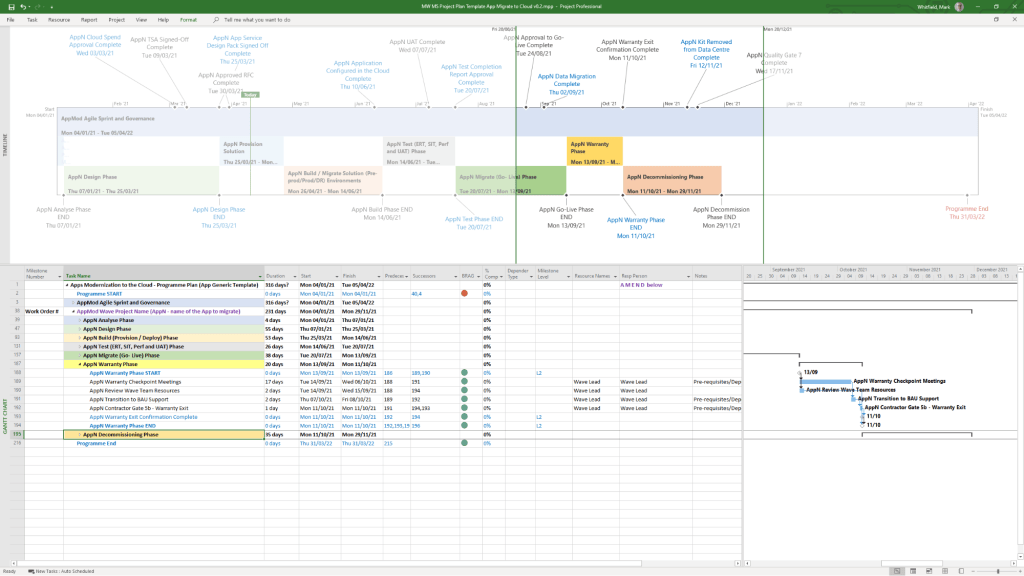
Microsoft Project has evolved from a DOS-based scheduling tool in 1984 into a comprehensive project portfolio management (PPM) system and, as of 2024–2026, a cloud-native platform integrating with Microsoft 365 and Planner.
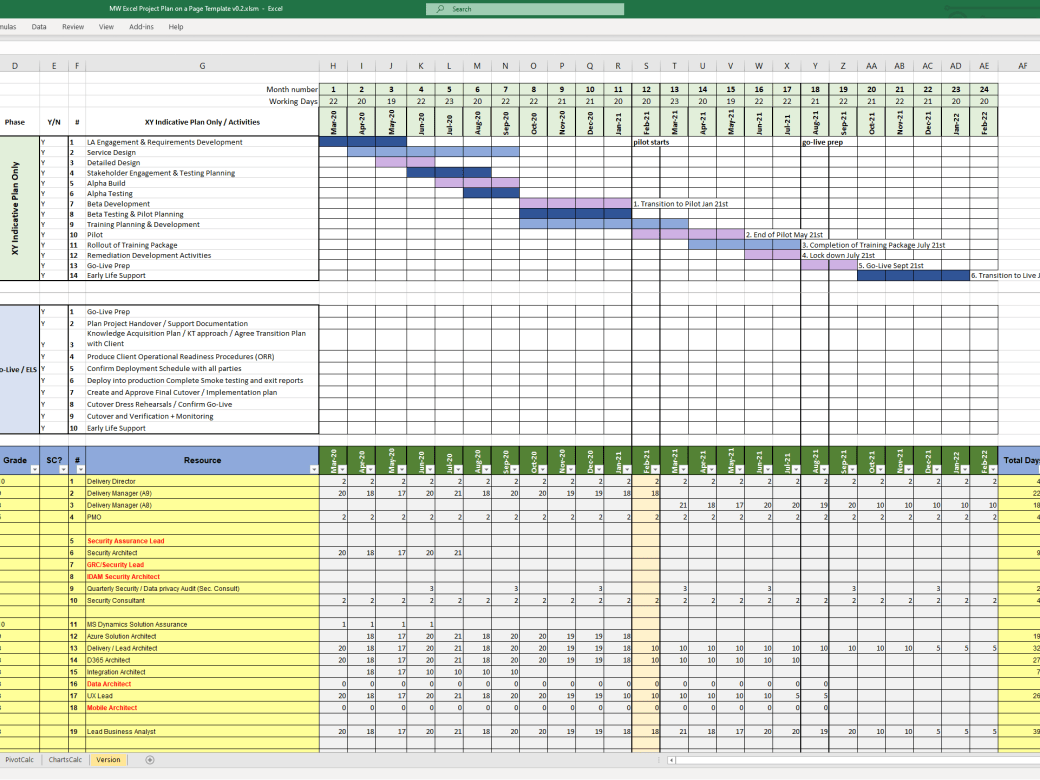
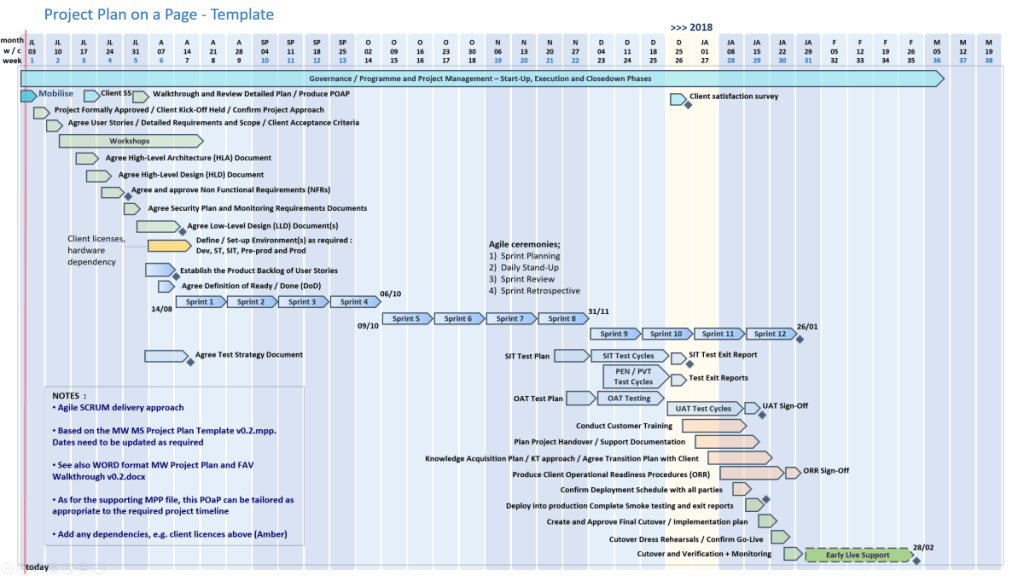
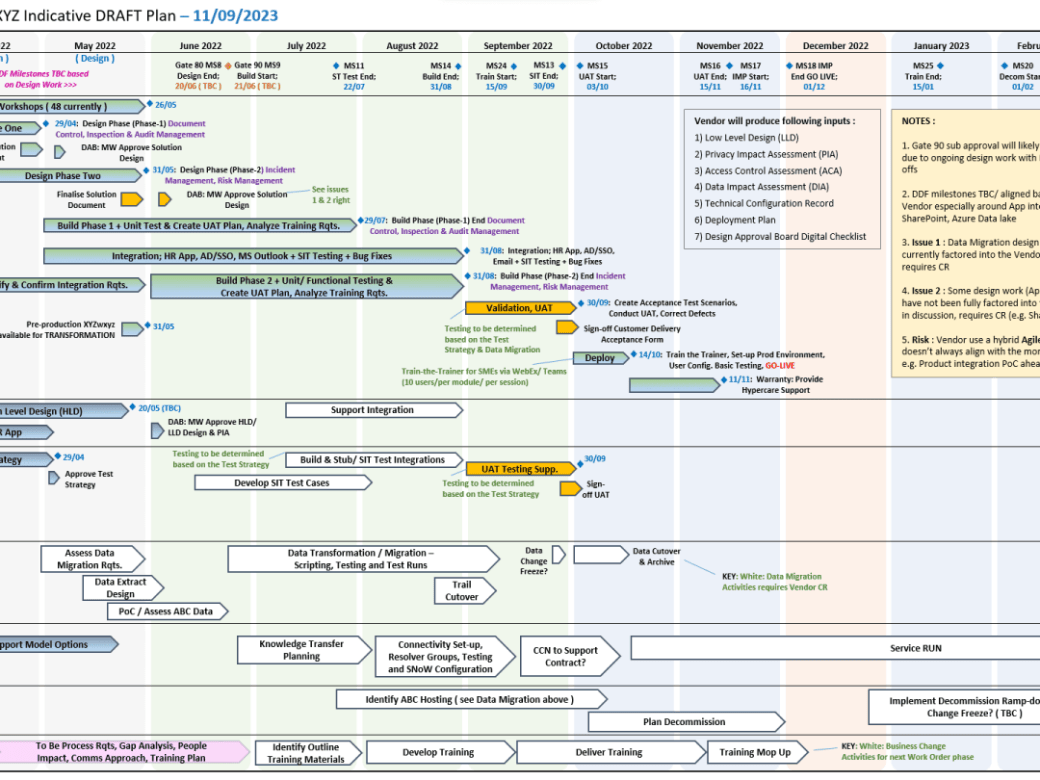
Example MS Template from download bundle
Historical Timeline by Era
1. The DOS Era: Foundations (1984–1989)
1984: Initial release for DOS by a third party, later acquired by Microsoft. Focused on basic Gantt charts and critical path method (CPM).
1985: Microsoft purchases rights; releases Project 2.0.
1986: Project 3.0/4.0 for DOS released.
2. The Windows & Early Office Era: GUI & Integration (1990–1999)
1990: First Microsoft Project for Windows released.
1991: First Macintosh version released.
1993: Project 4.0 for Mac (final Mac version).
1995: Project 95 (v4.1) released: The first 32-bit version, designed to match the Windows 95 interface.
1997/1998: Project 98: Deepened integration with Microsoft Office and introduced improved tracking.
3. The Enterprise & Collaboration Era: Server Integration (2000–2010)
2000: Introduced “Microsoft Project Central” for team collaboration, allowing web-based status reporting.
2002/2003: Released with Server components, allowing enterprise-level resource management.
2007: Introduced Office Fluent Ribbon interface and enhanced reporting capabilities.
2010: Significant update adding the Timeline View (top-down view) and manual scheduling options.
4. The Cloud & Subscription Era: PPM & Modernization (2013–2023)
2013: Launch of Project Online (PPM) to provide full cloud capabilities.
2016/2019: Introduced Resource Engagements and improved visual reporting.
2019/2020: Release of “Project for the web,” a completely new platform based on the Power Platform (Dataverse), separate from the legacy Desktop Client.
5. The Future Era: Unified Planner & Web (2024–2026)
2024: Deepened integration with Microsoft Teams, OneDrive, and SharePoint.
2026: Project Online is scheduled to be discontinued in September 2026.
2026/Future: “Project for the web” is being rebranded and merged into Microsoft Planner.
Detailed Breakdown of Key Features
Scheduling & Gantt Charts: Core functionality for mapping dependencies, critical paths, and durations.
Resource Management: Tools to allocate resources, manage costs, and track workloads, evolving from desktop-based to enterprise-wide resource leveling.
Timeline View: Introduced in 2010, this feature allows creating a “big picture” summary of key tasks and milestones, ideal for stakeholder reporting, customizable by adding tasks directly from the Gantt chart.
Collaboration: Shifted from email-based sharing to Microsoft 365, Teams, and Sharepoint integration.
Project Versions: Available as Standard (desktop), Professional (collaboration features), and cloud-based subscription plans (Plan 1/3/5).
Summary of Major Version Transitions
DOS (1984) ………. Windows (1990) ……….(32-Bit (1995) ………. Server (2000) ………. Online (2013) ……….. Web/Dataverse (2019) ……… Planner (2026).
Microsoft Project Extensions :
Microsoft Project primarily uses .mpp for project plans and .mpt for templates, with specialized extensions like .vsdx for timeline visuals. These files are used to manage project schedules, resources, and budgets, with support for add-ins that integrate with Microsoft Teams, Power BI, and other Office applications.
Core Microsoft Project Extensions
.mpp: The native file format for Microsoft Project, containing all project data, including schedules, tasks, resources, and budgets.
.mpt: Microsoft Project Template files, used to create new projects with predefined structures, settings, and views.
.vsdx: Used to create and save custom timelines, which can be imported into or exported from Project.
File Compatibility & Viewers
Because .mpp files require a Microsoft Project license, alternative tools are used to view them without the desktop application:
Project Plan 365: A widely used viewer and editor compatible with MPP files from 2010 to 2026.
Gantt Pro: An online tool for viewing and sharing MPP file schedules.
Project Viewer 365: A Microsoft Store app designed to open and print .mpp files.
Add-ins and Integrations
Extensions for Microsoft Project can be found via the Office Add-ins store, improving productivity and integration:
Power BI: Creates interactive dashboards from Project data.
Microsoft Teams: Allows teams to collaborate on project plans.
Office Add-ins: Available for various versions of Project Professional and Standard to enhance functionality.
Microsoft Project Timeline by Era, Features and Extensions
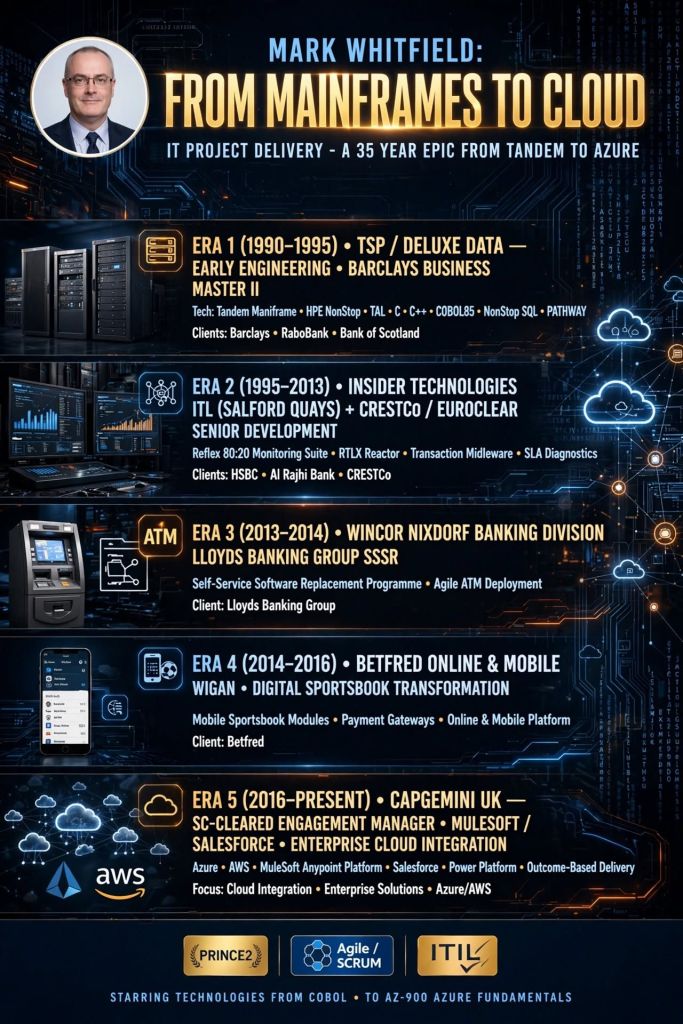
Mark Whitfield is a highly experienced, SC-cleared Senior Engagement Project Manager at Capgemini UK (2016–present), specialising in complex Agile and Waterfall digital transformations, cloud migrations (Azure/AWS), and application modernisation.
Based in Manchester, he has delivered high-value projects for government, automotive, and aerospace sectors, often acting as a key client-side technical lead.
Key Capgemini Projects and Account Experience (2016–Present)
UK Government – Fish Export Service (£1m+): Served as Technical Delivery Manager (Nov 2023–Feb 2024), leading two Agile Scrum teams to build a CHIP inspection portal, extending APIs in MS Azure cloud.
UK Government – MS Dynamics Cloud Migration (£1m+): Managed start-up and delivery of Azure Cloud projects (Nov 2022), including migrating 12 Dynamics 2016 apps to Dynamics 365 Online.
UK Utility Industry – Cloud Migration (£0.5m+): Led the transition from a legacy document management system (EQS) to Microsoft Azure product Enablon.
Automotive – Digital Transformation (£1m+): As Engagement Manager (Oct 2017), managed a £670K Customer Portal/New Car Online Sales project and a £430K Digital Readiness project at the Aston Agile Delivery Centre.
Postal Services – Migration Project (£4.3m): Acted as PM for a major migration of 1100+ interfaces between data centres in 2016.
Aerospace & Defence – iOS App Delivery: Led Agile delivery of new Apple iOS apps for a UK-wide air traffic organisation, handling sensitive military and public-facing data.
MuleSoft (Oct 2018–June 2019): Augmented as a Delivery Manager, managing up to 5 UK accounts using Outcome Based Delivery (OBD) for API-led projects.
Betfred (2014–2016): Senior Digital Project Manager for online/mobile gambling platforms.
Wincor Nixdorf / Insider Technologies (1995–2013, see below also): Focused on HPE NonStop/BASE24 banking software and legacy ATM software replacement, including projects for Lloyds Banking Group and in Saudi Arabia.
Mark is recognized for being a “no-ego” leader, proactive with detail, and highly effective at managing complex stakeholder environments, often providing a “barrier” for developers against challenging clients, according to colleague feedback.
Mark Whitfield worked at Insider Technologies Limited (ITL) for 18 years, from 1995 to 2013. During his tenure, he progressed from technical roles to Manager of Strategic Technical Initiatives, serving as a Project Manager, Pre-sales Technical Consultant, and Team Lead.
Below is his work focus broken down by era and project type for Insider Technologies Limited, Salford Quays:
Early Era: Technical Foundations & Product Support (1995 – Early 2000s)
Whitfield’s initial focus was heavily technical, providing hands-on support and development specifications for the company’s core HP NonStop (Tandem) banking products.
Core Technical Support: Provided 24×7 technical support for major financial institutions including the Bank of England, Royal Bank of Scotland, and Euroclear (formerly CRESTCo).
Security & Cryptography: Supported Thales e-SECURITY products (Security Resource Manager and SafeSign) running on NSK, Windows, and Unix platforms, focusing on cryptographic functions like MACcing and PKI verification for banking applications.
Developer Management: Acted as a manager for developers, providing technical details and specifications for implementation on NonStop development projects.
Middle Era: Product Development & Design (Mid-2000s – 2008)
During this period, his role expanded into technical design and product management for new software solutions.
XPERT24 Product Launch: Produced the technical design documents and program specifications for XPERT24 (XPNET Performance Monitoring and Tracking).
Designed it to monitor the XPNET layer of BASE24, specifically tracking ATM/POS transaction interchange counters.
Authored the supporting marketing literature and technical user manuals.
R&D Initiatives: Led research and development for BASE24 (P)TLF log file analysis, integrating the Windows-based product Sentra to provide graphical front-end interfaces.
HSBC Implementation (2008): Headed the team that successfully delivered mainframe ATM and POS monitoring software to HSBC bank.
Late Era: Strategic Initiatives & Major Bids (2008 – 2013)
In his final years at ITL, he focused on large-scale business transformation and high-value project management.
Strategic Technical Initiatives: Served as the Manager of Strategic Technical Initiatives, bridging the gap between sales and technical delivery.
LloydsTSB ‘OISS’ Replacement: Managed a major bid to replace the legacy “OISS” operations tool at LloydsTSB (which monitored 5,000 ATMs) with ITL’s Reflex ONE24 product.
Responsible for gap analysis, technical assessment, and project costing.
Architecture & Design Partnerships: Worked closely with joint architects at Alliance & Leicester (now Santander) on the design and development of what would become a primary product set.
Product Portfolio Oversight: Managed the lifecycle of primary products including Reflex 80:20, Reflex ONE24, and the more recently introduced MultiBatch.
Mark Whitfield is a Senior IT Project Manager and Engagement Manager with over 30 years of experience in the software development lifecycle (SDLC), specializing in digital transformation, payment systems, and HPE NonStop (Tandem) technology.
He is SC cleared (valid until 2031) and currently works at Capgemini UK, having transitioned from a technical programming background to senior project leadership roles.
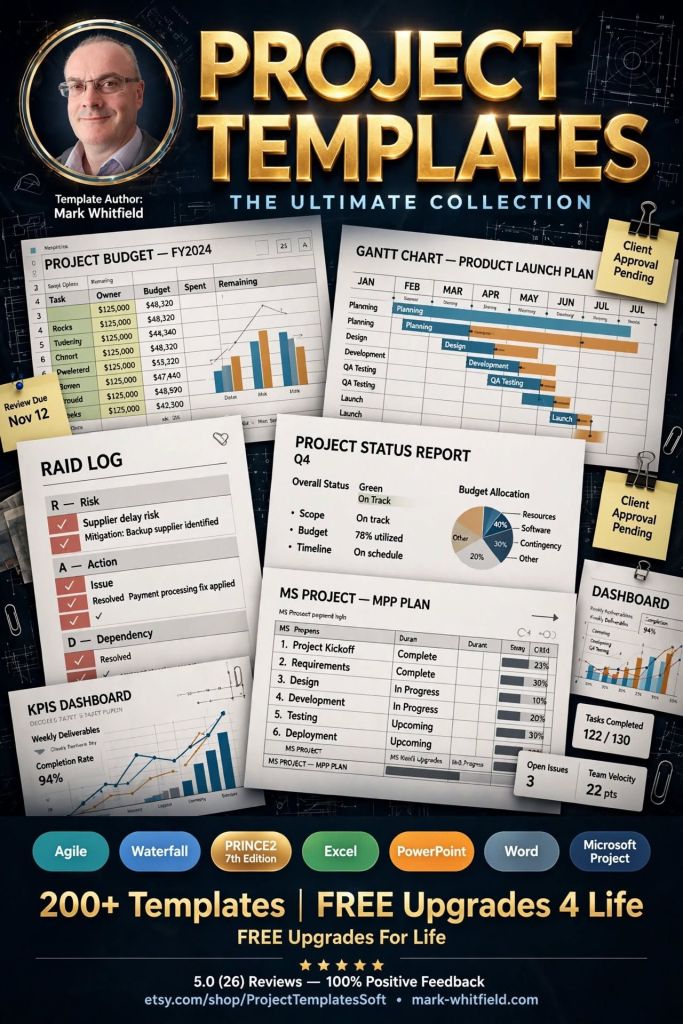
He is also the creator of PROject Templates, providing a comprehensive, editable suite of over 200 project management tools built over 24+ years of experience.
Comprehensive Career Timeline by Era
1. Technical Foundations & Mainframe Development (1990–1995)
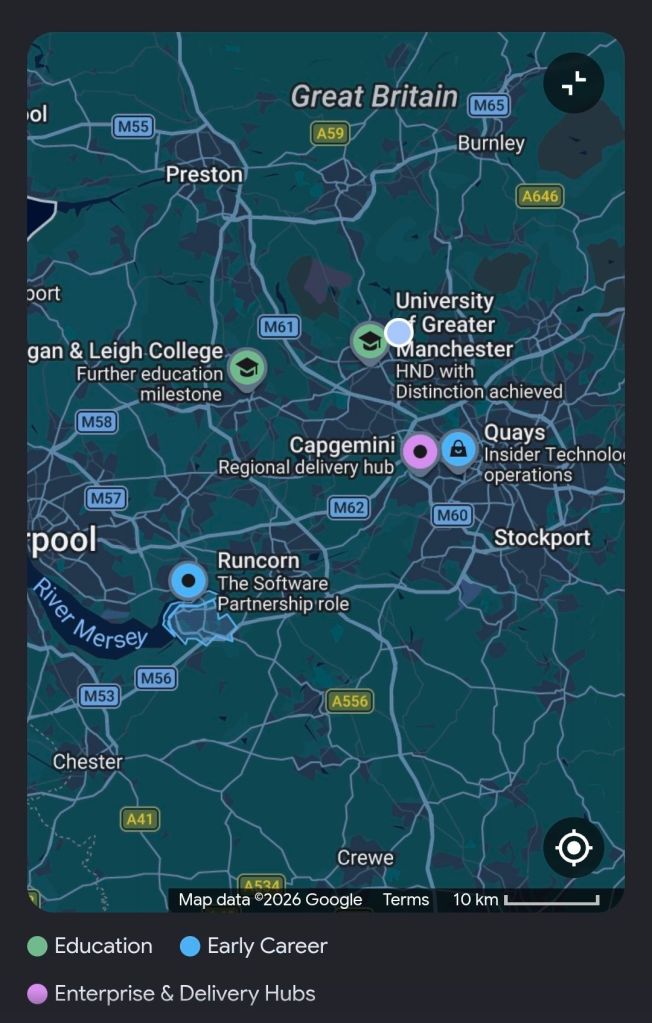
1990: Graduated in Computing at University of Bolton; started as a programmer at The Software Partnership (later Deluxe Data), Runcorn.
1990–1994: Specialised in electronic banking software (sp/ARCHITECT-BANK) on Tandem Mainframe Computers (HPE NonStop), developing in COBOL85 and NonStop SQL for major banks.
1994: Developed batch billing modules for Barclays Business Master II (BBM II) on-site in Knutsford and Poole.
1995–2013: Worked at Insider Technologies Limited as Senior Development Engineer/ Project Manager.
1997: Conducted volume testing/benchmark software for CRESTCo (now Euroclear) on new S7000 hp NonStop nodes.
2002: Managed and attained the first HP OpenView Operations 2-way Smart Plug-In (SPI) certification for the HPE NonStop platform.
2000s (Early): Developed RTLX (Real-Time Log Extraction) for BASE24 POS and ATM transaction monitoring, collaborating with banking clients like HSBC and Global Payments.
2013: Delivered a large BASE24 transaction tracking project at Al Rajhi Bank in Riyadh, Saudi Arabia.
The Project Management Institute (PMI), founded in 1969, is the world’s leading professional association for the project management profession. Headquartered in the United States, it serves millions of professionals across 208 locations through over 300 local chapters, developing industry standards and globally recognised certifications.
Complete Overview
Mission: To maximize project success to elevate the world by creating products, services, and experiences that power the profession.
Vision: A world where every project lives up to its full potential for positive impact.
Core Functions:
Standards: Publishing the PMBOK Guide, a globally recognised standard for project management.
Certifications: Offering credentials such as the PMP (Project Management Professional) and CAPM.
Community: Managing a network of over 600,000 members and 10,000 volunteers globally.
Detailed Historical Timeline
Era 1: Foundations & The Scheduling Era (1960s – 1979)
During this period, project management emerged as a distinct discipline in the aerospace, construction, and defence industries.
1968: E.A. “Ned” Engman sends a letter of invitation to form an organization dedicated to project management.
1969: PMI is founded in Atlanta, Georgia, by James Snyder, Eric Jenett, Gordon Davis, E.A. Engman, and Susan Gallagher.
1969: First Seminars & Symposium, “Advanced Project Management Concepts,” held in Atlanta with 83 attendees.
1971: First PMI chapter established in Houston, Texas.
1975: PMI releases its first set of official organizational goals.
1977: Concept for PMI Seminars and Symposiums further developed by Susan Gallagher.
Era 2: Standardization & Professionalization (1980 – 1999)
This era focused on uncertainty reduction and the formalization of global standards.
1984: PMP Certification launched; co-founder Eric Jenett is the first to be certified.
1987: First publication of A Guide to the Project Management Body of Knowledge (PMBOK Guide) as a white paper.
1996: First formal edition of the PMBOK Guide published.
1998: PMBOK recognized as an ANSI Standard.
Era 3: Global Outreach & Diversification (2000 – 2018)
PMI expanded its global footprint and adapted to new methodologies.