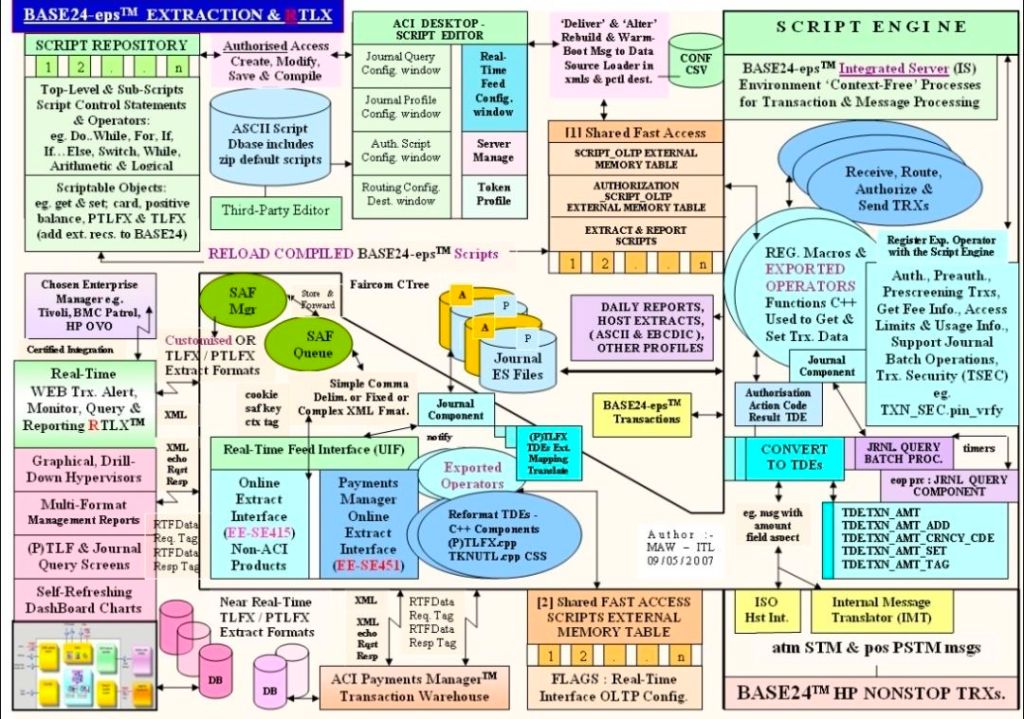
The Software Partnership (TSP) was a highly specialized British software house based in Runcorn, Cheshire, that played a key role in early cutting-edge electronic banking software. The firm famously developed sp/ARCHITECT-BANK, an innovative enterprise banking system built explicitly for Tandem Computers (now HPE NonStop) fault-tolerant server systems. I was based there between 1990 and 1995.
Below is a detailed overview of the company’s operational history, alongside the corresponding hardware/software architectural eras of the HPE NonStop platform it relied upon.
Detailed Overview
- Core Focus: The Software Partnership specialized in online transaction processing (OLTP) and electronic automated banking software. Long before the internet became mainstream, TSP engineered early desktop access environments for corporate bookkeeping and inter-account bank transfers.
- Key Product: Its flagship software suite, sp/ARCHITECT, ran on Tandem’s highly unique, redundant architecture. The software handled complex high-volume retail transactions, ATM networking, and ledger balances.
- Major Clients: High-profile financial institutions deployed TSP’s systems, including TSB (Trustee Savings Bank), Bank of Scotland, Rabobank, and Denmark’s Girofon.
- Legacy: TSP initiated a massive lineage of financial tech operations in the Runcorn/Warrington area. After subsequent buyouts and transitions, its corporate DNA integrated into modern banking giants, eventually operating under Fidelity National Information Services (FIS).
Detailed Timeline by Era and Year
The history of TSP mirrors the evolution of the underlying fault-tolerant architecture originally built by Tandem, later managed by Compaq, HP, and currently Hewlett Packard Enterprise (HPE).
Era 1: The Tandem Founding & TSP Inception (Mid-1970s – 1989)
This era is marked by Tandem’s creation of the fault-tolerant server market, which birthed the niche that TSP filled.
- 1974–1976: Tandem Computers is founded and ships its first 16-bit NonStop I (T/16) system, utilizing complete component redundancy to guarantee close to zero downtime for the financial industry.
- 1981: Tandem introduces the NonStop II, transitioning to battery-backed DRAM memory and enabling early 32-bit addressing.
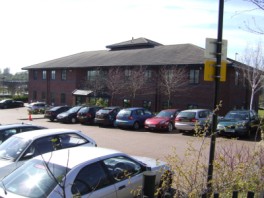
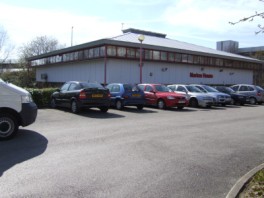
- Mid-1980s: The Software Partnership (TSP) is co-founded by Nigel Walsh. It establishes offices first in Timperley (Wingate Drive), then moves to Crowngate (Norton House) in Runcorn. The team begins developing online banking architectures explicitly for Tandem OS (Guardian) and early UNIX nodes.
- 1989: Tandem launches the NonStop Cyclone, a high-end mainframe system featuring superscalar CPUs and fiber-optic interconnects.
Era 2: The MIPS RISC Transition & Corporate Buyouts (1990 – 1999)
TSP reaches peak software deployment exactly as Tandem shifts its internal processor technology.
- 1990: TSP establishes itself as a major regional employment hub for software engineers following a massive boom in terminal banking technology. Software programmers deploy sp/ARCHITECT-BANK code for massive retail banks internationally.
- 1991: Tandem shifts its structural hardware away from proprietary chips, introducing its first MIPS RISC-based NonStop systems.
- 1992: TSP expands its Runcorn footprint, moving to custom facilities at Wingate House on Northway, Runcorn.
- 1994: TSP is acquired by American firm Deluxe Electronic Payment Systems (a division of Deluxe Corporation, one of the largest check printers and transaction processors in the US). The corporate name transitions to Deluxe Data.
- 1997: Due to shifts in the enterprise hardware landscape, Compaq Computer Corporation acquires Tandem Computers for $3 billion, taking over the NonStop lineage.
Era 3: The Itanium Migration & eFunds Realignment (2000 – 2013)
The architecture sheds its proprietary processors for industry standards, and TSP’s corporate legacy transforms.
- 2000: Deluxe Data’s electronic payment wing splits off and rebrands as EFD eFunds.
- 2001–2002: HP (Hewlett-Packard) merges with Compaq, absorbing the NonStop portfolio. Simultaneously, HP begins shifting NonStop servers from MIPS architectures to Intel Itanium processors.
- 2007: Following industry consolidation, the corporate remnants of the original TSP Runcorn operations are absorbed into Fidelity National Information Services (FIS) and relocated to Aegon House in Daresbury, Warrington.
Era 4: The Modern HPE NonStop X & Virtualization Era (2014 – Present)
The legacy of the high-availability software pioneered in Runcorn culminates in cloud and x86 integration.
- 2014: HP introduces NonStop X, completely migrating the underlying architecture to Intel x86-64 processors and implementing InfiniBand connectivity fabrics.
- 2015: Hewlett-Packard officially splits into two entities; the core mission-critical banking platform continues its five-decade lineage under Hewlett Packard Enterprise (HPE).
- 2020s–Present: HPE modernizes the software architecture to support Virtualized NonStop Software (vNS). Modern variants allow banking systems to run mission-critical apps seamlessly inside enterprise private clouds and scalable HPE GreenLake consumption models with 100% fault tolerance.
⚙️ sp/ARCHITECT
sp/ARCHITECT (specifically sp/ARCHITECT-BANK) was a foundational electronic banking and transaction framework engineered in the 1990s by The Software Partnership (a UK-based fintech house later acquired by Deluxe Data). It primarily powered corporate banking portals and telephone-driven banking services.
The platform acted as highly reliable middleware, serving as a bridge between the customer and back-end banking mainframes. The breakdown of its architecture, infrastructure, and core functions includes:
⚙️ Architectural Breakdown
- Hardware & OS: Built to run natively on fault-tolerant Tandem NonStop computers (now HPE NonStop). This “shared-nothing” architecture was designed for absolute transactional uptime and zero data loss.
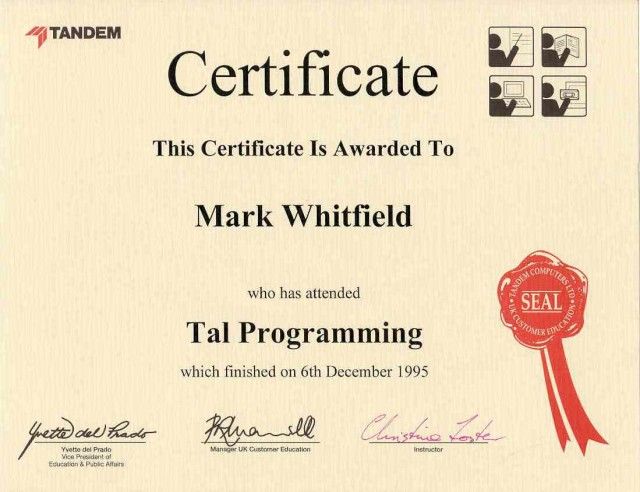
- Programming Languages: Built using legacy enterprise standards. Code was primarily written in COBOL85 and TAL (Transaction Application Language) native to the Tandem ecosystem.
- Middleware Integration: Utilized Tandem-specific middleware like Pathway and Remote Server Call (RSC) to handle client-to-host communications.
💻 Core Capabilities & Modules
- Electronic Delivery Framework: Served as a multi-channel framework, accommodating a wide variety of early access devices like desktop clients, UNIX workstations, and smart phones.
- Transaction Handlers: Deployed custom scripts/handlers that enabled end-users to securely access real-time account data and perform early inter-account transfers without visiting a physical branch.
- Testing Utilities: Included proprietary simulation tools like sp/TESTBED, acting as a PC-to-host test harness so developers could emulate user queries and transaction flows.
🏦 Industry Footprint
- European Rollout: Heavily adopted by large European financial institutions, including TSB, Rabobank, Bank of Scotland, and Girofon.
- BBM II Integration: Powered landmark corporate desktop banking solutions like Barclays Business Master II (BBM II), long before modern web browser banking existed.
- Evolution: Following its acquisition, its design philosophies eventually evolved into Deluxe Data’s broader CONNEX suite of payment solutions.