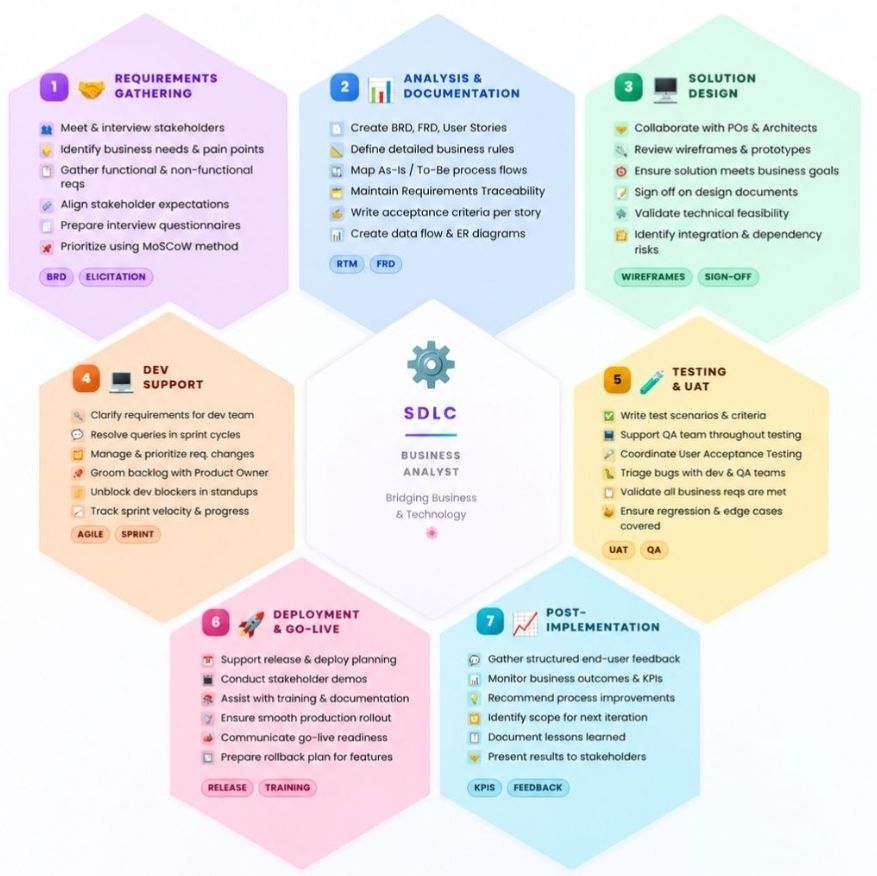
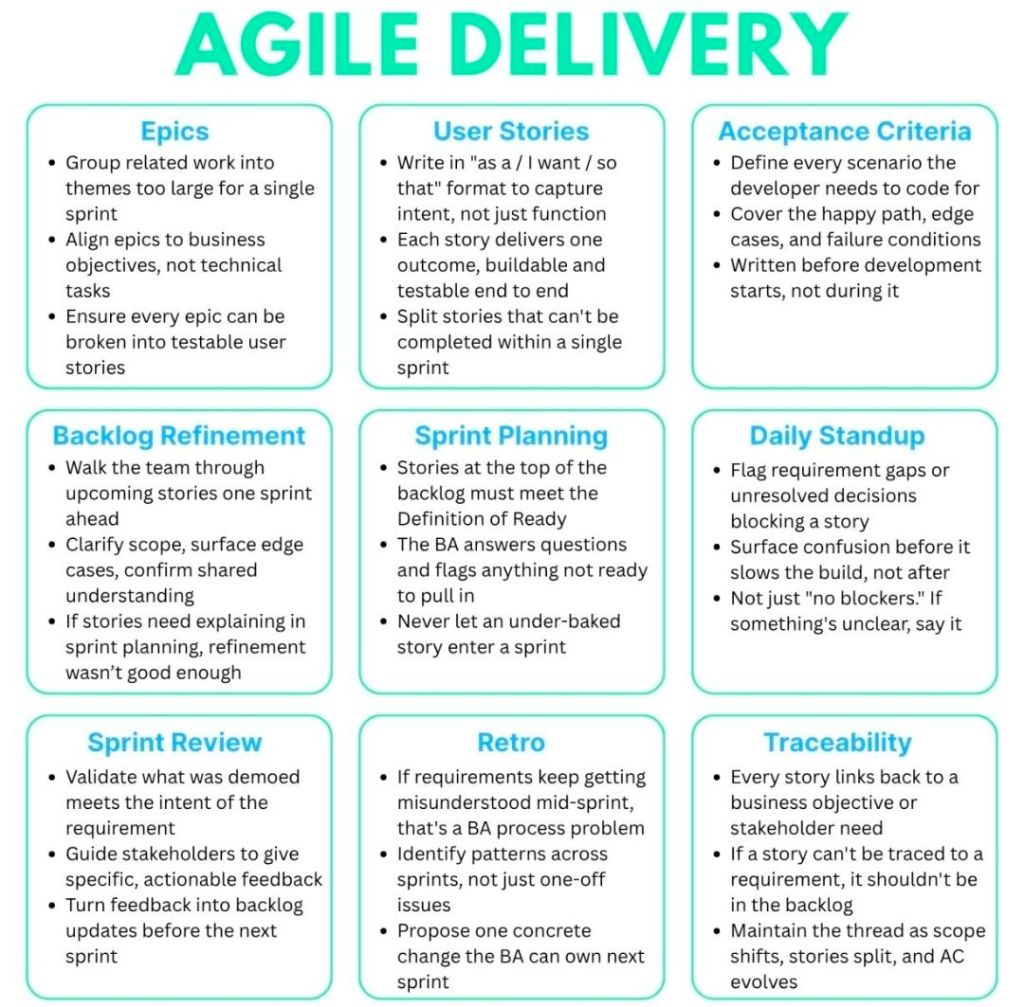
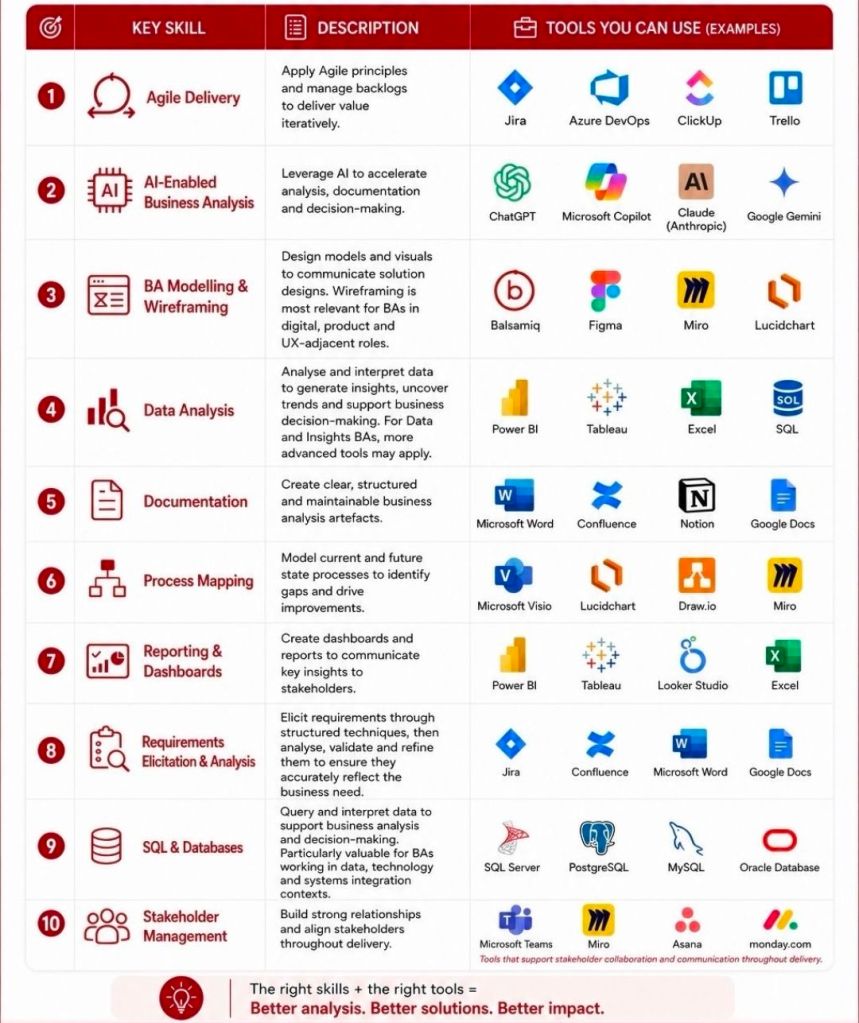
Microsoft Project—whose native file format extension is .mpp—is one of Microsoft’s longest-running products, originally originating from a DOS-based tool acquired in 1984. Over its four-decade lifespan, it has evolved from a basic critical path method (CPM) scheduler into a core enterprise project and portfolio management (PPM) system.
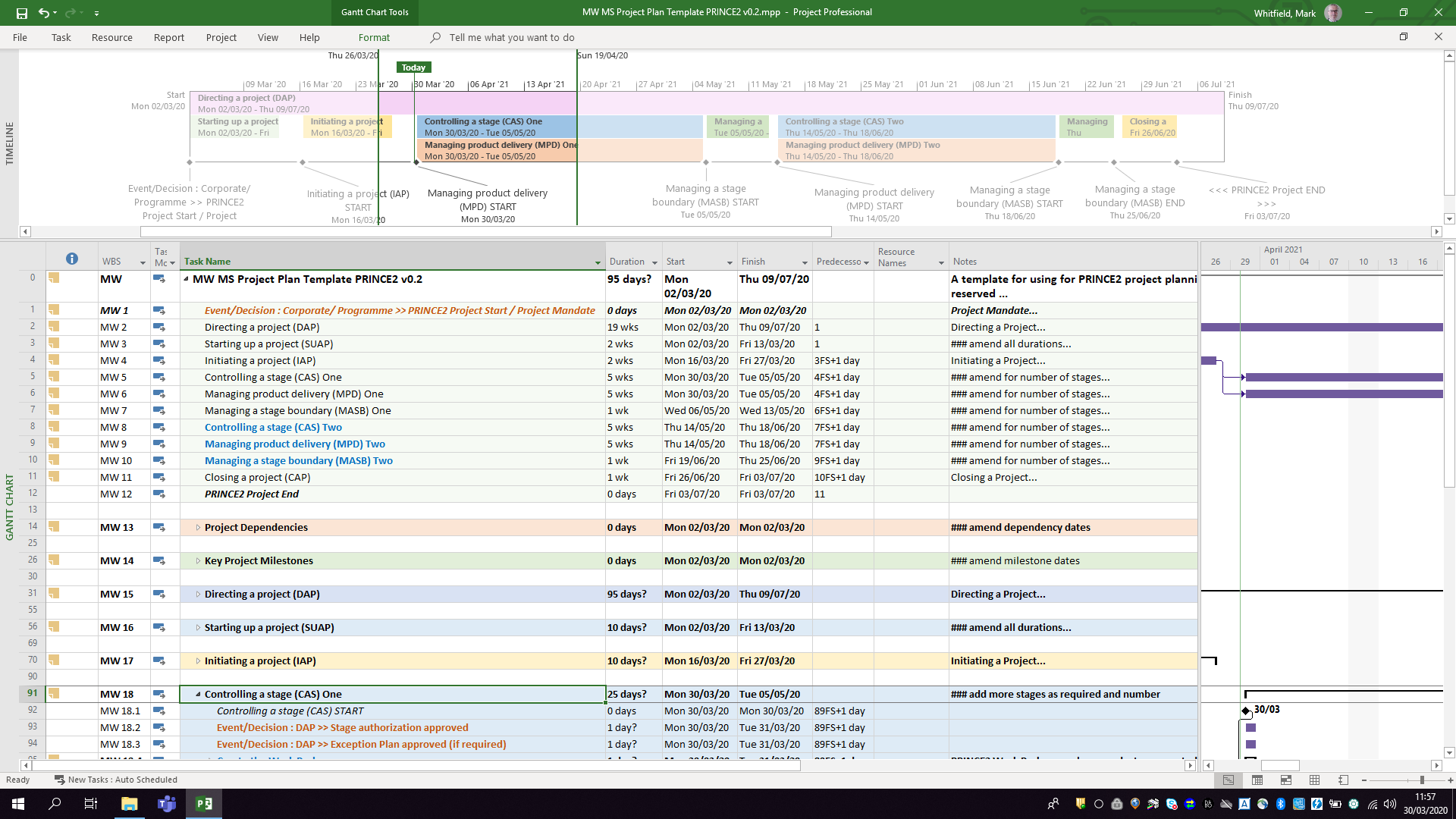
The .mpp format, which is the proprietary binary file structure used to store metadata, task hierarchies, schedules, and resource assignments, has undergone multiple structural changes to support new features like Agile workflows, critical path mapping, and multiple timelines. Buy MPP MS Project templates (like those above) here.
Chronological Timeline of Microsoft Project (1984 to Present)
1984 – 1986 (The DOS Era): The first commercial version, MS Project 1.0, was released for MS-DOS in 1984. It laid the foundation for Critical Path Method (CPM) scheduling.
1990 – 1993 (Transition to Windows/Mac): The first Windows version (Project 1.0 for Windows) launched in 1990. Microsoft subsequently released a Macintosh version in 1991, but officially ceased its Mac development by 1994.
1995 – 2003 (The Office Integration): With releases like Project 95, Project 98, and Project 2000, the software began to mirror Microsoft Office’s user interface, introducing PERT charts (later renamed Network Diagrams), multiple baselines, and resource pooling.
2007 – 2010 (The Ribbon and Server Era): Project 2010 became the first 64-bit version, introducing a modern ribbon and Backstage view. This era saw widespread use of Project Server for enterprise collaboration.
2013 – 2019 (Cloud & Modern UX): Integrating deeply with the Microsoft 365 environment, these versions introduced resource capacity heat maps, agile task fields, and native Plan-on-a-Page (POAP) timeline views.
2021 – 2024 (Modern Desktop Suite): The latest perpetual releases (Project 2021 and Project 2024) act as heavy-duty scheduling engines that integrate with modern tools like Power BI and Microsoft Teams.
Future Direction of the .MPP Format and Project Management
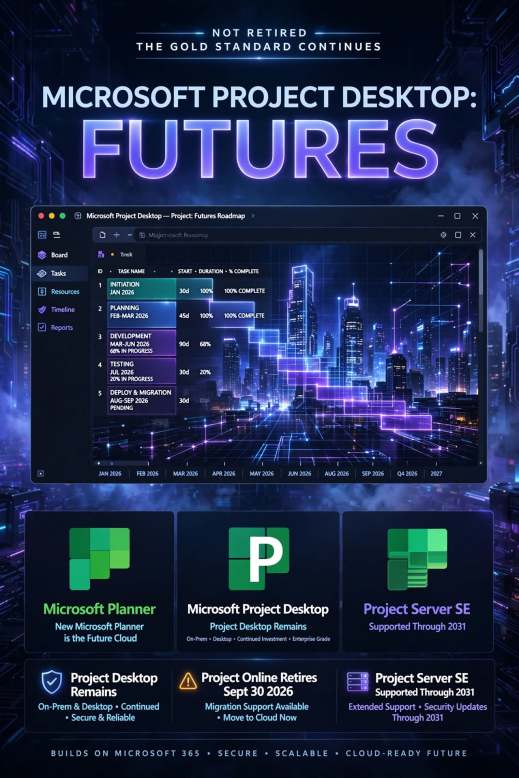
As of 2026, Microsoft is executing a major platform restructuring. The .mpp format will remain the standard file extension for the standalone, offline desktop application (e.g., Project Professional 2024/Subscription Edition), serving enterprise users who require complex scheduling, multi-project rollups, and deep resource optimization. Buy MPP MS Project templates here.
However, Microsoft is shifting its cloud and portfolio-level infrastructure entirely away from legacy SharePoint-based architectures. This structural shift impacts the .mpp ecosystem in several key ways:
Retirement of Project Online: Microsoft Project Online (the cloud-based service that previously stored and synchronized .mpp projects in the cloud) is officially fully retired.
Consolidation under Microsoft Planner: Microsoft’s cloud-based work management is converging entirely under the unified Microsoft Planner app (which incorporates former “Project for the web” capabilities).
Transition to Modern Cloud Formats: In the web and cloud ecosystem, the rigid and complex .mpp file is being replaced by Microsoft’s cloud-native architecture (which can be exported to standard .xml formats for interoperability).
Continued Desktop Support: Organizations requiring complex WBS (Work Breakdown Structure) views, complex dependencies, and local file storage can still utilize the desktop client versions (e.g., accessed via Microsoft Project Plan 3) which natively open .mpp files.
Viewer and Interoperability Utilities: Because native .mpp files cannot be opened by Microsoft Planner or Excel, Microsoft provides the XML Format Standard (MS-XDI) as the primary avenue for transferring custom scheduling data between desktop platforms and modern cloud APIs.
Microsoft Project MPP format, timeline & future direction
Mark Whitfield’s IT conference attendance timeline spans over three decades, highlighted by his presentations at international HPE NonStop (Tandem) and BASE24 transaction monitoring forums.
As a core developer, Product Manager, and Technical Project Manager at Insider Technologies Limited (ITL) from 1995 to 2013, he regularly showcased enterprise monitoring suites like Reflex and RTLX across Europe, the US, and South Africa.
The comprehensive, chronological timeline of his detailed IT conference attendance and speaking engagements is broken down below:
The Early Product Manager & Infrastructure Era (1995–1999)
Late 1990s (BITUG and EBUG): Following his transition to Product Manager for the Reflex 80:20 monitoring system, Whitfield began speaking at the British Isles Tandem User Group (BITUG) and the European BASE24 User Group (EBUG). He presented technical tracks regarding how Reflex managed complex Guardian operating system procedures and automated automated Y2K code auditing.
1999 (SATUG – South Africa): Whitfield traveled to South Africa to represent ITL at the South African Tandem User Group (SATUG) conference. He delivered presentations focused on real-time ATM/POS transaction monitoring and system infrastructure tracking ahead of the millennium date rollover.
Global Expansion & Peak Product Promotion (2000–2009)
Early 2000s (EBUG Expansion): As EBUG annual conferences grew in industry prestige, Whitfield frequently traveled across Europe to give technical track sessions. His presentations focused on BASE24 classic transaction logging, Point-of-Sale (POS) networks, and software resilience utilities.
2003 (ITUG – San Jose, USA): He attended and spoke at the high-profile International Tandem User Group (ITUG) conference in San Jose, California. He presented a specialized technical track detailing ITL’s strategic approaches to HP NonStop Enterprise Management integration.
2005 (BITUG SIG): Whitfield attended the BITUG Special Interest Group (SIG) event in the UK, engaging with regional banking stakeholders and system engineers to showcase platform diagnostics.
2007 (EBUG – Istanbul, Turkey): Whitfield managed the ITL corporate footprint and product presentations at the international EBUG meeting in Istanbul. This event highlighted the extraction capabilities of their next-generation RTLX tracking software.
2008 (SATUG – South Africa): He marked his second attendance at SATUG. He paired this international trip with presentations on high-availability monitoring for African financial networks.
2008 (EBUG – Vienna, Austria): At this pivotal European summit, Whitfield presented amid a massive industry transition. His sessions addressed real-time transaction tracking options as immediate payments emerged in Europe and ACI announced the retirement of legacy BASE24 Classic systems.
2009 (EBUG – Prague, Czech Republic): He attended the Prague conference to champion continued technical support, monitoring solutions, and software extensions for banking platforms still utilizing Tandem servers.
Miscellaneous European EBUG Presentations
Throughout his 18-year career at ITL, Whitfield also consistently attended and delivered product update presentations at EBUG chapters across other major European capital cities. These locations included:
Madrid, Spain
Lisbon, Portugal
Malta
Budapest, Hungary
Athens, Greece
Edinburgh, Scotland
Senior Leadership & Agile Training Era (2010–Present)
November 2017 (Capgemini Campus – Chantilly, France): Following a career shift toward cloud transformations, Digital Delivery, and enterprise architecture, Whitfield attended the intensive Advanced Engagement Manager (EM) Course at the Capgemini Campus (Serge Kampf Les Fontaines). This event focused on high-scale Agile Scrum project management frameworks rather than legacy hardware engineering.
The European BASE24 User Group (EBUG) was established in the 1980s as an independent, community-led organization for users of the BASE24 payment processing system developed by Applied Communications, Inc. (now ACI Worldwide).
Originally a regional forum for IT professionals in Europe to discuss HPE NonStop (Tandem) transaction monitoring and network security, the group expanded globally over time.
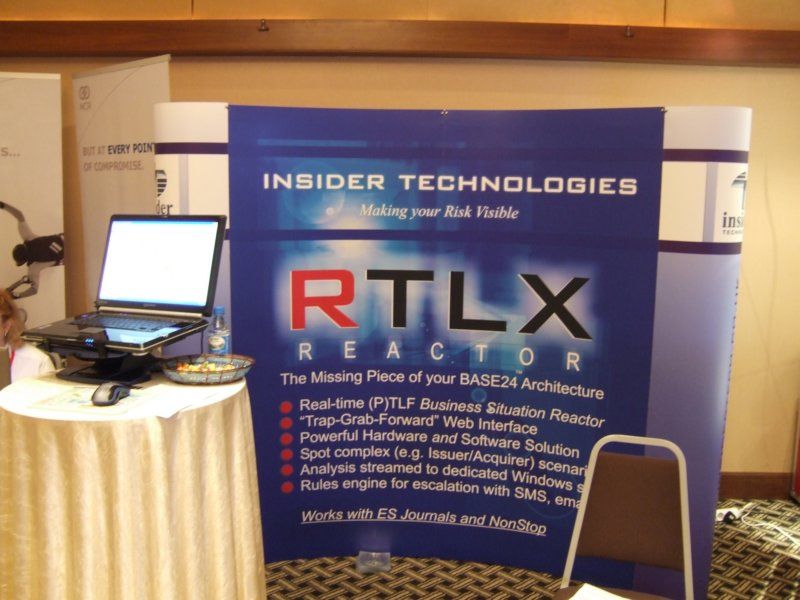
Insider Technologies regularly attended EBUG, booth in 2007 – RTLX now ETI-NET C-Deep
Following ACI’s withdrawal of direct corporate backing, EBUG evolved into “The Independent Group for All Payments System Users”—affectionately known as the Everybody Belongs User’s Group—welcoming users of multiple payment platforms like Postilion.
The detailed historical timeline of EBUG and the evolution of its core system, BASE24, outlines its development from a regional user collective to a global payments forum:
The Foundation Era (1975–1989)
1975: ACI is founded in Omaha, Nebraska, initially developing software for fault-tolerant Tandem NonStop computers to connect ATMs to bank networks.
1982: The BASE24 product family is officially launched globally, acting as “baseline” software for 24-hour financial operations.
1980s:EBUG is established as a regional European community for BASE24 users to collaborate on ATM networking and transaction processing.
Early 2000s: EBUG annual conferences grow in prestige, featuring technical tracks on BASE24 transaction logging, Point-of-Sale (POS) networks, and network resilience.
2007: EBUG hosts a high-profile international conference in Istanbul, Turkey.
2008: EBUG hosts its annual meeting in Vienna, Austria, which is historically noted as a pivotal year where ACI began supporting immediate payments in Europe and discussed a strategic shift toward IBM platforms. ACI officially announces the future retirement of “BASE24 Classic”.
2009: The conference is held in Prague, Czech Republic, maintaining strong community support for BASE24 on Tandem servers despite broader industry shifts.
Global Expansion, Rebranding & The Cloud Era (2010–Present)
2012: ACI introduces BASE24-eps, their next-generation, platform-independent payments engine designed to replace the legacy BASE24 on HPE NonStop. EBUG’s technical focus shifts to real-time payments and log extraction.
2013: With ACI ending direct involvement, the user group officially rebrands as the “Everybody Belongs User’s Group” at their conference in London, expanding attendance to professionals from Mexico, South Africa, and Australia.
2015: ACI celebrates 40 years in payments. EBUG solidifies its status as a supplier-agnostic payments forum, opening sessions to non-BASE24 users.
2020s: With BASE24 Classic retired, legacy users migrate to modern systems like BASE24-eps for cloud deployments and immediate payments.
Recent Years: ACI goes live as a pioneer in the Federal Reserve’s FedNow Service, building upon the decades-long transaction switching architecture first developed in the 1970s and 1980s.
European BASE24 User Group (EBUG) Timeline from Inception
Mark Whitfield is a UK-based, SC-cleared Senior IT Project Manager and Engagement Manager with over three decades of experience in software development lifecycle (SDLC) delivery.
Mark Whitfield, High-Level Career Summary from 1990 thru 2026
Over his career, he has transitioned from deep technical engineering on legacy systems (HPE NonStop formerly Tandem Computers) to enterprise-scale digital transformation, cloud migrations, and API-led integrations. He is also the author of a comprehensive online toolkit for project delivery frameworks.
Click the ‘Company Worked‘ links below for more detail as required.
Project Management Career Breakdown:
1. Early Engineering & Technical Analysis Era (1990–1995)
Geographical Location: Salford Quays, UK (office); London, UK; Client sites across Europe/ Middle East
Clientsinclude: Global Payments, Standard Chartered, Girofon, Rabobank, CRESTCo (Euroclear), Alrajhi Bank, LloydsTSB, HSBC, Santander, Bank of Ireland, Bank of Valletta (Malta) and both Commercial and Piraeus Bank (Greece)
Main Focus Items: Infrastructure consulting, volume testing, system management & monitoring, and Service Level Agreement (SLA) monitoring for critical path payment applications. Attending related conferences, EBUG, ITUG, BITUG, SATUG
Technology Areas: HPE NonStop monitoring, ATM/POS system & transaction monitoring and stock settlement.
Geographical Location: Woking / Bracknell / UK wide
Client: Lloyds Banking Group
Main Focus Items: Modernising legacy ATM software and directing hardware/software transitions. Implementing ProClassic/Enterprise and PC/E SmartClient (Win 7) to replace the existing ProCash/NDC (Win XP) Stacks on a variety of multivendor devices.
Technology Areas: Multi-vendor hardware & software integration for ATMs.
Geographical Location: Wigan / Greater Manchester, UK
Client: Betfred Online and Mobile
Supplier Management: for external software suppliers like Degree53, Playtech, Onionsack, Intelligent Payments (Myriad), Inspired, iovation, StreamUK, Finsoft, Ineda, OtherLevels, Appsflyer, Income Access, Activewin, Virgo, Virtue Fusion, In Game Media, Satellite Information Services (SIS) and IGT
Main Focus Items: Taking new sports and virtual gaming components live, integrating payment gateways, managing app release cycles, and handling regulatory compliance.
In addition to his consultancy work, Mark Whitfield actively publishes his extensive collection of Project Management Templates, which are actively utilized across the industry for RAID Logs, Agile Burndown Charts, and Plan on a Page (POaP) blueprints.
Requirements gathering is the foundational process of identifying, documenting, and managing what a project must achieve to deliver maximum business value. According to the Project Management Institute (PMI), nearly 70% of project failures are directly attributed to poor requirements collection, highlighting its role as the ultimate “scope anchor” for project managers.
Below is an overview of the core steps, techniques, classification categories, and tracking methods needed to establish an airtight requirement framework.
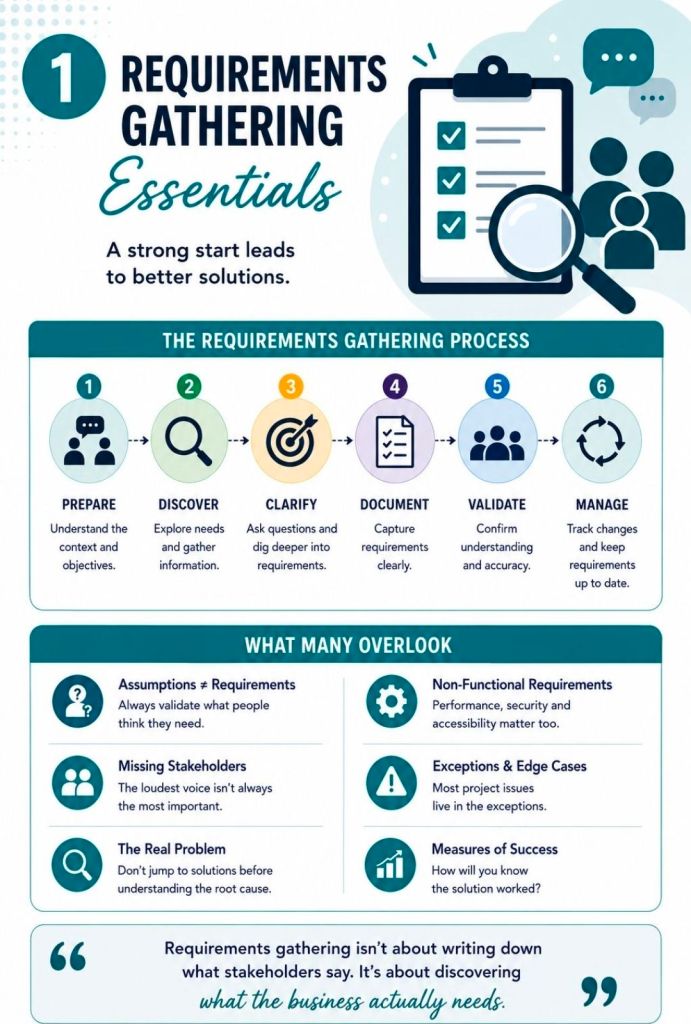
The 6-Step Requirements Gathering Process
Executing a structured lifecycle ensures that raw client requests are transformed into precise, measurable technical blueprints.
Identify and Analyze Stakeholders
Map out every individual invested in the project baseline.
Separate them into internal (executives, developers) and external entities (vendors, customers).
Utilize a stakeholder register to analyze their influence and prioritize conflicting needs early.
Establish Goals and Alignment
Define overarching high-level business milestones before hunting for product features.
Separate broad targets (goals) from specific deliverables or tasks (objectives).
Filter out scope proposals that fail to directly support these core goals.
Elicit Stakeholder Requirements
Conduct interactive discovery sessions tailored to user availability and project context.
Use direct one-on-one sessions for specific detail validation.
Use data gathering structures for broader user bases.
Document and Categorize
Translate conversational feedback into clear, unambiguous definitions.
Store information inside a centralized, accessible collaborative hub.
Record relevant project assumptions and hard technical boundaries.
Prioritize and Validate
Organize requests into strict low, mid, or high urgency classifications.
Apply prioritization frameworks like MoSCoW (Must-have, Should-have, Could-have, Won’t-have).
Conduct structured internal reviews to confirm value connection back to the business.
Baseline Sign-off and Change Control
Request formal verification from the main project sponsors.
Set a fixed baseline to prevent unauthorized project feature updates.
funnels all future adaptations through a strict change control system.
Core Categories of Requirements
To prevent scope gaps, information must be analyzed from a 360-degree technical and strategic perspective.
Business Requirements: Define the ultimate overarching problem or strategic objective the business needs to resolve.
Stakeholder Requirements: Capture the specific desires, expectations, and operational pain points of the end users.
Functional Requirements: Spell out exactly what the target solution must execute or how a user interacts with it.
Non-Functional Requirements: Specify system traits such as performance, data security parameters, and growth scalability.
Technical Requirements: Detail the internal IT setups, environments, and languages the project must operate inside.
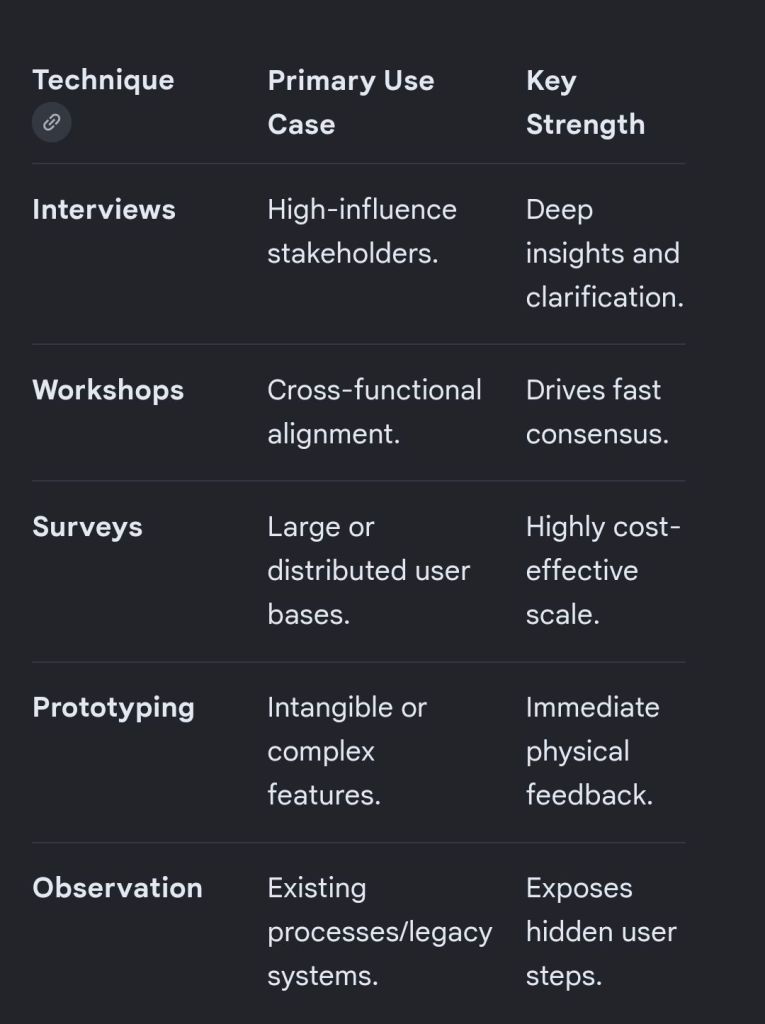
Essential Gathering Techniques
Choosing the right collection methodology depends on the size of your audience and the technical complexity of the work.
Project Requirements Gathering Essentials
Scope Governance: The Traceability Matrix
Once requirements are baselined, they are tracked using a Requirements Traceability Matrix (RTM). This tool links every approved feature back to its source stakeholder and forward into production and testing.
Bi-Directional Tracking: Traces forward from need to test case, and backward from code to initial business authorization.
Eliminates Scope Creep: Ensures that development engineering teams only spend resources on validated features.
Prevents Orphaned Elements: Flags code built without initial business justification, or targets missing a test plan.