Mark Whitfield’s PM template library features over 200 editable project management and PMO templates. These templates span the entire project lifecycle and are categorized by focus area and framework (e.g., Agile, Waterfall, PRINCE2).
Many POaP templates to be tailored as required
The resources are formatted natively for the Microsoft Office suite, allowing them to be opened on all devices, including desktops, tablets, and smartphones.
The templates are divided into specific categories based on the standard project delivery phases:
📁 Core Template Categories
Planning & Execution:
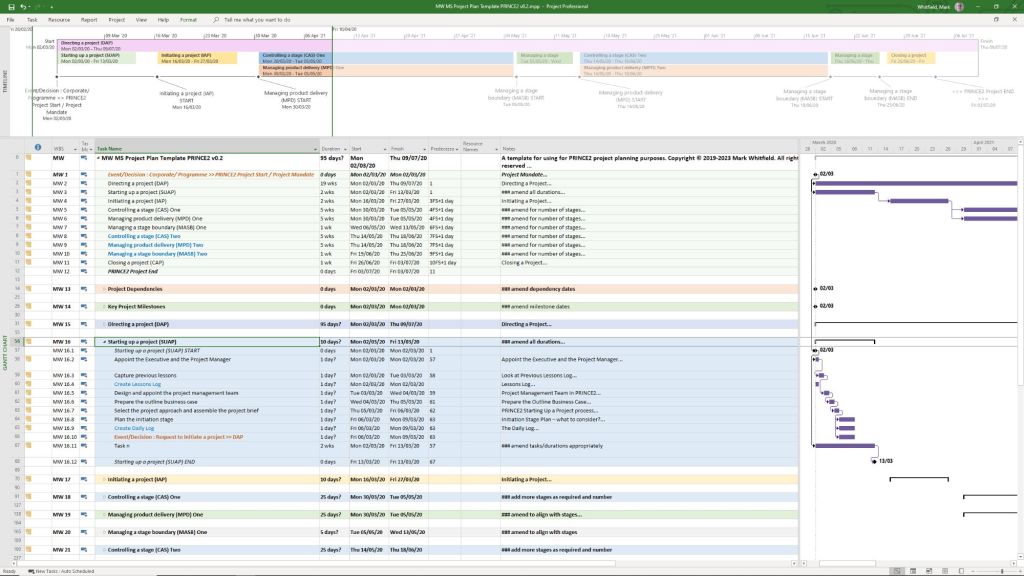
Detailed MS Project schedules
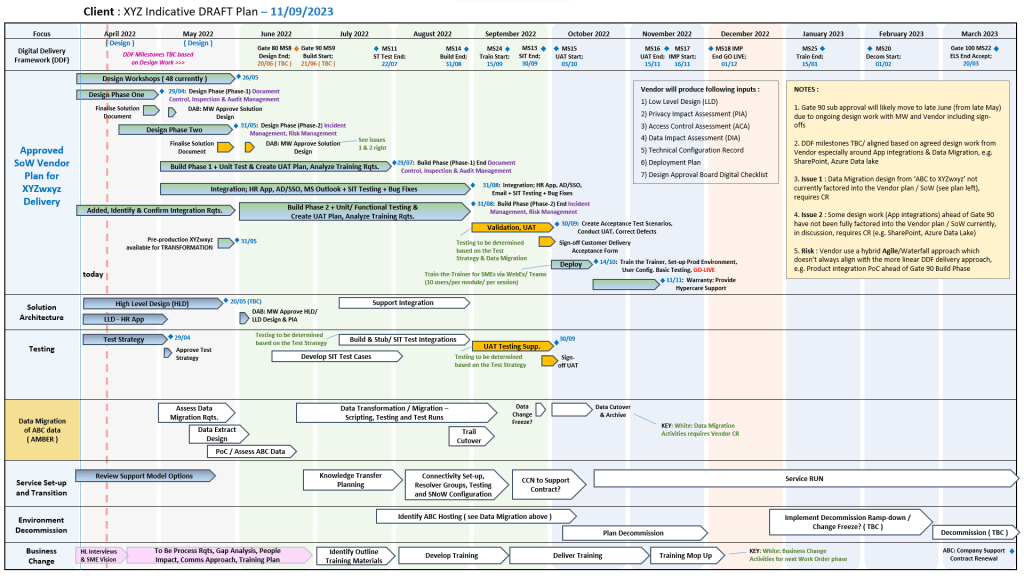
Excel and PowerPoint Plan on a Page (POaP) examples (over 35 slide examples) to save time constructing from scratch
Financials: Project Financial Trackers for internal/external costs, forecasting vs. actuals, margin/variation, and expenses.
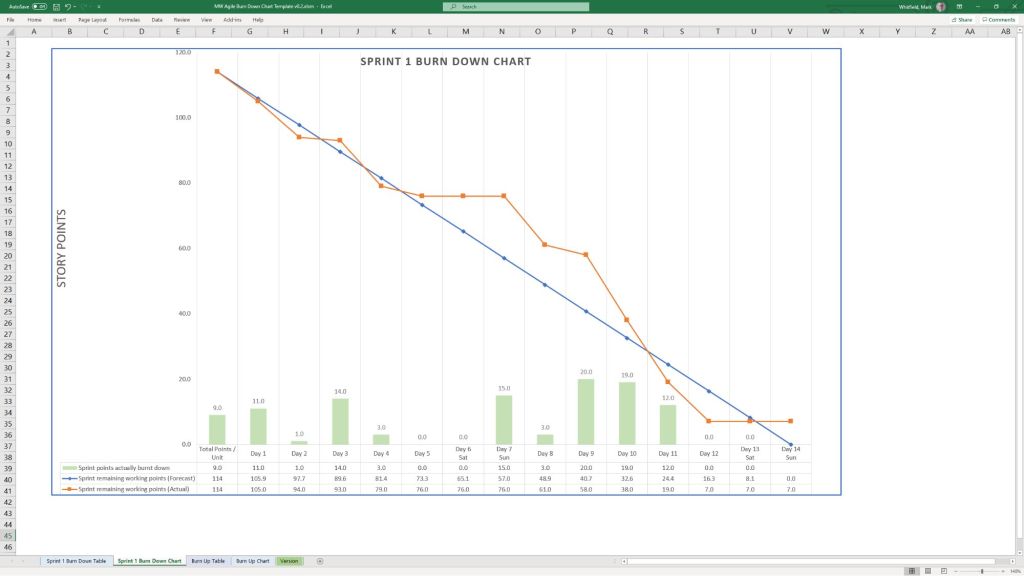
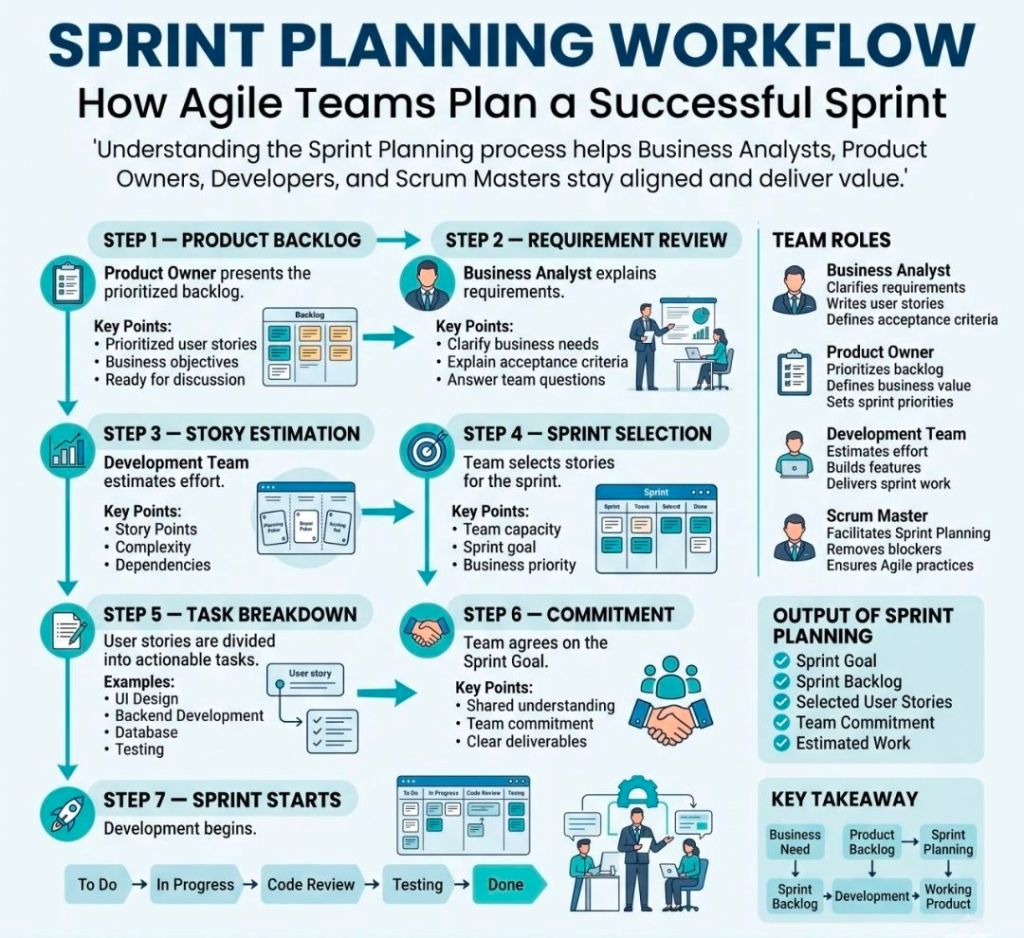
Agile Frameworks: Agile Story Dependency tracking, Burn Down & Burn Up charts, and Sprint tracking guides.
MS Excel XLS Agile Sprint Burn Down and Up Chart Examples
💻 File Formats
All templates are fully editable, and the package provides the following file formats for universal compatibility:
Microsoft Word (.docx): Used for walkthrough guides, governance documentation, and standard project status reports.
Microsoft Excel (.xlsx): Utilized for task trackers, financial dashboards, RAID logs, and non-MS Project Gantt charts.
Microsoft PowerPoint (.pptx): Used for Kick-Off decks, team hierarchy charts, and visual POaP (Plan on a Page) slides.
Microsoft Project (.mpp): Detailed work breakdown structure (WBS) and scheduling files for traditional and Agile-hybrid projects.
MS Project MPP file templates to be tailored as required
You can download or purchase the complete inventory of these editable files at the Mark Whitfield PROject Templates Store (or via the Etsy Storefront if you prefer that platform). Once purchased, you are also entitled to free lifetime upgrades and additions.
Project Management Templates to be tailored as required with FREE upgrades
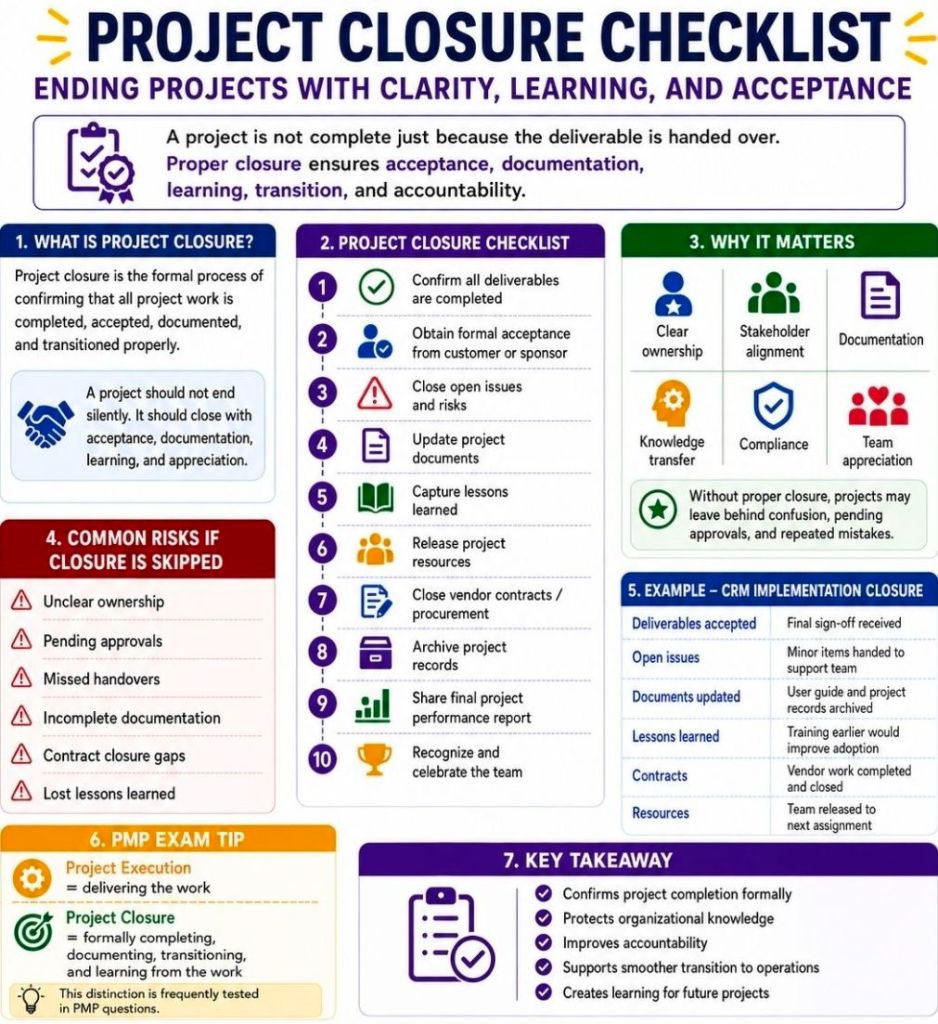
Closing a project successfully requires more than just stopping work; it ensures deliverables are accepted, finances are reconciled, and knowledge is transferred for future success.
A comprehensive checklist includes: verifying and handing over all final deliverables, securing formal stakeholder sign-off, finalizing budgets and closing vendor contracts, releasing project resources, archiving all documentation, conducting a post-mortem or lessons learned review, and celebrating your team’s achievements.
Follow this structured, step-by-step closeout checklist to ensure no loose ends are left behind.
1. Deliverables & Acceptance
Verify Scope: Compare original project objectives and specifications to the final deliverables.
Quality Check: Conduct a final walkthrough to ensure all technical and operational requirements have been successfully met.
Client Handover: Transfer the final product, assets, or software over to the clients, end-users, or maintenance team.
Secure Sign-Off: Obtain formal, documented approval or a signature of acceptance from the project sponsor and key stakeholders to prevent future disputes.
2. Finance & Contract Closure
Budget Reconciliation: Compare final spending to your initial budget and document any variances.
Process Final Invoices: Ensure all outstanding payments, contractor fees, and expenses are cleared.
Close Vendor Contracts: Verify that all suppliers and subcontractors have met their contractual obligations, then formally close their contracts.
Close Cost Codes: Shut down active financial codes or billable accounts associated with the project.
3. Documentation & Archiving
Final Project Report: Compile a summary report of the project’s performance regarding scope, timeline, and budget.
Handover Documentation: Ensure the operational team receives all necessary manuals, standard operating procedures, and known-issues lists.
Organize and Archive: Consolidate all project files, risk logs, and communications into a secure, centralized company repository for future reference or audits.
Revoke Access: Remove project system access, revoke software licenses, and delete temporary shared accounts.
4. Team & Organization
Lessons Learned Session: Hold a post-mortem or retrospective meeting with your team to discuss what went well, what failed, and what can be improved for next time.
Update Knowledge Base: Document these insights so the broader organization can learn from the project.
Release Resources: Formally reassign team members to other projects or return them to their functional departments.
Celebrate: Take the time to recognize individual contributions and celebrate the completion of the project.