

Microsoft Project—whose native file format extension is .mpp—is one of Microsoft’s longest-running products, originally originating from a DOS-based tool acquired in 1984. Over its four-decade lifespan, it has evolved from a basic critical path method (CPM) scheduler into a core enterprise project and portfolio management (PPM) system.

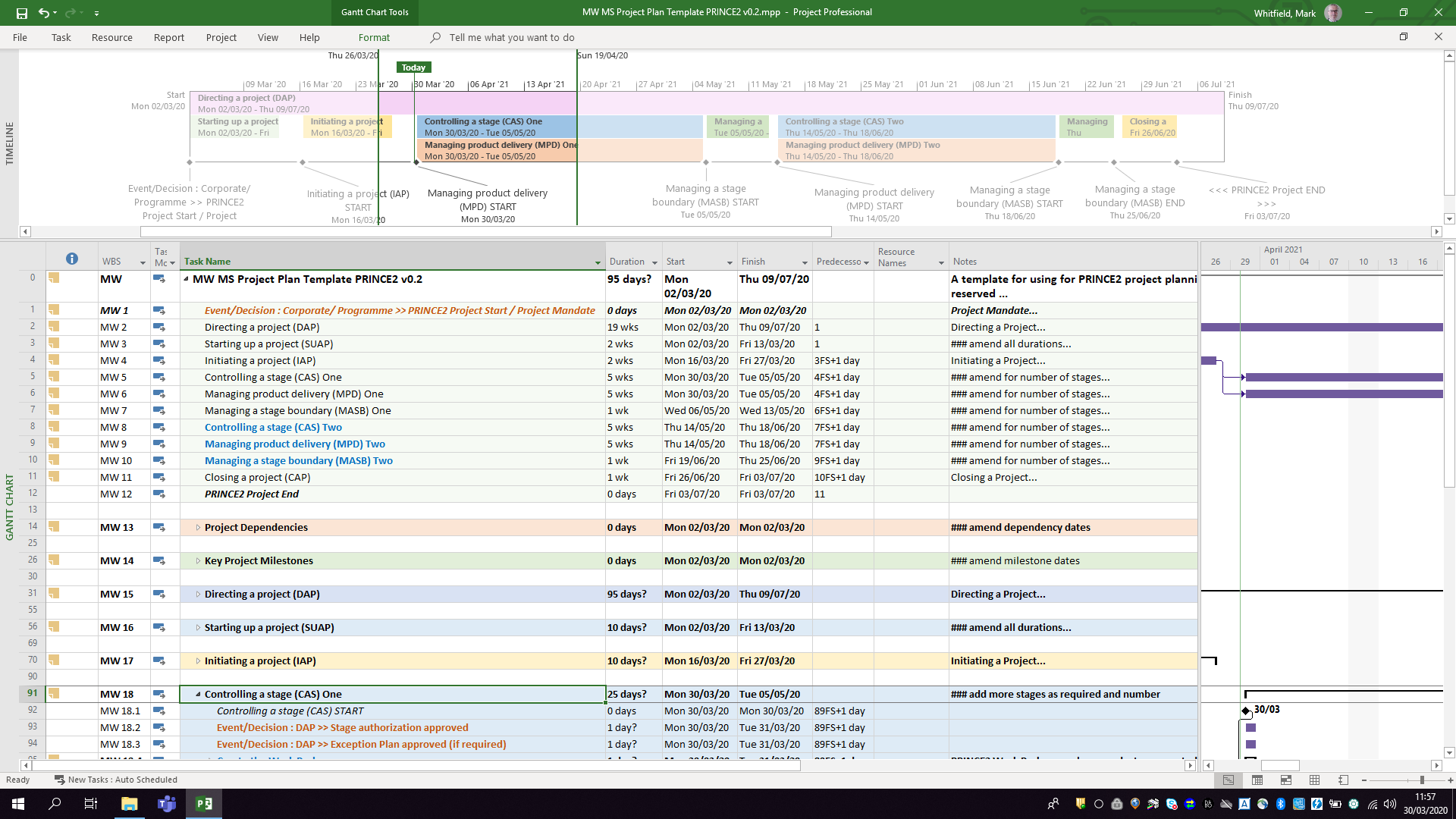
The .mpp format, which is the proprietary binary file structure used to store metadata, task hierarchies, schedules, and resource assignments, has undergone multiple structural changes to support new features like Agile workflows, critical path mapping, and multiple timelines. Buy MPP MS Project templates (like those above) here.
Chronological Timeline of Microsoft Project (1984 to Present)
- 1984 – 1986 (The DOS Era): The first commercial version, MS Project 1.0, was released for MS-DOS in 1984. It laid the foundation for Critical Path Method (CPM) scheduling.
- 1990 – 1993 (Transition to Windows/Mac): The first Windows version (Project 1.0 for Windows) launched in 1990. Microsoft subsequently released a Macintosh version in 1991, but officially ceased its Mac development by 1994.
- 1995 – 2003 (The Office Integration): With releases like Project 95, Project 98, and Project 2000, the software began to mirror Microsoft Office’s user interface, introducing PERT charts (later renamed Network Diagrams), multiple baselines, and resource pooling.
- 2007 – 2010 (The Ribbon and Server Era): Project 2010 became the first 64-bit version, introducing a modern ribbon and Backstage view. This era saw widespread use of Project Server for enterprise collaboration.
- 2013 – 2019 (Cloud & Modern UX): Integrating deeply with the Microsoft 365 environment, these versions introduced resource capacity heat maps, agile task fields, and native Plan-on-a-Page (POAP) timeline views.
- 2021 – 2024 (Modern Desktop Suite): The latest perpetual releases (Project 2021 and Project 2024) act as heavy-duty scheduling engines that integrate with modern tools like Power BI and Microsoft Teams.
Future Direction of the .MPP Format and Project Management
As of 2026, Microsoft is executing a major platform restructuring. The .mpp format will remain the standard file extension for the standalone, offline desktop application (e.g., Project Professional 2024/Subscription Edition), serving enterprise users who require complex scheduling, multi-project rollups, and deep resource optimization. Buy MPP MS Project templates here.
However, Microsoft is shifting its cloud and portfolio-level infrastructure entirely away from legacy SharePoint-based architectures. This structural shift impacts the .mpp ecosystem in several key ways:
- Retirement of Project Online: Microsoft Project Online (the cloud-based service that previously stored and synchronized .mpp projects in the cloud) is officially fully retired.
- Consolidation under Microsoft Planner: Microsoft’s cloud-based work management is converging entirely under the unified Microsoft Planner app (which incorporates former “Project for the web” capabilities).
- Transition to Modern Cloud Formats: In the web and cloud ecosystem, the rigid and complex
.mppfile is being replaced by Microsoft’s cloud-native architecture (which can be exported to standard.xmlformats for interoperability). - Continued Desktop Support: Organizations requiring complex WBS (Work Breakdown Structure) views, complex dependencies, and local file storage can still utilize the desktop client versions (e.g., accessed via Microsoft Project Plan 3) which natively open
.mppfiles. - Viewer and Interoperability Utilities: Because native
.mppfiles cannot be opened by Microsoft Planner or Excel, Microsoft provides the XML Format Standard (MS-XDI) as the primary avenue for transferring custom scheduling data between desktop platforms and modern cloud APIs.
Microsoft Project MPP format, timeline & future direction

