The official HPE Nonstop Technology Architecture is a specialized, 100% fault-tolerant infrastructure built with a tightly integrated hardware and software stack designed to eliminate any single point of failure. Formal instruction and architectural frameworks have been modernized under the newly relaunched HPE Nonstop Compute Training Portfolio curriculum.
Originally developed by Tandem Computers in 1976, the platform eventually became part of Hewlett Packard Enterprise (HPE). Unlike standard servers that can crash due to a single component failure, NonStop uses a tightly integrated, “shared-nothing” architecture to ensure that if a hardware or software component fails, another instantly takes over with zero downtime or data loss.
Core Architectural Features
To understand how HPE NonStop works, you need to understand its unique design principles:
Shared-Nothing Architecture: Every processor has its own dedicated memory, I/O channels, and copy of the operating system. No single component is shared, eliminating any single point of failure.
Process Pairs: Applications run using a primary process and a backup process on a different processor. The primary process constantly copies its state to the backup. If the primary fails, the backup immediately takes over.
Massive Scalability: Systems can scale up seamlessly from small distributed environments to massive clusters containing up to 24,000 processor cores without interrupting running operations.
Hardware Platform: The modern software environment runs on industry-standard x86 architectures, available as physical server racks (like the HPE NonStop NS9 X5) or as virtualized instances in hybrid cloud environments.
Dual Operating Environments
HPE NonStop runs a specialized operating system called NonStop OS. Inside this OS, developers and administrators interact with two distinct environments:
Guardian Environment: The native, proprietary environment optimized for high-volume Online Transaction Processing (OLTP). It handles tasks sequentially through process-oriented manually-started jobs rather than traditional automated queues.
Open System Services (OSS): A UNIX-like, POSIX-compliant environment built on top of the NonStop kernel. This allows organizations to run standard open-source applications, tools, and scripts natively alongside Guardian.
Ecosystem and Use Cases
HPE NonStop is rarely used for standard office automation or basic web hosting. Instead, it serves as the backbone for global industries where an hour of downtime could cost millions of dollars:
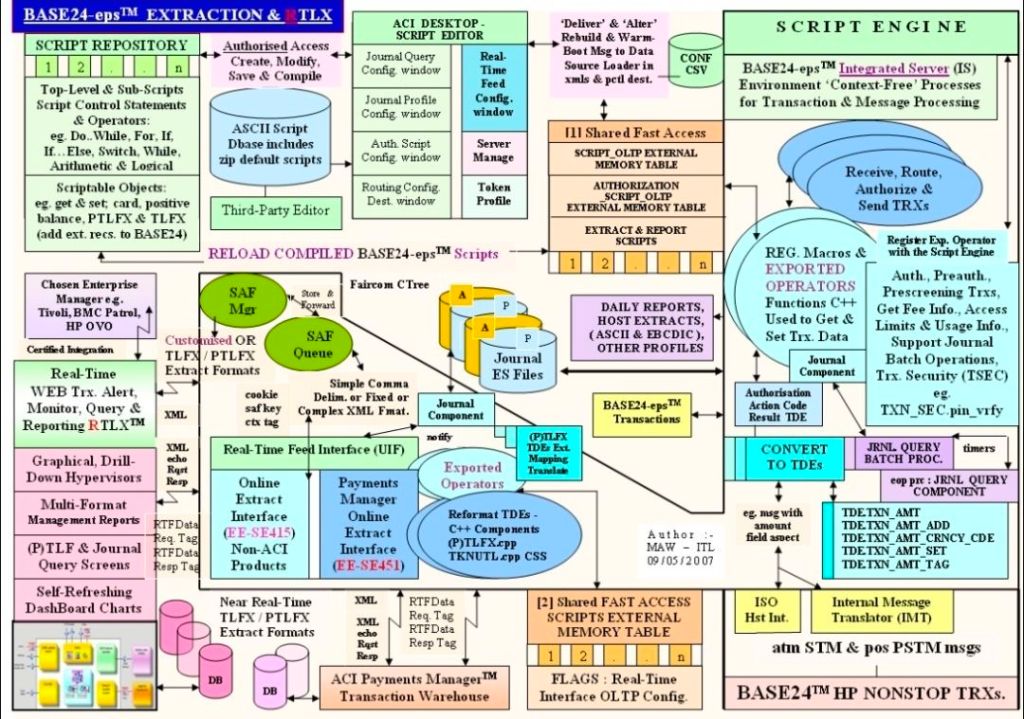
Financial Transactions: Powers global stock exchanges, automated teller machines (ATMs), and retail point-of-sale credit card processing, eg. BASE24.
Travel and Logistics: Runs critical airline reservation systems and real-time cargo routing infrastructure.
Database Management: Features its own highly secure, distributed database engine called NonStop SQL, which guarantees absolute data integrity across all transactions.
Modern Development: Supports traditional languages like COBOL85 and ANSI C, alongside modern DevOps integrations like Git, Ansible, and Eclipse-based IDE environments.
An architectural blueprint of an HPE NonStop environment typically separates the layout into three core interdependent layers:
Hardware & Fabric Layer: Consists of independent, loosely-coupled Processor Nodes (handling up to 24,000 cores globally) connected via an ultra-fast InfiniBand or ServerNet system fabric backbone.
I/O & Subsystem Layer: Utilizes Cluster I/O Protocols (CLIMs), splitting tasks between Storage CLIMs (SCLIMs) and Network CLIMs (NCLIMs) to isolate external communication from main processing.
Operating System & DB Layer: Runs the NonStop OS, which simultaneously manages the traditional Guardian environment, Open System Services (OSS) for UNIX/Linux paradigms, and the NonStop SQL distributed database engine.
Recommended Architecture Training Curriculum
HPE organizes its technical blueprints into structured educational paths for engineers.
1. Foundational Blueprint Concepts
Course Code: U4147S (HPE Nonstop Compute System Fundamentals).
Focus: Delivers a top-down view of system goals, transaction processing, and fundamental architecture.
Key Modules: Explores Guardian vs OSS, Pathway application management, and basic database interaction.
2. System Operations & Administration
Course Code: H1SC3S (HPE Nonstop Compute System Administration I).
Focus: Maps physical and virtual components to real-world deployment.
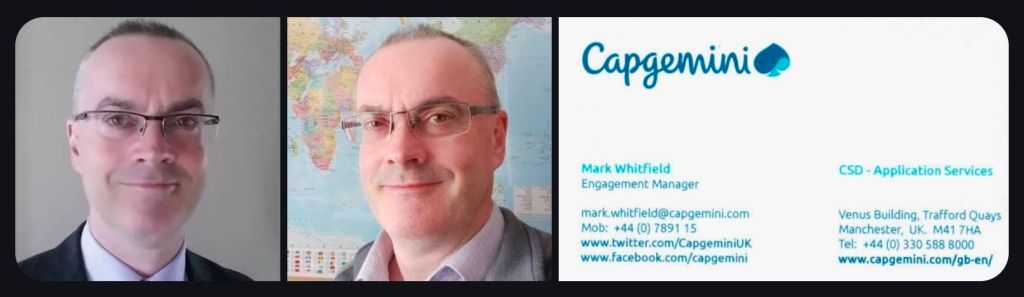
You can review or download the targeted, one-page CV for Mark Whitfield (Senior Project Manager specializing in HPE NonStop systems) via the Mark Whitfield CV PDF link.
Mark Whitfield, High-Level Project Management Summary
The high-level, scannable overview of his professional profile is outlined below:
Executive Profile
Role: IT Senior Project Manager / Delivery Lead
Background:30+ years of experience delivering highly complex technology, business transformation, and infrastructure projects.
Core Skills: Cloud migration (hybrid), legacy ATM software modernisation, Point of Sale (POS) implementations, and software development lifecycles (SDLC).
Methodologies: Agile, Waterfall, PRINCE2 Practitioner, and ITIL certified.
Core Expertise & Competencies
HP NonStop & Legacy Integration: Deep technical roots in Tandem Computers/ HPE NonStop development, TAL programming, and high-volume transaction environments.
Global Delivery: Managed large-scale IT and system monitoring rollouts across the UK and international markets (e.g., Saudi Arabia).
Stakeholder Management: Experienced in bridging the gap between highly technical development teams and high-level business stakeholders.
For direct access to his official templates, articles, and full professional journey, you can visit the PROject Templates Website.
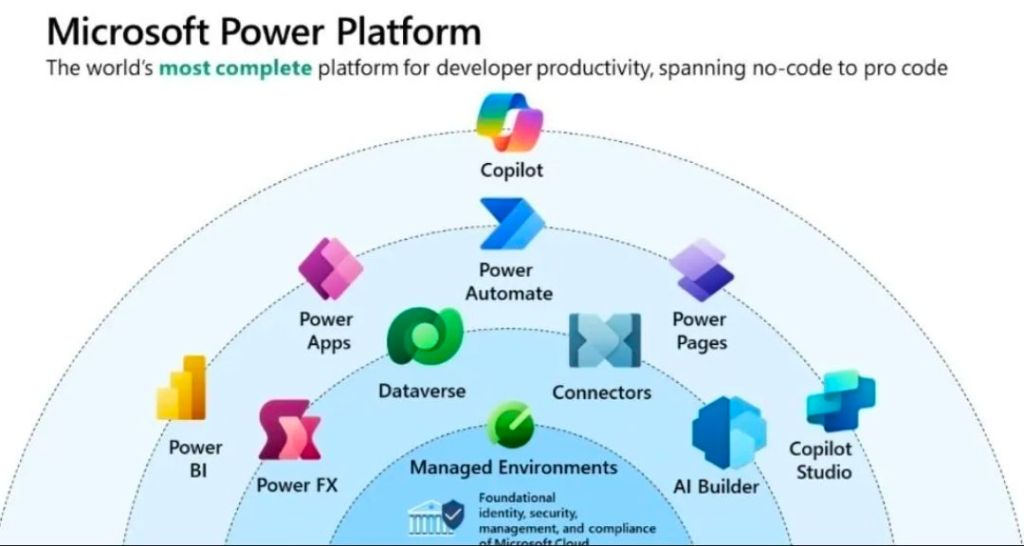
Microsoft Power Platform is an enterprise-grade, low-code platform that allows organizations to build applications, automate workflows, analyze data, and create AI-powered virtual agents. It natively connects to Microsoft 365, Azure, and Dynamics 365, serving as a core pillar of modern digital transformation.
Microsoft Power Platform Overview
Core Pillars
Power Apps: A low-code development environment for building custom, cross-platform business applications (Canvas or Model-driven) without writing traditional code.
Power Automate: An automation service enabling the creation of workflows, API-based integrations, and Robotic Process Automation (RPA) for legacy systems.
Power BI: A business analytics service that provides interactive visualizations and business intelligence capabilities with an interface simple enough for end users to create their own reports and dashboards.
Power Pages: A secure, enterprise-grade low-code software-as-a-service (SaaS) platform for designing, configuring, and publishing external-facing websites.
Microsoft Copilot: AI-assisted generative capabilities natively built across the platform, allowing users to build apps, write flows, or generate reports using natural language.
Foundational Technologies
Dataverse: A secure, cloud-based data storage and management layer featuring a standardized common data model, allowing disparate Microsoft tools to seamlessly share information.
Connectors: Over 1,000 pre-built wrappers that facilitate communication between the Power Platform and external services (like Salesforce, SQL databases, or REST APIs).
Power Fx: A low-code, strongly-typed functional programming language based on Excel formulas that serves as the logic layer across the platform.
Technical Evolution by Year
The Power Platform did not launch overnight; it evolved through the gradual introduction of several standalone tools before Microsoft formally unified them under one umbrella.
2013–2015: The Origins of Data Analysis & Logic
2013: Power BI is initially released as an add-in for Microsoft Excel, allowing users to build pivot tables and light analytics.
2015: Power BI transitions into a standalone cloud service. Concurrently, Power Apps enters public preview, introducing the low-code app paradigm.
2016–2017: Workflow Automation
2016: Microsoft Flow (the predecessor to Power Automate) is launched to handle cloud-based workflow automation.
2017: Common Data Service (now Dataverse) is introduced to provide a standardized, secure data layer.
2018–2019: The “Power Platform” Unification
2018: Microsoft officially unifies Power BI, Power Apps, and Microsoft Flow under the official name “Microsoft Power Platform”, introducing the formal concept of a connected, low-code business ecosystem.
2019: The Common Data Service gets deeper integration across Dynamics 365 and Microsoft 365, accelerating citizen development across large enterprises.
2020: AI and Robotic Process Automation (RPA)
2020: Microsoft launches AI Builder, allowing users to integrate pre-trained AI models (like form processing and object detection) directly into their apps and workflows.
2020: Softomotive is acquired, bringing RPA (desktop flows) into Power Automate.
2021–2022: New Additions and Expanded Web Presence
2021: The Common Data Service is officially rebranded as Microsoft Dataverse.
2021: Power Fx is introduced as the standard, open-source low-code language.
2022: Power Apps Portals is rebranded and expanded into Power Pages, creating a dedicated, robust tool for building external-facing websites.
2023–2024: The Generative AI Wave
2023: Microsoft embeds generative AI across the suite through Copilot. Users begin building data tables, applications, and automation flows entirely through conversational prompts.
2024: Power Platform deepens its integration with Microsoft Fabric and brings further enterprise-grade management, data governance, and AI agent orchestration features directly into Dataverse.
2025–2026: Agentic Computing and Modern Controls
2025: Power Platform evolves beyond standard applications and automations into “agentic computing.” Makers can build autonomous, AI-driven data agents directly within Dataverse using the Python SDK.
2026: Power Apps rolls out massive updates to its interface, deploying responsive layouts and modern controls as default settings. Advanced lifecycle management and process-mining features cement the platform’s role in modern fusion development.
My Recent MS Power Platform Involvement :
UK Gov : Cloud Migration (Hybrid) – In 2020, working as a Senior Project Manager on a client sponsored Agile proof-of-concept (POC) project to move 3 Client elected Apps (with MS Access, Oracle and SQL 2008 DBs), to the Cloud (Microsoft Azure and Dynamics365 Power Platform). The migration to the cloud was based on 3 primary app patterns namely; re-host, re-platform and re-factor. This project spanned approximately 3 months and started in early February 2020 with a budget of £375k.
The project was a pre-cursor and effort indicator for the larger piece of migration work to move 130 client estate apps to the cloud. This is a very complex app estate with many touch points and different technology stacks.
As the Capgemini Senior PM, responsible for the project planning, control, organisation, stakeholder communication, aligning with current GDPR directives and status reporting against delivery of Capgemini services to the client. As the PM, also the first escalation point for the project team and the client.
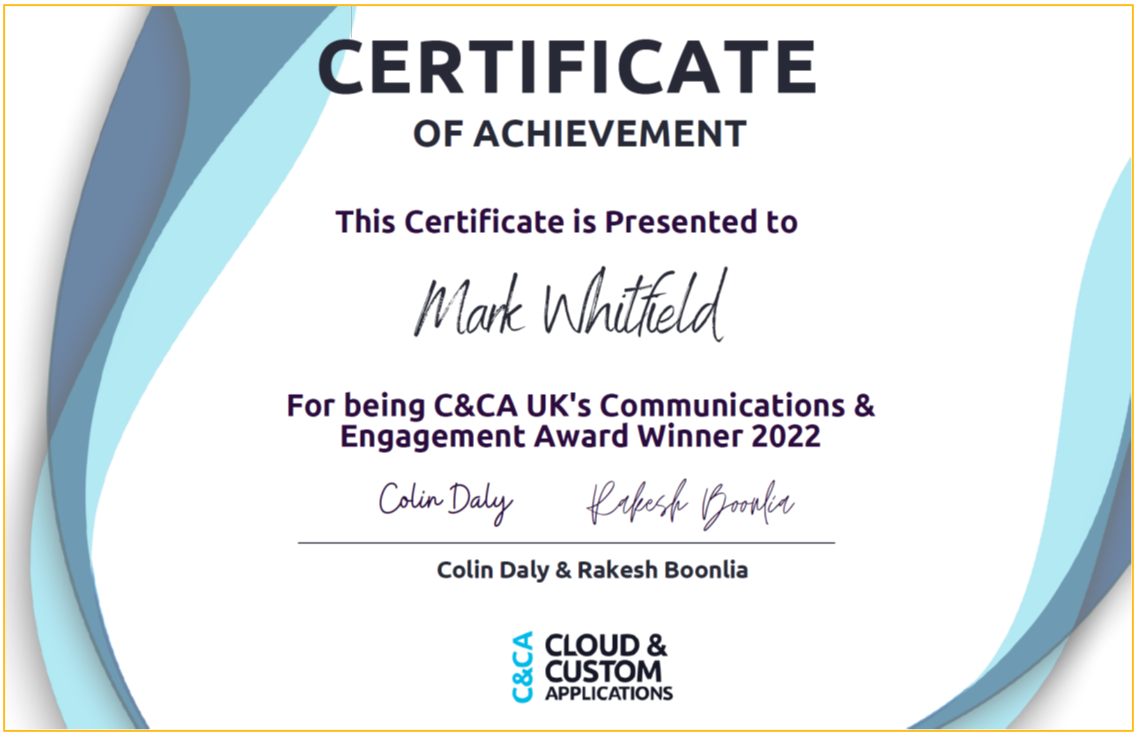
December 2022 – C&CA UK’s Communications & Engagement Award Winner – Cloud & Custom Applications – Capgemini UK