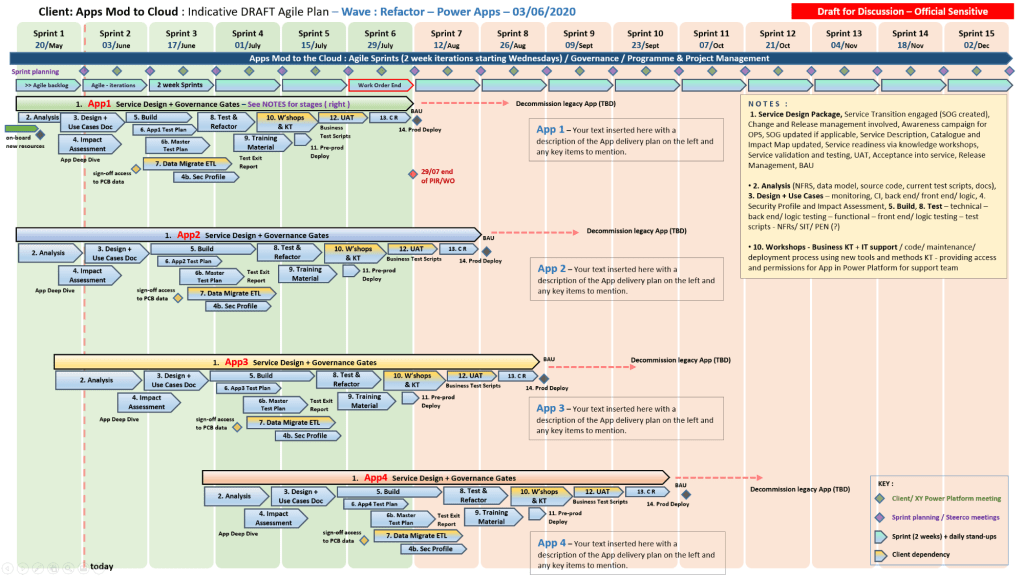
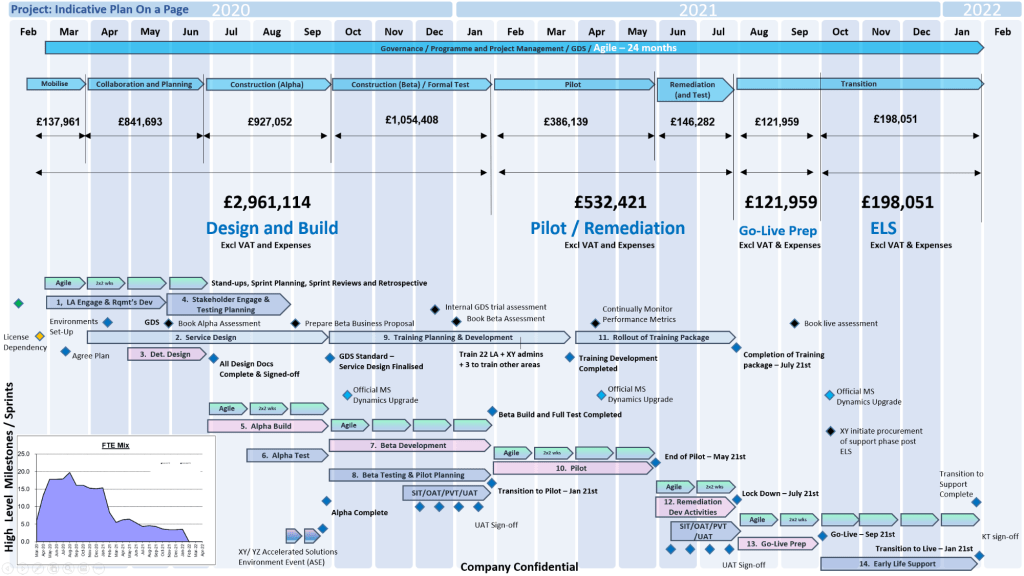
Microsoft Power Platform Development Timeline Overview

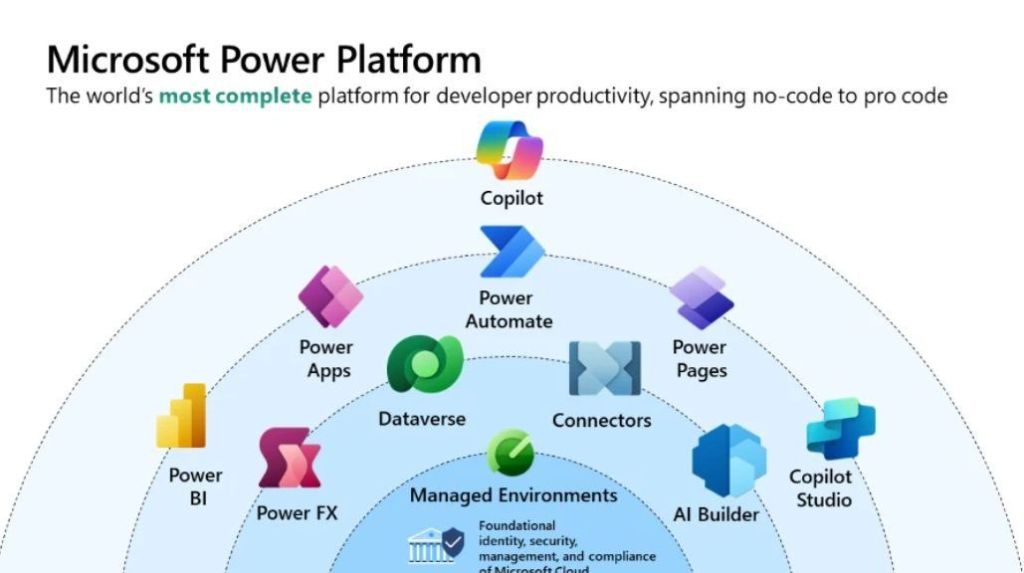
Microsoft Power Platform is a suite of low-code tools designed to help organizations analyze data, build custom solutions, automate processes, and create AI-powered agents. It enables both professional developers and “citizen developers” (business users) to rapidly build end-to-end business applications that integrate with the broader Microsoft Cloud ecosystem

Microsoft Power Platform

Core Product Areas

The platform consists of five primary applications: 

  • Power BI: A business analytics tool for data visualization and interactive reporting.
  • Power Apps: A low-code development environment for building custom web and mobile business applications.
  • Power Automate: A service for workflow automation and robotic process automation (RPA).
  • Power Pages: A platform for creating and hosting secure, external-facing business websites.
  • Copilot Studio: A graphical tool for building and customizing AI-powered agents and chatbots. 

Underlying Capabilities

The platform’s strength lies in its shared infrastructure: 

  • Microsoft Dataverse: A secure, cloud-scale data store that provides a common data model for all Power Platform apps.
  • Connectors: Over 1,000 prebuilt integrations that allow apps to communicate with external data sources like SAP, Salesforce, and Google Analytics.
  • AI Builder: A capability that allows users to add AI models (e.g., sentiment analysis or object detection) to their apps and flows without writing code.
  • Power Fx: A low-code, strongly-typed programming language used for expressing logic across the platform.

The Microsoft Power Platform has evolved from individual components like Power BI and Power Apps into a unified suite, now heavily integrated with Copilot and AI

Origins & Early Growth (2013–2018)

  • 2013Power BI is first released as an Excel add-in before becoming a standalone service in 2015.
  • 2015Power Apps enters public preview as a low-code tool for building business applications.
  • 2016Microsoft Flow (now Power Automate) is launched to provide workflow automation across apps and services.
  • 2018: The term “Microsoft Power Platform” is officially introduced to unify Power BI, Power Apps, and Flow. 

Expansion & Rebranding (2019–2022)

  • 2019Power Virtual Agents is added to the suite for creating no-code chatbots. Microsoft Flow is rebranded as Power Automate.
  • 2020: Launch of Power BI Premium per user and the Dataverse (formerly Common Data Service) rebranding.
  • 2021Power Fx, an open-source formula language based on Excel, is introduced as the standard language across the platform.
  • 2022Power Pages is launched as the fifth standalone product for building secure, low-code business websites. 

The AI & Copilot Era (2023–Present)

  • 2023: Integration of Copilot across all Power Platform products, allowing users to build apps, flows, and reports using natural language.
  • 2024: Introduction of Timeline Highlights in Power Apps to provide AI-generated summaries of record activities.
  • 2025: Microsoft announces the retirement of the Power Apps per app plan (January) and ends support for contact tracking in the Dynamics 365 App for Outlook (October).
  • 2026: The 2026 Release Wave 1 begins (April–September), focusing on deeper Role-based Copilot offerings and enhanced security agents.
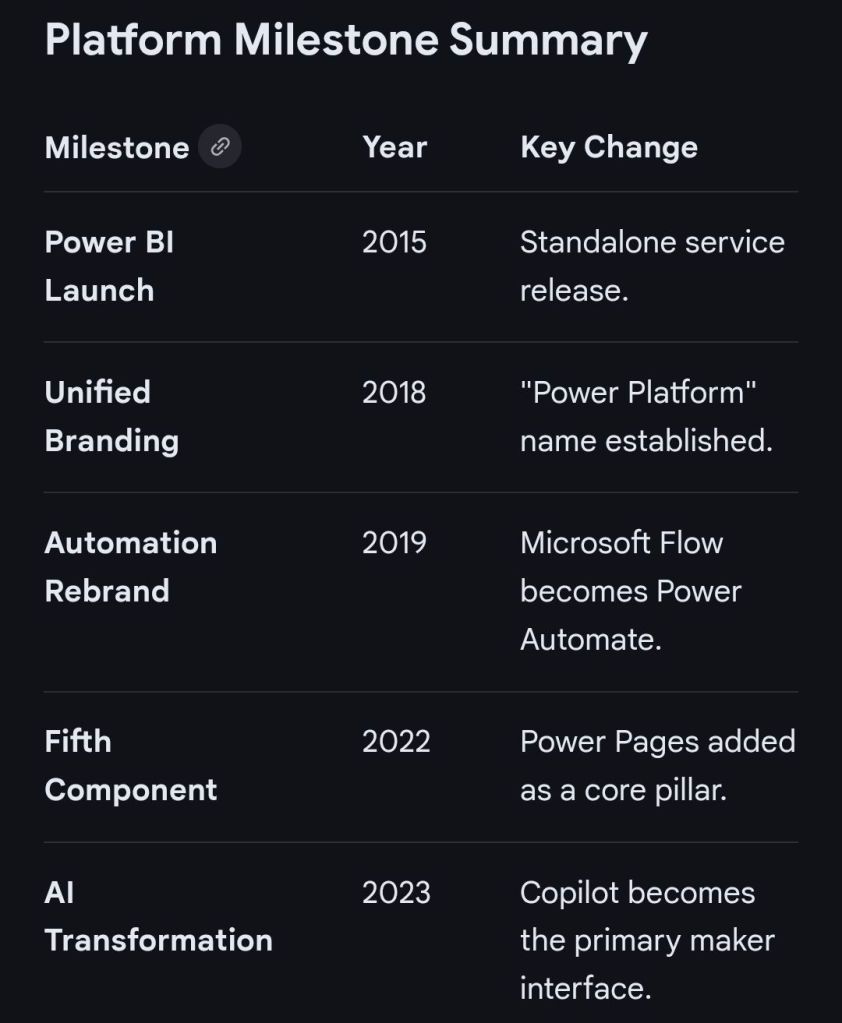
Microsoft Power Platform Milestone Summary

The Microsoft Power Platform originated from Microsoft’s effort to democratise data and app development by evolving its existing business tools into a unified low-code ecosystem

Origins and Evolution (2003–2015)

The platform’s roots trace back to early business solutions that were eventually merged into the modern suite: 

  • Dynamics CRM 1.0 (2003): The foundation for what became the Microsoft Dataverse (formerly Common Data Service), providing a secure relational database.
  • Project Siena (2013): A “garage project” at Microsoft aimed at building web apps without professional coding tools. This project eventually became Power Apps.
  • Power BI Launch (2015): Originally “Project Crescent” for SQL Server, Power BI was the first of the modern “Power” services to be delivered, entering preview in January 2015. 

Expansion and Formalisation (2016–2019) 

Microsoft transitioned from individual tools to an integrated platform: 

  • Power Apps and Flow (2016): Power Apps and Microsoft Flow (later renamed Power Automate) became generally available in November 2016.
  • Common Data Service (2016): Introduced to provide a shared data platform across Dynamics 365 and the new “Power” tools.
  • Official Branding (2018–2019): The term “Microsoft Power Platform” was officially established as an umbrella brand for the suite of tools. In 2019, Microsoft Flow was rebranded to Power Automate to align with the platform’s naming convention. 

Modern Era and AI Integration (2020–Present) 

The platform has shifted toward “AI-first” development and expanded its core pillars: 

  • New Components: Power Virtual Agents (now Copilot Studio) and Power Pages (for external websites) were added to the core lineup.
  • Acquisitions: Microsoft acquired Softomotive (2020) and Minit (2022) to bolster Power Automate with Robotic Process Automation (RPA) and process mining capabilities.
  • Generative AI: Recent updates have focused on integrating Copilots across all products, allowing users to build apps and automations using natural language. 

Microsoft Power Platform Development Timeline Overview
Microsoft Dynamics 365 Timeline

Trafford Centre, Greater Manchester, Development Timeline

The Trafford Centre, located in Greater Manchester, has evolved from a controversial planning proposal in the 1980s into one of the UK’s largest shopping and leisure destinations. 

Pre-Opening & Construction (1984–1997)

  • 1984: The concept for the Trafford Centre is first conceived by the Manchester Ship Canal Company (later Peel Holdings).
  • 1986: Initial planning permission is sought for the Dumplington site.
  • 1987–1992: A series of public inquiries are held due to significant opposition from local councils and competing shopping centres.
  • 1993: Outline planning permission is granted, though it is immediately challenged in the High Court.
  • 1995: After years of legal battles, the House of Lords officially upholds the planning permission, giving the final go-ahead.
  • 1996: Construction begins on-site in May; by August, the assembly of the massive steel frame starts.
  • 1997: The steel frame is completed, and significant progress is made on the ornate facade and interior. 

The Early Years (1998–2005)

  • 1998: The Trafford Centre officially opens on 10 September with 140,000 visitors on opening day. Key anchors include the first Selfridges store outside London.
  • 1999: The centre gains international attention when Monica Lewinsky visits for a book signing tour.
  • 2001: A major Marks & Spencer store opens.
  • 2005: The four-storey John Lewis & Partners opens in May, replacing the original “Festival Village” area. 

Expansion & Ownership Changes (2006–2019)

  • 2007: The Great Hall dining area opens in March, featuring a 1930s steamship theme and one of the world’s largest chandeliers.
  • 2008: Barton Square (now Trafford Palazzo) opens in March as a dedicated homewares and furniture wing.
  • 2010: LEGOLAND Discovery Centre opens within Barton Square.
  • 2011: Peel Group sells the centre to Capital Shopping Centres (CSC) for £1.6 billion, the largest single property transaction in British history at the time.
  • 2013: Following a corporate rebrand of CSC, the mall is renamed intu Trafford Centre in February; SEA LIFE Manchester also opens this year.
  • 2018: The centre celebrates its 20th anniversary with record footfall. 

Modern Era & Redevelopment (2020–Present) 

  • 2020: Developer Intu Properties enters administration in June. Ownership is transferred to the Canada Pension Plan Investment Board (CPPIB) in December.
  • 2021: Barton Square is legally separated and re-acquired by the original developer, Peel L&P, who rebrands it as Trafford Palazzo.
  • 2022: As part of an overhaul by new asset managers Pradera Lateral, the decorative pool in the Orient is removed.
  • 2023: The centre celebrates its 25th anniversary with a special show headlined by 90s pop group B*Witched.
  • 2024: Major new tenants are announced, including a massive Inditex flagship (Zara, Bershka, and Pull&Bear) taking over the former M&S site.
  • 2025: Significant retail reshuffling continues with the opening of a massive new Zara and the first Sephora in the North of England.

The Trafford Centre is a major shopping and leisure destination in Manchester, famous for its grand Baroque architecture. 

Sunday Hours (Sunday 8 March 2026)

  • Shops: 12:00 PM – 6:00 PM
  • Dining & Leisure: 12:00 PM – 6:00 PM (times for individual venues like the cinema or restaurants may vary) 

Events & Attractions

  • Science Fair: A free family event featuring experiments and robots is currently running until 6:00 PM today.
  • Holi Festival of Colours: A celebration of music and well-being scheduled for Saturday 14 March at Orient Car Park 12.
  • Leisure Hub: Home to an ODEON cinema, SEA LIFE ManchesterParadise Island Adventure Golf, and Namco Funscape

Shopping & Dining

  • Popular Brands: Key stores include SelfridgesJohn LewisZaraApple, and Next.
  • Dining Hubs: The Orient and The Great Hall host over 60 eateries, including Hello Oriental, Archie’sFive Guys, and Wingstop.
  • New for 2026: Standalone stores for The White CompanyShake Shack, and expanded locations for Stradivarius and Foot Asylum are opening this spring. 

Visitor Information

  • Address: The Trafford Centre, Trafford Park, Manchester, M17 8AA.
  • Parking: Over 10,000 free parking spaces are available. Premium Parking options are available for £7.50.
  • Transport: Accessible via the Metrolink tram (Trafford Park line) and dedicated bus routes like the X50 from Manchester City Centre. 

Trafford Centre, Greater Manchester, Development Timeline

Home Computer historical development timeline by era

The transition from massive, industrial room-sized mainframes to the “home computer” was driven by the invention of the microprocessor in the early 1970s

The Pre-Home Era (1971–1976) 

Before “home computers” existed as off-the-shelf products, they were sold as DIY kits for electronics hobbyists. 

  • 1971Intel releases the 4004, the first commercial single-chip microprocessor.
  • 1974: The MITS Altair 8800 is featured in Popular Electronics; it is widely considered the spark of the personal computer revolution.
  • 1976Apple Computer is founded. The Apple I goes on sale as a hand-soldered board for $666.66.
  • 1976: MOS Technology releases the KIM-1, the first single-board computer kit. 

The “1977 Trinity” & Early Adoption

In 1977, three computers were released that targeted ordinary consumers rather than just hobbyists. 

  • Apple II: Features colour graphics and eight expansion slots, becoming a standard for schools and early home users.
  • Commodore PET 2001: The first “all-in-one” home computer with a built-in monitor and tape drive.
  • TRS-80 Model I: Sold through Radio Shack stores, making computers accessible on the high street for $399. 

The 1980s Boom

This decade saw fierce competition between manufacturers and the rise of gaming and office productivity. 

  • 1980Sinclair ZX80 launches in the UK as a very low-cost entry point into computing.
  • 1981: The IBM PC is released, creating the “PC-compatible” standard that still dominates today.
  • 1981: The Commodore VIC-20 becomes the first computer to sell over one million units.
  • 1982: The Commodore 64 launches and eventually becomes the best-selling single computer model of all time.
  • 1984Apple launches the Macintosh, the first successful mass-market computer with a Graphical User Interface (GUI) and a mouse.
  • 1985: The Amiga 1000 and Atari ST bring advanced multimedia and multitasking to the home. 

Standardisation & The Modern Age (1990s–Present) 

The market shifted away from proprietary “home computers” toward standardized “PCs” and portable devices. 

  • 1990Microsoft Windows 3.0 is released, making GUI computing standard on IBM-compatible PCs.
  • 1995Windows 95 launches, moving the PC away from its MS-DOS roots and integrating internet support.
  • 1998: The Apple iMac revitalizes Apple’s consumer line with an integrated, colourful design and USB ports.
  • 2010: The Apple iPad introduces the “tablet” as a primary home computing device for many users.
  • 2012: The Raspberry Pi launches, bringing home computing back to its DIY and educational roots.

The history of the home computer evolved from large, room-sized mainframes into the diverse, interconnected devices used today. This timeline categorises the evolution by era and key annual milestones

The Pre-Home Era: Mainframes & Minicomputers (1940s–1960s) 

Before computers could fit in a home, they were massive machines used by governments and corporations. 

  • 1945ENIAC (Electronic Numerical Integrator and Computer) is completed as the first general-purpose electronic digital computer.
  • 1951UNIVAC I is delivered to the US Census Bureau, becoming the first commercial computer produced in the US.
  • 1960DEC PDP-1 is introduced, representing the first “minicomputer” that was smaller than its predecessors.
  • 1965: The DEC PDP-8 launches, becoming the first commercially successful minicomputer. 

The Hobbyist Era: The First Personal Computers (1970–1976) 

The invention of the microprocessor allowed computers to become small enough for individuals to own, though they often required manual assembly. 

  • 1971Intel 4004, the first single-chip microprocessor, is released.
  • 1974: The MITS Altair 8800 appears on the cover of Popular Electronics, sparking the hobbyist revolution.
  • 1976: The Apple I, a single-board computer kit designed by Steve Wozniak, is released.

The “1977 Trinity” & The Home Boom (1977–1983) 

This era saw the transition from kits to fully assembled, consumer-ready “home computers”. 

  • 1977: The “1977 Trinity” launches: the Apple II (with colour graphics), the Commodore PET, and the Tandy TRS-80.
  • 1980Sinclair ZX80 is released as one of the first low-cost home computers in the UK.
  • 1981: The IBM PC is released, setting the industry standard for hardware and software compatibility.
  • 1981: The Osborne 1 is released as the first commercially successful portable computer.
  • 1982: The Commodore 64 launches; it eventually becomes the best-selling single computer model of all time.
  • 1982: The ZX Spectrum is released, becoming a cultural icon in Europe. 

The Graphical User Interface (GUI) Era (1984–1994)

Computers moved away from text-based commands toward visual icons and mice. 

  • 1984: The Apple Macintosh launches, popularising the mouse and Graphical User Interface (GUI).
  • 1985: The Commodore Amiga 1000 and Atari ST launch, bringing advanced multimedia and multitasking capabilities.
  • 1990: Tim Berners-Lee creates the World Wide Web, fundamentally changing how home computers would be used.
  • 1994: PowerPC processors are introduced by Apple, significantly increasing processing speed. 

The Internet & Mobility Era (1995–Present)

Home computing shifted focus toward connectivity, portability, and eventually, the cloud. 

  • 1995Windows 95 is released, integrating internet support and making PCs user-friendly for the masses.
  • 1998: The Apple iMac launches, ditching the floppy drive and embracing USB.
  • 2000s: Laptops begin to outsell desktops as portable computing gains momentum.
  • 2010: The Apple iPad pioneers the modern tablet market, creating a new “casual computing” category.
  • 2012: The Raspberry Pi is released, re-engaging a new generation in hobbyist computer building.
  • 2020s: The rise of Cloud Computing and AI Integration (like the Apple M1 chip) shifts the focus from local storage to remote applications and machine learning.

Agile Development History Timeline Overview
Agile’s history is a transition from rigid, manufacturing-based “Waterfall” models to flexible, people-centric frameworks. While the term was coined in 2001, its roots trace back to early 20th-century industrial practices and the “software crisis” of the 1960s. 

Early Foundations (Pre-1990s)

Before Agile became a formal software methodology, its core principles of efficiency and iteration emerged from manufacturing and early computing.

  • 1896: Sakichi Toyota introduced the “Stop and Notify” concept (Jidoka), a foundational Lean/Agile practice for immediate problem-solving.
  • 1948: The Toyota Production System (TPS) established Lean manufacturing and the Kanban system to manage workflow.
  • 1957: IBM began using incremental development on large software projects.
  • 1970: Winston Royce published “Managing the Development of Large Software Systems,” which formalized the Waterfall Model but actually cautioned against its rigidity.
  • 1986: Takeuchi and Nonaka published The New New Product Development Game, introducing the “rugby” metaphor for team-based development that inspired Scrum

The Rise of “Lightweight” Methods (1990–2000) 

Frustrated by Waterfall’s slow delivery, practitioners developed several “lightweight” frameworks. 

  • 1991: Rapid Application Development (RAD) popularized timeboxing and iterations.
  • 1993: Jeff Sutherland and his team first implemented Scrum at Easel Corporation.
  • 1994: The Dynamic Systems Development Method (DSDM) was created as a vendor-independent RAD framework.
  • 1995: Ken Schwaber and Jeff Sutherland formally co-presented Scrum at the OOPSLA conference.
  • 1996: Kent Beck introduced Extreme Programming (XP), emphasizing practices like pair programming and continuous testing.
  • 1997: Feature-Driven Development (FDD) and Crystal Clear emerged as alternative iterative models. 

Formalisation & Modern Evolution (2001–Present)

The movement unified under a single name and eventually scaled to entire enterprises. 

  • 2001: 17 software leaders met at Snowbird, Utah, to draft the Agile Manifesto, establishing four core values and 12 principles.
  • 2003: The book Lean Software Development by Mary and Tom Poppendieck officially bridged Lean manufacturing and software agility.
  • 2009: The concept of DevOps emerged, extending Agile principles into IT operations and deployment.
  • 2011: The Scaled Agile Framework (SAFe) was introduced to help large organizations manage multiple Agile teams.
  • 2012–2015: Agile surpassed the 50% mark in global adoption, becoming the industry standard for development.
  • 2020s: Agile principles are now widely applied outside of tech, in fields like marketing, education, and HR

Agile’s evolution is not just a 21st-century phenomenon but a response to decades of “software crises” and rigid industrial processes. Below is a comprehensive historical breakdown of Agile’s journey. 

1. Pre-Digital Foundations (1910s – 1940s)

Long before software, the concepts of efficiency and waste reduction were born in manufacturing. 

  • 1911: Scientific Management. Frederick Taylor encouraged managers to adopt worker suggestions for efficiency, opposing rigid habits.
  • 1940s: Lean Manufacturing (Toyota). Toyota pioneered the “Just-in-Time” method and Kaizen (continuous improvement) after observing American supermarkets.
  • 1948: Toyota Production System. Introduction of Kanban for visual workflow management. 

2. Early Iterative Development (1950s – 1970s)

The 1950s saw the first departures from strictly sequential “waterfall” planning. 

  • 1957: Incremental Development. IBM and Motorola teams, including Gerald Weinberg, used iterative methods indistinguishable from modern Extreme Programming (XP) for Project Mercury.
  • 1968: NATO Software Engineering Conference. Formally identified the “Software Crisis” (projects being late and over budget), sparking a search for better methodologies.
  • 1970: Waterfall Formalised (and Critiqued). Winston Royce described the Waterfall model but notably advocated for iterative releases to reduce risk. 

3. The Proliferation of “Lightweight” Methods (1980s – 1990s) 

Frustration with heavyweight, document-heavy processes led to several “Agile” precursors. 

  • 1986: “The New New Product Development Game.” Takeuchi and Nonaka published this HBR article, introducing the “Rugby” approach (teamwork over relay-race handoffs), which directly inspired Scrum.
  • 1991: Rapid Application Development (RAD). James Martin introduced RAD, emphasising fast prototyping and client feedback.
  • 1993–1995: The Birth of Scrum. Jeff Sutherland and Ken Schwaber formalised Scrum, presenting it at the OOPSLA ’95 conference.
  • 1996: Extreme Programming (XP). Kent Beck introduced XP at Chrysler, focusing on technical excellence through practices like Pair Programming and Test-Driven Development

4. The Agile Manifesto & Formalisation (2001 – 2010)

Agile moved from a collection of “lightweight” methods to a global standard. 

  • 2001: The Agile Manifesto. 17 developers met in Snowbird, Utah, to draft the Manifesto for Agile Software Development, establishing four core values and 12 principles.
  • 2003: Lean Software Development. Mary and Tom Poppendieck adapted Toyota’s Lean principles specifically for software engineering.
  • 2009: Software Craftsmanship. The Software Craftsmanship Manifesto emerged to refocus the community on the quality of the “craft” rather than just project management.
  • 2010: The First Scrum Guide. Published as the definitive resource on Scrum framework rules. 

5. Scaling and Modern Business Agility (2011 – Present) 

Agile expanded beyond coding into enterprise-wide strategy. 

  • 2011: Scaled Agile Framework (SAFe). Dean Leffingwell launched SAFe to help large corporations apply Agile at scale.
  • 2015–2017: Project Management Integration. Major bodies like AXELOS released PRINCE2 Agile, and the PMI introduced the Agile Certified Practitioner (ACP).
  • 2020s: Beyond Software. Agile principles are now standard in marketing, HR, and hardware development through concepts like Business Agility

HPE NonStop Tandem Programming Languages, a development timeline

HPE NonStop (formerly Tandem) has evolved through distinct architectural eras, each introducing specific programming languages and environments to maintain its legendary fault tolerance. 

1. The Tandem Stack Machine Era (1974–1990)

This era focused on the proprietary 16-bit stack-based architecture (TNS), where software was designed to “fail-fast” and operate in process pairs. 

  • Nov 1974: Tandem Computers founded by Jimmy Treybig.
  • May 1976: TAL (Transaction Application Language) launched with the first Tandem/16 (NonStop I) system. It was the only language available at launch, derived from HP 3000’s SPL.
  • Late 1970s: COBOL74FORTRAN, and MUMPS were added to support business and scientific applications.
  • 1981: NonStop II introduced support for 32-bit addressing, enabling larger application memory.
  • 1983: SCOBOL (Screen COBOL) emerged alongside the Pathway transaction manager to handle terminal-based user interfaces and fault-tolerant logic.
  • 1986: NonStop SQL released as the first fault-tolerant relational database language.
  • 1987: C was introduced to the platform.
  • 1989: Integrity S2 line launched using MIPS processors, introducing a variant of Unix called NonStop UX

2. The MIPS RISC / Himalaya Era (1991–2004)

As Tandem migrated to MIPS processors (TNS/R), it introduced a Unix-like personality to attract modern developers while maintaining its legacy Guardian environment. 

  • 1991: Cyclone/R launched. Most software still ran in TNS stack mode using an “Accelerator” tool to translate code to MIPS instructions.
  • 1993: Himalaya K-Series released with native-mode compilers for C and COBOL to leverage MIPS performance.
  • 1994/1995: Open System Services (OSS) introduced a POSIX-compliant environment, enabling C++ and standard Unix utilities.
  • 1995: Java was first supported on the platform.
  • 1997: Compaq acquired Tandem; ServerNet became the standard interconnect.
  • Late 1990s: Support for scripting languages like PerlPython, and PHP began appearing in the OSS environment.

3. The HP Integrity Itanium Era (2005–2013)

Following the HP merger, the architecture moved to Intel Itanium (TNS/E), branded as HP Integrity NonStop

  • 2005: NonStop i introduced. Compilers for CC++, and Java were updated for the Itanium architecture.
  • 2000s: pTAL (Portable TAL) became the standard for system-level programming to bridge legacy TAL code to modern RISC/Itanium architectures.
  • 2011: Enhanced support for modern web languages and frameworks within the OSS environment. 

4. The Modern x86 / NonStop X Era (2014–Present)

HPE migrated the entire stack to standard Intel x86-64 processors (TNS/X) while retaining binary compatibility for legacy applications. 

  • 2014: NonStop X launched. All languages (COBOL, C, C++, Java) were migrated to target x86-64.
  • 2015: Transition to Hewlett Packard Enterprise (HPE) branding.
  • Recent Years: Integration of modern open-source dev-ops tools and languages, including JavaScript (Node.js)Python 3Go, and Samba via the HPE NonStop OSS environment. 

HPE NonStop (formerly Tandem) programming has evolved from proprietary languages designed for fault-tolerant, transaction-oriented processing (TAL, COBOL85) to supporting open-source languages (Java, C++, Python, PHP) on modern x86-64 hardware. The ecosystem spans from the initial Guardian OS to modern J-series and L-series OS, supporting TNS, TNS/R, TNS/E, and TNS/X architectures. 

Key Programming Languages & OS Timeline

  • 1970s–1980s (Tandem Guardian): Core development centered on TAL (Transaction Application Language) (system programming), COBOL85 (business logic), and TACL (Tandem Advanced Command Language) (command shell scripting).
  • 1990s (Guardian 90 / NonStop UX): Introduction of C and C++ for more flexible application development, alongside Pascal and FORTRAN.
  • 2000s (H-Series / J-Series – Itanium): Shift towards Java and enhanced support for C/C++ in the Pathway server environment.
  • 2010s–Present (J-Series / L-Series – x86-64): Modern NonStop systems, particularly on x86-64, expanded to include scripting languages like PerlPHP, and Python within the Open System Services (OSS) environment.
  • pTAL (Portable TAL): Introduced to bridge native TAL to newer, more portable processor architectures. 

Operating System & Architecture Evolution

  • Guardian (TNS): The foundational OS, relying on Tandem’s native stack, with TAL as the primary low-level language.
  • OSS (Open System Services): Introduced to bring POSIX-compliant, Unix-like functionality to NonStop, enabling easier porting of C/C++ and open-source applications.
  • Modern OS (J-series/L-series): Supports both Guardian (native) and OSS environments, allowing for a hybrid approach where traditional transaction processing (COBOL/TAL) mixes with modern web services (Java/Python).

COBOL Development Detailed Timeline Overview
COBOL (Common Business-Oriented Language) has evolved from a 1959 “stopgap” experiment into a cornerstone of global finance, currently powering approximately 95% of ATM swipes and 80% of in-person credit card transactions

The Early Years (1959–1965)

  • 1959 (Origins): Following a meeting at the Pentagon in May, the Conference on Data Systems Languages (CODASYL) was formed to create a machine-independent language for business. It was heavily influenced by Grace Hopper’s FLOW-MATIC.
  • 1960 (First Release): The COBOL-60 specifications were published. In December, the same program was successfully run on two different manufacturers’ computers (RCA and Univac), proving portability.
  • 1961–1965 (Rapid Revisions): Successive updates included COBOL-61 and COBOL-65, which introduced critical features like the SORT and REPORT WRITER facilities. 

Standardisation & Dominance (1968–1985) 

  • 1968 (COBOL-68): The American National Standards Institute (ANSI) published the first official standard, making COBOL the industry benchmark.
  • 1974 (COBOL-74): This update added file organisation methods and the DELETE statement, further refining data management capabilities.
  • 1985 (COBOL-85): A major milestone that introduced structured programming (e.g., END-IFEVALUATE) to improve code readability and maintainability. 

Modernisation & Object-Orientation (2002–Present) 

  • 2000 (The Y2K Crisis): COBOL regained global attention as programmers rushed to fix the “Millennium Bug” in legacy systems.
  • 2002 (COBOL-2002): The first major update in 17 years introduced Object-Oriented (OO) features, Unicode support, and XML processing.
  • 2014 (COBOL-2014): Simplified the language by making several niche features (like the SCREEN SECTION) optional and adopting IEEE 754 floating-point math.
  • 2023 (COBOL-2023): The current ISO/IEC 1989:2023 standard added modern programming comforts like asynchronous messaging (SEND/RECEIVE), transaction processing (COMMIT/ROLLBACK), and bitwise operators. 

Today, despite its age, an estimated 800 billion lines of COBOL remain in active use, with modernization efforts focusing on cloud integration and interoperability with Java and .NET.

COBOL Development Detailed Timeline Overview
Microsoft Word Development Timeline History

Microsoft Word has evolved from a niche tool for Xerox programmers into the world’s most dominant word processor. Below is the comprehensive history of its development and key milestones

Templates available for download at website banner

The Early Years (1980s)

  • 1981: Microsoft hires Charles Simonyi and Richard Brodie, former Xerox PARC developers, to create a word processor.
  • 1983 (October): The first version, Multi-Tool Word, is released for Xenix and MS-DOS.
  • 1985: Word for Macintosh is released, introducing the GUI (Graphical User Interface) that would define its future.
  • 1989: The first version of Word for Windows debuts, setting the stage for its commercial dominance. 

The Rise to Dominance (1990s)

Templates available for download at website banner
  • 1990: With the release of Windows 3.0, Word becomes a massive commercial success.
  • 1993: Word 6.0 is released, skipping versions 3, 4, and 5 to synchronise version numbers across platforms.
  • 1995: Word 95 launches as part of the first Microsoft Office suite, moving to a year-based naming convention.
  • 1997: Word 97 introduces the infamous “Clippy” assistant and the standard .doc format that would last for a decade. 

Modernisation & The Ribbon (2000s) 

  • 2003: Word 2003 introduces XML-based formats and better collaboration tools.
  • 2007: A massive overhaul introduces the Fluent User Interface (the Ribbon) and the new .docx (Office Open XML) file format.
  • 2010: Word 2010 adds more customisation to the Ribbon and introduces the Backstage view for file management. 

Cloud & AI Era (2011–Present)

  • 2011: Office 365 is launched, shifting Word toward a subscription-based, cloud-first model.
  • 2013: Introduces better PDF editing and Read Mode.
  • 2014-2016: Real-time collaboration and Smart Lookup are added, allowing users to research directly within the document.
  • 2021: AI-powered writing suggestions and better dark mode are introduced.
  • 2024: Integration with Microsoft Copilot allows for AI-generated drafts, summaries, and advanced editing.

Microsoft Word Development Timeline History

Microsoft PowerPoint Development Timeline History

Microsoft PowerPoint was originally developed as “Presenter” by Forethought, Inc. in 1987 for the Apple Macintosh. Microsoft acquired it just three months later for $14 million, marking their first major acquisition. 

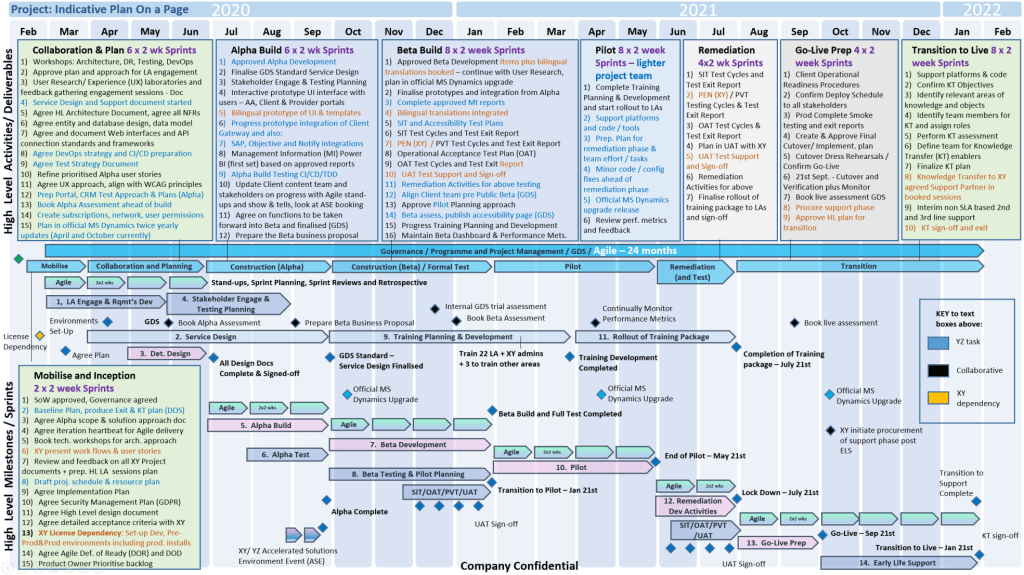
MS PowerPoint Plan On a Page POaP templates downloaded at website banner

Foundational Years (1984–1990) 

  • 1984: The idea for a presentation program is conceived by Robert Gaskins.
  • 1987 (April): PowerPoint 1.0 launches for Macintosh, supporting only black and white slides.
  • 1987 (July): Microsoft acquires Forethought.
  • 1990 (May): The first Windows version (PowerPoint 2.0) is released, coinciding with Windows 3.0. 

Office Integration (1992–2003) 

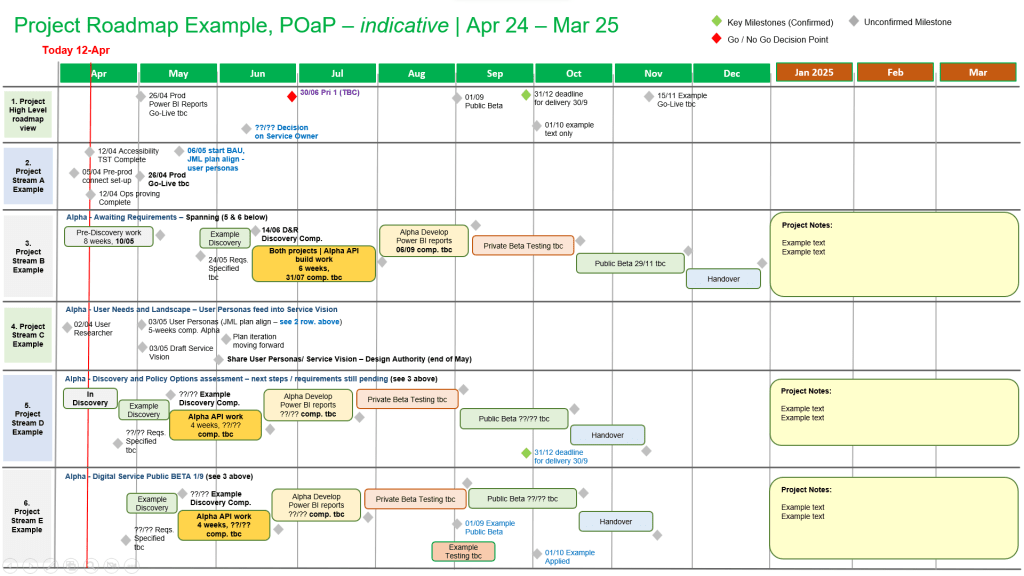
MS PowerPoint Plan On a Page POaP templates downloaded at website banner
  • 1992: PowerPoint 3.0 introduces video transitions and sound.
  • 1994: PowerPoint 4.0 begins deep integration with the Microsoft Office suite, sharing interface components with Word and Excel.
  • 1997: PowerPoint 97 brings significant upgrades like “Custom Animation” and the “Office Assistant” (Clippy).
  • 2003: PowerPoint 2003 focuses on collaboration and improved “Package for CD” features. 

Modernization & Cloud (2007–Present)

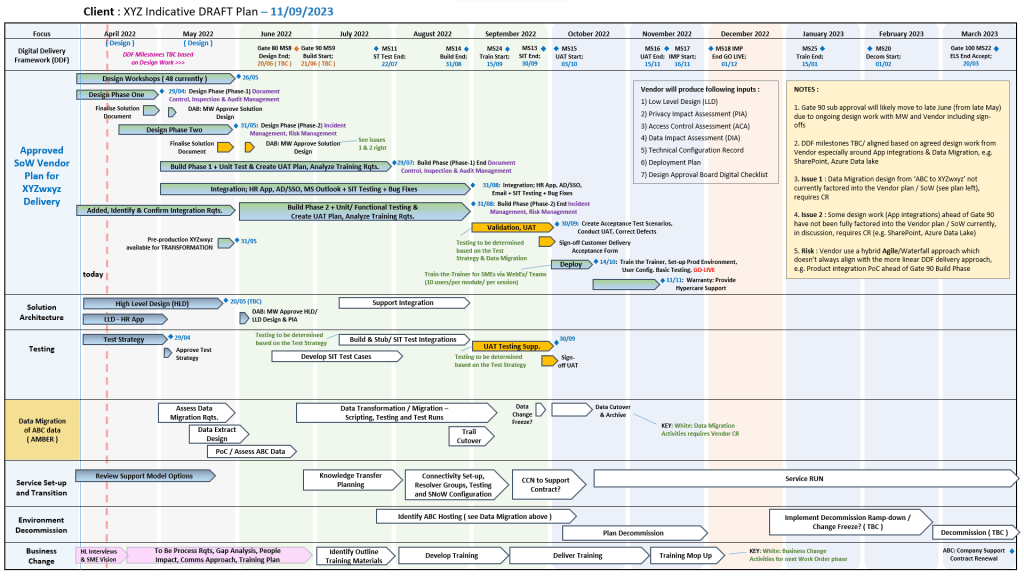
MS PowerPoint Plan On a Page POaP templates downloaded at website banner
  • 2007: Introduces the Ribbon interface and the XML-based .pptx file format.
  • 2010: Adds video export, section organization, and co-authoring capabilities.
  • 2013: PowerPoint for Web is released, alongside the first dedicated mobile apps for iOS and Android.
  • 2016–2021: Features focus on AI-driven design (PowerPoint Designer), Morph transitions, and real-time collaboration via Microsoft 365.
  • 2023+: Integration of AI tools like Copilot for automated slide generation and DALL-E 2 for image creation. 

Microsoft PowerPoint Development Timeline History

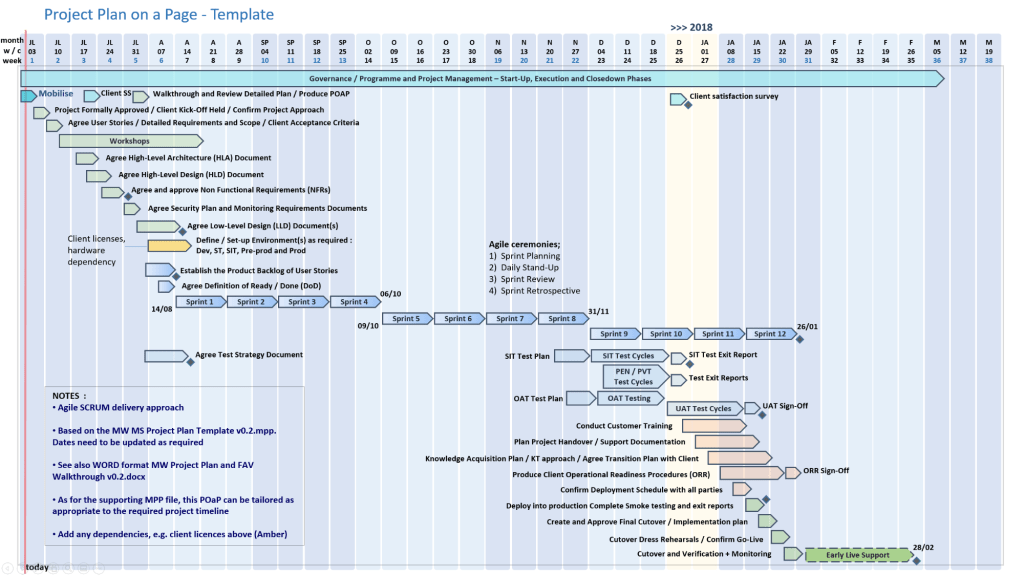
MS PowerPoint Plan On a Page POaP templates downloaded at website banner

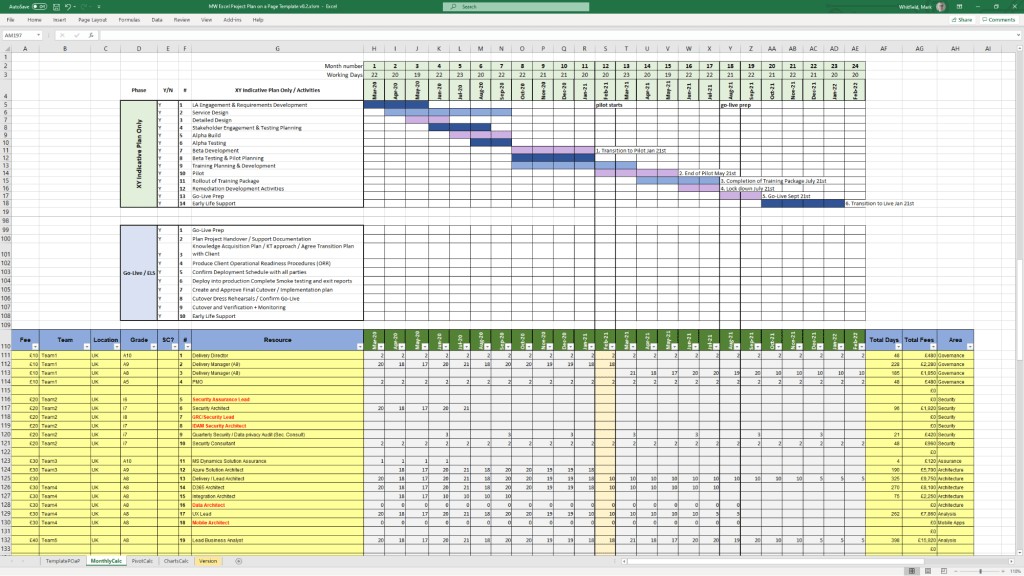
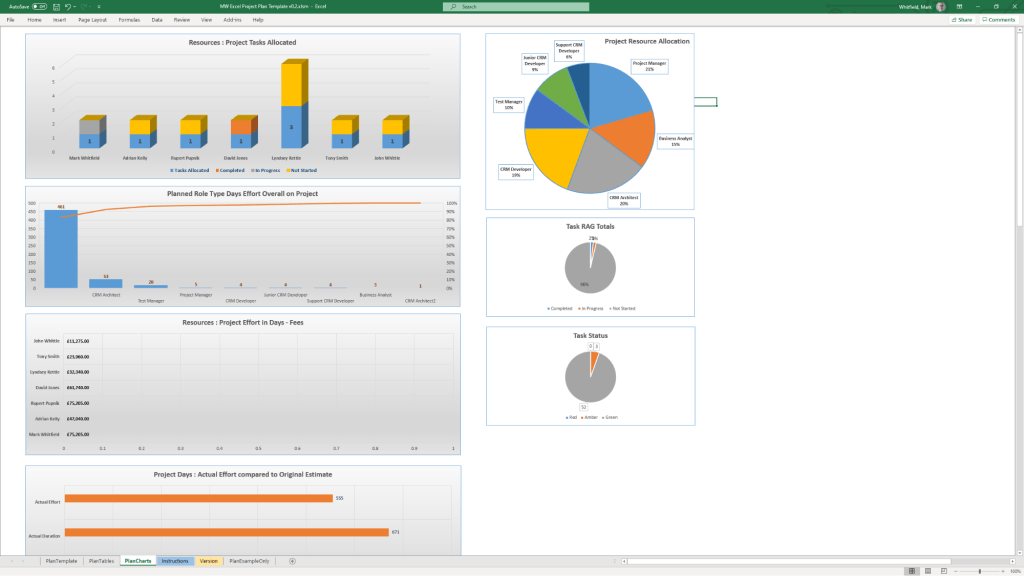
Microsoft Excel Development Timeline History

Microsoft Excel has evolved from a niche Apple Macintosh tool into the world’s most dominant spreadsheet software. Its history is marked by strategic shifts, such as jumping from the MS-DOS era to graphical interfaces to outmanoeuvre then-leader Lotus 1-2-3

Timeline of Major Excel Milestones

Agile Templates available at download link at website banner
  • 1982: Multiplan (The Predecessor) – Microsoft’s first spreadsheet program. While popular on CP/M systems, it struggled against Lotus 1-2-3 on MS-DOS.
  • 1985: Excel 1.0 (Macintosh Exclusive) – Realising they couldn’t beat Lotus on DOS, Microsoft built a graphical spreadsheet for the new Mac. It introduced the ability to adjust cell heights, widths, and fonts.
  • 1987: Excel 2.0 (First Windows Version) – Launched alongside the first Windows environments, it introduced color support (like red for negative numbers) and was significantly faster than competitors.
  • 1990: Excel 3.0 – Added 3D charts, toolbars, and drawing tools, helping Excel finally overtake Lotus 1-2-3 as the market leader.
  • 1993: Excel 5.0 – A major turning point that introduced Visual Basic for Applications (VBA), allowing users to automate tasks with macros.
  • 1997: Excel 8.0 (Office 97) – Introduced the Paperclip Assistant (“Clippy”) and the first version of the modern VBA environment.
  • 2007: Excel 12.0 (The Ribbon Era) – Replaced menus with the Ribbon interface and dramatically increased grid capacity to 1,048,576 rows by 16,384 columns.
  • 2010: Excel 14.0 – Introduced Slicers for PivotTables and Sparklines (mini charts inside cells).
  • 2013-2016: Data Intelligence – Added Power Query, Power Pivot, and new chart types like Waterfall, Pareto, and Treemap to support advanced data modeling.
  • 2019-Present: AI & Cloud Integration – Modern versions focus on seamless collaboration, dynamic arrays (like XLOOKUP), and AI-powered insights that can extract data directly from images. 

Technological Evolution Highlights

MS Excel templates available on bundle download at website banner
  • Architecture: Shifted from 16-bit to 32-bit with Excel 95, greatly improving stability.
  • Collaborative Features: Modern Version History and “Show Changes” now allow teams to track every edit in real-time.
  • Visualisation: Excel now supports complex timelines via SmartArt or custom Scatter charts with error bars for professional project tracking.

Microsoft Excel Development Timeline History

Microsoft Excel templates available at banner above, FREE upgrades

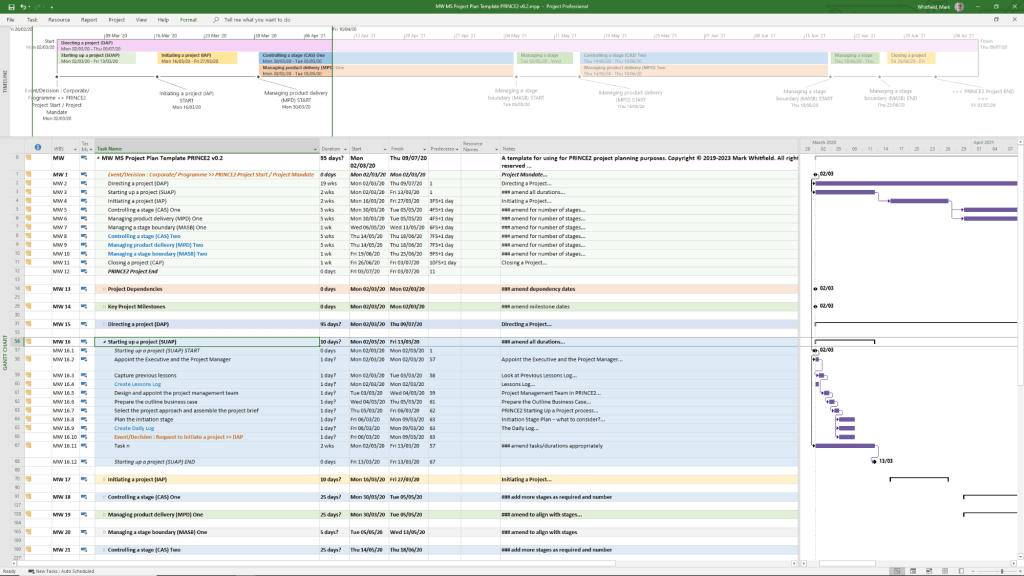
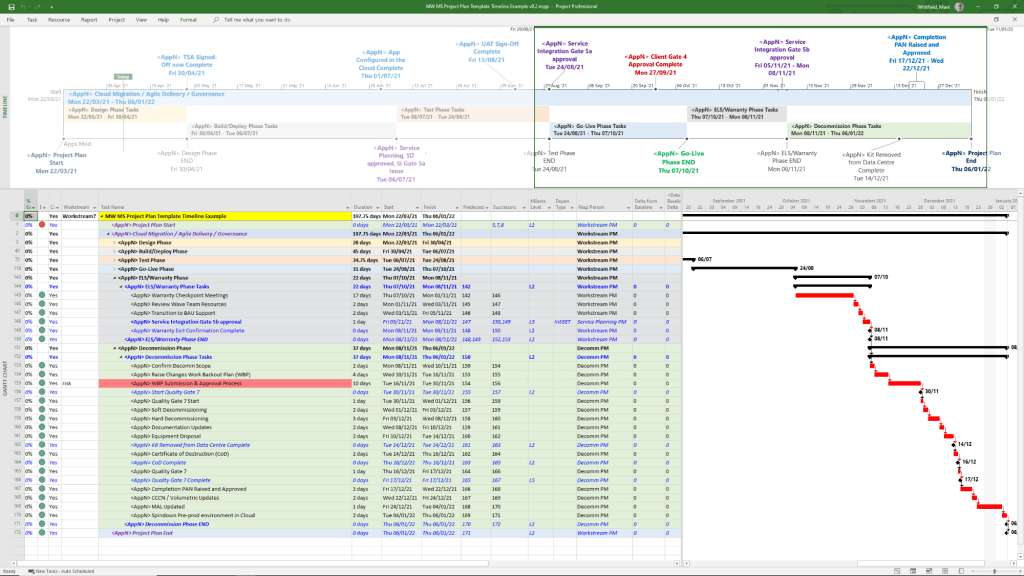
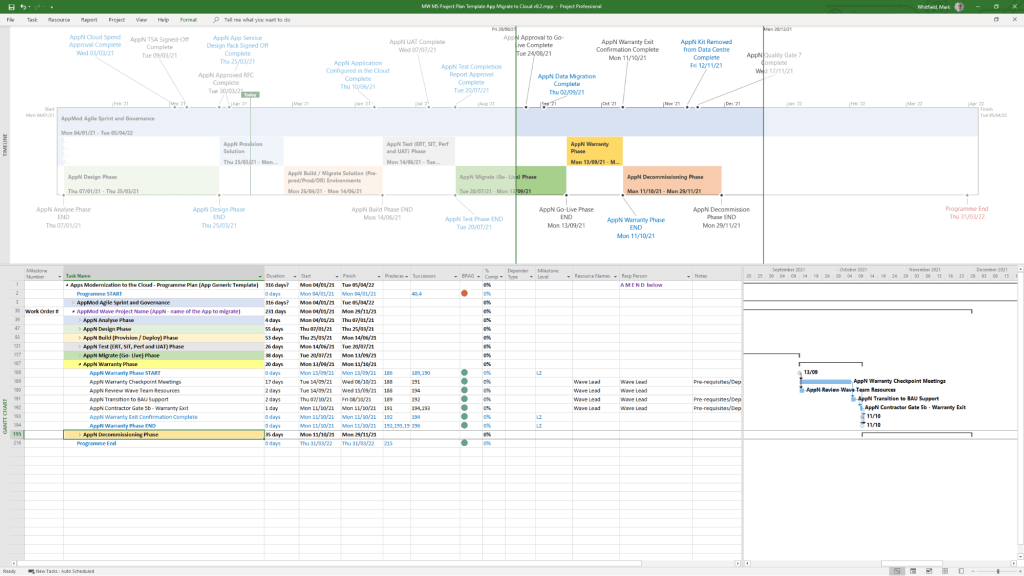
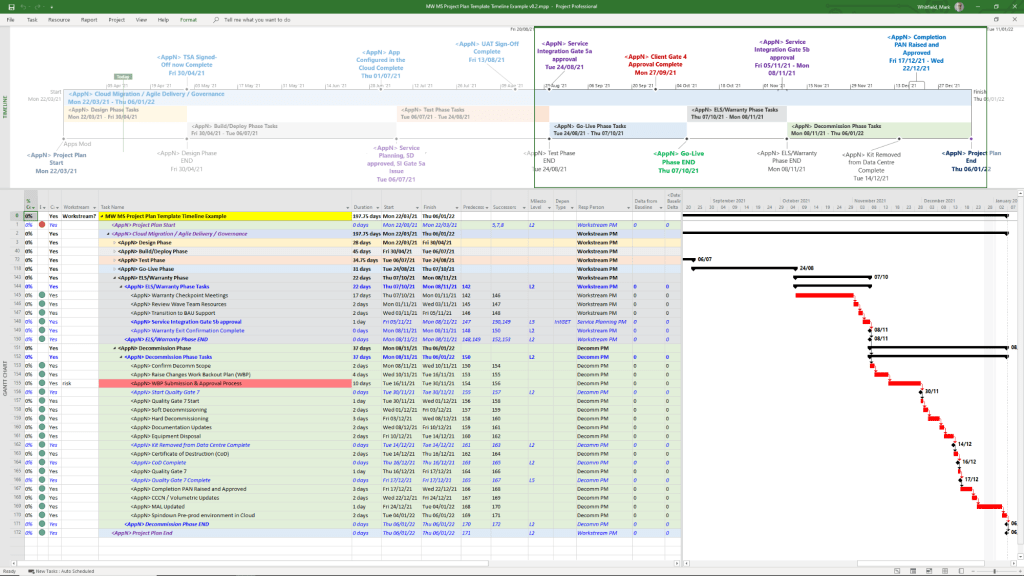
Microsoft Project Timeline, Development History Overview
Microsoft Project has evolved from a DOS-based tool in the 1980s into a cloud-integrated platform. Its “Timeline” feature specifically has transitioned from a simple static view to a multi-layered, interactive reporting tool. 

Template included in package – see website banner

Timeline Feature Development History

  • Early Era (1984–2007): For decades, the “timeline” was synonymous with the Gantt Chart. Users had to rely on complex print-outs or third-party tools to create high-level summaries for executives.
  • The dedicated Timeline View (2010): Microsoft introduced a native Timeline view in Project 2010, allowing users to cherry-pick specific tasks and milestones to display on a single horizontal bar.
  • Multi-Timeline Support (2016): Project 2016 expanded this by allowing multiple timeline bars in a single view. This enabled managers to represent different project phases or workstreams with independent start and end dates.
  • Cloud & Web Integration (2019–Present): With the launch of Project for the web, timelines became more interactive, supporting drag-and-drop adjustments and real-time co-authoring.
  • Task History Tracking (2023): Microsoft added a Task History pane to the web version, allowing users to see a chronological log of changes to specific timeline items. 

Key Components of a Modern MS Project Timeline

Templates included in download bundle – see website banner
  • Gantt-Style Visualization: Displays tasks as horizontal bars against a calendar timescale.
  • Milestones & Callouts: Important dates appear as diamonds or labels that can be dragged above or below the main bar to avoid clutter.
  • Dependencies: Visual links between tasks that illustrate the sequence of work and the Critical Path.
  • Copy for Presentation: A dedicated formatting tool that allows users to export the timeline directly to Microsoft PowerPoint or email at various sizes (Small, Medium, Full Size). 

Future Outlook

Template included in download bundle – see website banner

Microsoft has announced that Project Online will be officially retired on 30 September 2026, with development focus shifting entirely to the new Microsoft Planner and Project for the web ecosystem.

Microsoft Project Timeline, Development History Overview
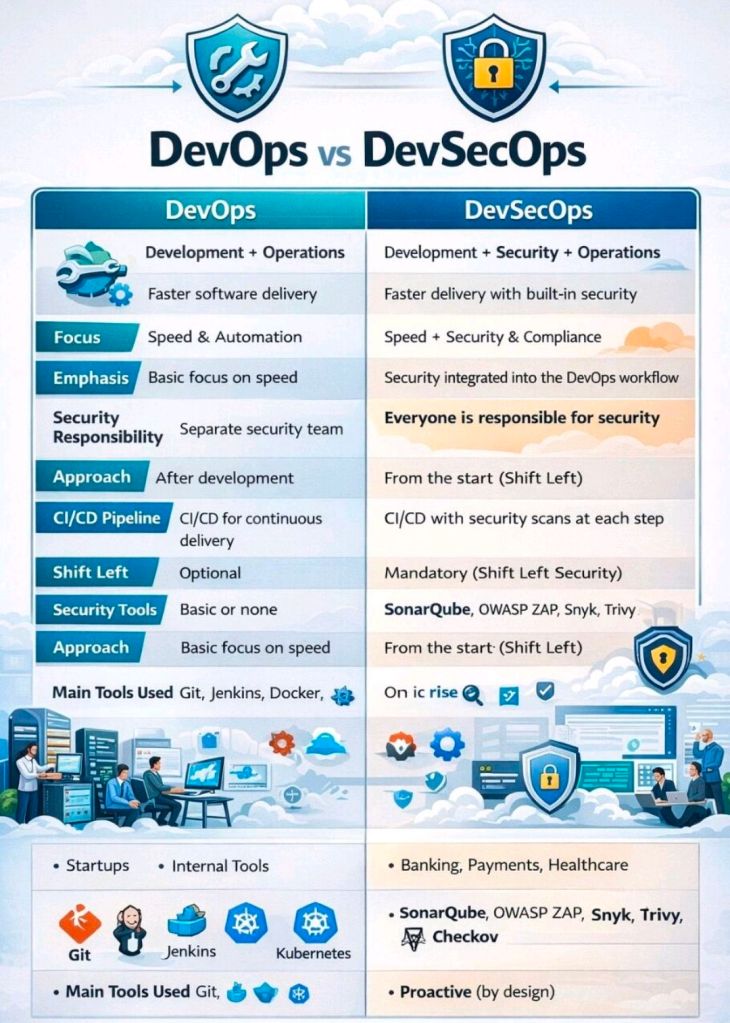
DevOps vs DevSecOps

DevOps vs DevSecOps

Development + Operations = DevOps

Development + Security + Operations = DevSecOps

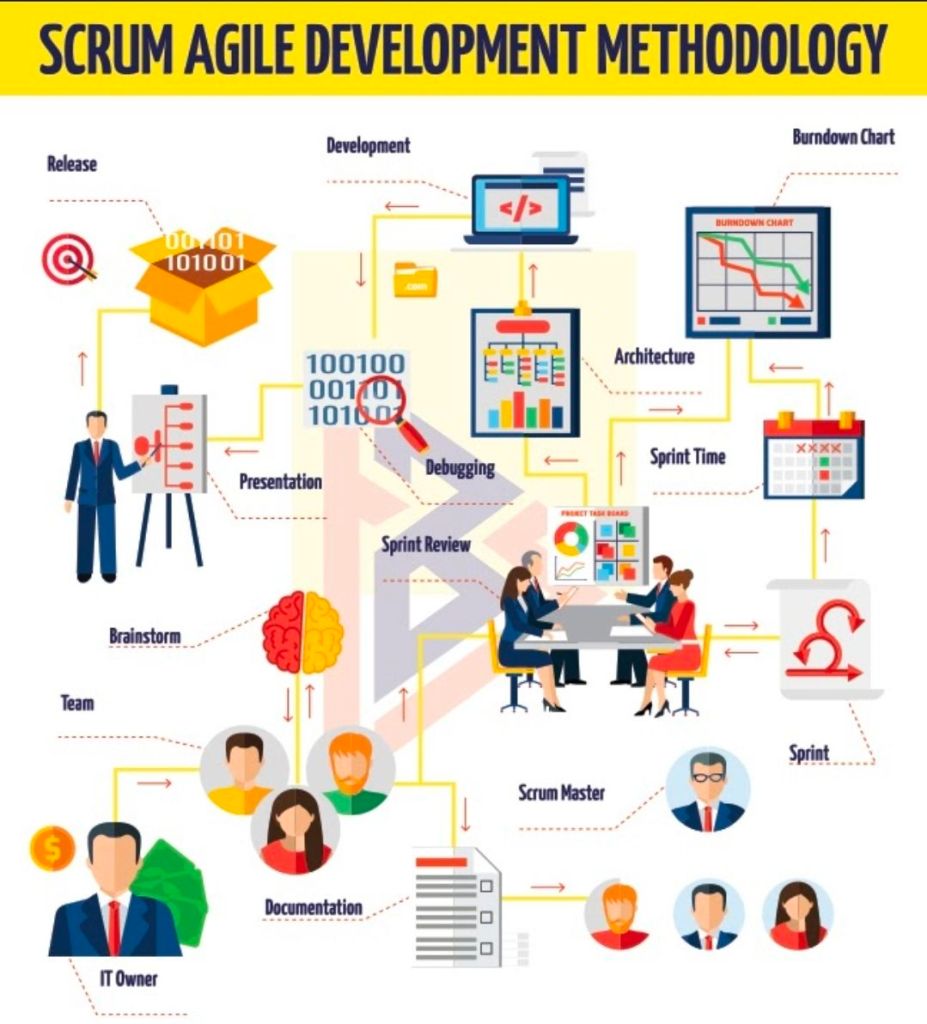
Agile Scrum Development Methodology Overview

Agile Scrum Development Methodology Overview

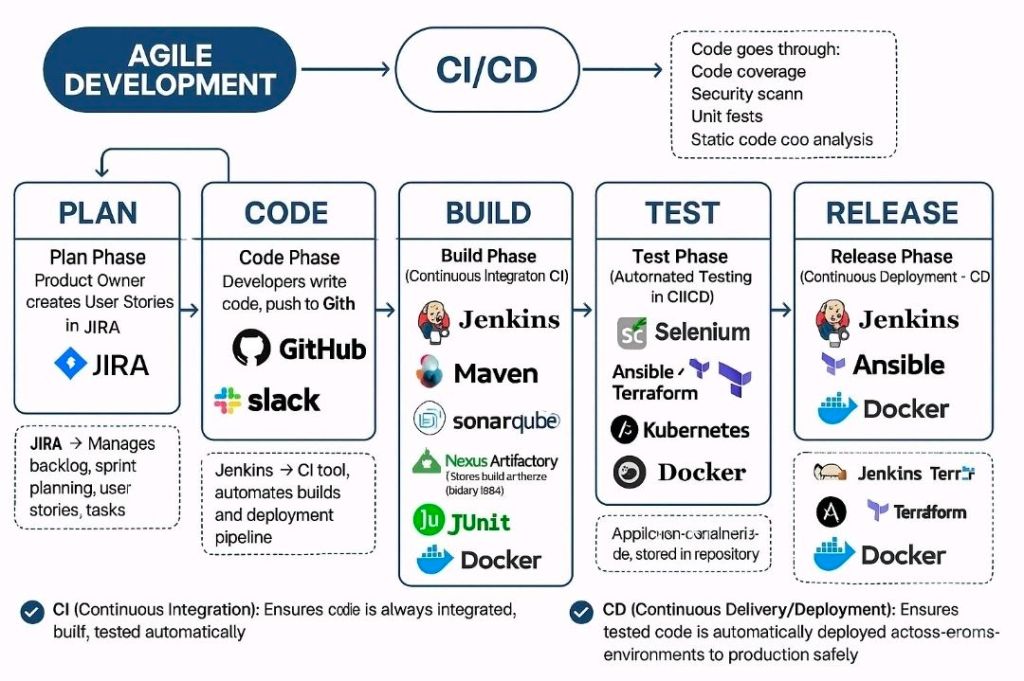
Agile Development, CI/CD, Continuous Integration, Delivery, Deployment

Agile Development, CI/CD, Continuous Integration, Delivery, Deployment