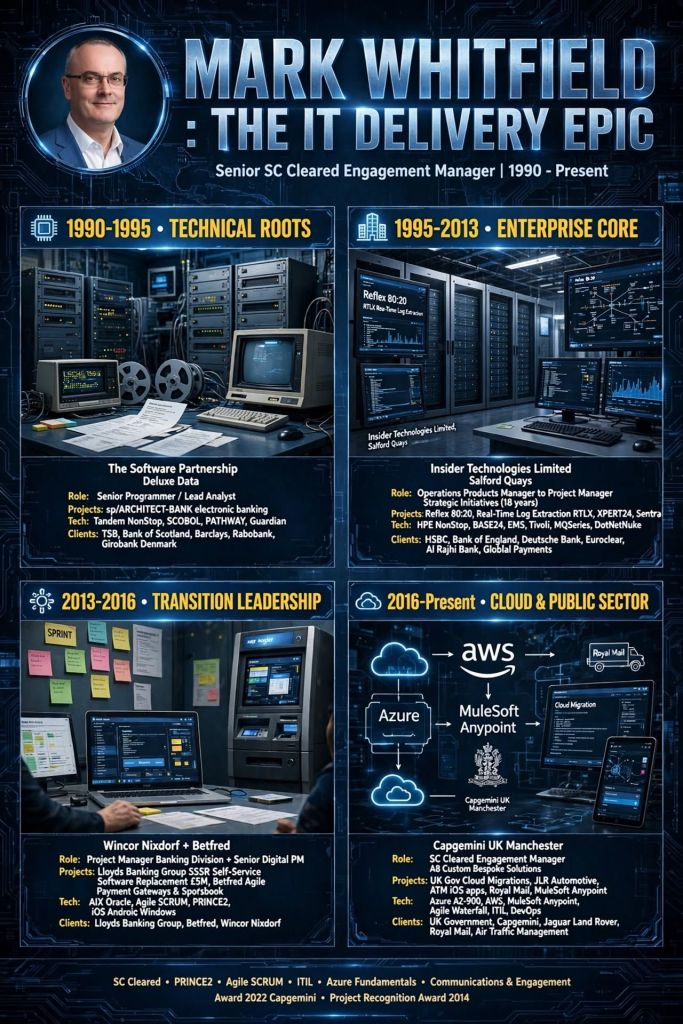
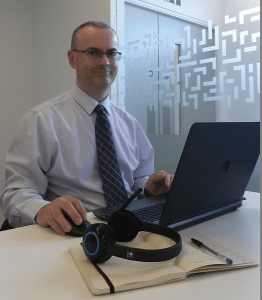
Mark Whitfield’s IT project management and software engineering career spans over three decades, progressing from early electronic banking programming on Tandem Mainframes (now known as HPE NonStop) to senior delivery of enterprise-scale middleware, cloud, and digital transformation initiatives.
Mark Whitfield | Career Summary Timeline from Mainframes to Cloud
The high-level chronological timeline (with links) of his professional eras and key project history is broken down below.
💻 1990–1995: Early Programming & Lead Analysis Era
During this foundational era, Whitfield operated as a Programmer and Lead Analyst specializing in core electronic banking software frameworks.
The Software Partnership / Deluxe Data (1990–1995): Developed and enhanced the sp/ARCHITECT-BANK platform. His technical responsibilities focused heavily on coding within Tandem Mainframe environments (now HPE NonStop) using C, C++, TAL, COBOL, and PATHWAY architectures.
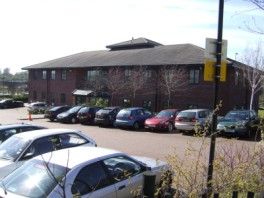
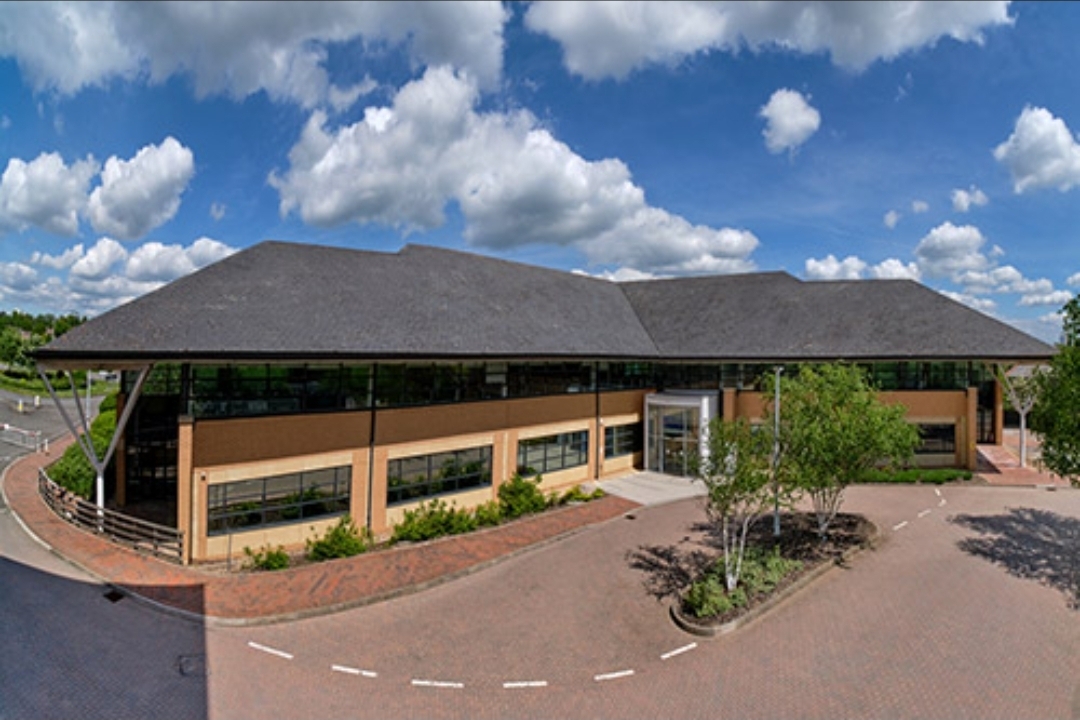
Deluxe Data International Operations, Wingate House, Northway, Runcorn
Barclays On-Site Delivery (Early 1990s): Deployed on-site at the Barclays facility in Knutsford, Cheshire. He was responsible for core code development and system architecture design on the Barclays Business Master II (BBM II) electronic banking initiative and subsequent billing modules developed in Poole, Dorset.
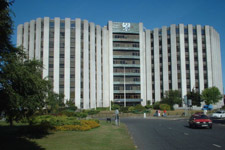
Barclays, Wimborne Road, Poole, Dorset
🛠️ 1995–2013: Senior Development & Strategic Project Management Era
Transitioning to Insider Technologies Limited at Salford Quays, Manchester, Whitfield progressed into high-level technical project delivery and strategic product management.
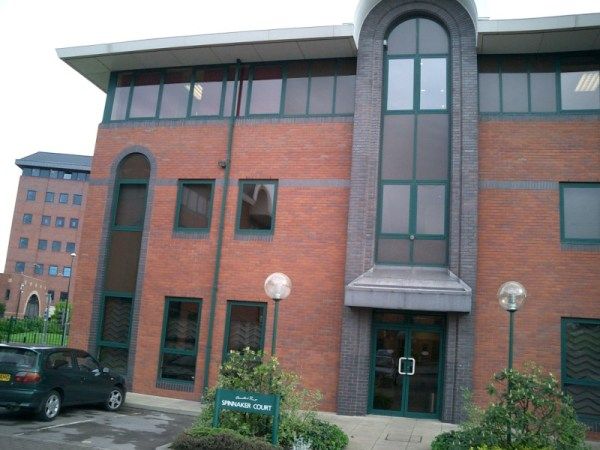
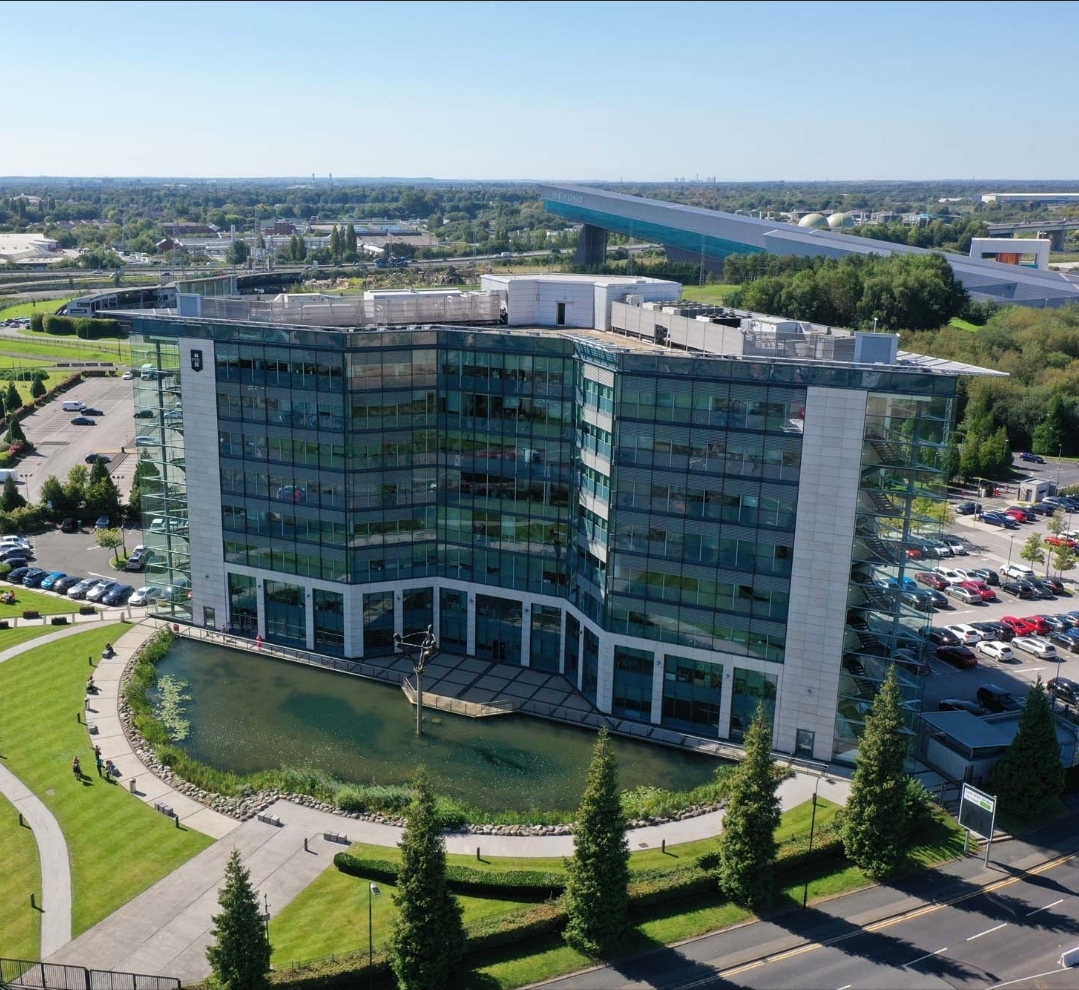
Insider Technologies Limited (ITL) in 2001, Salford Quays, Chandlers Point
Reflex Monitoring Suite R&D (1995–1996): Appointed as a core developer to design platform health and diagnostic plug-in modules for the flagship Reflex 80:20 tracking console.
CRESTCo Infrastructure Integration (1997–1998): Acted as a technical infrastructure consultant for CRESTCo (now Euroclear). Managed hardware benchmark coding and testing for newly deployed Tandem S7000 processing nodes.
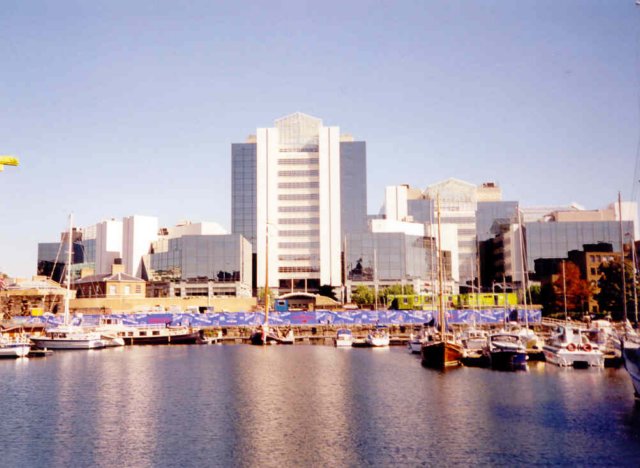
CRESTCo in 1997 on St. Katherine’s Dock near Tower Hill tube station
Real-Time Tracking Protocols (1999–2001): Oversaw multi-organizational telemetry deployments for the Bank of England and Deutsche Bank, leveraging specialized MultiBatch scheduling utilities and automated file monitors.
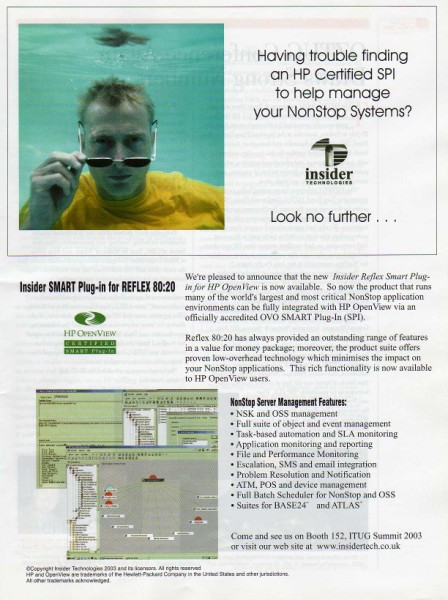
Hewlett-Packard (HP) Certification Initiative (2002–2003): Successfully drove the rigid compliance and verification process to secure official certification for the first HP OpenView Operations (OVO) Smart Plug-In built for NonStop mainframe environments.
First HP OpenView Operations Smart Plug-In for HPE NonStop environments
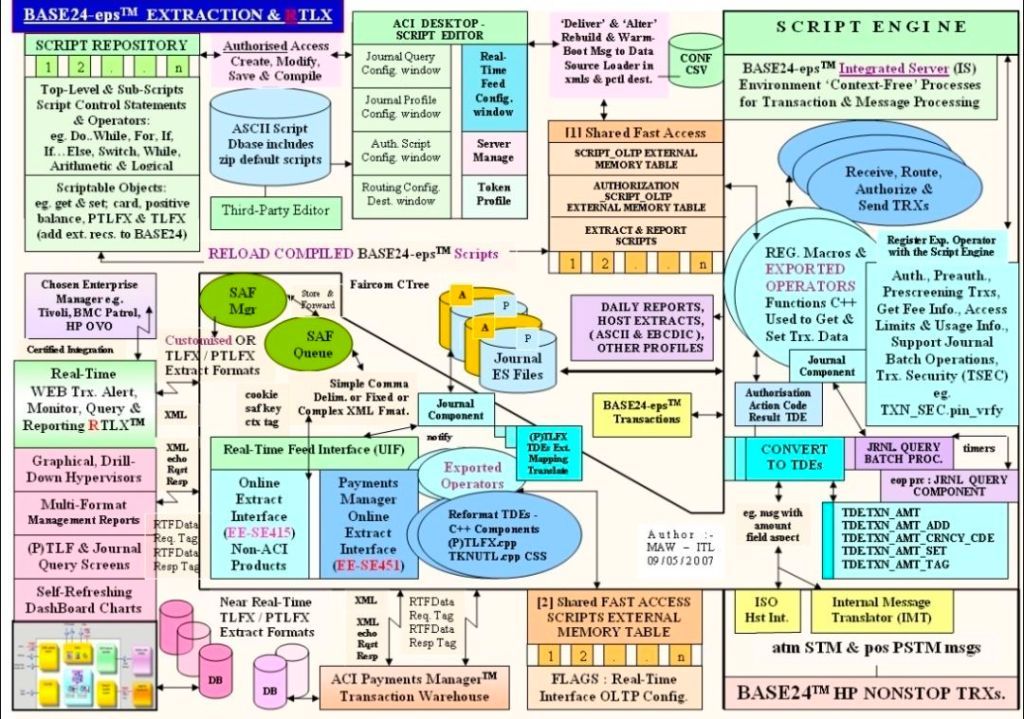
ATM Log Extraction Deployments (2004–2007): Led technical delivery teams implementing automated transaction log extraction layers (RTLX and Sentra) to audit ATM networks for major retail financial brands like Alliance & Leicester (now Santander) and HSBC.
Cross-Border Retail Banking Rollout (2008–2010): Served as Project Manager overseeing a high-volume, cross-border ATM and Point-of-Sale (POS) environment monitoring expansion for a prominent Saudi Arabian Retail Bank.
Cross-border ATM and Point-of-Sale (POS) environment monitoring expansion
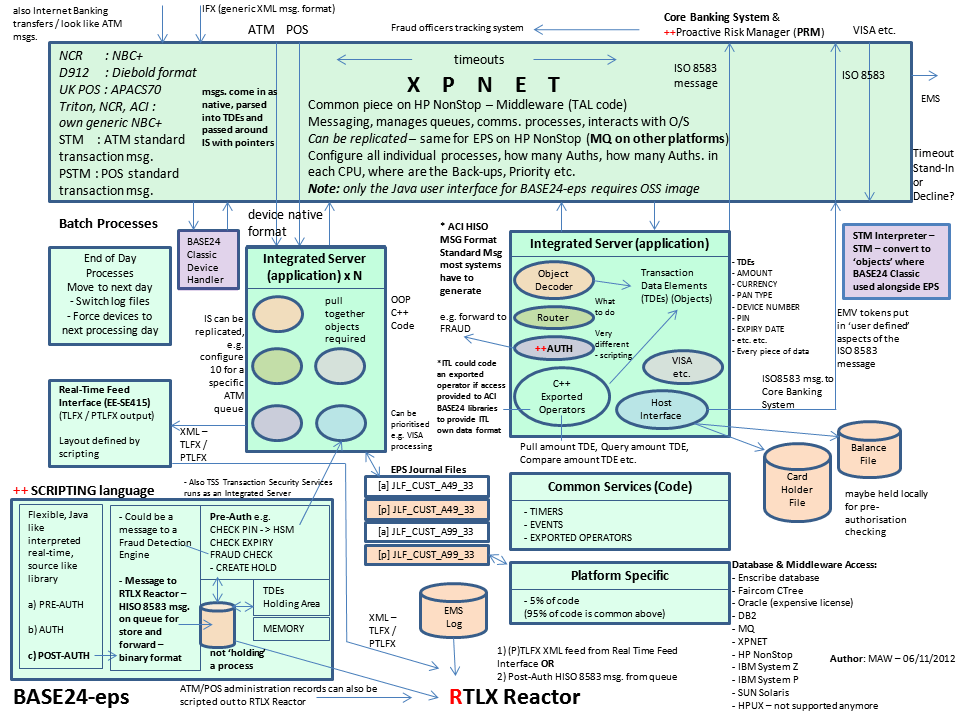
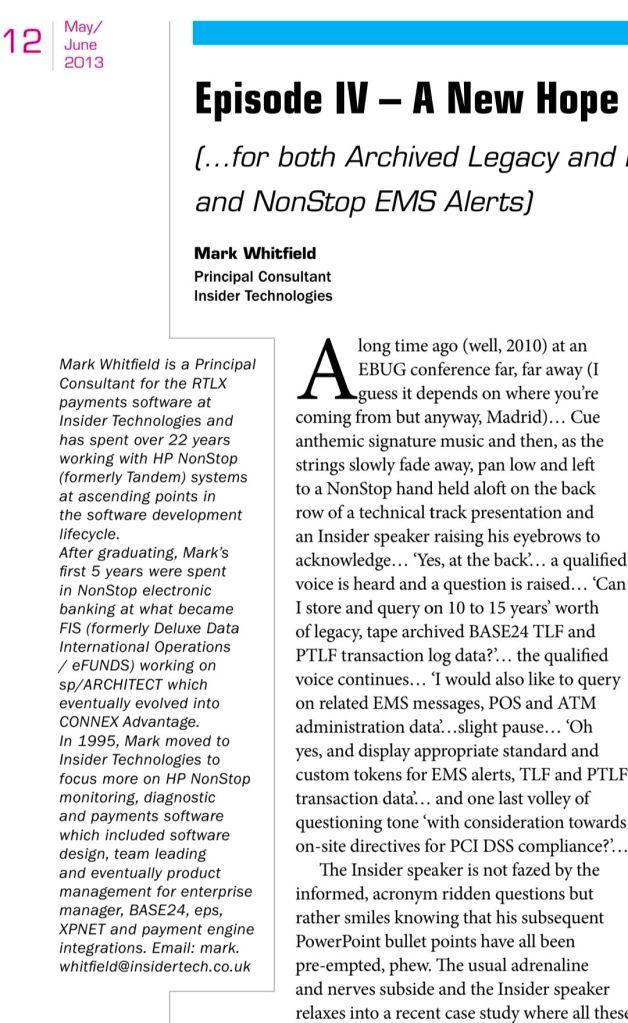
Enterprise Transaction Monitoring (2011–2013): Functioned as Project Lead to bridge retail banking transaction networks with corporate governance architectures. Integrated critical pathways for Standard Chartered and Global Payments into TIVOLI and XPERT24 using ACI’s XPNET infrastructure.
Wincor Nixdorf Banking Division (2013–2014): Retained as Project Manager for Professional Services. He directed a massive hardware and software transition stream for Lloyds Banking Group’s Self-Service Software Replacement (SSSR) programme whilst also providing a qualified management link with Wincor Nixdorf, Paderborn (Germany) for subject matter expertise, as part of the transition.
🎮 2014–2016: Digital Infrastructure & Enterprise Betting Era
Whitfield shifted his delivery domain focus from banking mainframes into real-time high-transaction digital platforms.
Betfred Project Delivery (2014–2016): Managed IT infrastructure and digital systems alignment projects, supporting high-throughput retail and digital consumer gaming workflows.
☁️ 2016–Present: Cloud Integration, Middleware, & Public Sector Era
In this current era, Whitfield acts as a senior, SC-cleared Senior IT Project Manager specializing in hybrid cloud migrations and API-led integration.
Capgemini UK Consultancy (2016–Present): Leading massive corporate and public sector agile/waterfall delivery initiatives. His technical program management footprint expands across a vast roster of tier-one enterprise environments:
MuleSoft Ecosystem Deployments: Directing system integration projects utilising the Salesforce MuleSoft suite, spanning API lifecycle design, Anypoint Code Builder configurations, and hyper-automation flows.
Multi-Sector Enterprise Clients: Orchestrating cloud migrations, middleware application refactoring, and data pipelines for Jaguar Land Rover (JLR), Heathrow Airport, Royal Mail Group (RMG), NATS (National Air Traffic Services), Welsh Water, Rabobank, Barclays, and UK Export Finance (UKEF).
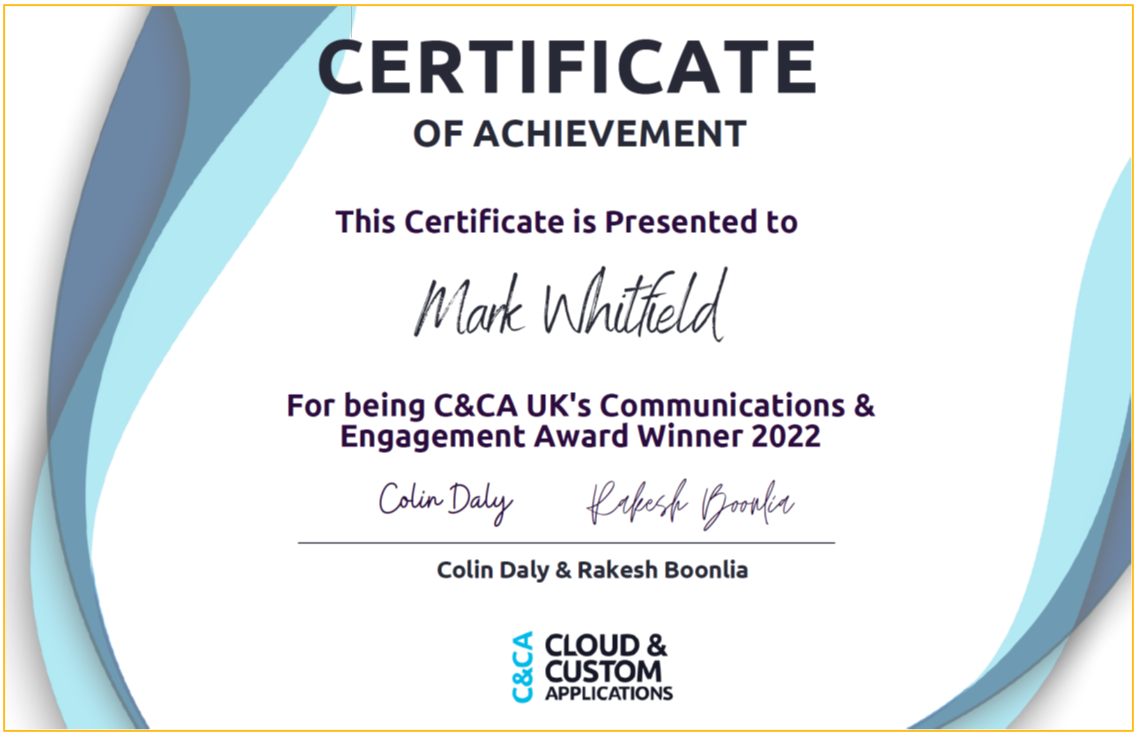
C&CA UK’s Communications & Engagement Award Winner 2022 – Cloud & Custom Applications – Capgemini UK
The i_Pro_PM_Templates collection on Flevy is a highly comprehensive library of 19 specialized project management resources spanning Waterfall and Agile methodologies. Developed by a contributor with 30 years of project management experience, these fully editable files (PowerPoint, Excel, Word, and MS Project) are designed to bridge corporate strategy with rapid execution. The complete 200+ template ZIP file package can be purchased here also.
The specific templates offered by i_Pro_PM_Templates are organized below by their operational category and core function:
🗺️ 1. Project Planning & Roadmaps
Designed to provide executive stakeholders and project teams with high-level visualization and structured timelines.
Plan on a Page (PoaP) 30+ Examples (PowerPoint): Synthesises complex timelines into an executive-ready format.
Project Plan on a Page Template (Excel): Tracks milestones and deliverables on a single sheet.
Waterfall Project Planner with Gantt View (Excel): Automates timeline bars and highlights dependency tracking.
Microsoft Project Plan Editable Templates (MPP / MSP): Implements native tracking with pre-populated project paths.
📊 2. Project Governance & Status Reporting
Built to manage the cadence of team communications, track risks, and report progress up to the PMO.
Weekly Status Report (PowerPoint): Provides standardized internal and external updates for Agile or Waterfall projects.
Status Report with PoaP, RAIDs, & Burn Down (Excel): Combines execution charts with high-level summary roadmaps.
MS Excel RAID Log: Acts as a central command log for Risks, Issues, Dependencies, and Change Requests (CRs).
⚖️ 3. Value & Benefits Realization
Ensures project delivery aligns with financial targets and baseline calculations.
Programme & Project Benefits Realization Tracker (Excel): Uses automated calculations and RAG status indicators to ensure value delivery.
Project Finance Tracker (Excel): Integrates budget forecasting against actual financial performance.
📦 4. Comprehensive Master Toolkits
Bundled suites that consolidate hundreds of micro-assets into standalone lifecycle frameworks.
200+ Project Management Templates Bundle (PDF/ZIP): Features customizable documents covering initialization through to closeout.
MS Teams Free Planner Guide: Details how to organize and execute Agile backlogs directly inside Microsoft Teams.
A detailed breakdown of the exact templates published by this author, structured by their functional use and file format, includes the following:
📈 PowerPoint (PPT / PPTX) Formats
Plan on a Page (POaP) Examples: A 39-slide PowerPoint document providing high-level visual roadmap templates to summarize project delivery tracks for executives.
Weekly Status Report (Internal / External): A 15-slide PowerPoint designed for recurring project health reporting, configured for both Agile and Waterfall methodologies.
📊 Excel (XLS / XLSX) Formats
Waterfall Project Planner: A structured spreadsheet featuring built-in, automated Gantt view generation tools for scheduling sequential project stages.
Status Report with Plan on a Page & RAIDs: A hybrid workbook integrating high-level timelines, a Risk, Assumptions, Issues, and Dependencies (RAID) log, and an Agile burn-down chart tracker.
PRINCE2 Editable Planning & Cost Tracker: A financial tracking sheet customized specifically to align with the stage-gate requirements of the PRINCE2 methodology.
🛠️ Microsoft Project (MPP) Formats
Microsoft Project Plan Template: A baseline editable project plan native schedule built for resource loading and critical path tracking.
PRINCE2 Microsoft Project Plan: A pre-configured schedule mapped directly to standard PRINCE2 product breakdowns and stages.
HP OpenView Operations (OVO) is a foundational enterprise systems management (ESM) platform designed to centrally monitor and manage infrastructure, multi-vendor operating systems, and enterprise applications across distributed IT environments.
The system operates on an Agent-Server Architecture. Core components include:
Management Server: Central hub that aggregates system logs, processes alerts, correlates events, and triggers automated remediation scripts.
Smart Plug-ins (SPIs): Specialized modular add-ons that inject domain-specific monitoring logic for applications like Oracle databases, Microsoft Active Directory, or SAP.
Intelligent Agents: Lightweight background processes deployed on managed nodes to collect log events, metrics, and state data, formatting them into structured OVO messages.
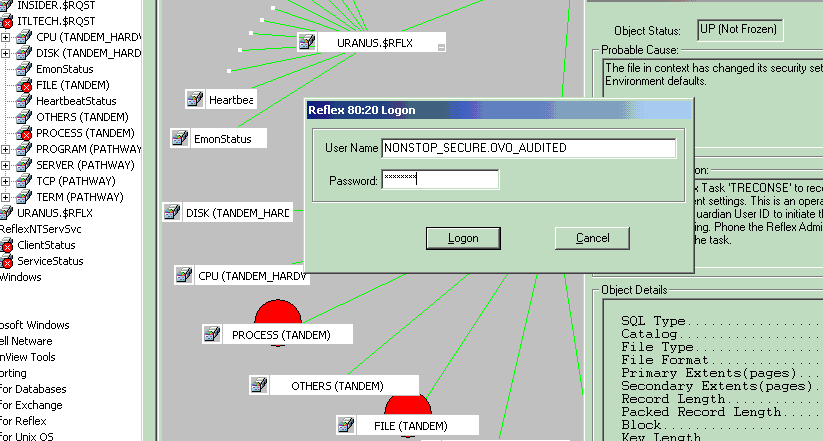
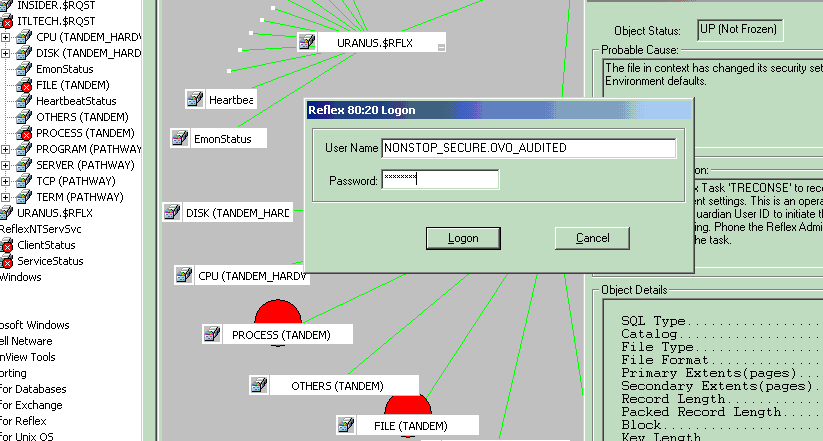
1. HP OVO screenshot in 2002
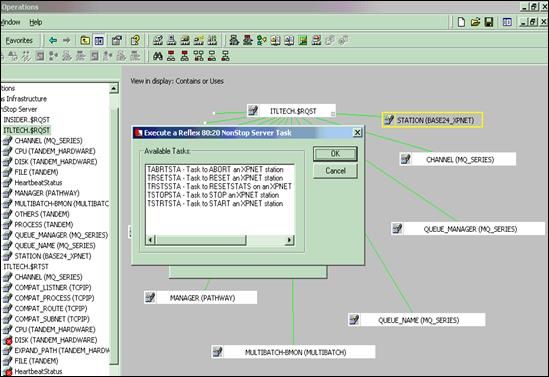
2. HP OVO screenshot in 2002
See bottom of this post for HPE NonStop (previously Tandem) monitoring in OpenText Operations Bridge Manager. I overlooked an integration with HP OpenView Operations for a HPE NonStop product in 2002, called Reflex 80:20.
Detailed Timeline Breakdown by Era and Year
🌅 Era 1: Origins and The Foundation (Late 1980s – 1994)
This era established HP’s footprints in IT infrastructure management, pivoting from pure SNMP network map discovery toward server telemetry.
Late 1980s: HP releases Operations Center (OpC) as an add-on application for its core Network Node Manager (NNM) platform. It replaces slow SNMP polling with Remote Procedure Calls (RPC) to gather host logs.
1990–1993: HP scales OpC into a robust engine capable of executing basic automation scripts on remote UNIX boxes when specific thresholds break.
🚀 Era 2: The “ITO” and OpenView Operations Boom (1995 – 2000)
The framework shifted from isolated utilities into an integrated, market-dominating enterprise suite.
1995: HP tightly merges NNM and Operations Center into a single product called IT Operations (ITO) Version 3.x.
1996:HP OpenView Service Navigator is embedded into the product line. It provides a graphical hierarchy of business services instead of just a raw list of broken servers.
1999: The suite formally adapts to include broad SNMP traps alongside its core agents and is renamed HP OpenView Operations ITO.
🔄 Era 3: Platform Split and VantagePoint Transition (2001 – 2006)
HP decoupled its codebases to natively handle Windows NT/2000 scaling alongside legacy Unix environments while heavily investing in product renaming.
2001: HP briefy rebrands the suite to HP VantagePoint Operations (VPO). However, customer brand loyalty forces them to quickly pivot back to the popular HP OpenView Operations (OVO) naming convention.
2002: Codebases officially bifurcate into OVOU (OpenView Operations for Unix) and OVOW (OpenView Operations for Windows, built natively on Microsoft WMI frameworks).
2005:OVO Version 8.0 drops. It features heavy integration capabilities for external service desks, advanced HTTP/HTTPS agent communication protocols, and a refreshed Java GUI console.
🏢 Era 4: The Business Technology Optimization (BTO) Era (2007 – 2016)
Massive corporate acquisitions changed the software landscape. OVO ceased to be a standalone system monitoring tool and transformed into an automated operations center.
2007: HP drops the legendary “OpenView” moniker. Following the acquisitions of Mercury Interactive, Peregrine, and Opsware, the suite is rebranded as HP Operations Manager (HPOM) under the HP Business Technology Optimization (BTO) banner.
2009: HP rolls out Operations Manager i (OMi), integrating topology-based event correlation (TBEC) to suppress duplicate alert storms across the data center.
2015: Hewlett-Packard splits into two companies; the portfolio lands under Hewlett Packard Enterprise (HPE). The engine is bundled into the HPE Operations Bridge (OpsBridge) suite.
☁️ Era 5: Divestiture and Modern Legacy (2017 – Present)
2017: HPE spins off its enterprise software division. The entire legacy OpenView/Operations Manager portfolio is sold to Micro Focus.
2023:OpenText completes its acquisition of Micro Focus. The underlying technical heritage of the old OVO agents survives today, evolved into cloud-ready containerized architectures inside the modern OpenText Operations Bridge cloud monitoring portfolio.
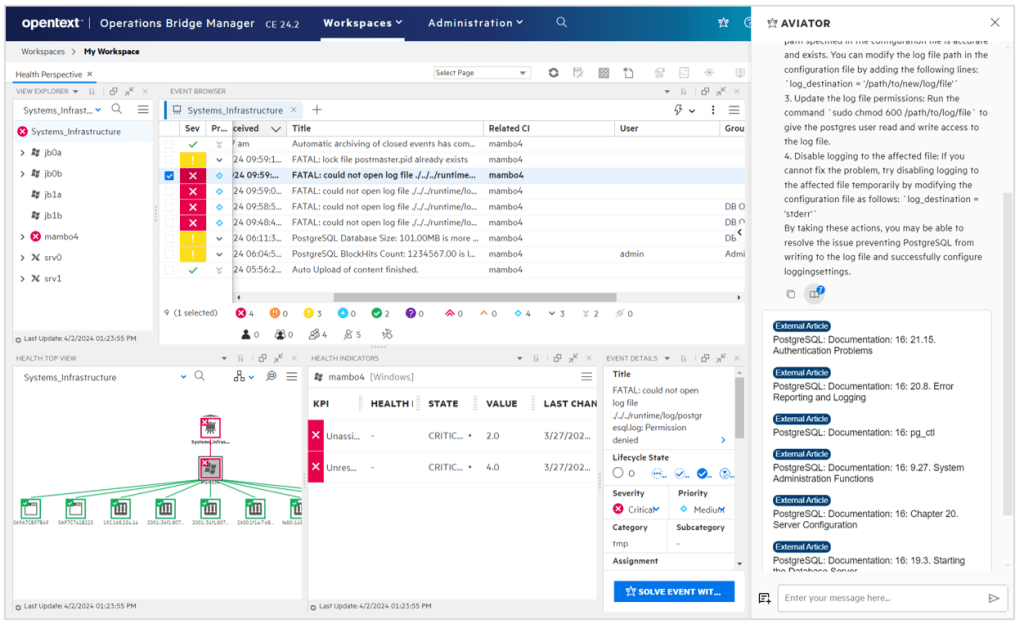
OpenText Operations Bridge Manager Screenshot example
HPE NonStop (previously Tandem) Monitoring
Micro Focus Operations Bridge (now part of OpenText AI Operations Management) provides end-to-end IT monitoring by consolidating data from over 200 sources. For HPE NonStop, it utilizes specialized Management Packs to ingest metrics, system events, and health data for comprehensive, real-time hybrid IT analysis.
To monitor HPE NonStop servers using the modern OpenText Operations Bridge/AIOps platform, the setup revolves around the Operations Bridge Manager (OBM) and targeted management packs:
Management Packs for HPE NonStop: OpenText provides specific management packs and solutions designed for NonStop systems. These capture system health, CPU/disk metrics, pathway status, and system messages.
Operations Agent: A lightweight agent is deployed directly on the NonStop nodes, which securely streams local performance data and events back to the central OBM console.
Centralized Event Consolidation: OBM acts as a “manager of managers”. It ingests the NonStop events and correlates them alongside data from your cloud (AWS/Azure), containers, and network endpoints.
AIOps and Remediation: The platform utilizes built-in machine learning to reduce alert noise and accelerate root cause analysis. You can also use automated Runbooks to automatically remediate known issues on the NonStop platform.
Because the platform has been fully integrated into the OpenText portfolio, these integrations are supported across containerized deployments, on-premise, or SaaS models.
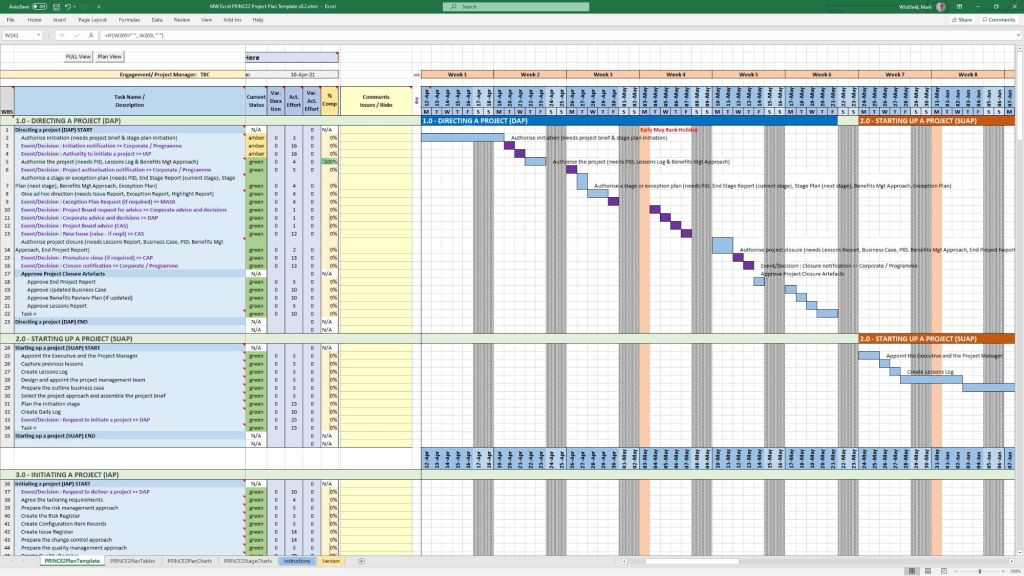
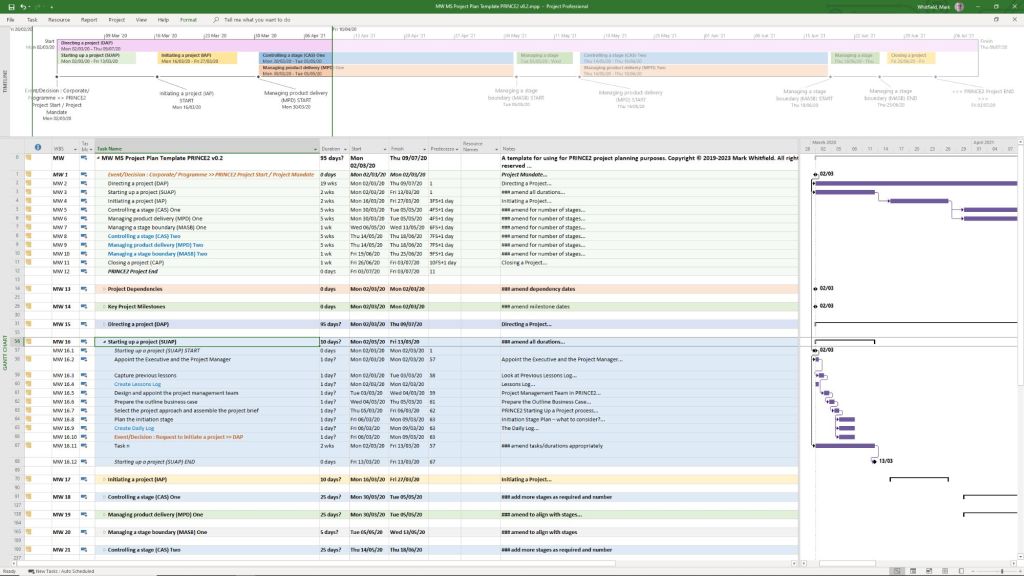
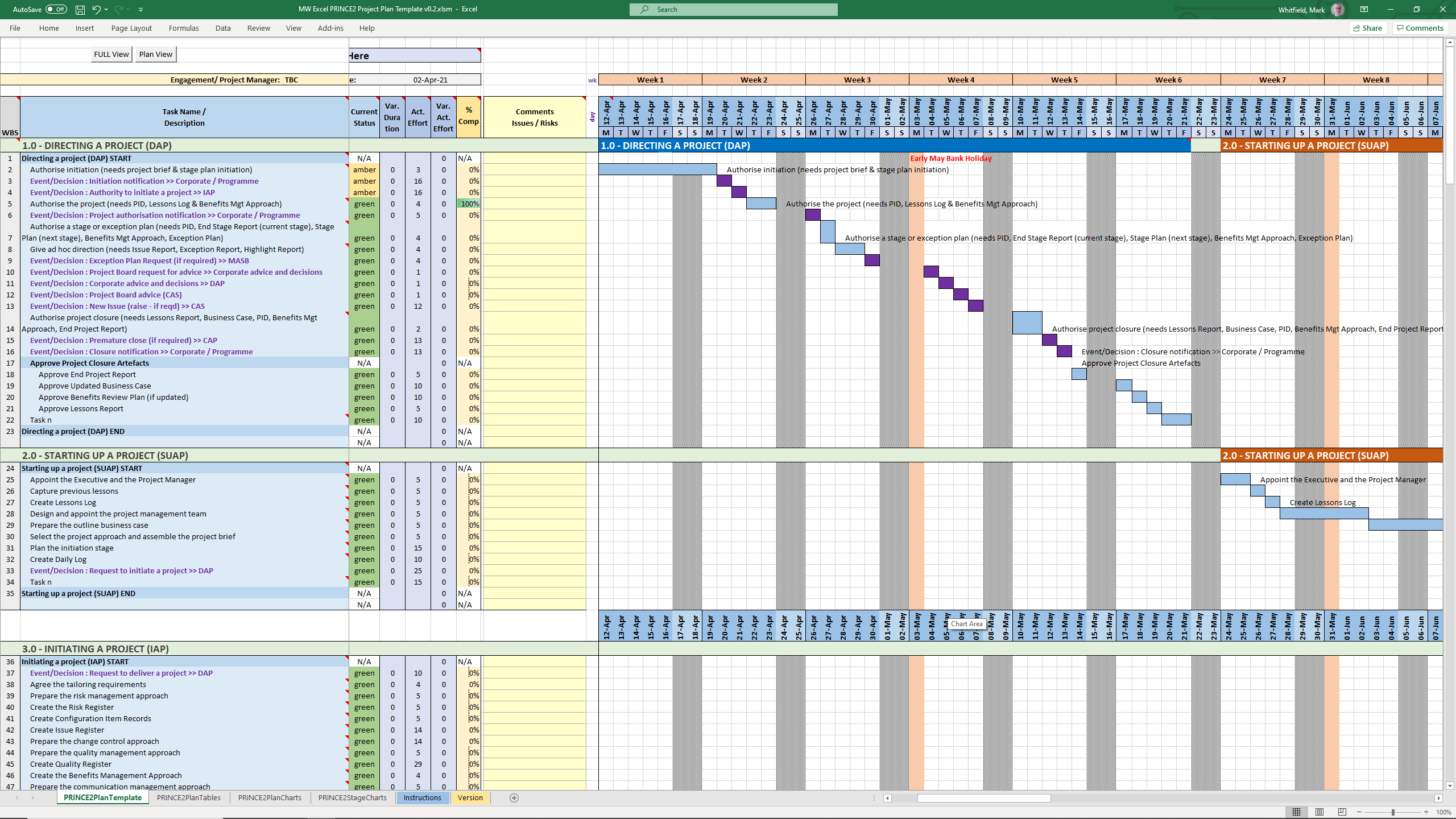
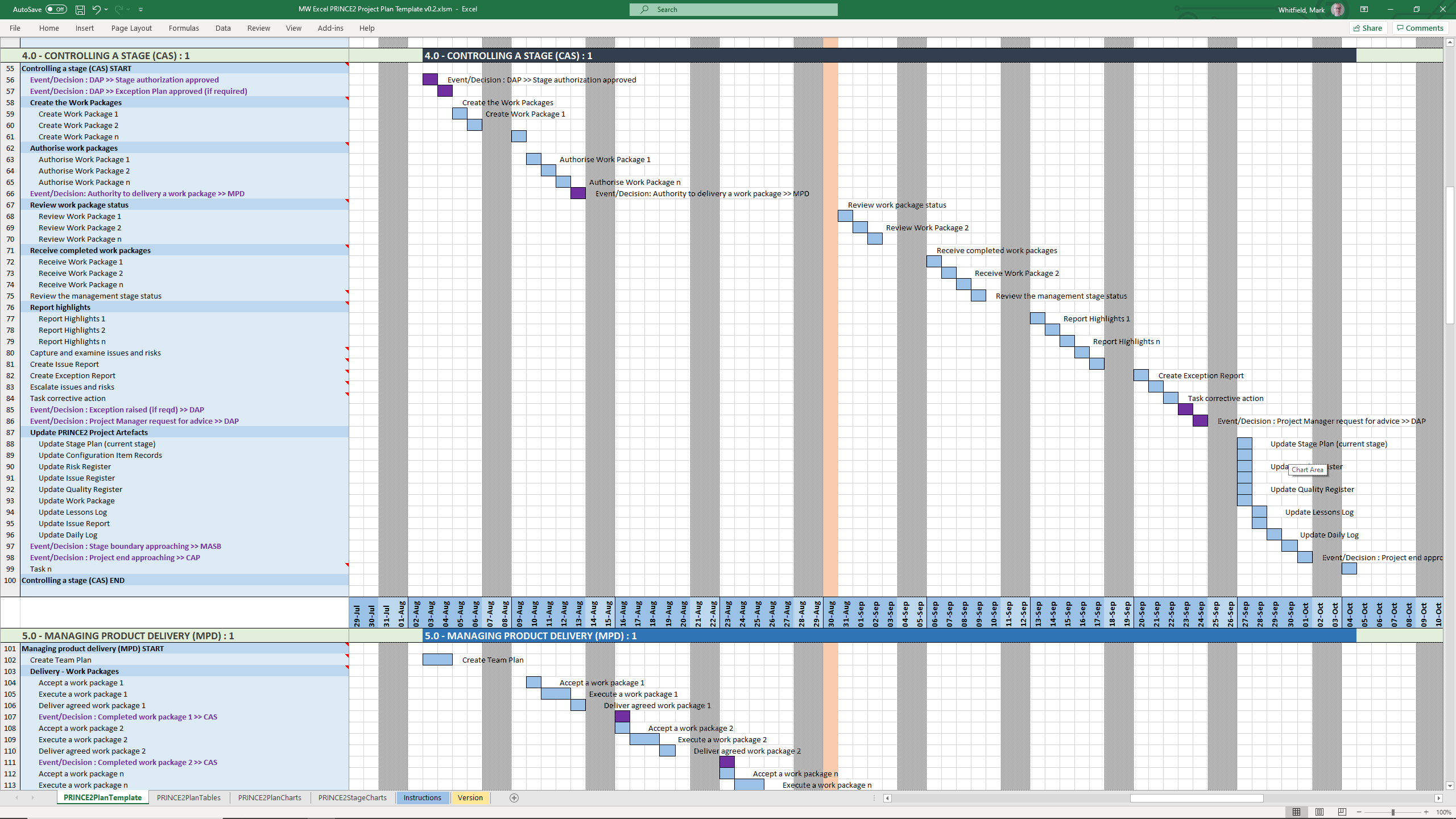
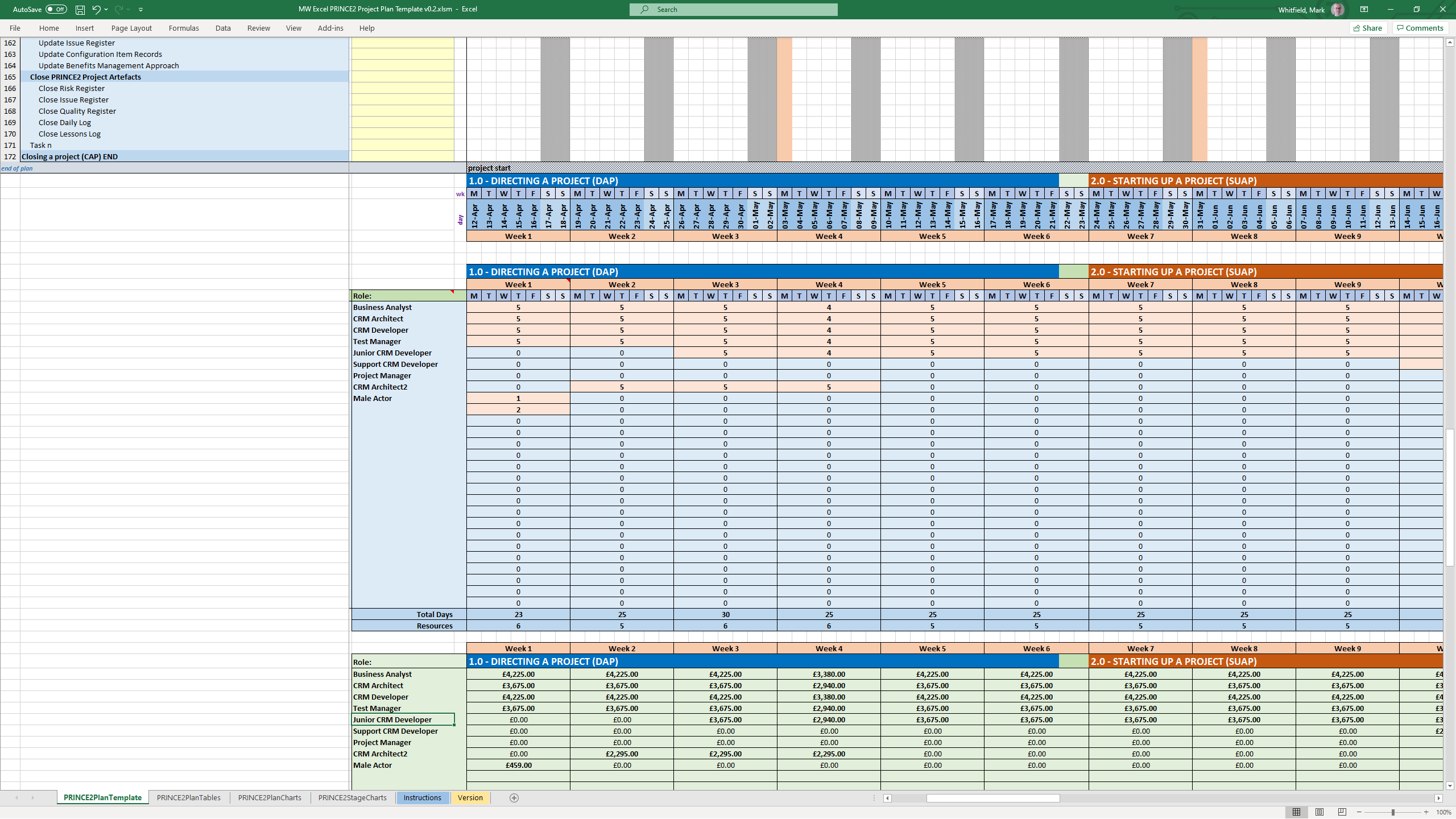
You can find downloadable PRINCE2 project templates in Excel (.xls/.xlsm) and Microsoft Project (.mpp) formats across several specialized platforms. Because PRINCE2 is a highly structured methodology, standard templates usually map its specific processes (like Starting Up, Initiating, and Controlling a Stage) directly onto Gantt charts and tracking sheets.
PRINCE2 MS Excel .xls plan in a spreadsheet
PRINCE2 MS Project .mpp plan in a project file
The primary download options, ranging from premium practitioner bundles to free resource packages, are categorized below:
Comprehensive Premium Bundles (MPP & XLS)
If you require a fully integrated toolkit built specifically for the official PRINCE2 framework, individual project management practitioners offer comprehensive marketplace downloads:
Mark Whitfield PM Templates: Offers a dedicated seventh edition package including MW MS Project Plan Template PRINCE2 v0.2.mpp alongside its exact equivalent spreadsheet MW Excel PRINCE2 Project Plan Template v0.2.xlsm. You can download this Prince2 toolkit package plus others, on the Mark Whitfield Official Site or through the Mark Whitfield Etsy UK Shop.
Flevy Marketplace: Provides highly structured, professional enterprise files. You can purchase and download the PRINCE2 Templates + Microsoft Project MPP & MS Excel Document directly from their platform, which packs the MPP tracking timelines and XLSM / XLS sheets together.
PRINCE2 project templates, Excel (.xls/.xlsm) & MS Project (.mpp) formats
Microsoft Excel XLS PRINCE2 spreadsheet screenshots
Microsoft Excel XLS PRINCE Project Plan with Task Descriptions
Microsoft Excel XLS PRINCE Project Plan with Gantt View 1
Microsoft Excel XLS PRINCE Project Plan with Gantt View 2
Microsoft Excel XLS PRINCE Project Plan with Gantt View 3
Microsoft Excel XLS PRINCE Project Plan with Delivery Costings
Microsoft Excel XLS PRINCE Project Plan with Charts
Microsoft Excel XLS PRINCE Project Plan with PRINCE2 Stage Charts
Standard Artifacts Included in Download Packages
When downloading a comprehensive .zip toolkit, the package typically contains the core structural elements of the framework divided across your scheduling software:
MS Project (.mpp): A pre-constructed Prince2 waterfall delivery layout mapped with the 7 key PRINCE2 stages, built-in dependency workflows, milestone gates, and methodological prompts embedded in the task notes.
MS Excel (.xls/.xlsm): Mirrored project planning sheets (with costing) utilizing native formulas to auto-populate Gantt charts, alongside targeted operational spreadsheets like RAID logs (Risks, Assumptions, Issues, Dependencies), RACI matrix charts, resource trackers, and project budget tools.
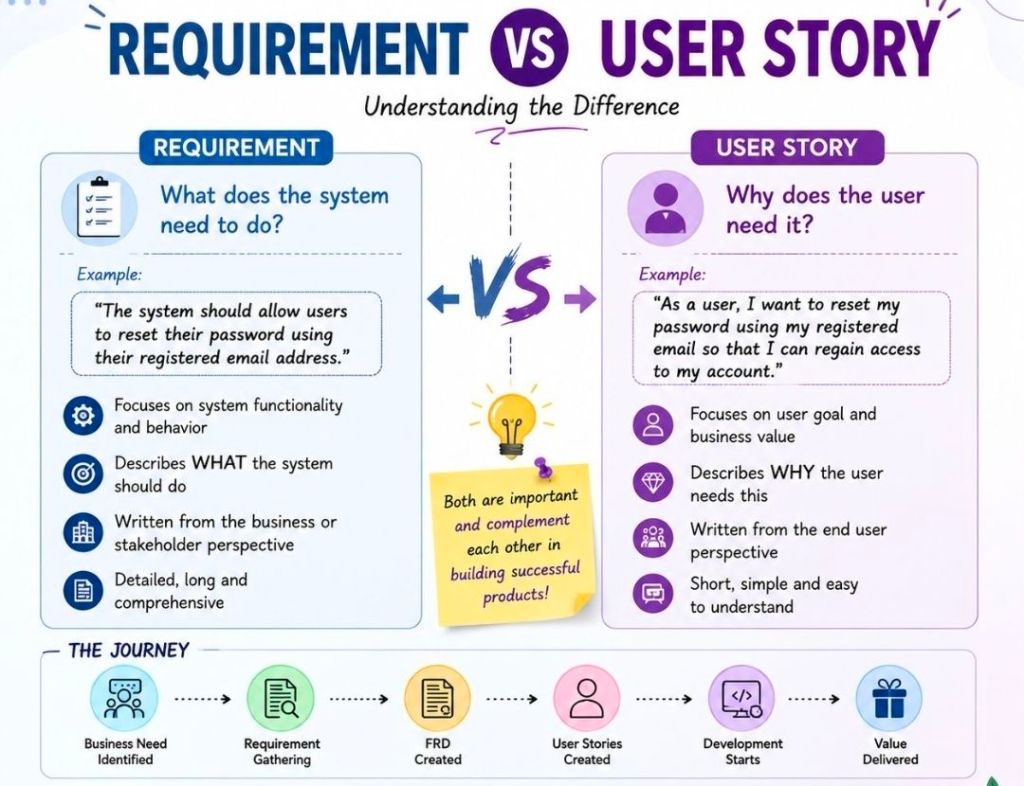
Project requirements are comprehensive, formal specifications describing what a system must do, usually written from the system’s perspective. User stories are short, lightweight descriptions of functionality written from the end-user’s perspective to drive team collaboration and conversation.
The distinction between these two approaches shapes how modern development teams capture scope and value.
Requirement versus User Story
Understanding Project Requirements
Focus: System functionality, technical constraints, and business rules.
Perspective: Written from the viewpoint of the system or product (e.g., “The system shall generate daily PDF reports.”).
Format: Heavy documentation, PRDs (Product Requirements Documents), spreadsheets, or flowcharts.
Methodology: Traditionally used in waterfall methodologies to define the scope comprehensively before any design or development begins.
Understanding User Stories
Focus: The user’s goal, business value, and the “why” behind a feature.
Perspective: Written from the viewpoint of the persona using the system (e.g., “As a Sales Manager, I want to review daily signups so that I can prioritize my sales calls.”).
Format: Short, often using the template: As a [User], I want to [Action], so that [Benefit]. Accompanied by Acceptance Criteria.
Methodology: An Agile-first tool. They are designed to act as an “invitation to a conversation” rather than a finalized contract.
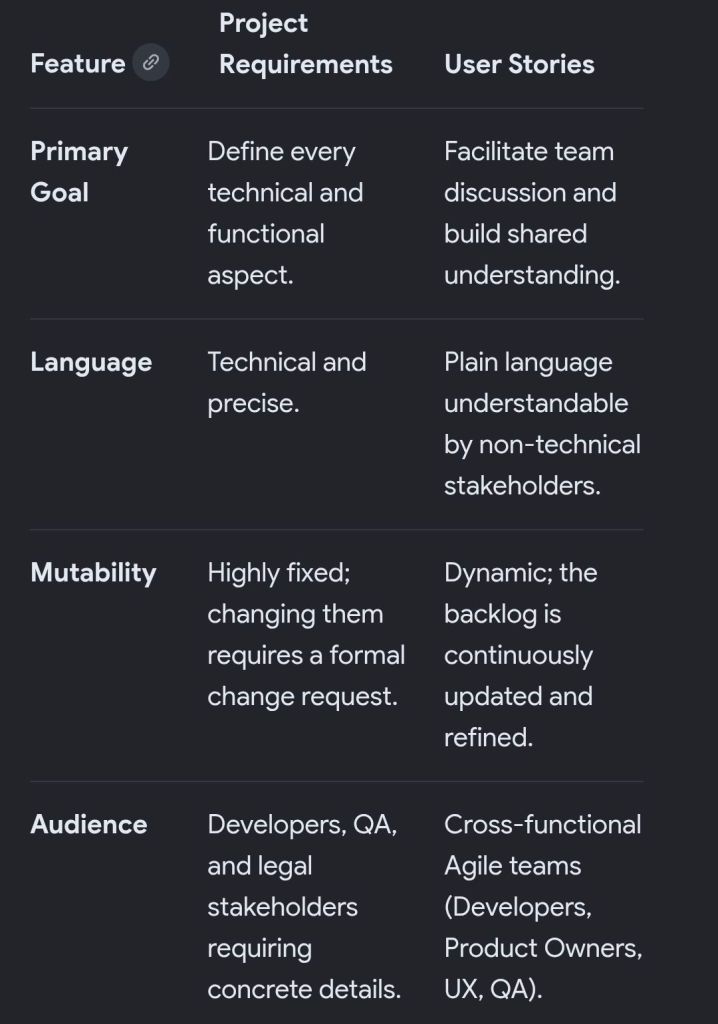
Key Differences at a Glance
How They Work Together (The Hybrid Approach)
Most modern software development teams don’t abandon requirements entirely, but they shift the format. They use lightweight User Stories to represent the core value, and then pair them with technical Acceptance Criteria or supplementary design specifications to clarify the exact requirements the system must satisfy.
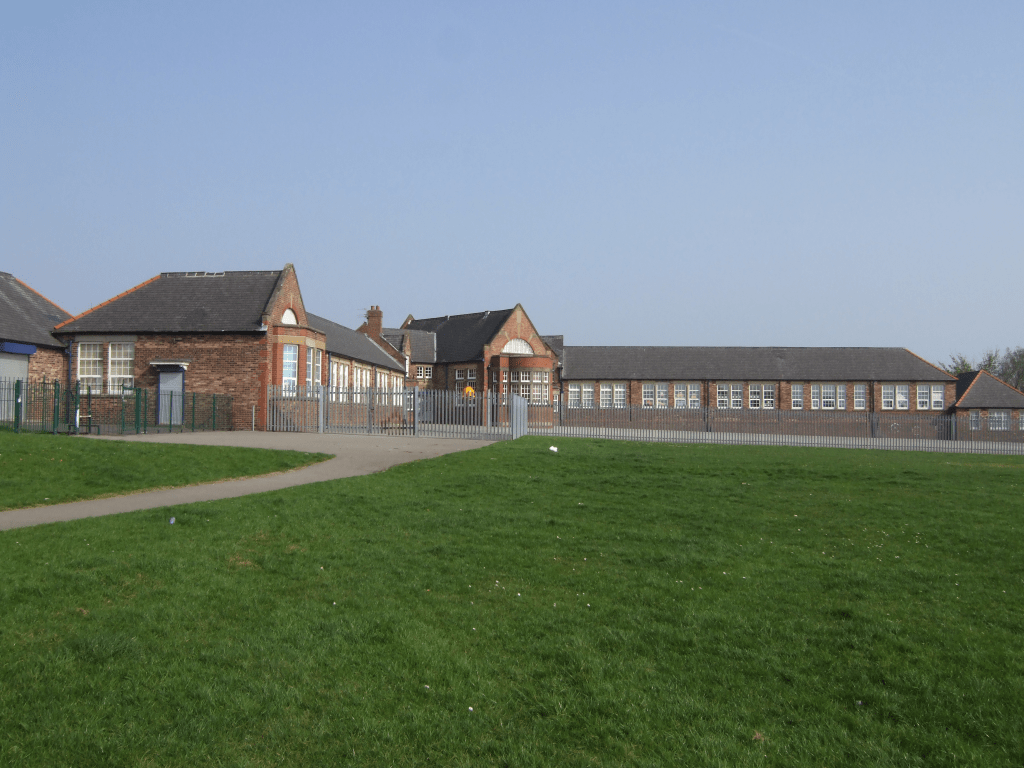
Hindley Green Community Primary School (formerly known as Hindley Green County Primary School), located on Thomas Street, Hindley Green, Wigan, has a rich history transitioning from a traditional local authority “Council” school into a modern 21st-century academy.
The detailed chronological timeline of the school, organized by major administrative and historical eras, is structured below.
1. The Early Council School Era (Pre-1950s)
Originally established as the local “Council” school, this era marked the establishment of the school grounds on Thomas Street as Hindley Green expanded.
Early 20th Century: The open field that would eventually become the footprint of Thomas Street and the extended school boundaries was initially a standard play plot used by local children, bound by hawthorn hedges.
Interwar / Post-WWII Expansion: A dedicated school structure was built to accommodate Hindley Green’s growing population. Iron boundary rails were erected, replacing the older hedges as the school football field and permanent structures took shape.
1947: Freddie Hardman served as the prominent Headteacher during the post-war reconstruction period.
2. The Late County Primary Era (1950s – 1990s)
During this period, the school operated officially as Hindley Green County Primary School (CP) under the Lancashire (and later Wigan) Local Education Authority.
1953: The school continued to feed local academic pathways, with eligible students sitting the historical 11+ examinations to transition into the nearby Hindley and Abram Grammar School (HAGS).
1977: The school held extensive community celebrations to mark the Queen’s Silver Jubilee, a major milestone preserved in the school’s historical photographic archives.
Hindley Green County Primary School, Thomas Street
myself, bottom row, 2nd from right (1975/ 76)
3. The Modern Community Primary Era (2000s – 2014)
The school dropped the “County” designation to become Hindley Green Community Primary School, expanding its infrastructure and early years provisions.
2002: The school community hosted a massive historical dress-up party to celebrate the Queen’s Golden Jubilee.
2004: The school underwent a full inspection by Ofsted on 21 June 2004, securing its educational frameworks for the new decade.
2008: Another comprehensive Ofsted inspection took place on 6 November 2008.
2009: Ofsted conducted a targeted interim monitoring visit on 12 May 2009.
2010: A major modern infrastructure expansion began. In September 2010, construction firm Eric Wright Group initiated on-site work to build vibrant new facilities and structural updates for the primary school.
2012: Following the structural expansions, Ofsted conducted a full framework inspection on 3 October 2012.
2014: On 10 June 2014, the school achieved a “Good” rating from Ofsted under its local authority architecture. This marked the final year the school operated in its original legal structure before closing its local authority registry on 31 December 2014 to prepare for conversion.
4. The Academy Trust & QUEST Era (2015 – Present)
To secure independent funding and collaborative governance, the school transitioned into an academy.
2015: On 1 January 2015, the school officially converted into an academy. It joined QUEST (A Church of England Schools Trust) under the sponsorship of The Keys Federation.
2017: As a newly established academy, the school underwent its first short Ofsted inspection on 12 September 2017, maintaining its robust standards.
2023: A full-scale school inspection was carried out by Ofsted on 19 January 2023. This same year, the school unveiled a prominent community superhero and princess mural to establish a lasting legacy for late pupil Holly Prince.
2026: Operating at a healthy co-educational capacity of roughly 381 to 410 pupils (ranging from ages 3 to 11), the school provides crucial early years funded childcare alongside its standard Key Stage 1 and Key Stage 2 primary curriculum.
Hindley Green County Primary School, Thomas Street
Legacy enterprise managers (often spanning IT Service Management, Network Node Management, and Event Correlation) defined enterprise IT in the 1980s, 1990s, and 2000s. The following are major, pioneering platforms, their primary functions, and their eventual modern replacements:
Legacy IT Operations Management (ITOM)
HP OpenView: A flagship suite that included Network Node Manager (NNM) for topology mapping and Operations Manager (formerly OVO) for centralized event and alert monitoring across Unix, Windows, and mainframes. I overlooked the integration of the HP NonStop product Reflex 80:20 with HP OpenView.
Modern equivalent: Evolved into Micro Focus Operations Bridge, later absorbed by OpenText.
IBM Tivoli: A massive suite born from the acquisition of Candle and Tivoli Systems. The core components included Tivoli Enterprise Console (TEC) for event correlation and Tivoli Netcool/OMNIbus for real-time network and service monitoring. I overlooked the integration of the HP NonStop product Reflex 80:20 with IBM Tivoli.
Modern equivalent: Evolved into IBM Cloud Pak for Watson AIOps.
BMC Patrol: One of the premier tools for deep system, application, and database monitoring (often known for its KM – Knowledge Module – architecture).
Modern equivalent:BMC TrueSight Operations Management and BMC Helix.
CA Unicenter: A comprehensive, all-in-one mainframe and distributed systems management tool for job scheduling, asset management, and event monitoring.
Modern equivalent: Rebranded under Broadcom, largely integrated into their enterprise software division.
Sun Microsystems SunNet Manager / Solstice Enterprise Manager: Early pioneers in Unix-based network management and remote system administration.
Modern equivalent: Discontinued; mostly absorbed by Oracle Enterprise Manager.
Enterprise Event Correlation & Command Centers
Command/Post (Boole & Babbage): One of the earliest automated event correlation engines designed for mainframes, which later expanded into distributed environments. Acquired by BMC.
Micromuse Netcool: Famous for its ultra-fast, rules-based Omnibus, capable of ingesting vast amounts of SNMP traps and Syslog messages across telecommunications and large enterprise networks. Acquired by IBM.
Network and Performance Managers
HP OpenView Performance/SysView: Tools specifically built for historical performance charting, OS native monitoring, and deep metric extraction.
Novell NMS (NetWare Management System): The standard for managing legacy Novell NetWare servers and IPX/SPX network topologies.
Most of these tools were displaced by modern APM (Application Performance Monitoring) and AIOps (Artificial Intelligence for IT Operations) platforms that feature cloud-native architectures, distributed tracing, and out-of-the-box integrations. Common replacements include:
Datadog
Dynatrace
Splunk / Splunk IT Service Intelligence
LogicMonitor
ScienceLogic
HP OpenView Operations
HP OpenView Operations Enterprise Managerintegrationwith Reflex 80:20
First HP NonStop 2-way Smart Plug-In (SPI) for HP OVO
Requested to research and produce a design for integrating the ITL NSK based Reflex 80:20 product with the hp OpenView Operations (hp OVO) enterprise manager. This initially involved a trip to Lisbon to attend the hp OpenView Universe event that represents the technical showcase for this enterprise level product. I then put together a number of design documents and managed a development team tasked with engineering an hp OpenView Smart Plug-in (SPI) to interact with Reflex 80:20 on the hp NonStop platform. This hp SPI approach represents the latest technology for integrating third-party products and provides an unparalleled approach for enabling remote platform control and management under hp OVO.
Once the Reflex SPI development was complete, I overlooked acceptance testing at the hp labs at Fort Collins, Colorado and was instrumental in attaining HP certification for the Reflex 80:20 product. As part of the certification process, I produced a comprehensive Reflex SPI user guide along with supporting marketing literature. More information.