Download Templates for PROject Management | FREE Upgrades & Additions
Author: Mark Whitfield
Welcome to my site!
After graduating in Computing in 1990, I accepted a position as a programmer at a Runcorn based software house specialising in electronic banking software, namely sp/ARCHITECT-BANK on Tandem Computers (now HPE NonStop). This was before the internet became more prevalent and so the notion of enabling desktop access to company accounts for inter-account transfers and book keeping was still quite a cutting edge idea (and smartphones only ever hinted at in Space 1999). The company was called The Software Partnership (which was taken over by Deluxe Data in 1994).
I spent 5 years in Runcorn developing code for SP/ARCHITECT for various banks like TSB, Bank of Scotland, Rabobank and Girofon (Denmark) to name but a few. I then moved onto a software house in Salford Quays for further bank facing projects. After a further 23 years in the IT industry and now a Senior IT Project Manager (both Agile and Waterfall delivery), I thought I would echo out my Career Profile in this corner of the internet for quick and easy access.
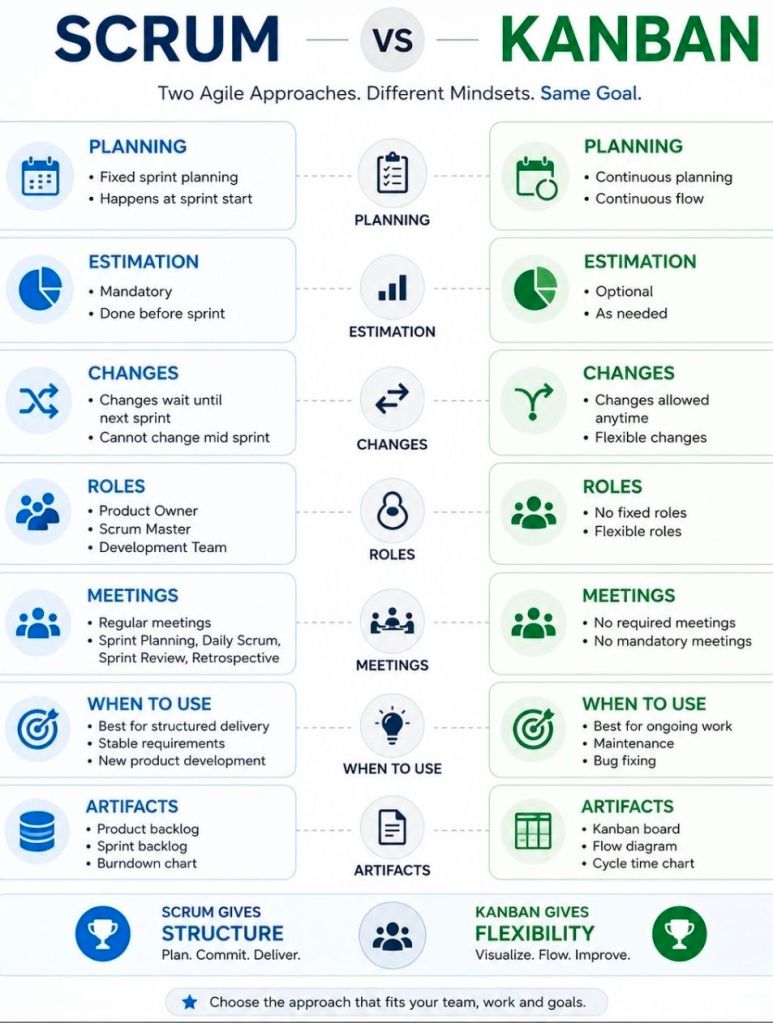
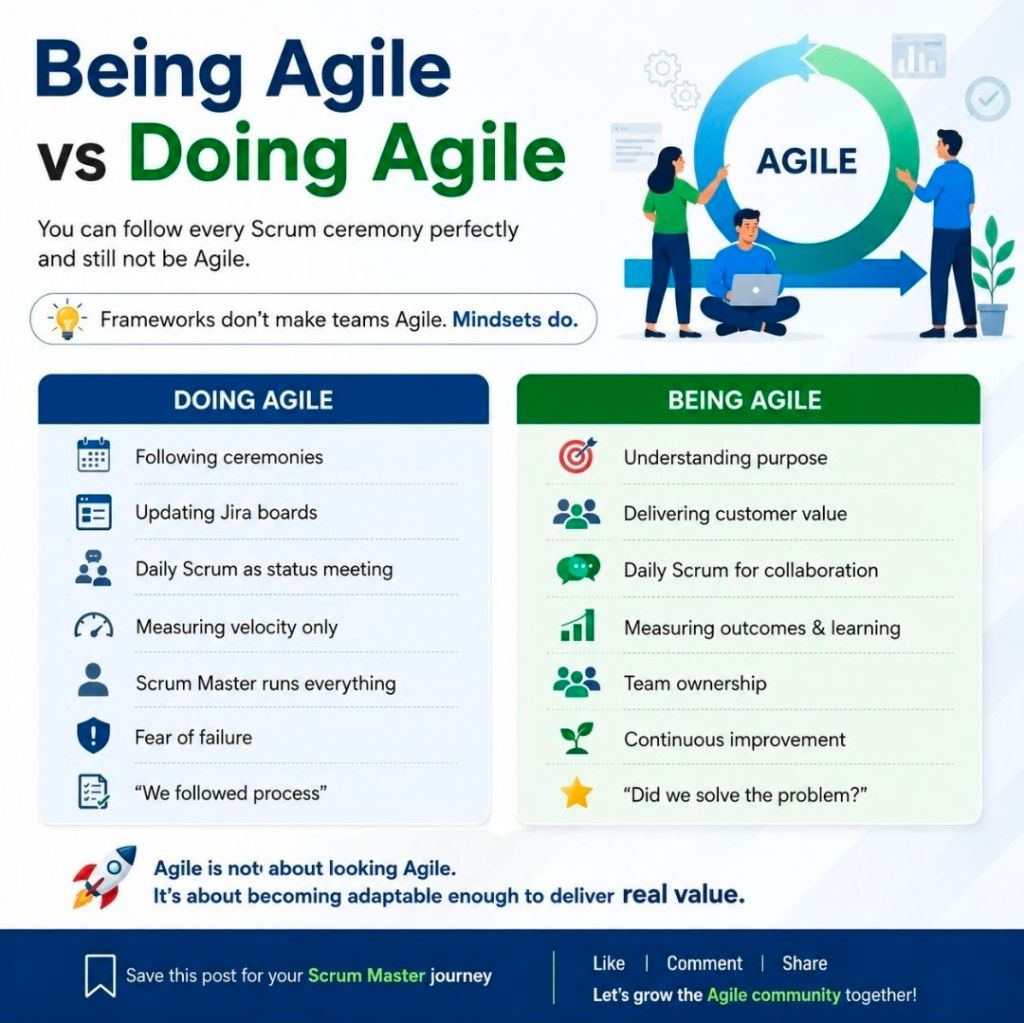
Scrum and Kanban are both popular Agile project management frameworks, but Scrum relies on rigid, time-boxed cycles with explicit roles, while Kanban focuses on continuous workflow and limiting work-in-progress to resolve bottlenecks.
Core Mechanics of Scrum
Time-Boxed Sprints: Work is divided into locked iterations where the team commits to a specific batch of deliverables.
Strict Ceremonies: Requires mandatory structural events including Sprint Planning, Daily Scrums, Sprint Reviews, and Retrospectives.
Clear Accountabilities: Relies on a Product Owner to dictate priorities, and a Scrum Master to eliminate work blockers.
Core Mechanics of Kanban
WIP Limits: Explicitly caps the maximum number of active items allowed in any single workflow column to prevent overloading.
Continuous Delivery: Tasks flow from the backlog to “Done” independently as resources allow, rather than in batched releases.
Evolutionary Change: Fits seamlessly over existing operational hierarchies without requiring an organizational overhaul.
How to Choose the Right Framework
Choose Scrum if:
You are building a complex product requiring highly disciplined planning cycles.
The project requires substantial stakeholder engagement and frequent product reviews.
Your team prefers structured routine, cross-functional collaboration, and highly concrete targets.
Choose Kanban if:
Your workflow is dictated by inbound, unpredictable operational tasks (like IT support or bug tracking).
You want a visual aid to reveal pipeline bottlenecks without altering current team roles.
Note: Many organizations merge these models into a hybrid approach known as Scrumban, leveraging Scrum’s regular event cadences alongside Kanban’s visual WIP flexibility.
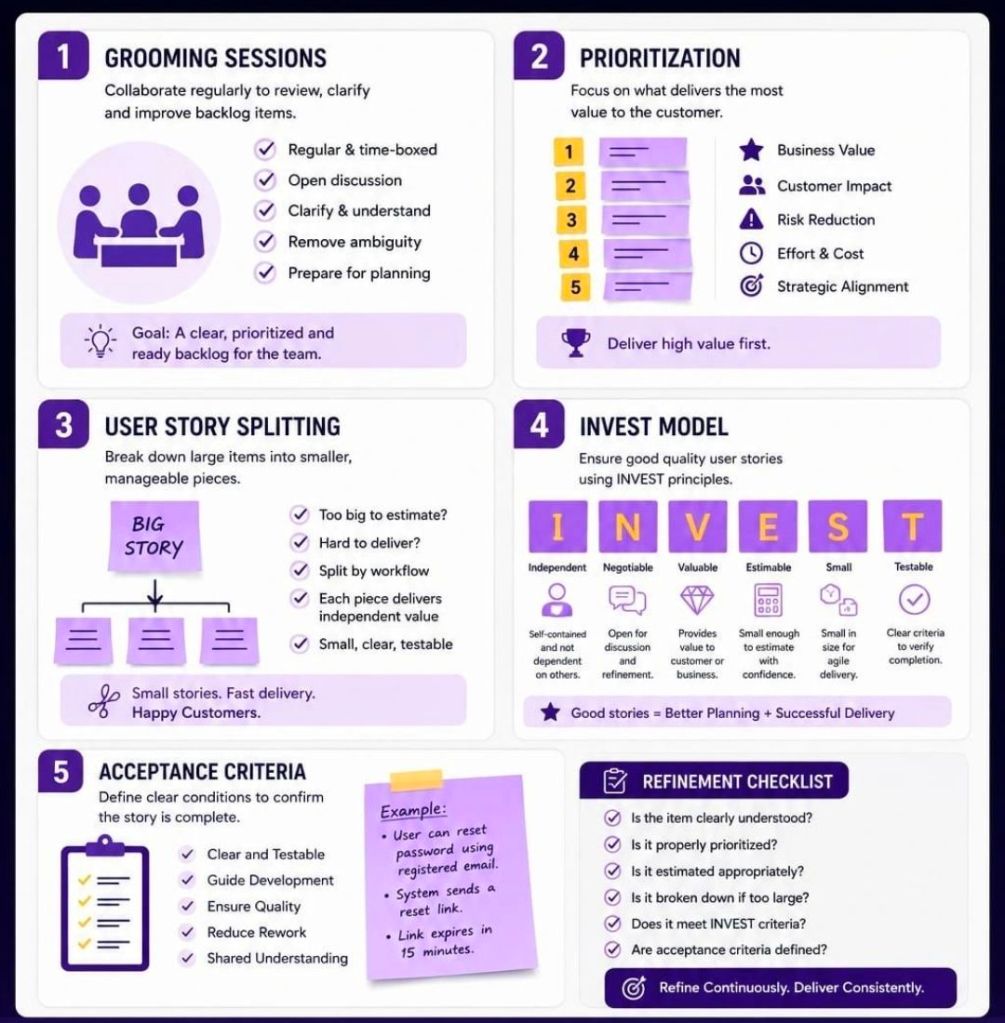
Mark Whitfield’s Project Management Templates offer a comprehensive, fully editable toolkit of over 200 documents spanning the entire project lifecycle. Designed for PRINCE2, Agile Scrum, and Waterfall methodologies, the suite helps project managers streamline planning and tracking. The toolkit is available on platforms like Mark Whitfield’s Project Templates and Etsy – ProjectTemplatesSoft.
Here is a detailed breakdown of the templates by type:
1. Planning & Scheduling Templates
These templates help structure timelines, resource allocation, and task dependencies.
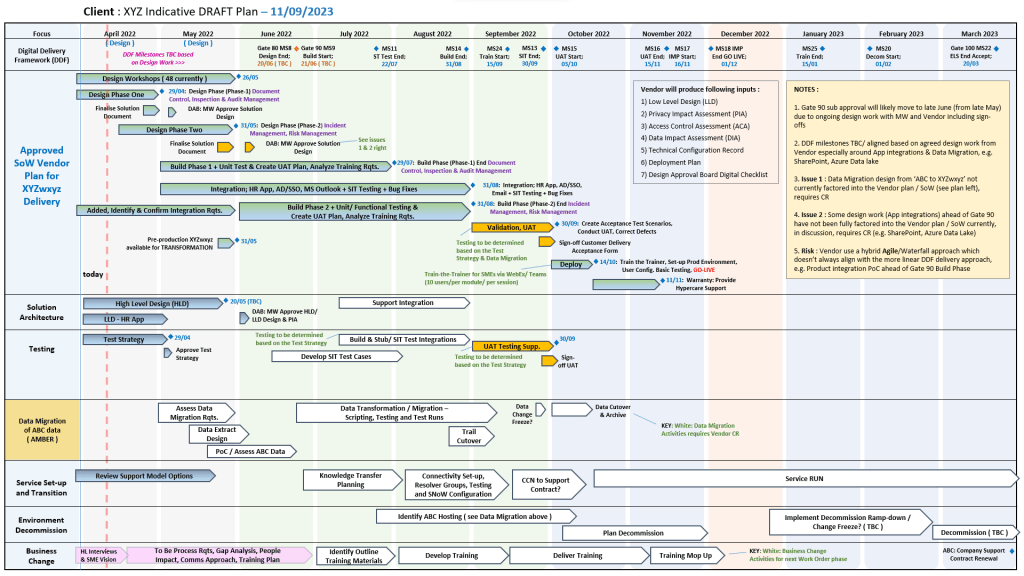
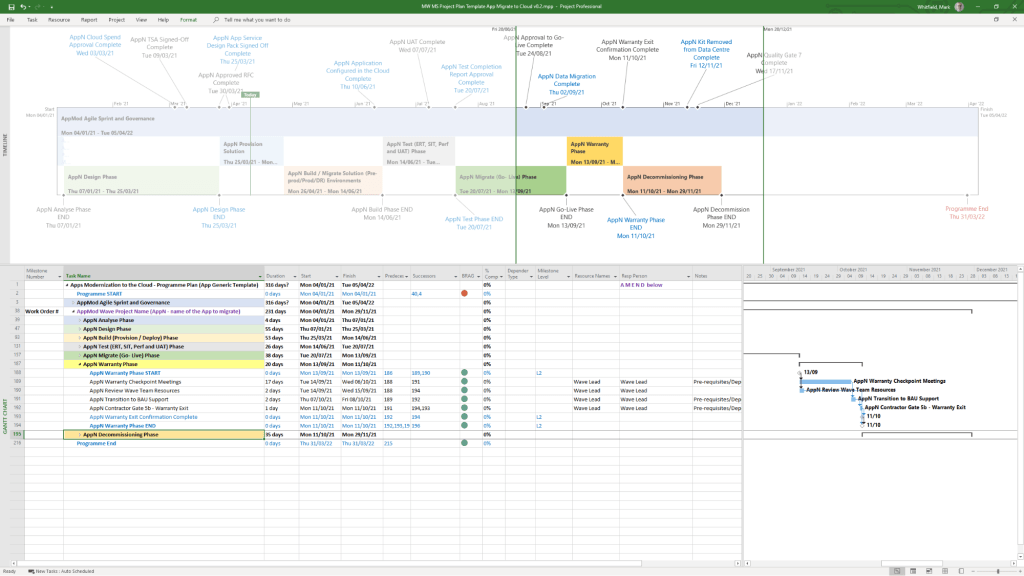
MS Project Plans (.mpp): Detailed, annotated files spanning full Software Development Life-Cycles (SDLC) and PRINCE2 7th Edition. Includes sprint overviews for Agile teams.
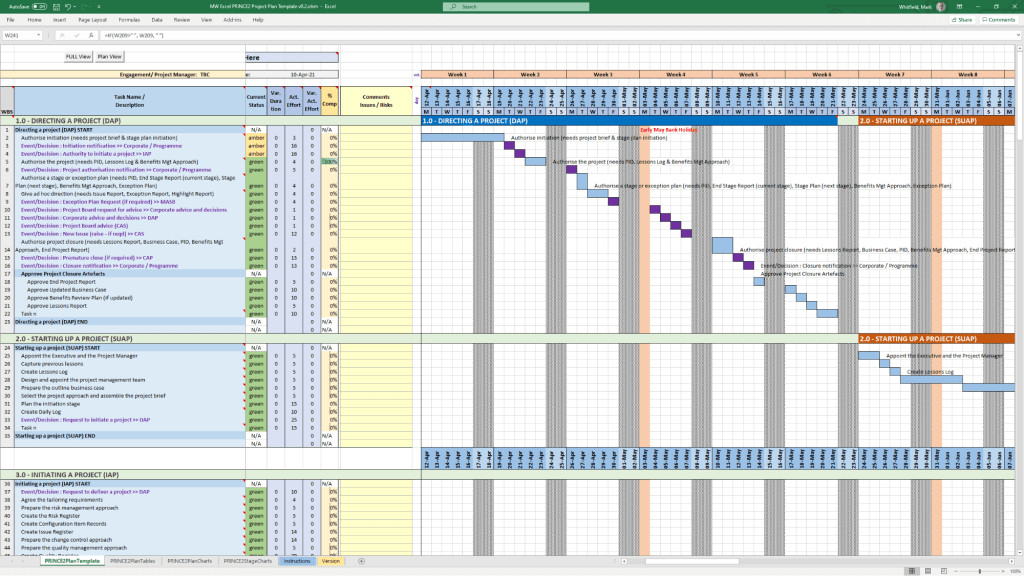
Excel Detailed Plans: Full Gantt chart and task tracking for users who do not have MS Project. Includes self-populating columns for baseline variance, actual effort, and RAG (Red/Amber/Green) status.
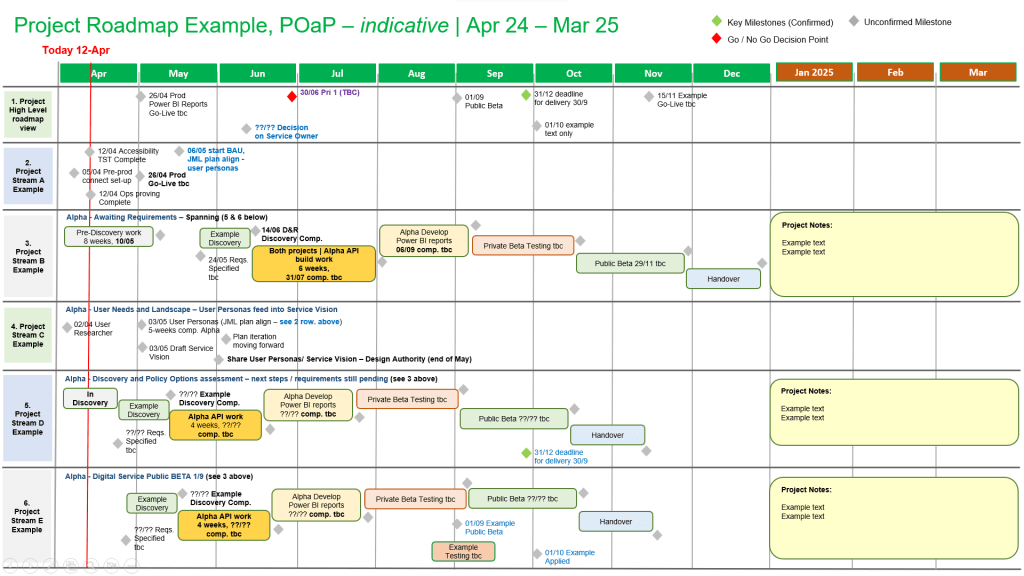
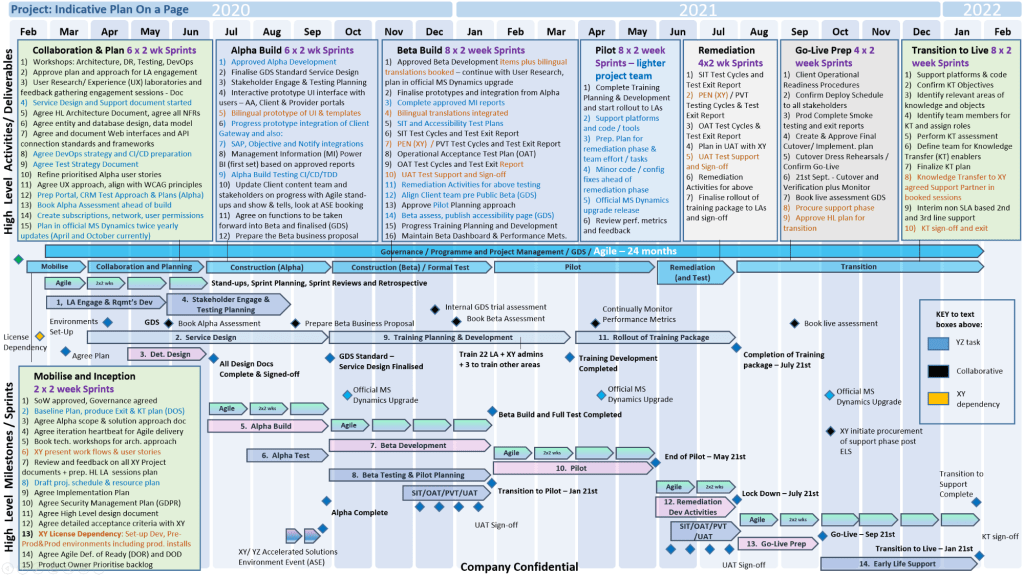
Plan on a Page (POaP): Over 30 PowerPoint slide designs that simplify complex project timelines, allowing you to present the overarching plan to clients and executives without overwhelming them with micro-details.
2. RAIDs Log Templates
These core tracking documents help manage the unknowns and variables of your project.
Basic RAIDs Log: Simple trackers for Risks, Assumptions, Issues, and Dependencies.
Comprehensive RAIDs Log: Highly detailed sheets with separate tabs to track supplier details, individual deliverables, Change Requests (CR), and out-of-scope (OOS) tasks.
3. Financial Management Templates
Designed to maintain tight control of your budget and forecast.
Monthly Finance Tracker: Simple sheets to monitor monthly forecasts, actuals, annual leave, and monthly variances.
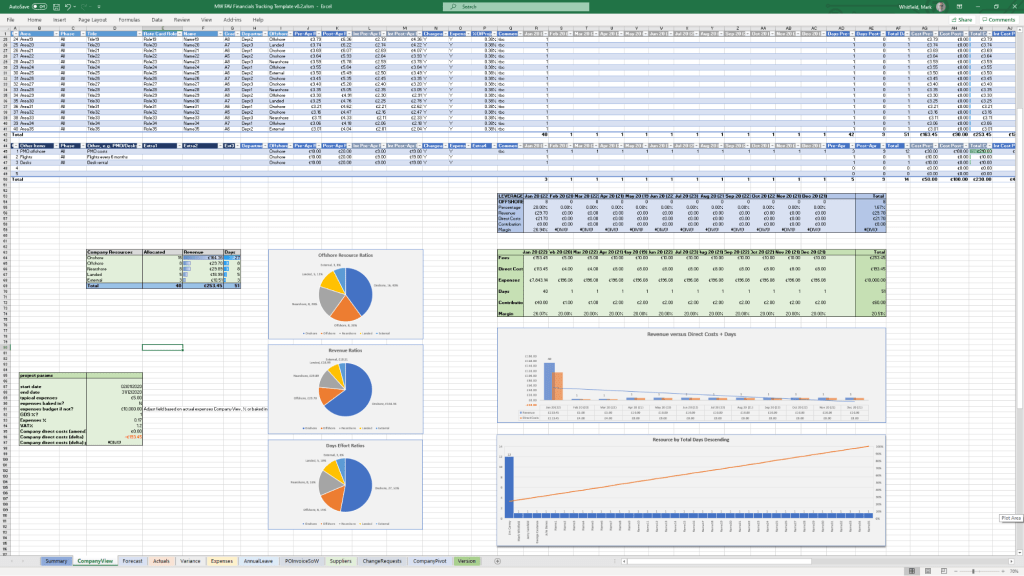
Project Cost Tracker: Full-featured financial spreadsheets providing rate lookups, margin calculations, expense logs, and built-in charts for financial reporting.
4. Governance & Project Controls
These templates form the administrative and structural backbone, primarily based on the PRINCE2 methodology.
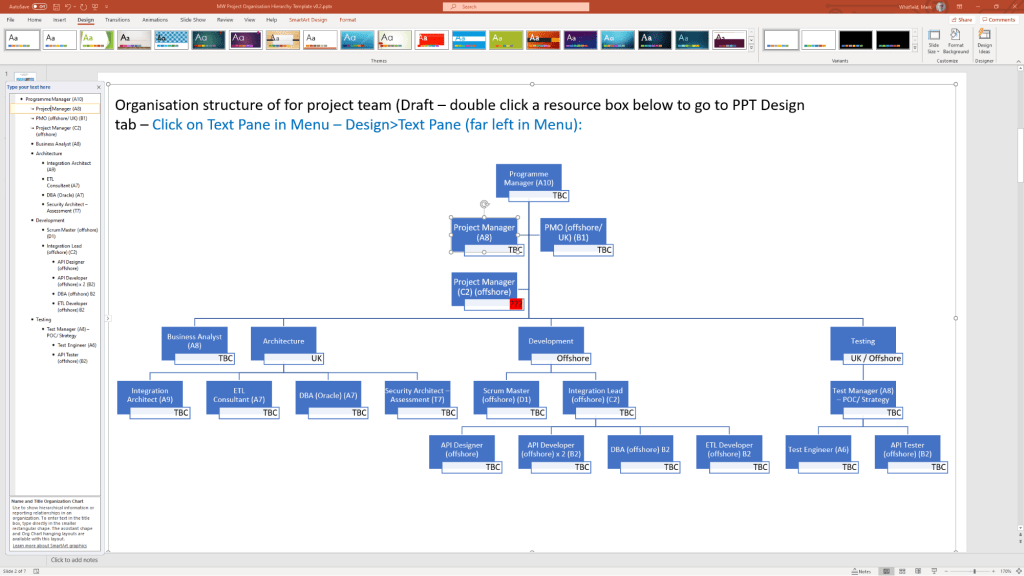
Project Initiation Documentation (PID): Includes templates for the Business Case, project approach, roles & responsibilities, and team structure.
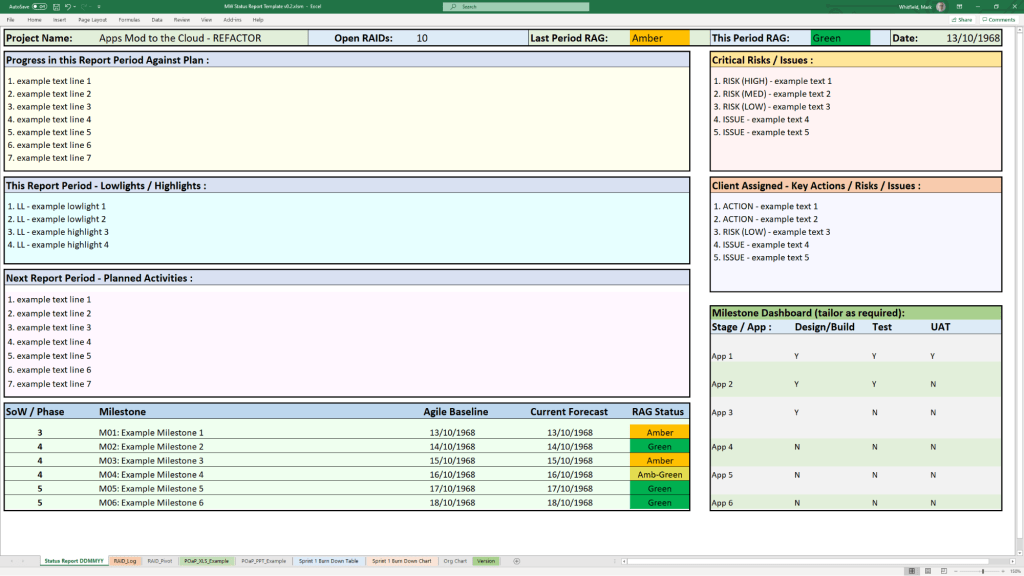
Reports: Standardized documents for Checkpoint Reports, Highlight Reports, End-Stage Reports, and Exception Reports.
Logs & Registers: Tailored templates for Lessons Learned, Quality Management, and Configuration Item Records.
5. Stakeholder & Team Management Templates
Focused on communication and team alignment.
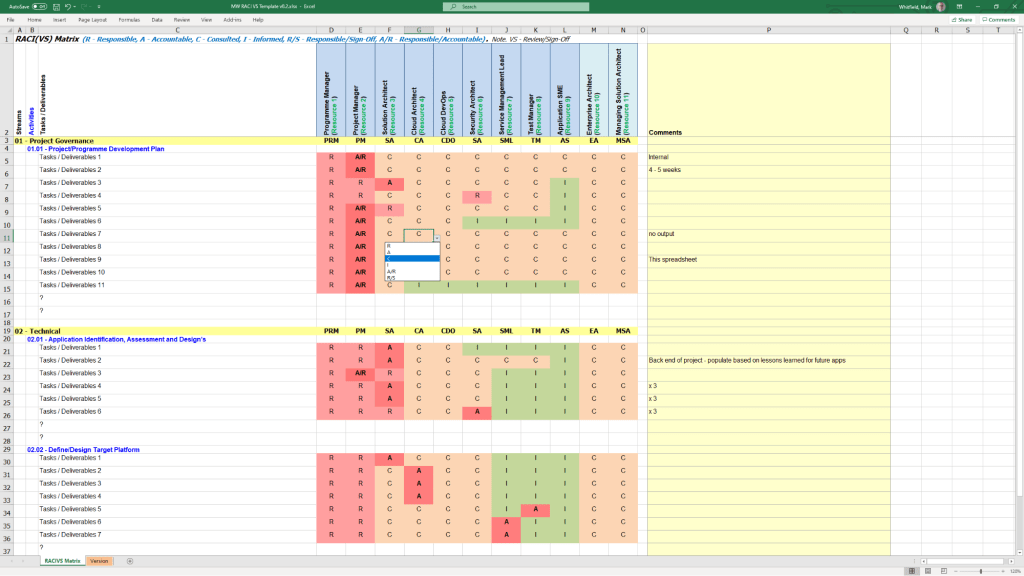
RACI Matrix: A tracker to define exactly who is Responsible, Accountable, Consulted, and Informed for each project task.
Stakeholder Analysis: Charts and planning tables designed to measure stakeholder “influence vs. impact” so you know exactly how to manage expectations.
Mobilisation Kit: Onboarding documents and team kickoff presentations to get new resources up to speed quickly.
6. Agile & Specialized Execution Templates
Agile Dependency Tracking: Tools designed specifically to monitor user stories that have hard dependencies on external suppliers or stakeholders.
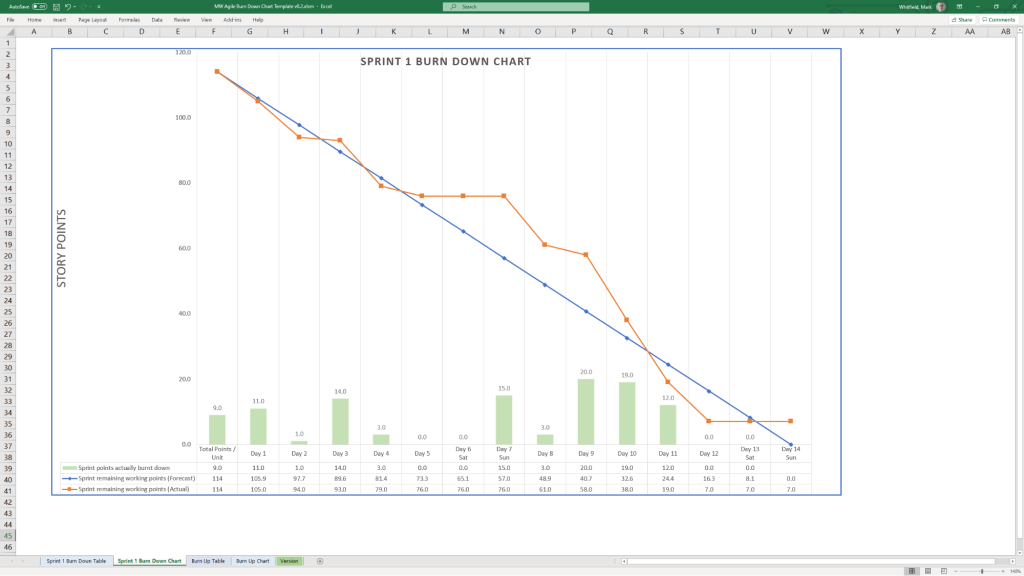
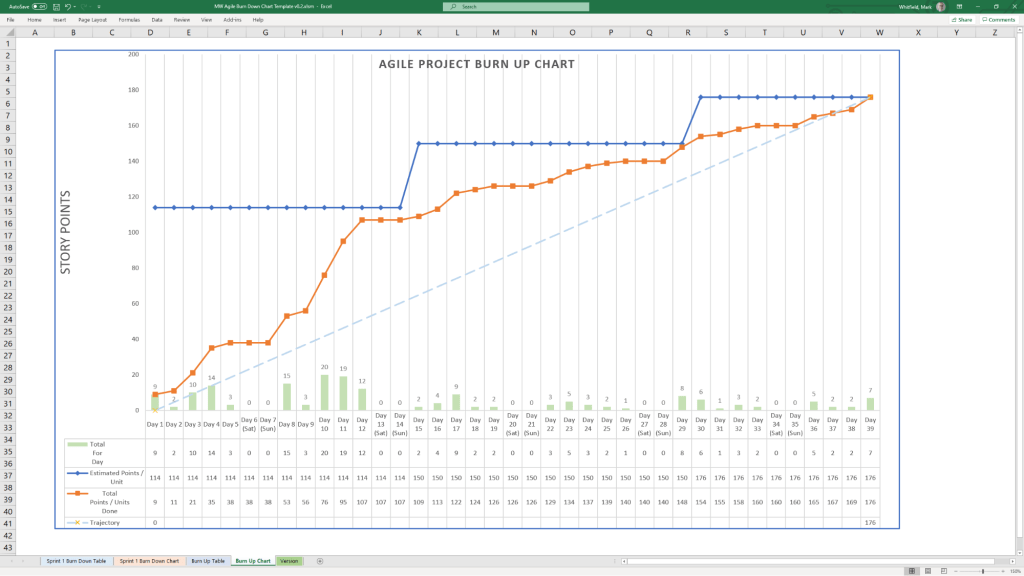
Burn Down / Burn Up Charts: Visual aids in Excel to track sprint velocity and project progression against deliverables.
Benefits Realization Plan: A spreadsheet that evaluates the project’s completed deliverables against the organization’s original business goals and financial targets.
All templates are designed for use across desktop, tablet, and cloud platforms. Purchases on his site come with lifetime free upgrades for any additions he makes to the package.
The European BASE24 User Group (EBUG) was a prominent, community-led organization dedicated to the ACI BASE24 payment processing system. It provided a vendor-neutral forum for IT professionals, banks, and processors to collaborate, share knowledge, and discuss technical tracks like HPE NonStop monitoring and payment security.
Conference Timeline
1980s — Establishment: EBUG is formed as a regional community for European financial institutions utilizing the growing BASE24 platform.
Early 2000s — Technical Growth: EBUG annual conferences become prominent technical forums featuring specialized tracks focused on Tandem/HP NonStop hardware and payment system security.
2007 — Istanbul Conference: Features heavily attended technical sessions and workshops addressing growing transaction volumes and early EMV (chip card) migrations.
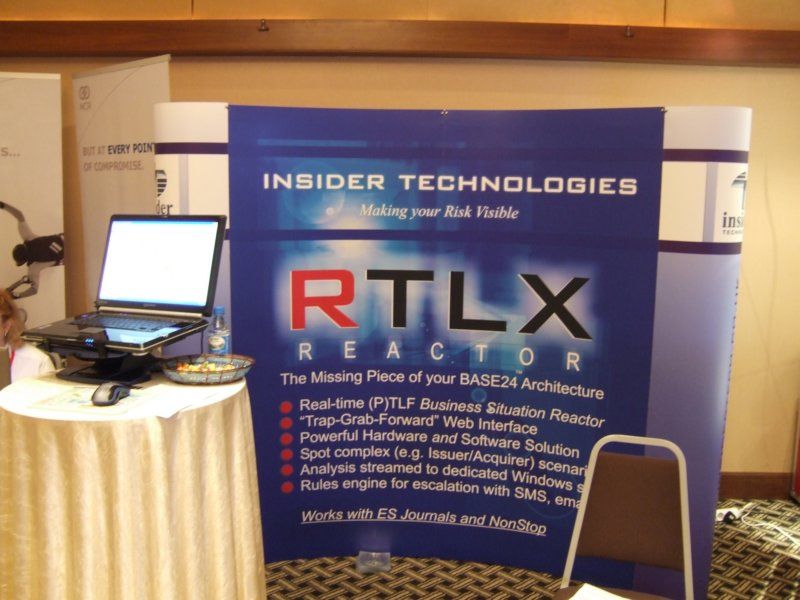
Insider Technologies regularly attended EBUG, booth in 2007
2008 — Vienna Conference: Notable for introducing ACI’s strategic shift to support IBM platforms alongside traditional HPE NonStop environments.
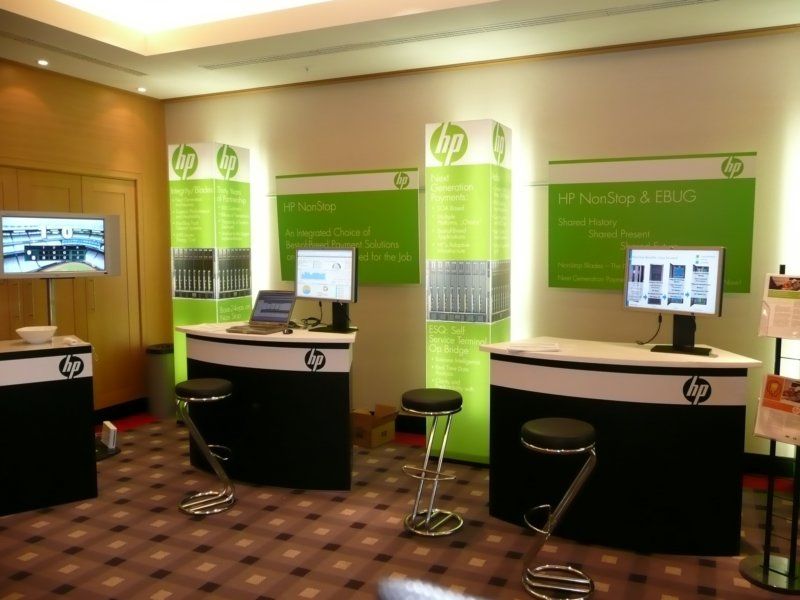
HP booth at Vienna EBUG, 2008
2009 — Prague Conference: Continues strong advocacy and technical troubleshooting for BASE24 on NonStop despite broader industry platform shifts.
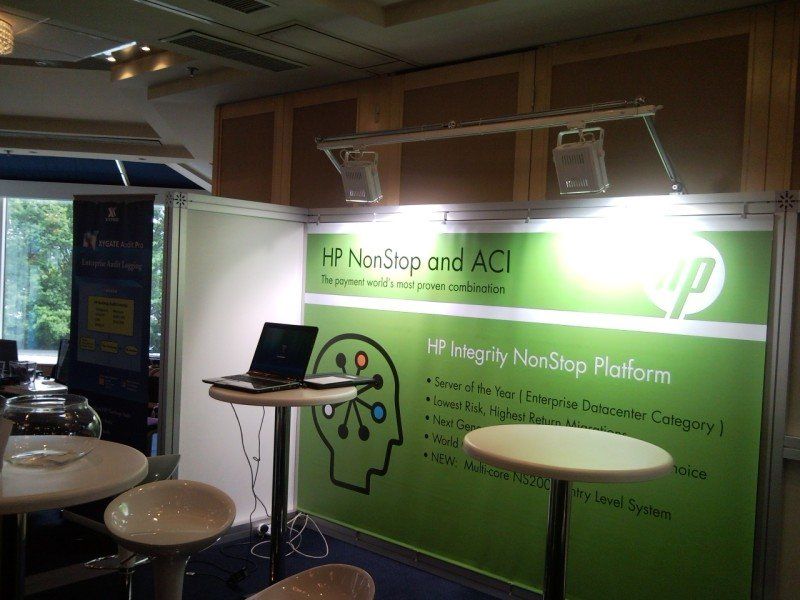
HP Booth at Prague conference, 2009
2012 — London TFG: A technical focus group is held in London at Trinity House, bringing together engineers and ACI product managers to debug and refine system architecture.
Late 2010s to Present — The “Everybody Belongs” Era: As ACI broadened its product portfolio, the user group expands its scope to include other payment technologies like Postilion. The conference formally rebrands as an independent entity, later transitioning into The Payments Knowledge Forum, to serve all payment systems users inclusively.
European BASE24 User Group (EBUG) was a prominent, community-led organization
HPE NonStop Reflex (often referred to as Reflex 80:20) is a graphical, integrated IT management suite developed by Insider Technologies. It provides continuous health monitoring, automated workflow management, and diagnostic logging for mission-critical HPE NonStop environments, serving as a single, consolidated “pane of glass” for fault-tolerant network operations.
Detailed Timeline Breakdown by Era & Year
The history of the NonStop Reflex suite closely mirrors the architectural evolution of the underlying HPE NonStop (originally Tandem) fault-tolerant hardware platforms.
1. The Tandem / ITUG Era (1989 – 1996)
1989: Insider Technologies was founded in Salford Quays, Manchester, UK, establishing an early specialization in Tandem (NonStop) messaging software and message tracking utilities.
1990s: As massive online transaction processing (OLTP) workloads grew, native Tandem utilities proved increasingly cumbersome. This spurred the initial development of platform diagnostic and event-filtering tools that would soon become the Reflex suite.
1995: Insider Technologies actively codes and launches the initial iterations of Reflex 80:20, providing operators with an aggregated view of Tandem platform events.
2. The Compaq & Early HP Transition Era (1997 – 2014)
1997: Compaq acquires Tandem Computers. Reflex 80:20 begins updating its backend architecture to handle ServerNet clustering and the newly combined enterprise platforms.
2002: Hewlett-Packard (HP) acquires Compaq. HP begins the hardware migration from proprietary processors to Intel Itanium (HP Integrity NonStop).
2004: Insider Technologies formalizes its ongoing product development, heavily pushing both Reflex 80:20 and releasing new variants like Reflex ONE24 to support extended tracking for ATM and POS networks.
2007: Reflex and other Insider monitoring software platforms are highly integrated into FIS solutions, serving tier-one global banks and stock exchanges.
2013: Insider Technologies solidifies the Reflex 80:20 status as the ultimate consolidated replacement for legacy HP components, publishing technical insights in dedicated NonStop journals.
3. The Modern HPE & x86 Era (2014 – 2019)
2014: Hewlett Packard Enterprise (HPE) is formed and officially launches NonStop X, moving the architecture onto standard Intel x86-64 processors. Reflex 80:20 interfaces are updated to support InfiniBand fabrics and the newer Open System Services (OSS) environments.
2017 – 2019: HPE launches Virtualized NonStop (vNS), bringing continuous application fault tolerance directly to private and hybrid clouds. Reflex adapts its system management capabilities to securely monitor both physical x86 non-stop servers and virtual hypervisor instances.
4. The AI & Hybrid Cloud Era (2020 – 2026)
2020: HPE ends the sale of older Itanium-based platforms. Reflex fully commits its diagnostic support to modern HPE NonStop X and vNS environments.
2023 – 2024: The NonStop platform embraces AI integrations, expanded SQL/cloud workloads, and integrations with modern DevOps tools. Reflex tools receive updates to accommodate enhanced cyber resilience tracking and modern API-driven services.
2025: HPE celebrates 50 years of the fault-tolerant NonStop computing ecosystem. The Reflex suite provides compatibility for the upgraded, high-capacity hardware iterations running the L25 series OS.
2026: Reflex remains a staple ecosystem management suite for complex enterprise networks, processing and escalating exception conditions, EMS events, and subsystem alerts within the highly available HPE GreenLake consumption models.
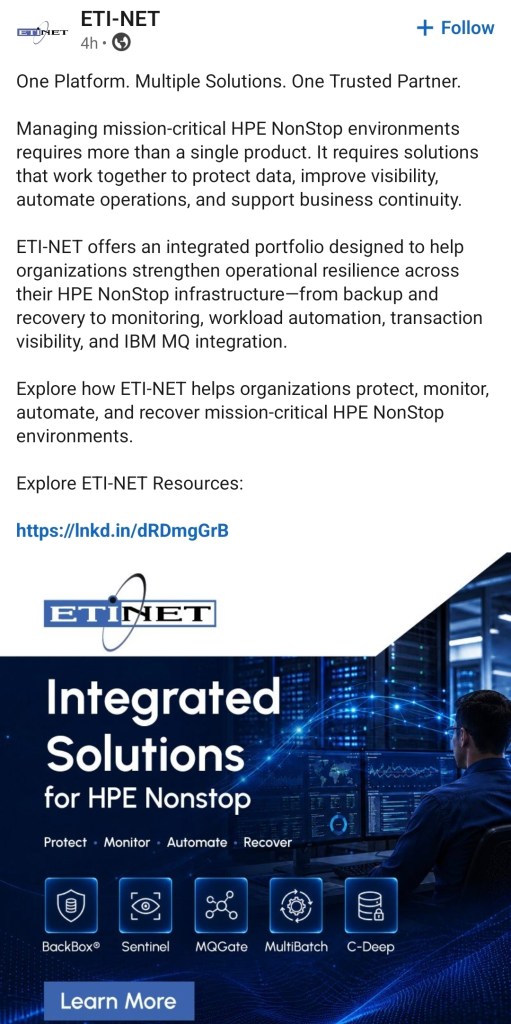
The Insider RTLX product at ETI-NET is now called C-Deep for Transaction Monitoring;