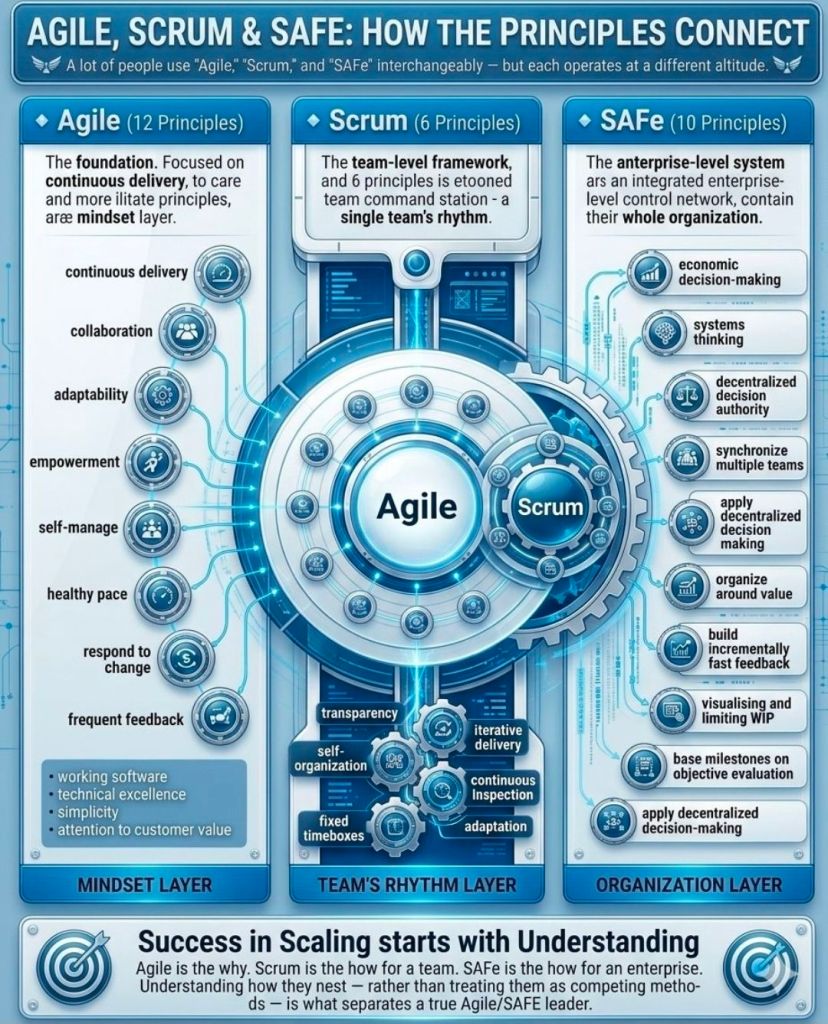
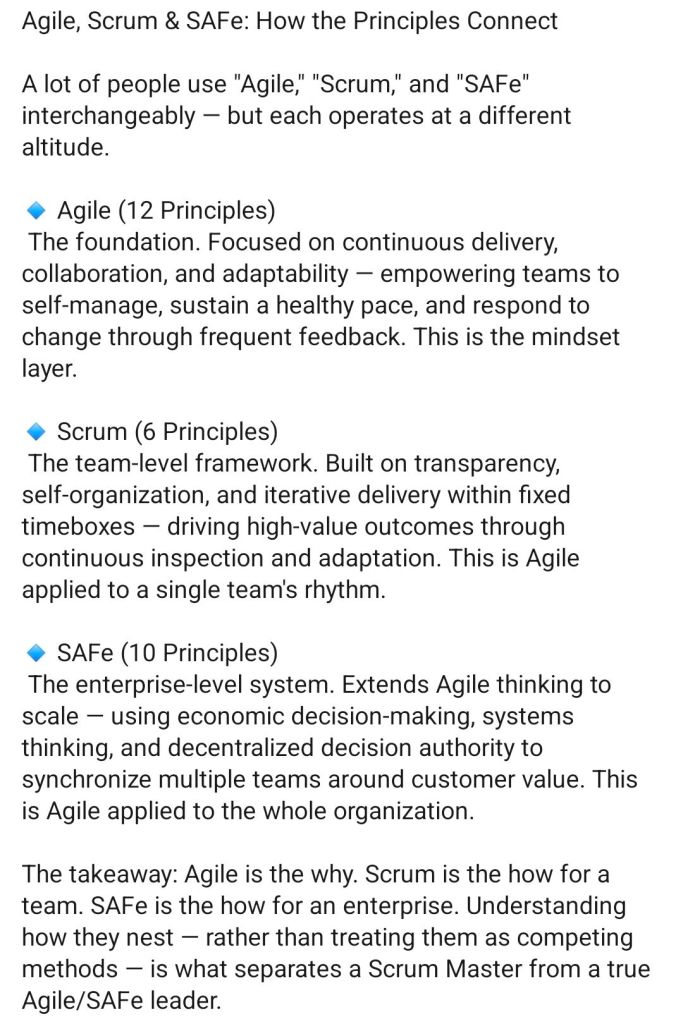
Agile, Scrum and SAFe – How the Principles Connect

Agile, Scrum and SAFe - How the Principles Connect
2. Agile, Scrum and SAFe - How the Principles Connect
Agile, Scrum and SAFe –
How the Principles Connect

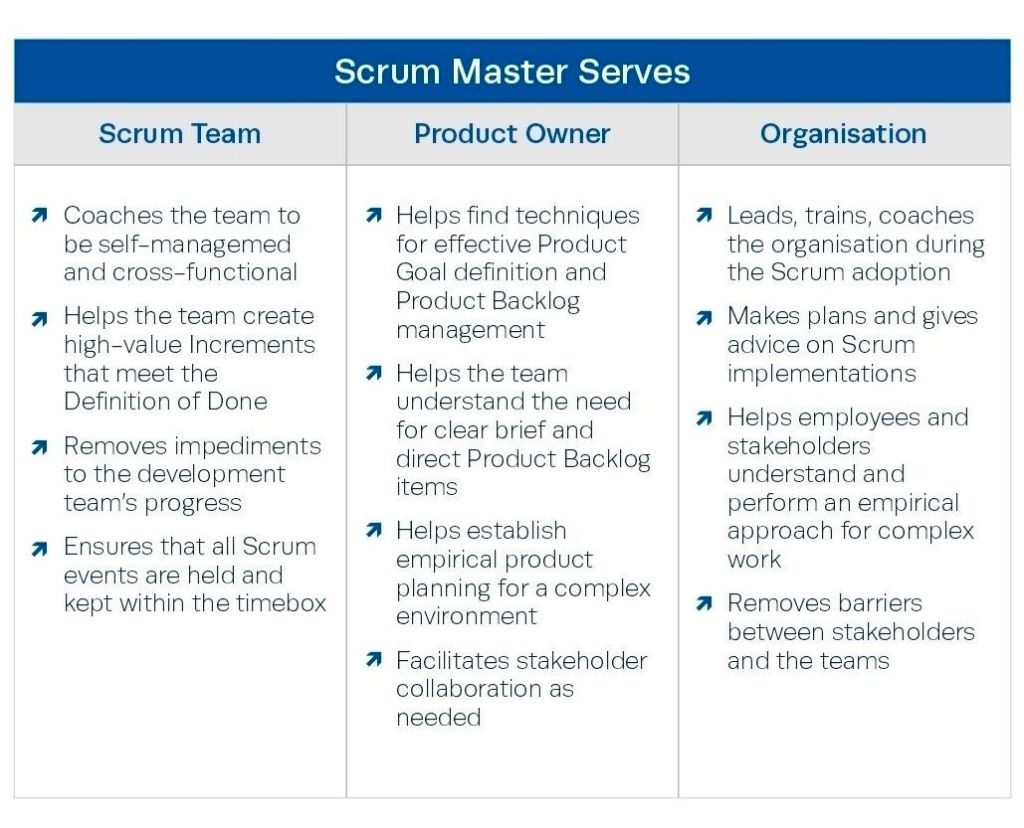
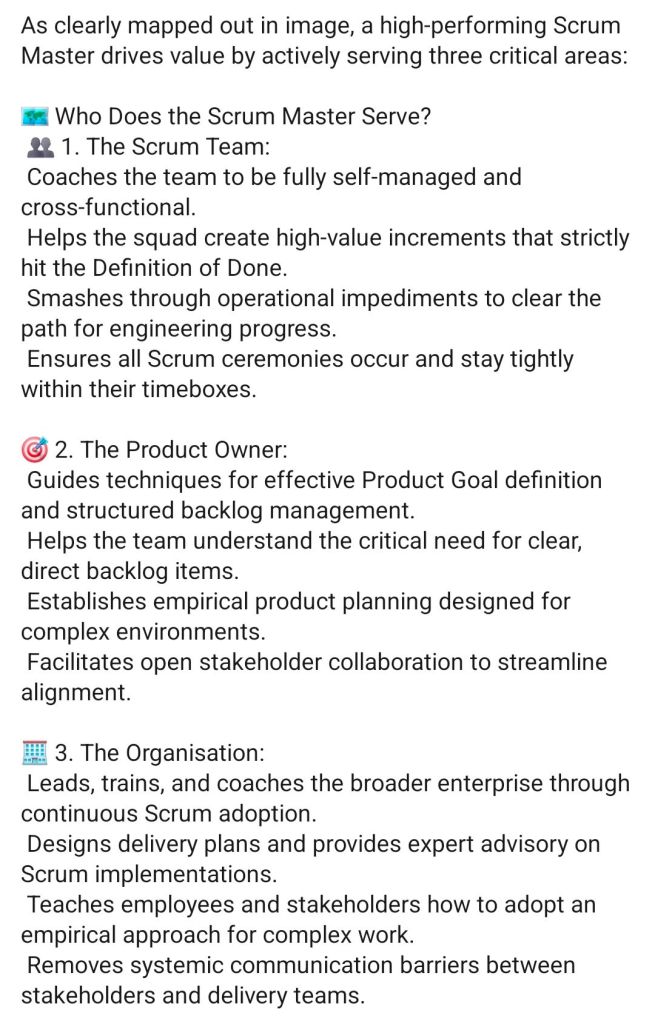
Scrum Master drives value by serving 3 critical areas

Scrum Master drives value by serving 3 critical areas
Agile Scrum Master drives value by serving three critical areas
Scrum Master drives value by
serving 3 critical areas

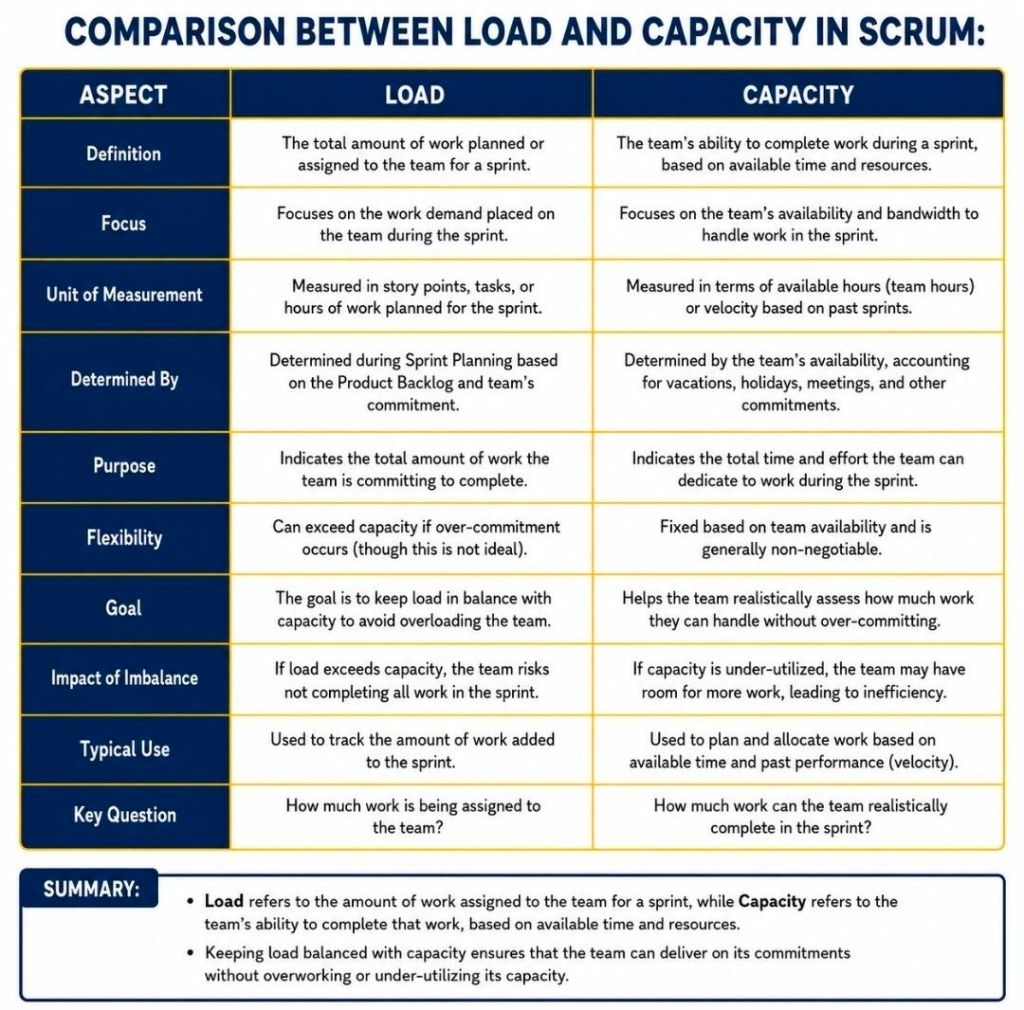
Comparison Between Load and Capacity in Agile Scrum

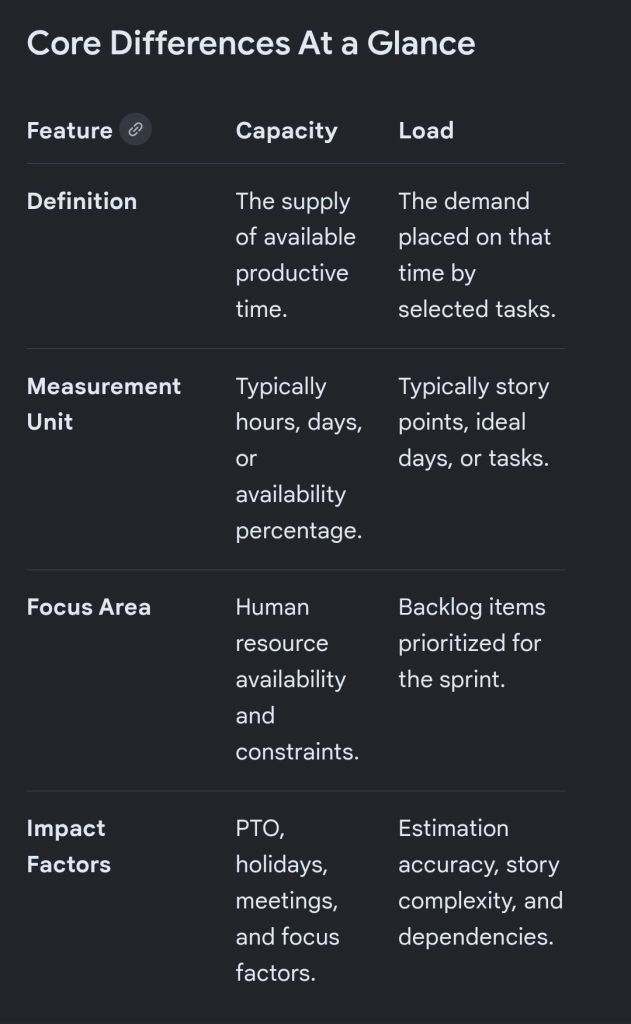
In Scrum, capacity represents the total amount of available work time a team has for an upcoming sprint, while load is the actual amount of work the team pulls into that sprint.

1 Comparison Between Load and Capacity in Agile Scrum
2 Comparison Between Load and Capacity in Agile Scrum
Comparison Between Load
& Capacity in Scrum

Understanding Capacity

Capacity acts as your ceiling. It is a forward-looking calculation performed right before sprint planning. It accounts for the reality of the upcoming calendar cycle.

  • To find a team’s capacity, you multiply total working days by the number of team members.
  • You then subtract non-productive time like public holidays, planned vacation days, and standard company meetings.
  • Finally, you apply a focus factor (typically around 70% to 80%) to account for daily distractions and context switching.

Understanding Load

Load represents the weight of the commitments made by the developers. It is the cumulative volume of user stories and tasks that the team intends to deliver during the sprint.

  • Load is entirely determined by how the team estimates the product backlog items pulled into the sprint.
  • Unlike capacity (which is restricted by time), load can theoretically be pushed to any level, though overloading creates major delivery risks.

Balancing the Relationship

The ultimate goal of a Scrum Master is to help the team balance load against capacity to maintain a sustainable pace.

  • The Safe Zone: Best practices dictate keeping your load at 10% to 20% below your absolute capacity. This visual buffer creates room for unexpected blockers or minor illness.
  • The Danger Zone (Overcommitment): An exact match where load equals capacity is considered an anti-pattern in Agile frameworks. It strips the team of flexibility, spikes burnout, encourages poor-quality code, and almost always leads to missed sprint goals.

Comparison Between Load & Capacity in Agile Scrum

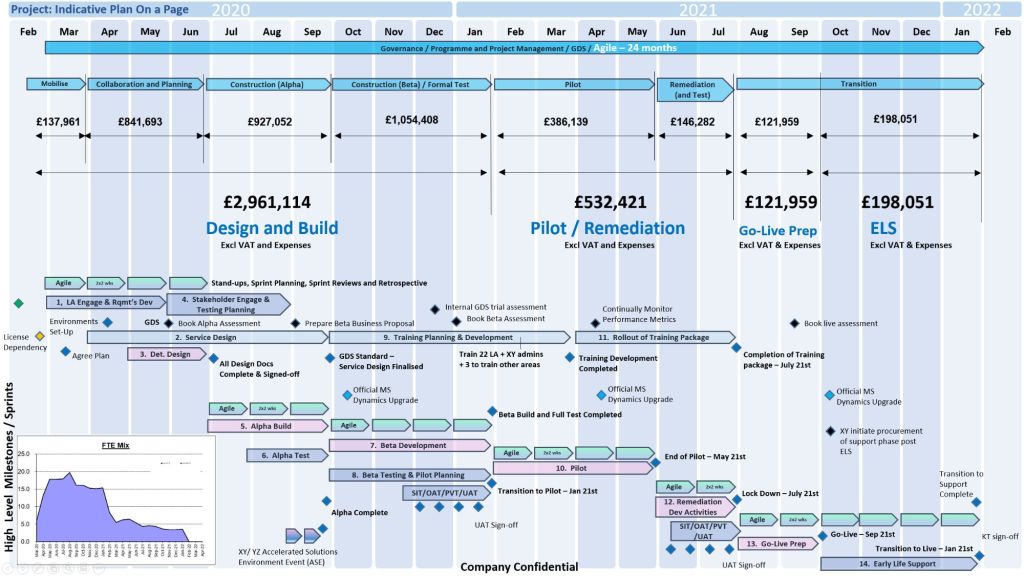
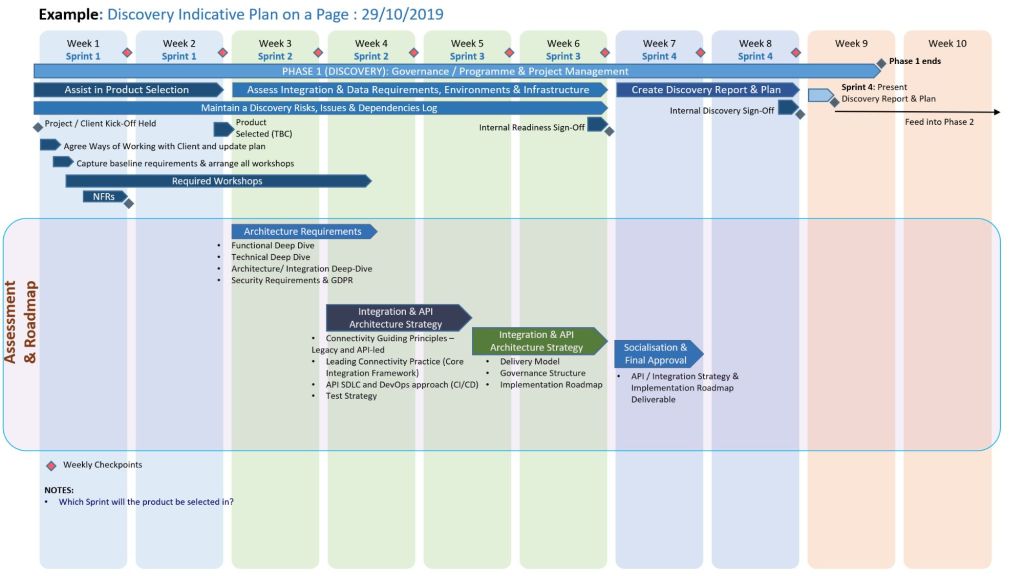
POAP Plan On a Page Example Templates for Download

Available for download here.

Plan on a page POaP example 1
POaP example 1
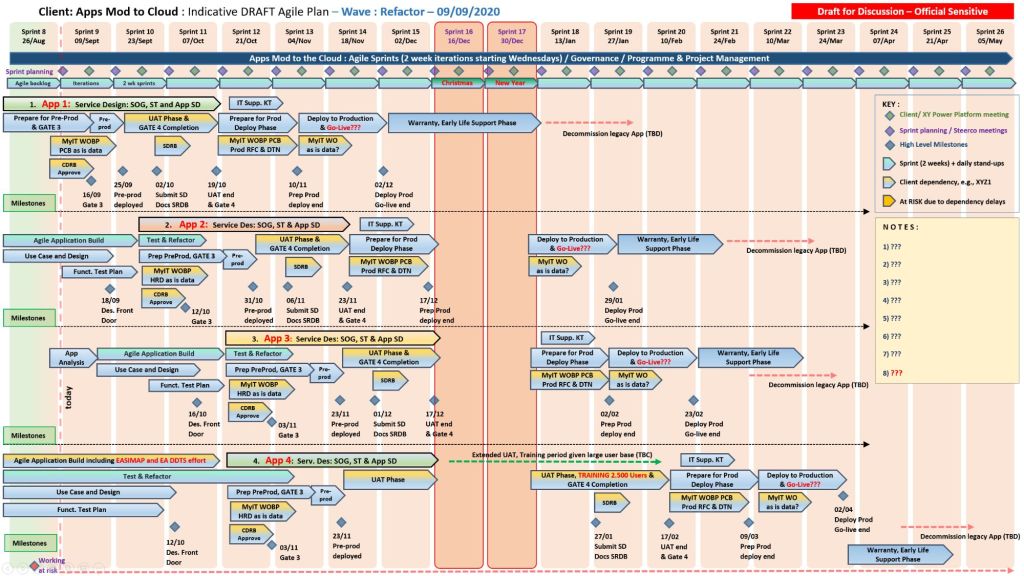
Plan on a page POaP example 2
POaP example 2
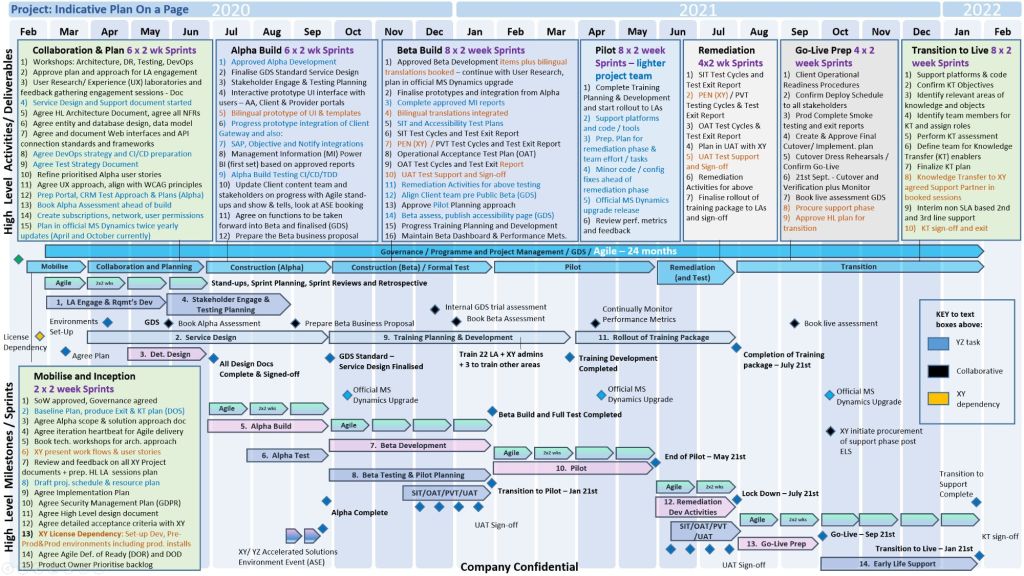
Plan on a page POaP example 3
POaP example 3
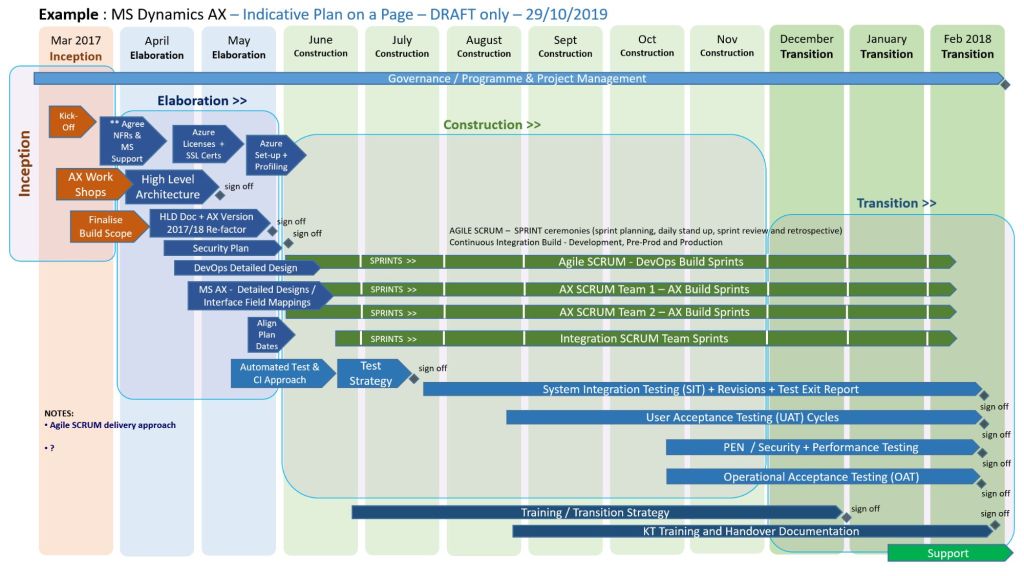
Plan on a page POaP example 4
POaP example 4
Plan on a page POaP example 5
POaP example 5
Plan on a page POaP example 6
POaP example 6
Plan on a page POaP example 7
POaP example 7

Many more examples available in download pack.

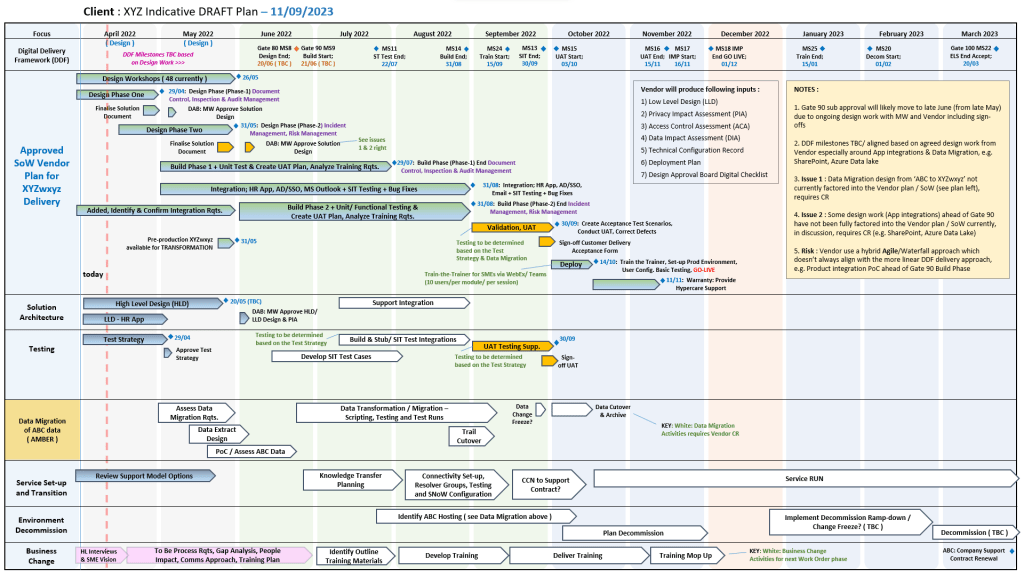
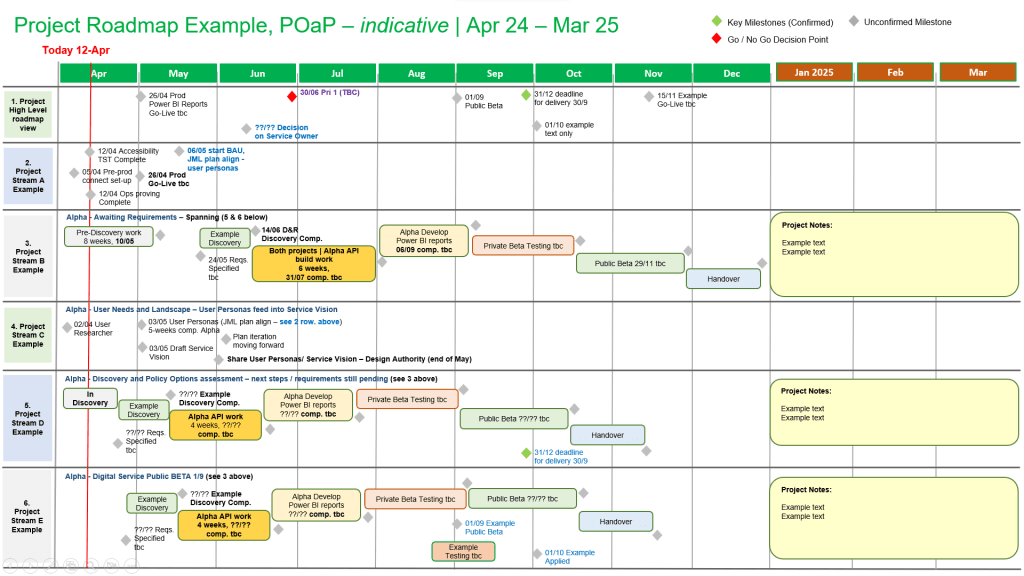
A Plan on a Page (POaP) is a concise, high-level visual summary of a project used to communicate timelines, milestones, and strategic objectives to stakeholders and executives. It condenses detailed data into an easy-to-digest, single-page format.

Core Components of a POaP

An effective POaP cuts out the noise of day-to-day task lists and focuses purely on headline information. It typically includes:

  • Project Overview: Title, project manager, and the overarching business objective.
  • Timeline & Milestones: A horizontal, time-phased bar chart mapping the project’s key phases.
  • Key Deliverables: 4 to 6 major outputs or goals required for success.
  • Risks & Dependencies: Critical blockers that require executive attention.

Why and When to Use It

  • Steering Committees: Ideal for Steering Committee meetings (Steerco) where executives need to see progress at a glance.
  • Stakeholder Alignment: Keeps teams focused on strategic vision rather than getting “lost in the weeds” of daily operations.
  • Client Updates: Acts as an excellent executive summary for clients without overwhelming them with micro-details

POAP Plan On a Page Example Templates for Download

Mark Whitfield 200+ Project Management Templates
Mark Whitfield | 200+ Project Management Templates

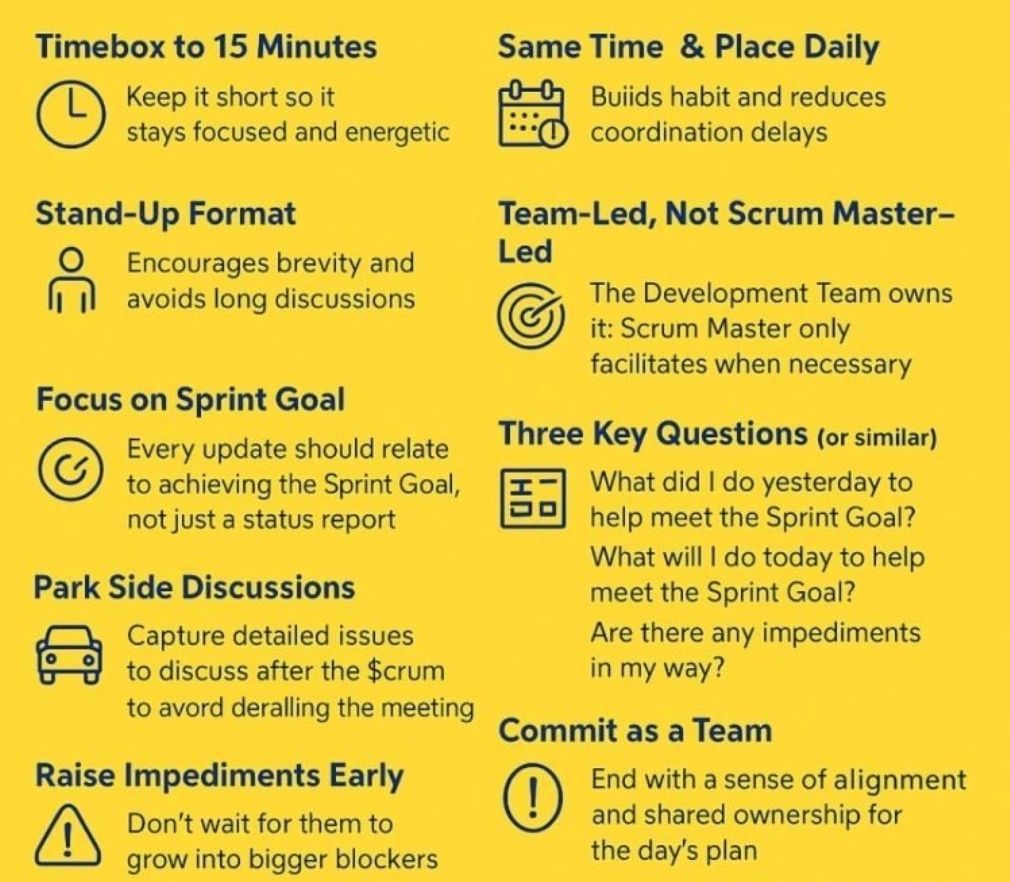
Daily Scrum format and step-by-step walkthrough

The Daily Scrum is a strictly time-boxed 15-minute daily planning event designed for the developers of a Scrum team to inspect progress toward the Sprint Goal and adapt their plan for the next 24 hours. It is not a management status report; it is a collaborative alignment ritual owned completely by the people doing the execution work.

Daily Scrum is a strictly time-boxed 15-minute daily planning event
Daily Scrum is a strictly time-boxed
15-minute daily planning event

Here is a step-by-step walkthrough of how to run an effective Daily Scrum, including modern formats and common pitfalls.

📋 The Event Overview

  • Time-box: Strictly 15 minutes max.
  • When & Where: Held at the exact same time and place every working day to minimize complexity.
  • Primary Audience: Developers. The Scrum Master and Product Owner can attend, but they only participate if they are actively working on Sprint Backlog items.

🚶‍♂️ Step-by-Step Walkthrough

1. Kickoff & Goal Review (Minutes 0 – 2)

  • Start on time: Never wait for latecomers; starting promptly builds professional respect and consistency.
  • Anchor to the Goal: The facilitator opens the session by clearly showing or reading aloud the Sprint Goal. Every update that follows must tie back to this shared objective.

2. Execution & Synchronization (Minutes 2 – 12)

The team syncs on current progress. Depending on your team’s preference, select one of these common execution formats:

Format A: “Walking the Board” (Highly Recommended)

Instead of focusing on individual people, focus on the work items themselves.

  • Start from the rightmost column of your Sprint Board (closest to “Done”) and work backward.
  • The team discusses the highest-priority item currently in progress.
  • The individuals contributing to it answer: What will it take to pull this specific card over the finish line today?
  • Repeat this for subsequent active tickets until you run out of items in progress.

Format B: The Classic Three Questions

Each developer takes turns speaking, keeping their personal update to under 60 seconds. They answer:

  • What did I do yesterday that helped the team meet the Sprint Goal?
  • What will I do today to help the team meet the Sprint Goal?
  • Do I see any impediments that prevent me or the team from meeting the Sprint Goal?

3. Parking Lot Identification & Wrap-up (Minutes 12 – 15)

  • Spotlight Impediments: If someone mentions a blocker, note it down on a visible impediment tracker. Do not try to solve the problem right now.
  • Form the After-Meeting: Identify which specific team members need to stay behind to solve the blocker.
  • Adjourn on time: Release everyone else exactly at or before the 15-minute mark to let them protect their deep-focus work time.

⚠️ Common Pitfalls to Avoid

  • Turning it into a status report: If developers look at the Scrum Master or Product Owner while talking, they are reporting status. Ensure team members look at each other or the sprint board.
  • Falling into deep problem-solving: The Daily Scrum is for identifying issues, not fixing them. Use the “ELMO” technique (Enough, Let’s Move On) if conversations drift into technical design.
  • Rambling or multi-tasking: Keep updates brief and focus exclusively on the current sprint. For remote teams, keeping video cameras turned on enhances presence and keeps attention sharp.

Daily Scrum format and step-by-step walkthrough

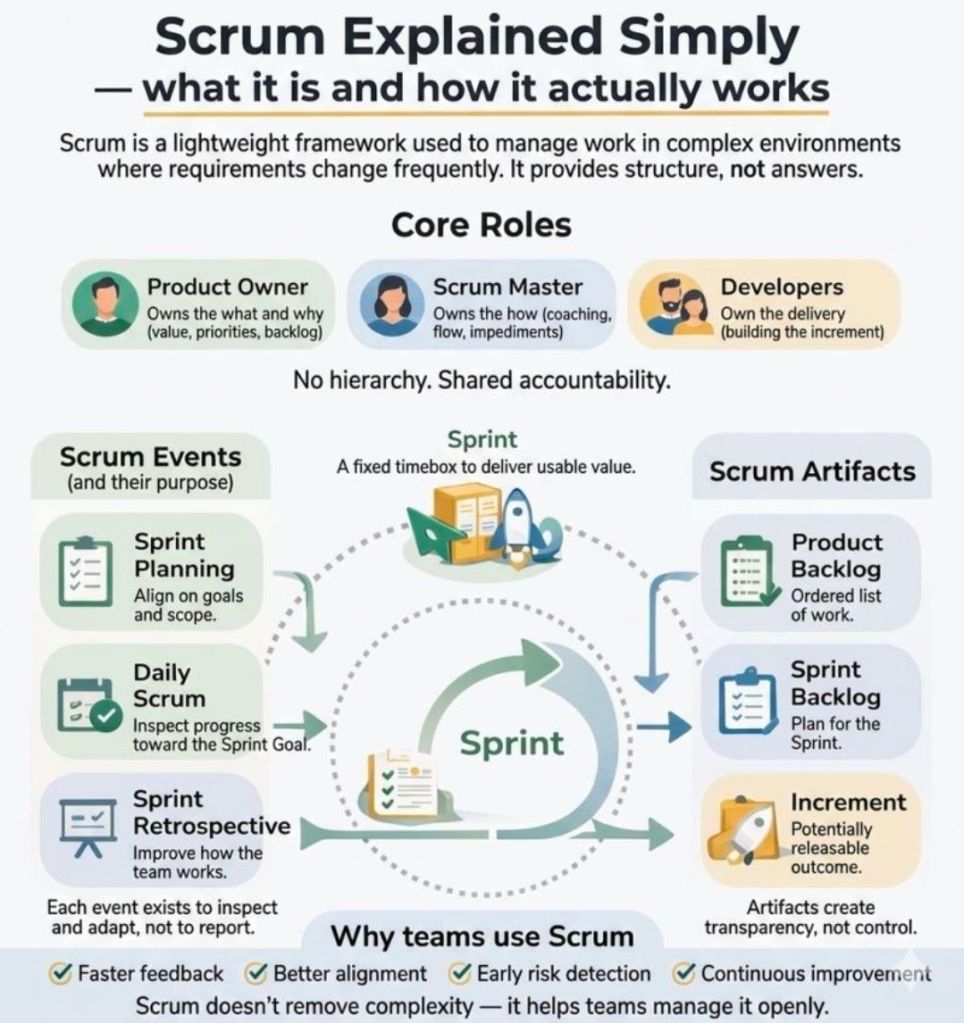
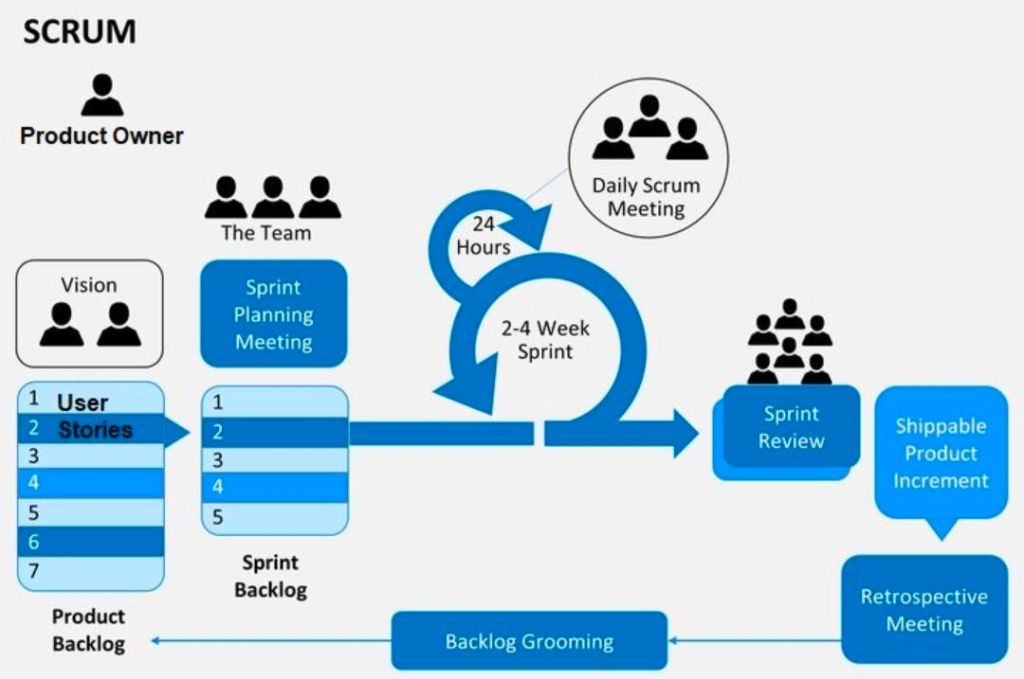
1. Agile Scrum Explained Simply - what it is and how it actually works
1. Agile Scrum Explained Simply –
what it is and how it actually works
2. Agile Scrum Explained Simply - what it is and how it actually works
2. Agile Scrum Explained Simply –
what it is and how it actually works

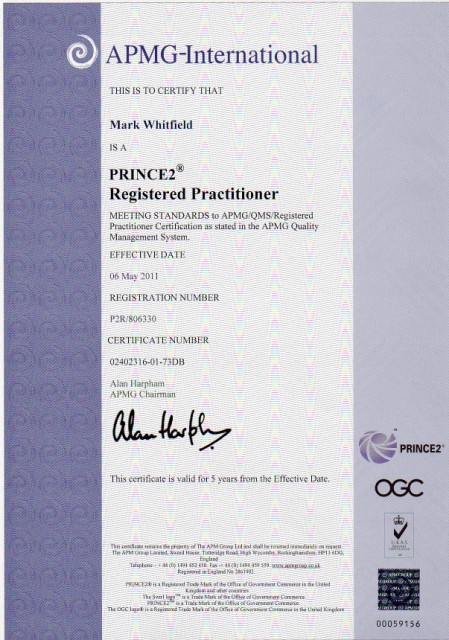
Mark Whitfield Project Management Professional Training Certificates

Mark Whitfield, Project Management Professional Training Certificates
Project Management Professional Training

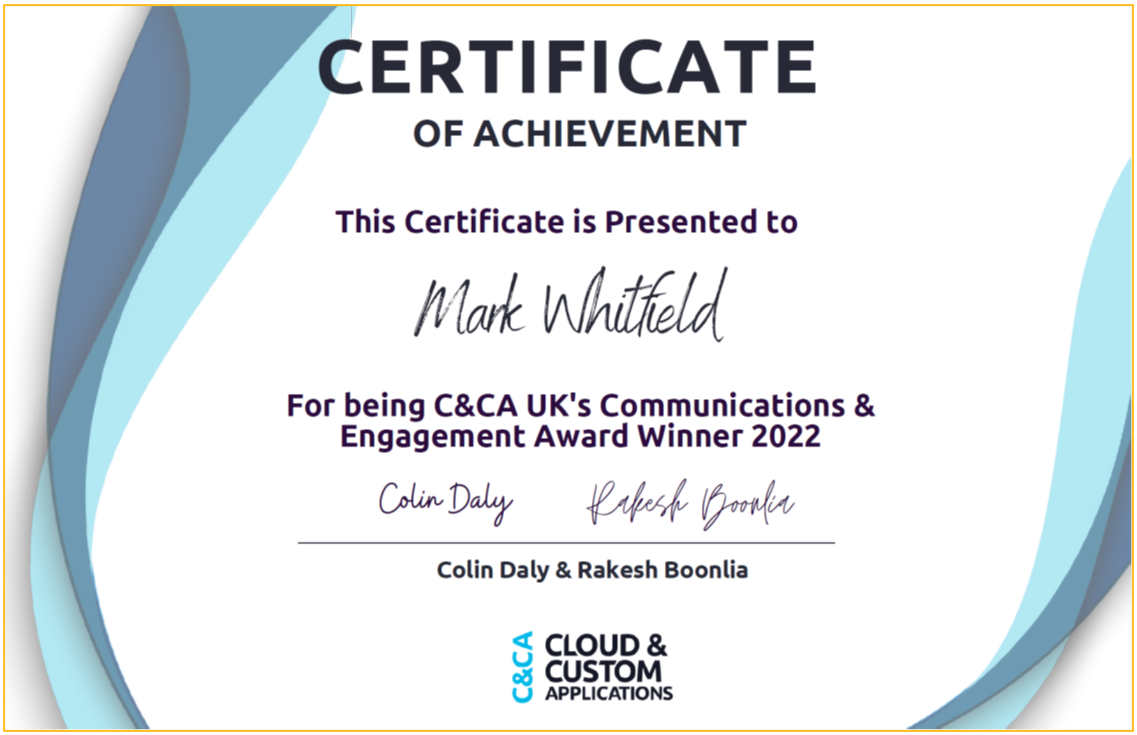
December 2022 – C&CA UK’s Communications & Engagement Award Winner – Cloud & Custom Applications – Capgemini UK

Capgemini C&CA UK's Communications & Engagement Award Winner 2022 - Cloud & Custom Applications - Capgemini UK
December 2022 – Capgemini C&CA UK’s Communications & Engagement Award Winner

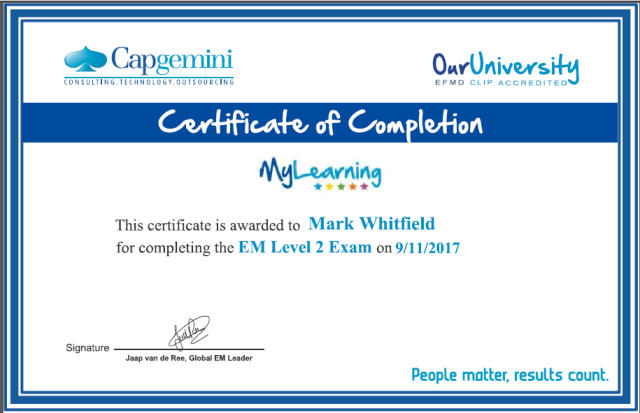
November 2017 – Advanced Engagement Management Course – Level 2 Exam

November 2017 – Capgemini Advanced Engagement Management Course – Level 2 Exam
November 2017 – Capgemini Advanced Engagement Management Course

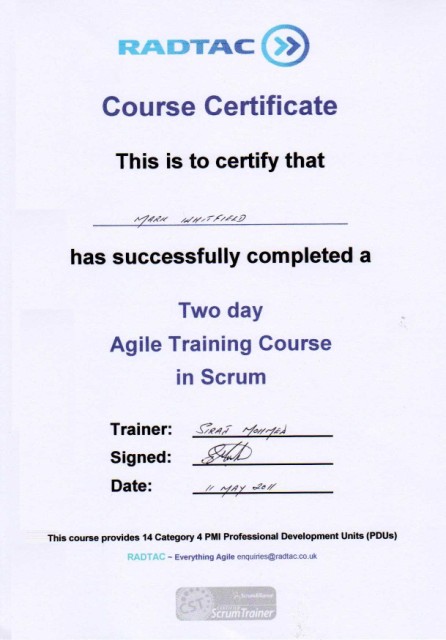
May 2011 – Agile SCRUM Training Course

May 2011 – Agile SCRUM Training Course mark whitfield
May 2011 – Agile SCRUM Training Course

May 2011 – Registered PRINCE2 Practitioner with ILX

May 2011 – Registered PRINCE2 Practitioner with ILX

May 2000 – Microsoft Project: Orange Belt –
Managing a Single Project with Microsoft Office Project 98

May 2000 – Microsoft Project: Orange Belt –
Managing a Single Project with Microsoft Office Project 98
May 2000 – Microsoft Project: Orange Belt

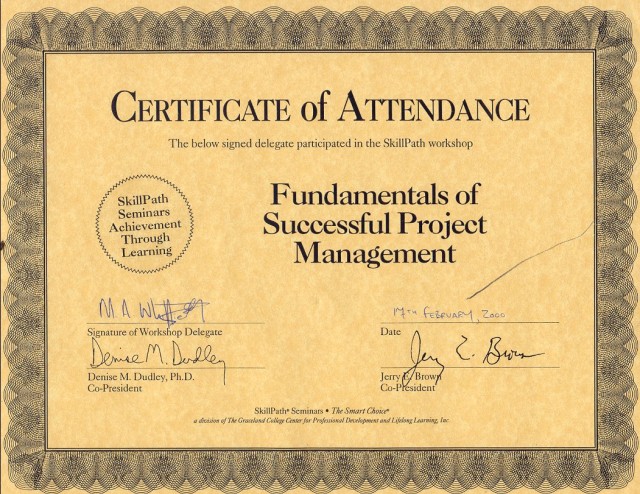
February 2000 – Fundamentals of Successful Project Management

February 2000 – Fundamentals of Successful Project Management

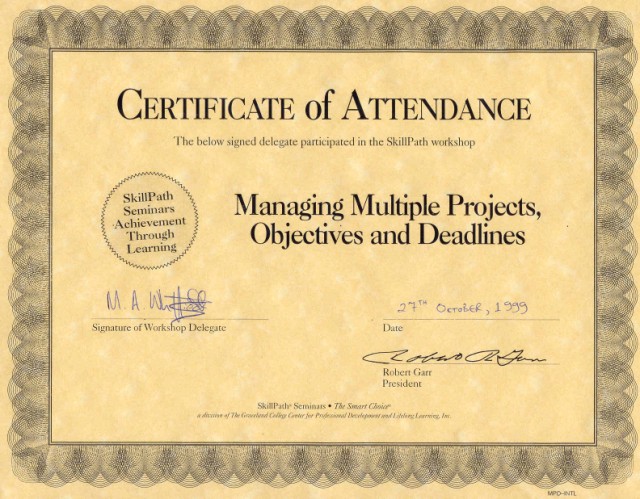
October 1999 – Managing Multiple Projects, Objectives and Deadlines

October 1999 – Managing Multiple Projects, Objectives and Deadlines

June 1990 – Higher National Diploma in Computer Studies
(DISTINCTION – overall top) – BIHE

June 1990 – Higher National Diploma in Computer Studies (DISTINCTION – overall top) – BIHE
June 1990 – Higher National Diploma in Computer Studies, Distinction

Mark Whitfield Project Management Professional Training Certificates

The PRINCE2 7 AI Practice Guide recommends specific artificial intelligence categories

The PRINCE2 7 AI Practice Guide recommends specific artificial intelligence categories to streamline project delivery while strictly adhering to six core governance principles. In a PRINCE2 environment, AI acts strictly as an advisory tool, meaning that human accountability remains completely non-negotiable.

🛠️ Recommended AI Technologies for Delivery

PRINCE2 breaks down the most effective AI systems for project delivery into four core categories:

  • Decision Support Systems (DSS): Used to enhance scheduling, estimate task durations, and predict baseline deviations using historical data analytics.
  • Expert Systems: Configured using rule-based decision trees to automate routine governance workflows like initial change control and quality tolerance reviews.
  • Natural Language Processing (NLP): Leveraged to draft product descriptions, analyse text-heavy project logs, and evaluate extensive stakeholder documentation.
  • Chatbots & Virtual Assistants: Integrated to give team members and stakeholders real-time, automated project status updates at various stages.

📋 The 6 Foundational AI Principles in PRINCE2

When deploying these AI tools during the Managing Product Delivery stage, teams must follow the framework’s official compliance principles:

  1. Human Accountability: AI outputs must be handled strictly as advice, never final verdicts. Humans retain all formal decision-making authority.
  2. Absolute Transparency: Every AI recommendation must be recorded in an AI usage log. This includes the prompts, the output, and the human reviewer’s name.
  3. Strict Data Control: Project data must be stored in secure, compliance-cleared repositories. Personal identifiers must be stripped before processing.
  4. Value-Driven Use: Every AI activity must explicitly justify its inclusion by saving time, reducing costs, or directly protecting the business case.
  5. Proportionality: AI use must match the project’s scale. Use simpler text summaries for small projects, saving predictive ML models for complex ones.
  6. Continuous Learning: Post-stage reviews must evaluate AI performance alongside regular deliverables. Successful prompts and tool failures are logged for future stages.

💼 Professional Training & Official eLearning Options

If you are looking to master how the updated framework handles modern, technology-driven environments, several official certifications are available online:

  • PRINCE2 Agile Foundation Official eLearning: This course focuses heavily on balancing structured governance with highly flexible, modern delivery layers. You can purchase this complete digital package directly from Zindiak.
  • PRINCE2 Foundation & Practitioner Exam Plus Take2: A complete testing package featuring scenario-based testing, flexible scheduling, and a built-in safety net re-sit option. It can be booked online via PPM Careers.
  • PRINCE2 Programme Management Foundation & Practitioner: Best suited for leading large-scale transformational changes and complex multi-project portfolios. Live virtual classes and structured paths can be booked through prince2.com or ilxgroup.com.

The PRINCE2 7 AI Practice Guide recommends specific artificial intelligence categories

Agile Scrum and Artificial Intelligence AI Role for Delivery
AI enhances Agile Scrum by automating routine administrative tasks and providing predictive data analytics, allowing teams to deliver high-quality increments faster. It accelerates delivery across the entire lifecycle, from backlog grooming and sprint planning to continuous testing and retrospective analysis.

AI serves as a powerful facilitator in Agile environments, streamlining key processes across the framework:

1. Backlog Management & Planning

  • Story & Task Generation: AI models can ingest unstructured business requirements and automatically generate structured user stories and acceptance criteria.
  • Intelligent Forecasting: Platforms utilize historical velocity and predictive algorithms (like Monte Carlo simulations) to forecast delivery dates and run what-if capacity simulations.
  • Estimation: AI assists developers by breaking down large epics into smaller tasks and suggesting relative effort based on past projects.

2. Daily Execution & Development

  • Coding Assistants: AI tools generate boilerplate code, assist with refactoring, and automate unit test creation to speed up development cycles.
  • Automated QA: AI inspections and vulnerability scanning ensure continuous quality assurance, allowing for rapid defect detection.

3. Scrum Ceremonies

  • Meeting Automation: AI tools (like meeting transcribers) generate automated sprint reports, summarize stand-ups, and track action items, saving Scrum Masters valuable time.
  • Retrospective Insights: AI analyzes sentiment and historical cycle time trends to highlight blockers and suggest actionable continuous improvement points.

While AI accelerates output, Agile emphasizes human empiricism. AI acts as an advisor, augmenting human judgment in prioritization and anticipating value, while Product Owners and teams retain ownership of the strategic direction and final commitments.

Also…

Artificial Intelligence (AI) is transforming Agile Scrum from a reactive framework into a predictive powerhouse. Rather than replacing human roles, AI serves as an “advisor” or “delivery catalyst” that cuts through the operational noise, allowing Scrum teams to focus on strategy, coaching, and actual value delivery.

The primary use cases for AI across Agile Scrum delivery are structured below by core accountability and phase.

🚀 Backlog Refinement & Product Ownership

Product Owners are major beneficiaries of AI automation, using it to rapidly move from raw stakeholder feedback to concrete, structured deliverables.

  • Automated User Stories: Generates draft user stories based on product feature briefs, user interview summaries, or raw documentation.
  • Accepting Criteria Creation: Produces detailed, high-quality Given-When-Then criteria, ensuring edge cases are addressed before a sprint begins.
  • Story Splitting: Scans large backlog items (Epics) and suggests logical boundaries to break them down into smaller, sprint-ready tasks.
  • Sentiment Synthesis: Ingests massive pools of unstructured customer feedback, clustering themes automatically to guide roadmap prioritization.

📊 Smarter Sprint Planning & Estimation

Predictive analytics eliminates reliance on human guesswork during planning sessions.

  • Predictive Forecasting: Uses machine learning models (like Monte Carlo simulations) to analyze historical velocity. It provides probabilistic delivery windows instead of single-date projections.
  • Capacity Optimization: Evaluates developer skill sets and availability to recommend optimized task assignments. This maintains healthy Work In Progress (WIP) limits and prevents developer burnout.
  • Early Risk Detection: Flags hidden dependencies or incomplete definition-of-ready requirements before work enters the active sprint.

🛠️ Active Sprint Delivery & Flow Optimization

During the sprint, AI acts as an early warning system to keep development on schedule.

  • Predictive Burndown Charts: Recognizes code and ticket-tracking patterns mid-sprint to predict if a team will miss its commitment.
  • Bottleneck Identification: Automatically flags tickets that are stalled, constantly rolling over, or blocked by external dependencies.
  • Admin Automation: Automatically triages incoming support bugs, updates ticket statuses, issues reminders, and drafts documentation.

🔄 Team Reflection & Retrospectives

AI helps the Scrum Master enhance empirical learning during sprint ceremonies.

  • Meeting Synthesis: Transcribes and summarizes standups and reviews, extracting key action items without human data-entry overhead.
  • Sentiment Analysis: Evaluates team communication channels to detect hidden friction, collaboration blocks, or dipping morale.
  • Trend Tracking: Cross-references action items from past retrospectives against subsequent sprint data to prove if improvements actually succeeded.

🛠️ Industry AI Tools in Action

Many delivery platforms now native-embed AI to streamline Scrum processes:

Platform Tool – Core Agile Capability (below):

Atlassian Intelligence / Jira – Surfaces delivery risks, predicts timelines, and automates ticket creation.

ClickUp Brain – Generates user stories, summarizes meetings, and drafts retrospective action plans.

Miro Assist – Groups brainstorming sticky notes by topic and generates summaries or next steps.

Forecast AI – Facilitates long-term resource capacity planning and automated timeline estimation.


⚠️ The Critical Boundary: The Human Loop

According to modern frameworks by organizations like Scrum.org and the Project Management Institute (PMI), AI should never own accountability:

  1. AI is an advisor, not a decision-maker: Humans own commitments and strategic vision; AI merely presents options based on historical numbers.
  2. The “Vague In, Vague Out” rule: If a team writes weak user stories or provides poor prompt data, AI output will simply amplify those execution flaws.
  3. Hallucination risks: LLMs struggle with precise math and statistical calculations; all AI-generated velocity metrics must be manually verified.

Agile Scrum and Artificial Intelligence AI Usage for Delivery