

The Critical Path Method (CPM) is a mathematical algorithm used for scheduling a set of project activities. It identifies the longest sequence of dependent tasks required to complete a project, which in turn determines the shortest possible duration to finish it.
Timeline of the Critical Path Method
The evolution of CPM is categorised into four primary eras, moving from manual mathematical foundations to modern AI-driven automation.
1. Pre-Formalisation Era (1940s – Early 1950s)
- 1940–1943: DuPont develops precursor techniques for scheduling that are applied to the Manhattan Project.
- Early 1950s: Growing complexity in industrial plants leads to “scheduling crises,” where traditional Gantt charts are no longer sufficient for managing thousands of interdependent tasks.
2. The Development & Mainframe Era (1956 – 1969)
- 1956: Morgan R. Walker of DuPont and James E. Kelley Jr. of Remington Rand begin collaborative research to improve plant maintenance scheduling.
- 1957–1958: The duo formalises the Critical Path Method (CPM).
- 1958: The U.S. Navy and Booz Allen Hamilton develop the Program Evaluation and Review Technique (PERT) for the Polaris missile program; it is from this project that the term “critical path” is actually coined.
- 1959: The first computer-based CPM is implemented on a UNIVAC mainframe, allowing DuPont to reduce plant maintenance downtime from 125 to 78 hours.
- 1966: CPM is used for the first time in a massive skyscraper project for the construction of the World Trade Center Twin Towers in New York City.
3. The PC Revolution & Methodology Expansion (1970s – 1999)
- 1970s: Dedicated project management software companies like Oracle (then Software Development Laboratories) begin to emerge.
- 1984: Eliyahu M. Goldratt introduces the Theory of Constraints (TOC), which later influences the development of the Critical Chain.
- 1980s: The advent of the Personal Computer (PC) makes CPM accessible to smaller companies, moving it away from expensive, bulky mainframes.
- 1997: Eliyahu M. Goldratt introduces Critical Chain Project Management (CCPM), a more sophisticated evolution of CPM that accounts for resource constraints and buffers.
4. Modern Era: Digital Integration & AI (2000 – Present)
- 2000s–2010s: CPM becomes a standard feature in cloud-based tools like Asana, Wrike, and Microsoft Project, allowing for real-time schedule updates.
- 2020: The COVID-19 pandemic accelerates the adoption of virtual project management tools, where CPM is used to manage remote, globally distributed teams.
- 2025–Present: Artificial Intelligence is increasingly used to predict risks and automatically calculate “crashing” scenarios (reducing task duration to shorten the overall project) based on historical data.
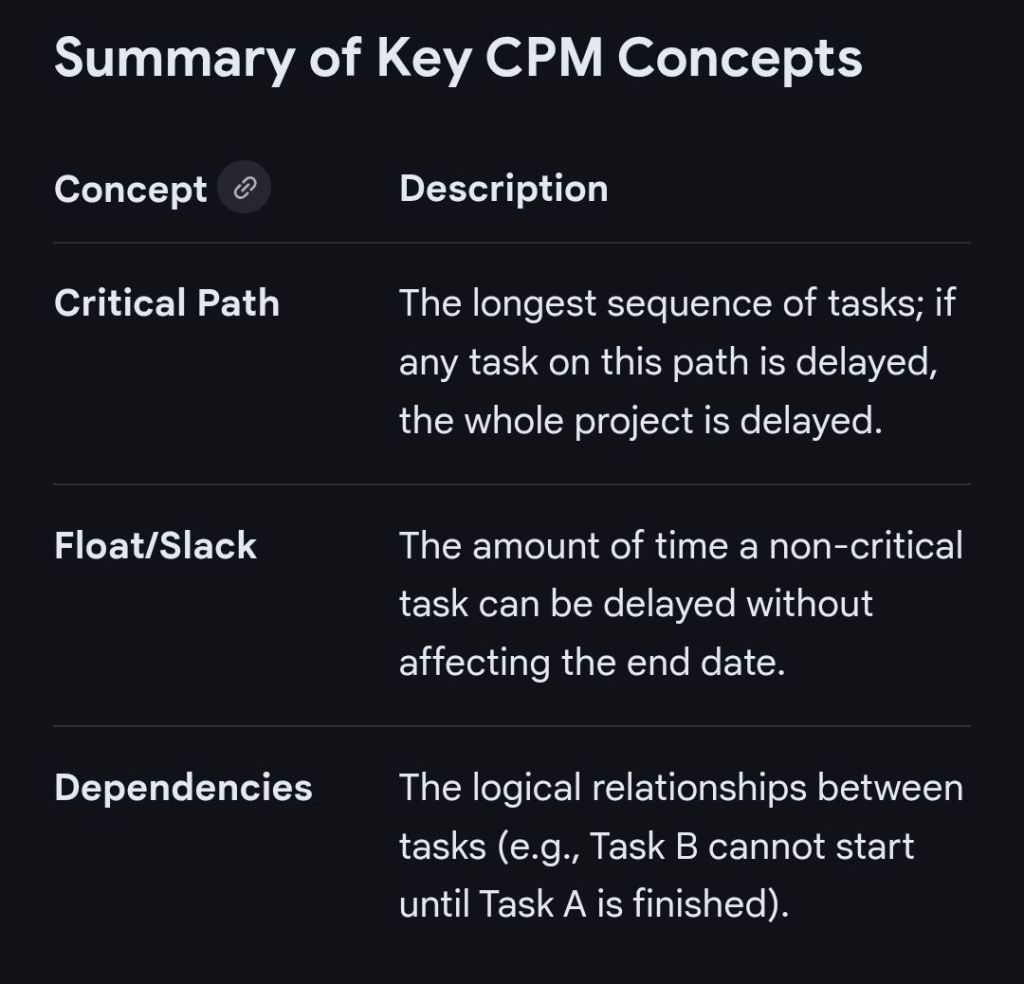
Critical Path Method CPM Overview and Timeline by year
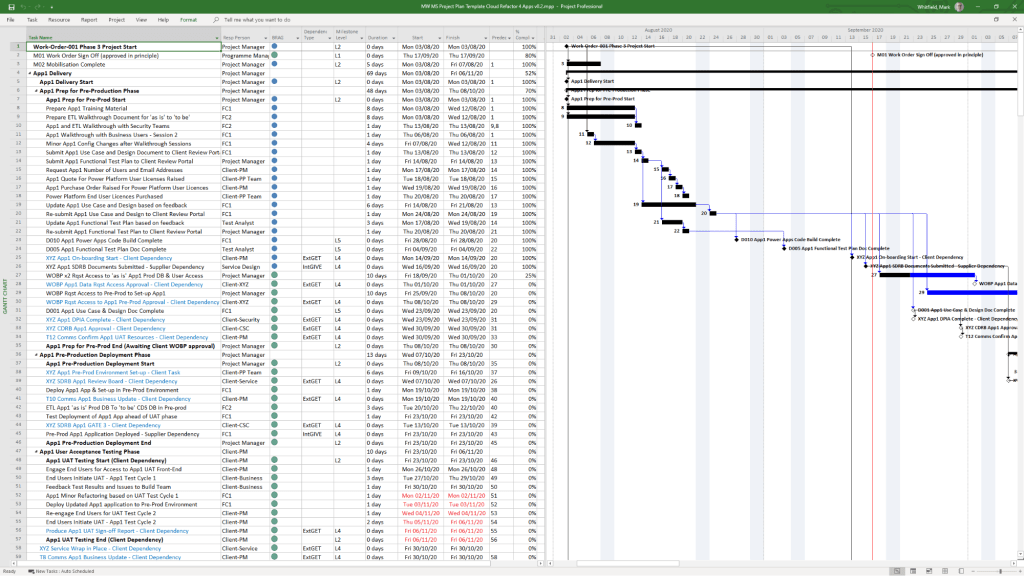
 PROject Templates
