Third Normal Form 3NF Development Timeline and Example

The Third Normal Form (3NF) is a standard for database design that ensures data integrity by removing transitive dependencies. Its development was part of the foundational era of the relational model. 

Comprehensive Timeline of 3NF and Normalization

  • 1970 — The Birth of Relational Theory: Dr. E.F. Codd, a researcher at IBM, published his seminal paper, “A Relational Model of Data for Large Shared Data Banks.” This introduced the concepts of First Normal Form (1NF) and the initial framework for normalization.
  • 1971 — Official Definition of 3NF: Codd formally defined Third Normal Form in his paper “Further Normalization of the Data Base Relational Model.” He also refined Second Normal Form (2NF) in this same period.
  • 1971 (August) — Technical Specification: The specific requirements for 3NF were further detailed in the IBM Research Report RJ909, solidifying the mathematical rules for removing transitive functional dependencies.
  • 1974 — Extension to Boyce-Codd Normal Form (BCNF): Together with Raymond F. Boyce, Codd introduced BCNF. Often considered a stronger version of 3NF, it addresses certain anomalies that 3NF might still permit.
  • 1977–1979 — Higher Normal Forms: Ronald Fagin introduced Fourth Normal Form (4NF) in 1977 and Fifth Normal Form (5NF) in 1979 to address multi-valued and join dependencies, respectively.
  • 1980s–Present — Industry Standard: 3NF became the most commonly used level of normalization for Relational Database Management Systems (RDBMS) because it strikes an ideal balance between reducing redundancy and maintaining query performance.
  • 2002 — 6NF Definition: C.J. Date, Hugh Darwen, and Nikos Lorentzos defined Sixth Normal Form (6NF) specifically for temporal databases. 

3NF Requirement Summary

To reach 3NF, a table must follow a cumulative progression: 

  1. 1NF: Each cell must contain atomic values, and there should be no repeating groups.
  2. 2NF: The table must be in 1NF, and every non-key attribute must depend on the entire primary key (no partial dependencies).
  3. 3NF: The table must be in 2NF, and every non-key attribute must depend only on the primary key (no transitive dependencies). 

To reach Third Normal Form (3NF), a database table must first satisfy the requirements of 1NF and 2NF. The primary goal of 3NF is to ensure that all non-key columns depend only on the primary key, effectively eliminating “transitive dependencies”. 

Step-by-Step Process

  1. Verify Second Normal Form (2NF)
    • Ensure the table has a primary key.
    • Confirm all non-key attributes depend on the entire primary key (no partial dependencies).
  2. Identify Transitive Dependencies
    • Look for “hidden” relationships where a non-prime attribute depends on another non-prime attribute.
    • Logic: If Attribute A (Primary Key) → Attribute B, and Attribute B → Attribute C, then Attribute C has a transitive dependency on the Primary Key through B.
  3. Remove the Dependent Attributes
    • Select the attributes that do not directly depend on the primary key.
    • Move these attributes into a new, separate table.
  4. Establish Relationships
    • In the original table, keep the attribute that served as the “determinant” (the non-key attribute that others depended on) to act as a foreign key.
    • In the new table, set that same attribute as the primary key. 

Practical Example

Consider a Student table with: StudentID (PK), StudentName, ZipCode, and City. 

  • Problem: City depends on ZipCode, and ZipCode depends on StudentID. This is a transitive dependency (StudentID → ZipCode → City).
  • 3NF Solution:
    • Table 1 (Students): StudentID (PK), StudentName, ZipCode (FK).
    • Table 2 (Locations): ZipCode (PK), City. 

By following these steps, you eliminate data redundancy and prevent update anomalies where changing a city name would otherwise require updating every student record in that zip code. 

Third Normal Form 3NF Development Timeline and Example
Essential Project Management Skills

Essential Project Management Skills

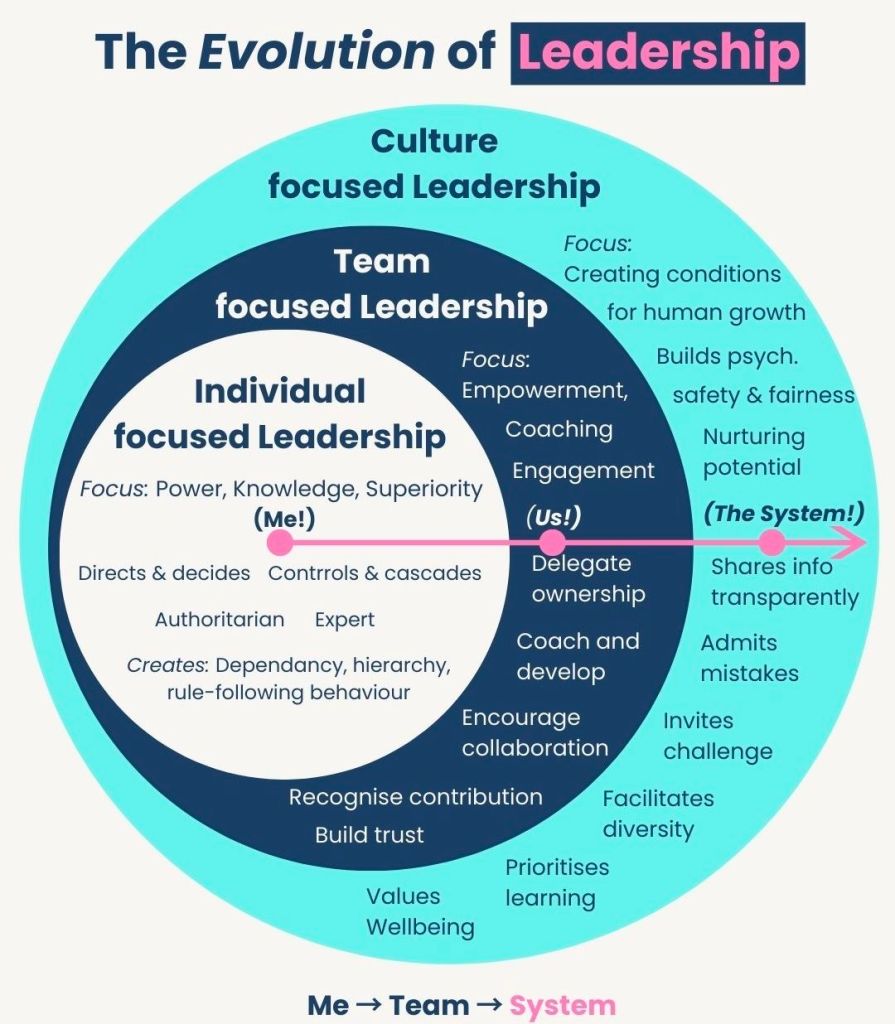
Evolution of Leadership – Culture, Team and Individual Focused

Evolution of Leadership – Culture, Team and Individual Focused

Microsoft Power Platform Development Timeline Overview

Microsoft Power Platform is a suite of low-code tools designed to help organizations analyze data, build custom solutions, automate processes, and create AI-powered agents. It enables both professional developers and “citizen developers” (business users) to rapidly build end-to-end business applications that integrate with the broader Microsoft Cloud ecosystem. 

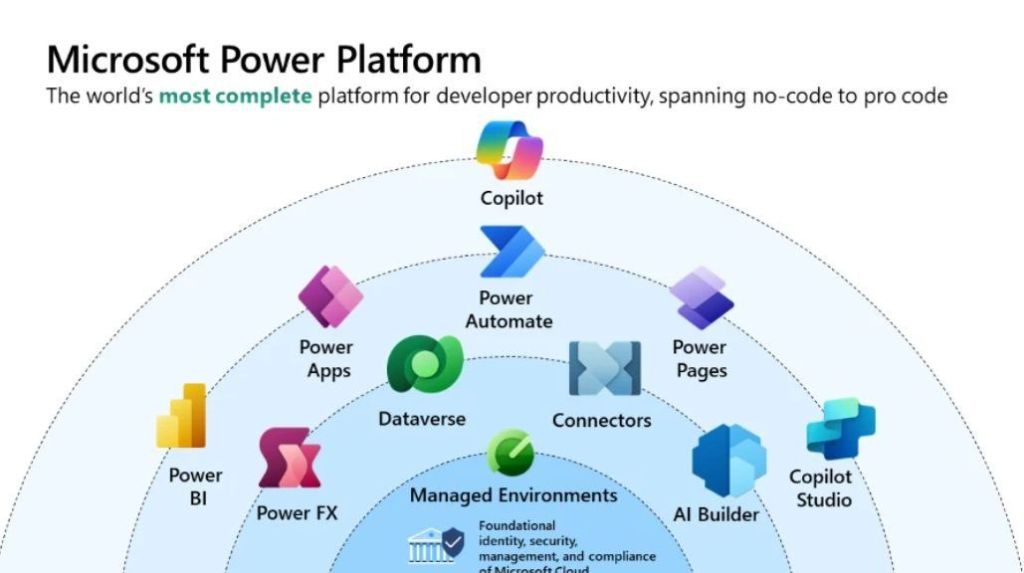
Microsoft Power Platform

Core Product Areas

The platform consists of five primary applications: 

  • Power BI: A business analytics tool for data visualization and interactive reporting.
  • Power Apps: A low-code development environment for building custom web and mobile business applications.
  • Power Automate: A service for workflow automation and robotic process automation (RPA).
  • Power Pages: A platform for creating and hosting secure, external-facing business websites.
  • Copilot Studio: A graphical tool for building and customizing AI-powered agents and chatbots. 

Underlying Capabilities

The platform’s strength lies in its shared infrastructure: 

  • Microsoft Dataverse: A secure, cloud-scale data store that provides a common data model for all Power Platform apps.
  • Connectors: Over 1,000 prebuilt integrations that allow apps to communicate with external data sources like SAP, Salesforce, and Google Analytics.
  • AI Builder: A capability that allows users to add AI models (e.g., sentiment analysis or object detection) to their apps and flows without writing code.
  • Power Fx: A low-code, strongly-typed programming language used for expressing logic across the platform.

The Microsoft Power Platform has evolved from individual components like Power BI and Power Apps into a unified suite, now heavily integrated with Copilot and AI. 

Origins & Early Growth (2013–2018)

  • 2013: Power BI is first released as an Excel add-in before becoming a standalone service in 2015.
  • 2015: Power Apps enters public preview as a low-code tool for building business applications.
  • 2016: Microsoft Flow (now Power Automate) is launched to provide workflow automation across apps and services.
  • 2018: The term “Microsoft Power Platform” is officially introduced to unify Power BI, Power Apps, and Flow. 

Expansion & Rebranding (2019–2022)

  • 2019: Power Virtual Agents is added to the suite for creating no-code chatbots. Microsoft Flow is rebranded as Power Automate.
  • 2020: Launch of Power BI Premium per user and the Dataverse (formerly Common Data Service) rebranding.
  • 2021: Power Fx, an open-source formula language based on Excel, is introduced as the standard language across the platform.
  • 2022: Power Pages is launched as the fifth standalone product for building secure, low-code business websites. 

The AI & Copilot Era (2023–Present)

  • 2023: Integration of Copilot across all Power Platform products, allowing users to build apps, flows, and reports using natural language.
  • 2024: Introduction of Timeline Highlights in Power Apps to provide AI-generated summaries of record activities.
  • 2025: Microsoft announces the retirement of the Power Apps per app plan (January) and ends support for contact tracking in the Dynamics 365 App for Outlook (October).
  • 2026: The 2026 Release Wave 1 begins (April–September), focusing on deeper Role-based Copilot offerings and enhanced security agents.
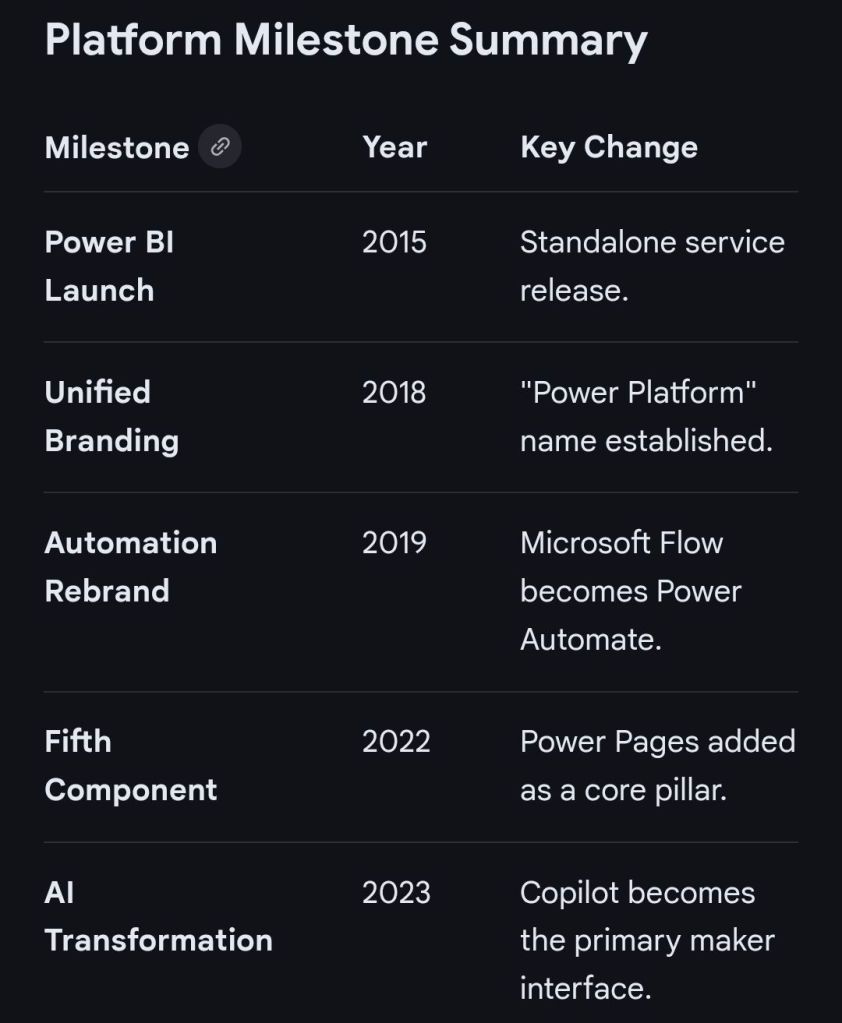
Microsoft Power Platform Milestone Summary

The Microsoft Power Platform originated from Microsoft’s effort to democratise data and app development by evolving its existing business tools into a unified low-code ecosystem. 

Origins and Evolution (2003–2015)

The platform’s roots trace back to early business solutions that were eventually merged into the modern suite: 

  • Dynamics CRM 1.0 (2003): The foundation for what became the Microsoft Dataverse (formerly Common Data Service), providing a secure relational database.
  • Project Siena (2013): A “garage project” at Microsoft aimed at building web apps without professional coding tools. This project eventually became Power Apps.
  • Power BI Launch (2015): Originally “Project Crescent” for SQL Server, Power BI was the first of the modern “Power” services to be delivered, entering preview in January 2015. 

Expansion and Formalisation (2016–2019) 

Microsoft transitioned from individual tools to an integrated platform: 

  • Power Apps and Flow (2016): Power Apps and Microsoft Flow (later renamed Power Automate) became generally available in November 2016.
  • Common Data Service (2016): Introduced to provide a shared data platform across Dynamics 365 and the new “Power” tools.
  • Official Branding (2018–2019): The term “Microsoft Power Platform” was officially established as an umbrella brand for the suite of tools. In 2019, Microsoft Flow was rebranded to Power Automate to align with the platform’s naming convention. 

Modern Era and AI Integration (2020–Present) 

The platform has shifted toward “AI-first” development and expanded its core pillars: 

  • New Components: Power Virtual Agents (now Copilot Studio) and Power Pages (for external websites) were added to the core lineup.
  • Acquisitions: Microsoft acquired Softomotive (2020) and Minit (2022) to bolster Power Automate with Robotic Process Automation (RPA) and process mining capabilities.
  • Generative AI: Recent updates have focused on integrating Copilots across all products, allowing users to build apps and automations using natural language. 

Microsoft Power Platform Development Timeline Overview

Microsoft Dynamics 365 Timeline

Top Open Content Management CMS OCM Solutions in 2026

In 2026, the landscape for open content management solutions is defined by a shift toward headless architectures, AI-native workflows, and high-security frameworks for regulated sectors. While established players remain dominant, newer platforms are gaining ground by treating content as structured data for omnichannel delivery. 

Top Open-Source CMS Solutions

These platforms are the most prominent open-source options available in 2026, often used as the foundation for both simple sites and complex enterprise architectures. 

  • WordPress: Remains the global leader, powering over 42.8% of all websites. The 2026 updates have modernised the platform with real-time collaboration features similar to Google Docs and significant performance gains in its core editor. This particular website is built using WordPress, https://mark-whitfield.com
  • Strapi: A leading headless CMS preferred by developers for its API-first design. Strapi 5 features a complete TypeScript migration and a new “Document Service API” that simplifies frontend integration.
  • Drupal: The primary choice for high-security environments like government, healthcare, and higher education. Drupal 11 (released in late 2024) and upcoming updates in 2026 focus on modernising its technical stack with newer Symfony components.
  • Joomla: Serves as a “middle-ground” option, offering more native structural control than WordPress without the extreme complexity of Drupal. It features native support for 70+ languages without needing additional plugins.
  • Ghost: A specialized Node.js platform for modern publishing and newsletters. Ghost 6.0 introduced native analytics and networked publishing, achieving extremely fast load times of under 0.7 seconds.
  • TYPO3: Highly favoured by European enterprises for multi-site management. Its “Site Sets” functionality allows reusable configurations across thousands of sub-sites from a single installation. 

Key 2026 Evaluation Criteria

When choosing a solution in 2026, organizations are prioritizing the following:

Feature Trend for 2026

AI Integration, Shift from simple text generation to Agentic AI that can automate workflows, update metadata, and audit content autonomously.

Architecture Hybrid Headless is the “sweet spot” for mid-market companies, combining API-driven delivery with visual editing for marketers.

Security, Adherence to modern standards like NIST SP 800-53 and OWASP Top 10:2025 is critical, especially regarding supply chain security in plugin ecosystems.

Performance, Core Web Vitals targets have tightened, with top platforms aiming for a Largest Contentful Paint (LCP) under 2.5 seconds.

Specialized Alternatives

  • For E-commerce: Shopify remains the dominant SaaS choice, while WooCommerce (open-source) is the top pick for those wanting full ownership.
  • For Design-Centric Teams: Webflow and Wix Studio are leading the “visual-first” CMS market, though they are proprietary SaaS models rather than open-source.
  • For Advanced Content Ops: Sanity is increasingly viewed as a “Content Operating System” rather than a traditional CMS, focusing on content as programmable data for AI applications. 

Open content management (OCM) refers to platforms that allow for flexible, open-source, or highly integrated digital content and change management. Below is a timeline of the top open solutions based on their market entry and evolution into 2026. 

Open Content Management (OCM) Evolution Timeline

  • 1998: TYPO3 Release
    • One of the earliest enterprise-class open-source CMS platforms, known for its scalability and multilingual support.
  • 2001: Drupal Launch
    • Established as a highly flexible, community-driven framework.
    • By 2026, it remains a top choice for complex, large-scale enterprise websites due to its modular design.
  • 2003: WordPress and Textpattern
    • WordPress: Initially a blogging tool, it evolved into the world’s most popular CMS, powering over 43% of websites including this site, https://mark-whitfield.com
    • Textpattern: Launched as a simple, elegant open-source alternative for content creators.
  • 2005: Joomla! and Alfresco
    • Joomla!: Released as a user-friendly but powerful open-source CMS, balancing flexibility with ease of use.
    • Alfresco: Introduced as an open-source Enterprise Content Management (ECM) system, focusing on document management and information governance.
  • 2008: Magento (Adobe Commerce)
    • Launched as a specialized open-source platform for e-commerce content management.
  • 2009: Nuxeo and dotCMS
    • Nuxeo: Entered the market as a cloud-native, open-source ECM platform designed for complex content lifecycles.
    • dotCMS: Released as a Java-based hybrid CMS that bridges traditional and headless content delivery.
  • 2013–2015: Rise of Headless & Modern OCM
    • Ghost (2013): A modern, open-source “headless” CMS specifically for professional publishing and newsletters.
    • Backdrop CMS (2015): A Drupal fork aimed at providing a more accessible path for small-to-medium organizations.
  • 2020–2026: Integrated & AI-Driven OCM
    • OCM Solution (OCMS Portal): Emerged as a leading modern platform for Organizational Change Management (OCM), providing open templates and digital tools for tracking business transformation.
    • Strapi & TinaCMS: Gained popularity as developer-first, open-source headless solutions for modern web applications.
    • Drupal CMS (2026): A new, simplified version of Drupal designed to be more accessible for non-developers while maintaining its “open” core. 

Top Open Content Management OCM CMS Solutions in 2026

Mark Whitfield IT Training Career Timeline Overview

Mark Whitfield, an experienced IT Project Manager, has a career and certification history spanning over 30 years. His professional development includes a range of technical, project management, and cloud-based qualifications. 

2020s: Cloud & Modern Platforms

  • 2024 (July): Microsoft Excel Refresher Course – Udemy.
  • 2022 (December/February): C&CA UK’s Communications & Engagement Award and AZ-900 Microsoft Certified Azure Fundamentals. 

2010s: Advanced Management & Development 

  • 2017 (November/April): Advanced Engagement Management (Level 2) and Microsoft Excel 2010 Expert Skills.
  • 2014 (July): Advanced Microsoft Excel 2013.
  • 2011 (May–July): PRINCE2 Practitioner, Agile SCRUM, Java, and Android programming. 

2000s: Web Applications & Database Systems 

  • 2009 (March–November): Thales e-Security, BIRT, Web Design, and SQL Server training.
  • 2006 (Feb–Dec): NetObjects Fusion, Cryptography, and Thales e-SECURITY SafeSign.
  • 2004 (March): MultiBatch NSK Job Scheduling.
  • 2000 (February): Fundamentals of Successful Project Management. 

1990s: Core Programming & System Fundamentals

  • 1990s (1993–1999): TANDEM/HP NonStop systems, C/C++ programming, project management, and HND in Computer Studies (1990).

Mark Whitfield Training IT Career Timeline Overview

Mark Whitfield, a Senior IT Project Manager who has spent over 30 years specialising in HP NonStop (formerly Tandem) computing systems. 

Professional Background

  • Specialisation: Mark Whitfield is a highly experienced technician and project manager for the HP NonStop platform, which is a high-availability, fault-tolerant mainframe environment used primarily for mission-critical financial transactions.
  • Career Timeline:
    • The Software Partnership / Deluxe Data (1990–1995): Began as a programmer working on the sp/ARCHITECT-BANK solution for Tandem computers.
    • Insider Technologies (1995–2013): Spent 18 years focusing on monitoring and diagnostic software for HP NonStop, including products like Reflex 80:20, XPERT24, and Enterprise Manager.
    • Capgemini (2016–Present): Currently serves as an SC-cleared Senior Project Manager, delivering complex IT projects for major banks and government agencies. 

Key Technical Contributions to NonStop

  • Product Development: He co-developed Reflex (a platform health/diagnostic tool) and designed XPERT24 to monitor performance in the XPNET layer of BASE24.
  • Financial Systems: He has managed major projects for global financial entities, including Barclays, HSBC, Bank of England, and Royal Mail Group, often involving ATM and POS monitoring systems.
  • Programming Expertise: His technical skill set includes NonStop-specific languages and tools such as TAL (Tandem Application Language), PATHWAY, XPNET, COBOL85, and C++. 

About HP NonStop Systems

In the context of Mark Whitfield’s work, NonStop refers to a “shared-nothing” architecture designed by Tandem Computers. These systems are uniquely capable of: 

  • Fault Tolerance: Handling hardware or software failures without system downtime.
  • Scalability: Doubling throughput by adding processors (up to 4,000) without hitches in performance.
  • Core Banking: Processing massive commercial workloads for retail banks and stock exchanges globally.

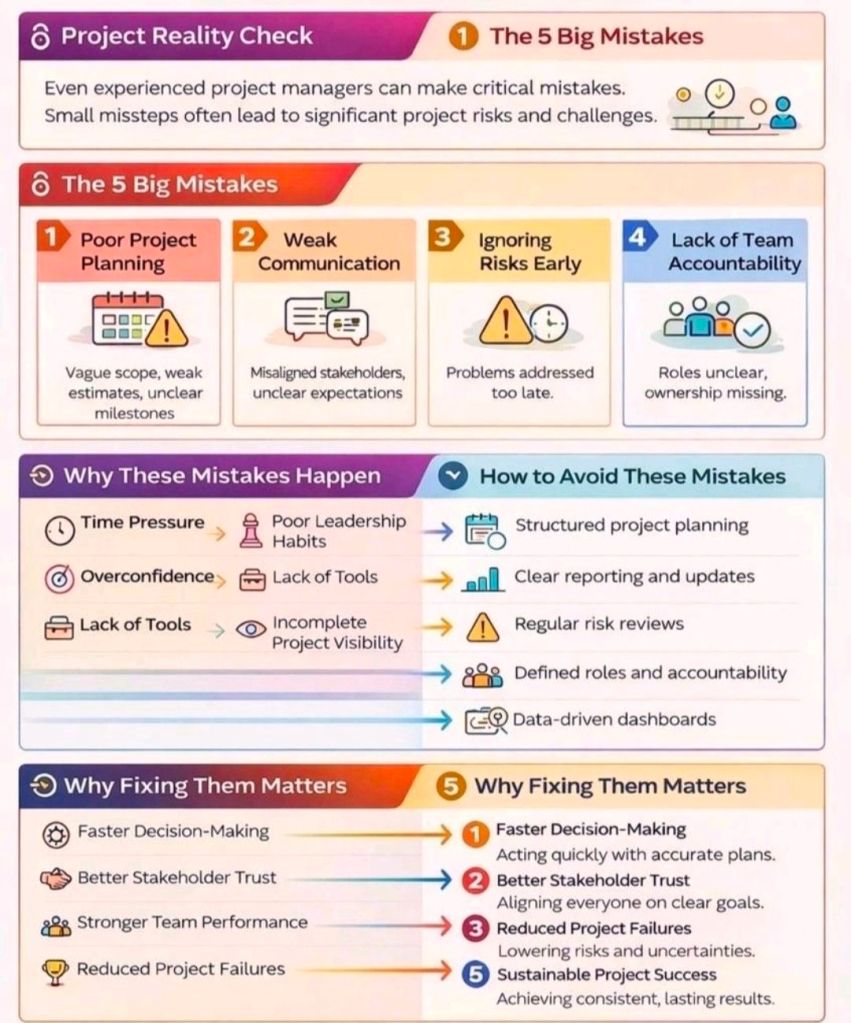
Project Management Mistakes and How to Avoid

Project Management Mistakes and How to Avoid

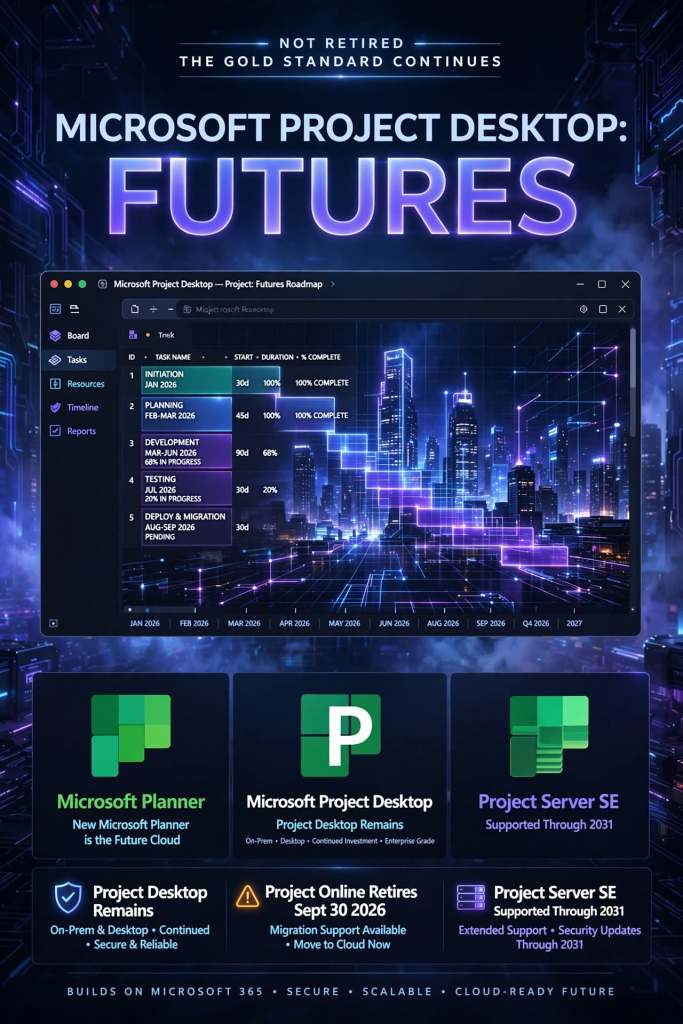
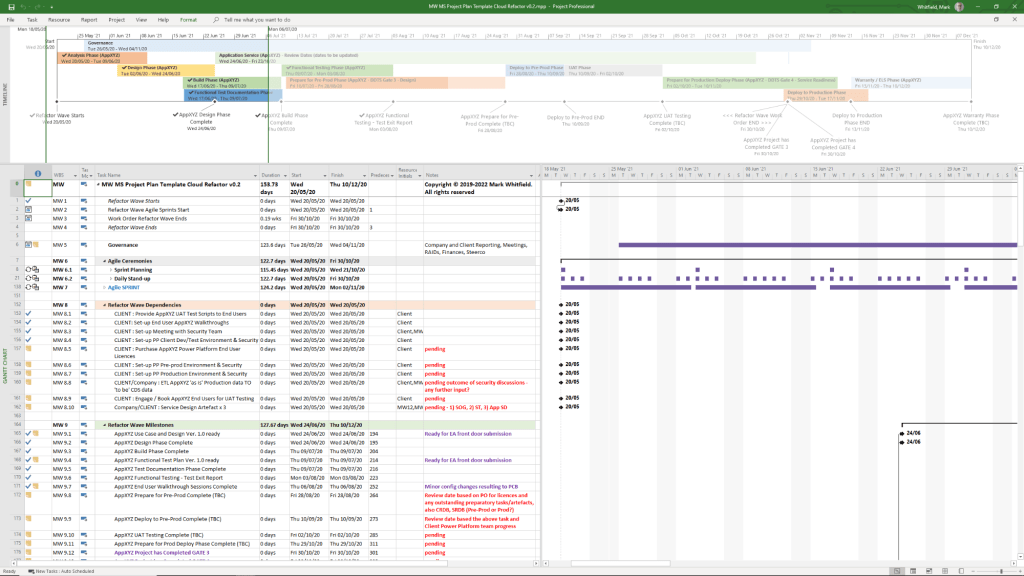
Is Microsoft MS Project Desktop (offline) app being retired?

No, Microsoft Project desktop is not being retired. It remains the “gold standard” for complex project scheduling and will continue to be supported and available for purchase. 

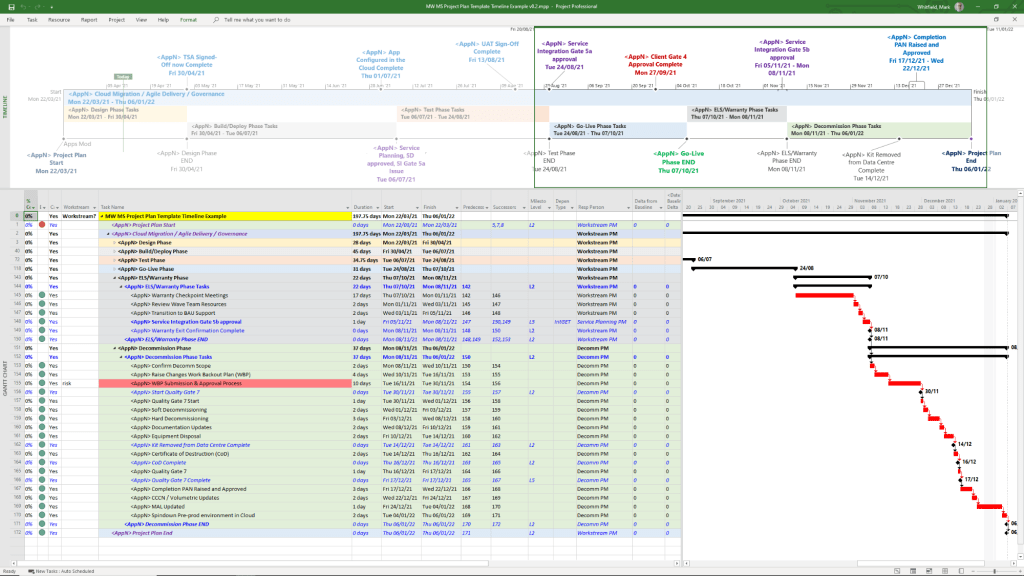
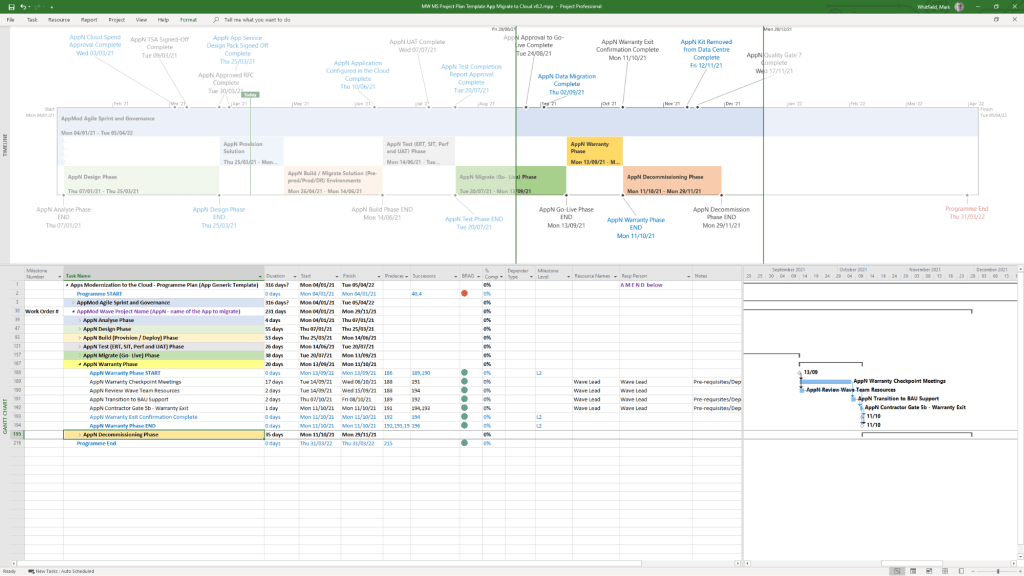
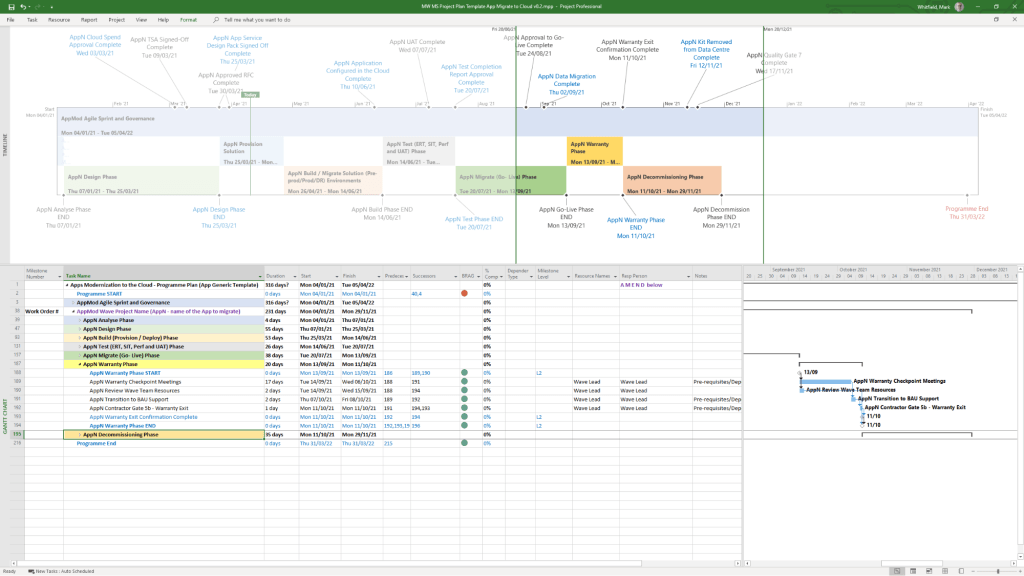
MS Project Templates can be downloaded in the template bundle, click on link at banner above

To purchase example MSP MPP Microsoft Project plan templates (and many others), click here.

Confusion often arises because Microsoft has announced the retirement of several related cloud-based and web-based services. Here is the current status of the Microsoft Project ecosystem: 

Products Being Retired

  • Project Online: This service will officially retire on September 30, 2026. After this date, Project Online environments and data will no longer be accessible.
  • Project for the Web: Retired as a standalone brand and was fully merged into the new Microsoft Planner in 2024/2025.
  • Project/Roadmap Apps in Teams: These were retired in August 2025 and replaced by the unified Planner experience. 

Products Staying Active

  • Project Desktop (Project Professional/Standard): Not impacted by the cloud service retirements. You can still use it to manage .mpp files locally or connect it to alternative backend systems like Project Server SE.
  • Project Server Subscription Edition (SE): This on-premises/self-hosted version will remain supported through at least 2031. It is the recommended migration path for organizations that want to keep the “Project Web App” (PWA) interface without using the retired Project Online cloud service.
  • Microsoft Planner: Now serves as the primary cloud-based project management tool, absorbing the features of Project for the Web. 
MS Project Templates can be downloaded in the template bundle, click on link at banner above

Looking to modernise your Microsoft project management solutions?

As Microsoft continues to evolve its project management ecosystem, organisations may want to explore how Planner/Planner Premium, Power Platform and Dynamics 365 Project Operations can complement their existing tools and support broader business processes.

Centiun is a specialist Microsoft Business Applications consultancy helping organisations design, implement and optimise solutions across Planner/Planner Premium, Dynamics 365 and Power Platform, including workflow automation, system integration and business process modernisation.

Exploring your options? Get in touch with Centiun⁠ to discuss how Microsoft Business Applications could support your organisation.

Key Dates for Project Online Users:

  • October 1, 2025: End of sale for new Project Online subscriptions.
  • April 2, 2026: SharePoint 2013 workflows (which many Project Online users rely on) will be retired.
  • September 30, 2026: Full shutdown of Project Online.