Insider Technologies Limited (ITL), Company Overview and Timeline by Year

ITL is a specialized UK-based software house & service provider that engineers high-availability monitoring, tracking, and cybersecurity solutions

Insider Technologies Limited is a specialized UK-based software house and service provider that engineers high-availability monitoring, tracking, and cybersecurity solutions for business-critical, 24/7 mission-critical architectures. I worked at ITL in Salford Quays from 1995 through to 2013.

Mark Whitfield attending an EBUG conference 
(BASE24 User Group)
Attending an EBUG conference
(European BASE24 User Group)
Foreground, attending a British Isles TANDEM User Group (BITUG)
Foreground, attending a British Isles
TANDEM User Group (BITUG)
Insider Technologies Limited, ITL, website in 2009
Insider Technologies Limited
(website author in 2009)

Company Overview

🏢 Corporate Identity & Status

  • Legal Name: Insider Technologies Limited
  • Founded: 27 February 1989
  • Headquarters: Manchester, UK (Albert Street, Eccles)
  • Ownership: Operating as a private independent software company, recently integrated as part of PartnerOne.
  • Strategic Partnerships: Certified Microsoft Gold Partner for Application Development and long-standing Hewlett Packard Enterprise (HPE) partner.
Insider Technologies Limited (ITL) in 2001, Salford Quays, Chandlers Point

🌐 Core Domain & Industries Served

The company delivers real-time, event-driven diagnostic, tracking, and compliance middleware solutions across three main highly-regulated global verticals:

  • Banking & Financial Services: Monitoring real-time electronic payments, ATM/POS systems, and transaction workflows (e.g., BASE24, XPNET environments).
  • Government & Defence: Secure enterprise military messaging tracking and digital evidence handling.
  • Telecommunications: Tracking data traffic and critical infrastructure middleware.

🛠️ Core Technology Stack & Competencies

Insider Technologies specializes in niche high-availability operating environments—specifically HPE NonStop (historically Tandem Computers and HP NonStop) running Guardian and Open System Services (OSS) environments—alongside enterprise Windows, Linux, and Unix systems. Their expertise spans database transaction management, BASE24 XPNET monitoring, IBM WebSphere MQ tracking, and low-level development (SQL, TAL, TACL, COBOL85, C++, Pathway).

Insider Technologies, the
Core products in 2003
Insider Technologies –
Core products in 2003

In-Depth Product & Political-Technical Timeline

This timeline breaks down how Insider Technologies evolved its software suite. It demonstrates how their technical development directly responded to shifting geopolitical landscapes—ranging from late-Cold War military messaging security to post-9/11 financial regulations and modern European cloud autonomy initiatives.

🔹 The Foundation & Legacy Tandem Era (1989–1999)

  • Political Context: The final years of the Cold War and the 1990s globalization boom demanded high-security, fault-tolerant mainframes for NATO-aligned military communications and early global banking clearing networks.
  • Technical Context: Tandem Computers dominated the un-interruptible 24/7 market. Software was required to monitor these platforms without causing processing overhead.
  • 1989
    • Company Incorporation: Insider Technologies is incorporated in the UK to engineer bespoke software for highly robust technical ecosystems.
  • 1990–1995
    • Reflex (Core Release): Release of Reflex, a foundational service management and real-time transaction diagnostic tool built specifically for the Tandem Guardian operating system.
  • 1996–1999
    • MultiBatch Software: Further Develop and Extend MultiBatch to orchestrate and safely automate complex batch processing on Tandem machines alongside the evolution into HP NonStop computing frameworks.
    • Y2K Compliance Focus: Technical adjustments were deployed across Reflex and MultiBatch to assure financial institutions that automated transaction logging would not fail during the millennium rollover.

🔸 The Multi-Platform & Financial Compliance Era (2000–2015)

  • Political Context: Following the September 11 attacks, global anti-money laundering (AML) and counter-terrorism financing (CTF) frameworks heavily expanded. Financial regulators demanded exact, audible end-to-end payment tracking.
  • Technical Context: Enterprises began migrating away from single-architecture mainframes toward heterogeneous IT environments, requiring tools that could jump across Windows, Unix, and Linux simultaneously.
  • 2002–2004
    • Sentra Development: Launch of Sentra, expanding the firm’s portfolio beyond HPE NonStop into cross-platform environment monitoring for Windows, Linux, and Unix systems.
    • Reflex 80:20 & Reflex ONE24: Advanced variations of the Reflex tracking system were built to cater to specialized real-time electronic payment flows like BASE24 with XPNET.
  • 2005–2010
    • RTLX Reactor (page 12) and Middleware Monitoring: The release of RTLX Reactor provided message tracking capabilities tailored for IBM WebSphere MQ, allowing institutions to trace various payment and other data through complex middleware chains.
BASE24-eps extraction and RTLX
BASE24-eps extraction
and RTLX (in 2007)
  • 2011–2015
    • Corporate Structuring: The creation of Insider Technologies (Holdings) Limited reinforced corporate expansion as the company deepened its footprint in secure military messaging for government defense bodies.

🔹 The Cyber Autonomy & Sovereignty Era (2016–Present)

  • Political Context: Escalating nation-state cyber warfare, strict GDPR regulations, and the UK/EU push for technological sovereignty and domestic digital ecosystem resilience heightened the reliance on trusted, onshore technology suppliers.
  • Technical Context: High-threat environments demand zero-trust visualization, time-accurate logging across digital evidence files, and advanced protection against internal exfiltration vectors.
  • 2019
    • 30-Year Milestone & Modernization: The company celebrates its 30th year, accelerating development on modern mobile application extensions to permit real-time, remote secure alerts for operations teams.
  • 2022–2025
    • PartnerOne Integration: Insider Technologies aligns its operations under the PartnerOne portfolio, preserving its UK identity while supercharging its enterprise-scale data infrastructure solutions.
    • Corporate Integration combines Insider’s expertise with PartnerOne’s portfolio to deliver advanced analytics and secure messaging systems to banking, defence, and telecommunications markets.
    • Defense and Public Safety Porting: Technical deployment of specialized capabilities covering digital evidence security, timekeeping tracking, and legacy virtualization modules aimed explicitly at helping the UK Government maintain its historical tech stacks safely.
RTLX Reactor (in 2012) for tracking BASE24-eps and BASE24 XPNET transactions
RTLX Reactor (in 2012) for tracking
BASE24-eps & BASE24 XPNET transactions

Insider Technologies Limited (ITL), Company Overview and Timeline by Year

The Insider RTLX product at ETI-NET is now called C-Deep for Transaction Monitoring;

C-Deep (Transaction Monitoring)

The Insider Reflex product at ETI-NET is now called Sentinel for NonStop Monitoring;

Sentinel (Nonstop Monitoring)

C-Deep for Transaction Monitoring & Sentinel for HPE NonStop Monitoring

Project Templates Soft Storefront on Etsy

ProjectTemplatesSoft on Etsy is a highly rated, UK-based digital storefront specializing in professional-grade project management spreadsheets and presentation documents. Founded by Mark Whitfield, a veteran Senior Project Manager with over 30 years of delivery experience in IT and the Software Development Lifecycle (SDLC), the shop bridge the gap between heavy enterprise software and simple, flexible spreadsheets.

Example POaP PPT and XLS plan 
project templates
Example POaP PPT and XLS plan
project templates (200+ in all)

The products are distinctively built around core professional methodologies including PRINCE2 Waterfall and Agile Scrum frameworks. A key differentiator for this storefront is its customer lifetime model: all template upgrades and functional versions are 100% free after a single purchase by contacting the seller directly. The tools are fully unlocked, editable, and act as a portable alternative for teams or clients without expensive Microsoft Project licensing.


Product Breakdown by Category Focus

📊 1. Schedule Planning & Waterfall Templates

These tools target timeline generation, resource distribution, and critical path management for traditional structured delivery.

  • Waterfall Project Planner & Cost Tracker: An advanced interactive timeline engine that acts as a localized alternative to MS Project. It allows teams to map out milestones while calculating live run-rate expenditures.
  • Plan on a Page (POaP) Blueprint: A high-level stakeholder alignment presentation tool crafted in Microsoft Excel and PowerPoint designed to condense multi-layered delivery milestones into one scannable executive slide.
  • Work Breakdown Structure (WBS) Matrix: Structural templates built to parse complex client scopes into manageable, sequential project tasks.

🔄 2. Agile & Scrum Framework Toolkits

Tailored for modern software development environments executing iterative design, rapid deployments, and sprint-based task management.

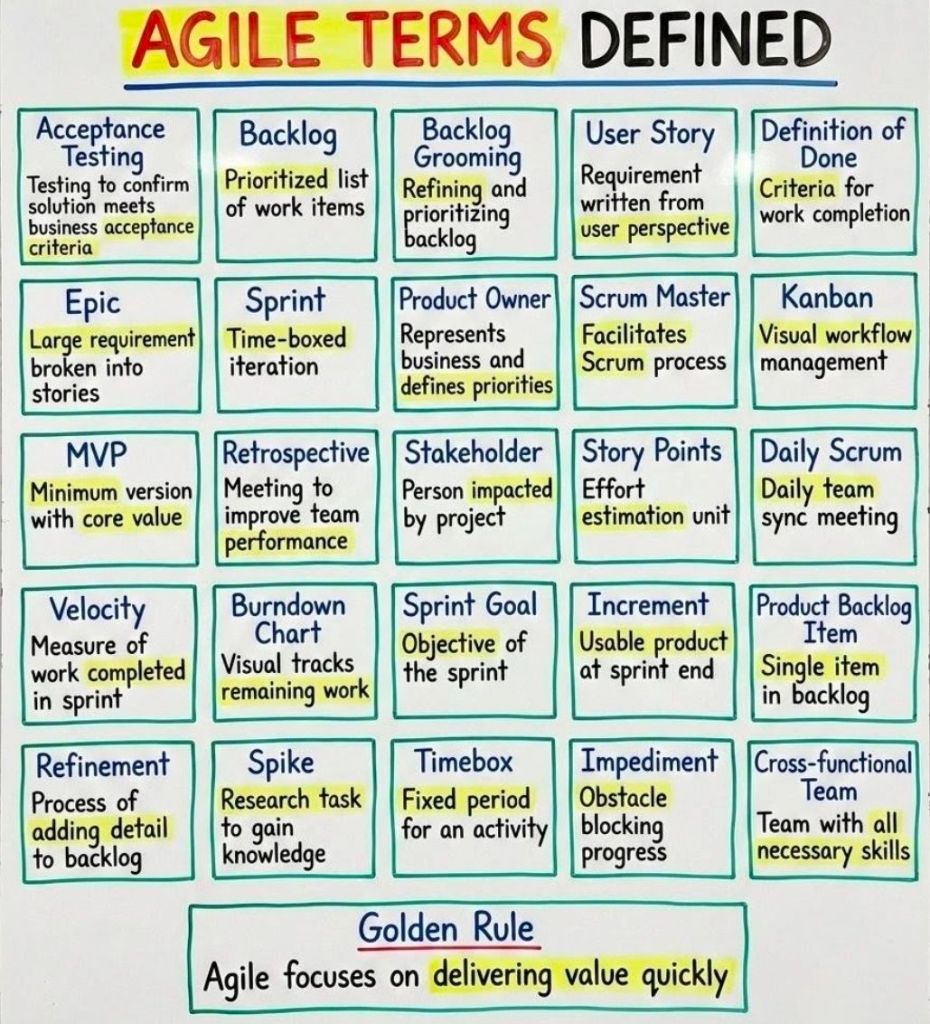
  • Agile Scrum Master Pack: Complete tracking logs optimizing sprint velocities, backlog grooming sessions, and team capacity limits.
  • Sprint Burndown & Velocity Trackers: Automated graphical spreadsheets showing real-time target completions against literal daily sprint efforts.

📈 3. PMO Governance, RAID, & Operational Logs

Built for Programme Management Offices requiring cross-project transparency, strict risk mitigation, and central staff scheduling.

  • Central RAID Log: A classic, comprehensive spreadsheet designed to track project Risks, Assumptions, Issues, and Dependencies under strict corporate governance standards.
  • Resource Absence & Sickness Tracker: A centralized planner for operations managers to log annual leave, sickness intervals, and alternative project allocations.
  • Project Team Kick-Off Decks: Professionally designed slide blueprints that outline scope definitions, stakeholder communication channels, and milestone objectives during initiation phases.

Essential Shop & Resource Hyperlinks

Improving SEO on WordPress, a mix of technical config, content strategy, & optimization plugins

Improving SEO on WordPress requires a mix of technical configuration, content strategy, and optimization plugins. WordPress is naturally SEO-friendly, but you must configure it correctly to maximize search engine visibility.

Overview of WordPress SEO

WordPress SEO focuses on three main pillars:

  • Technical SEO: Ensuring search engines can crawl and index your site quickly.
  • On-Page SEO: Creating high-quality content optimized for specific user search terms.
  • Performance: Delivering a fast, secure, and mobile-friendly user experience.

Structured Breakdown by Focus Area

1. Core Technical Configuration

  • Search Engine Visibility
    • Ensure the “Discourage search engines from indexing this site” box is unchecked in your Reading settings.
  • Permalinks
    • Change the URL structure to “Post Name” for clean, keyword-rich web addresses.
  • WWW vs. Non-WWW
    • Choose one format in General Settings and ensure the other redirects to it consistently.

2. Specialized Plugins & Indexing

  • SEO Plugin Deployment
    • Install Yoast SEO, Rank Math, or All in One SEO to manage meta data.
  • XML Sitemaps
    • Generate a dynamic XML sitemap via your SEO plugin and submit it to Google Search Console.
  • Robots.txt Optimization
    • Edit this file to block search bots from crawling sensitive core admin folders.

3. On-Page Content Optimization

  • Keyword Placement
    • Add your target keyword to the title, first paragraph, headings, and URL slug.
  • Meta Titles & Descriptions
    • Write catchy, character-limited titles and summaries for every post to boost click-through rates.
  • Heading Structure
    • Use exactly one H1 tag per page for the title, followed by logical H2 and H3 tags.
  • Image Optimization
    • Compress image files before uploading and write descriptive Alt Text containing relevant keywords.

4. Performance & Security

  • Site Speed
    • Use a caching plugin like LiteSpeed Cache or WP Rocket to decrease page load times.
  • Hosting Quality
    • Migrate to a managed WordPress host to ensure high server uptime and fast response rates.
  • SSL Certificate
    • Activate HTTPS encryption through your host to establish data security and gain search trust.

5. Link Management

  • Internal Linking
    • Link new articles to older, relevant posts to distribute page authority across your site.
  • Broken Link Prevention
    • Install a redirection plugin to fix 404 errors and guide users away from dead pages.
  • Permalinks Consistency
    • Never change an existing post URL without setting up a permanent 301 redirect.

Mark Whitfield – Education and Professional Training Timeline Summary

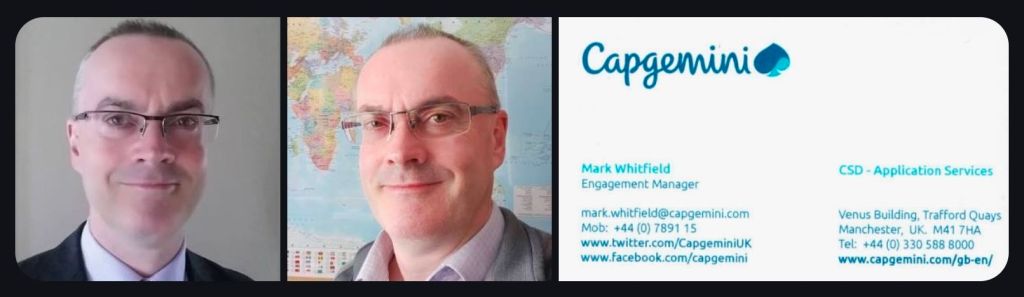
Mark Whitfield is a Greater Manchester-based Senior IT Project and Engagement Manager.

With over 30 years in the IT and software development industry, he has continuously upskilled in project delivery, Agile methodologies, cloud platforms, and cyber security.

Mark Whitfield - Education and Professional Training Timeline Summary

Phase 1: Foundational Education

  • 1985 – 1988: Leigh College, UK
    • Focus: Computer Science and Biology (‘A’ Levels)
  • 1988 – 1990: University of Greater Manchester (formerly Bolton Institute of Higher Education, BIHE)
    • Focus: Higher National Diploma (HND) in Computer Studies (Graduated with Distinction; First overall in the year)
    • Key Modules: System Analysis, Programming Methodology, Database Architecture, and Business Information Systems

Phase 2: Project Management & Professional Training

  • 2000 – 2006: Industry Integration & Early Methodologies
    • Focus: Service-Oriented Architecture (SOA), Agile, Sales, and early project management
    • Courses/Certifications: Sales and Marketing (In-house Outsource, 2001), Web Services and SOA (Insider Technologies, 2005), PRINCE2 Foundation (2006), Designing Good Marketing Literature (SkillPath Seminars, 2006)
  • 2009: Digital & Communications
    • Focus: Digital marketing and content
    • Courses: Writing for the Web, and Website Promotion and Visibility by Design (iTrain Education)
  • 2011: Structured Frameworks
    • Focus: Formal project frameworks and delivery methodologies
    • Courses/Certifications: PRINCE2 Foundation & Practitioner (ILX Group), Agile Scrum (RADTAC)
  • 2012: Operational Management
    • Focus: Service management best practices
    • Courses/Certifications: ITIL Foundation

Phase 3: Advanced Engagement & Enterprise Training

  • 2017 – 2019: Capgemini Engagement & Compliance
    • Focus: High-level engagement management and corporate governance
    • Courses/Certifications: Advanced Engagement Management Certification (Level 2), Group Anti-Corruption, and Intellectual Property Rights (IPR) Training
  • 2022: Cloud Modernization
    • Focus: Enterprise cloud computing fundamentals
    • Courses/Certifications: AZ-900 Microsoft Certified Azure Fundamentals

For more granular details on his certifications and career history, you can check Mark Whitfield Professional Training.

Project Management, Budgeting vs Forecasting

Project Management, Budgeting vs Forecasting
Project Management Budgeting versus Forecasting
Project Management, Budgeting vs Forecasting

Over 200 editable templates for both Agile & Waterfall / PRINCE2 frameworks

Mark Whitfield’s Project Management (PM) methodology relies on over 200 editable templates tailored for both Agile Scrum and Waterfall / PRINCE2 frameworks. Developed over 24 years of IT and digital delivery, the toolkit focuses on high-level reporting, rigorous risk control, and visual tracking to align teams with corporate governance.

Over 200 editable templates for both Agile & Waterfall / PRINCE2 frameworks
An example of many Plan On a Page
(POAP) templates

Templates by Category and Methodology

1. Detailed Planning & Scheduling

  • Methodology: Mapped to the Software Development Life Cycle (SDLC) for both sequential Waterfall phases and iterative Agile sprints.
  • Templates:
    • Microsoft Project (MPP): Fully loaded schedules detailing project inception, elaboration, construction, and transition.
    • Excel Detailed Plans: Work Breakdown Structure (WBS) mapped to sequential and date-driven task management with built-in RAG (Red/Amber/Green) status indicators.

2. Visual Reporting & Execution (Plan on a Page)

  • Methodology: Focuses on structural, executive communication to prevent scope creep and keep stakeholders aligned.
  • Templates:
    • POaP (Plan on a Page): High-level visual summaries designed for client presentations and quick-glance milestone tracking in Excel and PowerPoint.
    • Burn-up / Burn-down Charts: Visual tracking metrics used in Agile Sprints to show progress towards delivery goals.

3. Risk & Governance Control

  • Methodology: Built on strict risk/action tracking and regular lessons learned to manage uncertainty throughout the project lifecycle.
  • Templates:
    • RAID Log: Centralized Excel trackers recording Risks, Actions, Issues, and Dependencies.
    • Change Requests/Decisions Log: Supplementary tabs within the RAID register to strictly manage scope changes and project governance.

4. Financial Trackers

  • Methodology: Ensures project adherence to contracted margins, tracking both internal/external costs and resource efforts.
  • Templates:
    • Budget & Resource Trackers: Spreadsheets for forecasting versus actual expenses, variance calculations, expense reporting, and margin tracking with pivot-table readiness.

5. Team RACI & Status Reporting

  • Methodology: Clearly defines stakeholder roles and communication frequencies (weekly/monthly) to ensure continuous monitoring and control.
  • Templates:
    • RACI Matrix: A mapping tool defining who is Responsible, Accountable, Consulted, and Informed.
    • Weekly Status Reports: Word/Excel templates detailing internal and external project health, current milestones, and upcoming sprints.

To explore the entire toolkit, you can visit the Mark Whitfield PROject Templates portal.

Empiricism is the foundational theory of the Scrum framework

Empiricism is the foundational theory of the Agile Scrum framework, asserting that knowledge comes from experience and that decisions should be based on real-world observations rather than upfront predictions. Instead of following a rigid, predefined plan, Scrum relies on an iterative process to navigate complex and unpredictable environments. This empirical process control model is sustained by three distinct pillars.

The Three Pillars of Empiricism

The Three Pillars of Empiricism

The Scrum Guide specifies three pillars that must work together to create an effective empirical feedback loop:

  • Transparency: The significant aspects of the process must be visible to those responsible for the outcome. Decisions are driven by the perceived state of artifacts, which means any hidden issues or misreported metrics directly sabotage future decision-making.
  • Inspection: Scrum artifacts and progress toward agreed goals must be evaluated frequently and diligently. This continuous assessment identifies unwanted variances or deviations from the desired outcome.
  • Adaptation: If an inspection reveals that aspects of a process or product deviate outside acceptable limits, the team must adjust immediately. An adjustment must be made as quickly as possible to minimize further deviation.

How Scrum Events Enable Empiricism

Inspection and adaptation cannot happen in a vacuum. Scrum provides four formal events that act as a structured cadence for empirical evaluation:

  • Sprint Planning: The team inspects the Product Backlog and adapts their upcoming workload to define a realistic Sprint Goal.
  • Daily Scrum: Developers inspect progress toward the Sprint Goal and adapt their immediate daily plan.
  • Sprint Review: The team and stakeholders inspect the newly created product increment to adapt the Product Backlog for future value.
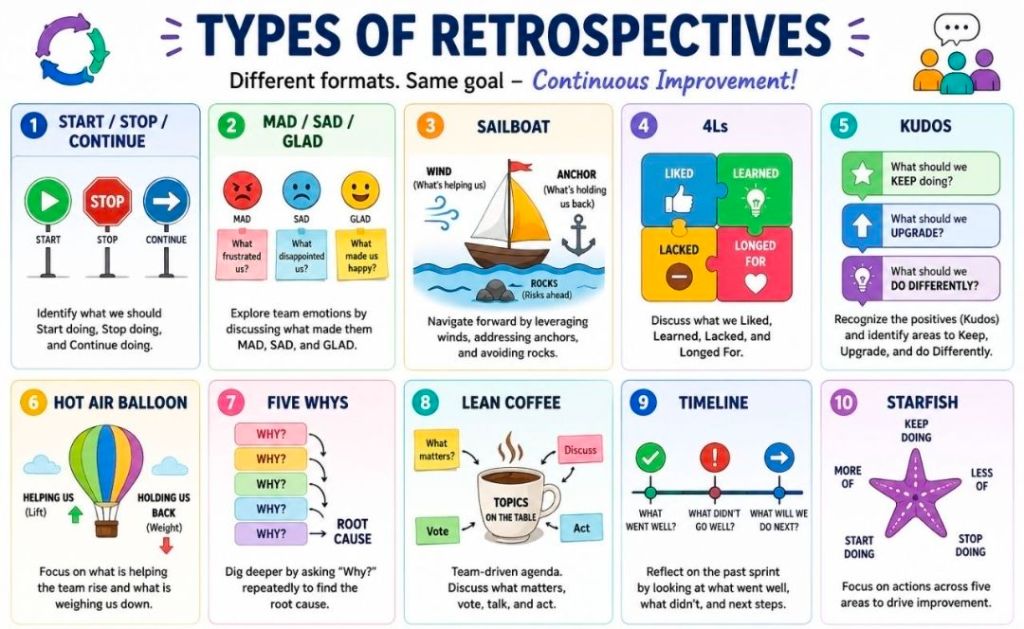
  • Sprint Retrospective: The team inspects their internal dynamics, tools, and processes to adapt how they operate in the next Sprint.

The Critical Role of Trust

Empiricism fails without a baseline culture of trust and psychological safety. For transparency to occur, team members must possess the courage to share bad news and highlight product deficiencies early. When individuals fear blame, they hide reality—rendering subsequent inspection flawed and any adaptation completely wasteful.

Project Plan on a Page (POAP) is a Concise, Visual Summary of a Project

A Project Plan on a Page (POAP) is a concise, visual summary of a project’s objectives, timeline, milestones, and risks. Its primary purpose is to provide an instant, high-level overview for stakeholders and executives, ensuring alignment without overwhelming them with low-level details.

3. Project Plan on a Page (POAP) is a Concise, Visual Summary of a Project
4. Project Plan on a Page (POAP) is a Concise, Visual Summary of a Project
1. Project POAP by Mark Whitfield, Plan on a Page
Mark Whitfield POAP examples, 35+ in all

Best Structure for a POAP

An effective POAP eliminates excessive task lists in favor of a clean, scannable layout organized into these key sections:

  • Project Overview: Title, Project Manager, and the overarching “Why” or business objective.
  • Timeline & Milestones: A horizontal, time-phased bar chart mapping the project’s key phases (e.g., Initiation, Beta Launch, Go-Live).
  • Key Deliverables: 4 to 6 major outputs or goals required to consider the project a success.
  • Risks & Dependencies: Critical blockers or assumptions that require management attention.

Examples & Templates for Download

Because POAPs are highly visual, they are most effectively built in Excel (for data and dates) or PowerPoint (for visual presentation).

  • Excel/PowerPoint Templates: You can download ready-made POAP layouts via Titanium Consulting or Mark Whitfield Consulting to generate professional visual graphics.
  • Word/Spreadsheet Variations: For simpler initiatives, you can access the 1-page summary templates available through Smartsheet’s Project Plan Templates.
  • Automated Software: If you already track complex projects in MS Project, Excel, or Primavera, automation tools like SummaryPro can automatically ingest your detailed schedule and spit out an accurate POAP.