Agile Scrum Master AI Prompts

Scrum Master AI Prompts Agile
Scrum Master AI Prompts

As an agile Scrum Master, you can significantly boost your efficiency and team collaboration by using AI tools for repetitive tasks, metric analysis, and ceremony preparation. The best way to utilize AI is to follow the CRAFT framework (Context, Role, Action, Format, and Tone) to give your AI model the necessary background. To get started, replace placeholder bracketed text with your specific information.

Review the structured AI prompts below, categorized by core Scrum Master responsibilities:

Sprint Planning Optimization

These prompts will help you streamline backlog management and ensure your next sprint cycle is data-driven and realistic.

  • Predict Velocity & Capacity: “Based on historical sprint data: [insert last 3 sprints], predict our team’s velocity for the next 2-week sprint. Consider the following changes: [insert team changes, e.g., one developer out for a week], and provide a confidence interval.”
  • Refine and Format Backlog Items: “As an expert in Agile backlog refinement, help me break down this user story: ‘[insert raw requirement text]’. List logical sub-tasks with realistic developer effort in hours, and flag any missing requirements or testability gaps.”

Daily Stand-up & Alignment

Enhance your team’s focus and identify bottlenecks before they impact flow.

  • Goal-Oriented Stand-Up Agenda: “Act as a Stand-Up facilitator. Summarize these daily updates from my team: [insert team members’ updates]. Identify if we are at risk of missing the Sprint Goal, highlight cross-team dependencies, and suggest one follow-up question I can ask to redirect the team from ‘status updates’ to ‘problem-solving’.”
  • Impediment Stress Test: “A common user story is stuck in the QA testing column for the third consecutive day, causing spillover risks. As an expert Scrum Master, suggest how I can facilitate a conversation with the team to address this impediment. Provide a tactical 3-step action plan.”

Retrospective Facilitation

Say goodbye to repetitive, generic retrospectives and tap into targeted, continuous improvement.

  • Action-Oriented Theme Clustering: “Analyze these raw retrospective comments from my agile team: [insert list of comments]. Identify recurring themes, sentiment patterns, and root causes. Present the results in a ‘Start, Stop, Continue’ format, and suggest a concrete, actionable plan for the next sprint.”
  • Psychological Safety & Conflict Simulation: “Tension has been mounting among team members regarding estimation methods and story point allocations. As an Agile conflict mediator, suggest opening questions I can use during the retro to encourage quiet team members to speak and de-escalate the disagreement.”

Coaching & Team Health

Use AI to strengthen your servant leadership and develop customized educational content.

  • Agile Concept Teaching: “Generate a comprehensive guide on the Scrum framework for a team new to Agile. Focus on the core values of Scrum, how they relate to the Daily Scrum, and avoid overly technical jargon.”
  • Handling Unrealistic Expectations: “Simulate a challenging conversation between myself (a Scrum Master) and a senior stakeholder who is demanding mid-sprint scope changes. Outline an approach I can use, rooted in Agile principles, to educate the stakeholder on the value of a frozen sprint goal without damaging the relationship.”

Best Practices for Agile Prompting

To avoid generic, hallucinated, or unhelpful answers, keep these best practices in mind:

  • Context is Key: Always include your team’s composition (number of members, skill levels) and your product vision.
  • Assign a Persona: Prompt the AI to “Act as an Agile Coach,” “Act as a Jira Expert,” or “Act as a QA Reviewer” to get specialized viewpoints.
  • Validate Everything: AI is a sounding board, not a decision-maker. Always review suggestions and validate metrics using your human experience and team’s consensus.

IT Project Management (PM) toolkits provide over 200 tailored templates spanning Agile, Waterfall, & PRINCE2 methodologies

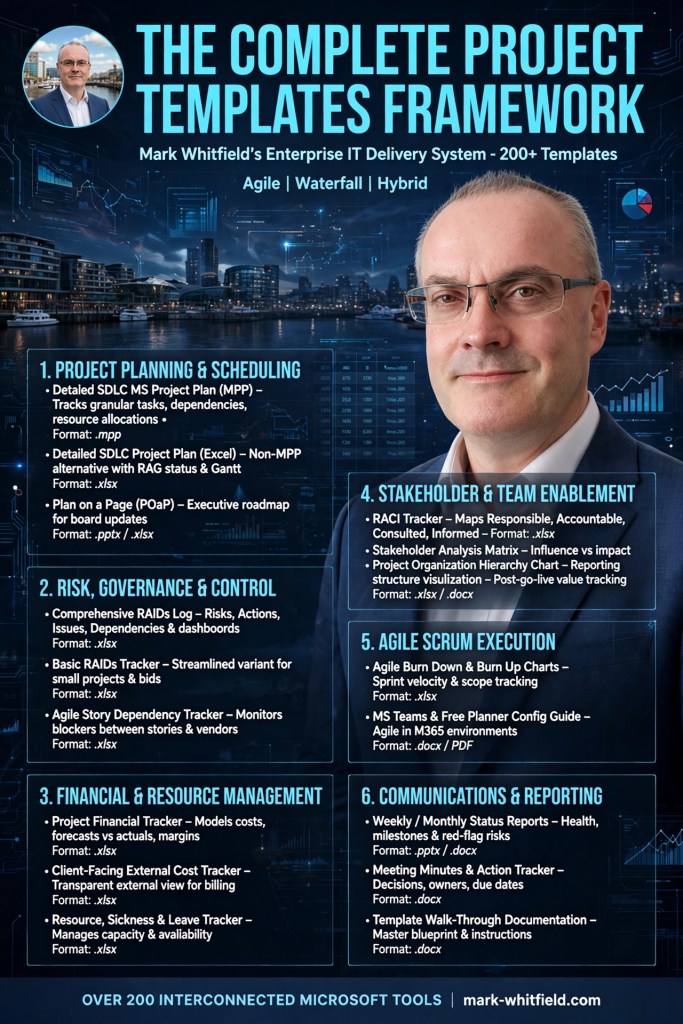
The IT Project Management (PM) toolkits created by Mark Whitfield provide over 200 tailored templates spanning Agile, Waterfall, and PRINCE2 methodologies. These artifacts are designed to structure, track, and report on software delivery lifecycles (SDLC).

The framework’s core templates are categorized below by operational delivery area, specific template artifact, and native file format:

📅 Schedule, Planning & Timelines

Focuses on structural design, building work breakdown structures (WBS), and visualizing milestones for senior stakeholders.

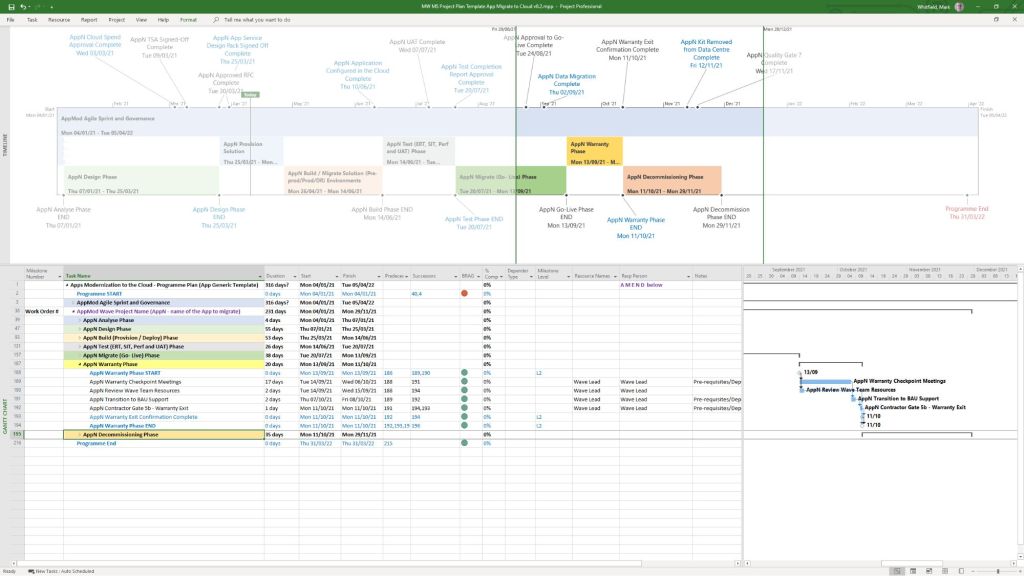
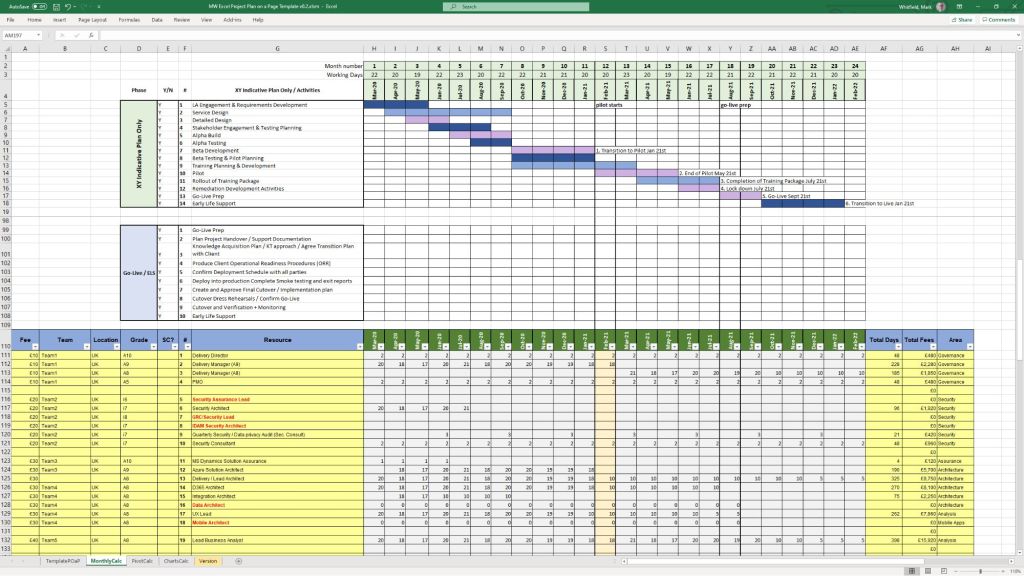
  • Detailed SDLC / PRINCE2 Project Plan: Microsoft Project (.mpp), Excel (.xlsx)
  • Agile Scrum Sprint Planner & Delivery Plan: Microsoft Project (.mpp), Excel (.xlsx)
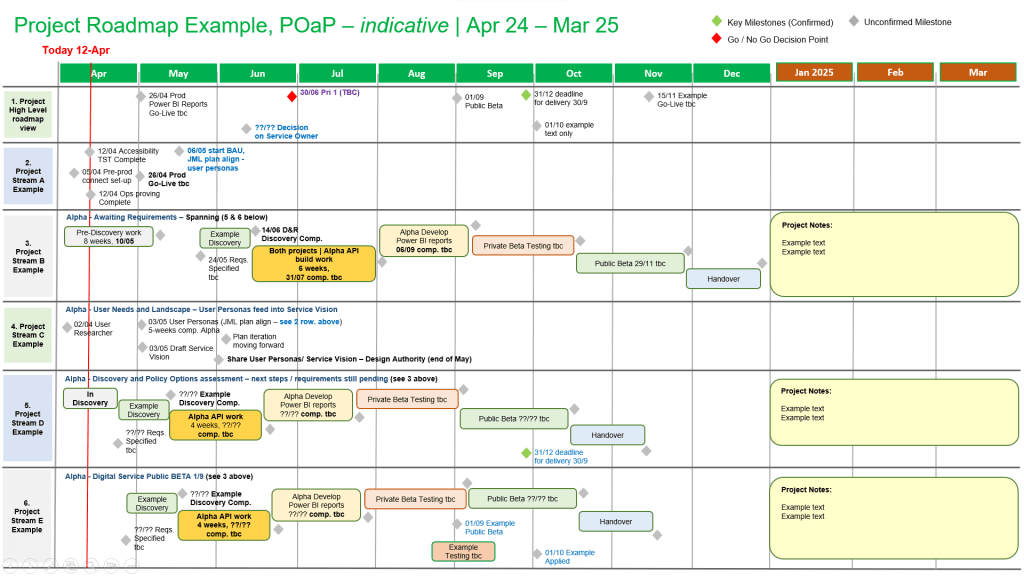
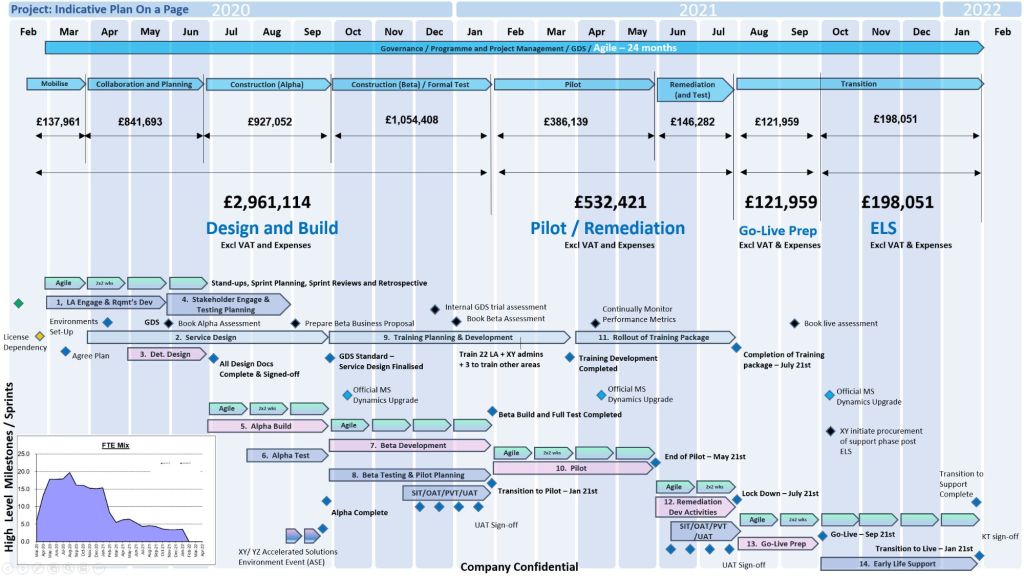
  • Plan on a Page (POaP) Milestone Visualizer: PowerPoint (.pptx)—over 35 custom variations
  • Gantt Chart Trackers: Excel (.xlsx)

🔍 Risk, Issue & Change Control (RAID)

Manages constraints, operational hazards, dependencies, and baseline deviations.

  • Simple RAID Log (Risks, Assumptions, Issues, Dependencies): Excel (.xlsx)
  • Comprehensive Tracking Register (Includes RAIDs, Suppliers, Deliverables, and Out-of-Scope tasks): Excel (.xlsx)
  • Change Request Tracker: Excel (.xlsx)

📊 Governance, Tracking & Status Reporting

Facilitates communication across team tiers and summarizes health indicators for client or internal reviews.

  • Weekly & Monthly Project Status Reports: PowerPoint (.pptx), Word (.docx)
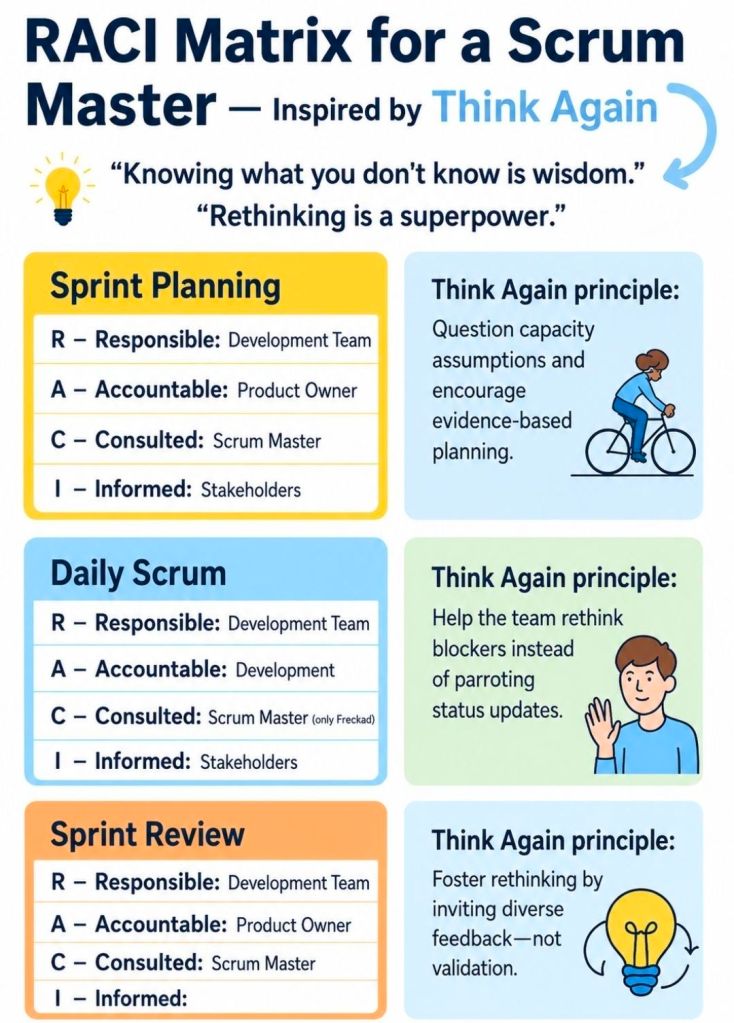
  • RACI Matrix (Roles & Responsibilities Tracker): Excel (.xlsx)
  • Agile Burndown and Burnup Charts: Excel (.xlsx)
  • Meeting Minutes and Action Item Logs: Word (.docx)

💰 Finance, Resources & Benefits

Tracks financial trajectories, internal/external staffing allocation, and post-launch outcomes.

  • Full Project Financial Tracker (Forecasts, Actuals, Variances, Margins, and Expenses): Excel (.xlsx)
  • Simple Monthly Budget Forecast: Excel (.xlsx)
  • Resource Cost & Annual Leave Tracker: Excel (.xlsx)
  • Benefits Realisation Analysis Tracker: Excel (.xlsx)

🏗️ Initiation, Structure & Walkthroughs

Establishes the foundation of the delivery framework and walks team members through how to execute templates.

  • Project Kick-Off Presentation Deck: PowerPoint (.pptx)
  • Project Organisation Charts: PowerPoint (.pptx)
  • Template Walkthrough Documentation Guides: Word (.docx)

Agile Waterfall Scrum Kanban Lean XP for BA & PO

Agile Waterfall Scrum Kanban Lean XP for BA & PO

The 3 Agile Scrum Pillars

The 3 Agile Scrum Pillars

The three pillars of Scrum are Transparency, Inspection, and Adaptation. Together, they form the foundation of empirical process control—a methodology where decisions are based on observation and experience rather than unverified plans.

1. Transparency

Transparency ensures that all aspects of the process and progress are visible to both the team performing the work and the stakeholders. This requires a common, shared understanding of what constitutes “done” and maintaining open, honest communication. Key Scrum artifacts like the Product Backlog and Sprint Backlog are tools used to maintain this visibility.

2. Inspection

Scrum teams must regularly inspect their artifacts (like the product increment) and their overall progress toward the Sprint Goal to detect any unwanted variances or problems. This is achieved through established Scrum events such as the Daily Scrum, Sprint Review, and Sprint Retrospective.

3. Adaptation

If an inspection reveals that aspects of a process or the product are deviating outside acceptable limits, the team must adjust the process or the material being worked on. Adaptation involves making necessary changes as soon as possible to minimize further deviations and continuously improve the end product.

For more specific guidance, you can explore the official Scrum Alliance breakdown or learn more via Atlassian’s Agile Project Management Guide.

Agile Scrum Ceremonies that Drive Delivery

Agile Scrum Ceremonies that Drive Delivery
Scrum Ceremonies that Drive Delivery

Sprint Retrospective

Scrum Sprint Retrospective
Sprint Retrospective

A Sprint Retrospective is a structured, time-boxed meeting held at the end of an Agile or Scrum sprint. Its primary purpose is to allow the core team (Developers, Scrum Master, and Product Owner) to reflect on the recently completed sprint and agree on actionable process improvements for future sprints.

For a quick visual breakdown of the Sprint Retrospective’s purpose and its role in team improvement, watch this short video:

Sprint Retrospective in a Nutshell3.8k views · 3 years agoYouTube · Kaizenko

The Core Goal

While the Sprint Review looks outward at what the team built (the product), the Retrospective looks inward at how the team worked (the processes, tools, and team dynamics). It follows the rule of inspect and adapt to prevent repeating the same mistakes and to continuously improve engineering productivity and team morale.

The 5 Standard Phases

Experienced facilitators (like Scrum Masters) usually structure the meeting into five key steps to ensure it remains a productive working session rather than a complaint session:

  1. Set the Stage: Create a psychologically safe and blameless environment. Ground rules are established so the focus remains on process, not people.
  2. Gather Data: Collaboratively pool observations, facts, and experiences from the previous sprint.
  3. Generate Insights: Look for underlying patterns or root causes of why things happened, rather than just listing symptoms.
  4. Decide What to Do: Select the most critical 1 to 2 high-priority improvements and commit to actionable next steps.
  5. Close the Retrospective: Summarize the action items, confirm individual ownership (assign specific names), and end on time.

Common Frameworks

Teams often use specific templates to keep the conversation fresh and engaging. Some of the most popular include:

  • Start, Stop, Continue: Identify what actions to begin doing, stop doing, and continue doing in the next sprint.
  • Mad, Sad, Glad: Focuses on how team members felt during the sprint, helping to surface frustrations and team morale issues.
  • The 4 Ls: Asks team members to discuss what they Loved, Loathed, Learned, and Longed for.
  • Sailboat Exercise: A visual metaphor where the team maps out their goals (the island), the wind in their sails (what helped them), and the anchors (what slowed them down).

Best Practices for Success

  • Keep it strictly team-only: To encourage candour and psychological safety, stakeholders should generally not be present.
  • Make action items accountable: Action items should be assigned to specific individuals and prioritized for the very next sprint’s backlog.
  • Timebox appropriately: The meeting’s duration scales with the sprint length. A 1-week sprint might warrant a 45-minute retro, while a month-long sprint might need up to 3 hours.

What Does a Business Analyst Do in Sprint Planning?

What Does a Business Analyst Do in Agile Sprint Planning?
What Does a BA Do in Sprint Planning?

Download Free Upgrade Project Management Templates

The full toolkit of Mark Whitfield’s Project Management (PM) templates is structured below according to structural focus areas, overview of utility, and native file formats. Free upgrades and additions after purchase.

📅 Project Planning & Roadmapping

  • Focus: Schedule design and milestone visualization for SDLC, PRINCE2, and Agile.
  • Overview: Builds work breakdown structures (WBS), tracks timelines, and presents milestones to stakeholders.
  • Format: Microsoft Project (.mpp), Excel (.xlsx), and PowerPoint (.pptx).
  • Included: Detailed plans, Excel Gantt trackers, over 35 Plan on a Page (POaP) slides, and spreadsheet-based timelines.

⚠️ Risk, Governance & Operational Control

  • Focus: Threat tracking, dependency mitigation, and accountability.
  • Overview: Ensures structural control and compliance, managing risks, issues, and resource ownership.
  • Format: Excel (.xlsx) and Word (.docx).
  • Included: Comprehensive RAIDs log, RACI tracker, stakeholder analysis map, and meeting minutes templates.

💰 Financial Management & Tracking

  • Focus: Cost control, margin maintenance, and expenditure reporting.
  • Overview: Tracks internal/external resources, supplier fees, and expenses with visualized budget usage.
  • Format: Excel (.xlsx) with pivot tables and charts.
  • Included: Project financial tracker, FAV basic tracking template, and client-facing external cost tracker.

🏃 Agile Delivery & Metric Performance

  • Focus: Iterative delivery, velocity tracking, and roadblock visibility.
  • Overview: Used for manual tracking of sprint metrics and third-party dependencies when native tools are unavailable.
  • Format: Excel (.xlsx).
  • Included: Burn down/up charts, and agile story dependency trackers.

📢 Communications & Project Status Reporting

  • Focus: Executive updates and onboarding consistency.
  • Overview: Standardizes project reporting, status updates, and organization charts.
  • Format: PowerPoint (.pptx) and Word (.docx).
  • Included: Project status reports, kick-off decks, organizational charts, and benefits realization plans.