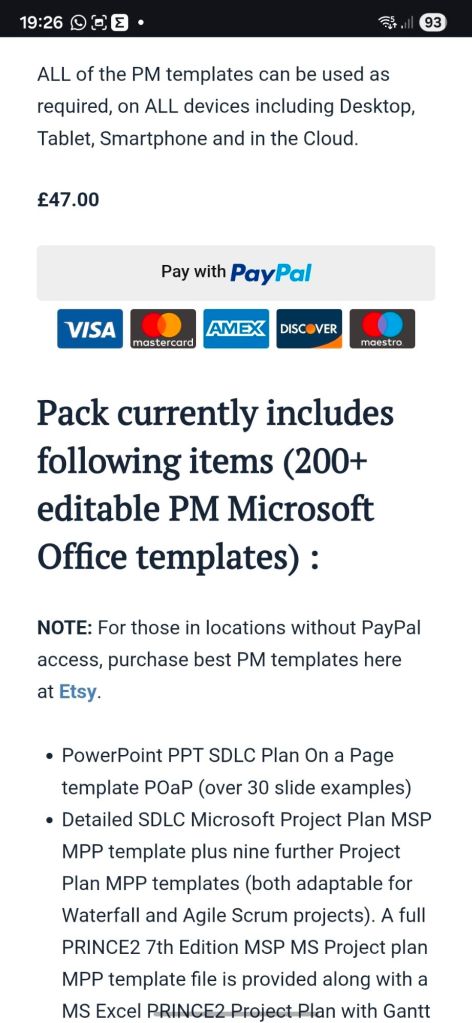
Mark Whitfield provides a comprehensive suite of over 200 editable project management templates designed for both Agile and Waterfall delivery. These tools are built based on 21+ years of IT project delivery experience and are formatted for Microsoft Office (Excel, Word, PowerPoint) and Microsoft Project (MPP).
Core Planning & Tracking Templates
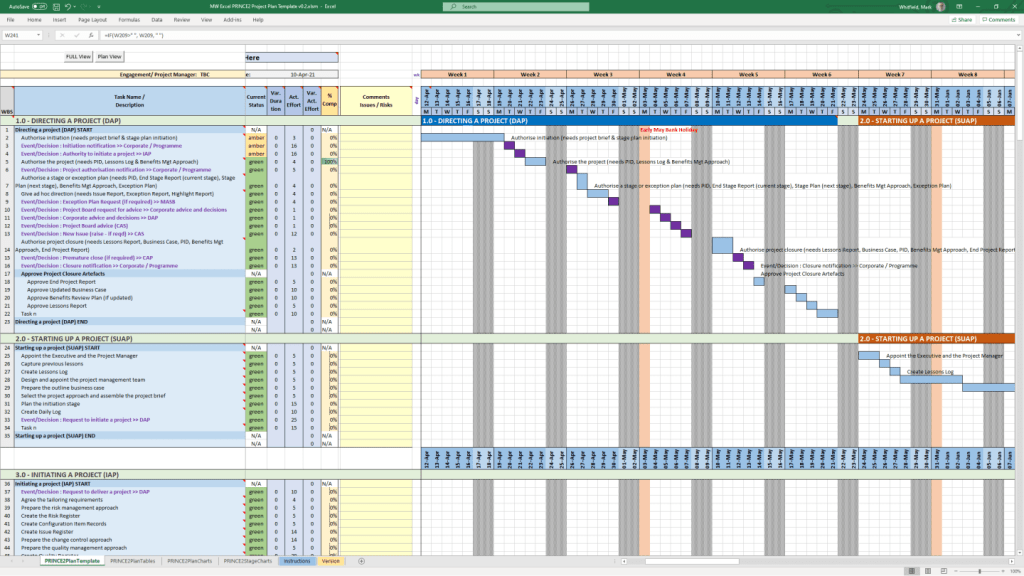
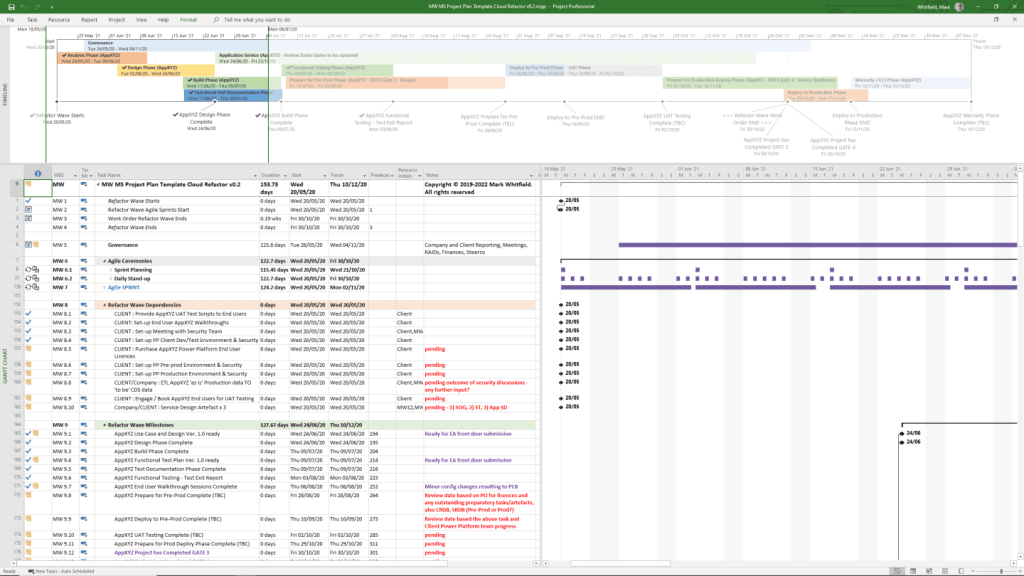
Detailed Project Plans: Comprehensive MPP and Excel files covering the full Software Development Life-cycle (SDLC), including Waterfall and Agile Scrum sprints.
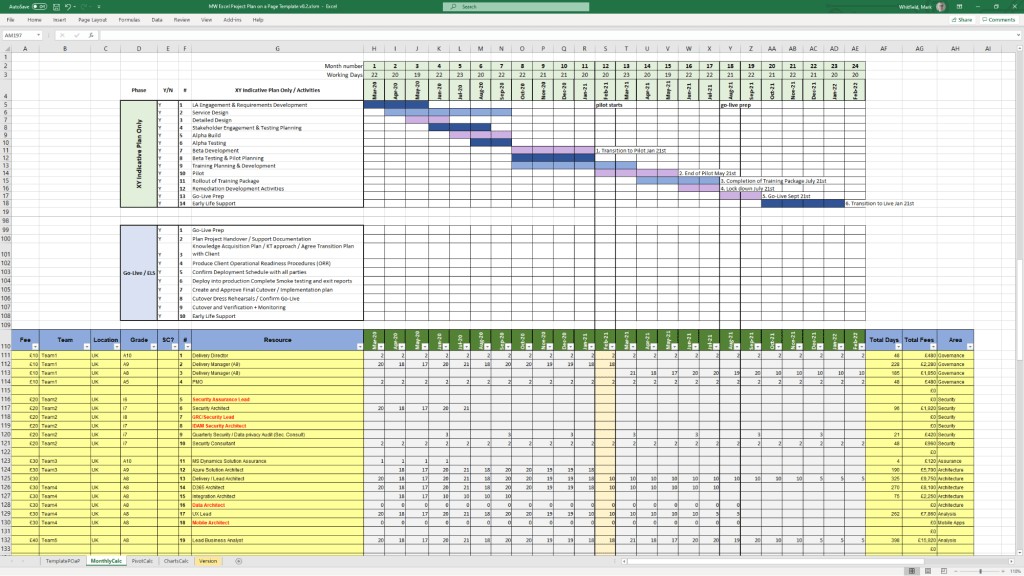
Plan on a Page (POaP): High-level visual summaries in PowerPoint or Excel for client reporting and executive snapshots.
RAID Log: A central tracker for Risks, Actions, Issues, and Dependencies, often including tabs for Decisions, Opportunities, and Lessons Learned.
RACI Matrix: A tracker to define roles and responsibilities (Responsible, Accountable, Consulted, Informed).
Financial & Resource Management
Project Finance Tracker: Tools for managing project budgets, including forecasts vs. actuals, margin analysis, and variation tracking.
Resource Planning: Grid templates for costing project resources per phase and tracking team allocations.
Benefits Realisation: A spreadsheet to compare initial project goals against actual business outcomes and costs.
Reporting & Communication
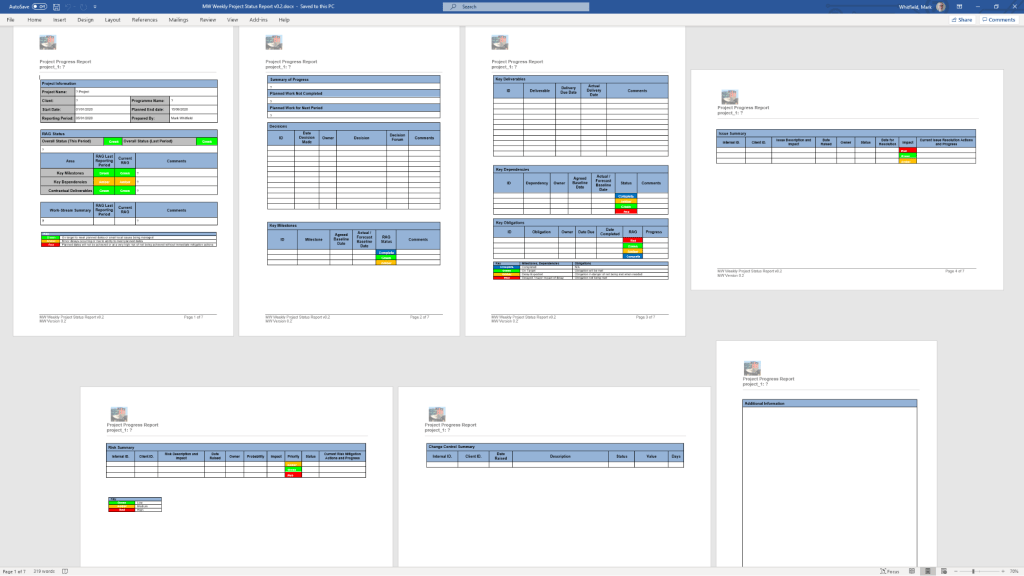
Status Reports: Weekly and monthly templates in Word and PowerPoint that include milestone dashboards, project health indicators, and “next steps”.
Organisation Charts: Templates for visualising the project hierarchy and stakeholder contacts.
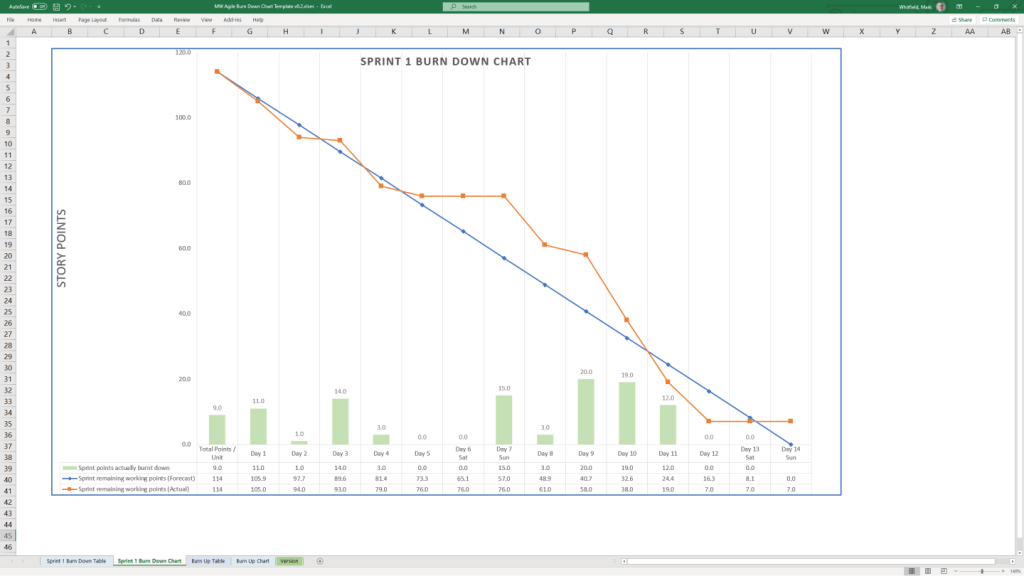
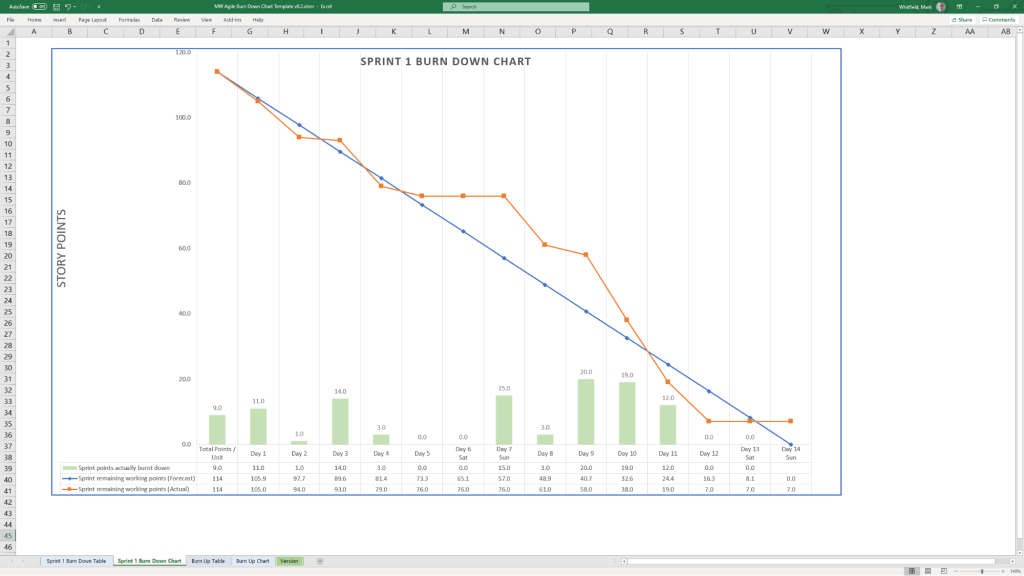
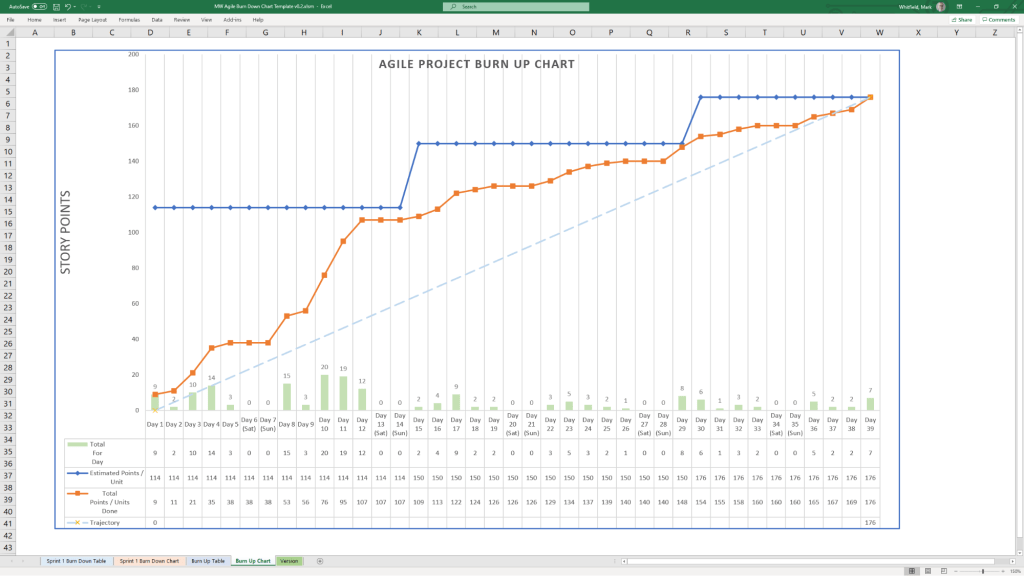
Agile Dashboards: Excel-based Burn Down and Burn Up charts for teams that do not have access to tools like Jira.
Methodology Support
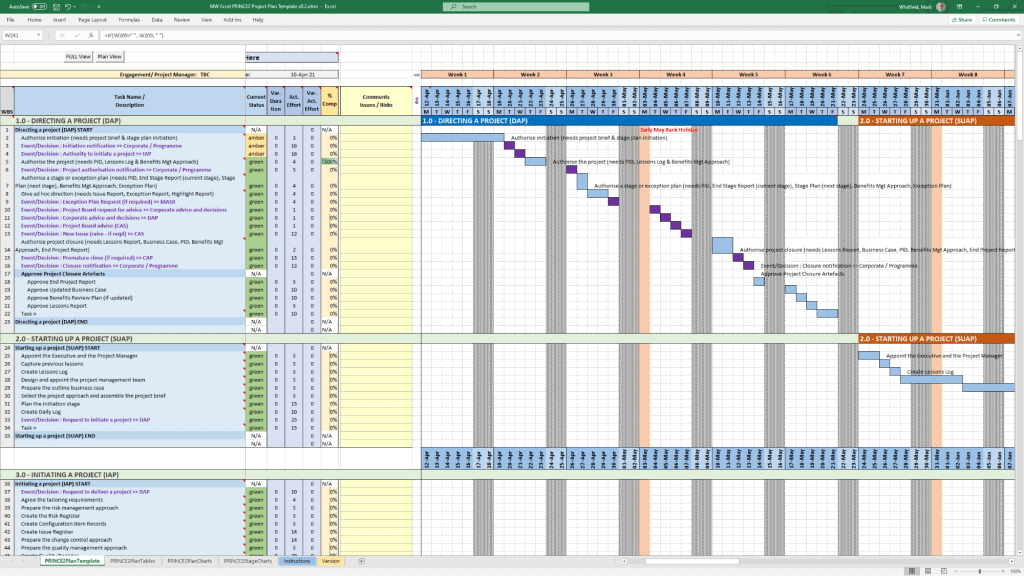
PRINCE2 7th Edition: Specific MPP and Excel templates aligned with the latest PRINCE2 standards.
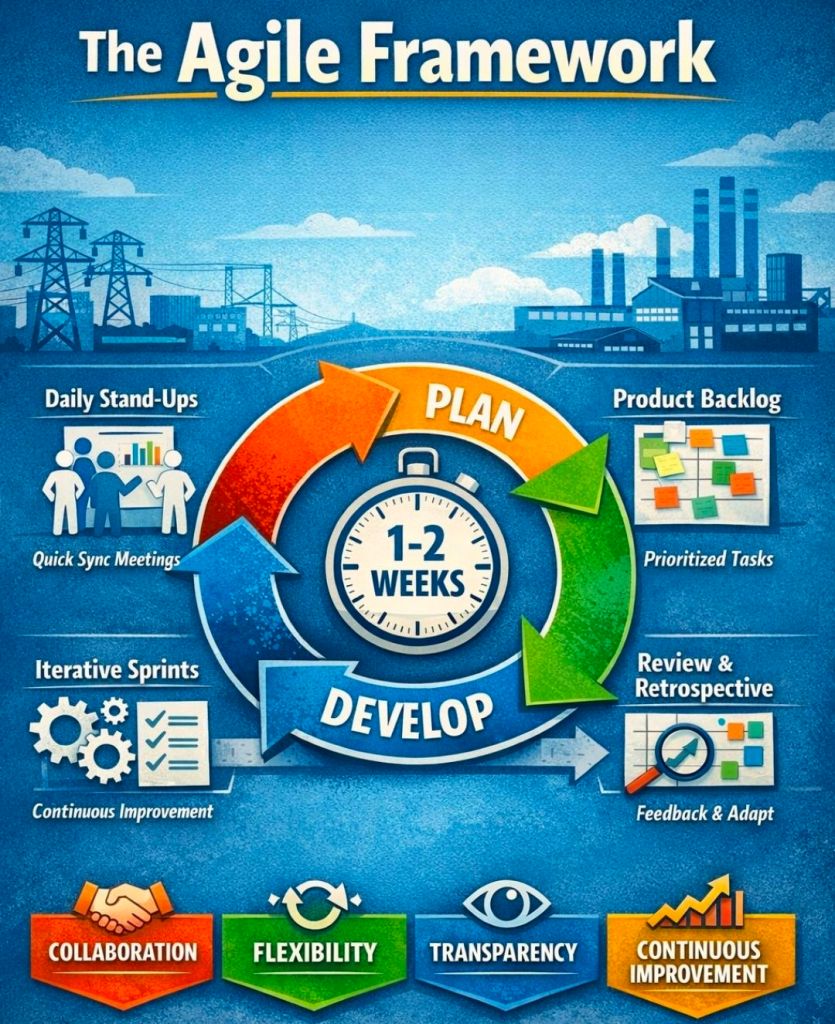
Agile Frameworks: Templates for Sprint Planning, Daily Stand-ups, and Sprint Retrospectives.
These templates are available for purchase on Mark Whitfield’s official site and typically include free lifetime upgrades.
Free Upgrade Project Management Templates Download by focus area
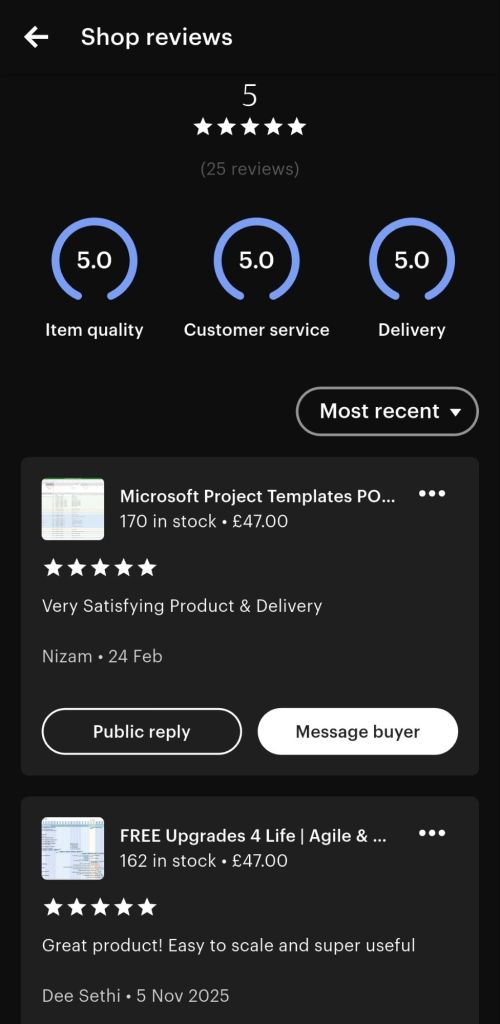
Mark Whitfield is a Senior Project Manager with over 30 years of experience in delivering PRINCE2 Waterfall and Agile Scrum projects. Operating the Etsy shop ProjectTemplatesSoft (also known as iProPMTemplates), he provides a comprehensive bundle of over 200 professional project management templates.
Operating the Etsy shop ProjectTemplatesSoft (also known as iProPMTemplates)
Author Overview: Mark Whitfield
Professional Background: Graduated in Computing in 1990 and began his career as a programmer in electronic banking software.
Expertise: Senior Project Manager and PRINCE2 Practitioner with extensive experience in the Software Development Lifecycle (SDLC).
Value Proposition: His templates are designed to be “imitation-proof” professional toolsets used in real-world project delivery.
Support Policy: Offers FREE upgrades and additions for life to anyone who purchases his template bundles; users simply contact him via Etsy or his official website.
The expanded inventory typically included in his master ZIP file covers the entire project lifecycle across various formats (Excel, Word, PowerPoint, and MS Project).
1. Planning & Scheduling Templates
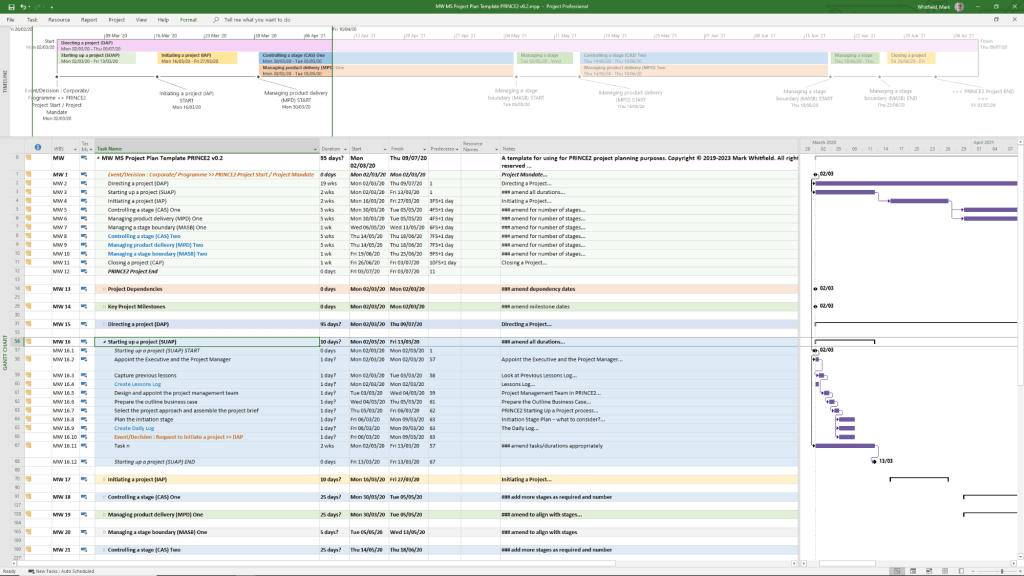
MS Project (MPP) Plans: Detailed SDLC Microsoft Project plans adaptable for Waterfall and Agile Scrum, including PRINCE2 7th Edition specific plans.
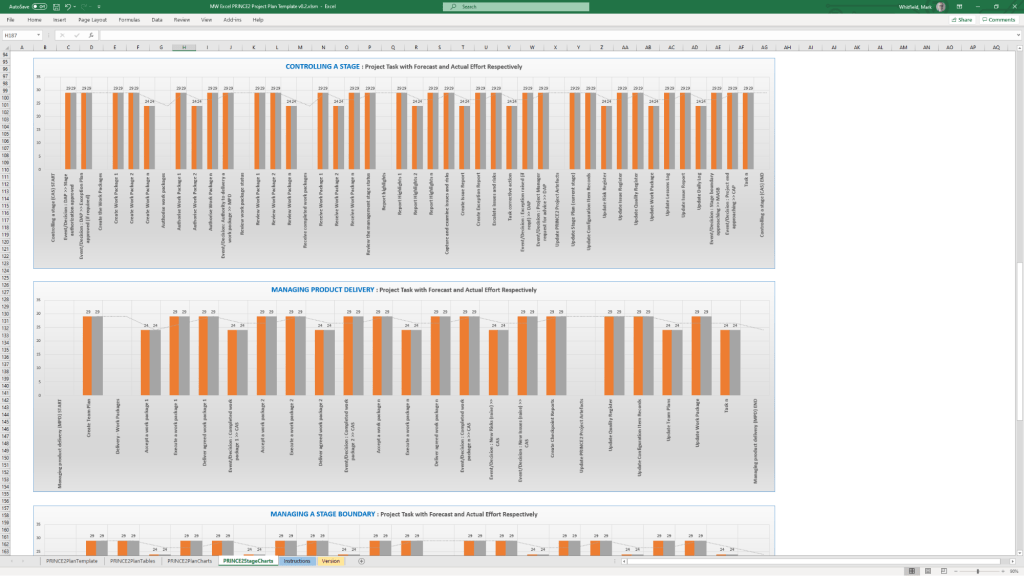
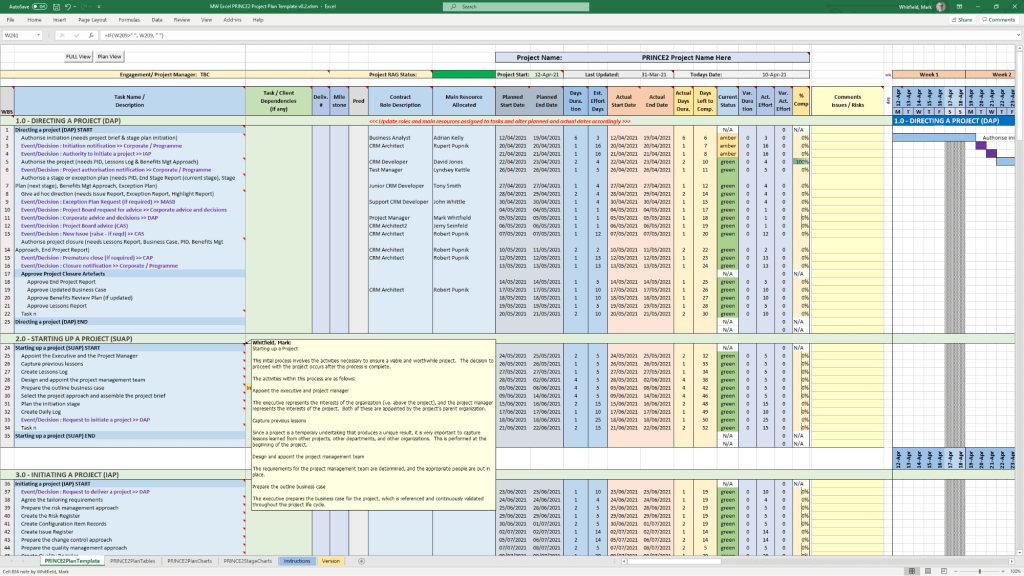
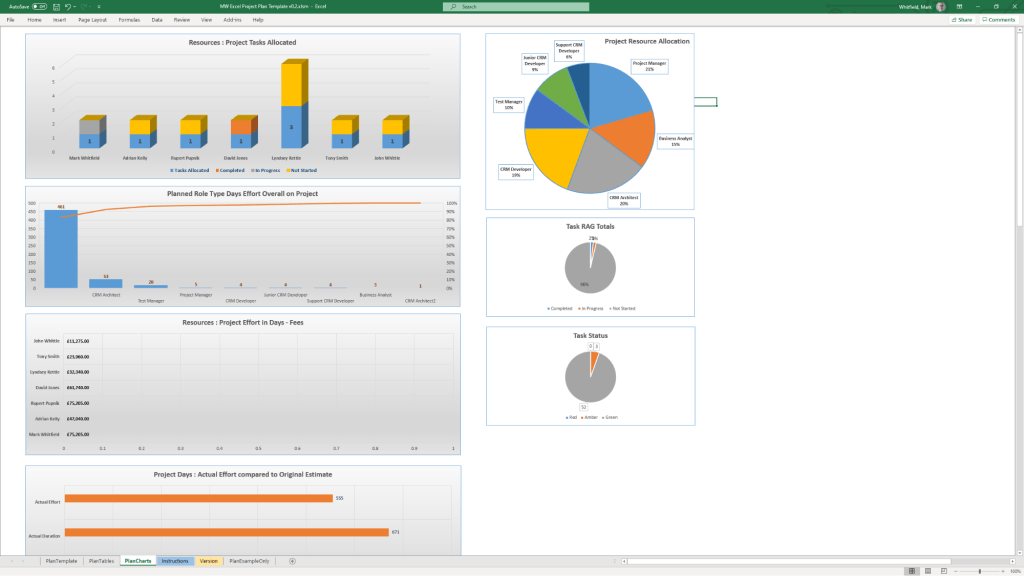
Excel Project Planners: Robust Waterfall and PRINCE2 planners with automated Gantt views, designed for users without MS Project licenses.
Plan on a Page (POaP): High-level PowerPoint and Excel templates for stakeholder presentations, showing project timelines and key milestones.
Agile Frameworks: Templates for Sprint planning, Daily Stand-ups, Sprint Reviews, and Retrospectives.
2. Tracking & Control (RAID & RACI)
Comprehensive RAID Log: An Excel-based master tracker for Risks, Assumptions, Issues, Dependencies, and Decisions.
RACI Matrix: For defining roles and responsibilities (Responsible, Accountable, Consulted, Informed).
Agile Trackers: Includes Burn Down and Burn Up charts for teams not using Jira or similar tools.
3. Financial & Resource Management
Project Financial Tracker: Detailed spreadsheets for tracking forecasts, actuals, margins, and variance.
Resource Costing Grid: Tools for estimating resource costs across project phases, useful for bidding and Statements of Work (SoW).
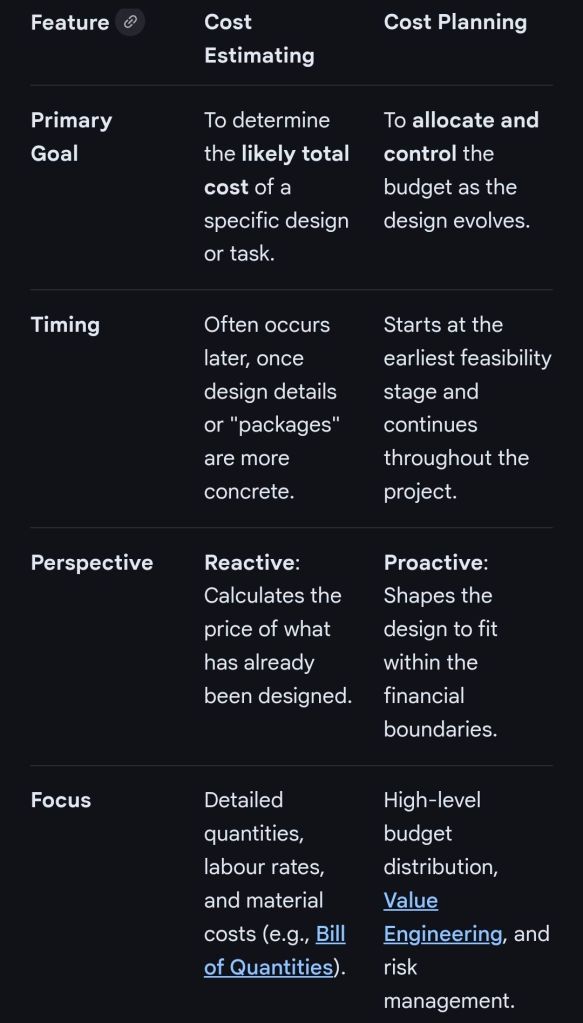
In professional project management and construction, cost estimating and cost planning are complementary processes that occur at different stages to ensure a project remains financially viable.
1. Cost Estimating: “What will it cost?”
Cost estimating is a technical assessment used to predict the expenditures for a project.
Early Stages: Estimates might be “rough orders of magnitude” based on square footage or historical data (e.g., cost per hotel room).
Later Stages: Estimates become precise “tender figures” used by contractors to bid on work, factoring in current market rates for labour and materials.
Function: It answers the question: “Is this specific plan affordable?”.
2. Cost Planning: “How do we stay on budget?”
Cost planning is a strategic framework that manages a project’s financial health from start to finish.
Iterative Process: It is a “living document” that is updated as the project moves from concept to detailed design.
Allocation: It breaks down the total budget into “elemental” targets (e.g., spending £X on the foundation and £Y on finishes).
Control: If an estimate for one part of the project exceeds its target, the cost plan guides the team to adjust the design or find savings elsewhere to keep the overall project on track.
Standard Professional Guidance
The Royal Institution of Chartered Surveyors (RICS) provides the New Rules of Measurement (NRM 1), which standardises how these processes work together:
Order of Cost Estimate: Establishing the initial viability of a project.
Elemental Cost Plan: Breaking the estimate down into functional parts.
Cost Checking: Continually comparing design changes against the cost plan to prevent overspending.
WordPress has evolved from a basic blogging tool in 2003 into a dominant Content Management System (CMS) that powers over 43% of the internet including this https://mark-whitfield.com website. Its history is defined by major version releases, often named after jazz musicians, and shifts toward “Full Site Editing”.
This WordPress website started around 2021
The Early Years (2001–2005)
2001: French developer Michel Valdrighi launches b2/cafelog, the PHP/MySQL-based blogging software that served as the foundation for WordPress.
2003 (May 27):Matt Mullenweg and Mike Little release WordPress Version 0.7, a fork of b2/cafelog.
2004:Version 1.0 (“Miles Davis”) introduces SEO-friendly permalinks and comment moderation. Version 1.2 (“Mingus”) debuts the plugin architecture, allowing for external extensibility.
2005:Version 1.5 (“Strayhorn”) introduces the Themes system and static Pages, moving WordPress beyond just chronological blog posts. Automattic is founded by Matt Mullenweg in August.
Expansion and Ecosystem Growth (2006–2010)
2006: The first WordCamp is held in San Francisco. Automattic registers the WordPress trademark.
2007:Version 2.1 (“Ella”) adds autosave and spell-check. Version 2.2 (“Getz”) introduces Widgets.
2008:Version 2.7 (“Coltrane”) revamps the dashboard, moving the menu to the sidebar where it remains today.
2010:Version 3.0 (“Thelonious”) is a major milestone, introducing Custom Post Types and Multisite capabilities. The WordPress trademark is transferred to the non-profit WordPress Foundation.
The “Modern” Dashboard & Visual Improvements (2011–2017)
2011:WooCommerce is released (later acquired by Automattic in 2015), revolutionising WordPress e-commerce.
2013:Version 3.7 (“Basie”) introduces automatic background updates for security patches. Version 3.8 (“Parker”) gives the admin dashboard the modern, flat design used today.
2014:Version 4.0 (“Benny”) focuses on media management with a new grid view.
2016: The REST API is integrated into core (v4.4), allowing WordPress to interact with other web applications.
The Gutenberg & Site Editing Era (2018–Present)
2018 (Dec 6):Version 5.0 (“Bebo”) launches the Gutenberg block-based editor, fundamentally changing content creation from text-heavy to visual blocks.
2022:Version 6.0 introduces Full Site Editing (FSE), enabling users to edit headers, footers, and templates visually without code.
2024: WordPress continues to refine the site editing experience with Version 6.7 (“Rollins”). In late 2024, a public legal conflict began between Automattic and WP Engine over trademark usage and contributions.
2025–2026:Version 6.8 (April 2025) and future Version 7.0 roadmap focus on real-time collaboration (Phase 3 of Gutenberg) and AI integration.
WordPress Content Management System (CMS) Timeline Overview
This WordPress website selling Project Management templates – see banner above
Microsoft Word has evolved from a niche tool for Xerox programmers into the world’s most dominant word processor. Below is the comprehensive history of its development and key milestones.
Templates available for download at website banner
The Early Years (1980s)
1981: Microsoft hires Charles Simonyi and Richard Brodie, former Xerox PARC developers, to create a word processor.
1983 (October): The first version, Multi-Tool Word, is released for Xenix and MS-DOS.
1985: Word for Macintosh is released, introducing the GUI (Graphical User Interface) that would define its future.
1989: The first version of Word for Windows debuts, setting the stage for its commercial dominance.
The Rise to Dominance (1990s)
Templates available for download at website banner
1990: With the release of Windows 3.0, Word becomes a massive commercial success.
1993:Word 6.0 is released, skipping versions 3, 4, and 5 to synchronise version numbers across platforms.
1995:Word 95 launches as part of the first Microsoft Office suite, moving to a year-based naming convention.
1997:Word 97 introduces the infamous “Clippy” assistant and the standard .doc format that would last for a decade.
Modernisation & The Ribbon (2000s)
2003:Word 2003 introduces XML-based formats and better collaboration tools.
2007: A massive overhaul introduces the Fluent User Interface (the Ribbon) and the new .docx (Office Open XML) file format.
2010:Word 2010 adds more customisation to the Ribbon and introduces the Backstage view for file management.
Cloud & AI Era (2011–Present)
2011:Office 365 is launched, shifting Word toward a subscription-based, cloud-first model.
2013: Introduces better PDF editing and Read Mode.
2014-2016:Real-time collaboration and Smart Lookup are added, allowing users to research directly within the document.
2021:AI-powered writing suggestions and better dark mode are introduced.
2024: Integration with Microsoft Copilot allows for AI-generated drafts, summaries, and advanced editing.
Microsoft Excel has evolved from a niche Apple Macintosh tool into the world’s most dominant spreadsheet software. Its history is marked by strategic shifts, such as jumping from the MS-DOS era to graphical interfaces to outmanoeuvre then-leader Lotus 1-2-3.
Timeline of Major Excel Milestones
Agile Templates available at download link at website banner
1982: Multiplan (The Predecessor) – Microsoft’s first spreadsheet program. While popular on CP/M systems, it struggled against Lotus 1-2-3 on MS-DOS.
1985: Excel 1.0 (Macintosh Exclusive) – Realising they couldn’t beat Lotus on DOS, Microsoft built a graphical spreadsheet for the new Mac. It introduced the ability to adjust cell heights, widths, and fonts.
1987: Excel 2.0 (First Windows Version) – Launched alongside the first Windows environments, it introduced color support (like red for negative numbers) and was significantly faster than competitors.
1990: Excel 3.0 – Added 3D charts, toolbars, and drawing tools, helping Excel finally overtake Lotus 1-2-3 as the market leader.
1997: Excel 8.0 (Office 97) – Introduced the Paperclip Assistant (“Clippy”) and the first version of the modern VBA environment.
2007: Excel 12.0 (The Ribbon Era) – Replaced menus with the Ribbon interface and dramatically increased grid capacity to 1,048,576 rows by 16,384 columns.
2010: Excel 14.0 – Introduced Slicers for PivotTables and Sparklines (mini charts inside cells).
2013-2016: Data Intelligence – Added Power Query, Power Pivot, and new chart types like Waterfall, Pareto, and Treemap to support advanced data modeling.
2019-Present: AI & Cloud Integration – Modern versions focus on seamless collaboration, dynamic arrays (like XLOOKUP), and AI-powered insights that can extract data directly from images.
Technological Evolution Highlights
MS Excel templates available on bundle download at website banner
Architecture: Shifted from 16-bit to 32-bit with Excel 95, greatly improving stability.
Collaborative Features: Modern Version History and “Show Changes” now allow teams to track every edit in real-time.
Visualisation: Excel now supports complex timelines via SmartArt or custom Scatter charts with error bars for professional project tracking.
Microsoft Excel Development Timeline History
Microsoft Excel templates available at banner above, FREE upgrades
Microsoft Project has evolved from a DOS-based tool in the 1980s into a cloud-integrated platform. Its “Timeline” feature specifically has transitioned from a simple static view to a multi-layered, interactive reporting tool.
Template included in package – see website banner
Timeline Feature Development History
Early Era (1984–2007): For decades, the “timeline” was synonymous with the Gantt Chart. Users had to rely on complex print-outs or third-party tools to create high-level summaries for executives.
The dedicated Timeline View (2010): Microsoft introduced a native Timeline view in Project 2010, allowing users to cherry-pick specific tasks and milestones to display on a single horizontal bar.
Multi-Timeline Support (2016): Project 2016 expanded this by allowing multiple timeline bars in a single view. This enabled managers to represent different project phases or workstreams with independent start and end dates.
Cloud & Web Integration (2019–Present): With the launch of Project for the web, timelines became more interactive, supporting drag-and-drop adjustments and real-time co-authoring.
Task History Tracking (2023): Microsoft added a Task History pane to the web version, allowing users to see a chronological log of changes to specific timeline items.
Key Components of a Modern MS Project Timeline
Templates included in download bundle – see website banner
Gantt-Style Visualization: Displays tasks as horizontal bars against a calendar timescale.
Milestones & Callouts: Important dates appear as diamonds or labels that can be dragged above or below the main bar to avoid clutter.
Dependencies: Visual links between tasks that illustrate the sequence of work and the Critical Path.
Copy for Presentation: A dedicated formatting tool that allows users to export the timeline directly to Microsoft PowerPoint or email at various sizes (Small, Medium, Full Size).
Future Outlook
Template included in download bundle – see website banner
Microsoft has announced that Project Online will be officially retired on 30 September 2026, with development focus shifting entirely to the new Microsoft Planner and Project for the web ecosystem.
Microsoft Project Timeline, Development History Overview
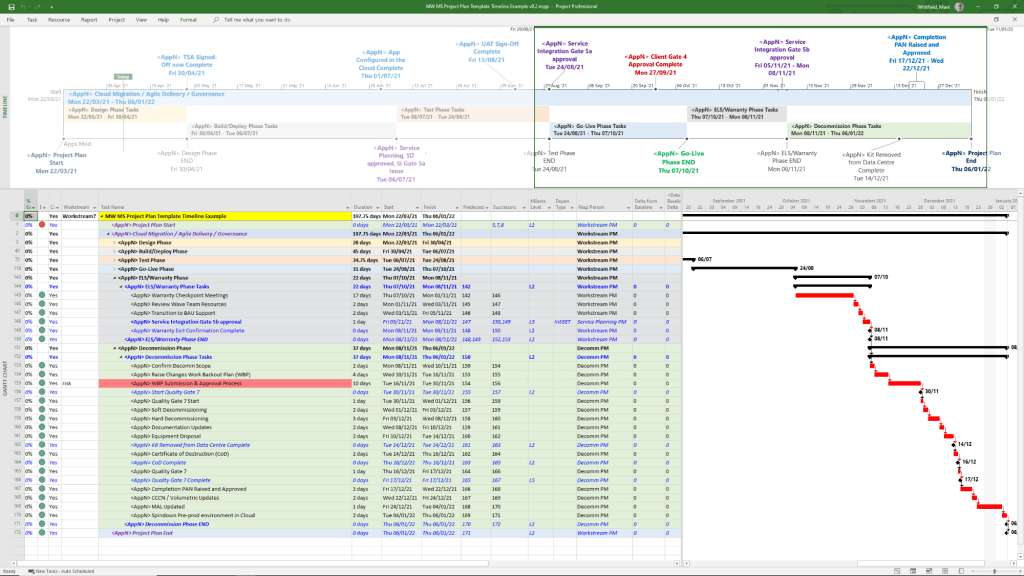
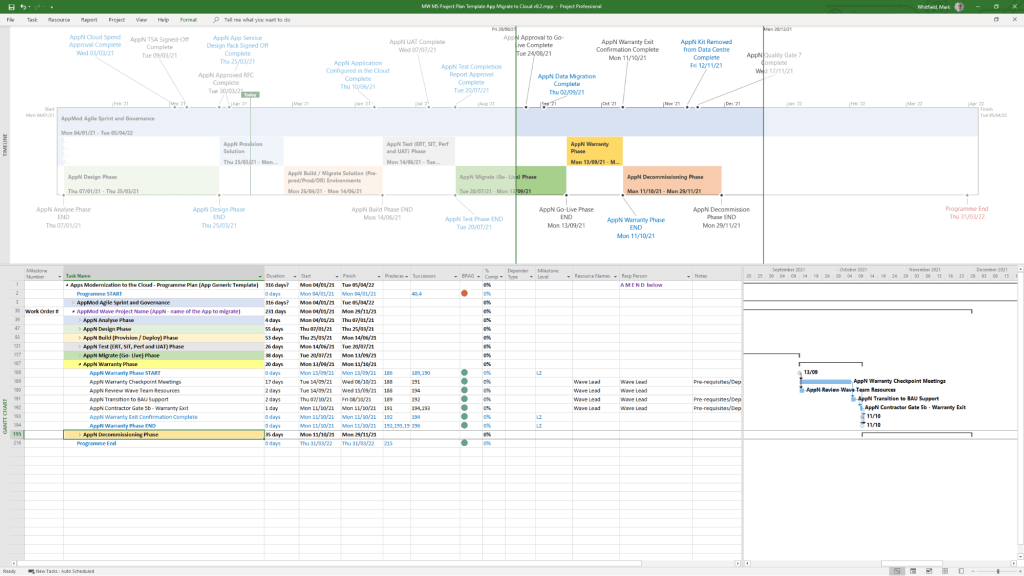
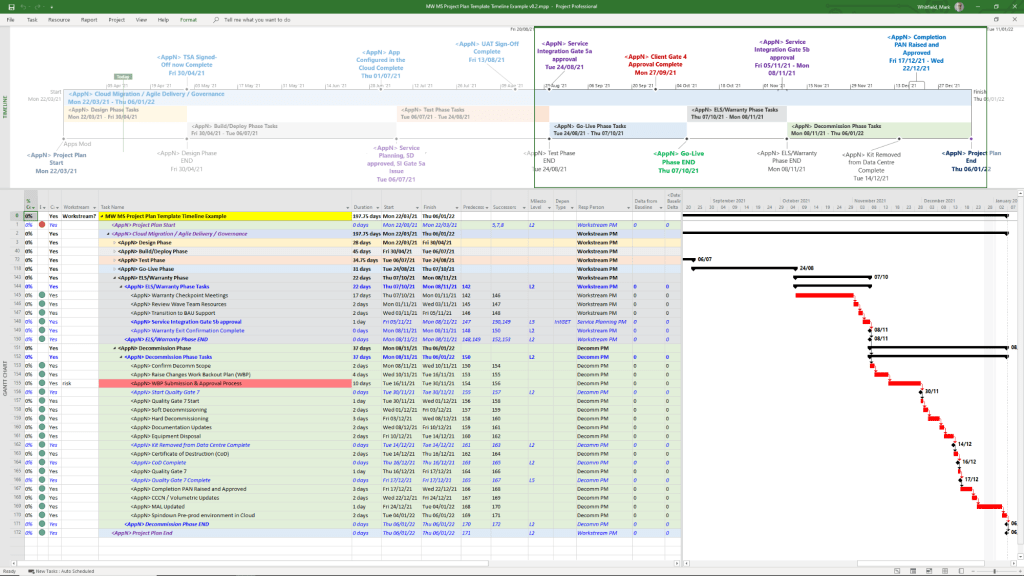
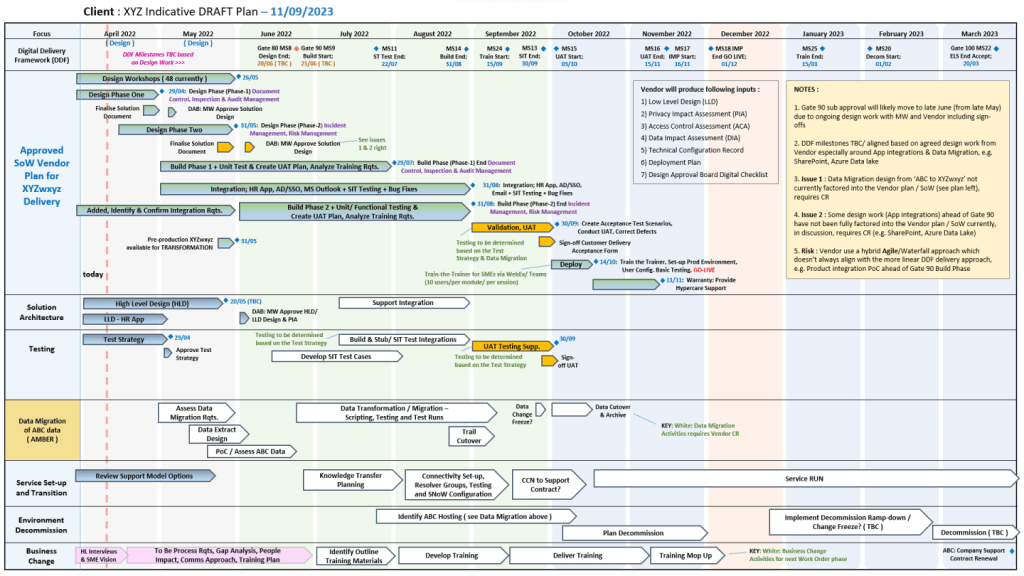
Mark Whitfield’s project management templates offer a range of timeline and planning views designed for Agile, Waterfall, and PRINCE2 delivery. These templates typically include a high-level Plan on a Page (POaP) and detailed Microsoft Project (MPP) or Excel schedules.
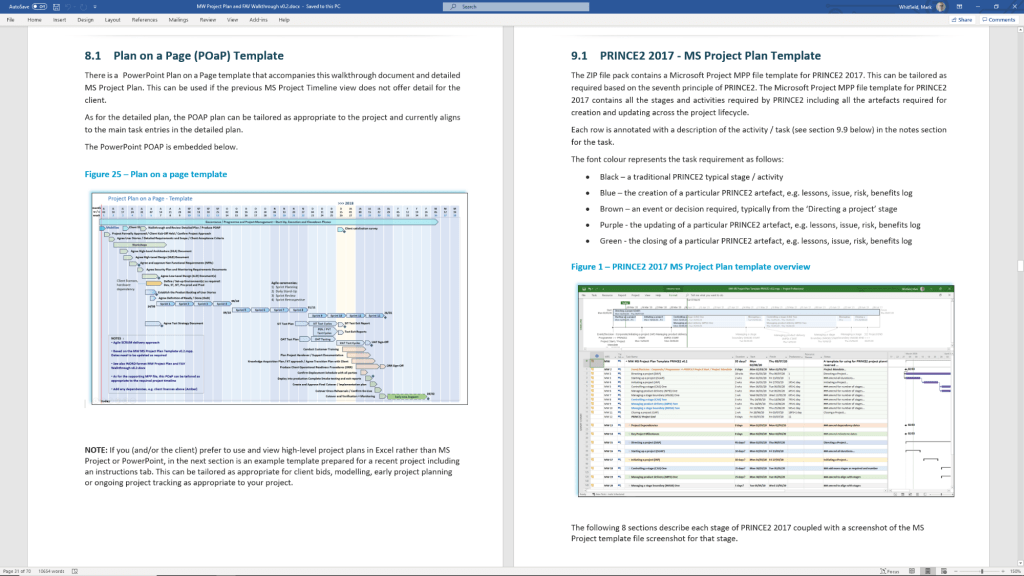
Example Plan on a Page POaP
Timeline & Planning Views
Plan on a Page (POaP): A high-level summary view (often in PowerPoint or Excel) used to communicate key phases and milestones to stakeholders without the clutter of a full Gantt chart.
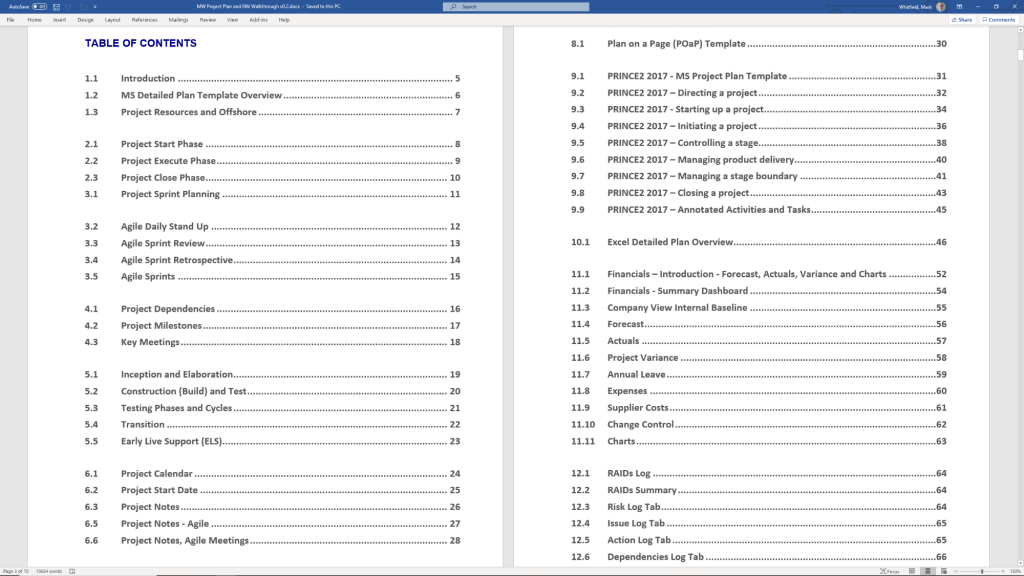
Detailed Gantt Charts: Provided in both Microsoft Project (MPP) and Excel, these timelines include task dependencies, resource allocations, and critical path tracking.
Agile Sprint Timelines: Specialized views for tracking 2–4 week sprints, daily stand-ups, and sprint retrospectives within a broader project framework.
SDLC Progression: The templates are often structured around a typical Software Development Life-cycle (SDLC), moving from Inception to Transition and Early Live Support (ELS).
Key Timeline Components
The templates are pre-configured with several essential timeline elements:
Project Start & End Dates: Easily adjustable fields that automatically update durations and downstream tasks.
Milestones & Gateways: Visual markers for critical sign-off points and delivery stages.
Task Dependencies: Pre-built links that show how delays in one area (e.g., hardware delivery) impact the overall project finish date.
Resource View: Timelines integrated with resource calendars to account for holidays and leave.
Betfred’s journey from a single shop in Salford to a global betting powerhouse is marked by bold innovations and high-profile acquisitions.
Historical Timeline
1967: Brothers Fred and Peter Done open their first betting shop in Salford, Greater Manchester, using winnings from a bet on England to win the 1966 World Cup.
1984: Launch of the Lucky 15 bet, a major industry innovation that remains popular today.
1997: The company expands to over 100 shops.
1998: Fred Done becomes the first bookmaker to pay out early, paying on Manchester United to win the Premier League (only for Arsenal to win the title instead).
1999: First major acquisition, purchasing 40 shops from the Demmy Racing Group.
2004: The business is officially rebranded to Betfred. The company also launches its online betting site this year.
2006: Betfred launches one of the industry’s first mobile betting platforms.
2011: Wins the auction to buy The Tote from the UK government for £265 million.
2016: Acquires 322 shops from Ladbrokes and Coral following their merger.
2021: Fred Done steps down as CEO to become Chairman, with Joanne Whittaker taking over the CEO role.
2024–2026: Significant global expansion, establishing a presence in South Africa and the United States, though later scaling back some US online operations in late 2025.
Operational Timelines (Payment & Payouts)
If you are looking for current service timelines for transactions, here are the standard processing windows as of February 2026:
Withdrawal Processing: Betfred aims to approve requests within 48 hours.
Fastest Methods: Visa Direct and certain E-wallets (PayPal, Skrill) often arrive within 4 to 6 hours.
Standard Methods: Bank transfers typically take 2 to 5 working days.
Free Bet Credit: Usually credited within 10 hours of a qualifying bet being settled.



 PROject Templates