PRINCE2 management products are the 26 standard documents (templates) used to manage a project throughout its lifecycle. They are categorised into Baselines (plans and definitions), Records (registers and logs), and Reports (periodic updates).
PRINCE2 Microsoft Project & Excel templates
Management Products Overview
The core templates provided in the methodology ensure consistent project control. Official templates are often available through accredited providers, this website or the official AXELOS website.
Baselines: Used to define the project foundation (e.g., Business Case, Project Initiation Document, Plan).
Records: Dynamic logs to track day-to-day data (e.g., Risk Register, Issue Register, Lessons Log).
Reports: Snapshots of progress or specific events (e.g., Highlight Report, Checkpoint Report, Exception Report).
Historical Timeline of Templates & Methodology
The evolution of these products reflects a shift from rigid, IT-specific documents to flexible, industry-agnostic templates.
The Pre-PRINCE Era (1975 – 1988)
1975: PROMPT II (Project Resource Organisation Management and Planning Techniques) was developed by Simpact Systems Ltd.
Key Focus: Introduced the concept of project phases (Initiation, Specification, Design) but was strictly for IT.
The PRINCE Era (1989 – 1995)
1989: PRINCE (PROMPT II in the CCTA Environment) launched by the UK Government’s CCTA.
Key Focus: Added Critical Path Analysis and formal management roles, but remained IT-heavy and rigid.
The PRINCE2 Emergence (1996 – 2008)
1996: PRINCE2 (1st Edition) was released as a generic framework.
Key Change: IT-specific jargon was removed to make templates applicable to any industry.
2002/2005: Minor updates (3rd and 4th Editions) focused on minor refinements based on user feedback.
The Revision Era (2009 – 2022)
2009: PRINCE2:2009 Refresh (5th Edition) introduced the seven core principles.
Key Change: Templates were simplified and made more customisable to reduce “prowess-driven” bureaucracy.
2017: PRINCE2 6th Edition (formerly the 2017 Update) launched.
Key Change: Emphasis on Tailoring and scalability for different project sizes.
The Modern Era (2023 – Present)
2023: PRINCE2 7th Edition was released.
Key Change: Added a “People” element and introduced three new management approaches: Sustainability, Commercial, and Digital & Data.
Template Kits & Resources
For those seeking pre-formatted digital versions:
PRINCE2 7th Edition Template Bundle: Comprehensive sets including MS Project MPP, Excel Gantt charts, and Word artifacts are available at Etsy and eBay.
Specialised Packs: Focused collections like the PRINCE2 Control & Monitoring Pack can be found at WorkFlo Design.
Individual Documents: Individual templates like the Project Initiation Document (PID) are often sold separately for specific project needs.
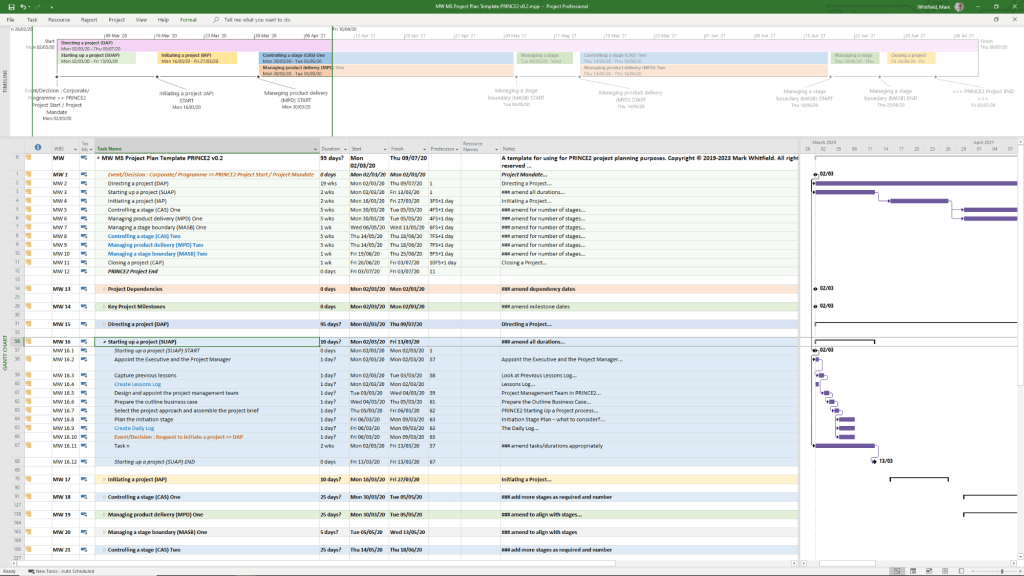
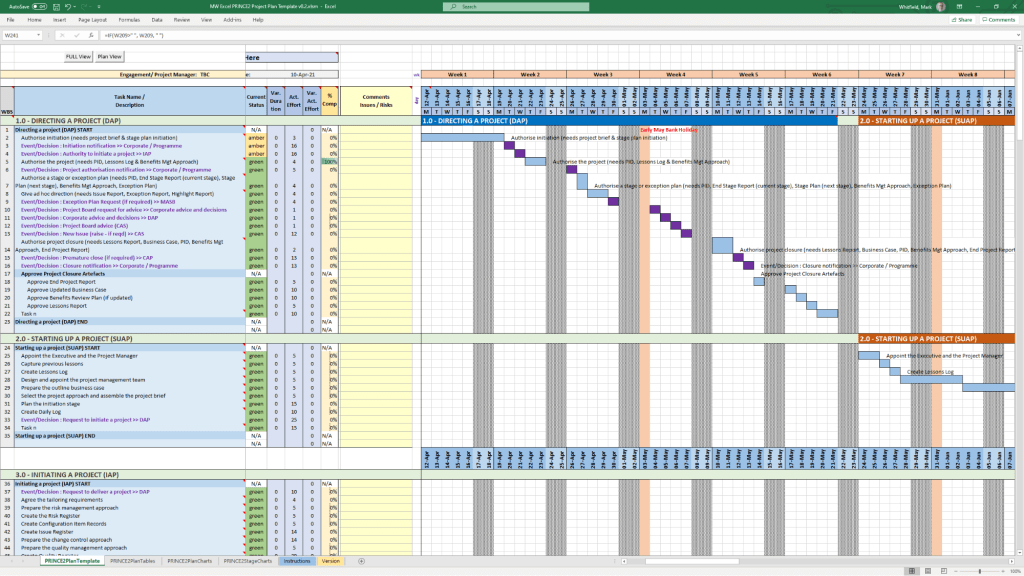
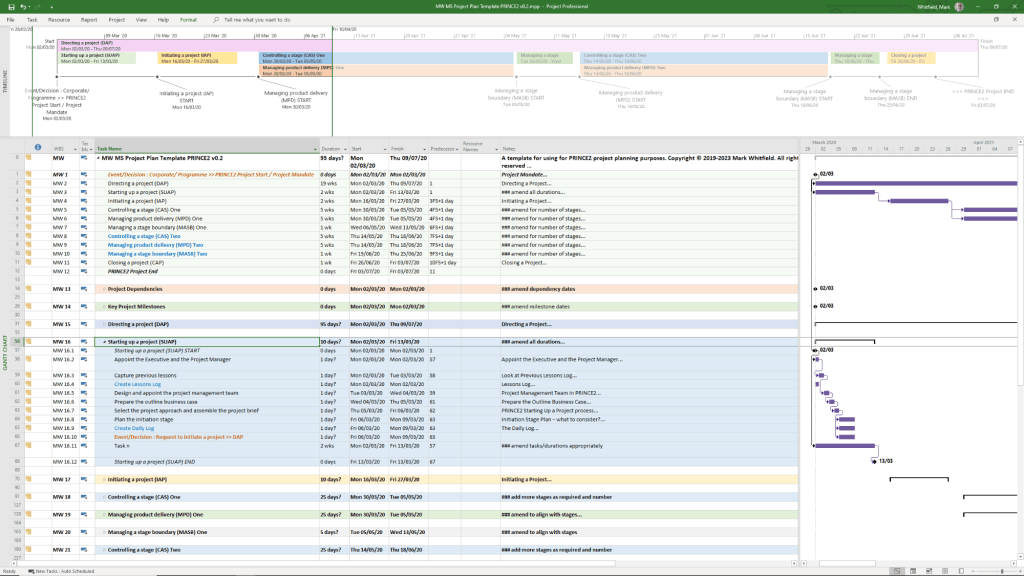
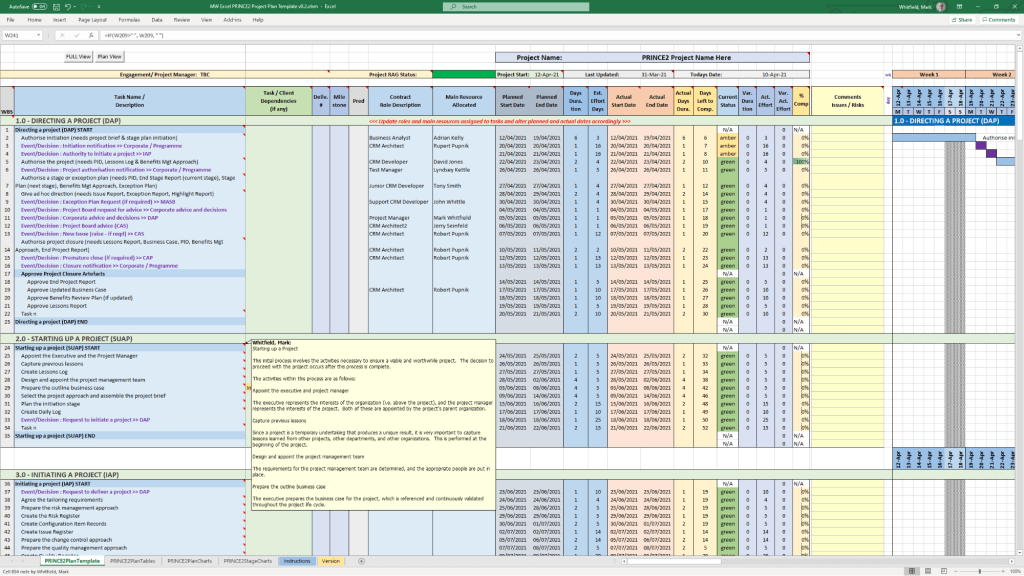
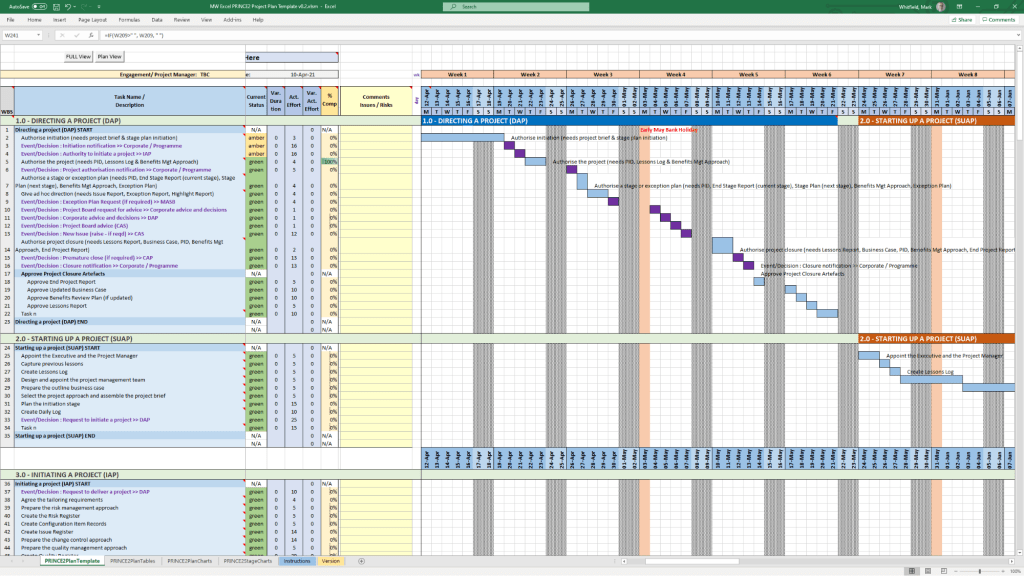
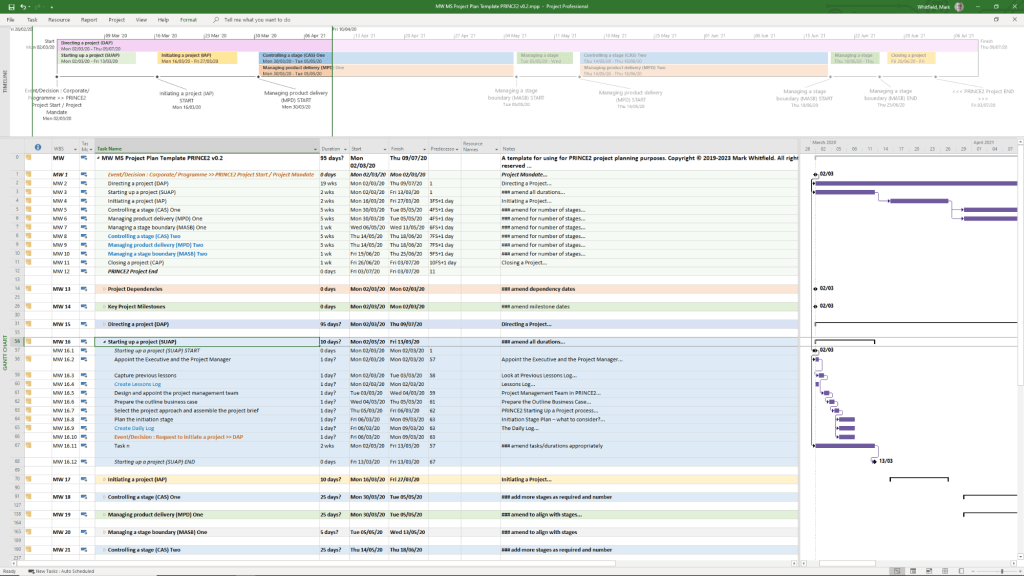
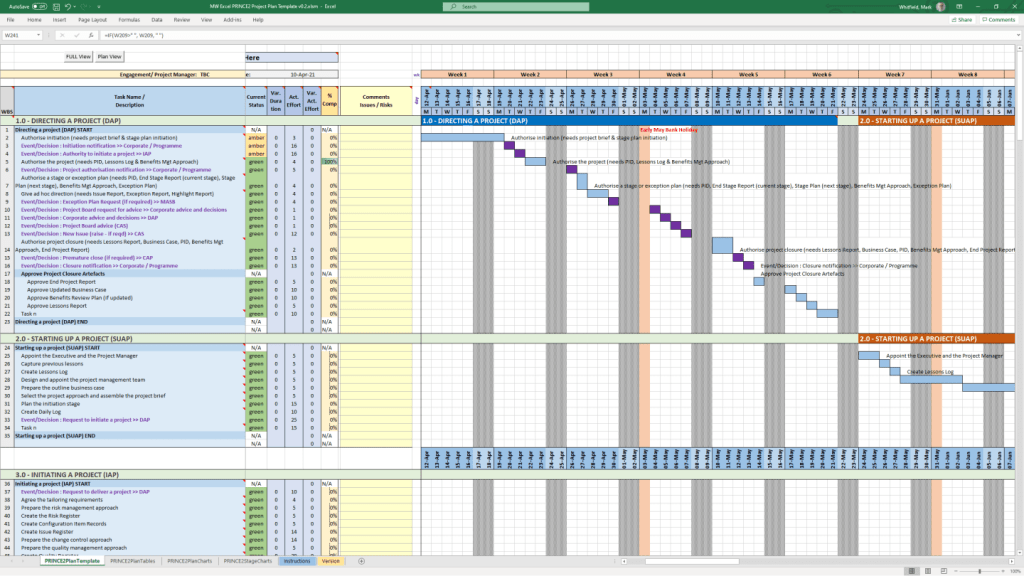
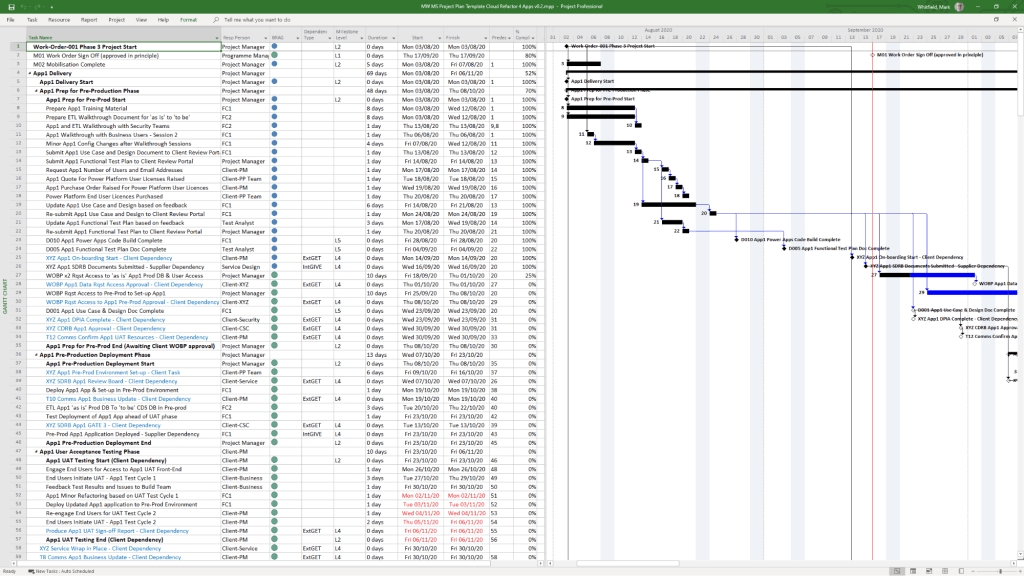
PRINCE2 Templates can be purchased directly from this website including a Microsoft Project Plan in MPP format and also a Microsoft Excel Project Plan in XLS format, see below and website link.
PRINCE2 Management Products Templates Overview and Historical Timeline
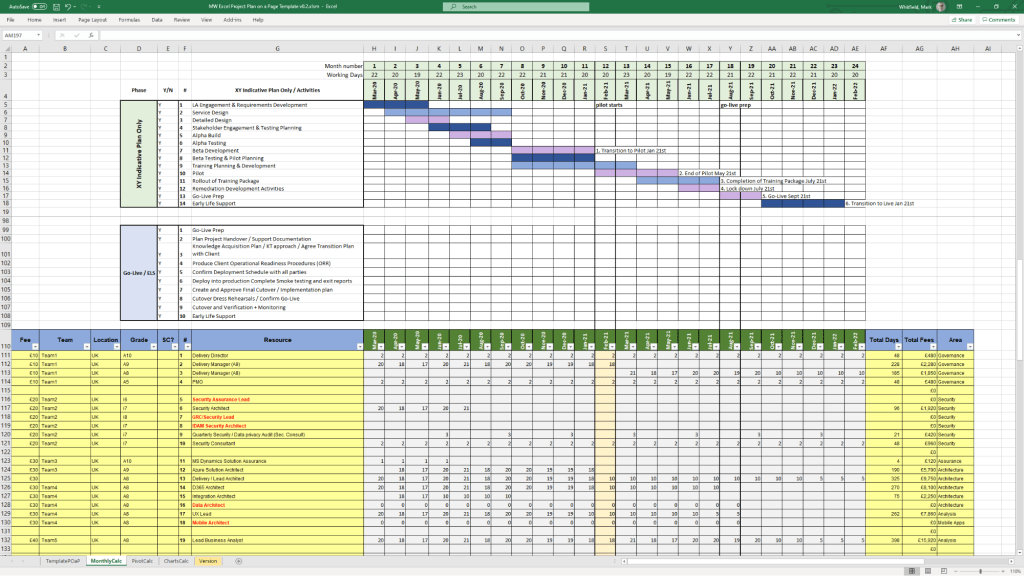
PRINCE2 Microsoft Project MPP file templatePRINCE2 Microsoft Excel XLS template 1PRINCE2 Microsoft Excel XLS template 2
Mark Whitfield’s PRINCE2 template collection is a comprehensive set of over 200 editable Microsoft Office documents designed to support both waterfall and agile project delivery. These templates are classified into several key categories, ranging from core PRINCE2 management products to advanced planning and tracking tools.
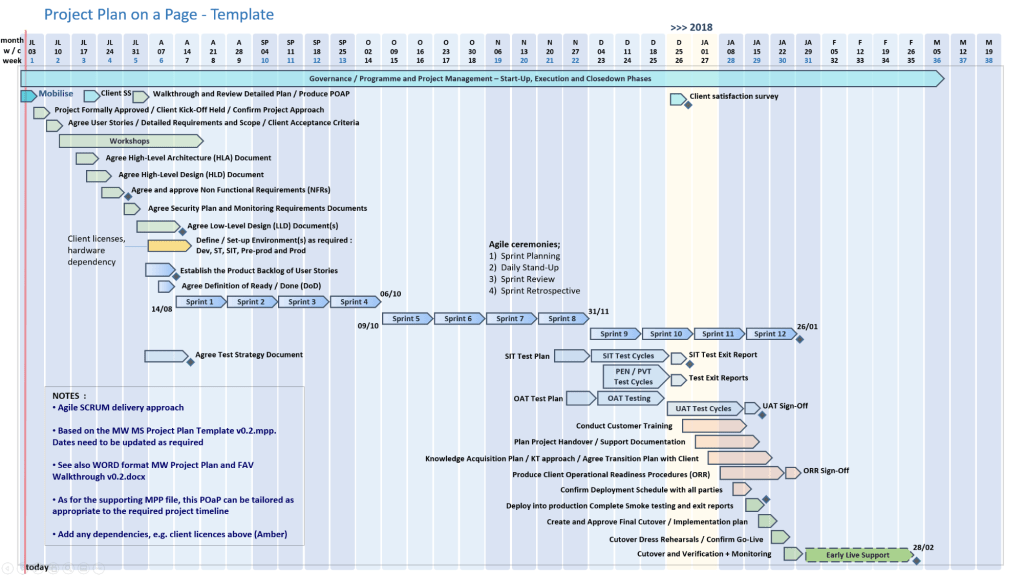
Example Microsoft Project MPP file template
Core PRINCE2 Management Product Templates
This category includes the standard documentation required by the PRINCE2 methodology, often provided in MS Word (.doc) format.
Project Initiation & Definition:
Project Brief: Initial summary used to gain approval for the initiation stage.
Project Initiation Document (PID): A comprehensive document containing the project definition, approach, business case, and management strategies.
Business Case: The primary justification for the project’s existence.
Registers and Logs:
Risk Register: For identifying and managing project risks.
Issue Register & Issue Report: For tracking and detailing specific project problems.
Lessons Log & Lessons Report: To capture and share knowledge gained throughout the project.
Daily Log: For the Project Manager to record informal issues or activities.
Reporting and Progress:
Highlight Report: Periodic progress updates for the Project Board.
Checkpoint Report: Updates from the Team Manager to the Project Manager.
End Stage & End Project Reports: Summaries of performance at key project milestones.
Exception Report: Used when a project is forecast to exceed its tolerances.
Quality and Configuration:
Product Description: Detailed specifications for each project deliverable.
Quality Register: Records all planned and completed quality activities.
Configuration Item Record: Tracks the status and version of project products.
Advanced Planning and Tracking Templates
Whitfield provides specialized tools for visual scheduling and financial management, primarily in MS Excel and MS Project (.mpp) formats.
Project Planners:
PRINCE2 Waterfall Project Planner: A detailed Gantt-view planner in Excel for those without MS Project licenses.
MS Project (MPP) Templates: Pre-configured plans for PRINCE2 7th Edition, including end-to-end tasks and lifecycle stages.
Plan on a Page (POaP): High-level visual summaries of project timelines.
Resource and Financial Management:
Project Financial Tracker: Monitors forecast vs. actual costs, including margins and expenses.
Resource Costing Grid: Detailed grids for calculating costs per project phase.
RACI Tracker: Defines Roles and Responsibilities (Responsible, Accountable, Consulted, Informed).
Operational and Agile Support
These supplemental templates assist with daily project operations and hybrid agile environments.
RAID Log: A centralized tracker for Risks, Actions, Issues, and Dependencies.
Agile Specifics: Burn-down/up charts and sprint-view Gantt charts for scrum-based delivery.
Stakeholder Analysis Plan: Tools to map stakeholder influence versus impact.
Mobilisation/On-boarding Kit: PowerPoint templates for team kick-offs and onboarding.
Visual Classification (Font Coding)
In many of Whitfield’s automated plans, tasks are color-coded for quick visual breakdown:
Black: Traditional PRINCE2 stage or activity.
Blue: Creation of a PRINCE2 artefact (e.g., creating a log).
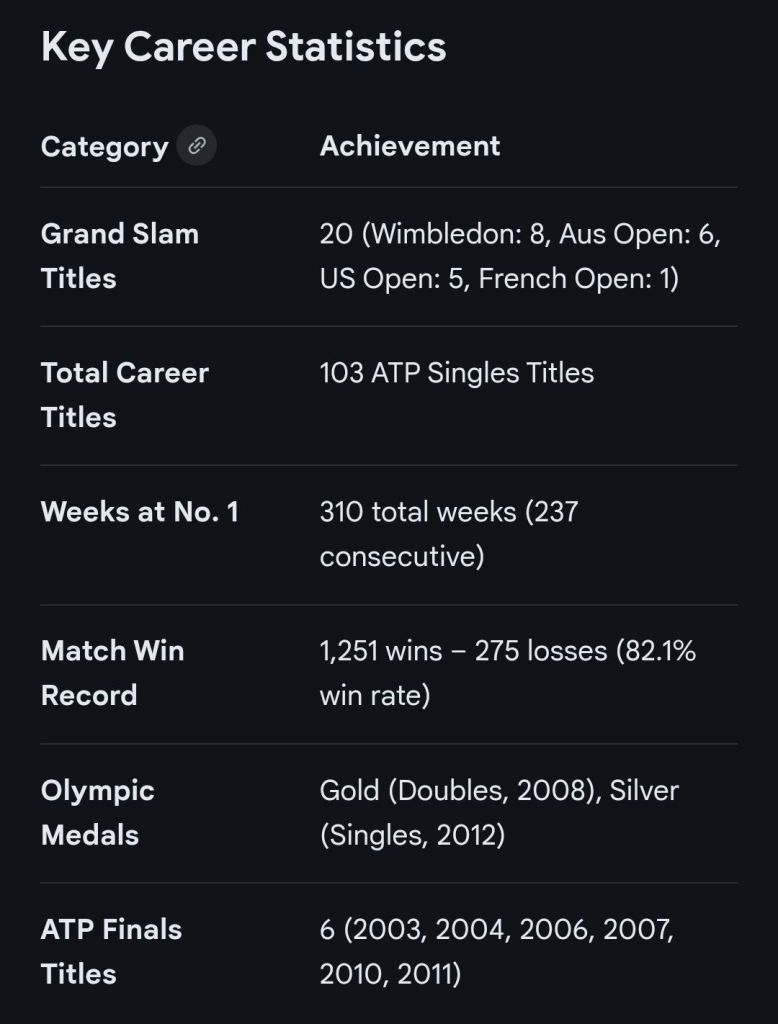
Roger Federer is a Swiss former professional tennis player who is widely regarded as one of the greatest athletes in history. His 24-year career (1998–2022) is defined by a “deadly combination of power and grace,” characterized by an effortless one-handed backhand and fluid movement. He won 20 Grand Slam singles titles, including a record eight at Wimbledon, and held the world No. 1 ranking for 310 weeks, including a record 237 consecutive weeks.
Historical Career Timeline
Era 1: Junior Years and Professional Transition (1992–2002)
Before his global dominance, Federer was a temperamental junior who transformed into a top-ten professional.
1992–1993: Served as a ballboy at the Swiss Indoors in his hometown of Basel.
1995: Accepted into the Swiss Tennis national development programme at age 14.
1998: Won the Wimbledon junior singles and doubles titles; finished the year as the world’s No. 1 junior. Made his ATP debut at the Swiss Open Gstaad.
1999: Became the youngest player (18 years, 4 months) to end the year in the top 100.
2000: Reached the bronze-medal match at the Sydney Olympics (finished 4th) and met his future wife, Mirka Vavrinec.
2001: Gained international fame by defeating defending champion Pete Sampras at Wimbledon to reach his first major quarter-final. Won his first ATP title in Milan.
2002: Ended the year ranked No. 6 globally; qualified for his first year-end Masters Cup (ATP Finals).
Era 2: Unrivalled Dominance (2003–2007)
Federer established a “Golden Era,” reaching all four Grand Slam finals in a single year three times during this period (2006, 2007, 2009).
2003: Won his first Grand Slam title at Wimbledon, defeating Mark Philippoussis.
2004: Won three Grand Slams (Australian Open, Wimbledon, US Open) and became world No. 1 for the first time on 2 February, a position he would not relinquish for 237 weeks.
2005: Defended his Wimbledon and US Open titles.
2006: Arguably his greatest season, winning three majors and reaching the final of the fourth (French Open); finished with a 92–5 match record.
2007: Reached all four Grand Slam finals again, winning three. Defeated Novak Djokovic in the US Open final to claim his 12th major.
Era 3: Rivalries and Record-Breaking (2008–2012)
As rivals Rafael Nadal and Novak Djokovic emerged, Federer achieved his most significant career milestones.
2008: Battled mononucleosis but won a fifth consecutive US Open. Won Olympic Gold in doubles with Stan Wawrinka.
2009: Completed the Career Grand Slam by winning the French Open and broke Pete Sampras’s record of 14 majors by winning his 15th at Wimbledon.
2010: Won his fourth Australian Open.
2011: The first year since 2002 he did not win a major title, despite ending Djokovic’s 43-match win streak at the French Open.
2012: Won a record-equalling 7th Wimbledon title, returned to world No. 1, and won Olympic Silver in singles at the London Games.
Era 4: Injury Struggles and Late Renaissance (2013–2019)
After several years of injury and titles eluding him, Federer staged a historic comeback.
2013–2016: Plagued by back and knee injuries. Underwent knee surgery in 2016 and missed the second half of that season, dropping out of the top 10 for the first time in 14 years.
2017: Returned from a 6-month layoff to win the Australian Open (defeating Nadal) and a record 8th Wimbledon title without dropping a set.
2018: Won his 20th and final Grand Slam title at the Australian Open and became the oldest world No. 1 in history at age 36.
2019: Won his 100th career title (Dubai) and reached his 12th Wimbledon final, losing an epic 5-set match to Djokovic despite holding championship points.
Era 5: Retirement (2020–2022)
2020–2021: Limited by multiple knee surgeries. Played his final Grand Slam match at Wimbledon 2021, reaching the quarter-finals.
2022: Announced his retirement in September. Played his final match—a doubles pairing with Rafael Nadal—at the Laver Cup in London.
Roger Federer Overview and Historical Timeline by Era and Year
Roger Federer career statistics
…with hyperlinks
Roger Federer‘s professional career spanned 24 years, from his ATP debut in 1998 to his emotional retirement at the Laver Cup on 23 September 2022. He concluded his career with 103 singles titles and 20 Grand Slam championships, including a record eight Wimbledon titles.
Became World No. 1 for the first time on 2 February, beginning a record-breaking streak of 237 consecutive weeks at the top.
2006: The “Career-Best” Season
Reached the final of all four Grand Slams, winning three of them (Australian Open, Wimbledon, US Open) and finishing the year with 12 titles and a 92–5 record.
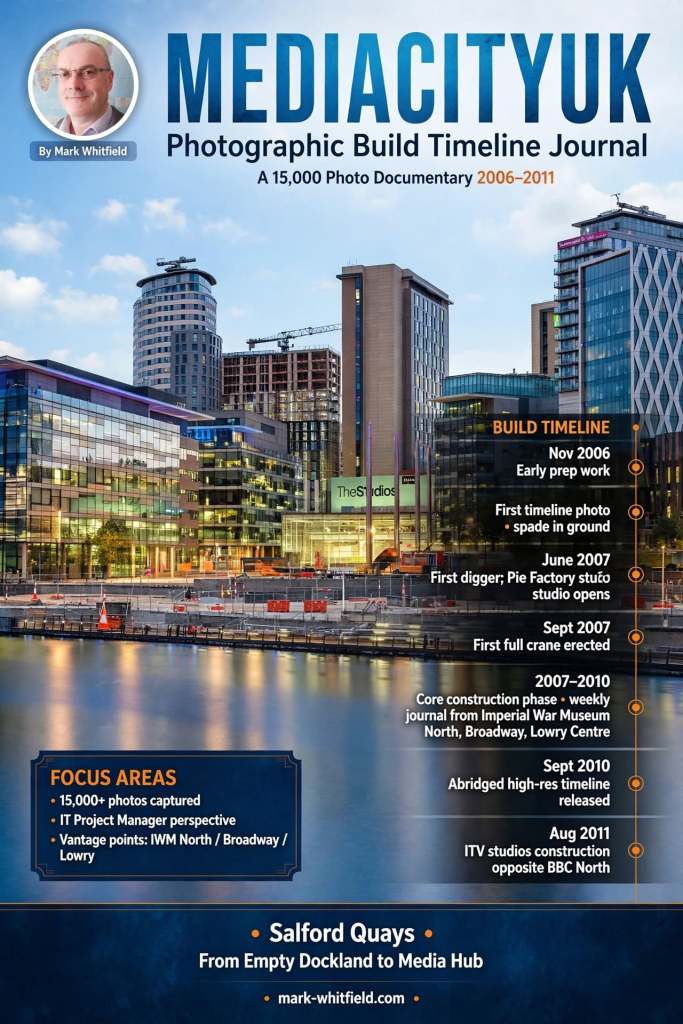
Mark Whitfield | MediaCityUK Photographic Build Timeline Journal
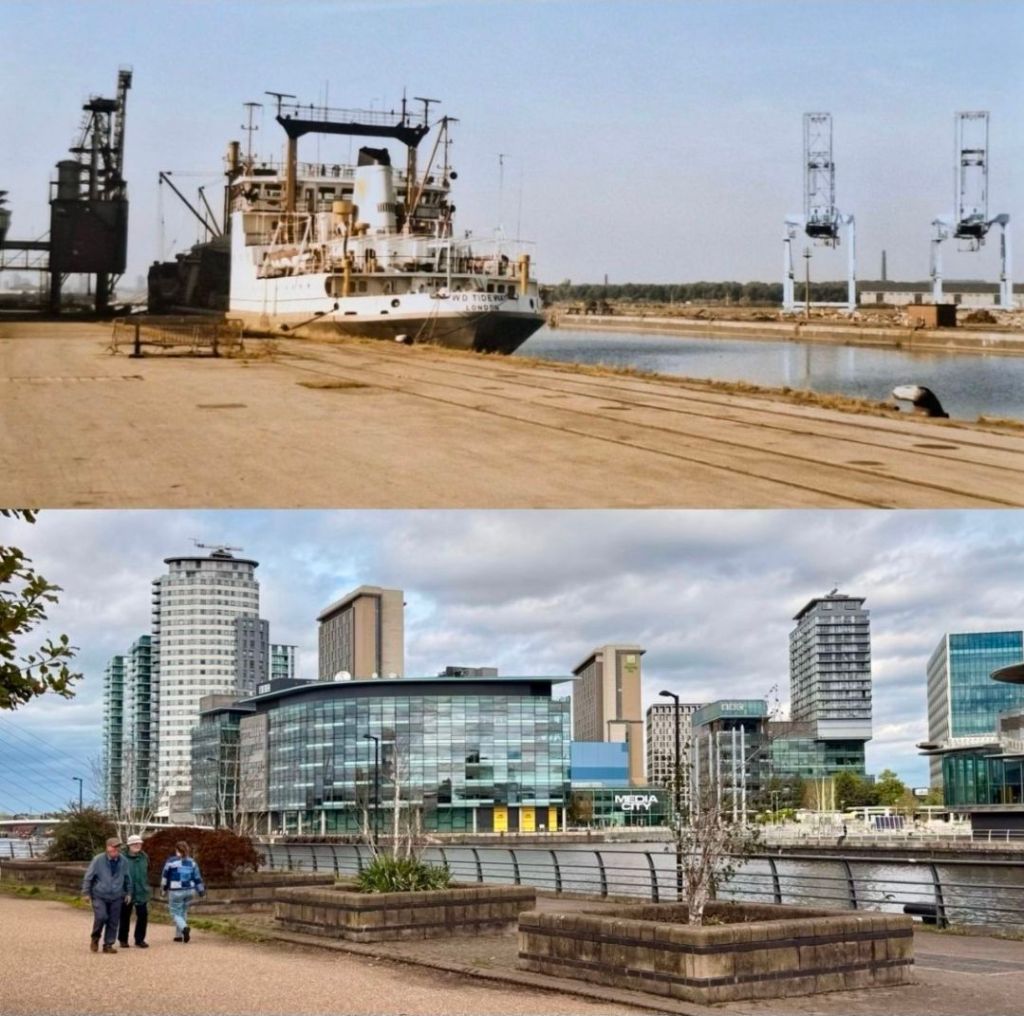
Mark Whitfield is a photographer who has documented the development of MediaCityUK in Salford Quays through an extensive “Photographic Build Timeline Journal”. His collection includes over 15,000 images that capture the site’s transformation from a derelict dockland into a global media hub.
1983 and 2026 respectively
MediaCityUK Photo Timeline
Mark Whitfield: Photography Overview
Project Focus: Whitfield began documenting the rise of MediaCityUK in May 2007, specifically focusing on the construction of the BBC’s new northern home.
Visual Documentation: His work is described as a unique photo timeline that charts the incredible structural changes at the site over several years.
Background: Beyond his photography, Whitfield has a background in IT project management and has worked in Salford Quays for over 15 years.
Galleries: Much of his work is hosted on his personal website, mark-whitfield.com, and he has shared specific milestones on platforms like Flickr and Instagram.
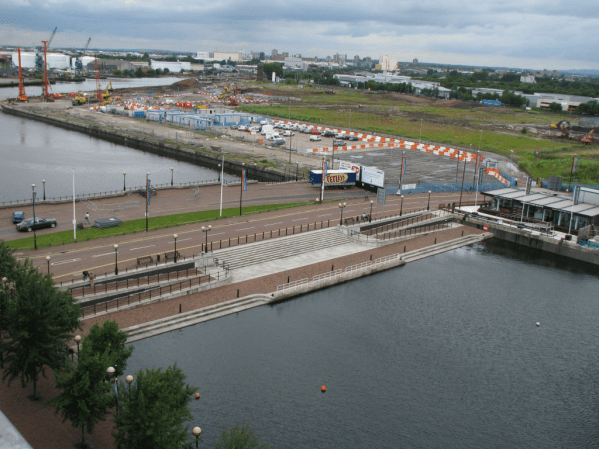
MediaCityUK site in 2007
Historical Timeline of MediaCityUK
The following timeline integrates key development milestones with Whitfield’s photographic journey:
2004–2006: Pre-Construction Phase
The BBC signals its intention to move jobs to Manchester (2004).
Salford Quays is officially chosen as the site for the new development (June 2006).
2007: Construction Begins
May 18, 2007: Mark Whitfield captures his first timeline photo, marking the start of the build.
The first “spade in the ground” occurs as Peel Group and Bovis Lend Lease begin work.
The Pie Factory, a refurbished bakery, opens as the first working studio complex.
2008–2009: Structural Growth
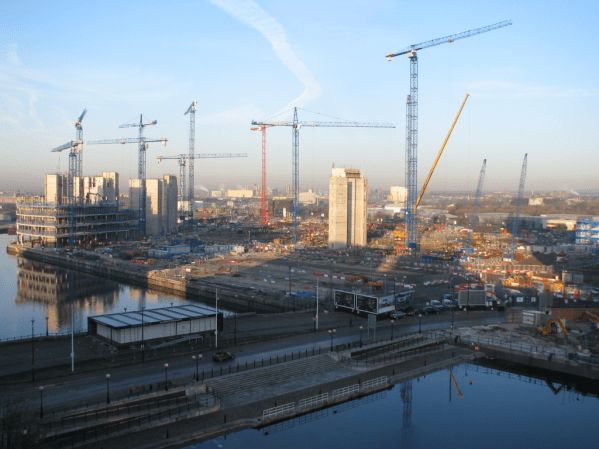
Whitfield continues extensive documentation; photos from April 2008 and February 2009 capture the rising concrete frames of the main buildings.
The high-rise 2,116-space multi-storey car park is completed (August 2009).
2010: Infrastructure Milestones
The MediaCityUK Metrolink station opens (September 20), connecting the site to the wider Manchester tram network.
First trial show is recorded in Studio HQ2 (November), featuring a simulated power failure and evacuation.
Initial infrastructure is completed by December.
2011: Operational Launch
January 2011: Dock10 studios become operational.
February 2011: The first program, Don’t Scare the Hare, is filmed at MediaCityUK.
May 2011: BBC staff begin moving into three dedicated buildings: Bridge House, Dock House, and Quay House.
October 2011: The University of Salford opens its new media academy at the site.
2012–2014: Full Integration
April 2012: The Queen and Duke of Edinburgh officially open MediaCityUK.
March 2013: ITV completes its move to the site.
January 2014:Coronation Street records its first episode at the new production facility on Trafford Wharf.
2015–2021: Expansion & Sustainability
2016: Completion of “Tomorrow,” the final building in Phase One.
2020: The Pie Factory closes and is demolished to make way for Phase Two.
2021: MediaCityUK buildings become the first in the UK to achieve net-zero carbon status.
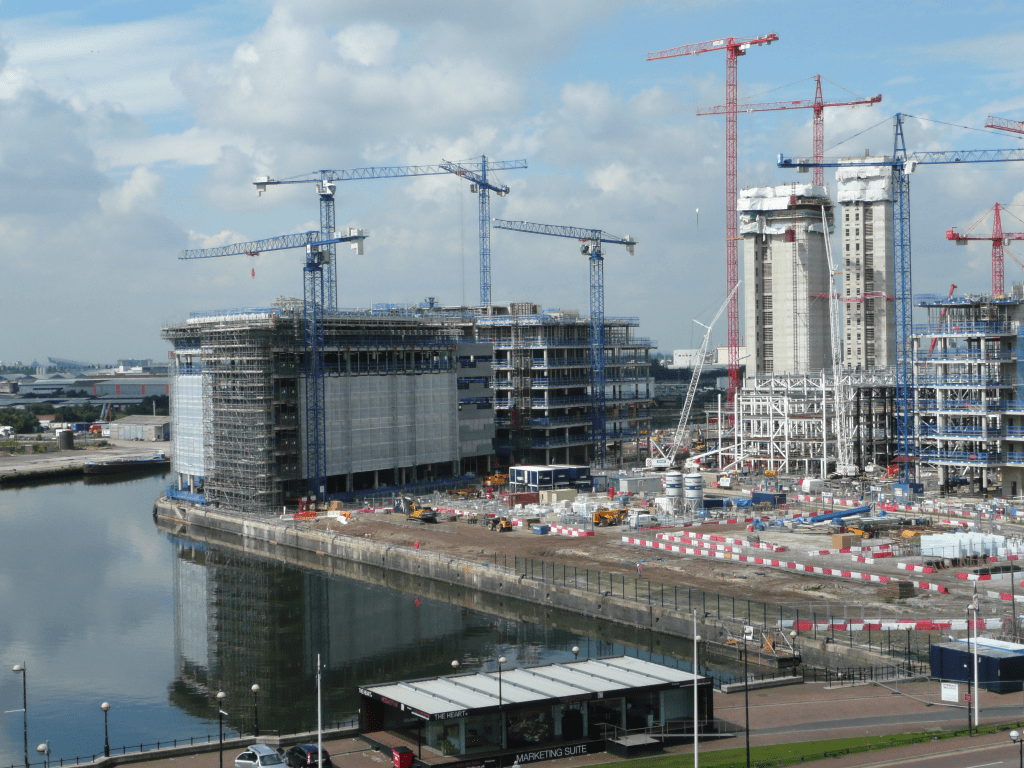
MediaCityUK building beginning to take shape in late 2008
HP NonStop MultiBatch is a “mainframe-class” workload automation and batch scheduling manager developed by Insider Technologies (distributed by ETI-NET). It is designed specifically for the HPE NonStop (formerly Tandem) platform to automate, manage, and secure complex batch processing across both Guardian and OSS environments.
Product Overview
While the native NonStop scheduler is NetBatch, MultiBatch is positioned as a modern, high-performance alternative that provides deeper integration with the NonStop architecture.
Workload Automation: Manages thousands of concurrent jobs with sophisticated calendaring and dependency tracking.
Architecture: Built to leverage NonStop’s fault tolerance and linear scalability, allowing batch schedules to execute across multiple networked nodes.
Interfaces: Modernized from command-line tools to a suite of role-based Graphical User Interfaces (GUIs) for operations and management.
Security: Includes a secure, audited environment with full support for NonStop-specific security attributes like High-PIN and CPU selection.
Historical Timeline by Era
The evolution of MultiBatch is closely tied to the history of the Tandem/NonStop platform, which spans over 50 years of ownership changes and architectural shifts.
1. The Tandem Era (1974 – 1997)
1974: Tandem Computers founded by James Treybig to build the first fault-tolerant commercial systems.
Late 1980s – Early 1990s: MultiBatch originated during this period (reportedly in the early 1990s) to address the needs of large financial institutions requiring complex batch schedules beyond the capabilities of the original NetBatch.
1991: Release of the Cyclone/R and the start of the migration from proprietary stack machines to MIPS RISC processors.
2. The Compaq & Early HP Era (1997 – 2014)
1997: Compaq acquires Tandem.
2002: Hewlett-Packard (HP) merges with Compaq. The NonStop platform begins its migration from MIPS to Intel Itanium (branded as Integrity NonStop).
Mid-2000s: MultiBatch matures as a mission-critical tool for global banks and stock exchanges. Development focuses on MultiBatch 7 and 8, enhancing GUI capabilities and adding support for Open System Services (OSS).
3. The Modern HPE Era (2014 – Present)
2014: NonStop X is introduced, moving the architecture from Itanium to Intel x86-64.
2018 – 2020: MultiBatch 9.5 is released with an enhanced GUI. It increasingly becomes the primary alternative as HPE shifts focus away from active sales of the legacy NetBatch product.
2023 – 2024: Release of MultiBatch 10, introducing “Define Classes,” support for up to 2,500 jobs, and improved OSS process handling. This era focuses on “modernisation through tradition,” aligning with HPE’s push for virtualized NonStop and hybrid cloud deployments.
The Waterfall methodology is a linear, sequential project management approach where progress flows steadily downward through defined phases, such as requirements, design, implementation, and testing. Each stage must be completed and approved before the next begins, making it highly structured but often inflexible to changes.
Waterfall template available on this website
Historical Timeline by Era and Year
The history of the Waterfall model spans from early post-WWII engineering to its formalisation in software and eventual institutionalisation in government standards.
The Pre-Formal Era (1950s – 1969)
During this period, software development borrowed heavily from established engineering and manufacturing processes.
1956: Herbert D. Benington presents a paper on the Semi-Automatic Ground Environment (SAGE) project, describing a structured process that many consider the true technical origin of the sequential approach.
Late 1960s: Major NASA projects and government software systems for rockets (e.g., Apollo missions) utilise rigid specifications and linear development due to the high cost of changes.
1968: The NATO Software Engineering Conference identifies the “software crisis”—projects consistently running over budget and time—leading to a push for more disciplined models.
The Formalisation Era (1970 – 1979)
The methodology was formally described, ironically as a cautionary tale, and finally given its name.
1970:Dr. Winston W. Royce publishes “Managing the Development of Large Software Systems”. He presents the sequential diagram but explicitly critiques it as “risky and invites failure,” suggesting a more iterative approach instead.
1976: The term “Waterfall” is officially coined in a paper by Bell and Thayer, “Software Requirements: Are They a Problem?”.
The Institutional Era (1980 – 1999)
Waterfall becomes the global standard for large-scale and regulated industries.
1985: The U.S. Department of Defense (DoD) adopts DOD-STD-2167, which mandates the use of the Waterfall model for all software development contractors. This cements Waterfall as the “one true way” for government and aerospace projects.
1989: The UK Government creates PRINCE2, a process-based method largely rooted in Waterfall principles, still widely used in the public sector today.
1991: In response to Waterfall’s rigidity, James Martin introduces Rapid Application Development (RAD), one of the first major departures from the linear model.
The Modern & Hybrid Era (2000 – Present)
As Agile became dominant, Waterfall shifted from the default choice to a specialised or hybrid tool.
2001: The Agile Manifesto is published, marking a significant industry-wide shift away from traditional Waterfall toward iterative development.
2009: Major institutions like George Washington University and others begin documenting their Project Management Lifecycle (PMLC) to standardise Waterfall and hybrid models for better oversight.
2020s: Waterfall persists in regulated domains like healthcare, aerospace, and construction. It is increasingly integrated into hybrid methodologies that use Waterfall for high-level planning and Agile for execution.
Waterfall Methodology in Project Management, a Timeline History