Critical Path Method CPM in Project Management

Critical Path Method CPM in Project Management

The Critical Path Method (CPM) is a project management algorithm used to identify the longest sequence of dependent tasks required to complete a project. It establishes the shortest possible project duration and highlights the “critical” activities that cannot be delayed without extending the entire project’s deadline.

How the Critical Path Works

CPM relies on finding the path through your project’s workflow that takes the most time from start to finish.

  • Critical Activities: Tasks on the critical path have zero “float” (or slack), meaning any delay directly impacts the final delivery date.
  • Non-Critical Activities: Other task sequences may have buffer time, allowing them to be delayed without throwing off the main project timeline.

Steps to Calculate the Critical Path

  1. Identify Tasks: Break the project down into individual activities (often using a Work Breakdown Structure).
  2. Determine Dependencies: Map out which tasks must happen before others can begin.
  3. Estimate Durations: Assign a realistic time frame for completing each task.
  4. Draw a Network Diagram: Create a flowchart visually connecting tasks with arrows to illustrate the sequence.
  5. Analyze the Paths: Calculate the total duration for every possible sequence of tasks. The longest sequence is your critical path.

Key Terminology

  • Float (Slack): The amount of time a task can be delayed without causing a delay to subsequent tasks or the overall project.
  • Forward Pass: A calculation used to find the Earliest Start and Earliest Finish times for each task.
  • Backward Pass: A calculation used to find the Latest Start and Latest Finish times for each task before the project is delayed.

When and Why to Use It

Project managers use CPM during the planning phase to build realistic schedules and set clear baselines. It is highly beneficial for complex, predictable projects like construction or software rollouts, where many tasks rely on the completion of previous ones.

By knowing exactly which tasks control your timeline, you can prioritize resources, prevent bottlenecks, and use “fast-tracking” (doing tasks in parallel) if you need to compress a timeline.

To get started with building a timeline, you can map out your workflows using digital tools such as Asana’s Critical Path Guide, Wrike’s CPM Implementation, or Monday.com’s CPM Tutorial.

Types of Agile Delivery in Project Management

Types of Agile Delivery in Project Management

Agile delivery is an iterative approach to project management that focuses on delivering value early, frequently adapting to change, and maintaining continuous customer feedback. Rather than executing a project sequentially, teams break work into small increments to maximize flexibility and product quality.

The most common types and frameworks of agile delivery include the following structured methodologies:

1. Scrum

Scrum is the most widely used agile framework, characterized by highly structured, time-boxed iterations called Sprints (typically 1 to 4 weeks long).

  • Key Concept: Teams work toward a single, actionable goal during each sprint.
  • Key Roles: Product Owner (represents the customer), Scrum Master (removes obstacles and enforces the framework), and Developers.
  • Best For: Projects where requirements change frequently and close collaboration with clients is required.

2. Kanban

Kanban is a visual workflow management system that emphasizes continuous delivery and transparency without strict time-boxed iterations.

  • Key Concept: Work is tracked on a Kanban board divided into columns (e.g., “To Do,” “In Progress,” “Done”).
  • Key Roles: Self-organizing teams with a pull-based approach.
  • Best For: Operational workflows, support/maintenance teams, and organizations that need to limit “work in progress” (WIP) to prevent bottlenecks.

3. Lean Software Development

Adapted from Toyota’s lean manufacturing principles, Lean focuses on maximizing customer value while minimizing waste.

  • Key Concept: Focuses on “eliminating waste” (anything that doesn’t add value to the end user), amplifying learning, and delivering as fast as possible.
  • Best For: Optimizing overall organizational workflows and reducing overhead.

4. Extreme Programming (XP)

XP focuses heavily on technical excellence and software engineering practices to boost product quality and responsiveness.

  • Key Concept: Uses practices like pair programming, test-driven development (TDD), and continuous integration.
  • Best For: Development teams that need to release updates frequently while maintaining strict quality and low bug rates.

5. Feature-Driven Development (FDD)

FDD is a model-driven approach that is highly structured and focuses on building software in short, feature-by-feature iterations.

  • Key Concept: Work revolves around creating detailed software models and planning by specific features, which are built one by one.
  • Best For: Teams that prefer structured, step-by-step processes or environments with traditional hierarchical structures.

6. Scaled Agile Framework (SAFe)

SAFe is designed for larger enterprises that need to align cross-functional, multiple Agile teams toward a single business strategy.

  • Key Concept: Blends Lean, Agile, and DevOps principles to coordinate alignment, governance, and delivery across a massive scale.
  • Best For: Large organizations and complex projects requiring multiple teams to coordinate efforts.

For further implementation details, you can refer to comprehensive resources like the Atlassian Agile Project Management Guide or the ICAgile Types of Agile Methodology Overview.

AI Artificial Intelligence and Project Management Approaches

Artificial intelligence is transforming project management by shifting software from passive data repositories into active, predictive engines that automate tedious administration and improve decision accuracy.

The breakdown below covers the primary AI approaches and the specific tools driving each function.


🧠 Core AI Approaches in Project Management

Rather than basic, rule-based automation (“if X happens, do Y”), true AI uses model-driven machine learning, natural language processing (NLP), and predictive analytics.

  • Predictive Analytics & Forecasting: Machine learning models evaluate past team velocity, budget trends, and historical timelines to forecast delays and cost overruns before they occur.
  • Natural Language Processing (NLP): Large Language Models (LLMs) digest unstructured data like unstructured chats, customer emails, and meeting transcripts to extract action items, drafting project updates automatically.
  • Resource Optimisation: Algorithms match team members’ skills, existing workloads, and availability with upcoming project requirements to distribute work sustainably and efficiently.
  • Proactive Risk & Scope Creep Detection: AI monitors real-time activity and flags deviations from the initial project charter, alerting teams to emerging bottlenecks.

🛠️ AI Project Management Tools Broken Down by Use Case

1. All-in-One Work Operating Systems (Work OS)

These comprehensive platforms integrate AI deeply into everyday task tracking, workflows, and communication.

  • Monday.com: Features an integrated AI Assistant that auto-generates task descriptions, brainstorms project ideas, and summarizes long activity threads across cross-functional workspaces.
  • ClickUp: Uses its unified “ClickUp Brain” engine to break down major project milestones into contextual subtasks, answer project-related queries instantly, and write status updates.
  • Asana: Leverages AI smart agents to recommend task assignments, identify workflow blockers early, and suggest ideal task prioritisation based on team capacity.
  • Wrike: Focuses heavily on predictive analytics and intelligent insights, allowing larger organisations to move past traditional tracking into data-driven risk monitoring.

2. Meeting & Communication Intelligence

These tools alleviate the administrative burden of manually taking notes, tracking ownership, and summarizing align-meetings.

  • Otter.ai: Transcribes team calls in real time and automatically creates bullet-point action items, keyword summaries, and structured meeting recaps.
  • Microsoft Copilot / Google Gemini: Seamlessly pulls historical data from your workspace ecosystem (emails, documents, calendars) to draft project charters or assemble stakeholder reports with minimal context.

🛠️ AI Project Management Tools Broken Down by Use Case

1. All-in-One Work Operating Systems (Work OS)

These comprehensive platforms integrate AI deeply into everyday task tracking, workflows, and communication.

  • Monday.com: Features an integrated AI Assistant that auto-generates task descriptions, brainstorms project ideas, and summarizes long activity threads across cross-functional workspaces.
  • ClickUp: Uses its unified “ClickUp Brain” engine to break down major project milestones into contextual subtasks, answer project-related queries instantly, and write status updates.
  • Asana: Leverages AI smart agents to recommend task assignments, identify workflow blockers early, and suggest ideal task prioritisation based on team capacity.
  • Wrike: Focuses heavily on predictive analytics and intelligent insights, allowing larger organisations to move past traditional tracking into data-driven risk monitoring.

2. Meeting & Communication Intelligence

These tools alleviate the administrative burden of manually taking notes, tracking ownership, and summarizing align-meetings.

  • Otter.ai: Transcribes team calls in real time and automatically creates bullet-point action items, keyword summaries, and structured meeting recaps.
  • Microsoft Copilot / Google Gemini: Seamlessly pulls historical data from your workspace ecosystem (emails, documents, calendars) to draft project charters or assemble stakeholder reports with minimal context.

3. Engineering & Agile Backlog Management

Built to address the rapid velocity changes and technical needs of software development teams.

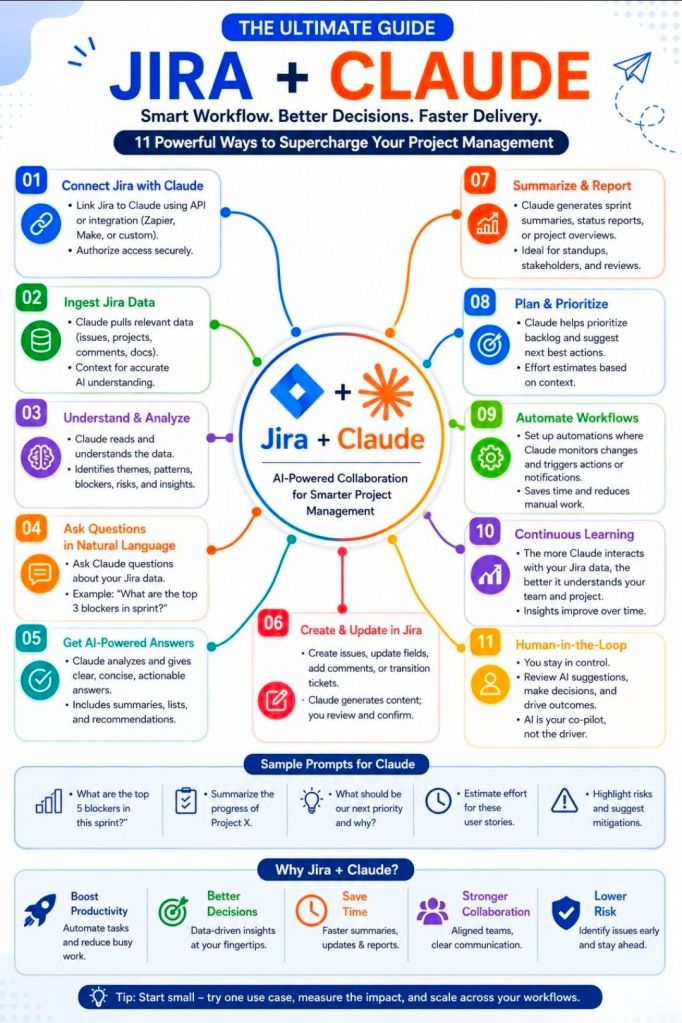
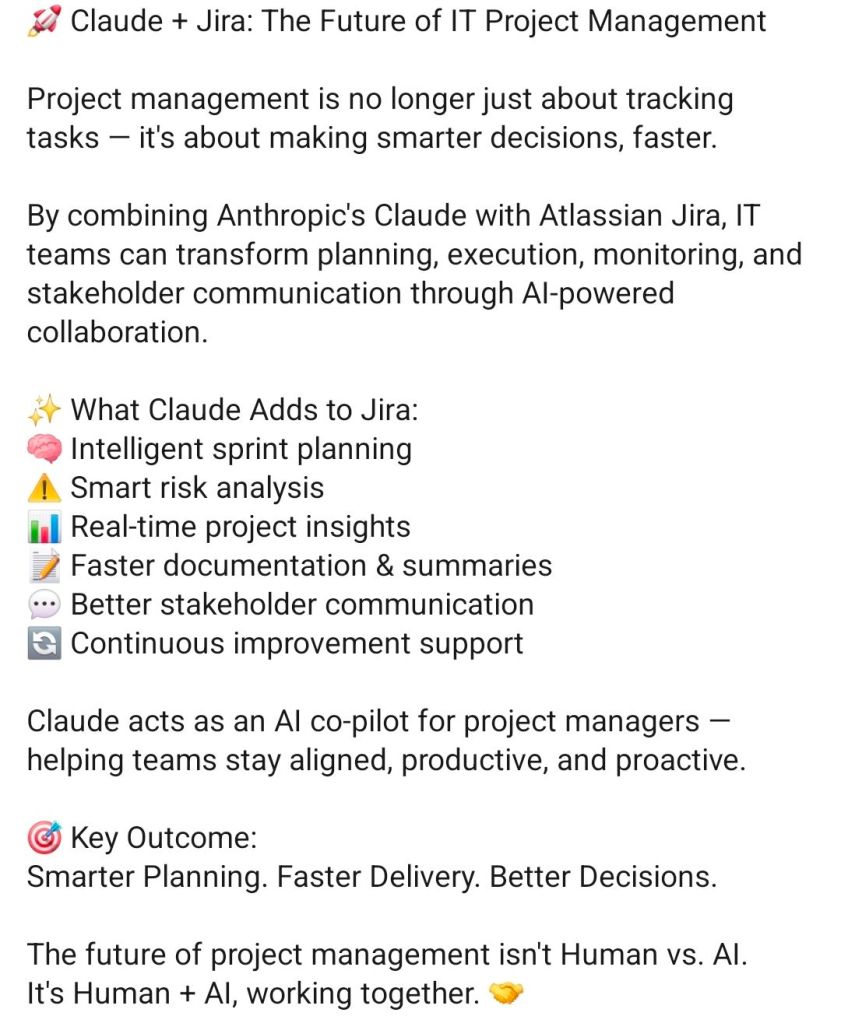
  • Jira (Atlassian Rovo): Uses built-in AI agents to organize bloated backlogs, surface conflicting dependencies, and estimate how long features will take based on historical sprint velocities.

4. Document & Knowledge Management

Designed for centralizing organizational resources so teams don’t waste time hunting for internal data.

  • Notion AI: Acts as a central, conversational wiki workspace that synthesizes notes, translates documents, drafts release notes, and surfaces data buried in complex project databases.
  • NotebookLM: A powerful, localized research assistant that organizes complex internal project documentation, creates study guides for teams, and answers cross-document queries accurately.

⚖️ Traditional vs. AI-Powered Project Management

Traditional vs. AI-Powered Project Management

Project Management, Risk Types & Assessing Risk Severity

Project risks are uncertain events that, if they occur, can impact a project’s objectives. They are generally broken down into core categories: financial, technical, schedule, operational, and external. Proper risk assessment evaluates the probability and impact of these threats to prioritize mitigation strategies.

Detailed Risk Breakdown

1. Financial Risks

These risks relate to project budgets, funding cuts, and cash flow.

  • Cost Overruns: Expenses exceeding the allocated budget.
  • Funding Delays: Cash flow interruptions from sponsors or clients.
  • Currency Fluctuations: Affecting purchasing power for international materials.
  • Severity: High/Critical. Can lead to project cancellation if not mitigated.

2. Technical Risks

Emerging from technology gaps, security vulnerabilities, or poor integration.

  • Technology Failures: Systems crashing or underperforming.
  • Software Bugs: Errors causing glitches or data corruption.
  • Security Breaches: Data theft or loss compromising privacy.
  • Severity: Medium to High. Can completely stall deliverables or undermine final quality.

3. Operational Risks

Internal workflow inefficiencies, process breakdowns, and human factors.

  • Resource Shortages: Missing key team members or materials.
  • Poor Communication: Siloed workflows leading to rework and mistakes.
  • Supply Chain Disruptions: Delays in procuring high-quality goods.
  • Severity: Low to Medium. Tends to erode timelines quietly but can escalate if left unmanaged.

4. Schedule Risks

Risks jeopardizing deadlines, causing timeline slippage or severe delays.

  • Scope Creep: Uncontrolled changes or continuous addition of project requirements.
  • Unrealistic Estimates: Planning overly optimistic deadlines.
  • Dependency Delays: Waiting on third parties to finish preliminary tasks.
  • Severity: Medium to High. Directly impacts client satisfaction and delivery targets.

5. External Risks

Factors entirely outside the project team’s direct control.

  • Market Shifts: Changing customer demand or competitor actions.
  • Regulatory Changes: New laws requiring unexpected compliance adjustments.
  • Environmental/Hazards: Severe weather, natural disasters, or pandemics.
  • Severity: Varies (Low to Critical). Often unpredictable, requiring comprehensive contingency planning.

Assessing Risk Severity

To categorize the severity of risks accurately, project managers typically use a Risk Assessment Matrix based on two factors:

  1. Likelihood: How probable is the event to occur? (1 = Low probability, 5 = High probability)
  2. Impact: How severely would it affect the project? (1 = Minimal effect, 5 = Catastrophic failure)

The combination yields a risk score (e.g., Likelihood × Impact), allowing managers to prioritize risks:

  • Low Risk: Monitored periodically.
  • Medium Risk: Requires a defined contingency plan.
  • High/Critical Risk: Demands immediate, active mitigation strategies.

Project Management, Risk Types & Assessing Risk Severity

Project Management Certifications

Project Management Certifications

Project Management, Role Organization Chart

Project Management, Role Organization Chart

Project Management Roles and some Certifications

Project Management Roles and some Certifications

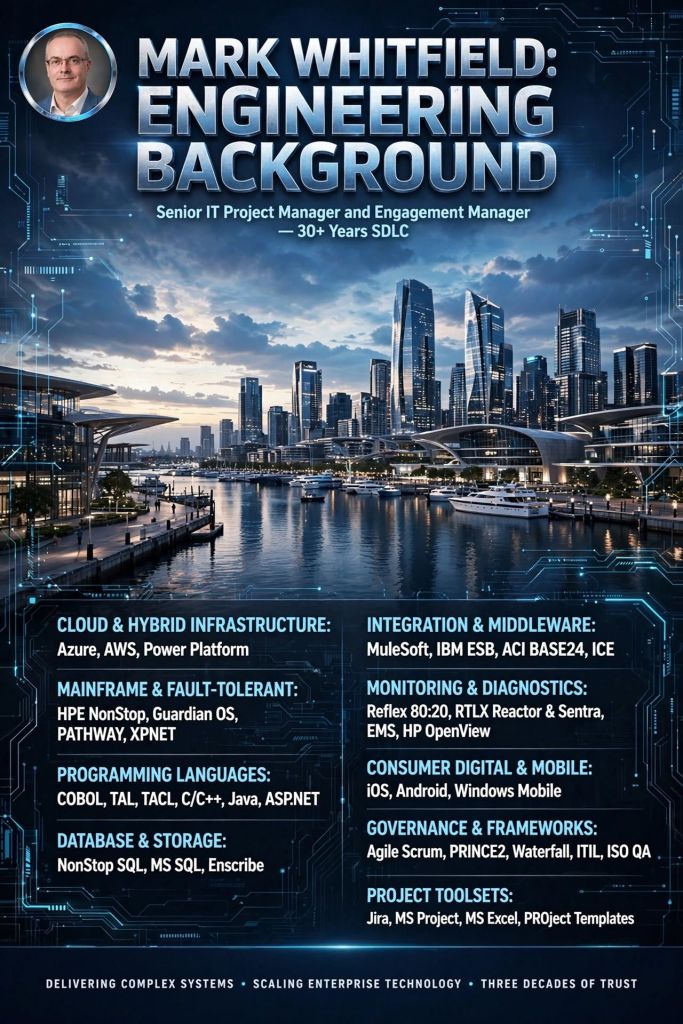
Mark Whitfield’s Project Management Templates offer a comprehensive, fully editable toolkit of over 200 documents

Mark Whitfield’s Project Management Templates offer a comprehensive, fully editable toolkit of over 200 documents spanning the entire project lifecycle. Designed for PRINCE2, Agile Scrum, and Waterfall methodologies, the suite helps project managers streamline planning and tracking. The toolkit is available on platforms like Mark Whitfield’s Project Templates and Etsy – ProjectTemplatesSoft.

Here is a detailed breakdown of the templates by type:

1. Planning & Scheduling Templates

These templates help structure timelines, resource allocation, and task dependencies.

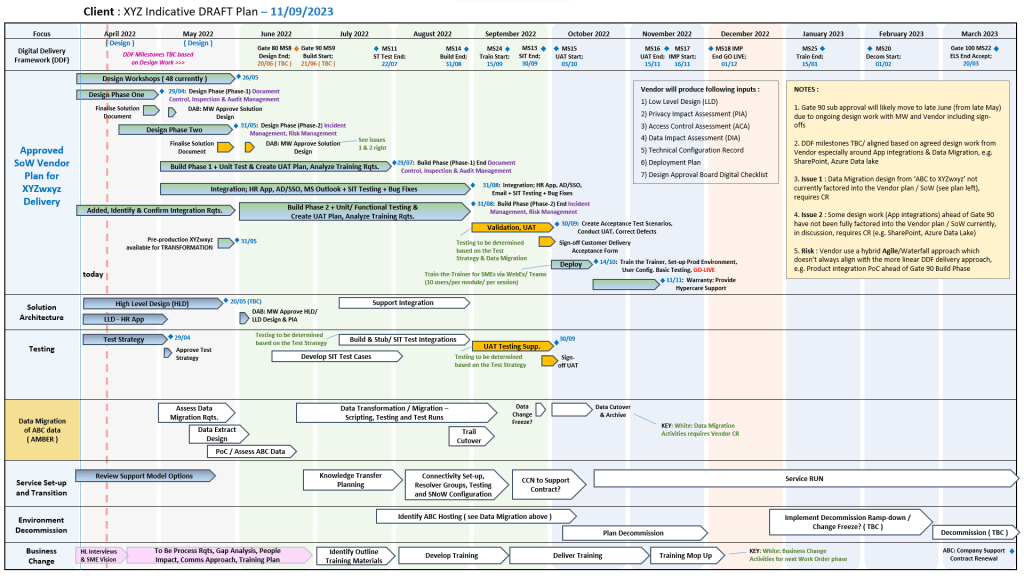
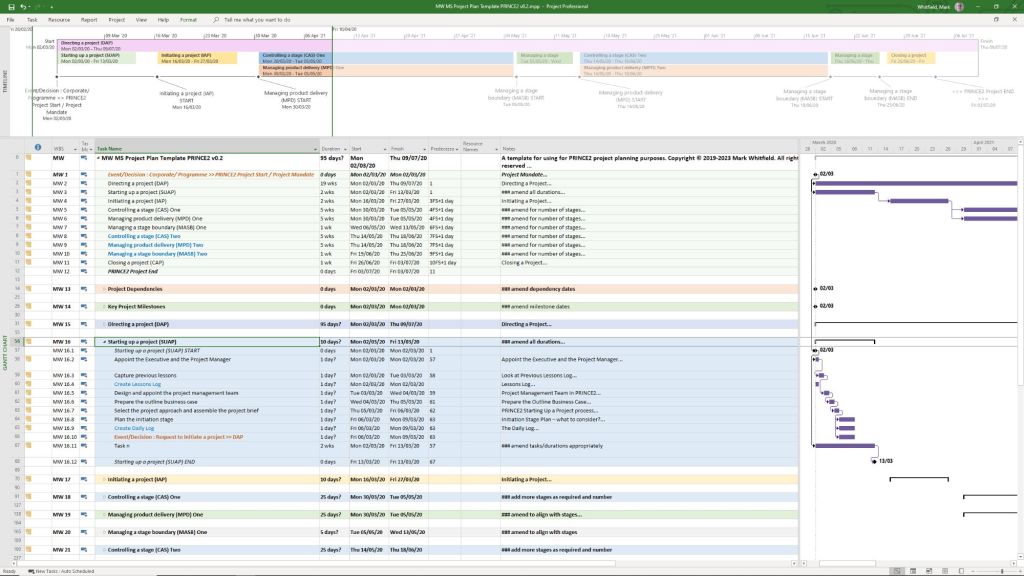
  • MS Project Plans (.mpp): Detailed, annotated files spanning full Software Development Life-Cycles (SDLC) and PRINCE2 7th Edition. Includes sprint overviews for Agile teams.
  • Excel Detailed Plans: Full Gantt chart and task tracking for users who do not have MS Project. Includes self-populating columns for baseline variance, actual effort, and RAG (Red/Amber/Green) status.
  • Plan on a Page (POaP): Over 30 PowerPoint slide designs that simplify complex project timelines, allowing you to present the overarching plan to clients and executives without overwhelming them with micro-details.
Mark Whitfield’s Project Management Templates offer a comprehensive, fully editable toolkit of over 200 documents

2. RAIDs Log Templates

These core tracking documents help manage the unknowns and variables of your project.

  • Basic RAIDs Log: Simple trackers for Risks, Assumptions, Issues, and Dependencies.
  • Comprehensive RAIDs Log: Highly detailed sheets with separate tabs to track supplier details, individual deliverables, Change Requests (CR), and out-of-scope (OOS) tasks.

3. Financial Management Templates

Designed to maintain tight control of your budget and forecast.

  • Monthly Finance Tracker: Simple sheets to monitor monthly forecasts, actuals, annual leave, and monthly variances.
  • Project Cost Tracker: Full-featured financial spreadsheets providing rate lookups, margin calculations, expense logs, and built-in charts for financial reporting.

4. Governance & Project Controls

These templates form the administrative and structural backbone, primarily based on the PRINCE2 methodology.

  • Project Initiation Documentation (PID): Includes templates for the Business Case, project approach, roles & responsibilities, and team structure.
  • Reports: Standardized documents for Checkpoint Reports, Highlight Reports, End-Stage Reports, and Exception Reports.
  • Logs & Registers: Tailored templates for Lessons Learned, Quality Management, and Configuration Item Records.

5. Stakeholder & Team Management Templates

Focused on communication and team alignment.

  • RACI Matrix: A tracker to define exactly who is Responsible, Accountable, Consulted, and Informed for each project task.
  • Stakeholder Analysis: Charts and planning tables designed to measure stakeholder “influence vs. impact” so you know exactly how to manage expectations.
  • Mobilisation Kit: Onboarding documents and team kickoff presentations to get new resources up to speed quickly.

6. Agile & Specialized Execution Templates

  • Agile Dependency Tracking: Tools designed specifically to monitor user stories that have hard dependencies on external suppliers or stakeholders.
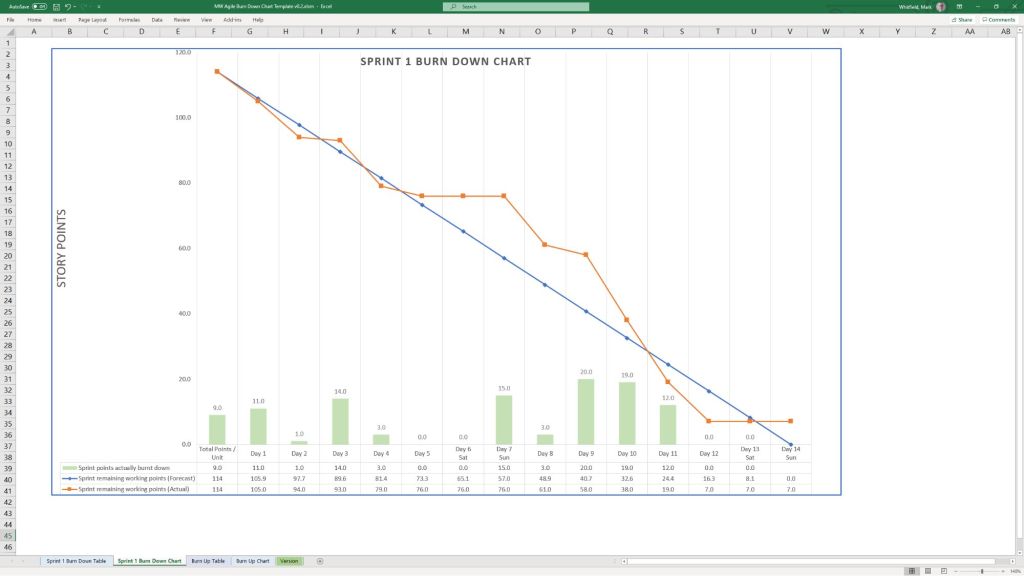
  • Burn Down / Burn Up Charts: Visual aids in Excel to track sprint velocity and project progression against deliverables.
  • Benefits Realization Plan: A spreadsheet that evaluates the project’s completed deliverables against the organization’s original business goals and financial targets.

All templates are designed for use across desktop, tablet, and cloud platforms. Purchases on his site come with lifetime free upgrades for any additions he makes to the package.