BASIC programming insight and detailed historical timeline by era and year

BASIC (Beginner’s All-purpose Symbolic Instruction Code) was designed to make computers accessible to non-technical users, revolutionising personal computing and software development. 

BASIC Historical Timeline

The Dartmouth Era (1964–1970s)

  • 1964: BASIC was created at Dartmouth College by John G. Kemeny and Thomas E. Kurtz. It first ran on 1 May 1964 on a GE-225 mainframe.
  • 1964: The Dartmouth Time-Sharing System (DTSS) was launched alongside BASIC, allowing multiple users to program simultaneously.
  • 1965: Added character string functionality and simplified mathematical support.
  • 1967: Approximately 2,000 Dartmouth students had learned to code in BASIC by this year.
  • Late 1960s: Hewlett-Packard launched the HP 2000 series, which ran a version of BASIC and brought the language to minicomputers. 

The Microcomputer Revolution (1975–1980s) 

  • 1975: Bill Gates and Paul Allen developed a BASIC interpreter for the MITS Altair 8800, leading to the founding of Microsoft.
  • 1976: Steve Wozniak wrote Integer BASIC for the Apple I, which later became a staple of the Apple II.
  • 1977: BASIC became the de facto standard for the “1977 Trinity” of home computers: the Apple II, Commodore PET, and TRS-80.
  • 1979: Atari BASIC was released for Atari 8-bit computers.
  • 1981: IBM PC launched with a BASIC interpreter in its firmware (ROM BASIC) and GW-BASIC for disk-based systems.
  • 1982: The BBC Micro launched with BBC BASIC, which introduced structured programming features like procedures and local variables to home users.
  • 1982: The Commodore 64 (and Sinclair ZX Spectrum) was released, eventually becoming the best-selling computer model, with BASIC as its primary user interface. 

Modern and Visual Era (1990s–Present)

  • 1991: Microsoft released Visual Basic, which introduced a graphical “drag-and-drop” interface for building Windows applications, revitalising the language for professional use.
  • 2001: Visual Basic .NET was released, fully integrating BASIC into the modern object-oriented .NET framework.
  • Modern Day: Various modern dialects exist, such as Xojo, FreeBASIC, and QB64, while legacy-style BASIC remains popular in the hobbyist “retro-computing” community. 

Key Insights into BASIC

  • Democratisation of Coding: Before BASIC, programming required knowledge of complex assembly or scientific languages like FORTRAN. BASIC used simple English commands like PRINT, GOTO, and IF...THEN to make coding accessible to everyone.
  • Immediate Feedback: Unlike “batch processing” where users waited hours for results, BASIC was designed for interactive use, providing immediate error messages and results.
  • Hardware Efficiency: Early BASIC versions were highly optimised to fit into the tiny memories (often as little as 4 KB) of 1970s microcomputers.
  • Cultural Impact: An entire generation of software engineers began by typing BASIC code into their home computers from hobbyist magazines.

BASIC (Beginners’ All-purpose Symbolic Instruction Code), first released in 1964, was designed to make computing accessible to non-scientists. While modern programming has evolved, the core technical insights and approaches remain the foundation for all software development. 

Technical Insights: The Building Blocks

Programs are constructed using universal building blocks that dictate how a machine processes data: 

  • Variables & Data Types: Containers that store values (e.g., integers, strings).
  • Control Flow (The Logic):
    • Sequence: The specific order in which instructions are executed.
    • Selection: Conditional “if-else” statements that determine the program’s path based on criteria.
    • Iteration (Loops): Repeating a section of code (e.g., FOR or WHILE loops) until a condition is met.
  • Functions & Subroutines: Blocks of reusable code designed to perform specific tasks, improving organization and readability.
  • Syntax: The “grammar” of a language (keywords, operators, punctuation) that must be followed for the machine to understand instructions. 

General Programming Approach

Mastering programming requires a systematic method for solving problems rather than just memorizing code. 

  1. Understand the Problem: Identify the necessary inputs, desired outputs, and any constraints before writing a single line of code.
  2. Design the Algorithm: Break the problem into smaller, manageable steps. Using flowcharts or pseudocode helps map out the logic without getting bogged down in syntax.
  3. Implementation: Translate your plan into the chosen language (e.g., Python, C++, or JavaScript).
  4. Test & Debug: Execute the code with sample data to ensure accuracy. Debugging is the process of identifying and fixing errors when the output doesn’t match expectations.
  5. Refine & Optimize: Improve the performance and maintainability of your code by reducing steps or using more efficient data structures.
COBOL Programming Overview & Detailed Timeline History by Era and Year

COBOL, (COmmon Business-Oriented Language) is a high-level, compiled programming language designed specifically for business, finance, and administrative systems. Developed as a portable “stopgap” for the US Department of Defense, it has endured for over 65 years and remains the backbone of global financial infrastructure. 

Programming Overview

  • Design Philosophy: It features a “prose” syntax designed to be self-documenting and readable by non-technical business professionals.
  • Structure: Programs are strictly divided into four Divisions:
    1. Identification: Defines the program name and metadata.
    2. Environment: Specifies the physical computer and files used.
    3. Data: Defines variables, structures, and record layouts.
    4. Procedure: Contains the logic and executable statements.
  • Core Paradigms: Originally strictly procedural and imperative, COBOL was updated in 2002 to include object-oriented features.
  • Key Characteristics: It is known for its verbosity (using over 300 reserved words), weak/static typing, and exceptional reliability in large-scale batch and transaction processing. 

Detailed Historical Timeline

Era 1: The Foundation (1950s)

This era focused on consolidating disparate manufacturer-specific languages into a single, hardware-independent standard for business. 

  • 1955: Grace Hopper develops FLOW-MATIC, which introduced English-like commands and influenced COBOL’s design.
  • 1958: IBM releases COMTRAN, another major precursor focused on commercial translation.
  • 1959 (April): Mary Hawes organizes a meeting at the University of Pennsylvania to propose a common business language.
  • 1959 (May): The Pentagon hosts a meeting creating CODASYL (Committee on Data Systems Languages) to oversee the project.
  • 1959 (December): The first specifications, “COBOL – Specifications for a COmmon Business Oriented Language,” are released. 

Era 2: Early Versions & Rapid Adoption (1960–1967)

The language quickly transitioned from a theoretical specification to a functioning industry standard. 

  • 1960: COBOL-60 is officially published.
  • 1960 (August): The first COBOL program runs on an RCA 501.
  • 1961: COBOL-61 is released, providing a major cleanup of original logical flaws.
  • 1962: IBM announces COBOL as its primary development language, ending work on COMTRAN.
  • 1963: COBOL-61 Extended is released, introducing “Sort” and “Report Writer” facilities.
  • 1965: COBOL Edition 1965 adds mass storage file handling and table processing.

Era 3: Standardization & Dominance (1968–1984)

COBOL became the most widely used language in the world as ANSI and ISO codified its rules. 

  • 1968: COBOL-68 (ANSI X3.23-1968) is published as the first official US standard.
  • 1970: COBOL becomes the world’s most widely used programming language.
  • 1974: COBOL-74 is standardized, introducing the DELETE statement and file organization improvements.
  • 1978: ISO formally adopts the COBOL-74 standard. 

Era 4: Structured Programming & Modernization (1985–2001) 

The language evolved to support better logic flow while managing the massive global codebase. 

  • 1985: COBOL-85 introduces structured programming features like END-IF, EVALUATE, and nested subprograms.
  • 1989: First amendment to COBOL-85 adds Intrinsic Function Modules.
  • 1997: Gartner Group estimates 200 billion lines of COBOL code are in existence.
  • 1999: Massive effort peaks to patch legacy COBOL code for the Y2K (Year 2000) problem. 

Era 5: The Object-Oriented & Modern Era (2002–Present)

Recent updates focus on interoperability with modern web and cloud environments. 

  • 2002: COBOL-2002 introduces Object-Oriented Programming (OOP), Unicode support, and recursion.
  • 2014: COBOL-2014 standardizes IEEE 754 data types and method overloading.
  • 2020: The COVID-19 pandemic highlights a critical shortage of COBOL programmers to maintain aging state unemployment systems.
  • 2023: COBOL-2023 adds asynchronous messaging (SEND/RECEIVE) and transaction processing (COMMIT/ROLLBACK).
  • 2024: COBOL celebrates its 65th anniversary of active service.

COBOL Programming Overview & Detailed Timeline History by Era and Year

TAL & PTAL Programming Language on Tandem HPE NonStop

Tandem TAL (Transaction Application Language) is a block-structured, procedural language designed in the mid-1970s for Tandem’s NonStop fault-tolerant operating systems, optimized for systems programming, high-reliability OLTP, and direct hardware interaction. It is heavily influenced by ALGOL and HP 3000 systems, allowing high-performance, message-based applications, and remains supported on modern HP Enterprise NonStop x86-64 platforms. 

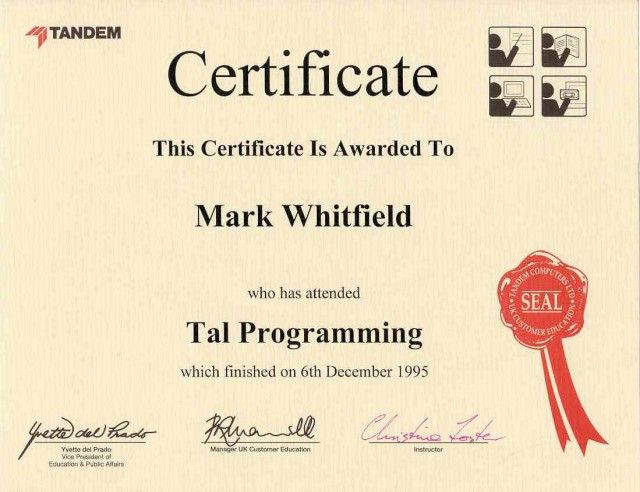
Tandem TAL Programming certificate back in 1995, Mark Whitfield

Overview of TAL Programming

  • Purpose: Developed to run on Tandem’s GUARDIAN operating system to build highly available, fault-tolerant transactional systems.
  • Characteristics: Procedural, block-structured, efficient (closer to assembly than C), and designed for speed and direct memory access, according to a NonStop Insider article.
  • Features: Strong support for data manipulation, process management, and message-based IPC (Inter-Process Communication) necessary for node-to-node replication, as described on the Wikipedia page on Tandem Computers.
  • Relation to TACL: While TAL is for creating compiled applications, TACL (Tandem Advanced Command Language) is the interpreter/macro language used for command procedures and system interaction, as explained in a Scribd document. 

Historical Timeline of TAL

  • 1975–1976 (Founding Era): TAL is created for the first Tandem/16 system shipped in 1976, heavily utilizing expertise from HP 3000 systems programming, according to a personal blog post.
  • Early 1980s (Expansion): TAL becomes the standard for ATM networks and banking systems, requiring high-reliability code, as seen in this blogger.com article.
  • 1985 (Evolution): TAL is used to build complex OLTP environments, distinguishing it from nascent PC markets as noted in archived Tandem press clippings.
  • 1990s (Native TAL): Introduction of “Native” TAL (T/TAL) to handle new architecture requirements and move from 16-bit to 32-bit environments, according to a TAL Programmer’s Guide document.
  • 1997 (Compaq Merger): Tandem is acquired by Compaq; TAL continues as the core systems language.
  • 2001 (HP Merger): Tandem (via Compaq) is acquired by HP, bringing TAL to the HP Integrity (Itanium) platform.
  • 2010s–Present (Modernization): TAL applications are ported to HP Enterprise NonStop x86-64, with support for running TAL programs on Intel processors and in virtualized instances, according to a NonStop Insider article. 

Present Day

  • TAL remains essential for maintaining legacy systems, but new applications often utilize C/C++ or Java on the modern NonStop platform, as noted in the Wikipedia page on Transaction Application Language.
  • TAL applications are still relevant due to the “single system image” and fault-tolerance features that define the current NonStop environment, according to the NonStop Insider article. 

PTAL Overview and Timeline

Tandem PTAL (Portable Transaction Application Language) is a block-structured, procedural systems programming language used on HPE NonStop (formerly Tandem) servers. It is the portable successor to the original TAL (Transaction Application Language), designed to allow high-level systems programming without an assembler while maintaining near-machine efficiency. 

Overview: TAL, PTAL, and epTAL

The language evolved to support different processor architectures over Tandem’s 50-year history: 

  • TAL (Original): Designed for the 16-bit CISC stack machine architecture (TNS). It has the syntax of ALGOL/Pascal but the low-level semantics of C.
  • PTAL (Portable): Introduced during the migration to MIPS RISC processors (TNS/R). It removed machine-specific constructs to allow code to be compiled into native RISC instructions.
  • epTAL (Extended): Developed for the migration to Intel Itanium processors (TNS/E). 

Historical Timeline by Year

Year Milestone

1974, Tandem Computers founded by James Treybig; initial design of the Tandem/16 hardware begins.

1976, TAL released. The Tandem/16 (NonStop I) ships with TAL as its only programming language.

1981, NonStop II introduced, adding 32-bit addressing support to TAL via an “extended data segment”.

1983, NonStop TXP launched; first major reimplementation of the instruction set architecture supported by TAL.

1986, NonStop VLX introduced with 32-bit data paths; NonStop SQL released, often managed via TAL-based systems.

1989, NonStop Cyclone released, the high-end mainframe competitor for the TAL environment.

1991, PTAL Development starts with the release of Cyclone/R, the first MIPS-based machine. TAL code is initially translated via an “Accelerator” tool before native PTAL compilers take over.

1993, Himalaya K-series released; native mode operating system (NSK) and native compilers (PTAL) become standard.

1997, Compaq acquires Tandem. Migration begins from MIPS to Alpha (later abandoned).

2002, HP merges with Compaq. Development focuses on the Itanium (TNS/E) architecture.

2005, epTAL introduced for the new Integrity NonStop i servers based on Intel Itanium microprocessors.

2014, x86 Migration. NonStop X (TNS/X) systems are released, transitioning the TAL/PTAL environment to Intel x86-64 processors.

Mark Whitfield, Website Author – Background and Career Timline

Mark Whitfield is a Senior IT Project Manager and Engagement Manager with over 30 years of experience in the software development lifecycle (SDLC). He is currently a SC-cleared Engagement Manager at Capgemini UK. 

Professional Background by Era

  • 1990–1995: Early Programming (The Software Partnership/Deluxe Data)
    • Role: Programmer/Lead Analyst.
    • Focus: Developed electronic banking software (sp/ARCHITECT-BANK) on Tandem Mainframe Computers (now HPE NonStop).
  • 1995–2013: Senior Development & Product Management (Insider Technologies)
    • Role: Progressed from Senior Programmer to Project Manager for Strategic Technical Initiatives.
    • Focus: Developed platform health and diagnostic modules for the “Reflex” monitoring product.
  • 2013–2014: Project Management (Wincor Nixdorf)
    • Role: Project Manager, Professional Services – Banking Division.
    • Focus: Managed the Wincor Nixdorf workstream for Lloyds Banking Group’s Self-Service Software Replacement (SSSR) programme.
  • 2014–2016: Digital Project Management (Betfred)
    • Role: Senior Digital Project Manager, Online and Mobile Division.
    • Focus: Delivered payment gateways, sportsbooks, and virtual gaming components for iOS, Android, and Windows.
  • 2016–Present: Senior Engagement Management (Capgemini)
    • Role: Engagement Manager (A8), Custom Bespoke Solutions.
    • Focus: Leading digital transformation and cloud migration projects for public and private sector clients. 

Technologies & Frameworks

  • Project Methodologies: Agile SCRUM, PRINCE2 (Practitioner), Waterfall, ITIL, and ISO QA.
  • Mainframe & Infrastructure: HPE NonStop (Tandem), IBM ESB, UNIX shell scripting, and Cloud (MS Azure/AWS).
  • Programming & Databases: C/C++, MS SQL, Java, COBOL85, TAL, TACL, and SCOBOL.
  • Tools: MS Project, MS Excel/Office, MuleSoft Anypoint Platform, and Jira. 

Major Projects & Customers

  • UK Government: Managed a £13.5m cloud migration of 130 applications and the £1m+ Fish Export Service (FES) to CHIP portal.
  • Royal Mail Group (RMG): Managed a £4.3m data centre migration project involving over 1,100 interfaces.
  • Lloyds Banking Group (LBG): Led a £5m+ self-service software replacement project.
  • Other Notable Clients: Jaguar Land Rover (JLR), Heathrow, NATS (Air Traffic Control), Barclays, HSBC, Deutsche Bank, and Euroclear. 

Awards & Education

  • Awards:
    • C&CA UK’s Communications & Engagement Award (2022) at Capgemini UK.
    • Project Recognition Award from Wincor Nixdorf for achievements on the LBG SSSR project.
  • Education:
    • HND in Computer Studies (Distinction) from the University of Greater Manchester (formerly BIHE), 1988–1990.
    • A-Levels in Computer Science and Biology from Leigh College. 

Project Management Templates

Whitfield provides a library of over 200 editable resources through his site, PROject Templates, designed for Agile, Waterfall, and PRINCE2 7th Edition delivery. Key items include: 

  • Plan on a Page (POaP): Over 35+ executive-level summary slides.
  • Detailed Project Plans: Templates in MS Project (MPP) and Excel for SDLC tracking.
  • RAID Logs: Comprehensive registers for risks, actions, issues, and dependencies. 

Mark Whitfield Background and Career Timline

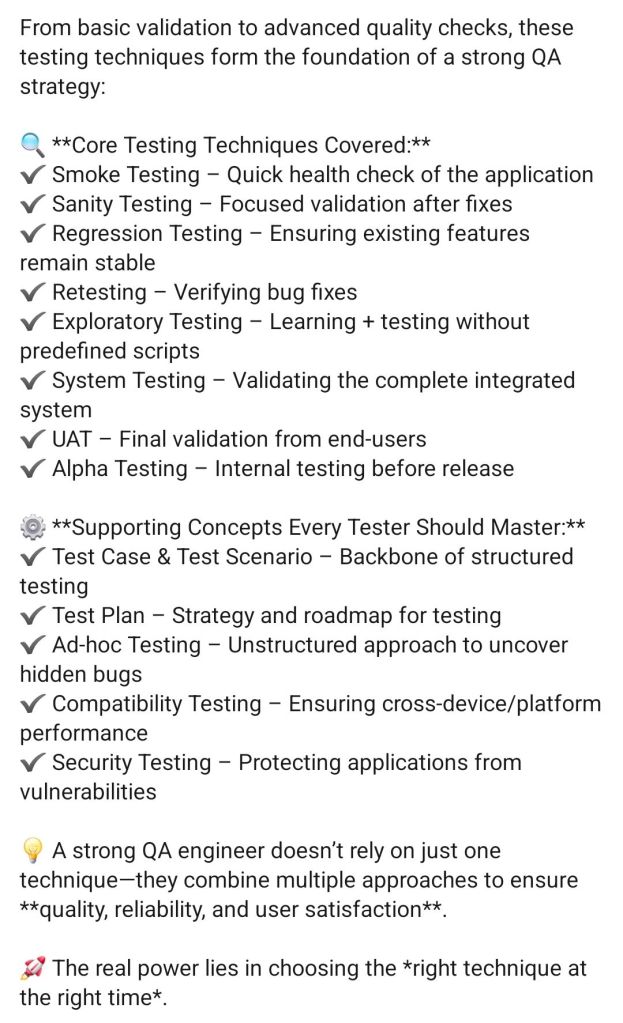
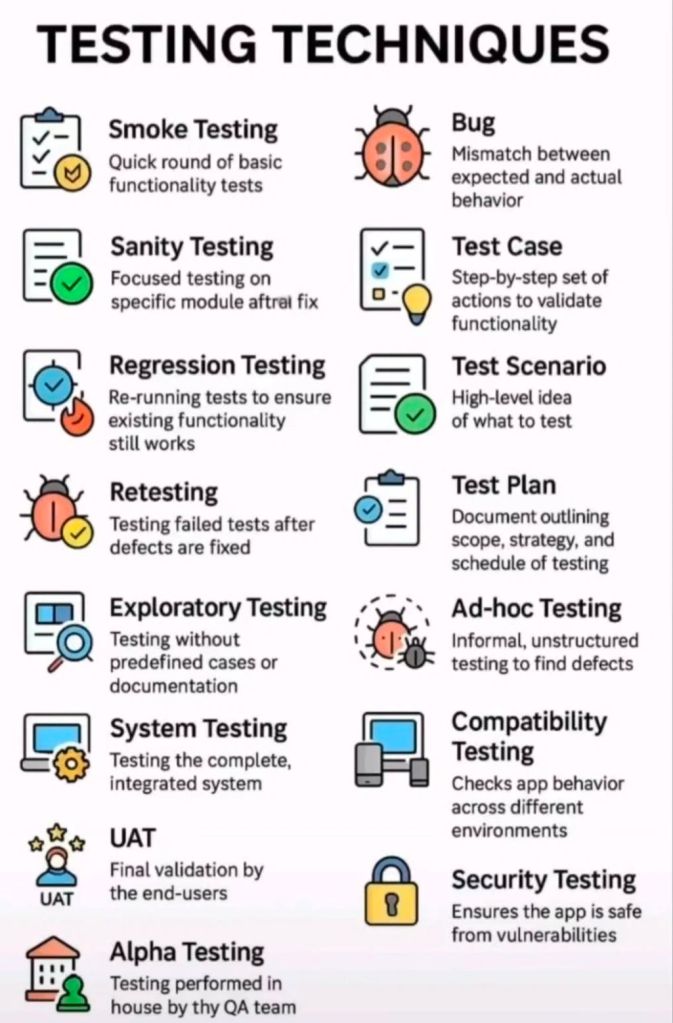
IT Project Testing Techniques

IT Project Testing Techniques

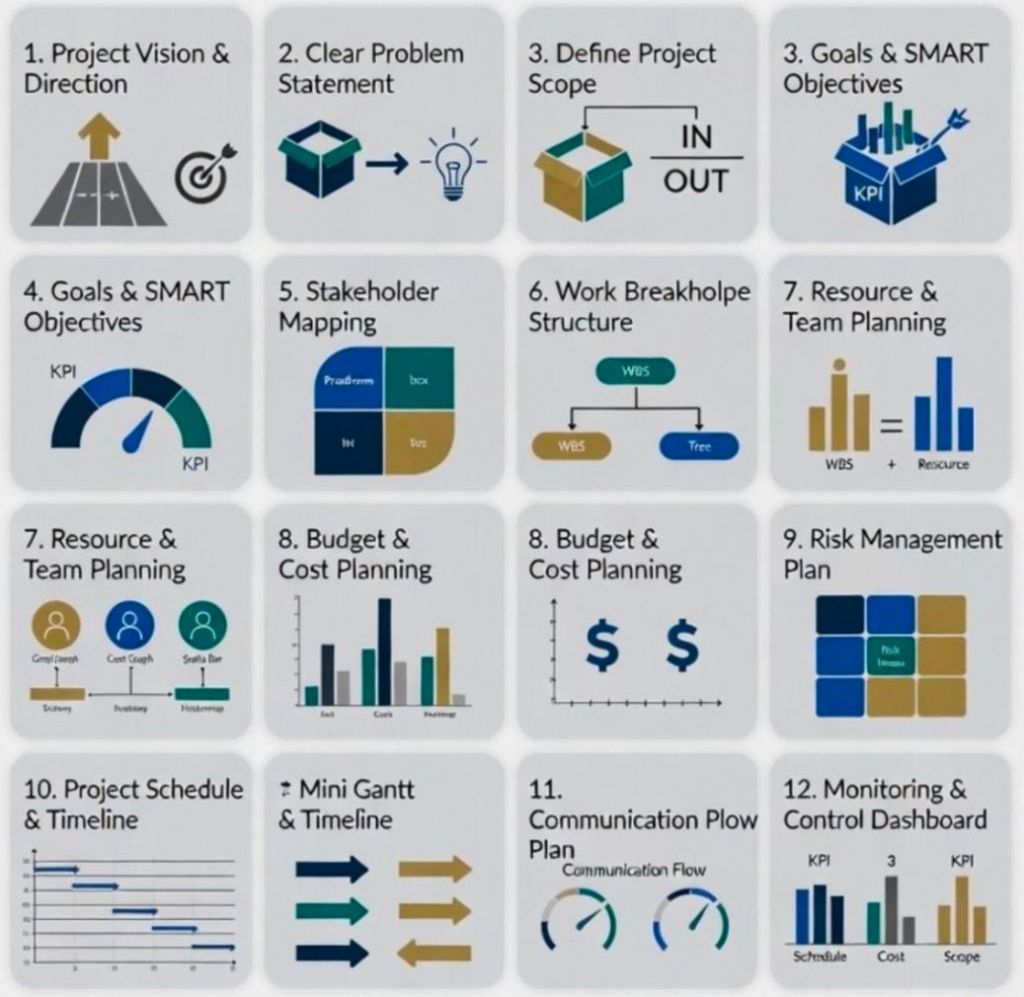
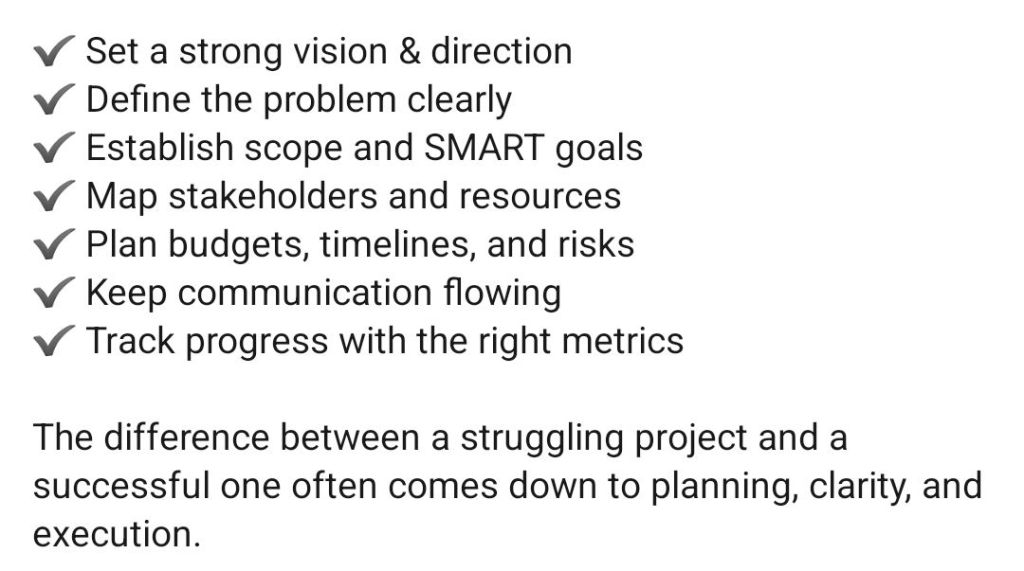
Successful Project Plan

Successful Project Plan

PRINCE2 Management Products Templates Overview and Historical Timeline

PRINCE2 management products are the 26 standard documents (templates) used to manage a project throughout its lifecycle. They are categorised into Baselines (plans and definitions), Records (registers and logs), and Reports (periodic updates). 

PRINCE2 Microsoft Project & Excel templates

Management Products Overview

The core templates provided in the methodology ensure consistent project control. Official templates are often available through accredited providers, this website or the official AXELOS website. 

  • Baselines: Used to define the project foundation (e.g., Business Case, Project Initiation Document, Plan).
  • Records: Dynamic logs to track day-to-day data (e.g., Risk Register, Issue Register, Lessons Log).
  • Reports: Snapshots of progress or specific events (e.g., Highlight Report, Checkpoint Report, Exception Report). 

Historical Timeline of Templates & Methodology

The evolution of these products reflects a shift from rigid, IT-specific documents to flexible, industry-agnostic templates. 

The Pre-PRINCE Era (1975 – 1988) 

  • 1975: PROMPT II (Project Resource Organisation Management and Planning Techniques) was developed by Simpact Systems Ltd.
  • Key Focus: Introduced the concept of project phases (Initiation, Specification, Design) but was strictly for IT. 

The PRINCE Era (1989 – 1995) 

  • 1989: PRINCE (PROMPT II in the CCTA Environment) launched by the UK Government’s CCTA.
  • Key Focus: Added Critical Path Analysis and formal management roles, but remained IT-heavy and rigid. 

The PRINCE2 Emergence (1996 – 2008)

  • 1996: PRINCE2 (1st Edition) was released as a generic framework.
  • Key Change: IT-specific jargon was removed to make templates applicable to any industry.
  • 2002/2005: Minor updates (3rd and 4th Editions) focused on minor refinements based on user feedback. 

The Revision Era (2009 – 2022)

  • 2009: PRINCE2:2009 Refresh (5th Edition) introduced the seven core principles.
  • Key Change: Templates were simplified and made more customisable to reduce “prowess-driven” bureaucracy.
  • 2017: PRINCE2 6th Edition (formerly the 2017 Update) launched.
  • Key Change: Emphasis on Tailoring and scalability for different project sizes. 

The Modern Era (2023 – Present)

  • 2023: PRINCE2 7th Edition was released.
  • Key Change: Added a “People” element and introduced three new management approaches: Sustainability, Commercial, and Digital & Data. 

Template Kits & Resources

For those seeking pre-formatted digital versions:

  • PRINCE2 7th Edition Template Bundle: Comprehensive sets including MS Project MPP, Excel Gantt charts, and Word artifacts are available at Etsy and eBay.
  • Specialised Packs: Focused collections like the PRINCE2 Control & Monitoring Pack can be found at WorkFlo Design.
  • Individual Documents: Individual templates like the Project Initiation Document (PID) are often sold separately for specific project needs. 
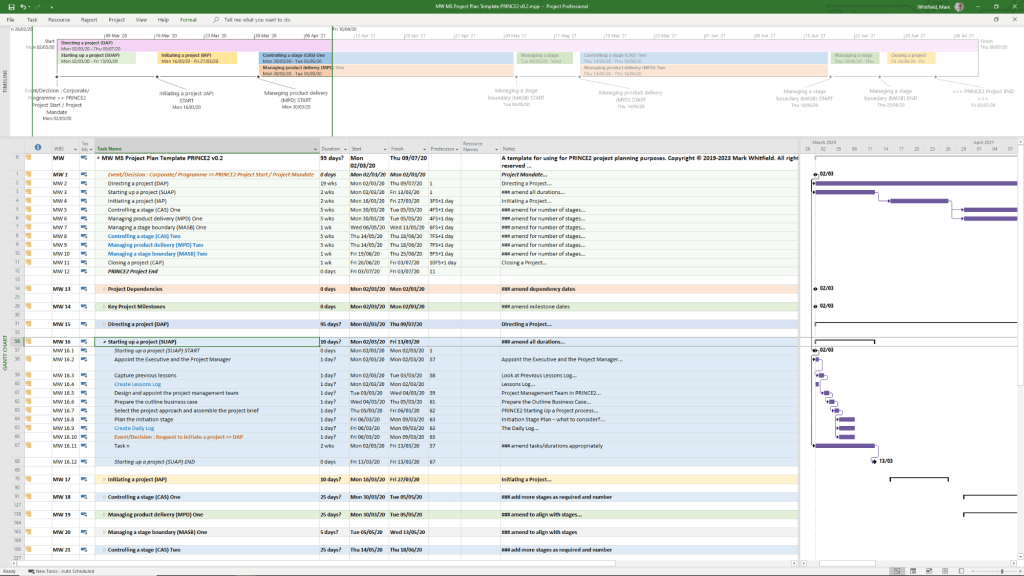
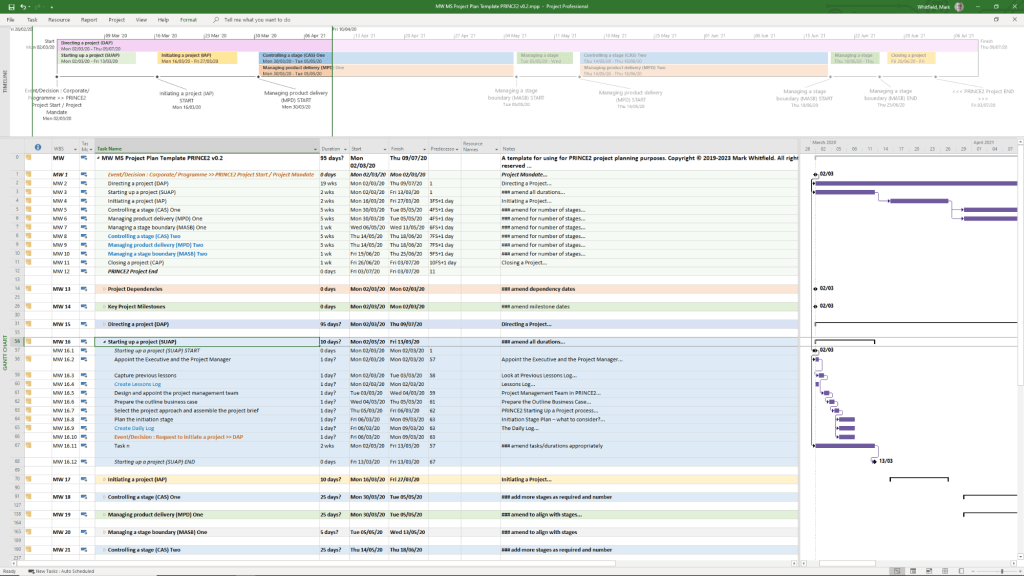
  • PRINCE2 Templates can be purchased directly from this website including a Microsoft Project Plan in MPP format and also a Microsoft Excel Project Plan in XLS format, see below and website link.

PRINCE2 Management Products Templates Overview and Historical Timeline

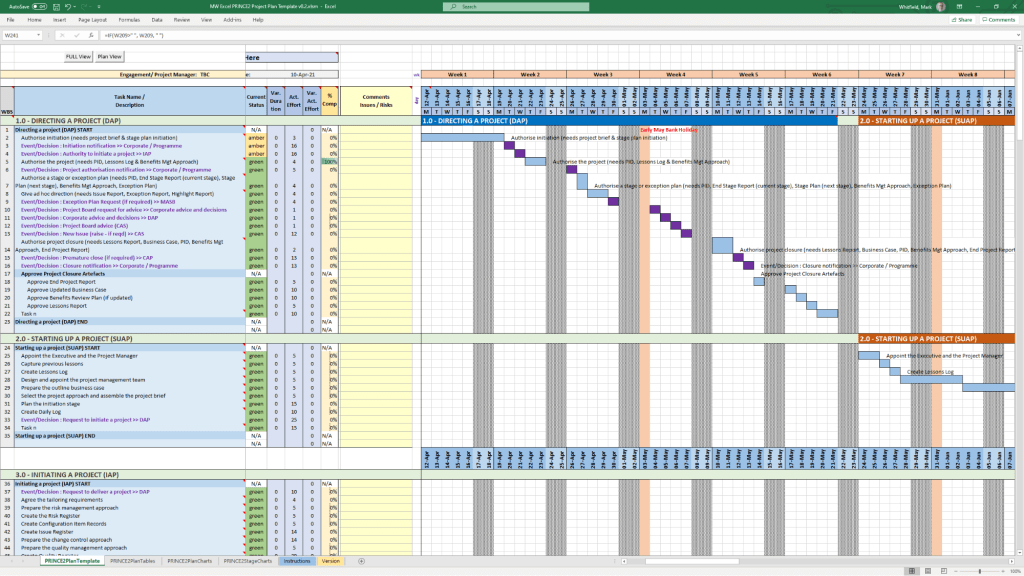
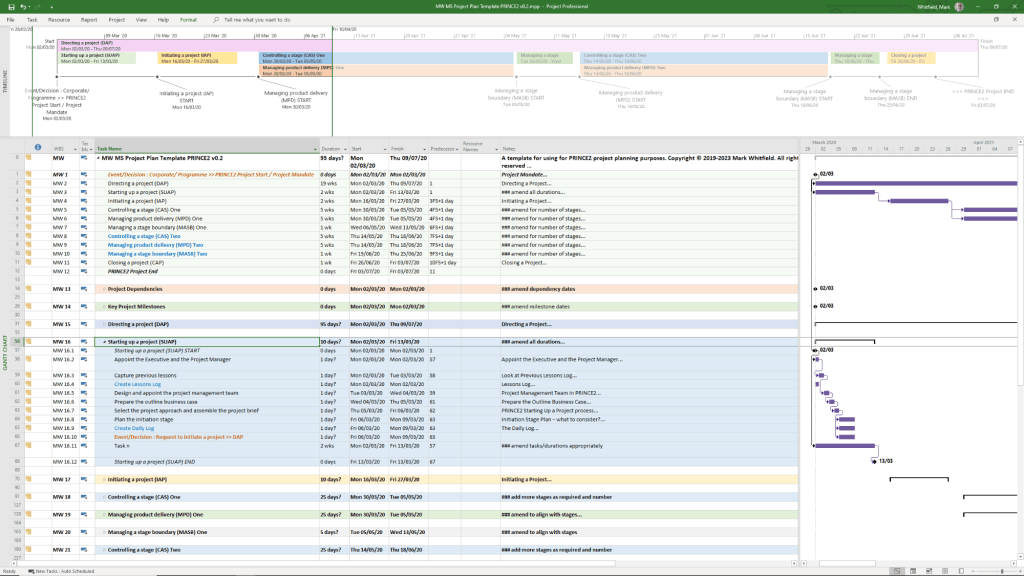
PRINCE2 Microsoft Project MPP file template
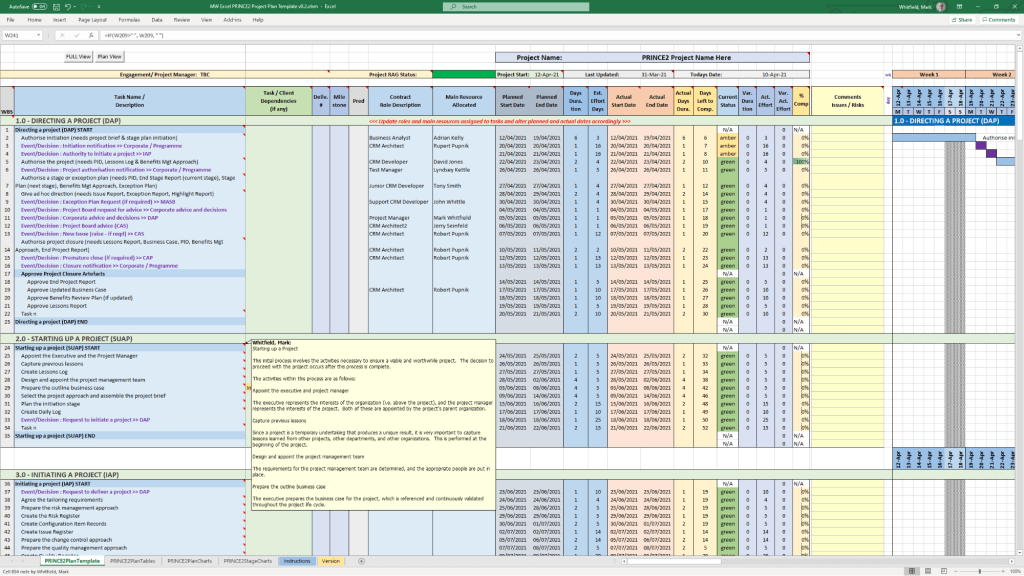
PRINCE2 Microsoft Excel XLS template 1
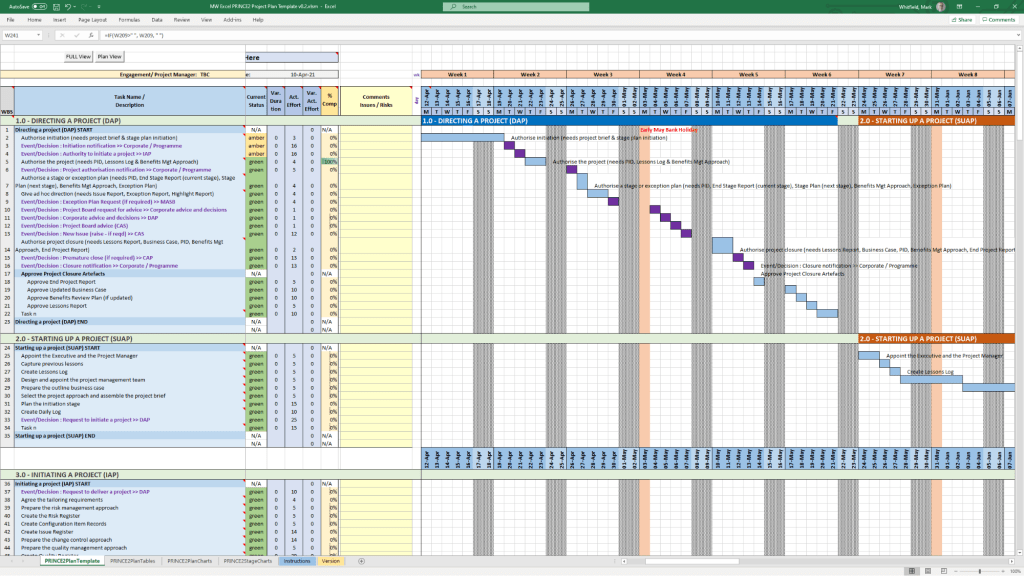
PRINCE2 Microsoft Excel XLS template 2

PRINCE2 Templates FREE Upgrades

Mark Whitfield’s PRINCE2 template collection is a comprehensive set of over 200 editable Microsoft Office documents designed to support both waterfall and agile project delivery. These templates are classified into several key categories, ranging from core PRINCE2 management products to advanced planning and tracking tools. 

Example Microsoft Project MPP file template

Core PRINCE2 Management Product Templates

This category includes the standard documentation required by the PRINCE2 methodology, often provided in MS Word (.doc) format. 

  • Project Initiation & Definition:
    • Project Brief: Initial summary used to gain approval for the initiation stage.
    • Project Initiation Document (PID): A comprehensive document containing the project definition, approach, business case, and management strategies.
    • Business Case: The primary justification for the project’s existence.
  • Registers and Logs:
    • Risk Register: For identifying and managing project risks.
    • Issue Register & Issue Report: For tracking and detailing specific project problems.
    • Lessons Log & Lessons Report: To capture and share knowledge gained throughout the project.
    • Daily Log: For the Project Manager to record informal issues or activities.
  • Reporting and Progress:
    • Highlight Report: Periodic progress updates for the Project Board.
    • Checkpoint Report: Updates from the Team Manager to the Project Manager.
    • End Stage & End Project Reports: Summaries of performance at key project milestones.
    • Exception Report: Used when a project is forecast to exceed its tolerances.
  • Quality and Configuration:
    • Product Description: Detailed specifications for each project deliverable.
    • Quality Register: Records all planned and completed quality activities.
    • Configuration Item Record: Tracks the status and version of project products. 

Advanced Planning and Tracking Templates 

Whitfield provides specialized tools for visual scheduling and financial management, primarily in MS Excel and MS Project (.mpp) formats. 

  • Project Planners:
    • PRINCE2 Waterfall Project Planner: A detailed Gantt-view planner in Excel for those without MS Project licenses.
    • MS Project (MPP) Templates: Pre-configured plans for PRINCE2 7th Edition, including end-to-end tasks and lifecycle stages.
    • Plan on a Page (POaP): High-level visual summaries of project timelines.
  • Resource and Financial Management:
    • Project Financial Tracker: Monitors forecast vs. actual costs, including margins and expenses.
    • Resource Costing Grid: Detailed grids for calculating costs per project phase.
    • RACI Tracker: Defines Roles and Responsibilities (Responsible, Accountable, Consulted, Informed). 

Operational and Agile Support

These supplemental templates assist with daily project operations and hybrid agile environments. 

  • RAID Log: A centralized tracker for Risks, Actions, Issues, and Dependencies.
  • Agile Specifics: Burn-down/up charts and sprint-view Gantt charts for scrum-based delivery.
  • Stakeholder Analysis Plan: Tools to map stakeholder influence versus impact.
  • Mobilisation/On-boarding Kit: PowerPoint templates for team kick-offs and onboarding. 

Visual Classification (Font Coding) 

In many of Whitfield’s automated plans, tasks are color-coded for quick visual breakdown: 

  • Black: Traditional PRINCE2 stage or activity.
  • Blue: Creation of a PRINCE2 artefact (e.g., creating a log).
  • Purple: Updating an existing artefact.
  • Green: Formal closing of an artefact. 

The full bundle is available for purchase on Mark Whitfield’s Official Website or through his Etsy Store. 

PRINCE2 Templates FREE Upgrades