Download Templates for PROject Management | FREE Upgrades & Additions
Author: Mark Whitfield
Welcome to my site!
After graduating in Computing in 1990, I accepted a position as a programmer at a Runcorn based software house specialising in electronic banking software, namely sp/ARCHITECT-BANK on Tandem Computers (now HPE NonStop). This was before the internet became more prevalent and so the notion of enabling desktop access to company accounts for inter-account transfers and book keeping was still quite a cutting edge idea (and smartphones only ever hinted at in Space 1999). The company was called The Software Partnership (which was taken over by Deluxe Data in 1994).
I spent 5 years in Runcorn developing code for SP/ARCHITECT for various banks like TSB, Bank of Scotland, Rabobank and Girofon (Denmark) to name but a few. I then moved onto a software house in Salford Quays for further bank facing projects. After a further 23 years in the IT industry and now a Senior IT Project Manager (both Agile and Waterfall delivery), I thought I would echo out my Career Profile in this corner of the internet for quick and easy access.
Microsoft Project has evolved from a DOS-based scheduling tool in 1984 into a comprehensive project portfolio management (PPM) system and, as of 2024–2026, a cloud-native platform integrating with Microsoft 365 and Planner.
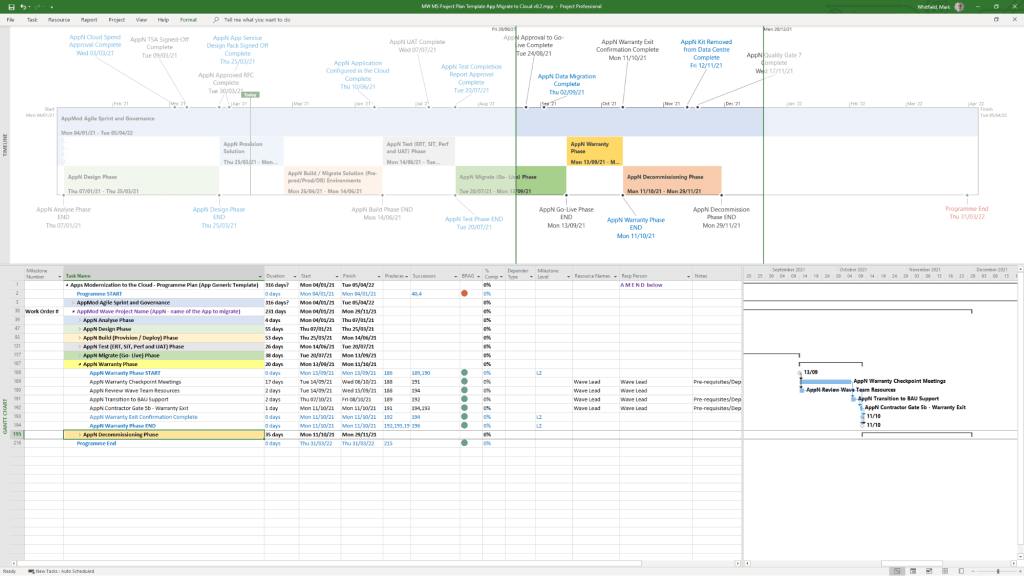
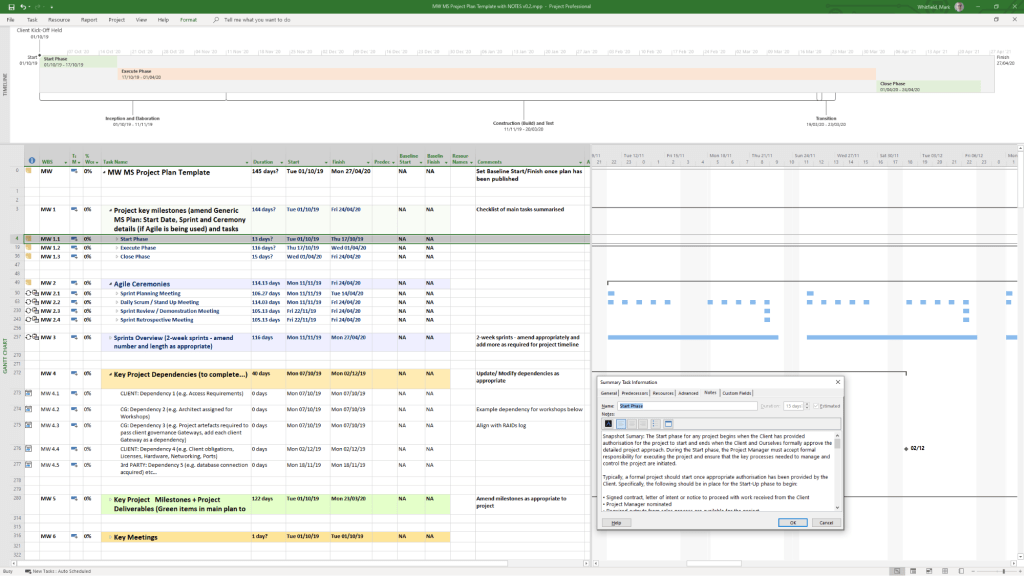
Example MS Template from download bundle
Historical Timeline by Era
1. The DOS Era: Foundations (1984–1989)
1984: Initial release for DOS by a third party, later acquired by Microsoft. Focused on basic Gantt charts and critical path method (CPM).
1985: Microsoft purchases rights; releases Project 2.0.
1986: Project 3.0/4.0 for DOS released.
2. The Windows & Early Office Era: GUI & Integration (1990–1999)
1990: First Microsoft Project for Windows released.
1991: First Macintosh version released.
1993: Project 4.0 for Mac (final Mac version).
1995: Project 95 (v4.1) released: The first 32-bit version, designed to match the Windows 95 interface.
1997/1998: Project 98: Deepened integration with Microsoft Office and introduced improved tracking.
3. The Enterprise & Collaboration Era: Server Integration (2000–2010)
2000: Introduced “Microsoft Project Central” for team collaboration, allowing web-based status reporting.
2002/2003: Released with Server components, allowing enterprise-level resource management.
2007: Introduced Office Fluent Ribbon interface and enhanced reporting capabilities.
2010: Significant update adding the Timeline View (top-down view) and manual scheduling options.
4. The Cloud & Subscription Era: PPM & Modernization (2013–2023)
2013: Launch of Project Online (PPM) to provide full cloud capabilities.
2016/2019: Introduced Resource Engagements and improved visual reporting.
2019/2020: Release of “Project for the web,” a completely new platform based on the Power Platform (Dataverse), separate from the legacy Desktop Client.
5. The Future Era: Unified Planner & Web (2024–2026)
2024: Deepened integration with Microsoft Teams, OneDrive, and SharePoint.
2026: Project Online is scheduled to be discontinued in September 2026.
2026/Future: “Project for the web” is being rebranded and merged into Microsoft Planner.
Detailed Breakdown of Key Features
Scheduling & Gantt Charts: Core functionality for mapping dependencies, critical paths, and durations.
Resource Management: Tools to allocate resources, manage costs, and track workloads, evolving from desktop-based to enterprise-wide resource leveling.
Timeline View: Introduced in 2010, this feature allows creating a “big picture” summary of key tasks and milestones, ideal for stakeholder reporting, customizable by adding tasks directly from the Gantt chart.
Collaboration: Shifted from email-based sharing to Microsoft 365, Teams, and Sharepoint integration.
Project Versions: Available as Standard (desktop), Professional (collaboration features), and cloud-based subscription plans (Plan 1/3/5).
Summary of Major Version Transitions
DOS (1984) ………. Windows (1990) ……….(32-Bit (1995) ………. Server (2000) ………. Online (2013) ……….. Web/Dataverse (2019) ……… Planner (2026).
Microsoft Project Extensions :
Microsoft Project primarily uses .mpp for project plans and .mpt for templates, with specialized extensions like .vsdx for timeline visuals. These files are used to manage project schedules, resources, and budgets, with support for add-ins that integrate with Microsoft Teams, Power BI, and other Office applications.
Core Microsoft Project Extensions
.mpp: The native file format for Microsoft Project, containing all project data, including schedules, tasks, resources, and budgets.
.mpt: Microsoft Project Template files, used to create new projects with predefined structures, settings, and views.
.vsdx: Used to create and save custom timelines, which can be imported into or exported from Project.
File Compatibility & Viewers
Because .mpp files require a Microsoft Project license, alternative tools are used to view them without the desktop application:
Project Plan 365: A widely used viewer and editor compatible with MPP files from 2010 to 2026.
Gantt Pro: An online tool for viewing and sharing MPP file schedules.
Project Viewer 365: A Microsoft Store app designed to open and print .mpp files.
Add-ins and Integrations
Extensions for Microsoft Project can be found via the Office Add-ins store, improving productivity and integration:
Power BI: Creates interactive dashboards from Project data.
Microsoft Teams: Allows teams to collaborate on project plans.
Office Add-ins: Available for various versions of Project Professional and Standard to enhance functionality.
Microsoft Project Timeline by Era, Features and Extensions
The HPE NonStop community, historically rooted in Tandem Computers’ culture of openness, has held an annual gathering since the early 1980s.
Originally known as the International Tandem Users Group (ITUG) summits, the main conference evolved into the NonStop Technical Boot Camp (TBC), now organized by Connect Worldwide and heavily supported by Hewlett Packard Enterprise.
The conference serves as the premier annual gathering for NonStop users, focusing on technical education, mission-critical applications, and networking.
Detailed Historical Timeline (1990–2026)
The “Tandem/ITUG” Era (1990–1996)
Focus: Transitioning from proprietary stack machines to MIPS RISC microprocessors, introducing Open System Services (OSS).
1990: Tandem reaches peak revenue; ITUG meetings focus on fault tolerance in ATM networks.
1993: Introduction of NonStop Himalaya K-series using MIPS R4400 processors.
1994: NonStop Kernel (NSK) extended with POSIX-compliant Unix.
1995: Introduction of ServerNet, foundational for future x86 architectures.
The Compaq & HP Transition Era (1997–2014)
Focus: Integration into larger portfolios, migration from MIPS to Intel Itanium (TNS/E).
1997: Compaq acquires Tandem. ITUG summits begin navigating the new corporate structure.
2003: HP acquires Compaq. NonStop conferences become key components of HP’s high-end mission-critical offerings.
2008: Connect Worldwide (independent user group) takes over, revitalizing the “Technical Boot Camp” name.
The HPE NonStop X & Virtualization Era (2015–2019)
Focus: Migration to x86-64 (NonStop X), Virtualization (vNonStop), and cloud integration.
2015: Formation of Hewlett Packard Enterprise (HPE). Focus shifts to modernized “NonStop X” systems.
2016: vNonStop demoed at TBC, allowing fault-tolerant systems in virtual machines.
2017: TBC highlights AI and cybersecurity, reflecting modern enterprise needs.
2019: Discussions around “NonStop-as-a-Service” (XaaS) and GreenLake integration.
The AI & 50th Anniversary Era (2020–2026)
Focus: Hybrid Cloud, Artificial Intelligence, 50th Anniversary of NonStop.
2020: TBC goes virtual, with high attendance from a global community.
2022: Continued focus on XaaS (everything as a service).
2023-2024: Emphasis on cyber resilience, SQL improvements, and integration with modern DevOps tools.
2025/2026:HPE NonStop 50th Anniversary. Conferences focus on AI-driven transformation, cybersecurity, and the new business track.
Conference Insights and Evolution
The “Beer Bust”: A tradition started in the early days of Tandem, now a staple social event at the TBC to foster community and open communication.
Format: The NonStop TBC typically features 4 days of technical sessions, user case studies, and partner exhibitions (e.g., XYPRO, NTI).
Regional Events: Alongside the main TBC, regional events (e.g., MexTUG) occur throughout the year.
Key Themes: Uninterrupted performance, database integrity, and migration to x86/cloud.
NonStop TBC 2026 is scheduled for Sept 14–18 in Orlando, FL.
The history of Tandem Computers (now HPE NonStop) conferences is a nearly 50-year chronicle of community-driven knowledge sharing, evolving from the Tandem User’s Group (TUG) in 1978 to the modern HPE NonStop Technology & Business Conference (TBC).
These events have served as the primary venue for sharing best practices on fault tolerance, high availability, and mission-critical application design, bridging the gap between Tandem’s founding in 1974 and HPE’s current virtualized NonStop systems.
1974: Jimmy Treybig founds Tandem Computers in Cupertino, CA, with a mission to create fault-tolerant systems for online transaction processing (OLTP).
1976: First Tandem/16 (T/16) system shipped to Citibank, initiating the NonStop era.
1978:Creation of the Tandem User’s Group (TUG) in San Jose, CA, as the foundational user community. Introduction of the Encompass database management system.
1980–1989: Growth and Expansion
1981: TUG is renamed the International Tandem User’s Group (ITUG), reflecting global growth. Introduction of NonStop II.
1983: Introduction of the Tandem NonStop Extended Processor (TXP) and Guardian B-Series OS.
1984: Formation of the British Isles Tandem User Group (BITUG).
1985–1986: Introduction of the entry-level NonStop EXT system.
1987-1988: Large-scale adoption of Tandem systems by international financial institutions and growing ITUG conference attendance, often characterized by strong community spirit.
1989: Release of NonStop Cyclone and relational database software, challenging IBM’s dominance in transaction processing.
1990–1999: The Move to Open Systems & Acquisition
1990: Announcement of the Integrity S2 line for Unix-based fault tolerance.
1991: Release of Cyclone/R (CLX/R) based on MIPS R3000, signaling a move away from custom proprietary CPUs.
1993: Launch of the Himalaya K-series, supporting the MIPS R4400 and native mode NSK.
1994-1995: Introduction of Open System Services (OSS), extending the NonStop Kernel to include a Unix-like POSIX environment.
1997:Compaq acquires Tandem for $3 billion. Tandem releases the NonStop Himalaya S-Series, introducing the ServerNet interconnect technology.
2000–2010: Compaq-HP Merger and Modernization
2001: Hewlett-Packard merges with Compaq, taking over the NonStop product line and initiating a migration to Intel Itanium processors (TNS/E).
2001: ITUG is renamed to “Compaq Users Group” before transitioning to the combined Connect community group.
2002: Formation of a Tandem Alumni Group, celebrating the unique culture.
Legacy + Future: Current TBC conferences balance supporting existing high-value transaction applications with modernization approaches like REST APIs, Java, and DevOps.
Virtualization & Cloud: A major focus is deploying NonStop as virtualized instances (vNS) and integrating with public/hybrid clouds.
Community Continuity: Despite multiple mergers (Tandem HPE), the user community has remained tight-knit, with organizations like Connect hosting the NonStop TBC.
Continuous Availability: The core focus remains 100% uptime, with sessions analyzing how to achieve it in modern containerized environments.