Serco Group plc is a prominent international government services contractor delivering public services across defence, justice, immigration, transport, healthcare, and citizen services.
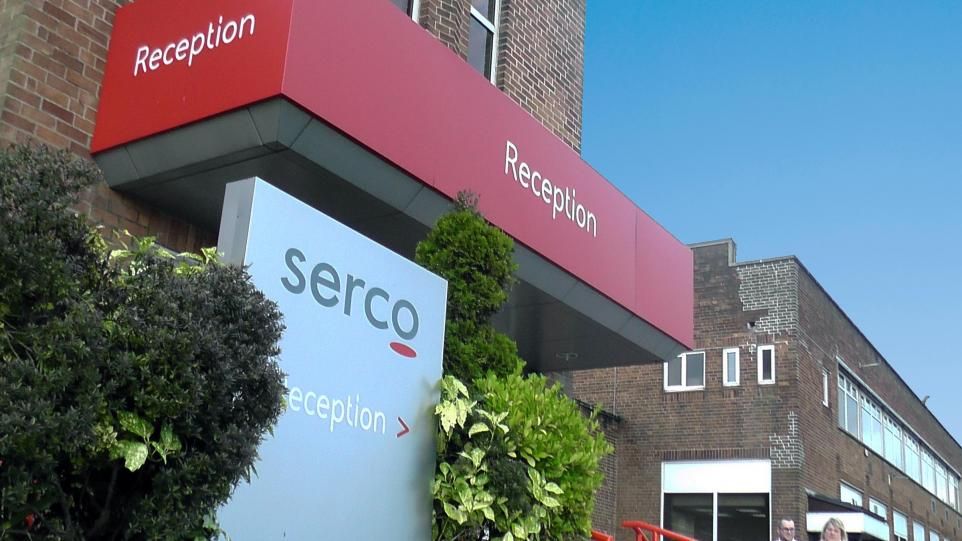
Serco, Bolton 2017
The detailed history of Serco, tracked chronologically by year from its origins to 2026, is detailed below.
🏢 Origins & Foundations (1929–1989)
1929: Formed originally as RCA Services Limited, a UK-based subsidiary of the Radio Corporation of America servicing the British cinema industry.
1940s: Pivoted to providing technical engineering and radar support services to the British War Office during World War II.
1958: Began maintaining the early warning radar lines for the Ministry of Defence, which later evolved into a multi-decade relationship with the Ballistic Missile Early Warning System (BMEWS) at RAF Fylingdales.
1987: Following an acquisition of RCA by General Electric, senior executives staged a management buyout for roughly £24 million. The business rebranded as Serco Limited (derived from “Services Company”).
1988: Serco was officially listed on the London Stock Exchange (LSE) under the ticker symbol SRP.
1989: The company began its international expansion, branching out to Civil Government markets and establishing a presence in the Asia Pacific region.
🌍 Global Expansion & Privatisation Wave (1990–2009)
1991: Expanded heavily into civilian public sectors, specifically running infrastructure and facilities for the National Health Service (NHS).
1992: Entered the civil aviation and air traffic control sectors by acquiring International Aeradio Limited (IAL) from British Telecom for £12.25 million.
1997: Secured the multi-million-pound contract to manage and operate London’s Docklands Light Railway (DLR) network.
2006: Appointed key political figures to its board—such as former Labour minister Lord Filkin—solidifying its position as a default partner for UK public sector outsourcing.
2008: Significantly broadened its footprint in the North American government services arena by acquiring SI International, expanding IT and intelligence support for US federal agencies.
📈 Structural Shift & Controversies (2010–2019)
2012: Disrupted by structural overhauls; the UK Home Office shifted asylum seeker housing contracts into regional commercial hubs (COMPASS contracts), with Serco taking responsibility for Scotland, Northern Ireland, and North West England.
2013: Serco faced intense public and legal scrutiny over electronic offender tagging fraud, during which the company was found to have billed the government for individuals who were deceased, already in jail, or overseas.
2014: To restore faith, the company handed over operations of the DLR franchise to KeolisAmey and accepted a massive fine. Rupert Soames was brought in as Chief Executive Officer to launch a deep corporate restructuring.
2015: Formally completed a major capital restructuring and stock split to balance its books, shifting focus squarely toward critical government operations in Defence, Justice, and Migration.
2018: Expanded transport services by securing and rolling out a bicycle-sharing scheme for Edinburgh, alongside launching updated vessel systems for the UK Ministry of Defence.
2019: Settled the tagging scandal definitively by paying a £22.9 million fine as part of a Deferred Prosecution Agreement with the UK Serious Fraud Office.
While working via Capgemini UK, Mark Whitfield was brought in to act as a Senior PM for Serco to deliver a £400K telephony project.
This project was established following a Serco contract win from the Department for Work and Pensions (DWP) concerning Support for Mortgage Interest (SMI) changes.
Mark Whitfield, Senior PM for Serco, 2017
Key details of Mark Whitfield’s involvement with Serco include:
The Deliverable: Setting up a Contact Center as a Service (CCaaS) call center campaign featuring an automated, programmatic dialer solution integrated with an Azure-deployed CRM system.
The Scale: Establishing a new solution for a few hundred call center staff based in Bolton.
The Timeline: Mark Whitfield stepped in during May 2017 to rescue, restructure, and successfully deliver the project by late July 2017.
🛡️ Modern Focus, Defence Pivot & Resilience (2020–2026)
2020: Played a substantial operational role during the COVID-19 pandemic by providing staffing, facilities management, and administrative support for the UK’s Test and Trace system.
2022: Strategically targeted European public integration by acquiring ORS, a Swiss-based specialist in migration services and accommodation across continental Europe.
2023: Acquired European Homecare (EHC), establishing a highly influential market share in German immigration processing networks. Long-serving CEO Rupert Soames stepped down, succeeded by Mark Irwin.
2024: Continued its focus on justice sector services with a £200 million, 10-year contract extension to manage HMP Ashfield.
2025: Serco integrated MTNS (Marine Training & Simulation), boosting its North American defence platform with advanced simulated mission capabilities. Full-year revenue reached a record £4.9 billion, heavily driven by military expenditure.
2026: Mark Reid stepped up as Group CFO following Nigel Crossley’s retirement. Backed by a record £12.5 billion pipeline and major contract expansions—such as a £270 million facility contract at Norfolk and Norwich University Hospital—the company doubled its share buyback program to £150 million.
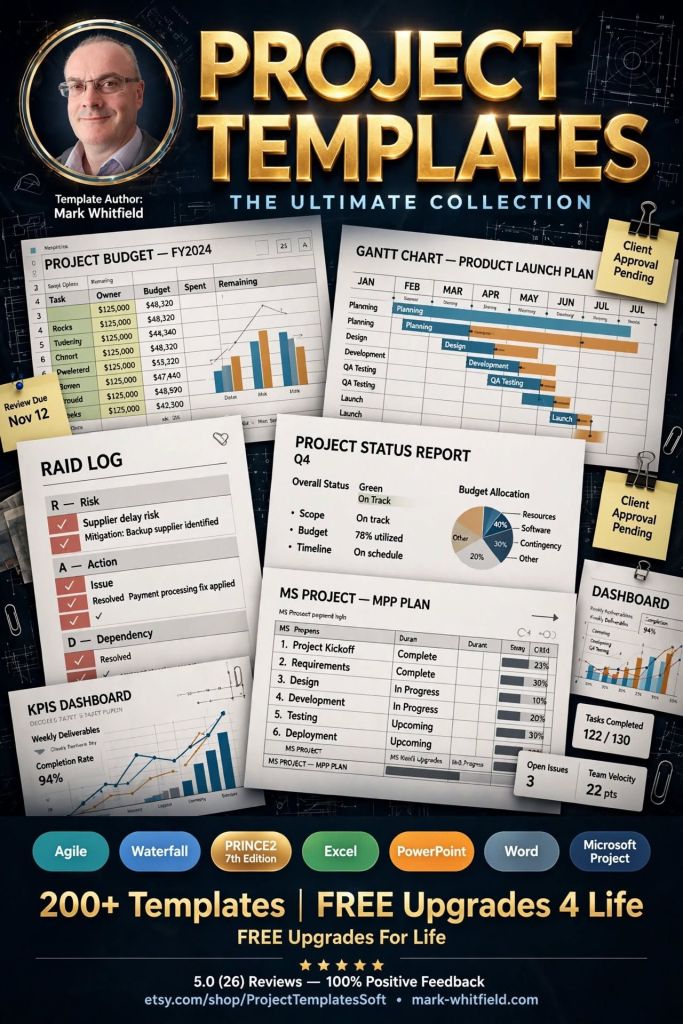
Mark Whitfield’s PROject Templates consist of a comprehensive bundle of over 200 fully editable delivery templates. Designed specifically to bridge the gap between structured Waterfall frameworks (like PRINCE2) and iterative Agile Scrum execution, the inventory covers real-world artifacts across Microsoft Project (.mpp), Excel, PowerPoint, and Word formats.
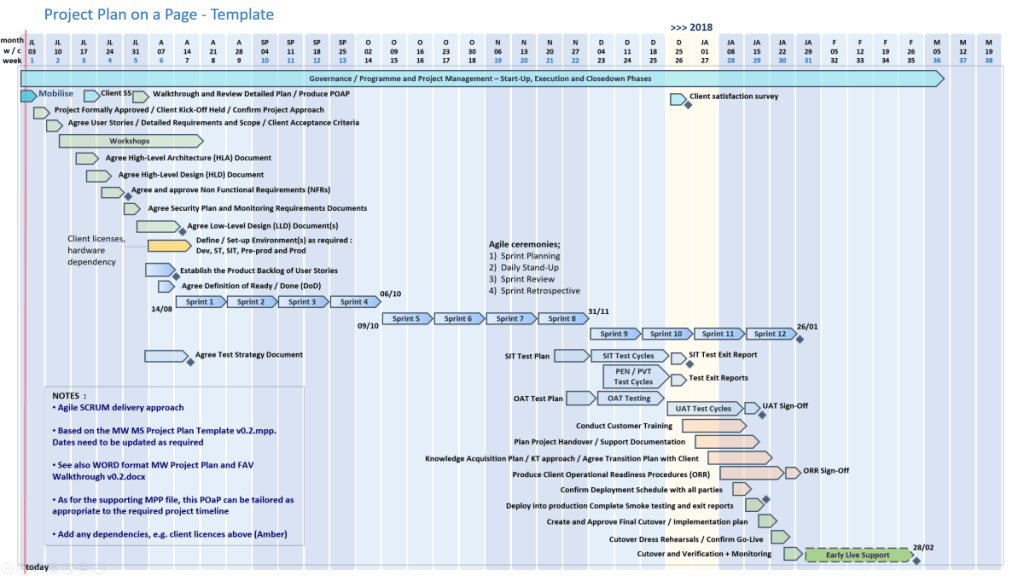
Plan on a Page example, 30+ in Zip pack
The detailed breakdown of Mark Whitfield’s template inventory by core management category includes:
1. Project Planning & Timelines
These templates provide multi-layered scheduling depending on whether you require micro-level tracking or high-level stakeholder summaries.
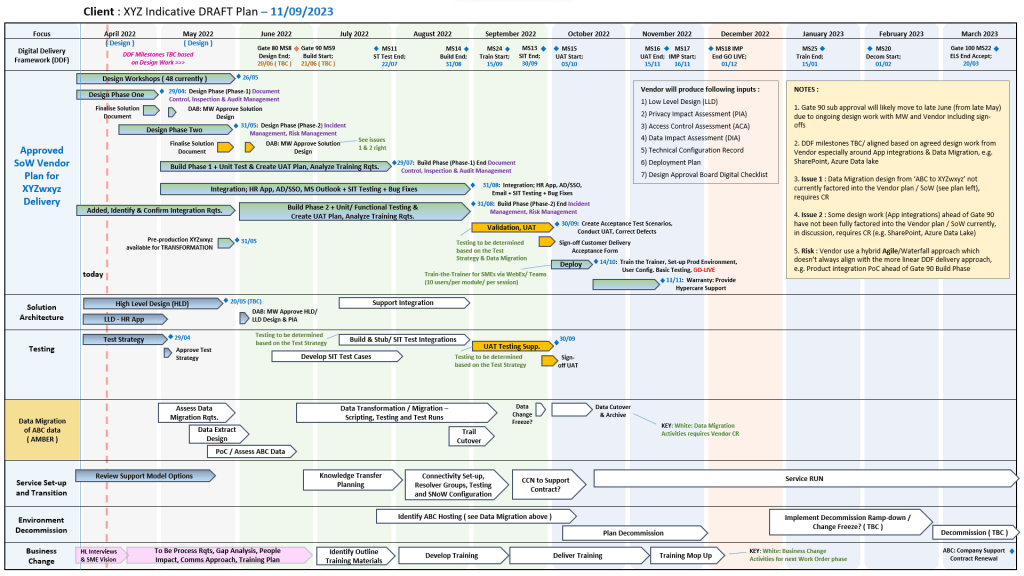
Another POaP example in MS PowerPoint
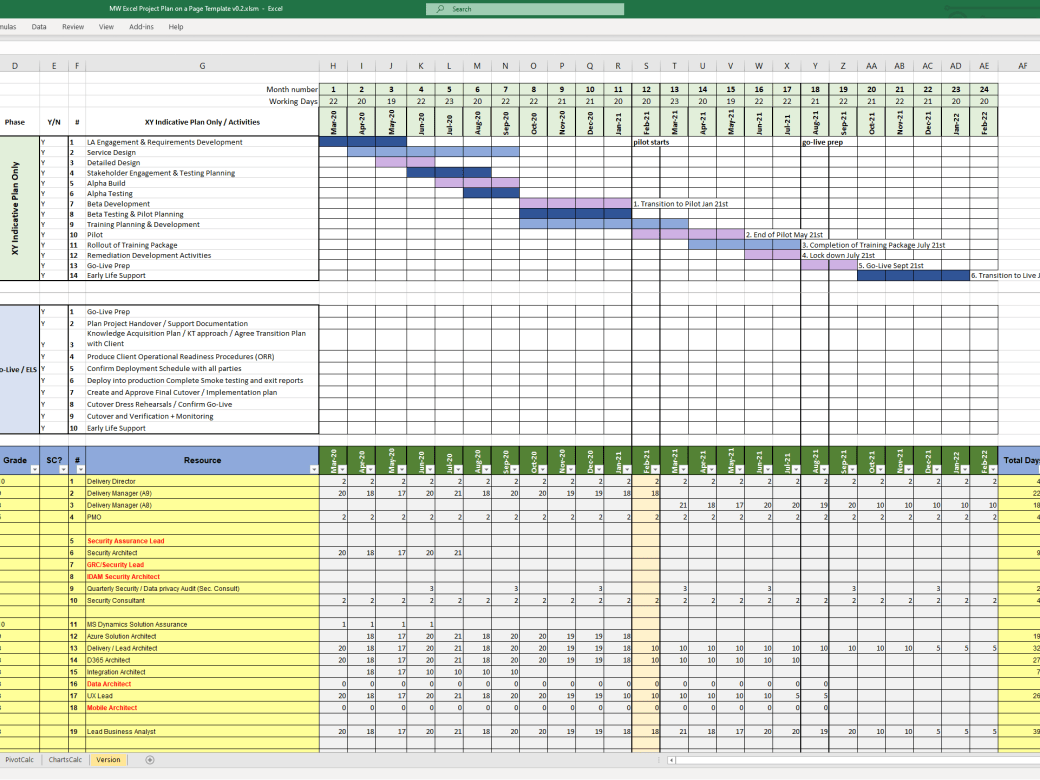
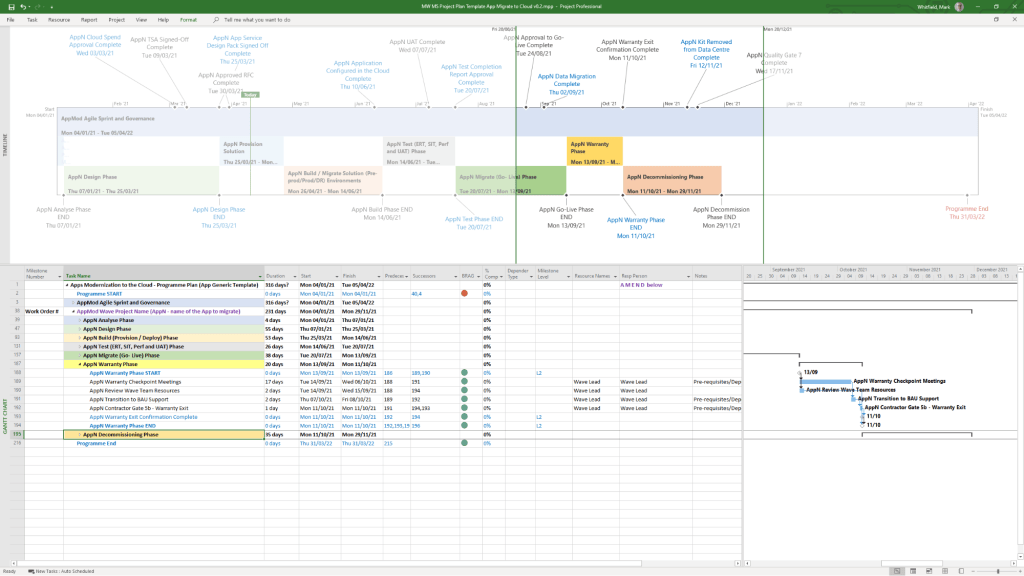
Detailed Project Plans: Comprehensive Systems Development Life Cycle (SDLC) templates available in Microsoft Project (MSP .mpp) format as well as standalone MS Excel detailed plans for environments without dedicated project software.
Microsoft MPP Project Plan example
Plan on a Page (POaP): High-level, visual Gantt chart timeline templates in Excel and PowerPoint used to present milestones and core roadmaps to executives.
Critical Path Analysis (CPA): Structural templates mapping out sequential, dependent tasks to isolate the project’s critical path.
2. Risk, Governance & Issue Tracking
Built to operationalise PMO toolkits, these documents streamline governance and day-to-day item control.
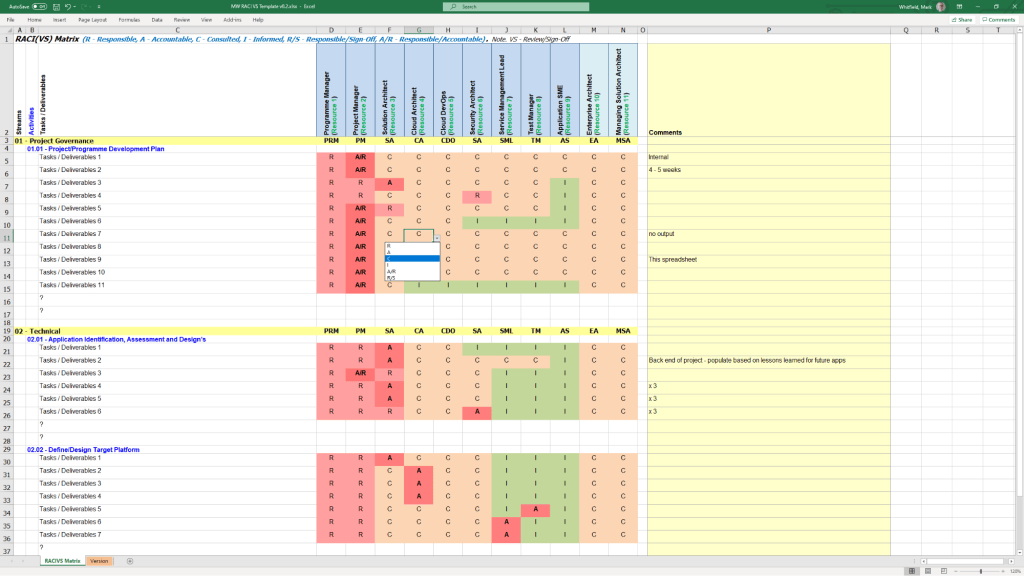
RACI template example in MS Excel
Comprehensive RAIDs Logs: Extensive MS Excel workbooks equipped with built-in charts featuring dedicated tracking tabs for Risks, Actions, Issues, Opportunities, Lessons Learned, and Dependencies.
Change Requests & Variations: Specific registers within the RAIDs ecosystem to log scope creep, contract management deviations, and formal modifications.
RACI Matrices: Role assignment trackers specifying who is Responsible, Accountable, Consulted, and Informed across project milestones.
3. Financial & Resource Management
These templates bypass complex corporate accounting tools to provide lightweight, transparent budgeting directly inside spreadsheet architectures.
Project Budget tracker in Microsoft Excel
Project Financial Trackers: Multi-currency ledgers charting forecasts vs. actual costs, profit margins, variation overheads, and project revenues.
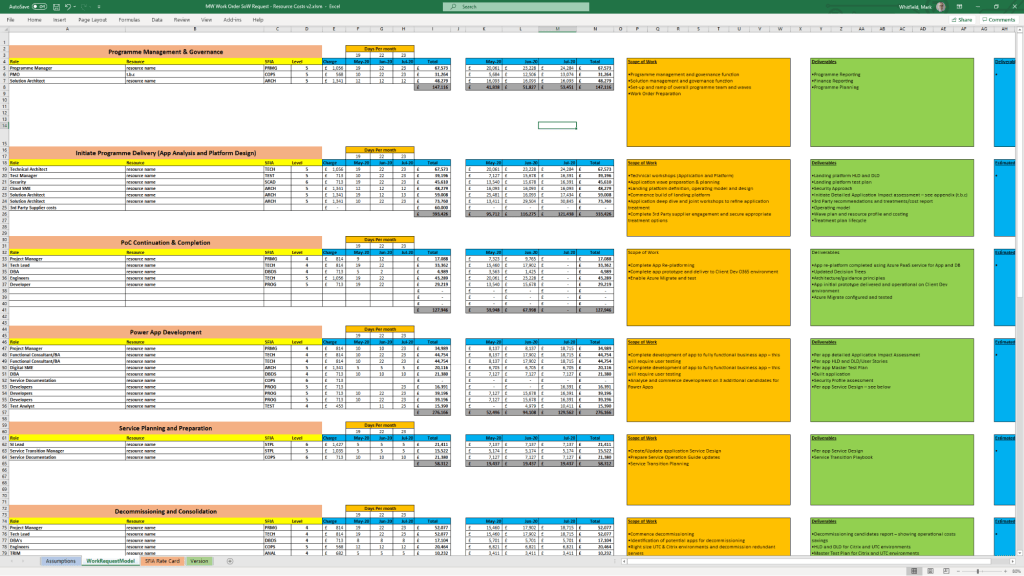
Client Cost Summaries: Simplified external expense templates meant to be packaged and securely shared directly with clients.
Resource and Leave Trackers: Resource allocation grids accounting for internal/external team capacity, annual leave, and resource hierarchy organization charts.
4. Agile & Iterative Delivery Worksheets
For hybrid or purely iterative structures, the package includes functional Excel equivalents to modern project tracking tools.
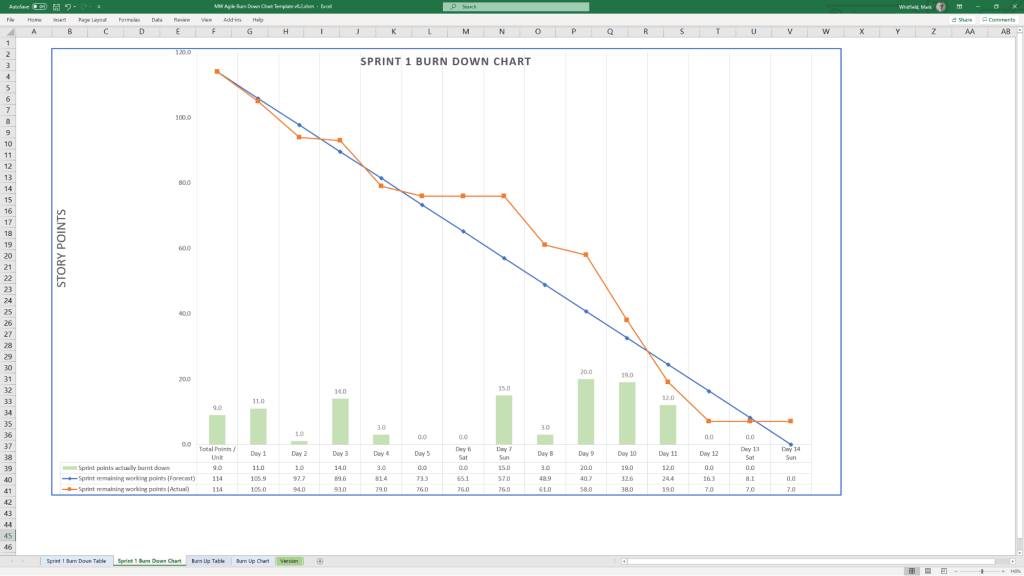
MS Excel template for an Agile Scrum Burndown chart
Velocity Tracking: Standalone, manually updatable Agile Burn Down and Burn Up charts.
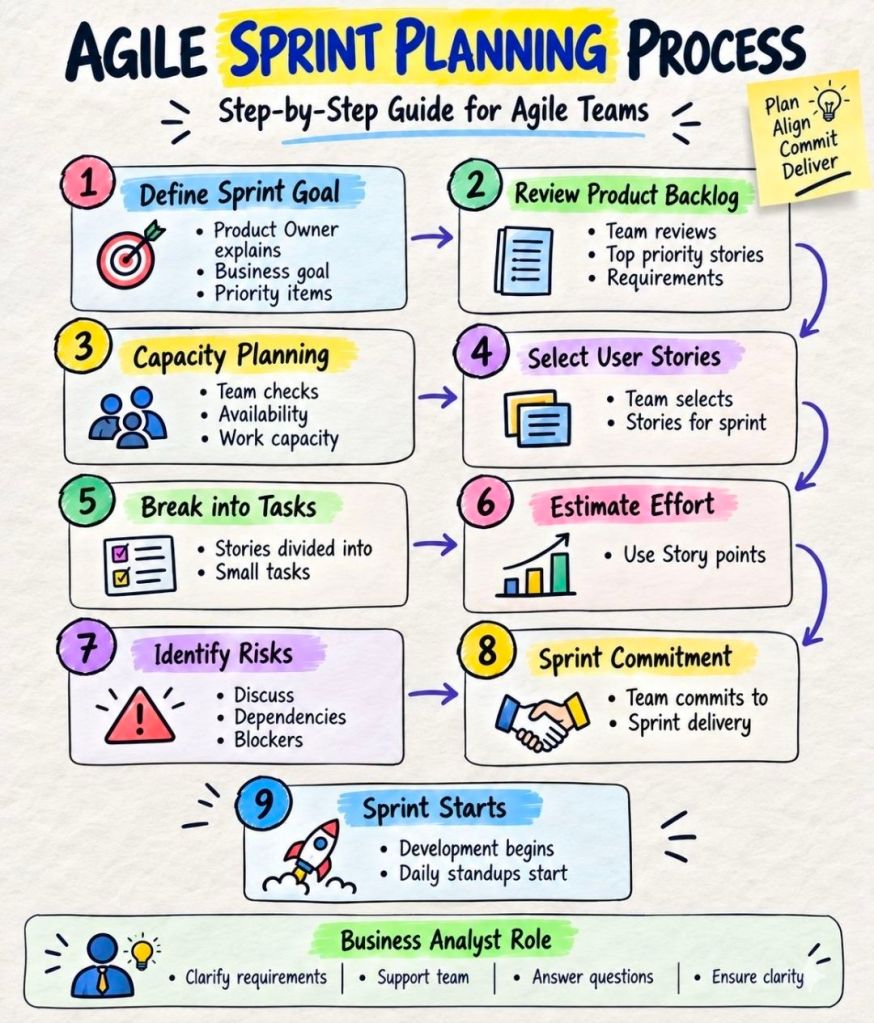
Sprint Dynamics: Templates designed for managing Scrum backlogs and release cycles.
Team Performance: Includes functional icebreakers like the Project Team Quiz template to introduce light relief into daily stand-ups.
5. Communications, Onboarding & Reporting
Designed to cover critical communication pathways, from inception contracts to routine progress updates.
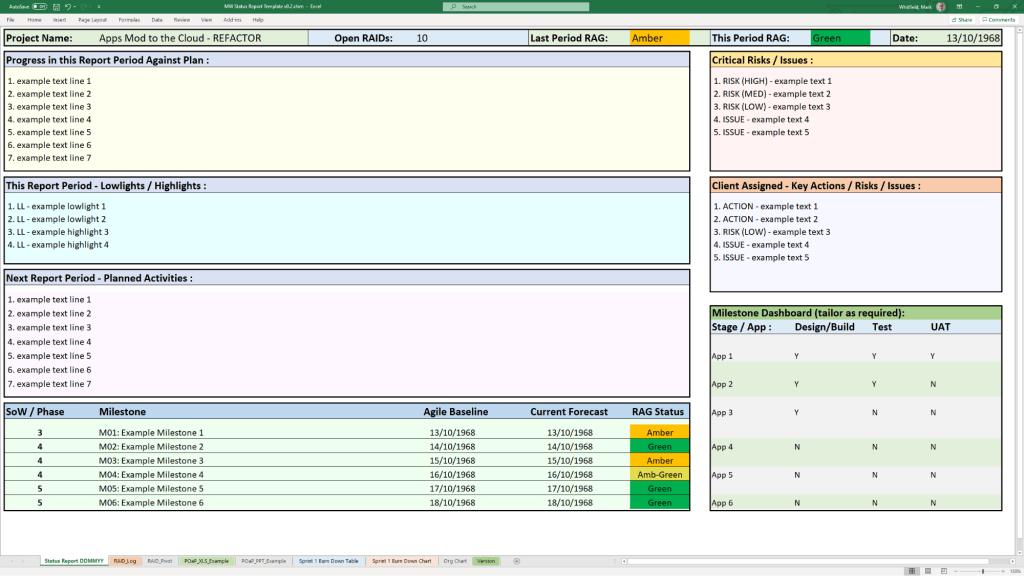
Microsoft Excel Template project status report
Status Reports: Standardized weekly and monthly reporting templates distributed across one Word variation and two tailored PowerPoint styles.
Mobilisation Kits: Comprehensive PowerPoint decks built as a unified Programme Mobilise / Team On-boarding Kit.
Stakeholder Analysis Plans: Impact mapping grids that chart Stakeholder Influence vs. Impact to categorize communication strategies into Involve, Inform, Consult, or Monitor.
Core Governance Files: Standard administrative files including formal Meeting Minutes, Statement of Work (SOW) guidelines, and Benefits Realisation plans.
The complete toolkit is available directly via the official PROject Templates platform or via his authorized marketplace storefront, ProjectTemplatesSoft on Etsy. Both options include a lifetime guarantee of free additions and package upgrades.