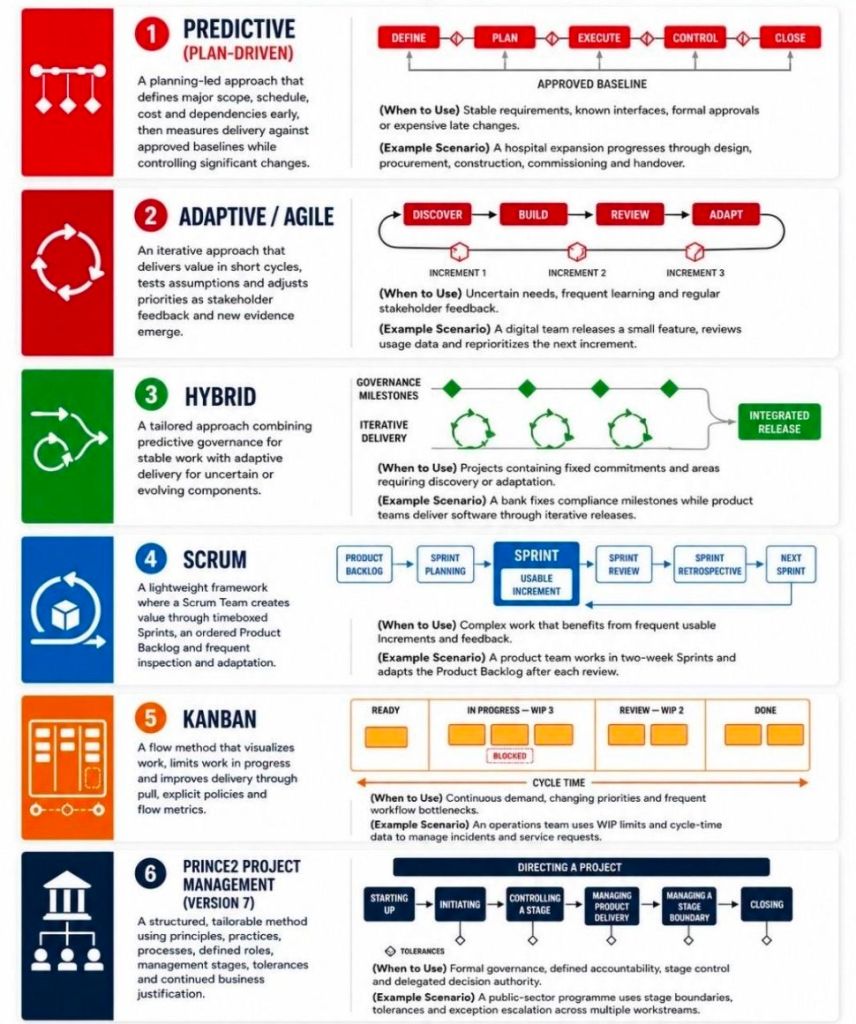
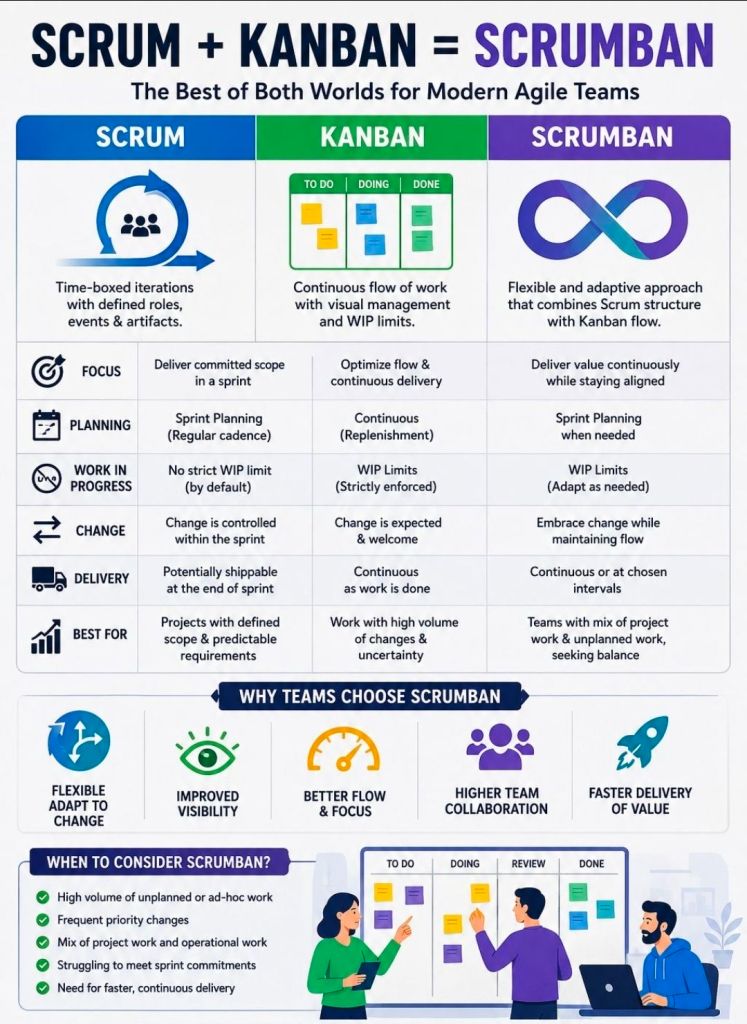
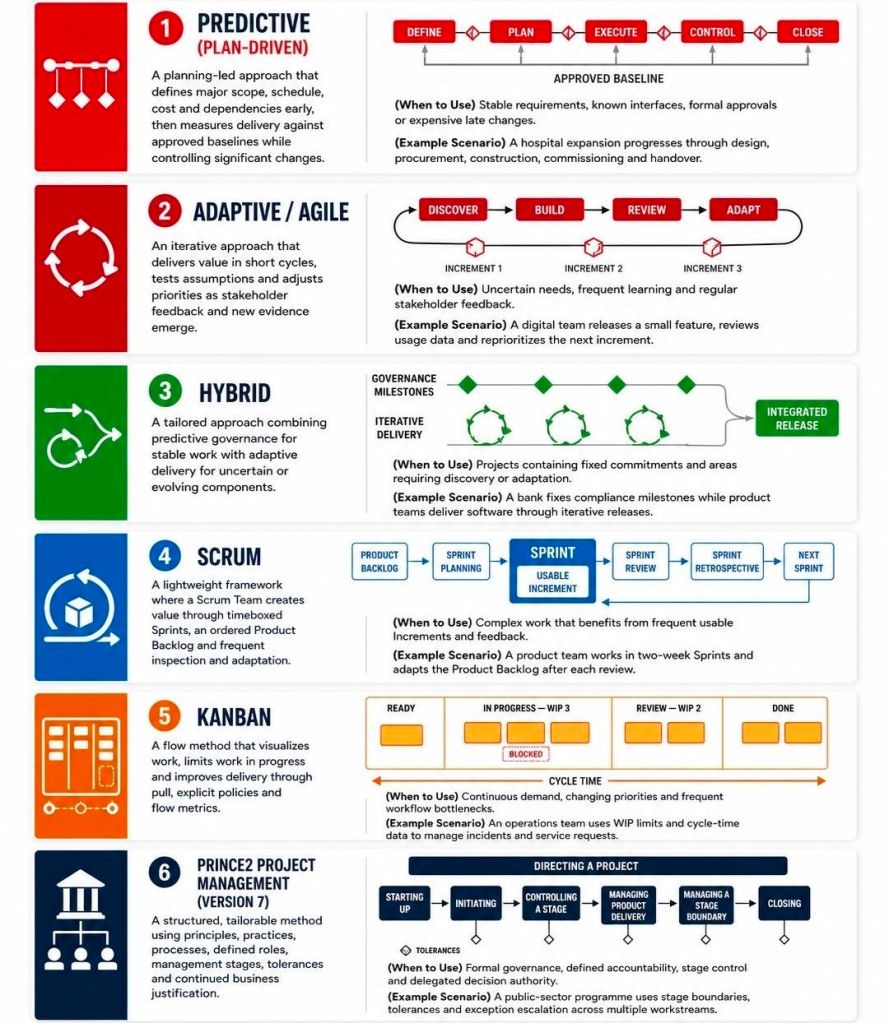
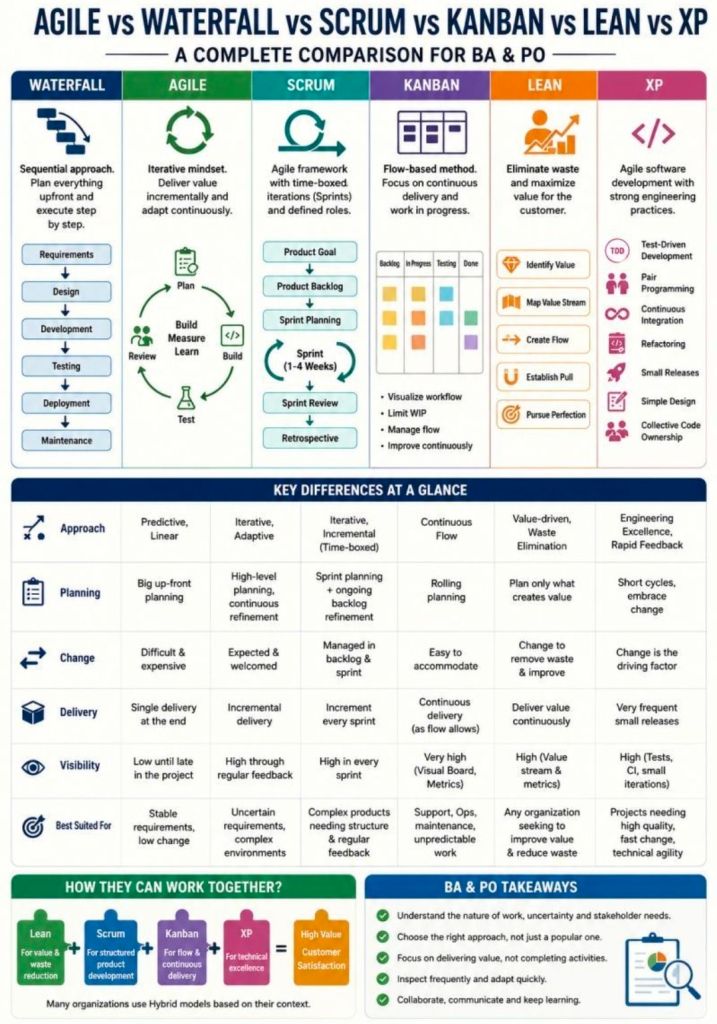
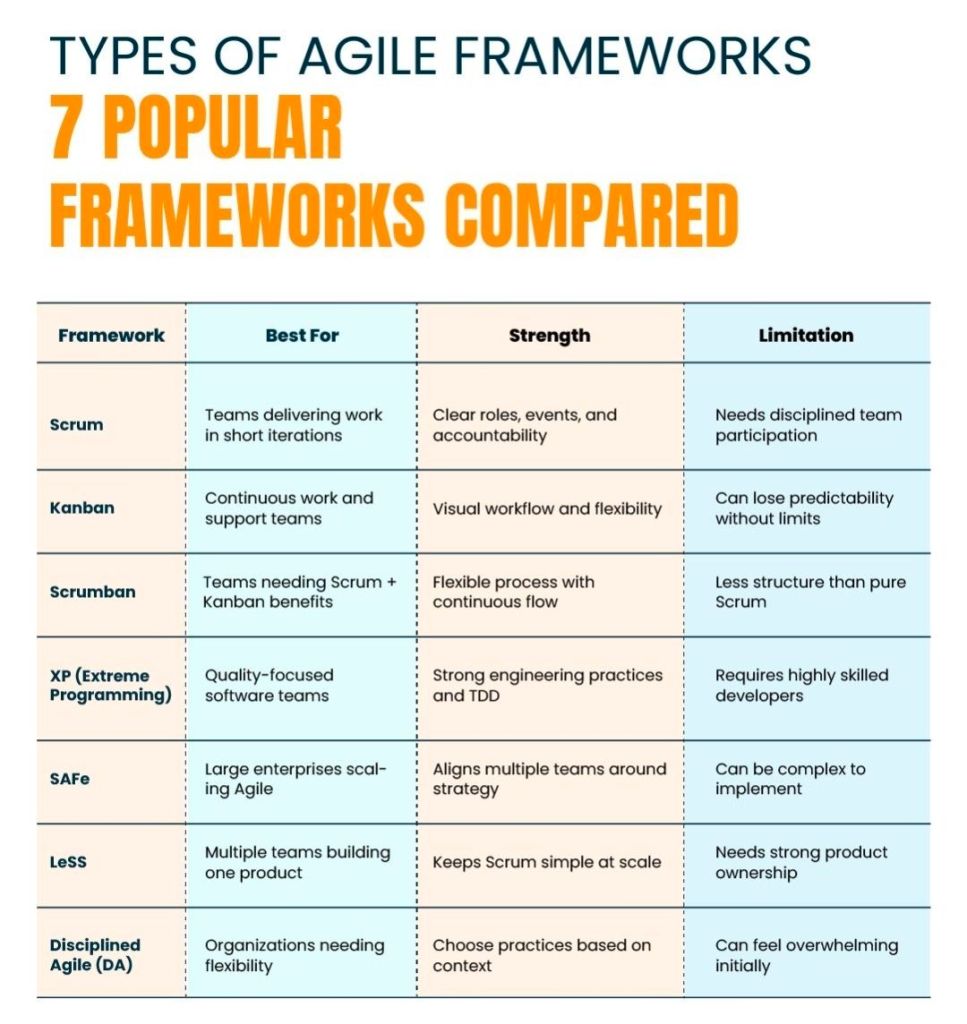
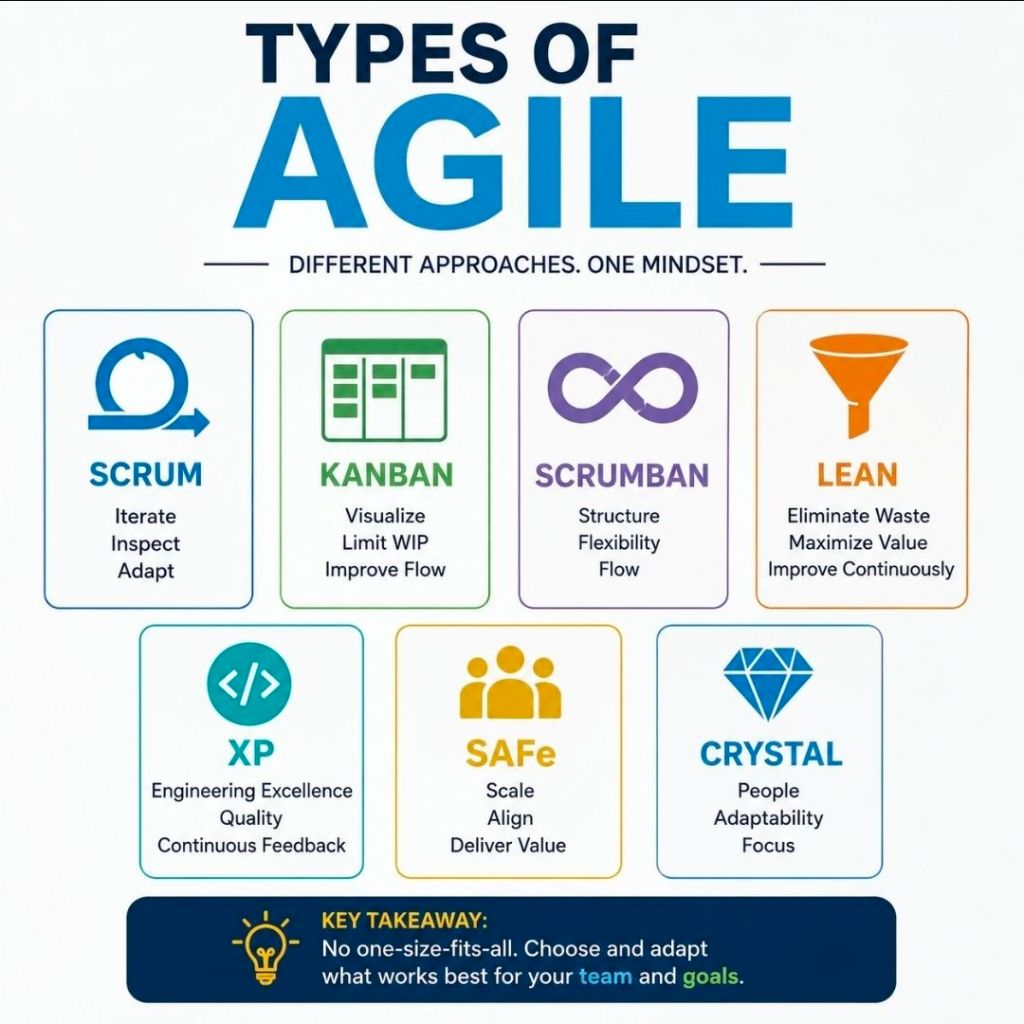
Agile project management is an iterative, adaptive approach that breaks projects down into small, manageable cycles called sprints or iterations. Instead of planning the entire project upfront, teams continuously deliver functional increments, gather immediate feedback, and adapt to changing requirements. It prioritizes team collaboration, customer involvement, and rapid value delivery over rigid documentation and sequential phases.
Comprehensive Timeline Breakdown by Era and Year
Era 1: The Foundational Seeds (1950s – 1980s)
Before “Agile” existed as a formal term, engineers and researchers laid the groundwork through lean manufacturing and early iterative computing.
- 1957: IBM begins utilizing incremental development concepts under Gerald M. Weinberg.
- 1958: Software for Project Mercury (NASA’s first human spaceflight program) is developed using rapid half-day iterations.
- 1970: Dr Winston Royce publishes a paper describing the Waterfall methodology. Paradoxically, he presents it as high-risk, yet it becomes the dominant, rigid corporate framework for decades.
- 1980: Toyota refines “Just-In-Time” logistics and visual management system concepts, which later directly inspire Kanban and Lean software practices.
- 1986: Authors Hirotaka Takeuchi and Ikujiro Nonaka publish “The New New Product Development Game” in the Harvard Business Review. They introduce a holistic, “rugby-style” team approach, coining the term “Scrum”.
- 1988: Dr Barry Boehm introduces the Spiral Model, formalizing risk-driven, iterative lifecycle planning.
Era 2: The “Lightweight” Revolt (1990s)
Driven by frustration over the high failure rates and slow delivery of Waterfall, software pioneers independently build faster, more flexible frameworks.
- 1991: James Martin formalizes Rapid Application Development (RAD), highlighting timeboxing, prototyping, and active customer involvement.
- 1993: Jeff Sutherland, John Scumniotales, and Jeff McKenna deploy the very first operational Scrum process at Easel Corporation.
- 1994: The Dynamic Systems Development Method (DSDM) is launched in the UK, providing one of the earliest structured frameworks for iterative project delivery.
- 1995: Ken Schwaber and Jeff Sutherland co-present the formal Scrum Framework to the public at the OOPSLA conference.
- 1996: Kent Beck introduces Extreme Programming (XP), introducing core engineering mechanics like pair programming and test-driven development (TDD).
- 1997: Jeff De Luca and Peter Coad design Feature-Driven Development (FDD) to focus strictly on client-valued functional results.
Era 3: The Manifesto Moment (2000 – 2001)
The pivotal pivot point where separate iterative movements unite into a single, cohesive global movement.
- 2000: Pre-meeting alignment occurs. Martin Fowler publishes his definitive article on Continuous Integration (CI), and Extreme Programming teams begin adopting Scrum’s three-question daily standup format.
- February 2001: The Agile Manifesto is Born. Seventeen software development pioneers meet at a ski resort in Snowbird, Utah. They discover common ground, author the Manifesto for Agile Software Development, and establish the 4 Core Values and 12 Principles.
- Late 2001: The Agile Alliance non-profit is established to safeguard, evolve, and distribute Agile education globally.
Era 4: Mainstream Adoption & Scaling (2002 – 2019)
Agile shifts from a rebellious IT trend into a standard corporate expectation, requiring frameworks that can scale across massive enterprises.
- 2002: Ken Schwaber co-founds the Scrum Alliance to offer standardized certifications (like Certified ScrumMaster), dramatically accelerating global adoption.
- 2003: Mary and Tom Poppendieck publish Lean Software Development, cleanly mapping Toyota’s manufacturing efficiencies directly onto digital projects.
- 2009: The Software Craftsmanship Manifesto is created to ensure technical excellence and code quality are not forgotten during rapid business sprints.
- 2011: Dean Leffingwell releases the Scaled Agile Framework (SAFe), allowing massive corporate enterprises to align hundreds of agile teams across entire portfolios.
- 2015: Global project management authorities officially pivot; AXELOS releases PRINCE2 Agile, and the Project Management Institute (PMI) introduces Agile certifications into its core curriculum.
Era 5: Modern Continuous Agility (2020s – Present)
Agile transcends IT entirely, cementing its place as an overarching organizational strategy for business survival in an uncertain world.
- 2020: The Scrum Guide receives its most significant structural update, streamlining language, eliminating prescriptive micro-management, and focusing intensely on a single, unified team working toward a singular “Product Goal”.
- 2021–2023: Business Agility explodes. Non-technical departments—including HR, Marketing, Legal, and Finance—broadly restructure their workflows into iterative agile backlogs to manage volatile hybrid work environments.
- 2024–Present: AI-Driven Agility becomes standard practice. Project management tools use generative AI to automatically draft user stories, estimate team velocity, and dynamically rewrite project sprint backlogs based on real-time market shifts.
Agile Projects Overview and Timeline by year