

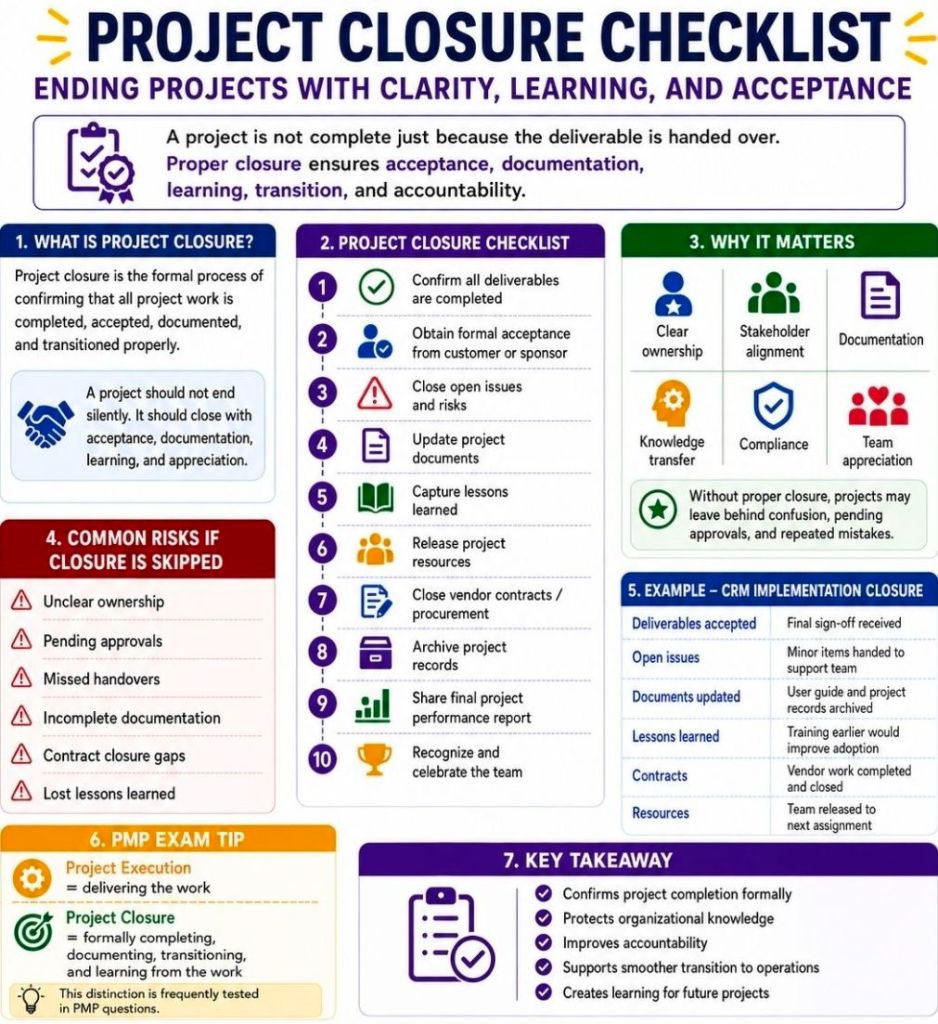
Closing a project successfully requires more than just stopping work; it ensures deliverables are accepted, finances are reconciled, and knowledge is transferred for future success.
A comprehensive checklist includes: verifying and handing over all final deliverables, securing formal stakeholder sign-off, finalizing budgets and closing vendor contracts, releasing project resources, archiving all documentation, conducting a post-mortem or lessons learned review, and celebrating your team’s achievements.
Follow this structured, step-by-step closeout checklist to ensure no loose ends are left behind.
1. Deliverables & Acceptance
- Verify Scope: Compare original project objectives and specifications to the final deliverables.
- Quality Check: Conduct a final walkthrough to ensure all technical and operational requirements have been successfully met.
- Client Handover: Transfer the final product, assets, or software over to the clients, end-users, or maintenance team.
- Secure Sign-Off: Obtain formal, documented approval or a signature of acceptance from the project sponsor and key stakeholders to prevent future disputes.
2. Finance & Contract Closure
- Budget Reconciliation: Compare final spending to your initial budget and document any variances.
- Process Final Invoices: Ensure all outstanding payments, contractor fees, and expenses are cleared.
- Close Vendor Contracts: Verify that all suppliers and subcontractors have met their contractual obligations, then formally close their contracts.
- Close Cost Codes: Shut down active financial codes or billable accounts associated with the project.
3. Documentation & Archiving
- Final Project Report: Compile a summary report of the project’s performance regarding scope, timeline, and budget.
- Handover Documentation: Ensure the operational team receives all necessary manuals, standard operating procedures, and known-issues lists.
- Organize and Archive: Consolidate all project files, risk logs, and communications into a secure, centralized company repository for future reference or audits.
- Revoke Access: Remove project system access, revoke software licenses, and delete temporary shared accounts.
4. Team & Organization
- Lessons Learned Session: Hold a post-mortem or retrospective meeting with your team to discuss what went well, what failed, and what can be improved for next time.
- Update Knowledge Base: Document these insights so the broader organization can learn from the project.
- Release Resources: Formally reassign team members to other projects or return them to their functional departments.
- Celebrate: Take the time to recognize individual contributions and celebrate the completion of the project.


